







Client portals used to be enterprise-only software.
Now they are the fastest way to professionalize any service business. A good portal handles bookings, collects information, shares updates, and keeps clients happy — all without you manually managing spreadsheets and email threads.
With Taskade Genesis, you can deploy a fully functional client portal from a single prompt. Each portal includes built-in databases (Projects), AI assistants (AI Agents), and automated workflows (Automations).
Here are 10 client portals you can clone and deploy today.
TL;DR: Over 150,000 apps have been built on Taskade Genesis, and client portals are among the most popular. These 10 templates cover booking, onboarding, events, testimonials, real estate, and more — all deployable from a single prompt. Build your portal now.
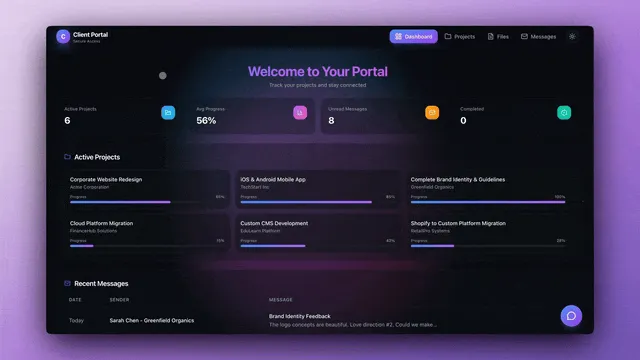
What Is the Best Way to Build a Client Portal in 2026?
Taskade Genesis creates fully functional client portals from plain-text descriptions in minutes. Each portal runs on the Workspace DNA architecture — Memory (Projects), Intelligence (AI Agents), and Execution (Automations) — so your portal is not just a static page but a living system that responds to client actions.
Here is how a typical client onboarding workflow works inside a Genesis portal:
Every portal in this guide follows this pattern — clients self-serve through the interface, AI agents handle the intelligence layer, and automations execute the workflows.
How to Choose the Right Portal Type
Different industries and business models need different portal features. Use this decision tree to find your starting point:
1. Class Booking Portal
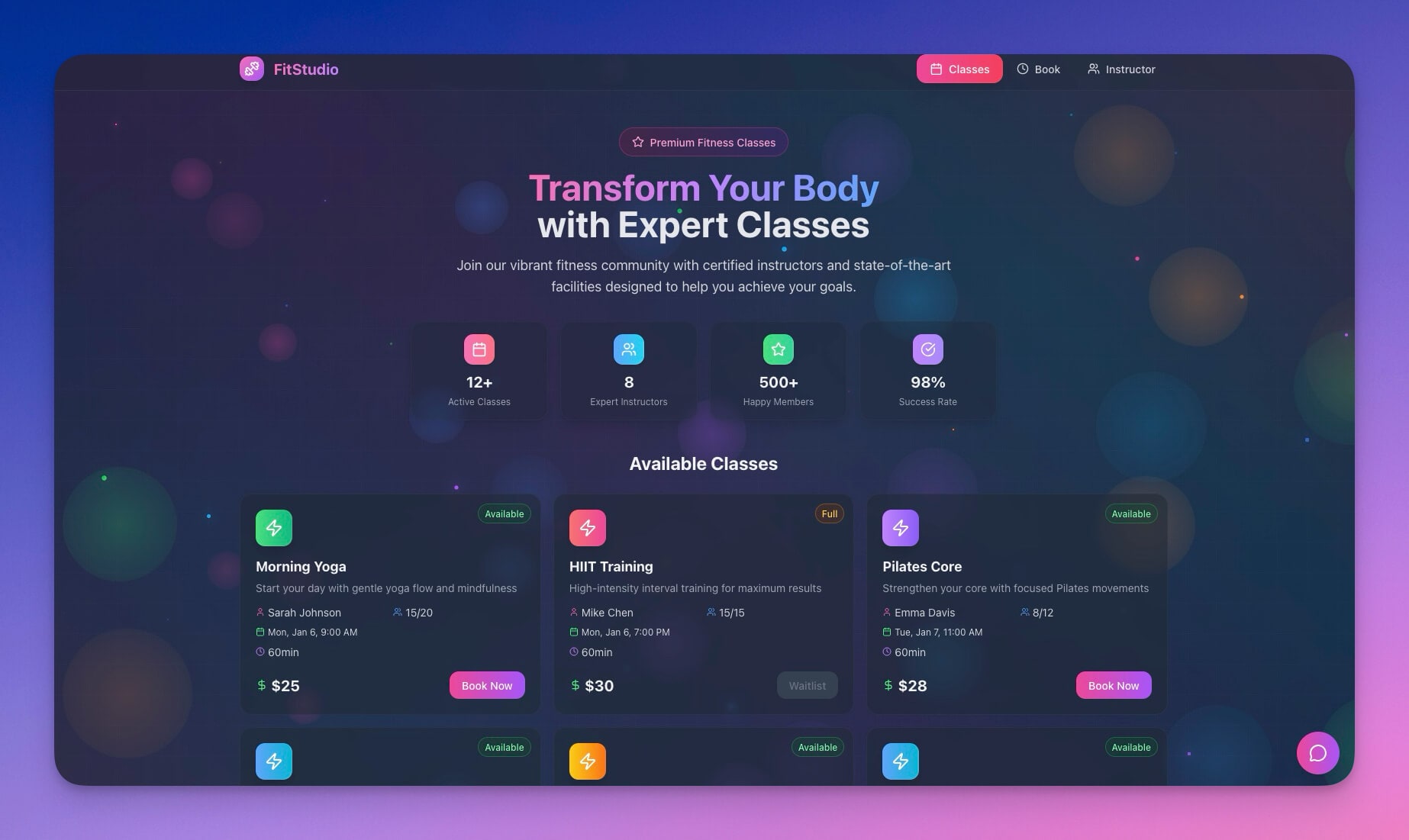
The problem: Fitness studios, tutors, and workshop hosts manage bookings through a patchwork of WhatsApp messages, email threads, and paper sign-up sheets. Students miss classes because reminders do not exist. Waitlists are informal — first to text gets the spot.
What Genesis builds: A full class catalog portal where students browse available classes with descriptions, schedules, and pricing. The booking system handles online registration, automated confirmation emails, and 24-hour reminders via Taskade Automations. A waitlist engine automatically promotes students when spots open. Attendance tracking logs who showed up, and the AI agent sends personalized follow-ups to no-shows.
Best for: Yoga studios, fitness classes, workshops, tutors, music schools, cooking classes
Expanded features:
- Class schedule display with instructor profiles and difficulty levels
- Online booking with automatic capacity management
- Automated reminder sequences (24h, 2h before class)
- Waitlist management with priority-based promotion
- Attendance tracking with no-show follow-up
- Student progress tracking across multiple classes
Automation example: When a student cancels, the automation promotes the first waitlisted student, sends them a confirmation, and updates the class roster — all within seconds, with no manual intervention.
2. Event Management Portal
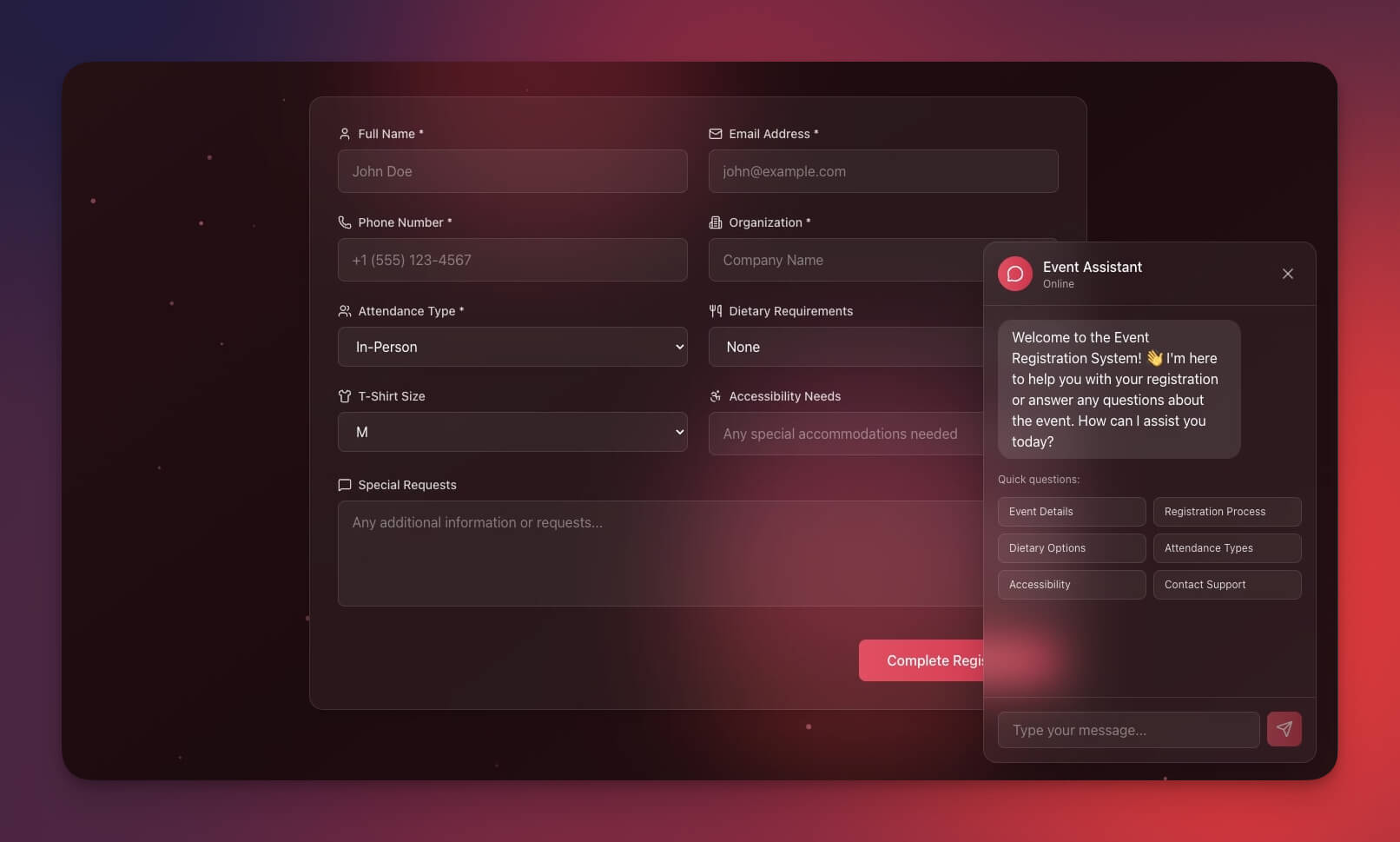
The problem: Event platforms charge per-ticket fees that eat into margins. Conference organizers need registration, speaker management, session scheduling, and post-event follow-up — but off-the-shelf tools force you into rigid templates.
What Genesis builds: A complete event portal with multiple ticket types (early bird, VIP, standard, group), speaker bios, session schedules with track filtering, and attendee management. The AI agent handles pre-event FAQs (venue directions, dress code, dietary options) so your team focuses on logistics. Automations process registration confirmations, calendar invites, reminder sequences, and post-event feedback surveys.
Best for: Event planners, conference organizers, community managers, workshop hosts, meetup groups
Expanded features:
- Multi-tier ticket types with early bird pricing
- Speaker and sponsor profile pages
- Session schedule with track-based filtering
- Attendee check-in with QR code scanning (see our QR code generator tutorial)
- Post-event materials portal (slides, recordings, notes)
- Feedback survey with automated analysis
Automation example: After the event ends, an automation sends a feedback survey to all attendees. The AI agent summarizes responses into a report highlighting top-rated sessions and improvement suggestions, then posts the summary to your team's Slack channel.
Clone Event Management Portal →
3. Appointment Booking System
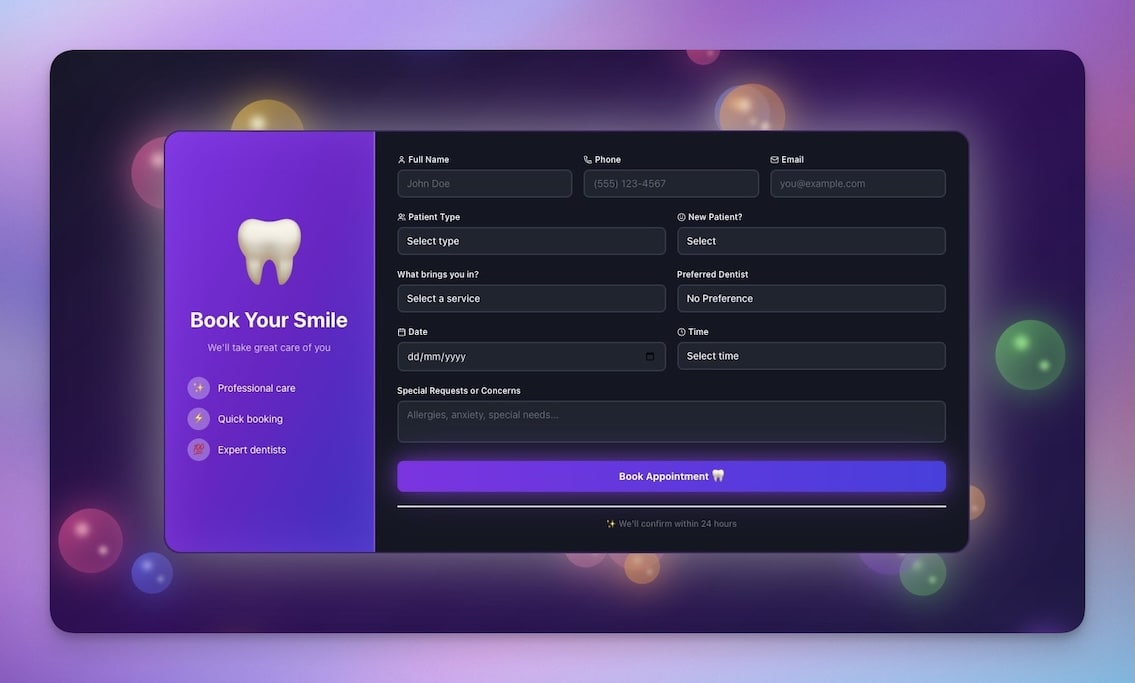
The problem: Scheduling an appointment via email takes 3-5 back-and-forth messages. Calendar tools like Calendly work but charge $8-12 per user per month. Service businesses need a booking system they own and control.
What Genesis builds: A clean booking interface where clients select services, view real-time availability, choose time slots, and receive instant confirmation. The system handles rescheduling, cancellations, and multi-step reminder sequences. The AI agent answers pre-booking questions about pricing, preparation, location, and cancellation policy — reducing your inbox volume by up to 60%.
Best for: Consultants, therapists, coaches, healthcare practitioners, personal trainers
Expanded features:
- Service catalog with descriptions, duration, and pricing
- Real-time calendar availability display
- Automated confirmation and reminder emails (72h, 24h, 2h)
- Rescheduling and cancellation with reason tracking
- Intake form for pre-appointment information
- Post-appointment follow-up and feedback collection
Automation example: When a client books an appointment, the automation sends a confirmation email with calendar invite, triggers an intake form 48 hours before the appointment, sends a reminder 2 hours before, and schedules a follow-up survey for the next day.
4. Consultancy Booking Form
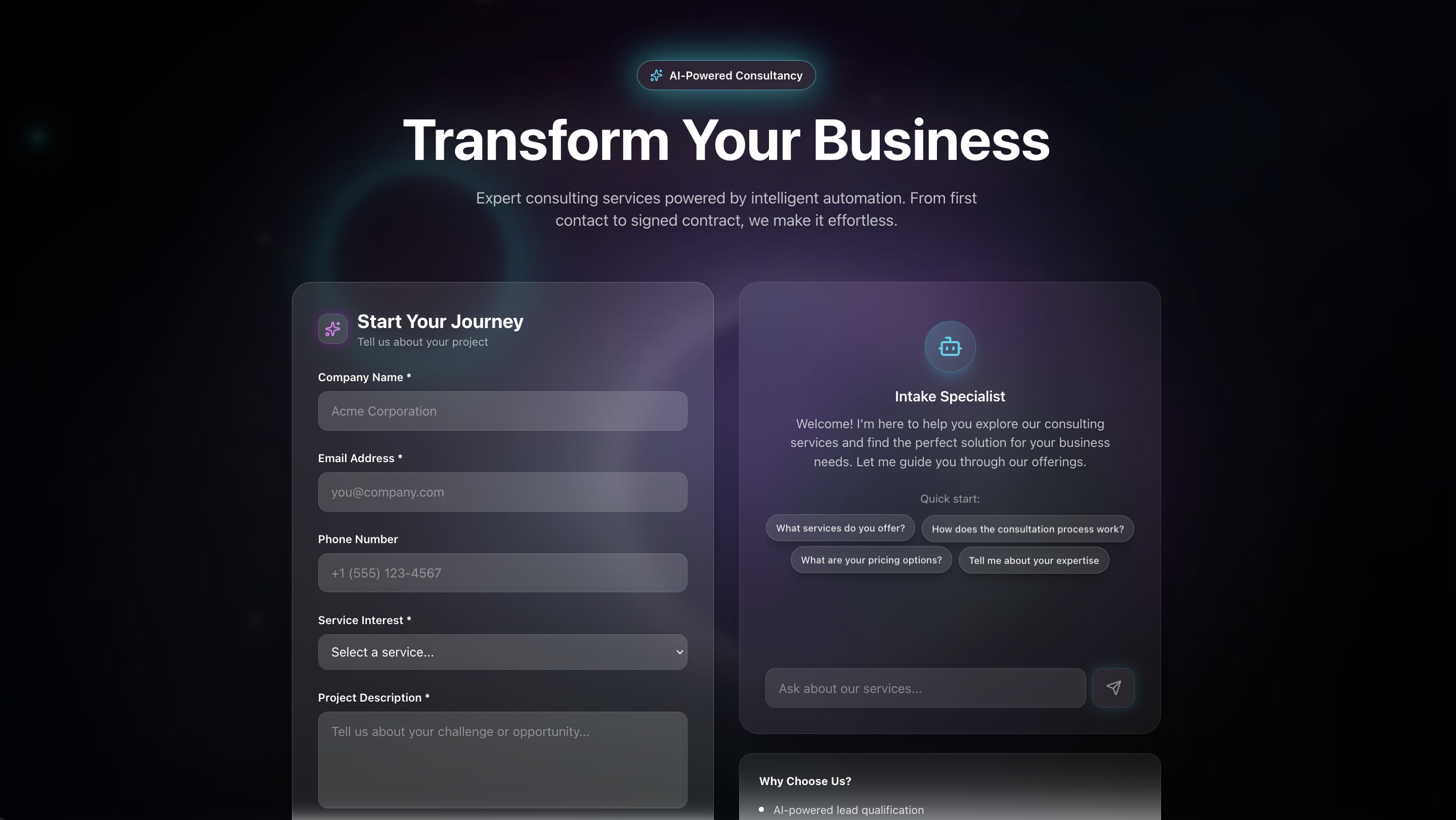
The problem: Consulting firms receive inquiries through generic contact forms that do not capture enough information to qualify leads. Prospects wait days for a response because requests are routed manually.
What Genesis builds: A structured lead capture form that collects requirements (budget, timeline, project scope, team size) and routes prospects to the right consultant based on their answers. The AI agent qualifies leads in real time — asking clarifying questions before the first human interaction. Automations assign a score to each lead and notify the relevant consultant on Slack with a pre-filled client brief.
Best for: Consulting firms, agencies, professional services, accounting firms, law offices
Expanded features:
- Multi-step intake form with conditional logic
- Lead scoring based on budget, timeline, and fit criteria
- Automatic routing to specialist consultants
- Calendar integration for discovery call scheduling
- CRM-style pipeline tracking (Lead, Qualified, Proposal, Engaged)
- Automated proposal generation from intake data
Automation example: A new form submission triggers lead scoring. Leads above threshold get an instant calendar link for a discovery call. Leads below threshold receive a nurture email sequence with relevant case studies. All submissions sync to your CRM via Taskade integrations.
5. Testimonial Portal
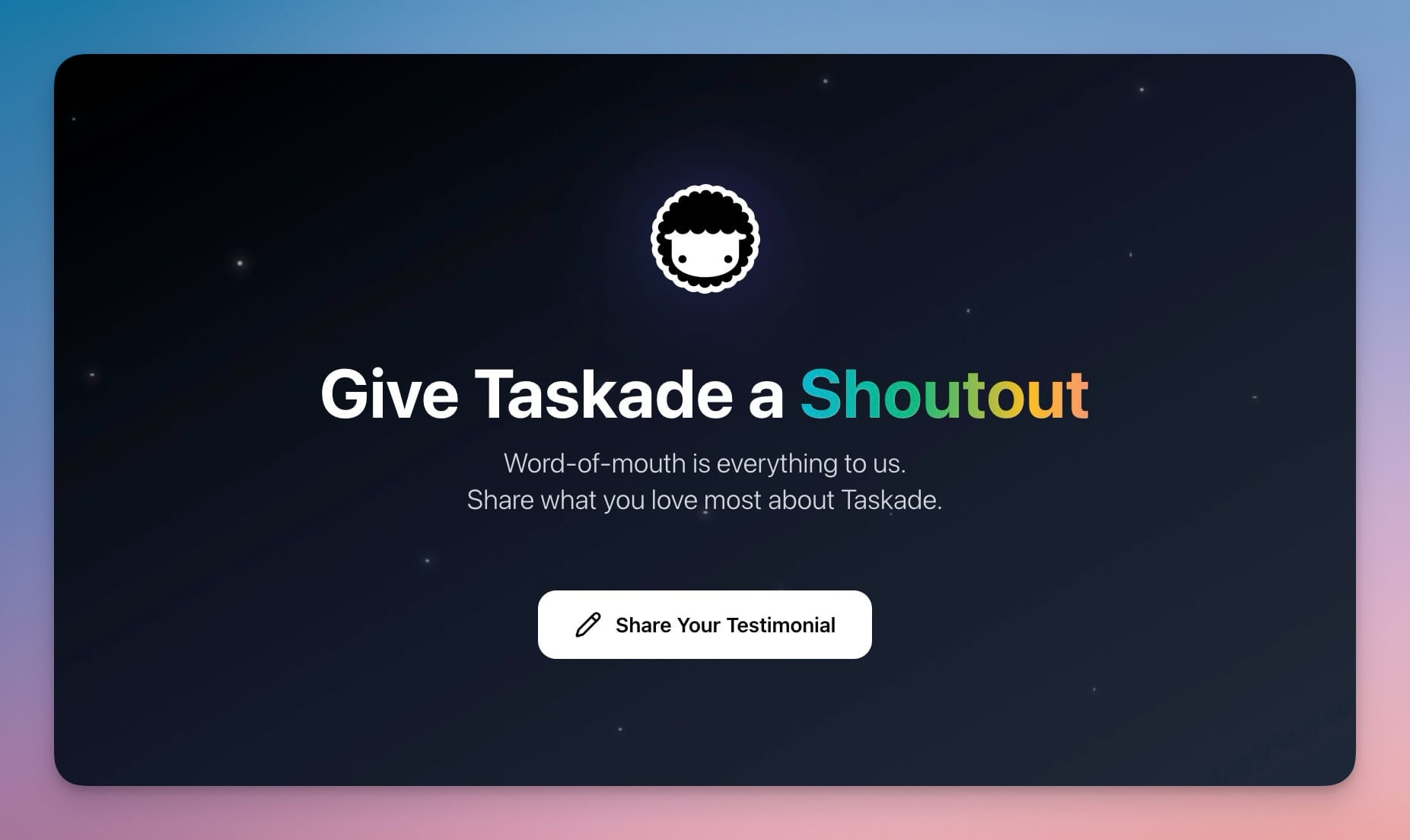
The problem: Collecting testimonials requires manual outreach, follow-up reminders, and a separate system to display approved reviews. Most businesses have satisfied clients who would leave a testimonial — if only the process were easy.
What Genesis builds: A two-sided portal with a client-facing submission form (star rating, text review, optional photo/video) and an admin-facing approval dashboard. The AI agent drafts follow-up requests to clients who have not responded, and automations publish approved testimonials to a public showcase page automatically.
Best for: Any service business, agencies, freelancers, SaaS companies, coaches
Expanded features:
- Testimonial submission form with star rating and rich text
- Photo and video upload support
- Admin approval workflow with one-click publish
- Public showcase page with filtering by service type
- Automated request emails sent at project completion
- Integration with website widgets for dynamic display
Automation example: When a project is marked "complete" in your workspace, the automation waits 3 days, then sends the client a personalized testimonial request email with a direct link to the submission form. If no response after 7 days, a friendly follow-up is sent automatically.
6. Broker Calendar
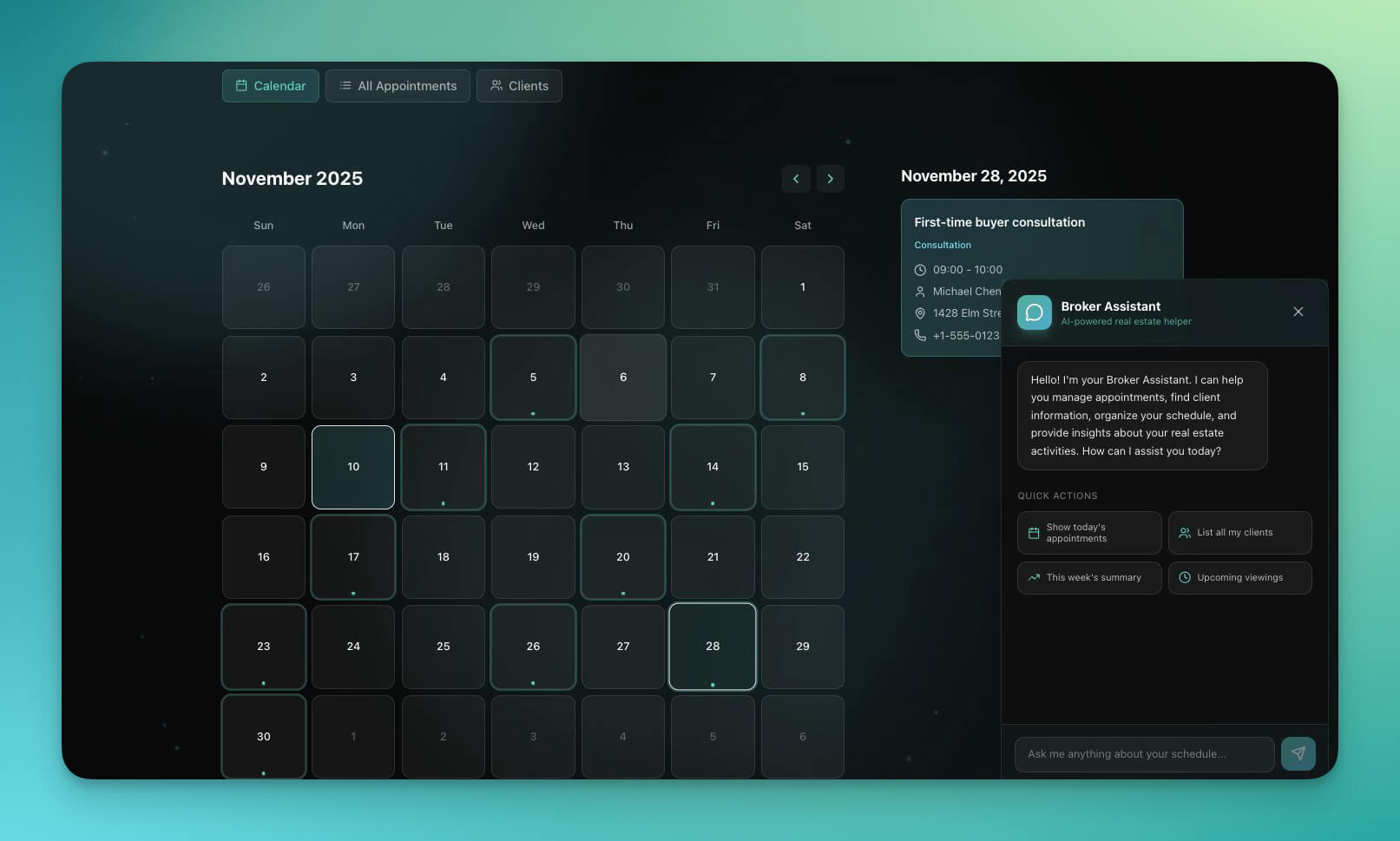
The problem: Real estate agents manage property viewings across personal calendars, phone calls, and text messages. Double-bookings happen weekly. There is no centralized view of which properties have upcoming viewings and which clients are active.
What Genesis builds: A property-specific booking system where prospective buyers browse available viewing slots per listing, book their preferred time, and receive confirmation with property details, directions, and preparation notes. The AI agent qualifies leads by asking budget, financing status, and timeline before confirming the viewing. Automations send post-viewing follow-ups with feedback surveys and next-step recommendations.
Best for: Real estate agents, property managers, brokers, leasing offices, commercial property firms
Expanded features:
- Property-specific availability slots with address and photos
- Lead qualification form (budget, financing, timeline)
- Automated confirmation with directions and property details
- Post-viewing feedback survey and scoring
- Pipeline tracking (Viewing, Interested, Offer, Negotiation, Closed)
- Multi-agent support with territory-based routing
Automation example: After a viewing, the automation sends a feedback survey. If the client rates interest 4/5 or higher, the agent is notified immediately on Slack with the client brief and a suggestion to schedule a follow-up within 24 hours.
7. Real Estate Landing Page
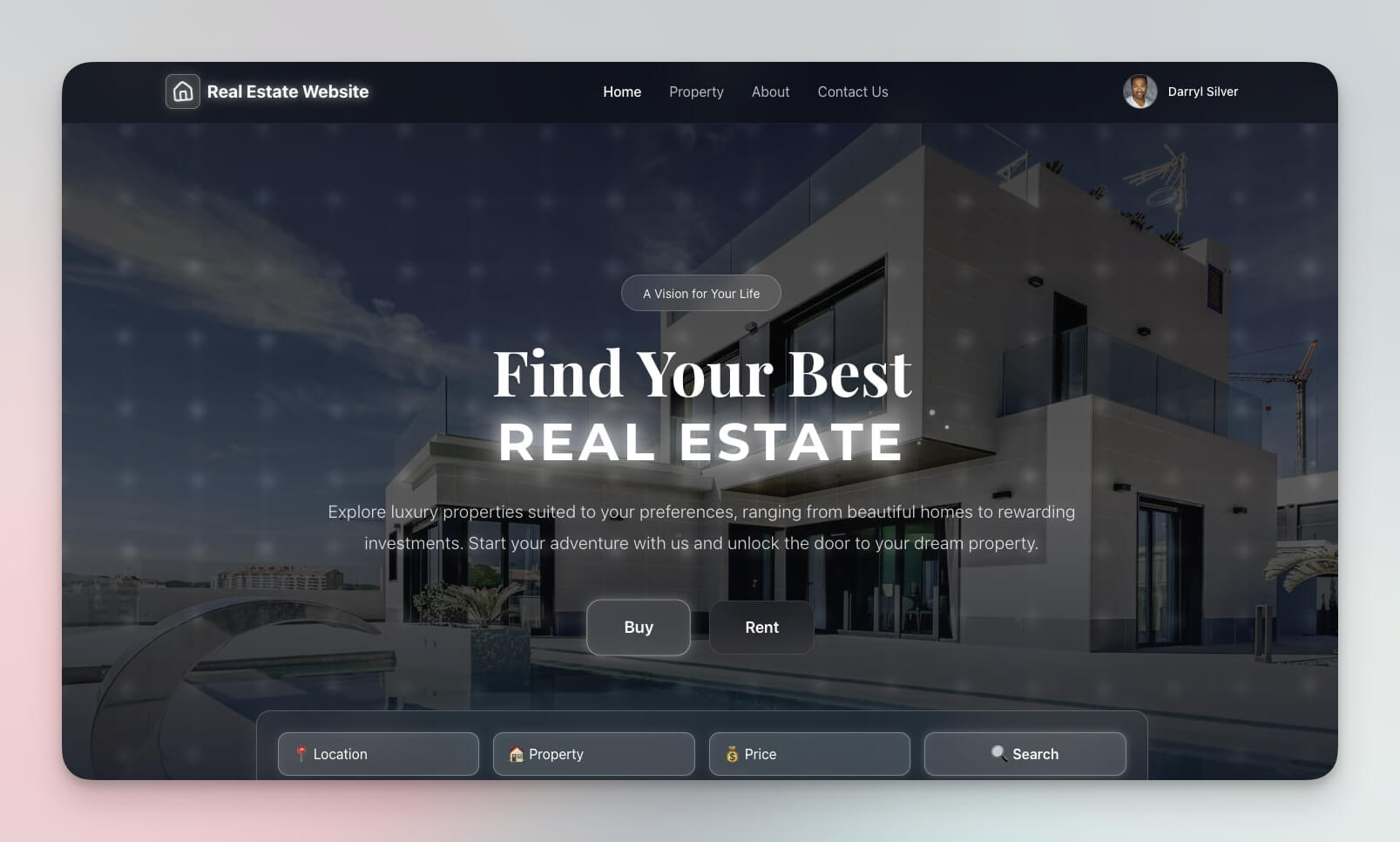
The problem: Real estate websites from vendors like Zillow and Realtor.com own the listing — not the agent. Building a custom property showcase requires web development skills and ongoing hosting costs.
What Genesis builds: A portal-style landing page with property listings (photos, descriptions, pricing, features), inquiry forms, agent profiles, and lead capture. Deploy on a custom domain so clients visit listings.yourbrokerage.com instead of a generic platform. The AI agent answers property questions 24/7 and qualifies leads before they reach your phone.
Best for: Realtors, property developers, real estate agencies, property management companies
Expanded features:
- Property showcase with photo galleries and virtual tour links
- Search and filter by location, price, bedrooms, property type
- Inquiry form with automatic lead capture
- Agent profile pages with contact information
- Market update blog section for SEO
- Neighborhood guide pages with amenities and school ratings
Automation example: When a prospect submits an inquiry, the automation logs the lead, sends a personalized property brochure via email, notifies the assigned agent on Slack, and schedules a follow-up reminder for 48 hours later if no response.
8. Nonprofit Organization Website
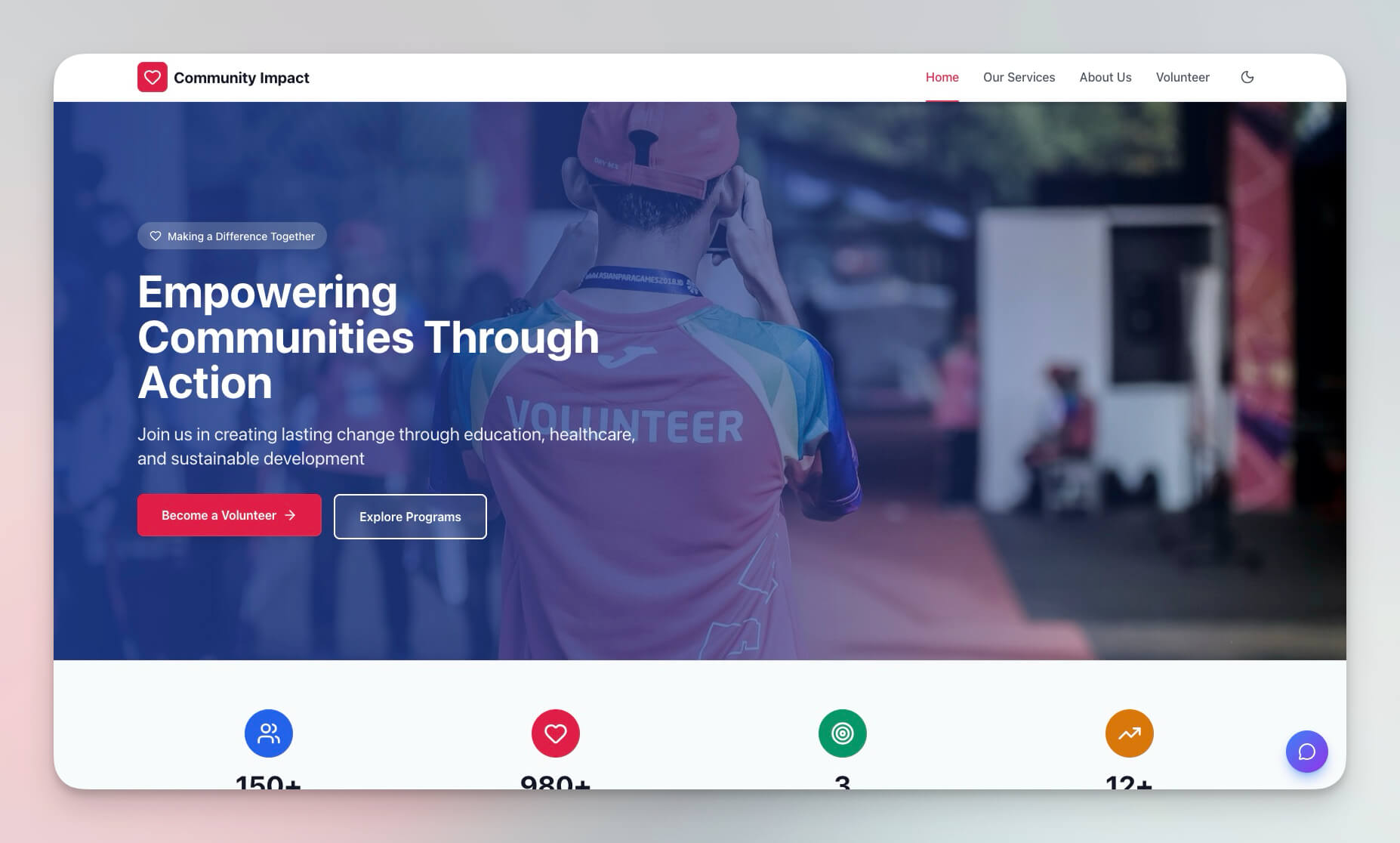
The problem: Nonprofits need donation collection, volunteer registration, event management, and impact reporting — but custom development is beyond most nonprofit budgets. WordPress requires ongoing maintenance. Platform fees from GoFundMe and similar tools reduce donation value.
What Genesis builds: A complete organizational portal with donation forms, volunteer signup, event calendar, impact stories, and team profiles. The AI agent handles donor inquiries and volunteer questions. Automations send tax-receipt emails after donations, welcome sequences to new volunteers, event reminders, and monthly impact newsletters to supporters.
Best for: Nonprofits, charities, community organizations, social enterprises, religious organizations
Expanded features:
- Donation forms with recurring donation option
- Volunteer registration with skills and availability
- Event calendar with registration and reminders
- Impact stories with photo galleries and metrics
- Team and board member profiles
- Donor management with giving history tracking
Automation example: When a new donor makes a contribution, the automation sends a tax receipt, adds them to the donor database, enrolls them in a welcome email sequence, and tags them for the monthly impact newsletter. Recurring donors get a year-end giving summary automatically.
9. Multi-Platform Publisher
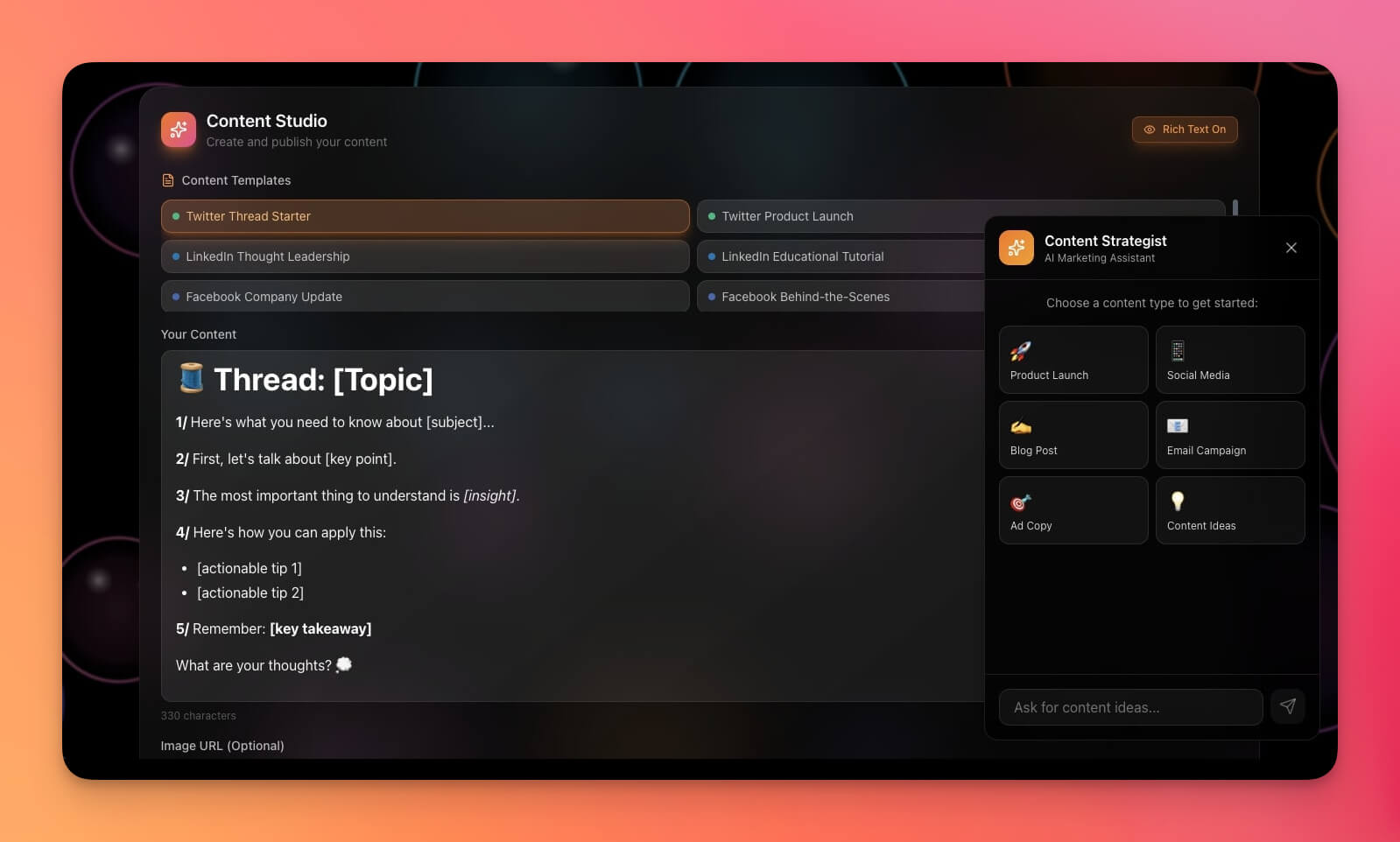
The problem: Marketing agencies manage content across 5-10 platforms per client. Content creation, client approval, scheduling, and performance reporting happen in different tools. The context switching wastes hours every week.
What Genesis builds: A content portal where clients submit content briefs, review drafts, approve final versions, and track performance — all in one place. The AI agent drafts content from briefs, suggests hashtags, and optimizes copy for each platform. Automations handle the approval workflow (draft, review, approved, scheduled, published) and notify the right people at each stage.
Best for: Marketing agencies, content teams, social media managers, brand managers
Expanded features:
- Content brief submission with brand guidelines reference
- Multi-platform preview (how content looks on each channel)
- Approval workflow with version tracking and comments
- Publishing schedule with calendar view
- Performance tracking with engagement metrics per platform
- Client dashboard showing published content and results
Automation example: A client submits a content brief. The AI agent drafts copy for three platforms (LinkedIn, Instagram, Twitter). The automation sends drafts to the client for approval. On approval, content is scheduled for optimal posting times. After publishing, performance data is compiled into a weekly report delivered to the client.
Clone Multi-Platform Publisher →
10. Routes Tourism App
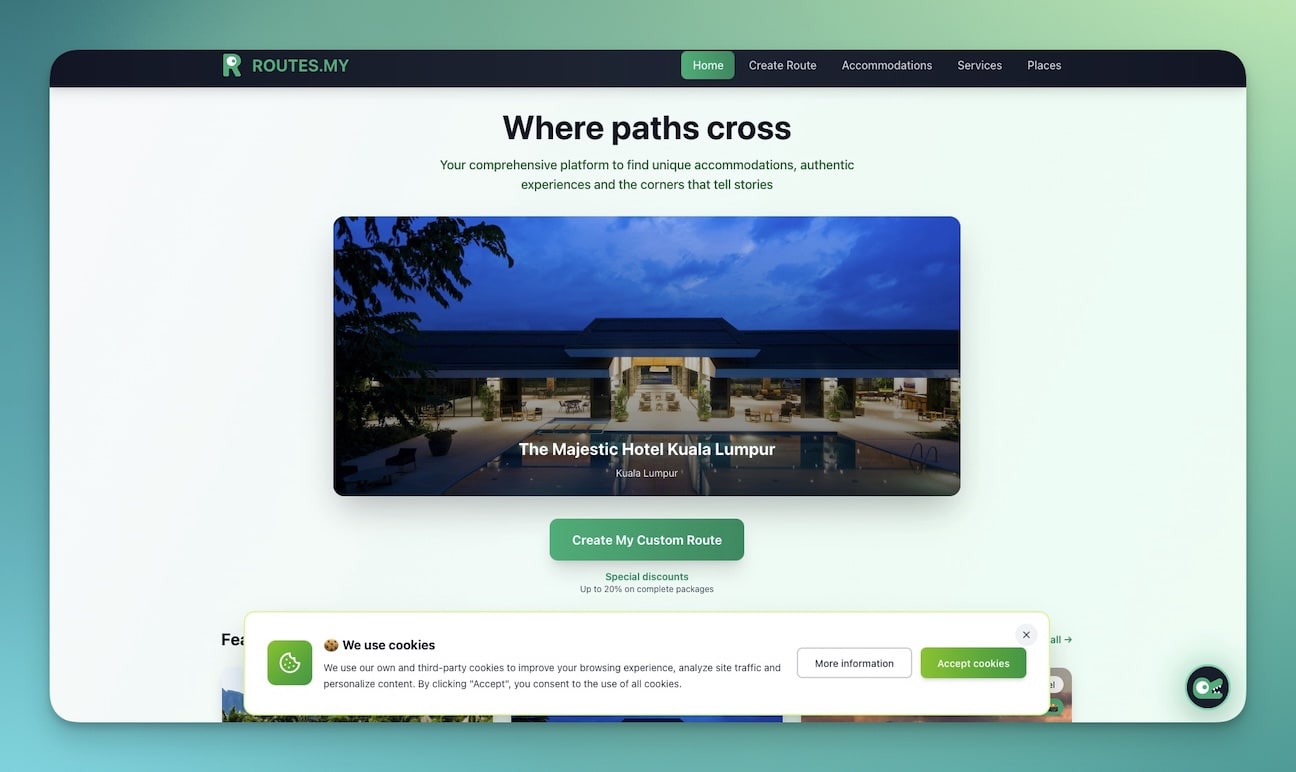
The problem: Travel agencies and tour operators manage bookings through email and phone. Travelers want to browse tours, view itineraries, and book online — but building a custom booking platform requires significant development investment.
What Genesis builds: A travel portal with a tour catalog (descriptions, photos, pricing, availability), online booking, detailed itinerary display, and traveler information collection. The AI agent answers pre-trip questions (packing lists, visa requirements, weather forecasts) and the automation layer processes booking confirmations, payment reminders, pre-trip checklists, and post-trip feedback surveys.
Best for: Travel agencies, tour operators, destination management companies, adventure outfitters
Expanded features:
- Tour catalog with photos, itineraries, and pricing tiers
- Online booking with group size selection and add-ons
- Traveler information collection (passport details, dietary needs, emergency contacts)
- Itinerary display with daily schedules and maps
- Pre-trip checklist with packing suggestions
- Post-trip feedback survey and photo sharing gallery
Automation example: After booking, the automation sends a confirmation email, triggers a traveler information form 30 days before departure, sends a packing checklist 7 days before, delivers the detailed itinerary 3 days before, and requests a review and photos 2 days after the trip ends.
Portal Comparison: Taskade Genesis vs Dedicated Portal Builders
Most portal builders focus on a specific industry and charge monthly per-user fees. Taskade Genesis builds any portal type from a text prompt with full AI and automation capabilities.
| Feature | Taskade Genesis | Copilot Portal | HoneyBook | Dubsado | Custom Code |
|---|---|---|---|---|---|
| Build method | Text prompt | Templates | Templates | Templates | Developers |
| Build time | 5-15 minutes | 1-2 hours | 1-3 hours | 1-3 hours | 2-6 months |
| AI agents built-in | Yes (built-in tools, frontier models) | No | No | No | Custom build |
| Automation workflows | Yes (100+ integrations) | Limited | Limited | Limited | Custom build |
| Database views | Multiple views | Limited | Limited | Limited | Custom |
| Custom domain | Yes (auto SSL) | Yes | No | Yes | Yes |
| Team permissions | RBAC | Basic | Basic | Basic | Custom |
| Portal types | Any (from prompt) | Business only | Creative/service | Creative/service | Any |
| Starting price | Free ($10/mo paid) | $29/mo | $19/mo | $20/mo | $5,000+ |
| Owns the platform | Yes (full control) | No (their service) | No (their service) | No (their service) | Yes (your code) |
The key advantage of Taskade Genesis: you are not limited to pre-built templates for a single industry. Describe any portal and Genesis builds it — with AI agents, automations, and the full Workspace DNA architecture. Compare with code generators: Genesis vs Bolt.new | Genesis vs Lovable.
How to Generate Your Own Portal
Create a custom client portal in minutes:
- Open Taskade Genesis and click "Create App"
- Describe your portal (e.g., "Build a client onboarding portal with intake forms, document sharing, and progress tracking")
- Use "Enhance Prompt" to add details automatically
- Genesis creates the portal with Projects, Agents, and Automations
- Customize branding, forms, and workflows
- Deploy on a custom domain for a branded URL
- Set permissions for team members and clients
- Publish and share with clients
Automation Workflows for Client Portals
Connect your portal to 100+ integrations using Taskade Automations. Here are automation patterns organized by portal type:

| Portal Type | Automation Trigger | Action | Integration |
|---|---|---|---|
| Booking | New appointment booked | Send confirmation + calendar invite | Gmail, Google Calendar |
| Booking | 24 hours before appointment | Send reminder email | Gmail, Slack |
| Onboarding | New client added | Trigger welcome sequence | Gmail, Slack |
| Onboarding | Intake form submitted | Create client project | Taskade Projects |
| Testimonial | Project marked complete | Send testimonial request (3-day delay) | Gmail |
| Event | New registration | Send ticket + calendar invite | Gmail, Google Calendar |
| Event | Event ends | Send feedback survey | Gmail, Slack |
| Content | Draft approved | Schedule publishing | Social platforms |
| Real Estate | Inquiry submitted | Notify agent + send brochure | Slack, Gmail |
| Tourism | Booking confirmed | Trigger pre-trip sequence | Gmail |
Each automation can include branching logic, conditional filters, and multi-step sequences. For advanced patterns, see our automation triggers guide and the AI workflow automation platform.
Security and Access Control for Client Portals
Client portals handle sensitive data — contact information, financial details, project communications. Taskade provides a role-based access control system to ensure clients see only what they should.
Role-to-Portal Mapping
| Role | What They Can Do | Best Portal Use |
|---|---|---|
| Owner | Full control, billing, delete | Portal administrator |
| Editor | Manage members, create and edit content | Team leads, project managers, contractors |
| Checker | View and comment only | Client reviewers, stakeholders |
| Viewer | Read-only access | Clients viewing reports, donors |
Best Practices for Client Access
- Give clients the minimum permission needed. Most clients need Viewer or Checker access to their project. Upgrade to Editor only when they need to edit their own data.
- Create separate workspaces per client. This provides complete data isolation — clients cannot see each other’s projects, even if they have higher permissions within their workspace.
- Scope portal visitors to their own submissions. Event attendees, class students, and form submitters get Viewer access on the shared project, which limits interaction to what they filed themselves.
For detailed permission configuration, see our projects and database guide and the Taskade Genesis FAQ.
Power Your Portal with Workspace DNA
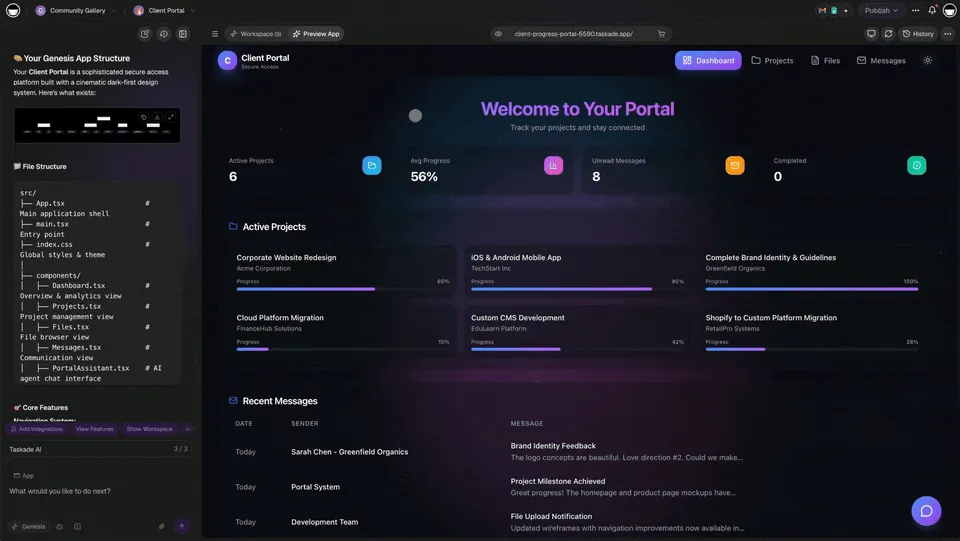
Every client portal built with Taskade Genesis runs on the three-layer Workspace DNA architecture:
- Memory — Projects store client data, booking records, documents, and communications across multiple views: List, Board, Calendar, Table, Mind Map, Gantt, and Org Chart. Every client interaction feeds back into the system.
- Intelligence — AI Agents with built-in tools answer client questions, qualify leads, generate reports, and summarize feedback. Agents access frontier models from top AI labs.
- Execution — Automations connect to 100+ integrations for email sequences, Slack notifications, calendar syncing, and CRM updates. Workflows trigger on client actions and run without manual intervention.
The three layers reinforce each other: client actions (Execution) create records (Memory), records feed AI analysis (Intelligence), and AI insights trigger new workflows (Execution). This is why Genesis portals are "living software" rather than static templates. Learn more in our Workspace DNA guide and the ultimate Genesis guide.
Start Building
Ready to deploy your own client portal?
Resources:
- Explore Community Apps — Clone portals, dashboards, and tools
- Create Your First App — Step-by-step tutorial
- Workspace DNA Guide — Understand the architecture
- Custom AI Agents — The intelligence layer
- Automation Triggers — The execution layer
- Custom Domains — Deploy on your own URL
- Pricing — Free tier available, paid from $10/month billed annually
Read more:
- 20 AI App Ideas You Can Build
- 10 AI Dashboards You Can Clone in One Click
- 10 AI Booking Systems You Can Clone
- 12 AI Websites You Can Build from a Single Prompt
- Build a QR Code Generator Tutorial
- What Is Vibe Coding?
- The Origin of Living Software
- Build Without Permission
Explore Taskade AI:
- AI App Builder — Build complete apps from one prompt
- AI Portal Builder — Create client portals instantly
- AI Forms Generator — Generate forms and intake flows
- AI Agents — Create intelligent AI teammates with built-in tools
- AI Workflow Automation — Connect 100+ integrations
- Browse Templates — Ready-made templates for every use case
Compare alternatives:

Frequently Asked Questions
What is an AI client portal?
An AI client portal is a self-service hub where clients can book appointments, submit information, track project progress, and communicate with your team — all powered by intelligent automation. Unlike traditional portals that require manual updates, AI client portals built with Taskade Genesis include built-in AI agents with built-in tools that handle inquiries, automate follow-ups, and keep data organized across 100+ integrations.
How do I build a client portal without developers?
Taskade Genesis lets you deploy a fully functional client portal from a single text prompt. Describe the portal you need — booking system, onboarding flow, reporting dashboard — and Genesis builds it with databases, AI agents powered by frontier models from top AI labs, and automated workflows. You can clone ready-made portal templates and customize them in minutes without writing any code.
What features should a client portal include?
A good client portal should include appointment booking, document sharing, project status tracking, messaging, and automated notifications. Taskade Genesis portals also include AI agents for client support, automated workflows for follow-ups, and multiple project views (List, Board, Calendar, Table, Mind Map, Gantt, Org Chart) for organizing client data.
Can I control who sees what in my client portal?
Yes. Taskade offers a role-based access control system — Owner to Viewer. This lets you give clients view-only access to their projects while your team retains full editing capabilities. You can also create separate workspaces per client for complete data isolation.
How much does a Taskade client portal cost?
Taskade offers a free tier to get started. Paid plans include Pro at $10/month with up to 10 users, and Business at $25/month with unlimited seats. All paid plans include access to frontier AI models from top AI labs and 100+ integrations for automation workflows. Custom domain deployment starts on Business.
Can I deploy my client portal on a custom domain?
Yes. Taskade Genesis apps support custom domain deployment with automatic SSL. You can point your own domain to any client portal so it appears at a branded URL like portal.yourcompany.com. Custom domains are available on Business ($25/month billed annually) and above.
How do automations work in a client portal?
Taskade Automations connect your portal to 100+ integrations across 10 categories. Common automation workflows include sending confirmation emails after bookings, posting Slack notifications when clients submit forms, syncing data to your CRM, triggering payment processing through Stripe, and generating weekly client reports automatically.
Can I embed AI agents in my client portal?
Yes. Taskade AI Agents can be deployed publicly within your portal to interact with clients. Agents use built-in tools and frontier models from top AI labs to answer questions, qualify leads, schedule appointments, and route inquiries — all without human intervention. Agents maintain persistent memory across conversations.
How does Taskade Genesis compare to dedicated portal builders?
Dedicated portal builders like HoneyBook and Dubsado focus on specific industries. Taskade Genesis builds any type of portal from a text prompt with AI agents, automation workflows, role-based access, and 100+ integrations. Over 150,000 apps have been built on the platform. You get a complete system, not a template locked to one vendor.
What industries use AI client portals?
Client portals serve every service industry. Common use cases include consulting firms for project reporting, fitness studios for class booking, real estate agencies for property viewing scheduling, event planners for registration management, nonprofits for donor engagement, marketing agencies for content approval workflows, and tourism companies for trip booking and itinerary sharing.