






Your agents just got smarter. Train them with any file. Edit your apps visually. Ship with an agent team behind you.
TL;DR: Train agents with any file format, any cloud drive, or any URL. Click to edit apps visually with the Element Selector. Agents now remember every conversation and collaborate in teams. Start building →
📚 Train Agents With Any File
Drag in documents, connect cloud drives, or paste URLs. Your agents read it all, in seconds.
- File uploads: PDF, DOCX, XLSX, CSV, TXT, Markdown, images
- Cloud drives: Google Drive, Dropbox, OneDrive
- Web URLs: any public page becomes agent knowledge
- Live data: connect a database or integration as a knowledge source
Train an agent with knowledge →
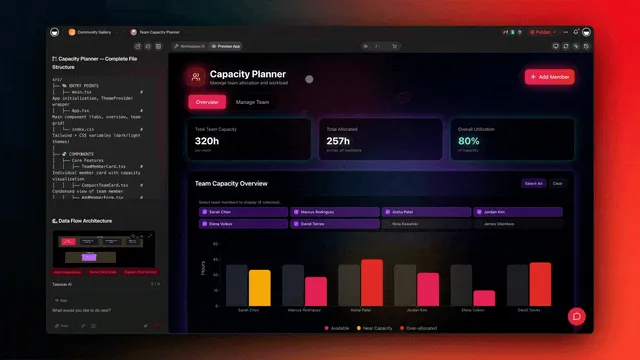
🎨 Click to Edit Apps Visually
Point at the component you want to change. Describe the change. Done.
- Edit layout, spacing, and colors
- Rewrite labels and copy
- Add fields, toggles, or actions
- Test the change live before publishing
🧠 Agent Memory and Teams
Agents remember conversations and can now work together.
- Persistent memory: every agent picks up where it left off, stored as a real Taskade Project
- Agent teams: group agents with specialized knowledge into one team
- Shared chat: teammates collaborate in one conversation thread
- Per-agent tools: hand each agent only the tools it needs
Keep Going
Frequently Asked Questions
How do I train a Taskade agent with my files?
Upload any file format (PDF, DOCX, XLSX, CSV, images) directly into the agent knowledge panel. Connect cloud drives like Google Drive, Dropbox, or OneDrive to keep knowledge synced, or paste a URL and your agent learns from the page in seconds.
What is the Element Selector?
The Element Selector lets you click any part of a Taskade Genesis app and describe the change in plain English. Move a button, change a color, add a field, or rewrite copy without touching code.
Do agents remember past conversations?
Yes. Every agent has persistent memory and picks up where you left off. Memory lives as a real Taskade Project so you can read, edit, and audit exactly what the agent remembers.
Can agents work together?
Yes. Group multiple agents into a team, give each one specialized knowledge and tools, and they collaborate in a shared chat thread.