







The hardest part of building is not the building — it is deciding what to build.
Here are 20 AI app ideas organized by category. Each one is something you can build with Taskade Genesis in minutes. Some have ready-to-clone examples. Others are prompts you can generate from scratch.
Pick one. Build it. Ship it today.
TL;DR: Taskade Genesis has powered 150,000+ apps built from simple text prompts — no code required. These 20 ideas span dashboards, booking systems, websites, productivity tools, and personal workspaces. Start building your first app now.

What Are the Best AI App Ideas to Build in 2026?
The best AI app ideas solve a specific problem for a specific audience. Taskade Genesis turns each idea into a working application with databases, AI agents, and automations — all from a single text prompt.
Here is a quick reference table of all 20 apps covered in this guide:
| # | App | Category | Clone Link | Best For |
|---|---|---|---|---|
| 1 | Finance Tracker Dashboard | Dashboards | Clone | Freelancers, small businesses |
| 2 | Sales Pipeline Dashboard | Dashboards | Clone | Sales teams, agencies |
| 3 | Team Capacity Dashboard | Dashboards | Clone | Project managers, team leads |
| 4 | Support Metrics Dashboard | Dashboards | Clone | Support teams, SaaS companies |
| 5 | Appointment Scheduler | Booking Systems | Clone | Consultants, therapists, coaches |
| 6 | Class Registration System | Booking Systems | Clone | Studios, tutors, workshops |
| 7 | Event Registration Portal | Booking Systems | Clone | Event planners, conferences |
| 8 | Property Viewing Booker | Booking Systems | Clone | Real estate agents, brokers |
| 9 | SaaS Landing Page | Websites | Clone | Startups, product teams |
| 10 | Portfolio Website | Websites | Clone | Designers, developers, creatives |
| 11 | Nonprofit Organization Site | Websites | Clone | Nonprofits, charities |
| 12 | Business Services Website | Websites | Clone | Agencies, consultancies |
| 13 | Invoice Generator | Productivity | Clone | Freelancers, contractors |
| 14 | Time Tracker | Productivity | Clone | Remote teams, agencies |
| 15 | Meeting Cost Calculator | Productivity | Clone | Managers, operations teams |
| 16 | QR Code Generator | Productivity | Clone | Marketing teams, retail |
| 17 | Mood Tracker | Personal | Clone | Individuals, therapists |
| 18 | Book Reading Tracker | Personal | Clone | Book clubs, students |
| 19 | RSS Feed Reader | Personal | Clone | Content creators, researchers |
| 20 | Study Flashcards | Personal | Clone | Students, lifelong learners |
How to Pick the Right App Idea
Not sure where to start? Use this decision framework based on your goal:
Dashboards
1. Finance Tracker Dashboard
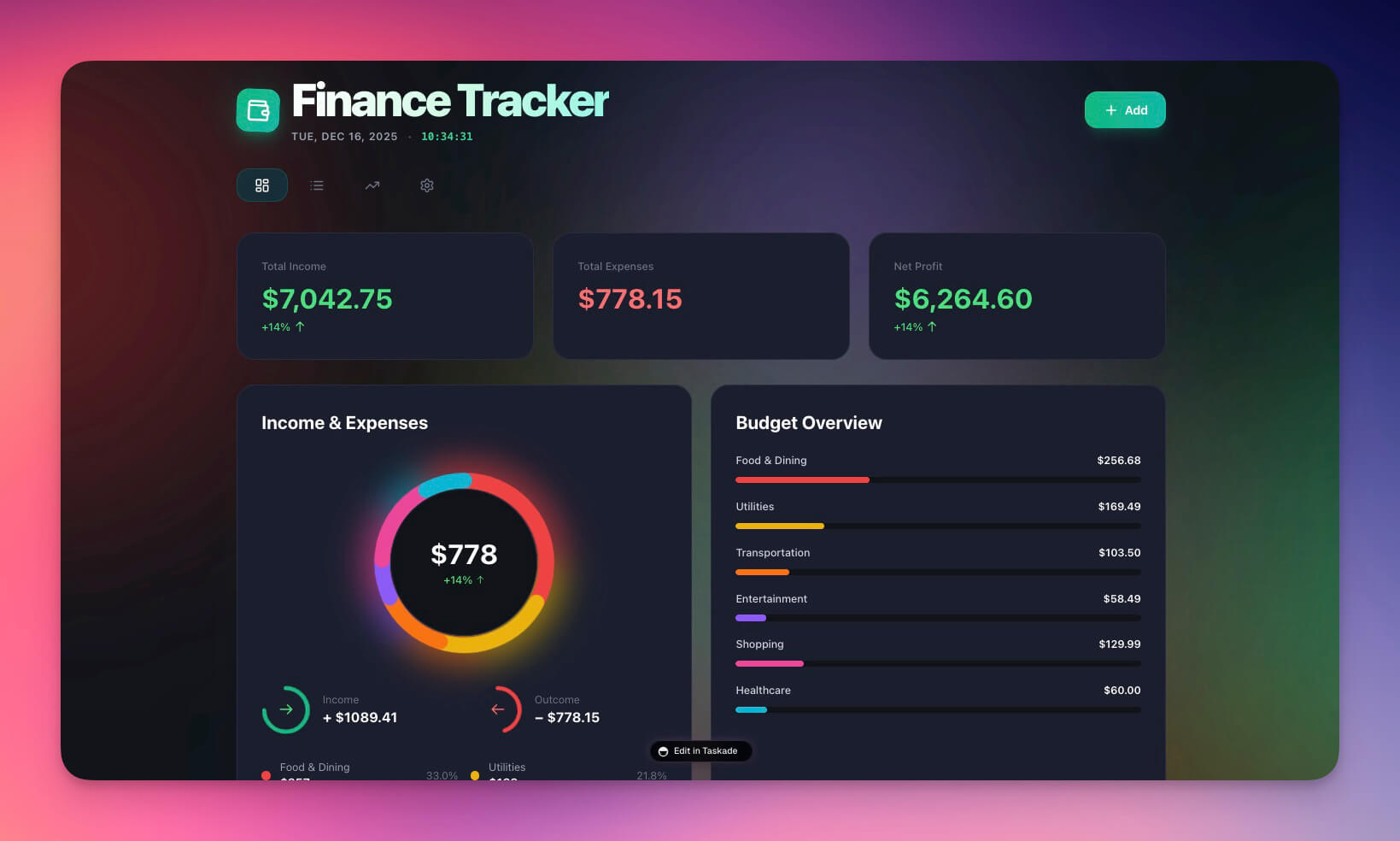
The problem: Spreadsheets and basic accounting tools give you numbers without context. You see transactions but miss spending patterns, cash flow trends, and budget overruns until it is too late.
What Genesis builds: A real-time finance dashboard that tracks expenses, revenue, and cash flow in a structured database. An AI agent categorizes transactions automatically, spots spending anomalies, and flags budget deviations. Automations pull transaction data from connected accounts and generate weekly financial summaries.
Best for: Freelancers tracking income and expenses, small businesses monitoring cash flow, startup founders managing burn rate.
2. Sales Pipeline Dashboard
The problem: CRM tools are bloated and expensive. Most sales teams only need deal tracking, stage visualization, and basic forecasting — not a 200-feature enterprise platform.
What Genesis builds: A clean pipeline dashboard where you add deals, move them through stages (Lead, Qualified, Proposal, Negotiation, Closed), and see revenue forecasts. The AI agent identifies at-risk deals based on days-in-stage and interaction frequency. Automations send follow-up reminders and update your team on Slack when deals move.
Best for: Sales teams at agencies, SaaS startups with 2-20 reps, consultants tracking proposals.
3. Team Capacity Dashboard
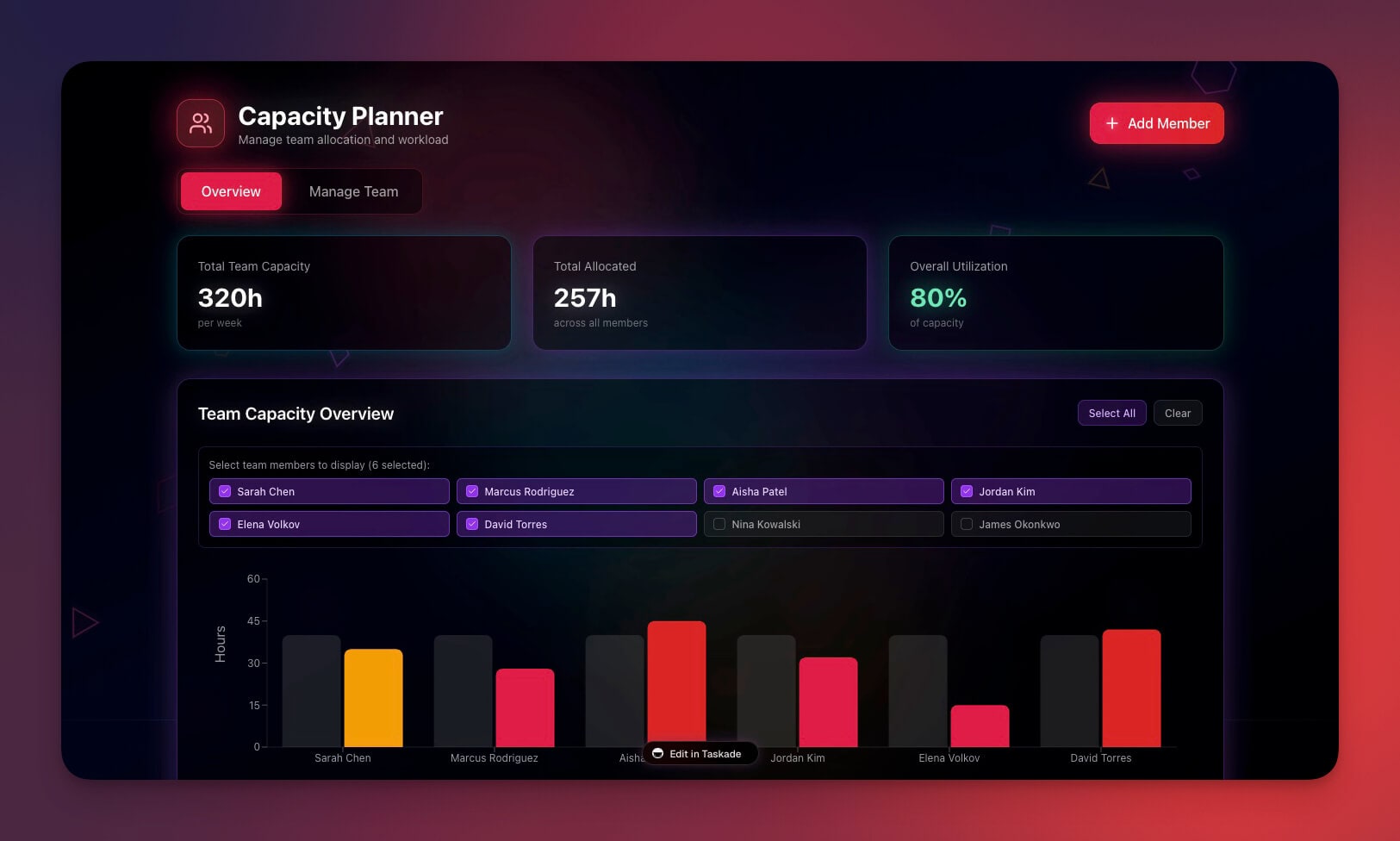
The problem: Managers discover team members are overloaded only after deadlines slip. There is no real-time view of who has bandwidth and who is at capacity.
What Genesis builds: A dashboard showing each team member's current workload, assigned tasks, and available hours. The AI agent analyzes workload distribution and suggests task redistribution when someone is overloaded. Data is displayed across multiple project views — List, Board, Calendar, Table, Mind Map, Gantt, and Org Chart — so managers see capacity in the format that works best.
Best for: Project managers, engineering leads, agency operations directors.
4. Support Metrics Dashboard
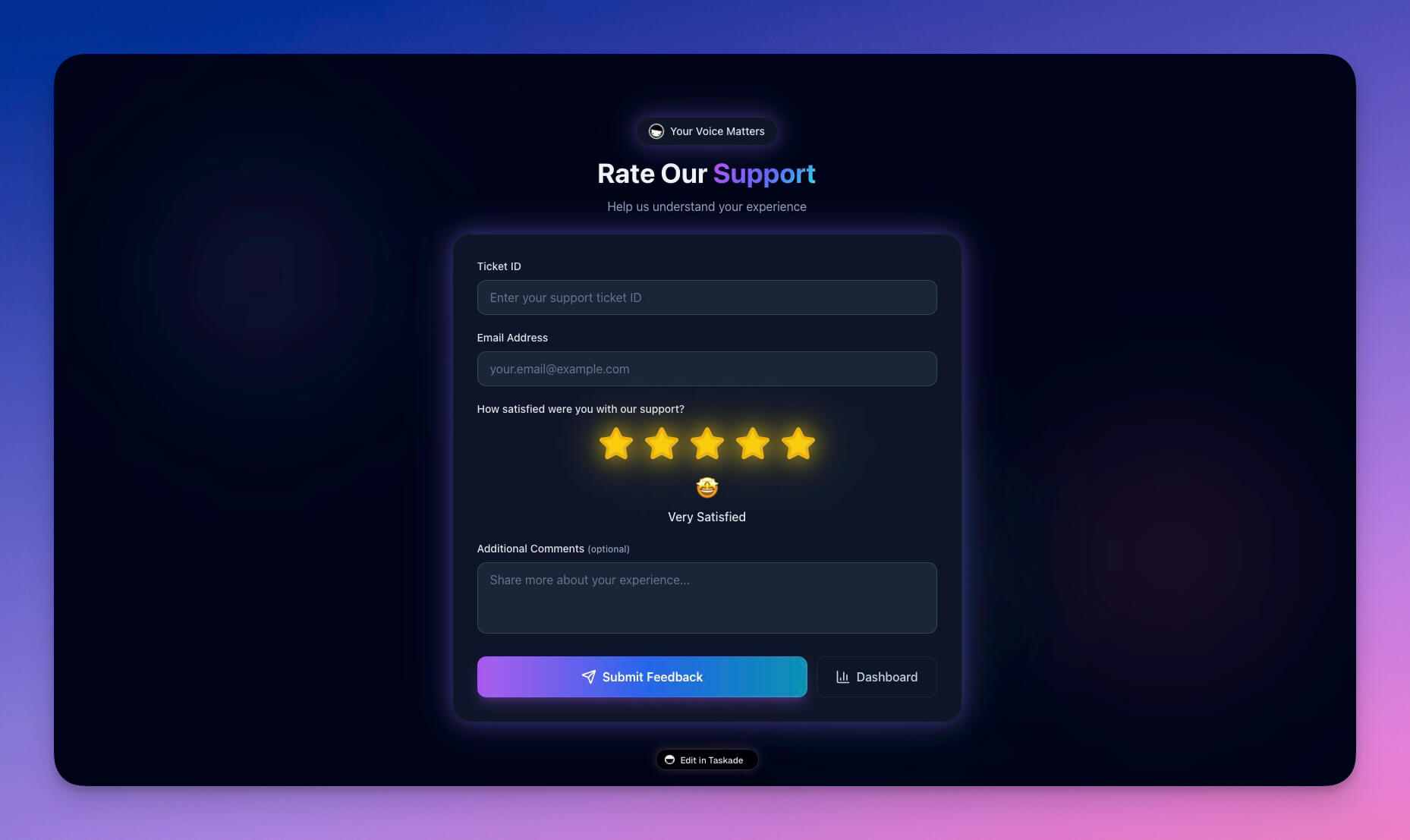
The problem: Support teams track CSAT and response times in disconnected tools. Trends are invisible until someone builds a manual report.
What Genesis builds: A centralized dashboard tracking CSAT scores, first response times, resolution rates, and ticket volume by category. The AI agent highlights improvement areas — like a spike in billing-related tickets — and suggests knowledge base articles to reduce repeat inquiries. Automations pull data from your support channels and update the dashboard in real time.
Best for: Support teams, SaaS companies, customer success managers.
Booking Systems
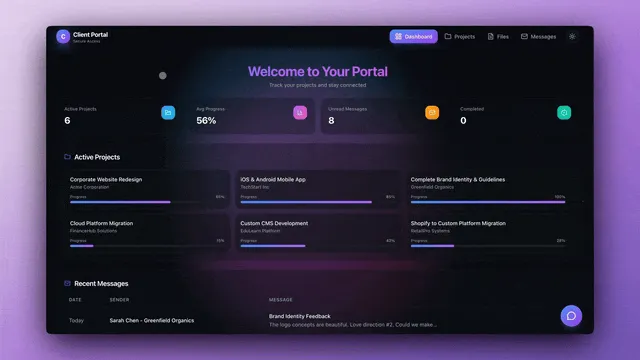
5. Appointment Scheduler
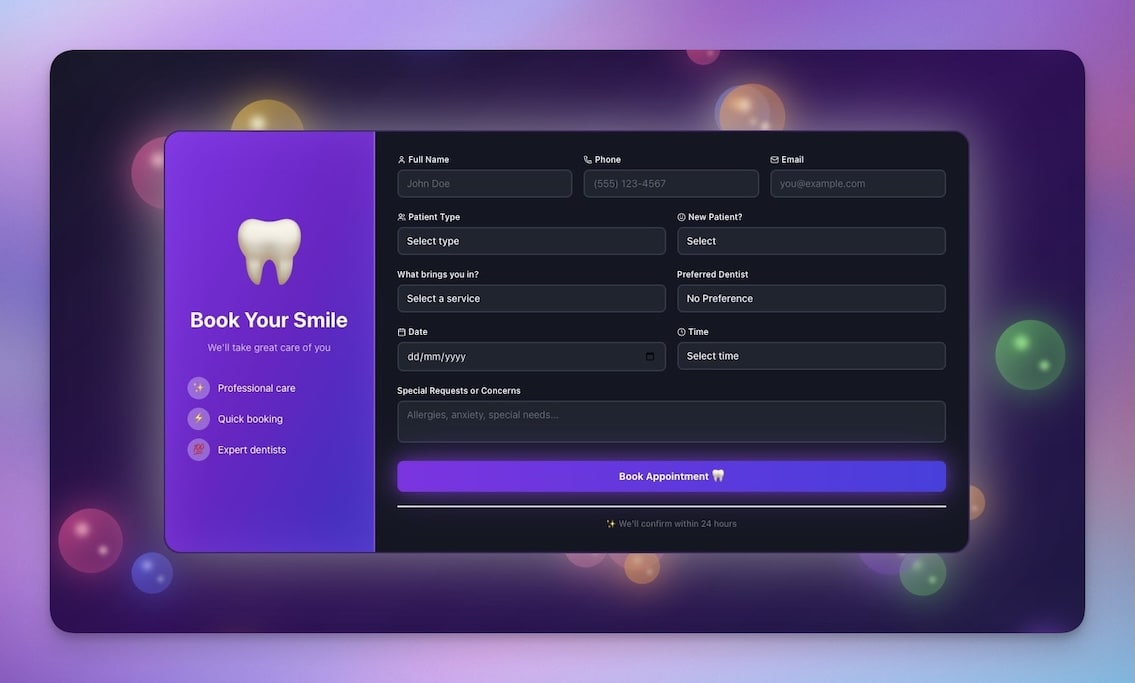
The problem: Scheduling appointments via email involves 3-5 back-and-forth messages per booking. Calendar tools like Calendly work but charge monthly per person.
What Genesis builds: A booking interface where clients select services, choose available time slots, and receive automatic confirmation emails. The system handles rescheduling, cancellations, and reminder sequences. The AI agent answers pre-booking questions (pricing, preparation, location) so clients self-serve.
Best for: Consultants, therapists, coaches, healthcare practitioners.
6. Class Registration System
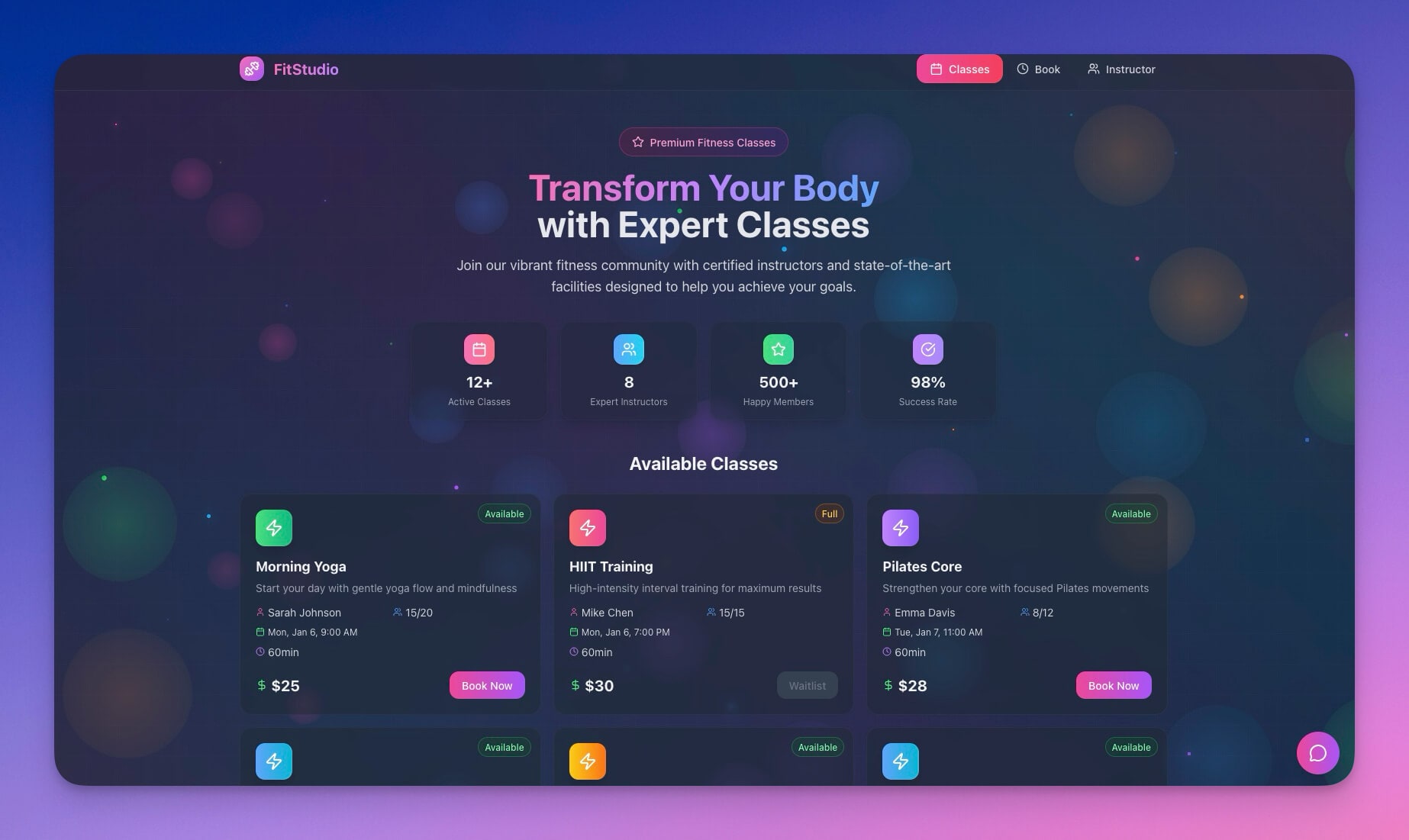
The problem: Studios and tutors manage class bookings through WhatsApp, email, and paper sign-up sheets. Waitlists are informal and attendance tracking is manual.
What Genesis builds: A full class catalog with descriptions, schedules, and pricing. Students browse, register, and join waitlists through the portal. Attendance tracking is automatic, and the AI agent sends reminders 24 hours before each class. Automations handle waitlist promotion when spots open.
Best for: Yoga studios, fitness classes, workshops, private tutors, music schools.
7. Event Registration Portal
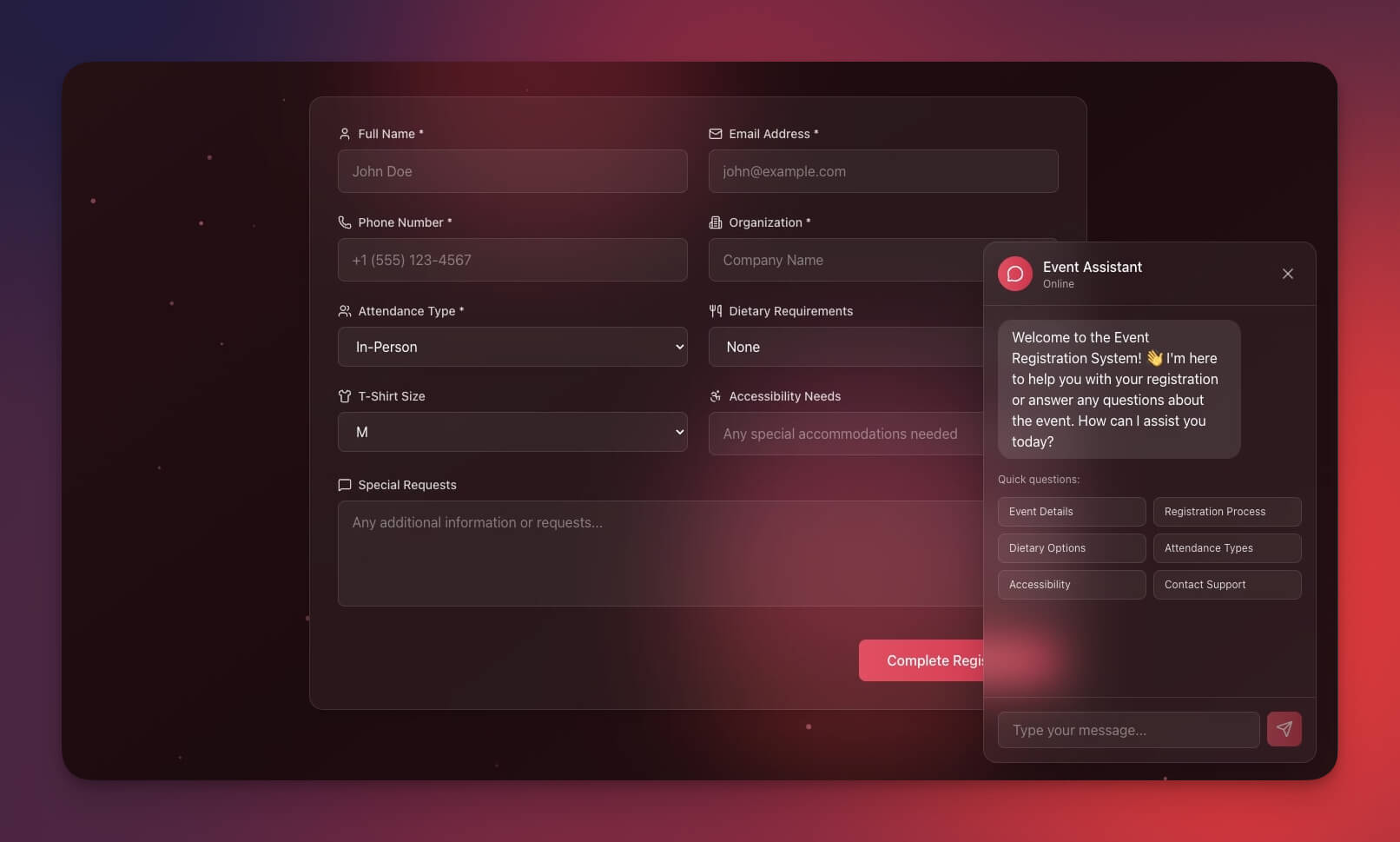
The problem: Event registration platforms charge per-attendee fees and lock you into their branding. Conferences need flexible ticket types, speaker profiles, and session scheduling.
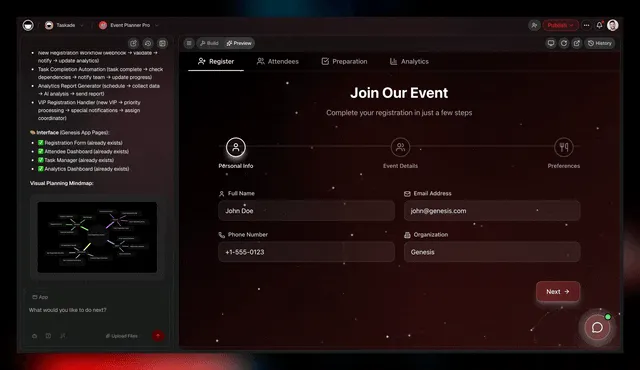
What Genesis builds: A registration portal with multiple ticket types (early bird, VIP, standard), speaker bios, session schedules, and attendee management. The AI agent answers event FAQs and the automation layer handles confirmation emails, calendar invites, and post-event feedback surveys.
Best for: Event planners, conference organizers, community managers, workshop hosts.
8. Property Viewing Booker
The problem: Real estate agents juggle property viewings across multiple calendars, phone calls, and text messages. Double-bookings happen regularly.
What Genesis builds: A property-specific booking system where prospective buyers browse available viewing slots per property, book their preferred time, and receive confirmation with directions and property details. The AI agent qualifies leads based on intake form responses. Automations send follow-up surveys after each viewing.
Best for: Real estate agents, property managers, brokers, leasing offices.
Websites and Landing Pages
9. SaaS Landing Page
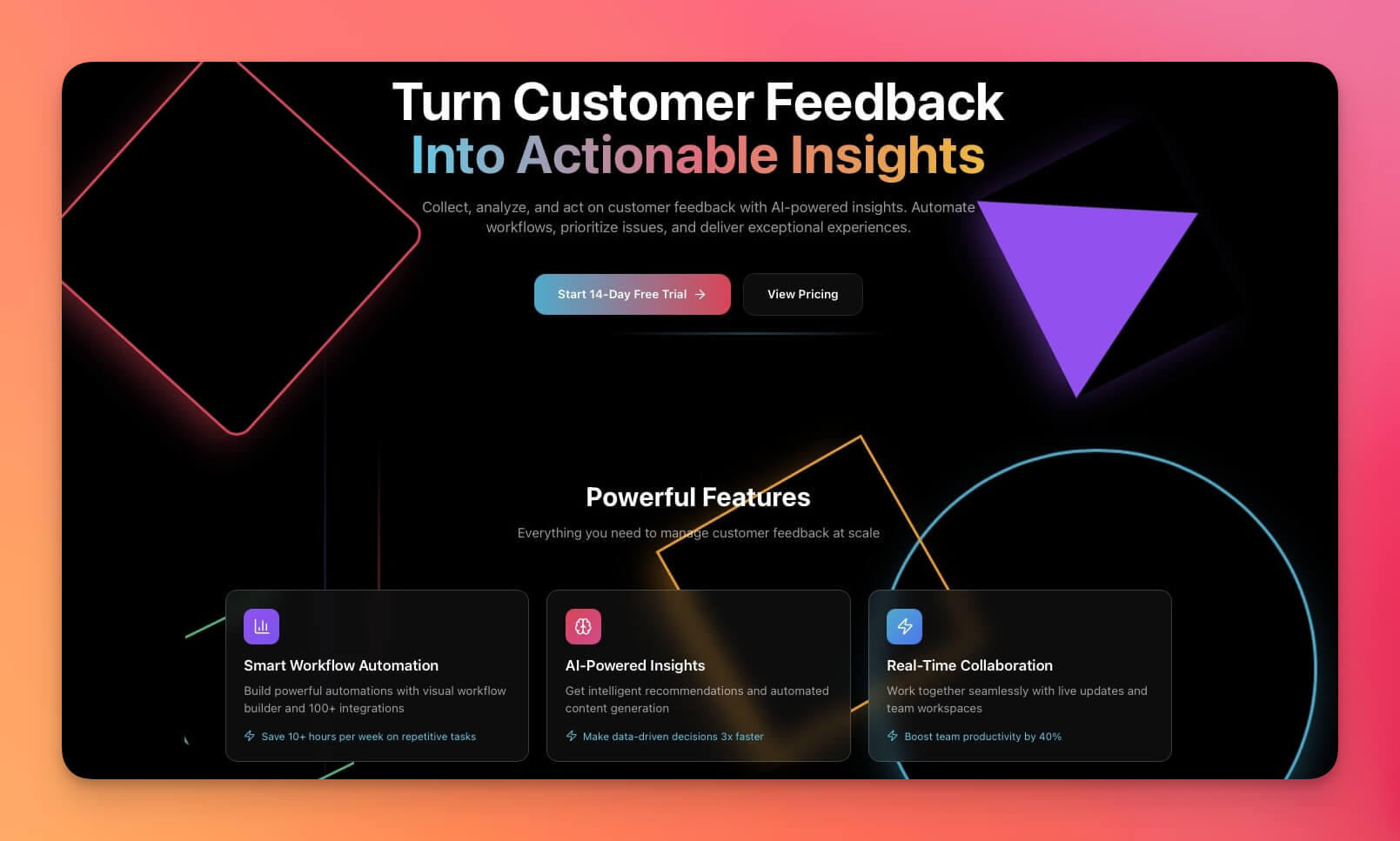
The problem: Building a professional landing page requires designers, developers, and hosting — or learning a page builder with a steep learning curve.
What Genesis builds: A conversion-optimized landing page with hero section, feature highlights, pricing table, testimonials, and signup form. Deploy it on a custom domain with automatic SSL. The AI agent can answer visitor questions via an embedded chat widget.
Best for: Startups launching a new product, indie hackers validating ideas, product teams needing a quick marketing page.
10. Portfolio Website
The problem: Designers and developers spend more time building their portfolio site than doing client work. The site needs to showcase work while also capturing leads.
What Genesis builds: A clean portfolio with project galleries, case study pages, an about section, and a contact form. The database stores project details (client, date, tags, images) so you add new work through the admin interface rather than editing code.
Best for: Designers, developers, photographers, creative professionals, freelance writers.
11. Nonprofit Organization Site
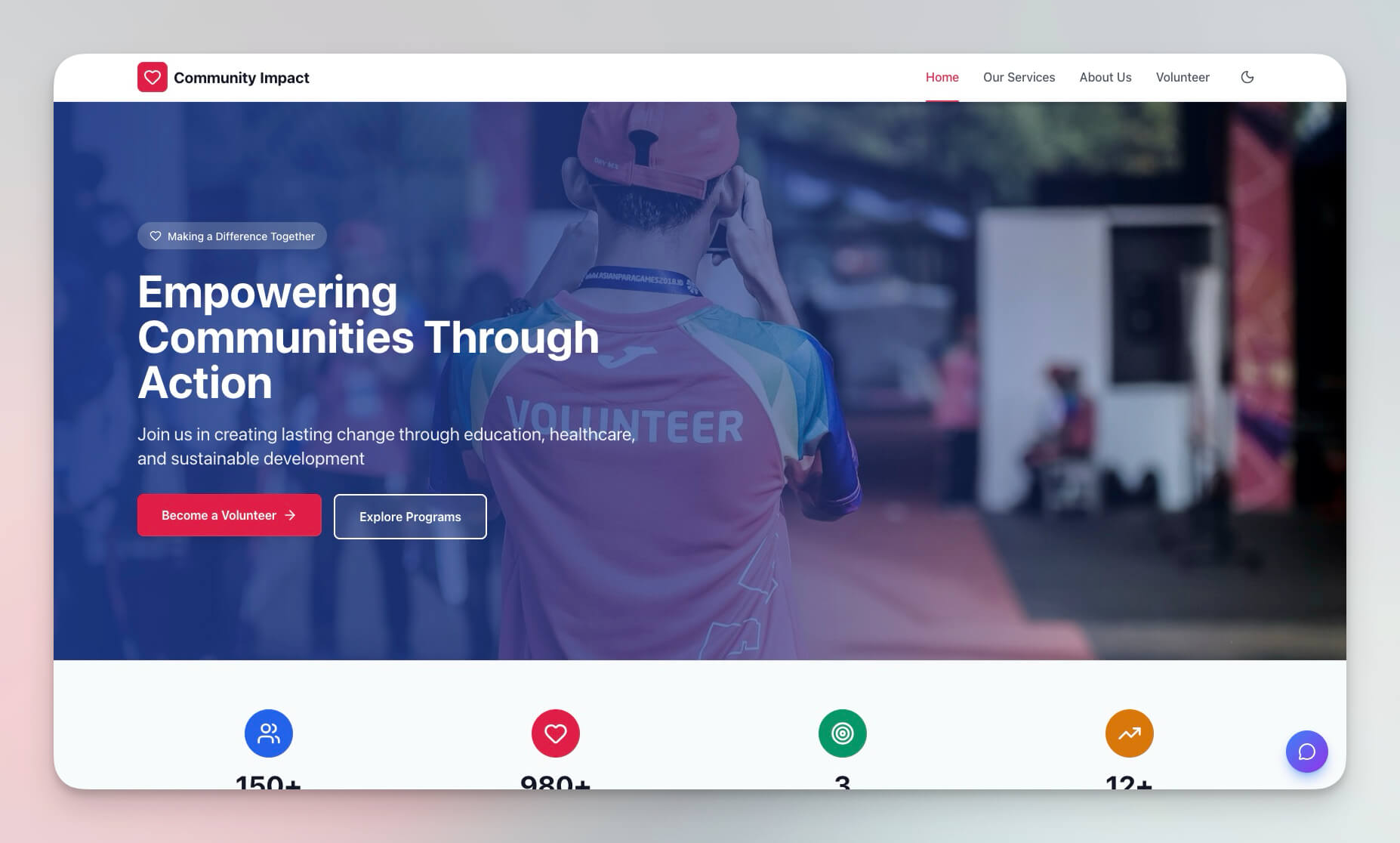
The problem: Nonprofits need donation collection, volunteer signup, and event registration — but custom web development is not in the budget.
What Genesis builds: A full organizational website with donation forms, volunteer registration, event calendar, impact stories, and team profiles. The AI agent handles donor inquiries, and automations send thank-you emails after donations, welcome sequences to new volunteers, and event reminders.
Best for: Nonprofits, charities, community organizations, social enterprises, religious organizations.
12. Business Services Website
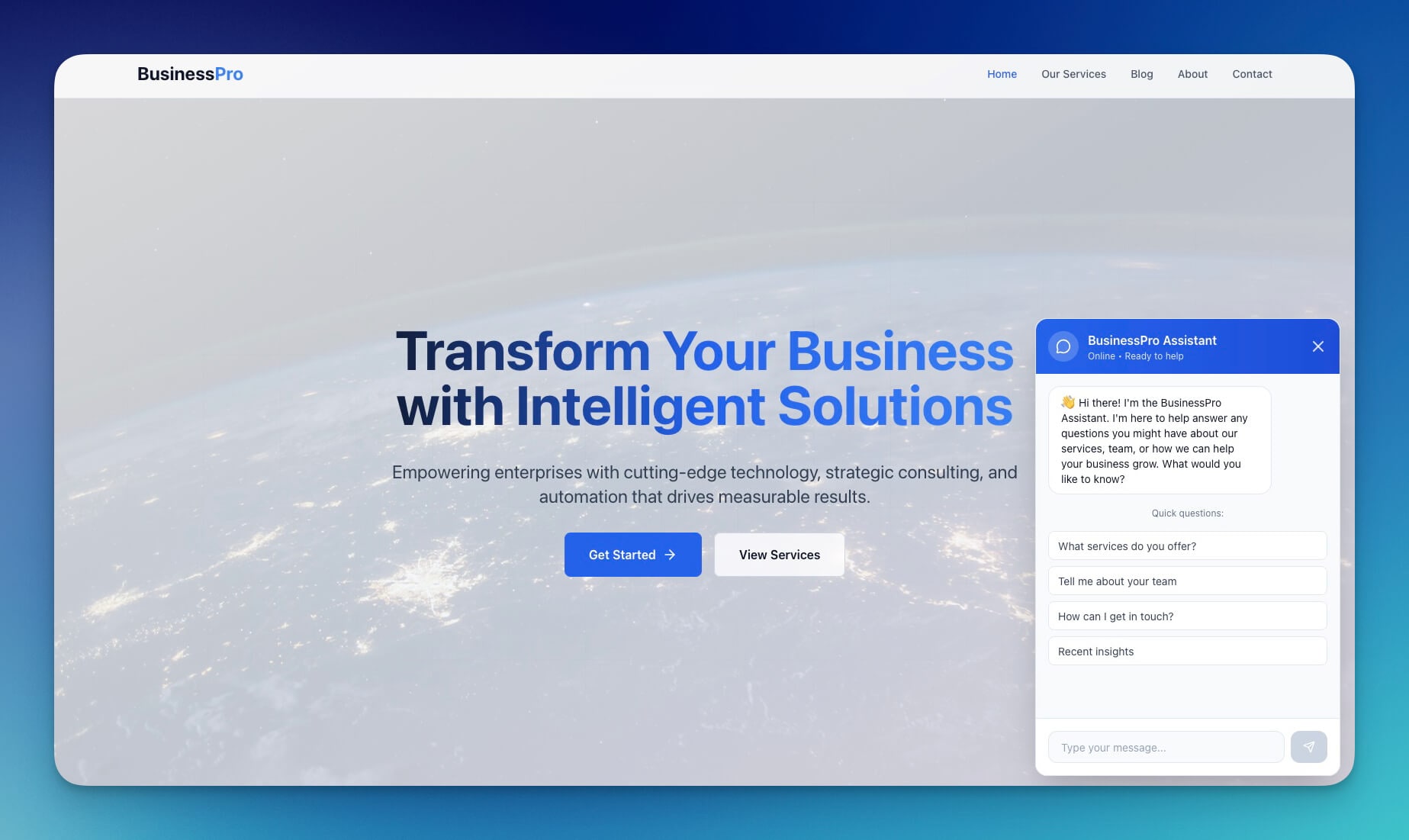
The problem: Professional service firms need an online presence with service descriptions, team bios, and client testimonials — but WordPress maintenance is a drag.
What Genesis builds: A professional website with service pages, team profiles, client logos, testimonials, case studies, and a contact form. Deploy on a custom domain for a branded experience. The AI agent qualifies inbound leads by asking about project scope and budget before routing to the right team member.
Best for: Consulting firms, marketing agencies, law offices, accounting practices.
Productivity Tools
13. Invoice Generator
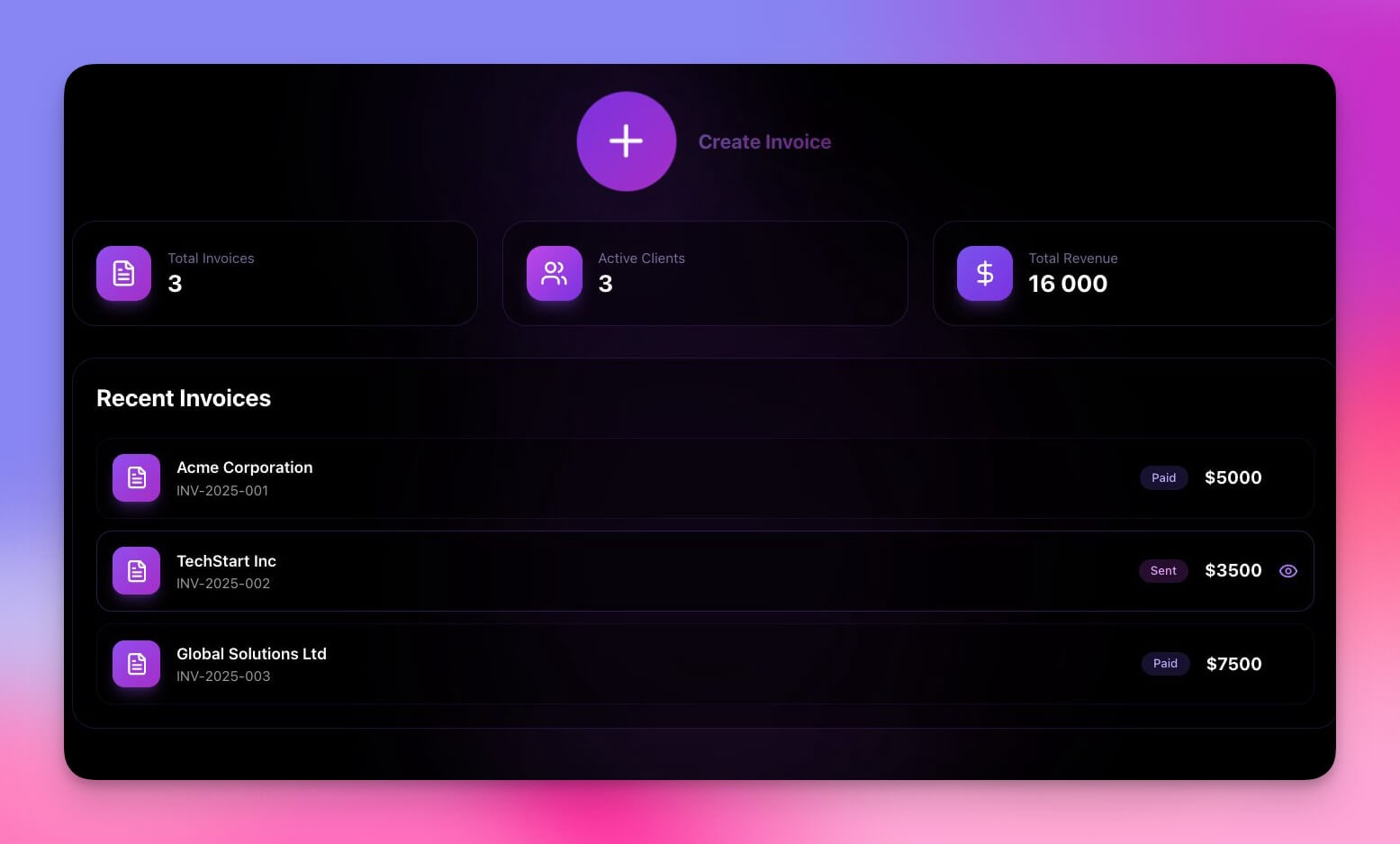
The problem: Freelancers and small businesses cycle between spreadsheets, PDF editors, and accounting software to create and track invoices. None of them talk to each other.
What Genesis builds: A professional invoicing tool with line items, tax calculations, client database, payment status tracking, and PDF export. The AI agent auto-fills client details from past invoices and flags overdue payments. Automations send payment reminders at configurable intervals (7 days, 14 days, 30 days overdue).
Best for: Freelancers, contractors, small businesses, agencies billing retainer clients.
14. Time Tracker
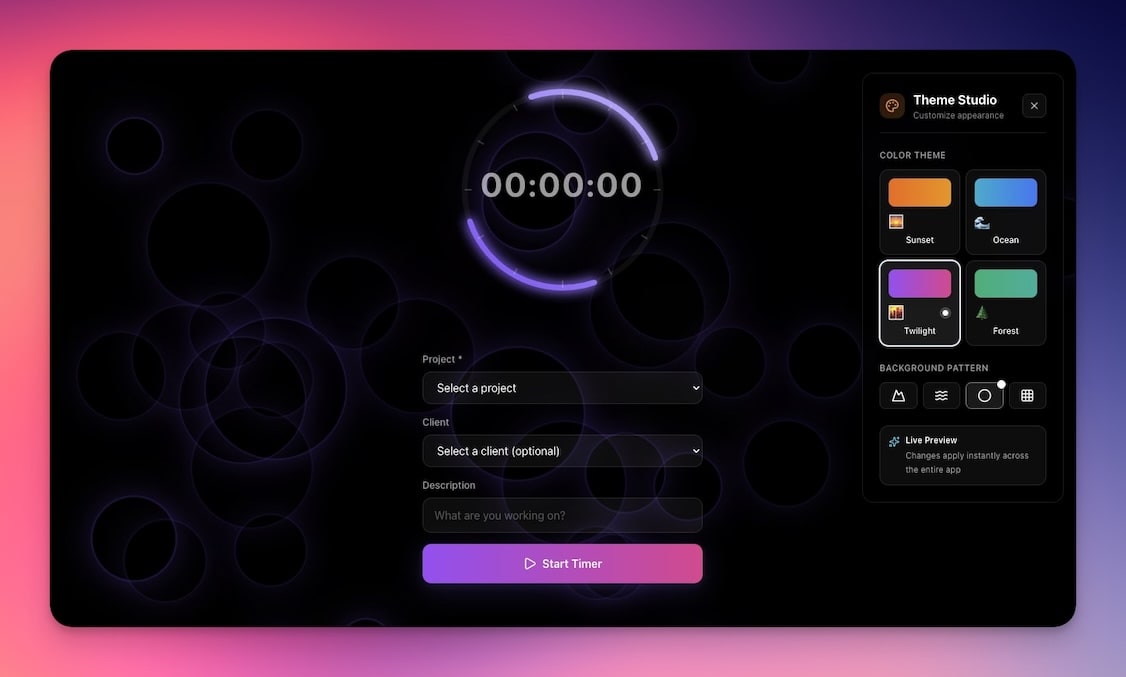
The problem: Time tracking apps charge per user per month. Most teams only need a simple way to log hours against projects and export reports.
What Genesis builds: A time tracking interface with start/stop timers, manual hour entry, project categorization, and weekly/monthly reports. Data is stored in a database that supports filtering by project, team member, and date range. The AI agent summarizes time allocation and highlights projects that are over budget.
Best for: Remote teams, agencies billing hourly, freelancers tracking billable time.
15. Meeting Cost Calculator
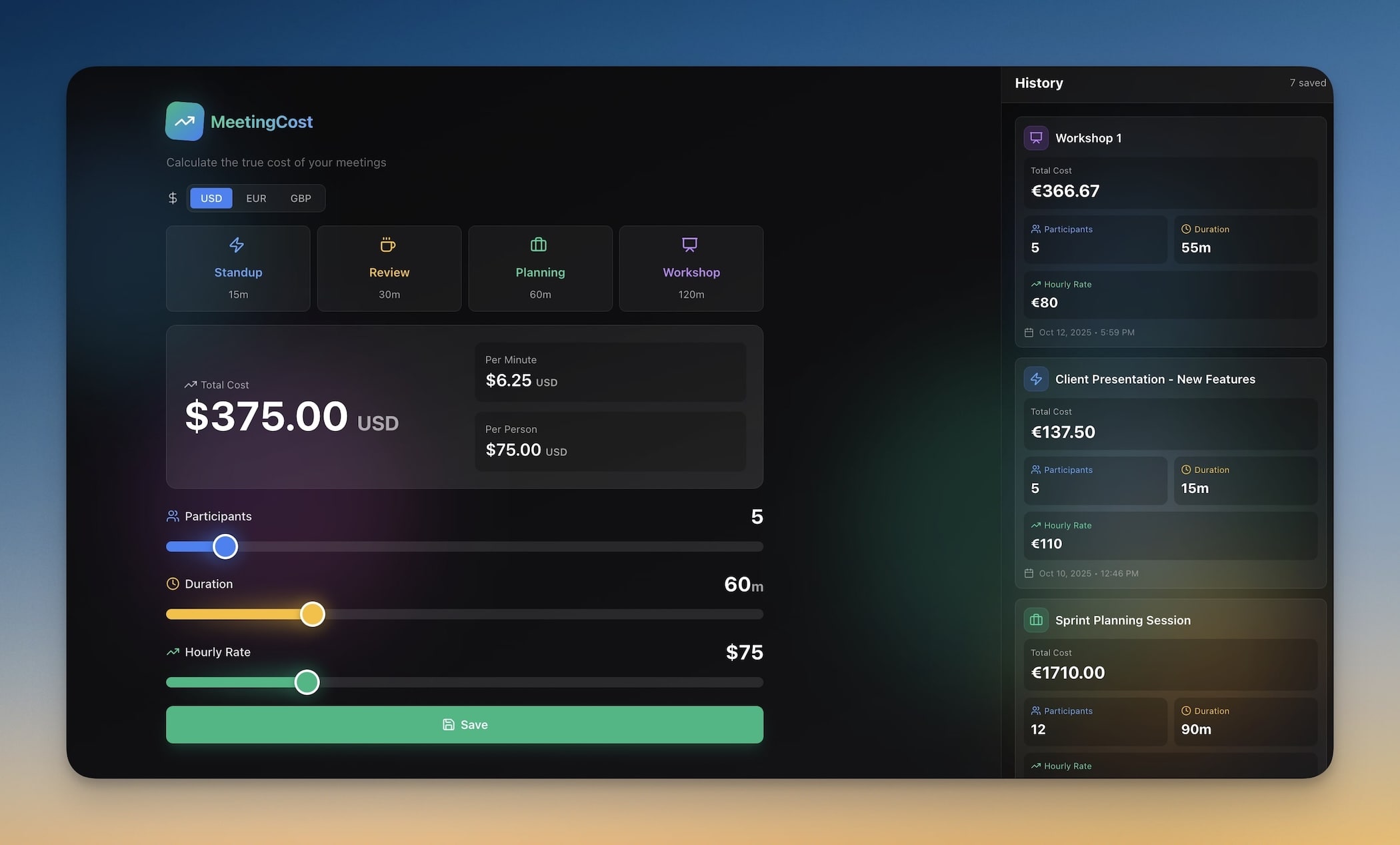
The problem: Meetings are the biggest hidden cost in most organizations. A 1-hour meeting with 8 people at $75/hour costs $600 — but nobody calculates this before scheduling.
What Genesis builds: A calculator where you enter attendee count, average hourly rates, and meeting duration. The tool shows the total cost per meeting, cost per minute, and projected annual meeting spend. The AI agent suggests which meetings could be replaced by async updates in Taskade projects.
Best for: Operations managers, team leads, executives reducing overhead.
16. QR Code Generator
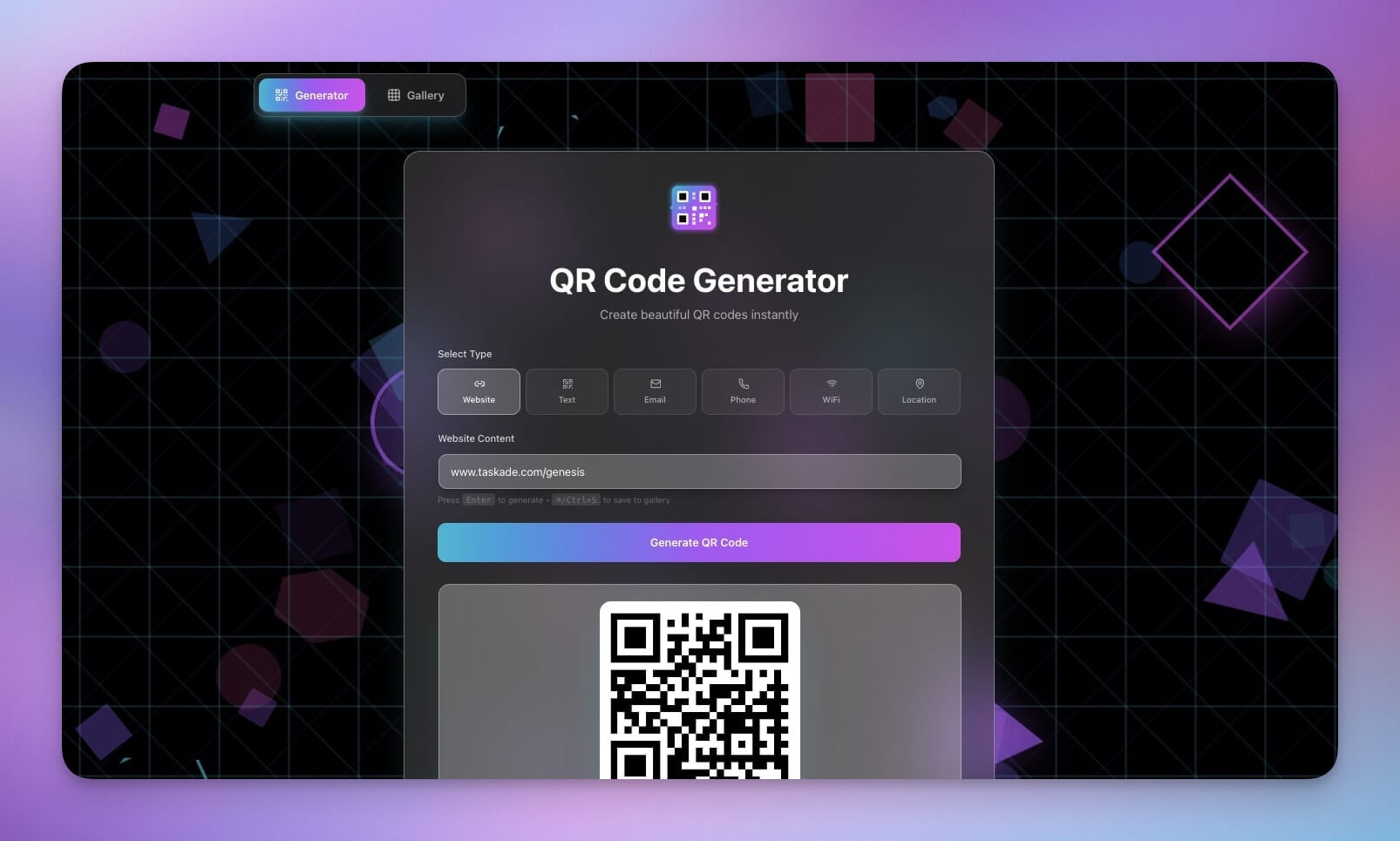
The problem: QR code tools charge monthly fees for basic features like brand colors and logo overlays. Marketing teams need quick generation without per-code pricing.
What Genesis builds: A QR code generator with URL/text input, size options (128px, 256px, 512px), instant PNG download, and generation history. Extend it with brand colors, logo overlays, batch generation, and scan analytics. See our full QR code generator tutorial for the step-by-step build process.
Best for: Marketing teams, retail businesses, event organizers, restaurant owners.
Personal Workspaces
17. Mood Tracker
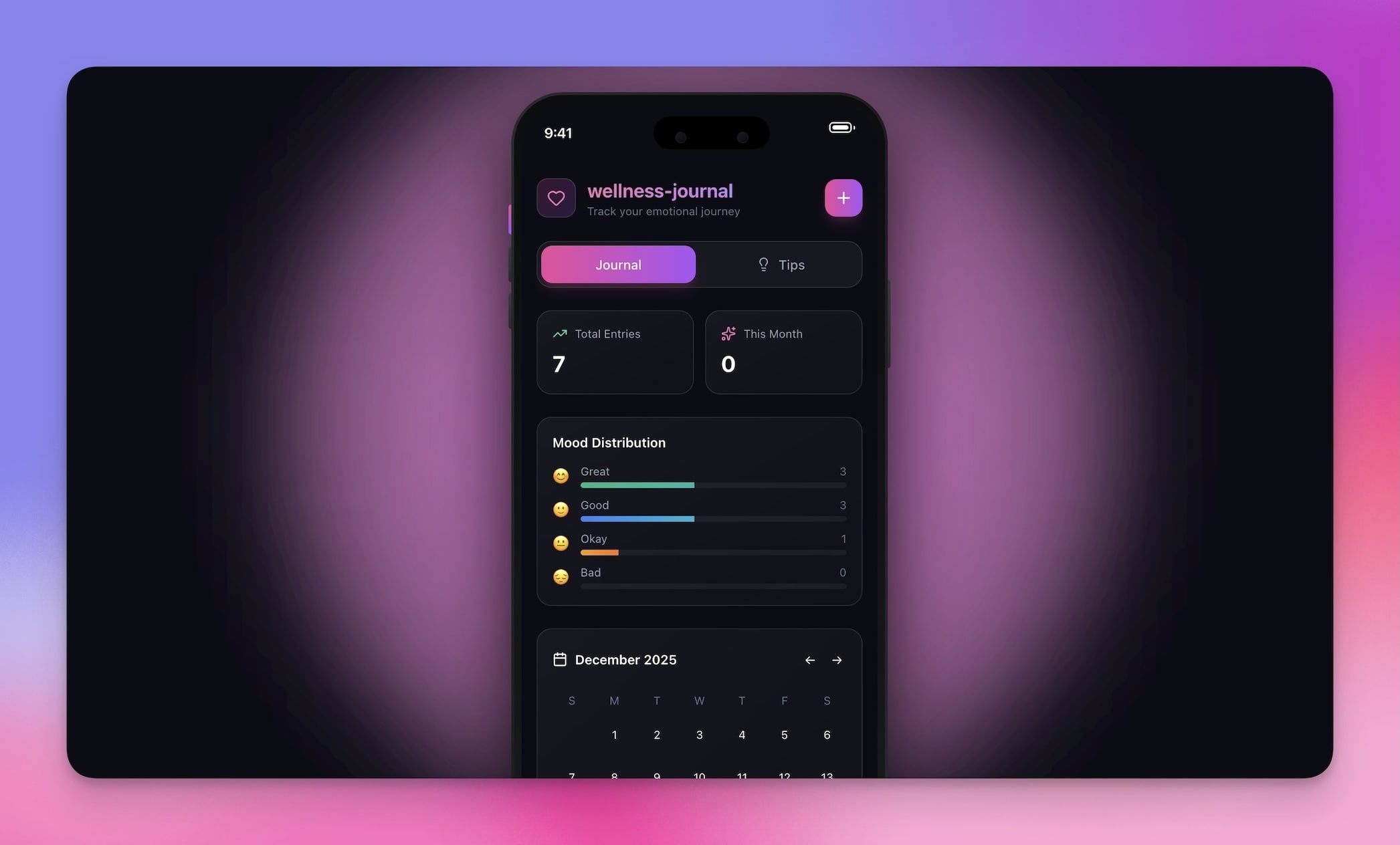
The problem: Mental health apps collect your data and lock it behind premium paywalls. You want a simple way to log moods and see patterns without surrendering your data.
What Genesis builds: A daily mood logging interface with customizable mood scales, journal entries, and pattern visualization. The AI agent identifies correlations between mood and factors you track (sleep, exercise, weather, work events) and provides weekly insights. Data stays in your workspace.
Best for: Individuals building self-awareness, therapists giving clients homework tools, wellness coaches.
18. Book Reading Tracker
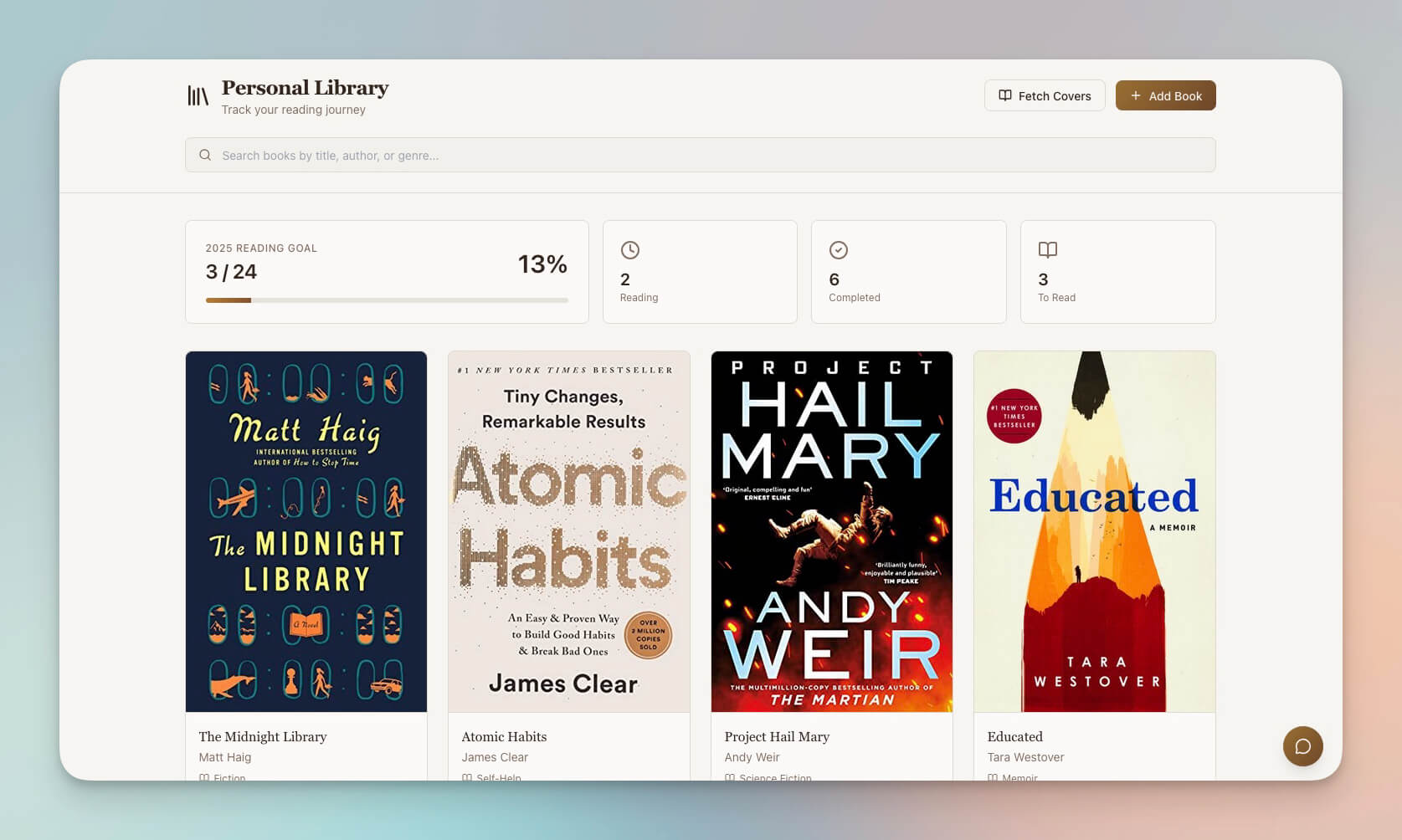
The problem: Goodreads is social media pretending to be a reading tracker. You want a clean database of books, reading progress, notes, and annual goals without the noise.
What Genesis builds: A reading database with book details (title, author, genre, page count), reading progress percentage, notes per chapter, ratings, and annual reading goals. The AI agent suggests what to read next based on your history and summarizes your reading notes on demand.
Best for: Book clubs, avid readers, students with reading lists, librarians.
19. RSS Feed Reader
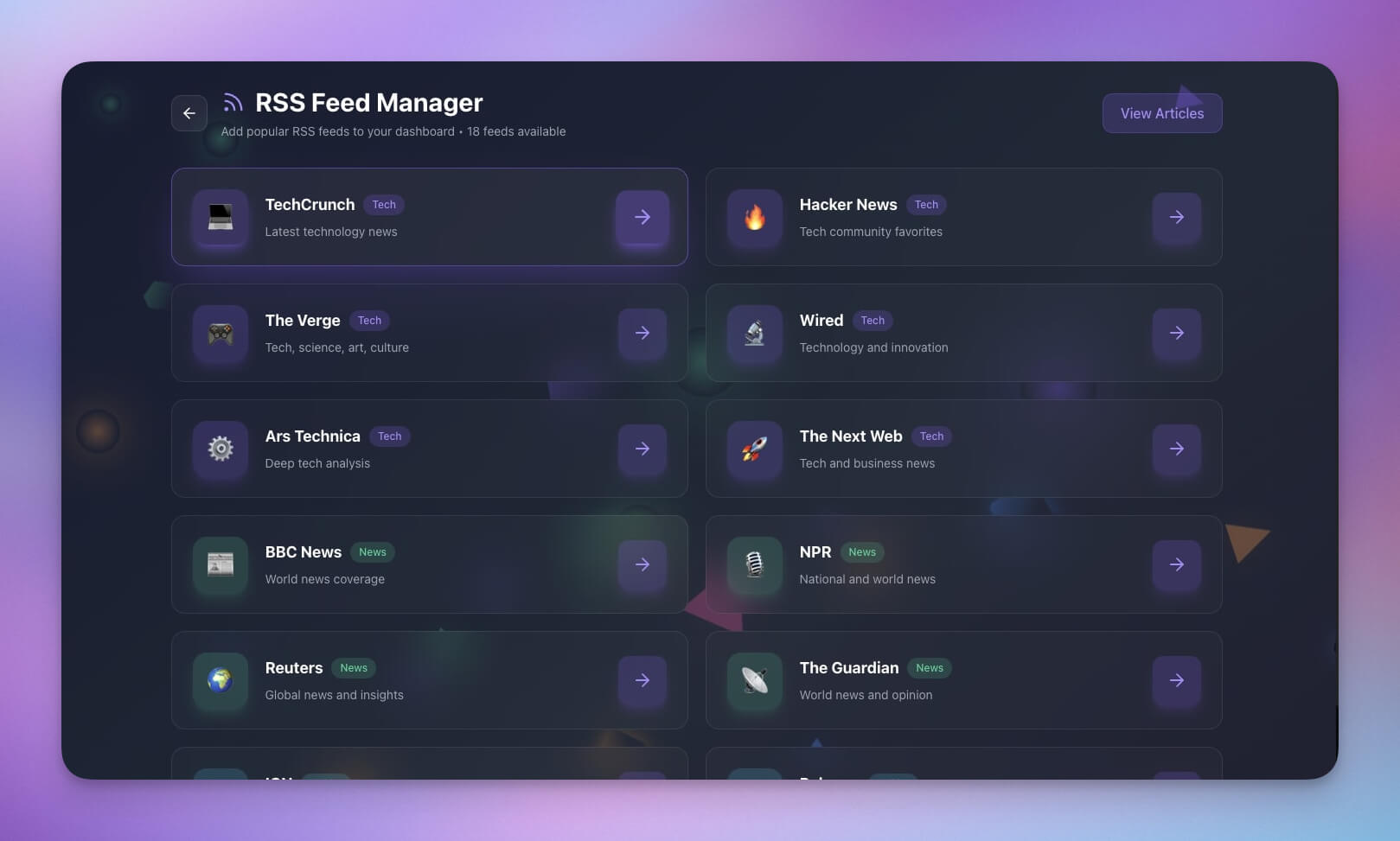
The problem: Google Reader is gone. Most RSS readers are either abandoned or charge premium prices. You want a simple feed aggregator that pulls articles and lets you read without distractions.
What Genesis builds: A feed reader that aggregates content from your favorite sources into a clean inbox. The AI agent summarizes long articles into bullet points, categorizes content by topic, and highlights articles matching your interests. Automations can forward specific articles to Slack or email.
Best for: Content creators, researchers, journalists, curious generalists.
20. Study Flashcards

The problem: Anki is powerful but intimidating. Quizlet charges for advanced features. Students want a simple flashcard tool with spaced repetition that they can customize.
What Genesis builds: A flashcard system with deck creation, card editor, study mode with flip-to-reveal, spaced repetition scheduling, and progress tracking. The AI agent generates flashcards from your notes — paste lecture notes and it creates question/answer pairs automatically.
Best for: Students preparing for exams, professionals studying for certifications, language learners.
Which App Matches Your Business Model?
Different business models have different app needs. Use this matrix to find the best starting point:
| Business Model | Top 3 Apps to Build | Why |
|---|---|---|
| Freelancer | Invoice Generator (#13), Time Tracker (#14), Portfolio (#10) | Track billable hours, generate professional invoices, showcase work |
| Agency | Sales Pipeline (#2), Team Capacity (#3), Client Portal | Manage deals, balance workloads, serve clients professionally |
| Startup | SaaS Landing Page (#9), Finance Tracker (#1), Support Metrics (#4) | Validate product, track burn rate, measure customer satisfaction |
| Nonprofit | Nonprofit Site (#11), Event Portal (#7), Mood Tracker (#17) | Collect donations, organize events, support beneficiaries |
| Educator | Class Registration (#6), Flashcards (#20), Book Tracker (#18) | Manage enrollment, create study tools, track reading assignments |
| Creator | Portfolio (#10), RSS Reader (#19), QR Generator (#16) | Showcase work, stay informed, connect physical to digital |
| E-commerce | Finance Tracker (#1), Support Metrics (#4), QR Generator (#16) | Track revenue, measure support quality, enable product scanning |
Each app benefits from the Workspace DNA architecture — Memory (Projects), Intelligence (AI Agents), and Execution (Automations) working together in a self-reinforcing loop.
How Workspace DNA Powers Every App
Every app you build with Taskade Genesis runs on the same three-layer architecture:
- Memory — Projects store your app data in structured databases with multiple views: List, Board, Calendar, Table, Mind Map, Gantt, and Org Chart. Every interaction feeds back into the system.
- Intelligence — AI Agents with built-in tools and access to frontier models from top AI labs. Agents analyze data, answer questions, and learn from your usage.
- Execution — Automations connect to 100+ integrations across 10 categories. Workflows trigger on events, run on schedules, and process data with branching and filtering logic.
The three layers feed each other: Execution creates Memory, Memory feeds Intelligence, Intelligence triggers Execution. This is what makes Genesis apps "living software" rather than static tools. Learn more in our Workspace DNA guide.
How to Turn an Idea into an App (7 Steps)
Step 1: Pick Your Category
Start with the category that matches your immediate need — dashboards for tracking, booking systems for scheduling, websites for presence, productivity tools for operations, or personal workspaces for individual use. The quick reference table at the top of this page maps each app to its ideal audience.
Step 2: Define the Core Problem
Write one sentence describing what your app solves. "Track freelance income and expenses with automatic categorization" is better than "Build a finance tool." Specificity produces better Genesis outputs.
Step 3: Write a Clear Prompt
Describe your app with three sections — features (what it does), interface (how it looks), and data (what it stores). Example:
Build a client feedback collection system with:FEATURES:
- Feedback submission form with ratings and comments
- Dashboard showing average ratings over time
- Automated thank-you emails after submission
INTERFACE:
- Clean form with star rating and text area
- Admin dashboard with charts and filters
DATA:
- Client name, rating, comment, date, category
For more prompt writing guidance, see our QR code generator tutorial and the Genesis FAQ.
Step 4: Generate and Iterate
Let Genesis build the first version. Review the output and refine through conversation — "Make the dashboard show weekly trends instead of daily" or "Add a filter by client name." Genesis supports iterative refinement, so you do not need a perfect prompt on the first try.
Step 5: Add Intelligence
Connect AI Agents to make your app smarter over time. An agent can categorize submissions, answer client questions, summarize data, or flag anomalies. Agents have access to built-in tools and frontier models from top AI labs.
Step 6: Add Automation
Set up workflows that run without your intervention. Common patterns include: sending notifications on new entries, generating weekly reports, syncing data to external tools, and escalating flagged items. Taskade connects to 100+ integrations across 10 categories.
Step 7: Publish and Share
Launch your app by sharing the link with team members or clients. Use the permission system (Owner to Viewer) to control who sees and edits what. Deploy on a custom domain for a branded experience. Publish to the Community Gallery to share with the Taskade ecosystem.
How Does Taskade Genesis Compare to Other App Builders?
Taskade Genesis creates deployed, intelligent applications — not code files or drag-and-drop prototypes. Here is how it compares to the most common alternatives:
| Feature | Taskade Genesis | Bolt.new | Lovable | Bubble | Retool |
|---|---|---|---|---|---|
| Build method | Text prompt | Text prompt | Text prompt | Visual drag-drop | Visual drag-drop |
| Output | Living app | Code files | Code files | Hosted app | Internal tool |
| AI agents built-in | Yes (built-in tools) | No | No | No | No |
| Automation workflows | Yes (100+ integrations) | No | No | Via plugins | Via connectors |
| Database included | Yes (multiple views) | No (needs setup) | No (needs setup) | Yes | Yes (external) |
| Custom domain | Yes | Yes (needs hosting) | Yes (needs hosting) | Yes | Yes |
| Team permissions | RBAC | No | No | Basic roles | Basic roles |
| AI models | Frontier models | N/A | N/A | N/A | N/A |
| Starting price | Free ($10/mo paid) | Free ($20/mo paid) | Free ($20/mo paid) | Free ($29/mo paid) | Free ($10/mo paid) |
| Deploy time | Minutes | Hours (needs hosting) | Hours (needs hosting) | Hours | Hours |
The key difference: code generators (Bolt.new, Lovable, Cursor) give you files. Visual builders (Bubble, Retool) give you a canvas. Taskade Genesis gives you a complete system with Memory, Intelligence, and Execution built in. Learn more in our detailed comparisons: Genesis vs Bolt.new | Genesis vs Lovable | Genesis vs Cursor.
More App Ideas to Explore
Need more inspiration? Here are additional categories you can generate with Taskade Genesis:
| Category | Example Apps | Prompt Starter |
|---|---|---|
| CRM | Lead tracker, contact manager, deal pipeline | "Build a CRM with lead scoring, pipeline stages, and email integration" |
| HR | Employee directory, leave tracker, onboarding system | "Build an employee onboarding portal with task checklists and document collection" |
| Marketing | Content calendar, social scheduler, campaign tracker | "Build a content calendar with publishing schedule and performance metrics" |
| Operations | Inventory manager, maintenance tracker, vendor database | "Build an inventory management system with stock alerts and reorder automation" |
| Education | Course catalog, student tracker, assignment manager | "Build a course registration system with enrollment limits and grading" |
| Healthcare | Patient portal, appointment system, health tracker | "Build a patient intake portal with forms, appointment booking, and records" |
| Legal | Case manager, document tracker, billing system | "Build a case management system with document storage and time billing" |
| Real Estate | Listing manager, client portal, transaction tracker | "Build a property listing portal with search, inquiry forms, and agent profiles" |
| E-commerce | Product catalog, order tracker, customer portal | "Build a product catalog with shopping cart, checkout, and order tracking" |
| Finance | Budget planner, investment tracker, expense reporter | "Build a budget planner with category tracking and monthly trend charts" |
Each of these categories can be expanded into multiple apps. Browse the Community Gallery for ready-made examples, or explore our guides on AI dashboard examples, AI website examples, and AI client portal examples.
Start Building
Ready to turn your idea into an app?
Resources:
- Explore Community Apps — Clone and customize any app
- Create Your First App — Step-by-step tutorial
- Workspace DNA Guide — Understand the architecture
- Custom AI Agents — The intelligence layer
- Automation Triggers — The execution layer
- Custom Domains — Deploy on your own URL
- Pricing — Free tier available, Pro from $10/month billed annually
Read more:
- 10 AI Dashboards You Can Clone
- 10 AI Booking Systems You Can Clone
- 12 AI Websites You Can Build
- 10 AI Client Portals You Can Deploy
- Build Your First AI App: 12 Beginner Examples
- What Is Vibe Coding?
- The Origin of Living Software
- Build Without Permission
Explore Taskade AI:
- AI App Builder — Build complete apps from one prompt
- AI Agent Builder — Create intelligent AI teammates with built-in tools
- AI Workflow Automation — Connect 100+ integrations
- Browse Generator Templates — Apps, dashboards, websites, and more
- Browse Agent Templates — AI agents for every use case
Compare alternatives:

Frequently Asked Questions
What AI apps can I build with Taskade Genesis?
You can build dashboards, CRM systems, client portals, e-commerce stores, support systems, content pipelines, booking platforms, real estate tools, nonprofit hubs, and more. Each app includes structured databases, AI agents with built-in tools, and automated workflows connected to 100+ integrations. Over 150,000 apps have been built on the platform.
Do I need coding skills to build an AI app?
No. Taskade Genesis uses natural language prompts to generate complete applications. Describe what you want — a finance tracker, booking portal, or team dashboard — and Genesis builds it with databases, AI agents powered by frontier models from top AI labs, and automation workflows. No coding, design, or technical experience required.
How long does it take to build an app with Taskade Genesis?
Most Genesis apps can be built in 5-15 minutes. You write a prompt describing what you need, Genesis generates the app structure with databases, AI agents, and automations, and you customize it to fit your workflow. Compare that to the 3-6 months traditional app development typically requires.
Can I share or embed AI apps built with Genesis?
Yes. Genesis apps can be shared with team members using Taskade's permission system (Owner to Viewer), published as public links, or embedded in external websites. AI agents within the app can also be deployed publicly to interact with visitors and clients.
How much does it cost to build an AI app with Taskade Genesis?
Taskade offers a free tier to get started. Paid plans include Pro at $10/month with up to 10 users and Business at $25/month with unlimited seats, both billed annually. All paid plans include access to frontier AI models from top AI labs and 100+ integrations. Custom domain deployment starts on Pro.
What is the difference between cloning a template and building from scratch?
Cloning a template gives you a pre-built app that you can customize to your needs in minutes. Building from scratch lets you describe a completely custom app via a text prompt and Genesis generates it. Both approaches produce fully functional apps with databases, AI agents, and automation workflows.
Can I connect my Genesis app to other tools?
Yes. Taskade supports 100+ integrations across 10 categories including communication (Slack, Discord), email and CRM (Gmail, Salesforce), payments (Stripe), development (GitHub), and productivity (Google Workspace). Automations can trigger actions across connected tools based on events in your app.
How does Taskade Genesis compare to code generators like Bolt and Lovable?
Code generators like Bolt.new and Lovable produce code files that need hosting and maintenance. Taskade Genesis creates deployed, intelligent living systems with built-in AI agents, automation workflows, role-based access, and 100+ integrations. You get a production-ready app, not source code to manage.
Can I deploy Genesis apps on a custom domain?
Yes. Taskade Genesis apps support custom domain deployment with automatic SSL. You can point your own domain to any Genesis app so clients and team members access it at a branded URL. Custom domains are available on Pro ($10/month, billed annually) and above.
What kind of databases do Genesis apps include?
Genesis apps use Taskade Projects as the database layer, supporting multiple project views — List, Board, Calendar, Table, Mind Map, Gantt, and Org Chart. Data is structured with custom fields, filters, and sorting. The database layer integrates directly with AI agents for intelligent queries and automations for triggered workflows.