







Finance is the lifeblood of every startup.
But most founders treat it like an afterthought — spreadsheets buried in Google Drive, invoices scattered across email, expenses tracked in notes apps. By the time you need the numbers, they are already wrong.
Taskade Genesis turns your financial chaos into a living cockpit. One prompt creates a complete finance workspace with real-time data (Projects), AI-powered insights (Agents), and automated workflows (Automations).
TL;DR: Taskade Genesis builds AI-powered finance dashboards from a single prompt. Track expenses, monitor runway, generate investor reports, and automate alerts — all in one workspace. AI agents analyze trends and flag anomalies before they become problems. 82% of startups fail due to cash flow problems. Do not be one of them. Build your finance cockpit free ->

Why Spreadsheets Fail Founders in 2026
82% of startups fail due to cash flow problems. Most did not see it coming because their financial data was scattered across 5+ tools.
Spreadsheets are static. Your business is not. The moment you update a spreadsheet, it is already outdated. Genesis finance workspaces are living systems that update in real time, analyze trends automatically, and alert you before problems become crises.
| Spreadsheet Problem | Genesis Solution |
|---|---|
| Manual data entry | Automated imports from 100+ integrations |
| Static formulas that break | AI-driven analysis that adapts |
| Isolated files nobody updates | Connected workspace your whole team uses |
| Point-in-time snapshots | Real-time dashboards across multiple views |
| No notifications | Automated alerts for budget overruns, overdue invoices, runway thresholds |
| One person understands the formulas | AI agents anyone on the team can query |
This is Workspace DNA — Memory (your financial data in Projects) feeds Intelligence (AI agents that analyze and forecast), Intelligence triggers Execution (automations that alert and report), Execution creates new Memory (updated records and logs).
Quick Reference: All 10 Finance Workspaces
| # | Workspace | Best For | Key Metric | Clone Link |
|---|---|---|---|---|
| 1 | Finance Tracker Dashboard | Cash flow, revenue | Monthly burn rate | Clone -> |
| 2 | Personal Expense Tracker | Individual expenses | Category spend % | Clone -> |
| 3 | Meeting Cost Calculator | Meeting ROI | Cost per hour | Clone -> |
| 4 | Expense Splitter | Group costs | Per-person balance | Clone -> |
| 5 | Invoice Generator | Client billing | Days to payment | Clone -> |
| 6 | Investor Dashboard | Board updates | Runway months | Clone -> |
| 7 | Time Tracker | Billable hours | Utilization rate | Clone -> |
| 8 | Simple Store Manager | Retail inventory | Profit margin | Clone -> |
| 9 | Maintenance Tracker | Equipment costs | Service schedule | Clone -> |
| 10 | Team Capacity Planner | Resource allocation | Team utilization | Clone -> |
Here are 10 AI finance workspaces you can clone and customize for your business.
1. Finance Tracker Dashboard
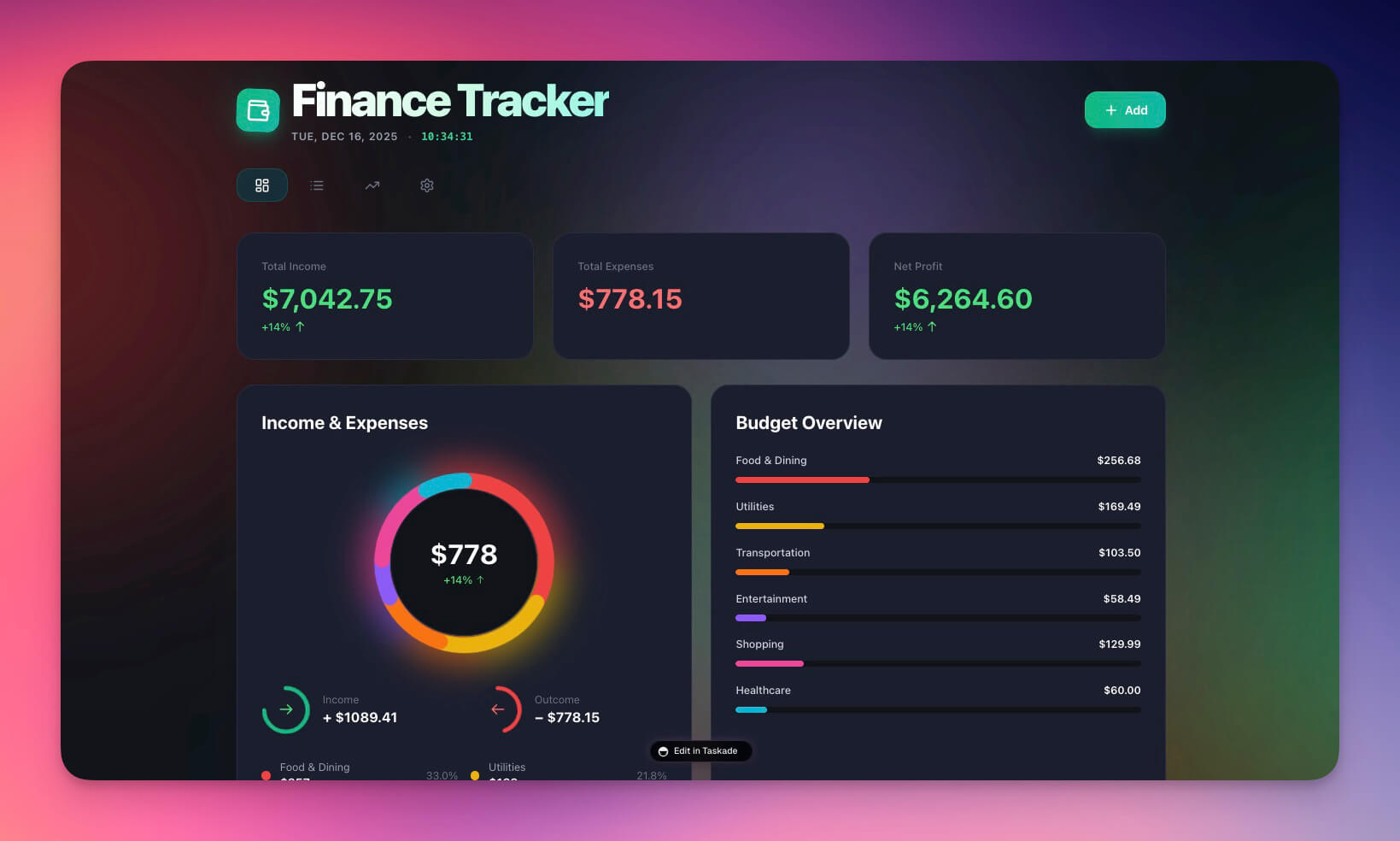
Your all-in-one financial command center for tracking cash flow, expenses, and revenue. The AI agent analyzes spending patterns, flags anomalies, and generates trend reports automatically.
Best for: Founders, CFOs, finance teams
Features:
- Cash flow visualization across multiple project views (List, Board, Calendar, Table, Mind Map, Gantt, Org Chart)
- Expense categorization with AI-powered pattern detection
- Revenue tracking with month-over-month comparisons
- Automated trend analysis with budget variance alerts
2. Personal Expense Tracker
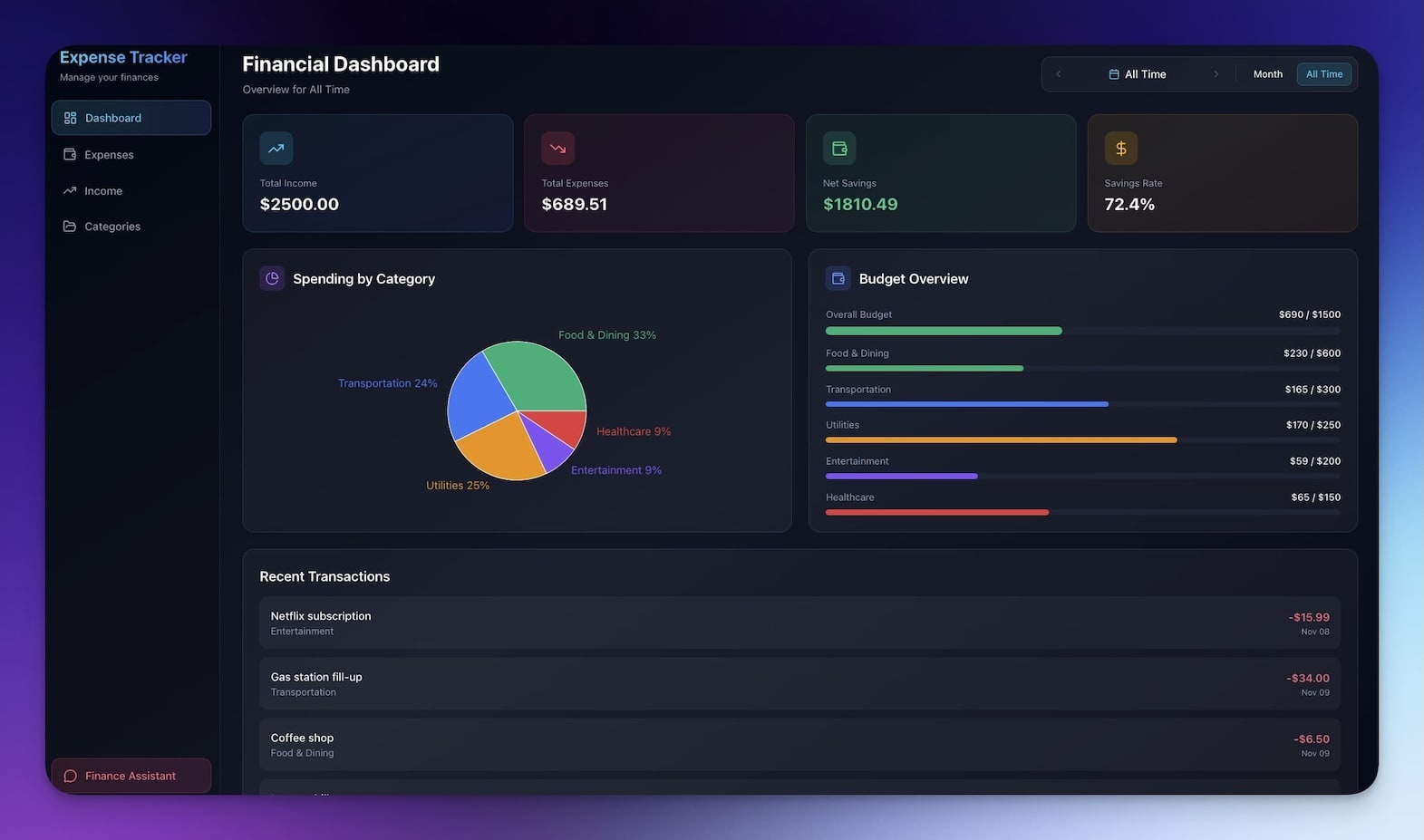
Track personal or business expenses with automatic categorization and spending insights. AI agents categorize transactions, identify recurring charges, and alert you when spending exceeds budgets.
Best for: Freelancers, solo founders, personal finance
Features:
- Expense entry form with AI-powered auto-categorization
- Category breakdown with visual spending analysis
- Monthly summaries generated and delivered automatically
- Budget vs. actual tracking with threshold alerts
Clone Personal Expense Tracker ->
3. Meeting Cost Calculator
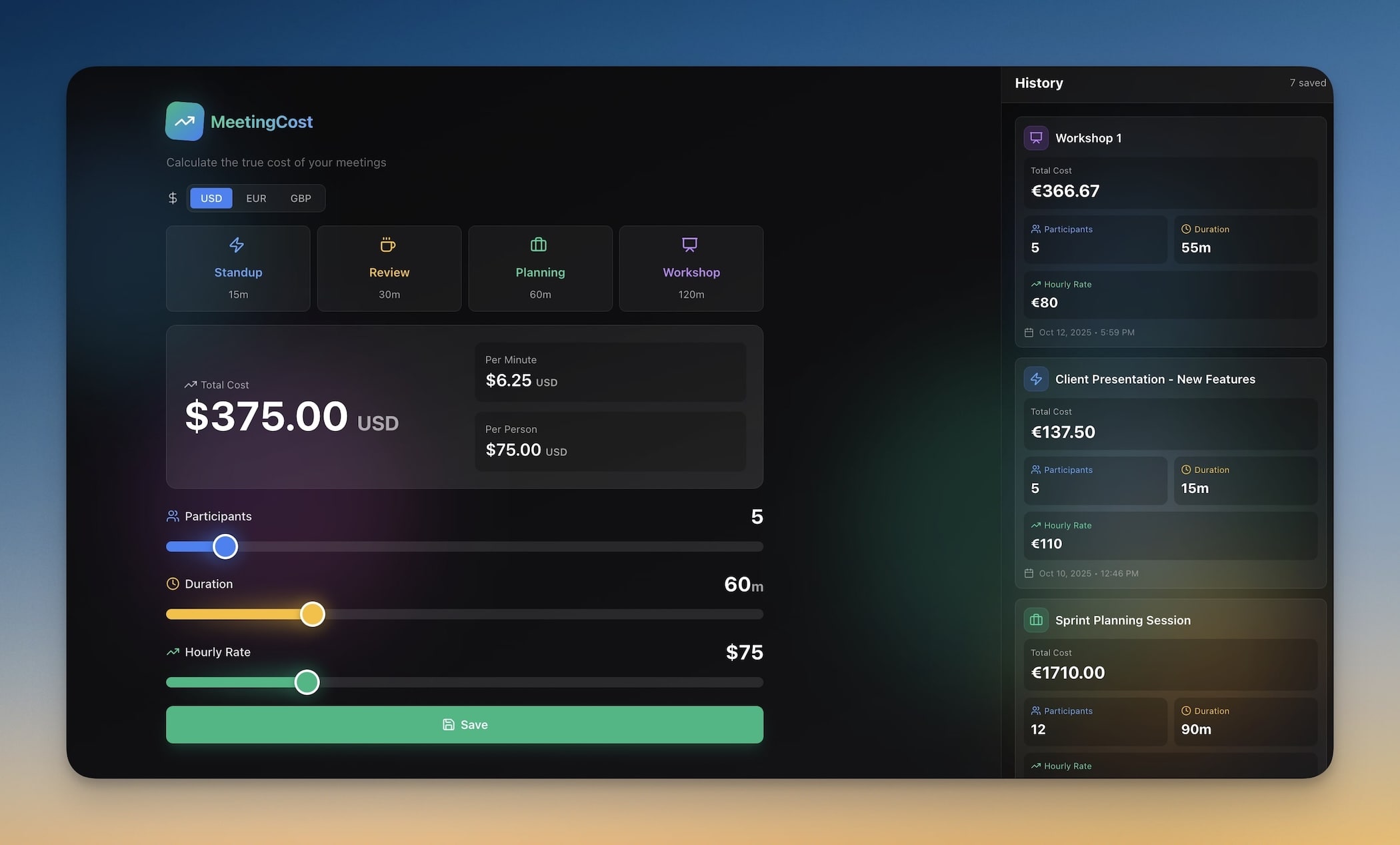
Calculate the true cost of meetings based on attendee salaries and duration. The AI agent tracks meeting ROI over time and identifies which recurring meetings cost more than they deliver.
Best for: Managers, ops teams, anyone fighting meeting bloat
Features:
- Attendee salary input with role-based estimation
- Duration calculator with cost-per-minute breakdown
- Cumulative cost tracking for recurring meetings
- ROI analysis comparing meeting outcomes to cost
Clone Meeting Cost Calculator ->
4. Expense Splitter
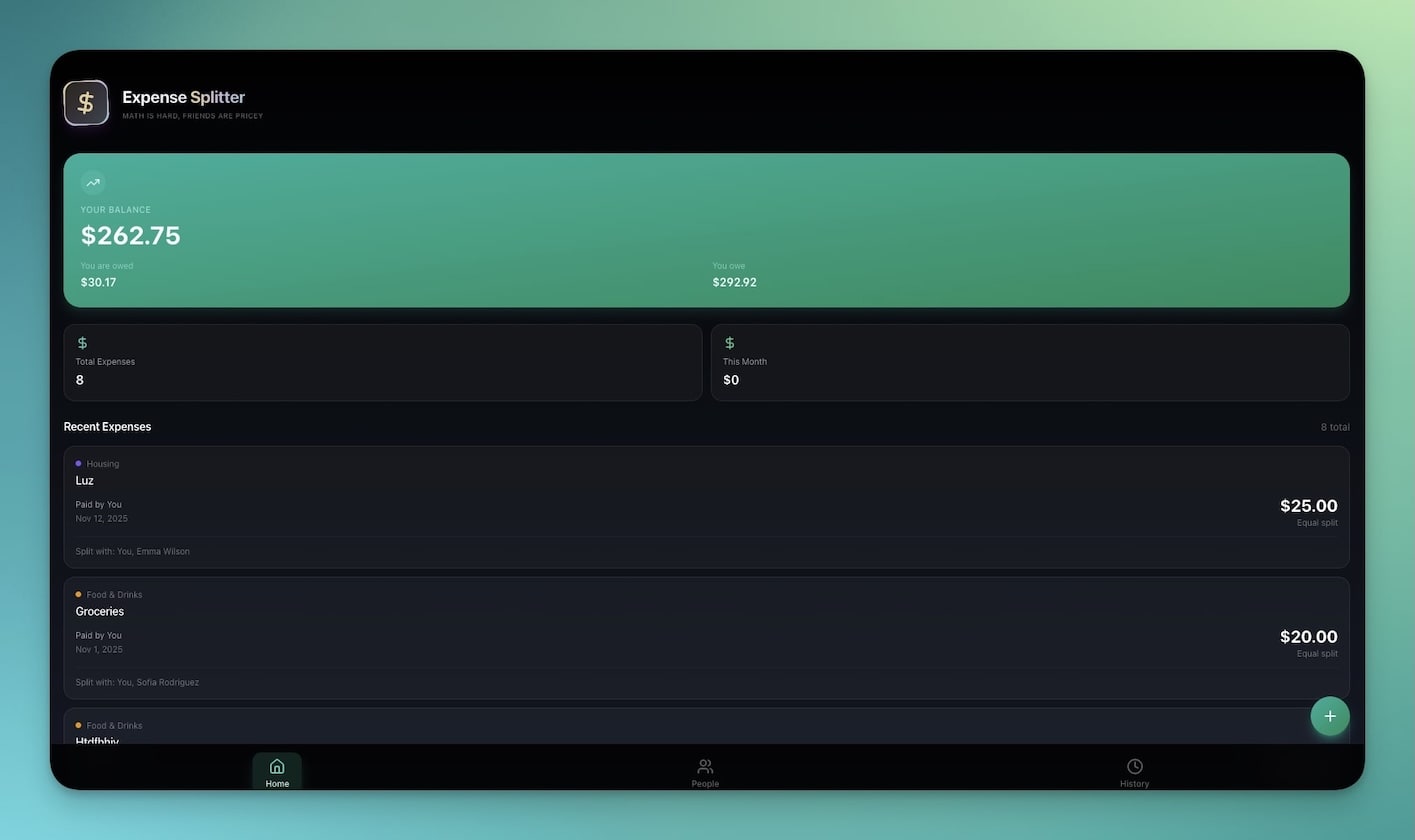
Split expenses among groups — perfect for team dinners, company trips, or shared office costs. Automations send settlement reminders to participants with outstanding balances.
Best for: Teams, roommates, group projects
Features:
- Multi-person expense entry with receipt tracking
- Automatic split calculation (equal or custom ratios)
- Balance tracking with per-person running totals
- Settlement suggestions with automated reminder emails
5. Invoice Generator
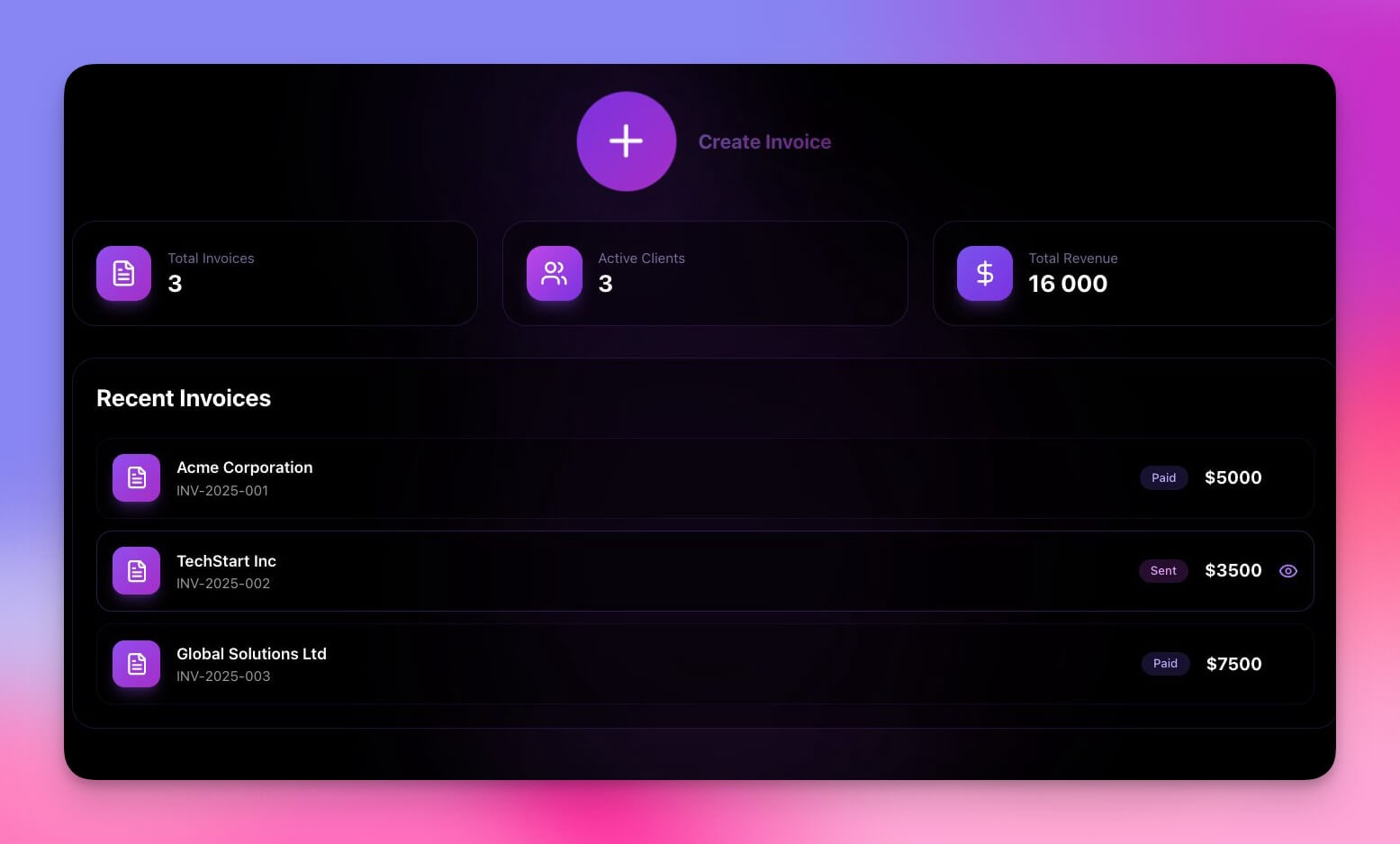
Create professional invoices with automatic calculations and client tracking. Automations send payment reminders at 30, 60, and 90 days overdue, and log payments when received.
Best for: Freelancers, agencies, service businesses
Features:
- Professional invoice templates with line item calculations
- Client database synced with your CRM workspace
- Payment tracking with automated overdue alerts via 100+ integrations
- Export-ready formats for accounting and tax preparation
6. Investor Dashboard
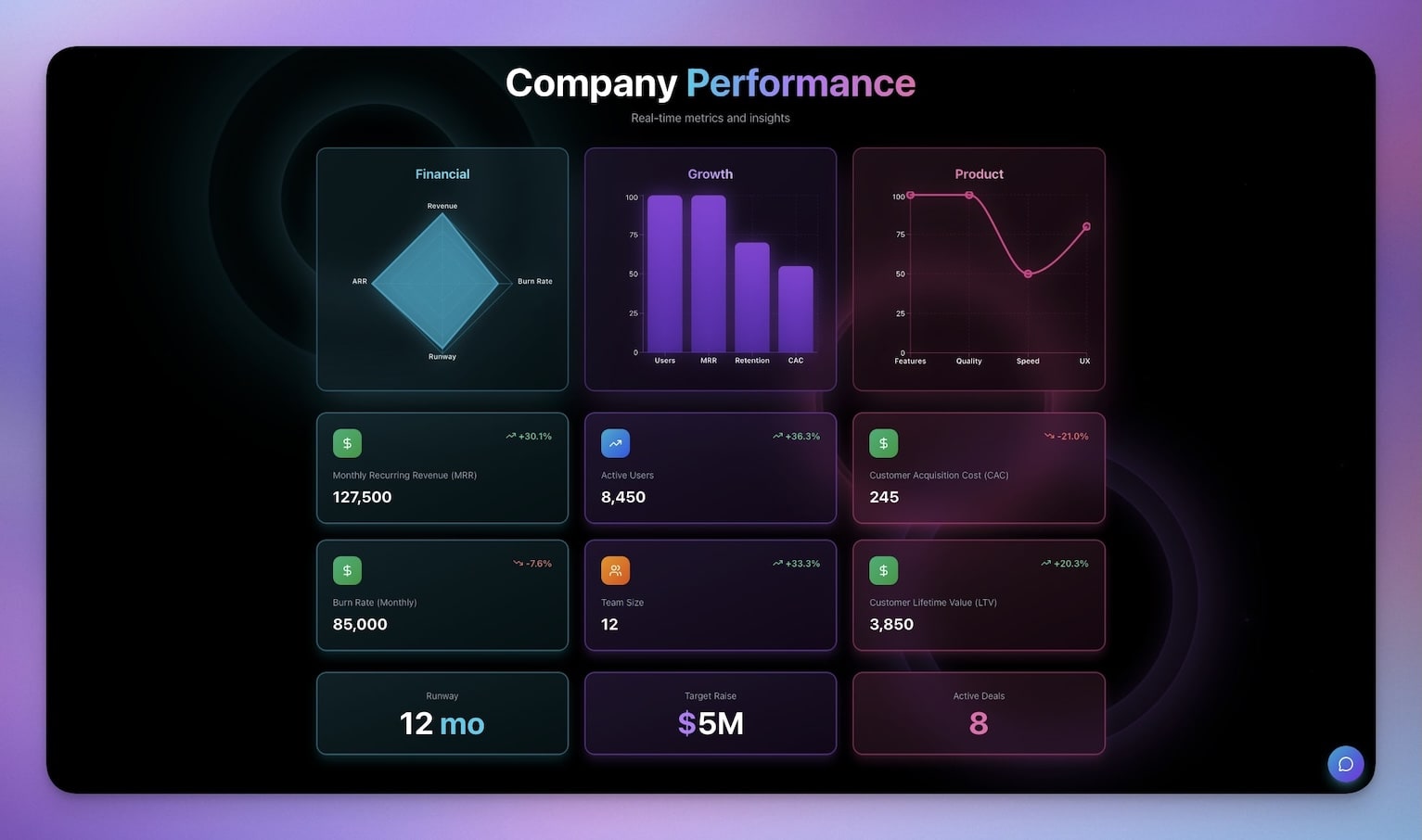
Present your key metrics, milestones, and runway to investors in a polished dashboard. The AI agent generates monthly board summaries from your operational data automatically.
Best for: Founders, investor relations, board updates
Features:
- KPI visualization with month-over-month trending
- Milestone tracking with completion percentage
- Runway calculator with burn rate projections
- Automated monthly board report generation
7. Time Tracker
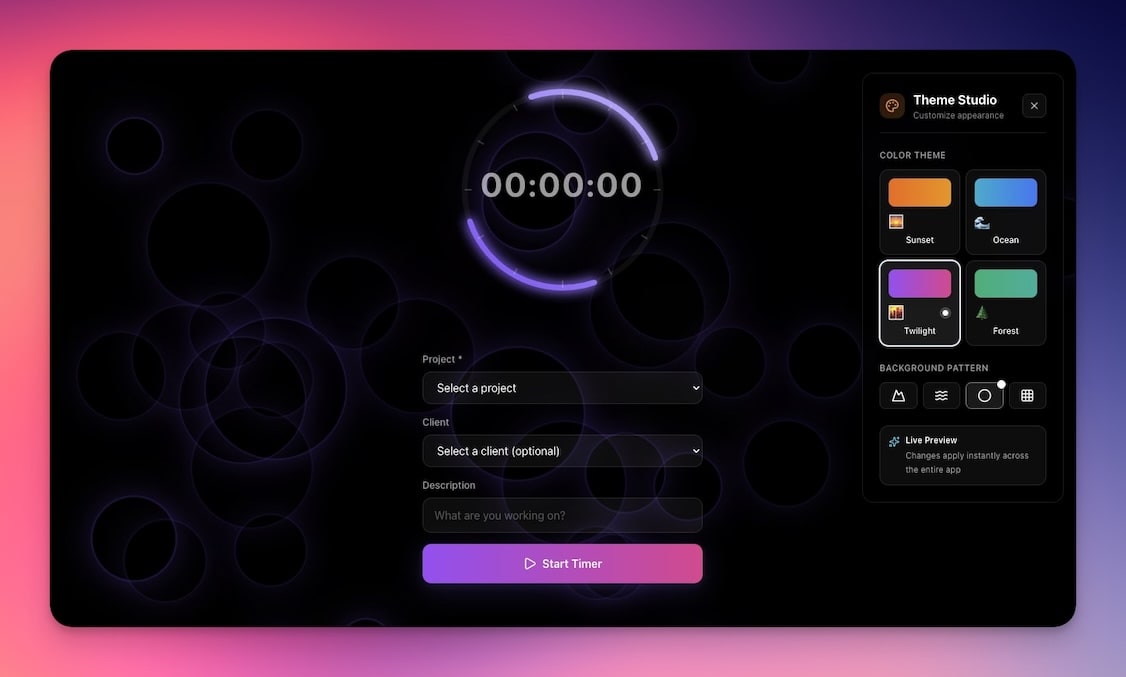
Track billable hours and project time for accurate invoicing and productivity analysis. AI agents identify time-consuming tasks and suggest efficiency improvements.
Best for: Freelancers, consultants, agencies
Features:
- Timer interface with project and client tagging
- Weekly summaries with utilization rate calculations
- Export for invoicing with automatic rate calculations
- AI-powered productivity insights and trend analysis
8. Simple Store Manager
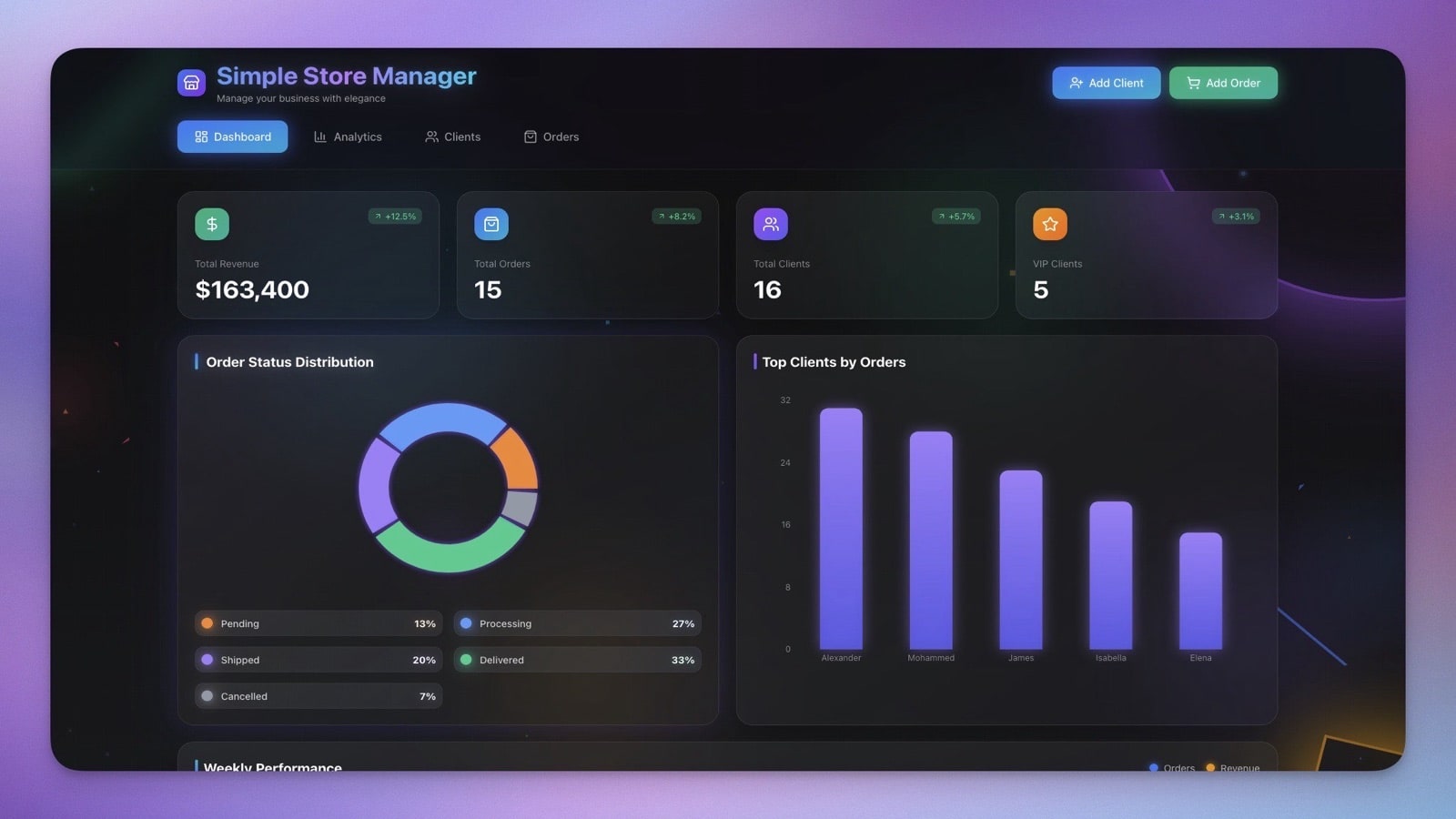
Manage inventory, sales, and basic finances for small retail operations. The AI agent tracks stock levels and triggers reorder alerts before you run out.
Best for: Small businesses, pop-up shops, e-commerce
Features:
- Inventory tracking with low-stock alerts
- Sales logging with daily and weekly summaries
- Cost calculations with margin analysis
- Profit margin tracking across product categories
9. Maintenance Tracker Dashboard
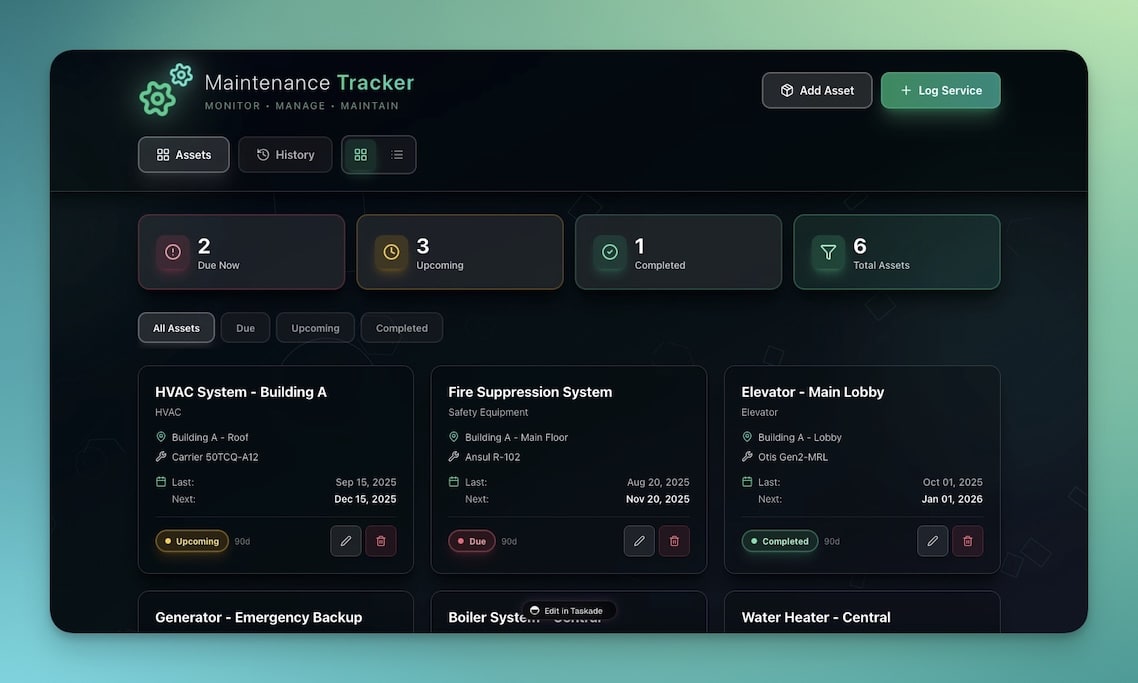
Track equipment costs, service schedules, and maintenance budgets. Automations trigger service reminders before warranty expiration and schedule preventive maintenance.
Best for: Operations, facilities, fleet management
Features:
- Equipment inventory with purchase and warranty data
- Service cost tracking with annual budget analysis
- Budget allocation across departments and equipment types
- Automated maintenance scheduling with vendor notifications
10. Team Capacity Planner
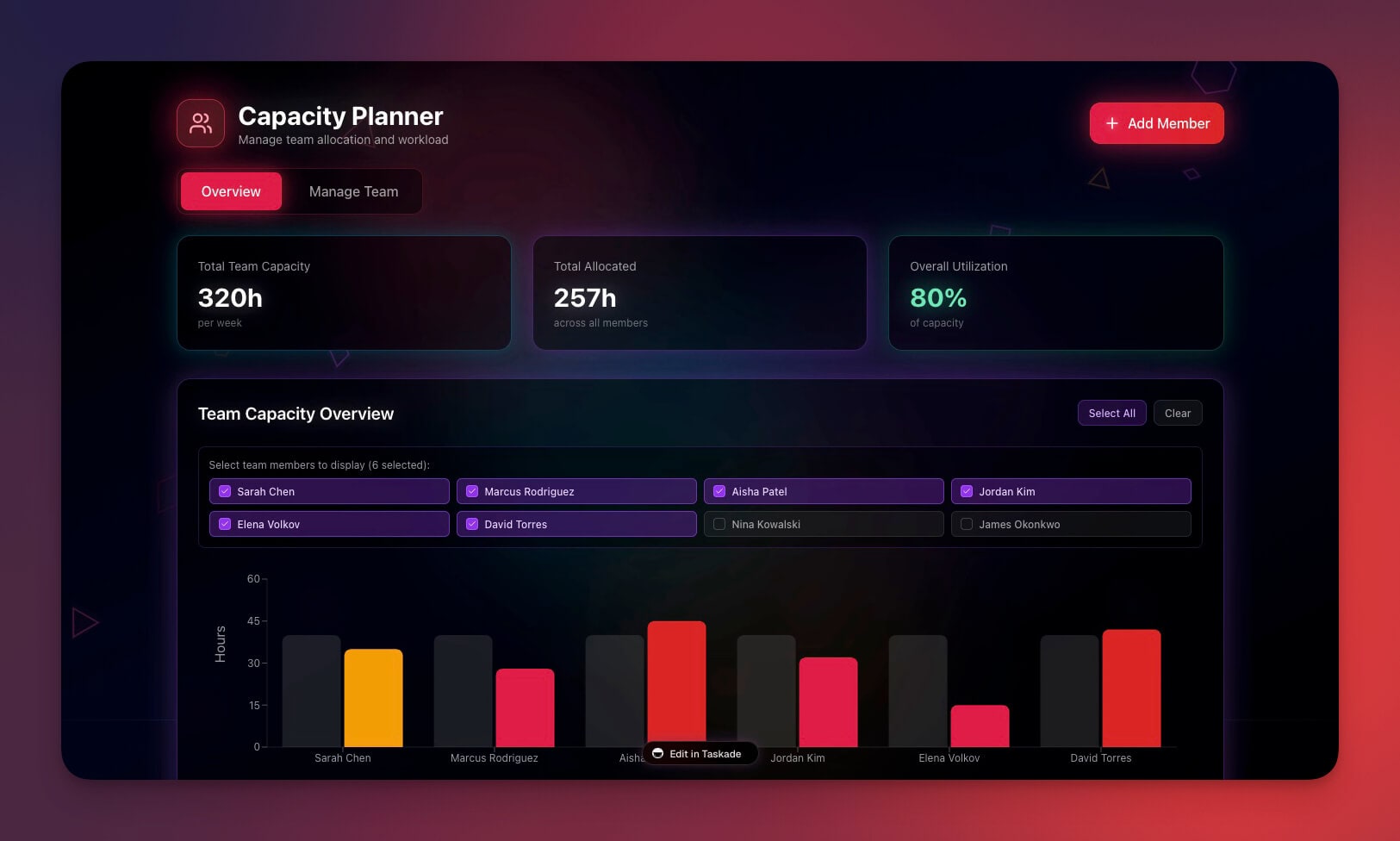
Plan team allocation and understand the financial impact of resource decisions. The AI agent forecasts capacity needs and flags overstaffed or understaffed projects.
Best for: Project managers, resource planning, budgeting
Features:
- Team availability view across all active projects
- Project assignments with financial impact analysis
- Utilization rates with billable vs. non-billable tracking
- Capacity forecasting for hiring and staffing decisions
Clone Team Capacity Planner ->
The Financial Cockpit Architecture
A founder's financial cockpit is not a single dashboard — it is a system of interconnected workspaces powered by Workspace DNA.
Every transaction you enter becomes Memory. AI agents analyze that Memory to produce Intelligence. That Intelligence triggers Execution — automated alerts, reports, and reminders. The results flow back as new Memory. Your financial system gets smarter with every data point.
Taskade Genesis vs. QuickBooks vs. Wave vs. Stripe Dashboard
Founders evaluating finance tools need to understand what each platform actually does.
| Capability | Taskade Genesis | QuickBooks | Wave | Stripe Dashboard |
|---|---|---|---|---|
| Financial workspace from prompt | Yes | No | No | No |
| AI finance agents | Yes (built-in tools) | Limited AI | No AI | No AI |
| Expense tracking | Built-in | Core feature | Core feature | Payments only |
| Invoicing | Built-in | Core feature | Core feature | Payments only |
| Runway calculations | AI-automated | Manual | Not available | Not available |
| Team collaboration | Real-time, multiple views | Limited | Limited | Not designed for teams |
| Investor dashboards | Built-in templates | Not included | Not included | Not included |
| Automated budget alerts | 100+ integrations | Email alerts | Not available | Webhook-based |
| Integrations | 100+ (Slack, Gmail, CRM) | Accounting-focused | Limited | Payment-focused |
| Pricing (small team) | $10-40/month | $30-200/month | Free (limited) | Per-transaction fees |
When QuickBooks makes sense: You need full double-entry bookkeeping, tax preparation, and payroll processing for an established business.
When Wave makes sense: You are a solo founder who needs free invoicing and basic bookkeeping.
When Taskade Genesis is the better choice: You need a financial operating system that combines budgeting, reporting, team collaboration, investor updates, and AI analysis in one workspace — without the complexity of traditional accounting software.
Finance Automations That Save Founders Hours Every Week
Connect your finance workspaces to real workflows using Taskade Automations:
- Expense alerts when spending exceeds budget thresholds in any category
- Weekly summaries generated by AI agents and sent to founders, CFO, or board
- Invoice reminders for overdue payments at 30, 60, and 90 days with escalation
- Runway updates posted to Slack monthly with burn rate trending
- Receipt processing via email integration — forward receipts, AI categorizes automatically
These connect to 100+ integrations including Slack, Gmail, Google Sheets, Stripe, HubSpot, and more.
How to Build Your Financial Cockpit in 5 Minutes
Create a custom finance workspace from a single prompt:
- Open Taskade Genesis and click "Create App"
- Describe your workspace: "Build a startup finance dashboard with runway tracking, expense categorization, monthly board reports, and automated budget alerts"
- Use "Enhance Prompt" for customization suggestions
- Genesis creates the workspace with Projects, Agents, and Automations
- Import your existing financial data
- Let AI agents analyze your numbers and start sending insights
Learn more in Create Your First App.
Common Finance Workspace Mistakes to Avoid
| Mistake | Impact | Fix |
|---|---|---|
| Tracking revenue but not expenses | False sense of profitability | Use the Finance Tracker Dashboard for complete visibility |
| Manual board reports | Outdated by the time investors read them | Automate with Investor Dashboard + AI agent |
| No budget alerts | Overspending discovered too late | Set threshold automations at 80% and 100% of budget |
| Single-person access to finances | Bus factor risk | Use permissions (Owner to Viewer) for team access |
| Separate tools for invoicing and tracking | Data silos, reconciliation errors | Combine Invoice Generator with Finance Tracker in one workspace |
Start Building Your Financial Cockpit
Ready to replace scattered spreadsheets with an AI-powered finance operating system?
Resources:
- Explore Community Apps — Clone finance tools built by other founders
- Create Your First App — Step-by-step tutorial
- Workspace DNA Guide — Understand the architecture
Your living finance workspace includes:
- Custom AI Agents — AI-powered analysis with built-in tools
- Projects and Memory — Your financial database across multiple views
- 100+ Integrations — Automated workflows across your entire stack
Read more:
- 10 AI Dashboards You Can Clone in One Click
- 10 AI Ops Dashboards for Lean Teams
- 10 AI Sales and CRM Dashboards
- SaaS Has Evolved Into Living Software
- Build Without Permission
- How to Host Your First AI Agent
Explore Taskade AI:
- AI App Builder — Build complete apps from one prompt
- AI Dashboard Builder — Generate dashboards instantly
- AI Workflow Automation — Automate any business process
Build with Genesis:
- Browse All Generator Templates — Apps, dashboards, websites, and more
- Browse Agent Templates — AI agents for every use case
- Explore Community Apps — Clone and customize
Frequently Asked Questions
What is an AI finance workspace and how is it different from spreadsheets?
An AI finance workspace is a living system that combines real-time data (Projects), AI-powered analysis (Agents), and automated workflows (Automations). Unlike static spreadsheets, it automatically categorizes transactions, generates trend insights, sends budget alerts, and produces weekly summaries without manual effort. Taskade Genesis builds these workspaces from a single text prompt.
Can I build a startup finance dashboard with Taskade Genesis?
Yes. Describe your finance dashboard in a single prompt — including expense tracking, revenue monitoring, runway calculations, and board reports — and Genesis builds the complete workspace in minutes. It includes AI agents for financial analysis and automations for alerts and scheduled reports. Pricing starts with a Free tier, with paid plans from $10/month billed annually.
What finance tools are included in these 10 AI workspaces?
The collection includes a finance tracker dashboard, personal expense tracker, meeting cost calculator, expense splitter, invoice generator, investor dashboard, time tracker, store manager, maintenance tracker, and team capacity planner. Each tool is cloneable from the Taskade Community and fully customizable.
Do I need accounting experience to use Taskade finance workspaces?
No. Taskade Genesis creates finance tools from plain-language prompts. The AI agents handle categorization, trend analysis, and budget monitoring automatically. You enter transactions, and the workspace handles calculations, visualizations, and alerts. No coding or accounting software experience required.
How does Taskade Genesis compare to QuickBooks for startup finance?
QuickBooks is accounting software designed for tax compliance and bookkeeping. Taskade Genesis is a financial operating system that combines budgeting, reporting, team collaboration, and AI analysis in one workspace. Genesis does not replace your accountant, but it gives founders real-time visibility into cash flow, runway, and expenses without the complexity of traditional accounting tools.
How does Taskade compare to Wave or Stripe Dashboard for financial tracking?
Wave focuses on invoicing and basic bookkeeping. Stripe Dashboard tracks payment processing. Taskade Genesis creates complete financial cockpits that combine expense tracking, runway calculations, investor updates, and team capacity planning — all powered by AI agents that analyze trends and send alerts. Genesis is free to start, with Pro from $10/month billed annually, compared to Wave's free tier (limited) or Stripe's per-transaction fees.
Can AI agents monitor my startup's burn rate and runway?
Yes. Configure an AI agent to track monthly expenses against revenue, calculate runway in real time, and trigger alerts when burn rate exceeds thresholds. Automations can send weekly runway updates to founders and monthly board summaries to investors, all connected through 100+ integrations.
What project views are available for financial dashboards?
Taskade offers multiple project views: List (task tracking), Board (pipeline stages), Calendar (payment schedules), Table (financial data), Mind Map (budget planning), Gantt (project timelines), and Org Chart (team structure). Each view shows the same underlying data from different perspectives, so your finance team can work in the format that suits them.
Can I share financial dashboards with investors?
Yes. Use the permission system to give investors Viewer access to specific dashboards. They see real-time KPIs, milestone progress, and runway calculations without accessing sensitive operational data. You can also publish investor dashboards to custom domains with password protection.
How much does it cost to run a finance workspace on Taskade?
Taskade offers a Free tier for individuals. Paid plans include Pro at $10/month for up to 10 seats and Business at $25/month for unlimited seats, both billed annually. All plans include AI agents, automations, 100+ integrations, and unlimited workspaces. There are no per-transaction or per-invoice fees.