






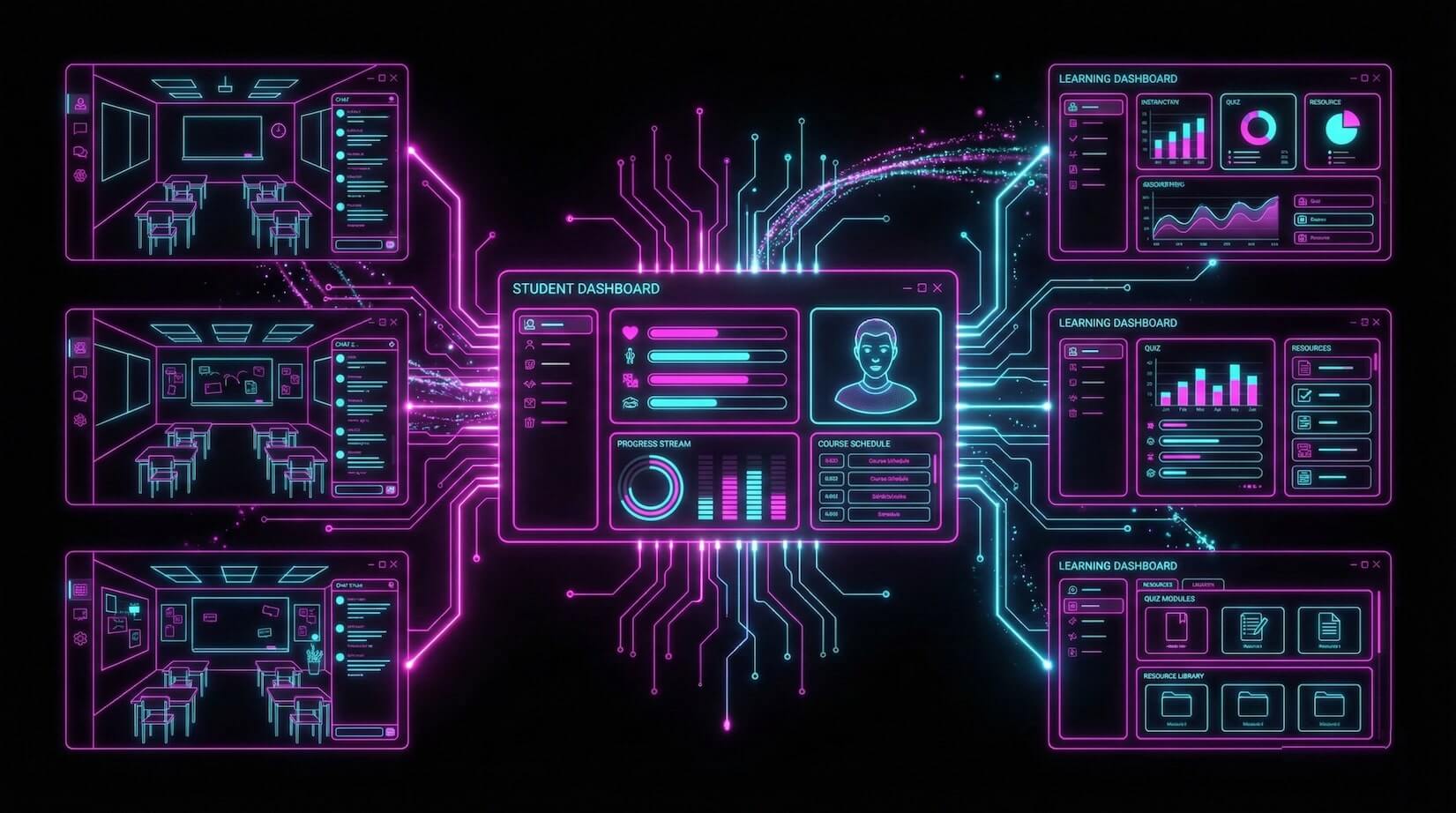
TL;DR: 10 ready-to-clone AI apps built with Taskade Genesis for students and educators — flashcard makers, reading trackers, focus timers, booking portals, and wellness tools. Each app is free to clone and customizable with no coding. Compare with Google Classroom, Canvas, Kahoot, and Quizlet. Clone your first app →
Whether you are studying for exams, teaching a class, or managing educational content, AI tools can transform how you learn and teach — from converting documents and notes to building entire study systems with AI agents that remember your progress.
We have curated 10 AI apps built with Taskade Genesis specifically for students and educators. Each one is ready to clone in one click and customize for your needs.
Taskade Genesis vs Google Classroom vs Canvas vs Kahoot vs Quizlet
Before exploring the apps, here is how Taskade Genesis compares to popular education platforms.
| Feature | Taskade Genesis | Google Classroom | Canvas LMS | Kahoot | Quizlet |
|---|---|---|---|---|---|
| Starting price | Free (paid from $10/mo) | Free (Workspace for Education) | Institution pricing | Free (paid from $6/mo) | Free (paid from $8/mo) |
| Custom app building | Yes — from text prompts | No | No | No | No |
| AI agents | Yes (built-in tools) | Limited (Gemini integration) | No | No | AI study modes |
| Flashcard system | Build custom with AI generation | No | No | Quiz-based only | Purpose-built |
| Booking/scheduling | Build custom portals | Google Calendar integration | Calendar | No | No |
| Event management | Build custom systems | No | Calendar only | No | No |
| Wellness/mindfulness tools | Build custom apps | No | No | No | No |
| Automation workflows | 100+ integrations | Google ecosystem | LTI integrations | Limited | Limited |
| Permission levels | Role-based access (Owner to Viewer) | Teacher/student/guardian | Course-based roles | Creator/player | Creator/learner |
| Project views | List, Board, Calendar, Table, Mind Map, Gantt, Org Chart | Stream/classwork/people | Modules/pages | Quiz view | Flashcard/learn/test |
| AI model access | Frontier models | Gemini only | No AI | No AI | OpenAI-based |
Key insight: Google Classroom, Canvas, Kahoot, and Quizlet each solve one slice of education. Taskade Genesis lets you build custom tools for the slices these platforms miss — booking systems, wellness apps, custom trackers, and specialized study tools that integrate with your workflow.
For Students
1. Flash Deck Maker

Create, organize, and study flashcards with spaced repetition principles. The AI agent generates cards from your notes and tracks which concepts need more review.
How it works:
- Create a deck for your subject (e.g., "Organic Chemistry Chapter 5")
- Add cards manually or paste your notes — the AI generates question-answer pairs
- Study with the flip-card interface
- The system prioritizes cards you get wrong for more frequent review
Features:
- Card creation (manual or AI-generated from pasted notes)
- Deck organization by subject, chapter, or exam
- Spaced repetition scheduling based on recall accuracy
- Progress tracking with per-deck statistics
- Import from notes, PDFs, or text documents
vs Quizlet: Quizlet has millions of pre-made decks and a polished mobile app. Genesis builds a custom flashcard system integrated with your broader study workflow — notes, timers, and trackers in one workspace. Choose Quizlet for shared decks; choose Genesis for a personalized study system.
Perfect for: Language learners, medical students, anyone memorizing facts
2. Book Reading Tracker
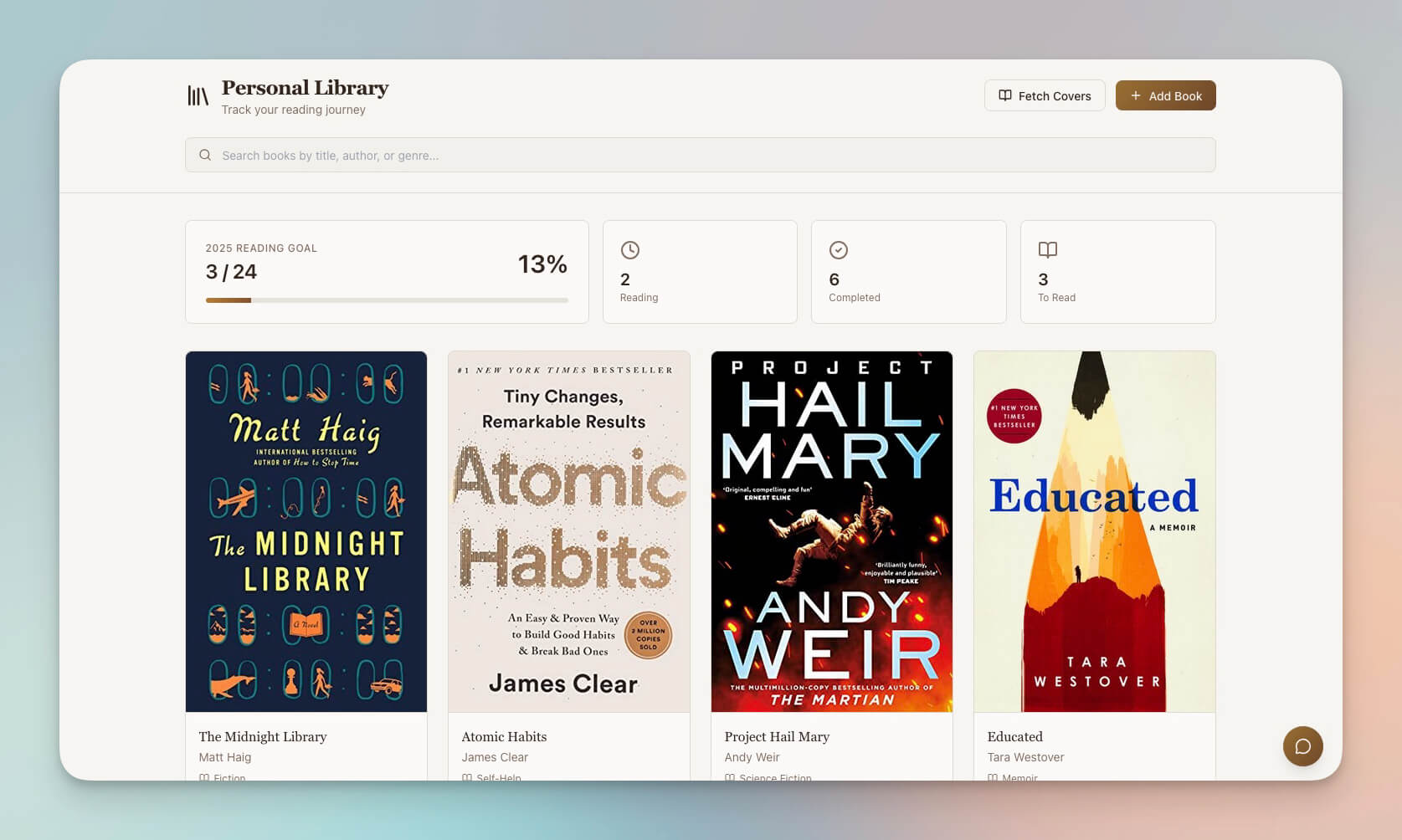
Track what you are reading, set goals, log insights, and monitor progress. The AI agent summarizes books and suggests connections between what you have read.
How it works:
- Add books to your reading list with title, author, and page count
- Log reading sessions with pages read and time spent
- Add notes and highlights per chapter
- View reading statistics and goal progress
Features:
- Book logging with cover images, genres, and ratings
- Session tracking (pages read, time spent, reading speed)
- Reading goals (books per month, pages per week)
- Per-book notes and highlights organized by chapter
- Statistics dashboard (completion rate, reading streaks, genre breakdown)
| Metric | What It Tracks |
|---|---|
| Books completed | Total finished vs total started |
| Reading streak | Consecutive days with reading sessions |
| Pages per session | Average reading speed over time |
| Genre balance | Distribution across fiction, non-fiction, textbooks |
| Goal progress | Books/pages toward monthly and yearly targets |
Perfect for: Students with reading assignments, book clubs, lifelong learners
3. Study/Work Timer and Music Player

Pomodoro-style focus timer with built-in ambient music. Structure study sessions with timed work blocks and automatic break reminders that keep you in flow state.
How it works:
- Set your work interval (default 25 minutes, customizable)
- Choose ambient sounds (rain, cafe, nature, lo-fi beats)
- Start the timer and focus
- Get a gentle notification when it is time for a break
Features:
- Customizable work and break intervals (Pomodoro, 52/17, custom)
- Built-in ambient sounds and lo-fi music player
- Session tracking with daily and weekly focus totals
- Break reminders with countdown timers
- Focus statistics showing your most productive hours
vs Kahoot: Kahoot gamifies quizzes. This timer gamifies focus itself — tracking streaks, total hours, and productivity patterns. They solve different problems and complement each other.
Perfect for: Students who need help focusing, anyone using the Pomodoro technique
4. Multiplication Playground
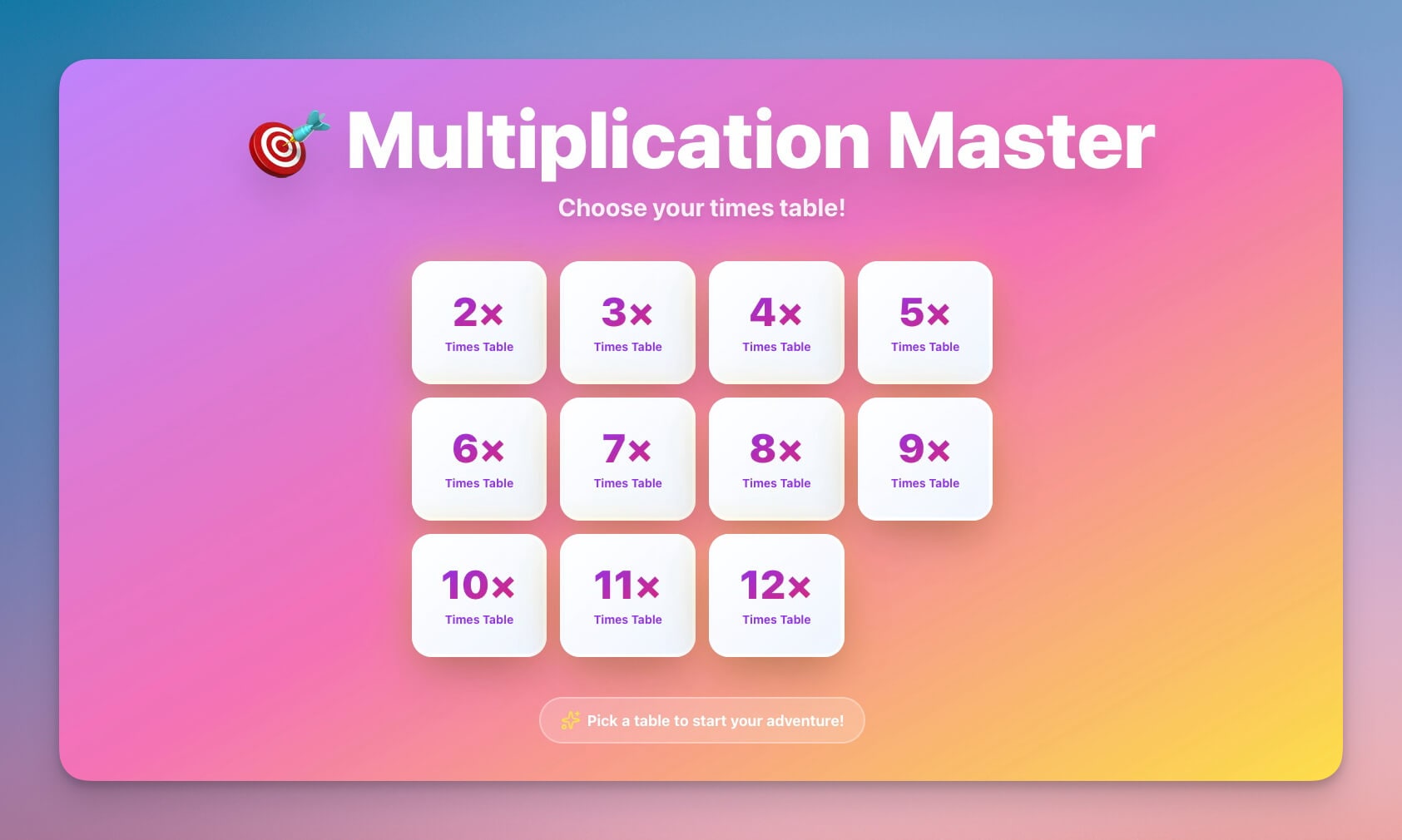
Interactive multiplication practice for younger students. Progressive difficulty levels and achievement tracking make math facts stick through gamified repetition.
How it works:
- Choose a difficulty level or specific times table to practice
- Solve problems with instant right/wrong feedback
- Track progress through levels and unlock achievements
- Review missed problems in a focused practice mode
Features:
- Interactive practice with instant feedback
- Progressive difficulty (single digits through multi-digit)
- Achievement system with streaks and milestones
- Times table focus mode for targeted practice
- Colorful, kid-friendly interface
Perfect for: Elementary students (ages 6-12), parents helping with homework, tutors
Clone Multiplication Playground →
For Educators
5. Class Booking Portal
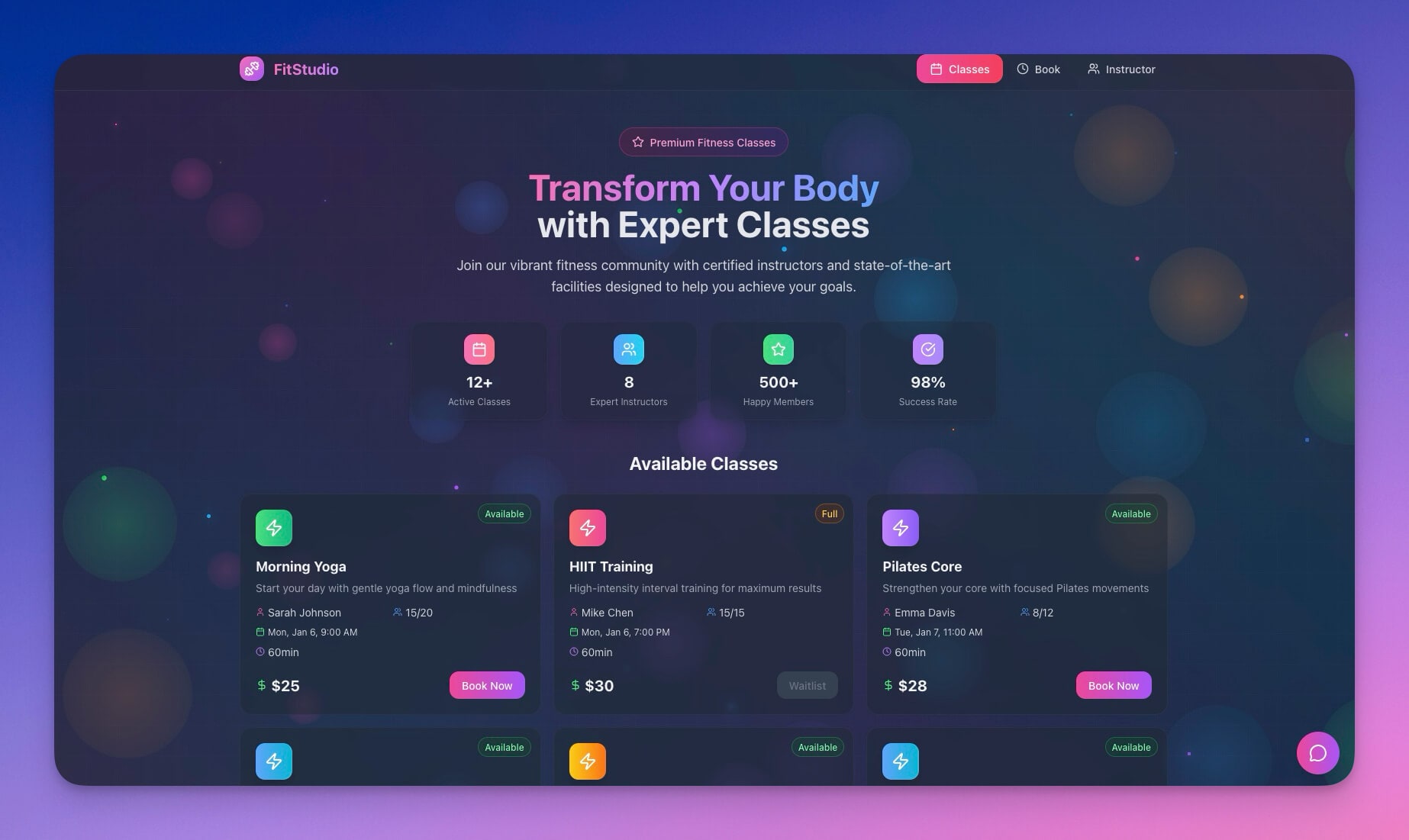
Let students book tutoring sessions, office hours, or class spots without the back-and-forth of email scheduling. The automation system handles confirmations, reminders, and waitlists.
How it works:
- Set your available time slots (office hours, tutoring blocks, class sessions)
- Share the booking link with students
- Students self-book available slots
- Automatic confirmations and reminders are sent
Features:
- Session scheduling with custom time slots and durations
- Student self-booking via shareable public link
- Waitlist management when slots fill up
- Automatic confirmation emails and reminder notifications
- Attendance tracking with no-show logging
vs Google Classroom: Google Classroom handles assignments and grading but has no booking system. This portal fills the scheduling gap — office hours, tutoring, and advising appointments that Google Classroom does not manage.
| Comparison | Google Calendar Appointments | Taskade Genesis Portal |
|---|---|---|
| Booking interface | Basic slot picker | Full portal with descriptions and context |
| Waitlist management | No | Yes |
| Attendance tracking | No | Yes |
| AI agent follow-up | No | Yes (post-session summaries) |
| Custom branding | Limited | Full customization |
Perfect for: Tutors, professors with office hours, workshop instructors
6. Appointment Booking System
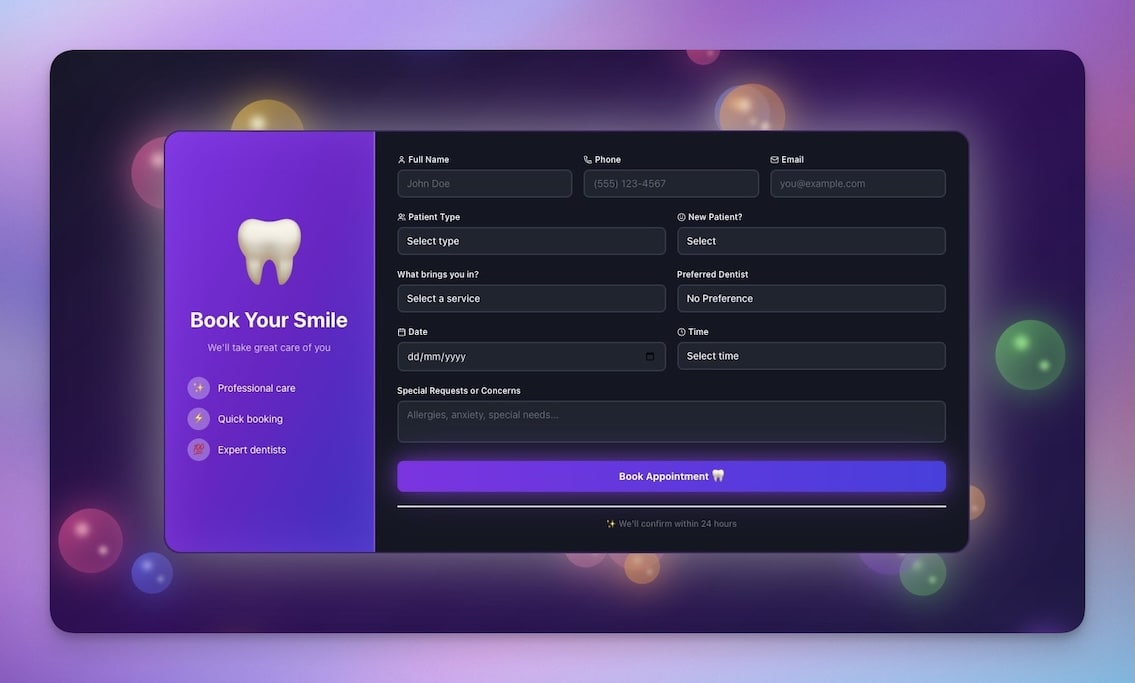
General appointment booking for one-on-one meetings. Ideal for academic advising, parent-teacher conferences, or mentorship sessions with configurable intake forms.
How it works:
- Define appointment types (advising, parent conference, mentorship)
- Set available times with buffer between appointments
- Configure intake questions (topic, preparation, goals)
- Share the booking link and manage appointments from one dashboard
Features:
- Calendar integration with visual availability view
- Custom time slots with buffer periods between appointments
- Confirmation and reminder emails sent automatically
- Intake questions customizable per appointment type
- Dashboard view of all upcoming and past appointments
Perfect for: Academic advisors, career counselors, educational consultants
Clone Appointment Booking System →
7. Event Management Portal
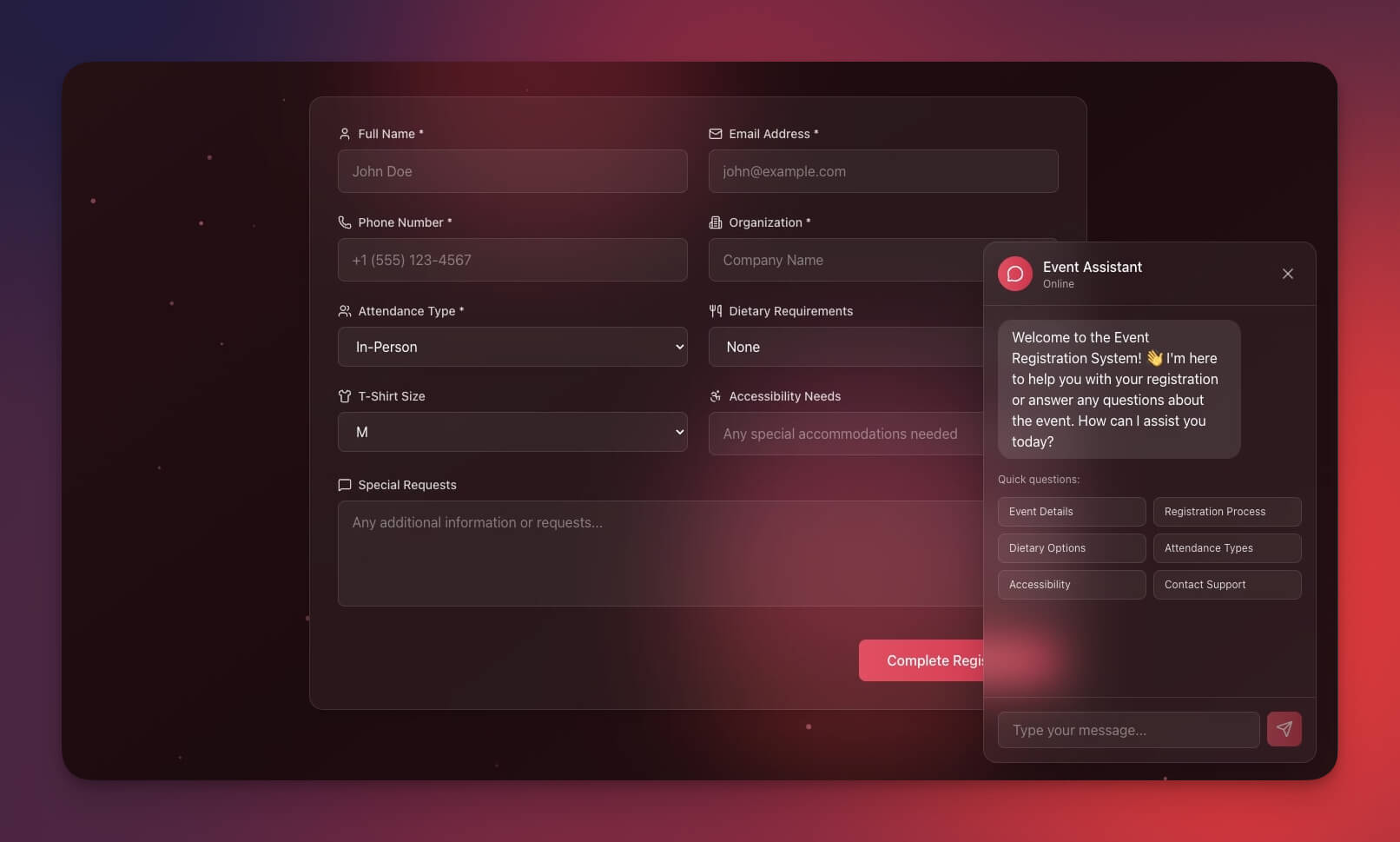
Plan and manage educational events — workshops, guest lectures, seminars, science fairs, or school functions — with registration tracking and communication tools.
How it works:
- Create events with details, capacity, and registration deadlines
- Share registration links with participants
- Track RSVPs and manage attendee lists
- Send pre-event instructions and post-event follow-ups
Features:
- Event creation with rich descriptions and images
- Registration management with capacity limits
- Attendee tracking with check-in status
- Communication tools for announcements and updates
- Calendar integration for scheduling
vs Canvas LMS: Canvas manages courses and modules. This portal handles events that live outside the course structure — guest lectures, club meetings, parent nights, and cross-department workshops.
Perfect for: Event coordinators, department administrators, club organizers
Clone Event Management Portal →
For Wellness and Focus
8. Breathe Circle
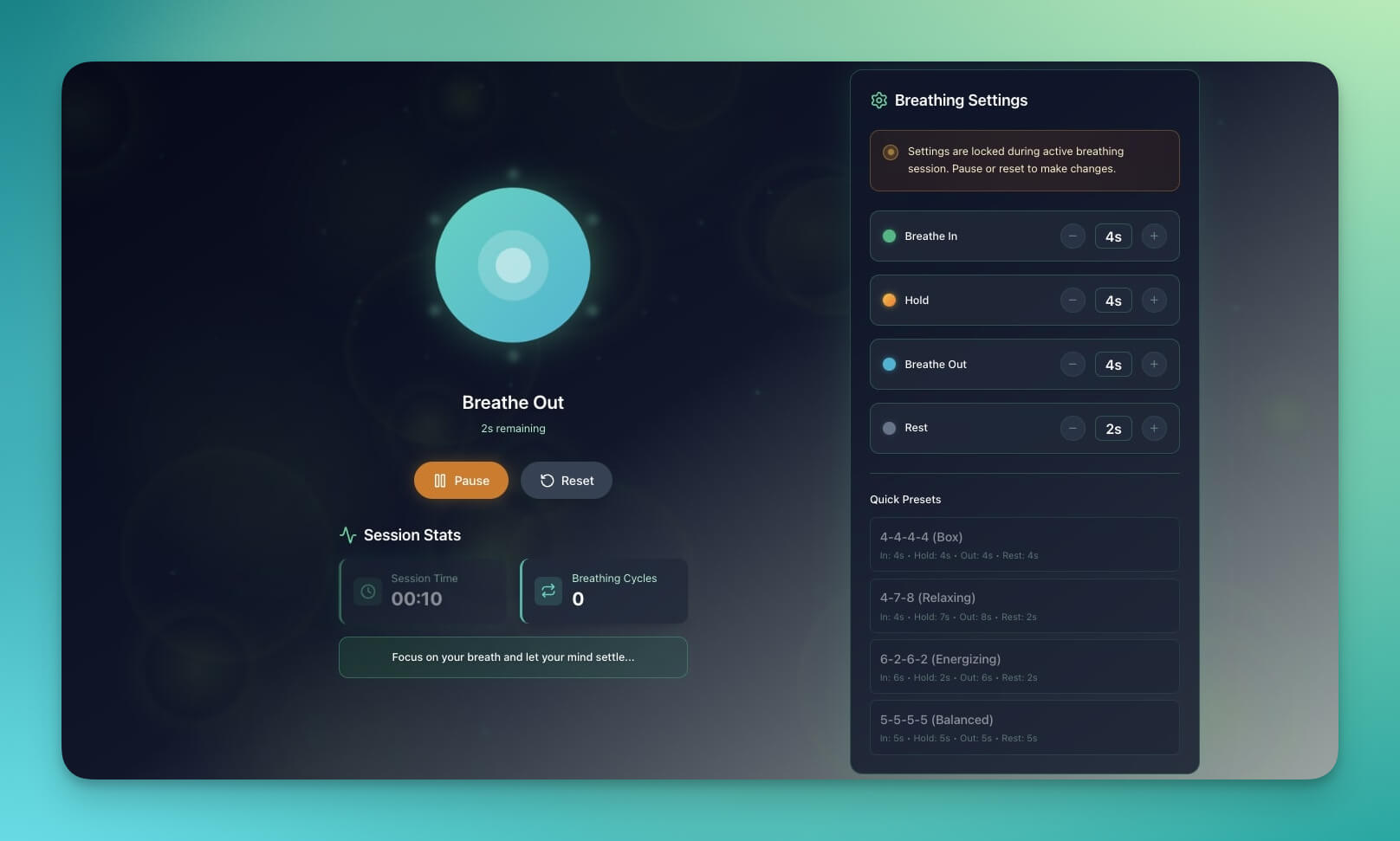
Guided breathing exercises for stress reduction. Help students manage exam anxiety, or start class with a mindfulness moment that brings everyone to focus.
How it works:
- Choose a breathing pattern (4-7-8, box breathing, calm breathing)
- Follow the visual breathing guide (expand = inhale, contract = exhale)
- Set session length (1 minute, 3 minutes, 5 minutes)
- Track consistency with session history
Features:
- Visual breathing guide with animated circle
- Multiple breathing patterns for different needs
- Configurable session lengths
- Calming color themes and minimal interface
- Session history for building consistency
Perfect for: Students managing exam stress, teachers starting class with calm
9. Mood Tracker
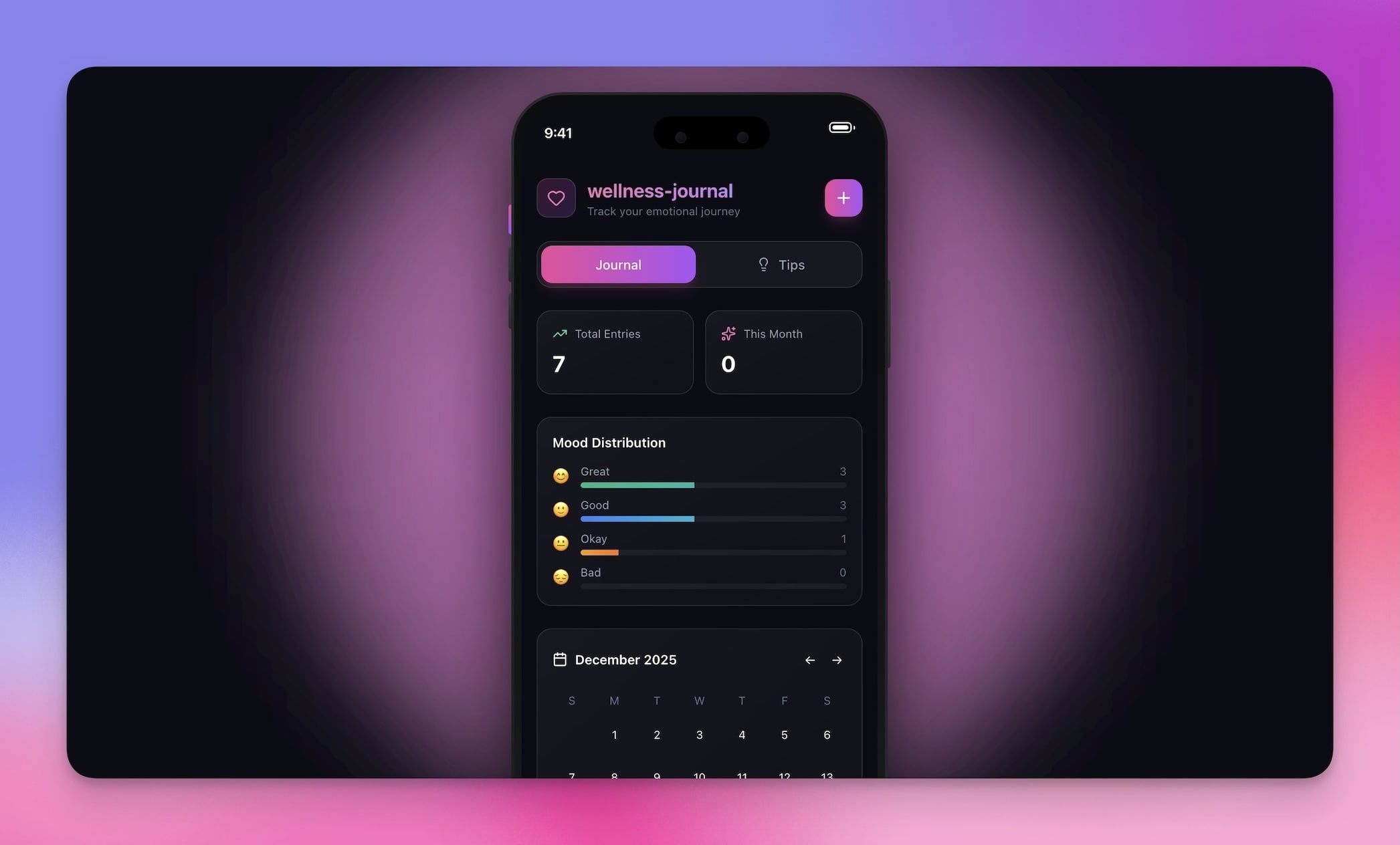
Track daily emotional wellbeing with a simple, private interface. Helps students notice patterns between mood, sleep, study habits, and stress levels.
How it works:
- Log your mood daily (1-5 scale or emoji selection)
- Add optional notes about what influenced your mood
- View weekly and monthly mood patterns
- Identify triggers and positive patterns over time
Features:
- Daily mood logging with quick selection interface
- Pattern visualization showing trends over weeks and months
- Note-adding for context and self-reflection
- Trend tracking to identify recurring triggers
- Private and personal — data stays in your workspace
Perfect for: Students practicing self-awareness, school wellness programs, counselors
10. Homework Planner
Build a homework planner from scratch with Taskade Genesis by prompting: "Create a homework planner with subjects, due dates, priority levels, completion status, and estimated time per assignment."
How it works:
- Add assignments with subject, due date, and estimated time
- Prioritize by urgency and importance
- Track completion status and actual time spent
- View upcoming deadlines in calendar or list view
Features:
- Assignment tracking with subjects, due dates, and priorities
- Estimated vs actual time tracking per assignment
- Calendar view showing deadline clusters
- Multiple project views for different planning styles (List, Board, Calendar, Table, Mind Map, Gantt, Org Chart)
- AI agent that suggests study schedules based on deadline proximity
Perfect for: Students managing multiple classes, parents helping with homework organization
Customize Any App for Your Needs
Every app can be customized through conversation with the AI agent:
For students:
- "Add my subjects for this semester to the flashcard organizer"
- "Include a notes section linked to each flashcard deck"
- "Connect study timer sessions to my reading tracker"
For educators:
- "Add my class sections and student roster to the booking system"
- "Include rubric attachments for each assignment type"
- "Set up automatic reminders 24 hours before appointments"
Education App Architecture: How Workspace DNA Powers Learning Tools
Every education app built with Taskade Genesis uses the three pillars of Workspace DNA.
| Pillar | Role in Education Tools | Example |
|---|---|---|
| Memory (Projects) | Stores study data, progress, decks, and session history | Flash Deck Maker stores cards and recall performance |
| Intelligence (Agents) | Generates content, adapts difficulty, provides feedback | AI generates flashcards from pasted lecture notes |
| Execution (Automations) | Sends reminders, triggers reviews, updates schedules | Study timer sends break reminders and logs focus hours |
This self-reinforcing loop means your study tools get smarter over time. The AI learns which topics you struggle with, adjusts review frequency, and suggests study schedules based on your actual performance patterns.
Build Your Own Education Tools
What this video shows: A custom sales agent built step by step: instructions, tone, knowledge, web search, and a custom command that drafts a cold message for a task. The video dates from 2023, so some settings look different today. Read the step-by-step walkthrough.
Need something specific? Describe it to Taskade Genesis:
"Create a homework tracker with subjects, due dates,
completion status, and priority levels."
"Build a lesson planner with daily schedules, learning
objectives, materials needed, and reflection notes."
"Create a student portfolio app with project uploads,
self-reflections, and teacher feedback sections."
"Build a grading rubric tool with criteria, point values,
comments, and automatic total calculation."
Learning Better with AI

AI tools do not replace learning — they remove the friction around it:
- More time studying, less time organizing and searching for resources
- Better retention with spaced repetition and adaptive review
- Focused sessions with timers that track and protect your attention
- Progress visibility that keeps motivation high through measurable gains
- Personalized pacing as AI agents learn your strengths and weak spots
These apps are free to clone and customize. Start using them today.
Ready to learn smarter?
- Browse all education apps in the Community Gallery →
- Create your first education app →
- Learn about AI agents for education →
- Explore automation workflows →
Related Guides
- 12 AI Tools Built with Taskade Genesis — Full tool showcase
- 50+ AI Apps You Can Clone — Complete gallery
- 10 Best AI App Builders — Full comparison
- 10 AI Tools for Freelancers — Productivity tools
- How to Build a Support Dashboard — Step-by-step tutorial
Explore Taskade AI:
- AI App Builder — Build education apps from prompts
- AI Agent Builder — Create study assistants and tutoring agents
- Browse All Generator Templates — Apps, dashboards, and more
- Browse Agent Templates — AI agents for every use case
- Explore Templates — Clone and customize
Explore the Vibe Apps series:
- Vibe Learning Apps — Best AI LMS and course platforms

Frequently Asked Questions
What are the best AI apps for students in 2026?
The most useful AI study apps include flashcard makers with spaced repetition, reading trackers with AI summaries, focus timers with productivity analytics, and note-taking tools with AI organization. Taskade Genesis lets you build custom study tools from a text description in minutes — no coding required. Plans start free.
How can educators use AI apps in the classroom?
Educators can use AI apps for lesson planning, grading rubrics, student progress tracking, appointment booking, and interactive quizzes. Taskade Genesis builds tools that adapt to specific teaching workflows — class booking portals, event management systems, and student assessment dashboards — rather than forcing educators into generic software.
Are AI study tools free for students?
Many AI study tools offer free tiers. Taskade Genesis includes a free plan that lets students build custom study apps — flashcard decks, reading trackers, timers, and more — without paying for separate subscriptions to multiple apps. Paid plans start at $10/month billed annually with access to frontier models from top AI labs.
Can students build their own AI study apps without coding?
Yes. With Taskade Genesis, students describe what they need in plain English and get a working app in minutes. For example, prompting 'Build a flashcard app for organic chemistry with spaced repetition' produces a functional study tool immediately with databases, AI agents, and progress tracking.
How does Taskade Genesis compare to Google Classroom for educators?
Google Classroom manages class rosters, assignments, and grading within the Google ecosystem. Taskade Genesis builds custom educational tools — booking portals, event managers, progress trackers, and interactive apps — that Google Classroom does not offer. Genesis complements Google Classroom by filling functionality gaps.
Is Taskade Genesis better than Quizlet for flashcards?
Quizlet is purpose-built for flashcards with a large shared library. Taskade Genesis builds custom flashcard apps with AI-generated cards, spaced repetition, and integration with your broader study workflow. Choose Quizlet for access to millions of existing decks; choose Genesis when you need a custom study system that combines flashcards, notes, timers, and tracking in one workspace.
Can I use AI apps for student wellness and mental health?
Yes. AI-powered wellness tools include breathing exercise guides, mood trackers, and journaling apps. These tools help students manage exam anxiety, build self-awareness habits, and track emotional patterns. Educators can use wellness apps to start classes with mindfulness exercises or support student mental health programs.
What AI models power Taskade Genesis education apps?
Taskade Genesis uses frontier AI models from top AI labs, including OpenAI GPT and open-weight models such as DeepSeek and Qwen. Students and educators can build apps that use these models for content generation, adaptive quizzing, study recommendations, and conversational tutoring without configuring any AI infrastructure.
How do I share AI education apps with my students or class?
Every Taskade Genesis app gets a shareable public URL. You can also embed apps on school websites, set custom domains, and control access with role-based permissions (Owner to Viewer). Students can clone and customize shared apps for their own use.
What education apps can I build with Taskade Genesis?
You can build flashcard makers, reading trackers, study timers, class booking portals, appointment schedulers, event management systems, breathing exercise guides, mood trackers, homework planners, lesson plan builders, student portfolio apps, grading rubric tools, and interactive quiz generators — all from text prompts.