






TL;DR: Claude Cowork is Anthropic's agent for multi-step work across your files and connected apps, generally available on paid Claude plans since April 9, 2026. The best alternative for a whole team is Taskade Genesis: a shared cloud workspace where agents with memory, automations across 100+ integrations, and live apps work together. 150,000+ apps built, and it starts free.
Claude Cowork is a genuinely great idea. Instead of copy-pasting answers out of a chat window, you describe an outcome in plain English, and Claude works across your files, connected apps, and a browser to get it done: a hundred receipts into a spreadsheet, inbox replies drafted in your voice, an HTML dashboard built from a folder of data. For one person, it is one of the most capable assistants available.
The reason people search for Claude Cowork alternatives has shifted since launch. Anthropic has moved Cowork into the cloud, so "it only runs on my laptop" is no longer the main complaint. The real reasons in September 2026 are:
- Access to local folders still needs the desktop app. Cloud sessions and scheduled tasks run remotely, but reading files in a folder on your computer needs the Claude Desktop app open (Anthropic help center).
- It is a paid, per-seat assistant. There is no free tier, and Chat, Code, and Cowork share one usage allowance (Claude pricing).
- You get finished work, not a shared system. Cowork delivers files and results. Teams often want a workspace that all members share, memory that compounds, and a live app a customer can use.
- You want a different model or open-source stack. Some teams need model choice, self-hosting, or local-only execution.
This guide compares the 11 best Claude Cowork alternatives in 2026. Every tool below was re-checked against its own site in this pass, prices are stated as listed with their source, and we credit each tool's real strengths. We also map the Cowork mental model onto a cloud, team-ready setup so the switch feels familiar.
What is Claude Cowork?
Claude Cowork is Anthropic's agent mode for multi-step work. You give it a goal, and it works across your files, connected tools, and a built-in browser while you steer from desktop, web, or mobile. It reached general availability on April 9, 2026 on all paid plans, with role-based access controls, group spend limits, and OpenTelemetry support added for Enterprise.
Anthropic's own documentation also says Cowork is "now just Claude": you ask for what you need, and Claude decides whether that is a quick answer or a task (Get started with Claude Cowork). This is rolling out gradually on Pro and Max.
| Fact | Claude Cowork today | Source |
|---|---|---|
| Availability | Generally available April 9, 2026 | TestingCatalog |
| Plans | Pro, Max, Team, Enterprise (no free tier) | Claude Help Center |
| Surfaces | Desktop, web (beta), mobile (beta), Chrome side panel | Claude Help Center |
| Scheduled tasks | Run remotely; do not need your computer awake | Claude Help Center |
| Needs the desktop app open | Local folders, local connectors, computer use | Claude Help Center |
Here is where a Cowork task runs, according to Anthropic's documentation:
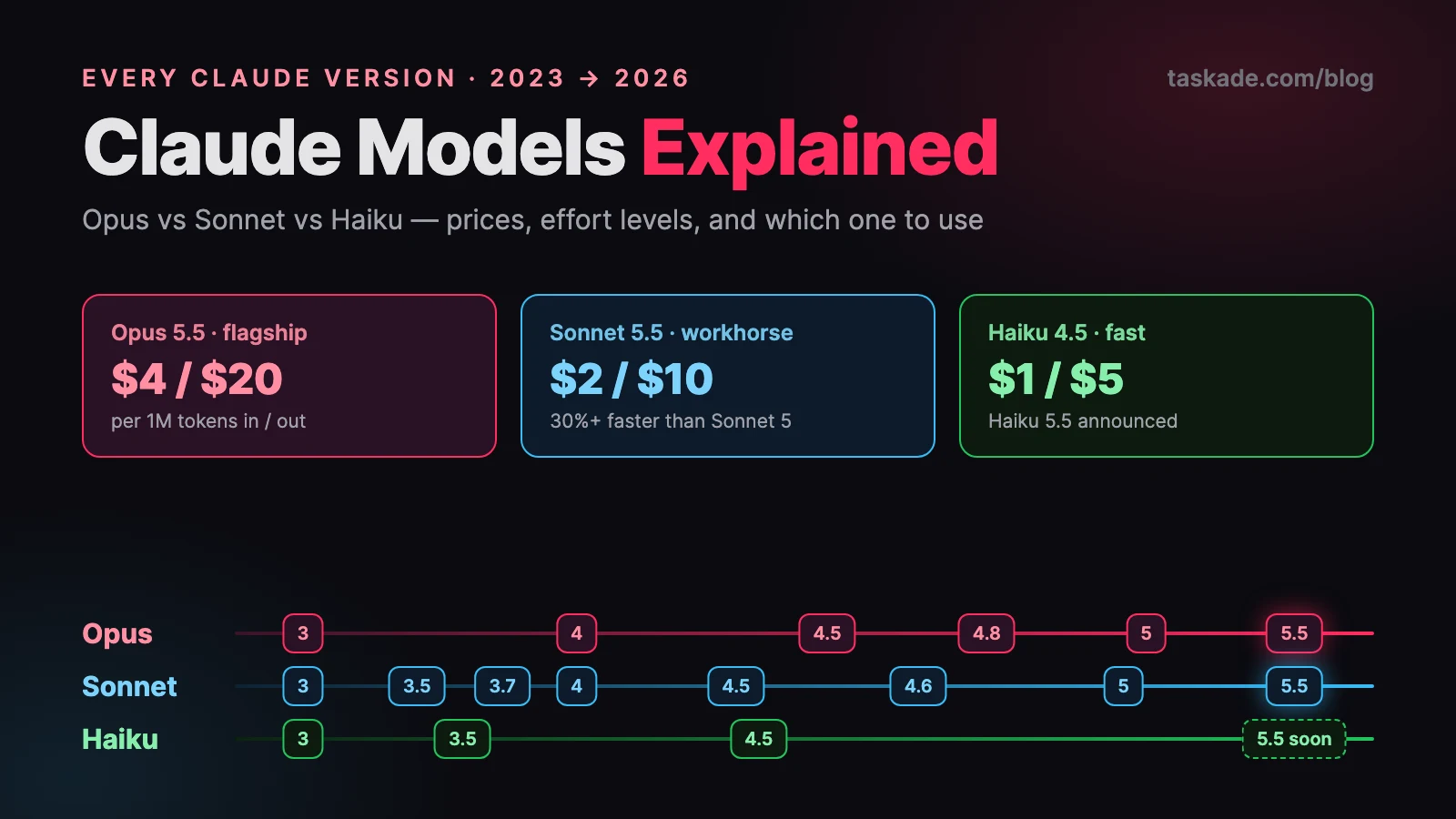
The plan prices on Anthropic's pricing page are Pro at $20/month ($17/month billed annually), Max from $100/month, and Team standard seats at $25/month ($20/month billed annually). Enterprise is custom. For more on the models behind those plans, see Claude models explained.
What is the best Claude Cowork alternative for a team in the cloud?
For a whole team that wants a shared workspace, Taskade Genesis is the best Claude Cowork alternative. It keeps the part of Cowork everyone loves, which is to describe the outcome and let the assistant run. It adds what a single account cannot: one shared workspace for the whole team, agents with persistent memory, automations across 100+ integrations, and a live app at the end. 150,000+ apps have been built on Taskade Genesis since launch.
The Cowork mental model translates almost one-to-one. If you already think in folders, connectors, skills, and scheduled tasks, you already know how to use Taskade Genesis:
The big shift is who the work belongs to. Cowork's value comes from one person's account and files. Taskade Genesis's value comes from a shared workspace your whole team can reach from any device, which keeps working overnight.
The Cowork mental model, mapped 1:1
The fastest way to evaluate any Claude Cowork alternative is to ask: does it cover the four pillars of Cowork? Here is how Taskade Genesis maps each one.
| Claude Cowork | Taskade Genesis | What changes for you |
|---|---|---|
| Folders, with per-project instructions and memory | Projects with multiple views (List, Board, Calendar, Table, Mind Map, Gantt, Org Chart) | Same per-area structure, shared with your team and viewable as a board, calendar, or table |
| Skills, plain-English instruction sets | AI agents with built-in tools (web search, code, file analysis, custom slash commands) | A skill becomes a teammate that can act, not just a doc the assistant reads |
| Connectors to Gmail, Slack, Drive, Microsoft 365 | 100+ bidirectional integrations, triggers pull events in, actions push data out | Same connect-your-apps idea, now two-way and native (including Shopify and Stripe) |
| Scheduled tasks | Durable automation workflows that branch, loop, filter, wait, and resume from the failed step | Schedules, triggers, and webhooks (Pro and above) in one editor |
| Memory across tasks | Persistent agent memory and Workspace DNA (Memory + Intelligence + Execution) | Memory is shared across the team's workspace and compounds over time |
| Output: files and finished work | Output: a live, shareable app with a custom domain and built-in sign-in | You can hand the result to a customer, not just open it locally |
The mapping is not a marketing trick. It is the genuine difference between a per-seat assistant and a team platform. Both are valid. Pick based on whether the work belongs to you and your tasks or to your team and your customers.

Claude Cowork alternatives at a glance
| Tool | Best for | Runs in cloud | Team workspace | Builds a live app |
|---|---|---|---|---|
| Taskade Genesis | A team's assistant, agents, automations, and apps | Yes | Yes | Yes |
| Cursor | Working inside a codebase | Cloud agents | Teams plan | Code, not a no-code app |
| Microsoft Copilot Cowork | Microsoft 365 organizations | Yes | Yes | No |
| ChatGPT Work | Deliverables from connected apps | Yes | Business plans | Small web apps |
| Gemini Spark | Google-native individuals | Yes | Limited | No |
| Manus | Autonomous one-off cloud jobs | Yes | Team plan | Partial |
| Lindy | AI teammates across 1,000+ tools | Yes | Yes | No |
| Zapier Agents | Agents across 9,000+ apps | Yes | Yes | No |
| OpenWork | Open-source, local-first Cowork clone | Optional | Self-hosted | No |
| Perplexity Computer | Multi-model research and tasks | Yes | Enterprise | No |
| Claude Cowork | One account's multi-step work | Yes | Team plans | No |
Prices below are list prices from each vendor's own page in September 2026 and change often. Always confirm on the vendor's pricing page. Taskade Genesis pricing is canonical on the pricing page.
Pricing at a glance
| Tool | Entry paid plan (list price) | Free option | Billing shape |
|---|---|---|---|
| Taskade Genesis | Pro $10/mo billed annually ($20 monthly) | Free plan | Per plan, credits for AI usage |
| Cursor | Individual $20/mo; Teams $40/user/mo | Hobby (free) | Subscription with agent limits |
| Copilot Cowork | Needs the $30/user/mo Microsoft 365 Copilot license | No | Plus $0.01 per Copilot Credit |
| ChatGPT Work | Included with Plus ($20/mo) | Not in Work | Agent-usage credits per plan |
| Gemini Spark | Google AI Pro ($20/mo) | No | Subscription |
| Manus | Pro $20/mo for 4,000 credits | 300 daily credits | Credits per action |
| Lindy | Plus $29.99/mo for 3,000 credits | 7-day trial (Slack sign-up) | Pooled credits |
| Zapier | Pro from $19.99/mo billed annually; agents billed separately | Free (100 tasks) | Tasks plus agent activities |
| OpenWork | Free desktop app; team control plane free up to 5 users | Yes | You pay your model provider |
| Perplexity Computer | Credits on Pro ($20/mo) and Max ($200/mo) | Limited | Credits per task |
| Claude Cowork | Pro $20/mo ($17 annual); Max from $100/mo | No | Shared Claude usage allowance |
1. Taskade Genesis: Best for a Team's Describe-the-Outcome Assistant
Best for: teams who want the outcome-first feel of Cowork inside a shared workspace, ending in a real app.
Pricing: Free to start, Pro $10/mo, Business $25/mo, Max $100/mo, Enterprise $250/mo (all billed annually).
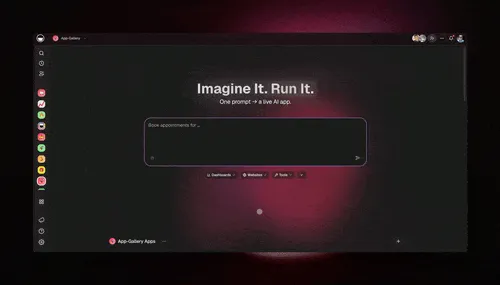
Taskade Genesis is the Claude Cowork alternative that keeps the magic, describe what you want and watch it get built, and moves the work into a workspace your whole team shares. You describe an outcome, and Taskade EVE assembles the projects, the agents, the integrations, the automations, and a live app around it. Try the flow in the first app tutorial or the quickstart.
The platform runs as one self-reinforcing loop, Memory + Intelligence + Execution, which is the team-shaped version of Cowork's folders-plus-memory-plus-schedules idea:
What you get, in Cowork's own vocabulary:
- Agents with built-in tools and memory. Custom agents search the web, run code, analyze files, use custom tools and slash commands, and keep persistent memory from files and links. Agents route across frontier models from top AI labs.
- Multi-agent teams. In orchestration mode, a manager agent plans steps and delegates to specialists with a review step. See multi-agent setups and how to build an AI agent team.
- Automations across 100+ integrations. Triggers pull events in and actions push data out, on a schedule or on an event, in the cloud.
- Apps from a prompt. Publish with a shareable URL. Sign-in for app users works on every plan. Custom domains are Pro and above.
- Claude on your own key. Add the Anthropic Claude connector to any automation with your own API key (setup guide). On Pro and up, you can use your own Anthropic key for agents.
Honest tradeoff: if your work must stay in local files and never touch a cloud workspace, a local-first tool is the better fit. Taskade Genesis is a managed cloud workspace by design.
2. Cursor: Best for Working Inside a Codebase
Best for: developers who want an AI assistant that lives in their code.
Pricing: Hobby is free, Individual starts at $20/mo, Teams is $40/user/mo (Cursor pricing).
Cursor is an AI-native code editor. Where Cowork works on documents and spreadsheets, Cursor works on source code in a repository: it reads your codebase, changes several files at once, and runs terminal commands. Individual plans include cloud agents, and the Teams plan adds shared cloud agents, centralized billing, and usage analytics. For software work, it is far more capable than a general file assistant, and many developers pair it with Claude models.
Tradeoff: it is a developer tool, not a general team assistant, and it does not ship a no-code app for business users. If your "Cowork" need is really coding, see our separate Claude Code alternatives guide.
3. Microsoft Copilot Cowork: Best for Microsoft 365 Organizations
Best for: enterprises standardized on Microsoft 365, Teams, and Outlook.
Pricing: Requires a Microsoft 365 Copilot license ($30/user/mo), plus usage billed at $0.01 per Copilot Credit (Microsoft announcement).
Microsoft made Copilot Cowork generally available worldwide on June 16, 2026. It works inside Outlook, Teams, Word, Excel, and PowerPoint, and at launch it runs on Anthropic models including Opus 4.8 and Sonnet 4.6. It adds nine partner plugins, tenant-level spending limits, sensitivity labels, and audit logging. Microsoft says its own testing found Copilot Cowork 30 to 40 percent cheaper on average than Claude Cowork when using the Microsoft 365 connector. That is a vendor claim, so run a pilot on your own workload.
Tradeoff: the value concentrates inside the Microsoft ecosystem, and usage-based credits sit on top of the license. It assists with work in Microsoft apps rather than shipping a standalone app for customers.
4. ChatGPT Work: Best for Deliverables from Connected Apps
Best for: people who want the easiest setup and polished spreadsheets, decks, and reports.
Pricing: Bundled into Plus ($20/mo), Pro, Business, and Enterprise plans at no extra list price (AI Tools Review).
OpenAI launched ChatGPT Work on July 9, 2026 as an agent mode next to Chat and Codex. Work connects to Slack, Gmail, Google Drive, Salesforce, GitHub, and more through a plugins directory. It can run once, repeat on a schedule, trigger on an event, or monitor for changes, and it can produce spreadsheets, presentations, and small web apps. Usage draws from agent-usage credits, so long sessions consume more allowance than chat. OpenAI also offers separate workspace agents for Business and Enterprise teams.
Tradeoff: local file access and computer use need the desktop app, and the assistant is centered on the ChatGPT account. There is no shared workspace with per-project memory and role-based access in the way a team platform provides.
5. Gemini Spark: Best for Google-Native Individuals
Best for: people who live in Gmail, Calendar, Drive, Docs, and Sheets.
Pricing: Included with Google AI Pro ($20/mo) and Ultra (Chrome Unboxed).
Gemini Spark is Google's 24/7 personal agent. Google's page describes tasks (one-time assignments), schedules (recurring actions triggered by time or conditions), and skills, working across Gmail, Calendar, Drive, Docs, Sheets, Slides, YouTube, and Maps. All connections are disabled by default, and Spark asks for checkpoints before major actions. Google says availability is limited to Pro and Ultra subscribers over 18 in select countries and select business users.
Tradeoff: it is tightly bound to Google's apps and to an individual subscription. It supports one person's digital life well, but it is not a shared team workspace, and it does not publish an app.
6. Manus: Best for Autonomous One-Off Cloud Jobs
Best for: people who want an agent to complete a multi-step task in a cloud sandbox.
Pricing: Free with 300 daily credits, Pro $20/mo for 4,000 credits, higher tiers up to $200/mo, Team from $20/seat (No Code MBA, September 2026).
Manus takes a goal and runs it end to end in a hosted environment with its own browser and terminal, so it gathers information and assembles a deliverable while you do something else. It captures the "let it run" feeling of Cowork without your laptop. Credits are deducted action by action, so a long research task can use many credits, and cost is not shown beforehand. Ownership news around Manus has changed several times this year, so confirm the current details on its site before you buy an annual plan.
Tradeoff: it is oriented around autonomous jobs, not a persistent shared workspace with per-project memory. Validate output on a real run before you rely on it.
7. Lindy: Best for AI Teammates Across 1,000+ Tools
Best for: operators who want AI teammates that work inside their business apps.
Pricing: Plus $29.99/mo (3,000 credits), Pro $99.99/mo, Max $199.99/mo, Enterprise custom (Lindy pricing).
Lindy describes itself as an AI employee that does the work: pulling reports, updating CRMs, triaging support queues, and clearing inboxes. It connects to 1,000+ tools, supports MCP servers and browser automation, and keeps plain-text team memory that people can read and edit. It also records and summarizes meetings and includes scheduled routines and a library of pre-built skills. Credits pool across team members.
Tradeoff: Lindy focuses on assistants and routines. There is no full app-with-a-database layer to publish at the end, and the credit model needs monitoring on heavy workloads.
8. Zapier Agents: Best for Agents Across 9,000+ Apps
Best for: teams whose center of gravity is connecting many apps.
Pricing: Zapier plans start free (100 tasks/mo), with Pro from $19.99/mo billed annually. Agents are a separate product with their own limits (Zapier pricing).
Zapier Agents are AI teammates that act across 9,000+ apps, on command or continuously in the background. You can build them with Zapier Copilot, give them company knowledge from documents and links, watch their activity in real time, and chat with them when needed. Featured uses include lead enrichment, meeting prep, customer support, expense classification, and IT helpdesk work.
Tradeoff: usage-based billing rises with volume, and Zapier stops at automation. There is no app to ship. See our deeper Zapier alternatives comparison, and for visual builders, Make alternatives and n8n use cases.
9. OpenWork: Best Open-Source, Local-First Cowork Clone
Best for: people who want Cowork-style work on their own files with their own model keys.
Pricing: The desktop app is free and MIT-licensed. The team control plane is free for organizations up to 5 users (OpenWork on GitHub).
OpenWork calls itself the free, open-source alternative to Claude Cowork and Codex. It is a desktop app for macOS, Windows, and Linux where agents work on your own files. It supports 50+ model providers, your own API keys, or local models through Ollama, and it shares skills and MCP servers across a team. Files stay local by default, and team features can be self-hosted. It is also compatible with Claude Code, Cursor, and Codex through MCP.
Tradeoff: you manage keys, model costs, and updates yourself, and the team control plane needs a subscription above 5 users. It runs locally, so the shared cloud workspace and live apps are outside its scope.
10. Perplexity Computer: Best for Multi-Model Research and Tasks
Best for: research-heavy work where citations and multi-model reasoning matter.
Pricing: Credit-based on Pro ($20/mo) and Max ($200/mo). Sources disagree on exact allowances, so check Perplexity's help center (summary).
Perplexity Computer launched on February 25, 2026 as a cloud agent that coordinates many models to run multi-step workflows. Ordinary Perplexity searches do not use credits, and credits are spent only when you use Computer. A credit costs about a cent, tasks pause when credits run out, and auto-refill is off by default, so spending stays predictable.
Tradeoff: the strength is research and deliverables for an individual. It is not a shared team workspace with per-project memory and role-based access, and it does not publish live apps.
11. Claude Cowork: When the Original Is Still the Right Call
Best for: one person who already uses Claude and wants an agent across files, connectors, and a browser.
Pricing: Paid Claude plans: Pro $20/mo ($17 annual), Max from $100/mo, Team standard seats $25/mo (Claude pricing).
Cowork deserves a place on its own alternatives list because, for the right job, little beats it. It brings Claude's agentic capabilities to knowledge work, with connectors (Slack, Google Drive, Microsoft 365, and more), plugins and skills that bundle domain knowledge and sub-agents, scheduled tasks that run unattended, parallel work, and a built-in browser. Team and Enterprise admins can control where it runs, and sessions appear in the Compliance API.
When Claude Cowork is still the right call:
- You already pay for Claude. Chat, Code, and Cowork share one allowance, so there is nothing extra to buy.
- The work is yours alone. For one person's tasks, a single-account model is lean and direct.
- You need local files handled hands-on. Splitting a 400 MB PDF, rebuilding non-editable slides, or organizing a folder of photos is where the desktop session shines.
Many teams run both: Cowork for individual file work, and Taskade Genesis for shared, always-on, team-wide workflows that end in a live app.
Tradeoff: it is a per-seat assistant. Usage on heavy tasks draws down the same allowance as chat, and it does not publish a live app or serve as a shared workspace.
Claude Cowork vs Taskade Genesis: side by side
The most common head-to-head is Claude Cowork vs Taskade Genesis. They overlap on the promise (describe an outcome and get it done) and differ on shape:
| Question | Claude Cowork | Taskade Genesis |
|---|---|---|
| Who is it for? | One account's tasks (Team seats add admin controls) | A shared team workspace |
| Where does work live? | Cloud sessions plus files in local folders | Projects, agents, and apps in the cloud workspace |
| Memory | Claude memory and project context | Persistent agent memory and Workspace DNA shared by the team |
| Automation | Scheduled tasks | Triggers, schedules, and webhooks (Pro+) across 100+ integrations |
| What you ship | Files and finished work | A live app with URL, sign-in, and optional custom domain |
| Models | Claude models | Frontier models from top AI labs, plus Claude on your own key |
| Free plan | None | Yes |
                CLAUDE COWORK                     TASKADE GENESIS
                -------------                     ---------------
Input           A goal for one account            A prompt from anyone on the team
Workers         Claude, sub-agents, plugins       Agents with tools and memory (EVE builds)
Data            Your files and connectors         Shared projects + 100+ integrations
Runs            Cloud session or desktop app      Cloud workspace, always on
Output          Files, summaries, results         Live app + updated projects + actions taken
Reuse           Skills and plugins                Clone apps, share kits, reuse agents
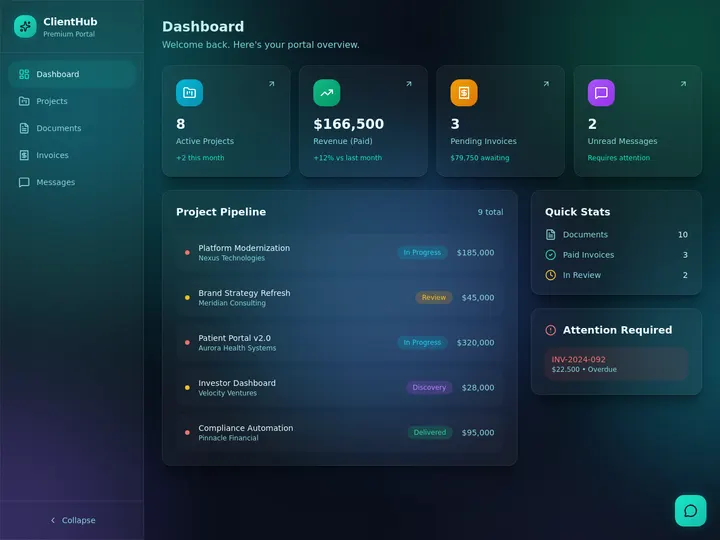
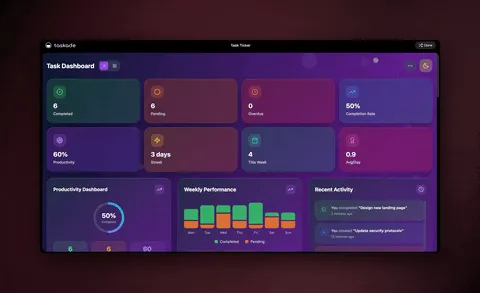
Want to see the app side of this? The Community Gallery lets you clone a live app and run it in your own workspace in about 30 seconds. Two examples of what a prompt becomes:

How to choose a Claude Cowork alternative
Match the tool to where the work lives and what you need at the end:
The same decision as a text tree:
Where does the work live, and what do you need at the end?
│
├─ Private LOCAL files, one person, no app
│     ├─► Claude Cowork  ── desktop session, best at this
│     └─► OpenWork ....... open source, your own model keys
│
├─ A TEAM in the cloud, ending in a live app
│     └─► Taskade Genesis  ── describe it, ship it
│
├─ Inside a codebase
│     └─► Cursor  (see /blog/claude-code-alternatives)
│
├─ Deep in one ecosystem
│     ├─ Microsoft 365 ..................... Copilot Cowork
│     ├─ Google Workspace .................. Gemini Spark
│     └─ ChatGPT plan you already pay for .. ChatGPT Work
│
└─ Mostly connecting apps + scheduling AI
      ├─ AI teammates, 1,000+ tools ....... Lindy
      ├─ Huge app catalog ................. Zapier Agents
      ├─ Multi-model research ............. Perplexity Computer
      └─ Autonomous one-off jobs .......... Manus
The deeper question is who the assistant is for. If it is for you, several tools are purpose-built. If it is for your team, and you want the result to be a living app rather than a folder of files, that is what Taskade Genesis was built to do.
What Taskade Genesis does that a per-seat assistant can't
Claude Cowork is a strong way to get one person's work done. Taskade Genesis is a way to run a team and ship software from plain-English descriptions. Here is the full capability set in one place:
| Capability | What it means for you |
|---|---|
| One-prompt apps | Describe an app, and get a live, deployed one with a database and interface |
| Runs in the cloud | Scheduled automations fire without a laptop kept on overnight |
| Shared team workspace | The whole team works from the same projects, agents, and automations |
| AI agents with built-in tools | Agents search the web, run code, analyze files, and act, with persistent memory |
| Multi-agent collaboration | A manager agent plans steps and delegates to specialists with a review step |
| Frontier models from top AI labs | OpenAI GPT, xAI Grok and open-weight models such as DeepSeek and Qwen built in, with Auto as the default. Claude runs on your own Anthropic key |
| 100+ bidirectional integrations | Triggers pull events in; actions push data out (native Shopify and Stripe) |
| Durable automations | Branch, loop, filter, wait for days, and resume from the failed step |
| Multiple project views | List, Board, Calendar, Table, Mind Map, Gantt, Org Chart |
| Publish and share | Custom domains (Pro+), built-in sign-in, Community Gallery, app kits |
| Claude on your key | Anthropic Claude connector and BYOK for agents, both on Pro and up |
| MCP | Claude Desktop and Claude Code can read and write your workspace |
A single prompt sets the whole system in motion:
Automations are where the cloud shape matters most. A durable run carries state, so a long wait or a failed step does not lose the work:
Underneath, a workspace is a small set of connected things:
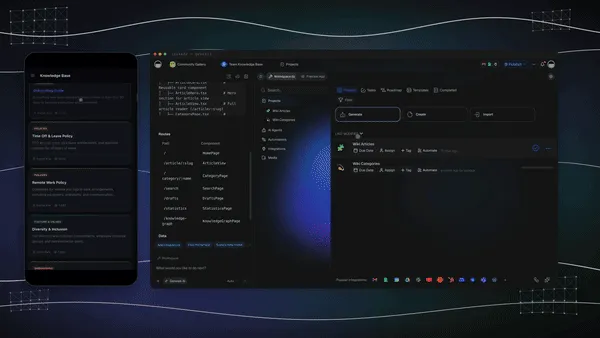
Teams that already use Claude Desktop or Claude Code do not have to choose. Taskade's hosted MCP server lets those tools read and write your workspace (how to connect), and MCP connectors let automations call other MCP servers. For the wider picture, see what AI agents are, AI agent builders, and AI agents for project management.
How we evaluated these alternatives
We re-checked every vendor's own site in September 2026 and scored each tool on the same six questions:
| Criterion | The question we asked |
|---|---|
| Where it runs | Cloud, local, or both? Does a scheduled task need your computer on? |
| Who it serves | One person, or a shared team workspace? |
| What you ship | Files and answers, or a live app? |
| Memory | Does context persist across tasks and people? |
| Integrations | How many apps can it read from and write to? |
| Price shape | Flat plan, credits, or per-task billing? |
Where a vendor's page did not state a number, we left it out. Where sources disagree (Perplexity credit allowances, ChatGPT Pro tiers), we say so instead of picking one.
Frequently asked questions
What is Claude Cowork?
Claude Cowork is Anthropic's agent mode for multi-step work across your files, connectors, and a browser. It became generally available on April 9, 2026 on Pro, Max, Team, and Enterprise plans. There is no free tier. Sessions can run in the cloud, and scheduled tasks run remotely, but reading folders on your computer needs the Claude Desktop app open.
What is the best Claude Cowork alternative in 2026?
It depends on the job. Cursor is best for codebase work, Copilot Cowork for Microsoft 365 teams, and OpenWork for local, open-source use. For a whole team that wants a shared cloud workspace, agents with memory, automations, and a live app at the end, Taskade Genesis is the strongest pick, starting free.
How much does Claude Cowork cost?
Cowork is included in paid Claude plans. Pro is $20/month ($17 billed annually), Max starts at $100/month, and Team standard seats are $25/month ($20 billed annually), per Claude's pricing page. Chat, Code, and Cowork share one usage allowance.
Is Claude Cowork free?
No. Cowork needs a paid Claude plan. Taskade Genesis has a Free plan, and the open-source OpenWork desktop app is free for individuals, with your own model costs.
Does Claude Cowork run in the cloud or on my computer?
Both. Anthropic says scheduled tasks run remotely and do not need your computer awake, and cloud sessions continue when you close your laptop. Local folders, local connectors, and computer use need the desktop app open. New Pro and Max tasks run in the cloud starting October 6, 2026.
Is there an open-source Claude Cowork alternative?
Yes. OpenWork is an MIT-licensed desktop app for macOS, Windows, and Linux that supports 50+ model providers and shares skills and MCP servers across a team. The team control plane is free up to 5 users.
Does any Claude Cowork alternative work for a whole team?
Yes. Taskade Genesis is a shared cloud workspace with role-based access from Owner to Viewer, so the whole team draws on the same projects, agents, and automations, and agents can collaborate in orchestration mode. Copilot Cowork, ChatGPT Business, and Cursor Teams also offer team plans.
Can a Claude Cowork alternative build a real app, not just edit files?
Yes. Cowork delivers files and results. Taskade Genesis builds a live, shareable app with a database, agents, and automations from one prompt, 150,000+ apps built since launch, each with its own URL.
How do Cowork's folders, skills, and connectors map to Taskade Genesis?
Can I use Claude with Taskade Genesis?
Yes, on your own Anthropic key. The Anthropic Claude connector works in automations on Pro and up and bills to your Anthropic account. On the same plans, you can add your own key so agents that name a Claude model run on it. Claude Desktop and Claude Code can also connect through the Taskade MCP server.
Which Claude Cowork alternative is best for local-file privacy?
For local-first work, OpenWork and Claude Cowork's desktop mode keep files in folders on your machine. Taskade Genesis is a managed cloud workspace, the right pick when you are comfortable with the cloud and want a shared team space.
Do I need to know how to code to replace Claude Cowork?
No. Cowork, Taskade Genesis, Copilot Cowork, and ChatGPT Work are all no-code, plain-English assistants. Taskade Genesis lets you describe a result and assembles the agents, automations, integrations, and a live app for you.
How much does Taskade Genesis cost compared to Claude Cowork?
Taskade Genesis is free to start, then Pro $10/mo (10 users, Popular), Business $25/mo, Max $100/mo, and Enterprise $250/mo on annual billing. Monthly billing is $20, $50, $200, and $500. Cowork is part of a paid Claude subscription. The real difference is shape: a shared cloud team workspace with live apps versus a per-seat assistant.
Claude Cowork vs Taskade Genesis, which should I choose?
Choose Claude Cowork when the work is one person's tasks across local files and connected apps, and you already pay for Claude. Choose Taskade Genesis when a whole team needs shared memory, automations that run on a schedule or trigger, and a live app at the end. Many teams run both.
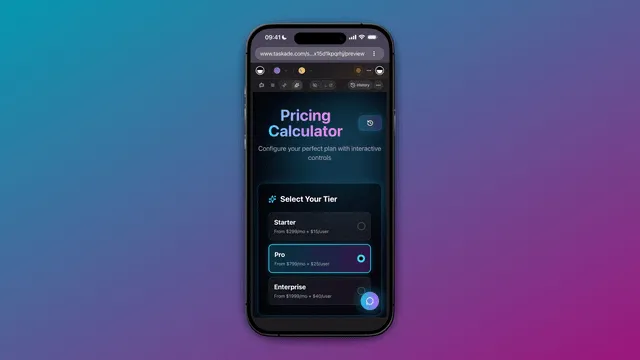
Ready to give your whole team a describe-the-outcome assistant? Start free with Taskade Genesis, describe what you want, and watch it build the agents, connect your tools, run the automations in the cloud, and ship a live app.
Explore the agents hub, the automation library, and cloneable apps, or compare more tools in our Claude Code alternatives, Claude Code vs n8n for non-developers, n8n use cases, Zapier alternatives, and Make.com alternatives guides. Related reading: Claude Cowork alternative comparison.
▲ ■ ● Memory · Intelligence · Execution, the loop that turns a describe-the-outcome assistant into living software your whole team can run.