







Real estate runs on relationships — and follow-ups.
Every lead is a potential deal. Every showing is a potential close. But most agents drown in spreadsheets, miss follow-ups, and lose deals to competitors who simply responded faster. The National Association of Realtors reports that 78% of buyers work with the first agent who responds to their inquiry, yet the industry average response time exceeds 6 hours.
TL;DR: Taskade Genesis builds AI-powered real estate systems — lead CRMs, property portals, booking tools, and commission trackers — from a single workspace starting at $0. AI agents respond to leads 24/7, automate follow-up sequences, and track deals across multiple project views. Clone any of the 10 apps below or describe your own. Build your real estate system →

Taskade Genesis creates living real estate systems. One prompt builds a complete workspace with property data (Projects), AI assistants that nurture leads (Agents), and automated follow-up sequences (Automations).
The Real Estate Response Time Problem
Speed-to-lead determines which agent gets the deal. The data is unambiguous.
| Response Time | Lead Conversion Rate | Industry Benchmark |
|---|---|---|
| Under 1 minute | 391% more likely to convert | Top 1% of agents |
| Under 5 minutes | 100x more likely than 30-minute response | Top 10% of agents |
| 5-30 minutes | Significant drop-off begins | Average performers |
| 1-6 hours | Most leads have contacted another agent | Below average |
| 6+ hours | Lead is likely lost | Industry average (NAR, 2024) |
AI agents solve this by responding instantly — 24 hours a day, 7 days a week. A Taskade AI agent can answer property questions, schedule showings, collect buyer preferences, and qualify leads while you sleep. When you wake up, qualified leads are in your pipeline with context.
Quick Reference: All 10 Real Estate Apps
| # | App | Function | Best For | Clone Link |
|---|---|---|---|---|
| 1 | Real Estate Landing Page | Property showcase and lead capture | Realtors, developers | Clone → |
| 2 | Broker Calendar | Showing and meeting management | Agents, brokers | Clone → |
| 3 | Class Booking Portal | Property tours and open houses | Open houses, seminars | Clone → |
| 4 | Routes Tourism App | Neighborhood walkthroughs | Buyer tours, relocation | Clone → |
| 5 | Nonprofit Org Website | Community association hubs | HOAs, neighborhood groups | Clone → |
| 6 | Neon CRM Dashboard | Lead and deal tracking | Brokerages, teams | Clone → |
| 7 | Consultancy Booking | Buyer/seller consultations | Initial meetings, valuations | Clone → |
| 8 | Appointment Booking | Showing scheduling | Property viewings | Clone → |
| 9 | Testimonial Portal | Client reviews and social proof | Agent marketing | Clone → |
| 10 | Finance Tracker | Commission and revenue tracking | Financial planning | Clone → |
1. Real Estate Landing Page
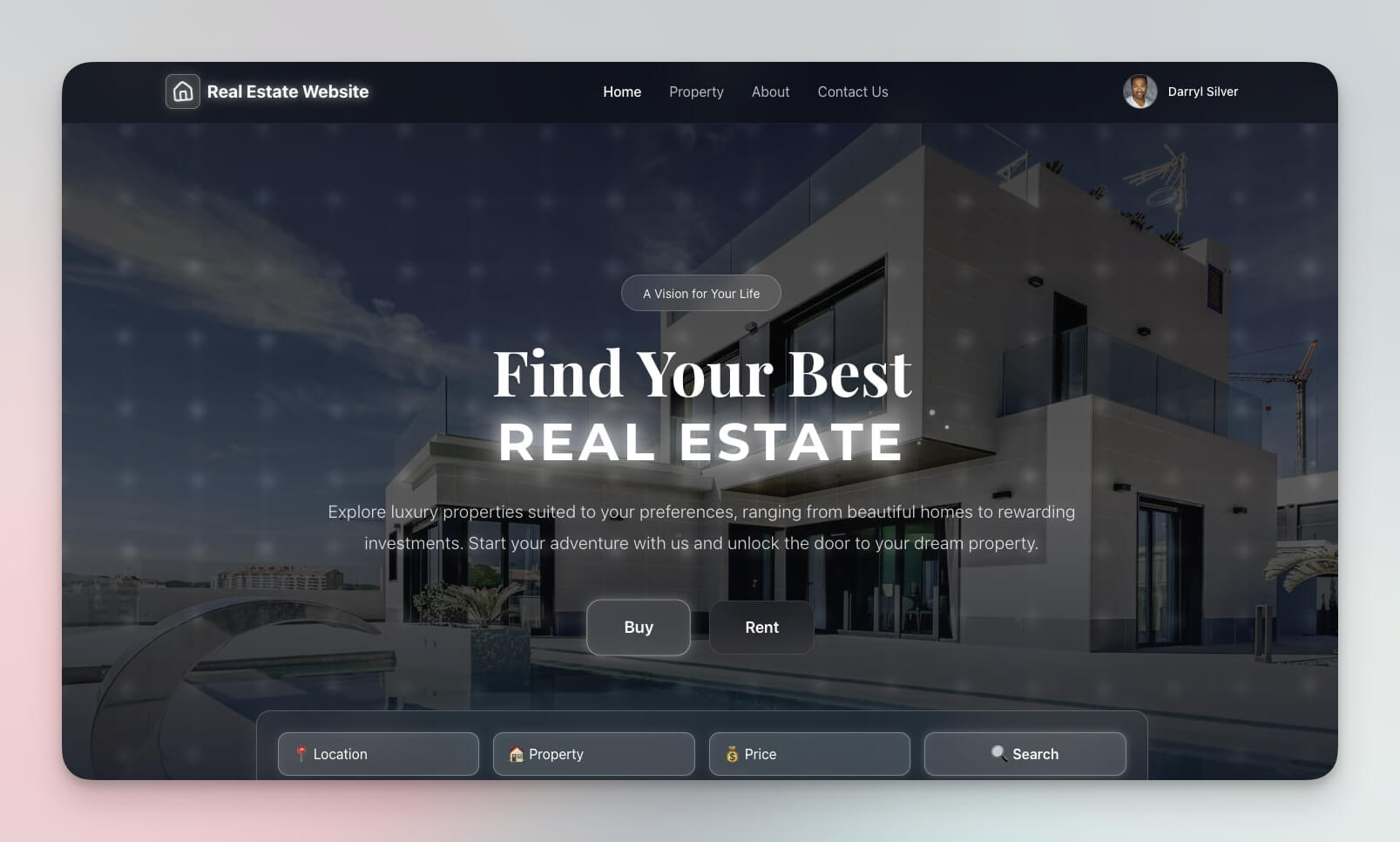
A professional property landing page that captures leads with high-impact visuals and conversion-optimized forms. Unlike generic Squarespace templates, this page includes an AI agent that engages visitors, answers property questions, and qualifies leads before they leave.
Best for: Realtors, property managers, real estate developers
Features:
- Property showcase with hero images and virtual tour links
- Lead capture form with qualification questions (budget, timeline, location preferences)
- AI agent that answers visitor questions 24/7
- Tour scheduling with automated confirmation via Automations
- Mobile-responsive design for buyers browsing on phones
2. Broker Calendar
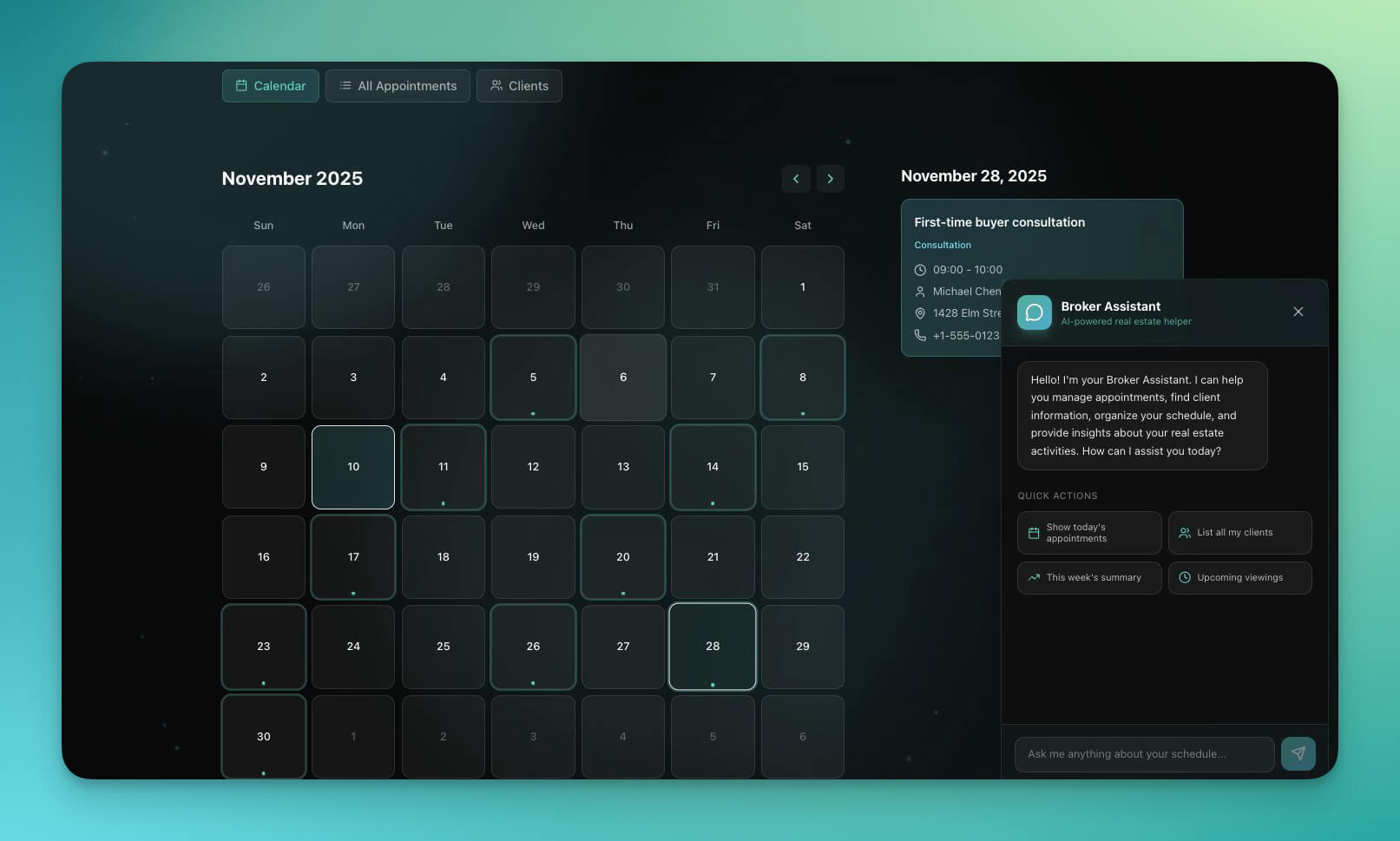
Manage showings, client meetings, and deal schedules in one calendar that connects to your CRM data. The Calendar view in Taskade shows your schedule alongside deal information, so you see context at a glance — not just times and addresses.
Best for: Real estate agents, brokers, property managers
Features:
- Appointment scheduling with drag-and-drop management
- Client database linked to each appointment
- Property linking: see listing details from the calendar event
- Calendar sync through 100+ integrations (Google Calendar, Outlook)
- AI agent that resolves scheduling conflicts and suggests optimal routes
3. Class Booking Portal
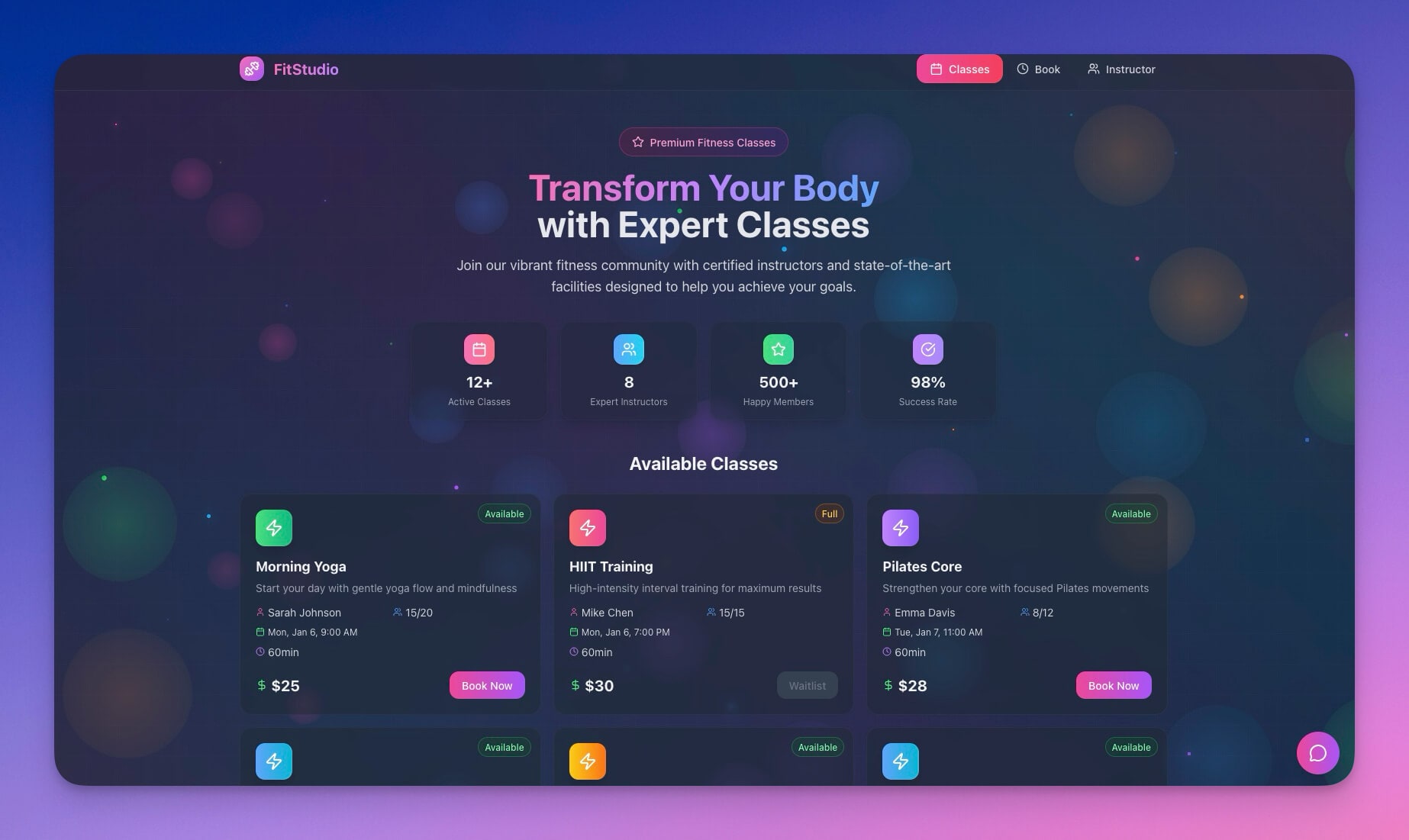
Adapt this portal for property viewings and open house registrations. Buyers book their preferred time slot, receive automated confirmations and reminders, and you get attendee data before the event.
Best for: Open houses, property tours, first-time buyer seminars
Features:
- Viewing scheduling with capacity limits per time slot
- Attendee registration with buyer qualification questions
- Waitlist handling with automatic promotion when slots open
- Reminder automation: 24 hours, 2 hours, and 30 minutes before
- Post-event feedback forms via Automations
4. Routes Tourism App
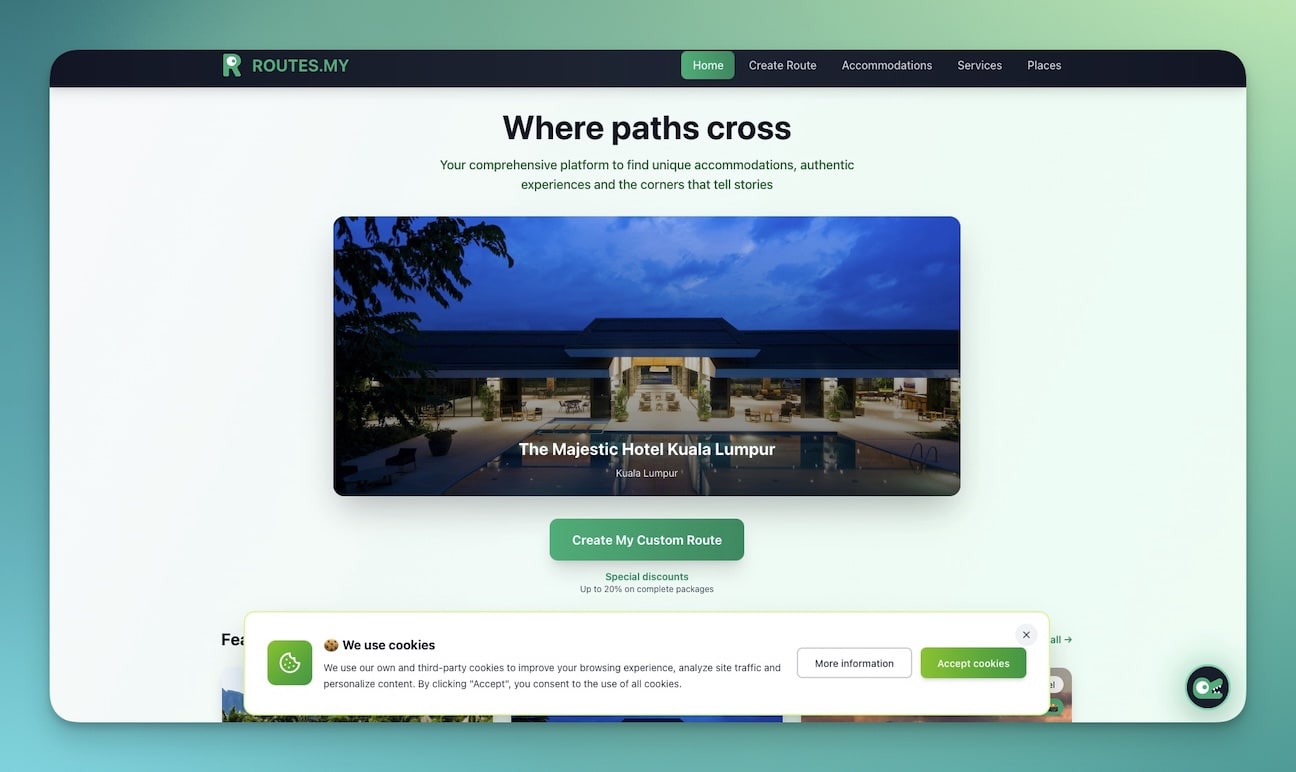
Plan property tours and neighborhood walkthroughs that showcase not just homes but the surrounding community. Buyers do not just buy a house — they buy a neighborhood. This app lets you guide them through the best routes, local amenities, schools, and dining options.
Best for: Buyer property tours, relocation services, area introductions
Features:
- Tour route planning with optimized sequencing
- Property stops with listing details and photos
- Neighborhood points of interest (schools, parks, restaurants)
- Mobile-friendly for use during driving tours
- Shareable links for buyers to review before the tour
5. Nonprofit Org Website (Community Hub)
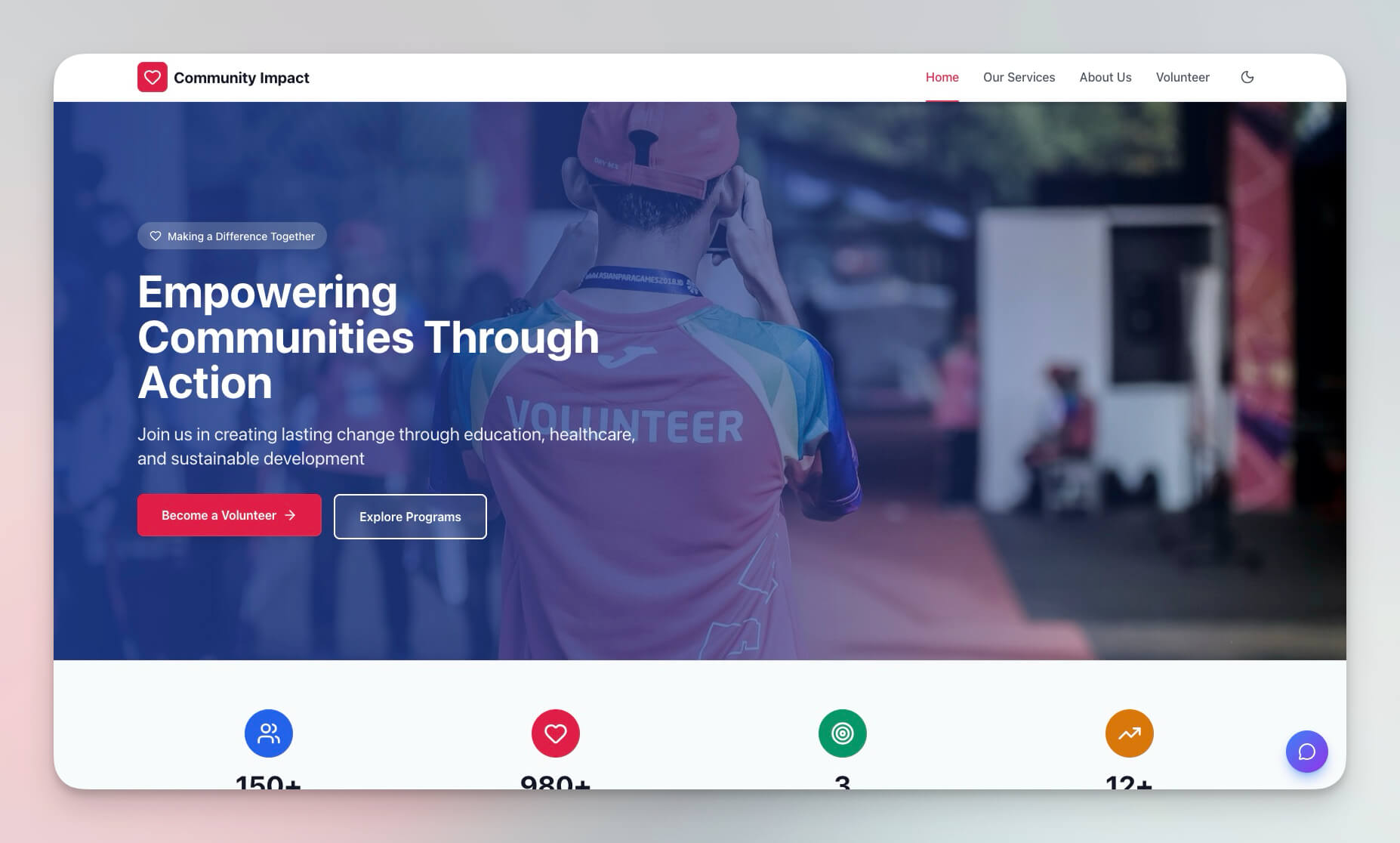
A community-focused template adaptable for homeowner associations, neighborhood groups, and community development organizations. Managing HOA communications, community events, and shared resources in one place.
Best for: HOAs, neighborhood associations, community groups, property management companies
Features:
- Community pages with announcements and updates
- Event calendars for community meetings and social events
- Contact forms for maintenance requests and inquiries
- Resource sections for governing documents and guidelines
- Permissions: board members edit, residents view
6. Neon CRM Dashboard
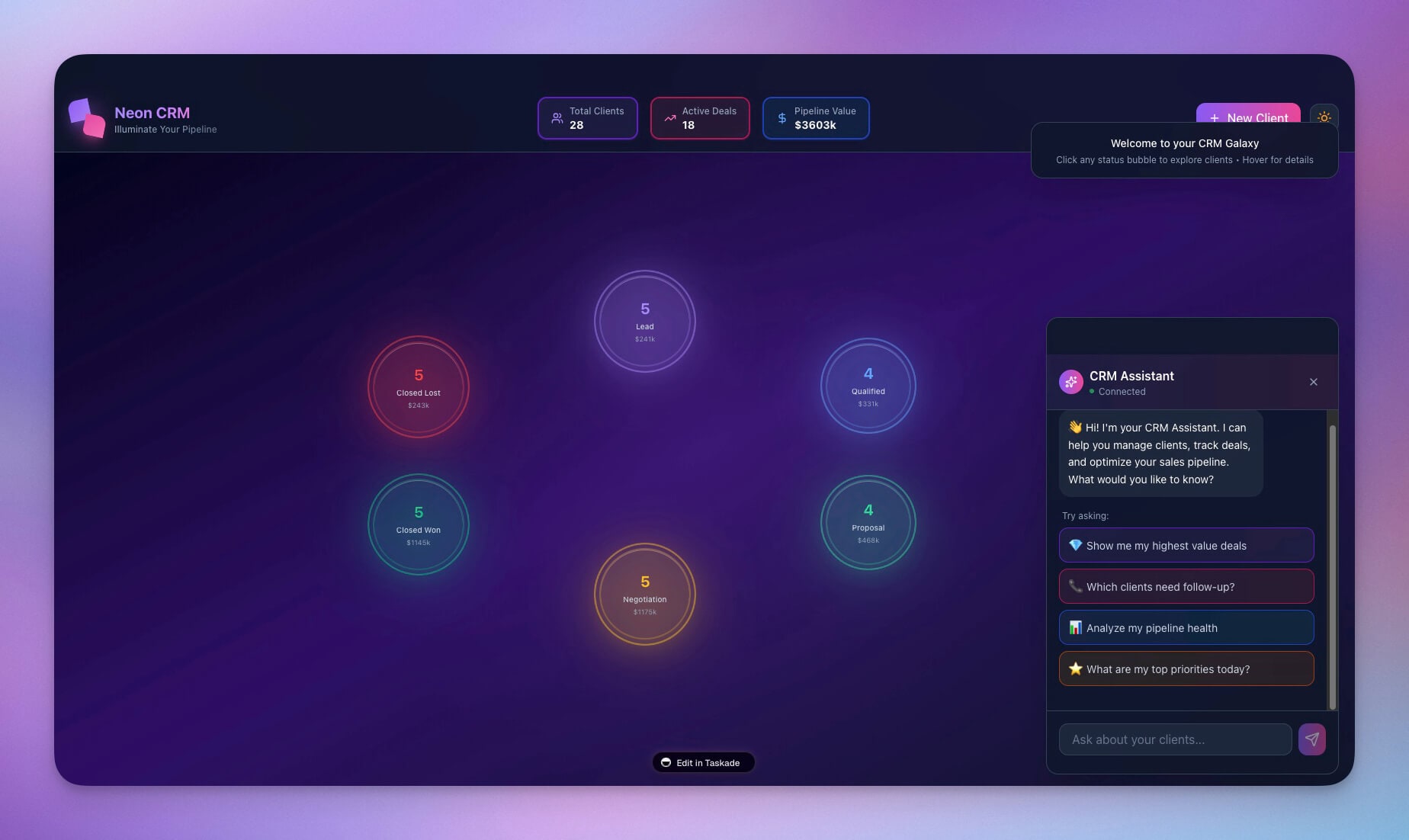
Track leads, deals, and client relationships with a visual pipeline. The AI agent scores leads based on engagement signals (email opens, showing attendance, response speed) and surfaces the hottest prospects for immediate follow-up.
Unlike kvCORE ($499/month for teams) or BoldTrail ($349/month), this CRM builds from your description and costs nothing on the free tier. Solo agents sizing up that gap can read the kvCORE alternative built around speed-to-lead follow-up.
Best for: Real estate teams, brokerages, solo agents
Features:
- Lead pipeline with customizable stages (New, Contacted, Showing, Offer, Closing, Closed)
- Deal tracking with expected revenue and commission calculations
- Client database with complete interaction history
- AI-powered lead scoring and prioritization
- Revenue forecasting by month and quarter
7. Consultancy Booking Form
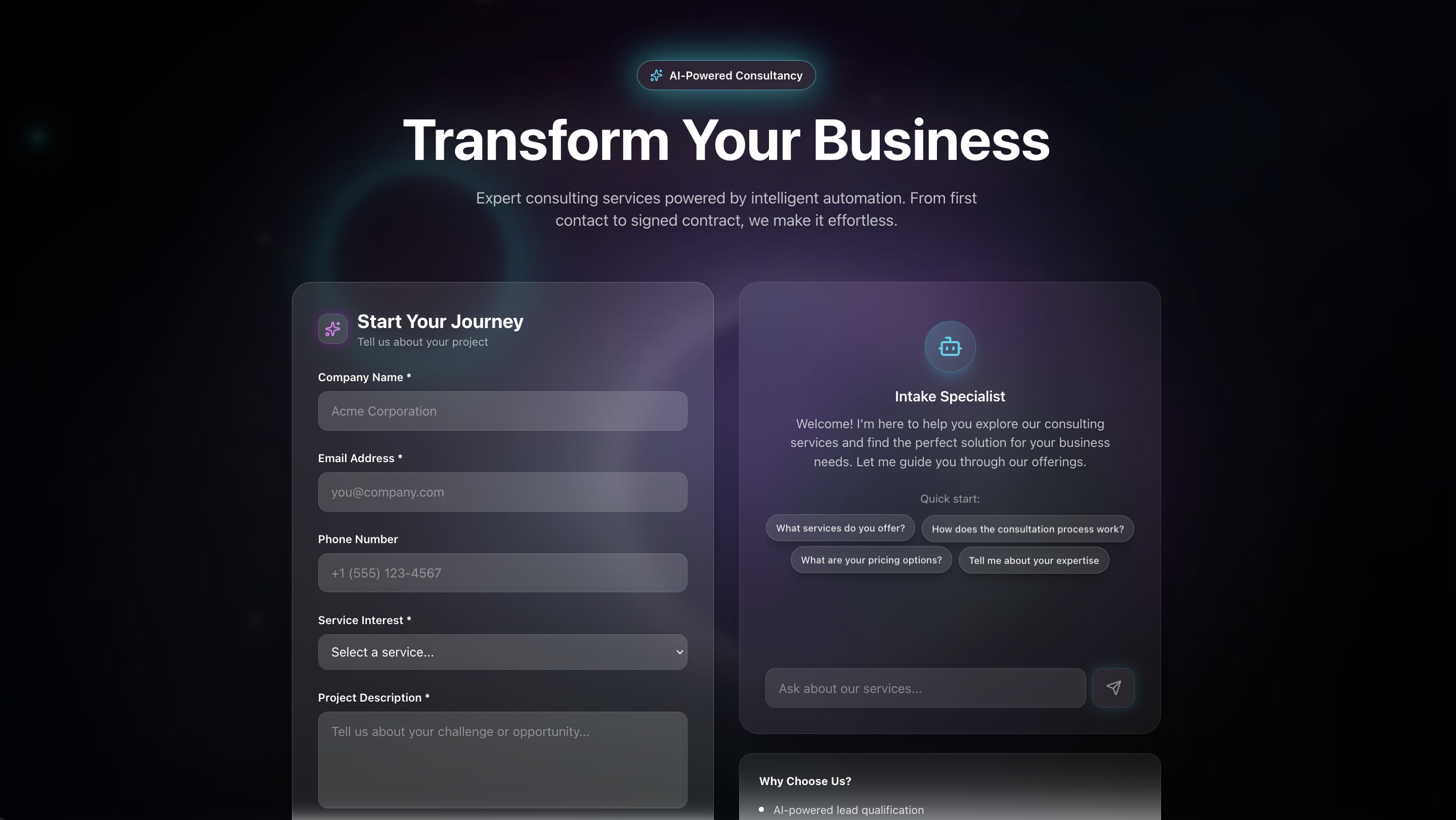
Capture buyer and seller consultation requests with structured intake forms. The AI agent pre-qualifies leads by asking about budget, timeline, property type, and motivation — so you walk into every consultation prepared.
Best for: Initial buyer/seller consultations, market analysis requests, CMA appointments
Features:
- Intake form with qualification questions
- Property type and budget range selection
- Scheduling integration with your Broker Calendar
- Automated confirmation and preparation reminders
- Follow-up automation for leads who book but do not show
8. Appointment Booking System
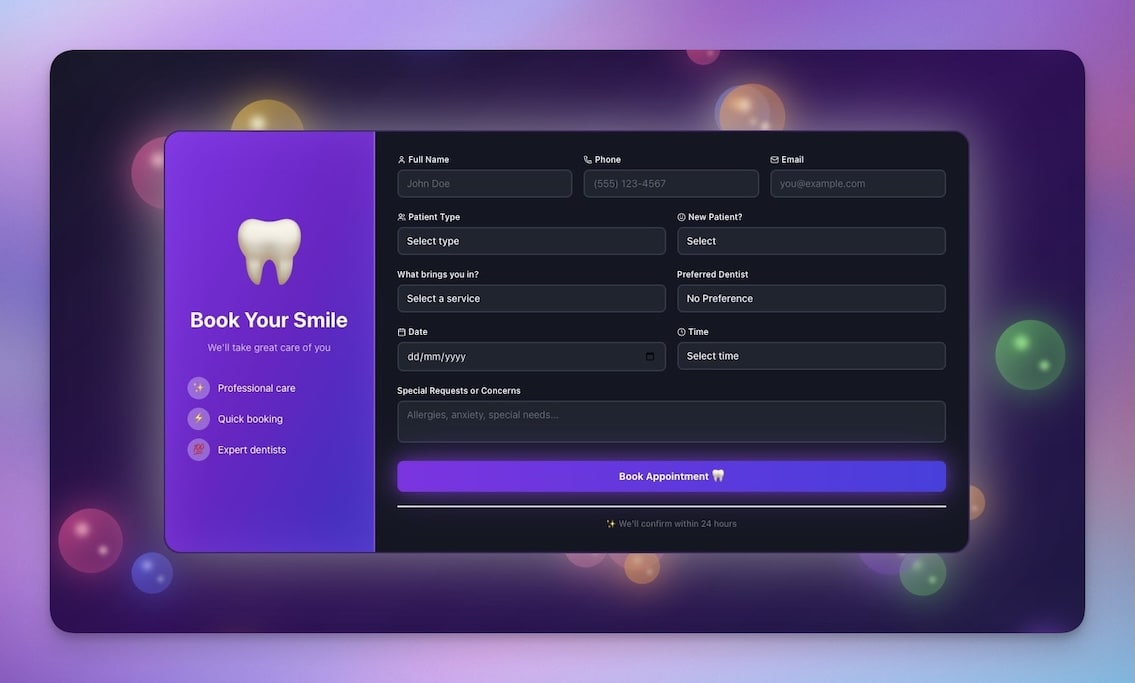
Schedule showings and meetings automatically with zero back-and-forth. Buyers select available time slots, receive instant confirmation, and get reminders at 24 hours and 1 hour before the appointment.
Best for: Property viewings, buyer meetings, seller listing appointments
Features:
- Time slot management with availability windows
- Instant booking confirmations via email
- Calendar sync through 100+ integrations (Google Calendar, Outlook)
- Automated reminder sequences (48 hours, 24 hours, 1 hour)
- No-show tracking with automatic rescheduling prompts
9. Testimonial Portal App
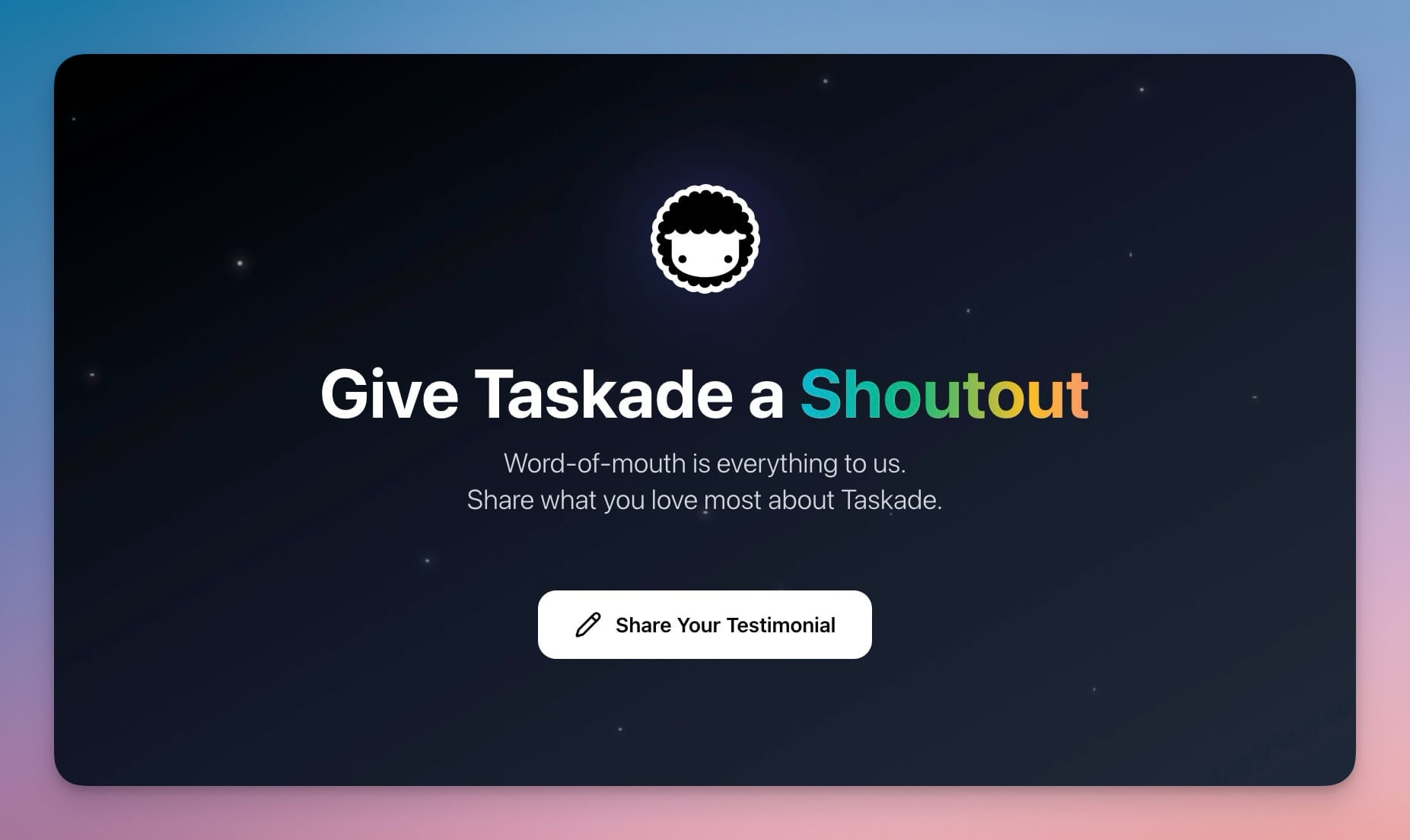
Collect and showcase client testimonials that win new listings and buyers. Real estate is a trust business, and 92% of consumers read online reviews before choosing a service provider (BrightLocal, 2024). This portal systematizes your review collection.
Best for: Agent marketing, brokerage websites, listing presentations, social proof
Features:
- Testimonial collection with guided prompts ("How was your experience working with us?")
- Photo integration for buyer/seller portraits
- Star rating system with specific category ratings
- Export for marketing materials, listing presentations, and social media
- Automated request: 7 days after closing, send a review link
10. Finance Tracker Dashboard
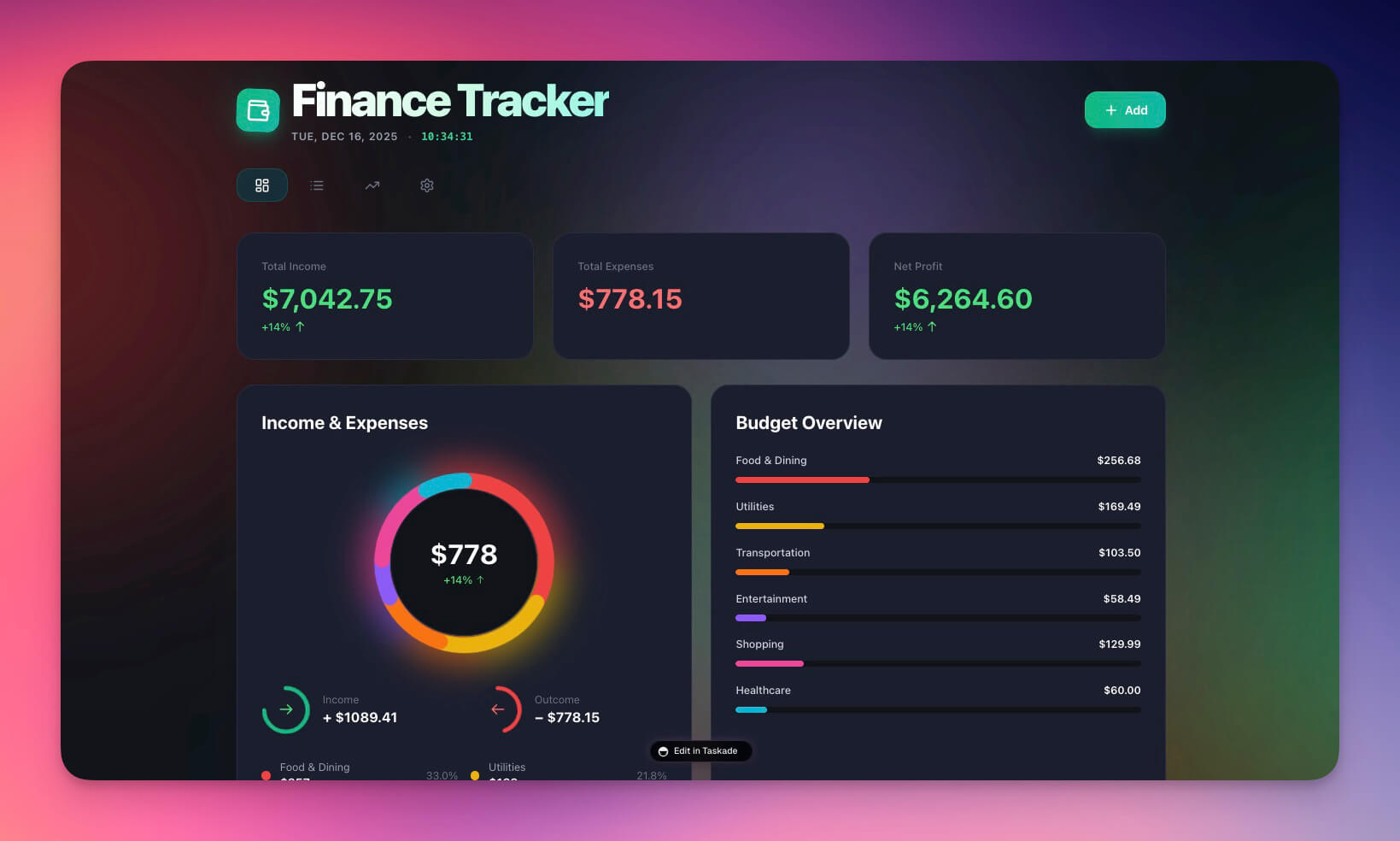
Track deal revenue, commissions, marketing spend, and financial performance. Real estate income is variable — this dashboard gives you clarity on where you stand month-by-month and which lead sources deliver the highest ROI.
Best for: Agents, brokerages, team leads, financial planning
Features:
- Commission tracking per deal with split calculations
- Revenue visualization by month, quarter, and year
- Expense management with marketing spend categories
- Performance analytics: cost-per-lead by source
- Goal tracking for annual GCI (Gross Commission Income) targets
Why Real Estate Needs Living Systems
Spreadsheets lose deals. The difference between closing and losing often comes down to response time and follow-up consistency. Here is how Taskade Genesis compares to the traditional real estate toolchain.
| Traditional Tools | Genesis Real Estate System |
|---|---|
| Manual follow-ups in spreadsheets | Automated sequences triggered by lead behavior |
| Static CRM with no intelligence | AI-scored leads with engagement tracking |
| Isolated property listings on Zillow | Connected databases with full client context |
| No proactive reminders | Automated alerts for showing prep, follow-ups, anniversaries |
| Scattered contacts across phone, email, CRM | Unified client view with complete interaction history |
This is Workspace DNA — Memory (property data, client history, deal records), Intelligence (AI agents that score leads and draft communications), and Execution (automations that follow up, remind, and report).
Taskade Genesis vs Real Estate Platform Alternatives
| Feature | Zillow Premier Agent | kvCORE | BoldTrail | Taskade Genesis |
|---|---|---|---|---|
| Starting price | $20-$300/lead | $499/mo (team) | $349/mo | Free |
| Lead generation | Zillow marketplace | Website + ads | Website + ads | Build your own |
| CRM | Basic lead tracking | Full CRM | Full CRM | Custom AI CRM |
| AI agents | No | No | Basic chatbot | built-in tools |
| Workflow automation | No | Basic drip campaigns | Email sequences | 100+ integrations |
| Custom app building | No | No | No | Yes (prompt-to-deploy) |
| Lead exclusivity | Shared with competitors | Exclusive | Exclusive | Your system, your leads |
| Project views | 1 (list) | 2 (list, pipeline) | 2 (list, pipeline) | multiple views |
Key insight: Zillow Premier Agent gives you leads but shares them with competing agents. kvCORE and BoldTrail are comprehensive but cost $349-$499/month. Taskade Genesis lets you build your own lead capture, CRM, and automation system starting at $0, with AI agents that rival enterprise tools.
Five Automations Every Real Estate Agent Needs
Connect your apps to real workflows with Taskade Automations:
- Instant lead response — When a new inquiry arrives through your landing page, the AI agent responds within 60 seconds with a personalized message, asks qualifying questions, and offers to schedule a showing
- Showing reminder sequence — 24 hours before a showing: send property details and directions. 1 hour before: send a "see you soon" confirmation. 2 hours after: send a feedback request
- Drip nurture for long-term leads — Buyers not ready to purchase receive weekly market updates, new listing alerts for their criteria, and monthly "checking in" messages
- Post-closing follow-up — 7 days after closing: request a testimonial. 30 days: check on move-in. 6 months: offer a home valuation. 1 year: anniversary message with market update
- Commission tracking — When a deal status changes to "Closed," automatically calculate commission, update the finance tracker, and generate a transaction summary
Related reading: the closing itself deserves its own surface. See the closing portal pattern for inspection, appraisal, and financing dates, which keeps buyers and sellers on one shared checklist instead of a scattered email thread.
Build Your Real Estate System in Six Steps
Create a custom real estate workspace in minutes:
- Open Taskade Genesis and describe your system (e.g., "Build a real estate CRM with property listings, lead scoring, showing scheduling, automated follow-up sequences, and commission tracking")
- Use "Enhance Prompt" to add specifics about your market, team size, and preferred workflow
- Genesis creates the workspace with Projects (property data, client records), Agents (lead nurturing AI), and Automations (follow-up sequences)
- Import your contacts by pasting data or connecting via 100+ integrations
- Set team permissions using role-based access (Owner to Viewer) — agents edit, assistants comment, clients view
- Launch and automate — the AI agent starts responding to leads immediately
Learn more: Create Your First App →
Start Building Your Real Estate System
Resources:
- Explore Community Apps — Clone real estate tools from the gallery
- Learn: Getting Started with Genesis — Step-by-step tutorial
- Learn: Custom AI Agents — Build lead nurturing assistants
- Learn: Automation Triggers — Set up follow-up workflows
- Learn: Project Views — multiple views for deal management
Related guides:
- 10 AI Sales and CRM Dashboards
- 10 AI Booking Systems You Can Clone
- 10 AI Client Portals You Can Deploy Instantly
- 10 Best AI CRM Software for 2026
- Build Without Permission
Explore Taskade AI:
- AI CRM Builder — Build CRMs from one prompt
- AI Website Builder — Generate landing pages
- AI Workflow Automation — Automate follow-ups
- Browse All Generator Templates — Apps, dashboards, websites
- Browse Agent Templates — AI agents for every use case
- Explore Community Apps — Clone and customize
Start building your real estate system →

Frequently Asked Questions
How can AI help real estate agents close more deals in 2026?
AI-powered real estate tools automate lead follow-ups, schedule showings, nurture prospects, and provide instant responses around the clock. Since 78% of buyers use the first agent who responds and the average response time is over 6 hours, AI agents that respond in under a minute provide a significant competitive advantage.
What real estate apps can I build with Taskade Genesis?
You can build property listing pages, broker calendars, booking portals, neighborhood tour apps, lead management CRMs, consultation booking systems, testimonial portals, and commission tracking dashboards. Each app includes AI agents powered by 15+ frontier models from OpenAI, Anthropic, and Google, plus automated follow-up sequences.
Can AI agents handle lead follow-ups for real estate?
Yes. Taskade AI agents can be configured as lead nurturing assistants with persistent memory. They remember prospect preferences, send personalized follow-ups, schedule showings, answer property questions, and alert you when a lead is ready to close. Agents have built-in tools and work autonomously.
How do I manage team access in a real estate workspace?
Taskade offers a permission system (Owner to Viewer). Give agents full editing access to manage listings, assistants comment-level access for coordination, and buyers view-only access to their property shortlists.
How does Taskade Genesis compare to Zillow Premier Agent?
Zillow Premier Agent charges per lead with costs ranging from $20 to $300 per lead depending on market. Taskade Genesis lets you build your own lead capture, CRM, and follow-up system starting at $0. Genesis apps include AI agents that nurture leads 24/7, while Zillow leads are shared among multiple agents.
Can Taskade Genesis replace kvCORE for real estate CRM?
kvCORE is a full-featured real estate platform starting at $499 per month for teams. Taskade Genesis builds custom CRM systems with lead tracking, automated follow-ups, showing scheduling, and commission tracking starting at $0. Genesis tools are more flexible and cost-effective for solo agents and small teams.
What automations should real estate agents set up first?
The highest-impact automations for real estate are instant lead response within 60 seconds of inquiry, showing reminders 24 hours and 1 hour before appointments, post-showing feedback requests within 2 hours, weekly market update emails to qualified leads, and annual anniversary check-ins with past clients.
How much does it cost to build a real estate CRM with Taskade Genesis?
Taskade offers a free tier for building real estate apps. Pro at $10 per month billed annually supports up to 10 team members, and Business at $25 per month billed annually provides unlimited seats. Most solo agents run comfortably on the free plan.
Can I publish a property listing page with a custom domain?
Yes. Taskade Genesis apps can be published with custom domains, password protection, and branded design. You can create individual listing pages for featured properties, a portfolio of active listings, or a complete brokerage website with lead capture and AI-powered visitor assistance.
What project views does Taskade offer for managing real estate deals?
Taskade provides multiple project views: List, Board, Calendar, Table, Mind Map, Gantt, and Org Chart. Real estate teams commonly use Board view for deal pipeline stages, Calendar view for showing schedules, Table view for listing comparisons, and Gantt view for transaction timelines.