







A typical office dweller switches between 30 apps and tools during a typical workday. That is far from optimal. You want less context switching and better focus. This comprehensive guide to task automation with Taskade will teach you how to connect 100+ integrations, deploy AI agents, and build workflows that run themselves.
TL;DR: Taskade automates repetitive tasks using AI agents with built-in tools, trigger-based workflows, and 100+ integrations across 10 categories. Pre-built AI Kits deploy complete automation systems in one click. Over 150,000 apps built on the platform. Start automating free →

Before we go further, let us clear up a few misconceptions.
Task automation does not mean flinging any task at AI and watching it sort itself out. It also does not mean you can switch off your brain and let AI do the thinking. What it does mean is that you can put a large chunk of your daily workflow on autopilot while you focus on work that requires human judgment and creativity.
Here is everything you need to know to get started.
How Task Automation Works in Taskade
Taskade combines traditional task management with intelligent automation. You can plan projects, track progress across multiple project views, and collaborate live with your team while AI agents handle the repetitive work behind the scenes.
There are four core automation methods in Taskade, each serving a different use case:
Trigger-Based Automations
Taskade's automation engine follows a simple "If this, then that" pattern. Pick a trigger event, define one or more actions, and Taskade handles the rest with no coding required.
- No-code setup: Pick a trigger, define actions, and deploy
- Pre-built templates: Start with ready-made flows or build custom ones
- 100+ integrations: Connect to every tool in your stack — browse the integrations directory or see the ecosystem map
- Agent-compatible: Automations and AI agents work together seamlessly
Watch this short guide to learn the basics:
AI Agents
AI agents are intelligent assistants that take specialized roles within your workspace. They execute tasks based on set goals with full or partial autonomy.
For example, a Project Management Agent can review a project plan, identify missing pieces, and suggest next steps. A Sales Agent can handle client data, follow up on leads, and draft email responses. A Support Agent can triage incoming tickets, route them to the right team, and draft initial responses.
What makes AI agents powerful for automation:
- Role-based specialization: Create agents with specific expertise for any department
- Context awareness: Agents read projects, tasks, uploaded documents, and conversation history
- Dynamic knowledge: Feed agents documents, projects, web resources, and YouTube videos
- Autonomous execution: Agents operate independently or respond to prompts. Browse AI prompt templates for ready-made agent instructions
- Built-in tools: Agents connect to your entire tech stack natively
Build your own AI Agent in seconds!
100+ App Integrations
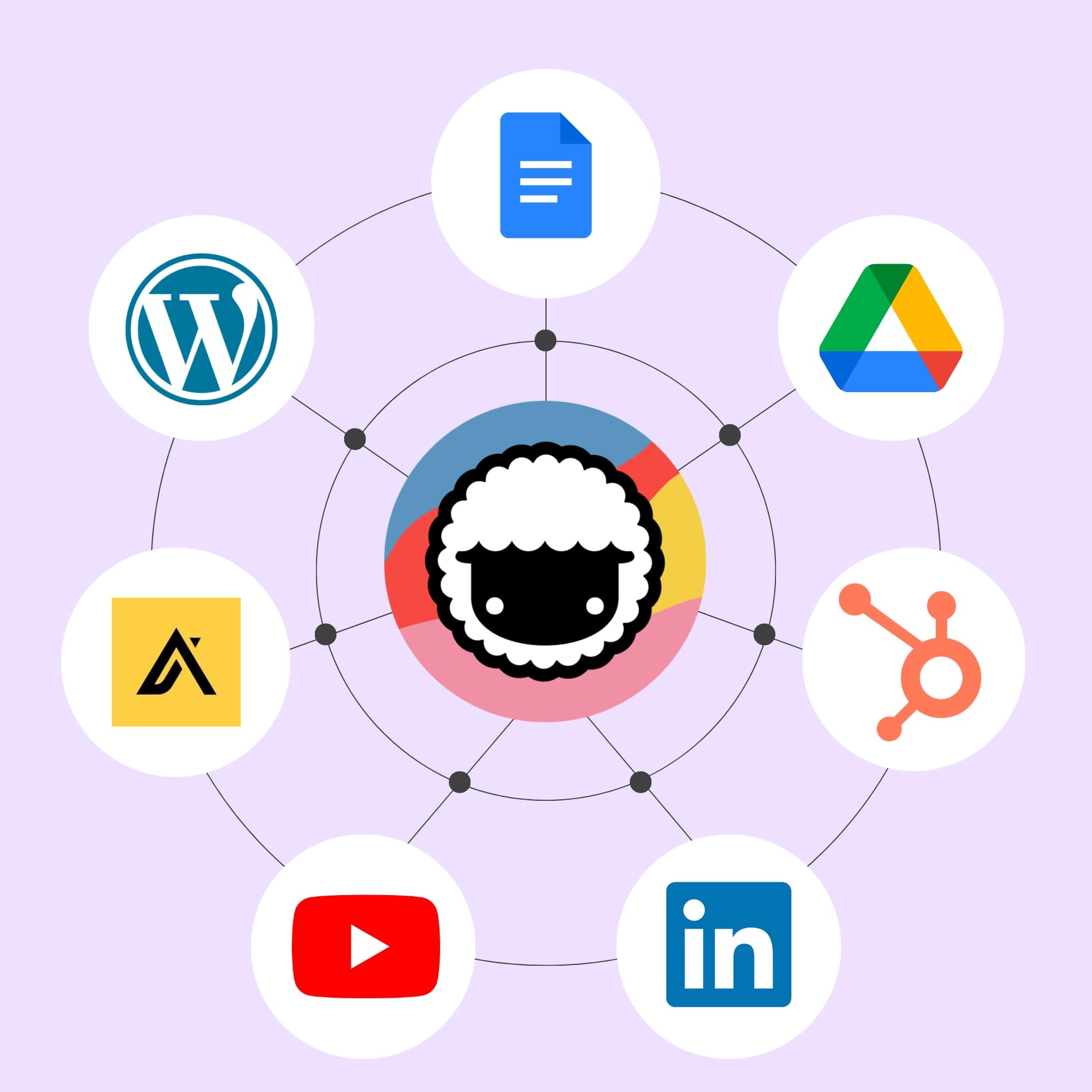
Taskade connects to your existing tech stack, letting you automate tasks across your favorite apps without switching between windows.
Here is a breakdown of the integration categories available in 2026:
| Category | Example Integrations | Automation Use Cases |
|---|---|---|
| Communication | Slack, Discord, Microsoft Teams | Task updates, standup summaries, alert routing |
| Gmail, Outlook | Email-to-task conversion, auto-replies, follow-ups | |
| CRM | HubSpot, Salesforce | Lead scoring, contact sync, deal tracking |
| Payments | Stripe, PayPal | Invoice triggers, payment notifications |
| Development | GitHub, GitLab, Jira | Issue sync, PR notifications, deploy tracking |
| Productivity | Google Workspace, Notion | Document sync, calendar events, file management |
| Content | WordPress, YouTube, RSS | Content publishing, video monitoring, feed digests |
| Data/Analytics | Google Sheets, Airtable | Data logging, report generation, dashboard updates |
| Storage | Google Drive, Dropbox | File organization, backup triggers, sharing |
| E-commerce | Shopify | Order notifications, inventory alerts, customer follow-ups |
Key integration capabilities:
- Cross-app handoffs: Trigger actions in other platforms when something changes in Taskade, and vice versa
- Centralized workflows: Collect and process information from emails, form submissions, RSS feeds, and sales pipelines
- File conversion: Turn documents and spreadsheets into actionable formats for clean automation inputs
- Agent-powered: Every integration works with AI agents for fully autonomous workflows
AI Kits: Pre-Built Automation Bundles
Building task automations from scratch takes time. AI Kits solve this by packaging everything you need — projects, templates, automations, and custom AI agents — into a single deployable bundle.
Just like this one (click to add it to your workspace for free):
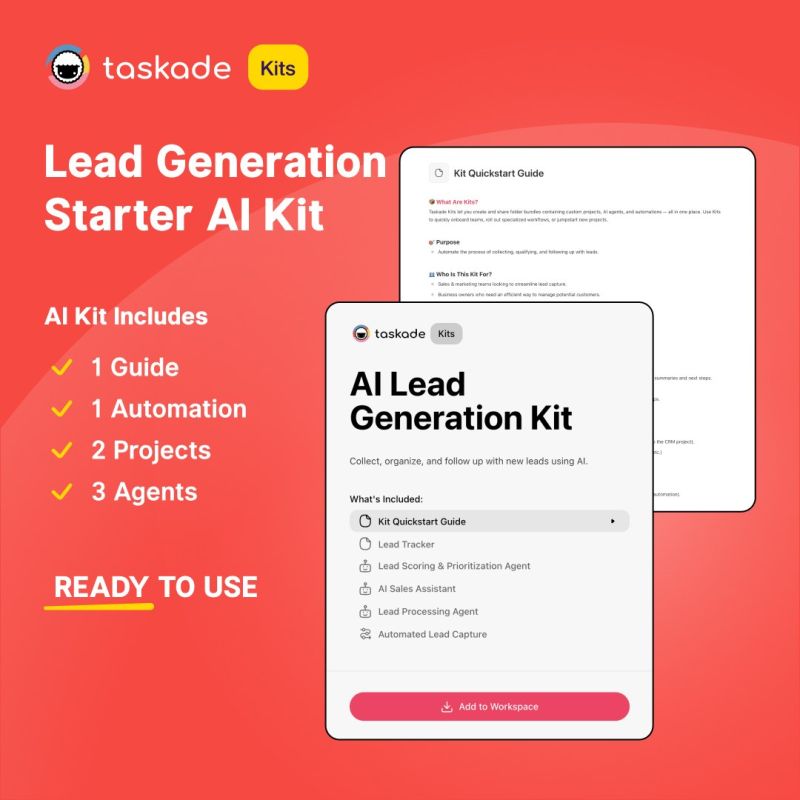
Think of a Kit as a workflow blueprint you deploy with a single click. Instead of building a project structure or onboarding flow from scratch every time, create a Kit once and anyone on your team can install it instantly.
Automation Workflow Patterns
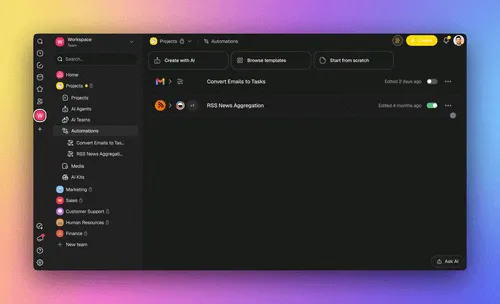
Different business functions require different automation patterns. Here are the most common workflow architectures and when to use each:
| Pattern | Best For | Example |
|---|---|---|
| Linear Pipeline | Sequential processes with clear steps | Email received → task created → assigned → completed |
| Branching Logic | Decisions that route work differently | Support ticket → high priority? → escalate OR auto-reply |
| Recurring Loop | Scheduled maintenance and reporting | Weekly → pull analytics → generate report → distribute |
| Multi-Agent | Complex tasks requiring parallel processing | Content brief → writer agent + SEO agent + design agent → final draft |
| Event-Driven | Real-time responses to external triggers | Shopify order → inventory check → shipping label → customer notification |
7 Ways to Automate Tasks with Taskade
1. Auto-Organize Tasks with AI Agents
You start a new project with a vague goal, scattered notes, and loose files. Turning that mess into a clean, structured plan takes time.
Set up one or more agents to handle it. Add automation flows, and Taskade automatically organizes your ideas into tasks, groups them by priority or status, and assigns due dates or teammates.
The Project Organizer Kit is built for this chaos-to-clarity scenario. It includes specialized AI agents and automations that transform unstructured content — meeting notes, brainstorm dumps, and loose tasks — into organized, actionable projects.
2. Automate Task Creation from Emails (Gmail Integration)
Email drives most business workflows. Client requests, approvals, and internal follow-ups all need to be extracted, filed, and acted on.
With Taskade's Gmail integration, incoming emails automatically become tasks. The AI Email to Task Converter Kit sets this up in a few clicks. The Kit collects incoming emails, converts them into tasks with AI-extracted action items, and files everything in a tracker project.
Workflow:
- New email arrives in Gmail
- Taskade automation triggers
- AI agent extracts action items, deadlines, and contacts
- Tasks created in designated project with appropriate tags
- Team members notified via Slack or in-app notification
3. Automate Lead and Customer Follow-Ups (HubSpot / Salesforce)
Taskade automatically creates follow-up tasks when new leads or customers are added to your CRM. Whenever a new contact appears in HubSpot or Salesforce, Taskade creates a follow-up task assigned to the appropriate team member with context from the CRM record.
The AI Lead Generation Kit includes a Lead Tracker project with presets for lead scoring, and automations that create tasks and notify team members automatically.
4. Automate Team Updates in Slack
Keeping track of all moving parts during a campaign launch is challenging, especially with a lean team. Taskade's Slack integration pushes task updates, status changes, and deadline reminders directly to your Slack channels.
The Marketing Launch Kit includes a campaign-ready project template, prebuilt Slack automation, and a customizable companion agent that drafts update summaries.
5. Auto-Generate To-Do Lists from Project Descriptions
Starting a new project is overwhelming when you are not sure where to begin. Instead of staring at a blank page, describe your goal and let AI map out the work.
The Project Kickoff Checklist Kit includes an AI agent that takes a high-level project description and breaks it into categories like planning, setup, execution, and follow-up. The Kit also includes reusable templates for standard kickoff tasks.
6. Automate Content Workflows (WordPress / YouTube / RSS)
Content teams juggle multiple platforms. Taskade's content integrations automate the entire pipeline:
- WordPress: Publish drafts automatically when a Taskade task is marked complete
- YouTube: Monitor channel uploads and create review tasks for new videos
- RSS: Aggregate industry feeds and create research digest tasks
Combine these with a Content Agent that summarizes articles, suggests topics based on trending keywords, and drafts social media posts for each piece of content.
7. Automate Invoice and Payment Workflows (Stripe / PayPal)
Financial workflows are prime automation candidates because they follow predictable patterns:
- Stripe: New payment received → create receipt task → update accounting project → send thank-you email
- PayPal: Subscription renewed → update customer status → notify account manager
- Shopify: New order → inventory check → shipping label → customer notification
Each workflow connects to AI agents that can analyze payment patterns, flag anomalies, and generate financial summaries.
Integration Automation Matrix
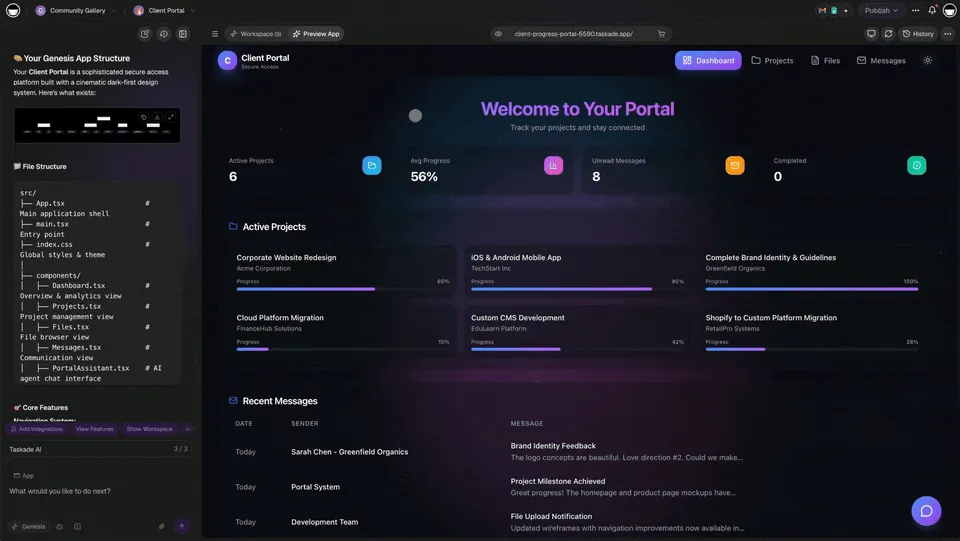
Here is a quick reference for the most popular automation recipes by integration:
| Integration | Trigger | Action | AI Agent Enhancement |
|---|---|---|---|
| Gmail | New email | Create task | AI extracts action items and deadlines |
| Slack | Task completed | Send notification | Agent drafts context-rich updates |
| HubSpot | New contact | Create follow-up task | Agent scores lead and suggests approach |
| Salesforce | Deal stage change | Update project board | Agent generates deal summary |
| GitHub | New PR | Create review task | Agent summarizes code changes |
| Google Calendar | Event created | Create prep tasks | Agent generates meeting agenda |
| Stripe | Payment received | Create receipt task | Agent updates financial dashboard |
| Shopify | New order | Create fulfillment task | Agent checks inventory and routes |
| WordPress | Task completed | Publish draft | Agent optimizes SEO metadata |
| Discord | Keyword mention | Create follow-up task | Agent triages and categorizes |
Getting Started: Automate Your Workflow in Minutes
If you prefer building automations from scratch, here are the steps to get started:
Step 1: Sign Up for Taskade
Click the button below and follow the on-screen instructions. You can also go directly to the /create page and choose your starting point (agent, project, or automation).
Step 2: Set Up AI Agents
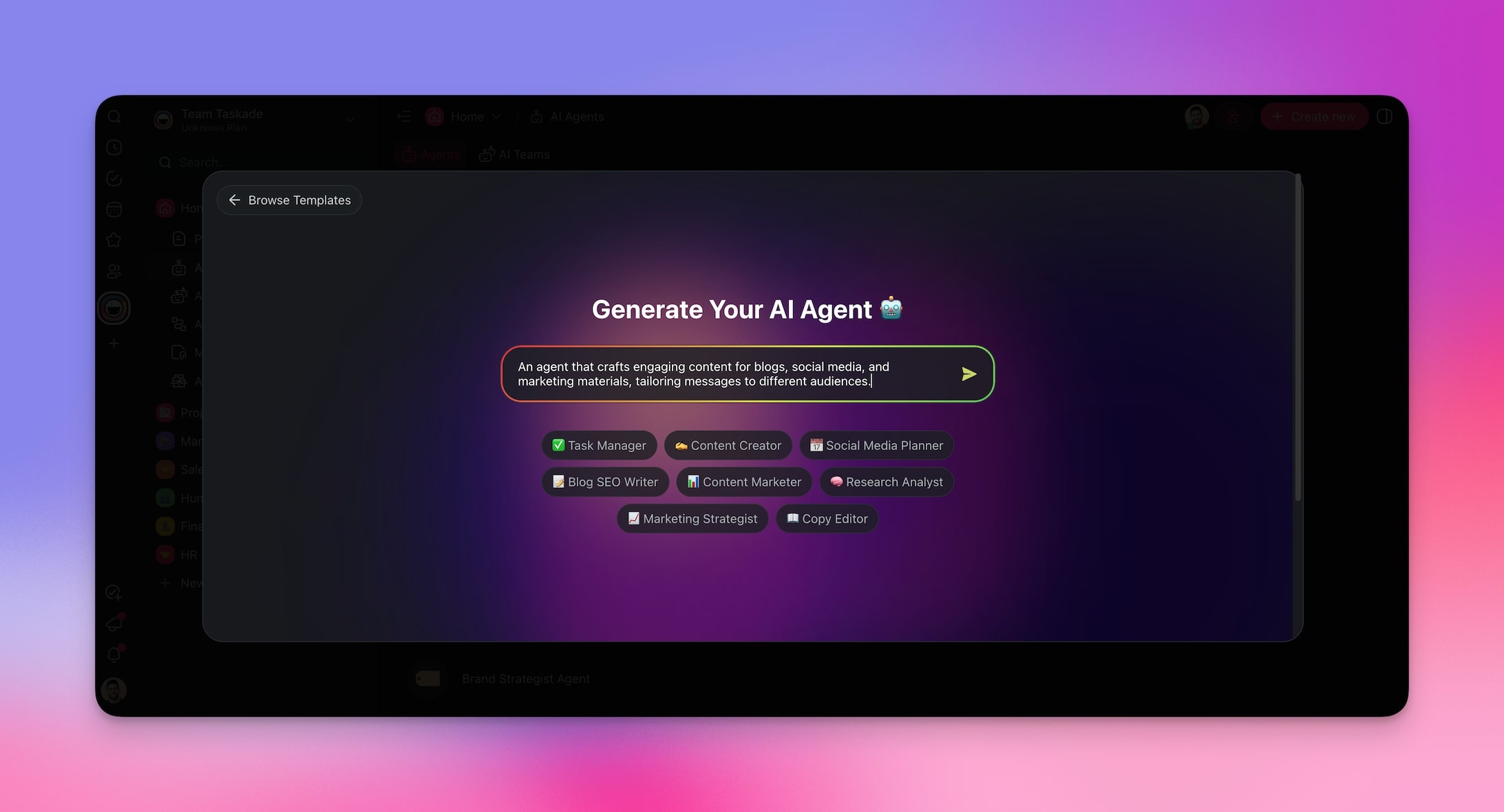
Once your workspace is ready, go to the Agents tab and use the AI Agent Generator. Describe what you need help with and the generator creates a specialized agent automatically.
Step 3: Connect Your Integrations
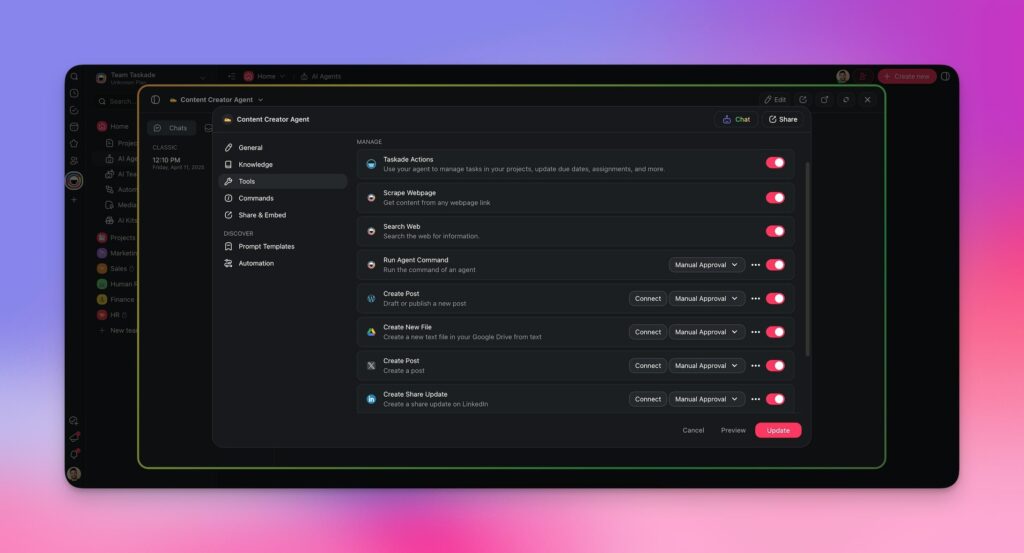
Every agent can connect to 100+ tools to extend its capabilities. Edit your agent in the Agents tab and add new integrations in the tools section.
Step 4: Build Automation Flows
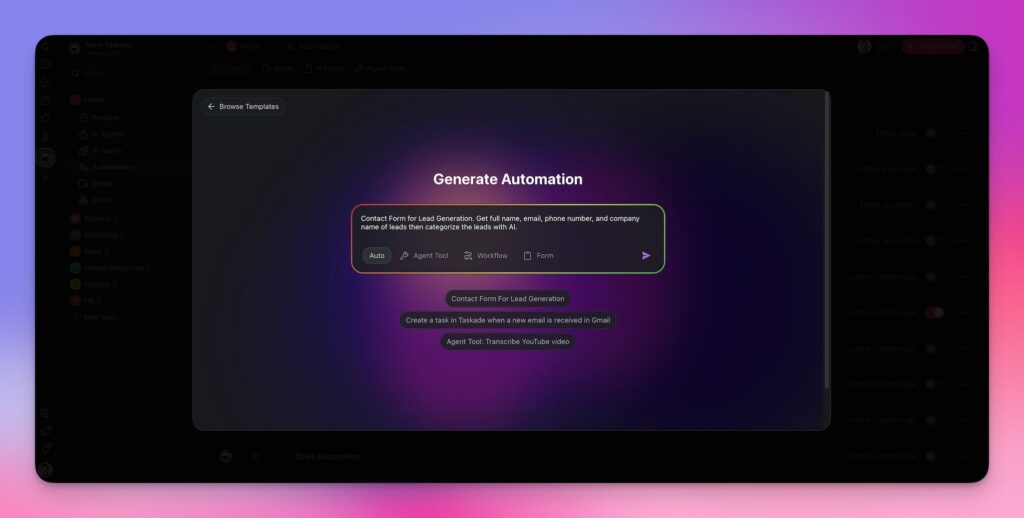
Go to the Automation tab in your workspace and use the Automation Generator. Describe your workflow in natural language and Taskade creates the trigger-action chain.
Want to learn more? Check the Taskade Automation Guide for advanced tips and tricks.
Automation ROI: Measuring the Impact
Automation is only valuable if it saves more time than it takes to set up. Here is a framework for measuring ROI:
| Metric | How to Measure | Target |
|---|---|---|
| Time saved per task | Manual duration minus automated duration | >50% reduction |
| Error rate | Mistakes before vs after automation | >80% reduction |
| Tasks per day | Throughput before vs after | >2x increase |
| Context switches | App switches per hour | >60% reduction |
| Setup time | Time to deploy automation | <30 minutes with AI Kits |
Conclusion
Setting up automations used to take lines of code and hours of trial and error. In 2026, it is more like snapping together building blocks. No scripting, no plugins — describe what you need and Taskade builds it.
The most effective automation strategy combines three layers:
- Trigger-based automations for predictable, rule-based workflows
- AI agents for intelligent, context-aware task execution
- Integrations for cross-app data flow and handoffs
Build it once. Run it forever. In Taskade.
Join Taskade and get started now!
Frequently Asked Questions About Automating Tasks With Taskade
How does Taskade automate tasks?
Taskade uses a combination of AI agents, trigger-based automation flows, and 100+ integrations with apps like Gmail, Slack, HubSpot, and Salesforce. You can automate repetitive steps like creating tasks, assigning them, and organizing projects based on triggers and conditions.
What are the best automations in Taskade?
The most popular automations include email-to-task with Gmail, calendar-based reminders with Google Calendar, team updates via Slack, CRM sync with HubSpot and Salesforce, and AI agents that work in sync with automation flows to handle multi-step workflows autonomously.
Can I use Taskade for free?
Taskade offers a free plan that includes core features like AI agents and basic automations. Paid plans (annual billing) start at $10/month for Pro (up to 10 seats), and $25/month for Business (unlimited seats).
How do I connect Taskade with Slack and Gmail?
Connect integrations when creating a new automation flow. Click Add Trigger or Add Step and configure the integration in the sidebar. Follow the setup prompts and your apps connect to Taskade bidirectionally.
Who should use Taskade for automation?
Freelancers, remote teams, project managers, sales teams, support teams, and anyone focused on productivity can benefit from Taskade's automation features. It is especially useful for teams working across multiple tools who want to reduce repetitive tasks and context switching.
Task Automation Apps Built with Genesis
Clone these ready-to-use automation apps:
| App | What It Does | Clone |
|---|---|---|
| Smart Feedback Form | Automated feedback collection | Clone → |
| Support Rating Dashboard | Automated support analytics | Clone → |
| Invoice Generator | Automated invoice creation | Clone → |
| Neon CRM Dashboard | Automated customer tracking | Clone → |
Build your own automation system with Taskade Genesis — describe what you need, and watch it come to life.
Your living workspace includes:
- Custom AI Agents — The intelligence layer
- Projects & Memory — The database layer
- 100+ Integrations — The automation layer
Get started:
- Create Your First App → — Step-by-step tutorial
- Learn Workspace DNA → — Understand the architecture
