






Hi Taskaders!
Ready to 10x your productivity? Taskade AI Automation has landed in public beta for all our customers, and we're excited to see you take it for a spin. Learn more.
Get early access via our LinkedIn, Twitter, and Reddit posts for an exclusive beta!
TL;DR: Taskade AI Automation connects your AI agents with tools like Slack, Gmail, WordPress, and Typeform to build fully automated workflows. Use Ask AI, Generate with AI, and Respond with AI actions — plus 100+ integrations and custom /AI commands in the editor. Try it free →
AI Automation Is Now in Beta!
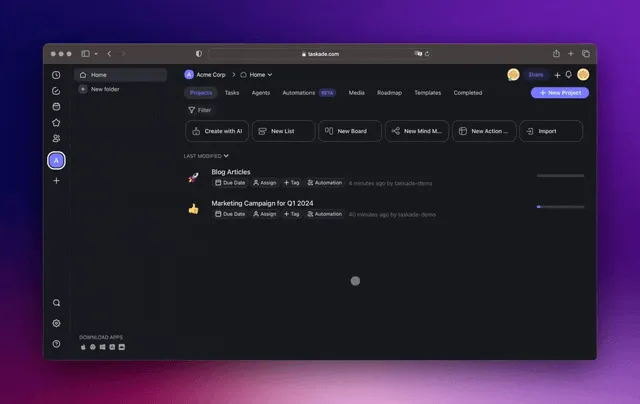
Taskade AI Automation — WordPress Demo
You can now automate your workflows! Connect Taskade AI with a growing list of tools, from Slack and Gmail to Typeform and WordPress, and more.
Turn Taskade into your command center to coordinate all your tasks, projects, and workflows with the enhanced capabilities of OpenAI GPT (frontier models). Learn more...
Supercharge Your Workflows With AI
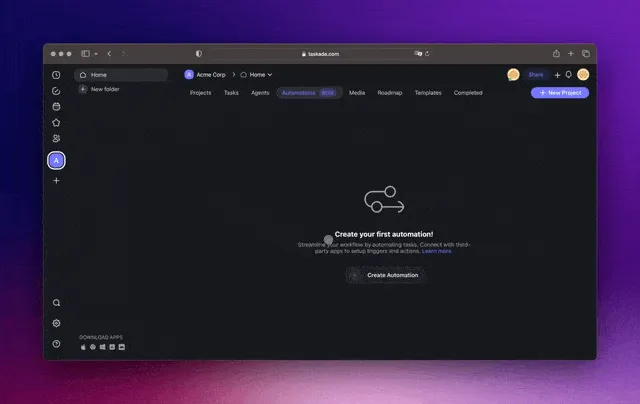
Taskade AI Automation — Slack Demo
Automate data collection, content management, email handling, and much more — Ask AI for insights, Generate with AI for content creation, and Respond with AI for intelligent communication.
Seamlessly connect with tools like Google Forms, WordPress, Slack, Gmail, and many more. Stay tuned for more integrations on the horizon! Learn more...
Custom AI Commands in Add-Ons & Multi-Select Toolbar
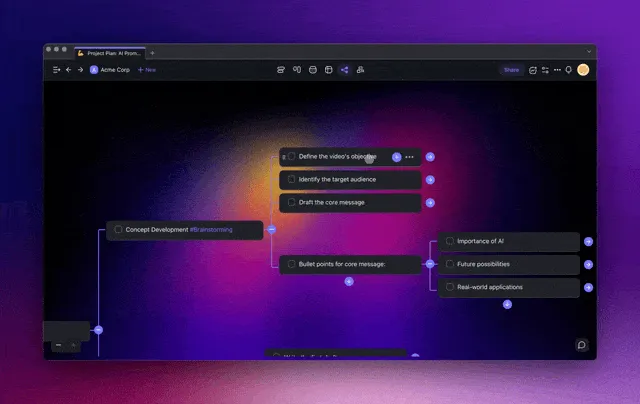
Taskade AI Custom Agent Commands
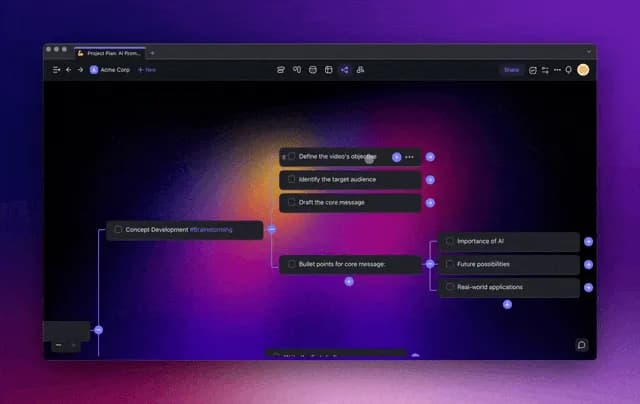
Execute your Custom AI Agent commands right in the project editor. For individual tasks, simply use the Add-Ons Menu to get work done, one step at a time. Learn more...
For multiple tasks, make the most of the Multi-select Toolbar. Just select several tasks or paragraphs and apply AI commands to them all at once. Learn more...
Other Improvements:
New: Taskade AI Automation (Public Beta): Dive into the future of AI productivity, workflows, and task automation with our beta release
New: Taskade AI Triggers and Actions:
Ask AI: Query AI for insights and suggestions
Generate with AI: Use AI to instantly generate content, lists, and more
Respond with AI: AI-driven responses to streamline your workflows
More coming soon... Share your feedback here
New: Taskade Internal Triggers and Actions:
Webhook Support: Trigger workflows based on external events
Project Creation: Automate the creation of new projects
Task Creation: Simplify task creation with automated actions
Comment Notifications: Automated alerts for new comments
Task Completion: Automated alerts when tasks are completed
Task Due Reminders: Automated reminders for upcoming tasks due
More coming soon... Share your feedback here
New: External Integrations, Triggers, and Actions:
Calendly: Streamline your scheduling and event organization
Gmail: Enhance email communication and management
Google Forms: Simplify data collection from form submissions
Google Sheets: Manage and analyze spreadsheet data
Mailchimp: Enhance your email marketing campaigns
Slack: Integrate Slack for improved team communication
SurveyMonkey: Gather feedback from survey submissions
Twilio: Enhance communications with powerful Twilio integrations
Typeform: Simplify data collection from survey submissions
Webflow: Automate data collection from form submissions
WordPress: Automate post creation and content management
More coming soon... Share your feedback here
New: Features for Custom AI Agents:
Enhanced Toolbar Integration: Custom AI Agent commands are now part of the task Add-Ons menu and Multi-Select toolbar
Background Task Management: Custom AI Agents now handle background tasks during multi-task selections
New: AI Workflow Generator now supports external sources, from web links to YouTube, enhancing your project crafting with personalized content. Prompt Templates are also integrated for more versatility
Improved AI stability and performance to ensure a smoother experience
Improved project filtering and various editor UI refinements
Updated AI for enhanced security across the platform
Various bug fixes and performance improvements
Thank you for being part of our journey. Stay tuned for more exciting updates!
Have any questions? Visit our Help Center or let us know. ☺️
— Team Taskade 🐑

Frequently Asked Questions
What AI-powered actions are available in Taskade Automation?
Taskade Automation includes three AI actions: Ask AI for querying insights, Generate with AI for creating content, lists, and summaries, and Respond with AI for drafting intelligent replies. These actions can be combined with triggers from tools like Slack, Gmail, WordPress, and Typeform to build fully automated workflows.
What internal triggers does Taskade Automation support?
Internal triggers include Webhook (external event-based), Project Created, Task Created, Task Completed, Comment Added, and Task Due reminders. Each trigger fires automatically when the corresponding event occurs in your workspace, kicking off the connected automation flow.
How do Custom AI commands work in the Taskade project editor?
Custom AI commands let you run your trained AI Agent's prompts directly in the editor. For a single task, use the Add-Ons menu; for multiple tasks, select them with the Multi-Select Toolbar and apply the command in bulk. Each command executes with the agent's full knowledge base and custom instructions.
Which third-party services can I connect to Taskade AI Automation?
Taskade Automation connects with Slack, Gmail, Google Forms, Google Sheets, WordPress, Typeform, Calendly, Mailchimp, Twilio, Webflow, and SurveyMonkey, with more integrations on the roadmap. Each service provides its own triggers and actions that you can chain with AI steps for end-to-end workflow automation.