






Taskade Genesis App Highlights: CRM, Invoice Generator & Client Portal (April 2026)
Three Taskade Genesis apps you can clone today — a CRM for sales teams, an invoice generator with AI follow-ups, and a client portal for real-time updates.
On this page (6)
3 Taskade Genesis apps you can clone today, each built from a single prompt. A CRM, an invoice generator, and a client portal — with custom AI agents and automations built in.
TL;DR: 3 Genesis apps ready to clone — a sales CRM with pipeline views, an invoice generator with AI follow-ups, and a client portal with real-time updates. Each app ships with agents, automations, and structured data, plus 100+ integrations. Clone and customize in minutes. Try it free →
📊 CRM for Sales Teams
A complete CRM to manage leads, track deals, and close faster. Pipeline views, contact databases, and automated outreach built in. Clone the app →
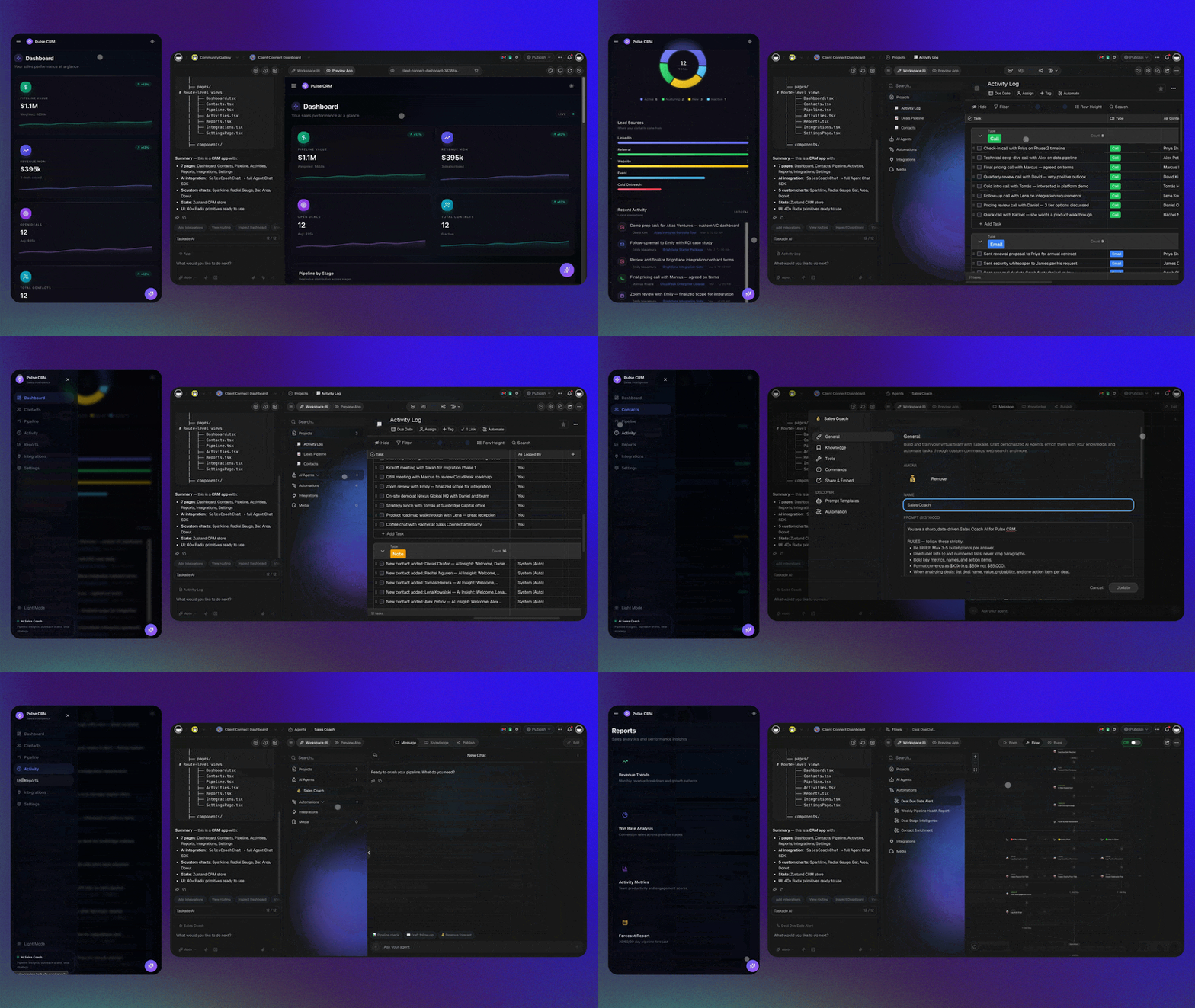
What's inside:
- 📊 Pipeline view — Track deals from lead to close
- 👥 Contact database — Leads, notes, and full history
- ⚡ Auto follow-ups — Never let a lead go cold again
No more leads slipping through the cracks. Every new entry is structured data that feeds into your automation workflows and agent knowledge. Connect it with Slack, Gmail, HubSpot, and 100+ more integrations.
🛍️ Invoice Generator
Generate professional invoices, track payments, and automate client billing. The AI agent handles follow-ups and overdue reminders automatically. Clone the app →
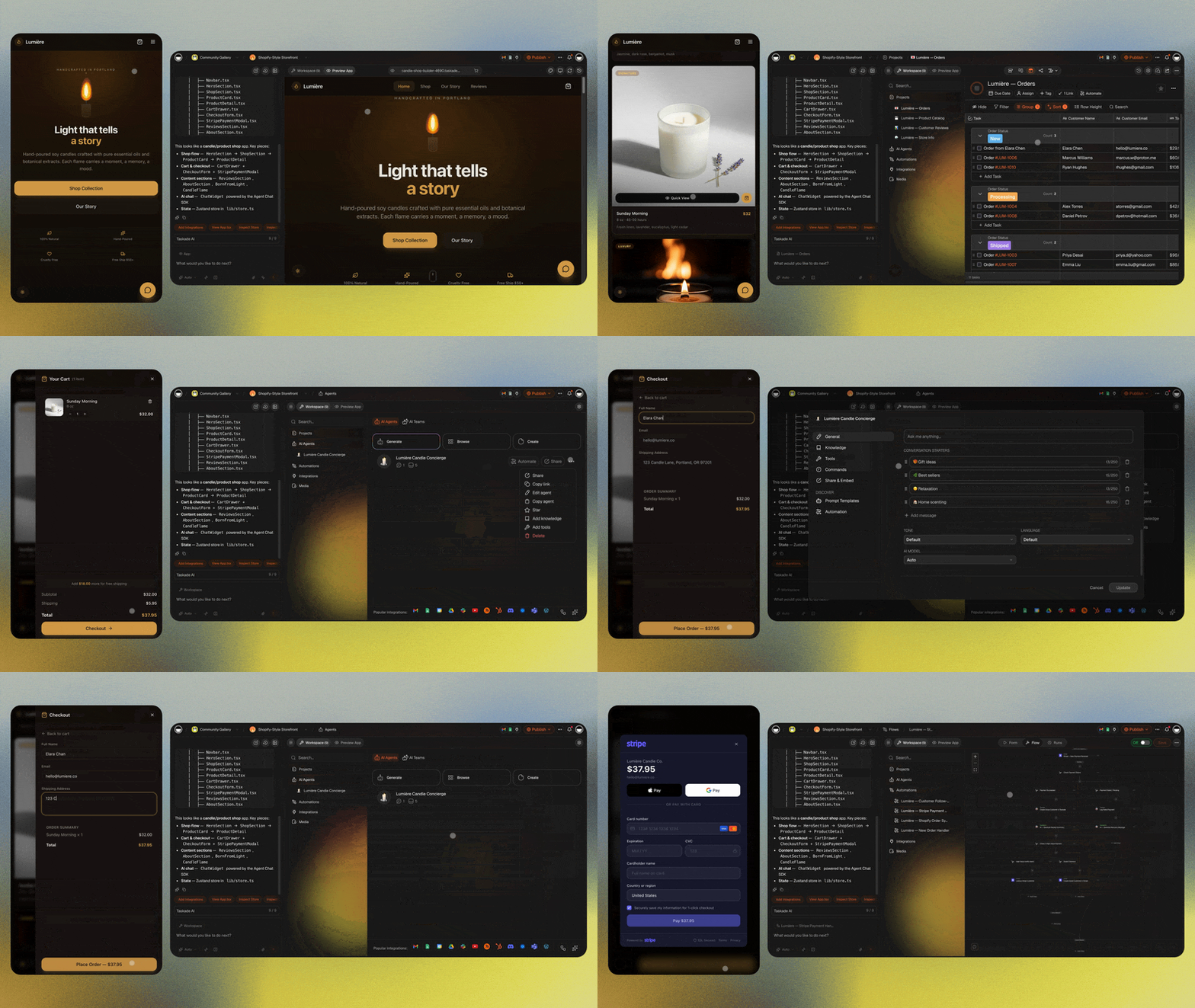
What's inside:
- 📋 Auto-generate — Branded invoices from templates or prompts
- 💰 Payment tracking — Status, due dates, and overdue alerts
- 📦 AI follow-ups — Automated reminders and thank-yous
Perfect for freelancers, agencies, and small teams that need billing on autopilot. Every invoice feeds your project memory so your workspace gets smarter over time.
🤖 Build AI-powered apps with Taskade Genesis — Train agents, automate workflows, and deploy live apps from a single prompt. No code required.
🧠 Frontier AI Models from top AI labs — choose the right model for every task.
🏠 Client Portal
An all-in-one client hub with project tracking, file sharing, and real-time updates. Deliver a professional client experience in minutes. Clone the app →
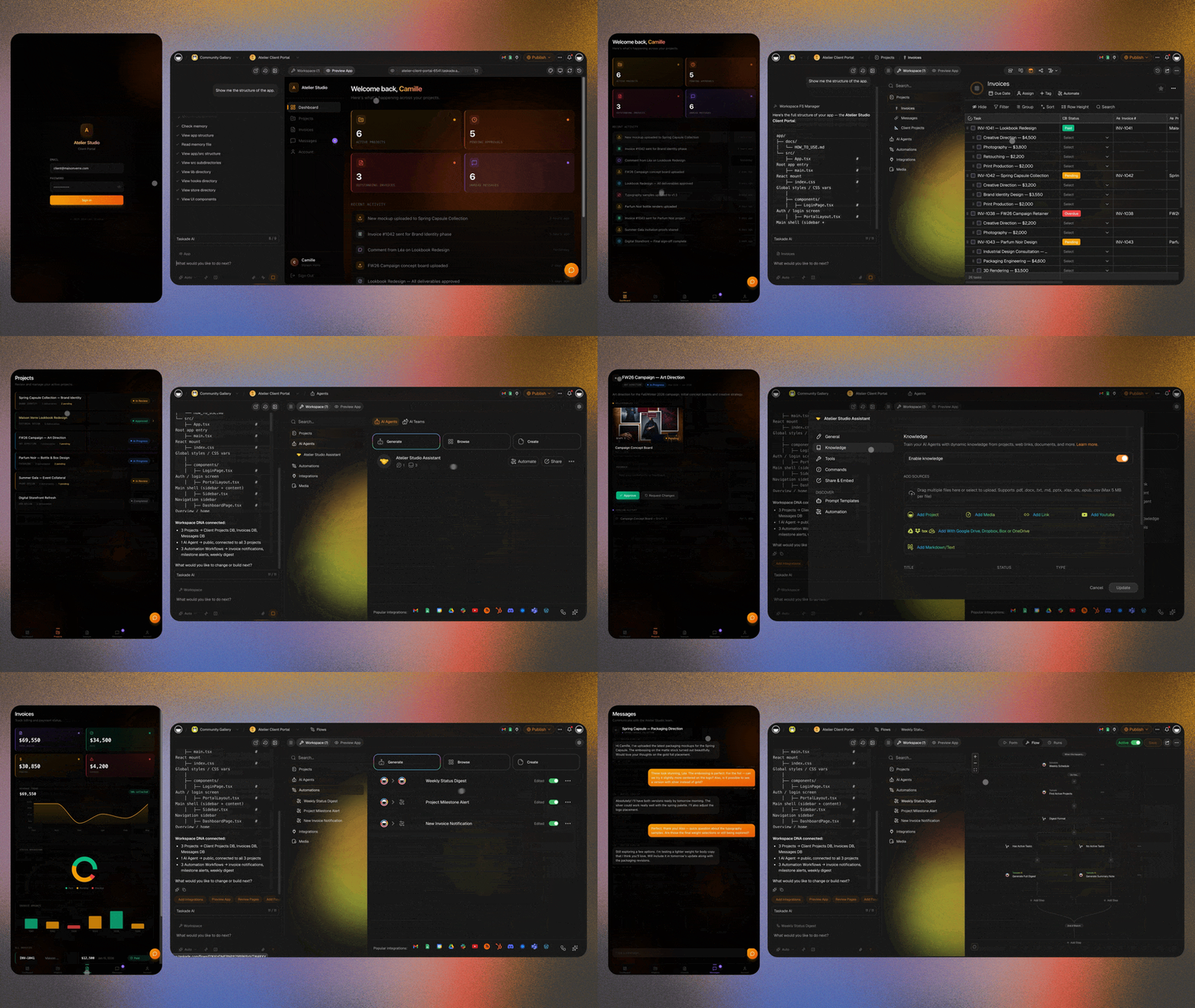
What's inside:
- 🏠 Client hub — Projects, files, and updates in one place
- 📂 File sharing — Deliverables organized and accessible
- 🔄 Real-time updates — Clients see progress as it happens
Perfect for agencies, consultancies, or anyone who needs a central place for client communication. The AI agent keeps everything organized so your team can focus on delivery. Explore more community apps for inspiration.
🔧 What You Can Build
Combine CRM, Invoice Generator, and Client Portal with AI teammates and automations to cover your entire client lifecycle:
| Role | Stack | Outcome |
|---|---|---|
| 💼 Freelancer | CRM + Client Portal | Clients managed, updates shared |
| 🛒 E-commerce | Store Manager + CRM | Orders fulfilled, follow-ups sent |
| 🏢 Agency | CRM + Invoices + Portal | Full client lifecycle, one view |
| 🚀 SaaS Founder | Store + Client Portal | Self-serve hub, clients onboarded |
| 🎯 Side Hustle | Invoices + CRM | Sales tracked, growth visible |
| 📋 Consultancy | CRM + Meeting Calc | Clients informed, deliverables shared |
All of these come pre-built in Taskade Genesis. Or generate your own in minutes.
🌱 Your Workspace, Alive
Every app is powered by your living workspace:
- 🧠 AI Agents think — Qualify leads and answer questions
- 📋 Projects remember — Contacts, orders, and deliverables
- ⚡ Automations execute — Follow-ups, updates, and alerts
- 🚀 Genesis deploys live apps, powered by your Workspace DNA
Leads come in. Your workspace gets smarter. Every deal feeds your Projects. Every interaction teaches your Agents. Every automation run builds on the last. This is Workspace DNA at work — memory, intelligence, and execution all connected. Start building today →
🐑 Build with Taskade Genesis — The AI-powered workspace where agents think, projects remember, and automations execute.
🤖 Custom AI Agents — built-in tools, persistent memory, frontier models
🧠 Multiple Project Views — List, Board, Calendar, Table, Mind Map, Gantt, Org Chart
⚡ 100+ Integrations — Slack, Gmail, Shopify, Stripe, and more
💬 Frequently Asked Questions
What is a Taskade Genesis app?
A Taskade Genesis app is a complete business-in-a-box solution generated from a single prompt. Each app includes a UI, structured data, AI agents, and automations — ready to clone and customize. Over 150,000 apps have been built with Genesis since launch.
How does the CRM for sales teams work?
The CRM app gives you pipeline views to track deals from lead to close, a contact database with full history and notes, and automated follow-ups so no lead goes cold. AI agents can qualify leads and suggest next steps. Connect it with 100+ integrations including Slack, Gmail, and HubSpot.
Can the invoice generator automate payment reminders?
Yes. The invoice generator includes AI-powered follow-ups that automatically send overdue reminders and thank-you messages. It tracks payment status, due dates, and generates branded invoices from templates or prompts. Learn more about automation triggers.
What is included in the client portal app?
The client portal is a central hub with project tracking, file sharing, and real-time updates. Clients see progress as it happens, and deliverables are organized and accessible in one place. The AI agent handles triage so your team can focus on execution.
How do I publish my own Taskade Genesis app?
Build your app with Taskade Genesis, then publish it to the Community Gallery. Choose from three visibility levels — Public (discoverable), Secret (private link), or Private (workspace only). You can also use a custom domain for your published app.