






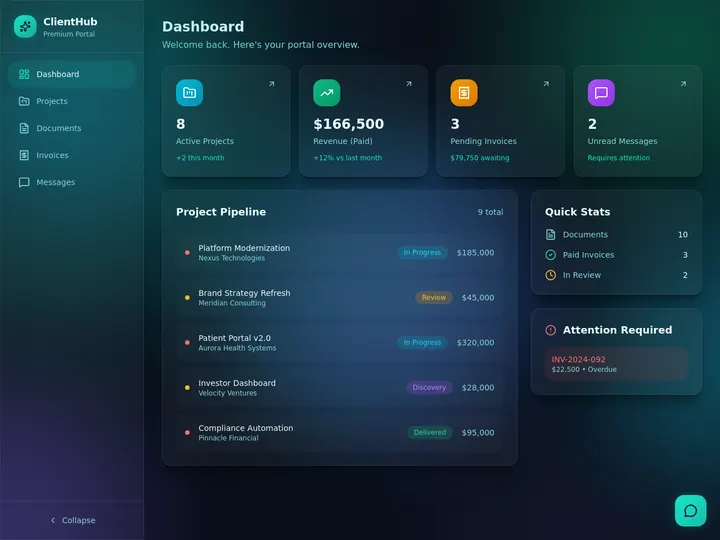
A client portal used to mean a developer, a login system, and a month of work. In 2026 you can build one without code in an afternoon. The catch is that "no-code client portal builder" now covers three very different kinds of tool, and picking the wrong category is what makes people give up. This guide sorts the field honestly into those three categories, so you can match the tool to how you actually want to work.
TL;DR: The best no-code client portal builders in 2026 split into three honest categories: database-first (Softr, Glide, Noloco, Stacker), all-in-one client suites (SuiteDash, Copilot, HoneyBook), and AI-native (Taskade Genesis). Database-first tools put a front-end on data you own; suites ship fixed client features; AI-native builders generate the whole portal from a description with agents and automations inside. Build one free →
Looking for ready-made portals to clone instead of a builder comparison? See 10 AI Client Portals You Can Deploy Instantly. This guide compares the builders themselves.
What Is a No-Code Client Portal Builder?
A no-code client portal builder lets you create a secure, branded space where your clients log in to see their own projects, files, status, and invoices, without writing code. The builder generates the parts a portal needs: a login with access control, the views each client sees, file sharing, and often messaging and billing visibility. The best ones also give each client strict data isolation, so one client never sees another's information.
What separates the categories is how much you assemble versus how much is generated for you. That is the frame the rest of this guide uses, and it is the fastest way to find your tool.
The Three Categories at a Glance
Here is the honest matrix. Each category wins for a different kind of operator. Read across to find the row that sounds like you.
| Category | Tools | You provide | The app generates | Best for |
|---|---|---|---|---|
| AI-native | Taskade Genesis | A plain-language description | The whole app: DB, views, logins, agents, automations | Operators who want a live portal that also acts |
| Database-first | Softr, Glide, Noloco, Stacker | A data source (Airtable, Sheets) + design | A polished front-end and logins on your data | Teams already living in a spreadsheet or Airtable |
| All-in-one suite | SuiteDash, Copilot, HoneyBook, Clinked | Your content and settings | A fixed set of client features (invoices, contracts) | Service businesses whose needs match the suite |
The shortcut: if you want to describe a portal, go AI-native. If you already keep your data in Airtable or Sheets and want a front-end on it, go database-first. If you want client invoicing, contracts, and scheduling out of the box, a suite may be fastest.
What to Look for in a Client Portal Builder
Score any tool against these eight factors before you commit. The first four are non-negotiable for client work; the rest decide flexibility and cost.
| # | Factor | Why it matters |
|---|---|---|
| 1 | Secure login and per-client isolation | Each client sees only their own data, never another's |
| 2 | Role-based access | Owner through Viewer, so staff and clients get the right view |
| 3 | Custom domain and white-label | Your brand on the front door, not the builder's |
| 4 | File sharing and document access | Clients upload and download in one place |
| 5 | Billing or invoice visibility | Clients see status and pay without a second tool |
| 6 | In-portal messaging | Communication stays attached to the work |
| 7 | Integrations | Pull events in and push data out to your stack |
| 8 | AI assistance and automation | The portal answers questions and sends updates on its own |
Taskade Genesis is built to pass all eight on one flat plan: App Users with the per-client isolation you configure, role-based access, branded sign-in via App Users on every plan, custom domains on Business, file sharing, automations for updates and reminders, 100+ integrations, and AI agents that answer client questions from your content.
What Each Category Generates for You vs What You Assemble
The single biggest predictor of how long a portal takes to ship is how much the tool generates versus how much you wire by hand. Here is the same portal viewed through each category's lens.
                  AI-NATIVE            DATABASE-FIRST          ALL-IN-ONE SUITE
                  (Taskade Genesis)    (Softr, Glide ...)      (SuiteDash, Copilot ...)
 ---------------- -------------------- ----------------------- ------------------------
 Data model       generated            you build in Airtable   fixed by the suite
 Client logins    generated            you configure           built in
 Per-client view  generated            you filter per record   built in
 File sharing     generated            you add a block         built in
 Branding/domain  set it (Business)    set it (paid tier)      set it (higher tier)
 Automations      generated, resident  you add, often capped   limited to suite events
 AI agents        resident, built-in tools   AI columns / credits    usually none
 Customization    describe a change    rebuild the screen      bounded by the suite
 ---------------- -------------------- ----------------------- ------------------------
 You assemble:    a sentence           the data + the screens  your account settings
 You maintain:    a workspace          a front-end + a DB      a subscription
The pattern is clear. Database-first tools generate the front-end but make you bring and model the data. Suites generate everything but only the features they chose. AI-native generates the whole stack, data, views, logins, agents, and automations, from one description, so the part you assemble shrinks to a sentence.
The Builders, by Category
AI-Native: Taskade Genesis
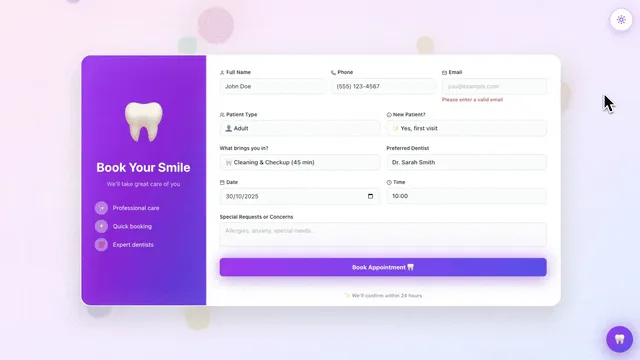
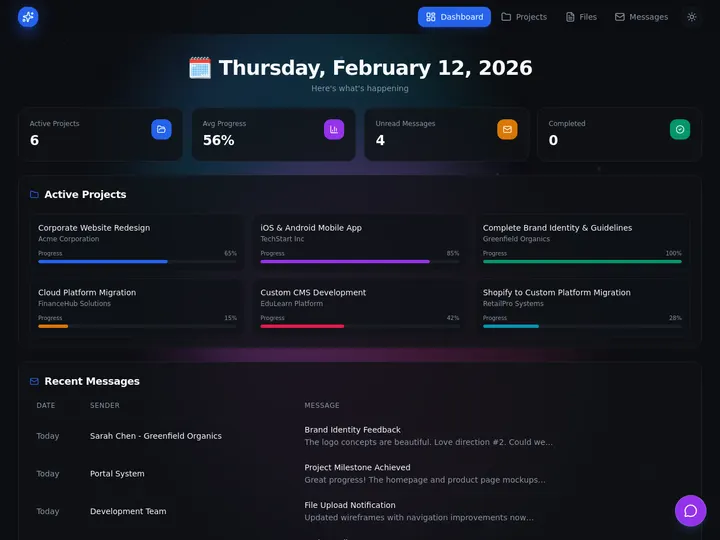
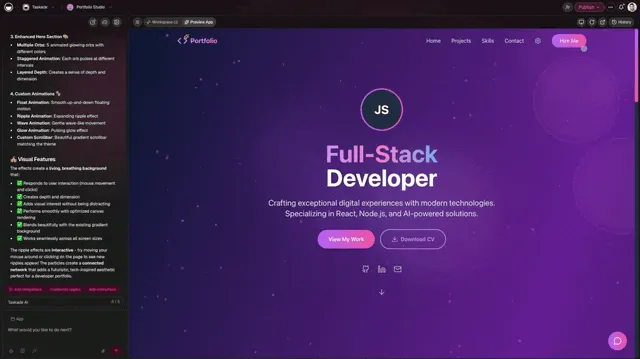
Taskade Genesis is the AI-native pick. You describe the portal in plain language, "a client portal where each client sees their projects, files, and invoices," and get a working app with a database, multiple views, client logins, and AI agents and automations inside. Each client signs in through App Users to a private space, the portal lives on your custom domain on the Business plan, and the same workspace runs the delivery work behind the portal.
- Best for: operators and agencies who want a live portal that also acts, on flat pricing
- Pricing: flat, Free to Business $25/month annual (App Users on every plan, custom domains at Business)
- Strength: the portal is generated, not assembled, and the AI agents and automations run after launch
- Watch: for App Store distribution you would use a native builder; this is a responsive web app
The platform underneath that ranking entry is what makes the AI-native category different, and it gets its own section after the full field below: Why an AI-Native Portal Acts After Launch.
Database-First: Softr, Glide, Noloco, Stacker
These tools put a polished front-end and a login on data you already keep, usually in Airtable or Google Sheets. They are excellent when your data already lives in a table and you want clients to see a slice of it.
- Softr is beginner-friendly and, unusually, includes a custom domain on every tier including free. It meters AI credits and workflow actions on paid plans (Basic around $49/month, Professional around $139/month). Best for: Airtable-backed portals built fast. Strength: a custom domain on the free plan and a gentle learning curve.
- Glide turns a spreadsheet into a clean app and has added AI columns and workflows. Pricing runs Free (drafts), Explorer around $19/month, Maker around $49/month, Business around $199/month, and it meters "updates" at roughly $0.02 each over a cap. Best for: polished internal-and-client apps over a table. Strength: speed from spreadsheet to a professional UI.
- Noloco (noloco.io) builds client portals and internal tools on Airtable, Google Sheets, or a database, with strong permissions. Best for: teams that want granular access control on existing data. Strength: detailed role and record-level permissions.
- Stacker (stackerhq.com) focuses on turning Airtable and Sheets into customer and partner portals. Best for: data-app portals for external users. Strength: purpose-built for portals on top of your tables.
The shared trade-off: you model the data and design the screens, and several meter app users, AI credits, or updates, so a busy portal can cost more than the sticker. They give you a front-end; they do not give you resident AI agents that work the data after launch.
All-in-One Client Suites: SuiteDash, Copilot, HoneyBook, Clinked
These ship a fixed set of client-facing features out of the box, invoicing, contracts, scheduling, file sharing, often with flat monthly pricing. They are fastest when their feature set already matches your business.
- SuiteDash (suitedash.com) bundles CRM, invoicing, contracts, and a client portal with flat-rate, unlimited-user pricing. Best for: small firms wanting one flat-priced suite. Strength: unlimited clients on flat plans.
- Copilot (copilot.com) is a polished, modern client portal for agencies and professional services, with messaging, billing, and file modules. Best for: design-forward client experiences. Strength: clean, app-like client UX.
- HoneyBook (honeybook.com) targets solopreneurs and creative service businesses with proposals, contracts, payments, and a client portal. Best for: freelancers and creatives. Strength: proposal-to-payment flow in one place.
- Clinked (clinked.com) is a white-label portal and collaboration workspace for client and team file sharing. Best for: document-heavy client collaboration. Strength: white-label branding and storage.
The trade-off: you adapt to the suite's feature set rather than shaping the portal to your business, and customization is bounded by what the suite exposes. When the fit is good, they are the fastest path; when it is not, you outgrow them.
A fair point in the suites' favor: tools like Copilot, SuiteDash, Clinked, and Moxo ship genuinely mature client-facing modules out of the box. Built-in e-signatures, contract flows, and threaded client messaging are polished and ready on day one. If those exact features are the whole job, a suite can be live faster than any builder. The builder categories win when you need the portal shaped to your business rather than your business shaped to the portal.
Feature Matrix: The 10 Tools Side by Side
Here is the deeper comparison across the named tools. Read it as "what is included," not a score, the right tool is the one whose included column matches your job.
| Tool | Free tier | Custom domain | AI inside | White-label |
|---|---|---|---|---|
| Taskade Genesis | Yes (build + clone) | Business $25/mo | Agents, built-in tools | Business |
| Softr | Yes | Every tier (incl free) | Metered AI credits | Paid tiers |
| Glide | Yes (drafts) | Paid (Maker+) | AI columns, metered | Paid tiers |
| Noloco | Trial | Paid | Limited | Paid tiers |
| Stacker | Trial | Paid | Limited | Paid tiers |
| SuiteDash | Trial | Higher tiers | Limited | Higher tiers |
| Copilot | Trial | Paid | Add-ons | Paid tiers |
| HoneyBook | Trial | Limited | Assistant features | Limited |
| Clinked | Trial | Paid | Limited | Paid tiers |
The columns that move the decision are AI inside and how each tool meters it. Taskade Genesis bundles resident agents on a flat plan; the database-first tools meter AI credits or actions; the suites treat AI as add-ons. That difference compounds the busier your portal gets.
Why an AI-Native Portal Acts After Launch
What makes the AI-native path different is everything that lives inside the portal after it goes live. A Taskade Genesis portal is not a static front-end; it is a working app backed by your connected projects as the database, with the full platform underneath it:
- App Users, with the per-client isolation you configure. Each client signs in, and you match their projects, files, and status to that login so they open only their own. Test it with a second account before you invite anyone. This is the step that matters most for client work.
- role-based access from Owner to Viewer. Roles run from Owner through Viewer, so your staff, contractors, and clients each get exactly the view they should, and nothing more. See how roles work.
- Custom domain and branded sign-in (Business). Publish the portal to your own domain with your logo and colors on the login screen, with automatic SSL. The front door says your name, not the builder's.
- AI agents that answer client questions. Embed AI agents with built-in tools (web search, code, file analysis, persistent memory, multi-agent orchestration) that answer client questions from your own content, draft updates, and summarize project status, switchable across 15+ frontier models per agent.
- Automations for client updates and reminders. Triggers and schedules fire on their own: a status change emails the client, a weekly schedule sends a recap, a new file drops a notification. Set them once and they run. See triggers, schedules, and actions.
- 100+ bidirectional integrations. Integrations pull events in and push data out, so the portal stays in sync with the rest of your stack.
- Clone from Community. Start from a live portal in the Community Gallery and brand it, instead of building from a blank canvas.
The diagram below is the part most builders skip: what actually happens when a client signs in, and why per-client isolation is something you configure on the data and then test, rather than a setting you hope you got right.
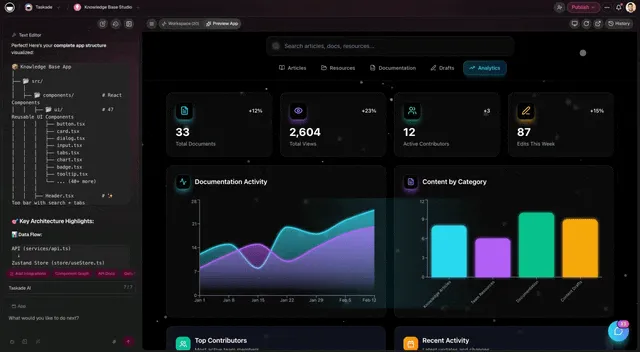
The reason this category is called AI-native and not just no-code is what keeps running after launch. A database-first front-end shows the data; a Taskade Genesis portal acts on it. That is the Workspace DNA loop, Memory feeds Intelligence, Intelligence triggers Execution, Execution writes back to Memory, all inside the same portal your client signs into.
How to Build a Client Portal Without Code
The path is the same regardless of category. With an AI-native builder, steps two and three collapse into a single prompt.
- Define goals and permissions. Decide exactly what each client should and should not see.
- Choose your category. Describe (AI-native), assemble (database-first), or subscribe (suite).
- Set branding and domain. Add your logo, colors, and custom domain.
- Configure core features. Logins, file sharing, status views, and billing visibility.
- Test before launch. Sign in with a second account and confirm the isolation you configured before inviting real clients.
The full walkthrough lives in Build a Customer Portal with Taskade Genesis, and you can see the broader pattern in how to build a client portal step by step.
A portal moves through a small set of states from first prompt to live on your domain. Knowing the states helps you see where each category spends its time: database-first tools linger in Modeling and Designing, suites skip to Configuring, AI-native collapses the early states into one Describe step.
Free vs Paid: What You Actually Get
Free tiers are great for testing and small portals; the upgrade trigger is almost always a custom domain, more client logins, or removing builder branding.
| Tool | Free tier | Upgrade trigger |
|---|---|---|
| Taskade Genesis | Build, clone and gate portals free | Custom domain at Business $25/mo |
| Softr | Yes, includes a custom domain | More app users, AI credits, workflow actions |
| Glide | Yes (drafts) | Published apps, custom domain, more updates |
| SuiteDash / Copilot / HoneyBook | Trials, not always free | Flat monthly plan, sometimes per-seat |
The operator note: watch the metering. A portal that gets busy, with lots of client logins, file activity, or AI use, costs the same on a flat plan and can climb on a metered one. See the full breakdown in our operator's app-builder guide.
Must-Have Features Checklist
Before you commit to any builder, run it through this scorecard. The top four are non-negotiable for client work; the rest decide flexibility and total cost. Print it, score two or three finalists, and the winner usually picks itself.
 CLIENT PORTAL BUYER SCORECARD          score 0-2 each, must-haves must be 2
 ------------------------------------    --------------------------------------
 [ ] Secure login + per-client isolation   one client never sees another's data
 [ ] Role-based access (Owner..Viewer)     staff and clients get the right view
 [ ] File sharing + document access         upload/download in one place
 [ ] Custom domain + white-label            your brand on the front door
 ------------------------------------    --------------------------------------
 [ ] Billing / invoice visibility           clients see status, pay in place
 [ ] In-portal messaging                     comms attached to the work
 [ ] Integrations (pull in / push out)       stays in sync with your stack
 [ ] AI assistance + automation              answers questions, sends updates
 ------------------------------------    --------------------------------------
 Must-haves below 2  -> rule the tool out
 Nice-to-haves        -> use to break ties
The honest read: most builders clear the top four. The bottom four, especially AI assistance and resident automation, are where the field splits. A Taskade Genesis portal scores on all eight from one flat plan because the agents and automations live inside the app, not as paid add-ons you wire later.
How Much Does a Client Portal Cost in 2026?
A client portal costs from free to a few hundred dollars a month for most small operators, but the sticker price is the smallest part of the real number. The metering model and the hidden fees matter more. Database-first tools meter app users, AI credits, or data updates, so a busy portal climbs above its plan. All-in-one suites and white-label vendors often add onboarding, integration, API, and per-seat fees on top of the base subscription, which can add 20 to 50 percent to the headline cost. Industry buying guides put a fully white-labeled portal at roughly $30,000 to $150,000 over three years once setup and per-user pricing are included, while a custom-built one runs far higher.
| Path | Typical entry cost | Watch for |
|---|---|---|
| AI-native flat (Taskade Genesis) | $0 to $25/mo, flat | Business unlocks a custom domain |
| Database-first | $0 to ~$139/mo | Metered users, AI credits, updates |
| All-in-one suite | ~$19 to $99+/mo | Per-seat, higher tiers for white-label |
| White-label vendor | $50 to $200+/mo entry | Onboarding, integration, API add-ons |
| Custom development | $150k+ over 3 years | Build and maintenance, slowest to ship |
The flat-plan advantage is predictability. On Taskade Genesis, Free lets you build, clone, and give clients their own App Users logins, and Business at $25/month unlocks custom domains with no per-client metering, so the price you see is the price a busy portal pays. Compare that to a metered tool where success, more clients and more activity, is exactly what raises the bill.
Security and Access for Client Portals
Client portals hold client data, so access control is the feature that matters most. Look for real role-based access, per-client isolation, encryption in transit, and automatic SSL on your domain. In Taskade Genesis, App Users give each client a private space backed by roles from Owner to Viewer, with automatic SSL on custom domains. For data with specific regulatory certification requirements, confirm each vendor's compliance posture directly before storing sensitive records, and do not assume any no-code builder covers a given standard.
Which Client Portal Builder Should You Choose?
Match the tool to how you want to work, not to a feature checklist alone.
- Choose AI-native (Taskade Genesis) if you want to describe a portal and get a live app that also runs the work behind it, on flat pricing you can predict.
- Choose database-first (Softr, Glide, Noloco, Stacker) if your data already lives in Airtable or Sheets and you want a polished front-end on it.
- Choose an all-in-one suite (SuiteDash, Copilot, HoneyBook) if your business fits their built-in invoicing, contracts, and scheduling and you want to switch it on fast.
For most agencies and service businesses that want one app to both show clients their work and do the delivery behind it, the AI-native path wins on flexibility and predictable cost. The same workspace that runs your portal can run the whole business behind it, from intake to delivery. Build a portal free, or clone a live one and brand it today.
Related Reading
- 10 AI Client Portals You Can Deploy Instantly →, ready-made portals to clone instead of compare.
- Best AI App Builder for Your Business →, the operator's guide to the broader category.
- Taskade Genesis vs Softr →, the head-to-head if Softr is on your shortlist.
- Best AI Ops Dashboard Builders →, the ranked field when the portal is one surface of a wider jobs-and-CRM system.
▲ ■ ● Memory · Intelligence · Execution
The three-layer architecture behind every Taskade Genesis app, connected projects remember, agents think, automations run. A client portal built this way does not just show clients their work, it runs the work behind it. Build yours free →.
Frequently Asked Questions
What is the best no-code client portal builder in 2026?
It depends on which of three categories fits you. For an AI-native portal where you describe it and get a live app with logins, automations, and AI agents, Taskade Genesis leads free to start, with Pro from $10/month billed annually. For a front-end on data you already keep in Airtable or Sheets, Softr and Glide are strong. For an all-in-one client suite with built-in invoicing and contracts, SuiteDash, Copilot, and HoneyBook are worth a look. Match the tool to whether you want to describe, assemble, or subscribe.
What is a no-code client portal builder and what does it build?
A no-code client portal builder lets you create a secure, branded space where clients log in to see their own projects, files, status, and invoices, without writing code. A good builder generates the login and access control, the views your clients see, file sharing, and often billing visibility and messaging. AI-native builders like Taskade Genesis go further and generate the whole app from a description, with agents and automations inside.
How do I build a client portal without code?
Define what each client should see and not see, choose a builder, set your branding and custom domain, then configure logins, file sharing, and status views. With Taskade Genesis you describe the portal in plain language, get a working app, turn on App Users so each client signs in to a private space, publish to your domain on the Business plan, and test with a sample client before launch.
How long does it take to build a client portal?
An afternoon for a working portal on most no-code tools, and minutes for a first version with an AI-native builder. With Taskade Genesis you can describe the portal, get a live app, add a client login, and share it the same day. Database-first tools take longer because you model the data and design the screens first; all-in-one suites are fast to switch on but slower to customize.
What features should a client portal have?
Secure login with role-based access, per-client data isolation so one client never sees another's information, file sharing, in-portal status and project visibility, branding and a custom domain, and ideally messaging and billing visibility. Taskade Genesis adds AI agents that answer client questions from your content and automations that send updates and reminders on their own.
How much does client portal software cost?
From free to a few hundred dollars a month, and the metering model matters more than the sticker. Taskade Genesis is flat per plan, Free to $25/month billed annually for Business, where custom domains unlock. Client logins work on every plan, including Free. Softr and Glide have free tiers and meter app users, AI credits, or updates on paid plans. All-in-one suites like SuiteDash and Copilot use flat monthly pricing, often with per-seat or per-client limits. Check what each tool meters before you commit.
What is the best free client portal software?
Several builders have real free tiers. Softr includes a custom domain even on its free plan, Glide lets you build for free, and Taskade Genesis gives you a free plan to build and clone portals before upgrading, with custom domains and client logins at Business. Free tiers are great for testing; confirm the user caps and branding limits before you put real clients on one.
Can I white-label a client portal with my own domain?
Yes. Taskade Genesis gives every plan branded sign-in via App Users, and publishes the portal to your custom domain on the Business plan. Softr includes a custom domain on every tier including free, Glide adds custom domains on mid tiers, and all-in-one suites bundle white-labeling on higher plans. White-label means your name and colors, not the builder's.
What is the difference between a portal builder and an all-in-one client suite?
A portal builder gives you a flexible canvas to build exactly the portal you want, while an all-in-one suite ships a fixed set of client-facing features like invoicing, contracts, and scheduling out of the box. Builders win on flexibility and ownership; suites win on speed if their feature set matches your business. AI-native builders like Taskade Genesis blend both, generating a flexible portal fast.
How do I keep client data private in a portal?
Use a builder with real role-based access and per-client isolation. In Taskade Genesis, App Users give each client a private space, so they see only their own projects and files and never another client's data, backed by roles from Owner to Viewer and automatic SSL on custom domains. Always test with a sample client account before you invite real ones.
Which client portal builder is best for agencies?
Agencies running multiple clients on their own brand do well with a builder that supports unlimited client logins on a flat plan and a custom domain. Taskade Genesis fits because client logins and custom domains live on one Business plan with no per-client metering, and the same workspace runs the delivery work behind the portal. Softr and the all-in-one suites also serve agencies, with app-user or per-seat caps to watch.