
Spin Up a Team From One Prompt
The Taskade AI Team Generator is a text-to-team builder: describe a workflow once, and it spins up an entire multi-agent crew with specialized roles, tailored toolkits, and pre-configured collaboration. Where the Agent Generator creates a single teammate, the Team Generator creates the whole department.
TL;DR: Taskade's AI Team Generator turns one prompt into a coordinated multi-agent team. Each agent gets its own role, persona, and toolkit from the built-in tools, powered by 15+ frontier models from OpenAI, Anthropic, and open-weight providers. AI Teams are available on Pro and above, and generation draws on your AI credits. Generate your first team →
Where AI Teams Fit
Generated AI Teams live in the Intelligence layer of Workspace DNA: they read context from your Projects (Memory), execute work through Automations (Execution), and surface in Taskade Genesis Apps (Interface). One generation prompt produces a coordinated department that already knows how to plug into your workspace. See Workspace DNA.
When to Use the Generator
Use the AI Team Generator whenever a single agent is not enough: when work spans multiple specialties, when you need parallel execution, or when you want collaboration patterns set up for you instead of wiring agents together by hand.
- ✅ You need multiple agents to tackle different parts of a workflow.
- ✅ You are unsure how to structure a team manually.
- ✅ You want to save time setting up agent roles and collaboration settings.
- ✅ You are launching a new project and need expert support fast.
- ✅ You want to experiment with specialized, task-focused AI Teams.
Generate an AI Team
Generating a team takes one prompt and one keystroke. Taskade picks the roles, tools, and collaboration model for you.
The Create with AI box is where it starts, one line in, a whole team out:
┌─ Create AI Team with AI ───────────────────┐
│ Describe your team...                      │
│ ┌────────────────────────────────────────┐ │
│ │ a marketing team to plan a launch      │ │
│ └────────────────────────────────────────┘ │
│                             [ Generate ⏎ ] │
└────────────────────────────────────────────┘
- Go to the AI Teams tab at the top of your workspace or folder.
- Click ➕ Create with AI.
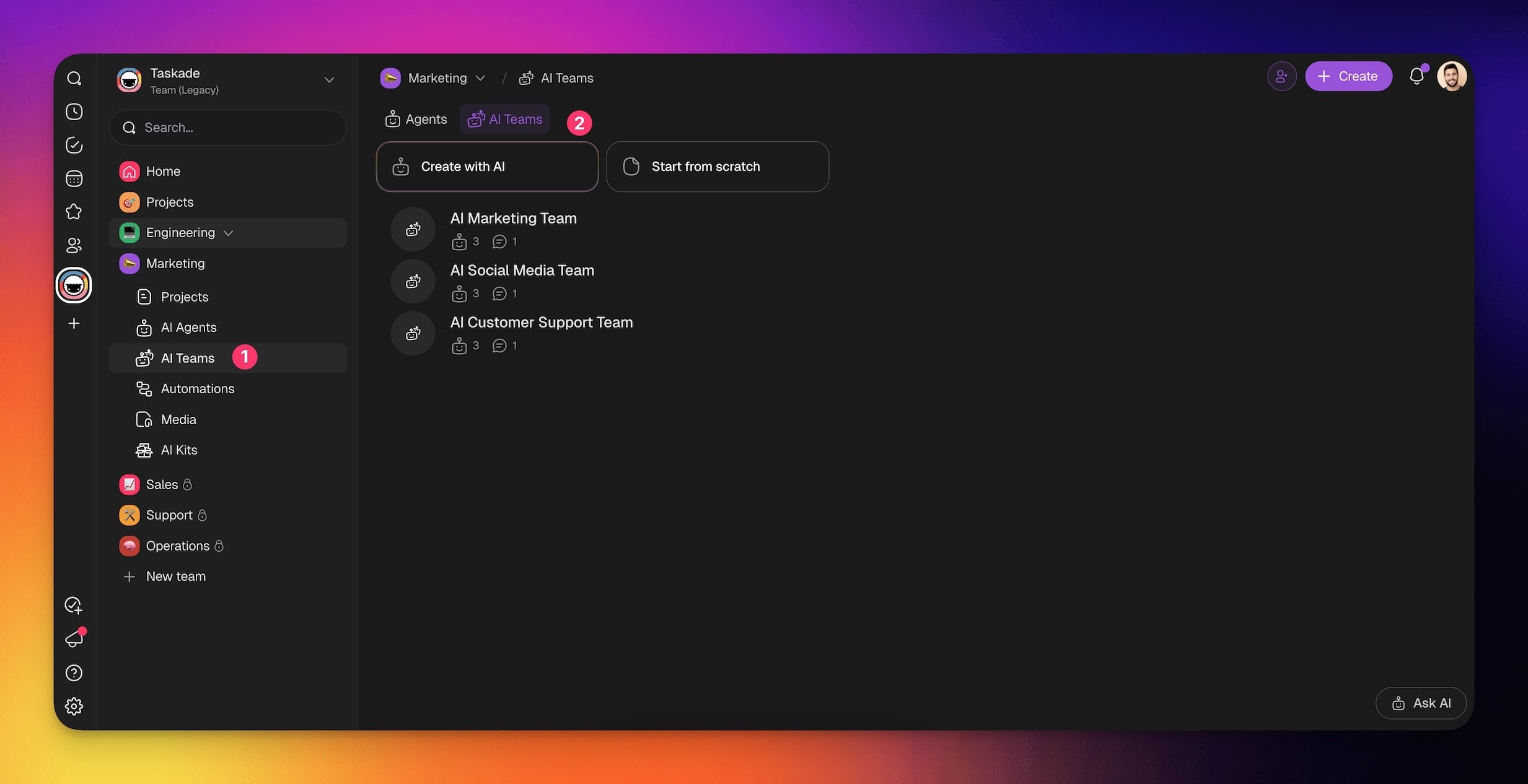
- Describe the work you want your AI Team to do. For example:
“I need a marketing team to plan a product launch campaign.”
- Optionally, select one of the prompt examples.
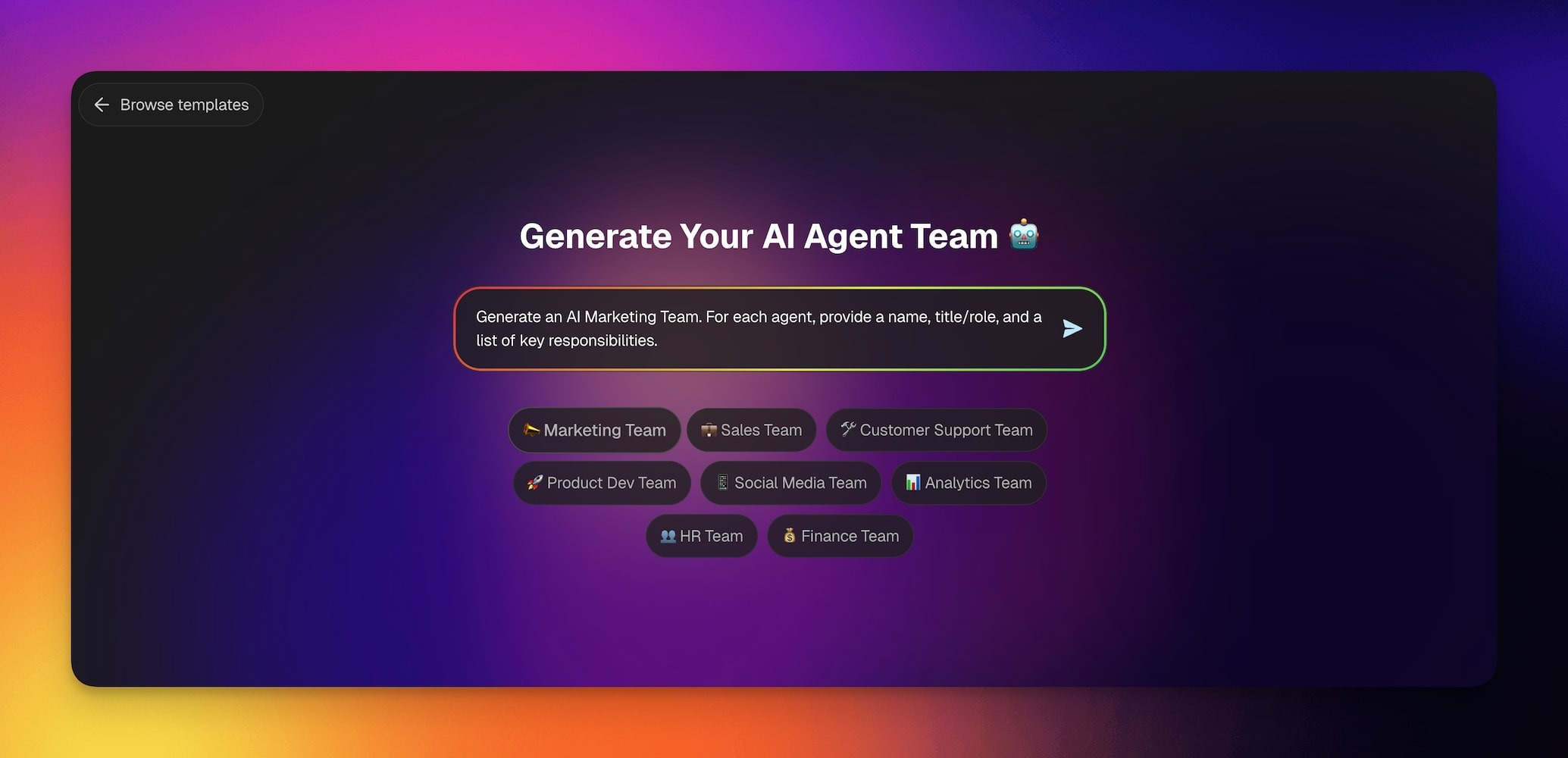
- Hit ⌨️ Enter and let the generator do the rest.
Ask Taskade EVE to Assemble a Team
There are two prompt-driven ways to end up with a team, and they start from opposite ends.
The AI Team Generator writes a team from scratch: describe the work and it creates brand-new agents to do it. Taskade EVE does the reverse. It groups agents you already have into a team and leaves their setup alone.
Ask for it in plain language in any Taskade EVE chat:
“Group my SEO Writer, Researcher, and Editor agents into a content team.”
Taskade EVE only groups agents that already live in the workspace you are in, so it can never pull one in from somewhere else. If an agent you named does not exist yet, ask Taskade EVE to create it first, then ask for the team.
A team Taskade EVE assembles behaves exactly like one you build by hand. It lands in the same AI Teams tab, you edit it the same way, and it works in team chat, projects, and automations.
| AI Team Generator | Taskade EVE | |
|---|---|---|
| Where you start | The AI Teams tab | Any Taskade EVE chat |
| What it does with agents | Creates new ones | Groups ones you already have |
| Reach for it when | You are starting from nothing | Your specialists already exist |
Assembling a team needs the same permission as creating an agent by hand. If your role in the workspace cannot create agents, Taskade EVE tells you so rather than quietly doing nothing.
Plan availability
AI Teams are available on Pro and above. That covers every route to a team: generating one from a prompt, creating one by hand, and asking Taskade EVE to assemble one. Free and Starter workspaces can still use single custom agents and the Agent Generator. See pricing for the full plan matrix.
Edit AI Teams
Every generated team is fully editable: swap agents, tweak roles, or hand-tune individual personas without regenerating from scratch.
To edit an existing AI Team:
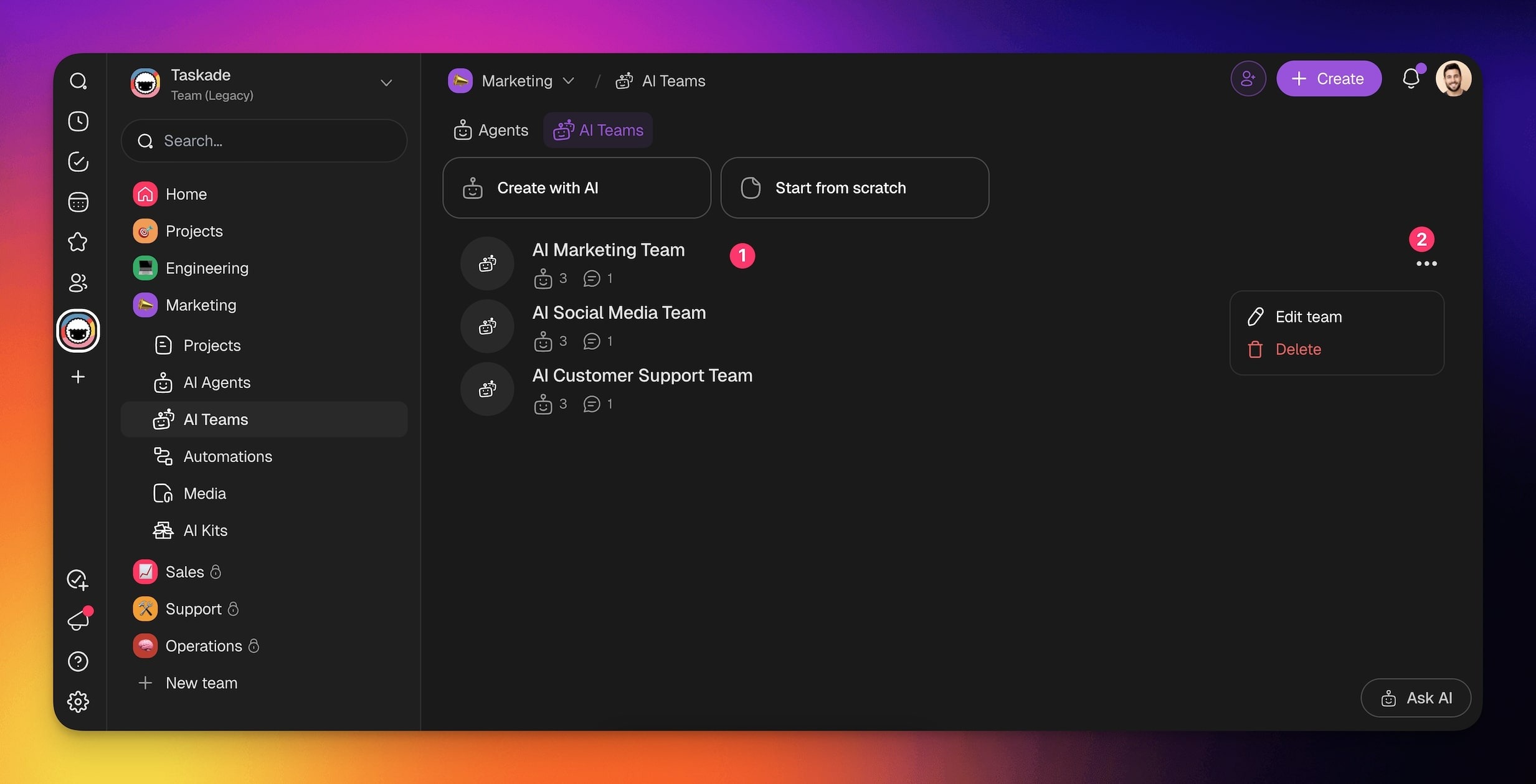
- Go to the AI Teams tab in your workspace/team.
- Hover the mouse cursor over the team you want to update.
- Click ··· → ✏️ Edit button on the right.
From here, you can modify:
- Remove agents from the team.
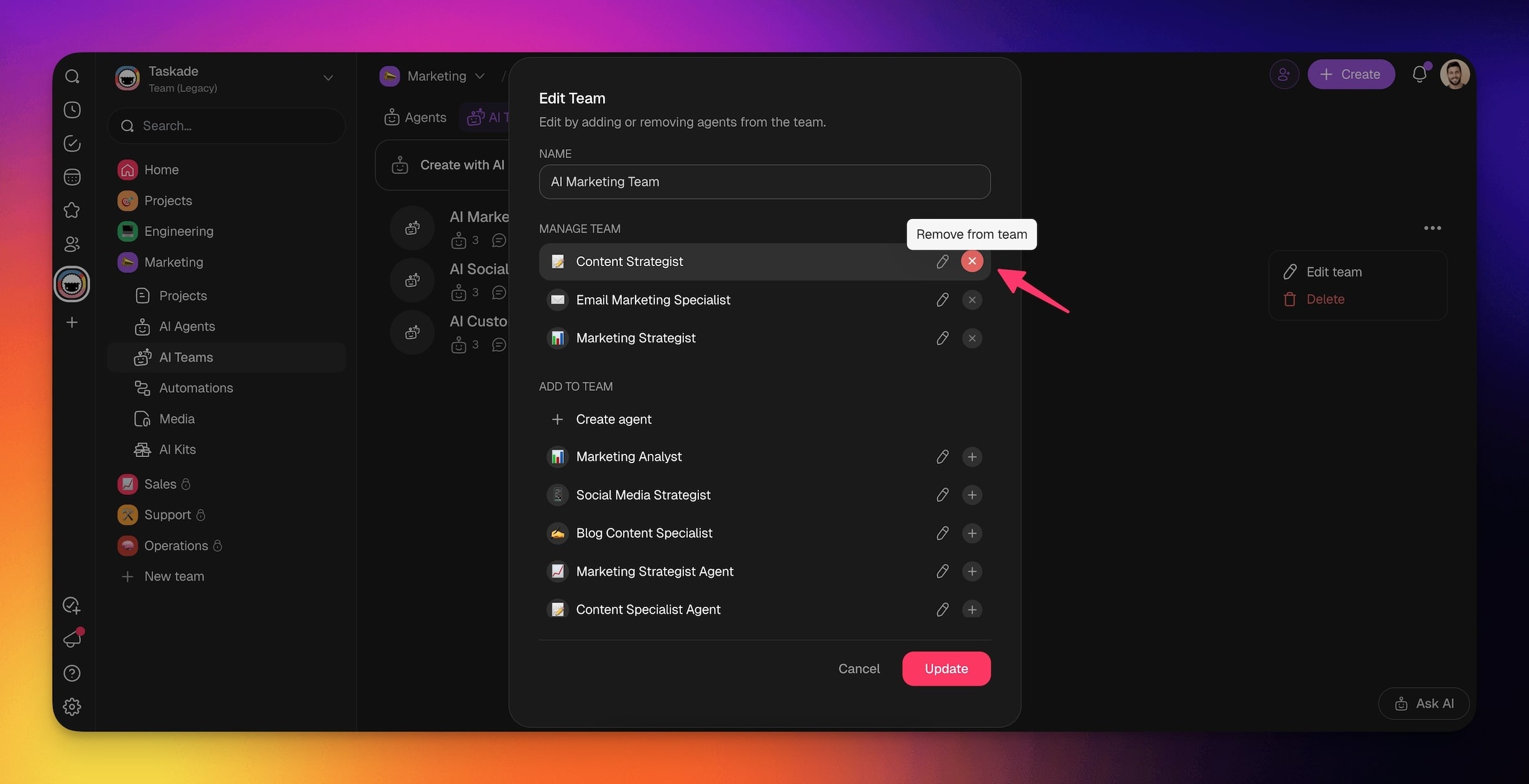
- Add new agents to the team.
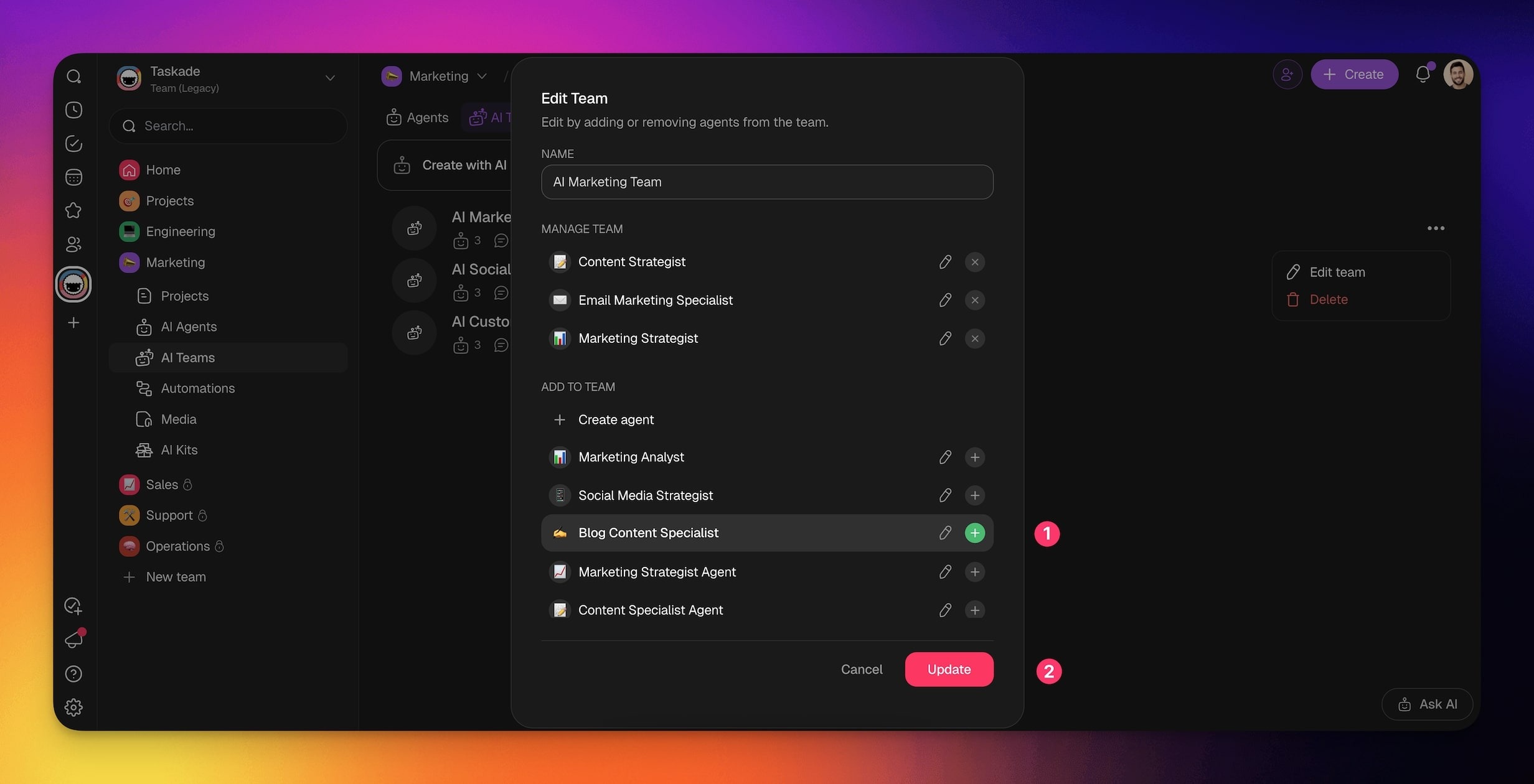
- Edit individual AI agents.
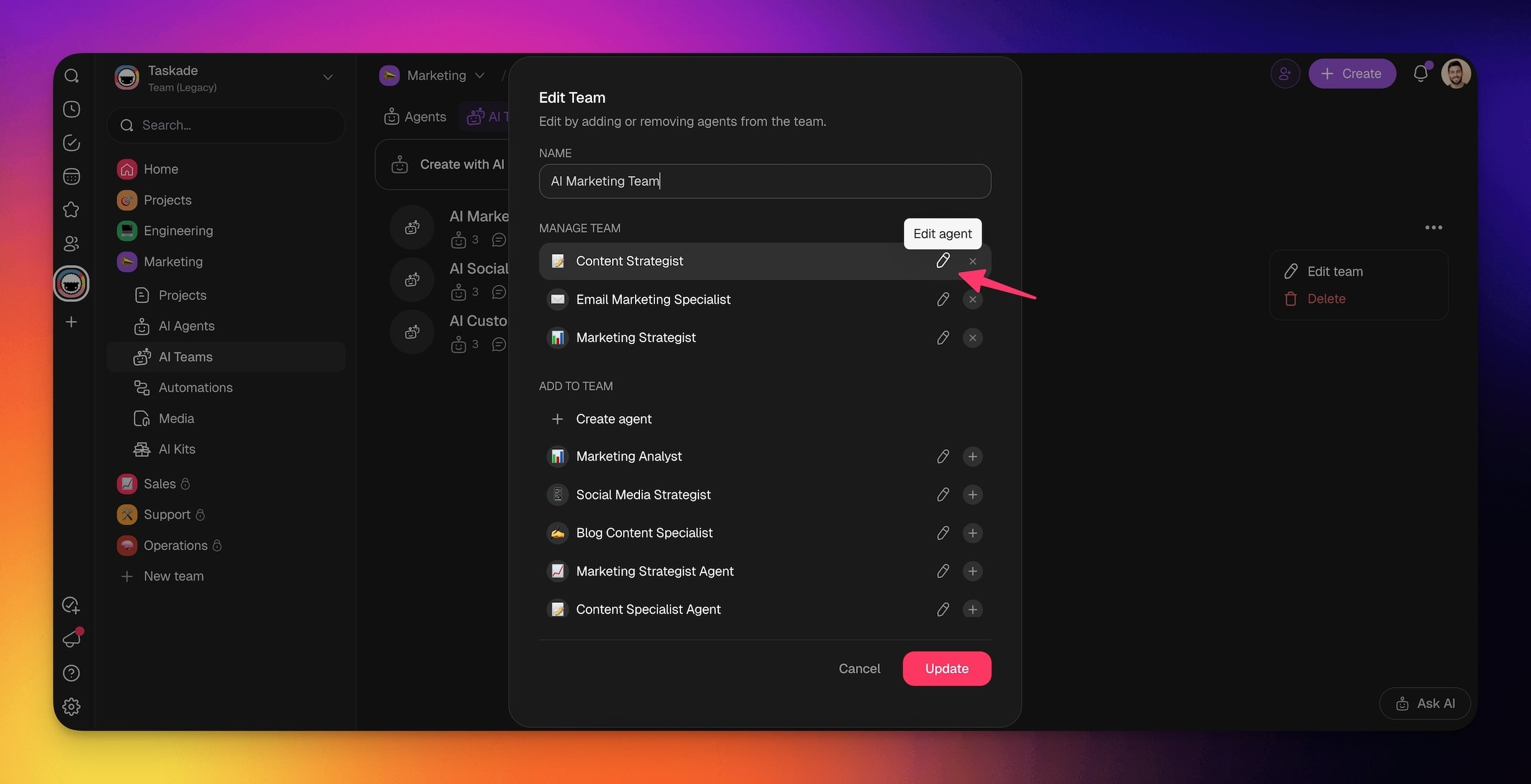
💡 Note: You can change the name of your AI Team at any time.
Use Your New AI Team
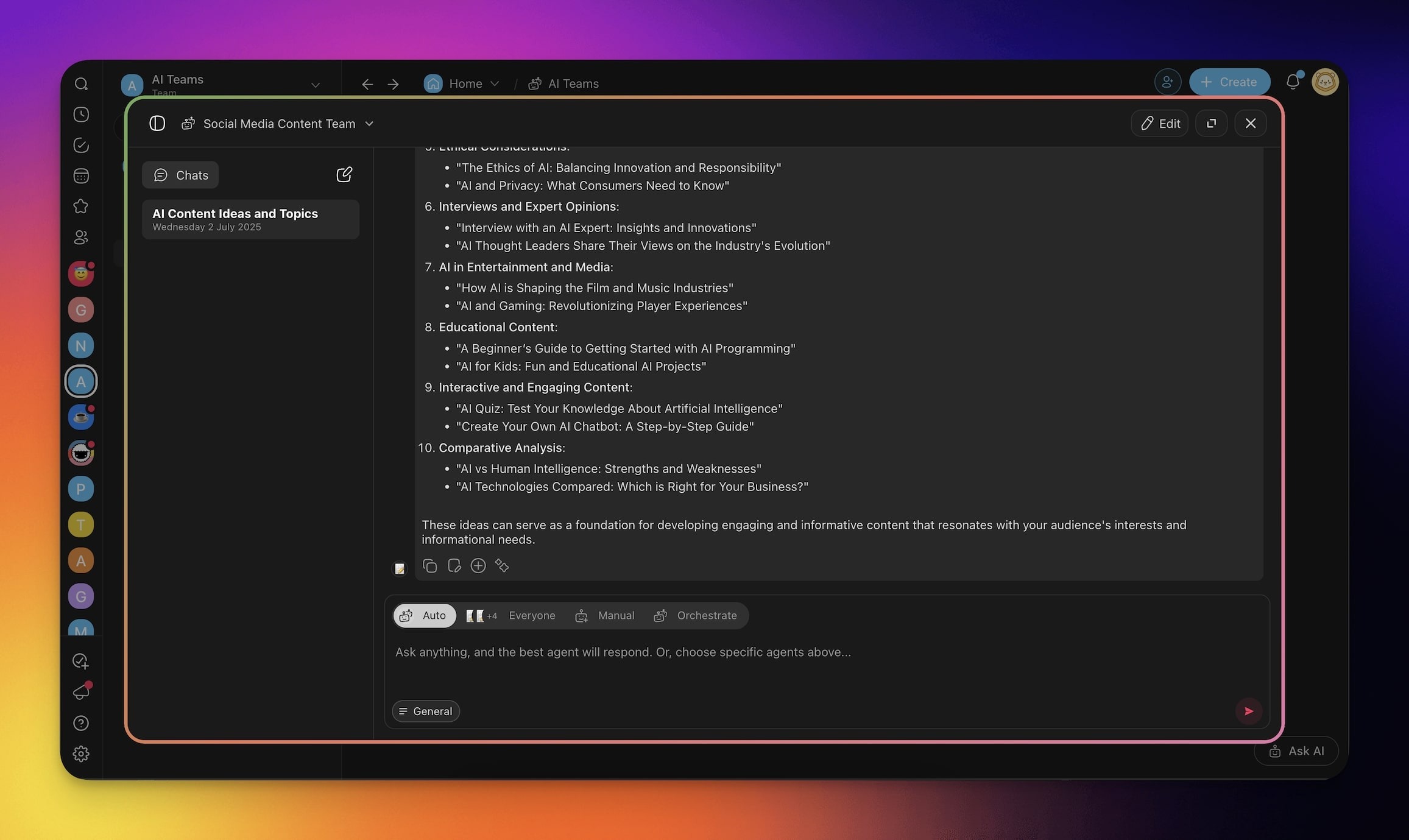
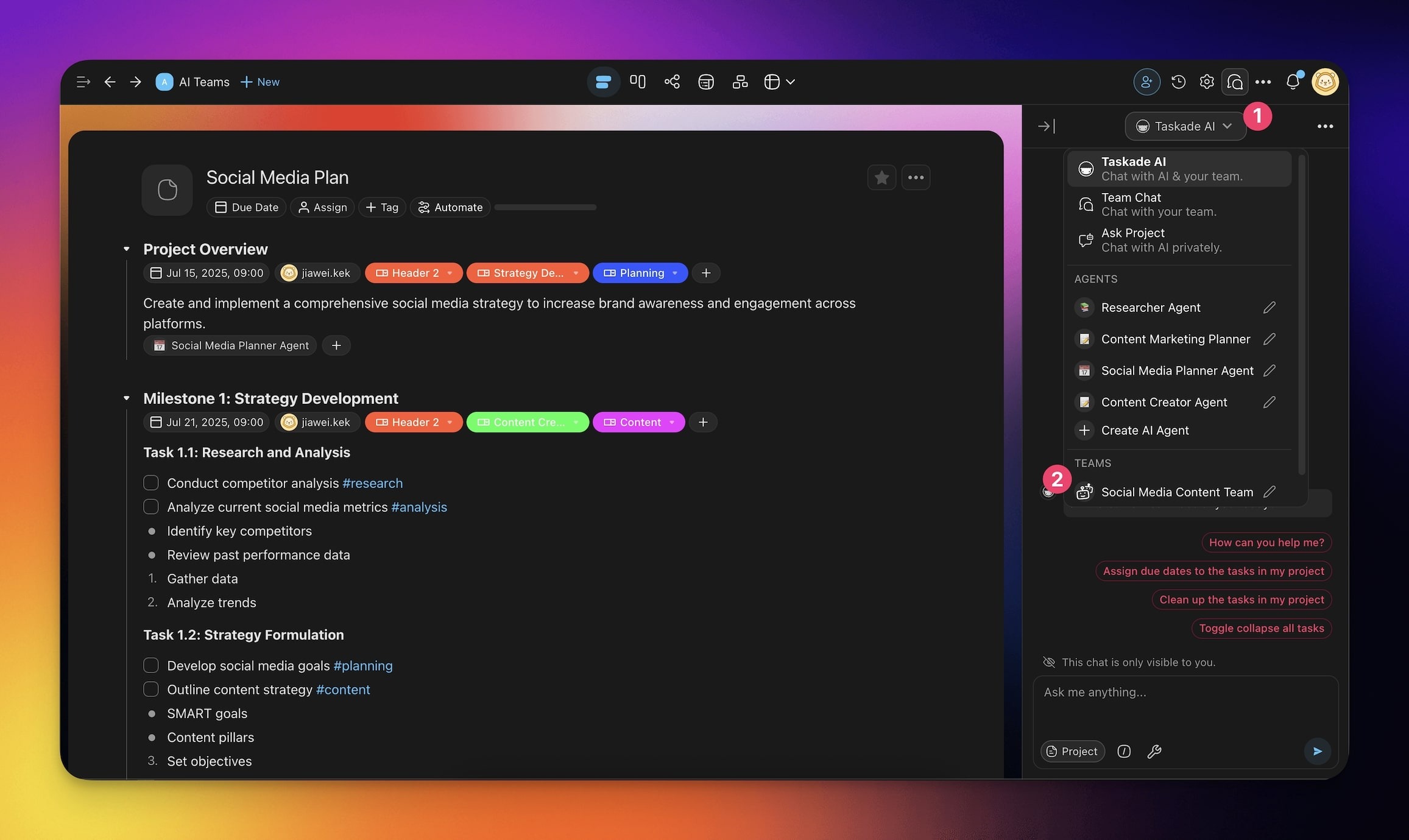
Generated teams plug into four surfaces immediately: team chat, project chat, task assignment, and automation actions, so the same team can answer questions, run work, and trigger downstream flows.
💡 Note: Visit this guide to make the most of AI Team interactions.
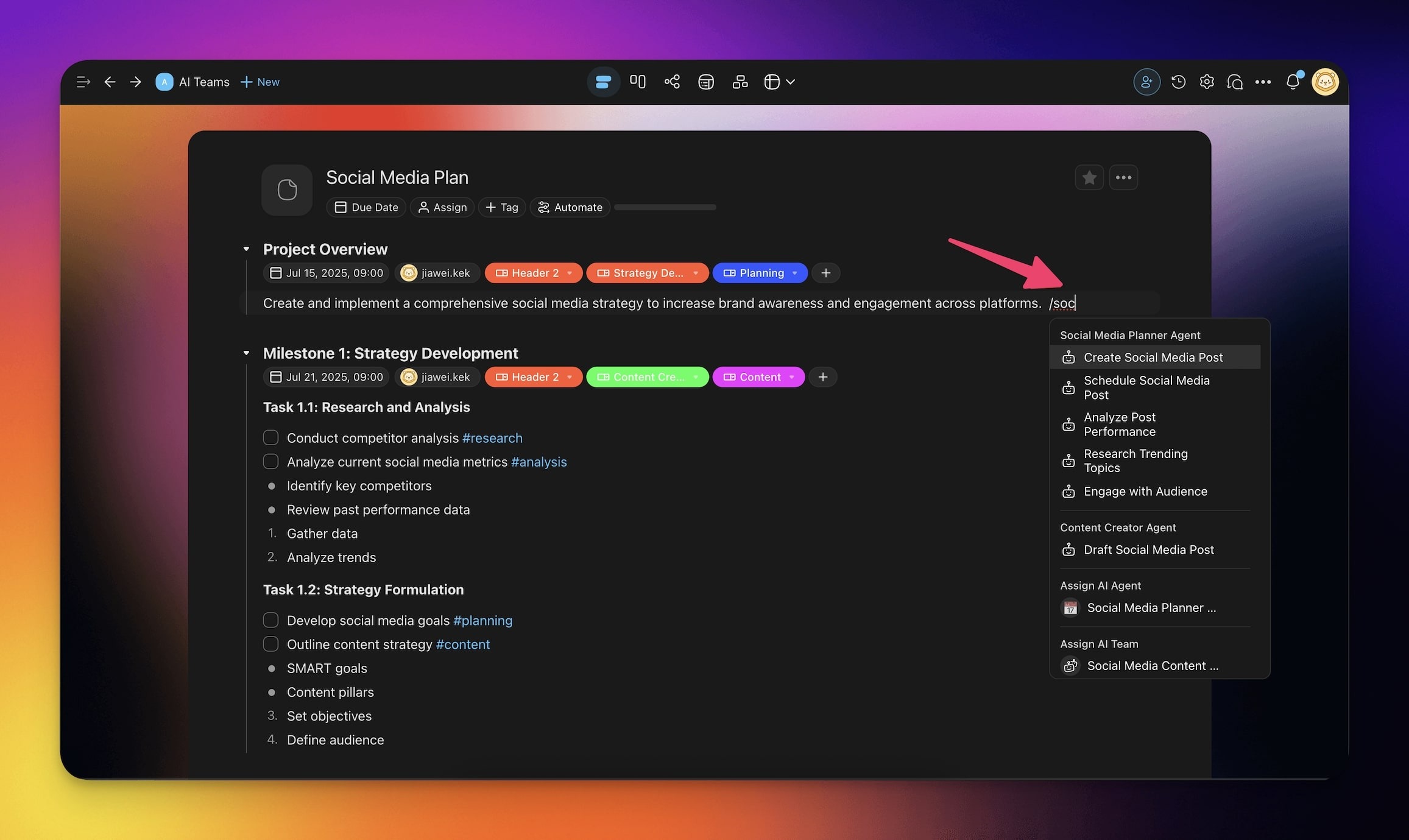
- Chat in the AI Teams Tab.
- Chat in projects.
- Assign AI teams to tasks.
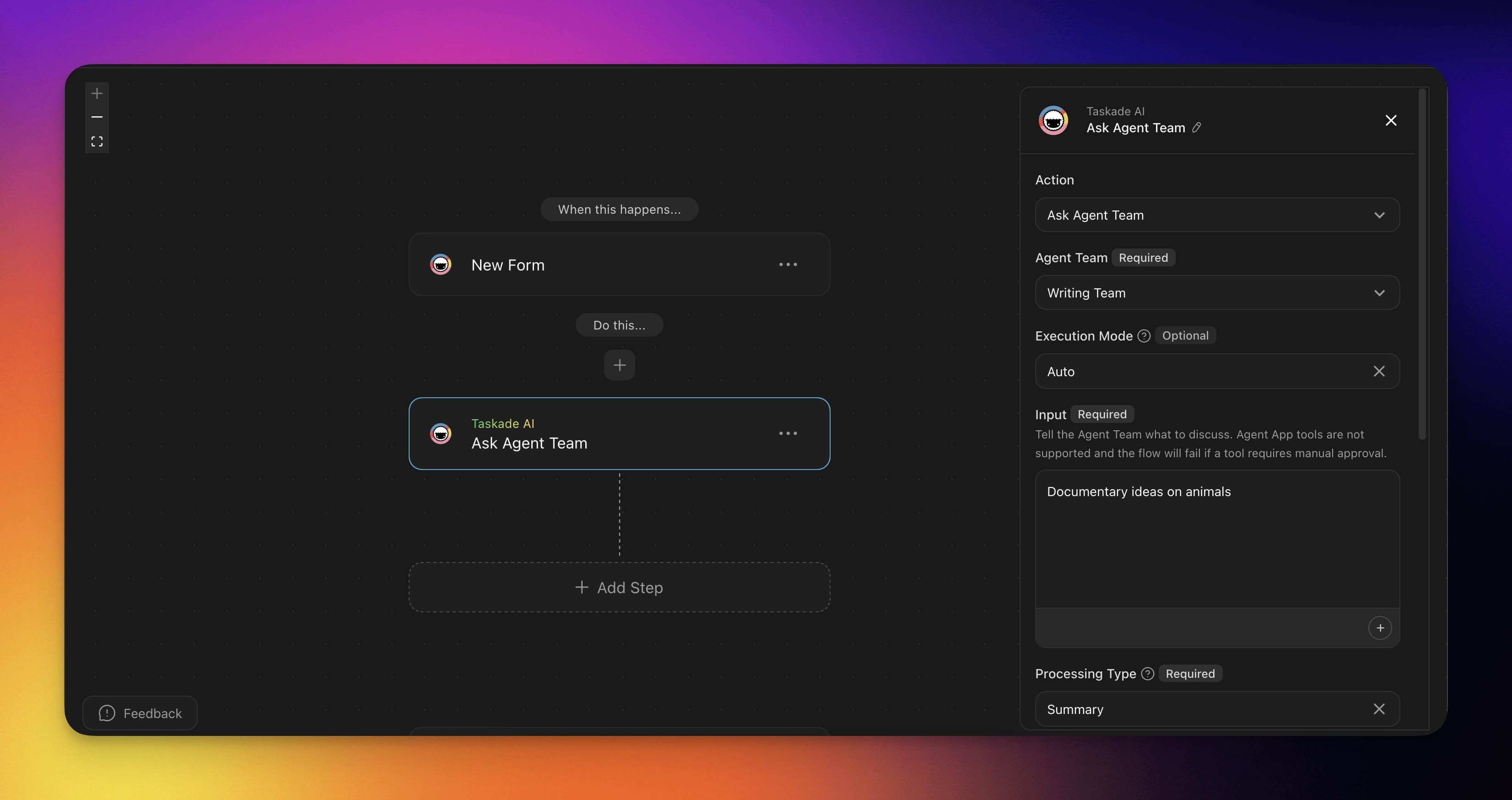
- Use the Ask Agent Team action in your automation flows.
Related guides
- AI Teams: Manage and use generated teams
- Agent Generator: Text-to-single-agent
- Multi-Agents: How multi-agent collaboration actually works
- Team Chat: Chat with a team in real time
- Ask Agent Team action: Call a team from automations