
Using Bulk AI Commands
The AI Assistant features bulk commands that allow you to edit multiple tasks at the same time. Instead of running the same AI action a hundred times on a hundred rows, select them all and apply the action once.
TL;DR: Select many tasks at once, then apply one AI action to all of them from the Multi-Select Toolbar. Built-in commands cover research, summarize, prioritize, rewrite, outline, and grammar fixes. You can also run your own Custom AI Agents commands across a whole selection.
- Click & hold the left mouse button to select the first task.
- Drag the cursor to select more tasks/nodes.
- The Multi-Select Toolbar will appear at the bottom of the page
- Click the ✨ AI assistant button, and select one of the bulk commands.
💡 Note: Visit Taskade AI Assistant to learn more.
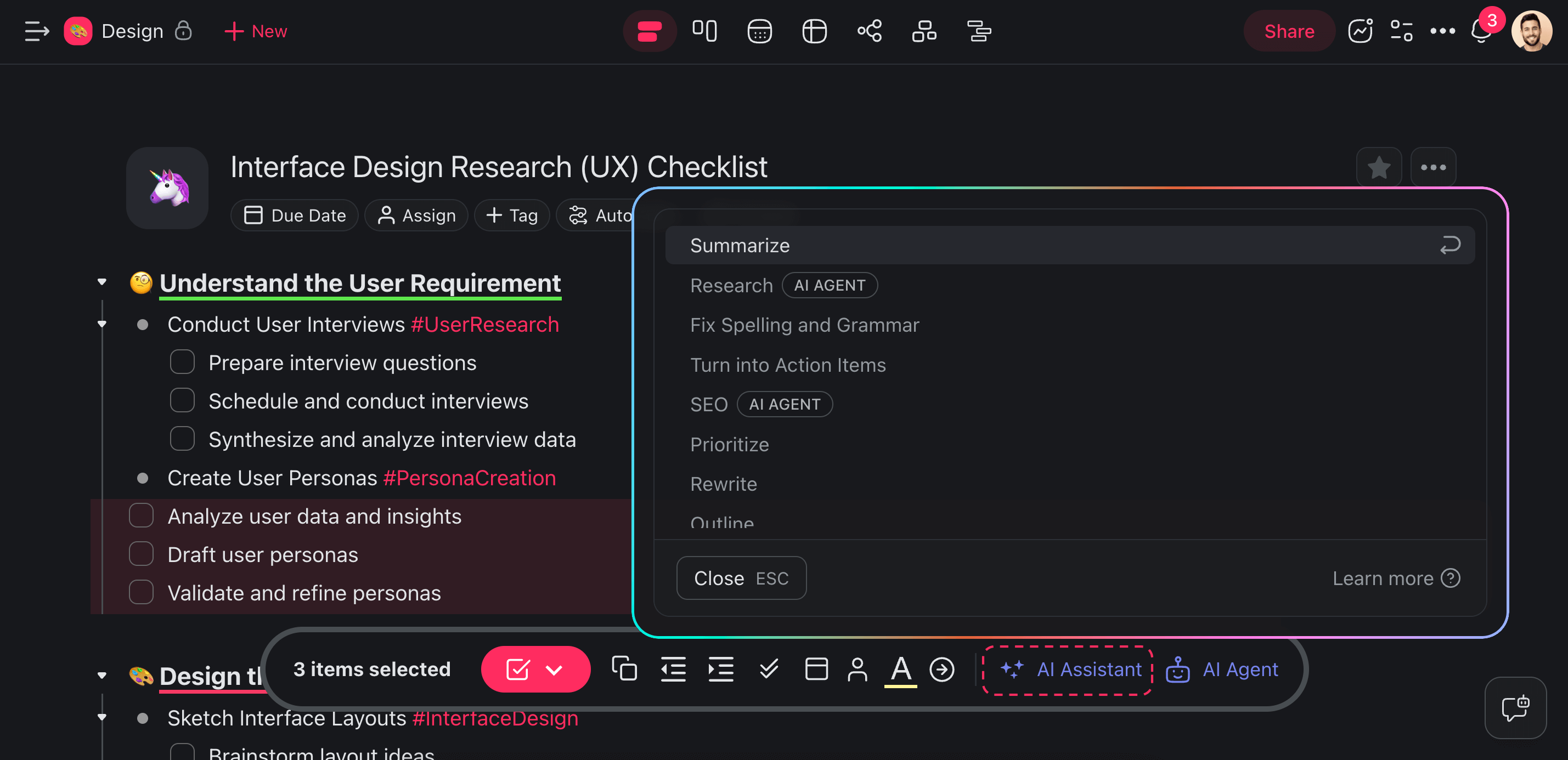
List of Bulk AI Commands
| ⌨️ Command | ➡️ Action |
|---|---|
| 🟪 Research (agent) | Search the web to learn about any topic. |
| 🟪 SEO (agent) | Fetch top Google Search results. |
| 🟠 Summarize | Shrink down long discussions or notes. |
| 🟤 Turn into Action Items | Turn your ideas into actionable steps. |
| 🟡 Prioritize | Prioritize tasks based on importance. |
| 🔴 Continue Writing | Sort out what needs your attention first. |
| ⚪️ Brainstorm | Develop your ideas in seconds. |
| 🔵 Rewrite | Refine your words for clarity and impact |
| 🟢 Outline | Turn your ideas into a structured plan. |
| 🟥 Fix Spelling and Grammar | Edit out spelling and grammar mistakes. |
Use Bulk AI Agent Commands
You can now use your custom AI Agent commands with multiple tasks or paragraphs.
Create a new agent or use a template (visit this article to learn how).
Go to the Commands tab in the agent editor.
Click ➕ New command and define the prompts:
- 🔤 Name: Choose a name that will pop up when you type / + "command name".
- ⏩ Prompt: Define the behavior of the custom command.
Click Create to save the changes.
Go to your project and select multiple tasks/paragraphs.
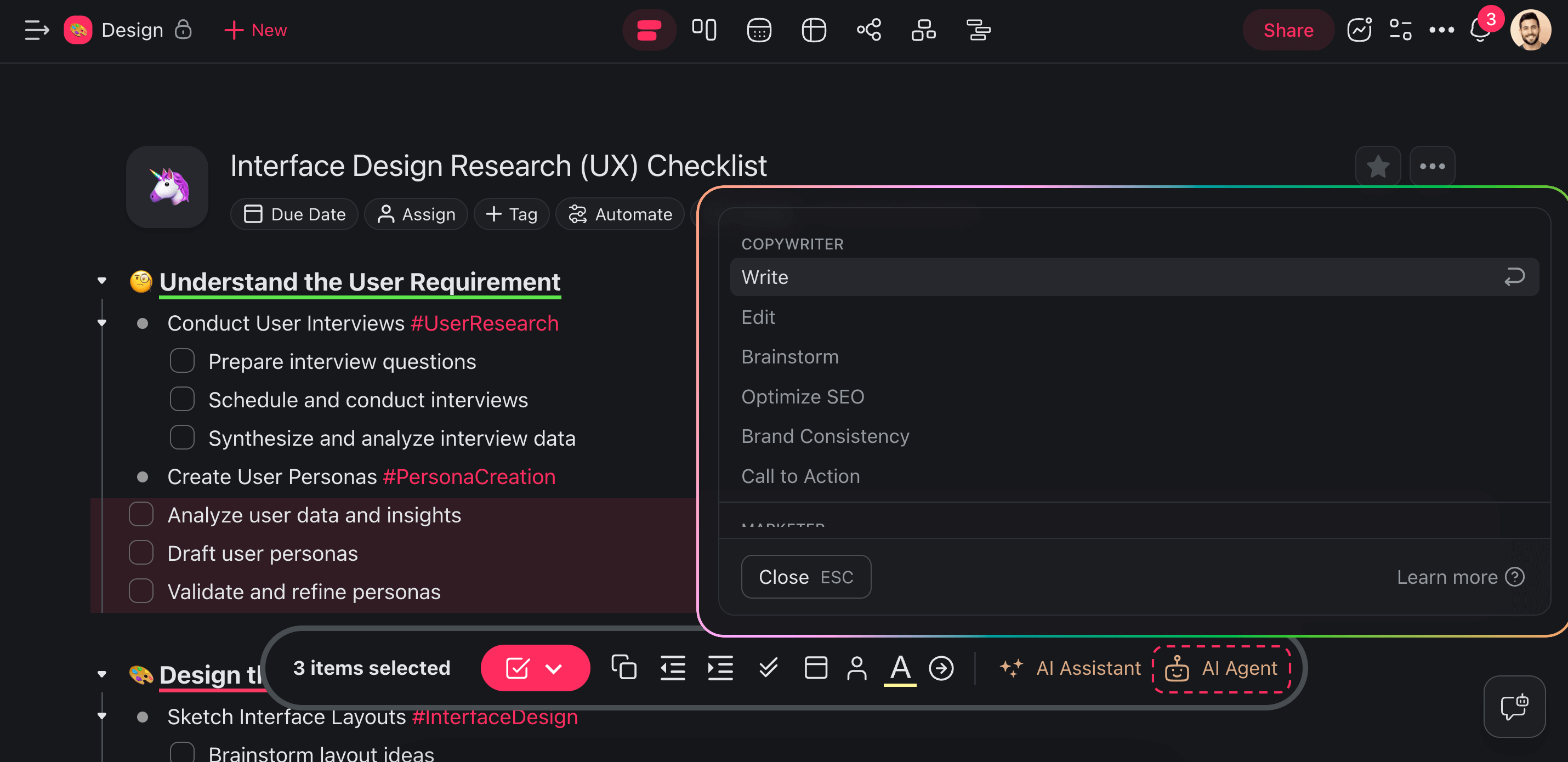
Click the 🤖 AI Agent button in the main toolbar.
Choose a custom command from the list.
💡 Note: Visit Custom AI Agents to learn more.
Related guides
- Custom AI Agents. Create agents with custom bulk commands.
- Spreadsheet AI. Bulk operations on tabular data.
- Tools for AI Agents. Agent tools triggered in bulk.
- Multi-select & Bulk Ops. Non-AI bulk operations.
- Categorize with AI. Auto-categorize in bulk via automation.