
Definition: Agent orchestration is the coordination of multiple AI agents working together on one goal. Like an orchestra conductor, orchestration makes sure each agent plays its part at the right time so the work adds up to a single result instead of a pile of disconnected chats.
TL;DR: Agent orchestration coordinates a team of AI agents on one goal using five patterns: sequential, parallel, group chat, handoff, and hierarchical. In Taskade Genesis you switch on orchestration mode for an agent team, and a manager agent plans, delegates to specialists, and runs a review step. Agents share built-in tools and 15+ frontier models. Build an agent team free
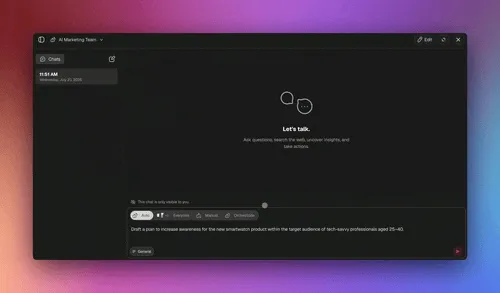
In Taskade Genesis, orchestration is a working mode you can switch on for any agent team: a manager agent plans the steps, delegates each step to the right specialist, then runs a review step before the work is marked complete. Instead of one agent trying to do everything, you get a planned hand-off chain where each specialized agent contributes its strength, and you can keep a human in the loop at any checkpoint.
Orchestration Mode at a Glance
┌─ Orchestration Mode ─────────────────────── Manager: Taskade EVE ─┐
│  Goal: "Publish a competitor research brief"                       │
├───────────────────────────────────────────────────────────────────┤
│  PLAN                                                              │
│   1. Gather sources          → Research Agent      [ web search ]  │
│   2. Extract key findings     → Analysis Agent      [ file tools ] │
│   3. Draft the brief          → Writing Agent       [ memory ]     │
│   4. Fact-check & polish      → Review Agent        [ web search ] │
├───────────────────────────────────────────────────────────────────┤
│  RUN                                                               │
│   [✓] Step 1  Research Agent ...... done   12 sources             │
│   [✓] Step 2  Analysis Agent ..... done   9 findings             │
│   [~] Step 3  Writing Agent ...... running                        │
│   [ ] Step 4  Review Agent ....... queued                         │
├───────────────────────────────────────────────────────────────────┤
│  REVIEW STEP                                                       │
│   Manager checks Step 3 output ▸ approve / send back / ask human   │
└───────────────────────────────────────────────────────────────────┘
The manager (Taskade EVE) keeps the plan, the run order, and the review checkpoint in one project, so you can watch every hand-off instead of guessing what each agent did.
The Five Agent Orchestration Patterns
Almost every multi-agent system is built from five canonical patterns. They differ in one thing: who acts, and when. Learn the five and you can describe any orchestration, whether you build it in code or switch it on in Taskade.
1. Sequential. Agent A hands to Agent B hands to Agent C, like an assembly line. Each agent's output feeds the next.
Use when: the work has clear ordered stages and each step needs the previous step's result.
In Taskade: a research agent gathers sources, then an analysis agent turns them into findings, then a writing agent drafts the brief.
2. Parallel (concurrent). Several agents work at the same time on the same goal, and their results are merged at the end.
Use when: subtasks are independent and you want speed, or several viewpoints on one question.
In Taskade: three research agents each take a slice of the sources and hand their notes back to be combined. See parallelization for this pattern on its own.
3. Group chat. Agents share one conversation and take turns, building on and critiquing each other until they reach a result.
Use when: the task improves with debate, review, or consensus among peers.
In Taskade: a writing agent drafts, a reviewer agent critiques, and the two iterate in the same thread until the draft holds up.
4. Handoff (routing). One agent inspects the request and passes control to the specialist best suited to it. Control moves; it does not fan out.
Use when: the right agent depends on what the request is, and you want dynamic routing instead of a fixed order.
In Taskade: a triage agent reads an incoming request and hands it to the sales, support, or billing specialist. See routing for the handoff pattern in depth.
5. Hierarchical (manager / worker). A manager agent plans the steps, delegates each to a specialist, and runs a review step before the work ships.
Use when: a multi-step goal needs a plan, delegation, and a quality gate in one place.
In Taskade: the manager (Taskade EVE) runs the whole agent team in orchestration mode, exactly like the run above.
Which Pattern Should You Use?
Match the shape of your work to a pattern. This is the decision that matters most before you assemble a team.
| Pattern | Your work looks like | Who acts | Taskade example |
|---|---|---|---|
| Sequential | Ordered stages, each needs the last one's output | One agent at a time, in order | Research, then analysis, then draft |
| Parallel | Independent subtasks you want done at once | Many agents at the same time | Three agents split the sources |
| Group chat | Needs debate, critique, or consensus | Agents share one thread, taking turns | Writer and reviewer iterate |
| Handoff | The right specialist depends on the request | One agent routes to another | Triage sends to the right expert |
| Hierarchical | A multi-step goal needing a plan and a review | A manager plans, delegates, checks | Taskade EVE runs the team |
Most real workflows combine a few. A hierarchical manager often delegates a sequential chain, and can fan a step out in parallel or send it into a group-chat review before approving it.
The Conductor: Taskade EVE
Taskade EVE is the manager in a hierarchical orchestration. It coordinates the team so that:
- the right agent takes the right task,
- actions run in the right sequence,
- information flows between agents,
- conflicts are resolved, and
- results are synthesized into one deliverable.
How Agents Share State: the Memory Graph
Patterns describe who acts and when. They do not answer a harder question: how does one agent know what another already did? In Taskade, agents coordinate through a shared memory graph rather than by copying context between chats. Every project, note, and result an agent writes becomes part of the workspace's connected memory, and any agent on the team can read it on its next step.
This is the Memory pillar of the Living Trinity, Taskade's Workspace DNA of Memory, Intelligence, and Execution working as one loop. Because the plan, the intermediate results, and the review all live in the same project, a hierarchical orchestrator can delegate to specialists without losing the thread.
The manager assigns each step; every agent reads from and writes to the same memory graph, so context carries forward without manual copy-paste.
How a Run Flows
When you press start in orchestration mode, the manager plans, delegates, and reviews each step in order. This sequence shows one full hand-off cycle with a review gate before the result ships:
The same flow underpins both multi-agent teams and agent collaboration. Orchestration mode just makes the plan, the delegation, and the review step explicit and visible.
Orchestration Mode vs a Single Agent
| Capability | Single Agent | Orchestration Mode |
|---|---|---|
| Planning | One agent improvises | Manager agent plans ordered steps |
| Task assignment | Same agent does everything | Each step delegated to a specialist |
| Review before finishing | None built in | Dedicated review step before delivery |
| Tool access | built-in tools | built-in tools, shared across the team |
| Model choice | 1 model | 15+ frontier models from OpenAI, Anthropic, Google, and open-weight providers |
| Best for | Quick, focused tasks | Multi-step work spanning research, analysis, and writing |
| Human checkpoints | Optional | Optional at any step (see human in the loop) |
How the Patterns Map Across Tools
These patterns are not unique to Taskade. Code-first agent frameworks expose the same ideas; you just assemble them differently.
| Approach | How you build the patterns | Best for |
|---|---|---|
| Code frameworks (LangGraph, CrewAI, Microsoft Agent Framework) | Define the graph, the roles, and the hand-offs in code | Engineering teams who want full programmatic control |
| Taskade Genesis | Assemble an agent team and switch on orchestration mode, no code | Teams who want working multi-agent orchestration without writing the loop |
The pattern vocabulary is shared. Taskade's difference is that the manager, the delegation, the review step, and the shared memory are all visible in one project instead of living in code you maintain. For the broader concept, see orchestration and multi-agent systems.
Real-World Examples
Research brief (hierarchical plus sequential): a Research Agent gathers information, then an Analysis Agent processes the data, then a Writing Agent creates the report, then a Review Agent checks quality, with Taskade EVE coordinating every hand-off.
Customer onboarding (handoff): a Sales Agent qualifies the customer, an Onboarding Agent guides setup, a Support Agent answers questions, and a Success Agent monitors progress, with Taskade EVE routing each stage to the right specialist.
Frequently Asked Questions
What is agent orchestration in Taskade Genesis?
Agent orchestration is a working mode where a manager agent coordinates a team of AI agents on one goal. The manager (Taskade EVE) plans the steps, delegates each step to the right specialist, and runs a review step before the work is finished. It turns several agents into a single, planned workflow instead of a set of disconnected chats.
What are the main agent orchestration patterns?
There are five canonical patterns. Sequential runs agents in order, each feeding the next. Parallel runs agents at the same time and merges the results. Group chat lets agents debate and refine in one shared thread. Handoff routes a request to the specialist best suited to it. Hierarchical uses a manager agent to plan, delegate, and review. Most workflows combine a few of these.
What is the difference between the handoff and hierarchical patterns?
In a handoff, one agent passes full control to another and steps back, so exactly one agent is working at a time and there is no central owner. In a hierarchical pattern, a manager agent keeps ownership: it plans the steps, delegates each to a specialist, collects the results, and runs a review before delivering. Handoff is routing; hierarchical is managing.
How does orchestration mode delegate work to specialists?
The manager agent breaks your goal into ordered steps and assigns each step to the specialized agent best suited for it: a research agent for sourcing, an analysis agent for findings, a writing agent for the draft. Each specialist runs with the same built-in tools and can use any of 15+ frontier models. Results flow back to the manager, who passes them to the next step.
What does the review step do?
The review step is a checkpoint the manager runs after a specialist returns its result. The manager evaluates the output against the goal and either approves it, sends it back for another pass, or pauses for a human to weigh in. This is how orchestration keeps multi-step work on track without you watching every individual action.
Do orchestrated agents share memory?
Yes. Agents on an orchestrated team coordinate through a shared memory graph rather than by copying context between chats. The plan, the intermediate results, and the review all live in the same project, so any agent can read what the others produced on its next step. This is the Memory pillar of the Living Trinity.
Can I keep a human in the loop during orchestration?
Yes. You can add a human checkpoint at any step, so a person approves, edits, or redirects the work before the team continues. See human in the loop for how approval gates fit into an orchestrated run.
How is orchestration different from a multi-agent team?
A multi-agent team is the group of agents you assemble; orchestration mode is how that team works together on a single goal. Orchestration adds the explicit plan, the step-by-step delegation, and the review step on top of the team, making the hand-offs visible and ordered rather than ad hoc.
Is Taskade an alternative to LangGraph or CrewAI?
Yes, for teams who want multi-agent orchestration without writing code. LangGraph, CrewAI, and Microsoft Agent Framework are code-first: you define the agents, the graph, and the hand-offs in a programming language. Taskade Genesis gives you the same patterns (sequential, parallel, group chat, handoff, hierarchical) as a working mode you switch on for an agent team, with the plan and review visible in one project. Choose a code framework when you need full programmatic control; choose Taskade when you want orchestration running today without maintaining the loop yourself.
Do orchestrated agents connect to my other tools?
Yes. Agents in an orchestrated team can read from and act on your connected apps through 100+ bidirectional integrations and reliable automation workflows. Triggers pull events in and actions push data out, so an orchestrated run can fetch real data, work on it, and send results back out. See the Automate hub for how automations link into agent work.
Related
- Multi-Agent Teams assembles the team that orchestration coordinates.
- Orchestration covers the broader concept behind these patterns.
- Routing is the handoff pattern in depth.
- Parallelization is the parallel pattern in depth.
- Specialized Agents are the experts a manager delegates to.
- Agent Collaboration is how agents pass context to each other.
- Human in the Loop adds approval checkpoints to a run.
- Multi-Agent Systems and Agentic AI give the wider context.
- Taskade EVE is the meta-agent that acts as the orchestration manager.
- Hubs: AI Agents · Automation
- Learn Taskade: Build multi-agent teams · Agent tools
- Tutorial: How to build an AI agent team (no code)