






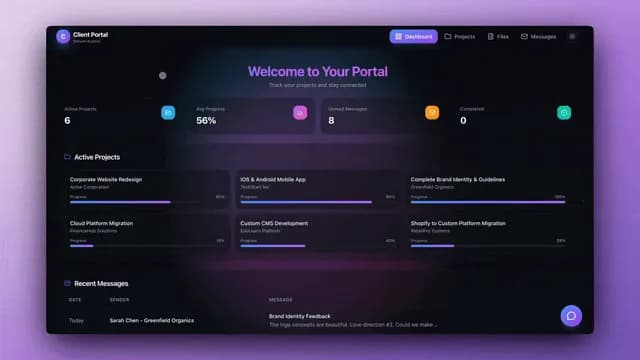
Getting paid starts one step earlier than most people think. It starts at the hour: a row that knows which client it belongs to and what that client's rate is. Once every hour carries those two facts, the invoice is arithmetic your workspace can do on its own, and "get paid for everything you actually did" stops being a monthly reconstruction exercise.
An Hour Becomes an Invoice in Four Moves
The full path from logged time to money in the bank is four moves: capture the hour, attach the client and rate, approve the period, raise the invoice. Every tool in this category does move one. What decides whether you get paid for your whole month is whether moves two through four happen automatically or get rebuilt by hand every thirty days.
Notice the last edge. When the row flips to Paid, the workspace keeps the rate, the turnaround, and the client's payment history, so the next quote you write starts from evidence instead of memory. That loop is Workspace DNA doing its job: Memory feeds Intelligence, Intelligence triggers Execution, Execution writes new Memory.
Start With a Live Kit, Not a Blank Page
The fastest way to own this workflow is to clone something that already runs. Each app below is live in the Taskade Community. Opening one shows you exactly how it is wired; cloning gives you the whole build to rename and rewire, not a template screenshot.
| Clone this | What you get on day one |
|---|---|
| Time Tracker Tool → | Log an hour against a client and a rate, and watch the billable total roll up as you go. |
| Invoice Generator → | Turn a short form into a branded invoice PDF, email it, and log the amount to a revenue table. |
| Finance Tracker Dashboard → | One view of what is paid, due, and overdue across every client. |
| Client Portal → | Give each client a sign-in where they see their own hours and invoices. |
| Meeting Cost Calculator → | Price the meetings that are eating the hours you meant to bill. |
Start with the Time Tracker and add the Invoice Generator when you are ready to close the loop. If you would rather describe your own from scratch, the dashboard generator and AI app builder are the two entry points, and building your first app walks it end to end.
Your Rate and Your Billable Share Set the Ceiling
Your income ceiling is your effective rate multiplied by the hours you can genuinely sell, and the second number is almost always lower than the number of hours you work. A 160-hour month at a 60 percent billable share leaves 96 sellable hours. Price against 160 and you will miss the target by a third no matter how hard the month felt.
   BILLABLE MATH  (one person, one month)   Target monthly revenue          $12,000
Working hours in the month          160
Realistic billable share            60%   ->   96 hours
─────────────────────
Required effective rate      $12,000 / 96   =   $125/hr
   Log 96 hours at $125 .............. $12,000    on target
Log 96, invoice only 78 ........... $ 9,750    the gap is untracked work
Raise the share to 70% (112 hrs) .. $14,000    same rate, more sold
The bottom two lines are the whole argument for tracking in the same place you bill. The 18-hour gap is not laziness; it is work that happened in a call, a review, or a scope change that never became a row. When logging an hour takes one tap inside the workspace where the client already lives, the gap closes on its own. The Meeting Cost Calculator attacks the same math from the other end by pricing the hours meetings quietly consume.
Four of the Views Do Real Work Here
Taskade ships multiple project views over the same data: List, Board, Calendar, Table, Mind Map, Gantt, and Org Chart. Switching a view never copies anything, so the same time entries are a spreadsheet, a calendar, and a pipeline depending on what you need at that moment.
| View | What it does for billing |
|---|---|
| Table | Every entry as a row with date, client, hours, rate, and status, summed per client. |
| Calendar | Where the week actually went, which is where you find the unlogged hours. |
| Board | Drag entries from Draft to Approved to Invoiced before the period closes. |
| Gantt | The delivery timeline the hours are being spent against, timeline bars included. |
Table view is the one you will live in. The full view reference covers the rest, and this finance dashboard build shows how the same rows become a revenue chart.
One Workspace Replaces the Timer, the Spreadsheet, and the Billing Tool
A three-tool stack loses information at every boundary, because each handoff is a human copying numbers. One workspace keeps the hour, the rate, the invoice, and the payment on the same record, which is why the totals stay trustworthy at month end.
| Where the work lands | Timer app + spreadsheet + billing tool | One Taskade workspace |
|---|---|---|
| Logging an hour | Timer app, separate login | A row in the project you are already in |
| Rate per client | A tab in the spreadsheet | A field on the client record |
| Billable rollup | Formula re-pasted every month | Table view sums it live |
| Raising the invoice | Copy totals into the billing tool | Automation drafts it on schedule |
| Chasing payment | A reminder in your own calendar | Reminder steps at 7, 14, and 30 days |
| Client visibility | Email a PDF and hope | A published app the client opens |
| What carries forward | Nothing survives the handoff | Rates, pace, and history stay together |
This is the same consolidation argument that makes Taskade a working ClickUp alternative for service teams.
The Automation Raises the Invoice When the Period Closes
A schedule trigger fires on the last day of the billing period, reads the approved time entries for each client, and hands them to an invoice step that drafts and sends the PDF through Gmail or Outlook. Automations run as a bounded loop over the items you point them at, so a monthly run touches this month's rows and then stops.
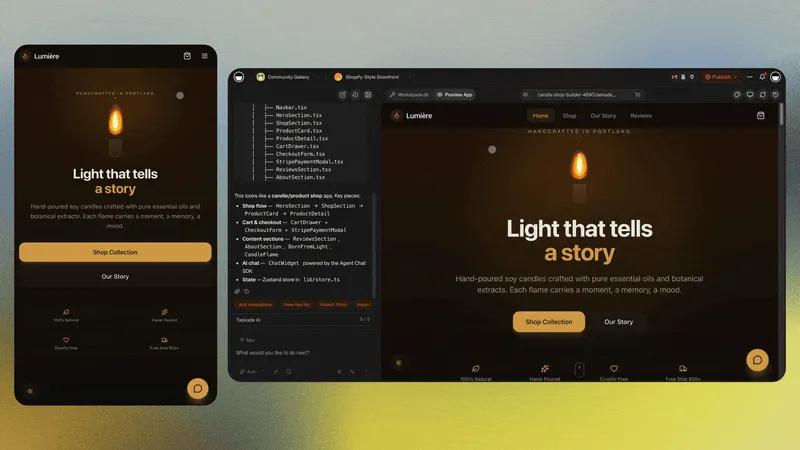
Three steps do most of the work:
- Schedule — fire on the 1st, or on a project completion trigger if you bill per milestone.
- Draft and send — the invoice action builds the PDF and emails it. Automate Invoices, Licenses, and Receipts is the step-by-step build.
- Collect — a Stripe Checkout Session step returns a hosted payment URL you drop into the email or a pay button in the app, with no backend to stand up. When payment lands, the row flips to Paid.
The reminder branch matters more than the send. Unpaid invoices are usually forgotten, not refused, and a nudge at 7, 14, and 30 days recovers most of them without an awkward phone call. Vibe Payments with Stripe and AI Invoice Automation go deeper on the payment half; Estimate to Invoice covers the quote before the first hour, and Automate Accounting and Bookkeeping covers where the numbers go afterward. Browse ready-made automations and Stripe flows, or connect the finance tools you already run through 100+ bidirectional integrations.
Clients Watch Their Own Hours Instead of Emailing You
Publishing the tracker as a client-facing app removes the weekly "where are we at on hours" email entirely. Each client signs in, and you match their entries, running total, and invoice status to that login.
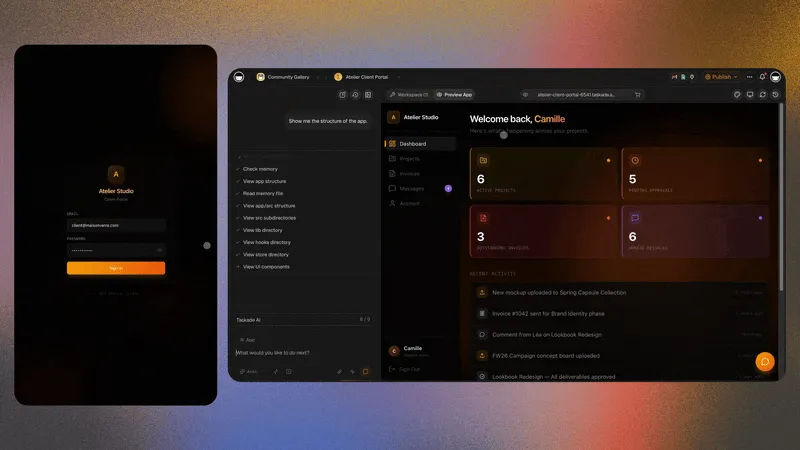
Turn on private per-user data and the server checks every read and write against the signed-in client's identity, so a client sees their own total without seeing another client's entries or touching your rates. App users and sign-in covers the setup. For the wider version of this pattern, see Client Portal Builder, Agency Client Portal Templates, and AI for Agencies. If onboarding is where hours leak, the client onboarding templates are the flow to steal.
Build Your Own in One Prompt
Describe what you want in plain language and Taskade Genesis generates the fields, the views, the app interface, and the automations in one pass. A prompt worth copying:
Build a billable time tracker. Fields: date, client, project, hours,
hourly rate, notes, status (Draft / Approved / Invoiced / Paid).
Table view sums billable value per client for the current month.
Calendar view shows logged hours by day.
On the 1st of each month, draft an invoice per client from Approved
rows, email the PDF, and mark those rows Invoiced.
Publish a client-facing page showing only that client's hours.
Taskade EVE drafts the invoice copy in your own wording, and 15+ frontier models from OpenAI, Anthropic, and open-weight providers sit behind the build, with Auto picking a sensible default. You can ship the first version on the Free plan, which grants 1,000 AI credits at signup plus 5,000 on your first build, a 6,000-credit grant sized to fund one complete app, with further activation milestones on top. Paid plans start at Pro for $10/mo billed annually; Business at $25/mo billed annually adds single sign-on and a custom domain for the published tracker. See full pricing, then Build Finance Apps and Build an AI Dashboard for the surrounding builds.
Ready to own the loop end to end? Start building free →
Frequently Asked Questions
How do I turn tracked hours into an invoice?
Log each hour as a row carrying a date, a client, a duration, and a rate. Table view multiplies duration by rate and sums the billable total per client as you go. When the billing period closes, a scheduled automation reads the approved rows, drafts the invoice, and emails the PDF. Nothing gets copied between tools, because the hour and the invoice live on the same record.
What is the fastest way to start tracking billable time?
Clone a working app instead of starting from an empty page. The Time Tracker Tool and the Invoice Generator are both live, and cloning gives you the full build rather than a screenshot. Rename the clients, swap in your rates, and you have a usable tracker in under fifteen minutes.
Can one workspace replace a timer app, a spreadsheet, and a billing tool?
Yes, and that is the point. Taskade Genesis holds the time entries, the client rates, the rollup, and the invoice automation together, so nothing is re-keyed at a handoff. One workspace keeps the rate, the pace, and the payment history in the same place, which is what makes your next quote more accurate than your last one.
How do I calculate a billable rate that covers my costs?
Divide your target revenue by the hours you can realistically bill, not the hours you work. A 160-hour month at a 60 percent billable share leaves 96 sellable hours, so a $12,000 target needs an effective rate of $125 an hour. Track the billable share alongside the entries and the number stops being a guess.
Which project view is best for reviewing timesheets?
Table view, because it shows every entry as a row with date, client, hours, rate, and status, and sums the column for you. Taskade ships multiple views in total: List, Board, Calendar, Table, Mind Map, Gantt, and Org Chart. Calendar view is the fastest way to see where a week actually went, and Board view is useful for moving entries from Draft to Approved to Invoiced.
Can an automation raise the invoice on its own?
Yes. A schedule trigger fires on the last day of the billing period, the automation reads the approved entries per client, and an invoice action drafts and sends the PDF through Gmail or Outlook. Automations run as a bounded loop over the items you point them at, so a monthly run covers this month's rows and stops. Reminder steps can nudge an unpaid invoice at 7, 14, and 30 days.
Can clients see their own hours without emailing me?
Yes. Publish the tracker as a client-facing app, turn on app sign-in, then switch on private per-user data so each client sees only their own entries, totals, and invoice status. Those sign-ins are managed separately from your workspace seats, so a client never uses a seat and never enters your workspace.
How do I collect payment once the invoice is out?
Add a Stripe Checkout Session step to the automation. It returns a hosted Stripe payment URL you can put straight into the invoice email or behind a pay button in the app, with no backend to build. When the payment lands, the row flips to Paid and the dashboard total updates on its own.
What does this cost to run?
You can build and publish a working tracker on the Free plan, which includes 1,000 AI credits on signup plus 5,000 on your first build, a 6,000-credit grant sized to fund one complete app, with further activation milestones on top. Paid plans start at Pro for $10/mo billed annually. Business at $25/mo billed annually adds single sign-on and custom domains for your published apps.
Do I need to know how to code to build this?
No. You describe the tracker in plain language and Taskade Genesis generates the fields, the views, the interface, and the automations. Taskade EVE drafts the invoice copy in your wording. Everything after that is editing rows and dragging steps, which is why a solo consultant and a ten-person studio can both run this without an engineer.
Can I track hours on my phone?
Yes. The published app runs in a mobile browser and in the Taskade apps, so an hour gets logged where the work ends rather than at a desk hours later. That single habit is usually worth more than any rate increase, because it closes the gap between hours worked and hours invoiced.
Own the Whole Loop
An hour that knows its client and its rate is the smallest unit of getting paid on time. Capture it once, let the rollup and the automation carry it to the invoice, and the month closes itself. Every cycle leaves the workspace knowing more about your rates, your pace, and how fast each client actually pays, so the next quote is sharper than the last.
▲ Memory keeps the rates and the history. ■ Intelligence drafts the invoice. ● Execution sends it and chases the payment.