







Large language models get cheaper per token every quarter, yet many teams watch their monthly API bill climb anyway. The reason is arithmetic: prices fall, but the number of model calls and tokens per task rises faster. The good news: ten well-understood LLM cost optimization techniques can reduce LLM API costs on a typical bill by 80 percent or more without lower output quality.
This guide ranks each technique by typical saving and shows the provider rates behind it (checked on 2026-10-19 and 2026-10-20 against the OpenAI, Anthropic, Google, and DeepSeek docs). It gives you an LLM API cost calculator you can run by hand, compares prompt caching discounts by provider, names the cheapest LLM APIs this month, and ends with a worked example that takes a $1,800 monthly bill down to about $231.
TL;DR: To reduce LLM API costs, cache the repeated prompt prefix (cache reads cost 0.1x input on Anthropic, up to 95 percent off on OpenAI), route easy tasks to cheaper models, cap output, trim context, and batch non-urgent work at 50 percent off. Our worked example cuts a bill by 87 percent. Start with prompt caching.
How Do You Reduce LLM API Costs?
To reduce LLM API costs, cache the repeated part of every prompt, send easy tasks to a cheaper model, cap the length of each answer, trim the context, and move work that can wait to a batch API at 50 percent off. Measure cost per completed task before and after each change. Together, these levers often cut a typical bill by 80 percent or more.
The table ranks the ten techniques by how much they usually save and how much work they take. "Typical saving" means the saving on the part of the bill that the technique touches, not on the whole bill. The sources are the provider docs and research papers linked in each section below.
| Rank | Technique | Typical saving | Effort | Source |
|---|---|---|---|---|
| 1 | Prompt caching | Up to 90 to 95 percent off cached input | Low | Anthropic, OpenAI docs |
| 2 | Model routing | More than 2x lower cost in RouteLLM, up to 98 percent in FrugalGPT | Medium | RouteLLM, FrugalGPT papers |
| 3 | Batch APIs | 50 percent off input and output | Low | OpenAI, Anthropic, Google docs |
| 4 | Output length control | Saves the share of output you cut, at 3x to 5x the input rate | Low | Provider price lists |
| 5 | Off-peak pricing | 50 percent off at off-peak hours | Low | DeepSeek pricing |
| 6 | Context trimming and compression | Up to 20x prompt compression in LLMLingua tests | Medium | LLMLingua paper |
| 7 | Structured outputs | Removes most retry calls caused by bad JSON | Low | OpenAI Structured Outputs |
| 8 | Semantic caching | Saves one full call per cache hit | Medium | Your own hit rate |
| 9 | Agent loop and retry caps | Agents use about 4x the tokens of chat, multi-agent systems about 15x | Low | Anthropic engineering |
| 10 | Fine-tuning or distillation | Replaces a large model with a small one on one narrow task | High | Your own evals |
Two rules hold across the whole table. First, the techniques stack, because each one attacks a different term in the cost equation. Second, the order matters: caching and batching are nearly free to add, while routing and fine-tuning need an evaluation set before you can trust them. The rest of this guide explains each row, then combines them on one bill.
Why LLM Bills Grow Even as Token Prices Fall
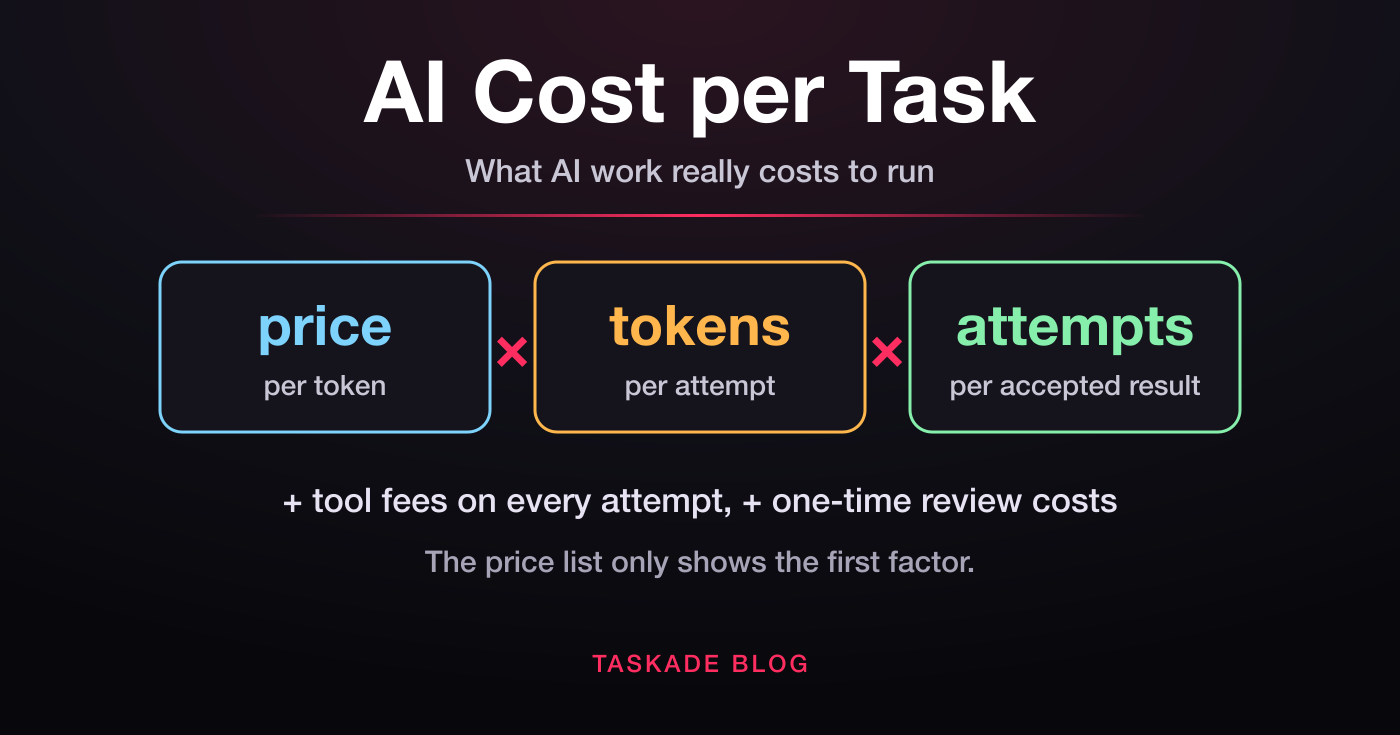
An LLM bill is the product of three numbers: tokens per call, price per token, and calls per task. Providers keep pushing the price per token down, but modern AI applications keep pushing calls per task up. One user request now fans out into planning, retrieval, generation, tool use, and verification steps, so a single task can use many times the tokens of one chat reply.
Anthropic measured this effect on its own systems. In its write-up of a multi-agent research system, the company reported that agents use about 4 times the tokens of a chat interaction, and multi-agent systems use about 15 times. The unit price drops while the total climbs.
This is why the right unit of measurement is cost per completed task, not cost per token. A per-token dashboard can look flat while spend rises, because it misses the growing call count. Long context windows made the problem worse: when a model accepts a million tokens, teams start to send far more than the task needs. And because a token is the unit you pay for, every technique below works by sending fewer tokens, paying less for each one, or making fewer calls.
The cost equation, written out:
cost per task  =  calls per task
                × ( uncached input tokens × input rate
                  + cached input tokens   × cache read rate
                  + cache write tokens    × cache write rate
                  + output tokens         × output rate )
                × ( 1 + retry rate )
Every technique in this guide moves one term. Caching moves cached tokens to a cheaper rate. Routing lowers every rate. Output caps shrink output tokens. Context trimming shrinks input tokens. Batching and off-peak pricing halve the rates for work that can wait. Structured outputs and loop caps shrink the retry rate and the call count.
Why Prefill, Decode, and Caching Set the Price You Pay
Providers price input, output, and cached tokens differently because each one uses the GPU differently. During prefill, the model reads all input tokens in parallel, which is fast and cheap per token. During decode, the model writes output one token at a time, which keeps the GPU busy longer per token. A cached prefix skips most of the prefill work, so it costs the least.
That is why output tokens cost several times more than input tokens in almost every price list, and why cache reads cost a small fraction of fresh input. On the DeepSeek API, output costs 3 times the cache-miss input rate. Many frontier models charge 4 to 5 times. For example, Anthropic lists one of its mid-tier models at $3 input and $15 output per million tokens.
This supply-side view explains why the techniques in this guide work, and it is worth one deeper read. Inference-as-a-Service (IaaS) is our pillar on the serving stack: who sells tokens, how prefill and decode set the price of each line on your bill, and why cache-hit rates matter more than headline prices. For a plain-English version with a glossary for buyers, read AI inference explained. And to follow one request from the power grid to the bill, see how AI data centers work.
How to Measure LLM Cost Per Task Before You Optimize
Measure cost per completed task by logging the token counts that each API response returns, grouping them by task type, and dividing total spend by the number of tasks that succeeded. Without this baseline, you cannot tell which technique helped, and a cheaper call that fails and repeats can raise your bill while each call looks cheaper.
Every major provider returns the numbers you need in the response body. Log them on every call, together with the model name, the task type, and whether the task succeeded.
| Provider | Cached input field | Cache write field | Other fields to log |
|---|---|---|---|
| Anthropic | cache_read_input_tokens |
cache_creation_input_tokens |
input_tokens, output_tokens |
| OpenAI | cached_tokens in the input token details |
cache_write_tokens |
Input, output, and reasoning tokens |
| Google Gemini | Cached content token count in usage metadata | Not billed as a write on implicit caching | Prompt and candidate token counts |
| DeepSeek | Cache-hit tokens in usage | No write charge | Cache-miss and output tokens |
Three measurement habits make the numbers useful:
- Divide by successful tasks, not calls. A task that needs three retries costs three calls, and the per-call view hides that.
- Change one lever at a time. Compare one week before and one week after each change, on the same task types.
- Measure quality next to cost. Keep a small evaluation set and score it after each change. Agent evals explained covers how to build one.
The full 20-task protocol, with the cost-per-accepted-result formula, is in what one AI task really costs. The main lesson: the spread between the cheapest and the most expensive way to finish the same task can be far wider than the spread between list prices, because calls per task and retries vary more than rates do.
LLM API Cost Calculator: Price One Request by Hand
To calculate the cost of one LLM API request, multiply each token type by its own rate and add the results: uncached input, cached input, cache writes, and output, each divided by one million. Multiply by requests per month to get the bill. The math takes one minute, and it shows which lever matters before you change any code.
Most online calculators ask for one input number and one output number. That hides the line that moves the most: cached input. A provider can bill the same 5,000-token preamble at the full input rate or at 5 percent of it, and the only difference is whether the prefix matched an earlier call.
Here is one request priced by hand on a frontier model, using the OpenAI GPT-6.1 Sol rates from the OpenAI pricing page on 2026-10-20.
 ONE REQUEST, PRICED BY HAND                  (rates per 1M tokens)
 ─────────────────────────────────────────────────────────────────
 Prompt   6,000 tokens  =  5,000 stable prefix + 1,000 new tokens
 Answer     400 tokens
 Rates    input $2.00 · cache write $2.50 · cached $0.10 · output $10.00 NO CACHING AT ALL
input      6,000 × $2.00  ÷ 1M   =  $0.01200
output       400 × $10.00 ÷ 1M   =  $0.00400
total                            =  $0.01600   (1.60 cents)
 FIRST CALL (writes the prefix to the cache)
write      5,000 × $2.50  ÷ 1M   =  $0.01250
input      1,000 × $2.00  ÷ 1M   =  $0.00200
output       400 × $10.00 ÷ 1M   =  $0.00400
total                            =  $0.01850   (1.85 cents)
 EVERY LATER CALL (cache hit on the prefix)
cached     5,000 × $0.10  ÷ 1M   =  $0.00050
input      1,000 × $2.00  ÷ 1M   =  $0.00200
output       400 × $10.00 ÷ 1M   =  $0.00400
total                            =  $0.00650   (0.65 cents)
 Saving per cache-hit call vs no caching          =  59 percent
Output share of the bill after the cache hit     =  62 percent
─────────────────────────────────────────────────────────────────
Two numbers in that block drive the rest of this guide. The cache hit cuts the request by 59 percent, so caching comes first. After the hit, output is 62 percent of what is left, so output control comes next. The one-time write premium is paid back by the first cache hit.
The same request costs very different amounts on different price lists. The table prices 1,000 calls of that request on five models, from each provider's official pricing page on 2026-10-20. DeepSeek and Gemini implicit caching charge no cache write, so their first call costs the plain input rate.
| Model | Input / cached / output per 1M | 1,000 first calls | 1,000 cache-hit calls |
|---|---|---|---|
| OpenAI GPT-6.1 Sol | $2.00 / $0.10 / $10.00 | $18.50 | $6.50 |
| Anthropic Claude Sonnet 5.5 (5-minute cache) | $2 / $0.10 / $10 | $18.50 | $6.50 |
| Google Gemini 4 Argon (through 2026-11-30) | $2.00 / $0.10 / $10.00 | $16.00 | $6.50 |
| DeepSeek V4 Pro, off-peak | $0.66 / $0.022 / $1.98 | $4.75 | $1.56 |
| OpenAI GPT-6 Luna | $0.10 / $0.01 / $0.50 | $0.93 | $0.35 |
To run the same math in code, log the usage fields that each response returns and price them with one function:
Python
def request_cost(uncached_in, cached_in, cache_write, output, rates):
    """Rates are dollars per 1M tokens for each token type."""
    return (
        uncached_in * rates["input"]
        + cached_in * rates["cached"]
        + cache_write * rates["write"]
        + output * rates["output"]
    ) / 1_000_000sol = {"input": 2.00, "cached": 0.10, "write": 2.50, "output": 10.00}
print(request_cost(1_000, 5_000, 0, 400, sol))  # 0.0065 dollars per call
Multiply the result by your monthly requests and by one plus your retry rate, and you have an LLM API cost calculator that matches your real traffic instead of a guess. For the theory behind each rate, the inference cost wiki entry explains where the money goes on the server side.
Six cost traps a simple calculator misses
A per-token calculator misses six price rules that the official pricing pages state in their footnotes. Each one can move a real bill by 10 percent or more, and none shows up when you multiply one input rate by one output rate.
| Trap | What happens | Example from the official docs | Fix |
|---|---|---|---|
| Tokenizer differences | The same text becomes more tokens | Anthropic says the tokenizer in Claude 4.7 and later models produces about 30 percent more tokens for the same text | Count tokens on your own text with each model before you compare prices |
| Long-context tiers | Long prompts pay a higher rate | OpenAI bills GPT-6 models at a higher long-context rate. Anthropic bills Claude Haiku 5.5 at $0.50 input instead of $0.10 when a prompt passes 100,000 tokens | Keep prompts under the threshold with retrieval and compaction |
| Reasoning tokens | Hidden thinking bills as output | Google's Gemini price list counts thinking tokens in the output price | Set a lower reasoning effort on easy tasks |
| Region and residency | A data-residency choice adds a multiplier | Anthropic applies 1.1x to all token prices for US-only inference on Claude 4.6 and later | Pay for residency only where a contract needs it |
| Scheduled price changes | Rates move on a known date | Google lists Gemini 4 Argon prices that double on 2026-12-01 | Re-check price pages each month |
| Retries | A failed call is billed in full | Every provider bills a completed call, even a malformed one | Use structured outputs and a retry cap |
The tokenizer entry explains why two models count the same sentence differently, and the token entry covers the unit itself.
Technique 1: Prompt Caching (Cut Repeated-Prefix Input Cost)
Prompt caching bills a repeated prompt prefix at a fraction of the base input price, and it is the highest-leverage change for any app with a stable preamble. Most requests share the same opening: a system prompt, tool definitions, a style guide, or retrieved documents. The provider keeps that prefix after the first call and serves it cheaply on every call that follows.
The rates below come from each provider's documentation, checked on 2026-10-19. A multiplier is relative to the model's base input price.
| Provider | Cache read | Cache write | Minimum prefix | How to turn it on |
|---|---|---|---|---|
| Anthropic | 0.1x on most models (0.05x or 0.025x on some newer models) | 1.25x for 5 minutes, 2x for 1 hour | 512 to 4,096 tokens, by model | Cache breakpoints (up to 4) or automatic caching |
| OpenAI, GPT-5.6 and later | 0.1x on most models (0.05x on one) | 1.25x | 1,024 tokens | On by default, 30-minute lifetime |
| OpenAI, earlier models | Model-specific discount | No write charge | Varies with tools and schemas | On by default, in-memory or 24-hour retention |
| Google Gemini | Discount passed through automatically | No write charge on implicit caching | 2,048 to 4,096 tokens, by model | Implicit caching on by default for Gemini 2.5 and newer |
| DeepSeek | Cache-hit rate (about 3 percent of the cache-miss rate on deepseek-v4-pro) | No write charge | Automatic | On by default |
OpenAI summarizes the effect as cached input "discounted up to 95%." Anthropic notes that the cache lifetime refreshes for free each time a request reads the cached content, so steady traffic keeps a prefix warm. Anthropic also notes that the lifetime counts from the start of the request, so a long streamed answer uses part of the 5-minute window.
Prompt caching cost savings by provider (October 2026)
Prompt caching cost savings range from 90 to 98 percent of the cached input price across the major APIs, and the exact discount depends on the model, not only on the provider. The table converts each official cache-read price into a discount on the base input rate. Prices are per million tokens, from the OpenAI, Anthropic, Google, and DeepSeek pricing pages on 2026-10-20.
| Provider | Model | Base input | Cache read | Discount on cached input |
|---|---|---|---|---|
| OpenAI | GPT-6.1 Sol | $2.00 | $0.10 | 95 percent |
| OpenAI | GPT-6 Luna | $0.10 | $0.01 | 90 percent |
| Anthropic | Claude Sonnet 5.5 | $2 | $0.10 | 95 percent |
| Anthropic | Claude Haiku 5.5 (prompts up to 100,000 tokens) | $0.10 | $0.01 | 90 percent |
| Anthropic | Claude Fable 5.1 | $10 | $0.25 | 97.5 percent |
| Gemini 4 Argon (implicit caching only) | $2.00 | $0.10 | 95 percent | |
| Gemini 2.5 Flash-Lite | $0.10 | $0.01 | 90 percent, plus $1.00 per 1M tokens per hour of storage for explicit caches | |
| DeepSeek | V4 Pro, off-peak | $0.66 | $0.022 | About 97 percent |
| DeepSeek | Flash, off-peak | $0.15 | $0.003 | 98 percent |
The read discount is only half of the picture. OpenAI (GPT-5.6 and later) and Anthropic charge 1.25x the input rate to write a 5-minute cache entry, and Anthropic charges 2x for a 1-hour entry. DeepSeek and Gemini implicit caching charge no write. Gemini explicit caching adds an hourly storage fee instead. So a prefix that is reused once is a small win everywhere, and a prefix that is reused hundreds of times per hour is a large win everywhere. The prompt caching wiki entry and the KV cache entry explain the mechanism that makes the discount possible.
When does the cache write premium pay off?
On Anthropic, a 5-minute cache write pays for itself after one reuse, and a 1-hour write pays for itself after two reuses. The arithmetic: without caching, two calls with the same prefix cost 2.0x. With a 5-minute cache, they cost 1.25x for the write plus 0.1x for the read, which is 1.35x. With a 1-hour cache, three calls cost 2.0x plus 0.1x plus 0.1x, which is 2.2x, against 3.0x uncached. Use the 1-hour cache when calls with the same prefix arrive more than 5 minutes apart.
Put stable content first
Caching is a prefix match, so any byte change early in the prompt invalidates everything after it. Put stable content first and volatile content last: system prompt, then tool definitions, then reference documents, then the conversation, then the user's question.
A silent cache miss is the most common failure. If you insert the current date into the system prompt, shuffle the order of tool definitions, or serialize a dictionary without sorted keys, the prefix bytes differ on every request and nothing caches. Check the cached-token field in each response: if it stays at zero across calls with the same prefix, a non-deterministic prompt builder is breaking your prefix. Designing prompts so that the stable part stays frozen is the core discipline of context engineering.
How a cache entry lives and expires
A prompt cache entry is created by the first call, kept warm by every read inside its lifetime, and lost when the lifetime passes with no read or when an early byte of the prompt changes. That lifecycle explains most real cache-hit rates. Steady traffic keeps an entry warm for hours at the read price. Bursty traffic pays the write premium again after every quiet gap.
Three habits raise the hit rate on real traffic:
- Match the lifetime to the traffic. If calls with the same prefix arrive minutes apart, the default lifetime is enough. If they arrive an hour apart, pay for the longer lifetime, or send a cheap keep-warm call only when the math says it pays.
- Share one prefix across features. Two features with slightly different system prompts build two cache entries. One shared preamble followed by a short feature-specific block builds one.
- Route the same prefix to the same place. OpenAI documents a
prompt_cache_keyparameter that influences routing, and says it matters most on models before GPT-5.6. A key does not guarantee a hit. Read your provider's docs for its version of this control.
Caching on hybrid models (Kimi K3) is coarser
On a hybrid model such as Kimi K3, a cached prefix is reused only from the nearest saved checkpoint, not to the exact token. Kimi K3 mixes 69 linear-attention (KDA) layers with 24 Gated MLA layers. The MLA layers keep a per-token cache that can be reused to the exact token, but the KDA layers keep one fixed-size state per sequence, so the server resumes from the nearest saved copy of that state and prefills the rest again. The rule stays the same and matters more: keep the shared prefix long and identical. Inference-as-a-Service explained covers the serving side in depth.
Hybrid designs exist because they lower serving cost elsewhere. The linear-attention layers keep a fixed-size state instead of a cache that grows with every token, so long contexts need far less GPU memory. The trade for a buyer is a coarser cache. Baseten's talk on serving trillion-parameter models walks through how a host splits these layers across GPUs and why the two caches need two memory allocators.
Technique 2: Model Routing (Send Easy Tasks to Cheap Models)
Model routing sends each task to the cheapest model that can meet the quality bar, and it works because most production traffic is simple. A small model can cost a fraction of a frontier model per token. When most requests are short classifications, extractions, summaries, and FAQ answers, a frontier model on every call means premium rates for work a small model handles well.
Two research results set the expectation. The RouteLLM paper trained routers on human preference data and reported cost cuts of more than 2 times in some cases without lower response quality. The earlier FrugalGPT paper used a cascade, trying cheap models first and escalating only when a scorer rejected the answer, and reported that it matched the best single model with up to 98 percent lower cost on its benchmarks.
The price gap between tiers is real. In what GPT is and where GPT-6 fits, the larger model lists at $2/$10 and the smaller one at $0.10/$0.50 per million input/output tokens, a 20x gap. But the assumption that the cheap tier is always worse is worth testing: when we gave nine models the same app request, the cheapest model in the field built the best-looking app twice. See best AI model for building apps.
                    ┌─────────────────────┐
   incoming task ──▶│  complexity check   │
                    └──────────┬──────────┘
                               │
              simple ◀─────────┴─────────▶ complex
                 │                           │
                 ▼                           ▼
        ┌──────────────────┐       ┌──────────────────┐
        │  small model     │       │  frontier model  │
        │  low rate        │       │  premium rate    │
        │  summaries, FAQs │       │  hard reasoning  │
        └──────────────────┘       └──────────────────┘
There are three common router designs:
- Rules. Route by task type, input length, or the feature that made the call. Simple, fast, and easy to debug.
- Classifier. A small model or a trained classifier scores each request and picks a tier. This is the RouteLLM approach.
- Cascade. Try the cheap model first, score the answer with a check (a schema, a test, or a judge model), and escalate only when the check fails. This is the FrugalGPT approach.
The trade-off to watch is quality. Route too aggressively and you push tasks to a model that cannot handle them, which triggers retries and erases the gain. A cascade also pays twice for every escalated task, so it saves money only when most tasks pass on the first try. Start conservative, measure per-task quality, and widen the cheap lane only where accuracy holds. Choosing the right reasoning effort per tier is part of the same decision, since a lower effort setting on a capable model is itself a cost lever. For agent-specific routing, see our companion guide on AI agent cost optimization.
Router or cascade: which one saves more?
A router decides before the call, and a cascade decides after it, so a router saves more when you can predict difficulty and a cascade saves more when you can cheaply check the answer. Most production systems end up with both: rules for the obvious task types, and a cascade for the mixed middle.
| Design | Extra cost per task | Extra latency | Best when |
|---|---|---|---|
| Rules by task type | None | None | Each feature has a known difficulty, such as tagging versus planning |
| Trained classifier | One small classification call | Small | Traffic is mixed and you have labeled or preference data |
| Cascade with a check | A cheap call on every task, plus the check | High on escalated tasks only | Most tasks pass the cheap model, and a schema or test can grade the answer |
| Platform router | Included in the price | None you manage | You want routing without router code, such as TSK-Auto in Taskade |
A cascade has a simple break-even point. If the cheap model costs 5 percent of the frontier model per task, the cascade saves money until almost every task escalates. The real limit is quality and latency, not the math:
 CASCADE BREAK-EVEN                       (cost per 1,000 tasks)
 ─────────────────────────────────────────────────────────────
 Frontier model on every task            =  $10.00
 Cheap model on every task               =   $0.50
 Cascade cost = $0.50 + (escalation rate × $10.00)   escalation  10 percent   →   $1.50     85 percent saved
escalation  30 percent   →   $3.50     65 percent saved
escalation  60 percent   →   $6.50     35 percent saved
escalation  95 percent   →  $10.00     break-even
─────────────────────────────────────────────────────────────
A judge-model check adds its own cost. A schema or unit test adds ~0.
Cheap does not always mean worse. On the TSK-Bench scoreboard, where each model built the same real app and was then used like a customer would use it, several model families from different price tiers tied on task completion. That is the evidence a router needs: a measured quality score on your own task, next to the price.
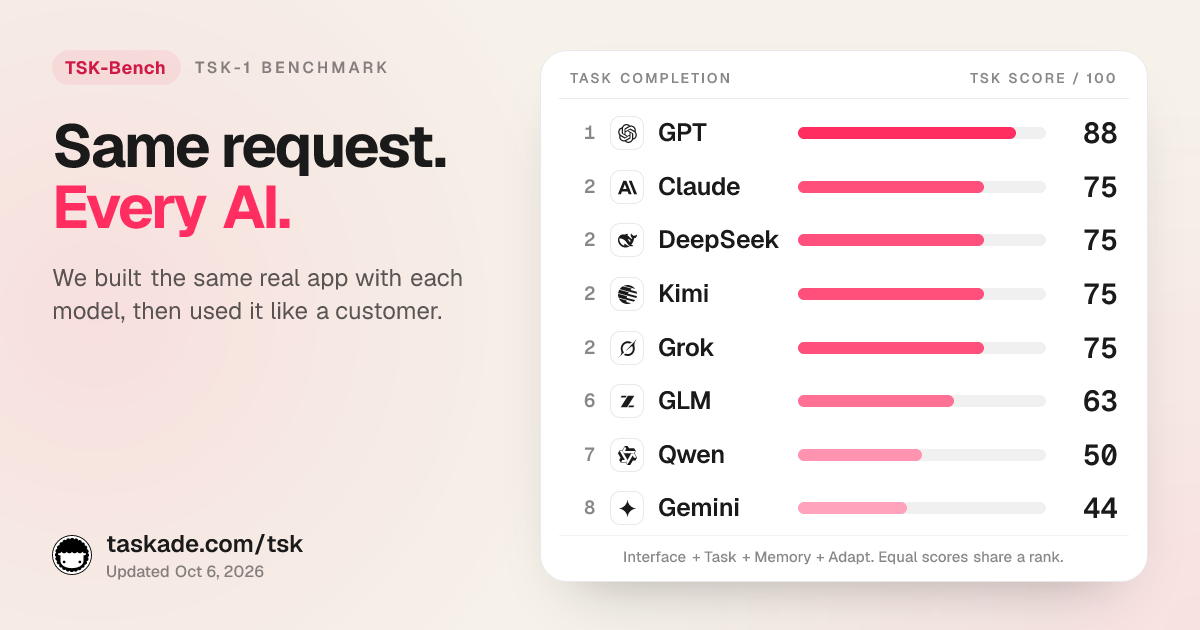
The full method and per-family results live on the TSK benchmark page, with family pages such as GPT on TSK, DeepSeek on TSK, and Kimi on TSK. The RouteLLM talk below explains how a router learns which queries a cheaper model can handle.
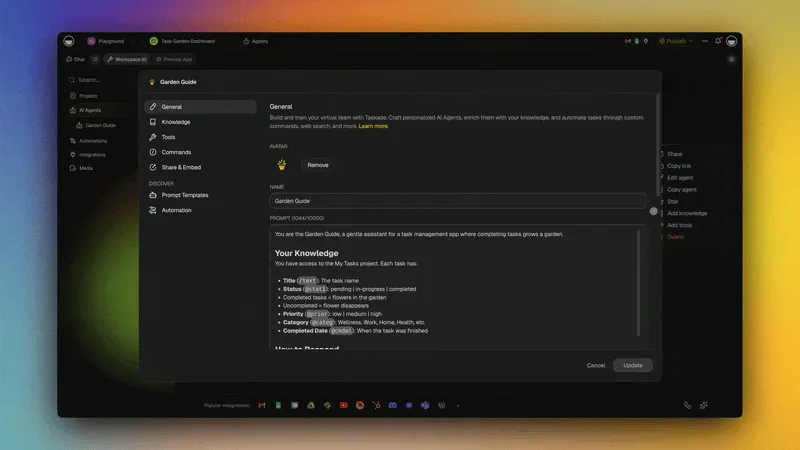
If you build agents in Taskade, you can pin the model for each agent by hand, which is rules-based routing with no code: a tagging agent on a low-cost model, a planning agent on a frontier model.
Technique 3: Control Output Length (Output Tokens Cost the Most)
Output tokens cost 3 to 5 times more than input tokens on most price lists, so every unneeded word in an answer is the most expensive token on your bill. Cutting average output from 300 to 200 tokens removes a third of the output cost. That one change can save more than a large cut to the prompt.
Output grows quietly. Models add preambles ("Great question!"), restate the question, add caveats, and close with offers to help further. Reasoning models add a second source: thinking tokens, which most providers bill at the output rate even when you never see them. Reasoning models explains how that hidden output grows with task difficulty.
| Lever | What it does | Where to set it |
|---|---|---|
max_tokens or the output token limit |
Hard cap on the answer length | API request parameter |
| Length instructions | "Answer in 2 sentences" or "Return only the label" | System prompt |
| Reasoning effort | Lower thinking budget on easy tasks | API request parameter, per task type |
| Stop sequences | End the answer at a known marker | API request parameter |
| Structured output schema | Return fields, not prose | Response format parameter |
Treat max_tokens as a safety net, not the main control. A hard cap cuts an answer mid-sentence, and a cut-off answer often forces a retry, which costs more than the tokens you saved. Clear length instructions and a schema shape the answer, and the cap catches the rare runaway. For classification and extraction tasks, ask for the label or the fields only. That can turn a 300-token answer into a 10-token answer.
Technique 4: Trim the Context (Shorter Prompts, Fewer Tokens)
Trimming context cuts input tokens directly, and input is where most apps overspend by volume. A bigger context window does not raise the price per token, but filling it does. Passing a full document set or a full conversation history on every call multiplies input cost and can degrade the answer, an effect called context rot, where relevant details get lost in noise.
Four habits keep context lean:
- Retrieve, do not dump. Pull only the passages relevant to the current question instead of the whole knowledge base. This is the core idea behind retrieval-augmented generation, and it cuts input tokens sharply. Tune the number of retrieved chunks: going from 20 chunks to 5 cuts that part of the prompt by three quarters.
- Compact old turns. In long conversations, summarize earlier exchanges rather than resend them word for word. Context compaction replaces a long history with a short summary the model can still act on.
- Drop stale tool results. Once an agent has used a tool's output, the raw result rarely needs to stay in context for the rest of the run.
- Audit tool definitions. Every tool schema you attach is sent on every call. Attach only the tools the current step can use.
Prompt compression goes one step further. Microsoft Research's LLMLingua removes low-information tokens from a prompt with a small model and reported up to 20x compression with little performance loss on its benchmarks. Compression and caching pull in different directions, though: a compressed prompt that changes on every call does not cache. Compress the variable part and cache the stable part.
Shorter context is a double win: you pay for fewer tokens, and you often get a more accurate answer because the model is not distracted. If your app keeps state across sessions, pair retrieval with a durable memory layer so that the live prompt stays small. For a comparison of retrieval and training as ways to give a model knowledge, see fine-tuning vs RAG.
Technique 5: Batch Non-Urgent Work (50 Percent Off)
Batch APIs charge half the standard price in exchange for delayed delivery, which makes them the largest flat discount from major providers. Any work that does not need an answer within seconds belongs in a batch queue: nightly reports, bulk classification, data enrichment, document tagging, embeddings backfills, and evaluation runs.
| Provider | Discount | Turnaround | Limits per batch |
|---|---|---|---|
| OpenAI Batch API | 50 percent | Within 24 hours, often sooner | 50,000 requests, 200 MB input file |
| Anthropic Message Batches | 50 percent | Most batches in under 1 hour, expiry at 24 hours | 100,000 requests or 256 MB |
| Google Gemini Batch Mode | 50 percent | Target of 24 hours | See the Gemini docs |
| OpenAI flex processing | Batch API rates on a synchronous call | Slower, can return a 429 when capacity is short | Beta, limited models |
Three details make batching cheaper still:
- Batching stacks with caching. Anthropic states that cache multipliers stack with the Batch API discount. Because a batch can take longer than 5 minutes, Anthropic recommends the 1-hour cache for batches with shared context.
- Batch rate limits are separate. OpenAI says Batch API rate limits do not count against your per-model limits, so a large backfill does not slow your live traffic.
- Expired requests are free. Anthropic does not bill requests that expire before they run.
OpenAI flex processing is a middle option. You keep a normal synchronous call, set service_tier to flex, and pay Batch API rates in exchange for slower answers and the chance of a 429 error when capacity is short. OpenAI does not charge for a request that returns that error. Flex fits background agents and internal tools where a slow answer is fine but a 24-hour wait is not. Keep user-facing calls on the standard endpoint.
Technique 6: Use Off-Peak Pricing and Compare Providers
Some providers now price by time of day, and moving work to off-peak hours halves the rate with no code change beyond a scheduler. The clearest example is DeepSeek. Since 2026-08-16, the DeepSeek API bills a peak rate on weekday office hours in China and half that rate at all other times.
Peak hours are 01:00 to 04:00 and 06:00 to 10:00 UTC, Monday through Friday, excluding Chinese public holidays. That is 7 peak hours per weekday, or 35 of the 168 hours in a week, so 133 hours, or 79 percent of the week, bill at the off-peak rate. The rates below are for deepseek-v4-pro per million tokens, from the DeepSeek pricing page on 2026-10-19.
| Token type | Peak | Off-peak |
|---|---|---|
| Input, cache hit | $0.044 | $0.022 |
| Input, cache miss | $1.32 | $0.66 |
| Output | $3.96 | $1.98 |
The chart shows two things at once. Off-peak halves every rate. And the cache-hit rate is about 3 percent of the cache-miss rate, so on this provider, prompt caching matters even more than the time of day. A nightly job that runs off-peak and reuses a cached prefix pays a small fraction of the peak, uncached price.
Provider choice is the wider version of the same lever. The same open-weight model can cost very different amounts on different hosts, and the cheapest headline rate is not always the cheapest bill once cache-hit pricing and retries count. The history of DeepSeek covers how open-weight models pushed prices down. Before you switch providers, compare the cached-input price, rate limits at peak hours, and data handling terms, not only the list price.
Technique 7: Structured Outputs (Stop Paying for Retries)
Structured outputs make the model return JSON that matches a schema you define, which nearly eliminates the malformed answers that force a retry. Every retry is a second full-price call for the same task, so a lower failure rate cuts spend directly. This is the quietest lever, because the waste is invisible on a per-call dashboard, yet it compounds fast at scale.
OpenAI describes Structured Outputs as a feature that makes the model always follow your supplied JSON Schema. One 2026 analysis found that loose JSON mode fails schema validation 5 to 10 percent of the time, while strictly enforced structured outputs fail less than 0.1 percent of the time. Fewer retries also mean less defensive parsing code, so the saving shows up in both your token bill and your engineering time.
A schema also controls output length. A response with three typed fields cannot ramble, so structured outputs double as an output cap. If your application feeds model output into a database, an API call, or another model, make structured outputs the default.
Technique 8: Semantic Caching (Skip the Model Call Entirely)
Semantic caching stores past answers in your own application and returns a stored answer when a new question means the same thing, so no model call happens at all. Prompt caching makes a call cheaper. Semantic caching removes the call. It fits workloads where many users ask the same questions in different words, such as support assistants, internal help desks, and product FAQ bots.
The mechanism: embed each incoming question, search a vector store for a past question above a similarity threshold, and return the stored answer on a hit. On a miss, call the model, then store the new question, its embedding, and the answer.
Semantic caching has real risks, so add it with care:
- False hits. Two questions can look similar and need different answers ("cancel my order" versus "cancel my subscription"). Start with a strict similarity threshold and loosen it only after you review false hits by hand.
- Stale answers. Give each stored answer an expiry, and clear the cache when the underlying facts change, such as prices or policies.
- Private data. Never return a stored answer that contains one user's data to another user. Scope the cache by account, or cache only answers that contain no personal data.
- Embedding cost. Each lookup costs an embedding call and a vector search. That is cheap next to a frontier model call, but measure it.
Your saving equals your hit rate times the cost of the calls you skip, minus the lookup cost. Measure the hit rate for two weeks before you count on it.
Technique 9: Cap Agent Loops and Retries
Agent loops are where LLM spend runs away, because an agent decides for itself how many calls a task needs. A stuck agent can call the same tool again and again, re-read the same file, or retry a failed step with the full context each time. Each loop iteration resends the growing history, so the cost of the tenth step can be many times the cost of the first.
Four caps keep agent spend bounded:
- A step limit. Stop the run after a fixed number of tool calls and return what the agent has so far.
- A token budget per run. Stop or escalate to a human when a run passes a set token count.
- A retry limit with backoff. Retry a failed call at most two or three times. Escalate to a larger model only through your router, not as a blind retry.
- Deterministic code for deterministic work. Validation, formatting, date math, and lookups belong in code, not in a model call.
The stateless nature of most LLM APIs means every token you resend is a token you pay for again. That is why context compaction (Technique 4) and loop caps work together: compaction keeps each step small, and caps keep the number of steps small. For a deeper look at agent spend, see AI agent cost optimization.
Technique 10: Fine-Tune or Distill a Small Model for One Narrow Task
Fine-tuning or distillation trains a small model to do one narrow task as well as a large model, so you can pay the small model's rate on that task. It works best on high-volume, stable tasks with a clear right answer: classification, extraction, routing labels, and fixed-format rewrites. It is the highest-effort technique in this guide, so do it last.
| Option | Best for | Main cost | When it pays off |
|---|---|---|---|
| Better prompts on a small model | Most narrow tasks | Prompt work and evals | Try first, almost always |
| Fine-tuning a small hosted model | Stable, high-volume tasks | Training data and a training run | When volume is high and the task changes rarely |
| Distillation from a large model | Copying a large model's style on one task | Labeled outputs from the large model | When you already pay a large model for that task |
| Self-hosting an open-weight model | Very high, steady volume | GPUs, operations, and staff time | Only at a scale where GPUs stay busy most of the day |
Two warnings apply. First, a fine-tuned model needs its own evaluation set, and you must re-run it when the base model changes. Second, self-hosting looks cheap per token but carries fixed costs: idle GPUs cost the same as busy ones. For most teams, prompt caching, routing, and batching on a hosted API beat self-hosting until volume is very large. Fine-tuning vs RAG covers when training beats retrieval, and model distillation explains how a small model learns from a large one.
How to Reduce LLM API Costs for AI Agents
To reduce LLM API costs for AI agents, shrink what each step resends and cap how many steps run. An agent is a loop. Every step sends the system prompt, the tool definitions, and the whole history so far, then appends the new result. Without compaction, the input of each step grows with the step number, so the total input of a run grows roughly with the square of the step count.
The chart models one agent run with a 3,000-token fixed prefix (system prompt plus tool definitions) and 1,500 new tokens of history per step. One line resends the full history. The other caps the history at the last three steps and summarizes the rest.
At 5 steps the two lines are close. At 20 steps the uncapped run sends 345,000 input tokens, about 2.4 times the capped run. Agents that run for dozens of steps are where most surprise bills come from, which matches Anthropic's finding that agents use about 4 times the tokens of chat. Prompt caching softens the curve, because the fixed prefix and the older history are a stable prefix. It does not remove it, because the newest steps are always fresh input.
| Part of the agent prompt | Sent on | Main lever |
|---|---|---|
| System prompt | Every step | Cache it and keep it byte-stable |
| Tool definitions | Every step | Attach only the tools this step can use, in a fixed order |
| Conversation and tool history | Every step, and it grows | Context compaction, drop raw tool results |
| Retrieved documents | Steps that retrieve | Top passages only, not whole files |
| Reasoning tokens | Every step, billed as output | Lower reasoning effort on easy steps |
Tool calls multiply the bill
Each tool call costs a full model step: the model writes the call as output, your code runs the tool, and the result returns as input on the next step. Ten tool calls mean at least ten more model calls, and each one resends the history. Four habits keep tool-heavy agents cheap:
- Return compact tool results. Send the fields the model needs, not raw HTML or a full JSON dump. A 6,000-token web page cut to a 400-token summary saves that difference on every later step.
- Batch independent calls. When the API supports parallel function calling, let the model request several lookups in one step instead of one step per lookup.
- Keep tool schemas short. Every tool definition rides along on every call. A tool description of three sentences works as well as a page of text for most tools.
- Stop the loop on purpose. Give the agent a step limit and a token budget per run, and a clear "done" condition. The agent loop entry covers how loops end, and agent memory covers what to keep between runs instead of in the prompt.
Multi-agent designs multiply all of this. Anthropic measured multi-agent systems at about 15 times the tokens of chat, so use several agents only when the task really splits into parallel parts. Multi-agent systems and what AI agents are cover when the extra agents earn their cost.
What Is the Cheapest LLM API in 2026?
On the official price lists checked on 2026-10-20, the cheapest capable LLM APIs cost about $0.10 per million input tokens and $0.40 to $0.60 per million output tokens: OpenAI GPT-6 Luna, Anthropic Claude Haiku 5.5, Google Gemini 2.5 Flash-Lite, and DeepSeek Flash at off-peak hours. The cheapest list price is not always the cheapest bill, so read the tables below as a shortlist to test on your own tasks, not as a verdict.
Budget tier. These models suit classification, extraction, short answers, and the cheap first step of a cascade. Prices are per million tokens.
| Model | Provider | Input | Cached input | Output |
|---|---|---|---|---|
| GPT-6 Luna | OpenAI | $0.10 | $0.01 | $0.50 |
| Claude Haiku 5.5 (prompts up to 100,000 tokens) | Anthropic | $0.10 | $0.01 | $0.50 |
| Gemini 2.5 Flash-Lite | $0.10 | $0.01 | $0.40 | |
| Gemini 3.5 Flash-Lite | $0.30 | $0.03 | $2.50 | |
| DeepSeek Flash, off-peak | DeepSeek | $0.15 | $0.003 | $0.60 |
| DeepSeek Flash, peak | DeepSeek | $0.30 | $0.006 | $1.20 |
Frontier tier. These models suit hard reasoning, long agent runs, and the escalation step of a cascade.
| Model | Provider | Input | Cached input | Output |
|---|---|---|---|---|
| DeepSeek V4 Pro, off-peak | DeepSeek | $0.66 | $0.022 | $1.98 |
| GPT-6.1 Sol | OpenAI | $2.00 | $0.10 | $10.00 |
| Claude Sonnet 5.5 | Anthropic | $2 | $0.10 | $10 |
| Gemini 4 Argon (through 2026-11-30) | $2.00 | $0.10 | $10.00 | |
| GPT-6 Astra | OpenAI | $10.00 | $1.00 | $50.00 |
| Claude Fable 5.1 | Anthropic | $10 | $0.25 | $50 |
Sources: the OpenAI, Anthropic, Google Gemini, and DeepSeek pricing pages on 2026-10-20. OpenAI and Anthropic short-context rates are shown, and some rates are promotional or scheduled to change, so check the page on the day you decide.
Cheap per token, expensive per task
The cheapest LLM API is the one with the lowest cost per completed task on your workload, and that is often not the one with the lowest price per token. Three tests settle it in an afternoon:
- Run your evaluation set on each candidate. Count the tasks each model finishes without help. A model at one tenth of the price that fails a third of your tasks costs more once retries and escalations count.
- Measure tokens, not only rates. A model that writes twice as many output tokens, or thinks for longer, can erase a lower output rate. Tokenizers also differ.
- Test the cache on your real prompts. The cached-input rate matters more than the input rate for any app with a long stable prefix.
Head-to-head pages such as DeepSeek V4.1 Flash vs GPT-5.6 Luna, Kimi vs DeepSeek, and Kimi vs Claude compare budget and frontier models on the same tasks. The AI model directory lists what each model is good at, and best AI model for building apps shows a case where the cheapest model built the best-looking app.
Host Choice, BYOK, and Open-Weight Models
The same open-weight model can cost and perform very differently depending on who serves it, so the host is a cost lever of its own. Each host sets its own per-token prices, decides whether to support prompt caching, and picks the hardware and serving methods that set speed. A bring-your-own-key (BYOK) tool lets you choose that host instead of accepting one.
Kimi K3 shows the spread. On Artificial Analysis on 2026-10-20, the same weights ran at about 42 output tokens per second on Moonshot's own API and about 422 on the fastest host, roughly a 10x spread. The listed blended prices, which mix cache-hit, input, and output tokens in a 7:2:1 ratio, ranged from about $1.72 to about $4.62 per million tokens.
| Host (Kimi K3) | Output tokens per second | Listed blended price per 1M |
|---|---|---|
| LithosAI (Ultra Chat) | About 422 | Not listed |
| Nebius | About 192 | Not listed |
| Amazon Bedrock | About 142 | Not listed |
| Fireworks | About 112 | About $2.31 |
| Baseten | About 96 | Not listed |
| Together AI | About 57 | About $2.08 |
| Moonshot (first party) | About 42 | Not listed |
Speed is a cost line too. A slow host stretches every agent run, raises the chance of a timeout, and timeouts become retries. The tokens per second entry explains what a good number looks like, and bycloud's video below explains why hosts can sell the same model at such different prices.
| Factor | Why it changes your bill | Where to check |
|---|---|---|
| Cached-input price and cache support | Caching is the largest single saving | The host's pricing page |
| Output price | Output is often the largest line after caching | The host's pricing page |
| Speed and time to first token | Slow output stretches runs and causes timeouts | Independent benchmarks such as Artificial Analysis |
| Rate limits at peak hours | A 429 error becomes a retry | The host's rate-limit docs |
| Model version and precision | A different build can change quality, and quality drives retries | The host's model card |
| Data terms and region | Residency options can add a multiplier | The host's data and region docs |
When does self-hosting an open-weight model pay off?
Self-hosting pays off only when your GPUs stay busy, because a GPU node costs the same per hour whether it serves one request or a thousand. The per-token price of self-hosting is your node cost divided by the tokens you actually serve, and utilization swings that number more than the hardware price does.
 SELF-HOST OR API?           (illustrative numbers, use your own)
 ─────────────────────────────────────────────────────────────
 Node cost                C  =  $60 per hour, busy or idle
 Tokens served per hour   T  =  your real traffic, not the peak
 Self-host price per 1M      =  C ÷ T × 1,000,000   T = 20M tokens per hour  →   $3.00 per 1M tokens
T =  5M tokens per hour  →  $12.00 per 1M tokens   (25% load)
T =  1M tokens per hour  →  $60.00 per 1M tokens   (5% load)
 Then add: staff time, spare capacity for peaks, upgrades.
─────────────────────────────────────────────────────────────
Utilization decides the answer, not the GPU price.
Large open-weight models also need a whole node. Total parameters, not the active ones, set the GPU memory, because at production batch sizes every expert is in use at some instant. The Kimi K3 checkpoint is about 1.56 TB, which fits one 8-GPU B300 node (288 GB per GPU) but not an 8-GPU B200 node (180 GB per GPU). The mixture-of-experts, GPU, and memory bandwidth entries explain why.
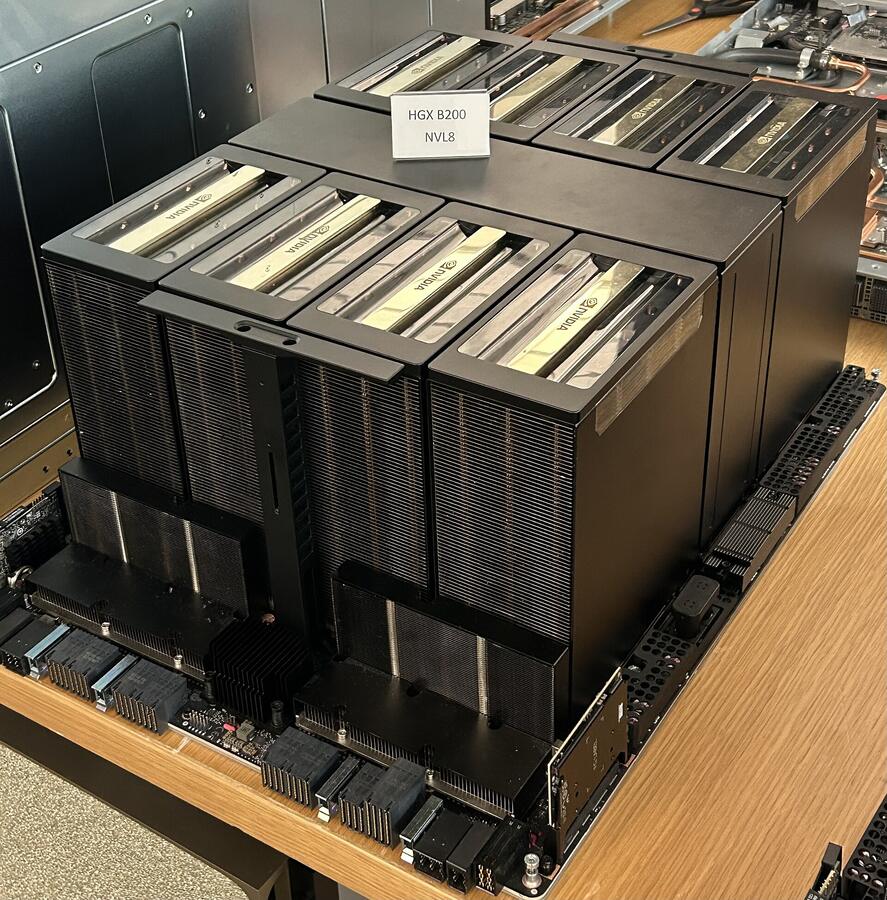
Photo: Pokiiri / Wikimedia Commons / CC BY-SA 4.0
For most teams, the middle path wins: keep a hosted API, and use BYOK to pick the host. In Taskade, for example, a Together AI key (Business and up) can run Kimi K3 for custom agents and Ask Agent. Our listicles of AI builders with BYOK and no-code builders that run open-weight models compare which tools let you choose the host. For the models themselves, read open-source LLMs, the Moonshot and Kimi history, the Kimi K3 model page, and the Moonshot lab page.
LLM Gateways, Budgets, and Cost Monitoring
An LLM gateway is one proxy between your app and every model provider, and it is the cheapest place to add caching, routing, budgets, and cost logs once instead of in every service. Open-source proxies such as LiteLLM and hosted gateways expose one API, then forward each call to the model and provider you pick.
A gateway is only as useful as the alerts on top of it. Track these six signals by feature, and alert on change, not only on totals:
| Signal | Alert when | Likely cause |
|---|---|---|
| Cached-token share | It drops below its usual level | A prompt change broke the stable prefix |
| Output tokens per call | It rises | A prompt or model change made answers longer |
| Calls per completed task | It rises | Agent loops or retries |
| Cost per completed task | It rises week over week | Any of the above |
| 429 and 5xx error rate | It rises | Rate limits, which turn into retries |
| Spend per key or feature | It crosses a monthly budget | A runaway job or a new feature at scale |
Most provider consoles also let you set a spend limit or an alert per project or workspace. Set the alert below the hard limit, so that a person sees the warning before a production feature stops. The evals entry and the LLM-as-a-judge entry cover how to keep a quality score next to each cost signal.
A Worked Example: Cutting a $1,800 Monthly Bill to $231
Here is how the levers combine on one realistic workload: a support assistant that answers 100,000 requests per month. Each request carries a 4,000-token stable prefix (system prompt plus reference documents), a 500-token variable question, and a 300-token answer. The example uses illustrative rates of $3 per million input tokens and $15 per million output tokens, with Anthropic-style cache rates (0.1x read, 1.25x write).
Baseline. Input is 100,000 × 4,500 = 450 million tokens × $3 = $1,350. Output is 100,000 × 300 = 30 million tokens × $15 = $450. Total: $1,800 per month.
Step 1: prompt caching. The 4,000-token prefix is 400 million tokens per month. Assume steady traffic keeps the cache warm, so 99 percent of prefix tokens are cache reads and 1 percent are cache writes.
- Cache reads: 396 million × $0.30 = $118.80
- Cache writes: 4 million × $3.75 = $15.00
- Variable question: 50 million × $3 = $150.00
- Output: $450.00 (unchanged)
- Total: $733.80, a 59 percent cut
Step 2: model routing. Send 70 percent of requests to a model whose rates are one fifth of the main model's, and keep 30 percent on the main model. The routed share costs 0.7 × $733.80 ÷ 5 = $102.73. The main share costs 0.3 × $733.80 = $220.14. Total: $322.87, an 82 percent cut.
Step 3: output length control. After routing, the output part of the bill is $450 × (0.3 + 0.7 ÷ 5) = $198. Clear length instructions bring the average answer from 300 to 200 tokens, which removes a third of that: $66. Total: $256.87, an 86 percent cut.
Step 4: batch the nightly work. Suppose 20 percent of requests are nightly summaries that nobody reads until morning. Moving that slice to a batch API saves 0.2 × $256.87 × 0.5 = $25.69. Total: $231.18, an 87 percent cut.
| Step | Arithmetic | Monthly cost | Cut vs baseline |
|---|---|---|---|
| Baseline | $1,350 input + $450 output | $1,800.00 | 0 percent |
| + Prompt caching | $118.80 + $15.00 + $150.00 + $450.00 | $733.80 | 59 percent |
| + Route 70 percent to a 5x cheaper model | $102.73 + $220.14 | $322.87 | 82 percent |
| + Cut answers from 300 to 200 tokens | $322.87 − $66.00 | $256.87 | 86 percent |
| + Batch 20 percent of requests | $256.87 − $25.69 | $231.18 | 87 percent |
Three lessons come out of the arithmetic. First, caching does the heavy lifting on input-heavy workloads, because the prefix is 89 percent of all input tokens here. Second, after caching, output becomes the largest line on the bill (it is $450 of the $733.80), which is why output control matters more than most guides admit. Third, the later steps save fewer dollars because they act on a smaller bill. Structured outputs would remove any retries on top of this; we left retries out of the baseline to keep the math clean. If 5 percent of calls had retried before, strict schemas would remove almost all of that extra 5 percent.
Your own figures will differ, but the shape holds: cache first, route second, then cap output, trim, batch, and constrain. To turn this into a per-task view, divide each line by 100,000: the baseline costs 1.8 cents per answered request, and the final setup costs about 0.23 cents. That per-task number is the one to track week to week, as what one AI task really costs explains.
How to Choose the Right Technique for Your Workload
Start with the lever that matches your largest cost line. Look at your logs: if input tokens dominate, start with caching and context trimming. If output tokens dominate, start with output control and routing. If call count dominates, start with loop caps, semantic caching, and structured outputs.
 WHERE DOES YOUR LLM API MONEY GO?
 │
 ├─ Same long prefix on most calls?
 │     └─▶ Prompt caching first (Technique 1)
 │         └─ Calls with that prefix more than 5 min apart?
 │               └─▶ Use a longer cache lifetime
 │
 ├─ Mix of easy and hard tasks?
 │     └─▶ Model routing (Technique 2)
 │         └─ No evaluation set yet?
 │               └─▶ Build one before you route
 │
 ├─ Long or chatty answers?
 │     └─▶ Output length control (Technique 3)
 │
 ├─ Long histories or full documents in every call?
 │     └─▶ Retrieval, compaction, fewer tools (Technique 4)
 │
 ├─ Work that can wait an hour or more?
 │     └─▶ Batch API (Technique 5)
 │         └─ Provider prices by time of day?
 │               └─▶ Schedule it off-peak (Technique 6)
 │
 ├─ Parsing JSON and seeing retries?
 │     └─▶ Structured outputs (Technique 7)
 │
 ├─ Many users ask the same questions?
 │     └─▶ Semantic caching (Technique 8)
 │
 ├─ Agents with open-ended loops?
 │     └─▶ Step limits and token budgets (Technique 9)
 │
 └─ One narrow task at very high volume?
       └─▶ Fine-tune or distill a small model (Technique 10)
Caching is nearly free to add and pays back on the first repeated call. Routing and fine-tuning take more measurement. Whatever order you pick, change one lever at a time and compare cost per completed task, so that you know which change earned the saving.
Common Mistakes That Erase LLM Savings
Most failed cost projects break the cache, route too aggressively, or optimize the wrong metric. The table lists the mistakes we see most often, how to spot each one in your logs, and the fix.
| Mistake | Symptom in your logs | Fix |
|---|---|---|
| A timestamp or ID at the top of the prompt | Cached tokens stay at zero | Move volatile content to the end of the prompt |
| Tool definitions in a random order | Cache hits come and go | Sort tools and serialize with stable keys |
| Routing without an evaluation set | Retries and complaints rise after the change | Score a fixed task set before and after routing |
| A hard output cap with no length instruction | Cut-off answers and repeat calls | Instruct the length, keep the cap as a safety net |
| Tracking cost per token only | Bill rises while unit cost falls | Track cost per completed task |
| Batch jobs on a 5-minute cache | Low cache hits inside batches | Use a 1-hour cache for batches with shared context |
| Semantic cache with a loose threshold | Users get answers to a different question | Raise the threshold and review false hits |
Why Is My LLM API Bill Unexpectedly High?
An LLM API bill usually jumps for one of six reasons: a broken prompt cache, a growing agent history, retries, hidden reasoning tokens, a long-context price tier, or a tokenizer change after a model switch. Each one leaves a clear trace in the usage fields, so find the line that grew before you change anything.
| Symptom in the bill | Likely cause | First check |
|---|---|---|
| Input cost doubled with the same traffic | Cache hits stopped | Cached-token share per call, and the last prompt change |
| Cost per task climbs with conversation length | The full history is resent on every step | Input tokens per step across one long session |
| Output cost rose with no prompt change | A new model thinks longer or writes more | Reasoning and output tokens per call before and after the switch |
| Spend rose after a model upgrade at the same list price | The new tokenizer counts more tokens | Tokens for one fixed sample text on each model |
| A few requests cost far more than the rest | Prompts crossed a long-context threshold | Input tokens on the most expensive 1 percent of calls |
| Calls per task rose | Retries after errors, timeouts, or bad JSON | Error rate, 429 rate, and schema failures |
A prompt that is too long is the single most common root cause on this list. If your prompt has grown over months, list its parts and their token counts, then ask of each part: does the model need this on every call? Most teams find a stale example block, an unused tool, or a full document where three passages would do. The context window and context rot entries explain why a shorter prompt is often more accurate too.
A 30-Day Plan to Cut Your LLM API Bill
A realistic plan to reduce LLM API costs takes about four weeks: measure in week 1, cache and cap output in week 2, route and batch in week 3, and lock in the gains with budgets and evals in week 4. Each week builds on the measurement before it, and each change is easy to roll back.
| Week | Change | What to measure | Roll back if |
|---|---|---|---|
| 1 | Log tokens and success per call, tag each feature, build a 50-task eval set | Cost per completed task by feature | Nothing to roll back |
| 2 | Reorder prompts for caching, add length instructions and output schemas | Cached-token share, output tokens per call | The eval score drops |
| 3 | Route easy task types to a smaller model, move waiting work to a batch API | Cost per task, escalation rate, batch turnaround | The eval score drops or retries rise |
| 4 | Add budgets, alerts, step limits, and a monthly price-page review | Spend per key, calls per task | An alert fires too often to act on |
Week 1 is the one teams skip, and it is the one that makes the other three safe. The agent evals guide shows how to build a small evaluation set in a day.
When Cost Techniques Do Not Help
Cost techniques fail when the saving is smaller than the engineering time, or when the workload has nothing the technique can act on. Five cases come up often:
- Very low volume. If the whole bill is a few hundred dollars a month, a week of router work costs more than a year of savings. Pick the cheapest model that passes your eval and stop there.
- No repeated prefix. Prompt caching does nothing for one-off prompts that share no opening text.
- Only the frontier model passes. If a smaller model fails your eval on most tasks, a cascade pays twice on most tasks. Spend the effort on output length and context instead.
- Every answer is interactive. Batch APIs and off-peak schedules need work that can wait. A live chat cannot.
- Answers must be exact and current. Semantic caching risks a stale or wrong answer in domains such as prices, policies, and medical or legal facts.
How Does Taskade Help You Lower LLM Costs?
Taskade does not run GPUs. Like almost every AI app, it buys inference from model labs and inference platforms, and it lets you bring your own provider key so that your agents and automations bill to your own account. That means your provider's own rates, its prompt-caching discounts, and any committed-use terms you hold apply to the work you run in Taskade on your key. Batch API pricing is different: it needs a separate batch job with your provider, and a Taskade agent or automation step on your key does not use it.
Here is how your own keys work in Taskade today:
| Where your key goes | What runs on it | Providers | Plans |
|---|---|---|---|
| AI Model Keys on the Connections page | Custom AI agents, Ask Agent, and built-in Taskade AI automation steps | OpenAI, Anthropic, Google Vertex AI | Pro and up |
| AI Model Keys on the Connections page | Custom AI agents and Ask Agent | xAI, Groq, Mistral, Together AI | Business and up |
| A provider step inside an automation | That provider's own automation steps | OpenAI, Anthropic Claude, Google Gemini | Pro and up |
| A provider step inside an automation | That provider's own automation steps | Groq, OpenRouter | Business and up |
- An agent chat on your key uses no Taskade credits. Your provider bills you directly. The daily AI request limit still applies.
- An automation step on your key, a built-in AI step or a provider step, uses one fixed step fee in Taskade credits, the same for every model, and your provider bills the model call. Lifetime plans pay no step fee on provider steps.
- A switch can fall back to Taskade credits when a key fails, for example when the provider rejects the key or reports no quota.
- Claude runs on your own Anthropic key, in custom agents on Pro and up and in automations. See Claude models explained.
- Taskade EVE builds still run on Taskade AI, not on your key.
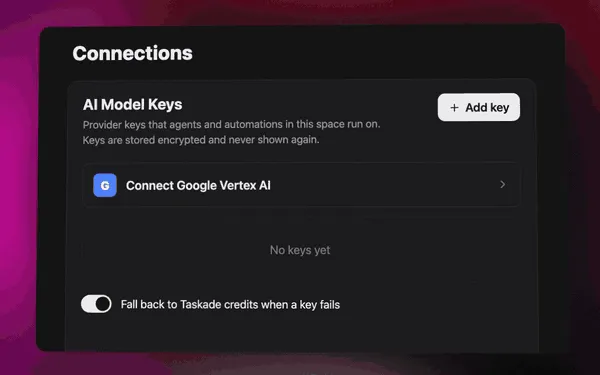
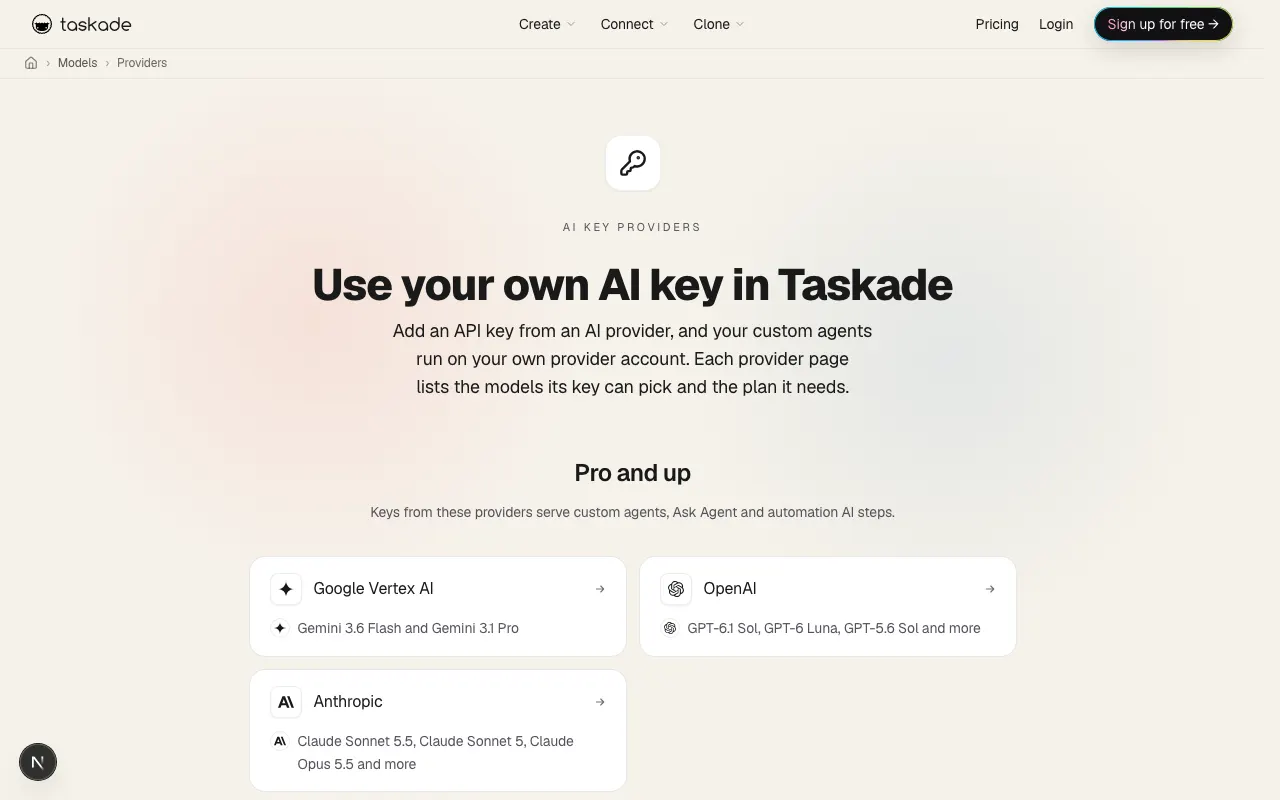
Setup steps live in Bring Your Own AI Keys and Bring Your Own AI Key for automations. To see which models each key can reach, browse the AI key providers pages, for example OpenAI keys or Together AI keys, or the full AI model directory. To compare how other AI builders handle your own key, read AI builders with BYOK.
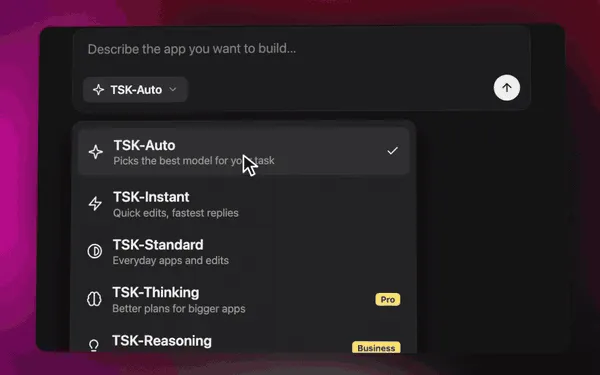
If you would rather not pick a model for each job, TSK-Auto picks one per task, which is model routing (Technique 2) done for you. Taskade AI agents work across frontier models from top AI labs, and you can still choose a specific model per agent or automation step. One detail matters for cost: an automation AI step on TSK-Auto uses Taskade credits, so pick a specific model from your provider when you want that step to run on your own key. Each TSK tier runs on a model from one provider, so a key serves only the tiers that run on its provider.
Which Taskade models cost fewer credits?
On Taskade credits, the model you pick sets the credit cost of each AI action, and the Taskade model reference rates every model's cost as Low, Medium, or High. The same routing logic from Technique 2 applies inside Taskade: a low-cost model for everyday work, a frontier model for the hard steps.
| Model | Cost rating | Good at | Plans |
|---|---|---|---|
| GPT-6 Luna | Low | Everyday building | Every paid plan |
| GPT-5.6 Luna | Low | Fast, economical quick tasks | Every paid plan |
| DeepSeek V4 Pro | Low | Frontier reasoning and coding | Every paid plan |
| GPT-6.1 Sol | Medium | Frontier reasoning for hard problems | Every paid plan |
| Kimi K3 | Medium | Long-context agentic reasoning | Max and Enterprise |
The full list, with speed and intelligence ratings, is in the custom model reference, and each lab has its own page, such as Kimi models and DeepSeek models. Pro includes 50,000 credits per month, Business 150,000, and Max 400,000. The AI usage guide shows where your credits go.
Automations are where cheap steps add up. Use a low-cost model or your own key for the routine steps, such as tagging a form entry or drafting a reply, and keep frontier models for the steps that decide something.

You can build an app from one prompt with Taskade Genesis, connect real work through 100+ integrations, or browse the community gallery to see what teams have built. If you are still choosing a platform, compare AI agent platforms, AI agent builders, and free AI app builders, or explore AI apps. Paid plans start at Pro, $10 per month billed annually, with 50,000 credits per month and up to 10 users. Compare plans on the pricing page.
Reducing LLM API costs is not about one trick. It is about matching each task to the cheapest path that still meets the quality bar: cache the repeats, route by difficulty, cap the output, trim the context, batch what can wait, and constrain the format. Measure cost per completed task, change one lever at a time, and an 80 percent cut is well within reach.
▲ ■ ●
Frequently Asked Questions
How do you reduce LLM API costs?
Start with prompt caching, because most production prompts repeat a long fixed prefix. Anthropic bills cache reads at 0.1x the base input price, and OpenAI discounts cached input by up to 95 percent. Then route easy tasks to a cheaper model, cap output length, trim the context, and move non-urgent work to a batch API at 50 percent off. Measure cost per completed task before and after each change. Combined, these levers often cut a typical bill by 80 percent or more.
How much can prompt caching save?
Prompt caching can remove up to 90 to 95 percent of the cost of the cached part of a prompt. Anthropic charges cache reads at 0.1x base input, with a write premium of 1.25x for the 5-minute cache and 2x for the 1-hour cache. OpenAI caches automatically and discounts cached input by up to 95 percent, and on GPT-5.6 and later, reads cost 0.1x on most models with a 1.25x write. A 4,000-token stable prefix with a 500-token question cuts input cost by roughly 80 percent.
How do OpenAI, Anthropic, and Google prompt caching differ?
All three match on the prompt prefix, but they turn on differently. OpenAI caching is on by default for prompts of 1,024 tokens or more. Anthropic caching uses cache breakpoints, up to four per request, or automatic caching, with a 5-minute default lifetime that refreshes on every read. Google Gemini turns on implicit caching by default for Gemini 2.5 and newer models and passes the saving through automatically. In every case, a change early in the prompt invalidates everything after it.
When should I use a batch API instead of real-time calls?
Use a batch API for any work that does not need an answer within seconds: nightly reports, bulk classification, data enrichment, document tagging, and evaluation runs. OpenAI, Anthropic, and Google batch APIs charge 50 percent of the standard price for input and output. OpenAI batches complete within 24 hours and take up to 50,000 requests. Anthropic says most batches finish in under 1 hour and accepts up to 100,000 requests. Keep interactive, user-facing calls on the standard endpoint.
What is model routing and how much does it save?
Model routing sends each task to the cheapest model that meets the quality bar, and escalates only hard tasks to a frontier model. The RouteLLM research reported cost cuts of more than 2x in some cases without lower answer quality, and FrugalGPT reported up to 98 percent lower cost while it matched the best single model. Your saving depends on your task mix. Routing 70 percent of traffic to a model five times cheaper cuts that bill by 56 percent.
Why do output tokens cost more than input tokens?
Output tokens cost more because the model writes them one at a time during the decode phase, while it reads all input tokens in parallel during prefill. Decode keeps the GPU busy longer for each token. On the DeepSeek API, output costs 3x the cache-miss input rate, and many frontier models charge 4x to 5x. Reasoning tokens are usually billed as output too, so capping output length and reasoning effort is a direct cost lever. Inference-as-a-Service explains the serving stack behind these prices.
What is the difference between prompt caching and semantic caching?
Prompt caching happens at the provider. The model still runs, but the provider bills the repeated prompt prefix at a lower rate. Semantic caching happens in your application. You store past answers with an embedding of the question, and when a new question is close enough in meaning, you return the stored answer and make no model call at all. Prompt caching suits long shared instructions. Semantic caching suits repeated questions, such as support FAQs.
Does DeepSeek charge less at off-peak hours?
Yes. Since 2026-08-16, the DeepSeek API bills at a peak rate from 01:00 to 04:00 and 06:00 to 10:00 UTC on weekdays, and at half that rate at all other times, including weekends and Chinese public holidays. For deepseek-v4-pro, peak rates are $1.32 input and $3.96 output per million tokens, and off-peak rates are $0.66 and $1.98. Cache hits cost $0.044 at peak and $0.022 off-peak. About 79 percent of the hours in a week are off-peak.
How do I measure whether a cost optimization worked?
Track cost per completed task, not cost per token. Per-token prices keep falling, but calls per task keep climbing, so a per-token view can look flat while your bill rises. Log the input, cached, output, and retry token counts that each provider returns, group them by task type, and compare a week before and a week after each change. Also measure task success rate. For a 20-task measurement protocol, see what one AI task really costs.
Can I combine prompt caching and batching?
Yes. Caching lowers the price of repeated input tokens, and batching applies a flat 50 percent discount for delayed delivery, so the two stack. Anthropic states that cache multipliers stack with the Batch API discount, and it recommends the 1-hour cache for batches with shared context, because a batch can take longer than 5 minutes. OpenAI flex processing bills at Batch API rates, and prompt caching discounts apply on top.
Does a bigger context window make my LLM app more expensive?
A bigger context window does not raise the price per token, but filling it does. You pay for every input token on every call, so a long chat history or a full document set multiplies input cost. Long context can also lower answer quality, an effect called context rot. Send only what the task needs: retrieve the top passages, summarize old turns, and drop stale tool results. Shorter context is cheaper and often more accurate.
Can I use my own API key in Taskade to control LLM costs?
Yes. Taskade custom AI agents can run on your own OpenAI, Anthropic, or Google Vertex AI key on Pro and up, and on your own xAI, Groq, Mistral, or Together AI key on Business and up. An agent chat on your key uses no Taskade credits. Automation provider steps for OpenAI, Anthropic Claude, and Google Gemini need Pro and up, and Groq and OpenRouter steps need Business and up. Your provider bills each model call, and each step uses one fixed step fee in Taskade credits. Claude runs on your own Anthropic key. Taskade EVE builds still run on Taskade AI. See Bring Your Own AI Keys.
What is the cheapest LLM API in 2026?
On the official price lists checked on 2026-10-20, the cheapest capable models cost about $0.10 per million input tokens: OpenAI GPT-6 Luna ($0.50 output), Anthropic Claude Haiku 5.5 for prompts up to 100,000 tokens ($0.50 output), and Google Gemini 2.5 Flash-Lite ($0.40 output). DeepSeek Flash costs $0.15 input and $0.60 output at off-peak hours, with cache hits at $0.003. The cheapest list price is not always the cheapest bill, so compare cost per completed task, cache-hit rates, and retries on your own workload. The AI model directory lists what each model is good at.
How do I calculate the cost of an LLM API request?
Multiply each token type by its own rate and add the results: uncached input tokens times the input rate, cached input tokens times the cache read rate, cache write tokens times the write rate, and output tokens times the output rate, all divided by one million. Multiply by requests per month for the bill, and by one plus your retry rate. A 6,000-token prompt with a 5,000-token cached prefix and a 400-token answer, at $2 input, $0.10 cached input, and $10 output per million tokens, costs about 0.65 cents per call, against 1.6 cents with no caching.
How do I reduce LLM API costs for AI agents?
An agent resends its growing history on every step, so cap the number of steps and the tokens per run, compact old turns into a summary, drop raw tool results once they are used, and attach only the tools the current step needs, because every tool definition is sent on every call. Keep the system prompt and tool list stable so that they cache, route easy steps to a smaller model, and move deterministic work such as validation and formatting into code. AI agent cost optimization goes deeper.
Is self-hosting an open-weight model cheaper than using an API?
Only at high and steady volume. A hosted API bills per token, so idle time costs nothing. A self-hosted model bills per GPU hour whether the GPUs are busy or not, and a large open-weight model needs a full multi-GPU node. The Kimi K3 checkpoint, for example, is about 1.56 TB, which fits one 8-GPU B300 node but not an 8-GPU B200 node. Divide your GPU cost per hour by the tokens you actually serve per hour, add staff time, and compare that to the API price.
Does the same open-weight model cost the same on every host?
No. Each host that serves the same open weights sets its own prices, cache support, and speed. On Artificial Analysis on 2026-10-20, Kimi K3 hosts ranged from about 42 to about 422 output tokens per second, roughly a 10x spread, and the listed blended prices ranged from about $1.72 to about $4.62 per million tokens. Compare the cached-input price, rate limits, speed, and data terms before you pick a host. No-code builders that run open-weight models shows which tools let you choose.
Why is my LLM API bill higher than expected?
The usual causes are a broken prompt cache, an agent history that grows and is resent on every call, retries after malformed or cut-off answers, hidden reasoning tokens billed as output, long-context price tiers, and a tokenizer that counts more tokens for the same text. Anthropic, for example, says its newer tokenizer produces about 30 percent more tokens for the same text. Log input, cached, output, and reasoning tokens for each call, group them by feature, and look for the line that grew.
How does prompt caching work on hybrid models like Kimi K3?
Kimi K3 mixes 69 linear-attention (KDA) layers with 24 Gated MLA layers. The MLA layers keep a per-token cache that can resume at the exact token, but the KDA layers keep one fixed-size state per sequence, so the server resumes from the nearest saved state checkpoint and prefills the rest again. Prefix caching on hybrid models is therefore coarser. Keep the shared prefix long and identical so that the saved checkpoints cover most of it. Compare Kimi with other labs in Kimi vs DeepSeek.
Which Taskade AI models use fewer credits?
The Taskade model reference rates the cost of each model. GPT-6 Luna, GPT-5.6 Luna, and DeepSeek V4 Pro are rated Low cost and are available on every paid plan. Pro includes 50,000 credits per month, Business 150,000, and Max 400,000. TSK-Auto picks a model for each task, and you can also bring your own provider key so that agent chats bill to your own account and use no Taskade credits. See the custom model reference.