






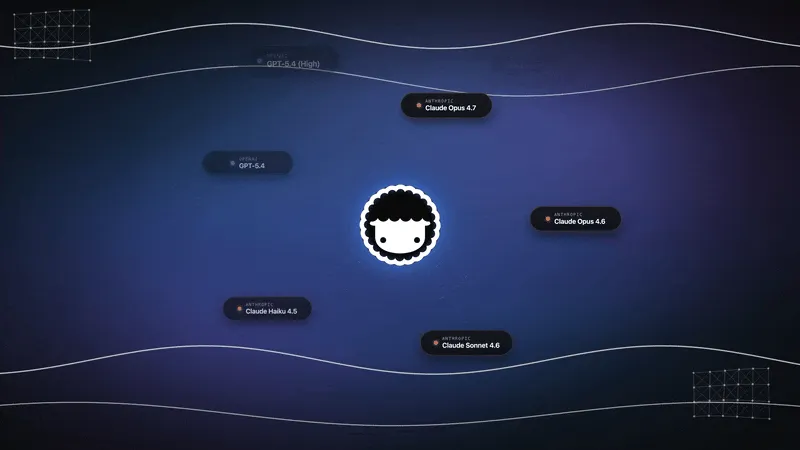
AI agents got cheap to start and expensive to run. The first prototype costs almost nothing, a single prompt, a single response, a frontier model. Then it ships. Volume arrives. Every support ticket, every summary, every classification, every workflow step hits a model. And if every one of those calls runs on the most powerful model available, the bill grows until someone in finance asks why the AI line item tripled while per-token prices were supposedly falling.
The reflex fix is to switch everything to a cheaper model. That trades one problem for another: the complex tasks that actually needed deep reasoning now produce worse output, users notice, and trust erodes. Neither extreme works. The answer is not one model. It is the right model for each task.
That is the resource-aware optimization pattern: classify each task by complexity, route it to the cheapest model that still clears the quality bar, cache what repeats, guard the budget at runtime, and tune the thresholds from cost-per-task data. Done well, it cuts spend by half or more while preserving quality exactly where quality matters. This post is the engineering playbook, and how Taskade ships it as a default, in code or with no code at all.
TL;DR: AI agents cost 3-10x more than chat because each task fans out into planning, tool calls, loops, and verification. The fix is resource-aware routing plus four supporting levers, cache, prune, budget-guard, tune, measured by cost per task. Teams typically cut spend 50-80%. Build a cost-aware agent free →
What Is AI Agent Cost Optimization?
AI agent cost optimization is the practice of matching each task to the cheapest model and resource path that still meets its quality bar, instead of running every request on a frontier model. The dominant technique is resource-aware model routing: a lightweight classifier scores task complexity, then dispatches simple tasks to small fast models and complex tasks to advanced ones. Layer caching and budget guards on top, and most teams cut AI spend by 50 to 80 percent without a visible quality drop.
The key insight is that production workloads are not uniform. A support queue is mostly simple FAQs with a handful of genuinely hard escalations. A content pipeline is mostly short social posts with a few long-form articles. The savings live in the simple majority, the tasks you were overpaying for by running them on a premium model they never needed.
This is the same discipline as agent task prioritization and agent orchestration: the system decides how much capability to spend on each unit of work, rather than spending maximum capability everywhere. The full pattern reference lives in resource-aware optimization.
Why Do AI Agent Costs Spiral?
Agent costs spiral because one request becomes many model calls. A chat completion is a single round trip. An agent task is a fan-out: it plans, selects tools, executes steps, verifies the result, and often loops to fix what the verification caught. Each of those stages spends tokens, so a single "simple" agent task burns 5 to 30 times the tokens of one chat reply, and a multi-agent job can reach hundreds of thousands or even millions of tokens before it returns an answer.
This is the paradox the bill reflects: per-token prices fall every quarter, but per-task call counts climb. A team migrating from a chatbot to an agent often watches the model price drop and the monthly invoice rise at the same time, because the agent multiplies calls faster than the vendor cuts prices. The agent loop, covered in depth in the agent loop and agentic AI systems, is the engine of both the capability and the cost.
Here is the token fan-out written out as an accounting box, the way it actually accrues:
  ONE "summarize and file this ticket" agent task
  ──────────────────────────────────────────────
  plan the steps ............  1 call   ~1,200 tok
  pick the right tool .......  1 call   ~  800 tok
  read the ticket (tool) ....  1 call   ~3,500 tok
  draft the summary .........  1 call   ~2,100 tok
  verify against policy .....  1 call   ~1,400 tok
  retry (verify failed) .....  2 calls  ~3,500 tok
  ──────────────────────────────────────────────
  TOTAL .....................  7 calls  ~12,500 tok
  vs. a single chat reply ...  1 call   ~ 1,400 tok
  =  ~9x the tokens for the SAME unit of work
Agent Cost vs LLM Cost
Generic "LLM cost optimization" advice undershoots agents because it assumes one prompt equals one cost. Most of the SERP, broad LLM guides and inference-layer pieces, optimizes the price of a single call. Agents break that frame. The cost driver is not the per-call price; it is the number of calls per completed task plus the retries the loop generates. Below is how the profile changes as you move from chat to a simple tool agent to a multi-agent team.
| Profile | Calls per request | Tokens per task | Dominant cost driver |
|---|---|---|---|
| Chatbot | 1 | 1K-3K | Output length |
| Simple tool agent | 3-7 | 5K-30K | Tool calls + retries |
| Multi-agent team | 15-100+ | 200K-1M+ | Sub-agent fan-out |
The takeaway that no competitor states cleanly: agent cost is not LLM cost. Optimizing the per-token price of a multi-agent system while ignoring its call count is like negotiating the price of nails while the framing crew triples the house. You have to optimize the fan-out, not just the unit price, which is exactly what routing, caching, and budget guards do.
How Does Resource-Aware Model Routing Work?
Resource-aware routing works by inserting a decision step between the request and execution. Before a task runs, a router analyzes its complexity, checks the active budgets, and selects a model tier. Simple tasks go cheap, complex tasks go premium, and uncertain tasks get a quick test before commitment. The whole flow is a loop: route, execute, monitor, tune.
The canonical pipeline looks like this, a request comes in, complexity is analyzed against token, time, and money budgets, the router classifies and picks a model, and a monitor watches usage during execution and optimizes if a limit is hit.
The classifier does not need to be sophisticated. Cheap, reliable signals carry most of the weight: prompt length, the number of tool calls a task is likely to need, whether the user explicitly asked for reasoning, and the task type (summarize, classify, extract, generate, reason). Here is that decision logic as a tree you could implement in an afternoon:
  INCOMING TASK
  ├─ prompt < 200 tokens AND no tools expected?
  │     └─ YES → CHEAP lane (small fast model)
  ├─ task type in {summarize, classify, extract}?
  │     └─ YES → CHEAP lane
  ├─ explicit "reason / think step by step" asked?
  │     └─ YES → PREMIUM lane (advanced model)
  ├─ > 3 tool calls OR multi-step plan expected?
  │     └─ YES → PREMIUM lane
  └─ ambiguous / none of the above?
        └─ QUICK-TEST lane → run cheap, score
           confidence, escalate only if low
For genuinely ambiguous cases, the quick-test path runs a small model first, checks the confidence of its answer, and escalates only when confidence is low. You pay for the expensive model exactly when the cheap model could not do the job, and not a request sooner. The full pattern reference is in routing; the router is just one more decision node in the agent loop, and like every node, it should be as simple as the job allows.
Classifier-Based vs Cascade Quick-Test Routing
There are two named approaches, and they trade build cost against runtime cost. A classifier-based router predicts the right tier upfront from features (length, type, tool hints), one extra cheap inference, no wasted strong-model calls, but you have to build and maintain the classifier. A cascade / quick-test router runs the cheap model first and escalates on low confidence, zero training, but every escalated task pays for two model calls.
The authority here is RouteLLM from UC Berkeley and Anyscale, whose ICLR 2025 paper trains a matrix-factorization router on preference data. Their headline result: a router can preserve roughly 95 percent of GPT-4-class quality while sending only 14 to 26 percent of queries to the strong model on MT-Bench, translating to up to ~85 percent cost reduction, with 45 percent savings on MMLU and 35 percent on GSM8K. The open-source implementation is the reference build. The two approaches compare like this:
| Approach | Latency overhead | Build cost | When to use |
|---|---|---|---|
| Signal heuristics | Near zero | Low | Clear task types, fast start |
| Trained classifier | One cheap call | Medium | High volume, stable mix |
| Cascade quick-test | Up to 2x on misses | Low | Unpredictable, ambiguous tasks |
Cost Per Task vs Cost Per Token vs Cost Per Call
The metric that decides whether optimization worked is cost per task, not cost per token or cost per call. Cost per token measures raw model usage. Cost per call measures one invocation. Cost per task measures the total price to finish a unit of real work, including retries, tool calls, escalations, and sub-agent steps. Only the last one captures the agent fan-out, so only the last one is safe to optimize against. For a measured example, what one AI task really costs puts Claude Opus 5.5 at $1.34 per Artificial Analysis task on medium effort and $5.98 on max, at the same $4/$20 per-million-token price.
| Metric | What it measures | Why it can mislead |
|---|---|---|
| Cost per token | Raw price of model input/output | Ignores retries, tool calls, and rework |
| Cost per call | Price of one model invocation | Ignores tasks that need several calls |
| Cost per task | Total price to finish real work | The number to optimize — captures the workflow |
The counterintuitive trap is the high-retry cheap model. A model with a rock-bottom token price but a 30 percent retry rate can cost more per finished task than a pricier model that nails it on the first try. Here is the accounting side by side:
  Model A (cheap, flaky)      Model B (pricier, reliable)
  ────────────────────        ───────────────────────────
  $0.002 / call               $0.010 / call
  x 1.3 retries (30% fail)    x 1.0 retries (reliable)
  x 3 calls / task            x 2 calls / task
  ────────────────────        ───────────────────────────
  = $0.0078 / task            = $0.0200 / task  Model A wins HERE — but flip the retry rate to 80%
or add a human re-do on each failure ($4 of staff time)
and Model A's "cheap" task becomes the most expensive
line in the workflow.
Chase token price alone and you often make total cost worse. The discipline is to measure the whole task, then route to minimize that. For the framing behind unit economics and cost attribution, the FinOps Foundation treats cost per unit of work as the canonical metric, the same principle, applied to AI spend.
Why Not Just Use the Cheapest Model Everywhere?
Because cheap-everywhere fails the tasks that pay your bills. A model picked purely for cost under-delivers on multi-step reasoning, complex code generation, and nuanced analysis, usually the high-value tasks where a bad answer costs the most in rework and lost trust. The point of routing is not to minimize per-call price. It is to minimize cost per completed task, which already includes the cost of being wrong.
There is a quality lever hiding here that most cost guides miss: context engineering. As we covered in context engineering and multi-agent collaboration in production, a mid-tier model with well-curated context routinely beats a frontier model fed sloppy context. What goes into the prompt frequently has more leverage on quality than the model choice itself. So the routing decision and the agent memory decision are intertwined: tighter context lets a cheaper model clear a higher bar, which widens the range of tasks you can safely route down. This is consistent with the broader efficiency-and-distillation thesis from labs like Google Research, smaller, well-fed models keep closing the gap with larger ones, and model distillation is one mechanism behind it.
What Are the Levers of Resource-Aware Optimization?
Optimization happens on five levers, applied in order of leverage. Routing captures most of the savings; the rest defend the budget during execution and over time. The feedback loop is the part competitors omit, tuning closes back into routing.
| Lever | What it does | Typical savings | Main risk | When to apply |
|---|---|---|---|---|
| Route | Right-size model to task | 30-85% | Under-routing high-value tasks | Always, first |
| Cache | Reuse repeated answers | 50-90% | Stale or volatile data | High-volume, low-variance |
| Prune | Trim context tokens | 10-40% | Over-pruning needed context | Long conversations |
| Budget-guard | Cap token/time/cost | Prevents runaways | False halts on real work | Loops, autonomy |
| Tune | Adjust thresholds | Compounds the rest | Tuning to noise | On a cadence |
Lever 1: Route by Complexity
The highest-leverage lever. Send the simple majority to cheap models and the complex minority to premium ones. This is where the bulk of the savings comes from, and it is why the routing pattern leads every other lever. Get this one right and the rest are refinements.
Lever 2: Cache What Repeats
High-volume workloads are full of duplicate work, the same FAQ asked a hundred times, the same lookup, the same standard transformation. Caching reuses a prior answer instead of regenerating it. There are three layers: exact-match (identical request), semantic (request that means the same thing, matched by embedding similarity), and prompt caching at the inference layer, where providers discount repeated prefixes. Anthropic reports up to ~90 percent input-cost savings on cached prefixes; OpenAI applies an automatic ~50 percent discount on cached input. The flow, including the guard branch that keeps volatile data out of the cache:
When not to cache: anything that changes between identical requests, live inventory, account balances, today's date, personalized data. Caching pairs naturally with prompt caching at the inference layer.
Prompt caching is not a single number, the discount and the rules differ by provider, so it pays to know the shape rather than memorizing a figure that will move. Described by capability, not version, the landscape splits into providers that cache automatically and those that ask you to mark the cacheable prefix:
| Caching style | How it triggers | Discount shape | What to know |
|---|---|---|---|
| Automatic prefix caching | Provider detects repeated prefixes | Often ~50% off cached input | Zero config; cache lives a short window |
| Explicit cache markers | You mark the stable prompt prefix | Up to ~90% off cached portion | More control; design prompts prefix-first |
| Self-hosted KV / response cache | You run the cache layer | Up to ~100% on a full hit | Most savings, most maintenance |
The structural lesson holds across all three: put the stable, reusable part of the prompt first, system instructions, tool definitions, fixed context, and the volatile, per-request part last. A cache only helps the prefix it can match, so a prompt designed prefix-first turns far more of its tokens into cached, discounted tokens.
Lever 3: Prune Context
Every token in the prompt is a token you pay for, on every call, for the life of the conversation. Trimming stale history and summarizing old context keeps each call lean. As context engineering covers, over-contextualization raises cost and dilutes the model's attention. So pruning helps the budget and the quality at once. Prompt-compression research like LLMLingua shows long prompts can be compressed with minimal performance loss, which is the same lever applied to RAG and long-context pipelines. The trap is over-pruning: cut the context a task genuinely needs and you force retries or hallucinations that cost more than the tokens you saved.
Lever 4: Guard the Budget at Runtime
Set token, time, and cost ceilings per task, then enforce them while the task runs with a budget-aware circuit breaker. This is the lever that prevents the runaway loop, the agent that gets stuck re-planning and burns a five-figure bill overnight before anyone notices. The breaker is a small state machine:
When a task approaches its ceiling, the breaker can prune context, fall back to a cached result, or drop the next step to a cheaper model, before the overrun, not after. When it hits the hard ceiling, it halts and surfaces the partial result rather than spending into oblivion. This is the cost dimension of agentic exception handling and agentic goal monitoring.
Lever 5: Tune From Cost-Per-Task Data
Routing thresholds are not set once. Task distributions drift, prices change, new models arrive. Measure the quality-versus-cost delta per task class and adjust where the classifier draws its lines. A class that escalates too often signals a threshold set too aggressively; one that produces low-quality output signals a threshold set too cheap. This is the agentic learning loop applied to spend, and it closes the feedback loop the other four levers feed.
One hard rule across all five levers: never downgrade a model mid-task. Once a task starts on a given model, finish it there. Switching partway produces incoherent output, two reasoning styles stitched into one answer, and the user has to redo it. The trivial savings is dwarfed by the cost of regenerating garbage. Apply the cheaper-model lever on the next task or the next step, never inside a committed one. This is the same rule we detailed in multi-agent collaboration in production.
Where Does Resource-Aware Optimization Fit?
Resource-aware optimization fits any high-volume or variable AI workload, which is most production agent systems. The more variance between your simplest and hardest tasks, the more there is to gain. Every workload splits into the same three lanes, a high-volume cheap lane, a low-volume premium lane, and a cache lane for repeats, and the router's job is to keep traffic in the cheapest lane that meets the bar.
| Workload | Simple tasks (cheap lane) | Complex tasks (premium lane) | Cache lane |
|---|---|---|---|
| Customer support | FAQ answers, routing, tagging | Multi-step troubleshooting | Common questions |
| Content generation | Short posts, titles, alt text | Long-form articles, research | Templates, boilerplate |
| Code assistance | Syntax fixes, formatting | Architecture, refactors | Common patterns |
| Data analysis | Aggregations, filters | ML modeling, forecasting | Intermediate results |
| Translation | Common language pairs | Rare or domain-specific | Frequent strings |
In every row the shape is identical. For deployment, the pattern slots cleanly into durable execution workflows: each step in an automation carries its own budget and routing rule, so a multi-step pipeline spends premium capability only on the steps that need it. Where one step's output feeds many, parallelization lets the cheap lane run wide while the premium lane stays narrow.
How Much Can You Actually Save?
Honest answer: it depends on workload variance, but the published ranges are consistent. Model routing: 30 to 85 percent. Caching repeated prompts: 50 to 90 percent. Batching: 2 to 5 times more throughput (a cost reduction per unit, not a latency win). Combined, most teams land in the 50 to 80 percent total-savings band. The savings are largest where the gap between your simplest and hardest tasks is widest, a support queue with 90 percent FAQs and 10 percent escalations is the ideal case; a workload where every task is uniformly hard has almost nothing to route.
Set expectations by variance, not by a headline number. A vendor promising "80 percent off" on a uniformly complex workload is selling the best case as the median. The realistic planning figure for a mixed production workload is roughly half your current bill from routing and caching alone, with the remaining levers defending that gain over time. The combined-stack picture, with sources:
| Technique | Typical savings | Best workload | Key trade-off |
|---|---|---|---|
| Model routing | 30-85% | High task variance | Under-routing high-value tasks |
| Prompt caching | 50-90% | Repeated prefixes | Only repeated content |
| Semantic caching | 40-80% | Paraphrased repeats | Similarity-match errors |
| Context pruning | 10-40% | Long conversations | Over-pruning hurts quality |
| Batching | 2-5x throughput | Async, non-urgent | Adds latency |
Two Adjacent Levers Worth Naming: Batching and Retrieval Memory
Routing, caching, pruning, budget guards, and tuning are the five that touch every workload. Two more deserve a name because they carry their own well-documented savings band, and they slot into the same discipline.
Batching trades latency for throughput. Instead of firing each model call the instant a task arrives, you collect non-urgent tasks into a window and submit them together. Providers reward this with batch-tier pricing, and the per-unit cost drops because fixed overhead is amortized across the group, typically 2 to 5 times more throughput per dollar. It costs you nothing in quality; it costs you wall-clock latency, which is free to spend on anything async, overnight report generation, bulk classification, backfills. The decision is binary: is this task latency-sensitive or not?
Retrieval memory is the cost twin of context pruning. Rather than stuffing a long history or a whole knowledge base into every prompt, an agent retrieves only the few passages a task needs, the RAG pattern. Because input tokens are billed on every call, cutting the prompt from thousands of retrieved tokens to a curated handful compounds across a conversation. Published figures land in the 50 to 75 percent token-reduction range for retrieval-grounded agents, and the same agent memory machinery that improves accuracy is what shrinks the bill. The trap mirrors pruning: retrieve too little and the agent hallucinates or retries; retrieve too much and you are back to paying for context you did not need.
| Lever | Mechanism | Typical savings | Latency effect | When it shines |
|---|---|---|---|---|
| Batching | Amortize calls over a window | 2-5x throughput/$ | Adds latency | Async, bulk, overnight |
| Retrieval memory | Fetch only needed context | 50-75% token cut | Slight add (lookup) | Long history, large KB |
The reason these stay adjacent rather than core: batching only helps async workloads, and retrieval memory is really pruning applied at the knowledge-base layer. Both are real money, both have honest trade-offs, and neither replaces routing as the first move.
How Taskade Does Resource-Aware Optimization
Taskade ships resource-aware routing as a default, not a configuration project. Every AI request is automatically routed to a capable model based on the task and the user's plan, with Auto as the default. Everyday conversational work runs on a cost-effective frontier model, while complex tasks, like Taskade Genesis app building or deep multi-step reasoning, route to stronger models. You can also explicitly pick a model in any agent's configuration to override the automatic choice, and credit usage is shown transparently per task and per model.
The platform draws on 15+ frontier models from OpenAI, Anthropic, Google, and open-weight providers, so the router has a real ladder to climb, a fast economical model at the bottom, a strong reasoning model at the top, and capable options in between. That breadth is what makes routing meaningful; a single-model system has nothing to route to. Taskade EVE is the meta-agent that plans and orchestrates across that ladder. More on the ladder in model access and multi-agent teams.
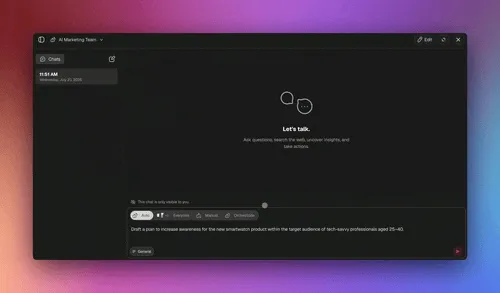
The three execution modes are themselves a resource decision. Simple runs a single capable agent with minimal overhead. Manual gives you direct control. Orchestrate spins up multi-agent teams for complex, multi-domain jobs. Picking the right mode is cost control: you do not pay orchestration overhead for a one-line answer.
A few more specifics, framed honestly around what the platform does today:
- built-in tools, scoped per agent. Giving an agent only the tools its role needs shrinks the model's decision space, which makes routing more predictable and cuts wasted reasoning. A scoped agent is a cheaper agent. See custom agents for scoping.
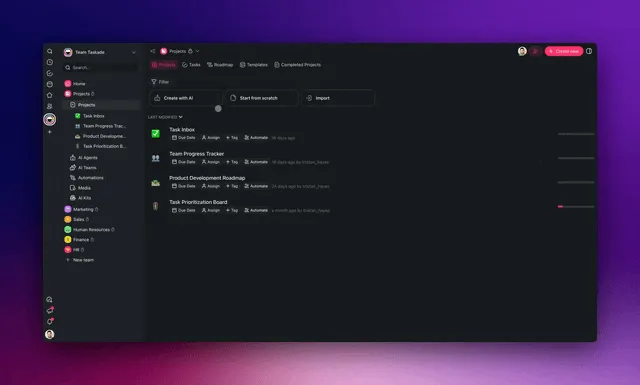
- Transparent credit usage. You see which model ran and what it cost. Transparency is what makes optimization possible. You cannot tune what you cannot measure. Build a spend dashboard with the Table and Board views (Taskade ships multiple project views: List, Board, Calendar, Table, Mind Map, Gantt, and Org Chart, with Timeline part of Gantt).
- Budget guardrails as automations. Use automations and durable execution to enforce per-workflow budgets, alert when spend trends up, and gate premium steps behind conditions, turning cost control into a workflow, not a spreadsheet. With 100+ bidirectional integrations, those alerts reach Slack, email, or your dashboard automatically.
Where most guides leave you to assemble the stack yourself, Taskade ships the controls as defaults. The honest comparison:
| Capability | DIY in code | Taskade default |
|---|---|---|
| Model routing | Build + maintain a router | Auto across 15+ models |
| Caching | Stand up your own layer | Inference-layer prompt caching |
| Budget guards | Wire your own breaker | Automations + credit ceilings |
| Cost-per-task visibility | Build observability | Transparent credit usage |
| Model breadth | Integrate each provider | 15+ frontier models built in |
To be clear about scope: Taskade's automatic routing and transparent credit reporting are live today. We are not claiming a self-tuning cost optimizer that rewrites its own thresholds, the tuning lever above is an operating discipline you apply with the analytics the platform surfaces. Honesty about scope is part of the pattern.
It helps to see where each of the five levers lands on real platform parts. The diagram below maps the cost-aware agent's anatomy in Taskade, what is shipped as a default versus what you assemble as an operating discipline on top of the analytics the platform exposes.
Read that left to right and it is the same five levers in platform terms: routing right-sizes the model, memory prunes context, execution mode scales the machinery, and the budget discipline caps and tunes, the first three shipped as defaults, the last as a workflow you build with automations.
Build a Cost-Aware Agent Without Code
Here is the honest wedge: every other guide on this topic assumes you hand-build a Python router, run your own caching layer, and wire your own observability. You do not have to. A non-technical operator, an ops lead, a founder, a marketer, can stand up a cost-aware agent in Taskade in minutes:
- Create an agent. Describe its job in plain language.
- Leave the model on Auto. Routing happens by default, simple tasks get the economical model, hard ones escalate.
- Scope its tools. Give it only the tool-equipped subset its role needs. A narrower agent reasons less and costs less.
- Read cost per task. Credit usage is shown per task and per model in the Table and Board views.
- Promote only what needs it. For the few task types where Auto under-delivers, pin a stronger model. Everything else stays cheap.
That is resource-aware optimization in practice, built by an operator, not researched by an ML team. The same agent can scope its own tools and call them live, which is what keeps its decision space (and its bill) small:
And because credit usage is visible per task, you can turn it into a live spend view with the Table and Board views instead of a month-end spreadsheet surprise:

The Full Capability Surface You Can Build Against
The no-code path is not a toy version of the engineering one. The same primitives that make routing and budgeting work in code are exposed as building blocks you assemble in plain language. So the cost discipline above is something an operator actually builds, not just reads about. Here is the surface relevant to cost control, framed as honest capability:
- Taskade EVE, the meta-agent that plans and orchestrates. Describe the outcome and Taskade EVE decomposes it, picks tools, and coordinates the run across the model ladder. The planning that normally costs you a hand-written orchestration layer is the thing you delegate. More in agent orchestration.
- App from one prompt. A single prompt turns into a working Taskade Genesis app, backed by your workspace as the database and your agents as the team. So you skip the build-and-host step where a lot of DIY cost hides. You can publish it with custom domains, password protection, and a spot in the Community Gallery.
- Three modes as a cost dial. Simple for one-shot work, Manual for direct control, Orchestrate for multi-agent teams. Choosing the mode is choosing how much machinery, and how much spend, a task gets. You never pay orchestration overhead for a one-line answer.
- built-in tools, scoped per agent. Web search, code, file analysis, custom slash commands, and more. But you hand each agent only the subset its role needs. A narrower tool set is a smaller decision space and a smaller bill.
- Persistent memory and multi-model auto-route, both real. Memory carries context across runs so an agent retrieves what it needs instead of re-reading everything, and Auto routes each request across the model ladder by default. Loop protection and retry keep a stuck task from spending into oblivion. These are live mechanisms you can rely on; the tuning of thresholds on top of them is the operating discipline you bring.
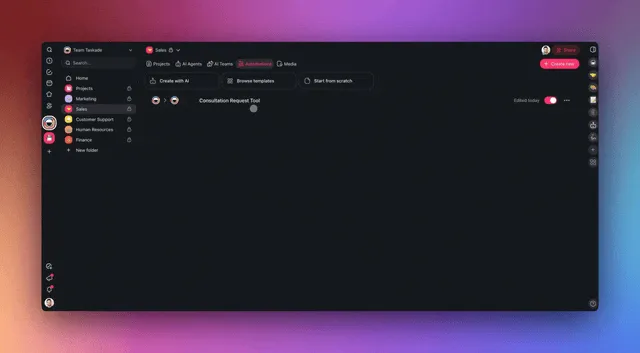
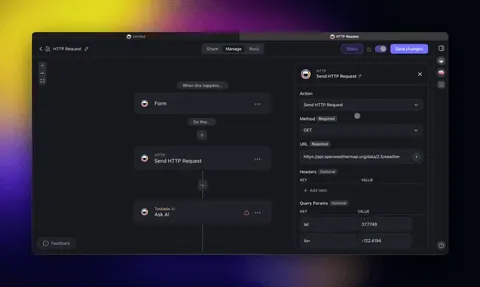
- 100+ bidirectional integrations and automations. Triggers pull events in, actions push data out, and a durable automation can enforce a per-workflow budget, alerting Slack or email when spend trends up, gating a premium step behind a condition. That is a budget circuit breaker built as a workflow, not a service you stand up.

A cost-aware agent assembled this way reaches across all five levers without a line of code, routing and memory come as defaults, mode choice scales the machinery, and an automation closes the loop as a budget guard:
This is the path no competitor offers: routing, budget guards, and cost transparency for a team that does not write code. For the deeper build, see custom agents and agentic design patterns.
How Do You Measure Whether It Worked?
You measure with one primary metric and one guardrail. The primary metric is cost per task, tracked over time and broken down by model, by workflow, and by team. The guardrail is the quality-versus-cost delta, for every routing change, you confirm the cheaper path did not drop quality below the bar. Optimization that saves money but tanks quality is not optimization; it is a deferred cost.
Before any of that works, you need the record itself. Cost per task is not a single field you read off an invoice. It is a roll-up of every call, tool invocation, and retry a task generated. Logging it as a structured record is what makes the whole optimization loop possible, and it is exactly why cost per task captures the fan-out that cost per token misses:
Sum the cost across every related call and you have cost per task; tag each task with its complexity class and a quality score and you can compare classes against each other. That is the table the tuning loop runs on.
A simple measurement loop, in ASCII:
  ┌─────────────┐     ┌──────────────┐     ┌───────────────┐
  │ Route task  │ ──> │ Execute +    │ ──> │ Log: model,   │
  │ by class    │     │ monitor      │     │ tokens, cost  │
  └─────────────┘     └──────────────┘     └───────┬───────┘
        ▲                                          │
        │                                          v
  ┌─────┴───────┐     ┌──────────────┐     ┌───────────────┐
  │ Tune        │ <── │ Compare cost │ <── │ Score quality │
  │ thresholds  │     │ vs quality   │     │ for the class │
  └─────────────┘     └──────────────┘     └───────────────┘
Watch for two failure signals. If a task class escalates to premium more often than expected, the cheap-tier threshold is set too low and you are paying for failed attempts plus retries. If a class produces low-quality output, the threshold is set too cheap and you are saving money at the expense of the result. The healthy state is a stable distribution: most traffic in the cheap lane, a steady trickle escalating, and quality scores holding.
This is the same evaluate-and-improve discipline behind agent evaluation and metacognitive AI. The router is a hypothesis about which model each task needs; cost-per-task data is the experiment that confirms or refutes it. Treat threshold tuning like any other experiment, change one line, watch the delta, keep or revert.
Common Mistakes in AI Agent Cost Optimization
The pattern is simple to state and easy to get wrong. These anti-patterns turn a cost-saving initiative into a quality regression, or a more expensive system than you started with.
| Anti-pattern | Consequence | Fix |
|---|---|---|
| Optimize token price, not task cost | Cheap-but-flaky model costs more per task | Measure cost per completed task |
| Downgrade mid-task | Incoherent output, full redo | Switch on the next task only |
| Cache volatile answers | Stale or wrong data served | Cache stable, never time-sensitive |
| Over-prune context | Retries and hallucinations | Prune stale, keep relevant |
| Route without measurement | Guessing, no trust | Log model/tokens/cost first |
| Treat it as one-time | Drift erodes savings | Revisit thresholds on a cadence |
Optimizing token price instead of task cost is the most common error, covered above, but worth repeating because it undoes every other gain. Downgrading mid-task produces output the user has to redo. Caching volatile answers is a correctness bug dressed as a saving: cache the FAQ, never the live inventory count. Over-pruning forces the retries it was meant to prevent. Routing without measurement is flying blind, see agentic exception handling. Treating it as one-time ignores that task distributions and model prices both drift; resource-aware optimization is a standing discipline, like exploration and discovery and the reflection pattern, not a launch task.
AI Agent Cost Optimization Checklist
Do these now, in order of leverage:
- Measure cost per task before changing anything, by model, workflow, and team.
- Classify your workload into simple / medium / complex by volume share.
- Route the simple majority to a cheap capable model; reserve premium for the complex minority.
- Add a quick-test path for ambiguous tasks, run cheap, escalate only on low confidence.
- Cache repeats in two tiers (exact + semantic); never cache volatile data.
- Prune stale context every turn; summarize old history.
- Set token, time, and cost ceilings per task with a budget-aware circuit breaker.
- Never downgrade a model mid-task, apply cheaper models on the next step.
- Log model, tokens, and cost on every task so you can tune.
- Tune thresholds on a cadence, watching for over-escalation and quality drops.
The Bottom Line
AI agent cost optimization is not about buying cheaper models. It is about spending capability where it earns its keep and conserving it everywhere else. Resource-aware routing, classify by complexity, route to the cheapest capable model, cache repeats, guard budgets, and tune from cost-per-task data, is the pattern that makes high-volume agent systems affordable without making them worse. Because agents cost 3 to 10 times more than chat, the fan-out is the bill, and the fan-out is exactly what these five levers control.
The teams that win with AI in 2026 are not the ones running everything on the biggest model. As we argued in how to win with AI and the $1M-per-employee era, they treat compute like any other operating resource: measured, budgeted, and allocated to its highest-value use. Routing is how you do that for AI.
Taskade gives you the foundation out of the box, automatic routing across 15+ frontier models, built-in tools, three agent modes, transparent credit usage, and automations to enforce budgets. Pricing scales with you: Free to start, Pro at $10/mo (the popular plan), Business at $25/mo, Max at $100/mo, and Enterprise at $250/mo, all annual billing, flat per-plan.
Start small. Build an agent, leave the model on Auto, scope its tools, and read the cost per task. Promote the few tasks that need premium reasoning. Cache the repeats. Then watch the bill stop scaling with your usage.
▲ Memory keeps context lean. ■ Intelligence routes each task to its right-sized model. ● Execution runs within budget and feeds the result back. Build a cost-aware agent on Taskade free →
Frequently Asked Questions
What is AI agent cost optimization?
It is the practice of matching each task to the cheapest model and resource path that still meets the quality bar, instead of running every request on a frontier model. The core technique is resource-aware model routing: classify task complexity, then route simple tasks to fast cheap models and complex tasks to advanced ones. With caching and budget guards, teams typically cut spend 50 to 80 percent.
Why do AI agent costs spiral?
Because one request becomes many calls. Planning, tool selection, execution, verification, and loop iterations each spend tokens, so an agent task uses 5 to 30 times the tokens of a single chat completion, and multi-agent jobs reach hundreds of thousands. Per-token prices fall, but per-task call counts climb faster.
How does resource-aware model routing reduce AI costs?
By right-sizing the model to the task. Most workloads are dominated by simple requests a small model handles perfectly. Routing those away from premium models captures the bulk of savings, while frontier models stay reserved for the minority that needs deep reasoning. See routing.
What is the difference between cost per task and cost per token?
Cost per token is the raw price of model usage. Cost per task is the total to finish real work, retries, tool calls, escalations, sub-agent steps included. Cost per task is the number to optimize, because a low-token-price model with a high retry rate can cost more per finished task.
Does cheaper model routing hurt output quality?
Not when done correctly. The classifier sends a task to a small model only when it can meet the bar, and escalates otherwise. RouteLLM preserves ~95 percent of top-model quality while calling the strong model only 14 to 26 percent of the time.
How does caching lower AI agent costs?
It avoids paying for the same answer twice. Exact-match caching reuses identical requests, semantic caching reuses equivalent ones, and prompt caching discounts repeated prefixes, up to ~90 percent input savings per provider docs. Never cache volatile or time-sensitive data.
How do I set a budget for AI agents?
Set a token ceiling per task, a time limit, and a cost or credit ceiling per workflow. A budget-aware circuit breaker tracks usage during execution and prunes, falls back to cache, or downgrades the next step before an overrun. In Taskade, automations enforce these as a workflow.
Should I always use the most powerful AI model?
No. A mid-tier model with well-curated context often beats a frontier model fed sloppy context. Reserve premium models for deep multi-step reasoning and route high-volume simple tasks to faster, cheaper models that clear the bar.
How much can resource-aware optimization actually save?
Typical ranges: 30 to 85 percent from routing, 50 to 90 percent from caching, and 2 to 5 times more throughput from batching. Combined, most teams land in the 50 to 80 percent band. The more task variance, the more there is to capture.
How does Taskade help control AI agent cost without code?
It ships routing as a default, Auto routes each request across 15+ frontier models by task and plan, with Taskade EVE orchestrating. Three modes scale machinery to the task, scoped built-in tools shrink the decision space, and transparent credit usage lets a non-technical team read cost per task and promote only what needs premium. Build one free →
Companion Reads: The Resource-Aware Cluster
- Resource-Aware Optimization, the pattern reference in the wiki
- Agentic Design Patterns, the pillar that ties routing, caching, and budgeting into one playbook
- Multi-Agent Collaboration in Production, the "never downgrade mid-task" rule at scale
- Context Engineering, why lean context lets cheaper models clear higher bars
- What Is GPT?, how the Astra, Sol and Luna price tiers line up with a routing ladder
- Metacognitive AI, the evaluate-and-tune loop behind threshold tuning
- Routing and Agent Task Prioritization, where routing sits in the agent control flow
Stan Chang is CTO and co-founder at Taskade. He leads the engineering team behind Taskade's AI agents, Taskade Genesis app builder, and the automation platform. Follow the engineering series for more production AI architecture posts.