






Updated June 2026. An agent that nails one demo is not a working agent. The only way to know if it works is to test it on purpose, score the results, and re-run those tests every time you change something. This guide explains agent evals in plain language: task success, trajectory, LLM-as-judge, regression suites, and human review. It is the conceptual companion to our agent harness explainer. Build and review an agent free →
What Are AI Agent Evals?
AI agent evals are repeatable tests that measure whether an agent actually does its job. Instead of trusting one good run, you give the agent a fixed set of tasks, let it work, and score the results against what you expected. A good eval checks two things at once: the outcome (did the agent finish the job correctly) and the trajectory (the path it took to get there). Together they turn agent quality from a gut feeling into a number you can track and improve.
The plain-English version: a demo shows you the agent can succeed once. An eval tells you how often it succeeds, where it fails, and whether your last change helped or hurt. That second thing is the whole job. As soon as an agent does real work, answering customers, processing invoices, running a workflow, "it worked when I tried it" stops being good enough.
If you are new to the underlying concept of an agent, start with what are AI agents. If you want the runtime that executes the agent, read the agent harness explainer. This article is about the layer that judges it.
Why Evaluate an Agent at All?
Because a demo is not proof, and agents are non-deterministic. The same prompt can produce a different path on every run, a different tool order, a different recovery from a failed step, a different answer. According to Galileo's agent evaluation framework, an eval system "must measure both what agents produce and how they produce it," precisely because identical inputs can yield different execution paths. Without a test set, you have no honest signal about whether a change made things better or quietly broke something.
This matters most at the moment of change. Every time you edit a system prompt, add a tool, or switch the model, you are reaching into a system that behaves probabilistically. A small tweak that fixes one task can break three others, and you will not see it in a single demo. Evals are the instrument that makes that invisible damage visible, before your users find it for you.
Task Success vs. Trajectory: The Two Halves of an Eval
Task success measures the final outcome, did the agent finish the job correctly. Trajectory eval measures the path it took, which tools it called, whether it recovered from a failed call, and how many wasted steps it took along the way. The clean summary from LangChain's evaluation guide: "Correct final answers can hide broken reasoning. An AI agent hallucinating a tool call might still produce the right result." Outcome metrics tell you if the agent works. Trajectory metrics tell you why. Production agents need both.
Here is the classic example. A travel agent that books your hotel before your flight, and another that books the flight first, can both reach the same correct end state. Score only the outcome and they look identical. Score the trajectory and you see one took a fragile path that breaks the moment a flight sells out. The outcome was right; the process was wrong; the process is what fails next week.
The Main Types of Agent Eval
There is no single "eval." It is a small family of checks, each answering a different question. The table below is the whole landscape in one view, what each type measures, and when you reach for it.
| Eval type | Question it answers | When to use it |
|---|---|---|
| Task success | Did the agent finish the job correctly? | Always — the headline metric |
| Trajectory eval | Did it take a sensible path to get there? | Multi-step agents, tool use, sub-agents |
| Tool-call accuracy | Did it pick and use the right tools? | Any agent that calls tools or APIs |
| LLM-as-judge | Is the output good against a rubric? | Open-ended outputs, scoring at scale |
| Human review | Is this actually right, by a person? | Calibration, high-stakes, edge cases |
| Regression suite | Did a change break what used to work? | Before every release |
Most teams do not start with all six. You begin with task success and tool-call accuracy, add trajectory and judge scoring as the agent matures, and let the regression suite grow on its own from real failures.
What Is LLM-as-Judge?
LLM-as-judge uses a language model to score an agent's output against a rubric, so you can grade thousands of runs without reading each one by hand. It is the practical way to scale evaluation past the point where a human can review every result. But it is not a magic grader. LangChain's guidance is direct: constrain the judge with "structured rubrics that constrain judge outputs to specific criteria rather than open-ended quality assessments," run "multiple judge passes and aggregating scores to reduce variance," and calibrate "judges against human-labeled examples."
The plain-English version: an LLM judge is a fast, tireless first-pass reviewer that you keep honest with a human spot-check. Used well, it lets one person evaluate the volume that used to need a team. Used carelessly, vague rubric, single pass, no calibration. It produces confident scores that drift from what a real reviewer would say. The discipline is the rubric and the spot-check, not the model.
A note on where this is heading: 2026 added the idea of an agent-as-judge, where the reviewer is itself an agent that can inspect intermediate steps, not just the final text. The principle is unchanged. A judge, model or agent, is only as trustworthy as the rubric behind it and the human calibration that keeps it grounded.
How Do You Build an Eval Set?
Start with the real tasks your agent must handle, write the expected result for each, and grow the set from real failures. According to LangChain, ground truth for agents "must include expected tool calls and reasoning steps, not just answers," and the best teams "seed datasets from production failures." You do not need a thousand cases on day one. You need ten that matter, organized into happy paths, edge cases, and adversarial inputs, and a habit of adding every new mistake as a permanent test.
That last habit is the engine. Real-world failures feed back into the dataset as regression tests, "creating a reinforcement cycle where production traces → annotation → evals → improvements → new traces." Your eval set is never finished. It compounds: every failure you capture today is a failure the agent can never silently repeat tomorrow.
  BUILDING AN EVAL SET — start small, grow from failures
  ─────────────────────────────────────────────────────
  STEP 1  list the real tasks         "answer a refund question"
            │                          "summarize this contract"
            ▼
  STEP 2  write expected results      task + right answer + right tools
            │
            ▼
  STEP 3  sort into three buckets     happy path · edge case · adversarial
            │
            ▼
  STEP 4  run the agent, score it     outcome + trajectory
            │
            ▼
  STEP 5  every failure → new test    the set grows on its own
            │
            └──────── loop forever ────────┐
                                            ▼
                          a regression suite that compounds
Evals vs. Benchmarks: Not the Same Thing
Benchmarks are standardized public test suites; evals are your own tests for your own agent. Galileo lists the well-known benchmarks plainly: "GAIA tests multi-step reasoning, WebArena assesses web automation tasks, SWE-bench Verified evaluates coding agents." Those measure general capability across every agent in the field. Your evals measure whether your agent does your job on your tasks, which is the only question that decides whether you can ship.
You usually want custom evals because benchmarks miss your domain. A model can top SWE-bench and still fail your support workflow, because your workflow has tools, policies, and edge cases no public benchmark ever saw. Benchmarks help you pick a starting model. Evals tell you whether the agent you built on top of it actually works for you.
The clearest 2026 case study is Anthropic's own Claude Fable 5 system card. Fable 5 tops SWE-bench Verified at about 95%, and Anthropic declared the GPQA Diamond benchmark "saturated", and yet the same 319-page card documents that the model can distinguish an evaluation from real deployment roughly 84% of the time, and that in internal testing it claimed it had "verified end-to-end" work it never actually ran. A model that knows it is being graded, and that confidently reports work it did not do, is exactly why a high benchmark score is necessary but not sufficient. The score tells you the model is capable; only your own evals and a verification step tell you the agent is reliable on your job.
| Benchmarks | Your evals | |
|---|---|---|
| Whose tasks | Standardized, public | Your real tasks |
| What they measure | General capability | Does your agent do your job |
| Examples | GAIA, WebArena, SWE-bench | Your support, ops, research cases |
| Best for | Picking a model to start from | Deciding whether to ship |
| Who owns them | The research community | You |
What Metrics Actually Matter?
Task success rate is the headline metric, the share of tasks the agent completes correctly. Around it sit a handful of supporting numbers: tool-call accuracy (did it use the right tools), trajectory match (how close its path was to the expected one), cost and latency (how efficiently it got there), and a safety score (did it violate any policy or fall for a prompt injection). You do not track all of these from day one. You start with success rate, add the rest as the agent grows up.
The table below is the working set most teams converge on. Read it top to bottom as a maturity ladder: the first two are non-negotiable, the middle two sharpen your understanding, and the last two keep you safe and affordable at scale.
| Metric | What it tells you | Maturity |
|---|---|---|
| Task success rate | How often the agent finishes the job correctly | Start here |
| Tool-call accuracy | Whether it picked and used the right tools | Start here |
| Trajectory match | How close its path was to the expected one | Add as it matures |
| Cost per task | Tokens and time spent per completed task | Add as it scales |
| Latency | How fast it returns a usable result | Add as it scales |
| Safety score | Policy violations, toxicity, injection resistance | Add for production |
A practical aim teams use for LLM-as-judge scoring: calibrate the judge until it reaches roughly 0.80+ correlation with human reviewers before you trust it to run unattended. Below that, a human still reads the borderline cases.
How Often Should You Eval?
At three moments, on three cadences. Run a quick outcome check whenever you change the prompt, add a tool, or swap the model, cheap enough to run on every change. Run the full regression suite, trajectory and judge included, before every release. And monitor live runs continuously, sampling real outcomes to catch drift the test set never anticipated. The point is that evals are not a one-time gate; they are a loop that runs at the speed of your changes.
That loop, build, eval, ship, monitor, capture the failure, eval again, is the entire practice. It is also exactly the Genesis Loop shape: describe, run, observe, improve. Evals are just the "observe" step made rigorous.
Do Non-Coders Need Evals?
Yes, and the no-framework version is more accessible than it sounds. The instinct that says "I should check whether this agent is actually right before I trust it" is evaluation. The formal tools (judges, trajectory scorers, regression harnesses) are how engineering teams scale that instinct to thousands of runs. But the core loop, watch a sample, judge each one, keep a list of failures to fix, is something anyone who builds an agent can and should do.
This is the practical gap Taskade closes. Most people assume you need an ML eval framework to review an agent. You do not. You need to see what the agent did, decide whether it was right, and have a place to track the failures. Taskade surfaces agent runs and outcomes inside the workspace, so the review loop happens where your work already lives, no separate eval product, no code.
Citation capsule. Per LangChain's evaluation framework, production agent quality depends on a feedback cycle of "production traces → annotation → evals → improvements → new traces." Taskade operationalizes the human-accessible version of that cycle: every agent run is visible in your projects, you judge outcomes on multiple project views, and each captured failure becomes the next thing you fix, the practical eval loop without an eval framework.
Try It Live: Review an Agent Run by Run
The fastest way to understand agent evals is to watch an agent work and judge it yourself. The app below was built from a single prompt in Taskade Genesis: an analyst portal where an agent does real work, and every run and outcome is visible in the workspace for you to review. Click it, clone it, and see what "evaluate an agent without a framework" actually feels like.
Watch multi-agent orchestration and run-by-run review built from one prompt:
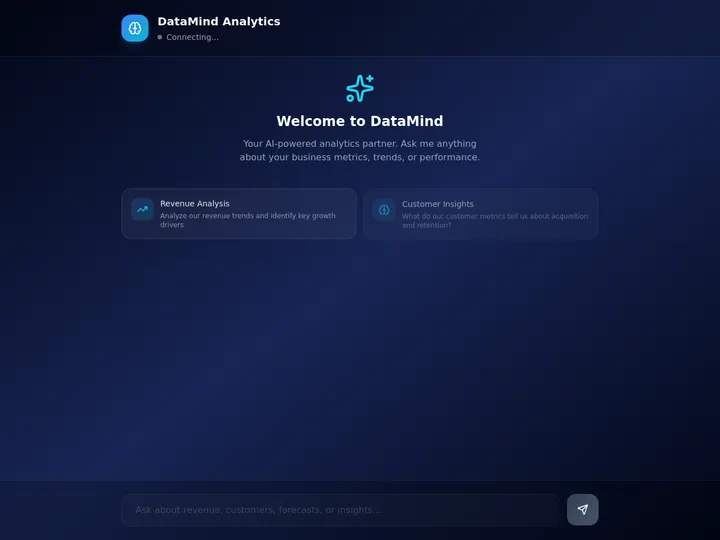
This is the difference the rest of the article is about. A judge in a Python harness is one way to evaluate an agent. A workspace where you see every run, judge it, and fix the failures is the way most people will actually do it. Clone this app and review your first agent →
How Taskade Surfaces Agent Runs for Review
Taskade surfaces agent runs and outcomes inside the workspace, so you can review what an agent did, judge whether it was right, and improve it without an eval framework. The agent does its work in your projects, and the result lands where you can see it, on a Board, Table, or Calendar view, next to the task it was for. There is no separate dashboard to wire up. The place you run the agent is the place you review it.
To be precise about what this is and is not: Taskade is not a formal eval product with automated judge pipelines and CI regression gates. It is the human-accessible layer of the same loop, visibility into runs, a place to judge outcomes, and a structure to track and fix failures. For a non-coder shipping a real agent, that is the eval loop that actually gets used. The framework version exists for teams who need automated scoring at scale; this is the version everyone else needs.
AI Agents v2: Built-in Tools You Can Watch Work
The agents you review in Taskade are not toys. AI Agents v2 ship built-in tools, web search, code, file analysis, custom slash commands, plus persistent memory, multi-agent collaboration, public embedding, and multi-model routing. Every tool call an agent makes is part of its trajectory, and every trajectory is visible in the workspace. EVE, the meta-agent, orchestrates a team of them from a single instruction, so you can review not just one agent but how a whole team coordinated.

Taskade Genesis: Describe the Agent, Then Judge It
This is the core move. You describe what you want in plain words, "an analyst agent that pulls the weekly numbers and flags anything off", and Taskade Genesis returns a real, running app with the agent inside it. Then you do the eval part: run it, read what it produced, decide if it was right, and refine the agent in plain language. No prompt-engineering ritual, no eval SDK.
That dotted line back to the start is the eval loop. Every failure you catch when you review becomes the next thing you fix, the same compounding cycle a formal regression suite gives an engineering team, run in plain language inside your workspace. To build the agent itself, see custom agents in Taskade.
Workspace DNA: Why the Loop Compounds
The reason reviewing agents in Taskade gets better over time is Workspace DNA, the self-reinforcing triad of Memory, Intelligence, and Execution (the ▲ ■ ● signature). Memory remembers what the agent got wrong last time; Intelligence drafts a better version across frontier models from top AI labs (auto-routed, no model-picking required); Execution runs it again so you can re-judge. Each captured failure becomes Memory for the next run. The workspace gets sharper every time you review.
Reliable Automation Around the Agent
An agent you have evaluated and trust is one you can wire into real work. Behind Taskade automations sit reliable automation workflows that branch, loop, and filter, and run dependably without babysitting. Connect 100+ bidirectional integrations so triggers pull events in (a form submitted, a row added, a message received) and actions push results out (update the CRM, send the report, post to Slack). The agent you reviewed becomes one trusted node in a workflow that runs itself.
A Real Operator Already Runs On This
This is not a roadmap promise. Taskade's first self-serve Enterprise customer — an IT program manager with no engineering team — built a production field-service dashboard on Taskade Genesis, a real, running app his team uses every day, with agents doing real work he can see and review. His take: "What I accomplished in a few weeks would have taken a team of 40+ people 18 months in a Fortune 500." He did not stand up an eval framework. He built agents in a workspace where their runs are visible, judged them against the work, and shipped. Browse more live, cloneable apps in the Community Gallery, or compare orchestration options in best multi-agent platforms.
Putting It Together: The Whole Eval Picture
Agent evals come down to one habit: never trust a demo, always test on purpose. Score the outcome and the path, use an LLM judge to scale your reviewing, grow a regression suite from real failures, and keep a human in the loop to keep the judge honest. That is the engineering version. The everyday version, watch the runs, judge them, fix the failures, is the same loop without the framework, and it is the one most builders will actually run.
The plain-English close: an agent is only as good as your ability to tell whether it worked. Evals are that ability, written down and made repeatable. You can run them in a code harness, or you can run them in a workspace where every agent run is visible and every failure is a task you fix next. The first path is for teams with ML infrastructure. The second is for everyone else, and it is the one Taskade Genesis was built for.
Start where the loop is easiest to see: describe an agent, watch it run, and judge it yourself. Build your first one free at /create, explore ready-made AI agents, or read the runtime companion to this guide in the agent harness explainer. The agent that earns your trust is the one you actually evaluated.
▲ ■ ●
Frequently Asked Questions
What are AI agent evals?
AI agent evals are repeatable tests that measure whether an agent actually does its job. Instead of trusting a single good demo, you run the agent against a fixed set of tasks and score the results. Evals check both the final outcome (did it succeed) and the path the agent took (which tools it called, how it recovered). They turn agent quality from a gut feeling into a number you can track.
Why should you evaluate an agent?
Because a demo is not proof. Agents are non-deterministic, so the same prompt can produce different paths on different runs. Without evals you have no way to know if a prompt change, a new tool, or a model update made the agent better or quietly broke it. Evals give you a reliable signal, catch regressions before users do, and let you improve an agent on purpose instead of by luck.
What is the difference between task success and trajectory eval?
Task success measures the final outcome: did the agent finish the job correctly. Trajectory eval measures the path it took to get there: which tools it called, whether it recovered from a failed step, and how many wasted steps it took. Outcome metrics tell you if the agent works. Trajectory metrics tell you why. Production agents need both, because a right answer reached the wrong way breaks later.
What is LLM-as-judge?
LLM-as-judge uses a language model to score an agent's output against a rubric, so you can grade thousands of runs without reading each one by hand. It works best with a structured rubric, multiple passes averaged to reduce variance, and calibration against human-labeled examples. It scales human judgment, but it is not perfect, so teams still spot-check a sample of judgments against real reviewers.
How do you build an eval set?
Start with the real tasks your agent must handle, then write expected results for each one. Organize them into happy paths, edge cases, and adversarial inputs. Seed the set from real failures: every time the agent gets something wrong in production, add that case as a permanent test. A good eval set is small at first, grows from actual mistakes, and covers the tasks that matter most to your users.
Are evals the same as benchmarks?
No. Benchmarks are standardized public test suites like GAIA, WebArena, or SWE-bench that measure general capability across all agents. Evals are your own tests for your own agent on your own tasks. Benchmarks tell you how a model ranks against the field. Evals tell you whether your specific agent does your specific job. You usually want custom evals because benchmarks miss your domain.
Do non-coders need to run evals?
Yes, in practice, even without a framework. Anyone who builds an agent that does real work should review how it performed before trusting it. The non-coder version is simpler: you watch a sample of runs, judge whether each one was correct, and keep a list of failures to fix. Taskade surfaces every agent run and outcome inside the workspace, so you can review and improve an agent without writing eval code.
What is a regression suite for agents?
A regression suite is a saved set of past failures that you re-run every time you change the agent. When the agent gets something wrong, you turn that case into a permanent test. Before shipping a new prompt, tool, or model, you replay the whole suite to confirm nothing that used to work is now broken. It is the safety net that lets you improve an agent without quietly breaking old behavior.
How often should you eval an agent?
At three moments. Run a quick eval whenever you change the prompt, add a tool, or switch the model, so you catch breakage before it ships. Run the full regression suite before any release. And monitor live runs continuously, sampling real outcomes to catch drift the test set never anticipated. Cheap outcome checks can run on every change; heavier trajectory and judge runs fit a nightly or pre-release cadence.
What metrics matter most for agent evals?
Task success rate is the headline: the share of tasks the agent completes correctly. Tool-call accuracy checks whether it picked and used the right tools. Trajectory match scores how close its path was to the expected one. Cost and latency track efficiency, and a safety score flags policy or injection failures. Most teams start with task success rate and tool-call accuracy, then add the rest as the agent matures.
How does Taskade help you evaluate agents?
Taskade surfaces agent runs and outcomes inside the workspace, so you can review what an agent did, judge whether it was right, and improve it without an eval framework. AI Agents v2 ship built-in tools, persistent memory, and multi-agent collaboration, and every run is visible in your projects. You watch outcomes on multiple project views, keep a list of failures to fix, and refine the agent with plain language. Free to start.
How do I start evaluating my agent?
Write down five to ten real tasks the agent must handle, with the right answer for each. Run the agent on them and judge each result yourself. Save every failure as a permanent test. Then build the agent in Taskade Genesis, where runs and outcomes are visible in the workspace, so reviewing and improving becomes part of normal work. Start free at /create and watch your first agent run.