






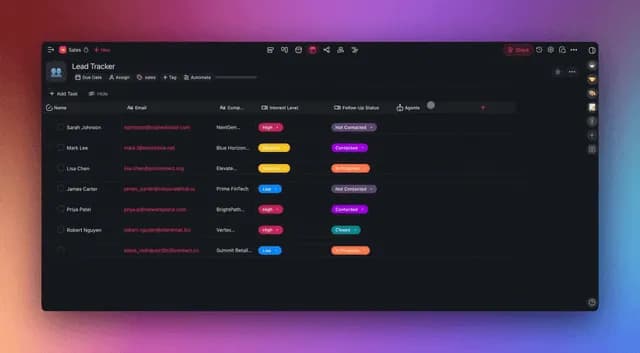
You would never fire a new employee on day one for turning in a bad draft. You would hand it back, explain what you wanted, point to an example, and ask them to try again. Two weeks later, they would be fine. Six months later, indispensable.
Most operators do the exact opposite with their AI agents. First output is weak → declare AI mid → close the tab → go back to doing the work manually. They just fired the new hire on day one.
This is the single biggest self-inflicted wound in 2026 AI adoption. And it is entirely fixable.
TL;DR: Train agents the way you train employees — written role, tool access, 16+ examples of your best work, and a reinforcement loop where you accept or reject outputs. Over roughly 100 iterations the agent locks onto your voice and judgment. The difference: 100 iterations takes 100 minutes with an agent and 18 months with a human. Taskade Agents v2 persists the training across sessions so it compounds. Here is the onboarding playbook.
This is the third companion post to the Win With AI in 2026 pillar. Read that one for the frame. Read this one for the discipline.
The One-Line Thesis
Humans learn by reinforcement. So do agents. Treat them the same.
That is the whole post in nine words. The rest is implementation.
If 16 SOP examples train a Taskade Genesis agent's taste, the Karpathy loop trains its harness. Both compound. Operators who master agent reinforcement at the single-agent level today are one prerequisite away from running a full meta-agent loop tomorrow.
| Operator | Loop type | Experiments | ROI |
|---|---|---|---|
| You, this weekend | Single-agent reinforcement | 16 examples + ratings | Agent matches your voice in ~2 weeks |
| Karpathy (March 2026) | Meta-agent auto-research | 700 in 2 days | 11% speedup + bug fix Karpathy himself missed |
| Tobi Lütke (Shopify CEO) | Meta-agent on Shopify data | 37 in 8 hours | 19% performance gain |
| SkyPilot | Meta-agent + scaling discovery | 910 in 8 hours | Width-scaling insight, under $300 compute |
Source: Andrej Karpathy auto-research / Sequoia AI Ascent April 20 2026.
The takeaway: 100 iterations takes 100 minutes with an agent versus 18 months with a new hire. That ratio holds at every scale — single-agent training compounds your taste; meta-agent training compounds the harness around the agent. Inside Taskade Genesis, the same surface holds both: Agents v2 for taste training, scheduled Automations against a Project of metric snapshots for harness training.
How Do You Train an AI Agent Like an Employee? (The 5-Step Plan)
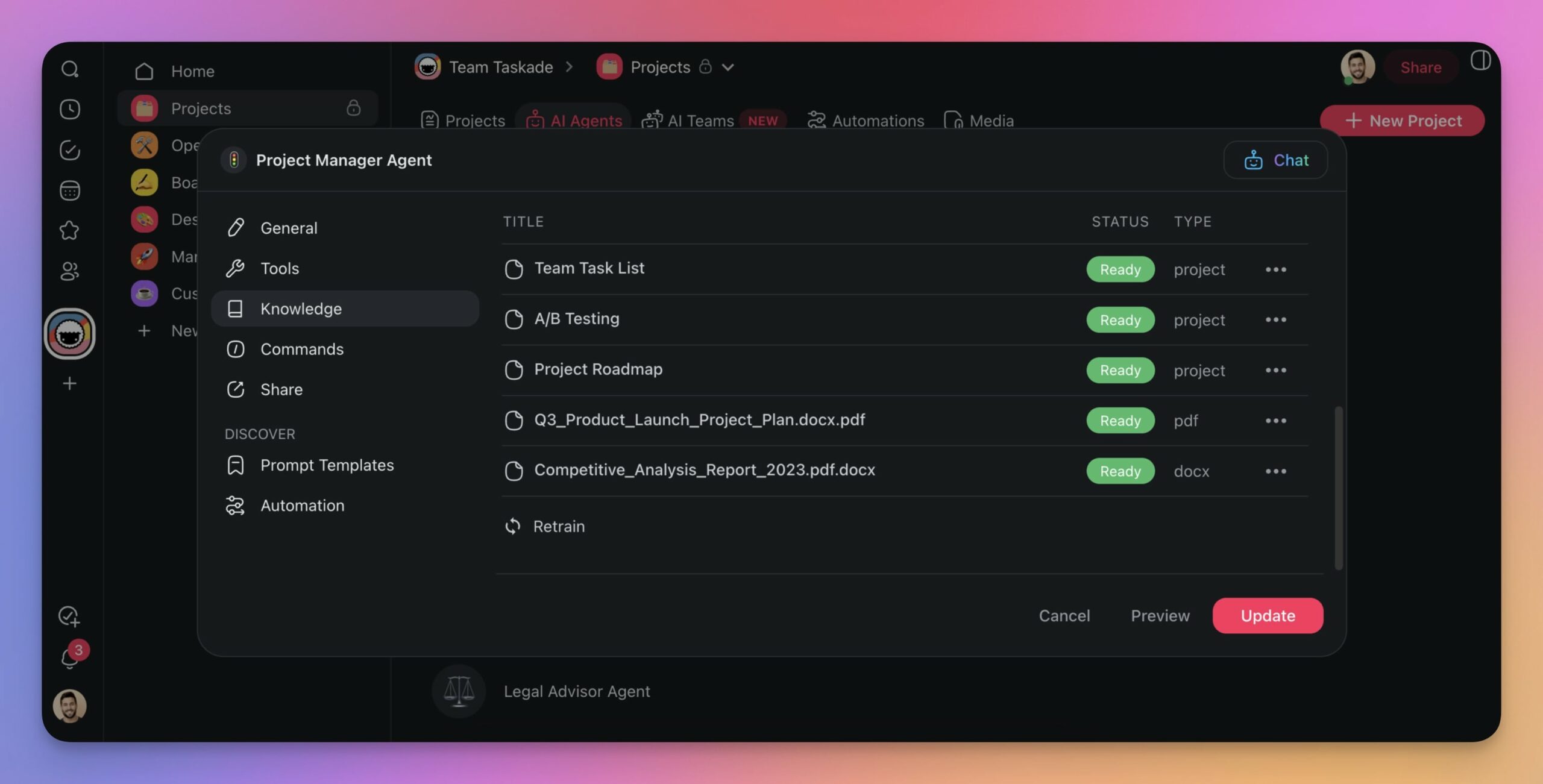
Every top-ranking HBR and RevOps piece on this topic converges on the same 5-step structure — and then none of them actually show you how to execute it. Here is the full plan with the Taskade surface each step runs on.
| Step | Employee-onboarding analogue | What you actually do for an agent | Where it lives in Taskade |
|---|---|---|---|
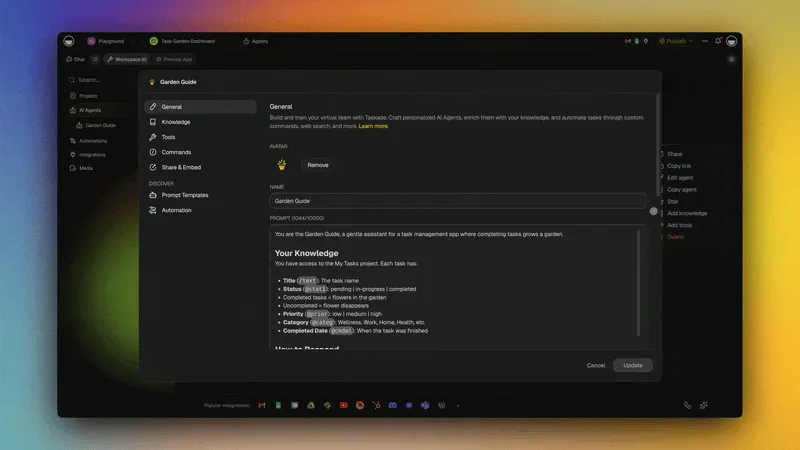
| 1 | Role — write the job description | Write a Role + Task + Rules + Output Format prompt (the 4-part skeleton) | Agents v2 → Agent profile → System instructions |
| 2 | Access — grant systems + tools | Scope which of the built-in tools + custom tools the agent can call | Agents v2 → Tool settings (whitelist / blacklist) |
| 3 | Training — show 16+ examples | Add samples of past best work + SOPs to persistent memory | Agents v2 → Memory → Reference docs |
| 4 | Feedback — review + coach | Rate outputs Strong/Acceptable/Weak; update Rules + add new samples | Agents v2 → Memory + in-line rating |
| 5 | Success metrics — define good | Pick 2–3 measurable outcomes (accuracy %, response time, human-rework %) | Dashboard view on top of Automation run history |
This is the spine of the post. Every later section drills into one step.
What Is the Agent Feedback Loop? (And How Does It Compare to RLHF?)
Every agent you train runs a miniature version of RLHF (Reinforcement Learning from Human Feedback) — the same technique that turned GPT-3 into ChatGPT. You do not need to implement RLHF from scratch to benefit from its shape. The same feedback loop works at the operator scale — in systems thinking terms it is a textbook balancing loop: read the agent's output (the state), compare it against your standard (the goal), and correct (the action), with each pass closing the gap.
The most quoted single proof point: OpenAI's InstructGPT (1.3B parameters) beat the 175B-parameter base GPT-3 on user-preferred outputs — a 100× smaller model winning because of RLHF, not scale. The feedback loop was worth more than 133× the compute. The training dataset that made it work: ~13,000 hours of human preference ratings.
You are not annotating 13,000 hours of output. You are annotating 10 outputs a month per agent. But the mechanism is identical — and the compounding is the same.
Operator Tools That Implement This Stack
If you are doing this outside a consolidated workspace, here is the fragmented dev-tier stack you would otherwise assemble. Taskade collapses this into one surface, but operators evaluating BYOA platforms should know the tools.
| Tool | Layer | Notes |
|---|---|---|
| LangChain / LangGraph | Agent orchestration + tool calling | General-purpose dev SDK |
| AutoGen | Multi-agent conversation patterns | Microsoft Research |
| CrewAI | Role-based multi-agent teams | Python-first |
| TRL / TRLX | RLHF pipelines (SFT, reward model, PPO) | HuggingFace ecosystem |
| LoRA / QLoRA | Low-rank fine-tuning for per-client voice | When you need on-weights customization |
| Taskade Agents v2 | All of the above + memory + tools + UI | One workspace; no glue code |
Why Operators Fire Agents Too Fast
The mental model most people bring to agents is "autocomplete on steroids." Under that model, a bad output means the tool is broken. Under that model, a second bad output confirms the tool is broken. Under that model, most operators close the tab by iteration three and never come back.
The correct mental model is "new employee on day one." Under that model, a bad output means you have not explained the job yet. That is not a tool failure. That is a training step.
┌──────────────────────────────────────────────────────────────────────┐
│  TWO MENTAL MODELS                                                   │
├──────────────────────────────────────────────────────────────────────┤
│                                                                      │
│  Wrong:  "Tool that outputs things"                                  │
│          - Bad output → tool broken                                  │
│          - Iteration feels wasteful                                  │
│          - Give up by output 3                                       │
│                                                                      │
│  Right:  "New employee being onboarded"                              │
│          - Bad output → job not explained yet                        │
│          - Iteration is training, not waste                          │
│          - Breakthrough typically by output 15-20                    │
│                                                                      │
└──────────────────────────────────────────────────────────────────────┘
This single mental-model swap is the difference between "AI is mid" and "AI ate my department." The mental model is free. The swap is instant. The compounding starts the same day.
What top operators actually do: Airtable CEO Howie Liu has stated publicly he uses AI hourly and is one of his own platform's largest individual inference-cost users globally — running 30 parallel Claude Code instances, each coupled to a browser, with cross-PR review. The Dan Shipper signal he cites: what predicts a company successfully adopting AI? Does the CEO use ChatGPT or Claude daily? Operators who treat agents as new hires win at the same rate CEOs who use them daily ship product. See the full history of Airtable for the IC CEO playbook.
The Four-Part Prompt Skeleton (Every Reliable Agent Has It)
Bad prompts read like SMS messages. Good prompts read like employee job descriptions.
┌─────────────────────────────────────────────────────────────────────┐
│  1. ROLE                                                            │
│  ──────                                                             │
│  Who is the agent? Background, perspective, expertise.              │
│  "You are an elite B2B sales trainer and script doctor."            │
│                                                                     │
│  2. TASK                                                            │
│  ──────                                                             │
│  What does the agent do? One sentence, unambiguous.                 │
│  "Turn the 10 transcripts below into one unified sales script."    │
│                                                                     │
│  3. RULES                                                           │
│  ──────                                                             │
│  Non-negotiables. Always do X. Never do Y. Number them.            │
│  - Use only lines appearing in ≥2 winning calls                    │
│  - Keep language at 3rd-6th grade reading level                    │
│  - Core pitch under 5 minutes when spoken                          │
│  - Never invent phrases not in the transcripts                     │
│                                                                     │
│  4. OUTPUT FORMAT                                                   │
│  ──────                                                             │
│  Exact structure. Headings, length, bullet rules, tone.             │
│  - Short structural overview in bullets                             │
│  - Full word-for-word script, organized by section headings         │
│  - Bullet list of top 10 most powerful phrases                      │
│                                                                     │
└─────────────────────────────────────────────────────────────────────┘
Every Taskade agent prompt worth shipping has all four. Missing any single piece is the #1 cause of unpredictable behavior. The most-skipped piece is Output Format, and that is exactly the one that creates the most "why is it not doing what I asked" frustration.
The Onboarding Ladder
Think of a new agent's first 30 days the way a sharp manager thinks about a new human hire's first 30 days.
Week 1 — Read-Only
Give the agent access to the SOP Project and one data source. No write permissions. No publishing rights. Its only job this week is to read, index, and hold the context. You spend 20 minutes asking it questions about the SOPs and see how well it absorbed them.
Week 2 — Draft Mode
Turn on output. Every output goes to a human reviewer before it reaches any real surface. You review with the Strong / Acceptable / Weak rubric. Weak outputs trigger a Rules update. This week is where 70% of the long-term agent quality gets baked in.
Week 3 — Low-Risk Production
The agent can publish to internal-only surfaces. Drafts visible to the team, not customers. Slack posts, internal docs, agent-generated research memos. You watch for edge cases. You trust-but-verify.
Week 4 — Full Production
The agent can publish to customer-facing surfaces: support replies, outbound emails, marketing content, client-facing Genesis app outputs. You have earned this level of autonomy after three weeks of verified behavior — not before.
Month 2+ — Monthly Performance Review
Schedule it. 30 minutes per agent per month. Pull 10 recent outputs, rate each, pattern-match the weak ones, update Rules, refresh the samples in memory. This is the compounding loop that separates a one-quarter agent from a two-year asset.
The Reinforcement Loop (Diagrammed)
Every iteration makes the next iteration better — but only if you close the loop.
Note the two feedback sinks: memory (positive reinforcement — store strong outputs as new examples) and rules (negative reinforcement — tighten the guardrails after a weak output). Both feed back into the next generation.
In The Nvidia Way, Tae Kim documents how Jensen Huang treats feedback as the company's core learning loop: he corrects work in the open rather than in private one-on-ones, because, as Huang puts it, "Feedback is learning. For what reason are you the only person who should learn from this?" Training an agent runs on the same principle — every rating you write becomes a reusable lesson the whole system keeps, not a private note that evaporates. For more on how that operating discipline scales, see how Jensen Huang runs NVIDIA.
There is a second, deeper reason this loop works, and it is the same reason teaching makes a human better at the thing they teach. Learning science has names for it: merely preparing to teach makes you organize material more durably (the protégé effect — Nestojko et al., 2014), and being forced to explain in your own words deepens the understanding (the self-explanation effect — Chi et al., 1989). When you rate an agent's output and write down why it missed, you are running the agent's version of the Feynman Technique: the gap you spot and correct becomes the lesson — except here the lesson does not live in your head, it lives in the agent's persistent memory, where it compounds across every future session.
This is identical to how a good manager trains a human. It is not coincidence — it is the same mechanism running at 100× speed.
The 16-Sample Rule
There is a specific threshold where agent voice locks in. In the field, the number is 16 samples.
| Sample count | Agent behavior |
|---|---|
| 0 | Sounds like the internet |
| 1–5 | Sounds like the internet with your vocabulary sprinkled in |
| 6–10 | Approximates your voice; frequent regressions to internet default |
| 16 | Locks onto your voice. The threshold where training holds. |
| 20–30 | Diminishing returns; the cost is worth it for customer-facing |
| 50+ | Overkill for most operators; only worth it for enterprise agents |
Why 16 specifically? Probably not magic — more like the smallest sample size where variance in topic + tone + length stops averaging out to generic. Whatever the exact mechanism, operators who test this land in the 12–20 range. 16 is a safe default.
Critical point: the samples have to be your best past work, not your average past work. Agents overfit to the median of whatever you show them. Show mediocre output, get mediocre output. Curate aggressively.
Agent Performance Review Template
Print this. Run it monthly.
┌──────────────────────────────────────────────────────────────────────┐
│  AGENT MONTHLY REVIEW — [Agent Name]                                │
│  Date: _______  Reviewed by: _______                                │
├──────────────────────────────────────────────────────────────────────┤
│                                                                      │
│  10 recent outputs rated:                                            │
│    Strong:     ___                                                   │
│    Acceptable: ___                                                   │
│    Weak:       ___                                                   │
│                                                                      │
│  Pattern in Weak outputs (one sentence):                             │
│  ________________________________________________                    │
│                                                                      │
│  Rules change shipped this month:                                    │
│  ________________________________________________                    │
│                                                                      │
│  New samples added to memory this month (count + source):            │
│  ________________________________________________                    │
│                                                                      │
│  Tool set changes:                                                   │
│  ________________________________________________                    │
│                                                                      │
│  Status: [ ] Promote surface level   [ ] Hold   [ ] Retrain          │
│                                                                      │
└──────────────────────────────────────────────────────────────────────┘
Thirty minutes. Once a month. Per agent. That is the ongoing cost of a trained agent — and the reason BYOA stacks compound.
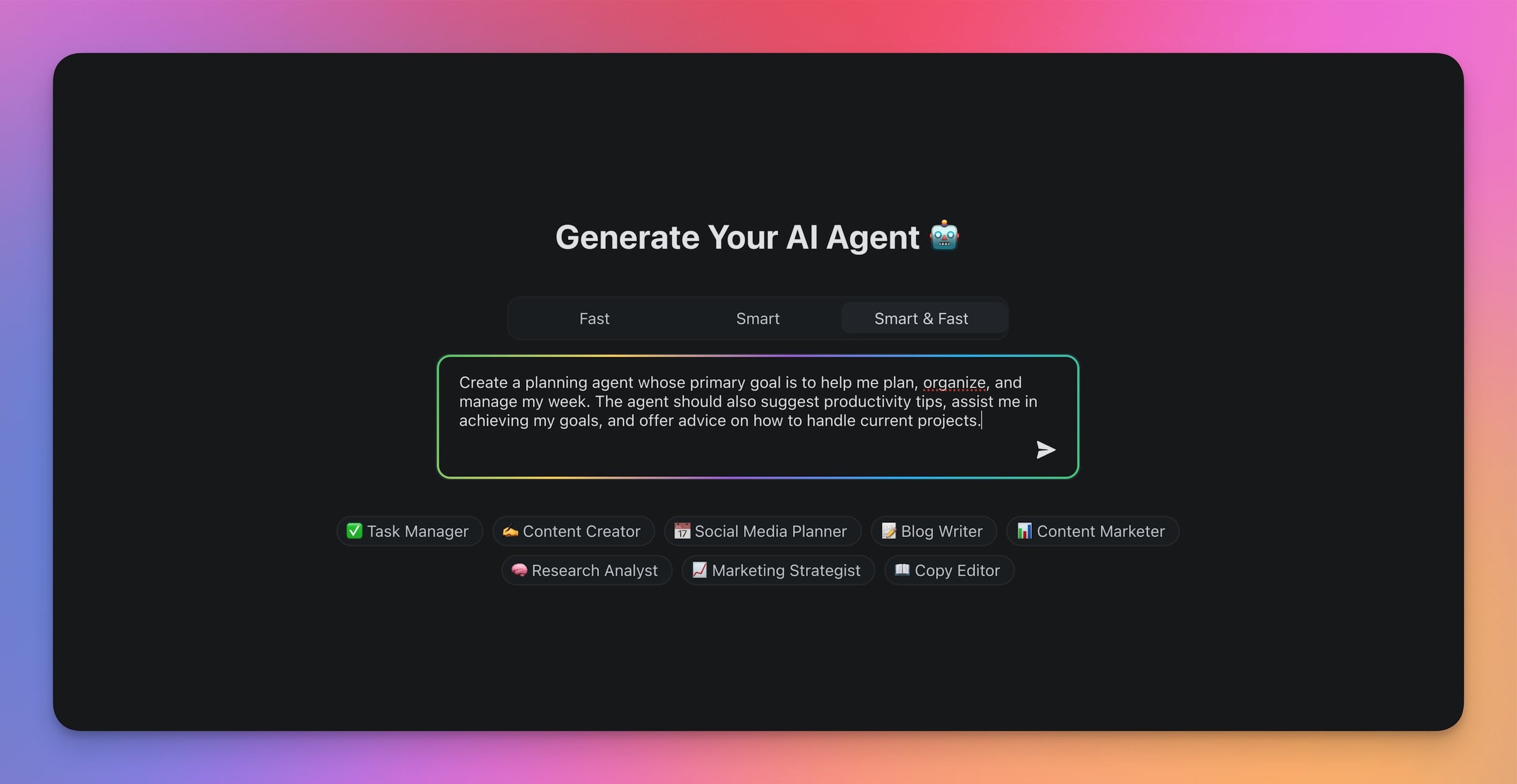
The Full Taskade Agents v2 Training Surface
| Capability | What it enables |
|---|---|
| Persistent memory | Samples, rules, and past outputs survive every session — no re-explanation tax |
| Built-in tools | Web search, file upload, project manage, data pull, send email, and more |
| Custom tool builder | Wrap any REST endpoint as a tool your agent can call |
| Slash commands | Operators and clients trigger agent actions with a single keystroke |
| @-mention | Agents summon other agents in a thread (multi-agent teams) |
| Public embedding | Deploy a trained agent to any website via script tag |
| Auto-routing across models | Frontier models from top AI labs — no lock-in |
| Workspace-scoped memory | Agent training is per-workspace — client data never leaks across engagements |
| RBAC on every tool | Access escalation matches your 4-week onboarding ladder precisely |
Every row is a row in the 5-step onboarding plan above. The onboarding plan exists because the capability set is already there.
The Tool Access Question
Give every agent a tool set scoped to its role. The same way a new marketing employee does not get access to the billing database on day one, a new Content Chloe agent does not get write access to your published blog on day one.
Taskade Agents v2 ship with built-in tools plus a custom tool builder. A sensible progression for a content agent:
| Stage | Tools granted |
|---|---|
| Onboarding | Read memory, read SOP Project, read one data source |
| Draft | Above + web search, draft-to-Project |
| Low-risk prod | Above + publish to internal-only Projects |
| Full prod | Above + publish to customer-facing Genesis app |
| Advanced | Above + write to CRM, call external APIs via custom tool |
The escalation is intentional. You earn trust levels. Same as humans. Multi-agent collaboration adds another dimension — some advanced agents get to delegate to junior agents, creating a managerial tier — but most operators start with one-agent-one-role before going multi-agent. The best practices for building multi-agent AI teams carry the onboarding ladder up a level: a senior reviewing agent applies the same feedback loop to a junior execution agent.
When to Retire an Agent vs Retrain
| Signal | Response |
|---|---|
| Output quality drops 20%+ over 3 months | Retrain (new samples + rules) |
| SOP it was built on has changed | Retrain (update sample set) |
| 30%+ of outputs need heavy human rework | Retrain (tighten rules) |
| Base model was upgraded | Retrain (refresh all memory) |
| Agent's job no longer exists | Retire |
| Agent was built on a deprecated tool | Retire and rebuild |
Retirement is rare. Retraining quarterly is normal. Think of it the way HR thinks of annual reviews — a scheduled, expected, compounding ritual. Skipping it is where drift sets in.
The Hormozi Line
"You are outsourcing the typing, not the thinking."
The operators who get this separate cleanly from the ones who do not. AI does not replace your judgment. It replaces the slow mechanical step between your judgment and the finished output.
If an agent ships bad work, it is not because "AI is mid." It is because the judgment step (the prompt, the rules, the samples, the feedback loop) was underspecified. Every weak output is information about which judgment step to sharpen next. Operators who internalize this ship agents that improve every month. Operators who do not close the loop on day one.
Frequently Asked Questions
Why is training an AI agent like teaching?
Both run on feedback and explanation. Teaching makes humans learn better through the protégé effect (preparing to teach) and the self-explanation effect (being forced to explain). When you rate an agent's output and note why it missed, the gap you correct becomes a reusable lesson — stored in Taskade Agents v2 persistent memory so it compounds across sessions instead of staying in your head. It is the agent's version of the Feynman Technique.
Companion Reads
- Win With AI in 2026: The Workflow-First Playbook — the pillar this post sits under
- BYOA: The $1M-Per-Employee Era — the compensation model that makes trained agents economic
- From Roles to Workflows: The AI Org Chart — where trained agents fit on the new chart
- Multi-Agent Collaboration in Production — lessons from 500,000+ deployments
- AI Agent Tools: 26 Is the Right Number — scoping the agent tool set
- The Workspace DNA Architecture — how memory, intelligence, and execution compound together
- The 2026 Productivity Playbook — the hub for workflow-first operators, agents, automations, and Taskade Genesis
- Genesis Compilation: Prompt to Deployed App — where the trained agents ship
- Agents v2 · Automations · Community Gallery — the surfaces
Glossary Deep Dives
The training pipeline, explained from first principles:
- AI Alignment — why training an agent is a different problem than writing a prompt
- RLHF, DPO, Constitutional AI — the training methods that shaped every frontier model you are fine-tuning on top of
- Evals — the discipline that tells you whether iteration 20 actually beat iteration 19
- Chain-of-Thought, ReAct Pattern, Planning and Reasoning — what the agent is doing between your prompt and its output
- Tool Use, Function Calling, Structured Outputs — the surfaces you are shaping when you give the agent a new capability
- Agent Memory, Embeddings, Vector Database — how your training examples compound instead of evaporate
- Ask Questions Tool, Human-in-the-Loop — where the agent hands back to you during training
- Model Context Protocol, Taskade MCP Server — how a trained agent's workspace becomes readable from Claude Desktop or Cursor without retraining anything
The Only Mistake That Actually Matters
The only unforgivable mistake in 2026 agent training is closing the loop on day one. Every other mistake — wrong samples, weak prompt, fuzzy rules — is recoverable by iteration 10. But if you shut the loop on output one, iteration 10 never happens. The agent stays permanently stuck at day-one quality, which is also the day you labeled AI "not ready."
Open the loop. Keep it open for 100 iterations. Give the agent the same runway you would give a new hire. The breakthrough is usually around iteration 20. The compounding asset is built by iteration 100. The rest is just maintenance.
Train your first agent in Taskade →
▲ ■ ● Onboard. Review. Compound.