






An approval workflow moves each request from the person who asks, to the person who checks, to the person who signs off. It also chases anyone who sits on a request. This guide shows how to build one without code in Taskade Genesis, five other ways to do it, and when each one is the better fit. To compare automation tools side by side, read our list of the best AI automation tools.
Quick answer
To build an approval workflow without code, you need five things: a request form, a list of who approves at each stage, a rule that moves each request to the next approver, a log of every decision, and a daily check that escalates overdue items. Jotform has a free plan with 5 forms and 100 submissions a month. Taskade Genesis builds all five parts in one app, and you change the approval limits in a table instead of in code.
The rest of this page covers what each part does, the three steps to build it, the four kinds of approval, templates by request type, a worked example, what it costs, five other ways to do it, and the limits to know before you start.
What a working approval workflow needs
A working approval workflow needs five parts, and a missing part is the reason most approvals end up in a long email thread. A form that asks for the same facts every time stops the "what is this for?" reply. An approver map stops the "who signs this?" question. A hand-off, a log and an overdue alarm stop the chasing.
| Part | What it looks like | How Taskade does it |
|---|---|---|
| Request form | "Supplier payment, $4,200, due 30 Nov" | A form in the app adds a row to the Requests project |
| Approver map | Up to $500 the manager, up to $10,000 finance, above that the CEO | One project: stage, amount limit, approver email |
| Hand-off | The manager approves, finance gets it next | A Field Updated trigger, then Assign Task and an email |
| Decision log | Who approved what, and when | Each status change adds a row to an Audit log project |
| Overdue alarm | 2 days with no decision, the next level gets it | A weekday Schedule trigger, Find Task(s), reassign, email |
All five parts run on built-in Taskade automation steps: the form trigger, Field Updated, Assign Task, Branch, Find Task(s), email notifications and the Schedule trigger. No connector is needed, and none of these steps use AI credits.
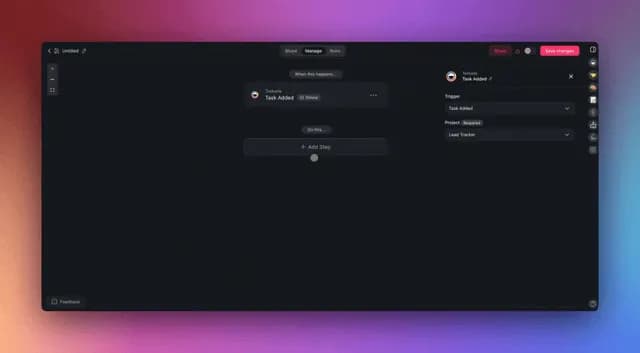
The flow below shows one request from the form to payment. The overdue check is a separate forward branch, so a late request jumps to the next level instead of waiting.
The approver map is the part people skip
The approver map is one small table, and it decides who sees each request. Write it before you build anything. A typical map for a 10 to 50 person business has three rows.
| Stage | Amount limit | Approver | Backup when away |
|---|---|---|---|
| 1. Manager | Up to $500 | The requester's manager | Another manager |
| 2. Finance | Up to $10,000 | Finance lead | The CEO |
| 3. CEO | Above $10,000 | CEO | Finance lead (record the reason) |
Keep the limits in this table, not in the automation. When a limit changes, you edit one cell and the router reads the new number on the next request. The free approval matrix template gives you a ready table to start from.
Real approval apps that customers run
Two anonymised patterns from teams that run approvals on Taskade Genesis show the two common shapes:
- A construction group's finance team in Vietnam sends every supplier payment through 3 approvals in one Taskade Genesis app: accounting proposes, internal control reviews, and the CEO signs off.
- An internal team runs a multi-stage approval tracker on Taskade Genesis: new requests go to the right approver, every status change lands in an audit log, and a daily check escalates overdue items. The log holds about 270 entries.
The first is a fixed chain, where every request passes every stage. The second routes each request to one approver and escalates on time. The build below supports both: set the Branch step to "every stage" or "one stage by amount".
Which kind of approval do you need?
Most small-business approvals are one of four kinds: serial, parallel, conditional or auto-approved below a limit. Serial means one approver after another. Parallel means two approvers decide at the same time. Conditional means the amount or the department picks the path. Pick the kind before you build, because it decides how many decision fields and automation paths the app needs.
| Kind | How it works | Example | How to build it in Taskade |
|---|---|---|---|
| Serial | Each approver signs after the one before | Supplier payment: manager, then finance, then CEO | A Field Updated trigger on Status assigns the next approver |
| Parallel | Two approvers review at the same time | A contract: legal and finance | Give each approver a decision field. A Branch step sets Approved only when both fields say Approved |
| Conditional | A value on the request picks the path | Above $10,000 goes to the CEO | A Branch step reads the amount or the department |
| Auto-approve | Small requests skip review but still get logged | Office supplies under $100 | One Branch path sets Status to Approved, and the Logger still writes a row |
A Branch step holds up to 7 paths, and each path can require several conditions that must all be true. That is what makes the parallel kind work: the path that moves a contract forward checks both decision fields. The Branch guide shows how to add a Fallback path, so a request that matches no rule still lands with a person.
Mix the kinds freely. A common small-business setup auto-approves under $100, sends $100 to $500 to the manager, and sends anything with a contract attached to legal and finance in parallel.
Approval workflow templates by request type
The same five parts handle every common request type. Only the form fields and the approver map change. Start from the closest template below, then copy the routing from Step 3.
| Request type | Fields to add | Typical approvers | Start from |
|---|---|---|---|
| Purchase request | Supplier, quote, amount, needed by | Manager, finance or CEO by amount | Purchase Request template |
| Expense reimbursement | Receipt, amount, category, trip or client | Manager, then finance above a limit | Expense approval automation |
| Time off | Dates, leave type, who covers | Manager, with HR copied | Leave Request Form |
| Content or campaign | Draft link, channel, publish date | Editor, then brand or legal | Content Approval Workflow |
| Contract or document | File, counterparty, value, renewal date | Legal and finance in parallel | Document Approval Workflow |
| Vendor onboarding | Tax form, bank details, signed terms | Operations, then finance | Vendor Onboarding Form |
The document template works on files in Google Drive, and Google connector steps need a paid plan. The other five run on built-in steps.
Build it in Taskade in 3 steps
You build the approval app in three steps: create the app, fill the approver map and sign-ins, then switch on three automations. Test it with one small request and one large request before your team uses it. The first build takes an afternoon for most teams, and most of that time goes into the approver map.
For the click-by-click version, follow the approval workflow tutorial in Learn Taskade.
Step 1: Create the approval workflow app
Build the approval workflow app with Taskade EVE. The link opens Create with this prompt filled in:
Build an approval workflow app. Staff submit a request with amount, reason and due date. Requests up to $500 go to the manager, up to $10,000 to finance, and above that to the CEO. Log every status change in an audit log. Every weekday morning, find requests with no decision for 2 days, assign them to the next approver and email them.
Taskade EVE builds the request form, three projects (Requests, Approvers and Audit log) and the app screens. Edit the prompt first if your stages or limits differ. A build from a prompt uses AI credits. Free starts with no AI credits. You earn credits with referrals and invites, or buy a credit pack on any plan. Pro includes 50,000 AI credits a month. If you want to start by hand, copy the approval matrix template into a project and add the form yourself. The first app guide walks through the editor.
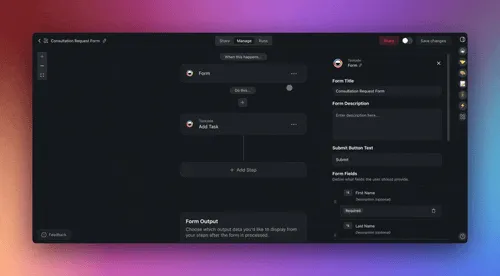
A good request form asks for the same six facts every time:
| Field | Type | Why it matters |
|---|---|---|
| What is it for | Short text | The approver reads it first |
| Amount | Number | The router reads it to pick the stage |
| Supplier or payee | Short text | Finance needs it to pay |
| Due date | Date | The overdue check counts from it |
| Attachment | File | A quote or an invoice stops the "send me the PDF" email |
| Requested by | The decision email goes back to this person |
To show or hide questions by answer (for example, ask for a purchase order number only above $1,000), add conditional logic to the form in the editor.
Step 2: Map your approvers and their sign-ins
Open the Approvers project and add one row per stage: the stage name, the amount limit and the approver's email. Add a Status field to the Requests project with these values: Submitted, Manager review, Finance review, CEO review, Approved, Rejected and Paid.
Then publish the app and invite each approver. App sign-in works on every plan, Free included, and App Users explains the set-up. Sign-in confirms who the approver is. To show each approver only the requests assigned to them, match each request to the approver's email, and test it with a second account. Inside the workspace, role-based access runs from Owner to Viewer, so a requester can read a request without the right to approve it.
The statuses form one forward path. A rejected request ends, and the requester submits a new one with the fix. That keeps the log simple to read.
Step 3: Turn on routing, the decision log and the overdue check
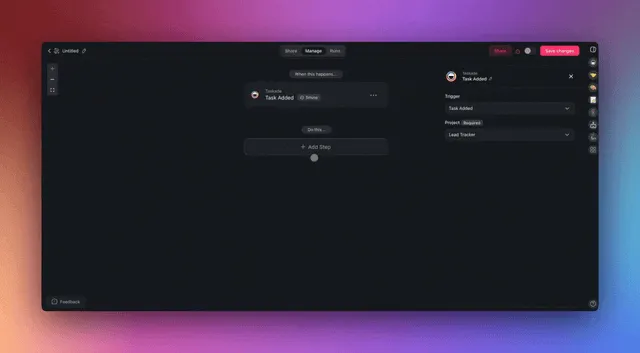
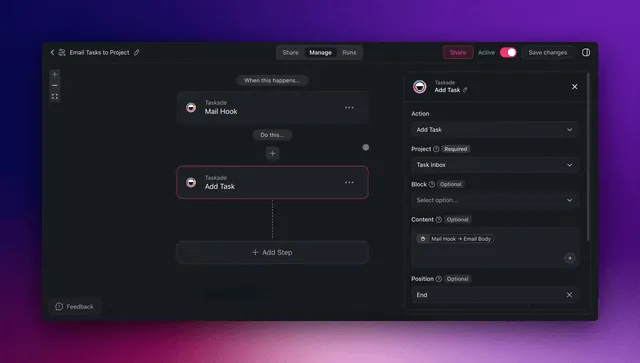
Open Automations and switch on three automations. Each one is short, and each one does one job.
| Automation | Starts when | What it does |
|---|---|---|
| 1. Router | A new request is added | Branch reads the amount, Assign Task picks the first approver, an email tells them |
| 2. Logger | The Status field changes | Adds a row to the Audit log: who, from, to, when |
| 3. Overdue check | Every weekday at 08:00 | Find Task(s) lists requests waiting 2+ days, assigns the next level, emails them |
The Router reacts to new rows. The Logger reacts to the Field Updated trigger, so it also writes the moment a request is approved or rejected. The Overdue check uses the Schedule trigger with a time zone, so 08:00 means 08:00 where your team works. To act on a fixed due date instead of a waiting time, use the Task Due trigger.
The sequence below shows a $5,000 request where the finance lead is away for two days.
Test the app with two requests before your team uses it:
- Submit a $200 request. Check that it goes to the manager only, and that the Audit log gets one row when you approve it.
- Submit a $5,000 request and leave it. On the next weekday after 2 days, check that the overdue check assigned it to the next level and sent the email.
When both pass, share the form link with your team and retire the email thread.
What changes for the team
The before and after below show where the time goes. The steps that disappear are the forwards, the reminders and the "where is it?" questions.
BEFORE: approvals by email                AFTER: approvals in one Taskade app
+-------------------------------+         +-------------------------------+
| Requester writes an email     |         | Requester fills the form      |
| Attaches the quote (maybe)    |         | Quote attached, amount set    |
| Guesses who signs             |         | Router picks the approver     |
| Manager forwards to finance   |         | Hand-off happens on approve   |
| Finance is away: it waits     |         | Day 2: next level gets it     |
| "Where is my request?" x3     |         | Requester sees the stage      |
| Nobody can find who approved  |         | Audit log: who, what, when    |
+-------------------------------+         +-------------------------------+
  history: spread over inboxes              history: one log, one place
Worked example: 60 requests a month at a 25-person company
A 25-person company with 60 requests a month uses about 290 automation runs, so it fits Pro with room to spare. Each automation counts one run from trigger to finish. The table below uses one mix: 40 small requests, 15 medium and 5 large. Your own mix changes the totals, so redo the sums with your numbers.
| Automation | What sets it off | Runs a month |
|---|---|---|
| Router | 60 new requests | 60 |
| Logger | Status changes: 3 for a small request, 4 for a medium one, 5 for a large one (40 x 3 + 15 x 4 + 5 x 5) | 205 |
| Overdue check | One scheduled run each weekday | 22 |
| Total | 287 |
Free includes 10 runs a month, so it covers about one day of this traffic. Pro includes 1,000 runs a month at $10 a month billed annually, and 287 runs use under a third of that. None of these steps use AI credits.
Month 1, 60 requests                           runs
  Router       60 requests x 1 run       ->      60
  Logger       40x3 + 15x4 + 5x5          ->     205
  Overdue      22 weekdays x 1 run       ->      22
                                               ----
                                                287  of 1,000 on Pro
The first month also shows where requests wait. Sort the Audit log by the time between "Finance review" and the next status. If one stage holds most of the delay, add a backup approver for that stage in the approver map.
Five mistakes that slow approvals down
Five mistakes cause most slow approvals in a new app: too many rules on day one, a requester who cannot see the stage, no escalation, limits hidden inside the automation, and a log that nobody reads. Each one has a short fix.
- Build every exception on day one. Start with the three-row approver map. Add a rule only after a real request needs it.
- Keep the requester in the dark. Show the Status on the request and send the decision email. That stops the "where is my request?" message.
- Skip the escalation. Without the overdue check, one person on leave stops every request at their stage.
- Put the limits inside the automation. Keep amounts in the Approvers table, so a finance lead can change $10,000 to $15,000 without opening the automation.
- Never read the log. Look at the Audit log once a month. Find the requests that waited longest and the stage that held them.
What Taskade Genesis adds to an approval workflow
Taskade Genesis turns one prompt into a live app with its own database, so the form, the approver map and the log are one product your team opens, not three files. Here is what that gives an approval workflow, in plain terms:
- One prompt builds the live app. Create makes the form, the Requests, Approvers and Audit log tables, and the screens. Taskade EVE then edits it in chat, for example "add a Department field and send IT requests to the IT lead".
- An AI agent can prepare each request. An AI agent with your spending policy as knowledge can add a note on each request ("the quote is 12% over the budget line") before a person decides. The person still approves, and each agent answer uses AI credits.
- Automations connect the rest. Automations work with 100+ integrations. Triggers pull events in, and actions push data out, for example a Slack message on a paid plan.
- Workspace DNA keeps it together. The requests and the log are memory, the agent is intelligence, and the automations are execution. Read more in the Taskade Genesis wiki.
- Share it, or start from a kit. Clone a ready-made app from the Community Gallery, share the link with your team, and put it on your own domain on Business and up.
Plan facts: Free has 3 apps, 1 agent, 2 members and no starting AI credits. Pro is $10 a month billed annually.
What it costs
Every automation step in this app runs on the Free plan, but the Free plan fits a trial, not a live team. Free has 3 Taskade Genesis apps, 2 members, 1 agent and 10 automation runs a month. Each automation run counts, and the overdue check alone runs every weekday. So a team with daily requests needs Pro.
| Plan | Price | What fits |
|---|---|---|
| Free | $0 | A test with 2 people and a few requests. 10 automation runs a month, no AI credits to start |
| Pro | $10/month billed annually ($20 monthly) | A live approval app for up to 10 members, 1,000 automation runs and 50,000 AI credits a month |
| Business | $25/month billed annually ($50 monthly) | More runs and members, and a custom domain for the app |
Gmail, Slack and Google Sheets steps need a paid plan. You do not need them here, because the built-in email notification sends the emails. The full plan table is on the pricing page.
Other ways to do it
Five other tools build approval workflows, and each one is the better fit for a different team. We checked each vendor's pricing page on 2026-10-19.
| Option | Free plan | Paid from | Better fit when |
|---|---|---|---|
| Jotform | Yes, 5 forms and 100 submissions a month | Bronze $34/month billed annually, $39 monthly | The form is the main job and you want a drag-and-drop approval flow |
| Microsoft Power Automate | No, a 30-day trial | Premium $15/user/month, paid yearly | Your company already runs on Microsoft 365 |
| Kissflow | No | Quote only, annual contract | Long processes across many departments |
| Cognito Forms | Yes, 1 user and 100 entries a month | Team $39 to $49/month billed annually (two price sets on the page). Workflow and approvals start on Team | Forms with roles, statuses and an approve button |
| Zapier | Yes, 100 tasks a month, two-step Zaps | Professional $19.99/month billed annually ($29.99 monthly) | Connect approval steps between apps you already use. Approval requests are an Enterprise beta |
| Google Forms + Sheets | Yes | $0 | A few requests a month and one approver |
| Taskade Genesis | Yes, 3 apps and 10 automation runs a month | $10/month billed annually (Pro) | Approvals sit next to the rest of your team's work in one app |
Jotform is the fastest start when the form matters most: it has an approval builder on top of its forms and a free plan to try it. Power Automate is the safer pick inside a Microsoft company, because approvers already sign in with their work account and approve from Outlook or Teams. Kissflow is built for large organizations and sells through its sales team. Cognito Forms gives each form roles and statuses, so a reviewer approves inside the form entry. Zapier connects the apps you already use, but its own approval step is an Enterprise beta. A Google Form with a shared Sheet costs nothing, and it works until the second approver joins.
Taskade earns its place when the approval is one step in a bigger job. A purchase request that turns into a supplier order, an invoice and a project task lives in one workspace with AI agents and automations. For that shape, see how to build a quote and invoice app, how to build a CRM and how to build a client portal.
Limitations: when Taskade is not the right fit
Choose a dedicated tool if an approval must carry a legal e-signature, post the payment to your accounting system, or pass an external audit. Taskade keeps a clear decision log, but the log is not a signed, tamper-proof record.
- You need a legal e-signature on each approval. Taskade has no DocuSign connector. Approvers approve in the app.
- The approval must post to QuickBooks or Xero. Taskade has no QuickBooks or Xero connector. A webhook to your own system is Pro and up.
- An external auditor must trust the log. A workspace owner can edit the Audit log project. Use a system with a locked audit trail.
- You run 50+ step processes across departments. A process platform such as Kissflow is built for that scale.
- You want approvers to decide by replying to an email. Approvers open the app to set the status.
FAQ
Can I build an approval workflow without code?
Yes. An approval workflow needs five parts: a request form, a list of approvers by stage and amount, a rule that hands each request to the next approver, a log of every decision, and a daily check for overdue items. In Taskade Genesis you describe those parts in plain English and get one app with the form, the tables and the automations.
How does a request move to the next approver?
An automation watches the Status field. When the manager sets a request to Approved, the automation assigns the request to the next approver on the list and emails them. Nobody forwards anything by hand, and the requester can see the current stage in the app.
Can I route approvals by amount?
Yes. A Branch step in the automation reads the amount on the request and picks a path. A common setup sends requests up to $500 to the manager, up to $10,000 to finance, and anything larger to the CEO. You change the limits in one approver table, not in the automation.
What happens when an approver is away or late?
A scheduled check runs every weekday morning. It finds requests that waited 2 days or more with no decision, assigns them to the next level, and emails that person. You pick the number of days and the time of day.
Does the app keep a history of every decision?
Yes. A second automation adds a row to an Audit log project each time a status changes: who changed it, from what, to what, and when. The log is a clear record for your team. It is not a signed, tamper-proof record for an external audit, because a workspace owner can edit it.
Can approvers sign in to the app?
Yes. App sign-in works on every plan, Free included. Sign-in confirms who the approver is. To show each approver only the requests assigned to them, match each request to the approver's email, and test it with a second account before your team uses it.
How much does it cost to run approvals in Taskade?
Free has 3 apps, 2 members and 10 automation runs a month, and it starts with no AI credits. A daily overdue check uses a run every weekday, so a live approval app needs Pro at $10 a month billed annually ($20 monthly), with 1,000 runs and up to 10 members. Pro also connects up to 10 custom domains, and Business at $25 a month billed annually connects unlimited custom domains.
What is the difference between serial and parallel approval?
In a serial approval, each approver signs after the one before, for example manager, then finance, then CEO. In a parallel approval, two approvers review at the same time, for example legal and finance on a contract. In Taskade you build a parallel approval with one decision field for each approver and a Branch step that moves the request on only when both say Approved.
Can approvers approve from a phone?
Yes. A published Taskade Genesis app is a web link, so an approver opens it in a phone browser, reads the request and sets the status. The decision email also links back to the request. Approvers cannot approve by replying to the email.
When is Jotform, Power Automate or Kissflow the better choice?
Jotform fits when the form is the main job and you want a drag-and-drop approval flow. Power Automate fits a company that already runs on Microsoft 365. Kissflow fits large processes across many departments with a sales-led contract. Pick Taskade Genesis when approvals sit next to the rest of your team's work in one app.
Sources
- Jotform pricing: https://www.jotform.com/pricing/ (checked 2026-10-19)
- Microsoft Power Automate pricing: https://www.microsoft.com/en-us/power-platform/products/power-automate/pricing (checked 2026-10-19)
- Kissflow pricing: https://kissflow.com/pricing/ (checked 2026-10-19)
- Cognito Forms pricing: https://www.cognitoforms.com/pricing (checked 2026-10-19)
- Zapier pricing: https://zapier.com/pricing (checked 2026-10-19)
- Taskade plans: pricing (checked 2026-10-19)
Related reading
- How to build a safety and compliance tracker without code
- How to build a help desk without code
- Best AI app builders for the wider tool list
- AI internal tools
Start from a working app in the Community Gallery, or go back to the Taskade home page.
▲ ■ ● Memory · Intelligence · Execution. Your requests, your approvers and your decision log in one app.