






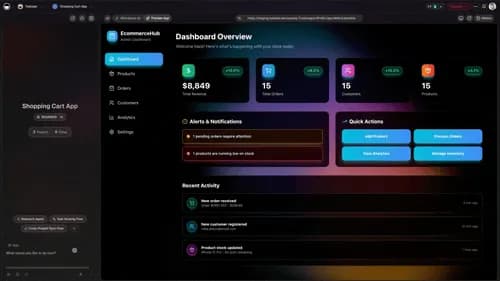
TL;DR: AI invoice automation generates branded invoices, tracks payment status with native Stripe, and sends reminders on autopilot — so you stop chasing payments by hand. With Taskade Genesis you describe the billing workflow in plain English and it builds a live app with an AI agent and durable automations. 150,000+ apps have been built on it since launch. Start free.
Invoices, expenses, billing — the boring stuff that has to get done right or you do not get paid. Most operators still do it the slow way: copy last month's invoice, change the numbers, email it, set a calendar reminder to follow up, and forget anyway.
AI invoice automation flips that. You describe the outcome once — generate the invoice, track the payment, chase the late ones — and the system runs it for you every time. This guide shows a non-technical operator how to automate invoicing, billing, and the simple calculators around them, then hand the whole thing to clients as a real app.
┌─ Invoice Generator ──────────────────────── Taskade Genesis ─┐
│                                                              │
│  New invoice          ●  AI Agent: ready          ⚙ 4 flows  │
│  ──────────────────────────────────────────────────────────  │
│  Client    Northwind Studio          Invoice  #1042          │
│  Issued    Jul 08, 2026              Due      Jul 22, 2026    │
│  ──────────────────────────────────────────────────────────  │
│  Line item                    Qty     Rate        Amount     │
│  Brand strategy sprint          1   $2,400        $2,400.00  │
│  Landing page design           12     $120        $1,440.00  │
│  ──────────────────────────────────────────────────────────  │
│  Subtotal                                         $3,840.00  │
│  Tax (8%)                                            $307.20  │
│  TOTAL DUE                                        $4,147.20  │
│  ──────────────────────────────────────────────────────────  │
│  Status  ▣ Pending   ▢ Paid   ▢ Overdue                      │
│                                                              │
│  [ Generate PDF ]   [ Send via Stripe ]   [ Auto-remind ⏰ ]  │
└──────────────────────────────────────────────────────────────┘
What is AI invoice automation?
AI invoice automation is software that generates invoices, tracks who has paid, and chases the late ones without you lifting a finger. Instead of building a billing tool from parts, you describe the workflow in plain English and an AI builder assembles the app, the calculations, the payment integration, and the reminders. In Taskade Genesis, that means one prompt produces a live invoicing app with an AI agent and durable automations — 150,000+ apps have been built this way since launch.
The difference from a static invoice template is altitude. A template gives you a blank form to fill in every time. AI invoice automation gives you a system that knows your clients, does the math, watches Stripe for payments, and only nudges the people who still owe you.
How does invoice automation actually work?
Invoice automation works as a loop: an event kicks it off, the app generates and sends the invoice, then it watches for payment and follows up until the money lands. With Taskade Genesis, every step is a reliable, durable automation — it can wait days, check Stripe, and resume from the exact step that failed instead of restarting.
Here is the full path a single invoice travels, end to end:
No node-by-node canvas to wire. You describe that flow in a sentence — "When a project is done, generate the invoice, charge through Stripe, and remind unpaid clients every three days" — and Taskade Genesis builds it. See the live mechanics on the AI workflow builder.
See it live: a cloneable invoice app
This is a real Invoice Generator built in Taskade Genesis — a live app with 3 projects, 1 AI agent, and 4 automations that generates professional invoices, tracks payment status, and sends reminders. Try it below, then clone it into your own workspace.
You can clone it in about 30 seconds and start sending invoices today — change the logo, your rates, and your client list, and it is yours. Browse more ready-to-run finance apps in the Community Gallery.
What can you automate in the invoicing workflow?
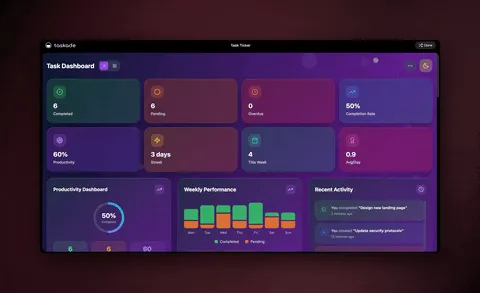
You can automate the entire billing cycle — generation, math, payment tracking, and reminders — not just one piece. Here is what each part does and the manual chore it replaces:
| Step | What the automation does | What it replaces |
|---|---|---|
| Generate | AI agent drafts a branded invoice with client details and line items | Copy-pasting last month's invoice |
| Calculate | Built-in calculator sums line items, tax, and discounts | Manual spreadsheet math (and errors) |
| Send | Pushes the invoice via native Stripe + emails a PDF | Downloading and attaching files by hand |
| Track | Updates status to Paid, Pending, or Overdue from Stripe events | Checking your bank and updating a sheet |
| Remind | Durable workflow nudges only clients who still owe you | Setting calendar reminders you forget |
| Report | Weekly summary of outstanding balances and cash flow | Building a manual month-end roll-up |
Three Taskade Genesis pillars make this work together — Memory holds your clients and past invoices, Intelligence reads payment events and decides what to do, and Execution runs the reminders. It is one self-reinforcing loop:

How do you build an invoice automation step by step?
You build it by describing the result you want, then refining with the AI agent. There is no setup wizard and no code. Here is the practical sequence for an operator starting from scratch.
Step 1 — Describe the app in one prompt
Open Taskade Genesis and type what you want in plain English:
"Build an invoice app. Generate branded PDF invoices with line items and tax, track payment status as Paid, Pending, or Overdue, charge clients through Stripe, and send a reminder every 3 days until they pay."
Taskade Genesis builds the app, the database, the AI agent, and the automations from that single sentence.
Step 2 — Connect Stripe (and Shopify if you sell products)
Stripe is one of 100+ bidirectional integrations — triggers pull payment events in, actions push invoice data out. Connect it once and your app marks invoices paid the moment money clears, with no manual reconciliation.
Step 3 — Let the AI agent watch and act
The built-in AI agent has built-in tools — it can read incoming payment events, recalculate balances, decide which clients are overdue, and trigger the right follow-up. For bigger billing operations, agents can work together in orchestration mode: one drafts, one reconciles payments, one handles reminders.
Step 4 — Publish and hand it to your team or clients
Publish the app on a custom domain with built-in sign-in. Your bookkeeper, your assistant, or a client can log in and see exactly which invoices are outstanding — no spreadsheet shared over email.
Step 5 — Track everything in the view that fits
Every invoice lives in a Project you can see 7 ways — List, Board, Calendar, Table, Mind Map, Gantt, and Org Chart (Timeline lives inside the Gantt view). A Board with Paid, Pending, and Overdue columns is the fastest way to see where your cash is.
Invoice automation vs the old way
The contrast is stark once the whole cycle is automated. Manual invoicing eats hours and leaks revenue through forgotten follow-ups; AI invoice automation runs the same cycle in the background.
| Manual invoicing | AI invoice automation (Taskade Genesis) | |
|---|---|---|
| Generate an invoice | Copy, edit, export, attach | One prompt, branded PDF in seconds |
| Do the math | Spreadsheet formulas, prone to error | Built-in calculator, always correct |
| Get paid | Email and hope | Native Stripe, paid in-app |
| Track status | Check bank, update a sheet | Auto-updates from payment events |
| Chase late payers | Calendar reminders you forget | Durable workflow nudges automatically |
| Hand it off | Share a fragile spreadsheet | Publish a real app with sign-in |
How is this different from QuickBooks, Zapier, or a spreadsheet?
Most billing tools do one job; Taskade Genesis does the whole loop and ships an app. QuickBooks and FreshBooks are strong accounting platforms, Zapier and Make can move invoice data between tools, and a spreadsheet is free to start. But none of them generate an invoice, reason over a Stripe payment, send the reminder, and give you a shareable app from a single description.
Here is the capability set in one place:
| Capability | What it means for invoicing |
|---|---|
| One-prompt apps | Describe a billing app; get a live, deployed one |
| AI agent (built-in tools) | Reads payments, flags overdue, triggers reminders |
| Native Stripe + Shopify | Charge clients and reconcile inside the app |
| 100+ bidirectional integrations | Triggers pull events in; actions push data out |
| Durable automations | Wait days, retry, resume from the failed step |
| Built-in calculators | Totals, tax, and discounts add up automatically |
| Multiple project views | List, Board, Calendar, Table, Mind Map, Gantt, Org Chart |
| Publish & share | Custom domains, sign-in, Community Gallery |
| Persistent memory | Workspace DNA remembers clients and past invoices |
The AI builder behind it routes across frontier models from top AI labs, so the meta-agent — Taskade EVE — always picks a capable model for the task. Explore the full toolkit on the automation hub and the AI agents page.
Beyond invoices: billing, expenses, and calculators
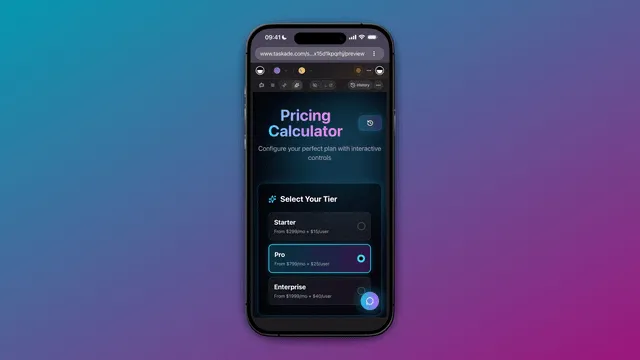
The same approach automates the rest of your finance busywork. Once you can describe an invoice app, you can describe a license tracker, an expense log, or a cost calculator the exact same way — each becomes a live app with agents and automations. Pair your invoicing app with an AI dashboard to see revenue, outstanding balances, and overdue accounts in one view. If overdue is where your cash actually gets stuck, an AR aging tracker you own is the version of that dashboard built around 30, 60, and 90-day buckets.
WHAT DO YOU NEED TO AUTOMATE?
│
├─ Bill clients + get paid ............. Invoice Generator app
│     └─► generate → Stripe → track → remind
│
├─ Never miss a renewal ................ License / subscription tracker
│     └─► log keys, dates → alert before expiry
│
├─ Know what something really costs .... Cost calculator app
│     └─► enter inputs → live totals + insights
│
└─ See the whole money picture ......... AI revenue dashboard
      └─► pull from all of the above → one view
Each of these is a single prompt away in Taskade Genesis, and each ships as an app you can clone, publish, and hand to your team.
Frequently Asked Questions
What is AI invoice automation?
AI invoice automation generates invoices, tracks who has paid, and sends reminders without manual work. In Taskade Genesis you describe the billing workflow in plain English and it builds a live app with an AI agent, durable automations, and native Stripe — 150,000+ apps built since launch.
How do I automate invoice generation without code?
Describe what you want in Taskade Genesis — for example, "Generate a branded invoice when a project is complete, then track payment." It builds the app, agent, and automation for you. Or clone a ready-made Invoice Generator and run it in about 30 seconds.
Can AI send invoice payment reminders automatically?
Yes. Taskade Genesis runs reminders as reliable, durable workflows that wait days, check payment status, and follow up only with clients who still owe you — resuming from the exact step that failed instead of starting over.
Does invoice automation work with Stripe?
Yes. Taskade Genesis offers native Stripe and Shopify actions as part of 100+ bidirectional integrations. When a payment clears, an AI agent updates the invoice, marks the client paid, and stops the reminder sequence.
Can I track which invoices are paid, pending, or overdue?
Yes. Every invoice lives in a Project you can see 7 ways. A Board with Paid, Pending, and Overdue columns gives an at-a-glance status while the AI agent surfaces overdue accounts.
Do I need accounting experience to automate invoicing?
No. AI invoice automation in Taskade Genesis is built for operators, freelancers, and small-business owners. You describe the flow in everyday language and the app handles the math, the tracking, and the reminders.
What is the best tool to automate invoices and billing?
For operators who want generation, tracking, and reminders in one place, Taskade Genesis is the strongest pick — you describe the outcome instead of wiring every step, and it ships an AI agent, durable workflows, native Stripe, and a real app.
How much does AI invoice automation cost?
Taskade Genesis is free to start, then Pro $10/month (10 users), Business $25/month, Max $100/month, and Enterprise $250/month on annual billing — with AI agents and app-building included, not just an invoice template.
Ready to get paid faster? Start free with Taskade Genesis — describe your billing workflow, and watch it generate invoices, connect Stripe, and chase late payers for you.
Explore the automation library, meet your AI agents, clone a finance app from the Community Gallery, or build a matching AI revenue dashboard. For more ways to replace point tools, see our Make.com alternatives guide.
▲ ■ ● Memory, Intelligence, Execution — describe your invoicing once, and Taskade Genesis remembers your clients, reasons over every payment, and runs the billing for you. That's the difference between an invoice template and a living app.