





Taskade App Factory is live at taskade.com/apps. Clone a CRM, a dashboard, a client portal, or a tracker, and it runs in your workspace with AI agents and automations built in. No code. Imagine it. Run it live. Make it yours.
TL;DR: Taskade App Factory is the home for App Kits: live business apps with AI agents and automations that you clone, customize, and share. The new Pro Edition kits come at no extra price on every paid plan. Kits with no price clone free, and Free includes 3 Taskade Genesis apps. Publish your own kit to your creator profile.
What Is Taskade App Factory?
Clone Apps. Customize Free. Every App Kit in Taskade App Factory is a working Taskade Genesis app, not a blank file. Each one brings its projects, AI agents, and automations. Some automations ask you to connect an account or add details after you clone, before they run.
| What you can do | How it works |
|---|---|
| Clone | Pick a kit and copy the whole app into your workspace. |
| Customize | Tell Taskade EVE what to change, in plain words. |
| Share | Publish your own kit, and others can clone it from your creator profile. |
Not sure where to start? Browse & Clone Community Apps walks through each step.
What Are Pro Edition App Kits?
Pro Editions. Power Unleashed. New Pro Edition app kits are now live, and the table below lists all 10 from this update. Each one carries a PRO badge and comes at no extra price on every paid plan. Each row names what the kit does, from a weekly report to a daily chase list.
| Pro Edition kit | What it does | Start |
|---|---|---|
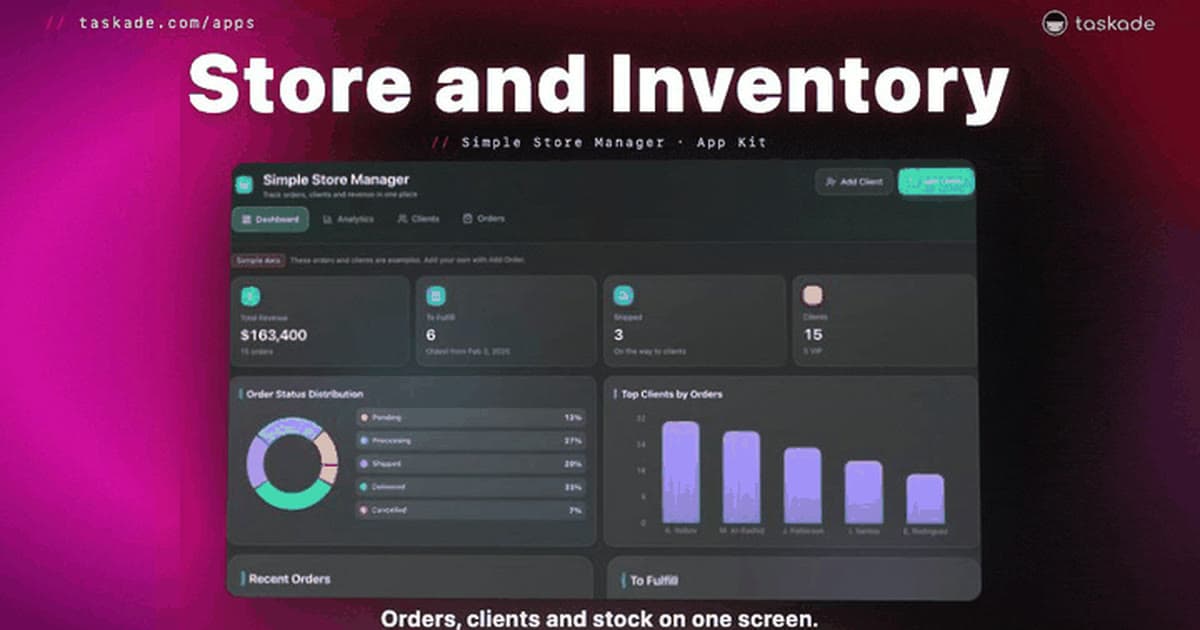
| Simple Store Manager | Weekly report and a daily chase list. | Clone → |
| Maintenance Tracker | Due-this-week view and a 7 AM digest. | Clone → |
| Finance Tracker | Budget pacing and a weekly email. | Clone → |
| Invoice Generator | Aging report and morning chase emails. | Clone → |
| Neon Task Board | Workload view and late-task emails. | Clone → |
| Sales Pipeline | Quarter forecast and follow-up queue. | Clone → |
| Neon CRM Dashboard | Today's call list and one-step logs. | Clone → |
| Project Portal | Weekly client updates in one tap. | Clone → |
| Focused Task App | Today ring, Inbox, and weekly review. | Clone → |
| Meeting Scheduler | One time across every time zone. | Clone → |
When you clone a PRO kit, pick a workspace on a paid plan. Compare plans on the pricing page.
Which Free App Kits Can You Clone Today?
Pick a Kit. Clone It Free. The table below groups 16 free App Kits into 8 categories, two kits in each, from dashboards to booking. Each kit has no price and no PRO badge, so it clones free on every plan. Each row ends with one thing to tell Taskade EVE after you clone.
| Category | Free App Kits | Then tell it |
|---|---|---|
| Dashboards | Project Dashboard: every project, status, and deadline. Capacity Planner: see who has too much work, early. | "Add a column for the client and a filter by owner." |
| Tasks and Projects | AI Planner: your tasks, calendar, and progress. Neon Task Board: every task, owner, and due date. | "Add a Waiting on client status." |
| Invoices and Finance | Invoice Generator: line items and tax, then save a PDF. Finance Tracker: income, expenses, and monthly budgets. | "Add our logo and Net 30 payment terms." |
| CRM and Sales | Sales Pipeline: every deal, its stage, and its value. Neon CRM Dashboard: every client, stage, and next step. | "Add a Proposal sent stage." |
| Store and Inventory | Simple Store Manager: orders, clients, and revenue together. Inventory Tracker: stock by item, and what runs low. | "Flag every item with fewer than 10 in stock." |
| Client Portals | Project Portal: progress, files, and client messages. Client Portal: invoices, milestones, and status. | "Add a page for signed contracts." |
| Maintenance and Operations | Maintenance Tracker: know which asset is due for service. License Manager: every license, cost, and renewal date. | "Remind me 14 days before a service is due." |
| Booking and Scheduling | Meeting Scheduler: find the best time and share one link. Appointment Booking: clients book a time, and you confirm. | "Send a reminder the day before each booking." |
No App Kit for your job? Build your own →
How Do You Make an App Kit Yours?
Your Apps. Fully Connected. A cloned kit lives in your workspace beside your apps, agents, and automations. Taskade EVE changes it when you ask in plain words, so you do not edit code. The diagram shows the 4 steps, from a browse in Taskade App Factory to an app that runs live in your workspace.
Try one of these after you clone:
- "Rename Clients to Patients and add an insurance field."
- "Email me every Monday with overdue invoices."
- "Use our brand colors and logo."
Your app runs on Workspace DNA: projects hold your data, agents answer, and automations act. Learn: Workspace DNA explains how the parts feed each other.
How Do You Publish Your Own App Kit?
Publish Apps. Get Discovered. You publish a kit from any Taskade Genesis app in 3 steps. Choose Free or Paid under Let others clone, and the kit shows on your own page on Taskade, like taskade.com/@john. That page shows your apps and your expertise in one place.
- Open your Taskade Genesis app and choose Publish.
- Open Let others clone, then choose Free or Paid.
- Add a clear title and description. Your kit goes live right away.
See the top builders in Explore Top Creators, and read Publish and Clone Your Apps for every option.
Start From a Working App
Every app your business runs on is now one click away. Pick one of the 26 kits in this post, clone it, and tell Taskade EVE what to change. Or open Taskade App Factory and browse every kit by category, from CRMs and invoices to client portals and booking.
Browse App Kits → · Build with AI →
Frequently Asked Questions
What is Taskade App Factory?
Taskade App Factory is the gallery of App Kits at taskade.com/apps. Each App Kit is a live Taskade Genesis app with its projects, AI agents, and automations already built in. You clone it, customize it, and share it.
Are App Kits free to clone?
A kit with no price and no PRO badge clones free, on every plan. The Pro Edition kits in this post carry a PRO badge and clone into a workspace on a paid plan, at no extra price. Some creators set a one-time price on their own kits.
What happens when I clone an App Kit?
Taskade copies the whole kit into your workspace: the app, its projects, its AI agents, and its automations. The copy is yours. Change it by hand or ask Taskade EVE in plain words. Your changes do not touch the original kit.
Can I clone an App Kit on the Free plan?
Yes, any kit with no price and no PRO badge. AI agents and AI steps in your copy use AI credits. On Free, you earn free AI credits with referrals and invites, and you can upgrade any time.
How do I publish my own App Kit?
Open your app, choose Publish, then Let others clone, and pick Free or Paid. Your kit shows on your creator profile and in Taskade App Factory.
Read Next
▲ ■ ● Clone it. Tell it. Run it live.