







In 2013, Ryder Carroll’s Bullet Journal redefined the musty art of journaling and pushed it to the mainstream. In today’s article, we revisit the BuJo method and show you how to make a digital bullet journal using outlining software.
TL;DR: A digital bullet journal combines Ryder Carroll’s rapid-logging method with modern outliner software for searchable, cloud-synced journaling. Taskade’s hierarchical outliner with multiple project views and built-in AI makes it the ideal digital BuJo platform. Start your digital BuJo free →
📓 Beyond BuJo… Hungry for more note-taking and productivity tips? Check other similar articles on the blog when you’re done reading.
🕰 Supercharge Your Workflow With Classic Productivity Methods
🗄️ Organize knowledge with Niklas Luhmann’s Zettelkasten Method
📒 A Short Preface: Everybody Journals
One of the earliest examples of a journal-esque text is To Oneself, a series of private notes by Roman emperor philosopher Marcus Aurelius recorded between 161 and 180 AD. The reworked manuscript would later become Meditations, one of the founding texts of the Stoic philosophy.
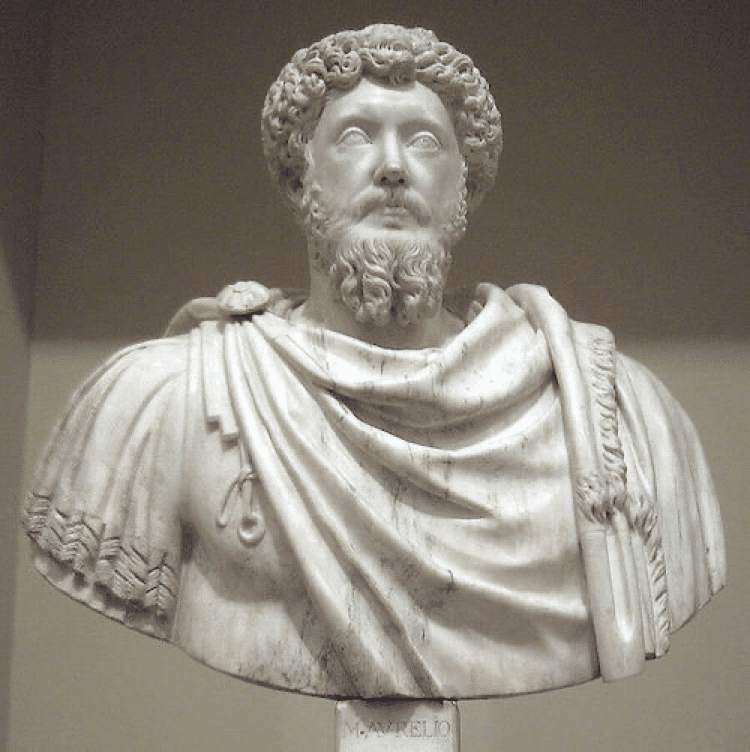
Marcus Aurelius, Museo Nacional del Prado(1)
Taking a leap in time—and a short stroll in terms of geography—we can’t forget about polymath Leonardo da Vinci. An avid note-taker, da Vinci filled thousands (!) of pages with ideas, theories, and sketches of his paintings, inventions, and contraptions.
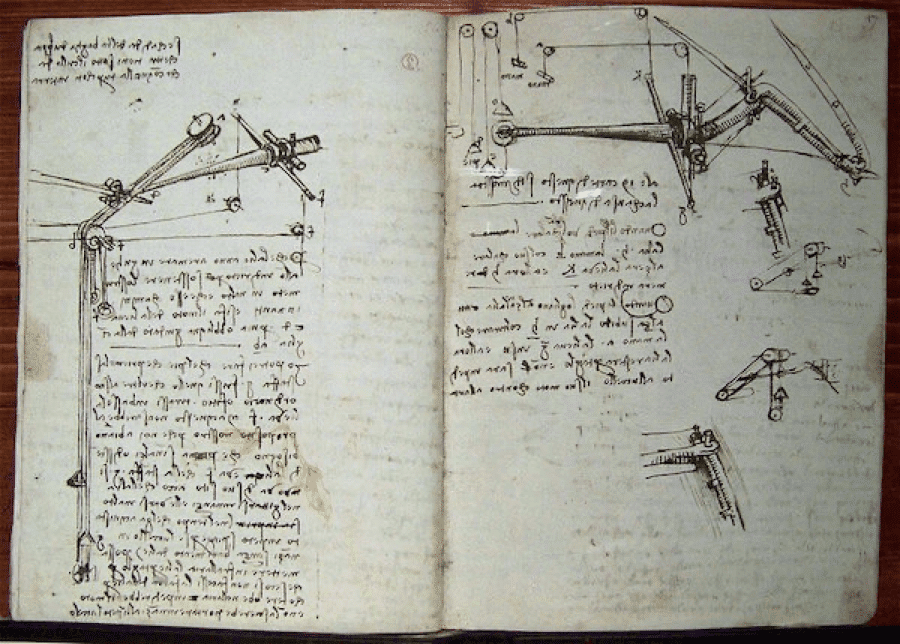
A page from Leonardo da Vinci's notebook at the Detroit Science Center. Image credit: Maia C(2)
In 1660, English author, politician, and naval administrator Samuel Pepys started a diary—written in shorthand—that, apart from Pepys’ official affairs, gave a detailed account of the maladies like the Great Plague and the Great Fire of London.
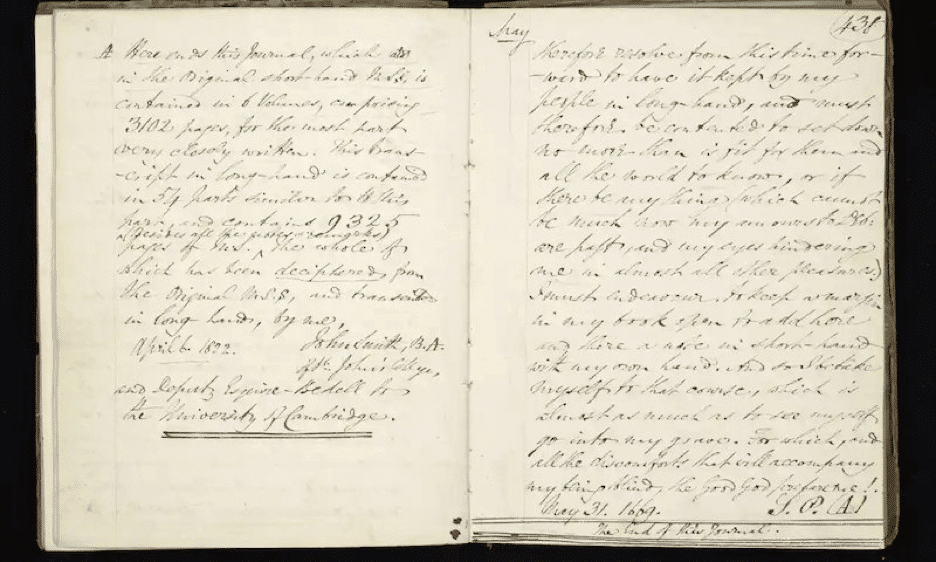
A transcription of Pepys’ diary at the National Maritime Museum via The Guardian(3)
Marie Curie, a physicist, chemist, and Nobel Prize winner (twice) kept lab notes as well as a diary where she commemorated her late husband. To this day, her notes are contaminated with radioactive isotopes and will remain so for another 1,500 years.
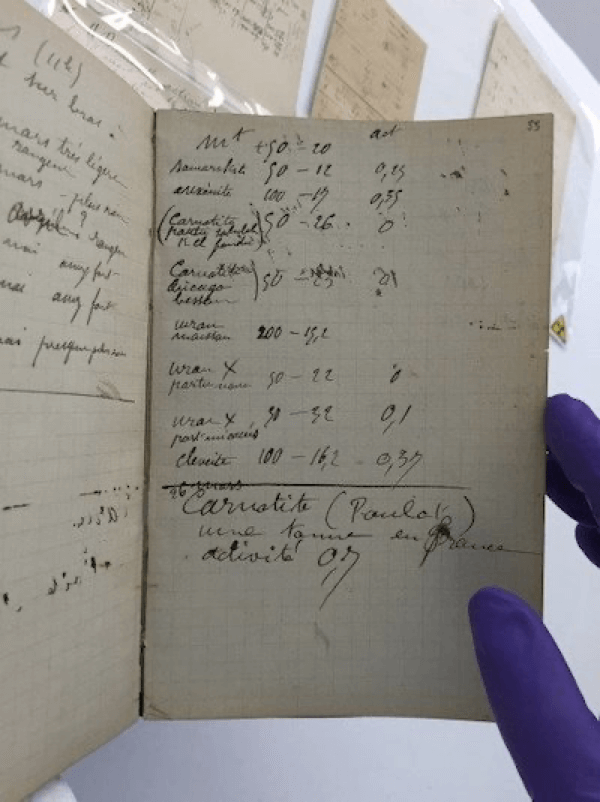
Marie Curie’s radioactive notebook via The British Institute of Radiology(4)
World War II spawned a slew of first-hand accounts in the form of letters, journals, and diaries. One of the most famous documents is The Diary of a Young Girl adapted from Anne Frank’s notes on life in hiding in the German-occupied Netherlands.
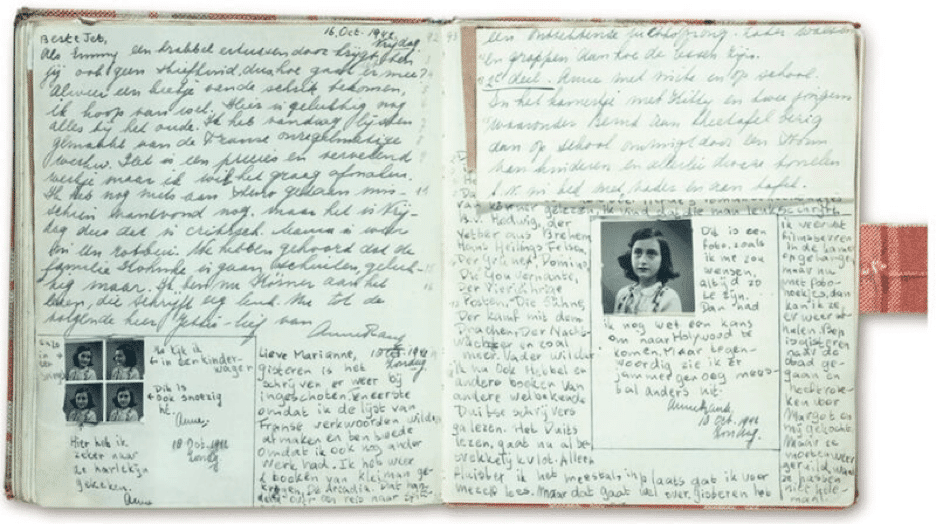
Anne Frank’s diary via Smithsonian Magazine(5)
In 1910, explorer Robert Falcon Scott led an expedition to the South Pole that took the lives of the entire party along with Scott. A journal recovered after his death gives a detailed account of the expedition and the events that led to its demise.
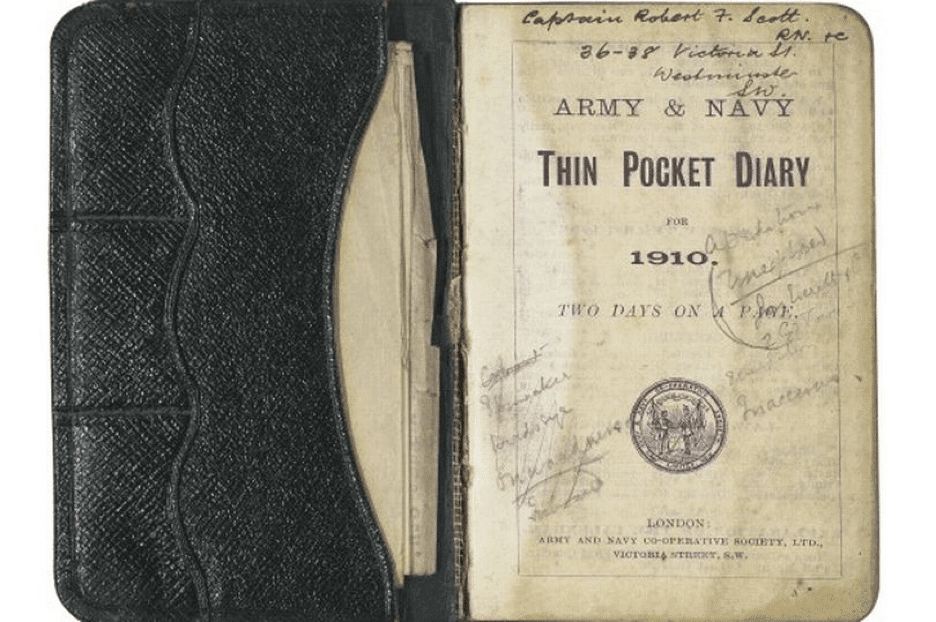
Captain Robert Falcon Scott’s diary via WalesOnline(6)
Of course, this is only a thin slice of the journaling pie and it’d be impossible to give credit to all the written accounts in the short time we have here. And that brings us to the next part of this article that has to do with… brevity.
✒️ Bullet Journal 101: Everything you Need to Know
“The Bullet Journal method will help you accomplish more by working on less. It helps you identify and focus on what is meaningful by stripping away what is meaningless.”
Ryder Carroll
Who Invented the Bullet Journal?
The story of the Bullet Journal method started with NY designer Ryder Carroll. Diagnosed with attention deficit disorder in his childhood, Carroll set out on a quest to overcome his learning disability and master the art of distraction-free productivity.(7)
He came up with a system of rapid note-taking that allowed him to capture information and organize thoughts in a simple and focused way. Enter the Bullet Journal (BuJo).
In 2013, encouraged by a friend, Carroll went on to record a step-by-step video describing his method. He also set up a website to share the idea with others.
The site quickly gained traction and BuJo became a hot topic around the web. Following growing popularity, Carroll launched a Kickstarter campaign to redesign the Bullet Journal website and bring together the emerging BuJo community.(8)
And the rest, they say, is history.
How Do You Structure a Bullet Journal?
The Bullet Journal Method is simple and flexible. You can use it with any type of medium, including a regular notebook, a simple text editor, or outlining software (more on that in a moment). Here are 7 key components of the method.
- 💨 Rapid Logging. Carroll calls rapid logging “the language” of the Bullet Journal.” It’s essentially a set of bullets and signs that, combined with the power outlining, let you organize thoughts, ideas, and obligations in a hierarchical way.
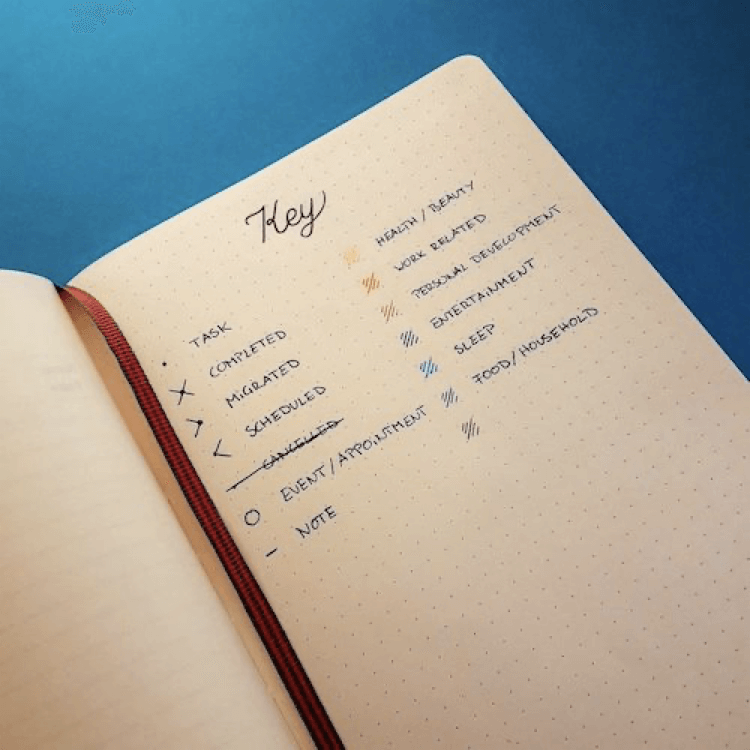
A BuJo user’s interpretation of the Rapid Logging key by pica-ae(9)
🌤 Daily Log. This is the “body” of your bullet journal. The Daily Log is a brief —usually a sentence or two—record of events, obligations, thoughts, and observations in the form of an outline. In other words, it’s a day in a bullet list.
🗂 Index. The Index page is like a table of contents in a book. It’s a list of themes and topics—Carroll calls them Collections—and page numbers they occupy. The Index allows you to quickly navigate your bullet journal.
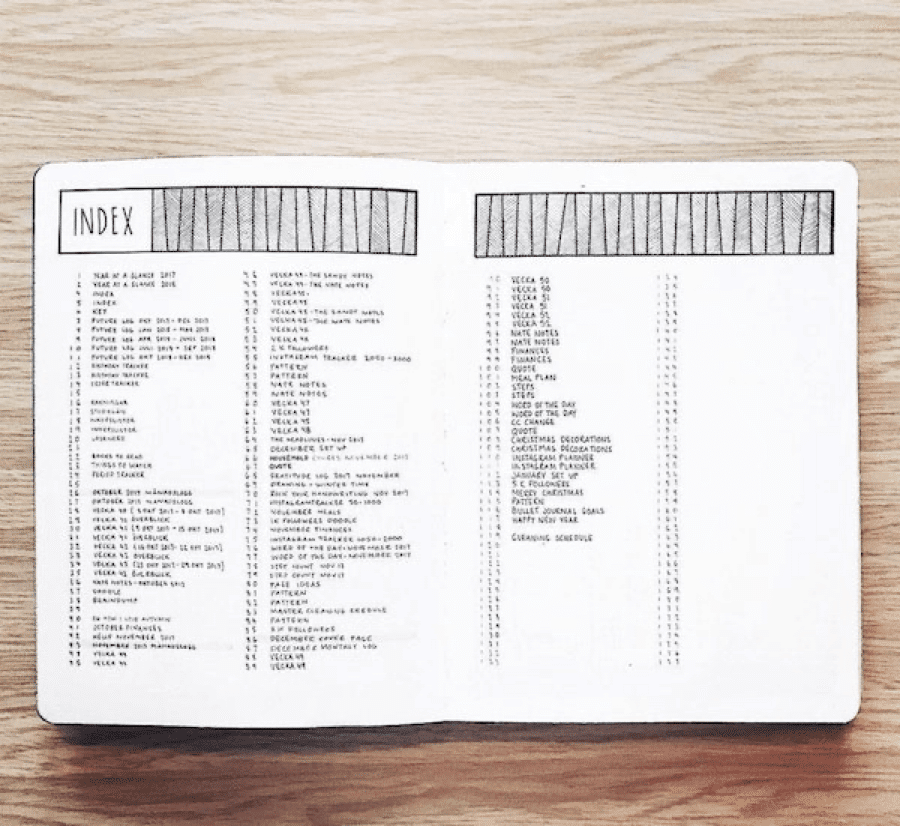
A BuJo index page by showmeyourplanner(10)
🗓 Monthly Log. The Monthly Log is a cross-section of each month, complete with days of the week, monthly goals, and tasks you want to complete. You can also use the Monthly Log to record and keep track of memorable events.
💎 Collections. As we’ve already discussed, Collections are topical sections of your BuJo. They can include food diaries, habit trackers, projects planners, or handy checklists. If it helps you organize your life, it fits in the bullet journal.

An example of a Bullet Journal collection by cissmophy(11)
🔮 Future Log. This is the closest thing to a regular 6 or 12-month calendar. The Future Log is used for tracking events, tasks, and projects with set deadlines. It gives you an overview of the year and helps plan ahead.
👉 Migration. Finally, Migration is the process of moving entries from the Daily Log to Collections, like migrating uncompleted tasks to the Future Log.
Now that we know what BuJo is, it’s time for the question of the evening: “How to build a digital bullet journal?” But first, does a digital bullet journal even make sense?
🤖 Can a Bullet Journal Be Digital?
LEUCHTTURM1917, Moleskine, Rhodia, Field Notes… If those names make your heart go thump, you’re probably a stationery nerd. And so are we!
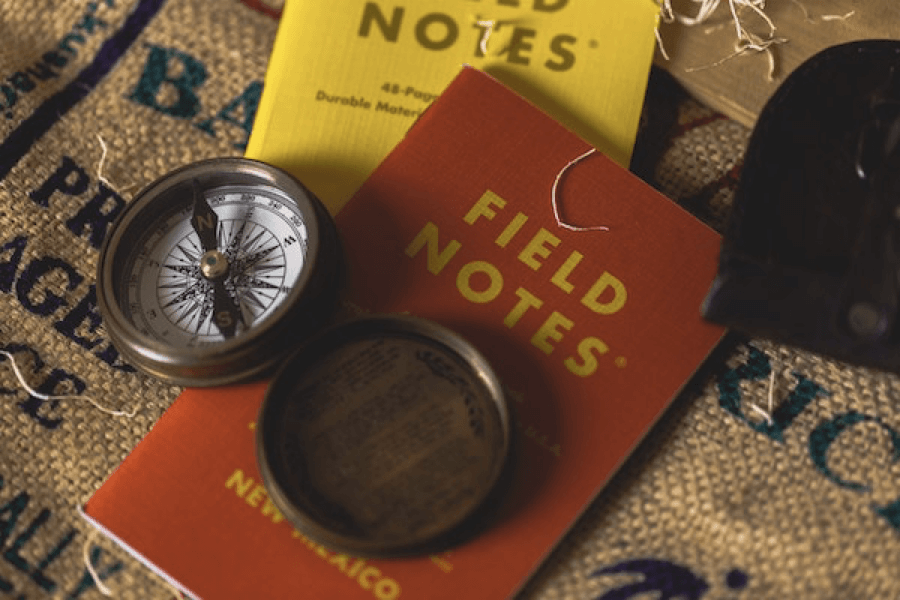
Field Notes pocket notebooks.
Image credit: Jordan Madrid via Unsplash(12)
The smell of a fresh notebook, the rustle of pages, the tactile feel of the pen gliding over a smooth surface… Handwriting truly is an uncanny experience.
For some, the mere idea of rocking a digital bullet journal is like not capping an expensive fountain pen and letting the ink dry out. It’s unthinkable.
But...
If you love BuJo, chances are you also like optimizing your workflow for maximum productivity. And a fully digital bullet journal has a few benefits too good to ignore.
⚡️ (True) Rapping Logging. The average handwriting speed sits somewhere around 13 words per minute. The average typing speed is three times that number. While BuJo is all about barebones note-taking, a digital setup will help you capture and outline whatever you’re working on in a jiffy.
🌳 Native outlining. Outlining software supports hierarchical content organization out of the box. Every entry in a digital bullet journal can be easily indented to create a high-level record of your thoughts, ideas, obligations, and important events. Plus, you can organize everything in a drag-and-drop manner.
⏰ Reminders! One of the downsides of an analog bullet journal is a lack of reminders. We get it, Carroll’s method is meant to help you unplug and focus on the work at hand. The problem starts once your Monthly/Future logs get filled with deadlines and time-sensitive tasks you can’t afford to forget.
🔎 Search. Let’s not forget the omnipotent power of search. While the Index page may give you a specific page range of your collections, finding the exact date, quote, or passage can be tricky. A global search function combined with #tags makes browsing and navigating a bullet journal much easier.
Remember that the Bullet Journal is a method and not a medium. And that means you can use whatever medium works for your needs. So, if you feel you need your BuJo to pack some extra punch, a digital bullet journal is just the thing you need.
So, why don’t we make one?
🐑 How to Make a Digital Bullet Journal With Taskade
First things first, what is Taskade? 🤔
Taskade is an outliner and project management software for teams and individuals. With Taskade, you can turn your garden-variety notes into beautiful and highly organized outlines. All that to make your bullet journal experience even better.
Step #1: Set Up Your Collections
Taskade organizes content into Workspaces, Subspaces, and Projects. This type of organization naturally resembles the Bullet Journal structure—Workspaces correspond to individual notebooks, Subspaces to Collections, and Projects to Daily Log entries.
To set up your first set of Collections, create a new Workspace, pick a name, and add a few Subspaces. We added a Daily Log, Food Diary, and a Habit Tracker for starters.
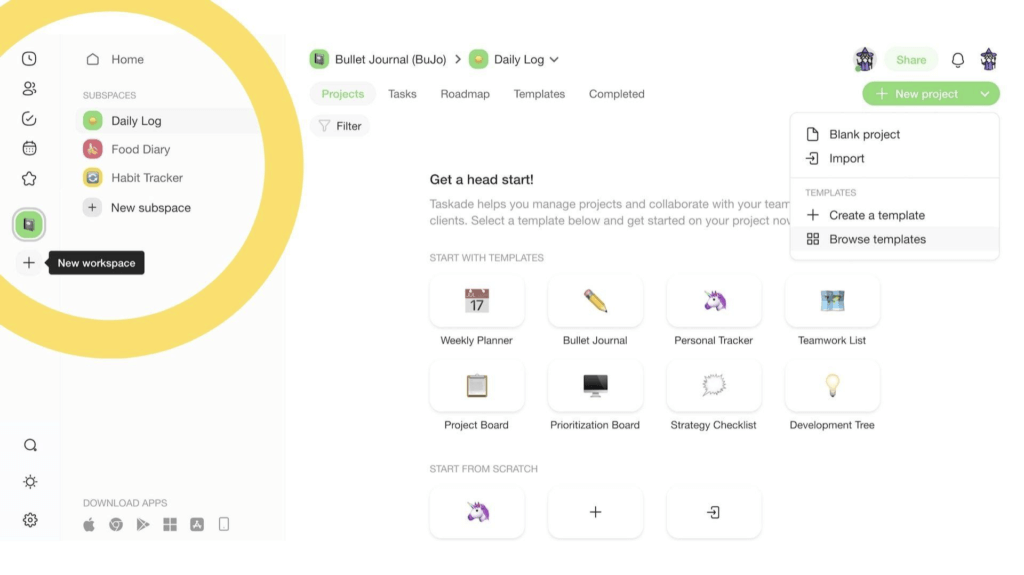
With the Collections in place, it’s time to populate them with Projects. Each Project can correspond to a single page or a series of pages within a Collection.
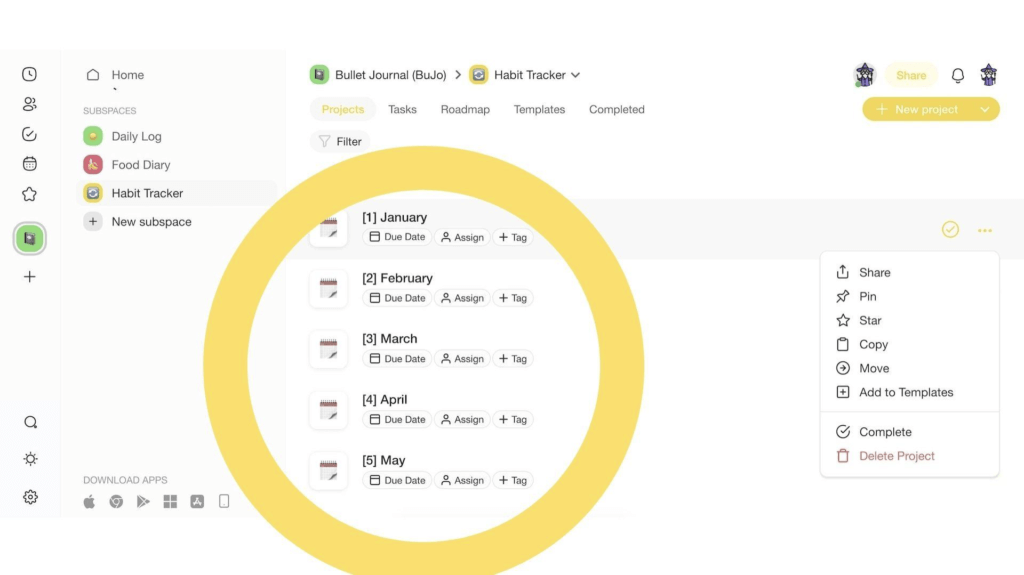
Step #2: Outline Your Life (Rapid Logging)
Taskade outlining features are a perfect match for BuJo Rapid Logging. You can choose from several different bullet styles, headings, and text formatting options to make your bullet journal look good. You can even add color washi-tape style!
Let’s add some content to our Habit Tracker collection and customize it a bit. To speed up the process, we’re going to use a Habit Tracker template from our catalog.
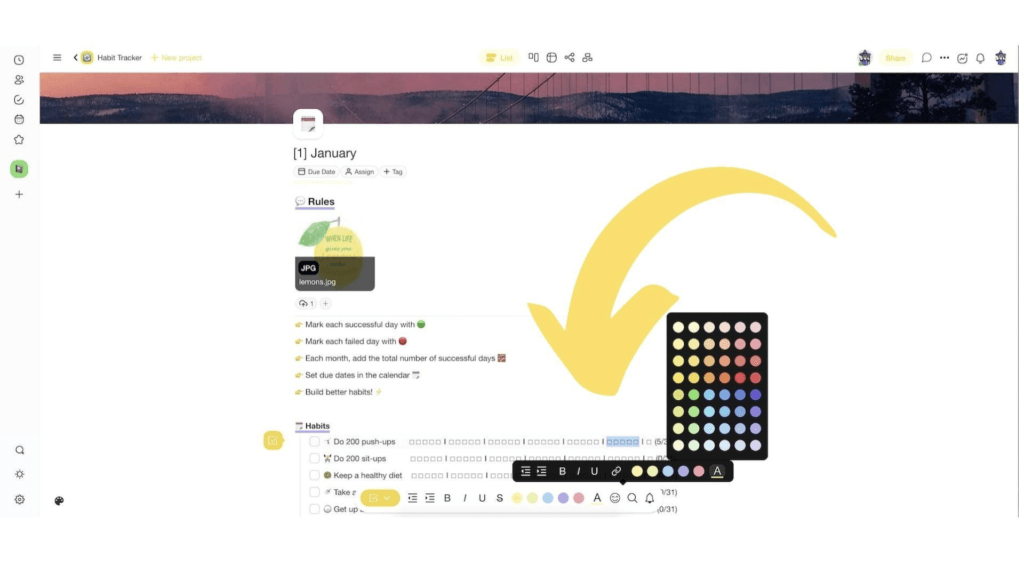
The basic structure is in place. You can now edit the list of habits and add others you want to track. Don’t forget to upload some motivational images and color things up.
📓 BuJo Pro Tip: Notice how each section and line of the Habit Tracker is a level in an outline. You can Fold (collapse) a specific habit, day, month, or year to hide it. If you need it again, simply Unfold (expand) the hidden content.
And now, let’s make things even more fun.
Step #3: Mix and Match Your Collections
Taskade is not an ordinary outliner. Thanks to a flexible workflow with multiple Project views, you can turn regular lists into mind maps, org charts, and boards. Let’s create a separate Collection called Mind Maps and make it into our brainstorming center.
Here’s an example of a mind map in our new collection. We used this free Mind Map template to create a simple tracker of movies and shows.
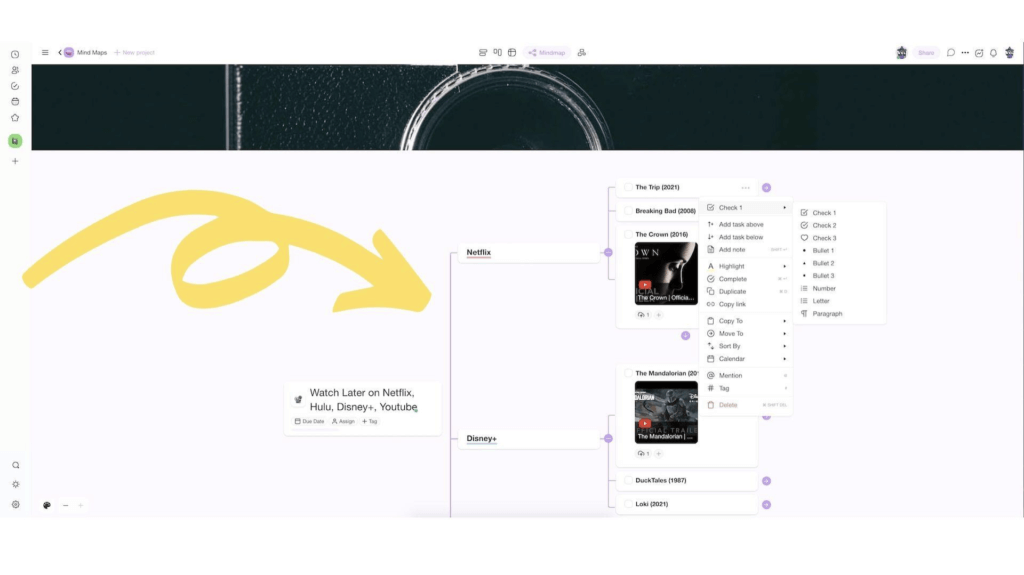
Taskade allows you to create content galleries with photos, GIFs, videos, documents, and other types of files. You can even embed content from YouTube, Vimeo, and others!
Step #4: Monthly and Future Log
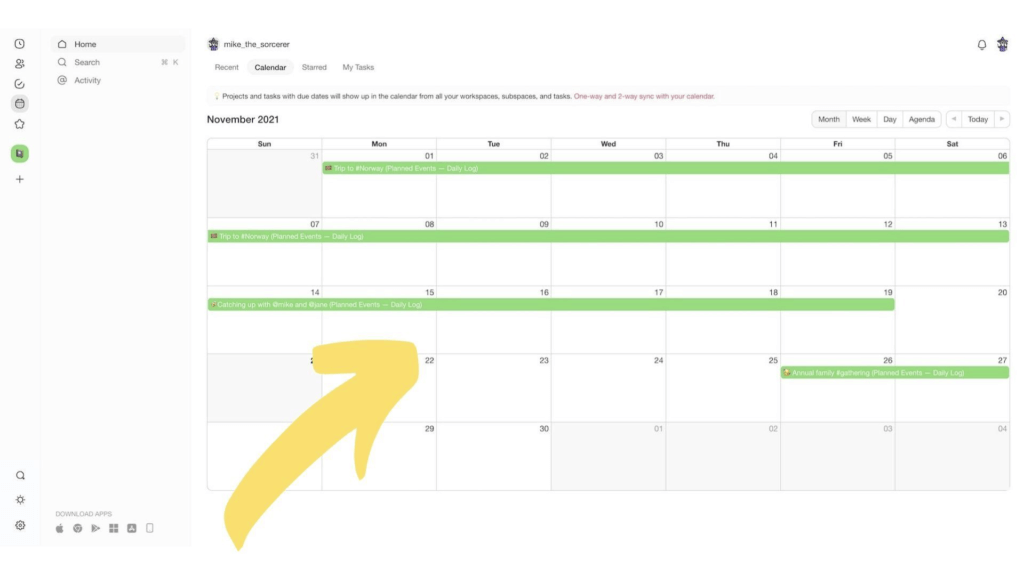
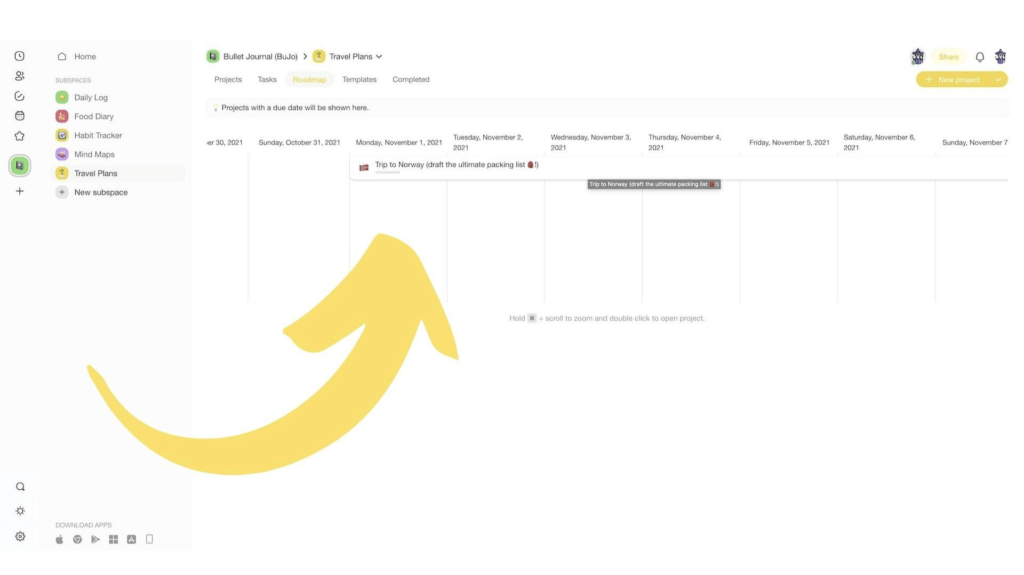
A digital bullet journal is a great way to stay on top of all your tasks, events, deadlines, and appointments. Taskade implements the Monthly and Future log in several ways—an interactive Roadmap, a shared Calendar, and task recurring/due dates.
Whenever you create a new Task and set a Due Date, it’ll automatically appear in the Calendar. You will find the Calendar view in the main navigation menu on the left.
The Roadmap is a perfect tool for tracking time-sensitive Collections like specific projects and assignments. To add projects into your Roadmap, simply add a due date or a date range to any of the Collections in your Notebook (Workspace).
Step #5: Migration
Finally, let’s not forget about Migration. To migrate a content block, a fragment of text, or even an entire page from your digital bullet journal, simply select it and click Copy To or Move To in the drop-down menu. You’ll receive a pop-up notification on completion.
And that’s it!
✨ 3 Taskade BuJo-Friendly Features
🔎 Search. Search for keywords inside a specific Collection or run global searches across all Workspaces and Projects. Click on search results to quickly navigate your notebook. You can also search locally inside Projects.
📱 Mobile BuJo. Your BuJo should always be at hand in case the muse comes knocking. Taskade comes with a free mobile app for iOS and Android so you can take your notes along when you hit the road. Jump over here to download.
🏷 #Tags. Taskade #tags make organizing your bullet journal a breeze. You can add custom color-coded tags to sort Workspaces or insert clickable/searchable hashtags directly inside Projects to filter their contents. It’s that simple!
Be sure to drop by our Help Center to check other Taskade features!
📊 Digital Bullet Journal Apps Comparison (2026)
| Feature | Taskade | Notion | GoodNotes | Obsidian | Workflowy |
|---|---|---|---|---|---|
| Outliner Format | Native hierarchical | Block-based | Handwriting | Markdown | Native hierarchical |
| AI Integration | Built-in (frontier models) | Notion AI (add-on) | None | Via plugins | None |
| Project Views | Multiple (incl. Calendar, Mind Map) | 4 (List, Board, Calendar, Table) | 1 (Notebook) | 1 (Document) | 1 (List) |
| Real-Time Collaboration | Yes | Yes | No | No | Limited |
| Mobile App | iOS + Android | iOS + Android | iOS only | iOS + Android | iOS + Android |
| Templates | 1,000+ | Community templates | Stationery templates | Community plugins | Limited |
| Free Plan | Yes | Yes | No ($8.99 one-time) | Yes (personal) | Limited |
| Best For | Full BuJo system | Database-style spreads | Handwriting fans | Local-first notes | Minimalist lists |

How Workspace DNA Powers Your Digital BuJo
Taskade is built on Workspace DNA — a self-reinforcing loop of Memory + Intelligence + Execution. For bullet journaling, this architecture transforms your BuJo from a static notebook into a living system. Memory means your daily logs, collections, and habit trackers are structured projects viewable across 8 formats (List, Board, Calendar, Table, Mind Map, Gantt, Org Chart). Intelligence is the AI agents layer that analyzes your journal entries, identifies patterns in your habits, and generates personalized prompts. Execution triggers automations — daily review reminders, habit streak alerts, and automatic task migration — so your BuJo works for you even when you are not looking at it. Read more about how this architecture works in our personal knowledge management guide.
Agentic AI and Vibe Coding for Digital Journals
AI agents with built-in tools and persistent memory can handle the repetitive parts of bullet journaling. Set up an agent to generate your daily log template every morning, track habit completions, summarize your weekly entries, and migrate incomplete tasks to the next month — all autonomously. Agents remember your preferences across sessions, so your BuJo templates improve over time.
With vibe coding, you can go further. Describe your dream journaling app to Taskade Genesis — say, "build me a habit tracker with mood logging, weekly reviews, and streak visualizations" — and it creates a fully deployed app. Over 150,000+ apps have been built this way, including journaling tools, daily planners, and reflection systems. See the ultimate guide to Taskade Genesis for more examples, or explore templates for a ready-made starting point.
📊 Taskade BuJo Pricing Overview (2026)
| Plan | Price | BuJo-Relevant Features |
|---|---|---|
| Free | $0 | Unlimited projects, AI credits, Calendar view, 1,000+ templates |
| Pro | $10/mo (annual, 10 users) | Team collaboration, custom branding, guest sharing |
| Business | $25/mo (annual) | SSO, expanded storage, advanced security |
| Enterprise | $250/mo | Unlimited everything, dedicated support |
Frequently Asked Questions
What is a digital bullet journal and how does it work?
A digital bullet journal (BuJo) is the digital adaptation of Ryder Carroll's Bullet Journal method — a rapid-logging system that combines to-do lists, calendars, notes, and reflections in one place using short-form notation. Instead of a physical notebook, you use outliner software to create daily logs, monthly spreads, and collections. Digital BuJos add benefits like searchability, easy reorganization, cloud sync, and collaboration that paper journals can't offer.
How do you create a bullet journal with outliner software?
Create a digital BuJo in an outliner like Taskade by: 1) Setting up an Index page (master table of contents), 2) Creating monthly log pages with calendars and task lists, 3) Building daily rapid logs where you capture tasks (•), events (○), and notes (—) using bullet notation, 4) Adding collections for themed content (books to read, project ideas, habit trackers), 5) Migrating incomplete tasks forward during weekly/monthly reviews. The outliner's nesting feature naturally supports BuJo's hierarchical structure.
What are the advantages of digital bullet journaling over paper?
Digital advantages include: instant search across all entries (find anything in seconds vs. flipping through pages), easy reorganization (drag items between days/months), unlimited space (no running out of pages), cloud sync across devices, collaboration (share journals with accountability partners), multimedia support (embed links, images, files), automated recurring tasks, and AI assistance for generating templates, summarizing entries, and tracking patterns in your journaling data.
What are the best apps for digital bullet journaling?
Best digital BuJo apps include Taskade (outliner-based with AI, multiple views, and team collaboration), Notion (flexible blocks and databases for custom spreads), GoodNotes (handwriting-focused for iPad), Obsidian (markdown-based with daily notes plugin), and Workflowy (minimalist outliner). Taskade is ideal because its outliner format naturally mirrors BuJo's nested bullet structure, and you can switch to Calendar view for monthly spreads or Board view for habit tracking without recreating your data.
How does Taskade Genesis help with digital bullet journaling?
Taskade Genesis lets you build custom BuJo apps by describing your ideal journal in natural language — a process called vibe coding. With 150,000+ apps built, users create habit trackers, daily log generators, and monthly review dashboards with a single prompt. Genesis apps support custom domains and can be published to the Community Gallery, making your BuJo system accessible from anywhere.
What is Workspace DNA and how does it improve bullet journaling?
Workspace DNA is Taskade's Memory + Intelligence + Execution architecture. For bullet journaling, Memory means your daily logs, collections, and trackers live as structured projects across multiple views. Intelligence is the AI agents layer that can auto-generate journal prompts, analyze your habits, and suggest improvements. Execution triggers automations like daily review reminders, habit streak notifications, and migration workflows — turning your BuJo from a passive record into an active productivity system.
How do AI agents enhance digital bullet journaling?
Taskade AI agents with built-in tools and persistent memory can automate the tedious parts of bullet journaling. Agents generate daily log templates, track habit completion patterns, suggest weekly reflection prompts, and migrate incomplete tasks forward automatically. Through Taskade's 100+ integrations, automations can pull data from external services into your journal entries.
What is vibe coding and how does it apply to journaling apps?
Vibe coding means building apps and workflows by describing what you want in natural language instead of writing code. For journaling, you can tell Taskade Genesis to build a habit tracker with weekly reviews and mood logging, and it creates a fully functional, deployed app. This makes custom journaling tools accessible to everyone, regardless of technical background.
👋 Conclusion
So, is a digital bullet journal for you?
If you love hassle-free productivity, want to access your notes wherever you are, and need the extra organizational punch, the answer is a reverberating YES!
The BuJo method, paired with a modern outliner like Taskade, will help you:
🧘♂️ Organize work and personal life in one place.
⌨️ Speed up note-taking and improve accuracy.
📌 Map out ideas and connect them together.
🚧 Overcome pesky limitations of paper notebooks.
🎒 Make your everyday carry (EDC) much lighter.
🔎 Organize and find information in a blink.
⏰ Stay on top of due dates and deadlines.
And much more…
🎨 Before you go… Starting a BuJo doesn’t have to be a time-consuming process. Grab our free Bullet Journal template and make it truly yours!
Master the art of journaling with Taskade AI! 🤖
🤖 Custom AI Agents: Design AI agents to integrate with your writing workflow, automating routine tasks so you can focus on the fun stuff.
🪄 AI Generator: Generate journaling prompts, layouts, and trackers based on your goals and interests, all using natural-language prompts.
✏️ AI Assistant: Review, edit, and optimize your bullet journal entries to ensure that your goals, thoughts, and tasks are clearly defined.
🗂️ AI Prompt Templates Library: Discover AI prompt templates tailored for bullet journaling and hundreds of other creative tasks.
💬 AI Chat: Chat with Taskade AI like you would with a journaling buddy, sharing insights, reflecting on progress, and brainstorming ideas.
📄 Media Q&A: Get an AI-powered analysis of journaling patterns, insights into your productivity, and writing suggestions.
🧬 Build Your Own Digital Journal with Taskade Genesis
Want a BuJo app tailored to your exact workflow? Taskade Genesis lets you build custom journaling apps, habit trackers, and daily planners with a single prompt. Browse community-built apps or create your own. Taskade's AI agents can generate journal templates, track habits, and automate your daily reviews.
And much more...
Check our pricing page for a full breakdown of features.

Resources 🔗
https://blog.bir.org.uk/2015/09/02/the-radioactive-legacy-of-marie-curie/
https://www.smithsonianmag.com/history/how-anne-franks-diary-changed-the-world-180957215/
https://www.walesonline.co.uk/news/wales-news/captain-scotts-diary-prepared-ill-fated-1812944
https://bulletjournal.com/blogs/bulletjournalist/the-bujo-backstory
https://www.kickstarter.com/projects/1562027630/bullet-journal-journaling-at-the-speed-of-life
https://www.reddit.com/r/bulletjournal/comments/8fqz74/basic_bullet_journal_key/