






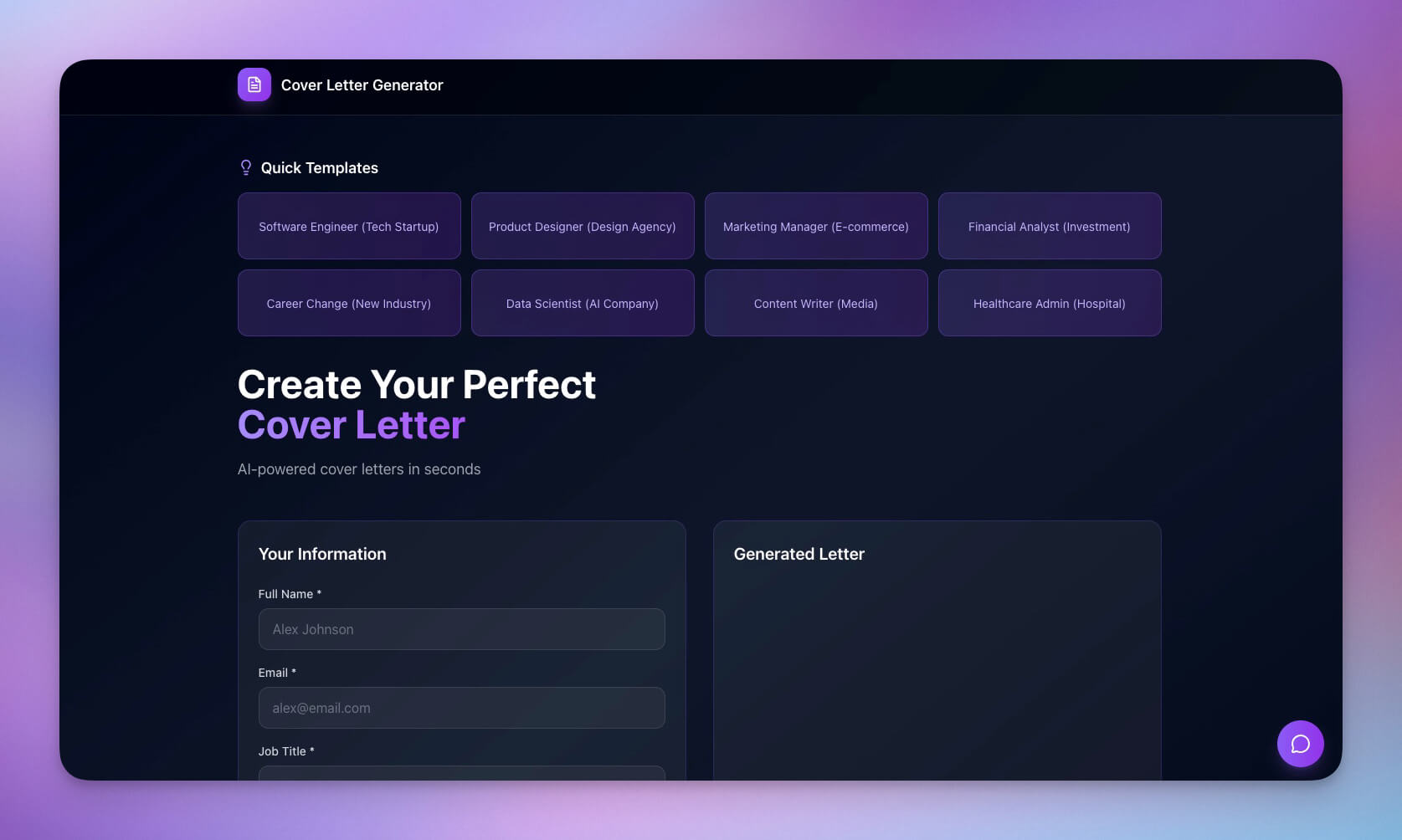
The best outliner app depends on how you think and where you work. Some people want one calm, endless list. Others want an outline that turns into a mind map or a task board. This guide compares 10 outliner apps with their free plans and prices. We checked each vendor's pricing page on 2026-10-19.
TL;DR: Workflowy and Dynalist are the simplest pure outliners, Logseq is the best free open-source pick, and OmniOutliner and Bike suit Mac users. Taskade turns one outline into a mind map, a board, a task list or a live app. Taskade Free has unlimited projects, 2 members and 1 AI agent. Pro is $10/mo billed annually. See plans and prices
For writers who plan chapters and scenes, see our separate guide to the best outliner apps for writers. For the method behind it, read hierarchical note-taking.
What Is an Outliner App?
An outliner app stores notes as nested bullet points, where each item can hold sub-items. You indent to go deeper, fold a branch to hide detail, and drag a branch to move it with everything inside. Outliners suit plans, drafts, research and to-do lists, because the structure changes as fast as your thinking.
Outliners go back to the 1980s, when ThinkTank and MORE ran on the first personal computers. Read outlining software: past, present and future for the history.
- Launch plan                       <- top-level item
  - Research                        <- child, one indent
    - Interview 5 customers
    - Read competitor pages
  - Build                           (folded: 12 items hidden)
  - Announce
    - Draft the post
    - Email the list
| Outliner skill | What it does | Why it matters |
|---|---|---|
| Indent and outdent | Moves an item one level deeper or higher | Changes structure in one keystroke |
| Fold and unfold | Hides or shows a branch | Keeps the big picture visible |
| Zoom | Opens one branch as its own page | Focuses on one part of the work |
| Drag a branch | Moves an item with all its children | Reorders a plan in seconds |
| Link items | Connects notes across the outline | Builds a web of related ideas |

The Best Outliner Apps at a Glance
The table below lists each outliner's best use, free plan and cheapest paid plan, as shown on each vendor's page on 2026-10-19. Five of the ten have a free plan with no time limit. "Yearly" means the monthly price when you pay for a year.
| # | App | Best for | Free plan | Cheapest paid plan |
|---|---|---|---|---|
| 1 | Taskade | Outlines that become mind maps, boards and tasks | Yes, unlimited projects | Pro $10/mo billed yearly |
| 2 | Workflowy | A minimal outliner | Yes, 100 nodes a month | Pro $6.99/mo yearly ($8.99 monthly) |
| 3 | Dynalist | A free unlimited outliner | Yes, unlimited items | Pro $7.99/mo yearly ($9.99 monthly) |
| 4 | Logseq | A free open-source outliner | Yes, open source | No plan. Sync with the $5/mo Backer tier |
| 5 | OmniOutliner | Mac and iPad power users | Free trial | Essentials $24.99 one-time, or $49.99/yr |
| 6 | Bike | A fast Mac outliner for writing | Free download | $19.99/yr or $2.99/mo |
| 7 | Checkvist | Outlined checklists | Yes, unlimited lists | PRO $39/yr ($3.90 monthly) |
| 8 | Tana | Outlines with structured fields | Yes, 50 AI queries | Pro $20/user/mo (early bird) |
| 9 | RemNote | Study outlines with flashcards | Yes, unlimited notes | Pro $8/mo yearly ($96/yr) |
| 10 | Roam Research | Linked daily notes | No, 31-day trial | $165/yr ($13.75/mo), $15 monthly |
How We Compared These Outliner Apps
We compared these outliner apps on six things a daily outliner user feels: the outline basics, the free-plan limit, the price, the platforms and file format, the way out (export), and team editing and AI. We read each vendor's pricing page and help docs on 2026-10-19. We did not run a timed speed test.
| Criterion | What we checked | Why it matters |
|---|---|---|
| Outline basics | Indent, fold, zoom, drag a branch, keyboard control | These are the moves you make hundreds of times a day |
| Free plan | Item caps, document caps, time limits | A cap of 100 new nodes a month ends a daily habit fast |
| Price | Cheapest paid plan, yearly and monthly | Outliners run for years, so the yearly price adds up |
| Platforms and files | Web, desktop, mobile, local files or cloud | Decides where you can write and who holds the data |
| Export | OPML, Markdown, plain text | Decides whether you can leave with your structure |
| Team editing and AI | Real-time sharing, AI drafts, AI answers | Decides whether the outline stays personal or becomes a plan |
OUTLINER SCORECARD: ASK THESE 6 QUESTIONS BEFORE YOU COMMIT
+---------------------------------------------------------------+
| 1. BASICS     Can I indent, fold, zoom and drag by keyboard?  |
| 2. FREE PLAN  Is there an item cap or a trial clock?          |
| 3. PRICE      What does a year cost, not a month?             |
| 4. FILES      Local files, or the vendor's cloud?             |
| 5. EXIT       Does it export OPML or Markdown?                |
| 6. SHARING    Can a teammate edit the same outline live?      |
+---------------------------------------------------------------+
1. Taskade: Best for Outlines That Become Mind Maps, Boards and Tasks
Taskade is an outliner, a task manager and an AI workspace in one. You write a nested outline in List view, then switch the same project to a mind map or a board. AI can draft a first outline from one sentence.
Who it is for: people and teams whose outlines turn into plans with owners and due dates.
Strengths
- One outline, many views: List, Mind Map and Board show the same data (project views)
- AI drafts outlines, AI agents answer from your projects, and Taskade Genesis turns a plan into a live app
- Real-time team editing, plus Workflowy and Dynalist imports
Limits
- Cloud sync with an account, not local files
- More features than a plain list needs
| Plan fact | Detail |
|---|---|
| Free plan | Unlimited projects, 2 members, 1 AI agent, no AI credits to start |
| Cheapest paid | Pro $10/mo billed yearly, up to 10 members |
| Platforms | Web, Mac, Windows, iOS, Android |
| Prices checked | 2026-10-19, taskade.com/pricing |
2. Workflowy: Best for a Minimal Outliner
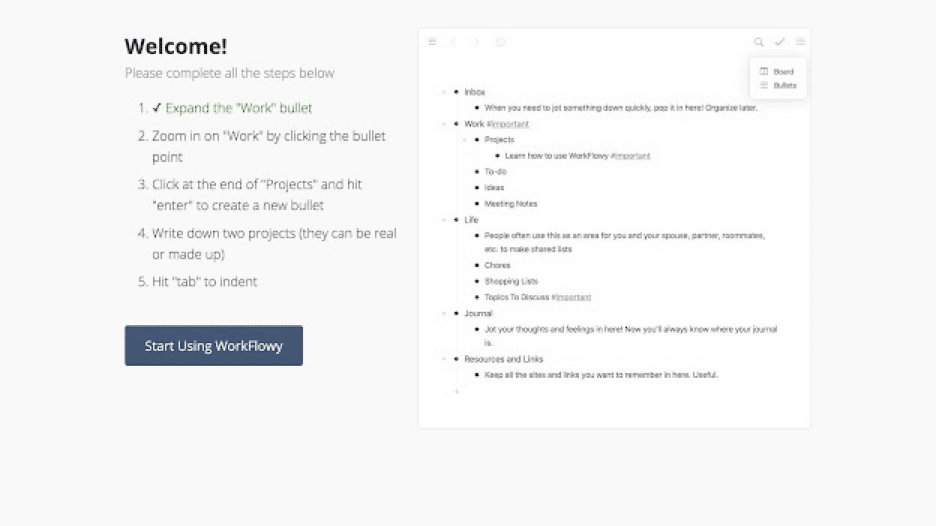
Workflowy is one endless outline with nothing else in the way. You zoom into any bullet to make it a page, and zoom out to see everything. Its calm design and fast keyboard control have made it a favorite of minimalists for more than a decade. Mirrors let one item appear in several places.
Who it is for: people who want one clean list for all their notes and plans.
Strengths
- A very clean interface with fast zoom in and out
- Mirrors, tags and boards inside the same outline
- Apps for web, desktop and mobile
Limits
- The free Basic plan caps you at 100 new nodes a month
- Few views beyond the outline and a simple board
| Plan fact | Detail |
|---|---|
| Free plan | Basic: 100 nodes a month, 100 MB uploads |
| Cheapest paid | Pro $6.99/mo billed yearly ($8.99 monthly) |
| What Pro adds | No node or upload caps |
| Prices checked | 2026-10-19, workflowy.com/pricing |
3. Dynalist: Best Free Unlimited Outliner
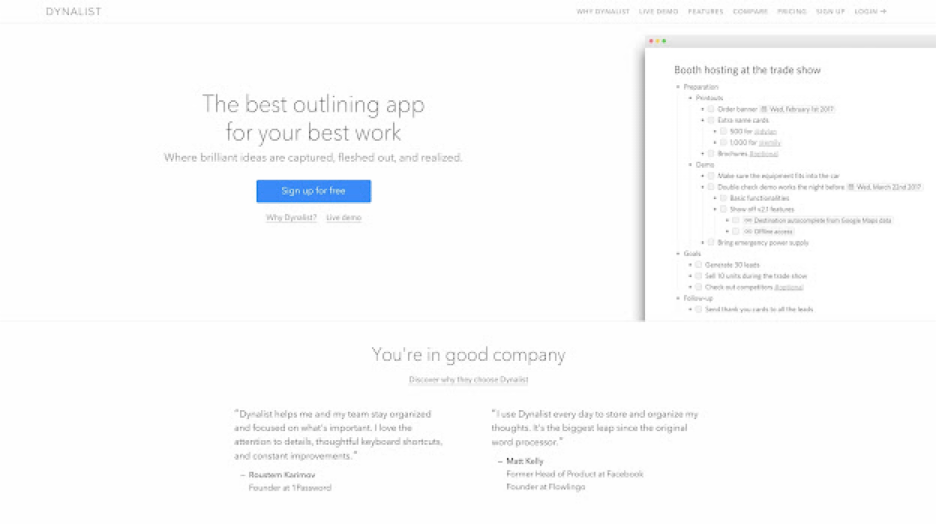
Dynalist is a feature-rich outliner from the makers of Obsidian. Its Free plan includes unlimited items and documents, which is rare. You split work into separate documents and folders, format items with Markdown, and add dates to items. It feels like a power user's Workflowy.
Who it is for: people who want a full outliner for free, with documents and formatting.
Strengths
- Unlimited items and documents on the Free plan
- Markdown formatting, dates and a document tree
- Keyboard shortcuts for nearly every action
Limits
- The Free plan allows only 5 bookmarks
- Development is slow, and the design shows its age
| Plan fact | Detail |
|---|---|
| Free plan | Unlimited items and documents, 5 bookmarks |
| Cheapest paid | Pro $7.99/mo billed yearly ($95.88/yr), $9.99 monthly |
| What Pro adds | Unlimited bookmarks and more |
| Prices checked | 2026-10-19, dynalist.io/pricing |
4. Logseq: Best Free Open-Source Outliner
Logseq is a free, open-source outliner that stores notes as local files on your device. Every note is a set of bullets, and every bullet can link to another page or block. Daily journal pages and a graph view make it popular for personal knowledge management. Many plugins add features, including AI.
Who it is for: people who want local files, privacy and open source.
Strengths
- Free and open source, with notes stored on your device
- Block links and references that connect ideas across pages
- A large plugin community
Limits
- No paid plan with support. Sync and the new database version go to monthly backers first
- A steeper learning curve than Workflowy or Dynalist
| Plan fact | Detail |
|---|---|
| Free plan | Yes, open source |
| Cheapest paid | No plan. Backers give $5/mo on Open Collective |
| Sync | "Logseq DB beta and RTC sync are ready for all active monthly backers" |
| Checked | 2026-10-19, opencollective.com/logseq |
5. OmniOutliner: Best for Mac and iPad Power Users
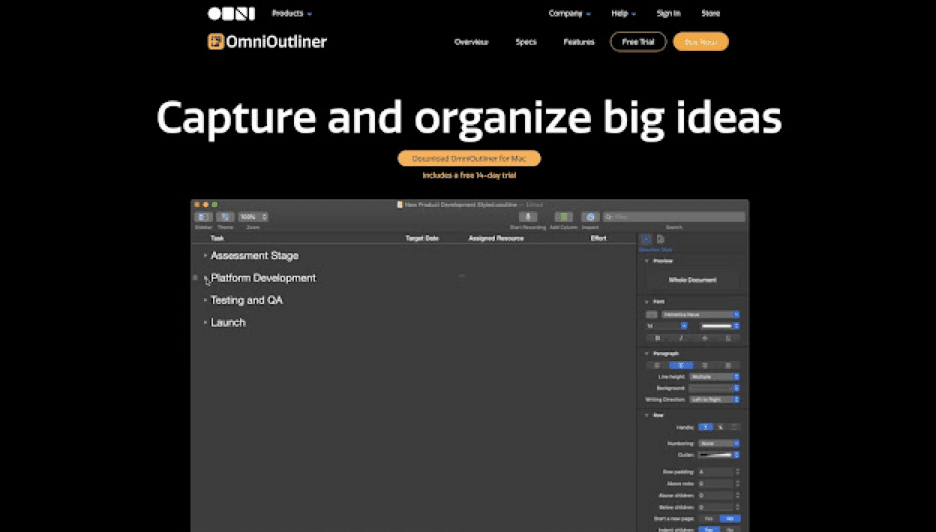
OmniOutliner is a native Apple outliner from The Omni Group. It adds columns, styles and templates to a classic outline, so an outline can work like a light spreadsheet or a formatted document. One purchase covers Mac, iPhone, iPad and Apple Vision Pro.
Who it is for: Mac and iPad users who want a polished, native outliner with columns.
Strengths
- Columns, checkboxes and styles in one outline
- A one-time license option, not only a subscription
- Universal purchase across Mac, iPhone, iPad and Apple Vision Pro
Limits
- Apple only, and version 6 needs macOS 15 or iOS 26
- No real-time team editing
| Plan fact | Detail |
|---|---|
| Free plan | Free trial download |
| Cheapest paid | Essentials $24.99 one-time (v6), Pro $99.99 one-time |
| Subscription | $49.99 a year, includes Pro |
| Prices checked | 2026-10-19, OmniOutliner buy page |
6. Bike: Best Fast Mac Outliner for Writing
Bike is a fast, minimal outliner for the Mac from Hog Bay Software. It treats an outline like a text document, with smooth typing, folding and keyboard moves. Files save in an open outline format on your disk. It is built for writing and thinking, not for team projects.
Who it is for: Mac writers who want speed and plain files.
Strengths
- Very fast typing and folding, even in long outlines
- Plain outline files that you own
- A free download from the App Store
Limits
- Mac only (macOS 11 or later)
- No team collaboration or task features
| Plan fact | Detail |
|---|---|
| Free plan | Free download (App Store "Free") |
| Cheapest paid | Bike License $19.99 a year, or $2.99 a month |
| Platforms | macOS 11 or later |
| Prices checked | 2026-10-19, Bike in the Mac App Store |
7. Checkvist: Best for Outlined Checklists
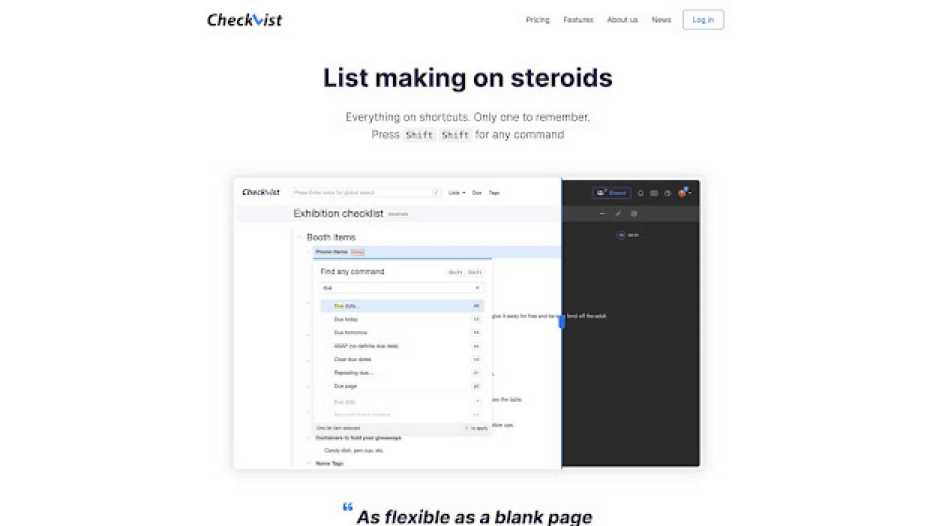
Checkvist is a keyboard-first outliner built for checklists and task lists. Every item can be checked off, tagged, assigned and given a due date. You share a list with a link, and others can edit it. It suits recurring checklists, packing lists and project plans.
Who it is for: people who think in checklists and want to drive everything from the keyboard.
Strengths
- Unlimited hierarchical lists and sharing on the Free plan
- Keyboard shortcuts for almost every action
- Task assignment, repeating tasks and Google Calendar sync on PRO
Limits
- A plain, dated interface
- Few views beyond the list
| Plan fact | Detail |
|---|---|
| Free plan | Unlimited lists, unlimited sharing |
| Cheapest paid | PRO $39 a year, or $3.90 a month |
| Trial | 14 days of PRO free |
| Prices checked | 2026-10-19, checkvist.com/pricing |
8. Tana: Best for Outlines With Structured Fields
Tana is an outliner where any bullet can become a structured object with fields, such as a meeting, a person or a task. "Supertags" turn plain notes into a database you can query. In 2026, Tana sells itself mainly as a meeting-notes tool, with AI transcripts and summaries.
Who it is for: people who want outlines that also work like a database, plus AI meeting notes.
Strengths
- Supertags and fields give structure to plain bullets
- AI meeting notes and summaries are built in
- Live searches pull matching nodes into any page
Limits
- The Free plan caps hosted meetings at 5 a month and AI queries at 50
- Pro is priced per user, which adds up for a team
| Plan fact | Detail |
|---|---|
| Free plan | 5 meetings a month, 1 calendar, 50 AI queries |
| Cheapest paid | Pro $20/user/mo early-bird price (shown beside $30) |
| Trial | Free trial, no card required |
| Prices checked | 2026-10-19, tana.inc/pricing |
9. RemNote: Best for Study Outlines With Flashcards
RemNote combines an outliner with spaced-repetition flashcards. You write lecture notes as an outline, mark a line as a card, and RemNote schedules your reviews. PDF annotation and AI study tools sit in the same app, so notes and practice stay together.
Who it is for: students and lifelong learners who study from their notes.
Strengths
- Turn any outline line into a flashcard
- Unlimited notes and flashcards on the Free plan
- PDF annotation and an exam scheduler
Limits
- Free limits on PDFs (3 annotated documents) and AI credits (250 a month)
- More complex than a plain outliner
| Plan fact | Detail |
|---|---|
| Free plan | Unlimited notes and flashcards, 250 AI credits a month |
| Cheapest paid | Pro $8/mo billed yearly ($96/yr) |
| With more AI | Pro with AI $18/mo billed yearly ($216/yr) |
| Prices checked | 2026-10-19, remnote.com/pricing |
10. Roam Research: Best for Linked Daily Notes
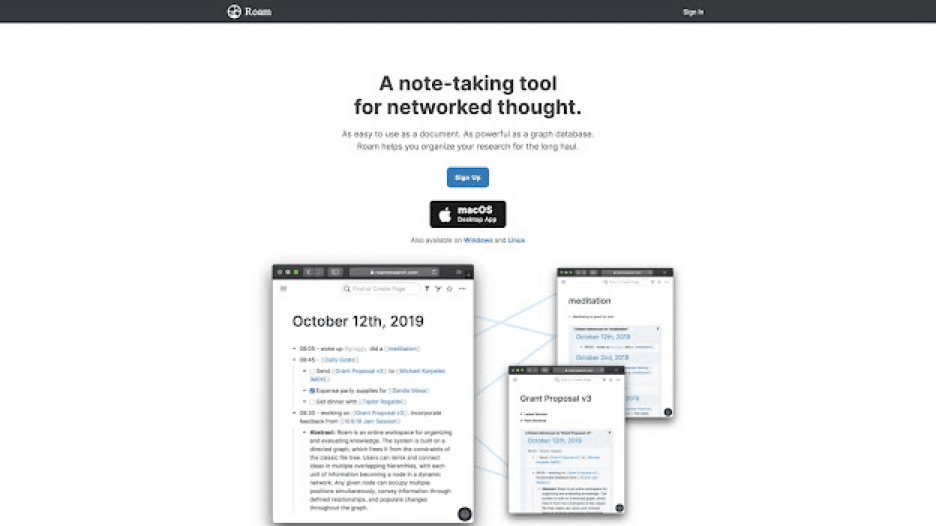
Roam Research made the linked outliner popular. Every page is an outline, every bullet can link to any page, and each day starts with a daily notes page. Backlinks show where an idea came up before. It suits researchers and writers who build ideas over years.
Who it is for: researchers and writers who think in links between ideas.
Strengths
- Bidirectional links and block references
- Daily notes pages that make capture easy
- A loyal community and many published workflows
Limits
- No free plan, only a 31-day trial
- One of the higher prices in this list for one person
| Plan fact | Detail |
|---|---|
| Free plan | No. 31-day trial |
| Cheapest paid | Pro $165/yr ($13.75/mo), or $15 a month |
| Graphs | Unlimited private or public graphs |
| Prices checked | 2026-10-19, roamresearch.com sign-up page |
Other Options: Notion, Obsidian and Scrivener
Three popular tools are not in the ranking because outlining is not their main job. Notion has toggle lists inside pages. Obsidian is free, with Sync at $4 per user a month billed yearly ($5 monthly) and Publish at $8 per site a month billed yearly ($10 monthly), checked 2026-10-19. Scrivener is a writing app, covered in our outliner apps for writers guide.
Which Outliner Apps Have AI in 2026?
Four of the ten outliners show AI features on their own pages: Taskade, Tana, RemNote and Checkvist. Logseq adds AI through community plugins, and OmniOutliner Pro links to Apple Intelligence. Dynalist and Bike list no AI, and Workflowy and Roam Research give no AI plan detail on the pages we checked on 2026-10-19.
| App | AI on the vendor's page | Free plan AI | Source checked 2026-10-19 |
|---|---|---|---|
| Taskade | AI drafts outlines, AI agents answer from projects | 1 AI agent, no starting AI credits | taskade.com/pricing |
| Tana | AI meeting notes, summaries and queries | 50 AI queries | tana.inc/pricing |
| RemNote | AI study tools inside notes | 250 AI credits a month | remnote.com/pricing |
| Checkvist | "MCP server for AI assistants" on PRO | None listed | checkvist.com/pricing |
| OmniOutliner | Apple Intelligence through Pro plug-ins | None listed | omnigroup.com/omnioutliner |
| Logseq | Community plugins | Depends on the plugin | Logseq plugin community |
| Dynalist, Bike | None listed | None | Vendor pricing and product pages |
| Workflowy, Roam Research | No plan detail on the pricing or home page | Not stated | Vendor pricing and home pages |
An AI outliner saves the most time at the start and at the end of an outline. At the start, AI drafts a first structure from one sentence. At the end, AI turns finished branches into tasks, summaries or answers. Treat every AI outline as a draft: the order and the cuts are still your call. For a deeper look, read our guide to the AI outliner in Taskade.
Export and Migration: Can You Leave With Your Outline?
Most outliners export OPML, the standard file format for outlines, so you can move a nested outline between apps and keep its structure. Workflowy, Dynalist, OmniOutliner, Bike and Checkvist all list OPML. Logseq and Roam Research work with Markdown files instead. Check the export path before you put years of notes into any app.
| App | Export formats on the vendor's docs | Note |
|---|---|---|
| Workflowy | Formatted text, Markdown, plain text, OPML | One item or "Export all" (help) |
| Dynalist | Formatted (HTML), plain text, OPML | Pro adds daily Dropbox and Google Drive backup (help) |
| OmniOutliner | OPML, plain text, CSV, DOCX, PDF, HTML and more | No built-in Markdown export (manual) |
| Bike | .bike (HTML), OPML, plain text | Files stay on your Mac (product page) |
| Checkvist | OPML and other formats, Free and PRO | OPML keeps tags (help) |
| Logseq | Local Markdown files | Your notes already live on disk |
| Taskade | Markdown and CSV on every plan, image, text and PDF on paid plans | Imports OPML and Markdown (export guide) |
Taskade has step-by-step import guides for Workflowy (OPML), Dynalist (OPML or paste), Logseq and Roam Research (Markdown). The nesting stays the same after the import.
Best Outliner Apps for Students
The best outliner apps for students are RemNote for notes plus flashcards, Dynalist for a free unlimited outline, Workflowy for one simple study list, and Taskade for group projects. Each one has a free plan, and the right pick depends on whether you study alone or with a group.
| App | Student strength | Free plan limit that matters |
|---|---|---|
| RemNote | Turns lecture outlines into flashcards | 3 annotated PDFs, 250 AI credits a month |
| Dynalist | Unlimited outlines for every course | 5 bookmarks |
| Workflowy | One calm list for all classes | 100 new nodes a month |
| Taskade | Group projects with shared tasks and due dates | 2 members, 1 AI agent |
- Lecture notes: write each class as an outline, one top-level item per lecture. Fold old lectures to keep today in view.
- Essays: outline the argument first, then expand each point into a paragraph. Read our guide to the outline method of note-taking.
- Revision: RemNote turns outline lines into flashcards. In other apps, fold each branch and try to recall what is inside before you open it.
- Group projects: in Taskade, a shared outline becomes a task list with owners and due dates.
A study plan helps an outline turn into a schedule. Clone the AI Productivity Planner, a Taskade Genesis app for weekly study and work planning, and adjust it to your courses.
Clone the AI Productivity Planner
Outliner vs Mind Map vs Notes App
An outliner, a mind map and a notes app hold the same ideas in three shapes. An outliner is a nested list that is fast to type and reorder. A mind map is a visual tree that shows connections at a glance. A notes app is a page of free text. Some tools, such as Taskade, show one outline in more than one shape.
| Tool type | Shape | Best for | Example apps |
|---|---|---|---|
| Outliner | Nested list | Plans, drafts, task lists | Workflowy, Dynalist, Logseq |
| Mind map | Visual tree | Brainstorms, overviews | Taskade Mind Map, dedicated diagram apps |
| Notes app | Free text pages | Long notes, journals | Apple Notes, Obsidian |
| Linked outliner | Outline plus links | Research over years | Roam Research, Logseq, Tana |
Why We Built Taskade Differently
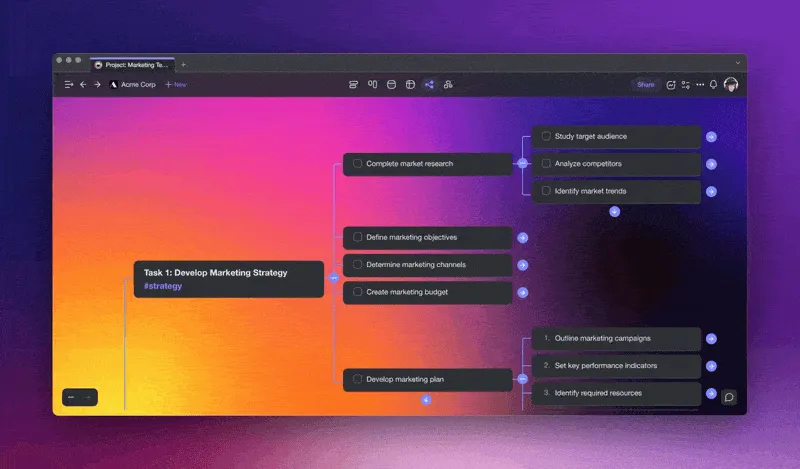
We built Taskade so that an outline does not stop at being a list. One outline becomes a plan in four moves: AI drafts it, you edit it in List view, you check it as a mind map, and you work it as a board. Then Taskade Genesis can turn the same plan into a live app with its own database.
What the outline can grow into, in plain terms:
- A live app from one prompt. Taskade Genesis builds dashboards, portals, forms and trackers with their own database. Start from a prompt.
- AI agents with knowledge and tools. Agents answer from your projects and files, inside an app or on their own.
- Automations with 100+ integrations. Automations use triggers to pull events in and actions to push data out.
- Taskade EVE. You describe a change in chat, and Taskade EVE builds or edits the app.
- Ready-made kits. Clone an app kit from the Community Gallery, share it with a link, and add a custom domain on Pro and up.
Taskade calls this loop Workspace DNA. Your projects are the memory, your agents are the intelligence, and your automations are the execution.
OUTLINE           ->   PLAN              ->   APP
projects               AI agents              automations
(memory)               (intelligence)         (execution)
List, Mind Map         answers from           100+ integrations,
and Board views        your projects          triggers and actions

Learn the views in List view and Mind Map view. For a task-first approach, read hierarchical task management, and for journaling in outline form, the digital bullet journal guide.
Taskade Free has unlimited projects, 2 members, 3 Taskade Genesis apps and 1 AI agent. It starts with no AI credits: you earn credits through referrals and invites, or buy a credit pack. Pro is $10 a month billed annually and adds 50,000 AI credits a month. Compare plans on the pricing page.
Limitations: When Taskade Is Not the Right Fit
Taskade is not the right outliner for everyone. If you want a native Mac app with no account and plain files, Bike or OmniOutliner fit better. If you want plain-text files on your own device, Logseq is built for it. If you want only one minimal list and nothing else, Workflowy is simpler.
| If you want | Pick | Why |
|---|---|---|
| A native Mac outliner with no account | Bike or OmniOutliner | Local files and Apple-native design |
| Plain-text files you own | Logseq | Open source, local Markdown files |
| One minimal list | Workflowy | Fewer features, cleaner screen |
| Outlines plus flashcards | RemNote | Spaced repetition built in |
For more options in the same family, see the Logseq alternatives list and the AI second brain apps guide. To organize the outlines themselves, read the PARA method.
Frequently Asked Questions
What is an outliner app?
An outliner app organizes notes as nested bullet points. Each item can hold sub-items, and you fold, unfold, drag and indent them to change the structure. Outliners suit plans, drafts, research notes and to-do lists, because you can zoom from the big picture into one detail and back.
What is the best outliner app in 2026?
It depends on the job. Workflowy and Dynalist are the simplest pure outliners, Logseq is the best free open-source pick, OmniOutliner and Bike suit Mac users, and RemNote suits students. Taskade turns one outline into a mind map, a board or a task list, and adds AI agents and automations.
What is the best free outliner?
Dynalist's Free plan gives you unlimited items and documents, and Logseq is free and open source. Checkvist is free for unlimited lists. Taskade's Free plan has unlimited projects and 1 AI agent, and it starts with no AI credits: you earn credits through referrals and invites, or buy a credit pack.
Is Workflowy free?
Yes. Workflowy's Basic plan is free forever, with 100 new nodes a month and 100 MB of file uploads. Workflowy Pro removes both limits for $6.99 a month billed yearly or $8.99 a month billed monthly, checked on the Workflowy pricing page on 2026-10-19.
Workflowy vs Dynalist: which is better?
Workflowy is simpler and cleaner, with one infinite outline and fast zooming. Dynalist has more features on its Free plan, including unlimited items and separate documents. Pick Workflowy for a calm single outline, and Dynalist for a free plan with no item limit and more formatting options.
What is the best outliner for Mac?
OmniOutliner and Bike are the two native Mac outliners. OmniOutliner adds columns, styles and templates for power users, with a $24.99 one-time Essentials license. Bike is a fast, minimal outliner for writing, with a $19.99 yearly license in the App Store. Both also run beside cross-platform tools such as Taskade.
Can an outliner show a mind map?
Some can. In Taskade, the same outline shows as a list, a mind map or a board, and a change in one view appears in the others. Most pure outliners, such as Workflowy and Dynalist, show only the outline.
Can AI write an outline for me?
Yes. In Taskade, you describe a topic in a sentence and AI writes a nested outline that you then edit. Tana, RemNote and Logseq plugins also offer AI help. Treat the AI outline as a first draft: you still decide the order and what stays.
What is the best outliner app for students?
RemNote suits students who want outlines and flashcards in one app, with unlimited notes free. Dynalist is a strong free outliner for lecture notes. Taskade suits group projects, because the outline becomes a shared task list with due dates. Workflowy suits a single, simple study outline.
Which outliner apps have AI?
Taskade, Tana, RemNote and Checkvist show AI features on their own pages. Taskade drafts outlines and runs AI agents, Tana adds AI meeting notes, RemNote adds AI study tools, and Checkvist PRO adds an MCP server for AI assistants. Logseq adds AI through community plugins. Dynalist and Bike list no AI features.
Can I export my outline to another outliner app?
Yes, in most apps. Workflowy, Dynalist, OmniOutliner, Bike and Checkvist export OPML, the standard outline format, which keeps the nesting. Logseq stores notes as Markdown files. Taskade exports Markdown and CSV on every plan and imports OPML and Markdown, so an outline keeps its structure when it moves.
Can I import my Workflowy or Dynalist outlines into Taskade?
Yes. Taskade has import guides for Workflowy, Dynalist, Logseq and Roam Research. You export your outline from the old app and import it into a Taskade project, where the nesting stays the same. Then you can view the outline as a list, a mind map or a board.
Related Reading
More guides: the outliner apps for writers list and the Taskade home page.
The Bottom Line
The best outliner is the one that matches how you think. Workflowy and Dynalist keep it simple, Logseq and Bike keep your files local, OmniOutliner adds power on Apple devices, RemNote adds flashcards, and Roam and Tana add links and structure. Taskade fits people whose outlines turn into mind maps, boards and shared plans.
▲ ■ ● Memory, Intelligence, Execution: your outline holds the memory, AI agents read it, and automations move the plan forward.