






No piece of information is created equal. Every time you take notes, create to-do lists, manage projects, or draft documents, you subconsciously process and organize information in a hierarchical way. Hierarchical note-taking is a method of capturing and organizing knowledge that'll help you become more mindful of this process and use it for all things creative.
TL;DR: Hierarchical note-taking organizes information in nested levels to reduce cognitive load, reveal relationships between ideas, and improve retention. Taskade's AI-powered outliner with 7 project views makes it easy to capture, nest, and visualize hierarchical notes. Try it free →
But how to make the most of this tool?
Why is it so effective?
In today's article, we explore the concept of hierarchical note-taking and its benefits. You'll learn why it's essential to compound information and how to do it effectively.
🧠 Harness the power of metacognition.
🗒️ Take more detailed and useful notes.
🪨 Break complex ideas into digestible bits.
🤖 Use the power of AI to brainstorm, write, and organize.
⚡️ Speed up the note-taking process.
🔗 Connect bits of information together.
🌳 Outline all kinds of tasks and projects.
💡 Before you start… Our team of knowledge management nerds has done a lot of research to help you learn and work more effectively. Check these articles when you’re done reading.
👑 A Case For Hierarchical Thinking: Solve Complex Problems The Easy Way
💫 Reinvent Yourself with Personal Knowledge Management (PKM)
🤔 What Is Hierarchical Note-Taking?
The human brain is hard-wired for thinking, creating, and communicating in hierarchies. We can observe this in the way words make sentences and tones combine into musical sequences.

"The strongest evidence in support of the fundamentally hierarchical nature of thinking is our quest for the unification of knowledge, reflected in the unexamined compulsion to discover a unified theory of basic forces in physics or a unified explanatory model, which amount to the same thing."
“Hierarchical Thinking, Grammatical Structures, and the Originary Scene”(1)
Hierarchical note-taking takes advantage of this phenomenon in two ways:
📥 It helps you identify and distill key insights–thoughts, ideas, and facts–and discard everything that doesn’t contribute to what you’re working on.
🗂 It makes it possible to quickly organize the captured information based on its intrinsic value and position relative to what you already know.
And this is where outlining comes into play.
💡 Outlining is a process of creating hierarchies to contain whatever you’re thinking or working on. An outline breaks complex problems, concepts, or projects into smaller, more manageable bits. It's like scaffolding for your thoughts and ideas.
Every element of an outline belongs in a hierarchy. High-level tasks/ideas are placed to the left while lower-level elements are indented and “nested” under parent elements.
- ➡ Level 1 (parent)
- Task 1 (child)
- Subtask 1 (child)
- Task 1 (child)
There are many tools and techniques that can help you introduce hierarchy into note-taking, from simple outlines to high-level systems like Ryder Carroll's Bullet Journal (BuJo). But we'll get to that in a moment. First, let's dive into some of the key elements of hierarchical note-taking.
🧰 Hierarchical Note-Taking Starter Pack
Taking notes with pen & paper has its limitations. That’s why we recommend using a word processor, text editor, or outlining software for your hierarchical notes.
Your note-taking toolbox should be lightweight, snappy, and simple to use. It should aslo include a few key features like cloud backup, search, styling options, and keyboard shortcuts.
The simpler, the better.
Alternatively, your can open our demo page in a new tab and play with the test project.
Ready?
With that out of the way, let's take a look at three basic operations that make hierarchical note-taking possible — nesting, folding/unfolding, and cross-linking.
Nesting (Tasks/Subtasks)
Most people take notes in a linear way. We simply throw ideas on the page, without paying too much attention to individual elements. Chances are your notes look like this. 👇
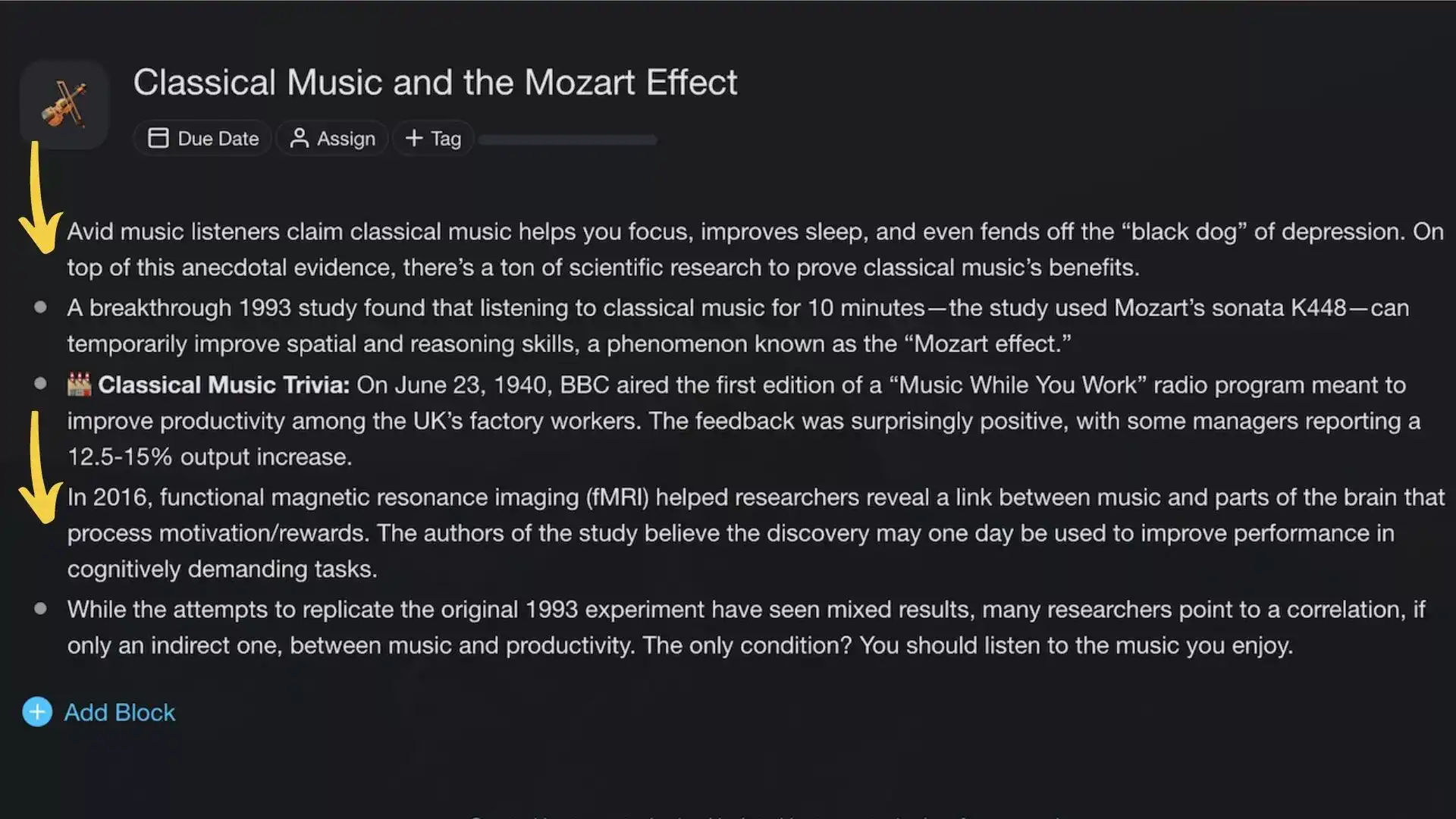
In hierarchical note-taking the way information is visually organized on the page reflects the hierarchy of the content itself. A quick reminder: the most important (parent) elements are placed on the left and lower-level elements (children) are indented and moved to the right.
Here’s the same set of notes but formatted as an outline. 👇
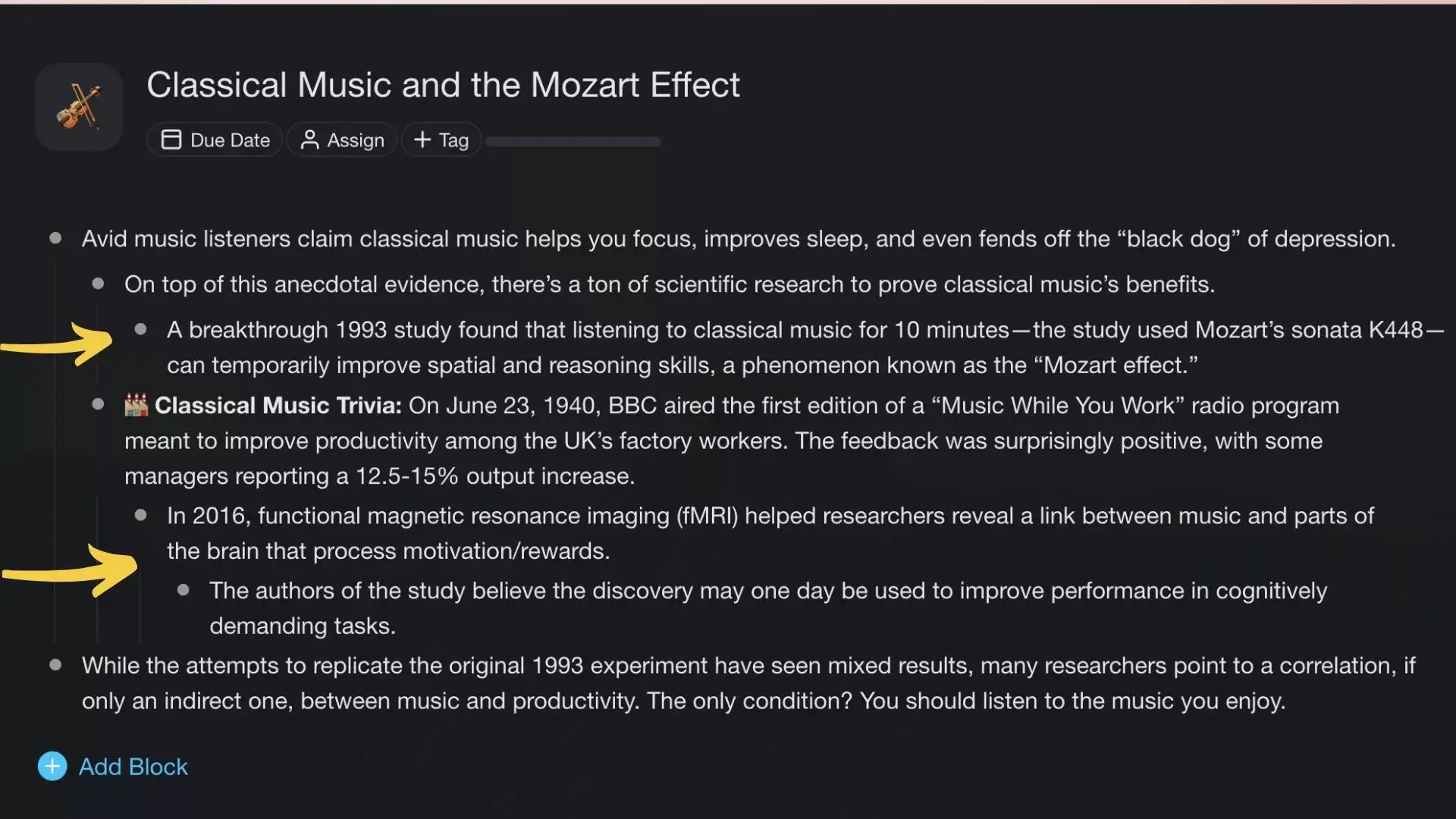
Indentation helps increase the granularity of a note by modifying the spatial distribution of text on the page. The farther paragraphs move to the right, the more detailed the notes become.
Folding/Unfolding (Collapse/Expand)
The overarching purpose of hierarchical note-taking is to highlight the connections between individual elements within a system. But you don’t always need a bird's-eye view of your notes.
Folding and unfolding your notes allows you to filter out elements of an outline and hide the levels you don't need at the moment. For instance, you may want to fold elements to learn in a sequential way, unfolding more detailed sections as you go deeper down the rabbit hole.

The ability to "collapse" levels of a hierarchy/outline helps organize bulky notes with many dependencies. You can’t do that with pen and paper.
Cross-Linking
A piece of information is worthless without context. The solution? You can cross-link notes to mesh information and “attach” new insights to an existing body of knowledge.
One of the best examples of cross-linking (although in an analog form) is the Zettelkasten method. A brainchild of German sociologist Niklas Luhmann, the Zettelkasten uses physical index cards indexed and connected together with unique IDs.
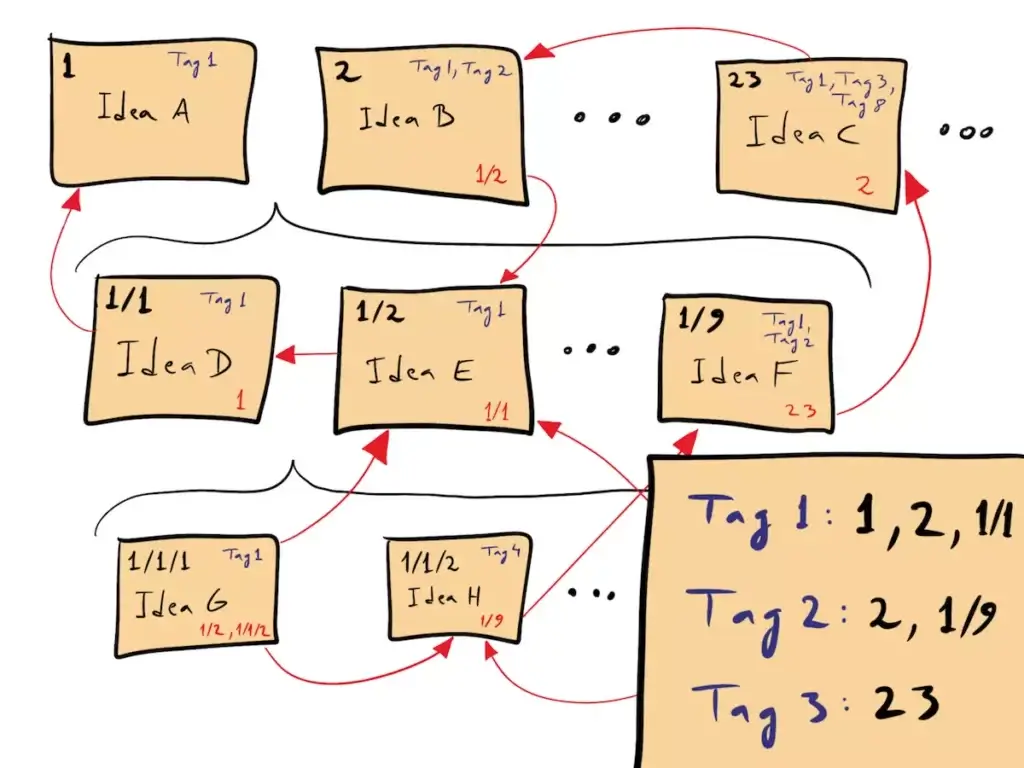
Zettelkasten schematic by David B(2)
Zettelkasten schematic by David B(2)
The good news is you don't have to scribble your notes on stickies. Modern outlining software (wink, wink Taskade) will let you cross-link notes much more effectively (we’ll get to that in a bit).
So, how is hierarchical note-taking better than regular notes?
🌟 4 Cool Benefits of Hierarchical Note-Taking
1. Enables Metacognition
"We are continuously challenged to discover new works of culture—and, in the process, we don’t allow any one of them to assume a weight in our minds."
Alain de Botton
We live in a confusing world. Every day, you're bombarded with a staggering amount of data that needs to be digested, processed, and organized in a meaningful way.
With so much going on, you need to be extremely selective about what to store and what to discard. Hierarchical note-taking aids metacognition—the awareness of one's thought process—which, in turn, improves your information vetting capabilities.
Feeding information into your hierarchical note-taking app or system is an excellent way to filter out the fluff and organize everything else in high-level hierarchical structures.
2. Bridges the Knowledge Gap
"Knowledge is a skyscraper. You can take a shortcut with a fragile foundation of memorization, or build slowly upon a steel frame of understanding."
Naval Ravikant
Knowledge doesn't exist in a void. The problem is that most of the stuff you hear or read ends up on a pile of assorted facts, disconnected from what you already know.
If you don’t mesh ideas together, you create knowledge gaps that'll eventually come out to haunt you. The inability to create meaningful connections between "old" and "new" stuff also means you’re missing out on the compound interest of knowledge.

Writing stuff down hierarchically is an excellent way to juxtapose new knowledge with your past experiences and fit it in a wider context, just like a jigsaw puzzle.
3. Improves Organization
“For every minute spent in organizing, an hour is earned."
Benjamin Franklin
The romantic vision of a messy desk is... alluring. After all, if great minds like Albert Einstein, Mark Twain, and Virginia Wolf thrived in chaos, why can’t you?
The thing is we live in a productivity wonderland, full of powerful productivity tools. Why would you want to keep your (physical) notes in an exploded view when you can actually have them tagged and/or organized into a Folder (or a series of those)?
Hierarchical note-taking is geared toward a more thoughtful knowledge consumption. Every bit of information that ends up in the system is precious and part of a high-level hierarchy.
4. Leverages Visual Devices
💬 “If I try to articulate every little detail in a drawing, it would be like missing the forest for the trees, so it's just about getting the outline of the forest.”
Jeff Koons
In comic books, the majority of the action unfolds outside the reader's vision. You get a limited number of panels and your brain writes in the story happening in the "gutter."
This is possible thanks to what Gestalt psychology calls "closure." Closure takes place when your eyes see a partial image and your mind knows how to fill in the details to make it whole.
This is similar to what happens during hierarchical note-taking.

When you use the outline format to take notes, you save time and space by omitting plenty of details. The good news is your brain can still connect the dots, even if some parts are missing.
🐑 How to Take Hierarchical Notes in Taskade
Taskade is an AI-powered, hierarchical note-taking app that'll help you capture and organize information inside beautiful, high-level outlines. Every project in Taskade is living document you can instantly transform into mind maps, to-do lists, or even Kanban boards with just a few clicks.
But Taskade is more than just a note-taking app. It's the only tool you need to:
🤖 Brainstorm, outline, and write with the power of AI (more on that below).
🤝 Collaborate with your team, clients, and friends on the same page.
💬 Chat and share ideas and insights in real-time, wherever you are.
... and much more!
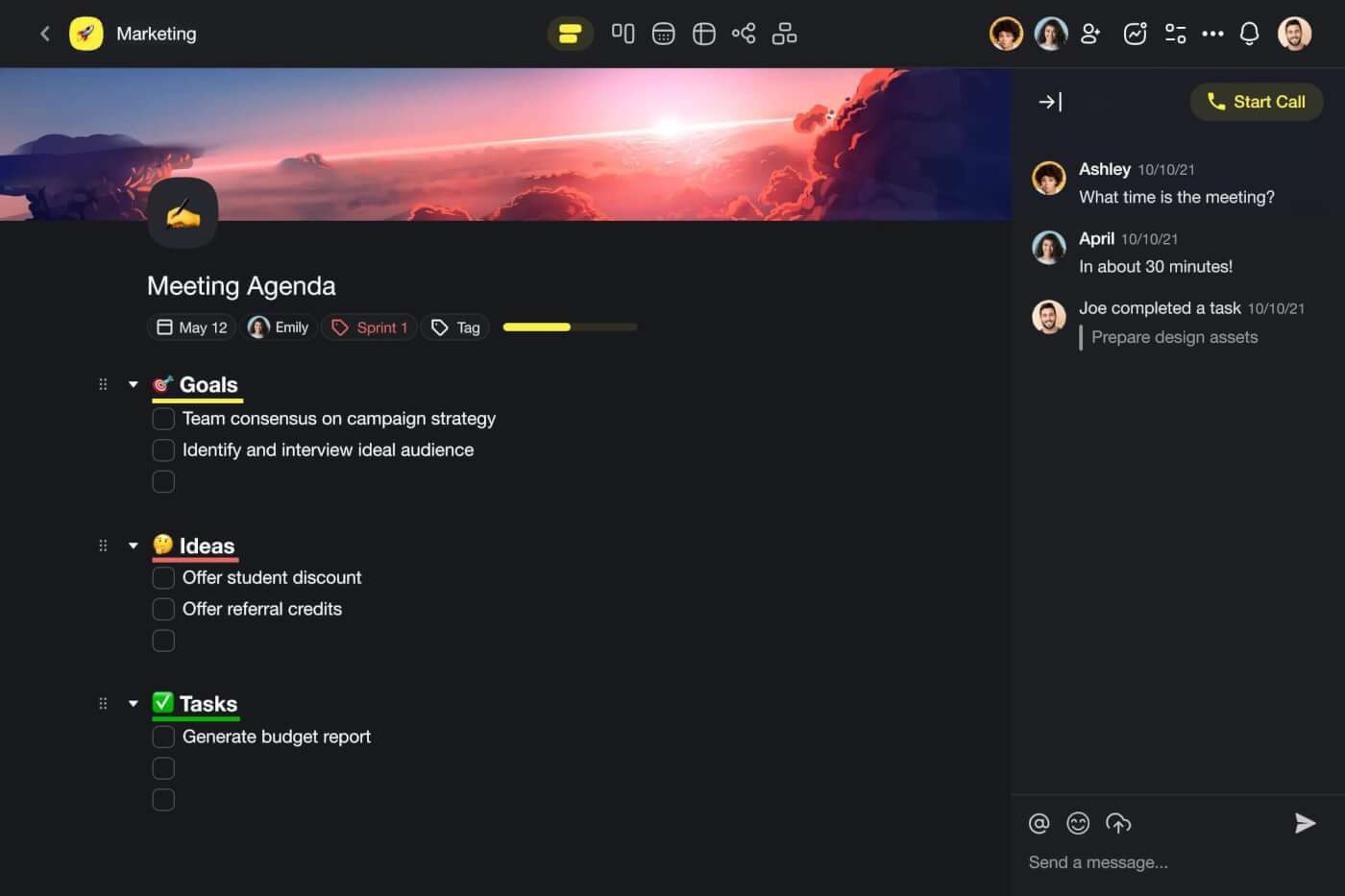
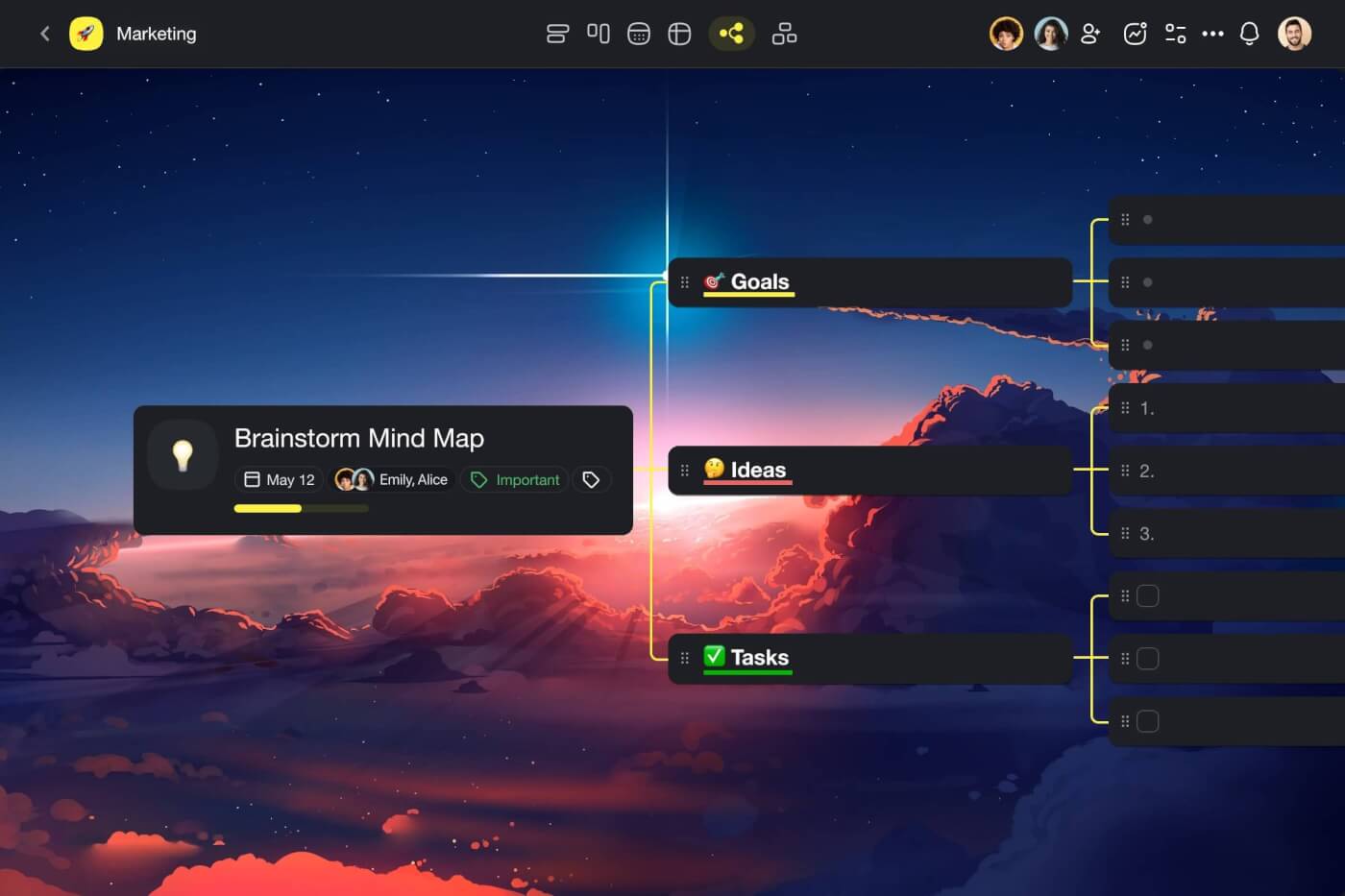
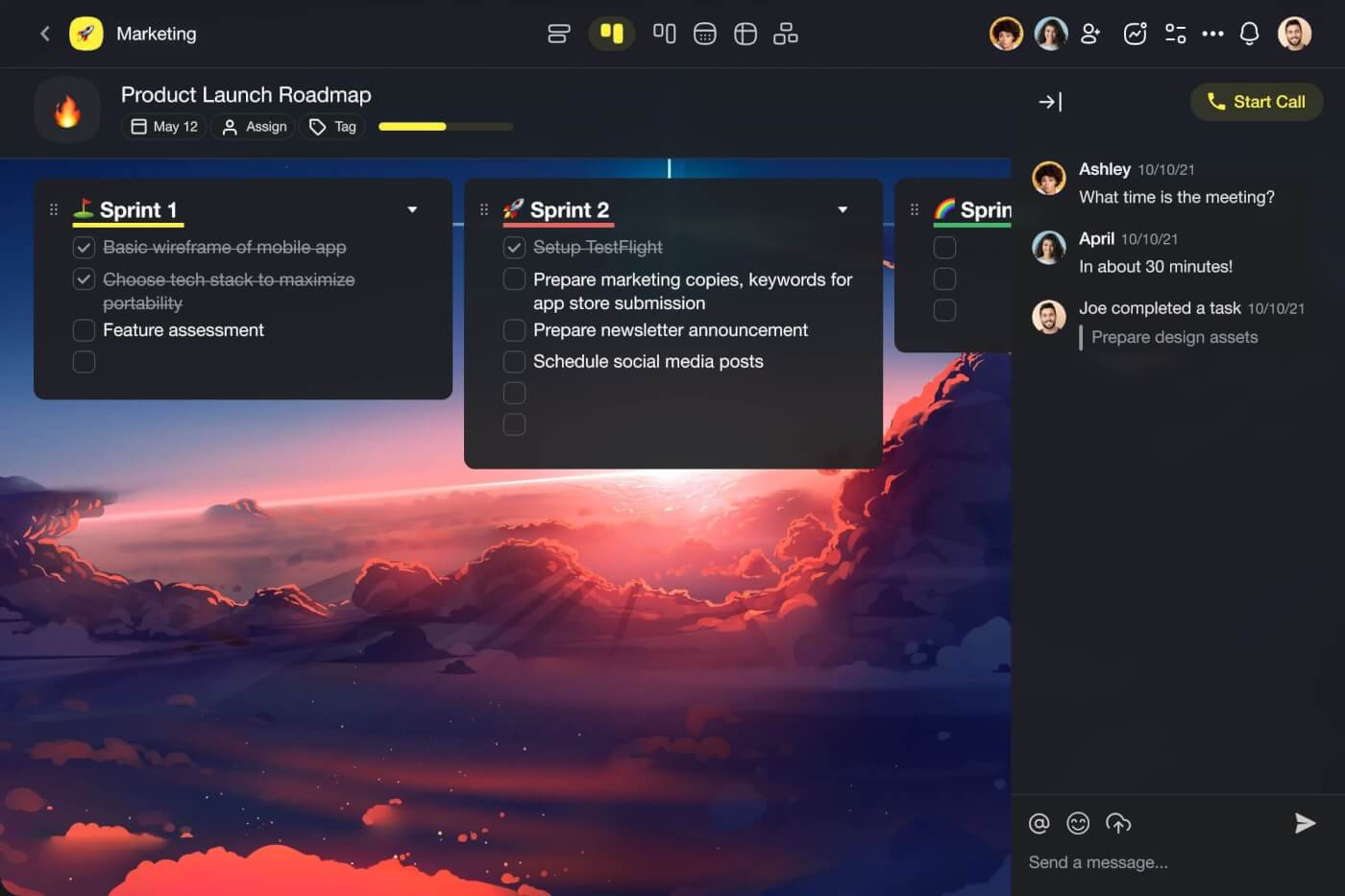
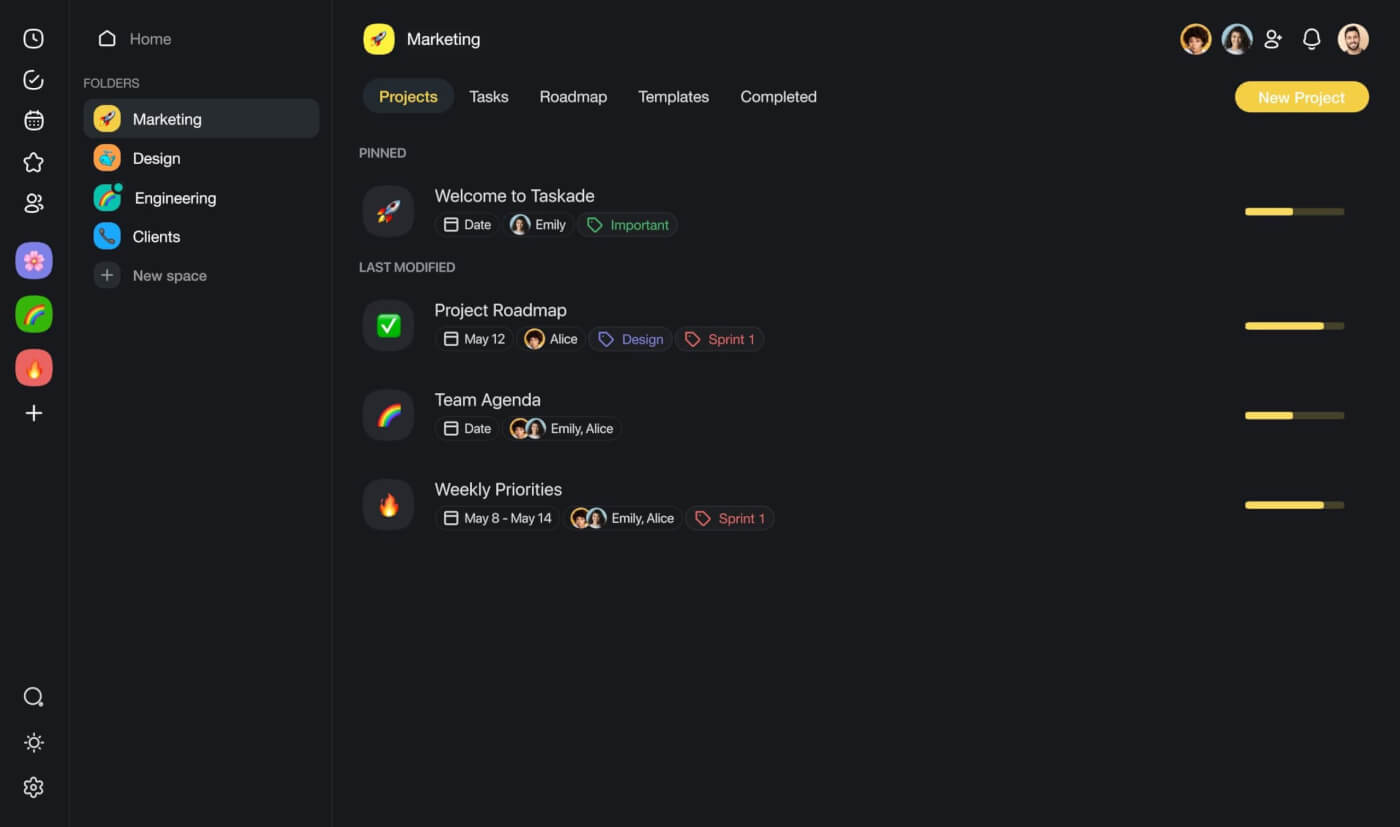
Hierarchical note organization in Taskade happens on three levels:
Create a Framework (Outlining)
💡 Visit our live demo page and play with the test project (click).
Taskade organizes everything you work on into Workspaces, Folders, and Projects.
You can think of a workspace as a good ol' notebook. A folder acts like a section or chapter that let you organize notes by a theme or topic. Finally, a project is like a blank page that stores your notes, to-dos, documents, attachments, and more. It's an infinite digital canvas.
To create your first hierarchical note, add a few lines of text to a Project and indent them using the ⌨️ Tab key. This will create a "child" element and a superordinate "parent" block above it.
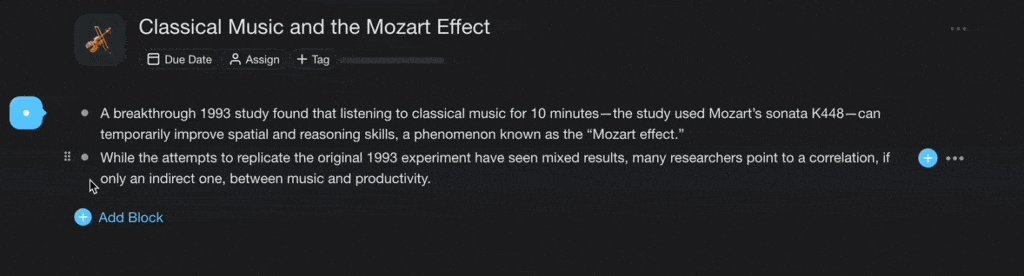
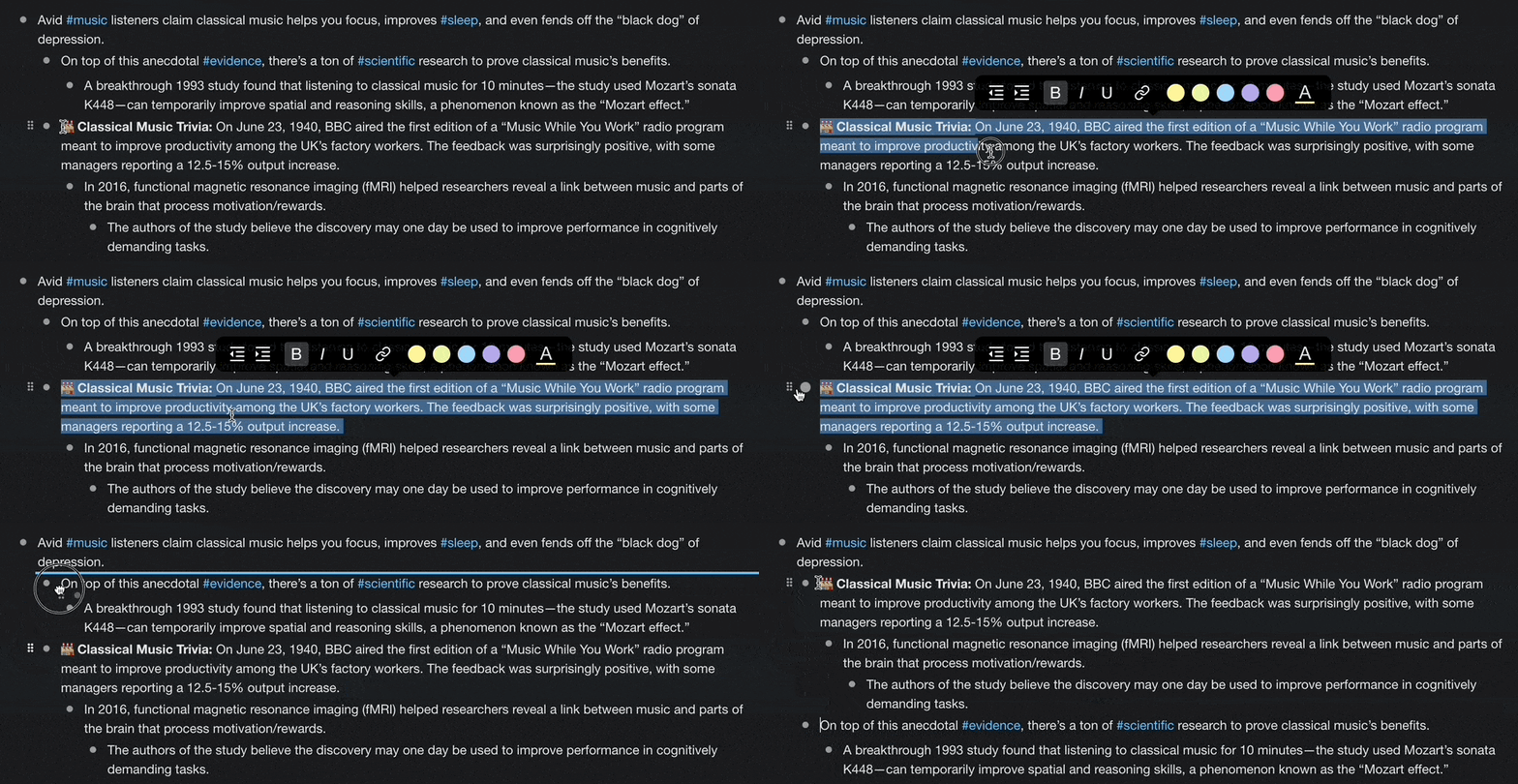
Outlining in Taskade is really intuitive. You can quickly outdent a task/element using a ⌨️ Shift + Enter keyboard shortcut. To rearrange the elements of your outline, select one or several content blocks with your mouse and drag-and-drop them anywhere inside the Project space.
And here's the best part.
You can automatically create spanning outlines for any topics using Taskade's AI Assistant. All you need to do is describe the concept, topic, or problem and use the ⌨️ /outline command.
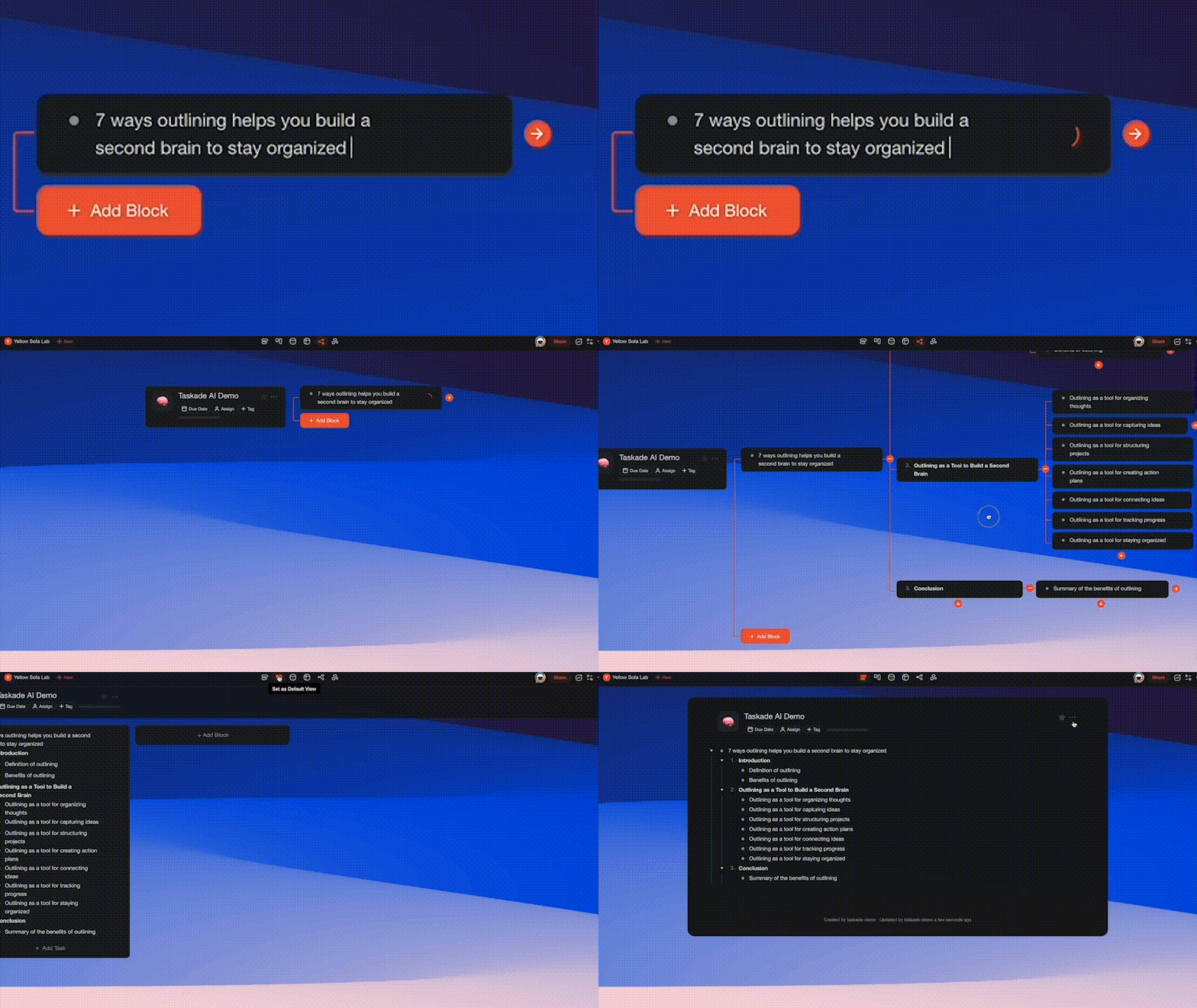
🌟 Pro Tip: Taskade lets you easily collapse and expand hierarchy levels to show the information that’s relevant at the moment. Use the ⌨️⌘ + ⇵ shortcut to try it.
Organize Everything (#Hashtags)
Tagging is one of the key components of hierarchical note-taking. Adding #hashtags to your notes lets you organize information beyond nesting and make key ideas stand out.
Notice how our previous note mentions several keywords that are repeated throughout the text. You can create custom #hashtags to quickly filter those elements.
Go ahead and add a few #hashtags to your note.

🌟 Pro Tip: Taskade lets you search for custom #tags inside Projects. Simply type the "#" sign in the search box and enter the phrase you’re looking for.
Connect the Dots (Cross-Linking)
Remember how we said that knowledge doesn't exist in a void? Let's create another Project and connect it to the one we prepared earlier.
You can easily cross-link existing notes using the @mention feature. Type “@” and select the target by typing the name of the Project you want to hyperlink to. It's that simple!

Congratulations, you're now a pro Taskade user!
Continue adding more bricks and aggregating knowledge in your system. Have fun!
📊 Hierarchical Note-Taking Tools Comparison (2026)
| Feature | Taskade | Obsidian | Roam Research | Logseq | Workflowy |
|---|---|---|---|---|---|
| Native Outlining | Yes | Via plugin | Yes | Yes | Yes |
| AI Integration | Built-in (15+ models) | Via plugins | None | Via plugins | None |
| Mind Map View | Yes | Via plugin | Graph view | Graph view | No |
| Project Views | 7 views | 1 (Document) | 1 (Document) | 1 (Document) | 1 (List) |
| Real-Time Collaboration | Yes | No | No | No | Limited |
| Cross-Linking | @mention + backlinks | Bidirectional links | Bidirectional links | Bidirectional links | Internal links |
| Cloud Sync | Built-in (free) | Paid add-on ($8/mo) | Built-in | Self-hosted | Built-in |
| Free Plan | Yes | Yes (personal) | No ($15/mo) | Yes (open-source) | Limited |
How Workspace DNA Powers Hierarchical Notes
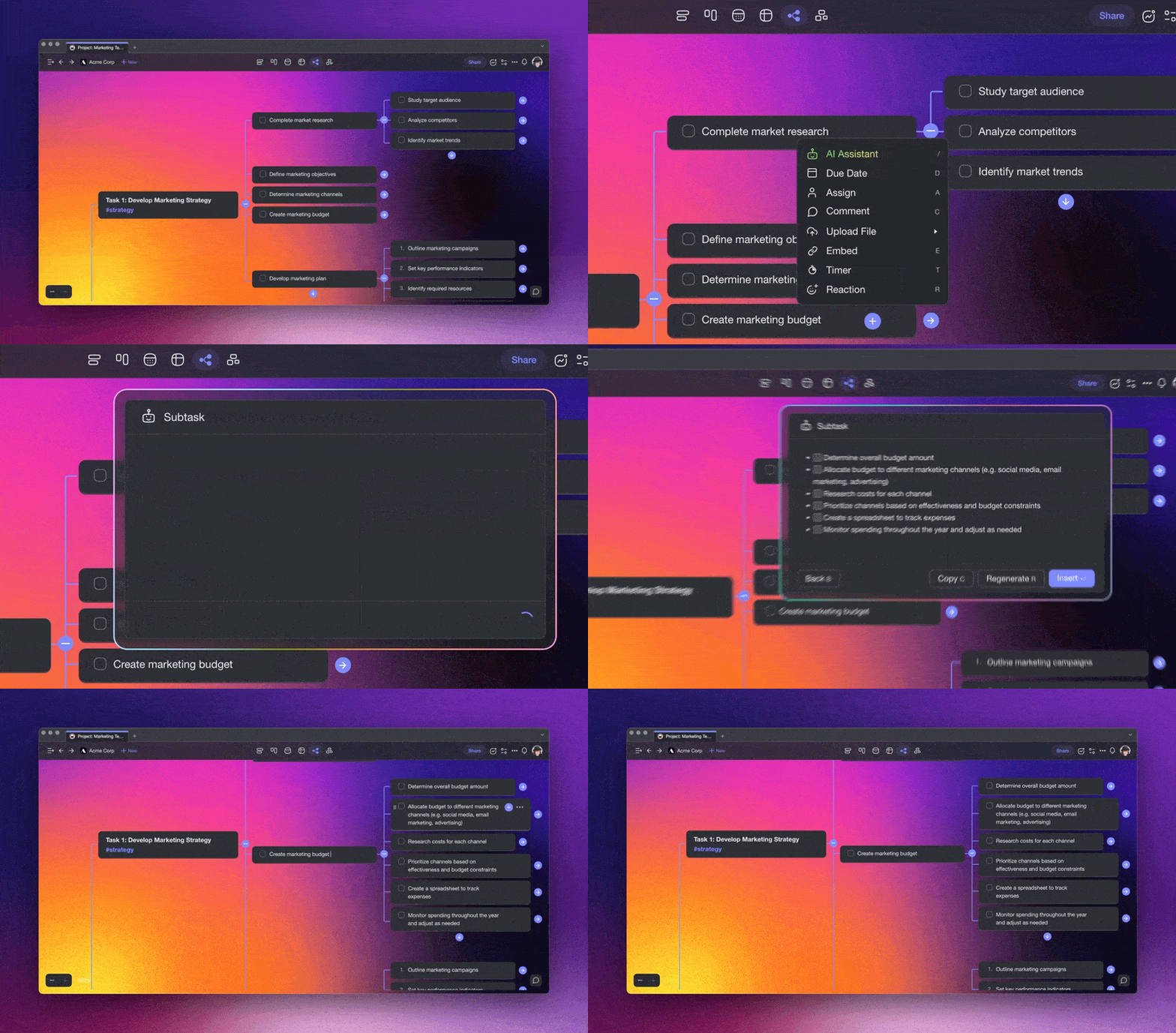
Taskade's Workspace DNA architecture — Memory + Intelligence + Execution — is purpose-built for hierarchical note-taking. Your projects serve as the Memory layer: structured knowledge bases viewable across 8 formats (List, Board, Calendar, Table, Mind Map, Gantt, Org Chart). The Intelligence layer consists of AI agents that understand your note hierarchies, surface relevant connections via semantic search, and suggest reorganization when your notes grow unwieldy. The Execution layer triggers automations — syncing updates across linked notes, sending review reminders, and running workflows based on changes to your knowledge base. This self-reinforcing loop means every hierarchical note you take feeds back into a smarter system. Combine this with cross-linking and you have a personal knowledge management system that rivals dedicated PKM tools like Obsidian and Roam.
Agentic AI and Vibe Coding for Note-Taking
AI agents equipped with 34 tools, MCP connectors, and persistent memory transform hierarchical note-taking from a manual process into an intelligent workflow. Agents auto-generate nested outlines from topics, restructure flat notes into hierarchies, identify gaps in your knowledge base, and create cross-references between related concepts — all without manual intervention.
Vibe coding with Taskade Genesis takes customization further. Describe your ideal note-taking system in plain language — "build me a research organizer with auto-tagging, Zettelkasten-style linking, and weekly review summaries" — and Genesis deploys it as a live app. With 150,000+ apps already built, Genesis users are creating everything from lecture note organizers to second brain systems. See the ultimate guide to Taskade Genesis to learn more, or create your own.
👋 Conclusion
Stephen Hawking famously said that “intelligence is the ability to adapt to change.” And is there a better way to adapt to the information age than by improving on the ancient art of note-taking?
Taking hierarchical notes will help you aggregate knowledge and connect bits of information in a meaningful way. It's more than just jotting things down; it's about understanding them.
Sign up and write smarter with Taskade AI 🤖
🤖 Custom AI Agents: Deploy custom AI agents to organize and structure your writing process. Outline, sort ideas, and manage drafts.
🪄 AI Generator: Structure documents, generate content ideas, and even draft sections of your content, all while maintaining your unique voice.
✏️ AI Assistant: Use an AI Assistant for real-time writing aid. From grammar corrections to style suggestions, polish and perfect your documents.
🗂️ AI Prompt Templates Library: Explore an extensive library of AI prompt templates specifically designed for writers and creators.
💬 AI Chat: Engage with AI Chat for quick brainstorming, feedback on your writing, or overcoming writer's block.
📄 Media Q&A: Employ AI to analyze your written work for trends, readability, and effectiveness, or to extract key insights.
🧬 Build Your Own Note-Taking System with Taskade Genesis
Want a custom note-taking app tailored to your workflow? Taskade Genesis lets you build hierarchical note systems, knowledge bases, and research tools with a single prompt. Deploy AI agents that organize your notes, connect ideas, and automate your knowledge workflows. Explore community-built apps or start building.
And much more...
Frequently Asked Questions About Hierarchical Note-Taking
What is the hierarchical method of note-taking?
The hierarchical method of note-taking involves organizing information in a structured, layered format. This approach breaks down main topics into subtopics and further into finer details. For example, starting with broad concepts at the top and indenting more specific points underneath creates a clear, organized structure that's easy to review and understand.
How to take notes on Taskade?
Taking notes on Taskade is straightforward and efficient. Start by creating a new project or document. You can then organize your notes using bullets, checklists, or outlines. Taskade offers rich formatting options which allow you to add headings, subheadings, and even embed images or links. You can also collaborate on your notes with others in real-time.
What is the best way to structure your notes?
The best way to structure your notes depends on the context and your personal preferences, but some effective strategies include using a hierarchical structure to organize your notes by main topics, subtopics, and details, similar to an outline. Mind mapping can help by using visual diagrams to represent ideas and their connections. The Cornell Method is another effective strategy, which divides your page into three sections: notes, cues, and summary.
What is note taking with examples?
Note-taking is the practice of recording information from various sources, such as lectures, books, or meetings, to aid memory and understanding. Examples include lecture notes where you write down key points, dates, and concepts discussed during a class. Another example is meeting minutes, which involve documenting decisions and important discussions that happen during meetings.
