







You spend hours solving a problem, only to discover a teammate already solved it last quarter. The solution is buried in a Slack thread, a Google Doc, or someone's personal notes. This scenario costs organizations an estimated 20% of productive time according to McKinsey research.
AI knowledge management tools solve this by automating capture, improving search, and fighting the documentation decay that makes every knowledge base eventually useless.
This guide compares the 10 best AI knowledge management tools in 2026, with detailed analysis of how Taskade, Notion, Obsidian, Confluence, and Guru handle AI-powered knowledge workflows.
TL;DR: Taskade leads AI knowledge management with autonomous agents that capture, organize, and maintain team knowledge across multiple project views. Multi-layer search (full-text + semantic + OCR) and 100+ integrations ensure nothing gets lost. Free tier available. Start free -->
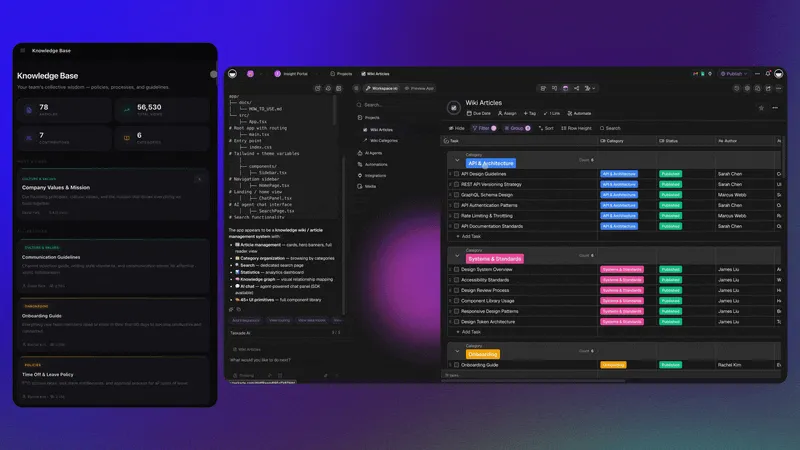
Compare with: for team-wide knowledge base software, see knowledge base software compared side by side. For personal note-taking instead of a team system, see knowledge base apps for personal note-taking.
Why AI Changes Knowledge Management

Knowledge in any organization is the most valuable and most fragile asset. Communication silos limit information flow. Data overload curbs efficiency. The rapid pace of change renders documentation obsolete before the ink dries.
AI addresses the three root causes of knowledge management failure:
The Three Failures of Traditional KM
| Failure | Symptom | AI Solution |
|---|---|---|
| Capture Friction | Too many steps to add knowledge; people stop contributing | AI auto-summarizes meetings, emails, and chats into structured notes |
| Search Dysfunction | Keyword search fails when you do not know the right terms | Semantic search understands meaning, not just exact matches |
| Documentation Decay | Articles go stale; teams lose trust and revert to asking colleagues | AI flags outdated content, suggests updates, and identifies gaps |
According to research, when people use generative AI, they end up asking a wider range of questions about 94% of the time. But the benefits go beyond curiosity:
Streamlined knowledge sharing: NLP-powered tools interpret and organize unstructured data from emails, reports, and meeting notes. When a team member queries the system, AI provides relevant results by understanding context, not just keywords.
Collaborative learning: AI tracks user interactions and content modifications, suggesting relevant documents or experts within the organization. Machine learning models recommend personalized content based on roles, interests, and past activities.
Faster document creation: AI assists in planning and structuring documents by analyzing previous successful content. It builds outlines, offers real-time suggestions for grammar and coherence, and generates first drafts that humans refine.
10 Best AI Knowledge Management Tools
Quick Comparison
| Tool | AI Depth | Search Type | Team Size | Starting Price |
|---|---|---|---|---|
| Taskade | Autonomous agents, built-in tools | Full-text + semantic + OCR | 1 to unlimited | Free / $10/mo |
| Notion | Inline AI Q&A, summaries | Keyword + AI-enhanced | 1 to enterprise | Free / $10/seat/mo + AI |
| Obsidian | Community plugins | Full-text + graph links | Personal / small teams | Free / $50/yr sync |
| Confluence | Atlassian Intelligence | Keyword + AI search | Enterprise | $6.05/user/mo |
| Guru | AI answers, verification | AI-powered in-context | Teams | $15/user/mo |
| Tettra | Kai chatbot, gap detection | AI answers from wiki | Small teams | $8.33/user/mo |
| Document360 | AI search, auto-translate | AI-powered search | Self-service KBs | $149/project/mo |
| Coda | Coda AI assistant | Smart search | Teams | Free / $10/maker/mo |
| ClickUp | ClickUp Brain | Conversational search | Enterprise | Free / $7/member/mo + AI |
| Scribe | Auto-capture guides | Tutorial search | Documentation teams | Free / $29/seat/mo |
1. Taskade
Taskade is where your team's thoughts, ideas, and knowledge come together in one AI-native workspace. It provides a single source of truth with AI agents that do not just store knowledge but actively organize, maintain, and surface it.
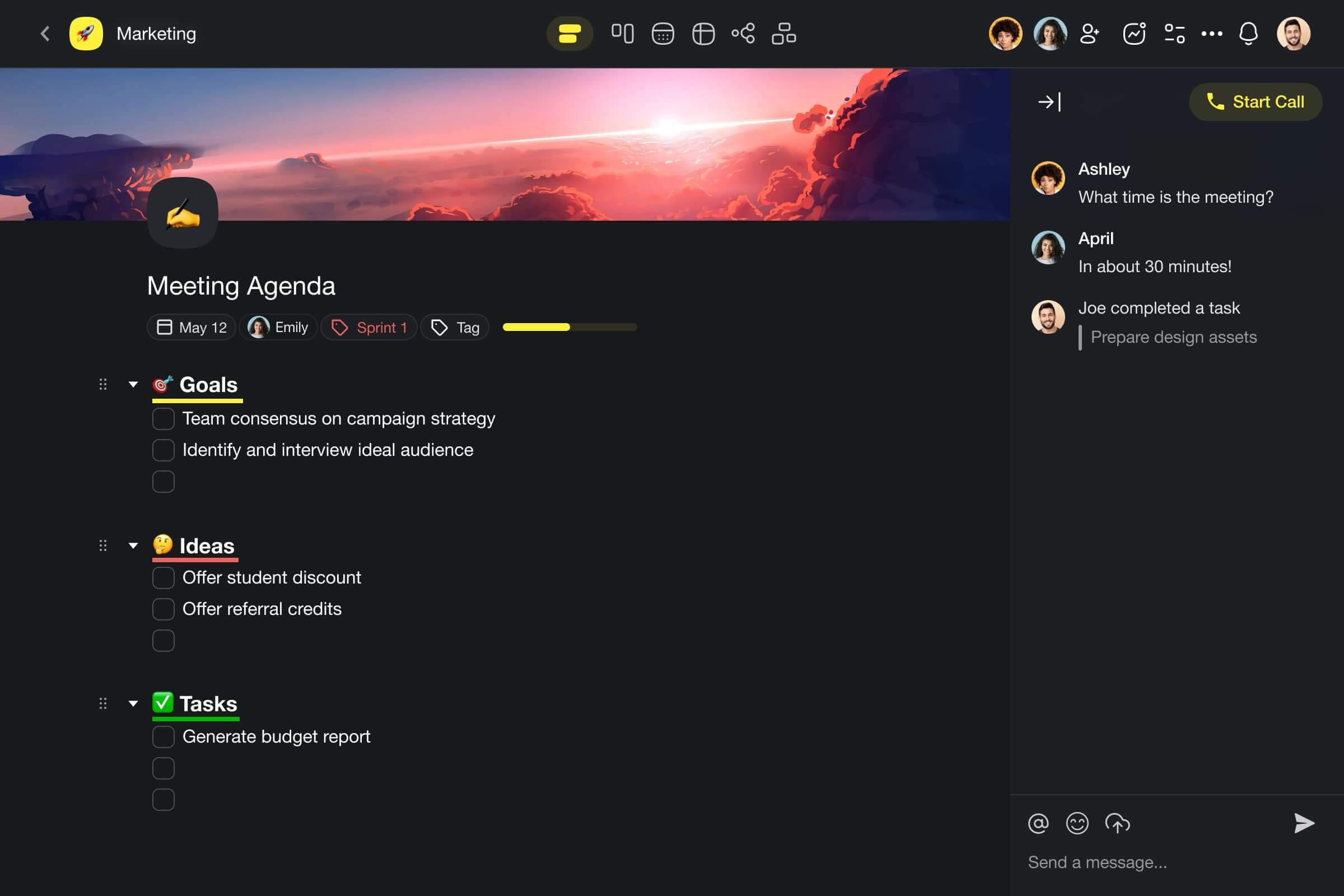
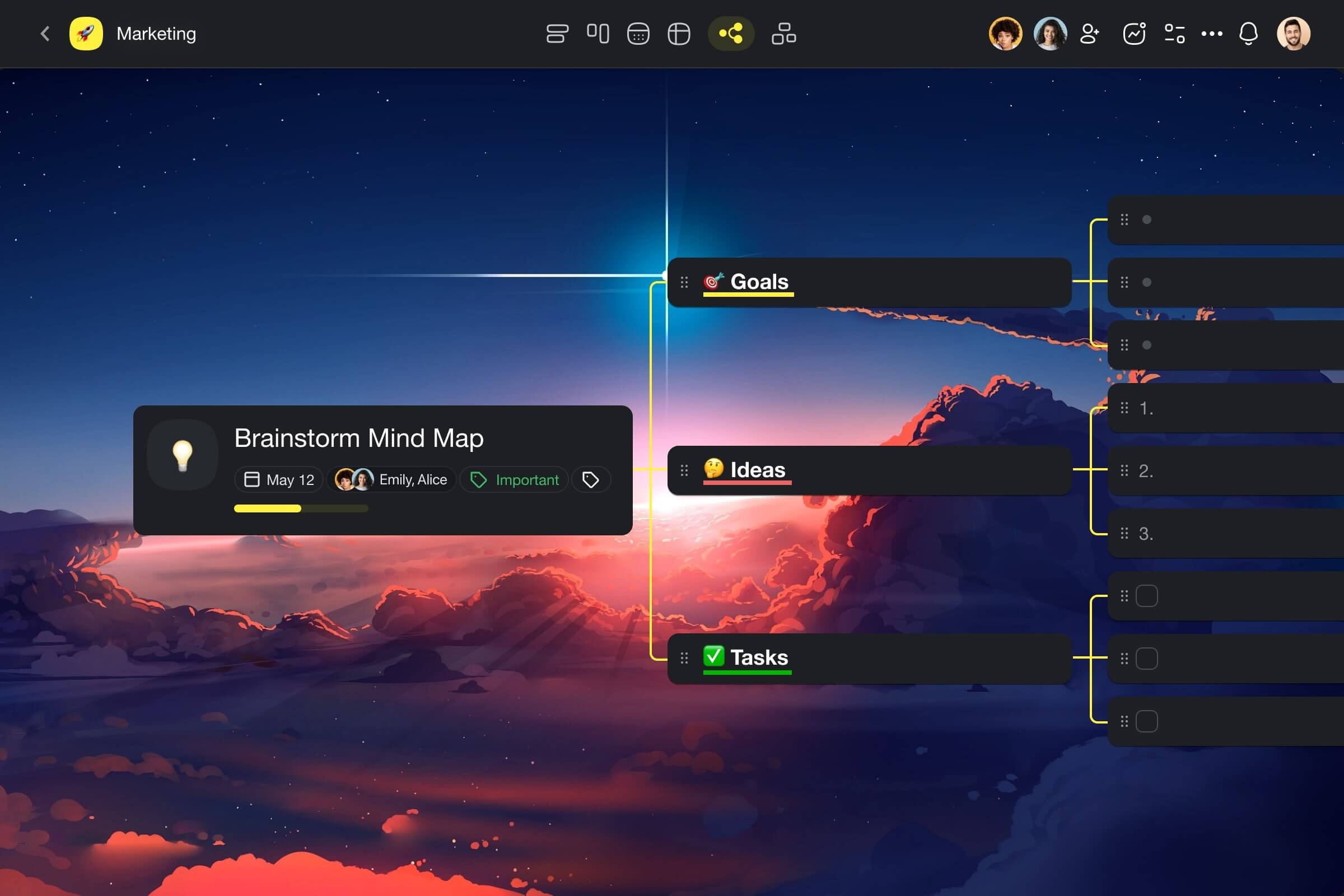
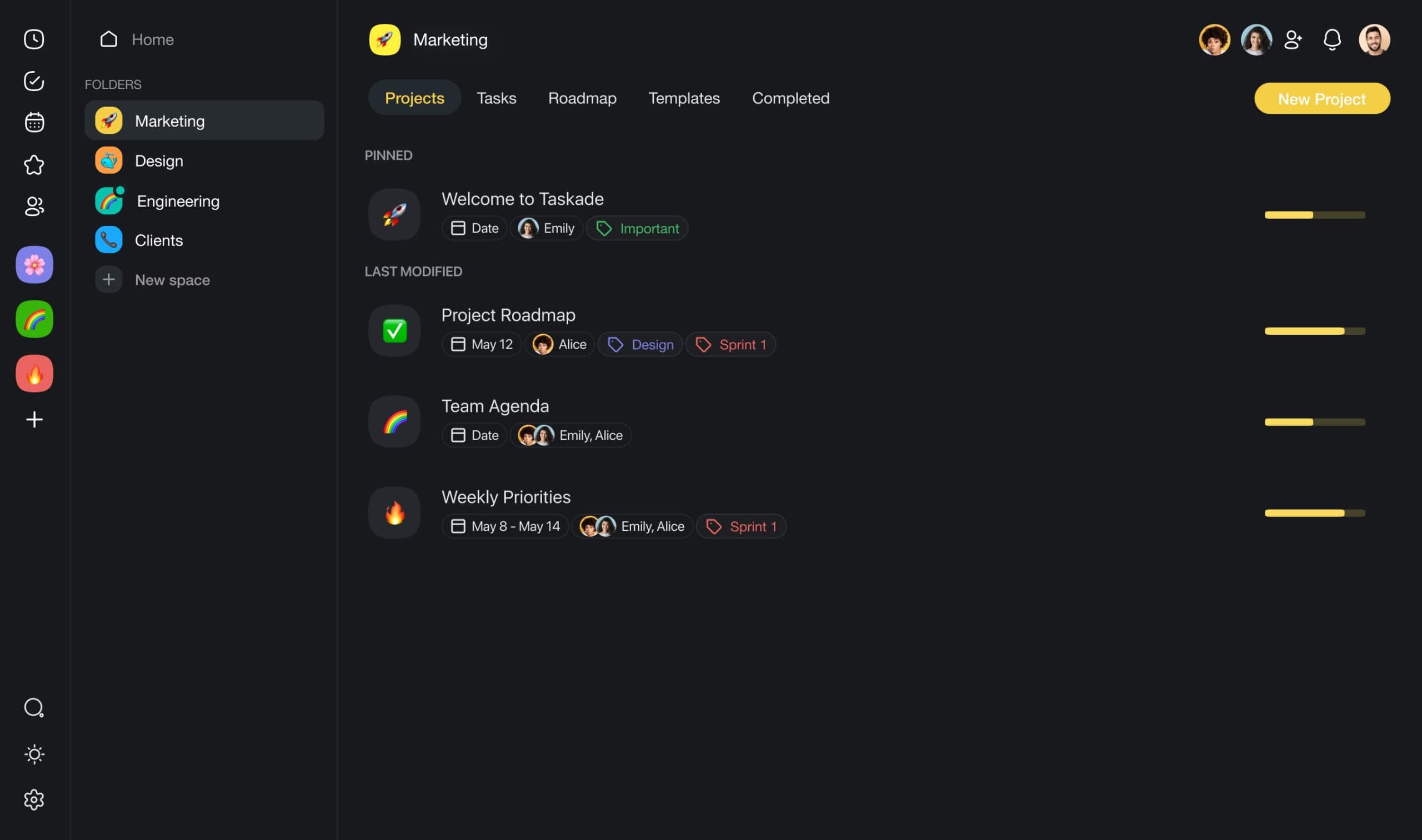
Every piece of knowledge within Taskade is grounded in a tree-shaped hierarchy. This structure supports the natural flow of information, extending from workspaces and folders down to individual projects. The result: complete visibility over your entire knowledge base, with everything nested where it makes the most sense.

Key AI Features for Knowledge Management
| Feature | How It Helps KM |
|---|---|
| Custom AI Agents | Deploy agents trained on your knowledge base to provide instant, accurate answers. Agents use built-in tools and persistent memory. |
| AI Assistant | Write, outline, and edit knowledge base articles with /ai commands in any project. |
| Workflow Automation | Auto-route meeting summaries to the right wiki section. Trigger updates across 100+ integrations. |
| AI Prompt Templates | Hundreds of templates for document creation, research, and organization. |
| Multi-Layer Search | Full-text + semantic HNSW + file content OCR finds knowledge regardless of terminology. |
| Multiple Project Views | List, Board, Calendar, Table, Mind Map, Gantt, Org Chart -- see knowledge from any angle. |
Why Taskade Wins for KM
Most knowledge management tools are passive repositories. You put information in, and hope someone searches for it later. Taskade is different because AI agents actively participate in the knowledge lifecycle:
- Capture: Agents summarize meetings, emails, and documents into structured notes automatically
- Organize: Agents tag, categorize, and nest knowledge within the tree hierarchy
- Maintain: Agents flag stale content and suggest updates based on new information
- Surface: Agents answer questions by synthesizing information from across your workspace
- Connect: 100+ integrations pull knowledge from Slack, Gmail, HubSpot, and more
Visit Taskade's pricing page for a full breakdown.
| Plan | Price (Annual) | KM Features |
|---|---|---|
| Free | $0 | AI agents, basic views, basic search |
| Pro | $10/mo | Up to 10 seats, full automation |
| Business | $25/mo | Unlimited seats, advanced RBAC |
Build your AI-powered knowledge base -->
2. Notion
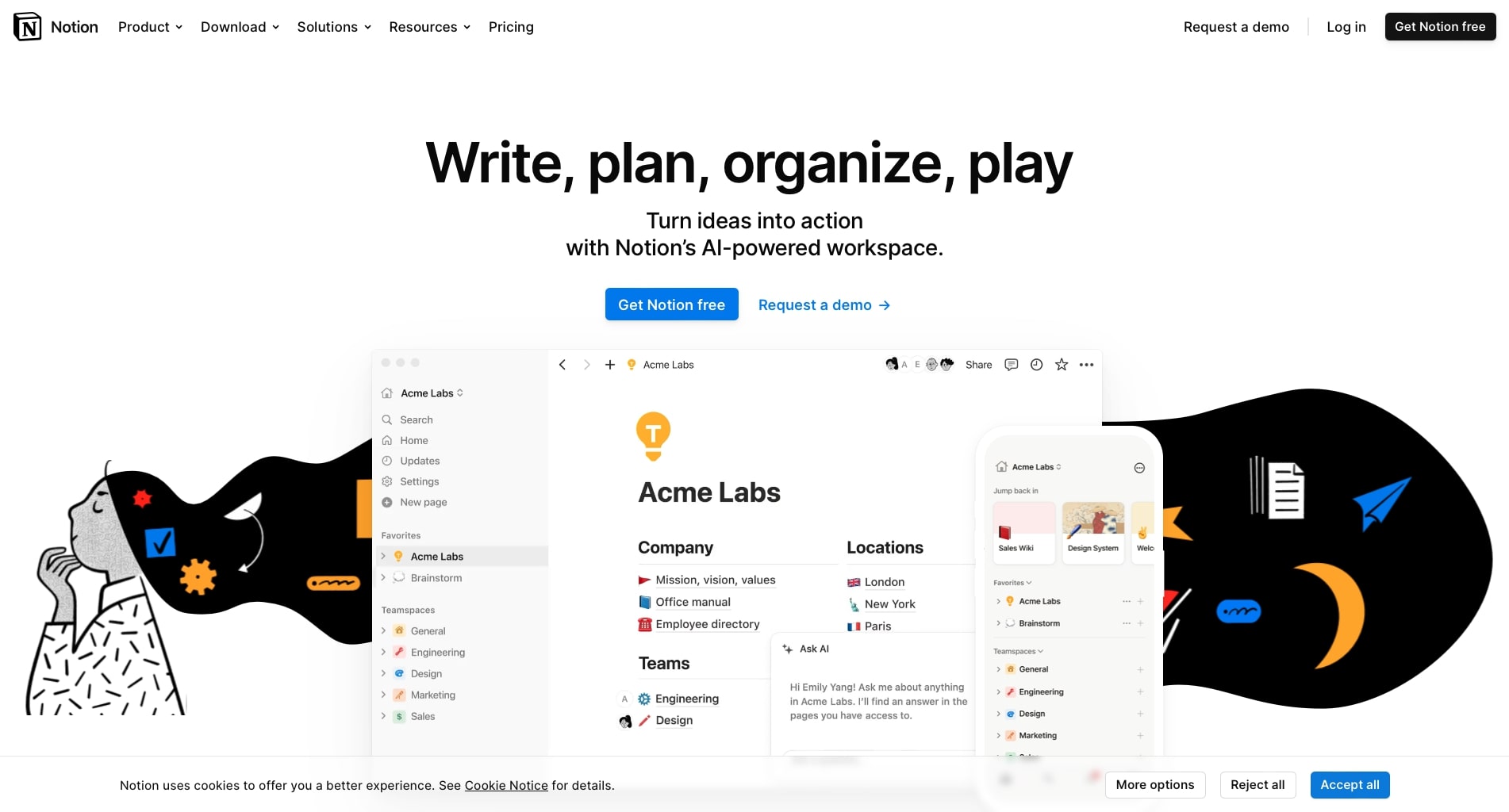
Notion integrates note-taking, task management, and databases into one platform. Its wiki feature provides a structured knowledge base with linked databases, and Notion AI adds summarization, Q&A, and writing assistance.
Notion excels at flexibility. The block-based editor lets you build anything from simple docs to complex relational databases. Notion AI can answer questions about your workspace content and generate summaries of long documents.
The limitation: Notion AI is an add-on cost ($10/member/month on top of the base plan). The AI operates within Notion's context but lacks autonomous agent capabilities -- it responds to prompts rather than proactively maintaining your knowledge base.
Key AI Features of Notion
- AI-powered Q&A across workspace content
- Automated meeting summary generation
- Smart outlining and document creation
- Document summarization
- Contextual writing suggestions
- Database queries in natural language
Notion Pricing
Free for personal use. Plus starts at $10/seat/month. Notion AI is an additional $10/member/month.
3. Obsidian
Obsidian is a local-first markdown editor with a powerful graph view that visualizes connections between notes. For personal knowledge management and building a second brain, Obsidian is the gold standard among power users.
The key differentiator: your data stays on your device. Notes are plain markdown files stored in local folders. No vendor lock-in. No cloud dependency. The graph view reveals emergent connections between ideas that you might not have noticed.
AI capabilities come through community plugins rather than built-in features. Plugins like Smart Connections and Copilot add AI search, summarization, and chat-with-your-notes functionality.
Key Features of Obsidian
- Local-first storage with plain markdown files
- Graph view for knowledge visualization
- Bidirectional linking with backlinks panel
- 1,000+ community plugins (including AI)
- Canvas for visual note arrangement
- Daily notes for journaling and capture
Obsidian Pricing
Free for personal use. Obsidian Sync costs $4/month. Commercial license is $50/user/year.
4. Confluence
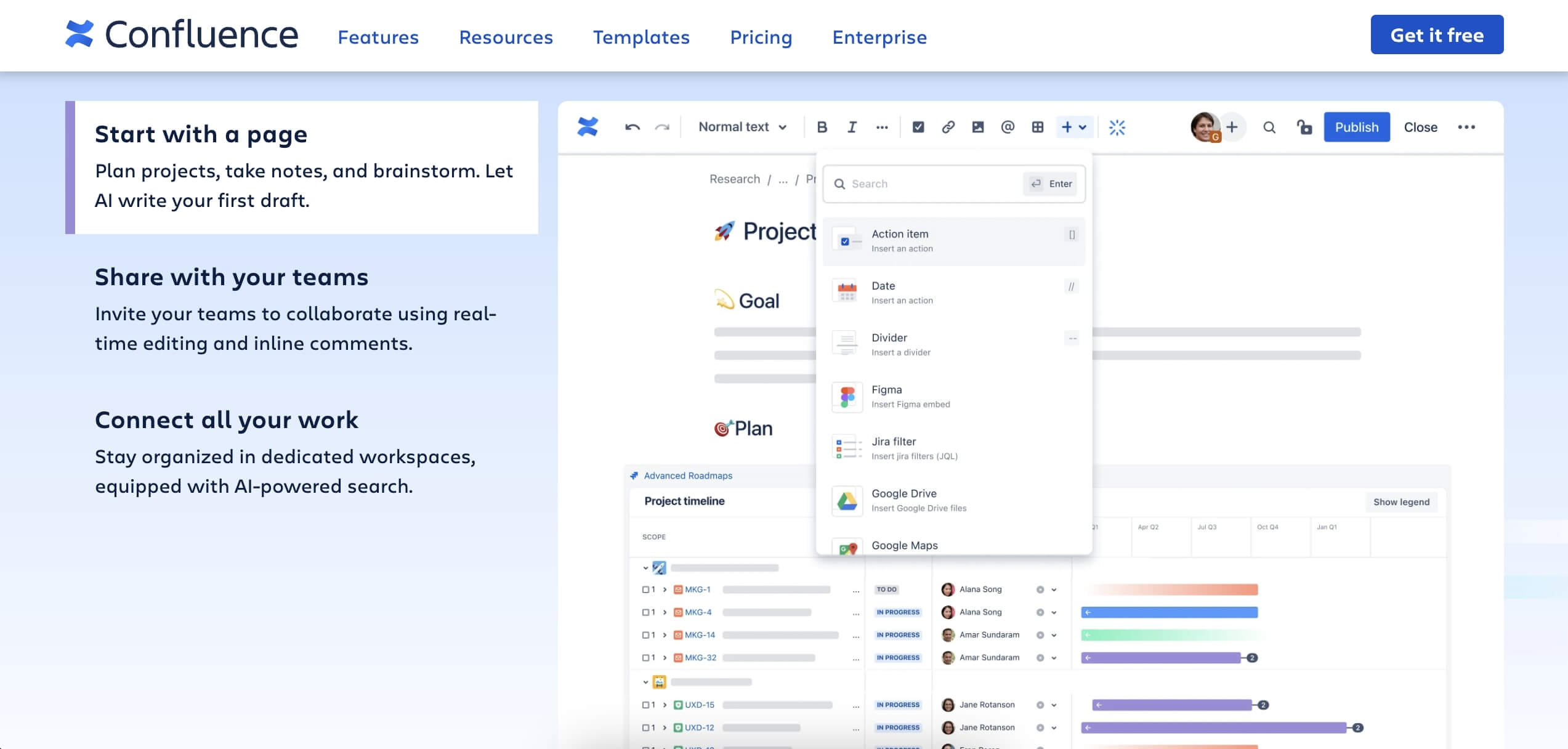
Confluence is Atlassian's enterprise wiki, tightly integrated with Jira, Trello, and the broader Atlassian ecosystem. For large organizations already using Atlassian products, Confluence provides a natural knowledge management hub.
Atlassian Intelligence adds AI-powered document summarization, content generation, and search enhancement. The AI can answer questions about your Confluence content and suggest related pages.
The trade-off: Confluence is designed for enterprise scale, which means more complexity than smaller teams need. The interface can feel heavy compared to lighter tools, and AI features require Atlassian Intelligence access.
Key AI Features of Confluence
- Content generation and editing via Atlassian Intelligence
- Document and term summarization
- AI-powered search with natural language
- Automation features for content workflows
- Integration with Jira for project-linked documentation
- Page analytics for tracking engagement
Confluence Pricing
Free for up to 10 users. Standard starts at $6.05/user/month. Atlassian Intelligence is included in Premium ($11.55/user/month).
5. Guru
Guru is an AI-powered knowledge base designed to surface verified answers where your team already works -- inside Slack, Chrome, and other daily tools. Its browser extension and Slack integration mean team members get answers without leaving their current context.
Guru's verification system is unique: knowledge owners receive regular prompts to verify that their content is still accurate. This addresses the documentation decay problem directly with human-in-the-loop maintenance.
Key AI Features of Guru
- AI-powered answers from your knowledge base
- Browser extension for in-context knowledge
- Slack integration for instant answers
- Verification workflow for content freshness
- Knowledge alerts for team updates
- Analytics on knowledge gaps
Guru Pricing
Builder plan starts at $15/user/month. Enterprise pricing is custom.
6. Tettra
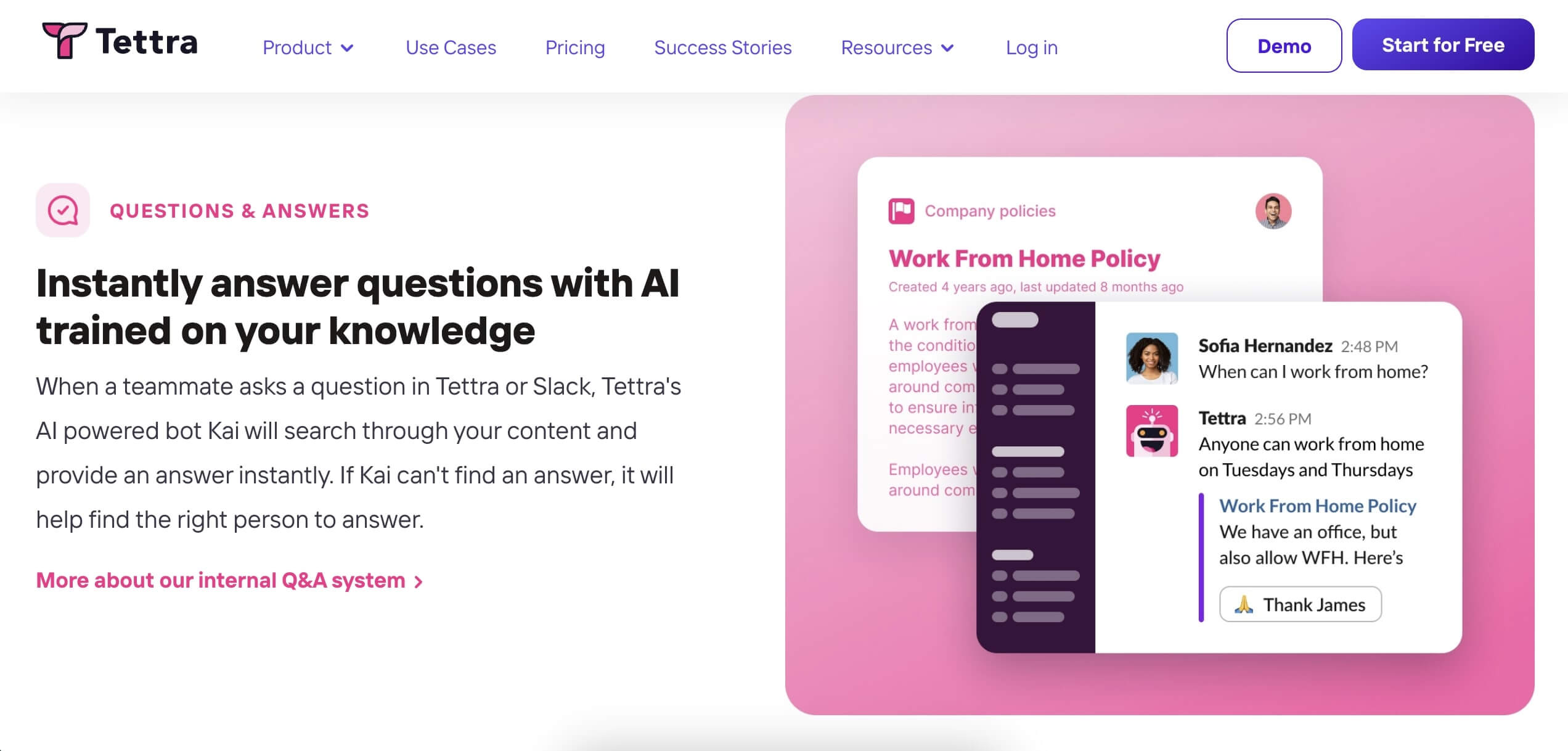
Tettra is a team wiki with AI-powered answers. Its chatbot, Kai, can answer questions based on knowledge base contents, making it useful for teams that want a simple, focused knowledge management tool.
Tettra also detects knowledge gaps by analyzing questions that Kai cannot answer, suggesting what documentation should be created next.
Key AI Features of Tettra
- Kai AI assistant for question answering
- Automatic FAQ generation from team questions
- Knowledge gap detection
- AI-powered page tagging and categorization
- Slack and Microsoft Teams integration
Tettra Pricing
Starts at $8.33/user/month (billed annually).
7. Document360
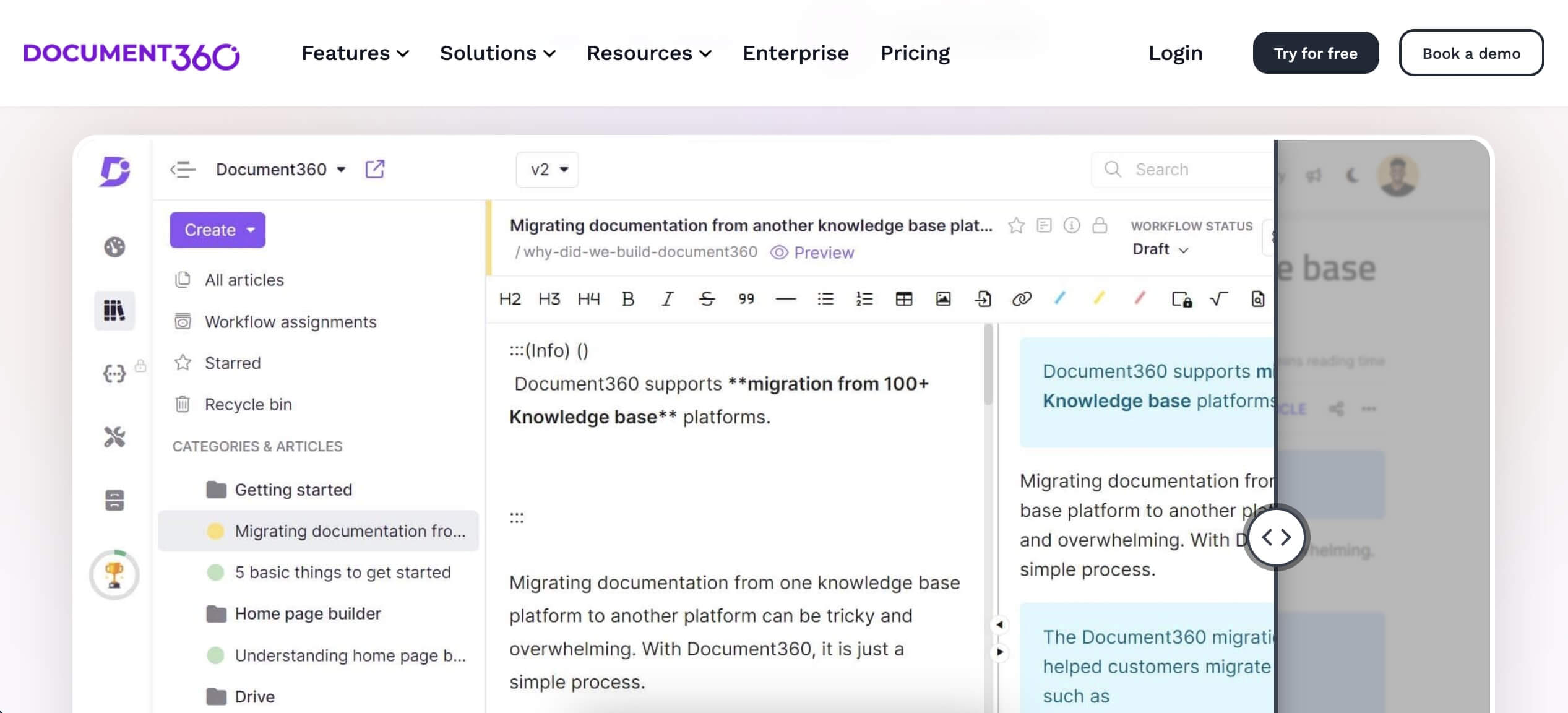
Document360 specializes in self-service knowledge bases for customer-facing documentation. It targets businesses that need to make information available to customers, employees, or external users with minimal support overhead.
Key AI Features of Document360
- AI-powered search with auto-suggestions
- Content generation from prompts
- Automatic content translations
- Version control and analytics
- Customizable branding
Document360 Pricing
Starts at $149/project/month for the Standard plan.
8. Coda
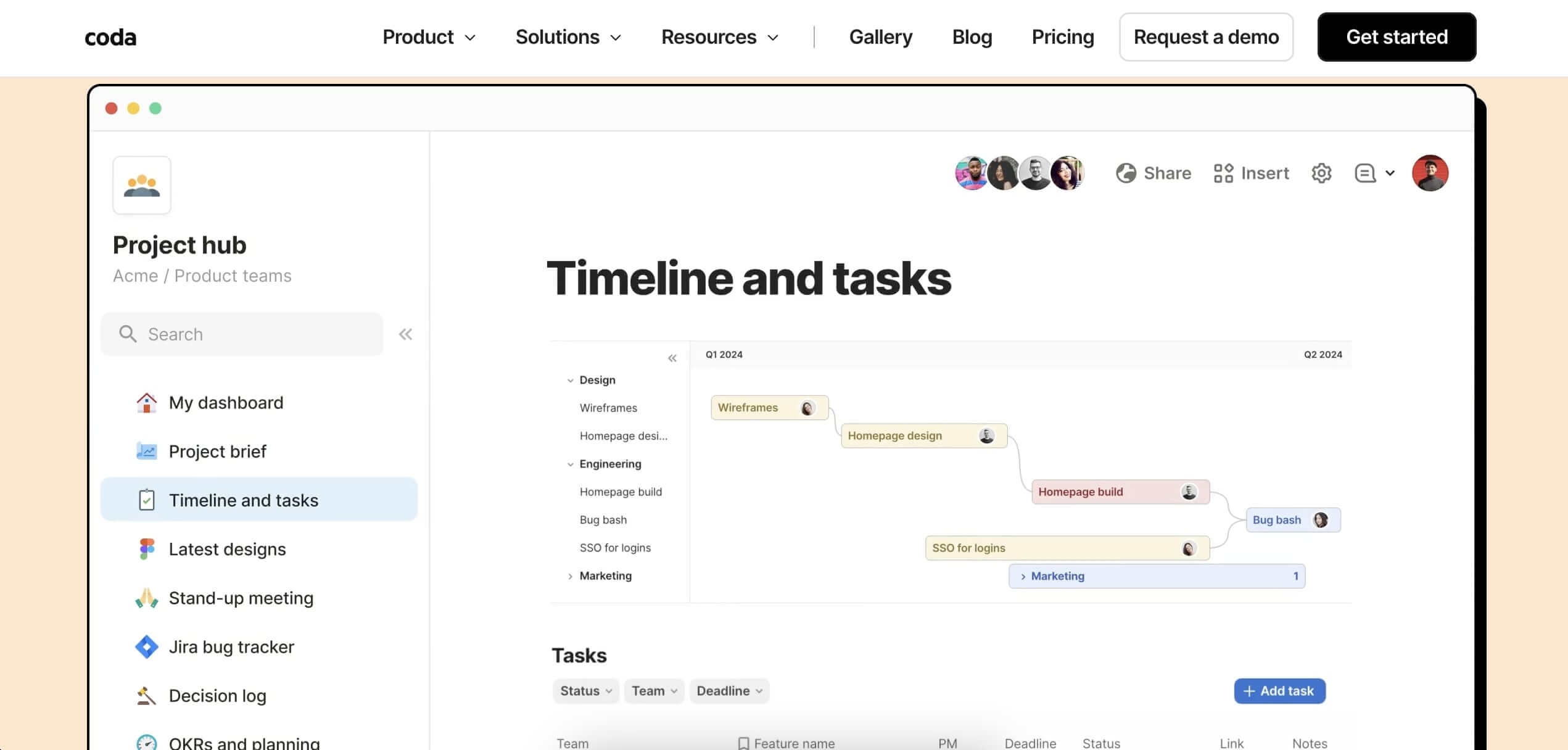
Coda combines documents, spreadsheets, and databases into interactive docs that function like lightweight apps. Coda AI adds smart search, data insights, and brainstorming assistance.
Coda is particularly strong for teams that want to build custom knowledge workflows without traditional development -- its formula language and automation capabilities let you create sophisticated document interactions.
Key AI Features of Coda
- Smart search and data insights
- Table and content creation assistant
- Brainstorming and editing tools
- AI-powered feedback collection
- Custom formulas with AI suggestions
Coda Pricing
Free for individuals. Pro starts at $10/maker/month.
9. ClickUp
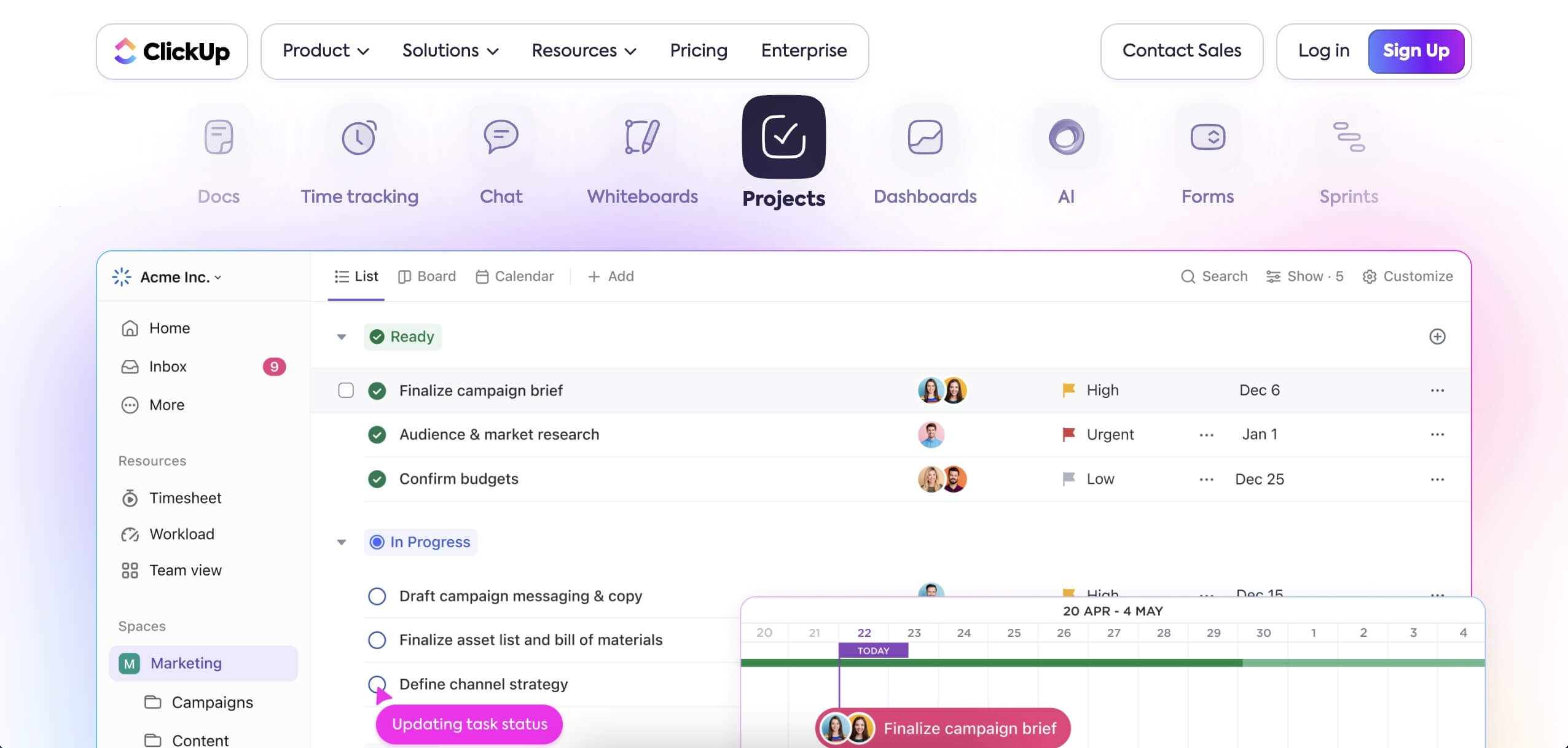
ClickUp consolidates tasks, documents, goals, and chats into a single platform. While primarily a project management tool, its Docs feature with ClickUp Brain AI provides competent knowledge management capabilities.
ClickUp Brain can summarize documents, answer questions about your workspace content, and automate content organization. The strength is having knowledge management alongside task and project management in one platform.
Key AI Features of ClickUp
- AI-powered content generation and summarization
- Conversational document search
- Document automation
- Integration with tasks and projects
- Custom views and dashboards
ClickUp Pricing
Free tier with limited features. Unlimited at $7/member/month. ClickUp Brain AI is an additional $7/seat/month.
10. Scribe
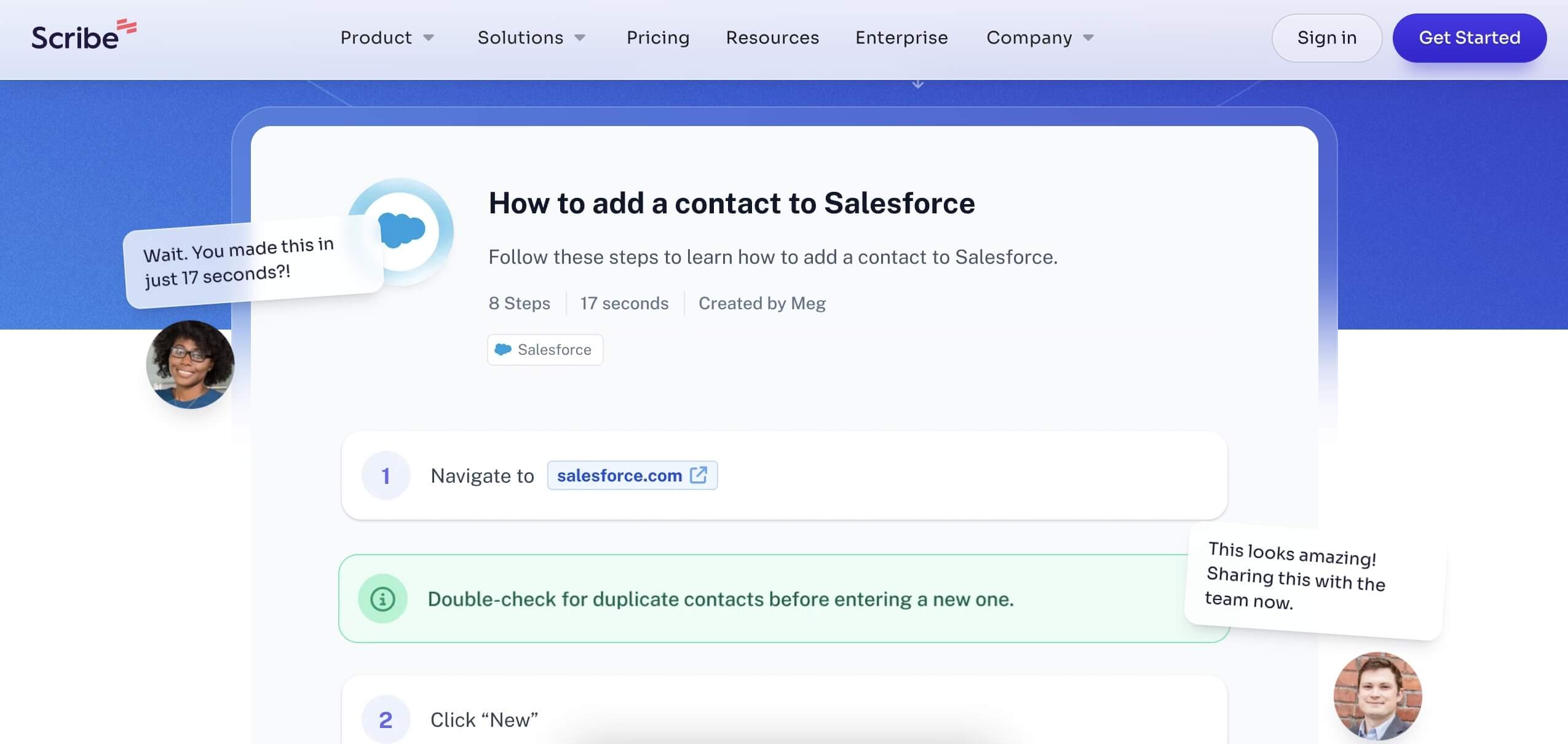
Scribe automates the creation of step-by-step guides and SOPs. It captures your screen as you perform a process, then generates a formatted guide with screenshots and instructions automatically.
For teams that need to document procedures, onboard new employees, or create customer tutorials, Scribe eliminates the manual effort of screenshot-and-write documentation.
Key AI Features of Scribe
- Automated step-by-step guide creation from screen capture
- Smart Capture for tutorial generation
- AI-powered document enhancements and formatting
- Brand-customizable templates
- Chrome extension for instant capture
Scribe Pricing
Free for basic guides. Pro starts at $29/seat/month.
Detailed Comparison: Taskade vs Notion vs Obsidian vs Confluence
| Capability | Taskade | Notion | Obsidian | Confluence |
|---|---|---|---|---|
| AI Agents | built-in tools, custom agents, persistent memory | Inline AI Q&A, writing assist | Community plugins | Atlassian Intelligence |
| Search | Full-text + semantic HNSW + OCR | Keyword + AI-enhanced | Full-text + graph links | Keyword + AI search |
| Knowledge Structure | Tree hierarchy, multiple views | Blocks, databases, wikis | Flat files, graph view | Page trees, spaces |
| Team Collaboration | Real-time editing, video, chat | Real-time editing, comments | Limited (Obsidian Publish) | Enterprise collaboration |
| Automation | 100+ integrations, event-driven | Basic automations | None built-in | Atlassian automations |
| Data Ownership | Cloud-hosted | Cloud-hosted | Local-first | Cloud-hosted |
| RBAC | Owner to Viewer | 4 tiers | N/A | Enterprise RBAC |
| Offline Mode | Yes | Limited | Full offline | Limited |
| Starting Price | Free | Free | Free | Free (10 users) |
| AI Cost | Included in plan | +$10/member/mo | Plugin-dependent | Premium tier |
How to Choose the Right KM Tool
The right knowledge management tool depends on your team size, workflow, and how actively you want AI to participate:
| If You Need... | Choose | Why |
|---|---|---|
| AI agents that maintain your KB | Taskade | Autonomous agents proactively organize, update, and surface knowledge |
| Flexible databases + wiki | Notion | Best block-based editor with relational databases |
| Local-first personal notes | Obsidian | Full data ownership, graph view, no cloud dependency |
| Enterprise Atlassian integration | Confluence | Tight Jira integration for dev-heavy organizations |
| In-context answers in Slack/Chrome | Guru | Browser extension surfaces answers where you work |
| Simple team wiki | Tettra | Focused wiki with AI gap detection |
| Customer-facing documentation | Document360 | Self-service KB with analytics and branding |
| Interactive documents | Coda | Docs that function like lightweight apps |
| Process documentation | Scribe | Auto-captures screenshots into step-by-step guides |
| PM + knowledge in one platform | ClickUp | Combined project and knowledge management |
Building a Knowledge Management System with AI

Setting up an effective AI-powered knowledge management system involves five steps:
Step 1: Centralize your knowledge. Migrate scattered documents from Google Docs, Slack, email, and local files into a single workspace. Taskade supports importing from multiple platforms.
Step 2: Structure with hierarchy. Organize knowledge into workspaces, folders, and projects that mirror your team's structure. Use Taskade's tree hierarchy to create clear information architecture.
Step 3: Deploy AI agents. Create custom agents trained on your knowledge base. Configure them to answer team questions, summarize new content, and flag stale documentation.
Step 4: Wire automations. Set up automation workflows that capture knowledge automatically. For example, route meeting summaries from Slack to the appropriate project, or sync customer feedback from HubSpot into a research database.
Step 5: Monitor and maintain. Use AI agents to track documentation freshness, identify gaps, and suggest new articles based on frequently asked questions that the knowledge base cannot answer.
Start Building Your AI Knowledge Base
The best knowledge management tool is one your team actually uses. That means low capture friction, intelligent search that works even with imprecise queries, and AI that fights documentation decay automatically.
Taskade combines all three with autonomous AI agents, multi-layer search, multiple project views, and 100+ integrations -- starting free.
Create your free Taskade account -->
Build Custom Knowledge Systems with Taskade Genesis
Want more than an off-the-shelf tool? Taskade Genesis lets you build custom knowledge systems from a single prompt:
| What You Describe | What Genesis Creates |
|---|---|
| "Build a team wiki with AI search" | Knowledge base + AI agent + tagging system |
| "Create a research database" | Document library + AI summarizer + automation |
| "Design an onboarding hub" | Training portal + progress tracking + AI assistant |
| "Build an internal FAQ system" | Q&A database + AI chatbot + Slack integration |
Your living knowledge system includes:
- Custom AI Agents -- AI that understands your knowledge with built-in tools
- Projects and Memory -- Structured knowledge storage with persistent state
- 100+ Integrations -- Automated knowledge workflows across your toolchain
Explore Taskade resources:
- AI Wiki Tools -- Build AI-powered wikis
- Knowledge Base Apps for Personal Note-Taking -- for individuals, not teams
- AI Second Brain Tools -- Personal knowledge management
- Building a Second Brain Review -- Methodology guide
- Best Notion Alternatives -- Detailed comparison
- Best Obsidian Alternatives -- Note-taking comparison
- Notion vs Obsidian vs Taskade -- Head-to-head comparison
- Browse Community Apps -- Clone knowledge management apps

Frequently Asked Questions
What are the best AI tools for knowledge management in 2026?
The top AI knowledge management tools in 2026 are Taskade (AI-native workspace with autonomous agents and multiple project views), Notion (AI-enhanced wiki with databases), Obsidian (local-first with community AI plugins), Confluence (enterprise wiki with Atlassian Intelligence), Guru (AI knowledge base with browser extension), Tettra (team wiki with AI answers), Document360 (self-service knowledge bases), Coda (interactive documents with AI), ClickUp (PM platform with knowledge features), and Scribe (AI-automated step-by-step guides). Taskade differentiates with AI agents that actively maintain and update knowledge bases.
How does AI improve knowledge management for teams?
AI improves team knowledge management in four ways. First, automated capture: AI agents summarize meetings, extract action items, and file insights without manual effort. Second, intelligent search: semantic search understands meaning, not just keywords, so team members find answers even with imprecise queries. Third, knowledge maintenance: AI identifies outdated documentation, suggests updates, and flags gaps. Fourth, on-demand synthesis: AI answers specific questions by pulling from across your knowledge base, reducing the bottleneck of asking colleagues.
Why do traditional knowledge management systems fail?
Traditional knowledge management systems fail for three reasons. Capture friction: if adding knowledge takes too many steps, people stop contributing. Search dysfunction: keyword-based search fails when people do not know exact terms. Decay: documentation becomes outdated without automated maintenance, and teams lose trust. AI solves all three through auto-summarization, semantic search, and stale content detection.
What is the difference between a knowledge base and a knowledge management system?
A knowledge base is the repository: the collection of documents, articles, SOPs, and FAQs. A knowledge management system (KMS) is the broader framework that includes the knowledge base plus processes, tools, and governance for creating, organizing, maintaining, and distributing knowledge. AI-powered tools like Taskade serve as both: the workspace stores your knowledge while AI agents act as librarians that organize, update, and surface relevant information.
How does Taskade compare to Notion for knowledge management?
Both Taskade and Notion support wiki-style knowledge bases with databases. Taskade differentiates with autonomous AI agents (built-in tools) that actively maintain documentation, multi-layer search (full-text + semantic), multiple project views including Mind Map for knowledge visualization, and 100+ integrations. Notion offers a mature database system and inline AI Q&A. Taskade is free to start, with Pro from $10/mo billed annually. Notion AI costs $10/member/month on top of the base plan.
How does Taskade compare to Obsidian for knowledge management?
Obsidian is a local-first markdown editor with a graph view for visualizing note connections. It excels at personal knowledge management with full data ownership. Taskade is a collaborative workspace with built-in AI agents, multiple project views, and team features. Choose Obsidian for private, local-first personal notes. Choose Taskade when you need team collaboration, AI automation, and a unified workspace.
How does Taskade compare to Confluence for knowledge management?
Confluence is an enterprise wiki tightly integrated with Jira and the Atlassian ecosystem. Atlassian Intelligence adds AI summarization and search. Taskade offers deeper AI capabilities with autonomous agents, workflow automation, and 100+ integrations beyond the Atlassian stack. Confluence suits large enterprises already on Atlassian. Taskade suits teams that want AI-native knowledge management without vendor lock-in. Confluence Standard costs $6.05/user/month. Taskade is free to start, with Pro from $10/mo billed annually.
What is semantic search and why does it matter for knowledge management?
Semantic search understands the meaning behind a query, not just keywords. When someone searches for 'how to set up client billing' it finds documents about 'invoice configuration' or 'payment setup' even if those exact words were not used. Taskade uses multi-layer search combining full-text, semantic HNSW vector search, and file content OCR to surface relevant knowledge regardless of terminology.
Can AI agents maintain a knowledge base automatically?
Yes. Taskade AI agents can monitor documentation for staleness, flag articles that have not been updated in a configurable period, suggest edits based on new information, auto-generate summaries of meeting notes and store them in the appropriate knowledge base section, and answer team questions by synthesizing information from across the workspace. This reduces the manual maintenance burden that causes most knowledge bases to decay.
What is the best free AI knowledge management tool?
Taskade offers a free tier with AI agents, basic project views, and basic automation for knowledge management. Obsidian is free for personal use with optional paid sync. Notion offers a free plan with limited AI features. For teams, Taskade Free provides the most AI capability at no cost, including custom agents that can be trained on your knowledge base.