






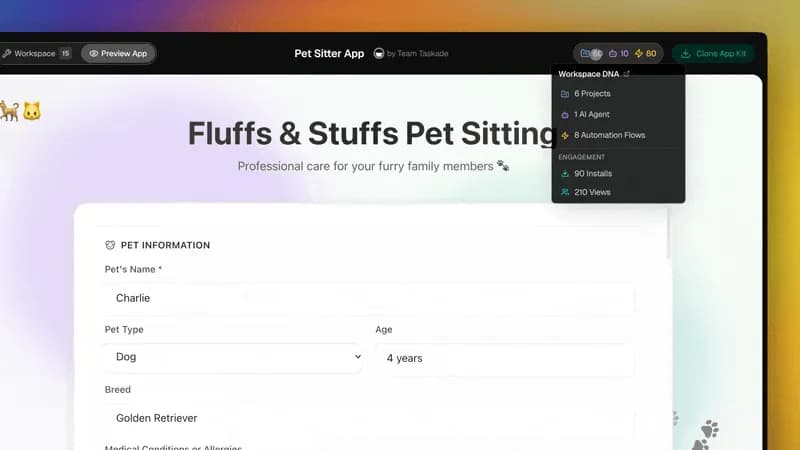
What you end up owning is an agent that answers at ask.your-brand.com, in art you generated yourself, to customers who never learn it was built in an afternoon. It knows your pricing because you gave it your pricing doc, it declines what it should decline because you wrote the persona, and every conversation it has lands in your Agent Inbox as something you can read on Monday.
Getting there is four short steps: generate the visuals in the same chat where you built the agent, read the preview the way a stranger would, load your voice as a knowledge file, then publish to a page, a domain, or a widget. This guide walks all four and hands you five live agent apps you can clone and run today.
A branded AI agent is your agent wearing your brand, on your URL
"Branded" here means four concrete things, not a vibe:
- Its own art. An avatar, a header image, and any in-chat illustrations you generated yourself.
- Its own voice. A persona trained on your writing, not a default assistant tone.
- Its own URL. Either the clean public link or a subdomain on the domain you already own.
- Its own surface. A hosted page, an embedded widget, or both, with your colors and welcome message.
The agent underneath is the one you already built. If you have not built it yet, start with custom AI agents, then how to build an AI agent team and training AI agents like employees. Everything below assumes the agent exists and works — this is the shipping half, and it is where most of the value leaks out.
Generate the agent's visuals in the workspace, not in a separate design tool
Image generation is one of the built-in agent tools, which means it is available in the same chat where you are already working. You describe the visual, it arrives in seconds, and it auto-saves to your workspace Media tab for reuse.
That matters more than it sounds. The usual branding loop is: open a design tool, generate, download, rename, upload, discover it is the wrong aspect ratio, repeat. Here the loop is one message.
Useful prompts for an agent you are about to publish:
- "Generate a square avatar for a support agent: friendly, minimal, our brand pink on off-white, no text."
- "Generate a wide header banner for a sales assistant page: abstract, calm, no faces, room for a headline on the left."
- "Generate three flat illustrations for the empty state of a booking assistant."
Each result lands in Media and can be dropped straight into the agent's profile, the app UI, or a project. See Image Generation for the full walkthrough, and if you want a wider survey of the category first, we keep a running list of AI image generators and AI design and branding tools.
The preview panel shows you exactly what a visitor sees
This is the step people skip, and it is the one that catches every embarrassing detail: the placeholder greeting, the avatar cropped through someone's forehead, the starter prompt that made sense to you and nobody else.
The Share panel keeps the controls on the left and a live preview on the right. Change the theme, the header, the launcher color, or the welcome message and the preview updates as you type — no publish-and-refresh cycle.
┌─ Share Agent ─────────────────── Public access [●] ─┐
│                                                     │
│  Mode        Chat & Template               ▾        │
│  Theme       Auto  /  Light  /  Dark       ▾        │
│  Hide brand  On                           [x]       │
│  Avatar      generated-avatar.png          ↻        │
│  Welcome     "Hi — ask me about pricing."           │
│                                                     │
│  Public link  taskade.com/a/ask-sales      Copy     │
│  Password     ••••••••                    [ Off ]   │
│                                                     │
│  [ Copy link ]   [ Embed code ]   [ Widget ]        │
│                                                     │
│                       ← live preview on the right → │
└─────────────────────────────────────────────────────┘
Read the preview like a stranger. Does the first screen say what this agent is for? Would you type something into it? If the answer is no, fix it here, before the link goes anywhere.
Three publish surfaces: a public page, your own domain, an embedded widget
You do not have to choose one. Most teams end up running two or all three, because they serve different moments.
| Surface | What the visitor sees | Best for | Setup |
|---|---|---|---|
| Public page | A full-screen chat at taskade.com/a/your-slug |
Sharing in a DM, a community post, a newsletter, a QR code | Toggle public access, pick a slug |
| Branded domain | The same chat at ask.your-brand.com |
Anything customer-facing where the URL is seen | One CNAME to external.taskade.com, then Verify |
| Website widget | A launcher in the corner of your own site | Pre-sales questions, docs help, onboarding | Paste one snippet before </body> |
The public page is live the moment you toggle it on. No build step, no deploy, no hosting bill. Full detail in Publish Agents Publicly.
The branded domain is one DNS record. Add a CNAME for the subdomain you want — ask, help, concierge — pointing at external.taskade.com, then confirm it under Agent → Share → Domain. SSL is issued automatically and renews every 60 days, HTTPS is enforced, and older TLS protocols are disabled. Custom agent domains are available on Business and above, which is $25 per month billed annually. Setup lives in Branded Agent Links.
The widget is a single script tag pasted before the closing </body>. Launcher position, brand color, and welcome text are all set in the panel, so the snippet itself never changes when you rebrand. See Embed AI Agents as Website Widgets, and Share & Embed AI Agents for how the three surfaces relate.
Here is the whole request path once you are live:
Brand voice is a knowledge file, not a color picker
Colors are the easy half. The half that decides whether people trust the agent is how it sounds.
Treat voice the way you treat every other kind of knowledge: upload it once. Put your tone-of-voice doc, three or four pieces of writing you are proud of, and a short list of words you never use into the agent's knowledge panel. Every answer downstream inherits it, and when you update the doc, the answers update with it. The full recipe is in Generate Content in Your Brand's Voice, and the mechanics of attaching sources are in Agent Knowledge and our guide to AI agent knowledge files.
Then write the persona to cover the edges a knowledge file cannot:
- What the agent is for, in one sentence a customer would recognize.
- What it does not do, and what it says instead. ("I can't see your account — here's how to reach a human.")
- How long an answer should be. Left unspecified, agents write essays.
Test the answers against real knowledge before the link goes out
A public agent is a support rep you cannot coach in the moment, so do the coaching now. Sit in the preview and ask it the questions your actual customers ask, including the awkward ones.
Four tests worth running every time:
- The price question. Does it quote your current numbers, or numbers it invented?
- The out-of-scope question. Ask about something you never gave it. It should decline cleanly, not improvise.
- The tool question. Ask something that needs a search or a file read, and confirm it actually calls the tool instead of guessing. Background on what each tool does is in AI agent tools.
- The depth question. Ask something that needs real reasoning. Under the hood, TSK-1 — the Taskade System Kernel — routes across 15+ frontier models from OpenAI, Anthropic, Google, and open-weight providers. Auto is the default and picks depth per message; you can pin TSK-Instant, TSK-Standard, TSK-Thinking, TSK-Reasoning, or TSK-Infinity when it matters.
Only after those four pass do you touch the publish toggle. For the distinction between an agent that acts and a chat window that replies, see chatbots vs agents.
Your pre-publish checklist
Run this once per agent. It takes about four minutes and prevents nearly every "why is it saying that" message.
| Check | Where | Done when |
|---|---|---|
| Avatar and header generated | Agent chat → Media | Both render correctly in the preview |
| Persona states scope and refusals | Agent settings | It declines an out-of-scope question cleanly |
| Knowledge attached and current | Knowledge panel | It quotes your doc, not a generic answer |
| Tools trimmed for public use | Tools toggle | Only what an anonymous visitor should reach is on |
| Welcome message and starter prompts | Share panel | A stranger knows what to type on the first screen |
| Theme and brand color set | Share panel | Preview matches your site in light and dark |
| Slug chosen | Share → Public | Short, readable, guessable |
| Domain verified (optional) | Share → Domain | Green check, HTTPS loads |
| Password decided | Share → Public | On for internal pilots, off for public launch |
| Inbox watched | Agent Inbox | You have somewhere to read what people asked |
Start with a live kit
Faster than building from scratch: open one of these, see how it is put together, clone it, then swap in your art, your knowledge, and your domain. Every one of these is running in production right now.
| Live app | What it does the moment you clone it |
|---|---|
| Sales Agent Studio | A customer-facing sales assistant that qualifies leads and answers product questions — the fastest path to a branded ask.your-brand.com |
| Client Connect | A client-facing front door that routes requests and answers status questions without an email thread |
| Insight Analyst | An analyst agent that reads your data and explains what changed, in your own vocabulary |
| Smart Feedback Form | A branded intake surface that reads free-text feedback and files it where it belongs |
| Client Portal | A logged-in portal where the embedded agent answers from that client's own documents |
More live examples, all clonable, are in the Community gallery and across the AI apps hub. If you want the pattern rather than the app, see 12 AI micro-apps and widgets and what a Taskade Genesis app is made of.
After you publish, the Agent Inbox is where the loop closes
Publishing is not the end state — it is the point where your agent starts generating information you did not have before.
Every conversation from every surface lands in the Agent Inbox: public link, branded domain, and widget alike. Read it weekly. You are looking for two things:
- Questions the agent answered badly. Those are missing knowledge files. Add the doc, and the answer fixes itself everywhere at once.
- Questions the agent answered well, repeatedly. Those are candidates for automation. Conversations can trigger workflows across the 100+ bidirectional integration catalog, so a repeat question becomes a repeat action — a record created, a message posted, a follow-up scheduled.
That feedback loop is what separates a published agent from a published FAQ. Memory, intelligence, and execution reinforcing each other is the whole idea behind Workspace DNA, and it is why an agent gets better the longer it is live.
When one agent is not enough, the same publish path applies to a team of them — see multi-agent platforms and what AI agent teams are.
What it costs to publish
Publishing a public agent is included on every plan, including Free, which starts with a one-time grant of 1,000 credits on signup plus 5,000 on your first build — 6,000 lifetime credits, enough to fund a complete first build end to end.
| Plan | Annual price | What it adds for publishing |
|---|---|---|
| Free | $0 | Public agent link, image generation, built-in tools |
| Pro | $10/mo billed annually | Monthly credit refills, more capacity |
| Business | $25/mo billed annually | Custom agent domains, SSO/SAML |
| Max | $100/mo billed annually | Higher AI credit and request limits for heavy public traffic |
| Enterprise | $250/mo billed annually | SCIM user provisioning, dedicated support with a custom SLA |
Full detail on pricing. If you are comparing approaches, we keep honest side-by-sides at Taskade vs. OpenAI AgentKit, vs. Softr for portals, and vs. Notion for knowledge-led builds.
Ship it this week
The gap between "we have an agent" and "our customers use our agent" is one afternoon of work: generate the art, read the preview like a stranger, load the voice, run four tests, point a CNAME, paste a snippet.
Browse ready-made agents by job in customer service, sales, and branding, or start from a client portal generator or a client onboarding template. When the agent is ready, build and publish it free — and see what the rest of the agent library can do once yours is live.
Frequently asked questions
How do I publish an AI agent to a public URL?
Open the agent, click Share, switch to the Public tab, toggle public access on, and pick a URL slug. The agent goes live at taskade.com/a/your-slug immediately, with no deploy step and no hosting to configure. Visitors chat with it directly and never see your workspace. You control which of the built-in tools the agent may call for anonymous visitors and which projects feed its answers.
Can I put an AI agent on my own domain?
Yes. Add a CNAME record at your DNS host pointing the subdomain you want at external.taskade.com, then open Agent → Share → Domain and click Verify. Taskade issues SSL automatically and renews it every 60 days, HTTPS is enforced, and modern TLS is supported. Custom agent domains are available on Business and above, which is $25 per month billed annually.
How do I add an AI agent to my website?
Make the agent public, open the Embed tab, copy the snippet, and paste it once before the closing </body> tag on your site. Visitors get a chat launcher in the corner that opens a full conversation grounded in your workspace knowledge. You set the launcher position, brand color, and welcome message in the same panel, and a live preview updates as you change each setting.
Can I generate the agent's avatar and header art inside Taskade?
Yes. Image generation is one of the built-in agent tools, so you describe the visual you want in chat and the image arrives in seconds. Every generated image auto-saves to the workspace Media tab, where you can reuse it as an agent avatar, a header banner, an app cover, or a section illustration. You never leave the workspace or paste files between tools.
Can I remove Taskade branding from a published agent?
Yes. The Share panel includes a hide-branding toggle alongside theme selection, password protection, and chat timeout. Combine it with a custom domain and the whole experience reads as your product, from the URL bar to the chat header. The agent still runs on your workspace knowledge and still routes every conversation back to your Agent Inbox.
Which AI models power a published agent?
Published agents run on 15+ frontier models from OpenAI, Anthropic, Google, and open-weight providers, coordinated by TSK-1, the Taskade System Kernel. Auto is the default and picks the depth per message. You can pin a level yourself when it matters: TSK-Instant for fast lookups, TSK-Standard for everyday replies, TSK-Thinking for analysis, TSK-Reasoning for multi-step logic, and TSK-Infinity for long-running work. TSK-1 is the kernel that routes, not a model itself.
How do I stop a public agent from answering off-topic questions?
Scope it before you publish. Attach only the projects and files the agent should answer from, write a persona that states what it does and what it declines, and turn off any of the built-in tools it does not need for public use. Then test in the preview panel with the awkward questions a real visitor would ask, and tighten the persona until the refusals read the way you want.
Where do public conversations go after someone chats with my agent?
Every public conversation lands in your Agent Inbox, whether it came from the public link, a branded domain, or the website widget. That gives you one place to read what people actually asked, spot the questions your knowledge base cannot answer yet, and feed the gaps back into the agent. Conversations can also trigger automations across the 100+ bidirectional integration catalog.
Do I need to code to publish a branded AI agent?
No. Building, styling, and publishing an agent is entirely no-code. You describe the role in plain English, attach knowledge, toggle tools, set colors and a welcome message in the Share panel, and publish. The only markup involved is a one-line embed snippet you paste on your website, and even that is copy-and-paste with no configuration.
What does it cost to publish a branded AI agent?
Publishing a public agent is included on every plan, including Free, which starts with a one-time grant of 1,000 credits on signup plus 5,000 on your first build, for 6,000 lifetime credits. Pro is $10 per month billed annually and Business is $25 per month billed annually, which is where custom agent domains unlock. Max is $100 and Enterprise is $250 per month billed annually.
How is a published agent different from a chatbot?
A chatbot answers from a script or a general model. A published Taskade agent reasons over your own projects and files, calls any of its built-in tools, remembers people across sessions, and can trigger automations that write data back into your workspace. The visitor sees a chat window. What is behind it is Workspace DNA: memory, intelligence, and execution running as one system. More on the distinction in AI agent platforms and AI customer support software.