






In an unexpected turn of developments, Evernote, the renowned green-elephant-emblazoned note-taking application, appears to be on shaky ground. Following substantial staff layoffs, a cloud of uncertainty looms over its vast user base. If you're one of the many contemplating a switch from Evernote, you've landed at the right place.
TL;DR: After Bending Spoons acquired Evernote in 2023 (with major layoffs and feature cuts), Taskade is the best replacement — AI agents, 7 project views, and .enex import support, free to start, with Pro from $10/mo billed annually. Try Taskade free →
We've compiled a list of the very best Evernote alternatives, carefully curated to meet all your note-taking and organizational needs. This in-depth listicle will explore the top options, ensuring you find the perfect tool to replace Evernote.
Quick Comparison: Best Evernote Alternatives at a Glance
| Tool | Best For | AI Features | Free Tier | Starting Price | Platforms |
|---|---|---|---|---|---|
| Taskade | AI-native productivity + note-taking | Custom agents, automations, Genesis app builder | Yes | $10/mo | Web, Mac, Win, iOS, Android |
| Notion | All-in-one workspace + databases | AI writing ($10/mo add-on) | Yes | $12/member/mo | Web, Mac, Win, iOS, Android |
| Google Keep | Quick notes + reminders | No | Yes | Free | Web, iOS, Android |
| Simplenote | Minimalist plain-text notes | No | Yes | Free | All platforms |
| Bear | Beautiful markdown (Apple only) | No | Yes | $2.99/mo | Mac, iOS |
| OneNote | Microsoft ecosystem integration | Copilot (M365 add-on) | Yes | Free | All platforms |
| Obsidian | Local-first + privacy + PKM | Plugins only | Yes | Free / $50/yr | All platforms |
| Nimbus Note | Rich media + web clipping | Limited | Yes | $9/mo | All platforms |
| Apple Notes | Apple ecosystem integration | Apple Intelligence | Yes | Free | Mac, iOS |
What Is Evernote?
Evernote, once a giant in the note-taking world and a key player in the Personal Knowledge Management (PKM) movement, has seen a significant decline from its peak in 2010 when it was valued at over $1 billion.
Back then, it was the go-to app for digital note-taking, but today, it's a different story. Many users have moved on to other platforms, and Evernote is no longer the powerhouse it once was in the productivity space.
At its core, Evernote is a versatile note-taking app that helps users capture and organize their thoughts, tasks, and projects in one place. It allows you to create and store notes that can include text, images, files, and even voice memos. These notes can be organized into notebooks, tagged for easy retrieval, and synced across multiple devices.
People use Evernote for a variety of purposes, from managing daily to-do lists and taking meeting notes to organizing research and brainstorming creative ideas. If you're interested, check out this article on the complete history of Evernote to find out more.
What’s Driving People to Explore Evernote Alternatives?
The Evernote exodus accelerated sharply after Italian company Bending Spoons acquired Evernote in November 2023. Here’s a timeline of what happened:
| Date | Event |
|---|---|
| Nov 2023 | Bending Spoons acquires Evernote |
| Jan 2024 | Most of Evernote’s US and Chile staff laid off (129 of ~150 employees) |
| Mid 2024 | Free tier capped at 50 notes (previously unlimited) |
| Late 2024 | Pricing increased: Personal $14.99/mo, Professional $17.99/mo |
| 2025 | Operations fully relocated to Europe; feature development slowed |
The acquisition triggered a wave of user migration. On Reddit’s r/Evernote, posts about alternatives and data export consistently rank as the most upvoted topics. Common complaints include:
- 50-note free tier limit — a drastic reduction from the previously generous free plan
- Feature removals — Bending Spoons cut features to focus on "core note-taking"
- Price increases — paid plans cost more while delivering fewer features
- Staff layoffs — users worry about long-term product viability
- Data privacy concerns — European relocation raised questions about data handling
Before the acquisition, Evernote’s decline was already underway. Innovation had slowed, and competitors like Taskade, Notion, and Obsidian emerged with AI-powered features, better collaboration, and more flexible pricing.
Factors to Consider When Choosing an Evernote Alternative
Choosing the right Evernote alternative depends on your specific needs, but generally, here's what most people are looking for:
Data Privacy: Protecting your personal and professional data is crucial. Look for apps that offer end-to-end encryption and two-factor authentication to ensure that your information remains secure. This is especially important if you're handling sensitive information or collaborating on shared projects.
AI Capabilities: Modern apps like Taskade are leading the way with advanced AI features. These tools not only help automate routine tasks but also allow you to create multi-agent AI teams that can collaborate and manage complex workflows. This can be a game-changer for users looking to boost productivity and streamline their processes.
User Experience: A clean and intuitive interface can significantly impact your efficiency. Choose an app that is easy to navigate and doesn't overwhelm you with unnecessary features. The right user experience can help you focus on your work without the distraction of a cluttered or confusing interface.
Organization Features: Effective note organization is key to staying productive. Look for apps that offer robust tools for organizing your notes, such as tagging, notebooks, and hierarchical folders. These features help you categorize and retrieve your information quickly, ensuring that nothing gets lost in the shuffle.
Cross-Platform Compatibility: In today's multi-device world, seamless access across all your devices is essential. Ensure that the app you choose works well on Android, iOS, Windows, and Mac, with reliable synchronization. This way, you can access your notes and projects from anywhere, at any time, without missing a beat.
Pricing: Value for money is important, especially if you're moving from a freemium model. Look for an Evernote replacement that offers a fair pricing structure with features that match your needs. Whether you're looking for free basic features or premium plans with advanced tools, the right pricing plan should offer good value without breaking the bank.
The Ultimate List of Evernote Alternatives in 2025
With so many note-taking apps available today, it can be overwhelming to find the right one that meets your needs. To help you save time, we've researched in-depth and shortlisted our favorite alternatives that we believe can effectively replace Evernote. Each of these options offers unique features and capabilities, ensuring there's something for everyone, whether you're an individual user or part of a team.
Taskade

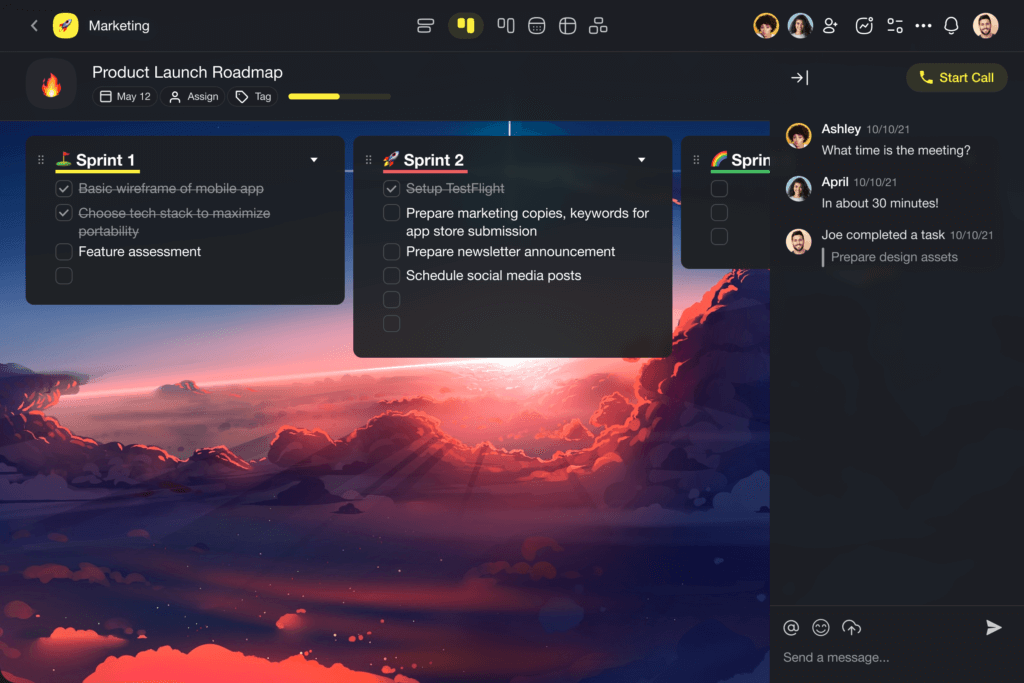
If you’re seeking an AI-native solution that goes far beyond note-taking, Taskade is the best Evernote replacement in 2026. While Evernote stores notes, Taskade turns them into living, actionable workspaces powered by AI.

Why Taskade Is the Best Evernote Alternative
| Capability | Evernote | Taskade |
|---|---|---|
| Note-taking | Yes | Yes |
| AI writing assistant | No | Yes (15+ frontier models) |
| Custom AI agents | No | Yes (train on your data) |
| App building | No | Yes (Taskade Genesis) |
| Real-time video + chat | No | Yes (built-in) |
| Project views | 1 (notebook) | 8 (List, Board, Calendar, Table, Mind Map, Gantt, Org Chart) |
| Automations | No | Yes (100+ integrations) |
| .enex import | N/A | Yes |
| Free tier notes limit | 50 notes | Unlimited |
| Pricing (paid) | $14.99/mo | $10/mo |
Taskade’s Standout Features
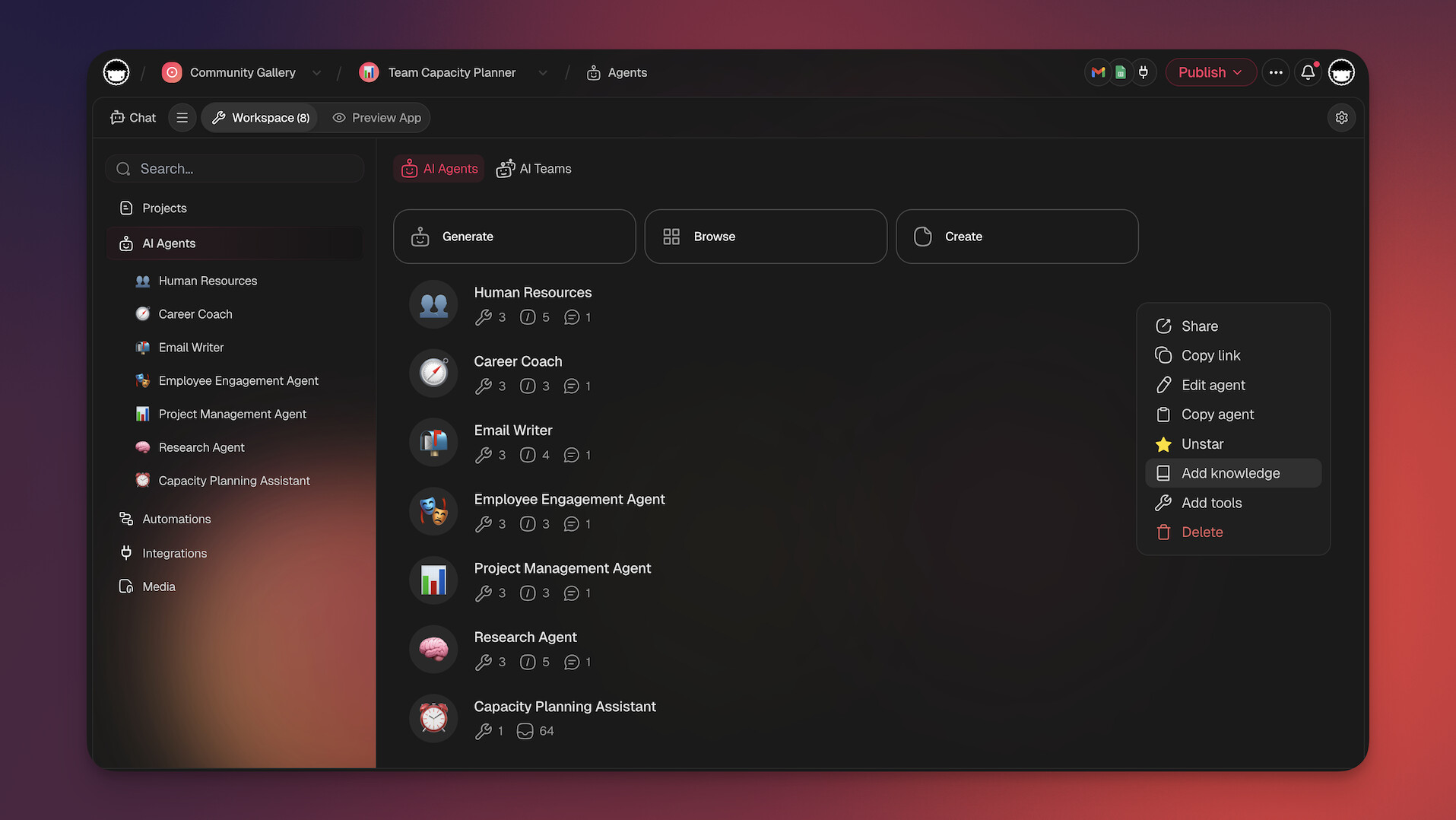
- Custom AI Agents: Train agents on your documents, projects, and websites. They work 24/7 inside your workspace — organizing notes, answering questions, and completing tasks autonomously.
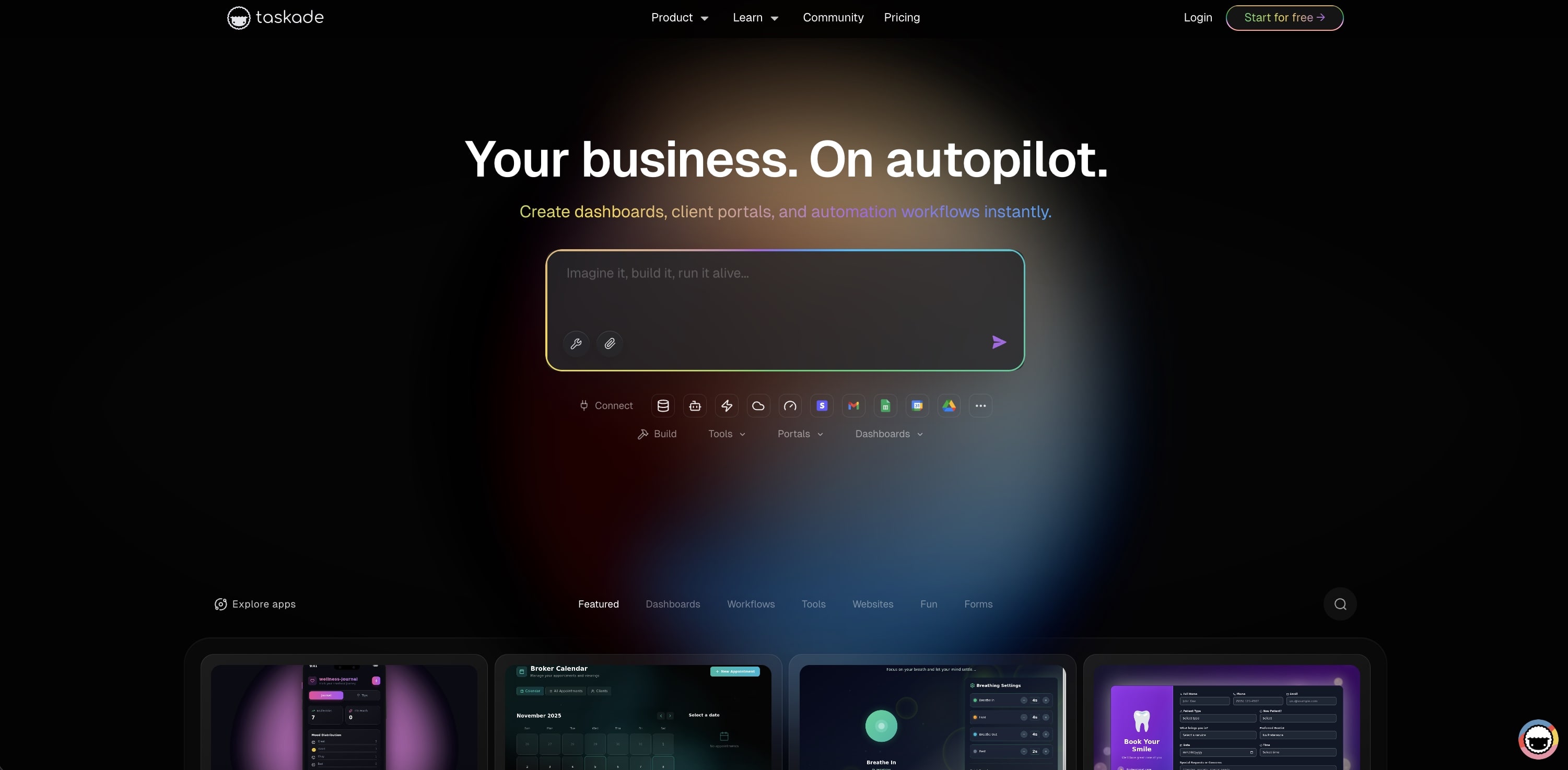
- Taskade Genesis: Describe what you need in a prompt, and Taskade builds a complete app with databases, AI agents, and automations. 150,000+ apps built and counting.
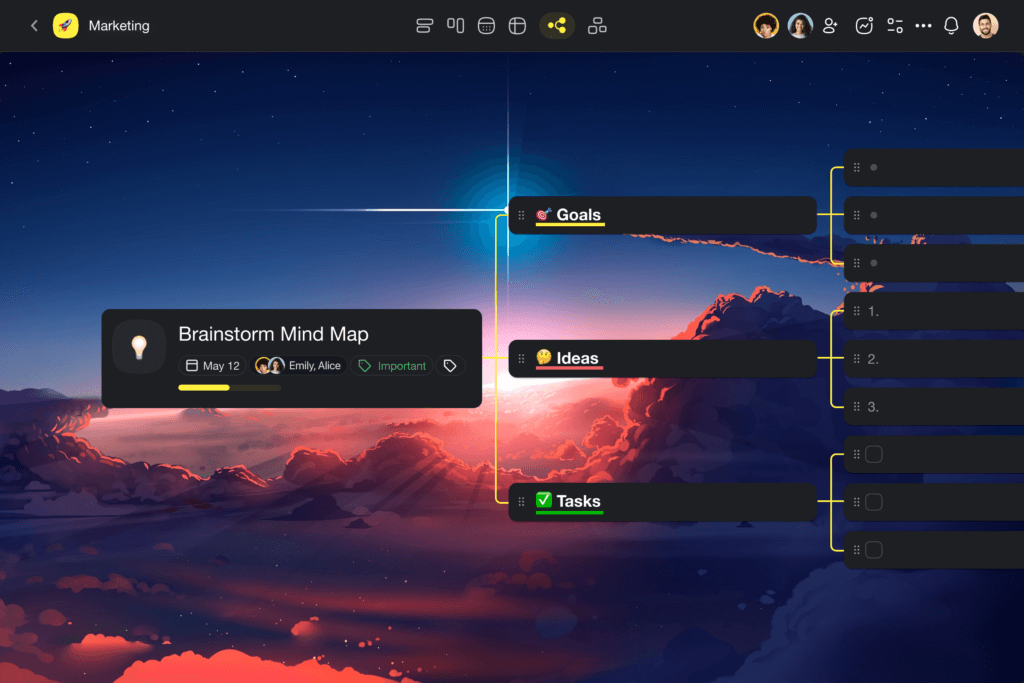
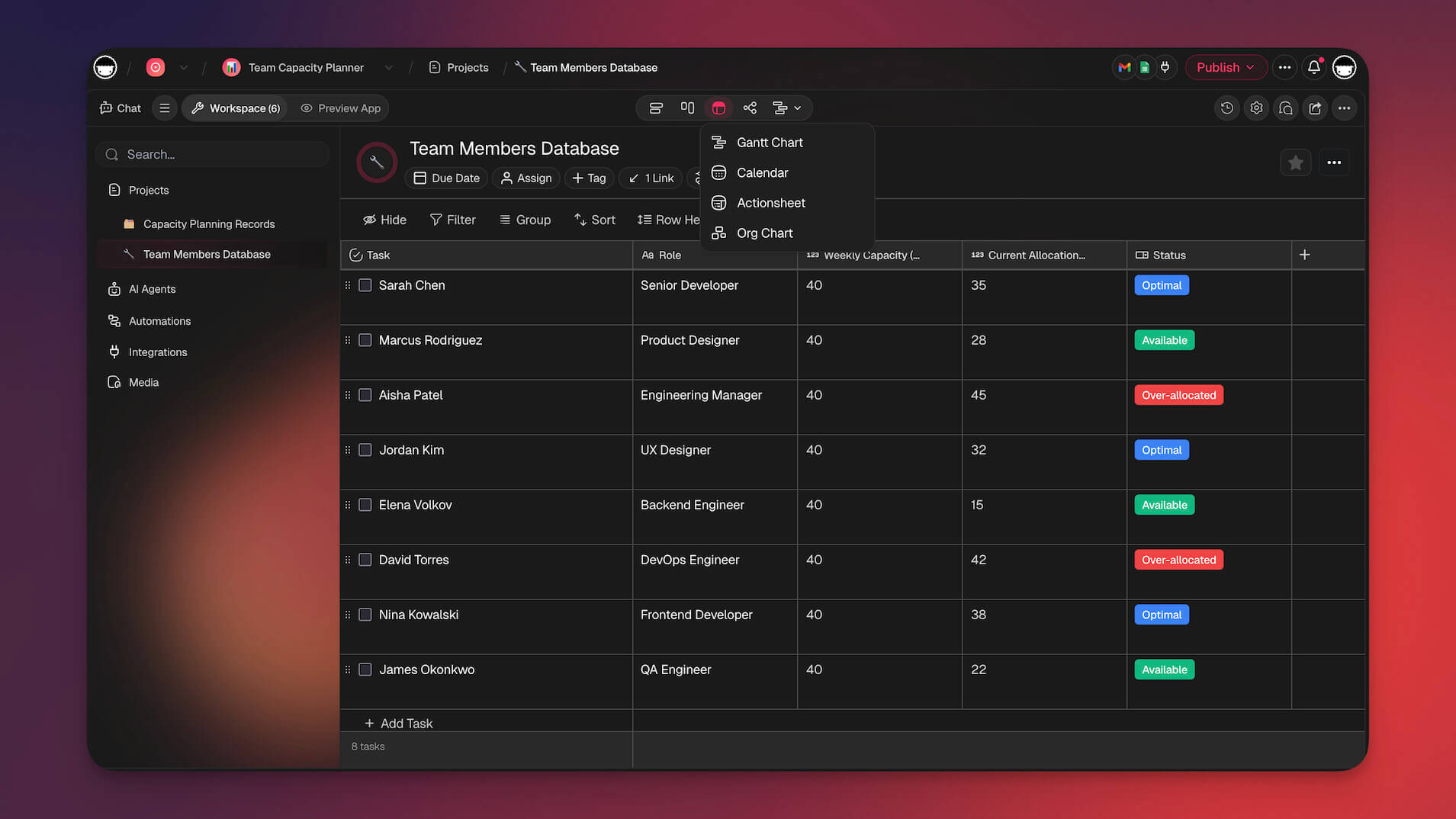
- 7 Project Views: Switch between List, Board, Calendar, Table, Mind Map, Gantt, and Org Chart without losing data — far beyond Evernote’s single notebook view.
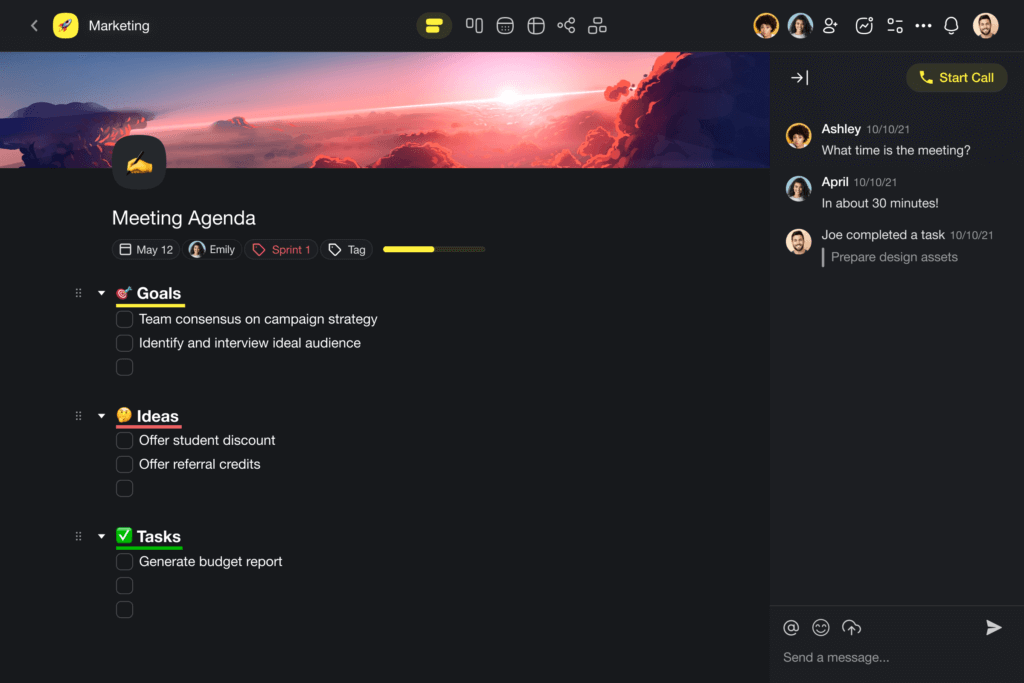
AI Workflow Generators: Describe a workflow and Taskade auto-generates the project structure — from SOPs to research briefs to meeting agendas.
Multi-Layer Search: Full-text + semantic search + file content OCR across your entire workspace.
Real-time Collaboration: Built-in video chat, screen sharing, and 7-tier access control (Owner, Maintainer, Editor, Commenter, Collaborator, Participant, Viewer).
.enex Import: Migrate your entire Evernote library with one import. AI agents can reorganize imported notes automatically.
100+ Integrations: Connect Slack, Gmail, Google Drive, Zapier, and 100+ other tools.
Check out our full list of AI-powered features.
Taskade Limitations
- Primarily cloud-based — offline access is available but full functionality requires internet connection.
How Much Does Taskade Cost?
| Plan | Price | Key Features |
|---|---|---|
| Free | $0 | Unlimited tasks, AI features, collaboration |
| Pro | $10/mo | 10 users included, advanced AI, team workspaces |
| Business | $25/mo | Admin controls, SSO, advanced security |
| Enterprise | Custom | Dedicated support, custom integrations |
Get started for free or check pricing.
Notion
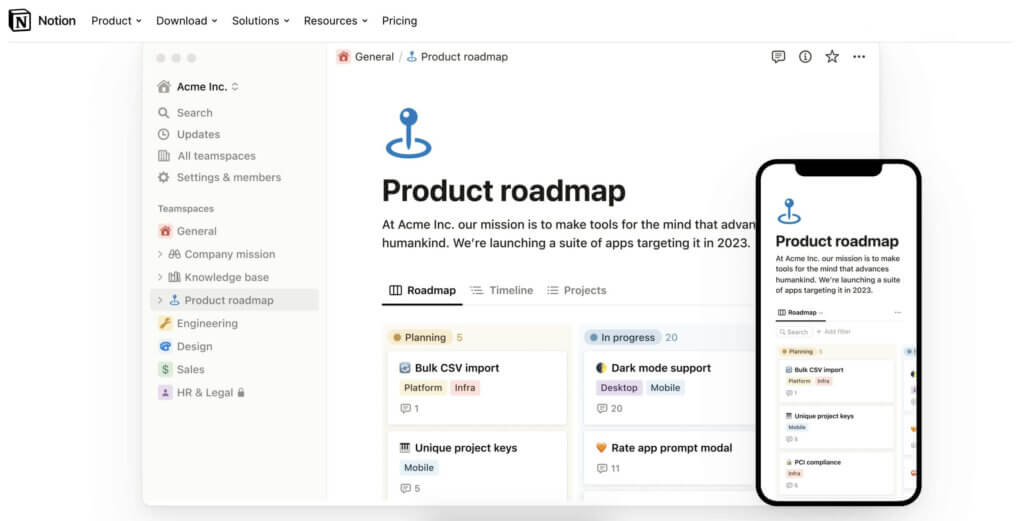
Notion is an all-in-one workspace that combines note-taking, task management, and knowledge sharing. It’s known for its highly flexible and customizable interface, allowing users to build their own workflows and dashboards. Notion’s modular structure enables users to create anything from simple to-do lists to complex databases, making it a favorite among professionals, creatives, and teams alike.
Best Features of Notion
Highly customizable workspace with modular design
Powerful database features for organizing notes, tasks, and projects
Integration with tools like Slack, Google Drive, and Trello
Collaborative features with real-time editing and sharing
Cross-platform support with apps for desktop and mobile devices
Limitations of Notion
The learning curve can be steep for new users due to its flexibility
Offline functionality is limited and can be unreliable
Free plan has storage limits that might not suffice for heavy users
Performance can slow down with large databases or extensive content
What People Think About Notion
Notion is praised for its flexibility and the ability to create highly customized workspaces. However, users often mention the steep learning curve and limited offline capabilities as drawbacks.
Google Keep
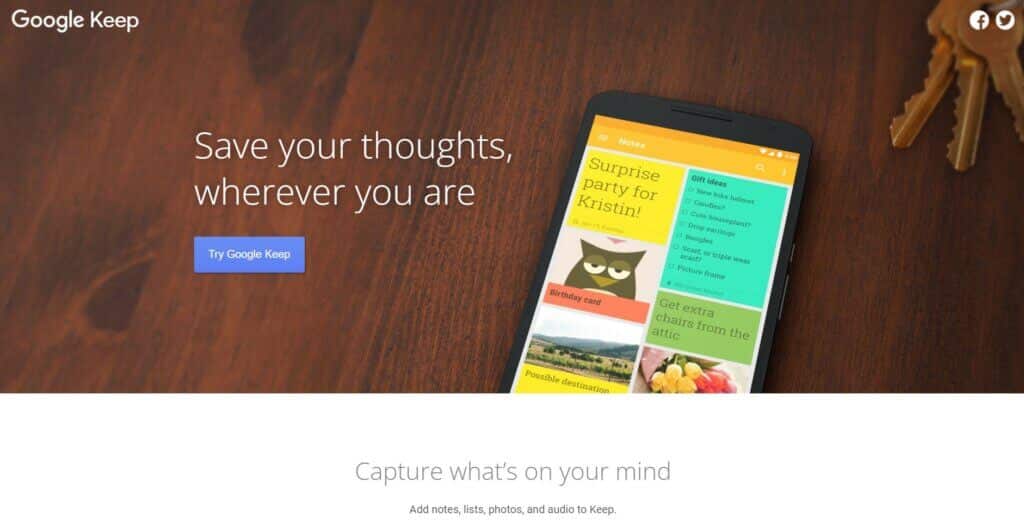
If you're looking for a more lightweight solution, Google Keep is a cloud-based note-taking app that integrates seamlessly with the Google ecosystem. Known for its simplicity and speed, Google Keep is popular among users who want a quick and easy way to capture ideas, lists, and reminders on the go. Its integration with Google Drive and other Google services makes it a convenient option for users already invested in the Google ecosystem.
Best Features of Google Keep
Simple and fast note-taking with text, images, and voice memos
Integration with Google Drive and other Google services
Real-time collaboration with shared notes and lists
Cross-platform availability with apps for web, Android, and iOS
Location-based reminders for context-specific notes
Limitations of Google Keep
Limited organization features, with no support for folders or tags
Basic formatting options compared to other note-taking apps
Lacks advanced features like markdown support or file attachments
Notes can become cluttered quickly due to limited organization tools
What People Think About Google Keep
Google Keep is appreciated for its simplicity and ease of use, especially for quick notes and reminders. However, its limited organization features and lack of advanced capabilities are often cited as drawbacks for more serious note-takers.
Simplenote
Simplenote, developed by Automattic (the company behind WordPress), is a straightforward and fast note-taking app that lives up to its name. Known for its minimalistic design, Simplenote focuses on providing a clutter-free experience for users who need to quickly jot down ideas, to-do lists, or other notes without distractions. It’s completely free and offers seamless syncing across all devices.
Best Features of Simplenote
Minimalistic and distraction-free interface
Fast syncing across all devices with cloud storage
Version history to track changes and revert to previous versions
Cross-platform availability on Windows, Mac, Linux, iOS, and Android
Completely free with no premium tiers or hidden costs
Limitations of Simplenote
Lacks advanced features like rich text formatting or media attachments
No support for organizing notes into notebooks or folders
Limited collaboration features, with only basic note-sharing options
Minimal customization options for the user interface
What People Think About Simplenote
Simplenote is praised for its simplicity and speed, making it a go-to for users who want a basic, no-frills note-taking experience. However, its lack of advanced features and organization tools can be a dealbreaker for power users.
Bear
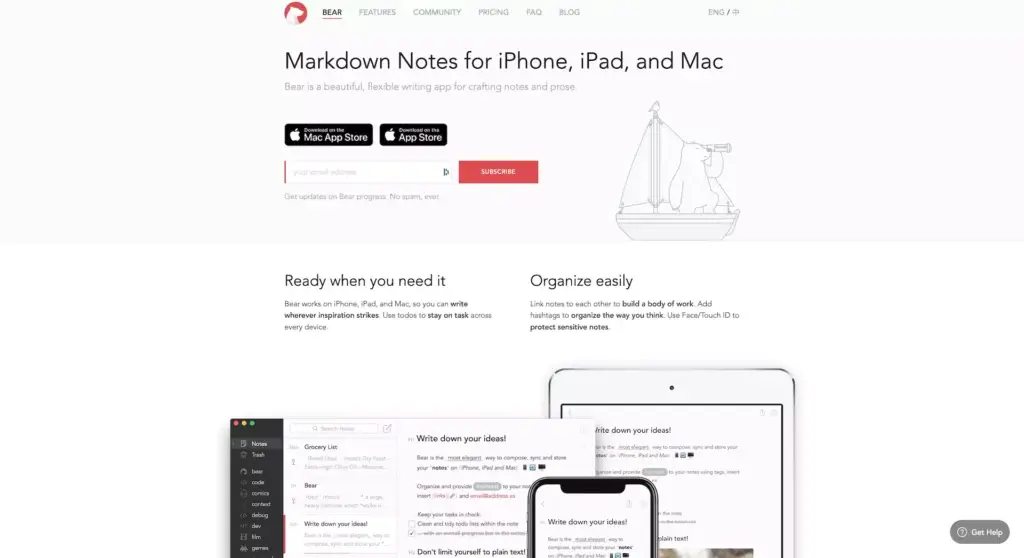
Bear is a beautiful, minimalist note-taking app available exclusively on Apple devices. Known for its elegant design and focus on simplicity, Bear is favored by writers and creatives who appreciate its markdown support and seamless syncing across iPhone, iPad, and Mac. It’s designed to be a lightweight but powerful tool for organizing notes, writing, and journaling.
Best Features of Bear
Clean and minimalist interface with markdown support
Rich text formatting options with inline images and links
Tagging system for organizing notes and easy retrieval
Seamless syncing across all Apple devices via iCloud
Focus mode for distraction-free writing
Limitations of Bear
Available only on Apple devices, limiting cross-platform accessibility
Lacks collaboration features, making it less suitable for team use
No support for non-markdown file attachments like PDFs or spreadsheets
Limited export options compared to other note-taking apps
What People Think About Bear
Users love Bear for its simplicity and beautiful design, especially on Apple devices. However, its lack of collaboration features and platform exclusivity are seen as significant drawbacks.
Microsoft OneNote
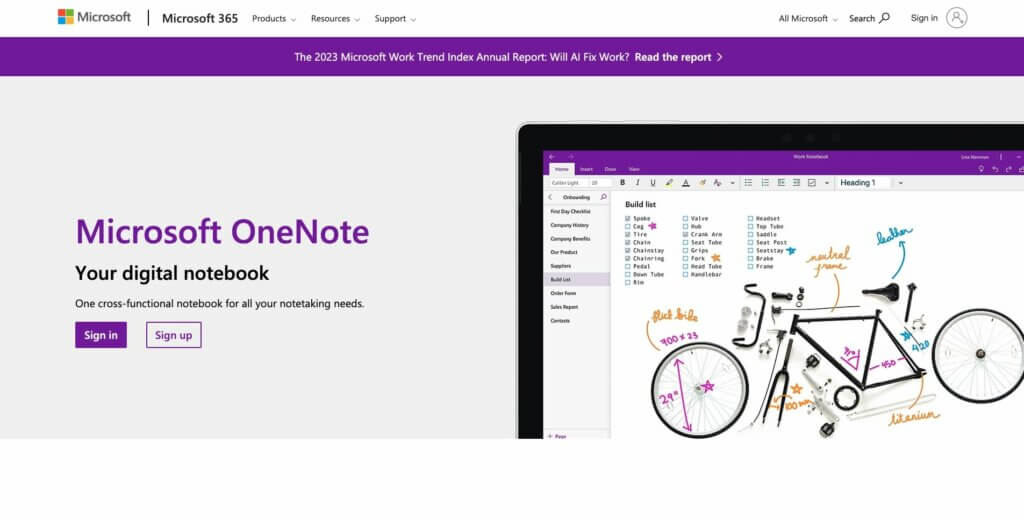
If you're a Windows user, why not give OneNote a try? Microsoft OneNote is a digital note-taking app that integrates seamlessly with the Microsoft Office suite. Known for its freeform note-taking style, OneNote allows users to type, draw, and clip content from the web. It’s popular among students, educators, and professionals who value its tight integration with other Microsoft products like Word, Excel, and Outlook.
Best Features of Microsoft OneNote
Freeform note-taking with text, drawings, and web clippings
Seamless integration with Microsoft Office tools
Robust organization features with notebooks, sections, and pages
Real-time collaboration with shared notebooks
Cross-platform support with cloud syncing via OneDrive
Limitations of Microsoft OneNote
The interface can feel cluttered and overwhelming for some users
Offline functionality is tied to OneDrive and can be limited without it
Search functionality is less powerful compared to some alternatives
Limited export options, especially for non-Microsoft formats
What People Think About Microsoft OneNote
OneNote is appreciated for its integration with the Microsoft ecosystem and freeform note-taking capabilities. However, some users find the interface cluttered and wish for better export options.
Obsidian
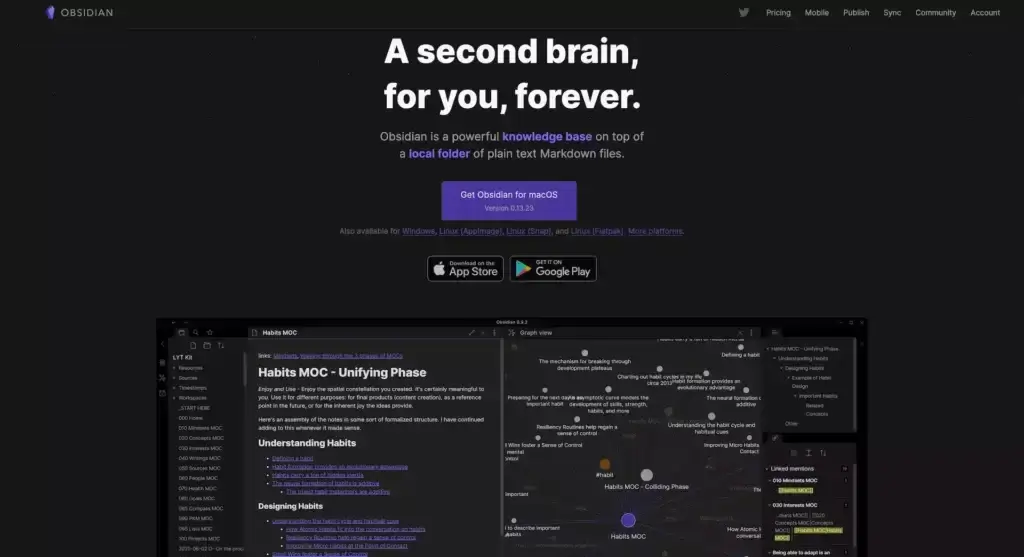
If privacy is your number one priority, try Obsidian. This note-taking app is designed with power users in mind, particularly those who prefer a local-first, markdown-based approach. Obsidian stores your notes locally on your device, ensuring that your data remains private and under your control. It's especially popular among users who appreciate the ability to link notes and create a personal knowledge management system.
The graph view, which visually represents the bi-directional links between your notes, is a standout feature that helps you see connections and relationships in your information. Additionally, Obsidian is highly extensible with a wide range of community plugins that add various functionalities.
Best Features of Obsidian
Local-first storage with markdown support for complete data ownership
Graph view to visualize the connections between your notes
Extensive community plugin ecosystem for added functionality
Offline access with no reliance on cloud services
Customizable themes and layouts for a personalized experience
Limitations of Obsidian
Lacks built-in collaboration features, making it less ideal for teams
The interface may feel overwhelming for users new to markdown
Limited native integration with other productivity tools
Mobile apps are less mature compared to desktop versions
What People Think About Obsidian
Users love Obsidian for its focus on privacy and customization, particularly the graph view and plugin options. However, some miss collaboration features and find the markdown approach challenging.
Nimbus Note

Nimbus Note is a robust note-taking and information management tool designed to help users organize and share their notes effectively. It's particularly well-suited for users who need a more structured way to manage content, offering a wide range of features that make it a strong alternative to Evernote. Nimbus Note is known for its versatility, allowing users to create notes, databases, tasks, and even embed videos and images, making it a comprehensive solution for both individual and team use.
Nimbus Note stands out for its ability to handle complex content and organize it in a way that’s easy to navigate. Whether you're managing personal notes, work-related documents, or collaborative projects, Nimbus provides the tools you need to stay organized and productive.
Best Features of Nimbus Notes
Advanced organization with folders, subfolders, and tags for easy navigation
Rich media embedding, including videos, images, and PDFs
Web clipper for saving content directly from the web into your notes
Collaboration tools with shared workspaces and real-time editing
Cross-platform availability with apps for Windows, Mac, iOS, Android, and web
Limitations of Nimbus Notes
Some features, such as extensive storage and advanced functionality, require a premium subscription
The interface can be overwhelming for users who prefer a simpler note-taking app
Limited offline capabilities compared to other note-taking tools
Integration with third-party apps is not as extensive as some competitors
What People Think About Nimbus Note
Users appreciate Nimbus Note for its powerful organization features and ability to handle rich content. However, some find the interface a bit complex and the reliance on premium plans for full functionality can be a drawback for those looking for a completely free solution.
Apple Notes
If you're in the Apple ecosystem, Apple Notes is a surprisingly capable Evernote replacement. With iOS 18 and macOS Sequoia, Apple added Apple Intelligence features including AI-powered writing tools, smart summaries, and natural language search. Notes sync seamlessly via iCloud across iPhone, iPad, and Mac.
Best Features of Apple Notes
Deep Apple ecosystem integration (Siri, Spotlight, Shortcuts)
Apple Intelligence writing tools and smart summaries
Rich formatting with tables, checklists, and drawings
Document scanning with OCR
Shared folders with real-time collaboration
Free with any Apple device
Limitations of Apple Notes
Apple-only — no Windows, Android, or web app
Limited organizational features (no tags, basic folders)
No AI agents or workflow automation
Cannot handle complex project management
Limited export options (no .enex import)
What People Think About Apple Notes
Users appreciate Apple Notes for its seamless integration and zero cost. However, its platform lock-in and basic organizational features make it unsuitable for power users who need cross-platform access or advanced AI capabilities.
Parting Words: Try Taskade for Free!
Switching from a productivity app like Evernote that you've relied on for years can feel like a daunting task. Your notes, ideas, and cherished memories are all stored within its green-elephant walls. But as the landscape of note-taking evolves, this could be the perfect moment to embrace something new—something more powerful.
While there are plenty of alternatives out there, we believe Taskade stands out as your best bet. We're not just a note-taking app; we're an all-in-one productivity platform powered by AI. We offer a free forever plan, giving you access to unlimited tasks, notes, and collaborative features without any hidden costs. With Taskade, you can create AI-driven workflows, automate tasks, and collaborate with your team in real-time, all within a beautifully designed interface that's intuitive and easy to use.
🧬 The Evolution Beyond Note-Taking: Living Knowledge
Note-taking is just the beginning. With Taskade Genesis, your notes transform into living software — AI agents trained on your knowledge that can answer questions, execute tasks, and evolve as you learn. Build your own AI-powered second brain with vibe coding. Explore AI apps in our community.
Why stick with the old when you can have the future at your fingertips? Make the switch to Taskade today, and discover a smarter, more efficient way to manage your notes and projects. The best part? You can try it for free, forever.
Happy note-taking, and welcome to the next level of productivity with Taskade!
Custom AI Agents: Train agents on your documents and let them auto-organize your notes, answer questions, and complete tasks. 34 built-in tools with persistent memory and multi-model support.
Taskade Genesis: Build complete apps from a single prompt — dashboards, portals, forms, websites. Custom domains, password protection, Community Gallery.
AI Automations: 100+ integrations with durable execution. Automate workflows with branching, looping, and conditional logic.
7 Project Views: List, Board, Calendar, Table, Mind Map, Gantt, Org Chart — all from the same project.
AI Prompt Templates: Hundreds of specialized prompts for note-taking, project planning, research, and more.
Start building for free or explore AI apps in our community.
Frequently Asked Questions About Evernote Alternatives
What is the best alternative to Evernote?
Taskade is one of the best alternatives to Evernote. It combines task management and note-taking, making it versatile for both personal and professional use. Notion is another strong contender, offering databases, task management, and extensive customization options. OneNote is excellent for those deeply integrated into the Microsoft ecosystem. It provides robust note-taking features and seamless integration with other Microsoft apps.
What has happened to Evernote?
Over the years, Evernote has faced several challenges, including management changes, increased competition, and user dissatisfaction with updates. While it remains functional and continues to have a dedicated user base, it has struggled to innovate and keep up with newer, more versatile tools like Notion and Taskade. These issues have led some users to seek more robust alternatives.
Is Evernote still good?
Yes, Evernote is still a good tool for note-taking and organizing information. It provides a straightforward interface and reliable performance for capturing and storing notes. However, for users looking for more advanced features or better integration with other tools, Evernote may not be the best fit. Newer alternatives like Taskade and Notion offer more comprehensive solutions.
What is the disadvantage of Evernote?
One significant disadvantage of Evernote is its limited feature set compared to newer competitors. While it excels in basic note-taking, it lacks the advanced task management and customization options found in other tools.
What is the downfall of Evernote?
The downfall of Evernote can be attributed to several factors, including its failure to innovate as quickly as its competitors. Management issues and user dissatisfaction with updates have also played a role. While it remains a functional tool, Evernote has struggled to keep up with the evolving needs of its users, leading many to switch to more advanced and versatile alternatives.
What's the future of Evernote?
The future of Evernote is uncertain. While it continues to have a dedicated user base, it faces stiff competition from more innovative tools like Notion and Taskade. Continuous updates and feature improvements will be crucial for its survival. Evernote needs to address user feedback and adapt to changing productivity trends to remain relevant in the market.
Will Evernote be discontinued?
As of now, there are no official announcements about Evernote being discontinued. However, its future depends on its ability to compete with newer, more innovative tools. Continuous updates and user-focused improvements will be essential for its long-term viability.
🔗 Related Reading
- Best Note-Taking Apps
- Best Notion AI Alternatives
- Taskade vs Evernote — Side-by-side comparison
- Taskade vs Notion — Workspaces compared
- Taskade vs Obsidian — Note apps compared
