






A support inbox gets a message at 2am. Your workflow fires, sends the text to a model, gets back a polite three-sentence reply, posts it, and stops. Tomorrow the same customer writes again about the same problem, and your workflow does the identical thing, having learned precisely nothing from the night before.
That is the shape of almost every "AI automation" shipped today. It works. It is genuinely useful. It is also not agentic, and the difference is not academic — it decides whether your automation gets better over time or stays exactly as good as the day you built it.
TL;DR: Agentic automation hands a workflow step to an agent that plans, picks its own tools, and adapts. Taskade agents add persistence on top, carrying knowledge and memory across runs. Before this library's rebuild, its 1,616 blueprints used a stateless AI step 786 times and a named agent zero times. Build one free →
What Is Agentic Automation?
Agentic automation is a workflow in which at least one step hands work to an AI agent that plans its approach, picks its tools, and adapts to what it finds — rather than running a fixed, one-shot model call. Agency lives in that decision-making. An agent can show it inside a single run, with no long-term memory at all.
Persistence is a second, separate axis, and it is where Taskade's pattern sits. Storing state between runs does not by itself make anything agentic — plenty of stateful workflows decide nothing. What Taskade adds is a persistent agent: a named workspace object that carries an attached knowledge base into every run, so the same judgment can build on your material instead of merely repeating. Agency plus persistence is the combination the rest of this article is about.
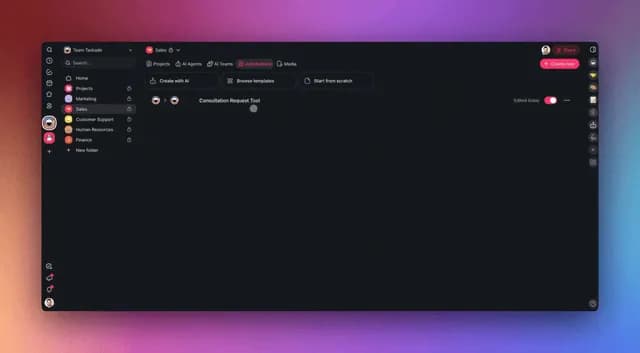
You can see both live: browse the automation library for working examples, or start from the agent-driven workflows category where the agent is the point rather than an afterthought. For the pattern vocabulary that sits on top of this definition, agentic workflows explained covers the named design patterns, and what AI agents are covers the agent itself from scratch.
The Five-Point Test: Stateless AI Step vs Persistent Agent
A quick way to classify any AI workflow is to check five properties of the step doing the thinking. A stateless call has none of them by design. A persistent Taskade agent has all five, and each one is a compounding advantage rather than a feature bullet on a comparison page.
| Property | Stateless AI step | Persistent agent |
|---|---|---|
| Memory | None. Each run starts blank. | The agent keeps its own, remembering each user across sessions. |
| Knowledge | Only what you paste into the prompt, every single time. | Projects, documents, and links you attach once — and a workflow can add more. |
| Tools | None of its own. The workflow must fetch everything first. | Brings its own — web search, code execution, file analysis. |
| Consistency | Varies with prompt drift; ten workflows means ten prompts to keep in sync. | One agent answers the same way for every workflow that calls it. |
| Cost of a re-run | You pay the full model call again, and it starts from the same blank context every time. | You pay the call plus whatever context and tool use the agent adds — and it starts from the knowledge you have built up. |
Read the bottom row twice, because it is the row with a real trade in it. A stateless step does not accumulate: run one thousand starts from exactly the same blank context as run one. An agent can climb, because the knowledge attached to it — including whatever a workflow writes back — gives each run a better starting position than a blank prompt does. But that is a benefit you maintain, not an outcome you are guaranteed. The extra context and the agent's own tool calls cost more per run than a bare model call, and knowledge that has gone stale or memory that has filled with noise will pull quality down rather than up. Treat an agent's knowledge like any other source of truth: keep it narrow, keep it current, prune it when it stops being true.
For the mechanics of how those runs execute, automation execution in Learn Taskade walks through what happens between the trigger and the final action.
Most "AI Automation" Shipped Today Is One Stateless Call
Here is a measurement rather than an assertion, and it is a historical one. Before the rebuild this library is now shipping, its 1,616 published blueprints used the stateless Ask AI action 786 times and the agent-addressed Ask Agent action zero times. Every author had both available and reached for the stateless one.
That was never a Taskade-specific failure. It is the industry pattern rendered in a corpus you can count. Zapier, Make, and n8n all ship an excellent AI action, and it is genuinely the right tool for a large class of jobs. But the default shape everyone learned — trigger, one model call, write — is a shape in which nothing can accumulate.
That baseline is why the library was rebuilt around agent-addressed steps. More than half of the published blueprints now address a named agent rather than a stateless call, and the workflow, process, and action categories are where that landed first.
The honest reading of the old 786-to-zero split is not "everyone was doing it wrong." It is "the stateless step is the path of least resistance, and almost nobody stops to ask whether the job deserves an agent." That question takes about thirty seconds and is the single highest-leverage thing in this article.
How a Stateless AI Step Actually Runs
A stateless step is three moves. Something happens, a model is asked, a result is written. The model receives exactly what the prompt contains and nothing more: no attached knowledge, no record of earlier runs, no tools of its own. When it returns, that context is discarded, and the next run rebuilds the same prompt from scratch.
Note what this shape is good at. It is fast, cheap, easy to debug, and completely predictable in structure. There is no hidden state to explain a surprising output. When a job genuinely has no history worth keeping, that predictability is a feature and not a limitation.
How an Agentic Automation Runs Instead
An agentic automation replaces the middle. The trigger and the write stay exactly the same. What changes is that the judgment step addresses a named agent, and that agent arrives carrying knowledge, memory, and tools — then hands a result back to the deterministic part of the workflow.
Three details are worth reading closely.
The Agent Tool trigger at the top is how an agent starts one of your flows, and wiring it takes two steps rather than one. Add the trigger, name the automation clearly — the agent uses that name to decide when to call it — then go to the agent's Tools tab, add that automation, and enable it. The trigger on its own registers the flow on no agent at all. By default the agent asks your approval before each call, until you set that tool to automatic approval.
Run Automation is a separate thing: an action one automation uses to call another, with no agent involved.
The dotted line back writes knowledge, not memory — the two are different layers in Taskade. Knowledge is what the agent reads and you write; memory is what the agent remembers, and the agent manages it itself across conversation sessions. An automation can add to knowledge with Add Knowledge To Agent, and if you leave that step out, the run teaches the agent nothing.
When a Stateless AI Step Is the Right Choice
A stateless AI step is the correct choice whenever every run is independent. Memory adds nothing to a job with no history, and an agent you do not need is an agent you have to maintain, scope, and explain. This is not a consolation prize — for a large share of automations, the stateless step is the better engineering decision.
Use a stateless step for:
- One-shot transforms. Translate a message, convert Markdown to HTML, reformat a date, strip HTML from a scraped page.
- Field extraction. Pull the invoice total, the sender's company, the meeting date. The answer is in the input; nothing prior helps.
- Fixed-bucket classification. Route a ticket into one of five queues. A five-way choice does not need a colleague.
- Summarization of a single document. The source is right there and self-contained.
- High-volume, low-stakes work where the cheapest possible call is the point.
Use an agent when the job has any of these:
- The right answer depends on your material — your product, your policies, your past decisions.
- The same judgment is needed by several workflows and must stay consistent across all of them.
- The work benefits from doing its own lookups rather than being handed pre-fetched context.
- The quality should improve as the system sees more cases.
                    ┌─────────────────────────────────┐
                    │  Does the job need to know       │
                    │  anything from a PREVIOUS run?   │
                    └───────────┬─────────────────────┘
                                │
                 ┌──── NO ──────┴────── YES ────┐
                 │                              │
                 ▼                              ▼
   ┌─────────────────────────┐    ┌──────────────────────────┐
   │  Is the answer fully     │    │  Will more than ONE      │
   │  contained in the input? │    │  workflow ask this?      │
   └───────────┬─────────────┘    └────────────┬─────────────┘
               │                                │
        YES ───┴─── NO                   NO ────┴──── YES
         │           │                    │            │
         ▼           ▼                    ▼            ▼
   ┌──────────┐  ┌───────────┐     ┌───────────┐  ┌──────────────┐
   │ Ask AI   │  │ Ask Agent │     │ Ask Agent │  │ Ask Agent    │
   │ stateless│  │ w/ narrow │     │ one agent │  │ Team         │
   │ + cheap  │  │ knowledge │     │           │  │ specialists  │
   └──────────┘  └───────────┘     └───────────┘  └──────────────┘
The Four Things That Make an Automation Agentic
Four properties separate an agentic automation from a workflow that merely contains a model. You want all four before you count on the compounding effect. Any three of them gets you a nicer stateless step: useful, worth building, but not something that will be measurably better in six months than it is on the day you ship it.
1. A named agent, not an anonymous call. The agent exists outside any one workflow. You create it once at /agents, give it a job description, and every automation that needs that judgment addresses the same entity. Ten workflows sharing one agent means one place to improve all ten. The custom agents guide covers creating and scoping one.
2. Knowledge that is attached, not pasted. You attach projects, documents, and links to the agent once. It reasons over your material on every run without anyone rebuilding a context blob in the prompt. When your policy changes, you update the source project and every workflow that calls the agent is immediately current. Structured knowledge works especially well here — see databases in projects for keeping the agent's source material queryable.
3. Tools the agent carries itself. An agent can search the web, run code, and analyze files on its own initiative, rather than waiting for the workflow to pre-fetch everything it might need. This matters more than it sounds: a stateless step can only reason over what you predicted it would need, while an agent can go and get what it turns out to need.
4. A loop that closes both ways. Automations reach agents through the Ask Agent action. Agents reach automations through the Agent Tool trigger, which takes two steps: put the trigger on the flow, then add that flow to the agent's tools and enable it in the agent's Tools tab. Skip the second step and the agent never sees it. (Do not confuse any of this with Run Automation, which is one automation calling another and involves no agent.) Once both directions exist, the agent is a participant in the workflow rather than a decoration inside it.
The Real Step Names, and What Each One Is For
Vocabulary matters here, because these steps sit next to each other in the builder and behave completely differently at runtime. Two of them call a model, two of them address an agent, and one is not an AI step at all. Getting the names straight is most of the work when you are reading somebody else's flow.
| Action | What it addresses | Persists between runs | Best for |
|---|---|---|---|
| Ask AI | A model, statelessly | No | One-shot transforms, extraction, fixed-bucket sorting |
| Ask Agent | One named agent | Yes — knowledge and memory | Judgment that depends on your material |
| Ask Agent Team | Several specialized agents | Yes, per agent | Requests that split into different kinds of expertise |
| Run Automation | Another automation, from inside this one | N/A — it is execution | Composing one large workflow out of smaller ones |
| Agent Tool (a trigger) | This automation, from inside an agent | N/A — it is the entry point | Letting an agent decide at runtime to run your flow |
Two further actions are worth knowing when you build the knowledge side: Add Knowledge To Agent attaches new material to an existing agent from inside a workflow, and Add Project to Agent Knowledge points an agent at a whole project. Together they mean an automation can teach an agent as a side effect of running — which is the most literal form of compounding available.
Triggers stay exactly as they were. Whatever starts your current workflow — New Email, New Response from a form, New Row in a sheet, Task Added, Webhook Received, or a schedule like Every Day — starts an agentic one too. The reference lists live at automation triggers and automation actions.
Building One Without Code
The build is four steps and no code at all. Taskade offers 100+ bidirectional integrations: across the catalog, triggers pull events in and actions push data out, though an individual connector can be trigger-only or action-only. Check yours at /integrations. The order of the four steps below matters more than it looks.
- Create the agent first, not the workflow. Give it one clear job. "Answer billing questions using our current pricing and refund policy" beats "be helpful." A narrow agent is a consistent agent.
- Attach knowledge deliberately. Point it at the two or three projects that actually contain the answers. Attaching everything you own makes the agent vaguer, not smarter.
- Build the workflow around it. Pick your trigger, drop in an Ask Agent action where the judgment belongs, and use ordinary deterministic actions for everything else — creating the task, updating the row, sending the reply.
- Log the decision. Write the agent's output into a project. You now have a reviewable record, and that record is also material you can attach back to the agent later.
Browse working blueprints by domain at /automate/categories, then adapt the closest one rather than starting from an empty canvas.
Where Agentic Automation Actually Pays Off
Four patterns come up repeatedly, and all four share one trait: the same judgment is needed many times over, usually by more than one workflow. That is the signal to look for. A judgment made once, in one place, on input that never varies is a job a stateless step will do faster, cheaper, and with less to explain.
Support triage that improves. A New Email trigger hands the message to a support agent that knows your product docs and remembers how similar issues resolved. It drafts a reply and creates a task. The stateless version of this drafts a reply too — it just drafts the same quality of reply in month six as in week one.
Structured intake from unstructured input. Inbound forms, invoices, and applications arrive in inconsistent shapes. An agent that knows your schema handles the variance a rigid parser escalates. This is the query behind "data entry AI agent automation," and it is the clearest case where robotic process automation's brittleness shows — more on that pattern in agentic process automation and automating data entry.
Content pipelines with house style. A research agent gathers, a writing agent drafts against your style guide, an editor agent checks. That is an Ask Agent Team step rather than three prompts you keep in sync by hand. See agent routing patterns for how the dispatch decision works and inter-agent communication for how the handoffs are structured.
Operations that close the loop. A scheduled trigger asks an operations agent what needs attention today. The agent looks at the projects it knows, decides, and calls the relevant automations itself. This is the shape that most rewards the both-ways loop — the two-way automation post covers the mechanics in detail.
Common Mistakes When You First Switch
Making one agent do everything. A single agent with fifteen jobs and every document you own attached is worse than a stateless step, because it is inconsistent and expensive. Split by expertise. Multi-agent systems covers when to split and how far.
Giving the agent deterministic work. If a step has exactly one correct answer — create the task, set the due date, update the row — use the deterministic action. Never ask an agent to do arithmetic a Sum action does perfectly.
Skipping the log. An agentic automation you cannot audit is an agentic automation you will eventually turn off. Write decisions into a project from day one. AI agent reliability goes deeper on making agent output reviewable.
Converting everything at once. Most workflows should stay stateless. Find the two or three where the same judgment is repeated across workflows, convert those, and leave the translate-and-reformat jobs exactly as they are.
Which Model Runs It
Taskade gives you frontier models from top AI labs, and Auto is the default. Auto picks a model per request, which is the right setting for nearly every workflow — model selection is a tuning knob, not an architecture decision, and agentic automation is an architecture decision.
Pin a model per agent only when a specific strength matters: long-context reading for a research agent, a fast model for a high-volume classifier. Everything else stays on Auto. Context engineering covers what actually moves quality once the architecture is right, and the agent harness post covers the runtime layer underneath.
Frequently Asked Questions
These are the questions that come up most often once somebody has read the five-point test and gone looking at their own workflows. Several of them are about where the line actually falls, and one is about cost, which is usually the question underneath the other ones. Short answers first.
What is agentic automation in plain English?
Agentic automation is a workflow where the thinking step is done by an AI agent that decides how to approach the work and which tools to use, rather than by a fixed model call that just answers. In Taskade that step is Ask Agent, and the agent it addresses brings its attached knowledge into every run — knowledge a workflow can keep adding to with Add Knowledge To Agent.
What is the difference between an AI workflow step and an AI agent?
An AI workflow step is stateless: prompt in, text out, context discarded. An AI agent persists between runs, holds attached knowledge, keeps memory, carries its own tools, and can be addressed by any workflow that needs it. The step is a function call. The agent is a colleague you can call from ten different places and get a consistent answer from all ten.
Is an automation with an AI step in it agentic?
Not by itself. A trigger, one fixed model call, and a write is a classic automation with a language model in the middle, and it behaves identically on run one and run one thousand. It becomes agentic when the step can decide its own approach and reach for its own tools. Ask Agent is the step that changes it, and it brings the agent's knowledge and memory along too.
When is a stateless AI step the right choice?
When every run is genuinely independent. Translating, reformatting, extracting a field, sorting into fixed buckets, and summarizing one self-contained document are all jobs where memory adds nothing. For these, the stateless step is cheaper, faster, and easier to debug. Reach for an agent only when the work benefits from what happened before.
How does an AI agent remember things between runs?
Through two layers that work differently. Knowledge is what the agent reads, and you write it: the projects, documents, and links you attach. Memory is what the agent remembers, and it writes that itself, keeping what it learned about each user across sessions. An automation can add to knowledge with Add Knowledge To Agent; it does not write memory. So the loop a workflow closes deliberately is the knowledge loop.
Can an automation hand work to a specific agent mid-run?
Yes. Ask Agent takes an agent selector plus an input field, so you address one named agent and still say what this particular run is about — the agent adds its instructions, knowledge, and memory on top. Ask Agent Team hands one input to a group instead, where an execution mode decides who answers and a processing type decides what gets extracted.
Can an AI agent trigger an automation?
Yes, in two steps. Give the flow the Agent Tool trigger and a clear name, then add that flow to the agent's tools and enable it in the agent's Tools tab — the trigger alone registers it on no agent. After that the agent decides at runtime to run it, asking your approval first unless you set the tool to automatic approval. That is a different mechanism from Run Automation, which is one automation calling another.
Do I need code to build agentic automation?
No. You pick a trigger, add actions, and drop an Ask Agent step where judgment belongs. Creating the agent is a form, not a codebase. With 100+ bidirectional integrations, the trigger can be an email, a form response, a new spreadsheet row, a chat message, a webhook, or a schedule.
Which model runs an agentic automation?
Taskade offers frontier models from top AI labs, with Auto as the default. Auto selects per request so you do not tune model choice per step. Pin a model to a specific agent only when a job needs a particular strength, such as long-context reading or fast classification.
How is agentic automation different from robotic process automation?
Robotic process automation replays a recorded sequence of interface actions — exact, and brittle, because any change to the screen or input shape breaks the recording. Agentic automation replaces the brittle middle with an agent that reads the actual input and decides. The deterministic parts of the workflow stay deterministic in both cases.
How do I keep an agentic automation predictable?
Give the agent only the judgment step and leave everything with one correct answer to ordinary actions. Attach narrow knowledge instead of everything you own, write the agent one clear job, and log its output into a project so every decision is reviewable. A narrow agent with good knowledge is far more consistent than a broad one with all of it.
What does agentic automation cost to start?
Starting is free. Free starts with no AI credits: you earn credits with referrals and invites, or buy a credit pack on any plan. Paid plans start at Pro for $10 per month billed annually, with Business at $25 per month billed annually, Max at $100 per month billed annually, and Enterprise at $250 per month billed annually. See /pricing for the full comparison.
The Thirty-Second Version
Open your most-used automation and find the step where a model is asked to think. Then ask one question about it: would this step be better if it had remembered last time, and if it could go look something up on its own? Your answer decides which of the two steps in this article belongs there.
If the answer is no — you are translating, reformatting, or extracting — leave it stateless and feel good about it. If the answer is yes, that step deserves a named agent with your knowledge attached, and converting it is a ten-minute change that gives the step a starting position you can keep improving, instead of a blank one every time.
The 786-to-zero split that library used to show was never a story about a missing feature. It is a story about a habit. The stateless step is what everyone learned first, and it is still the right answer often enough that nobody stops to check. Checking is the whole job.
Browse working examples at /automate and /automate/agents, see what people have already built at /apps, or describe what you want and let it get built at /create.
▲ Memory feeds ■ Intelligence, and Intelligence triggers ● Execution — which creates new Memory. A stateless step breaks that loop every time it returns. An agent is what closes it.