






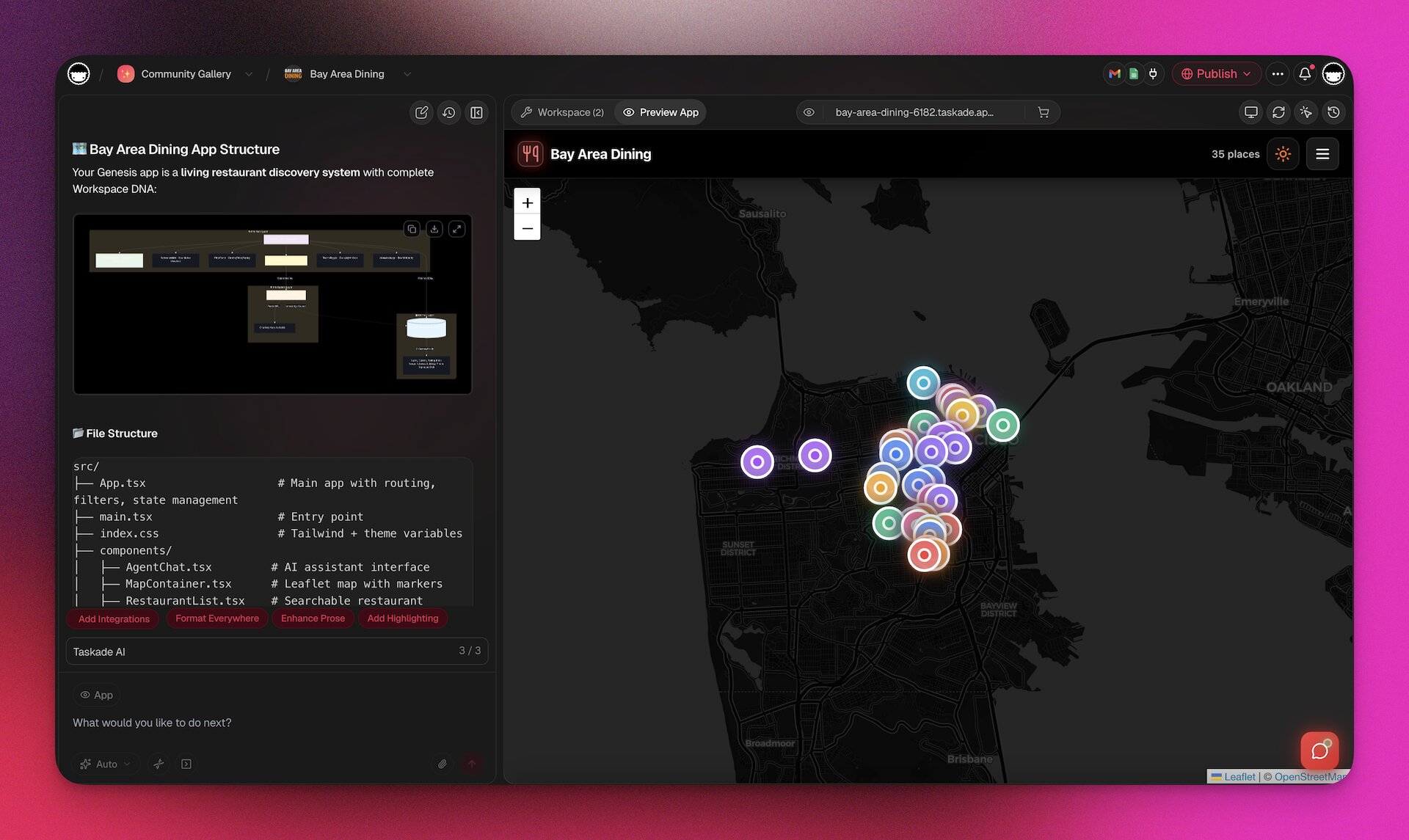
Taskade Genesis is an AI-powered app builder and vibe coding platform that transforms a single natural language prompt into a complete, living business application. It is the first text-to-app platform to combine no-code app generation, custom AI agents, structured databases, and workflow automations in a unified workspace.
This is the definitive guide. Whether you are evaluating Genesis for your team, building your first app, or looking to master advanced features like multi-agent systems and automation workflows, this article covers everything you need to know in 2026.
TL;DR: Taskade Genesis is the only AI app builder that delivers living software — apps with built-in AI agents, databases, automations, and 100+ integrations, all from a single text prompt. Over 150,000 apps built since launch. Choose from 15+ frontier models from OpenAI, Anthropic, Google, and open-weight providers. Publish to custom domains with analytics. Pricing starts free, Pro at $10/month. Try it free →
Last updated: July 28, 2026
🚀 Quick Start (5 Minutes)
New to Genesis? Start here:
- Try it now — Describe your app in plain English
- Choose your model — Claude Sonnet 4 recommended for first builds
- Watch it build — Complete app in 2-15 minutes with database, UI, and automations
- Iterate by chatting — "Add a form field" or "Change the colors to blue"
- Publish instantly — Get a shareable URL immediately
Example prompt: "Build a client portal for my agency with an intake form, project status board, and AI assistant that answers questions about our services."
Cost: Free plan includes 6,000 credits to start (enough for your first complete app). Pro plan ($10/mo annual) gives 50,000 monthly credits.
New to AI app building? Jump to Create Your First App in Minutes or watch the video tutorial.
What Is Taskade Genesis?
Taskade Genesis is a no-code AI app builder that turns a text prompt into a complete, deployable web application in 2 to 15 minutes. The app you get is not a prototype or a wireframe. It is a production-ready system with a responsive UI, a structured database, embedded AI agents, and automated workflows.
Genesis launched in October 2025 as the biggest product leap in Taskade's 8-year history. It builds on the platform's existing capabilities — real-time collaboration, AI agents, and workflow automation — and connects them into a single creation flow.
Here is what changes when you build with Taskade Genesis instead of the traditional way:
| The old way | With Taskade Genesis |
|---|---|
| Write specs, wireframes, and database schemas | Describe your needs like talking to a colleague |
| Hire developers, configure servers, manage environments | Your idea becomes a working app in minutes |
| Debug APIs, handle auth, coordinate teams | Changes happen through conversation |
| Implement SSL, security audits, vulnerability scans | Security and hosting are handled automatically |
| Maintain servers, apply patches, monitor performance | Focus on your business — infrastructure is invisible |
| Months of development, testing, and deployment | Start getting real user feedback today |
Here is what makes it different from every other app builder on the market:
- One prompt = one app. Describe your business problem in plain English. Genesis architects the entire solution.
- Apps are alive. They are not static code exports. They run on Taskade's infrastructure, powered by your workspace data, and they improve as your workspace grows.
- No code, no configuration, no deployment steps. Your app is live the moment it is built. Share the URL and users can start interacting immediately.
- AI agents are embedded by default. Every Genesis app can include custom AI agents that understand your business context, trained on your documents and projects.
- Automations connect everything. Workflows trigger on events, connect to 100+ external services, and use AI agents as intelligent decision-makers within the flow.
Genesis is not just an app builder. It is an agent hosting platform for living AI systems. That distinction matters because it means your apps do not just display information — they think, act, and evolve.
Genesis as a Vibe Coding Platform
Vibe coding — the term coined by Andrej Karpathy in 2025 — describes building software by describing what you want instead of writing code. Genesis takes vibe coding further than any other platform:
- Text to app, not text to code. Tools like Bolt.new, Lovable, and Cursor generate code files you must deploy yourself. Genesis generates complete, deployed applications.
- Living output. Vibe coding with Genesis produces apps that self-improve through the Workspace DNA feedback loop.
- No IDE required. Unlike developer-focused vibe coding tools, Genesis is designed for business teams — no terminal, no Git, no configuration.
- Built-in intelligence. Every Genesis app can embed custom AI agents, making it the only vibe coding platform where your apps can think, not just display.
MIT Technology Review included vibe coding in its "10 Breakthrough Technologies 2025" list. Taskade Genesis takes it from text-to-code to text-to-app — and beyond:
| Concept | What it means | Example |
|---|---|---|
| Vibe Coding | Describe your app → it builds itself | "Build me a booking system" → live app in minutes |
| Vibe Payments | Stripe-powered payment flows triggered by automations | Customer pays → receipt sent → record updated → Slack notified |
| Vibe Workflows | Forms and requests that create automated processes | New client submits form → welcome email → onboarding checklist → agent assigned |
| Vibe Marketing | Content aggregation and cross-platform publishing | RSS triggers → AI summarizes → posts to LinkedIn, X, and Slack |
| Vibe Tracking | Leads and data synced across tools via webhooks | HubSpot deal closes → Google Sheets updated → Slack celebration → follow-up task created |
If you are looking for the best AI app builder that brings vibe coding to non-developers, Taskade Genesis is it.
"Software should be alive. And now, it is." — The Taskade Genesis Manifesto
Who is Genesis for?
| Audience | Use Case | Example |
|---|---|---|
| Solopreneurs | Launch business tools without hiring developers | Invoice generator, booking system, client portal |
| Startups | Prototype and ship internal + customer-facing tools fast | CRM dashboard, onboarding flow, feedback system |
| Agencies | Build custom apps for clients without code | Client portal, project tracker, approval workflow |
| Enterprise teams | Replace scattered spreadsheets with intelligent systems | Employee onboarding, compliance tracker, vendor management |
| Educators | Create interactive learning platforms | Course platform with AI tutor, quiz system, progress tracker |
| Non-technical founders | Turn ideas into working products | MVP for investor demos, customer-facing tools |
Try it now: Build Your First App — no credit card required.
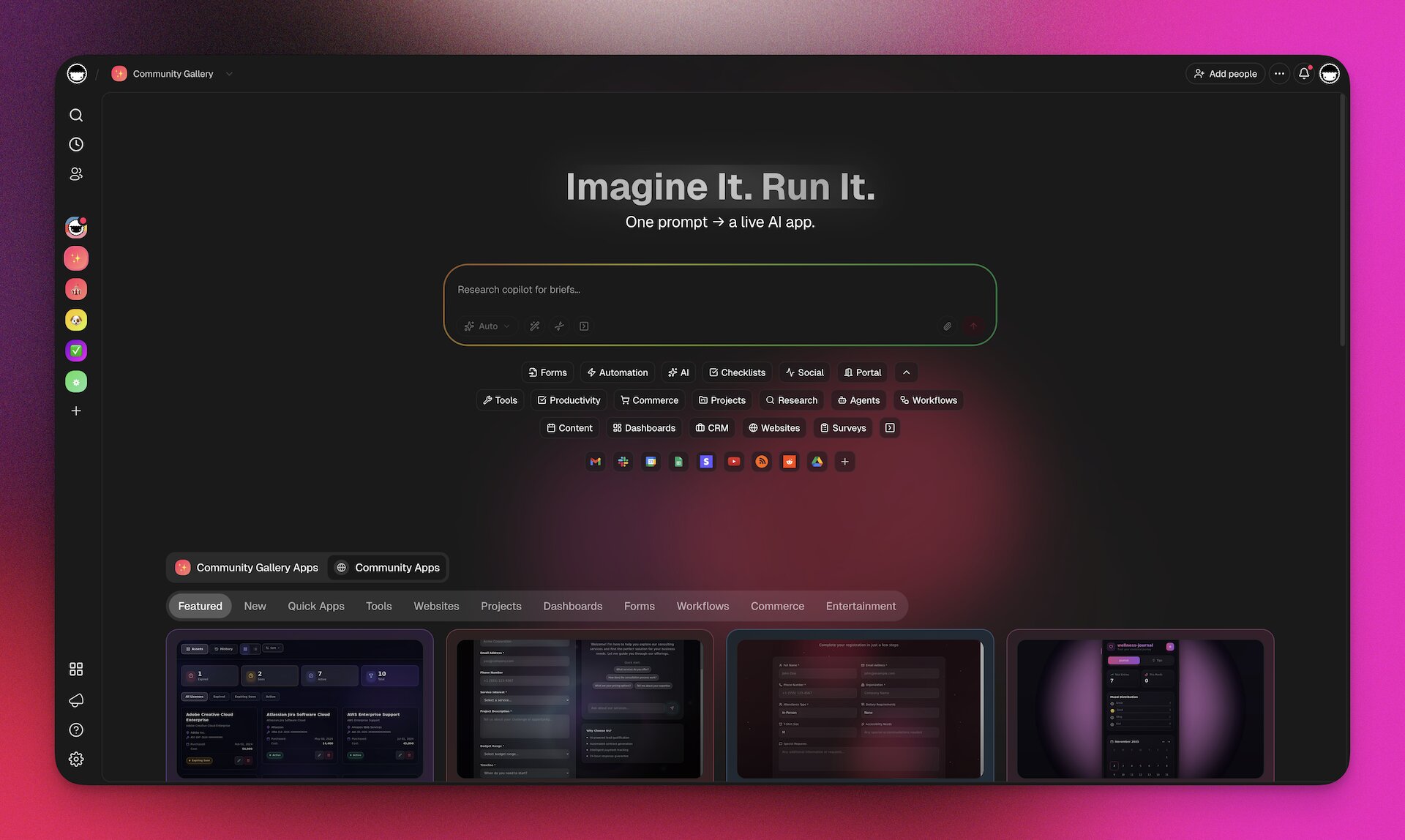
How Genesis Works: The Workspace DNA Architecture
Every Taskade workspace has a unique Workspace DNA — the combination of your projects, agents, and automations that forms the genetic code of your working environment. Genesis reads this DNA to build apps that are pre-connected to your existing data and workflows.
This is the fundamental architectural difference between Genesis and every other app builder. Other tools start from a blank canvas. Genesis starts from your workspace.
The Tree of Life
Genesis is built on a three-pillar architecture called the Tree of Life:
| Pillar | Component | Role | What It Powers |
|---|---|---|---|
| Memory | Projects and Databases | Data storage and knowledge base | Structured data, custom fields, multiple views, relationships |
| Intelligence | AI Agents v2 | Reasoning and decision-making | Custom tools, persistent memory, multi-model AI |
| Execution | Automations | Workflows and actions | 100+ integrations, branching logic, durable execution |
These three pillars work together in a continuous feedback loop:
- Memory feeds Intelligence. Agents read your project data to understand context.
- Intelligence triggers Execution. Agents make decisions that activate automation workflows.
- Execution creates Memory. Automations write results back into projects, enriching the data.
This loop is what makes Genesis apps "living." They are not static — they improve as more data flows through the system.
For a deeper dive into this architecture, see the Workspace DNA guide.
The Workspace Intelligence Score
Your workspace earns an Intelligence Score from 0 to 100, measured across three dimensions:
| Component | Points | Impact |
|---|---|---|
| Each project | +2 points | More data for Genesis to draw from |
| Each AI agent | +10 points | More intelligence available to apps |
| Each automation | +5 points | More execution capabilities |
The score maps to five tiers:
| Score | Tier | Genesis Output Quality |
|---|---|---|
| 0 | Empty | Basic app from prompt only |
| 1-25 | Starter | Apps with basic context |
| 26-50 | Builder | Apps with moderate data integration |
| 51-75 | Expert | Rich apps with agent + automation integration |
| 76-100 | Genius | Maximum quality — apps use your full workspace DNA |
Media: Files as Living Knowledge
Every file you upload becomes part of your Workspace DNA — not just stored, but actively understood. PDFs, documents, images, spreadsheets, and screenshots all feed into your AI agents' knowledge and your app's UI.
| File Type | How Genesis Uses It |
|---|---|
| PDFs & Documents | Agents read, summarize, and answer questions about them |
| Spreadsheets (CSV, XLSX) | Import as project databases with custom fields auto-detected |
| Images & Screenshots | Used in app UI, listings, and as visual context for generation |
| YouTube Videos | Auto-transcribed and added to agent knowledge |
| Cloud Storage (Drive, Dropbox, Box, OneDrive) | Linked as live knowledge sources |
Upload a product catalog PDF, and your support agent can answer questions about every product. Import a client CSV, and your CRM app has data from day one. This is how Workspace DNA accumulates — every file makes your apps smarter.
The takeaway: The richer your workspace, the better your Taskade Genesis apps. Before building your first app, populate your workspace with relevant projects, upload key documents, train a few agents, and set up some automations.
Taskade EVE: The Unified Intelligence
Taskade EVE is the unified intelligence system that orchestrates everything inside Genesis. When you type a prompt, Taskade EVE:
- Analyzes your prompt and extracts requirements
- Scans your Workspace DNA for relevant data
- Architects the application structure (UI, database schema, agent configuration, automation flows)
- Generates the complete app with all components connected
- Deploys it instantly with a shareable URL
You interact with Taskade EVE through natural language. There are no configuration screens, no drag-and-drop editors, and no settings panels. You describe what you want, and Taskade EVE builds it.
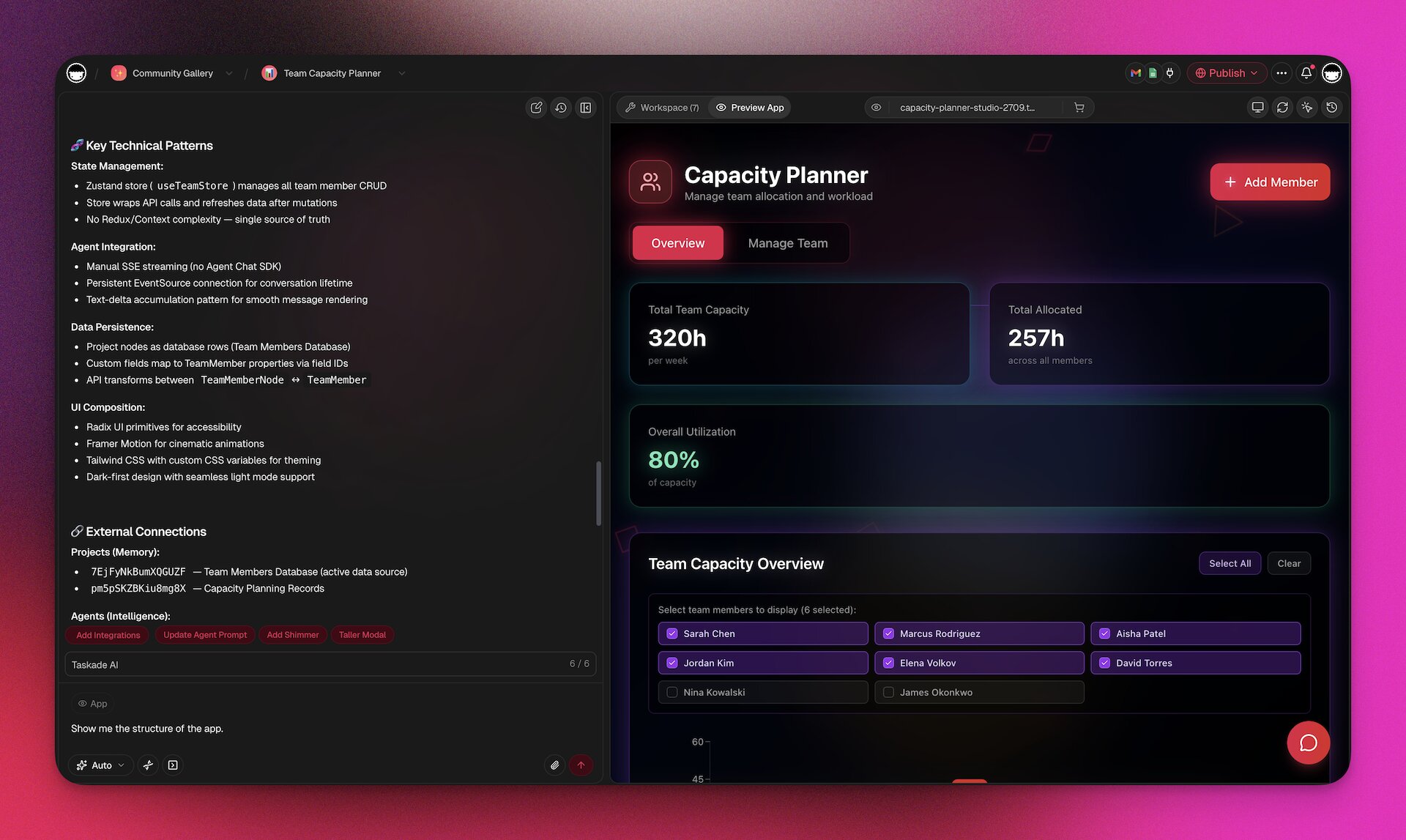
Taskade EVE's chat modes: You can switch Taskade EVE between interaction modes as the work changes — from quick iterations to deep architectural planning.
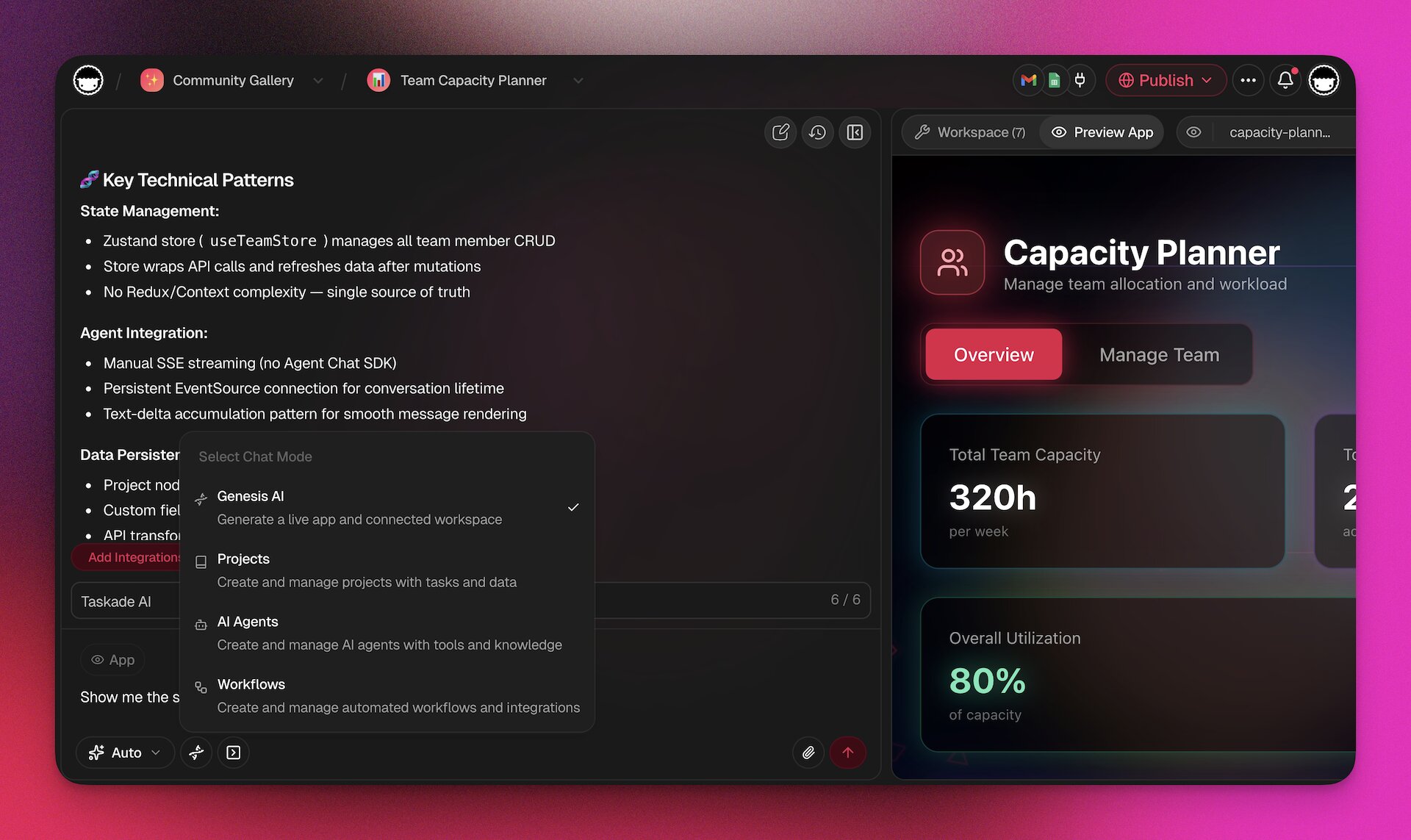
The Three Pillars: Memory, Intelligence, Execution
Understanding the three pillars is essential to getting the most out of Taskade Genesis. Each pillar is a complete system on its own, but their power comes from how they interconnect.
If you've used everyday tools, you already understand the pillars:
| Pillar | In plain English | If you've ever... |
|---|---|---|
| Memory (Projects) | Your workspace's living filing cabinet — but it updates itself | ...used a spreadsheet, you can use Projects |
| Intelligence (Agents) | A colleague who read every document you ever wrote | ...described a task to a coworker, you can train an Agent |
| Execution (Automations) | Email rules — but for anything in your business | ...set up an email filter, you can build a Flow |
| Interface (App UI) | A custom dashboard — but you spoke it into existence | ...sketched an idea on a napkin, you can build an App |
3 pillars × 3 capabilities each = 9 cells — 1 living system. That's Workspace DNA.
Memory: Projects and Databases
Projects are the memory layer of your workspace. They store structured data with custom fields, support multiple views, and serve as the knowledge foundation for AI agents.
Multiple Project Views:
| View | Best For |
|---|---|
| List | Linear task tracking, checklists, outlines |
| Board | Kanban workflows, pipeline management, status tracking |
| Table | Spreadsheet-style data, bulk editing, custom fields |
| Mind Map | Brainstorming, idea mapping, hierarchical thinking |
| Gantt Chart | Timeline planning, dependencies, resource allocation |
| Calendar | Time-based planning, scheduling, deadlines |
| Timeline | Sequential timeline visualization, milestone tracking |
| Org Chart | Team structures, hierarchies, reporting lines |
Custom Field Types:
| Field Type | Use Case |
|---|---|
| Text | Names, descriptions, notes |
| Number | Quantities, prices, scores |
| Date | Deadlines, milestones, timestamps |
| Select | Status, category, priority (single choice) |
| Multi-Select | Tags, labels, multiple categories |
| Checkbox | Boolean flags, completion states |
| URL | Links, references, external resources |
| Person | Assignees, owners, reviewers |
When Genesis creates an app, it auto-generates the optimal database schema based on your prompt. You can then customize fields, add relationships between databases, and import data from CSV, XLSX, or via API.
Intelligence: AI Agents v2
AI Agents are the intelligence layer. They are not chatbots — they are programmable digital teammates with persistent memory, custom tools, and the ability to take real actions across your workspace and external systems.
Core Agent Capabilities:
| Capability | Description |
|---|---|
| Custom tools | Build tools from automation flows that agents can invoke autonomously |
| Slash commands | Define custom commands (e.g., /summarize, /draft-email) |
| Built-in tools | Web search, YouTube transcription, PDF processing, image generation, and more |
| Persistent memory | Agents remember context across sessions — they learn over time |
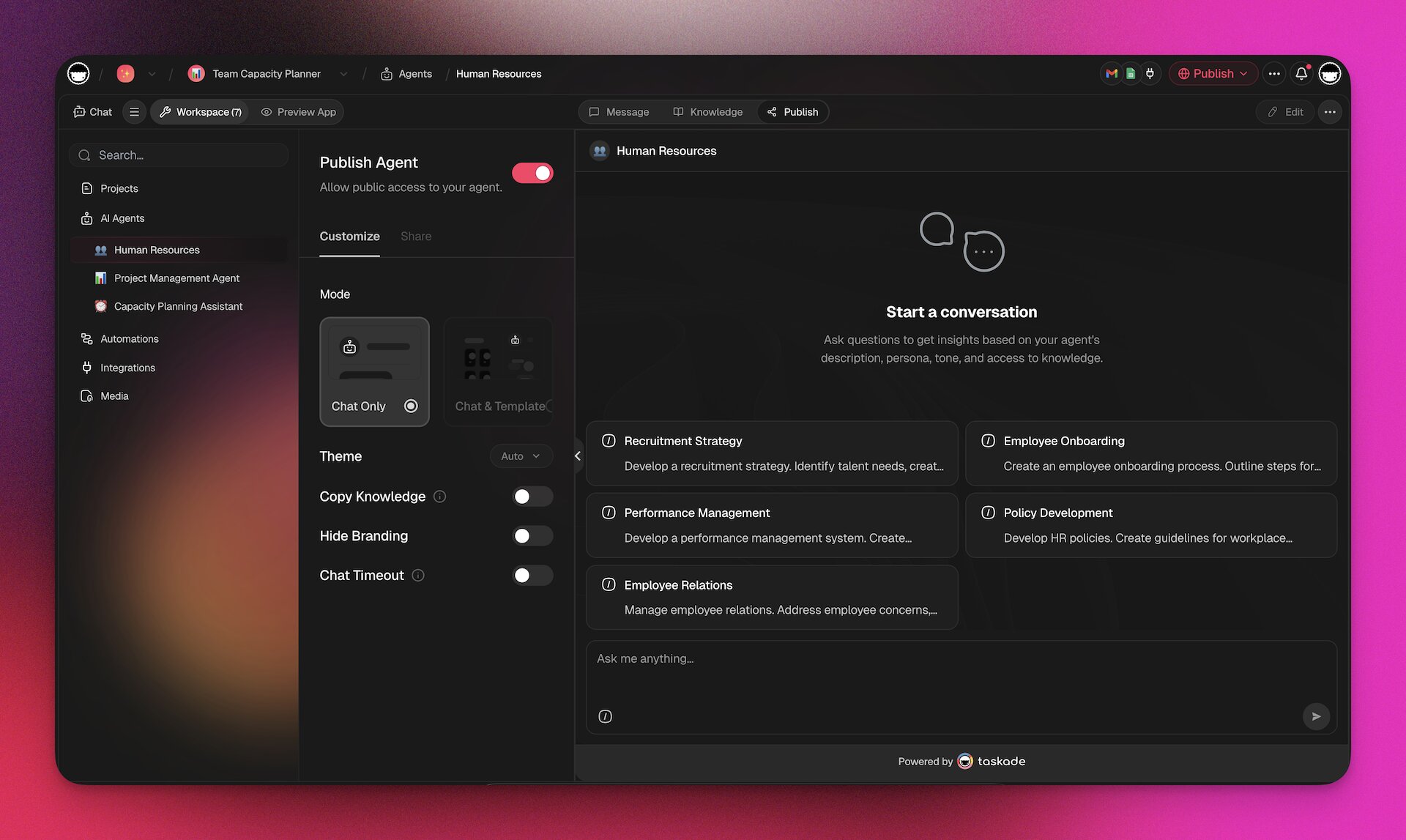
| Public embedding | Share agents publicly or embed them in websites and Genesis apps |
| Multi-model | Each agent can use a different AI model optimized for its task |
| Multi-agent teams | Teams of specialized agents that collaborate on complex tasks |
| Knowledge training | Train on documents, projects, URLs, cloud files, and media |
Agent Interaction Methods:
| Method | Description |
|---|---|
| Agent Chat | Direct 1-on-1 conversation |
| Project Chat | Agent answers questions about a specific project |
| Custom Commands | Trigger pre-defined actions |
| Agent Teams | Multiple agents collaborating |
| Public Chat | External users interact with your agent |
| Genesis App Embed | Agent embedded inside an app interface |
| Automation Step | Agent makes decisions within a workflow |
| API / MCP | Programmatic agent access |
Execution: Automations
Automations are the execution layer — the part that makes things happen. They connect triggers to actions, with AI agents serving as intelligent decision-makers within the flow.
104 automation actions across these categories:
| Category | Examples |
|---|---|
| AI Steps | ai.ask, ai.generate, ai.categorize, agent.ask, agent.run_command |
| Taskade Internal | Create project, update task, add comment, assign member |
| Communication | Slack message, Discord post, Teams notification, WhatsApp, SMS |
| Gmail send/find/draft, Outlook | |
| CRM | HubSpot create contact, Salesforce update, Apollo enrich |
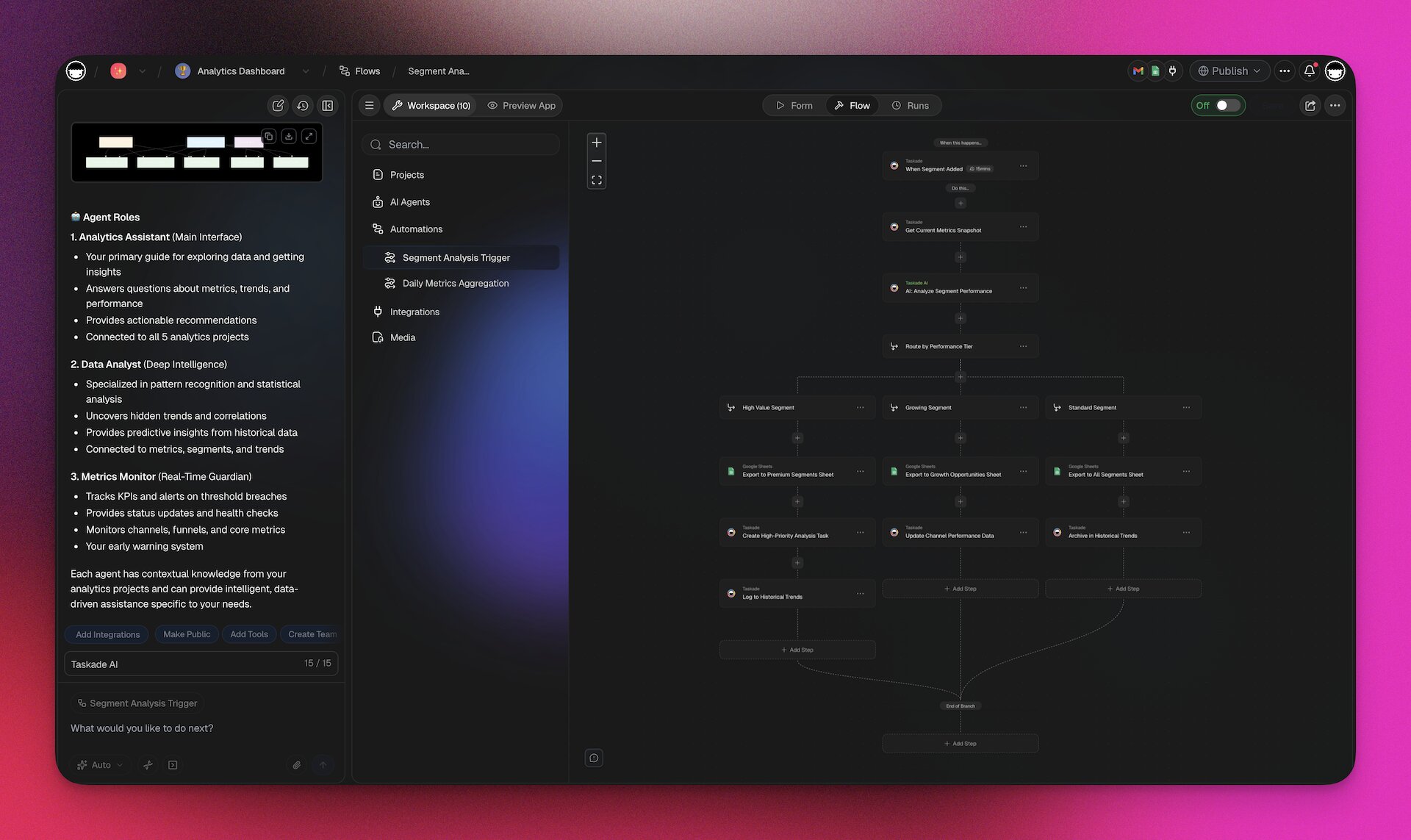
| Productivity | Google Sheets append, Calendly, Typeform, Airtable |
| Social Media | Twitter/X post, LinkedIn share, Facebook, Instagram, Reddit |
| Development | GitHub create issue, Webhooks |
| Payments | Stripe create invoice, charge |
| E-Commerce | Shopify order management |
| Storage | Google Drive upload, Dropbox, Box, OneDrive |
| Content | WordPress post, RSS monitoring |
Workflow Control Flow:
| Control | Description |
|---|---|
| Sequential | Steps execute one after another |
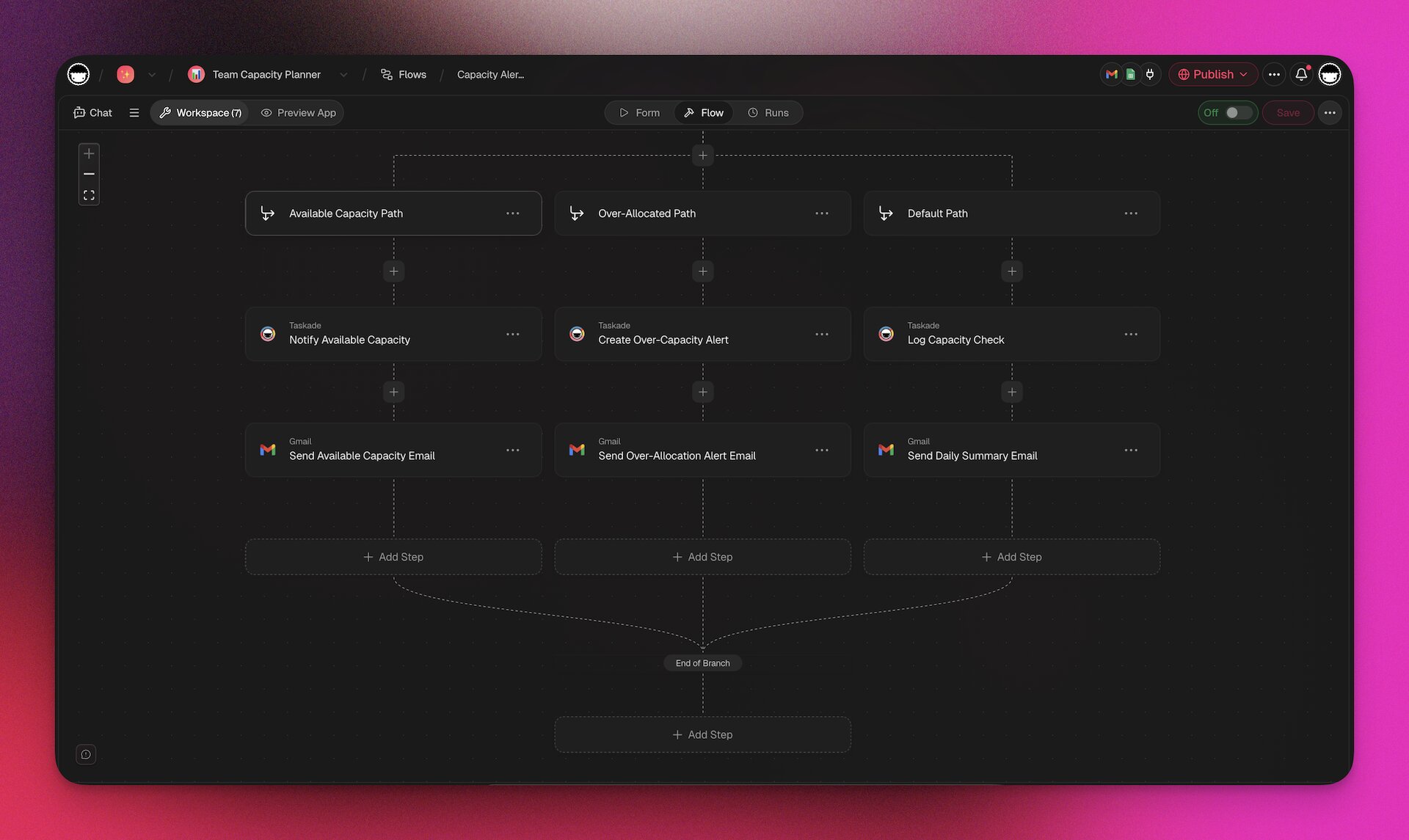
| Branching | Conditional logic (if/else) based on data |
| Looping | Repeat steps for each item in a collection |
| Delay | Wait for a specified time or until a condition |
| Variables | Pass data between steps dynamically |
| Liquid Expressions | Dynamic content templating with filters |
All automations run on enterprise-grade durable workflow infrastructure — enterprise-grade reliability that ensures workflows complete even if individual steps fail temporarily.
For detailed documentation, see the Automations guide.
Create Your First App in Minutes
Building your first Taskade Genesis app takes four steps. For a step-by-step walkthrough, see the Create Your First App tutorial.
Choose Your Creation Mode
You don't have to build everything at once. Pick the mode that matches what you need right now:
| Mode | What it builds | Best for | Example prompt |
|---|---|---|---|
| Genesis | Full living app (UI + database + agents + automations) | "Build me a complete solution" | "Build a client portal with intake forms and AI support" |
| Project | Database with views and custom fields | "I need to track something" | "Create a product inventory with stock levels" |
| Agents | AI assistant trained on your data | "I need smart answers" | "Create a support agent trained on our FAQ" |
| Automation | Workflow connecting triggers to actions | "When X happens, do Y" | "When a form is submitted, notify Slack and create a task" |
Start with the layer that solves your problem today. You can always add more layers later.
Step 1: Start with an Idea
Go to taskade.com/genesis and describe your app in plain English. Be specific about what the app should do, who will use it, and what data it should manage.
Good prompt example:
"Build a client onboarding portal for my marketing agency. Include an intake form for new clients, a project status dashboard, automated welcome emails via Gmail, and an AI assistant trained on our service catalog that can answer client questions."
Too vague:
"Build me a business app."
Step 2: Choose Your AI Model
Select the AI model that will power the generation. Different models have different strengths and credit costs:

| Model | Credits | Best For |
|---|---|---|
| Gemini 2.5 Flash | 6 | Quick iterations, simple apps |
| Claude Sonnet 4 | 60 | Balanced quality and cost (recommended for most apps) |
| Claude Opus 4.5 | 300 | Complex apps requiring deep reasoning |
| GPT-5.2 | 150 | Creative applications, content-heavy apps |
Step 3: Review and Iterate
Genesis builds your app and presents it for review. You can:
- Chat to iterate: "Add a file upload field to the intake form" or "Make the dashboard show data from the last 30 days"
- Refine the design: "Use a dark theme with blue accents" or "Make it glassmorphism style"
- Connect data: "Link this to my existing Clients project" or "Train the AI agent on our FAQ document"
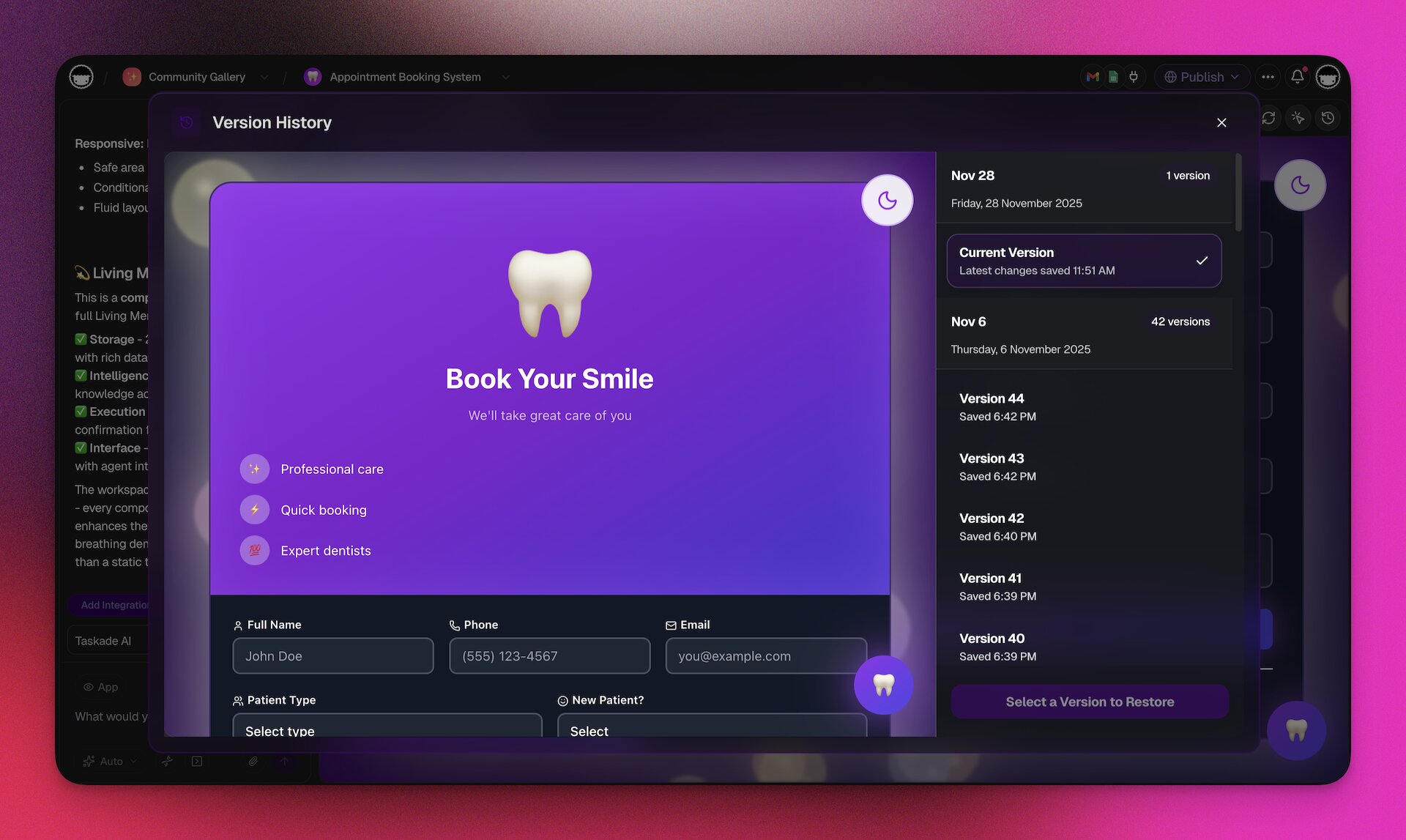
Each iteration creates a new version. You can restore any previous version at any time.
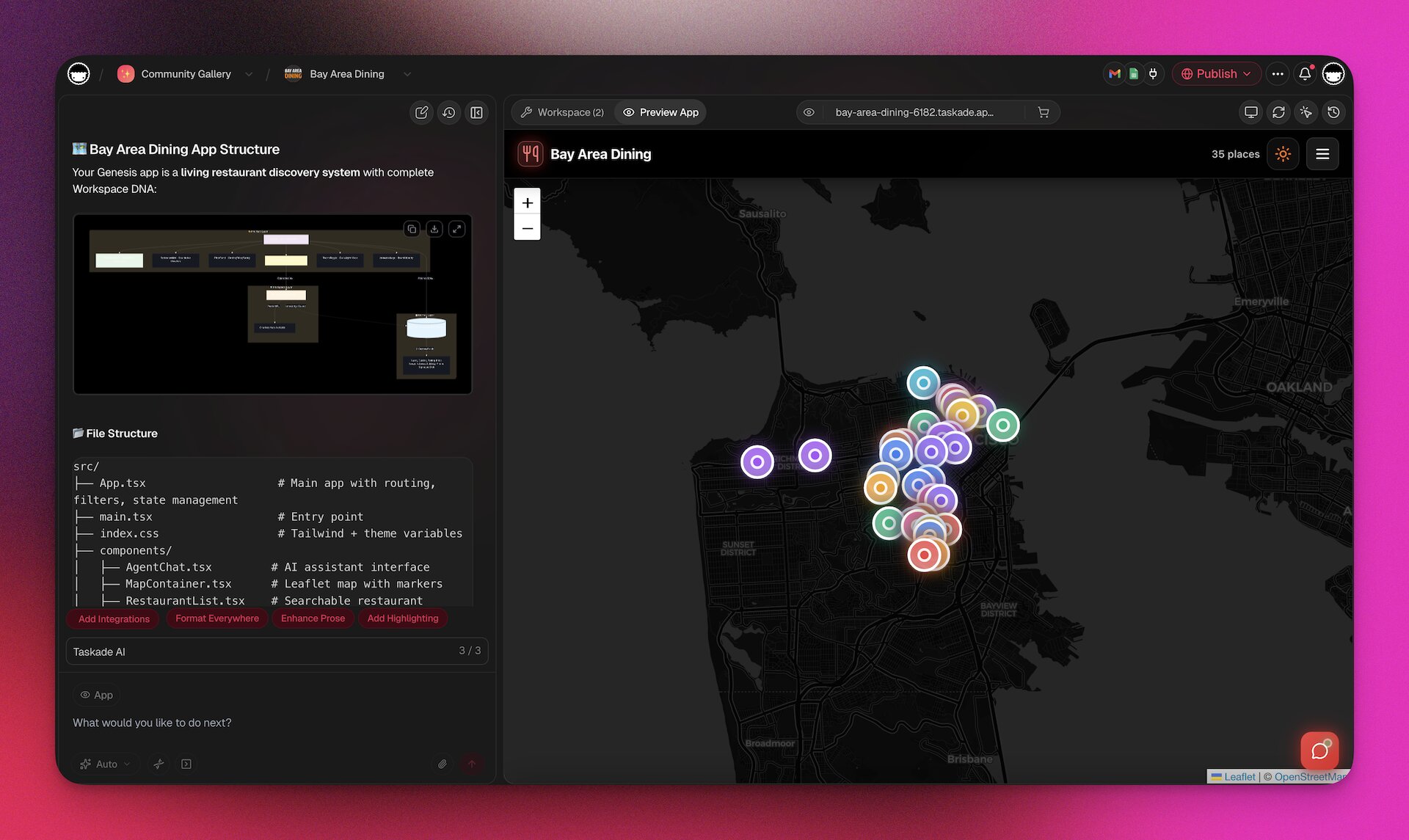
Step 4: Publish and Share
Click Publish to make your app live. Choose a visibility setting:
| Visibility | Who Can Access | Use Case |
|---|---|---|
| Public | Anyone with the link | Customer-facing apps, marketing tools |
| Secret | Anyone with the exact link (not discoverable) | Internal tools, beta testing |
| Private | Only workspace members | Sensitive business applications |
Your app gets a URL immediately. Share it via email, social media, embed it on your website, or publish it to the Community Gallery.

Time to value:
| App Complexity | Time |
|---|---|
| Simple (forms, trackers, calculators) | 2-5 minutes |
| Medium (dashboards, portals, CRMs) | 5-10 minutes |
| Complex (multi-agent systems, advanced automations) | 10-15 minutes |
| Enterprise (access controls, integrations, custom domains) | 15-30 minutes |
The Makers Guide to AI Prompts
The quality of your Genesis app depends on the quality of your prompt. Here are 12 principles for writing prompts that produce great results.
The 12 Prompt Principles
| # | Principle | What to Include | Example |
|---|---|---|---|
| 1 | Define objectives | What should the app accomplish? | "Manage all client invoices and track payment status" |
| 2 | Describe outcomes | What does success look like? | "Clients can view their invoices, pay online, and receive automated receipts" |
| 3 | Map the user journey | Who uses it and how? | "New clients fill out intake form → admin reviews → system sends welcome email" |
| 4 | Break down features | List specific capabilities | "Include: invoice creation, payment tracking, overdue alerts, monthly reports" |
| 5 | Specify tools | What integrations are needed? | "Connect to Stripe for payments and Gmail for notifications" |
| 6 | Set the tone | How should the AI agent communicate? | "Professional but friendly, like a senior account manager" |
| 7 | Define look and feel | Visual style preferences | "Clean, minimalist design with a dark sidebar and blue accents" |
| 8 | Set access controls | Who can see what? | "Clients see only their own invoices; admins see everything" |
| 9 | Plan for iteration | What might change? | "Start simple, then add payment reminders and late fees later" |
| 10 | Provide references | Upload examples, docs, wireframes | "Here is a screenshot of our current spreadsheet-based system" |
| 11 | Give examples | Show sample data or scenarios | "Example client: Acme Corp, $5,000 monthly retainer, net-30 terms" |
| 12 | Encourage experimentation | Try different approaches | "Generate two versions: one focused on self-serve, one admin-heavy" |
Prompt Anatomy Quick Reference
A complete prompt has five parts:
1. WHO: "Build a [app type] for [audience]"
2. WHAT: "It should [core features]"
3. HOW: "When [trigger], then [action]"
4. LOOK: "Use a [style] design with [specific elements]"
5. CONNECT: "Integrate with [tools/data sources]"
Full prompt example:
"Build a help desk application for my SaaS product support team. It should include a ticket submission form for customers, automatic ticket routing based on issue category, an AI agent trained on our documentation that attempts to resolve common issues before escalating to humans, a Kanban board for the support team to manage tickets, SLA tracking with automated alerts when tickets approach deadlines, and integration with Slack to notify the team of high-priority tickets. Use a clean, professional design with a light theme. Customers should only see their own tickets. Support agents should see all tickets assigned to them. Managers should see everything plus analytics."
Common Mistakes
| Mistake | Why It Fails | Better Approach |
|---|---|---|
| Too vague ("make me an app") | No direction for Genesis to follow | Describe the specific problem and desired outcome |
| Too technical ("use React with a PostgreSQL backend") | Genesis handles architecture decisions | Describe what, not how |
| Too long (2,000+ words) | Signal-to-noise ratio drops | Focus on requirements, not implementation details |
| No user context | App does not match audience needs | Specify who will use it and how |
App Styles, Design, and Customization
Genesis apps are built with 50+ pre-built UI components and support extensive visual customization through natural language prompts.
Built-in Style Options
| Style | Description | Best For |
|---|---|---|
| Minimalist | Clean lines, generous whitespace, muted palette | Professional tools, SaaS dashboards |
| Material Design | Card-based, elevation shadows, Google-inspired | Business apps, productivity tools |
| Glassmorphism | Frosted glass effect, translucent panels | Modern consumer apps, landing pages |
| Neumorphism | Soft shadows, embossed elements | Creative portfolios, lifestyle apps |
| Dark Mode | Dark backgrounds, light text, reduced eye strain | Developer tools, media apps, late-night use |
| Hand-Drawn | Sketch-style borders, informal typography | Educational tools, creative projects |
| Retro | Pixel fonts, neon accents, nostalgic palette | Entertainment, gaming, community apps |
| Bold & Gradient | Vibrant gradients, large typography | Marketing tools, event pages |
Industry-Specific Styles
| Industry | Recommended Style | Color Palette | Typography |
|---|---|---|---|
| Healthcare | Clean, high-contrast, accessible | Blue, white, green | Clear sans-serif |
| Finance | Professional, data-dense, trustworthy | Navy, gold, gray | Structured serif/sans |
| Legal | Conservative, authoritative, readable | Dark blue, charcoal, cream | Traditional serif |
| Creative | Expressive, visual-first, dynamic | Brand-specific | Display + body pairing |
| Education | Friendly, organized, engaging | Warm blues, greens, yellows | Rounded, readable |
| SaaS | Modern, clean, conversion-focused | Brand primary + neutral | System font stack |
Customization Through Chat
You don't need to select styles from a menu. Just describe what you want:
- "Make the sidebar dark and the main content area light"
- "Use our brand colors: #FF2D60 as primary and #1A1A2E as background"
- "Add a hero section with a gradient from blue to purple"
- "Make it mobile-first with large touch targets"
- "Add a floating AI chat widget in the bottom right corner"
Adding Context for Better Design
Upload files to improve design output:
| File Type | What Genesis Extracts |
|---|---|
| Brand guidelines (PDF) | Colors, fonts, logo usage, spacing rules |
| Wireframes (PNG/JPG) | Layout structure, component placement |
| Competitor screenshots | Design patterns, feature inspiration |
| Spreadsheets (CSV/XLSX) | Data structure for auto-generating schemas |
| Existing docs (DOCX/MD) | Content, terminology, tone |
Supported upload formats: PDF, DOCX, TXT, MD, PPTX, XLSX, CSV, EPUB, PNG, JPG, GIF, SVG, WebP. Cloud storage integrations: Google Drive, Dropbox, Box, OneDrive.
Live Theming & Element Selector
Genesis apps support live theming — adjust colors, styles, and branding in real time without leaving the editor. The Element Selector lets you point at any part of your app and tell the AI exactly what to change. Every change renders instantly in the preview pane so you can see exactly how your app looks before publishing.
How it works:
- Open any Genesis app in the editor
- Use the theme bar to adjust colors, typography, and layout
- Watch changes apply live in the preview — no page reload required
- Toggle between light and dark mode variants with one click
- Publish when you are happy with the result
Dark mode is not an afterthought. As of v6.125.0, the theme bar applies proper dark mode color variants automatically. Your app ships with polished light and dark themes out of the box — no manual color tuning needed.
| Theming Capability | Description |
|---|---|
| Live preview | Instant visual feedback as you adjust styles |
| Dark mode variants | Automatic dark color palette generation |
| Brand colors | Apply your brand hex codes across the entire app |
| Typography | Adjust font families, sizes, and weights |
| Component styling | Customize buttons, cards, inputs, and navigation |
| White-label 404 pages | Published apps show branded 404 pages instead of generic errors |
Pro tip: Combine live theming with chat-based iteration. Use the theme bar for quick color and mode changes, then chat with Taskade EVE for structural design adjustments like "move the sidebar to the right" or "add a hero section with a gradient."
AI Agents v2: Your Programmable Digital Teammates
AI Agents v2 is the most powerful feature in the Taskade ecosystem. These are not simple chatbots that respond to questions. They are programmable agents with persistent memory, custom tools, and the ability to take autonomous actions across your workspace and external systems.
What Makes Agents v2 Different
| Feature | Traditional Chatbots | Taskade Agents v2 |
|---|---|---|
| Memory | Resets each session | Persistent across all 15+ models — learns over time |
| Tools | No tool access | built-in tools + custom tools from automation flows |
| Actions | Text responses only | Can create tasks, send emails, update databases, trigger workflows |
| Knowledge | General training data only | Custom-trained on your documents, projects, URLs, and media |
| Deployment | Embedded widget | Chat, project, commands, public sharing, Genesis embed, API, MCP |
| Models | Single model | Multi-model — choose different models per agent |
| Collaboration | Single agent | Multi-agent teams with orchestration patterns |
Here is how the agent interaction flow works in practice:
For a step-by-step setup guide, see the Custom AI Agents tutorial.
Creating an Agent
Four methods to create agents:
| Method | Description | Time |
|---|---|---|
| From scratch | Configure name, persona, knowledge, tools manually | 5-10 minutes |
| Generate with AI | Describe the agent's role and let AI configure it | 1-2 minutes |
| Templates | Start from a pre-built agent template | Under 1 minute |
| Via Taskade EVE | Ask Taskade EVE to create an agent as part of a Genesis app | Automatic |
Agent Configuration
| Setting | Description | Example |
|---|---|---|
| Name | Agent identity | "Sophia — Client Success Manager" |
| Persona | Role and behavior description | "You are a senior client success manager who is professional, empathetic, and solution-oriented" |
| Tone | Communication style | Professional, Friendly, Technical, Casual |
| Introduction | First message to users | "Hi! I'm Sophia, your dedicated account manager. How can I help?" |
| Knowledge | Training data sources | Company docs, FAQs, product catalog, service agreements |
| Tools | Available actions | Gmail send, Slack notify, CRM update, web search |
| Model | AI model selection | Claude Sonnet 4 for reasoning, GPT-5.2 for creativity |
Training Agents with Knowledge
Agents become powerful when trained on your specific data:
| Knowledge Source | Description | Update Behavior |
|---|---|---|
| Documents | PDF, CSV, TXT, DOCX, MD, PPTX, XLSX, EPUB | Static — re-upload to update |
| Projects | Connect Taskade projects as knowledge | Dynamic — auto-updates when project changes |
| URLs | Web pages and documentation | Static snapshot at training time |
| YouTube | Video transcriptions | Static — transcribed at training time |
| Cloud Storage | Google Drive, Dropbox, Box, OneDrive files | Static — fetched at connection time |
| Manual | Custom text entries | Editable anytime |
Dynamic knowledge via projects is especially powerful. When you connect a project as a knowledge source, the agent's understanding updates in real-time as the project changes. This means agents always have the latest information without manual re-training.

Multi-Agent Teams
For complex tasks, create teams of specialized agents that collaborate:
| Architecture Pattern | Description | Example |
|---|---|---|
| Sequential Pipeline | Agent A processes, passes to Agent B | Research → Draft → Edit → Publish |
| Hub and Spoke | Coordinator agent delegates to specialists | Manager routes requests to Sales, Support, or Engineering agents |
| Parallel Fan-Out | Multiple agents work simultaneously | Three agents analyze the same data from different perspectives |
| Debate/Review | Agents review each other's work | Writer drafts, Reviewer critiques, Writer revises |
| Escalation Chain | Agents handle based on complexity | Tier 1 handles simple queries, escalates to Tier 2, then Tier 3 |
Example: Content Marketing Team
Create a three-agent team:
- Research Agent — Trained on industry publications, uses web search tool, finds trending topics
- Writer Agent — Trained on your brand guidelines and past content, drafts articles matching your voice
- SEO Agent — Trained on your keyword targets, optimizes drafts for search ranking
Ask the team: "Create a blog post about the top 10 AI trends for small businesses in 2026." The Research Agent finds current data, the Writer Agent drafts the article, and the SEO Agent optimizes it — all within your workspace.
Agent Tools and Integrations
| Tool Category | Tools Available |
|---|---|
| Taskade Native | Create/update/complete tasks, manage projects, add comments, assign members, update custom fields |
| Cross-Agent | agent.ask (query another agent), agentTeam.ask (query a team) |
| Web & Media | Web search, webpage extraction, YouTube transcription, PDF processing |
| Communication | Slack, Discord, Microsoft Teams, WhatsApp, SMS, Zoom |
| Gmail (send, find, draft), Outlook | |
| CRM | HubSpot, Salesforce, Apollo |
| Productivity | Google Sheets, Google Calendar, Calendly, Typeform, Airtable |
| Social Media | Twitter/X, LinkedIn, Facebook, Instagram, Reddit |
| Development | GitHub, Webhooks |
| Payments | Stripe |
| Storage | Google Drive, Dropbox, Box, OneDrive |
| Custom | Build custom tools from automation flows |
Human-in-the-loop: For sensitive external actions (sending emails, posting to social media, making payments), agents can be configured to request human approval before executing.
Universal Agent Memory
As of v6.124.0, persistent memory works across all 15+ frontier models. Previously, the memory tool was limited to specific models. Now every agent retains context across conversations regardless of which model powers it — OpenAI, Anthropic, or Google.
This means you can:
- Switch an agent from Claude Sonnet 4 to GPT-5.2 without losing accumulated context
- Build multi-model agent teams where every agent remembers prior interactions
- Choose the cheapest model for a task without sacrificing long-term memory
┌─────────────────────────────────────────────────┐
│            Universal Agent Memory                │
├──────────┬──────────┬──────────┬────────────────┤
│ OpenAI   │Anthropic │ Google   │  Memory Layer  │
│ GPT      │Claude    │Gemini    │  ───────────── │
│          │          │          │  Shared across │
│          │          │          │  all models    │
└──────────┴──────────┴──────────┴────────────────┘
There are no model-specific caveats or limitations. Every agent, on every model, gets full persistent memory.
Mobile Agent Panel
Starting with v6.125.0, the agent panel is fully optimized for phones and tablets. You get the complete agent chat experience on mobile — review responses, manage workflows, and interact with your agents from anywhere.
Combined with the mobile element selector from v6.122.0, you can tap any UI element in your Genesis app on your phone and it appears as a clean visual pill in the agent chat. This makes mobile iteration fast and precise.
| Mobile Agent Feature | Description |
|---|---|
| Full agent chat | Complete chat functionality on phones and tablets |
| Responsive layout | Optimized for smaller screens with touch-friendly controls |
| Element selector | Tap any app element to reference it in agent chat |
| Visual pills | Selected elements appear as clean pills in the conversation |
| Workflow management | Review and manage agent workflows on the go |
Use case: You are reviewing a Genesis app on your phone during a commute. You notice the header color is off. Tap the header element, and it appears as a pill in the agent chat. Type "change this to our brand blue #1A73E8" and the agent updates it instantly.
Multi-Model AI: 15+ Models, 3 Providers, Zero Lock-In
Taskade is the only workspace platform that gives you access to 15+ AI models from three major providers. This means you can choose the right model for each task, agent, and workflow.
Available Models
| Provider | Model | Credits | Best For |
|---|---|---|---|
| OpenAI | GPT-5.2 | 150 | Creative writing, content generation, brainstorming |
| OpenAI | GPT-5.1 | 120 | General-purpose, reliable quality |
| OpenAI | o3 | 200 | Complex reasoning, math, logic |
| OpenAI | o4-mini | 25 | Quick reasoning tasks, cost-effective |
| Anthropic | Claude Opus 4.5 | 300 | Maximum reasoning depth, nuanced analysis |
| Anthropic | Claude Sonnet 4 | 60 | Best quality-to-cost ratio, recommended default |
| Anthropic | Claude Haiku 3.5 | 8 | Fast responses, simple tasks |
| Gemini 3 Pro | 80 | Multimodal, long context, free tier default | |
| Gemini 2.5 Pro | 60 | Balanced multimodal performance | |
| Gemini 2.5 Flash | 6 | Ultra-fast, cheapest option for iterations | |
| Gemini 2.0 Flash | 4 | Legacy fast model |
Model Selection Strategy
| Task | Recommended Approach | Why |
|---|---|---|
| Building initial Genesis apps | Balanced model (e.g., Anthropic Claude) | Best balance of quality and cost |
| Quick design iterations | Lightweight model (e.g., Google Gemini Flash) | Faster and more cost-effective for styling tweaks |
| Complex business logic | Advanced reasoning model | Deepest reasoning for sophisticated requirements |
| Content-heavy apps | Creative model (e.g., OpenAI GPT) | Strong creative and writing capabilities |
| Simple lookups and edits | Fast model (e.g., Anthropic Haiku) | Fast, affordable, sufficient for simple tasks |
| Cost-conscious production | Lightweight model | Lowest credit cost per interaction |
| Mathematical or logical apps | Reasoning model (e.g., OpenAI o-series) | Specialized reasoning architecture |
AI Thinking Modes
Every model supports four thinking modes that control how deeply the AI reasons before responding:
| Mode | What it does | Best for |
|---|---|---|
| Standard | Fast, direct responses | Routine tasks, quick edits, simple questions |
| Thinking | Deeper analysis before answering | Complex questions, planning, detailed explanations |
| Reasoning | Step-by-step logic chain | Multi-step problems, debugging, architectural decisions |
| Auto | The default setting, no mode to choose | When you would rather not pick a mode |
Thinking and Reasoning modes use additional credits but produce noticeably better results for complex tasks. You can switch modes anytime from the model selector.
Per-Agent Model Selection
You can assign different AI models to different agents in the same workspace. Your support agent can run on a fast, affordable model for quick answers, while your research agent uses a premium model for deep analysis.
This means you're never locked into a single model — you optimize cost and quality per use case, not per workspace.
Key advantage: Switch models at any time, even mid-build. Start with a powerful model for the initial generation, then switch to a cheaper model for iterative tweaks.
Projects as Databases: The Memory Pillar Deep Dive
In Genesis, Taskade projects are not just task lists — they are structured databases that serve as the memory layer for your applications. (Want the full picture? See the Projects & Databases deep dive.)
How Projects Become Databases
When Genesis creates an app, it auto-generates projects with:
- Custom fields tailored to your data requirements
- Optimized views for different user personas (Table for admins, Board for workflows, Calendar for scheduling)
- Relationships between databases (e.g., Clients linked to Projects linked to Invoices)
- Unique constraints to prevent duplicate entries
- Filters and sorts for organizing data
Database Operations
| Operation | How | Example |
|---|---|---|
| Create records | Via app forms, API, or manual entry | New client fills out intake form → record created |
| Read/query | Via app views, agent queries, or automation variables | Dashboard displays all open tickets sorted by priority |
| Update | Via app interface, agent action, or automation step | Automation marks invoice as "paid" when Stripe webhook fires |
| Delete | Via app interface or API | An app owner removes a cancelled order |
| Import | CSV, XLSX, copy-paste, API | Bulk import 500 contacts from a spreadsheet |
| Export | CSV, PDF, Markdown, image | Generate monthly report as PDF |
Multiple Views of the Same Data
The same underlying data can be visualized in 8 different ways:
| View | Shows | Best For |
|---|---|---|
| List | Hierarchical task list with nesting | Outlines, checklists, project breakdowns |
| Board | Kanban columns grouped by status/field | Pipeline management, workflow tracking |
| Table | Rows and columns with all custom fields | Data entry, bulk editing, spreadsheet users |
| Mind Map | Radial tree of relationships | Brainstorming, knowledge mapping |
| Gantt Chart | Timeline bars with dependencies | Project planning, resource allocation |
| Calendar | Date-based view of records with due dates | Scheduling, deadline tracking, event planning |
| Timeline | Sequential timeline layout | Milestone tracking, project progress, history |
| Org Chart | Hierarchical structure | Team management, reporting structures |
The Self-Reinforcing Feedback Loop
Here is why projects-as-databases matters for Genesis apps:
- Apps write data to projects. A customer fills out a form → a new record is created in the database.
- Agents read from projects. An AI agent trained on that project now knows about the new customer.
- Automations trigger on project changes. A workflow fires when a new record is added, sending a welcome email.
- The cycle repeats. Each interaction enriches the workspace DNA, making future apps smarter.
This is the Genesis Loop — the continuous cycle of Memory feeding Intelligence feeding Execution feeding Memory.
Automations and 100+ Integrations: The Execution Engine
Automations are what transform Genesis apps from static tools into living systems. They connect events to actions, with AI agents serving as intelligent orchestrators within the workflow.
Creating Automations
| Method | Description |
|---|---|
| Natural language | "When a new client signs up, send a welcome email via Gmail and create a project with onboarding tasks" |
| Auto mode | Describe the workflow and let Genesis build it |
| Agent tool mode | Create a flow that agents can invoke as a custom tool |
| Workflow mode | Build step-by-step with visual builder |
| Form mode | Generate a form that triggers an automation on submission |
| Templates | Start from 50+ pre-built automation templates |
Trigger Types
| Trigger Type | Examples | Timing |
|---|---|---|
| Taskade events | Task added, task completed, task assigned, custom field updated, project completed, new comment | Instant |
| Schedule | Every hour, every day at 9 AM, every Monday, first of month | Scheduled |
| Webhook | External service sends data to your workflow | Instant |
| Form submission | User fills out a Genesis app form | Instant |
| Third-party | New Slack message, Gmail received, HubSpot contact created, Stripe payment, GitHub PR | Instant/Polled |
| Agent trigger | Agent decides to start a workflow based on conversation | Agent-driven |
| Condition | Only trigger when specific criteria are met | Conditional |
Integration Categories
| Category | Services | Example Automation |
|---|---|---|
| Communication | Slack, Discord, Microsoft Teams, WhatsApp, SMS, Zoom, Telegram | New high-priority ticket → Slack alert to #support channel |
| Gmail, Outlook, Mailchimp | New client → Welcome email sequence | |
| CRM | HubSpot, Salesforce, Apollo | Form submission → Create HubSpot contact → Assign to sales rep |
| Productivity | Google Sheets, Google Calendar, Calendly, Typeform, Airtable | Meeting booked → Calendar event + prep doc + Slack reminder |
| Project Management | Linear, Monday.com, Jira, Trello | Linear issue → Taskade task + assign engineer + Slack notify |
| Content Sync | Notion, WordPress, RSS | Sync Notion pages and databases → Taskade projects → AI enrichment |
| Social Media | Twitter/X, LinkedIn, Facebook, Instagram, Reddit | New blog post → AI writes social copy → Posts to all platforms |
| Development | GitHub, Webhooks | Bug report → GitHub issue → Assign to engineer → Slack notify |
| Payments | Stripe | Invoice overdue → Email reminder → If unpaid after 7 days → Escalate to account manager |
| E-Commerce | Shopify | New order → Fulfillment task → Shipping notification → Review request |
| Storage | Google Drive, Dropbox, Box, OneDrive | Document uploaded → AI summarizes → Creates task with action items |
| Video | YouTube | New video → Transcribe → AI extracts key points → Create tasks + Slack summary |
New in 2026: Expanded Integration Ecosystem
The automation connector library has grown significantly since launch. Here are the latest additions:
| Connector | What You Can Do | Added In |
|---|---|---|
| Telegram | Send messages, manage groups, and trigger bot actions from automations. Build notification systems and support bots powered by AI agents. | v6.115.0 |
| Airtable | Read, create, and update Airtable records. Bridge structured spreadsheet data with AI agents and automation flows. | v6.121.0 |
| Linear | Trigger automations from Linear issues and status changes. Sync engineering workflows with Taskade projects. | v6.124.0 |
| Monday.com | Sync Monday.com boards and items with Taskade projects. Manage cross-tool project workflows. | v6.124.0 |
| Jira | Create, update, and track Jira issues from Taskade automations. Bridge enterprise issue tracking with AI agents. | v6.127.0 |
| Trello | Sync Trello boards, lists, and cards with Taskade projects. Migrate or mirror Kanban workflows. | v6.127.0 |
| Notion (Content Sync) | Read, create, and update Notion pages. Query Notion databases and sync records with Taskade projects. | v6.129.0 |
AI-Powered Automation Steps
What makes Taskade automations unique is the ability to include AI agents as steps in the workflow:
| AI Step | What It Does | Example |
|---|---|---|
| ai.ask | Ask a question, get a response | Analyze sentiment of customer feedback |
| ai.generate | Generate content | Create a personalized response to a support ticket |
| ai.categorize | Classify input into categories | Route tickets to the right department |
| ai.prompt | Run a prompt template | Generate a weekly summary report |
| agent.ask | Query a specific trained agent | Ask your product expert agent about a feature request |
| agent.run_command | Execute a custom agent command | Run /draft-response on incoming emails |
| agent.add_knowledge | Feed new data to an agent | Agent learns from each resolved ticket |
Workflow Example: Automated Client Onboarding
Trigger: Form submission (new client intake form)
  ↓
Step 1: ai.categorize → Route by client size (Small/Medium/Enterprise)
  ↓
Branch: If Enterprise
  → Step 2a: agent.ask (Account Manager agent) → "Draft a personalized welcome message for [client]"
  → Step 3a: Gmail → Send personalized welcome email
  → Step 4a: Slack → Notify #enterprise-team
Branch: Else
  → Step 2b: Gmail → Send standard welcome email template
  ↓
Step 5: Create Taskade project → Onboarding checklist from template
Step 6: Assign tasks → Route to appropriate team members
Step 7: Google Calendar → Schedule kickoff meeting
Step 8: HubSpot → Create contact record
Step 9: agent.add_knowledge → Update account manager agent with new client data
All of this runs on enterprise-grade durable workflow infrastructure, which means:
- Workflows resume automatically after failures
- Each step has retry logic built in
- You get monitoring, error tracking, and audit logs
- Non-AI automation steps are free — only AI steps consume credits
Publishing, Sharing, and the Community Gallery
Once your app is built, Genesis provides multiple distribution channels. Every app works on desktop, tablet, and mobile out of the box:
Visibility Settings
| Setting | Discoverability | Access | Use Case |
|---|---|---|---|
| Public | Searchable, indexable | Anyone with the link | Customer-facing apps, marketing tools, community apps |
| Secret | Not searchable | Only people with the exact link | Internal tools, beta testing, client-specific apps |
| Private | Not searchable | Only workspace members | Sensitive business applications, internal dashboards |
Publishing Strategies
| Strategy | Behavior | Best For |
|---|---|---|
| Auto | Every change is live immediately | Development and testing, rapid iteration |
| Manual | Changes only go live when you explicitly publish | Production apps, coordinated releases |
Password Protection
Add password protection to any published app. Users must enter the password before accessing the app. This works with all visibility settings and adds an extra layer of security beyond the link itself.
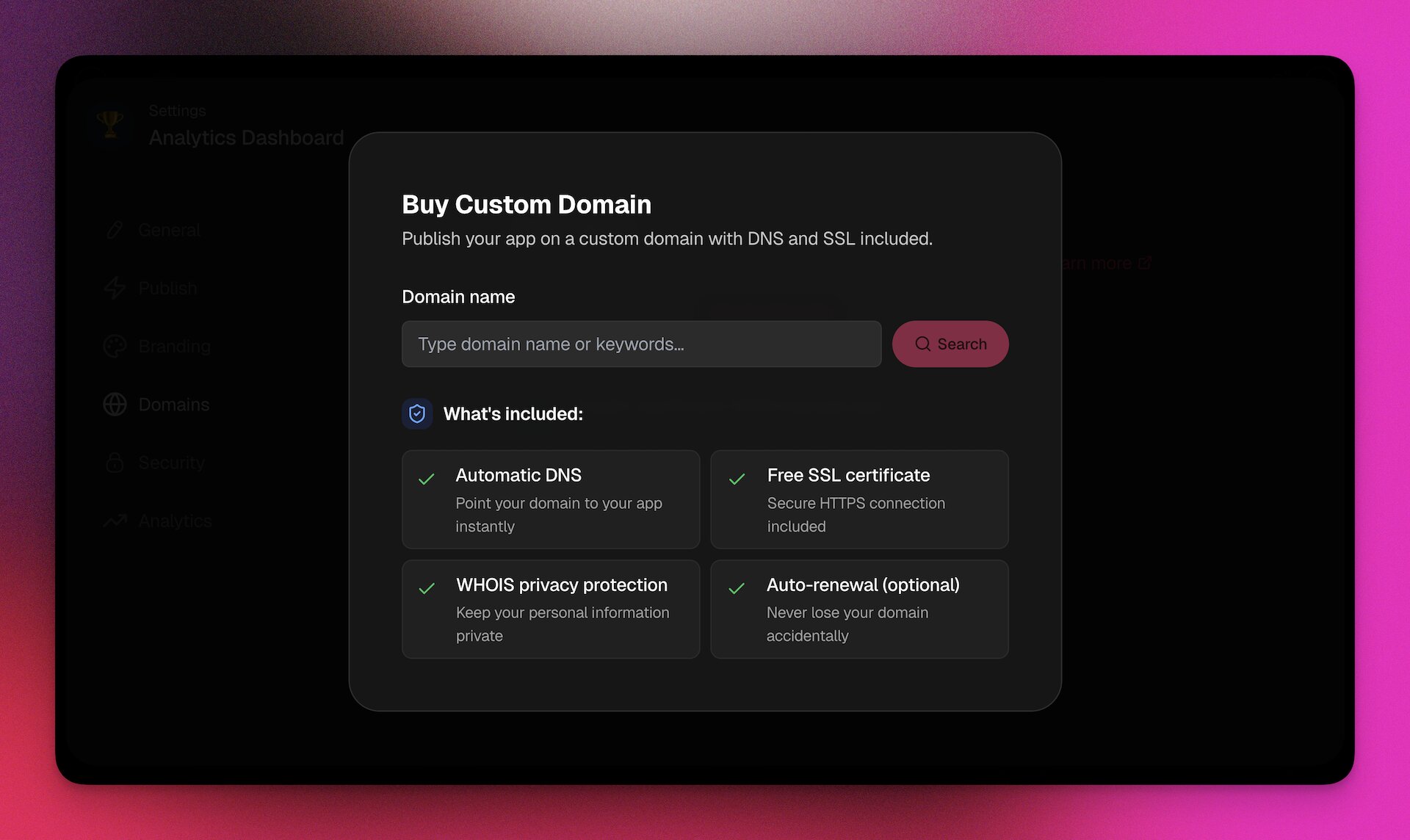
Custom Domains (Business+ Plan)
Deploy apps on your own domain:
| Feature | Description |
|---|---|
| Custom URL | app.yourcompany.com instead of taskade.com/share/apps/... |
| SSL | Automatic HTTPS certificate |
| White-label | Remove Taskade branding |
| Custom favicon | Your brand icon in the browser tab |
| Custom OG images | Branded social media previews |
| GA4 tracking | Google Analytics on your app |
| Branded 404 pages | Custom-branded error pages that match your app's look and feel |
| Single sign-on (SSO) | Enterprise authentication |
Community Gallery
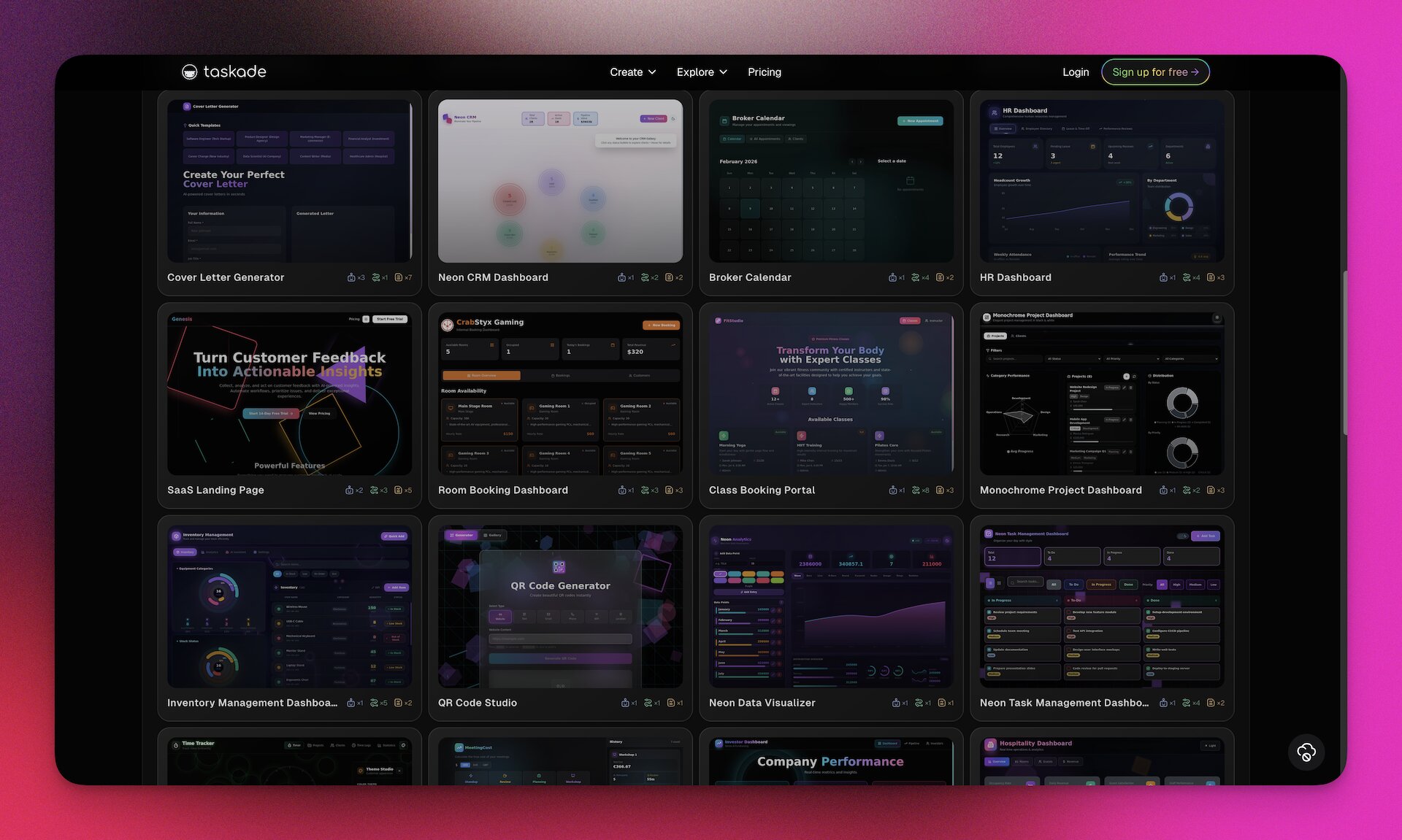
The Community Gallery is where makers publish apps for others to discover and clone.
70+ apps across 11 categories:
| Category | App Count | Examples |
|---|---|---|
| Business & Operations | 12 | CRM dashboard, invoice generator, project tracker |
| Productivity & Task Management | 8 | Habit tracker, time management, goal setter |
| Finance & Accounting | 4 | Expense tracker, budget planner, invoice manager |
| Booking & Scheduling | 6 | Appointment scheduler, room booking, event RSVP |
| Events & Hospitality | 4 | Event planner, guest management, vendor coordination |
| Marketing & Websites | 7 | Landing page builder, lead capture, content calendar |
| Utilities & Tools | 7 | QR code generator, URL shortener, calculator |
| Education & Learning | 5 | Course platform, quiz maker, flashcard system |
| Creative & Design | 5 | Portfolio showcase, mood board, design brief generator |
| Entertainment & Games | 8 | Trivia game, recipe book, music playlist manager |
| Health & Wellness | 4 | Fitness tracker, meal planner, meditation logger |
Clone and remix: Any public app can be cloned into your workspace with one click. Customize it with your own branding, data, and workflows. This is the fastest path from zero to a working app.
App Kit Sharing: Export, Share, and Import Apps
Starting with v6.122.0, you can export any Genesis app as a portable app kit and share it with anyone. Recipients import the kit into their workspace and get a fully working copy of the app, ready to customize and deploy.
How it works:
- Open any Genesis app and select Export as App Kit
- Share the kit file with a teammate, client, or community member
- The recipient clicks Import App Kit in their workspace
- A working copy of the app deploys instantly, including UI, database schema, and configuration
┌──────────────────┐     Share      ┌──────────────────┐     Import     ┌──────────────────┐
│   Your Workspace │  ──────────▶  │   App Kit File   │  ──────────▶  │  Their Workspace │
│                  │               │                  │               │                  │
│  Genesis App     │               │  Portable bundle │               │  Working copy    │
│  + Database      │               │  of app + config │               │  ready to deploy │
│  + Configuration │               │                  │               │                  │
└──────────────────┘               └──────────────────┘               └──────────────────┘
Use cases for App Kit Sharing:
| Scenario | How It Works |
|---|---|
| Team templates | Build a standard app once, export it as a kit, and distribute to every team that needs it |
| Client delivery | Build a custom app for a client, export the kit, and let them import it into their own workspace |
| Marketplace distribution | Publish app kits in the Community Gallery for others to clone and customize |
| Cross-workspace migration | Move apps between workspaces without rebuilding from scratch |
| Backup and versioning | Export kits as snapshots of your app at key milestones |
App Kit Sharing works alongside the Community Gallery. Use the gallery for public discovery, and app kits for direct, private sharing with specific people or teams.
Analytics, Security, and Custom Domains
Every published Genesis app includes built-in analytics and enterprise-grade security.
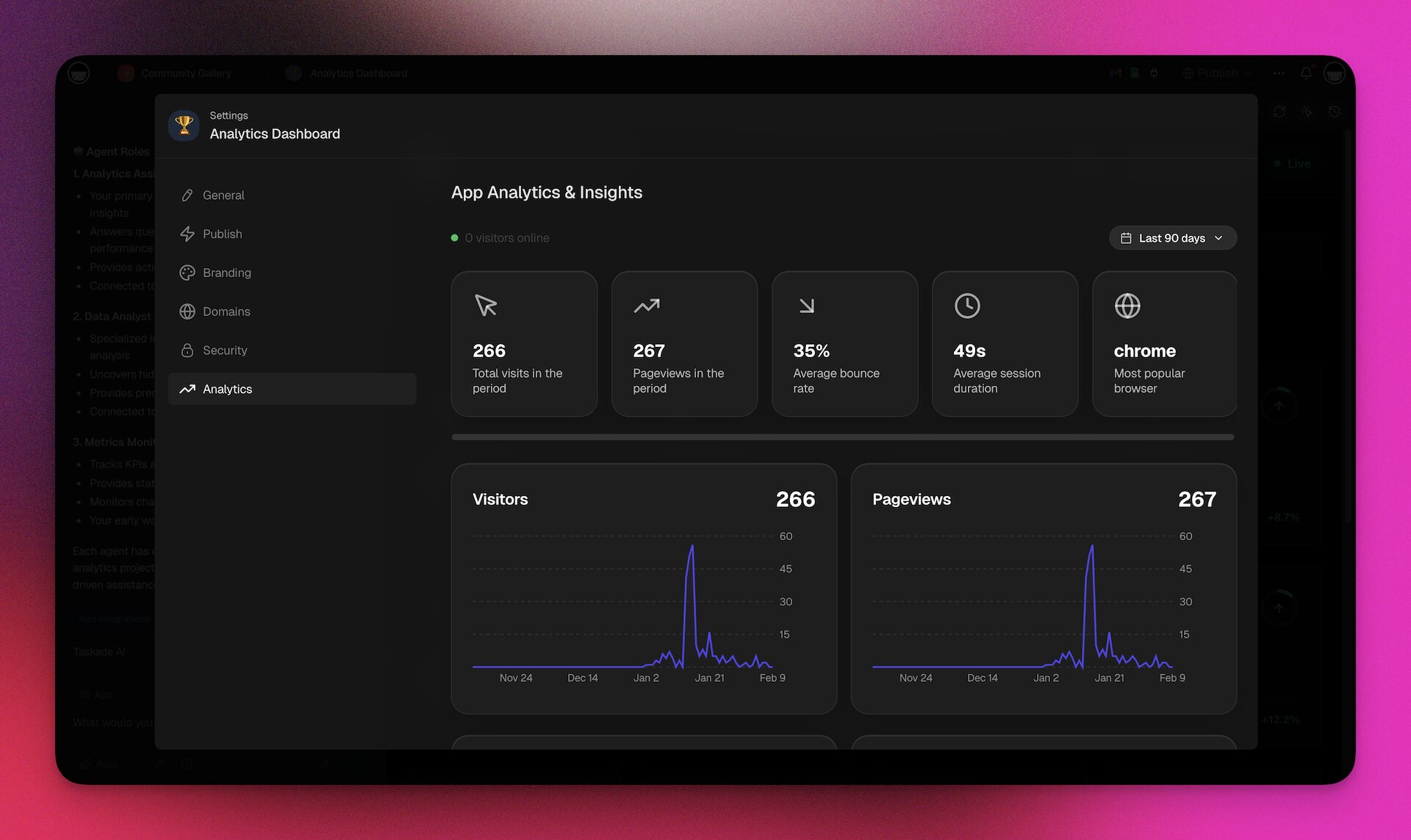
Built-In Analytics
| Metric | Description |
|---|---|
| Total Visits | Unique sessions in the selected period |
| Pageviews | Total pages viewed across all sessions |
| Bounce Rate | Percentage of single-page sessions |
| Session Duration | Average time per visit |
| Visitors Online | Real-time concurrent users |
| Top Pages | Most visited pages within your app |
| Geographic Distribution | Visitor locations by country/region |
| Traffic Sources | Direct, social, referral, search |
| Device & Browser | Desktop vs mobile vs tablet, browser breakdown |
| Time Trends | Daily visitor and pageview graphs with period comparison |
Actionable insights:
| Signal | Meaning | Action |
|---|---|---|
| Bounce rate > 70% | Visitors leave quickly | Improve headline, simplify first screen |
| Session duration < 30s | Low engagement | Add interactive elements, streamline navigation |
| Mobile > 60% | Mobile is primary audience | Optimize for touch, increase font size |
| Declining traffic | Losing engagement | Refresh content, add features, re-promote |
Security and Access Control
Taskade ships role-based access from Owner to Viewer. An Owner holds full control, including billing and workspace deletion. A Viewer gets read-only access. Between those two endpoints, roles cover managing members and workspace settings, creating and editing content, and completing assigned work, so you grant only what each person needs.
Permissions inherit across the hierarchy: Organization → Workspace → Folder → Project → App.
Community Profile Settings
Customize your public profile directly from your account settings. Upload an avatar, write a bio, and link your website and social profiles so other builders in the Community Gallery can find and follow your work. Profile icons are clickable in the gallery, giving every maker a discoverable public presence.
Additional security features:
| Feature | Plan | Description |
|---|---|---|
| Password protection | All paid plans | Password gate on published apps |
| Single sign-on (SSO) | Business+ | SAML SSO with Okta, Azure AD, and Google Workspace |
| SCIM user provisioning | Enterprise | Automated directory sync from Okta or Azure AD |
| Custom domains with SSL | Business+ | Automatic HTTPS on your domain |
| Audit logging | Enterprise | Full activity tracking for compliance |
| Data residency | Enterprise | Control where data is stored |
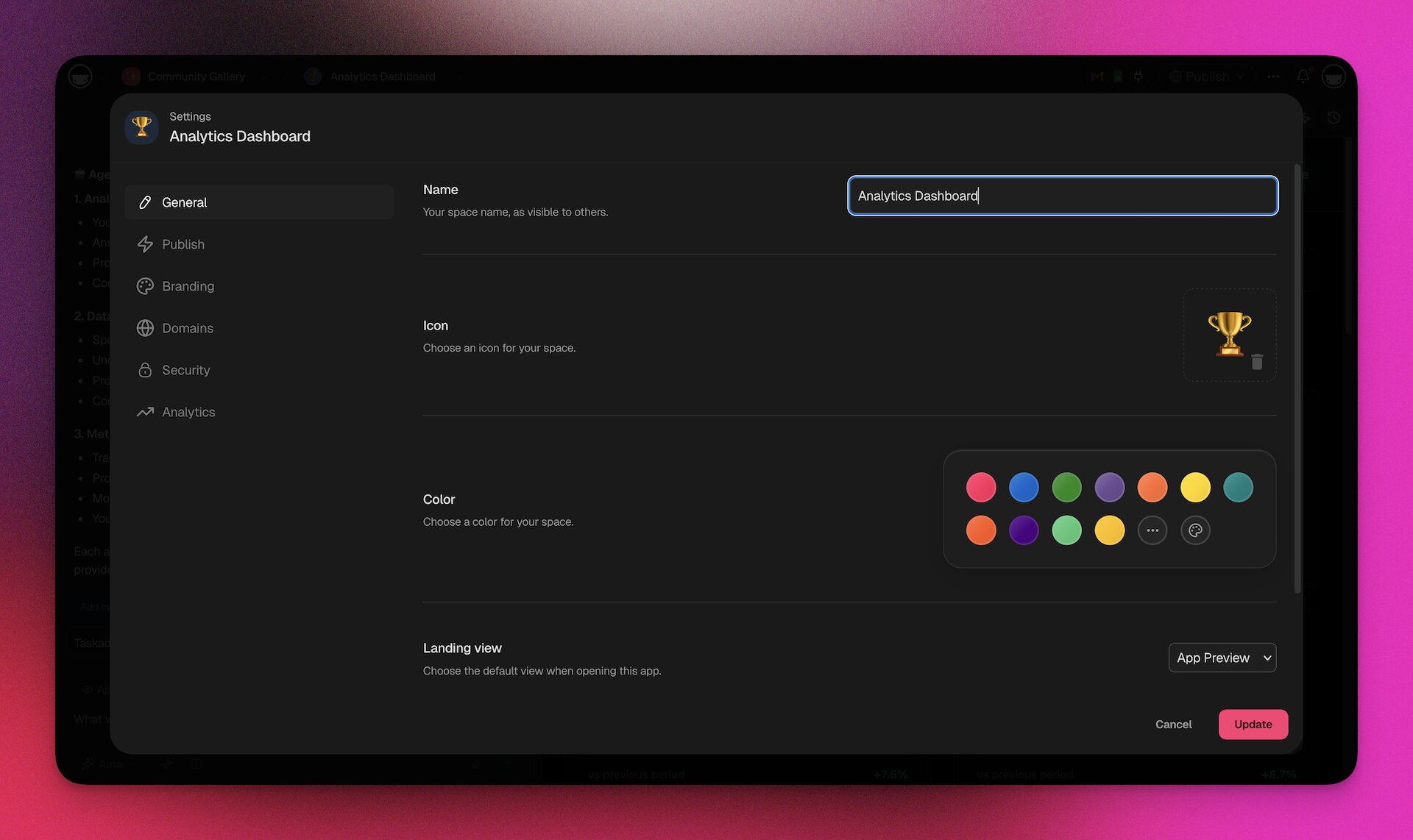
Genesis vs Code Generators: Why Living Systems Win
The market is full of "AI app builders" and vibe coding tools. But most of them are code generators — they output React files, databases, and API routes that you must host, maintain, and connect yourself. Whether you call it a text-to-app builder, a vibe coding platform, or a no-code AI builder, the question is the same: does it give you a working product or just code? Genesis takes a fundamentally different approach.
Living Systems vs Static Code
| Dimension | Code Generators (Bolt, Lovable, V0) | Taskade Genesis |
|---|---|---|
| Output | Static code files | Deployed living system |
| Hosting | Self-host or configure deployment | Included — app is live immediately |
| Database | Manual setup (Supabase, Firebase, etc.) | Auto-generated, connected, live |
| AI Agents | None | Built-in, custom-trained, multi-model |
| Automations | None | 104 actions, 100+ integrations, durable execution |
| Analytics | None (add Google Analytics manually) | Built-in dashboard |
| Version History | Git commits (manual) | Automatic with one-click restore |
| Iteration | Edit code, redeploy | Chat to change, instant update |
| Time to deploy | 30 minutes to hours (+ hosting setup) | 2-15 minutes, live immediately |
| Ongoing maintenance | Developer required | Chat-based updates, no code |
| Self-improving | No | Yes — feedback loop enriches workspace DNA |
| Custom domains | Manual DNS + hosting config | One-click setup (Business+) |
| White-label error pages | Build and host your own 404 page | Branded 404 pages included automatically |
| Community gallery | No | 70+ apps to clone and remix |
Cost Comparison
| Cost Category | Traditional Development | Code Generator + Hosting | Taskade Genesis |
|---|---|---|---|
| Initial build | $50,000-200,000 | $0-500 + 10-20 hours | $0 + 15 minutes |
| Hosting | $500-2,000/month | $20-100/month | Included |
| AI API costs | $1,000-5,000/month | $50-500/month | Included |
| Maintenance | $2,000-10,000/month | $500-2,000/month (developer) | $0 (chat-based) |
| Monthly total | $3,500-17,000 | $570-2,600 | $10/month (Pro, annual) |
| Annual total | $42,000-204,000 | $6,840-31,200 | $120/year |
When to Use Genesis vs Code Generators
| Scenario | Best Choice | Why |
|---|---|---|
| Business app with AI agents and automations | Genesis | Only Genesis has built-in agents and automation engine |
| Custom-designed marketing website | Code generator | Genesis focuses on apps, not pixel-perfect marketing sites |
| Internal tool for your team | Genesis | Faster, includes role-based access, no deployment hassle |
| Customer-facing portal | Genesis | Built-in analytics, custom domains, password protection |
| Complex frontend with custom animations | Code generator | Genesis prioritizes function over custom animation |
| Prototype for investor demo | Genesis | Working product in minutes, not a mockup |
| App that needs to learn and improve | Genesis | Workspace DNA feedback loop |
| Open-source project | Code generator | Genesis apps run on Taskade infrastructure |
Pricing, Credits, and Getting Started
Genesis is included in all Taskade plans. The difference is in AI credit allocation and feature access.
Plan Comparison
| Feature | Free | Pro ($10/mo, billed annually) | Business ($25/mo, billed annually) | Enterprise |
|---|---|---|---|---|
| AI Credits | 6,000 to start | 50,000/mo | 150,000/mo | Custom |
| Genesis apps | Limited | Full | Full | Full |
| Custom AI Agents | 1 | 30 | Unlimited | Unlimited |
| AI Models | TSK-1 Auto handles the default | All Pro models | All models | All models |
| Custom domains | No | No | Yes | Yes |
| SAML SSO | No | No | Yes | Yes |
| SCIM user provisioning | No | No | No | Yes |
| Analytics | Basic | Full | Full | Full + audit |
| Community Gallery | Browse + clone | Publish | Publish | Publish |
How Credits Work
Credits are consumed each time AI processes a request. The amount depends on the model, task complexity, and output length.
| Model | Credits Per Interaction | Apps Per 50K Credits (Pro) |
|---|---|---|
| Gemini 2.5 Flash | 6 | ~200-400 iterations |
| Claude Haiku 3.5 | 8 | ~150-300 iterations |
| Claude Sonnet 4 | 60 | ~50-80 app builds |
| GPT-5.2 | 150 | ~20-30 app builds |
| Claude Opus 4.5 | 300 | ~10-15 app builds |
What uses credits:
- Building and iterating on Genesis apps
- Agent chat conversations
- AI-powered automation steps (ai.ask, ai.generate, agent.ask, etc.)
- Content generation and media analysis
- Image generation (200 credits per image)
What does NOT use credits:
- Published apps running (users interacting with your live app)
- Manual project editing
- Non-AI automation steps (Slack send, Gmail send, create task, etc.)
- Viewing analytics
- Browsing the Community Gallery
Auto-Top-Up
Never run out of credits mid-workflow. Enable Auto-Top-Up to set a minimum balance threshold and a top-up amount. When your balance drops below the threshold, Taskade automatically purchases more credits using your stored payment method. This keeps agents, automations, and Genesis builds running without interruption.
Adaptive Pricing
Credit purchases use adaptive pricing that adjusts automatically to your region. This means fairer pricing no matter where you are in the world, with a seamless checkout experience regardless of location.
Buy Additional Credits
| Detail | Value |
|---|---|
| Rate | Volume-tiered — larger packs earn more credits per dollar (see /upgrade/credits) |
| Expiration | Purchased credits never expire |
| Priority | Monthly credits consumed first, then purchased |
| Availability | Paid plans only |
| Auto-Top-Up | Set a threshold and top-up amount for automatic replenishment |
Earn Free Credits
| Action | Credits | Limit |
|---|---|---|
| Refer a new user | 250 per referral | 14 referrals (3,500 max) |
| Share on Twitter/X or LinkedIn | 250 per platform | 2 platforms (500 max) |
| Follow on social platforms | 100 per platform | 6 platforms (600 max) |
| Review on Trustpilot, G2, etc. | 500 per platform | 4 platforms (2,000 max) |
| Total possible | 5,600 bonus credits |
Credit-Efficient Workflow
| Strategy | Savings |
|---|---|
| Use Gemini 2.5 Flash (6 credits) for styling tweaks | 10x cheaper than Sonnet |
| Use Claude Sonnet 4 (60 credits) for initial builds | Best quality-to-cost ratio |
| Reserve Opus 4.5 (300 credits) for complex logic only | Only when you need maximum reasoning |
| Make specific prompts (not vague ones) | Less AI processing required |
| Iterate one change at a time | More efficient than batching changes |
10 Real-World Genesis Apps You Can Clone Today
Every app below was built by a real person using Genesis and is live right now. Click any link to try it, then clone it to your workspace with one click.
Want to build something like these? Here is an example prompt to get started:
"Build a client portal for my agency with an intake form, project status board, AI assistant trained on our services, and automated welcome emails via Gmail."
That single sentence is enough. Genesis handles the rest. Now let's look at what the community has already built.
Business & Operations
| App | What it does | Try it |
|---|---|---|
| Client Portal Dashboard | CRM with intake forms, project boards, and client tracking | Clone → |
| Invoice Generator | Create and manage invoices with AI | Clone → |
| Small Business Inventory Manager | Track stock levels, orders, and suppliers | Clone → |
| Neon CRM Dashboard | Neon-styled CRM for managing contacts and deals | Clone → |
Sales & CRM
| App | What it does | Try it |
|---|---|---|
| Sales Pipeline Dashboard | Visual pipeline with deal stages and forecasting | Clone → |
| Sales Agent Studio | AI-powered sales assistant for prospecting and outreach | Clone → |
| Customer Health Dashboard | Monitor customer satisfaction and churn risk | Clone → |
Productivity
| App | What it does | Try it |
|---|---|---|
| Minimalistic ToDo App | Clean, distraction-free task manager | Clone → |
| Time Tracker | Log time entries and track hours by project | Clone → |
| Team Capacity Planner | Balance workloads across team members | Clone → |
| Habit Tracker Dashboard | Build daily habits with streaks and progress charts | Clone → |
Finance
| App | What it does | Try it |
|---|---|---|
| Finance Tracker Dashboard | Track income, expenses, and budgets at a glance | Clone → |
| Personal Expense Tracker | Log daily spending and see where your money goes | Clone → |
| Expense Splitter | Split bills with friends and roommates | Clone → |
| Investor Dashboard | Portfolio tracking with performance metrics | Clone → |
Booking & Events
| App | What it does | Try it |
|---|---|---|
| Appointment Booking System | Let clients book time slots and get confirmations | Clone → |
| Event Management Portal | Plan events with RSVP, speakers, and schedules | Clone → |
| Room Booking Dashboard | Reserve meeting rooms and shared spaces | Clone → |
Education
| App | What it does | Try it |
|---|---|---|
| SIE Study Portal | Study platform for the Securities Industry Essentials exam | Clone → |
| Flash Deck Maker | Create and review flashcard decks with spaced repetition | Clone → |
| Multiplication Playground | Interactive math practice for kids | Clone → |
| Book Reading Tracker | Track your reading list, progress, and notes | Clone → |
Creative & Design
| App | What it does | Try it |
|---|---|---|
| Gradient Studio V4 | Generate and preview CSS gradients visually | Clone → |
| Palette Extractor | Extract color palettes from images | Clone → |
| Synth Wave Studio | Retro-styled synthesizer and music tool | Clone → |
Websites & Landing Pages
| App | What it does | Try it |
|---|---|---|
| SaaS Landing Page | Ready-to-publish SaaS marketing page | Clone → |
| Real Estate Landing Page | Property listing page with lead capture | Clone → |
| Nonprofit Org Website | Full website for a nonprofit organization | Clone → |
AI Chatbots & Agents
| App | What it does | Try it |
|---|---|---|
| Bluey Chatbot | Fun AI chatbot with a playful personality | Clone → |
| AI Prompt Evaluator | Grade and improve your AI prompts | Clone → |
| Support Agent | Customer support bot trained on your docs | Clone → |
| Content Agent Chatbot | AI writer that drafts content in your brand voice | Clone → |
Games & Fun
| App | What it does | Try it |
|---|---|---|
| Sudoku | Classic Sudoku puzzle game | Clone → |
| Flappy Game Studio | Flappy Bird-style game built with Genesis | Clone → |
| Tetris Builder Studio | Tetris clone you can customize and share | Clone → |
| Etch-a-Sketch | Digital drawing toy — shake to reset | Clone → |
| Fortune Cookie | Crack open a virtual fortune cookie | Clone → |
Want to build your own? Start from a prompt — try Taskade Genesis free →. Or browse all 120+ community apps in the Community Gallery.
Advanced: MCP, API, and Space Bundles
For power users and developers, Genesis offers advanced integration capabilities.
Hosted MCP v2 (Model Context Protocol)
As of v6.114.0, Taskade supports Hosted MCP v2 — a production-ready, fully hosted implementation of the Model Context Protocol. MCP is an open standard that lets external AI tools connect to your workspace data. The v2 upgrade moves MCP from experimental to fully hosted, with zero self-hosting required.
What changed in MCP v2:
| Aspect | MCP v1 (Experimental) | MCP v2 (Hosted) |
|---|---|---|
| Hosting | Self-hosted server required | Fully hosted by Taskade |
| Setup | Manual configuration | Configure and go |
| Reliability | Experimental connections | Production-grade, persistent connections |
| Agent access | Limited tool support | Full agent + tool + workspace access |
Connect your external AI tools to Taskade:
| Tool | Integration |
|---|---|
| Claude Desktop | Access Taskade projects, agents, and data directly from Claude |
| Cursor | Reference Taskade data while coding |
| AI IDEs | Any MCP-compatible development environment |
| Custom apps | Build your own MCP client to interact with Taskade |
Getting started with MCP v2:
- Go to your workspace Settings and navigate to Integrations
- Select MCP and copy your hosted MCP server URL
- In your MCP client (Claude Desktop, Cursor, etc.), add the Taskade MCP server
- Your external AI tools now have access to the same Workspace DNA that powers Genesis
MCP v2 enables a unified AI workflow across all your tools. Your agents, projects, and automations are accessible from any MCP-compatible environment. Beyond MCP, browse the 100+ ready-to-use integrations in the Taskade Integrations Directory — connect databases, APIs, developer tools, and business services to your automations without writing any code.
Taskade API
The Taskade API provides programmatic access to your workspace:
| Endpoint Category | Capabilities |
|---|---|
| Projects | CRUD operations, custom fields, task management |
| Agents | Chat, knowledge management, configuration |
| Automations | Trigger, monitor, configure workflows |
| Media | Upload, manage, query files |
| Workspace | Members, settings, permissions |
Use the API to build custom integrations, sync data with external systems, or extend Genesis apps with functionality not available through the natural language interface.
Agent Public API
As of v6.110.0, your AI agents are programmable from the outside. The Agent Public API lets you prompt any workspace agent directly from your own applications, scripts, or external services via REST.
This turns every Taskade agent into a callable intelligence endpoint. Your agents keep their full knowledge base, custom tools, and persistent memory — external callers just send a prompt and get a response.
What you can build with the Agent Public API:
| Use Case | How It Works |
|---|---|
| Automated report generation | A cron job prompts your analyst agent every Monday morning |
| Customer-facing chatbot | Your website sends customer questions to a trained support agent |
| CI/CD intelligence | A GitHub Action prompts your code review agent on every pull request |
| CRM enrichment | Your sales tool prompts a research agent to enrich new leads |
| Slack bot | A custom Slack bot routes questions to the right workspace agent |
Getting started:
- Go to your agent settings and enable public API access
- Copy your agent's API endpoint and authentication token
- Send a POST request with your prompt
- Receive the agent's response with full context from its knowledge base
┌──────────────┐    REST API     ┌──────────────────┐
│ Your App     │ ──────────────► │ Taskade Agent    │
│ Script       │                 │ ┌──────────────┐ │
│ Service      │ ◄────────────── │ │ Knowledge    │ │
│ Webhook      │    Response     │ │ Tools        │ │
└──────────────┘                 │ │ Memory       │ │
                                 │ └──────────────┘ │
                                 └──────────────────┘
The Agent Public API works with all 15+ models and respects the agent's configured persona, tools, and knowledge sources. Combined with universal agent memory, external API calls also contribute to the agent's long-term context.
Learn more in the Taskade Developer API documentation.
Taskade Developer SDK
Released in v6.122.0, the Taskade Developer SDK is the official programmatic interface for building custom integrations on top of Taskade. It wraps the REST API in a developer-friendly package, making it faster to connect your workspace to external apps, scripts, and services.
What the SDK enables:
| Capability | Description |
|---|---|
| Call workspace agents | Prompt your trained AI agents from external applications and scripts |
| Automated project creation | Spin up projects, tasks, and databases programmatically |
| Data sync | Read and write workspace data from CI/CD pipelines, dashboards, or custom tools |
| Workspace management | Manage members, settings, and permissions via code |
| Integration building | Build custom connectors that use your agents' knowledge and tools |
Quick start example:
The @taskade/sdk TypeScript client is in preview and not yet on public npm. Today you call the API directly — every endpoint is a plain HTTPS request, so it works from any language:
Javascript
const TOKEN = process.env.TASKADE_API_KEY;
const headers = { Authorization: `Bearer ${TOKEN}`, 'Content-Type': 'application/json' };// Create a project (Action API v2)
const res = await fetch('https://www.taskade.com/api/v2/createProject', {
method: 'POST',
headers,
body: JSON.stringify({ spaceId: 'ws-123', contentType: 'text/markdown', content: '# Sprint Plan\n- [ ] Plan the sprint' }),
});
const created = await res.json();
// Every v2 response carries an { ok, message, code } envelope — check it before use
if (!res.ok || created.ok === false) throw new Error(created.message ?? res.statusText);
const { item: project } = created;
// Ask a trained agent a question
const ask = await fetch('https://www.taskade.com/api/v2/promptAgent', {
method: 'POST',
headers,
body: JSON.stringify({ spaceId: 'ws-123', agentId: 'agent-456', prompt: 'Summarize the latest customer feedback' }),
});
const asked = await ask.json();
if (!ask.ok || asked.ok === false) throw new Error(asked.message ?? ask.statusText);
const { summary } = asked;
SDK vs API vs MCP — when to use what:
| Tool | Best For |
|---|---|
| Developer SDK | Application-level integrations, custom dashboards, CI/CD pipelines, backend services |
| REST API | Direct HTTP calls when you need fine-grained control or work in a language without SDK support |
| MCP v2 | AI-to-AI connections from Claude Desktop, Cursor, and other MCP-compatible tools |
| Agent Public API | Calling a specific agent as an intelligence endpoint from external services |
The SDK, API, and MCP all share the same underlying authentication and permission model. Use them together for maximum flexibility.
Learn more: Taskade Downloads and API
Space Bundles: Business in a Box
Space Bundles package an entire workspace ecosystem — projects, agents, automations, and Genesis apps — into a single distributable unit.
| Use Case | What's in the Bundle |
|---|---|
| Client onboarding kit | Intake form app + CRM project + Client success agent + Welcome email automation |
| Marketing starter pack | Content calendar + SEO agent + Social posting automation + Analytics dashboard app |
| Sales pipeline | Lead tracker + Sales agent + HubSpot sync automation + Proposal generator app |
| Product team kit | Sprint board + Bug tracker agent + GitHub sync automation + Roadmap app |
Bundles can be shared across workspaces, sold as templates, or published to the Community Gallery. They are the fastest way to replicate a working business system.
Frequently Asked Questions
How long does it take to build a Genesis app?
Simple apps (forms, trackers, calculators) take 2-5 minutes. Medium-complexity apps (dashboards, portals, CRMs) take 5-10 minutes. Complex enterprise systems with multiple agents and automations take 10-30 minutes.
Do I need any technical knowledge to use Taskade Genesis?
No. Genesis is 100% natural language. Describe what you want in plain English, and the system builds it. You can iterate by chatting, not coding.
Does Taskade Genesis support languages other than English?
Yes. Taskade has full internationalization across Genesis app creation, AI chat, credit management, and authentication. The interface adapts to your language automatically. You can build apps and interact with agents in English, Japanese, Spanish, and dozens of other languages.
Can I change my app after Genesis builds it?
Yes. Describe any changes in the chat and Genesis implements them immediately. Every change creates a new version, so you can always restore a previous state.
Which AI model should I use for Genesis?
Start with Claude Sonnet 4 for the best quality-to-cost ratio. Use Gemini 2.5 Flash for quick styling iterations (10x cheaper). Reserve Claude Opus 4.5 for apps with complex business logic. You can switch models at any time — use a powerful model for initial generation, then switch to a cheaper model for tweaks.
What are AI thinking modes in Taskade?
Taskade offers four thinking modes: Standard (fast responses), Thinking (deeper analysis), Reasoning (step-by-step logic for complex problems), and Auto (the default, so you do not have to pick a mode). Thinking and Reasoning modes use additional credits but produce better results for complex app generation, debugging, and architectural decisions.
How do I publish my Genesis app?
Click the Publish button. Your app gets a URL immediately. Choose Public (anyone can access), Secret (only people with the exact link), or Private (workspace members only). Published apps run without consuming AI credits — only building and iterating uses credits.
Can I use my own domain for Genesis apps?
Yes, on Business+ plans. Configure a custom domain (e.g., app.yourcompany.com) with automatic SSL, white-label branding, custom favicon, and branded 404 pages.
Who can access my published apps?
You control access through visibility settings (Public, Secret, Private), password protection, and the RBAC system (Owner to Viewer).
Can I build apps on the free plan?
Yes. The free plan includes 6,000 AI credits to start (1,000 when you verify your email + 5,000 on your first build), enough for your first complete app. Upgrade to Pro ($10/month) for 50,000 credits and full model access. Credits auto-top-up is available on paid plans.
What happens when I run out of credits?
Existing published apps keep running. To build or iterate again, buy more credits — packs are volume-tiered, so larger packs earn more credits per dollar (purchased credits never expire) — or move to a paid plan, which refills your credit balance every month. The 6,000 credits from signup and your first build do not refill monthly, though further activation milestones can add more on top.
What's Next: The Future of Living Software
Taskade Genesis represents a fundamental shift in how software is created and maintained. Instead of writing code that must be manually updated, you describe what you need and get a living system that evolves with your business.
The roadmap for 2026 and beyond focuses on three themes:
Deeper intelligence. Agents will become more capable, with longer memory, more sophisticated tool use, and better multi-agent coordination. The goal is agents that can manage entire business processes autonomously.
Broader connectivity. More integrations, more automation actions, and deeper connections to the tools your business already uses. Every new integration enriches the Workspace DNA and makes Genesis apps more powerful.
Greater accessibility. Lower the barrier to entry so that anyone — regardless of technical background, budget, or geography — can build the software they need. The free tier, Community Gallery, and Space Bundles all serve this mission.
The Genesis Manifesto stated it clearly: "Build without permission." That is not just a tagline. It is a design principle. Every feature decision is measured against the question: "Does this help someone who was told 'no' build the thing they need?"
If you have an idea, you have everything you need to start.
Get started today:
- Build your first Genesis app
- Browse 70+ community apps
- Read the Genesis documentation
- Watch tutorials on YouTube
- Download Taskade for any platform
Related Guides
- Metacognitive AI: How Agents Learn to Think About Thinking — Why Genesis ships persistent memory, evaluator agents, thinking modes, and loop protection by default: the 50-year cognitive-science arc from Flavell (1979) to Reflexion (2023) to Genesis (2026)
- What is Vibe Coding? The New Era of App Creation
- Best AI Model for Building Apps in 2026 — nine models, one prompt, side by side
- 17 Best AI App Builders in 2026 — Lovable, Bolt.new, v0, Replit & More
- Best Vibe Coding Tools: AI App Builders Compared
- 10 Best AI Website Generators — Build Sites Without Code
- Taskade Genesis vs Bolt.new | vs Lovable | vs Cursor | vs Replit
🎯 Ready to Build Your First App?
Start building in 60 seconds:
👉 Try Taskade Genesis Now — No credit card required
What you get on the free plan:
- ✅ 6,000 AI credits to start (1,000 on email verification + 5,000 on your first build)
- ✅ Build your first complete app
- ✅ 3 Genesis apps, an AI agent with the full built-in toolkit, and automations
- ✅ Publish to a live shareable URL
- ✅ Community gallery access
Need more power? Upgrade to Pro ($10/month) for 50,000 credits and build unlimited apps.
📚 Go Deeper
- Workspace-Native AI Agents: A New Category for 2026 — The category Taskade Genesis defines
- Multi-Agent AI Platforms for Teams — How Genesis compares to CrewAI, AutoGen, LangGraph, Lindy, Dust
- Replace a Team With Genesis — Twelve operational roles, twelve cloneable apps
- Context Engineering for Non-Developers — How Workspace DNA productizes Karpathy's discipline
- Micro Apps Explained — Why 150,000+ have already been built
- AI App Builder vs AI Workspace Builder — The 2026 category split
This guide is maintained and updated regularly. Last updated May 22, 2026.