






Did you know that Kurt Vonnegut’s writing routine included a series of pushups and sit-ups in-between his writing sessions? While there's no magic formula to top the New York Times bestseller list, a solid writing workflow will help you up your writing game.
Writing routines and habits make a big chunk of a writer's life. And so does a distraction-free writing environment which, by necessity, includes the tools of the trade.
In part II of our "Taskade for writers" series, you'll learn how Taskade can help you simplify research, speed up the writing process, and organize your drafts like a pro.
💡 Before you start... We've covered a lot of creative ground on the blog. Be sure to check the following guides for more writing tips and inspiration.
✍️ "What Is Taskade and What Can It Do for Me?"
Taskade is a unified workspace that lets you manage projects, brainstorm ideas, create drafts, and if it comes to that, work and chat with your editor, with everything syncing in real-time across your web browser, desktop app, and mobile devices.
Yes, that means you no longer have to keep your writing in the sock drawer!
Taskade is perfect for crafting bestselling novels, gripping short stories, stand-up jokes, public speeches, business plans, and every type of writing you can think of.
Heck, you can even dabble in poetry, if that's your thing!
Think of Taskade as the lovechild of Asana, Trello, and Google Docs. Not only does it let you research your writing projects but also outline and plan everything in one place.
Isn't that cool? 🥳
Key Benefits of a Taskade Writing Workflow
While Taskade is a highly collaborative platform (we'll get to that in a bit), our minimalistic work environment is also perfect for personal writing projects.
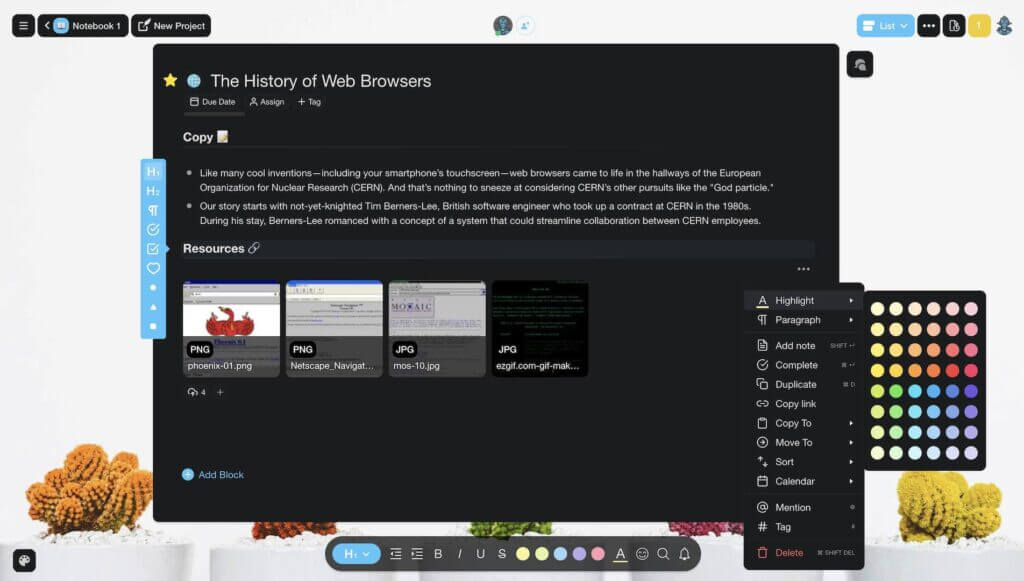
🌟 Taskade combines, research, planning, outlining, and collaboration.
👨💻 It’s free for personal use and works on all modern operating systems.
📱 You can type away on the go thanks to our handy mobile app.
🚀 There's no setup involved so you can start drafting immediately.
🤝 You can invite others to co-write, edit, and comment on your documents.
👁 Taskade lets you visualize projects in several different ways
Like Google Docs, Taskade combines writing and collaboration in one window. But unlike Google's suite, it does so in a frictionless, and distraction-free way.
How to Design Your Writing Workflow with Taskade 🐑
The romantic vision of a writer slouched over a legal pad, surrounded by a bunch of notebooks, and with a coffee mug at hand is cool. But... a modern, 100% digital writing workflow comes with a few tricks pen & paper do not.
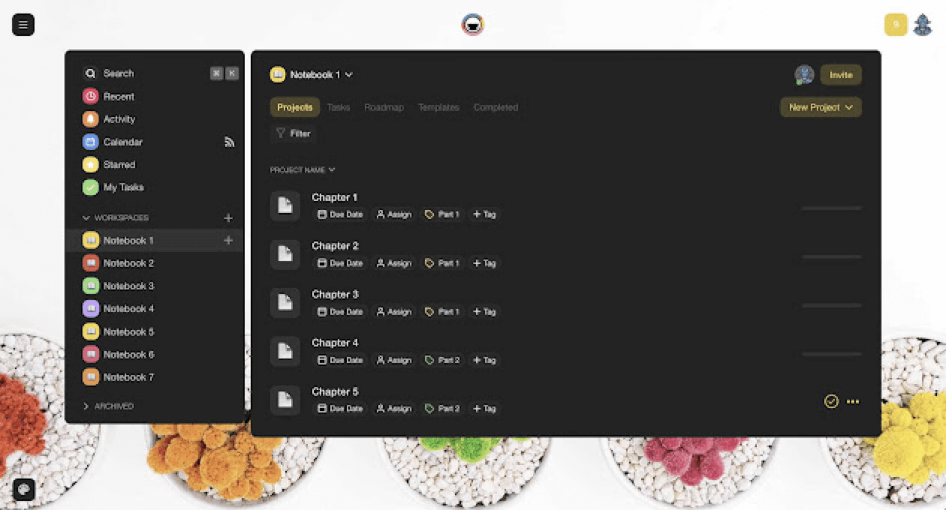
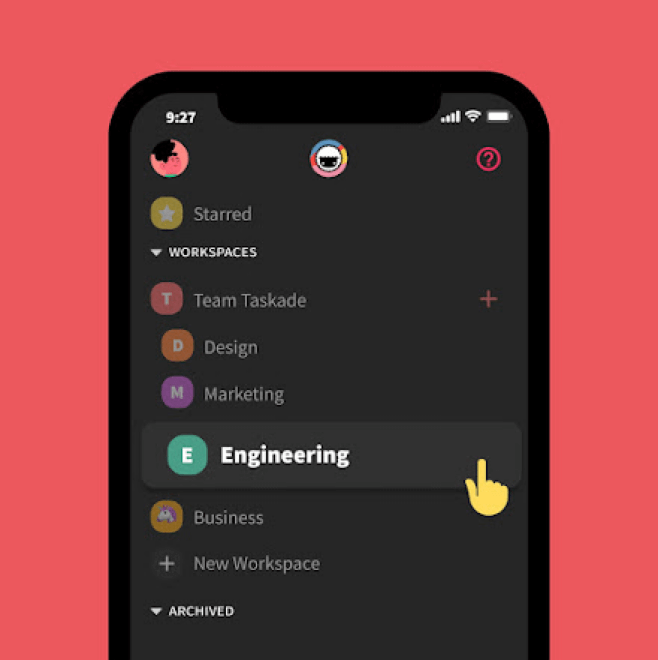
Taskade basic organization scheme breaks down into Workspaces, Subspaces, and Projects. You can think of the first two as your "notebooks." Projects correspond to individual notebook pages or book chapters.
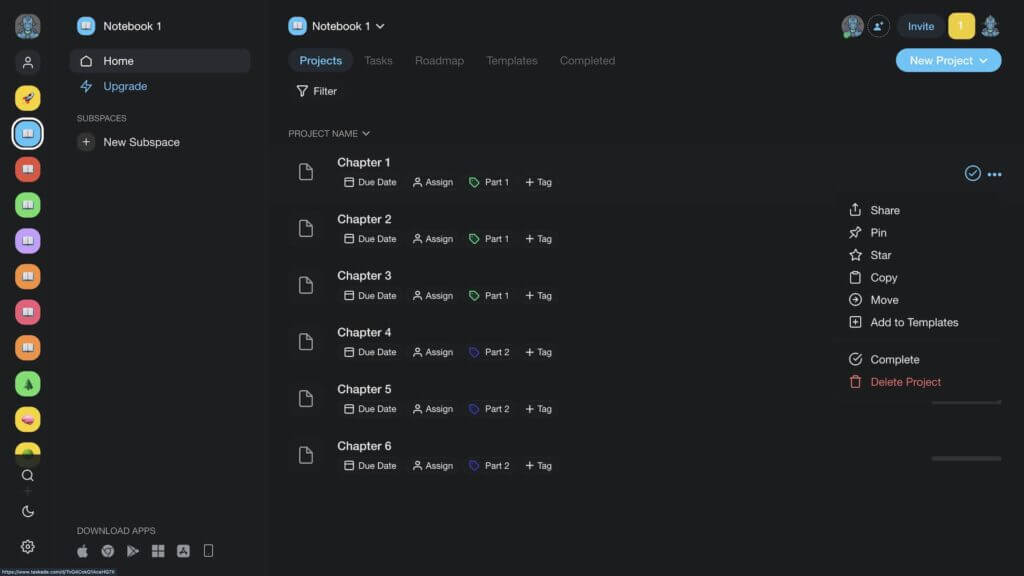
💡Writing Workflow Tip #1: You can use the basic Workspace/Subspace division to create separate containers for research, brainstorming, and drafts. The floor is all yours!
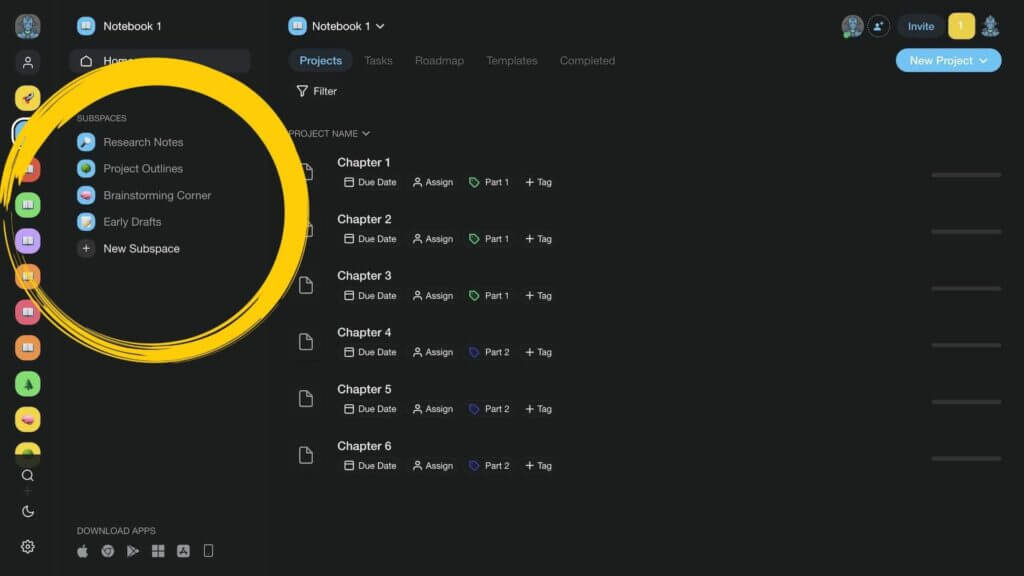
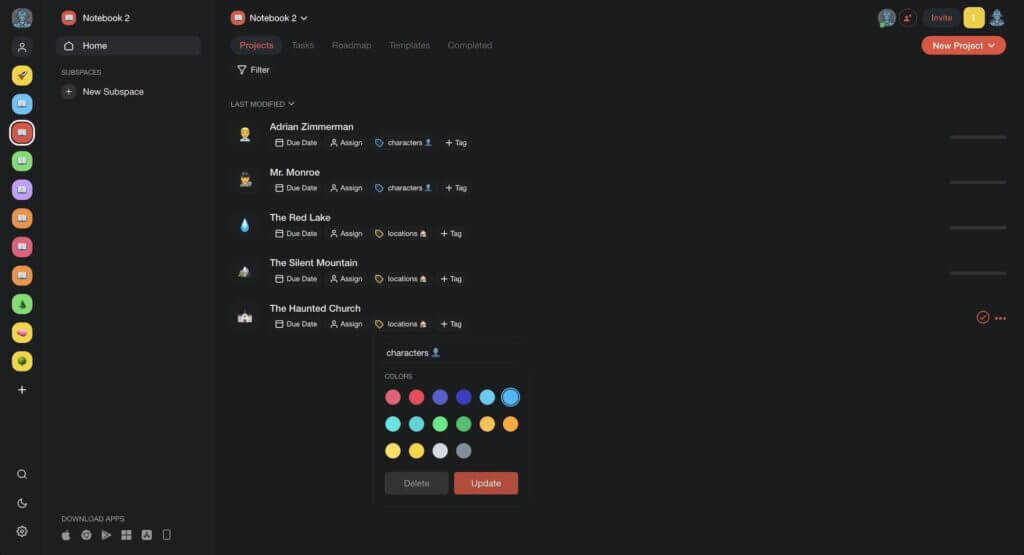
Every Project can be assigned a color-coded tag (yes, emojis work too). Tags let you filter out the contents of your Workspaces in a few clicks.
Use custom tags to find characters, locations, events, and other details. 👇
The Prep: Research and Plan
“There is not a discovery in science, however revolutionary, however sparkling with insight, that does not arise out of what went before. 'If I have seen further than other men, it is because I have stood on the shoulders of giants.”
Isaac Asimov, “Adding a Dimension: Seventeen Essays on the History of Science”
Research is a constant in a writer's life. While you probably don't want to dig too deep—got to start one day, eh?—some basic reconnaissance will help you get the facts straight and structure your document in a logical way.
Taskade lets you capture and organize all your research materials in one place. Every bit of information that ends up in your research notebook—either typed in manually or captured with our Web Clipper extension—can be tagged and systematized.
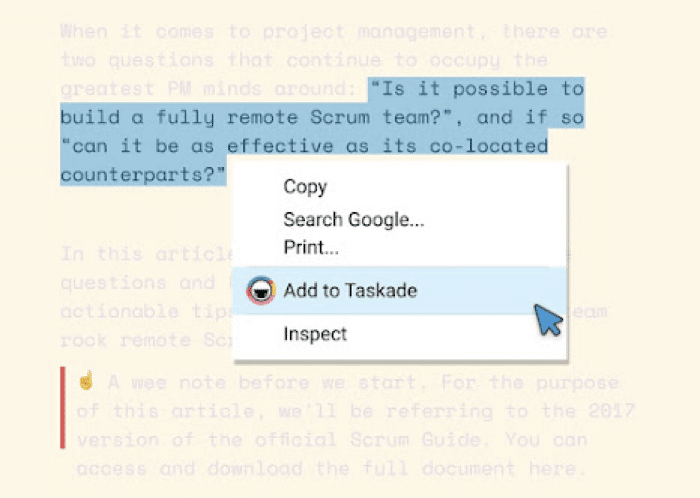
Taskade Web Clipper browser extension
Since Taskade stores your content in a tree-structured database, everything can be cross-linked together. That lets you create a Zettelkasten or a digital Second Brain for your notes.
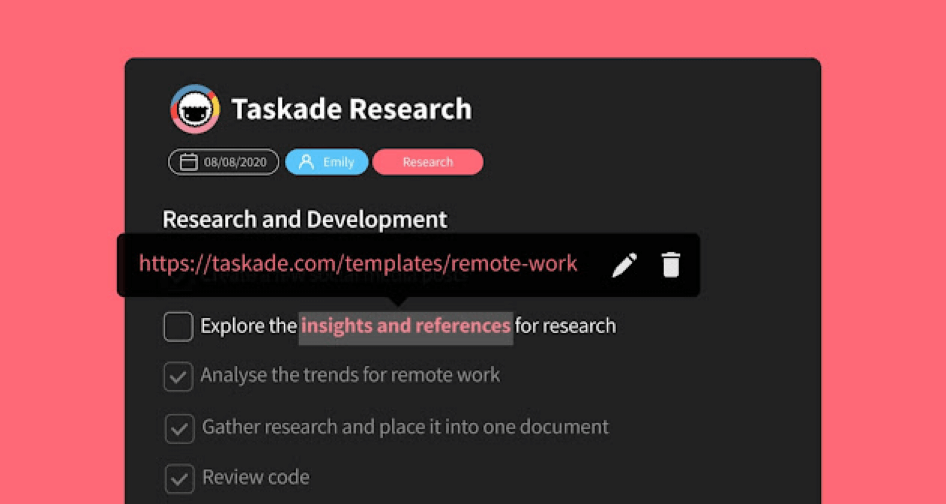
Taskade @mention/cross-linking functionality
But that's not all.
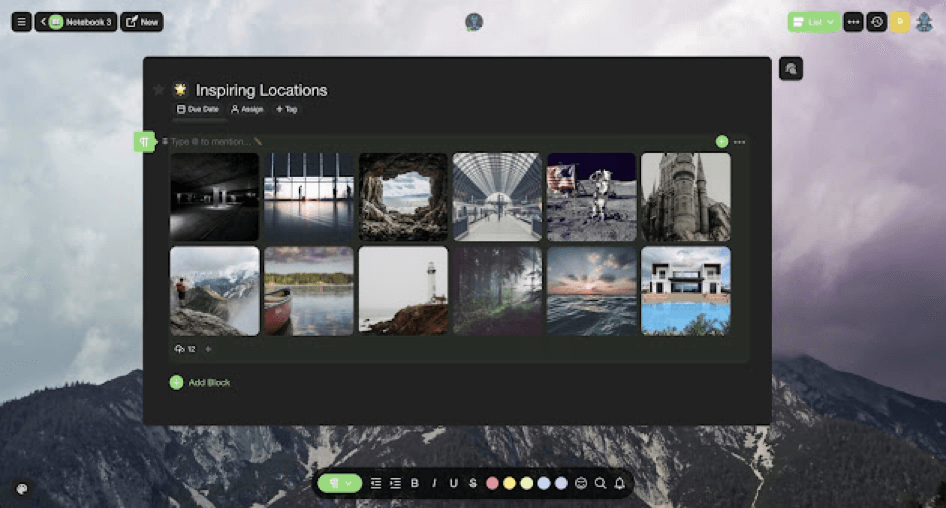
Blocks of text can be entertaining, as many comedy writers would testify, but why not make them more fun? Taskade lets you upload images, GIFs, videos, and other resources. Because inspiration lurks in surprising places.
Now, with the basic research bits in place, it's time for some commitments.
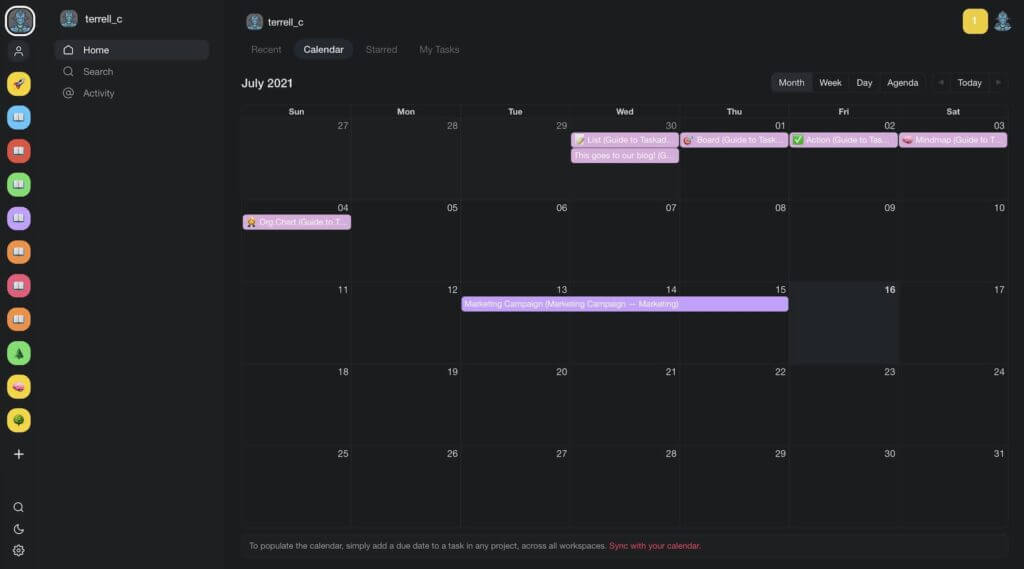
The Taskade calendar is your accountability partner. It displays all tasks and Projects with due dates and/or date ranges across all Workspaces. Now you can plan your NaNoWriMo workload with ease and visualize progress on a convenient roadmap.
Organization: Outline and Map Everything Out
A good outline can save you from hours of infuriatingly unproductive staring at a blank page. An outline gives your writing a structure and guides you through the process.
“The more work you put in on your outline and getting the skeleton of your story right, the easier the process is later.”
Drew Goddard
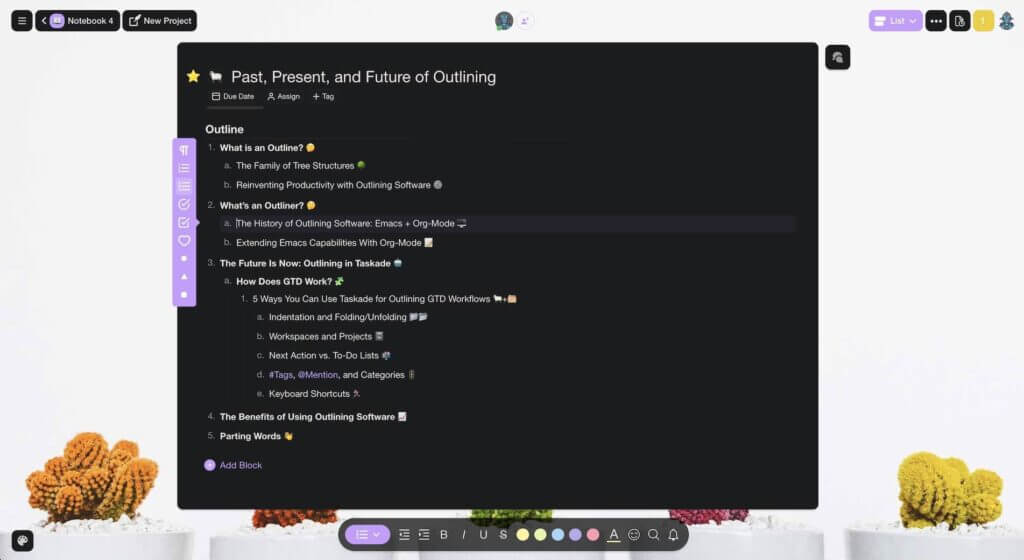
To create an outline, start by adding a few lines of text inside your Project. Indent (⌨️ press Tab) a few of the content blocks to create a simple hierarchical structure.
Like so. 👇
You can manage your outlines the visual way and display them as mind maps or org charts. Select the relevant Project view in the view switcher in the top right corner.
The Process: Create Your First Draft
There's something uncanny about the simplicity of writing. Most of the time, you only need a bare minimum toolbox—a piece of paper, a pen, and an inch of space to boot.
“The art of writing is to explain the complications of the human soul with the simplicity that can be universally understood.”
Alan Sillitoe
We wanted to preserve that minimalist magic and made Taskade's UI as simple as possible. There are no quirky formatting options, overwhelming ribbon menus, or shiny features you never use anyway. Taskade gives you a quintessential writing experience that lets you focus on deep and meaningful work.
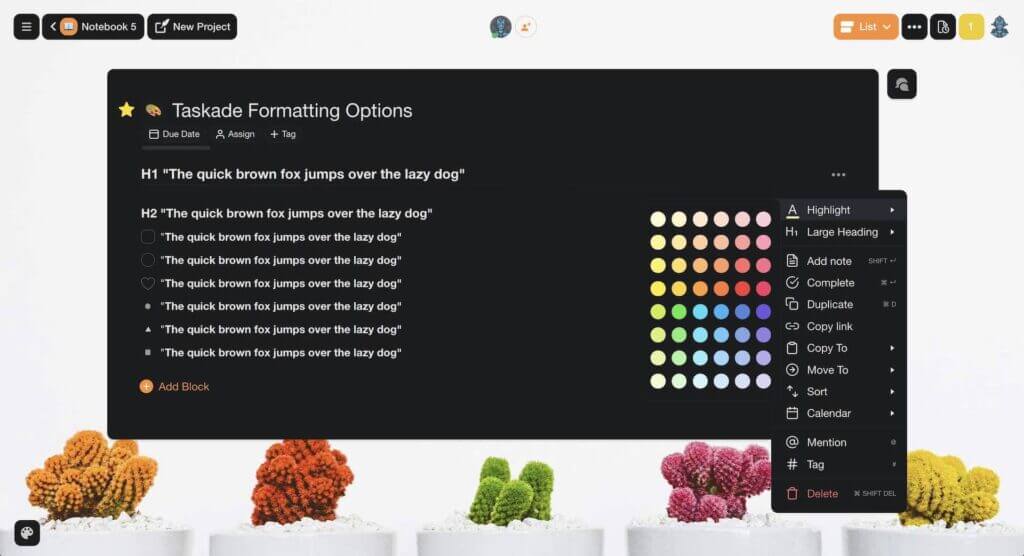
All content blocks inside Projects can be customized as a paragraph, checklist, bullet, or heading. You can multi-select several blocks to format them quickly.
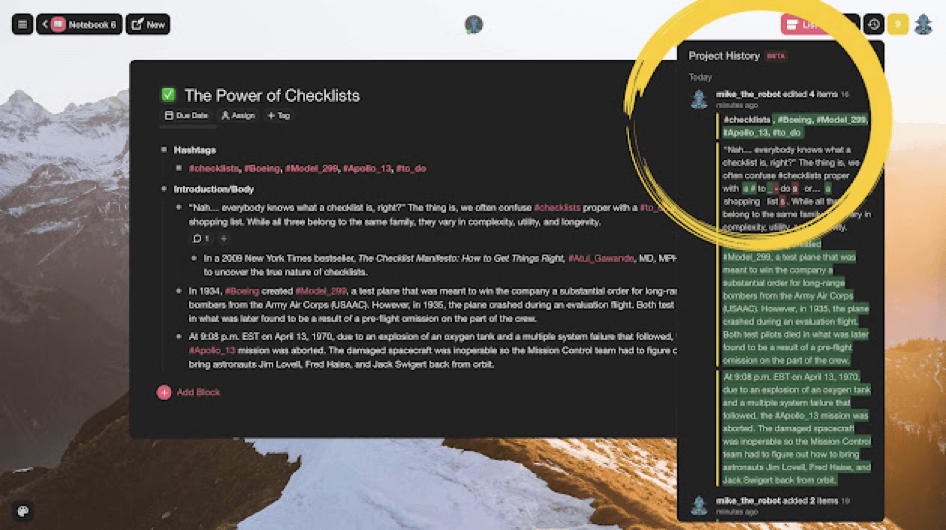
All changes to your draft are logged in the Project Changelog. Click on the clock icon at the top right-hand corner of the page to view your project history. Hover over the time entry for a more detailed time stamp for each change.
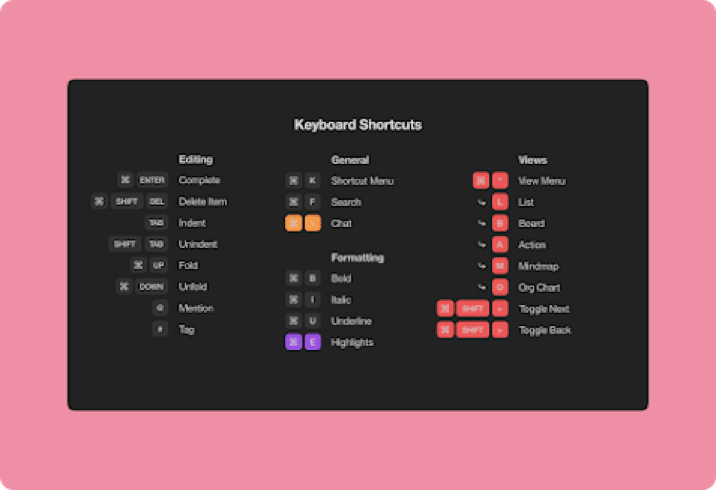
To speed up the navigation, Taskade offers familiar keyboard shortcuts that'll help you jump between content blocks, format, organize, and modify your documents in a jiffy.
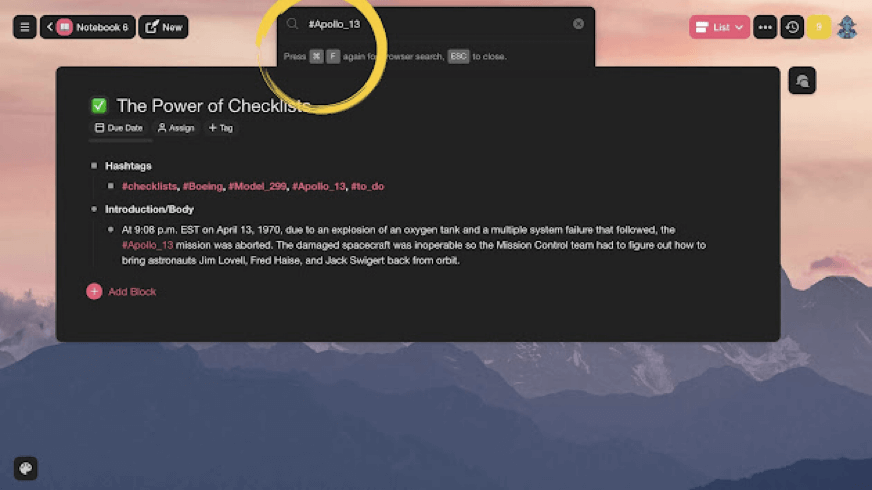
💡 Writing Workflow Tip #2: Use #hashtags to organize tasks, notes, and filter them directly inside Projects. You can assign hashtags to filter out essential characters, locations, or events and track them across the draft.
As Hemingway once said, "The only kind of writing is rewriting."
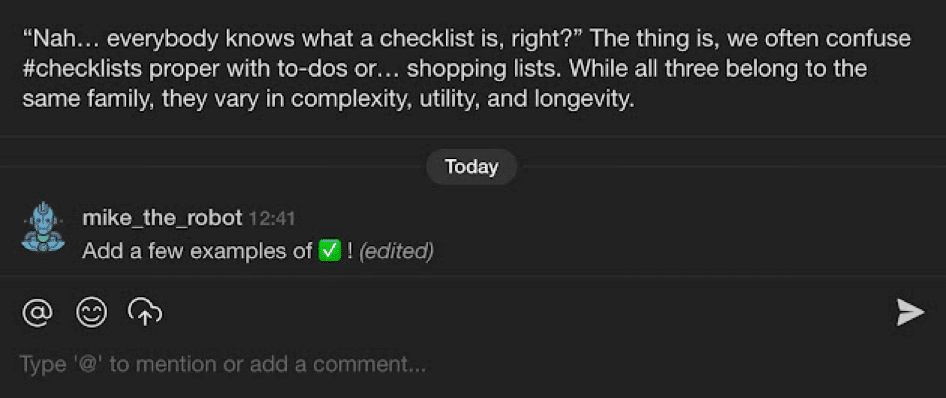
If you want to make the arduous process of rewriting a tad easier, be sure to leave comments and suggestions that'll help you later on. Taskade lets you add comments to individual content blocks so you always know which fragments need wordsmithing.
"And what if I want to scribble something down on the go?"
We get it, the muse can come knocking when you least expect it. That's why Taskade comes with a fully-fledged mobile app to match. Take notes, manage notebooks, set reminders, and type away wherever you are.
Extras: Things You Didn't Know You Need 🌟
Of course, using a digital notebook would make no sense if it didn't offer some creative superpowers. Just like the ability to create custom templates for your writing projects!
With Tasakade, you can create reusable templates to automate your workflow. To create a custom template, open the Templates tab in any of your Workspaces. Next, click Create a Template and voilà, you are now in the Edit Template mode.
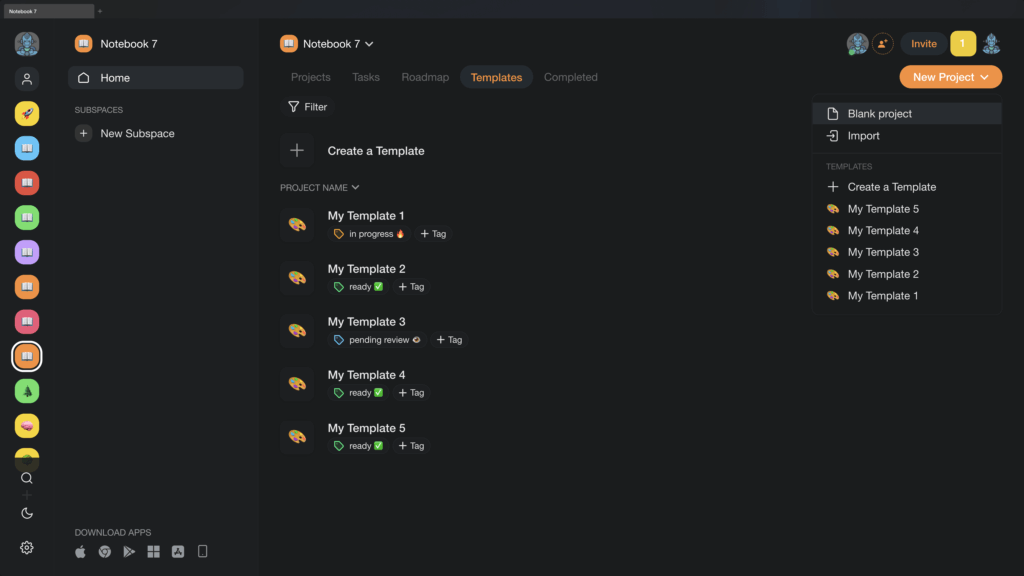
You can also drop by our templates catalog for a fine selection of 500+ business and personal templates across 25 categories. All are customizable and 100% free!
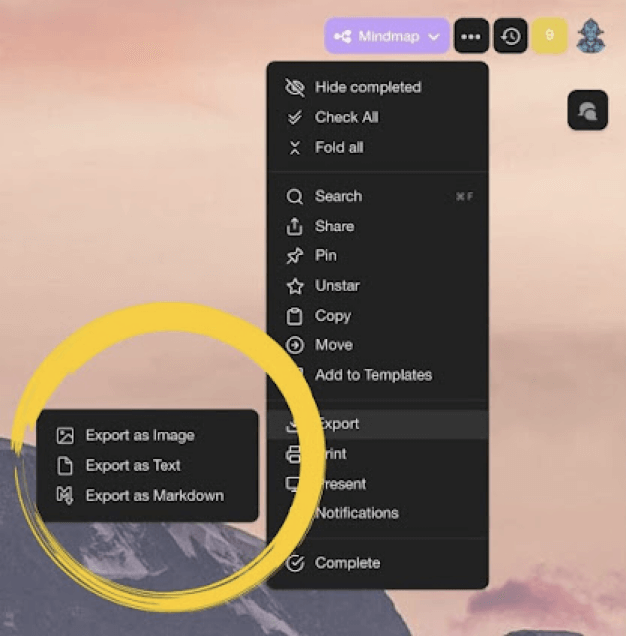
Finally, you can export your drafts as plaintext and markdown. Attach them to emails, presentations, or for print. Export supports boards and mindmaps too!
Tag Team: A Collaborative Workflow 👩💻👨💻
Congratulations!
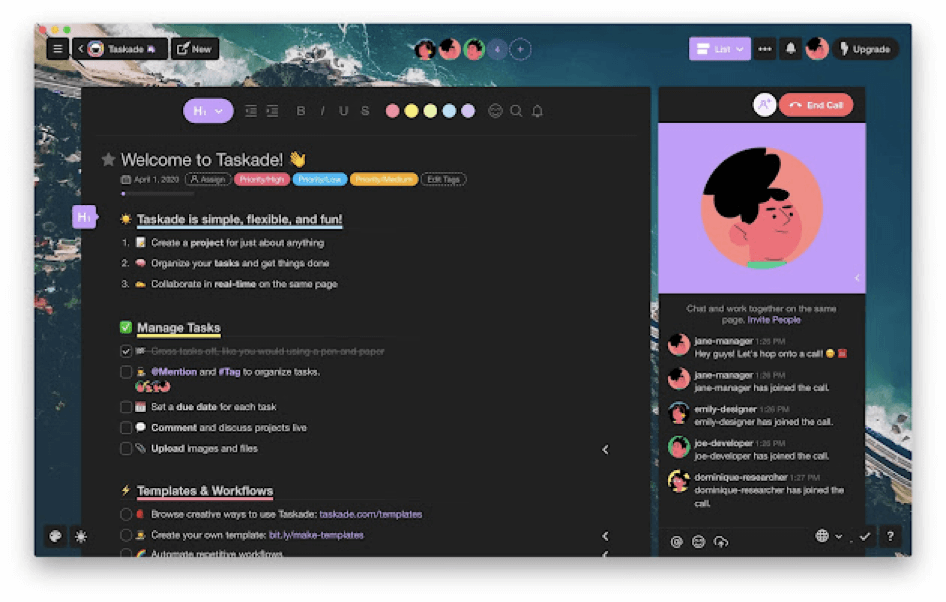
You have your first, second, or third draft ready. But... it'd be nice to have a second pair of eyes to glance over it. Taskade lets you invite collaborators to edit, co-writer, leave comments and help you fine-tune your magnum opus.
#Writing means sharing. It's part of the human condition to want to share things, thoughts, ideas, and opinions
— Paulo Coelho (@paulocoelho) February 7, 2016
All you need to do is click on the ➕ Invite button in your Project space.
💡Writing Workflow Tip #3: Set user roles and define who can change what within a Project. Choose between owners, admins, editors, checkers, and viewers.
But there's more.
Each project acts as a chat room or channel for discussion. Simply type your message in the chatbox on the right and your collaborators will get push notifications when you do.
Share notes, documents, or start a video conference, all within one app!
And that's it!
Your Dream Writing Workflow Is Here 🌟
Research, outline, draft, rewrite… The greatest writers, both past and present, have used the same writing workflow to create their masterpieces, one word at a time.
With Taskade, you can combine that creative process in one place, without shuffling browser tabs, fiddling with clunky software, or paying for expensive writing apps.
So, what are you waiting for? Unleash your creativity with a free Taskade account today.
Outline, write, and edit faster with Taskade AI! 🤖
🤖 Custom AI Agents: Create AI agents to help organize and enhance your writing workflow, from brainstorming to publishing.
🪄 AI Generator: Generate structured outlines, character profiles, or plot summaries, streamlining your creative and writing processes.
✏️ AI Assistant: Use the AI Assistant for real-time writing assistance, including grammar checks, style suggestions, and content structuring.
🗂️ AI Prompt Templates Library: Access prompts designed for writers, helping you structure thoughts, develop arguments, and more.
💬 AI Chat: Consult AI Chat for creative inspiration or overcoming writer's block, keeping your writing fluid and engaging.
📄 Media Q&A: Evaluate your writing processes and output, gaining insights into how to further refine and enhance your writing workflow.
And much more...

Frequently Asked Questions
What does a complete writing workflow look like?
A complete writing workflow covers ideation (brainstorming and outlining), research (gathering references), drafting (writing the first version), editing (refining and restructuring), feedback (collaborative review), and publishing. The best workflows keep all these stages in one tool rather than spreading them across separate apps.
How can writers organize their workflow in one app?
Use a platform like Taskade that supports outlining for structure, document editing for drafting, multiple views for organizing projects, task tracking for deadlines, and AI assistance for brainstorming and editing. Having everything in one workspace eliminates the friction of switching between apps during the creative process.
What features should writers look for in a productivity tool?
Writers need distraction-free editing, markdown support, outlining and structuring capabilities, version history, collaboration features for feedback, and flexible organization (folders, tags, views). AI writing assistance and template libraries are increasingly essential for modern writing workflows.
How does Taskade help writers stay productive?
Taskade combines outline-based writing with AI assistance, multiple project views for organizing work, real-time collaboration for editorial feedback, task management for tracking deadlines, and templates for recurring content types — all in a single workspace that adapts to different stages of the writing process.