






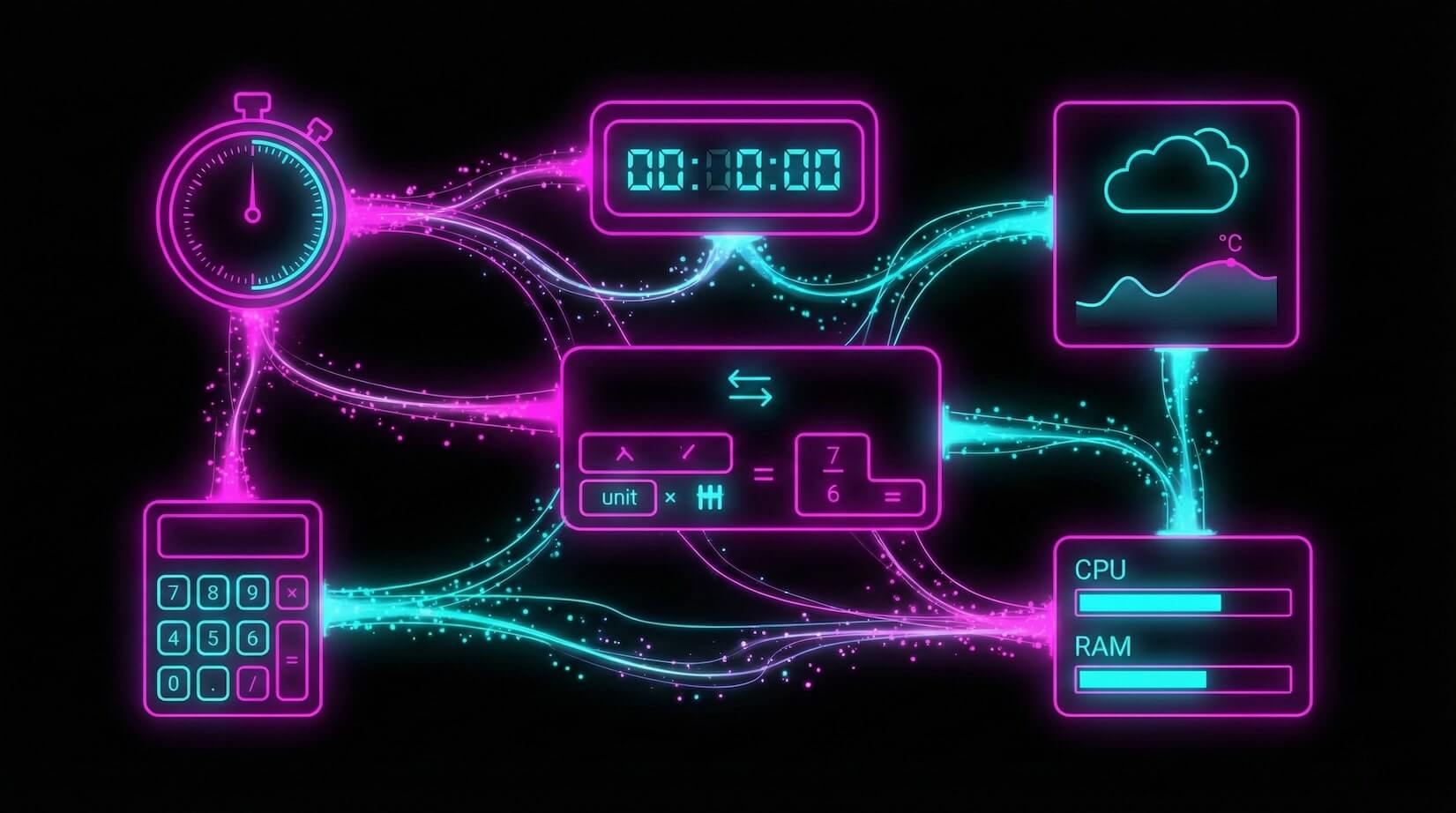
Big software is overrated.
The best tools do one thing well. Micro-apps — small, focused utilities — often save more time than enterprise platforms. They load fast, do exactly what you need, and get out of the way. No training videos. No onboarding calls. No 200-page documentation.
Taskade Genesis makes micro-apps trivially easy to build. One prompt creates a focused tool with data storage (Projects), smart AI assistance (Agents with built-in tools), and automation (Automations with 100+ integrations).
TL;DR: Micro-apps do one job perfectly. Taskade Genesis builds them from a single prompt with AI agents, data storage, and automation baked in. Clone 12 ready-made micro-apps below or build your own in minutes. Start free →

Why Micro-Apps Beat Bloated Software
The enterprise software model is broken for individual tasks. You pay for 100 features to use 3. Micro-apps flip that model:
| Dimension | Enterprise Software | Micro-Apps |
|---|---|---|
| Features | 100+ (you use 3) | 1 job, done perfectly |
| Learning curve | Hours to weeks | Instant use |
| Cost | $20-100/mo per user | Free or $10/mo |
| Load time | Seconds to minutes | Instant access |
| Setup | Configuration required | Zero config |
| Intelligence | Static dashboards | AI agents analyze your data |
What makes Taskade micro-apps different from simple web widgets is Workspace DNA. Every micro-app, no matter how small, includes:
- Memory — Projects store your data persistently
- Intelligence — AI Agents analyze patterns and answer questions
- Execution — Automations connect to external tools and trigger actions
A tip calculator that also tracks your spending patterns, suggests budget adjustments, and exports to your accounting tool. That is the difference.
Quick Reference: All 12 Micro-Apps
| # | App | What It Does | Best For | Clone Link |
|---|---|---|---|---|
| 1 | Expense Splitter | Split group costs | Roommates, team dinners | Clone → |
| 2 | Meeting Cost Calculator | Calculate meeting ROI | Managers, ops teams | Clone → |
| 3 | QR Code Studio | Generate QR codes | Marketing, events | Clone → |
| 4 | Time Tracker | Track billable hours | Freelancers, consultants | Clone → |
| 5 | D&D Mockery Generator | Fantasy insults | DMs, players | Clone → |
| 6 | Minimalistic ToDo | Simple task list | Daily tasks | Clone → |
| 7 | Invoice Generator | Create invoices | Small businesses | Clone → |
| 8 | Palette Extractor | Extract colors | Designers, brand work | Clone → |
| 9 | Personal Expense Tracker | Track spending | Budgeting | Clone → |
| 10 | Study/Work Timer | Focus sessions | Deep work, studying | Clone → |
| 11 | Note Tiles | Quick capture | Brainstorming | Clone → |
| 12 | Flash Deck Maker | Create flashcards | Learning, memorization | Clone → |
The Micro-App Architecture
Every micro-app built with Taskade Genesis shares the same three-layer architecture, scaled down to a single purpose:
This is the same Workspace DNA that powers full-scale Genesis apps — just scoped to a single purpose.
1. Expense Splitter
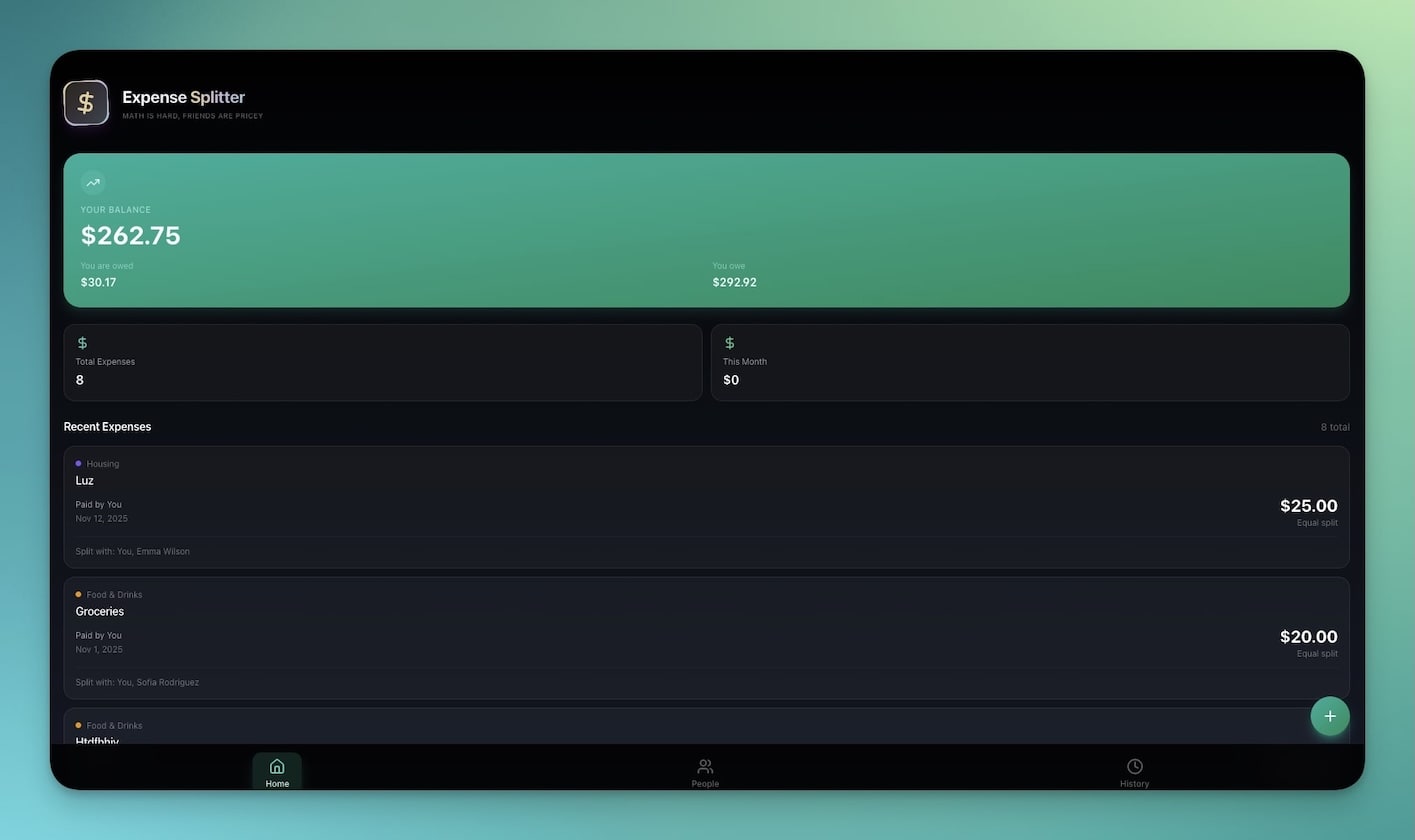
Split costs among groups instantly. Add people, add expenses, and the app calculates who owes whom — with settlement suggestions to minimize the number of transactions.
Best for: Team dinners, roommates, group trips, shared subscriptions
Features:
- Multi-person entry with names and contribution amounts
- Automatic split calculation (equal or custom ratios)
- Balance tracking across multiple expenses
- Settlement suggestions that minimize transaction count
AI enhancement: The agent tracks spending patterns across multiple events and suggests fair split strategies based on history.
2. Meeting Cost Calculator
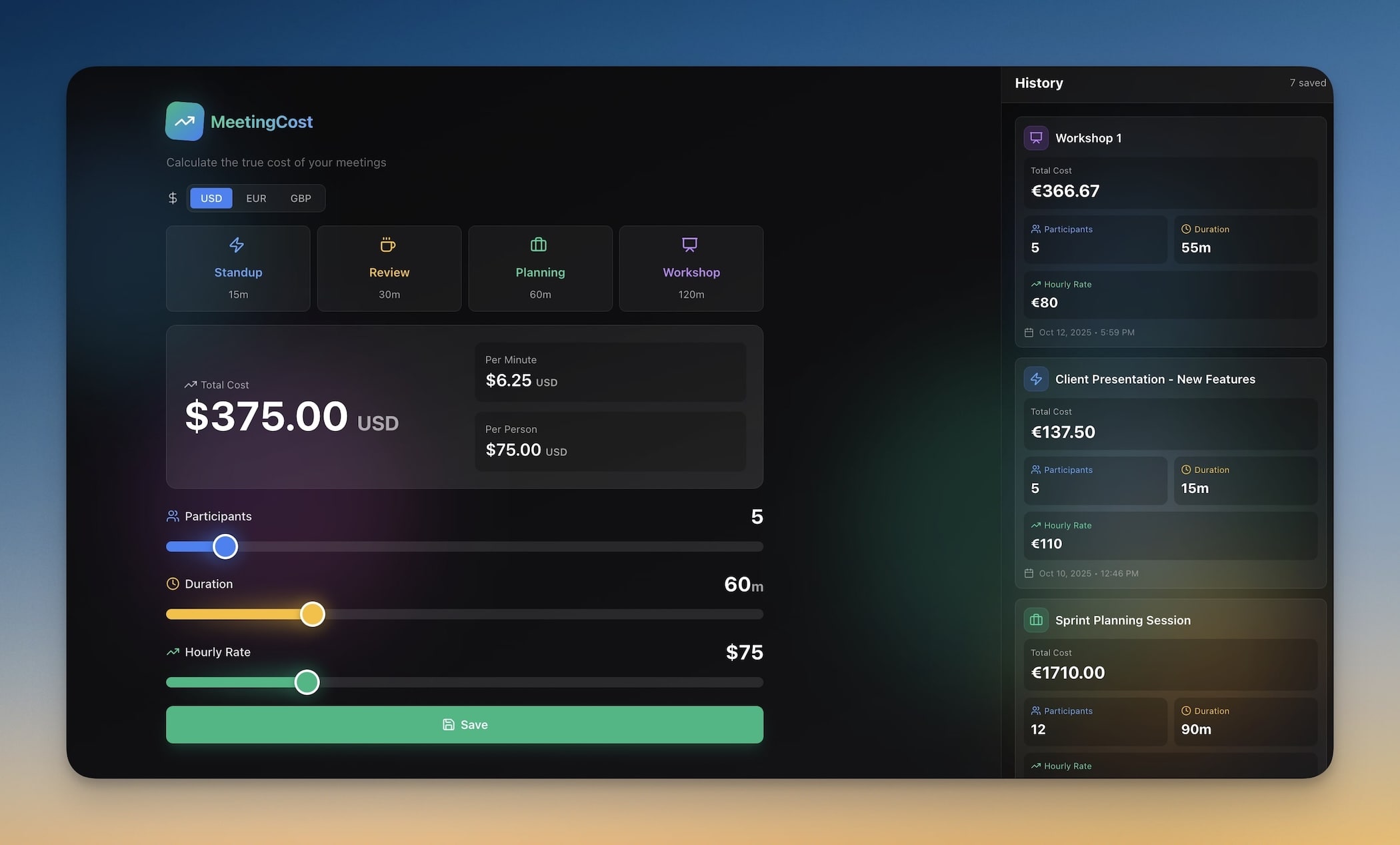
Calculate the true cost of meetings by combining attendee compensation rates with meeting duration. Stop wasting money on meetings that could have been emails.
Best for: Managers, ops teams, meeting skeptics, CFOs
Features:
- Attendee salary input (hourly or annual)
- Duration calculator with overtime tracking
- Cost per meeting with historical comparison
- ROI analysis for recurring meetings
AI enhancement: The agent analyzes your meeting history and flags which recurring meetings cost more than they produce. Connect to Google Calendar for automatic meeting import.
Clone Meeting Cost Calculator →
3. QR Code Studio
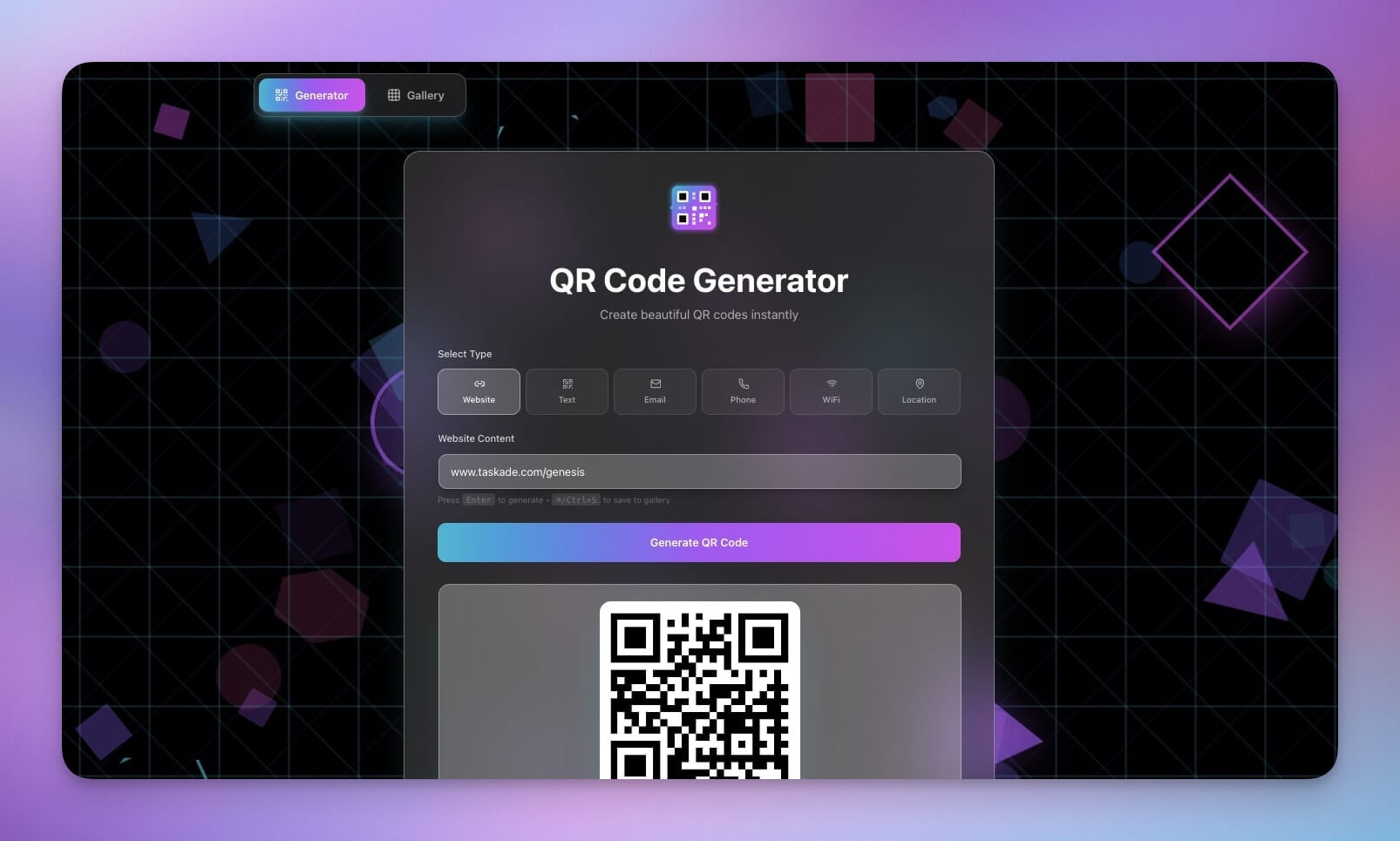
Generate QR codes for any URL, text, or contact information. Batch generate codes for events, business cards, or marketing campaigns.
Best for: Marketing teams, event organizers, business cards, product packaging
Features:
- URL to QR conversion with instant preview
- Custom sizing for print and digital
- Download options (PNG, SVG)
- Batch generation for multiple URLs
AI enhancement: The agent suggests optimal QR code placement strategies and tracks scan analytics when connected to URL shorteners.
4. Time Tracker
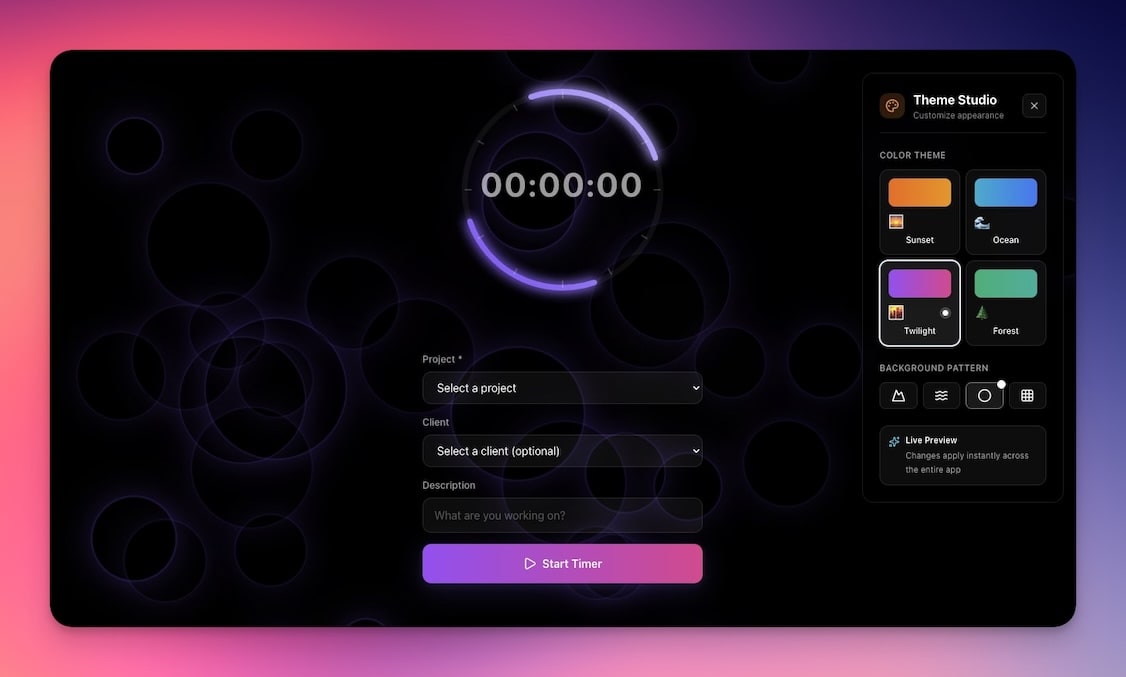
Track time spent on tasks and projects with a clean timer interface. Tag entries by project, export for invoicing, and view weekly summaries.
Best for: Freelancers, consultants, agencies, hourly billing
Features:
- Timer interface with start/stop/pause
- Project tagging for categorized tracking
- Weekly summaries with billable vs. non-billable breakdown
- Export for invoicing and client reporting
AI enhancement: The agent identifies your most productive hours, suggests time allocation improvements, and auto-categorizes entries based on past patterns. Pairs perfectly with the Invoice Generator (see #7).
5. D&D Mockery Generator
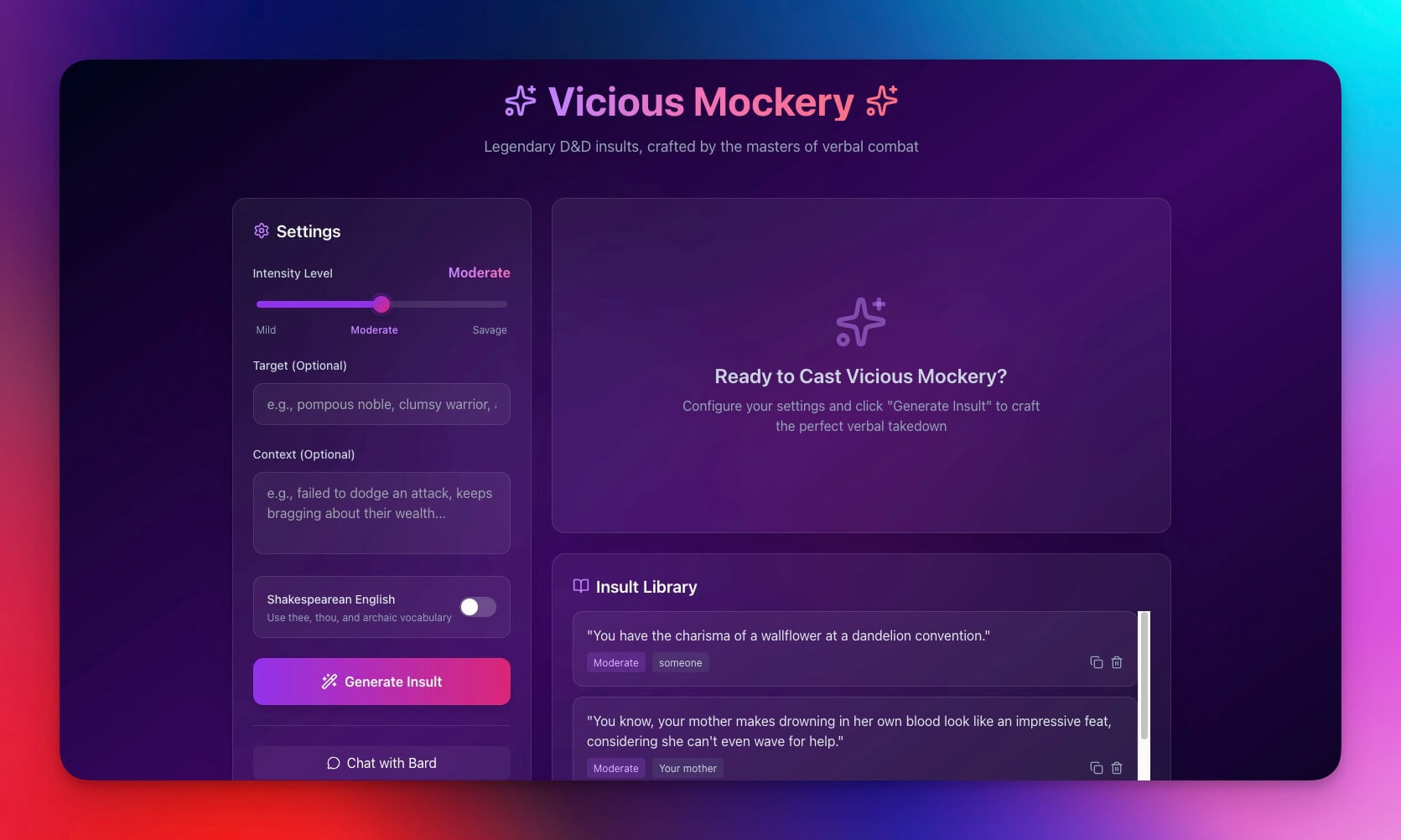
Generate fantasy insults and mockery for tabletop games. Built with an AI agent trained on fantasy literature styles.
Best for: Dungeon Masters, players, creative writing, game night
Features:
- Random generation with style selection (Shakespearean, tavern brawl, noble court)
- Save favorites to a personal collection
- Share outputs with party members
- Tone controls from mild teasing to devastating wit
AI enhancement: The agent generates contextual mockery based on the target's race, class, and recent actions in the campaign.
6. Minimalistic ToDo App
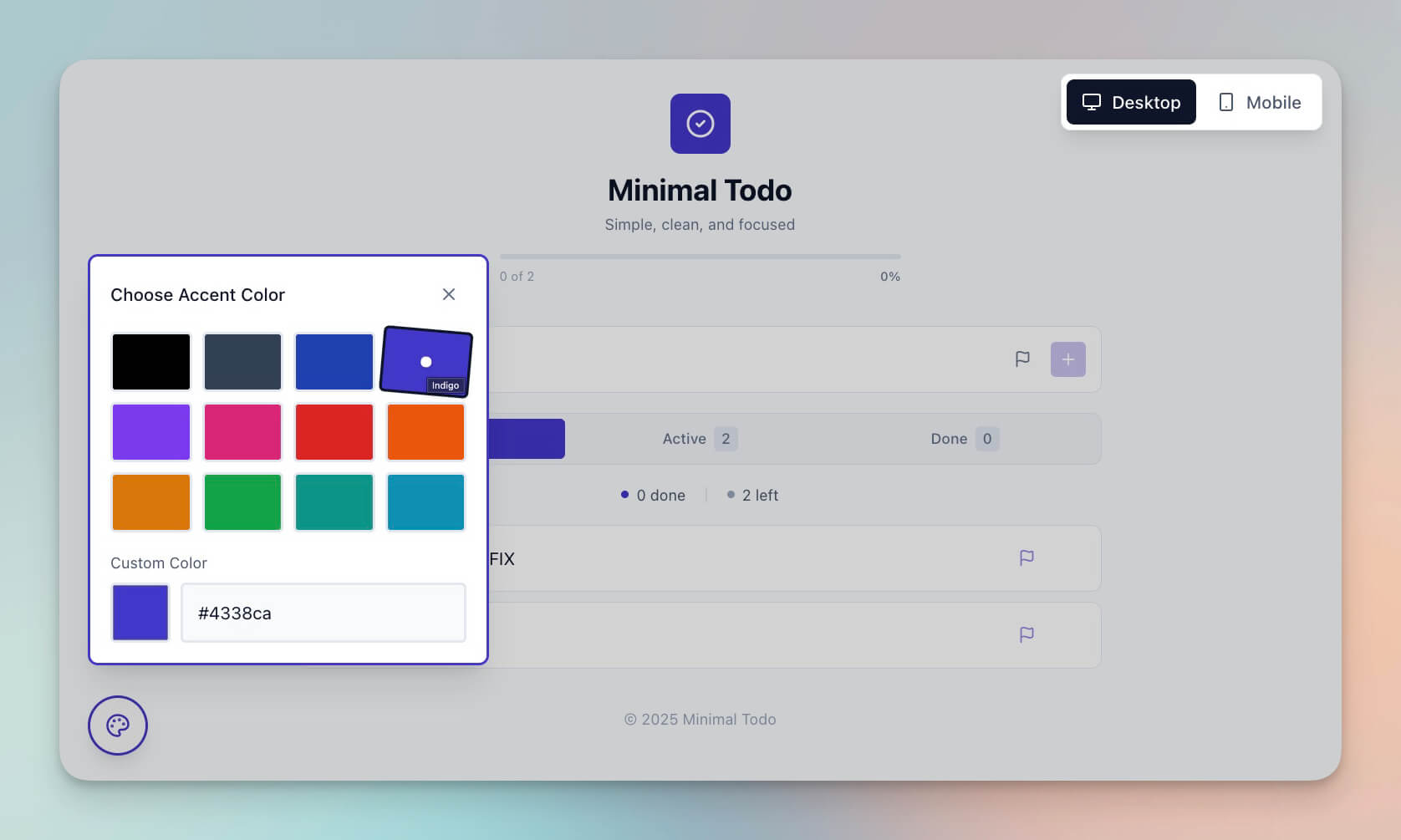
A clean, simple task manager that does one thing: tracks your tasks. No tags, no projects, no categories. Just a list and a checkbox.
Best for: Daily tasks, quick lists, people who find Todoist overwhelming
Features:
- Clean interface with zero clutter
- Task completion with satisfying checkmarks
- Simple drag-and-drop organization
- No distractions or unnecessary features
AI enhancement: Even a minimalist app benefits from intelligence. The agent can suggest task priorities based on deadlines and dependencies. View your tasks across multiple project views including List, Board, and Calendar.
7. Invoice Generator
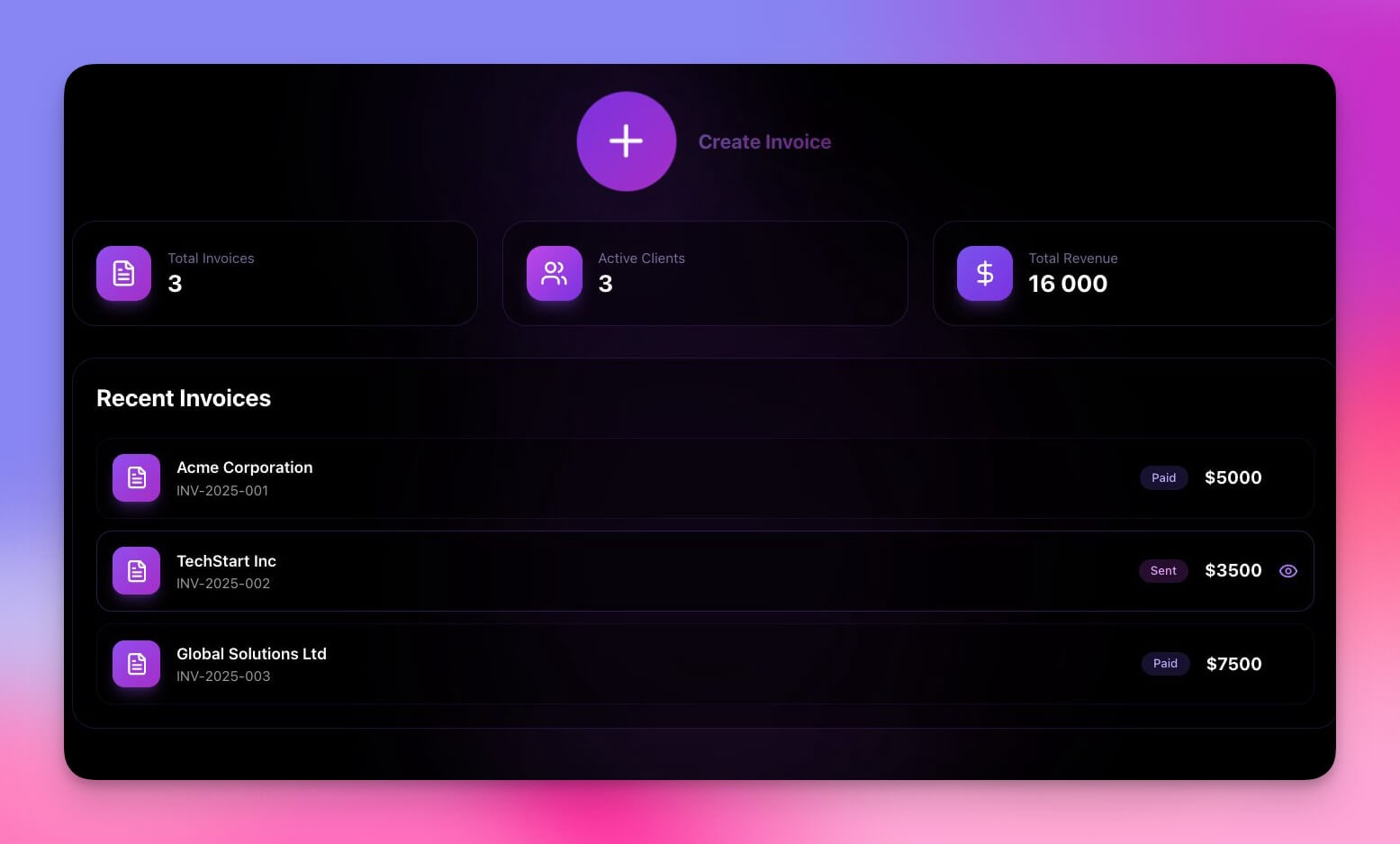
Create professional invoices with line items, tax calculations, and client tracking. Export to PDF and send directly from the app.
Best for: Freelancers, small businesses, contractors, agencies
Features:
- Invoice templates with customizable branding
- Line item calculations with tax and discount support
- Client tracking with payment history
- PDF export for professional delivery
AI enhancement: The agent auto-populates invoice details from your Time Tracker data, suggests pricing based on project complexity, and sends payment reminders via automation. Connect to Stripe for payment processing.
8. Palette Extractor
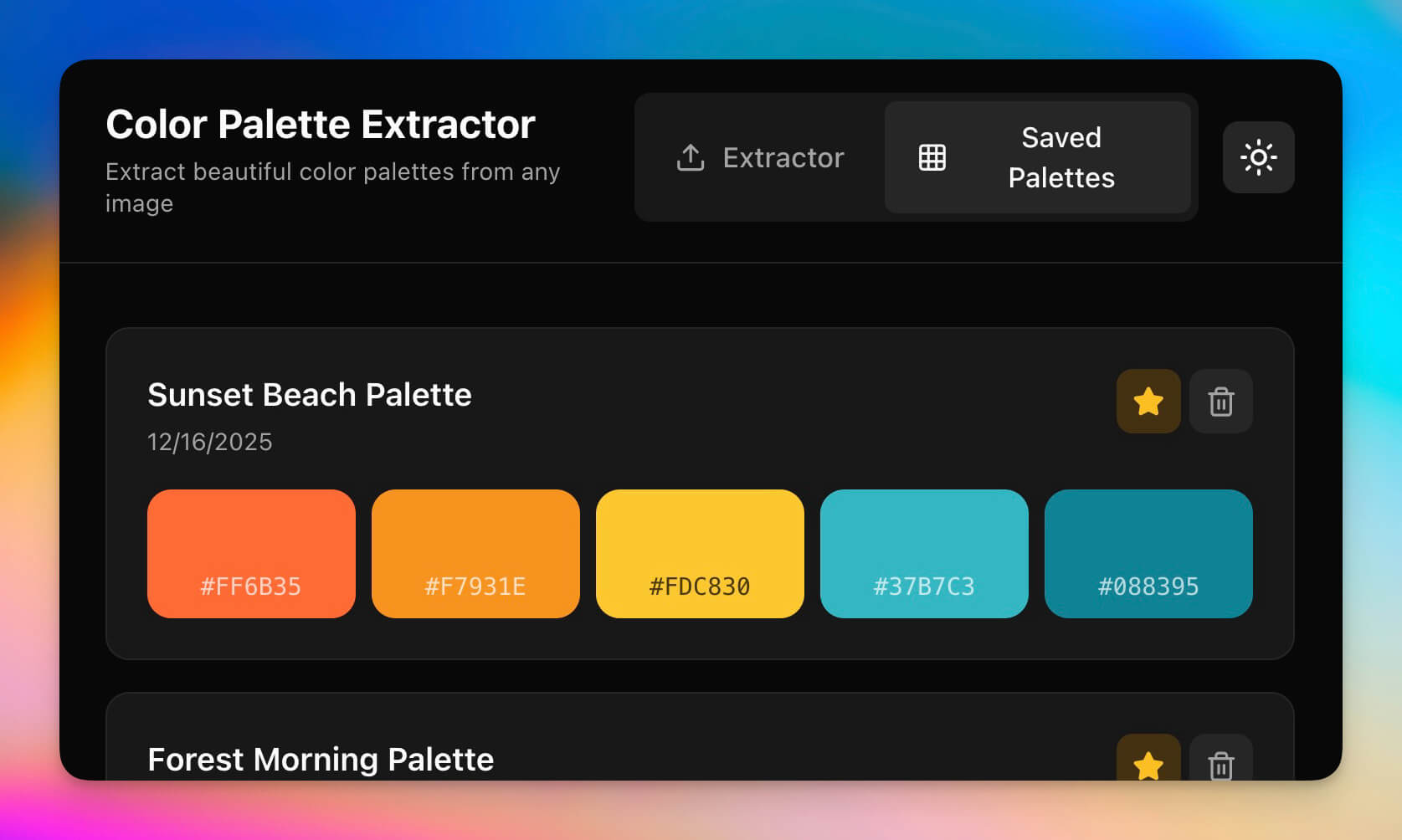
Extract color palettes from images and export as design-ready color codes.
Best for: Designers, marketers, brand work, UI development
Features:
- Image upload with drag-and-drop
- Automatic color extraction with dominant/accent separation
- Hex, RGB, and HSL output formats
- Palette export for design tools
AI enhancement: The agent suggests complementary colors, identifies color harmony types (analogous, triadic, split-complementary), and recommends accessibility-friendly alternatives for low-contrast pairs.
9. Personal Expense Tracker
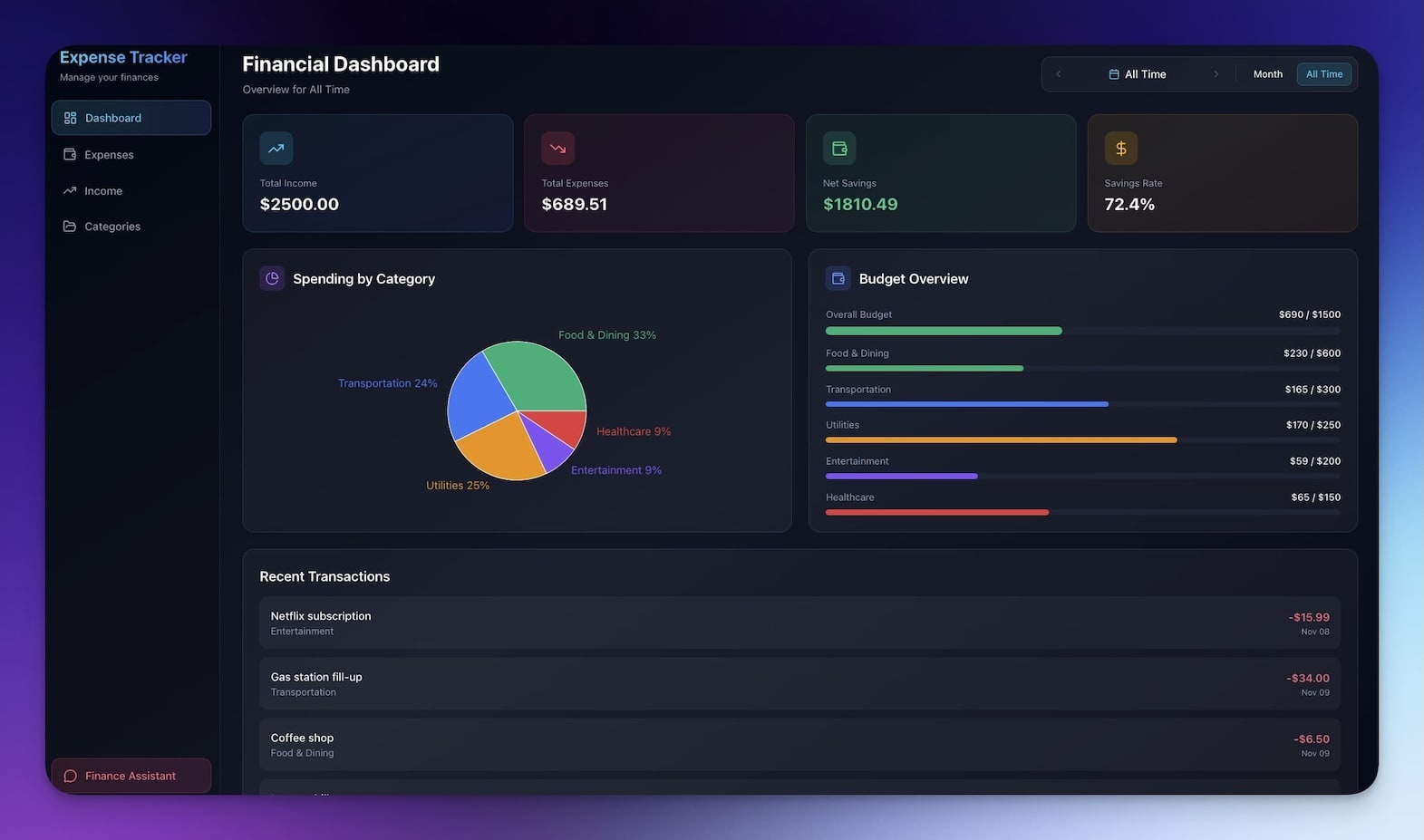
Track personal spending with simple categorization, monthly summaries, and trend visualization.
Best for: Personal finance, budgeting, spending awareness
Features:
- Expense logging with category selection
- Category breakdown with percentage allocation
- Monthly summaries with budget vs. actual comparison
- Trend visualization across months
AI enhancement: The agent identifies unusual spending spikes, predicts month-end totals based on current pace, and suggests budget adjustments. Works well alongside the Expense Splitter (see #1) for complete personal finance tracking.
Clone Personal Expense Tracker →
10. Study/Work Timer

Pomodoro-style focus timer with customizable work and break intervals, session tracking, and ambient sounds.
Best for: Deep work, studying, focus sessions, exam prep
Features:
- Pomodoro cycles with customizable durations
- Ambient sound options for focus
- Break reminders with stretch suggestions
- Session tracking with daily and weekly totals
AI enhancement: The agent analyzes your focus patterns and suggests optimal work/break ratios. After a week of data, it recommends personalized session lengths based on when your concentration peaks.
11. Note Tiles
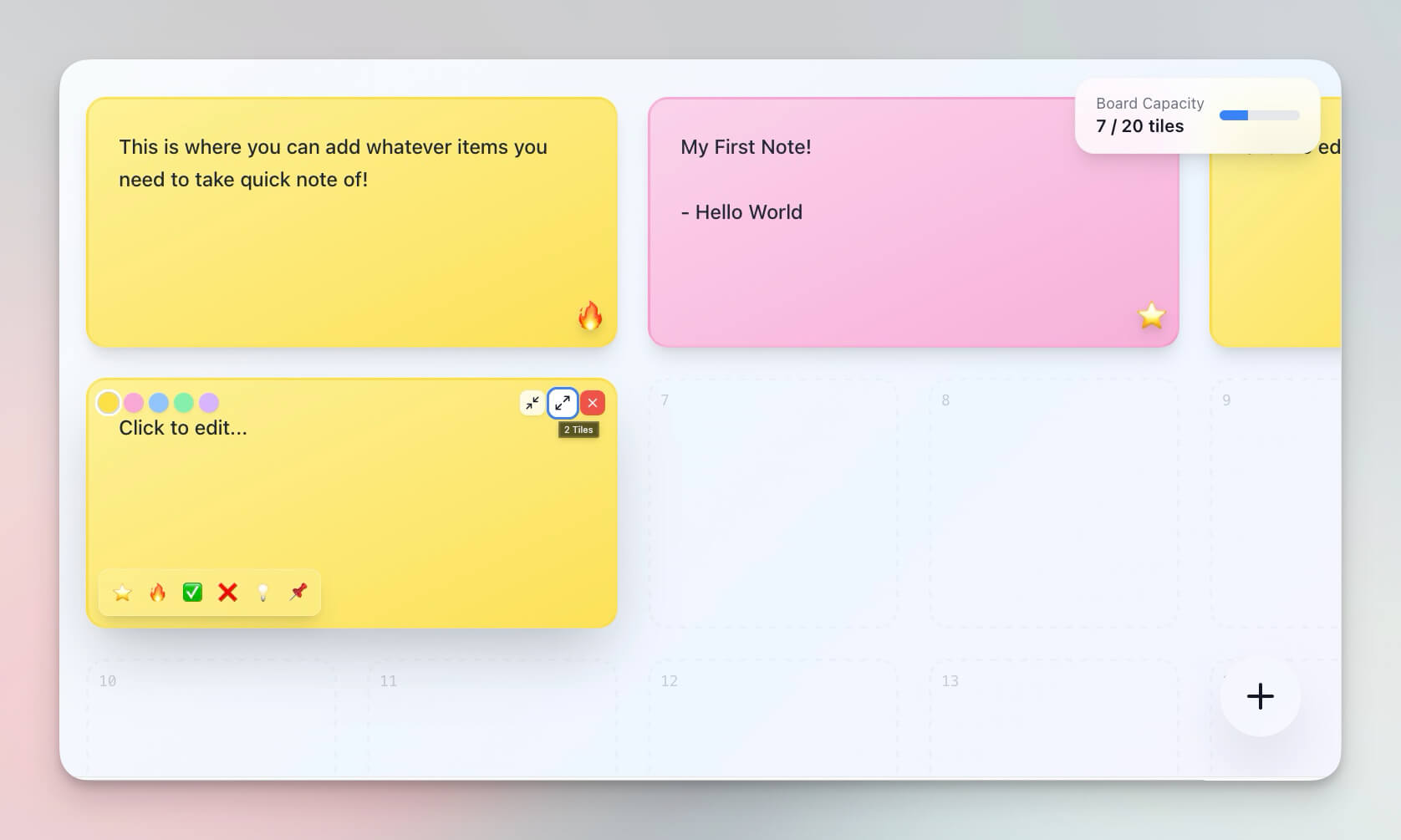
Visual note capture with tile-based organization. Think of it as a digital sticky note board that is actually organized.
Best for: Quick capture, brainstorming sessions, visual thinkers
Features:
- Tile-based layout with flexible sizing
- Color coding by topic or priority
- Quick entry with keyboard shortcuts
- Search and filter across all tiles
AI enhancement: The agent can summarize related tiles into a single brief, identify connections between notes, and suggest groupings based on content similarity.
12. Flash Deck Maker

Create and study flashcards with spaced repetition and progress tracking.
Best for: Learning, memorization, study prep, language learning
Features:
- Card creation with front/back format
- Deck organization by subject
- Study mode with flip animation
- Progress tracking with mastery indicators
AI enhancement: The agent generates flashcards from your notes automatically, identifies which cards need more review based on error rates, and creates related questions to deepen understanding. Paste any text and the agent extracts key facts into card format.
Micro-Apps vs. Full Platforms: A Deeper Comparison
The micro-app approach is not just about simplicity — it is a fundamentally different architecture for solving problems. Here is how the two models compare across dimensions that matter for productivity:
| Dimension | Full Platform (Notion, Monday, etc.) | Micro-App Stack (Taskade Genesis) |
|---|---|---|
| Time to first value | 30 minutes to days | Under 5 minutes |
| Learning curve | Training required | Self-explanatory |
| Customization | Configuration menus | Prompt-based modification |
| Feature bloat | Grows with every update | Stays focused |
| Performance | Slows as features accumulate | Fast (minimal scope) |
| Cost per solved problem | $10-50/mo for one solution | Free or $10/mo for many |
| Switching cost | High (data locked in) | Low (export, rebuild, or swap) |
| AI intelligence | Limited to platform AI | Full agent with built-in tools |
When Full Platforms Still Win
Micro-apps are not the answer to everything. Full platforms make more sense when:
- You need deeply integrated workflows across many data types (project management suites)
- Your team exceeds 50 people and needs centralized governance
- Regulatory compliance requires a single system of record with audit trails
- Your use case is already a solved category (e.g., full-featured CRM for enterprise sales)
For everything else — personal utilities, team-specific tools, quick calculations, focused tracking — micro-apps built with Taskade Genesis are faster, cheaper, and more adaptable.
The Build-vs-Buy Decision
Traditional software forces a binary choice: buy a platform or hire developers. Micro-apps create a third option:
| Option | Cost | Time | Flexibility |
|---|---|---|---|
| Buy a SaaS platform | $20-100/mo | Immediate but rigid | Low (use what they built) |
| Hire a developer | $5,000-50,000 | Weeks to months | High (custom but expensive) |
| Build a micro-app with Taskade Genesis | Free or $10/mo | Under 5 minutes | High (modify with prompts) |
This is why the micro-app philosophy works: you get developer-level customization at SaaS-level speed and widget-level cost.
Stack Micro-Apps Into Workflows
The real power of micro-apps is combination. Individual tools solve individual problems. Stacked together, they create complete workflows:
Recommended stacks:
| Stack | Apps | Use Case |
|---|---|---|
| Freelance Billing | Time Tracker + Invoice Generator + Expense Tracker | Track hours, generate invoices, track business expenses |
| Personal Finance | Expense Splitter + Expense Tracker + Meeting Cost Calculator | Split group costs, track personal spending, evaluate meeting ROI |
| Learning System | Note Tiles + Flash Deck Maker + Study Timer | Capture notes, create flashcards, practice with timed sessions |
| Event Toolkit | QR Code Studio + Meeting Cost Calculator + Note Tiles | Generate event codes, budget meetings, capture action items |
Each app connects to your workspace through Workspace DNA. Data flows between apps automatically — no CSV exports, no copy-paste, no integration middleware.
Micro-App Use Cases by Role
Different roles benefit from different micro-app combinations. Here is a guide to which apps solve which problems:
For Freelancers and Solopreneurs
| Problem | Micro-App Solution | Time Saved |
|---|---|---|
| Tracking billable hours | Time Tracker (#4) | 2 hours/week on manual logging |
| Creating client invoices | Invoice Generator (#7) | 1 hour/week on document creation |
| Managing personal expenses | Expense Tracker (#9) | 30 minutes/week on categorization |
| Staying focused during deep work | Study/Work Timer (#10) | Improved focus quality |
Recommended setup: Clone Time Tracker, Invoice Generator, and Expense Tracker. The Time Tracker feeds billable hours into the Invoice Generator, and the Expense Tracker captures business costs for tax time. Total setup time: under 15 minutes.
For Students and Learners
| Problem | Micro-App Solution | Time Saved |
|---|---|---|
| Reviewing course material | Flash Deck Maker (#12) | 3 hours/week on manual card creation |
| Capturing lecture notes | Note Tiles (#11) | Instant capture, no formatting delay |
| Maintaining study discipline | Study/Work Timer (#10) | Structured sessions with breaks |
| Splitting group project costs | Expense Splitter (#1) | Eliminates group payment conflicts |
Recommended setup: Clone Note Tiles, Flash Deck Maker, and Study Timer. Capture notes during class with Note Tiles, convert key concepts into flashcards with Flash Deck Maker (AI auto-generates cards from pasted text), and study with timed sessions using Study Timer.
For Team Leads and Managers
| Problem | Micro-App Solution | Time Saved |
|---|---|---|
| Justifying meeting time | Meeting Cost Calculator (#2) | Data-driven meeting decisions |
| Generating event QR codes | QR Code Studio (#3) | Batch generation in seconds |
| Tracking daily priorities | Minimalistic ToDo (#6) | Zero-overhead task management |
| Quick brainstorming capture | Note Tiles (#11) | No context switching to note apps |
Recommended setup: Clone Meeting Cost Calculator and Minimalistic ToDo. Run the cost calculator before scheduling recurring meetings — the ROI data often reveals meetings that could be replaced with async updates through Taskade Projects.
For Designers and Creatives
| Problem | Micro-App Solution | Time Saved |
|---|---|---|
| Extracting brand colors | Palette Extractor (#8) | Instant extraction vs. eyedropper sampling |
| Generating marketing QR codes | QR Code Studio (#3) | Batch generation for campaigns |
| Tracking project time | Time Tracker (#4) | Accurate billing for creative work |
| Creative brainstorming | Note Tiles (#11) + D&D Mockery (#5) | Visual ideation with unexpected inspiration |
Recommended setup: Clone Palette Extractor for every new branding project. Upload client reference images and get instant color palettes with complementary suggestions from the AI agent.
Sharing and Permissions for Micro-Apps
Even small tools benefit from access control. Taskade's permission system lets you share micro-apps precisely:
| Sharing Scenario | Recommended Permission |
|---|---|
| Public utility (anyone can use) | Published public link (no account needed) |
| Team tool (everyone edits) | Editor access for team members |
| Client-facing tool (clients input data) | Editor access, scoped to their own records |
| Read-only dashboard (stakeholders view) | Viewer access |
| Embedded widget on website | Published and embedded (public) |
You can also publish micro-apps with custom domains and password protection — turning a simple utility into a branded tool for your clients or audience.
Build Your Own Micro-App
Create a custom utility in minutes:
- Open Taskade Genesis and describe your tool (e.g., "Build a tip calculator that splits bills among any number of people with custom tip percentages")
- Use "Enhance Prompt" to add specific features like AI analysis or export options
- Taskade Genesis creates the app with Projects, Agents, and Automations
- Customize the interface and AI behavior
- Deploy instantly as a public link or embed in your website
- Share with your team using permissions (Owner to Viewer)
Learn more in Create Your First App.
Prompt ideas for micro-apps you can build today:
| Prompt | What Taskade Genesis Creates |
|---|---|
| "Build a unit converter for cooking measurements" | Conversion tool with ingredient database |
| "Build a habit tracker with streak counting" | Daily tracker with AI motivation coach |
| "Build a password generator with strength scoring" | Security tool with complexity analysis |
| "Build a reading list tracker with page counts" | Library manager with AI book recommendations |
| "Build a plant watering reminder system" | Care tracker with species-specific schedules |
Start Building
Ready to build your micro-app?
Resources:
- Explore Community Apps — Clone micro-apps and more
- Create Your First App — Step-by-step tutorial
- Workspace DNA Guide — Understand the architecture
- Custom AI Agents — Smart assistance for every app
- Projects & Memory — Persistent data storage
- Automations Guide — Connect to 100+ integrations
Read more:
- The Micro App Economy: 150K Apps In (2026 State Report) — state-of-category with 5 archetypes
- AI App Builders vs AI Workspace Builders — the category split
- 12 AI Tools Built with Taskade Genesis
- Build Your First AI App: 12 Beginner Examples
- 20 AI App Ideas You Can Build
- What is Vibe Coding?
- Anatomy of a Taskade Genesis App
- AI App Builder vs Website Builder vs Agent Builder
Explore Taskade AI:
- AI App Builder — Build complete apps
- AI App Generator — Create any tool
- Vibe Coding — Build with natural language
Build with Taskade Genesis:
- Browse All Generator Templates — Apps, dashboards, websites, and more
- Browse Agent Templates — AI agents for every use case
- Explore Community Apps — Clone and customize
Explore the Vibe Apps series:
- Vibe Calculator Apps — 10 AI calculators you can build without code
- Vibe Utility Apps — 10 AI converters and dev tools you can clone

Frequently Asked Questions
What are AI micro-apps and how do they differ from enterprise software?
AI micro-apps are small, focused tools that solve one specific problem well. Unlike enterprise software with long learning curves, micro-apps load instantly, require zero configuration, and do exactly one job. Taskade Genesis lets you build micro-apps from a single text prompt with built-in AI agents, data storage, and automation. Each micro-app includes the full Workspace DNA stack (Memory, Intelligence, Execution).
Can I build micro-apps with Taskade Genesis without coding?
Yes. Taskade Genesis creates fully functional micro-apps from natural language prompts. Each app includes data storage (Projects), smart AI assistance (Agents with built-in tools), and automation (Automations with 100+ integrations). Describe your tool and Taskade Genesis builds it in minutes with no coding required. It's free to start, with Pro from $10/mo billed annually.
Can I combine multiple Taskade micro-apps into a larger workflow?
Yes. Micro-apps are stackable building blocks. Combine Time Tracker plus Invoice Generator for freelance billing, or Expense Splitter plus Personal Expense Tracker for complete finance management. Each app connects to your workspace through Workspace DNA (Memory, Intelligence, and Execution), so data flows between apps automatically.
What types of micro-apps can I clone from Taskade?
Taskade offers cloneable micro-apps including expense splitters, meeting cost calculators, QR code generators, time trackers, invoice generators, color palette extractors, to-do apps, Pomodoro timers, note-taking tiles, and flashcard makers. All are available in the Taskade Community for one-click cloning and instant customization.
How do micro-apps compare to full SaaS platforms?
Full SaaS platforms bundle 100+ features with monthly subscriptions and long learning curves. Micro-apps do one job perfectly with instant access and zero configuration. Taskade Genesis micro-apps add AI intelligence that traditional standalone tools lack: AI agents that analyze your data, automations that connect to 100+ external services, and multiple project views for different ways to visualize information.
Can Taskade micro-apps work offline or be embedded?
Taskade Genesis apps can be published as public links, embedded in external websites, or shared with custom domains. They support password protection and the permission system (Owner to Viewer) for controlled access. Apps are accessible from any browser on desktop or mobile.
How do AI agents make micro-apps smarter than traditional widgets?
Traditional widgets run static code. Taskade micro-apps include AI agents powered by frontier models from top AI labs. These agents can analyze expense patterns, suggest invoice line items, recommend focus session lengths, generate flashcard content from notes, and answer natural language questions about your data, all within the micro-app.
What is the micro-app philosophy and why does it work?
The micro-app philosophy centers on doing one job perfectly with zero learning curve. Small tools solve real problems faster than bloated software. Taskade Genesis makes this practical by letting anyone build a focused tool from a text prompt in minutes. The key advantage is stackability: combine simple micro-apps into complex workflows without the complexity of a monolithic platform.