






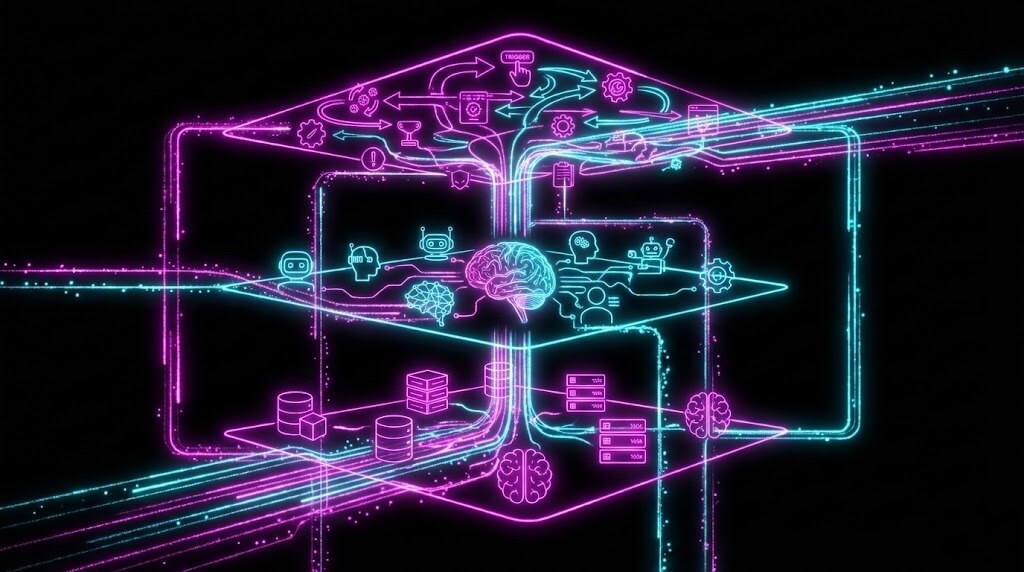
What is inside a Genesis app?
When you describe something and Genesis builds it, what actually gets created? Understanding the anatomy helps you build better systems — and debug them when things go wrong.
TL;DR: Every Taskade Genesis app has three layers: Memory (Projects store structured
data), Intelligence (AI Agents reason and act with built-in tools), and Execution (Automations
trigger workflows via 100+ integrations). These layers form Workspace DNA -- a
self-reinforcing loop. Build your first app →
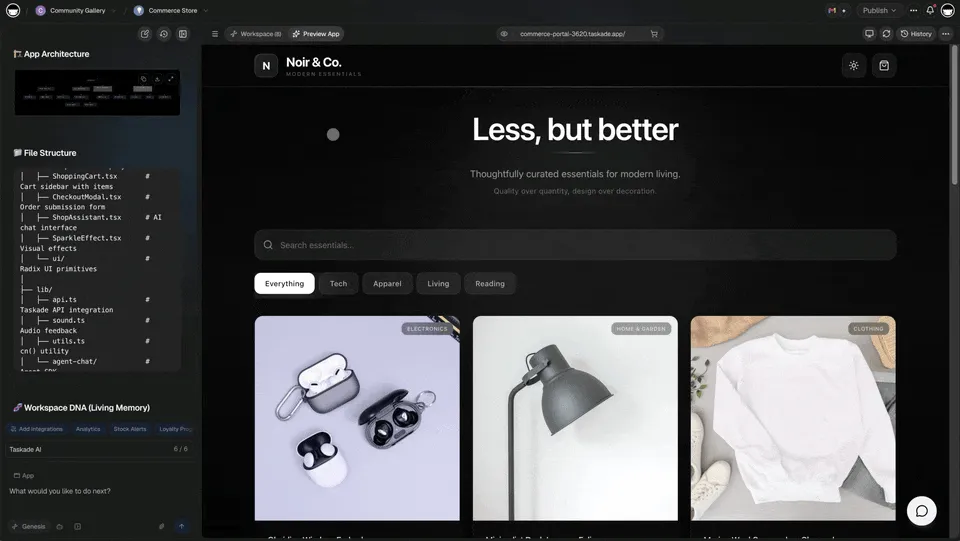
Let us dissect a real app.
The Three-Layer Architecture

Every Taskade Genesis app has the same fundamental structure, regardless of whether it is a CRM, a finance tracker, a support dashboard, or a client portal. The three layers are Memory, Intelligence, and Execution — collectively called Workspace DNA.
| Layer | Name | Role | Components |
|---|---|---|---|
| 1 | Memory | Data foundation | Projects, databases, schemas, relationships, multiple views |
| 2 | Intelligence | Thinking layer | AI agents, built-in tools, frontier models, persistent memory |
| 3 | Execution | Action layer | Automations, triggers, 100+ integrations, workflow chains |
These three layers interact in a self-reinforcing loop: Memory feeds Intelligence (agents read your data), Intelligence triggers Execution (agents initiate workflows), and Execution creates Memory (workflows store results back into projects). This is Workspace DNA in action.
The Subject: Neon CRM Dashboard
We will examine the Neon CRM Dashboard — a sales pipeline management system. From the outside, it is a CRM. Leads, deals, contacts, pipeline stages. But inside, it is three systems working as one.
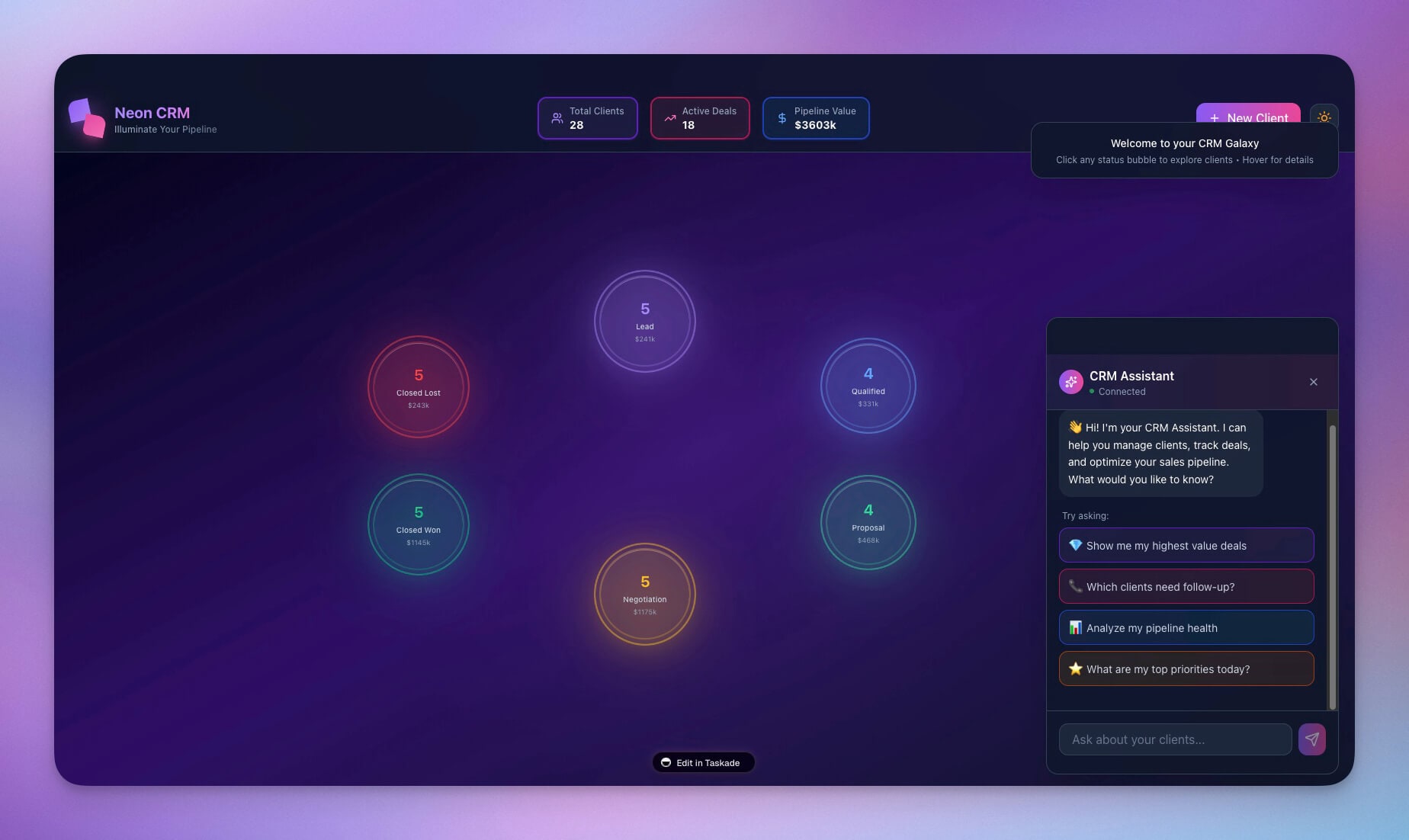
This is a real app built by a single prompt, available in the Community Gallery. Everything we dissect below was generated automatically by Genesis.
Layer 1: Memory (Projects and Databases)
The Memory layer is the data foundation — everything the app knows. It consists of Projects (structured databases) with typed fields, cross-table relationships, and multiple views.
Schema
The CRM has four interconnected tables. Each table has typed fields that enforce data consistency.
| Table | Fields | Purpose |
|---|---|---|
| Contacts | name (text), email (text), company (relation), stage (select), created_at (date) | People in your pipeline |
| Companies | name (text), size (select), industry (text), annual_value (number) | Organizations you sell to |
| Deals | name (text), contact (relation), value (number), stage (select), probability (number), close_date (date) | Revenue opportunities |
| Interactions | contact (relation), type (select), notes (text), date (date) | Communication history |
Relationships
Relationships are the connections that create context across tables. Without them, each table is an isolated spreadsheet. With them, the CRM becomes a connected system.
| Relationship | What It Connects | Why It Matters |
|---|---|---|
| Contact to Company | Who works where | See all contacts at one company |
| Deal to Contact | Who owns the opportunity | Track deal ownership and history |
| Interaction to Contact | History of engagement | Know last touchpoint before outreach |
Views
The same data, viewed from different perspectives. The Memory layer supports multiple project views:
| View | Best For | CRM Use Case |
|---|---|---|
| List | Scanning records quickly | Contact directory, deal list |
| Board | Kanban-style pipeline | Deal stages (Discovery, Proposal, Negotiation, Closed) |
| Calendar | Date-based planning | Close dates, follow-up schedules |
| Table | Spreadsheet analysis | Revenue forecasting, bulk editing |
| Mind Map | Relationship mapping | Account hierarchies, org charts |
| Gantt | Timeline planning | Deal progression over time |
| Org Chart | Hierarchical views | Team territory assignments |
This is the Memory pillar of Workspace DNA.
Layer 2: Intelligence (AI Agents)

The Intelligence layer is the thinking layer — agents that reason about your data, answer questions, and take actions. Each agent has a defined personality, knowledge scope, and capabilities.
CRM Agent Configuration
The primary CRM agent is configured with three components:
Personality prompt:
You are a helpful sales assistant. You help track deals, suggest
next actions, and provide pipeline insights. Be concise and
action-oriented. When asked about pipeline health, include
specific numbers and percentages.
Knowledge scope:
- Access to all four CRM tables (Contacts, Companies, Deals, Interactions)
- Understanding of sales stage definitions and progression
- Company and industry context for deal prioritization
Capabilities (built-in tools):
- Query any table for specific records or aggregations
- Create, update, and delete records across tables
- Draft outreach emails based on contact and deal context
- Generate pipeline reports with weighted revenue calculations
Agent Interactions in Practice
The agent can handle four types of requests, each demonstrating a different capability:
| Request Type | Example | Agent Action |
|---|---|---|
| Data query | "What deals are closing this month?" | Queries Deals table, filters by close_date |
| Pattern analysis | "Which stage has the most stalled deals?" | Aggregates stage durations, identifies bottlenecks |
| Proactive suggestion | "You have not contacted Acme Corp in 2 weeks" | Monitors Interactions table, flags gaps |
| Task execution | "Create a follow-up task for the Acme deal" | Creates Interaction record, updates Deal activity |
The CRM agent is powered by frontier models from top AI labs. It maintains persistent memory across interactions — meaning it remembers your pipeline context from session to session, not just within a single conversation.
This is the Intelligence pillar of Workspace DNA.
Layer 3: Execution (Automations)

The Execution layer is the action layer — workflows that run automatically based on triggers, conditions, and actions. Automations connect the CRM to external tools and handle repetitive tasks without human intervention.
Automation Workflows
The CRM has four pre-configured automation chains:
| Automation | Trigger | Actions | Integration |
|---|---|---|---|
| New Lead Alert | Contact created (stage = lead) | Send Slack notification, create welcome task | Slack |
| Deal Stale Alert | Deal stage unchanged for 14 days | Email reminder to owner, flag deal as "at risk" | |
| Won Deal Sequence | Deal stage changed to "closed won" | Update contact to "customer", notify team, create onboarding project, update revenue | Slack, Projects |
| Weekly Pipeline Report | Every Monday at 9 AM | Query open deals, calculate weighted pipeline, send summary | Slack, Email |
Automation Chain: Won Deal Sequence (Detailed)
The "Won Deal Sequence" is the most complex automation. When a deal is marked as closed-won, five actions fire in sequence:
Each action in the chain updates the Memory layer (contact stage, revenue forecast) — which in turn feeds the Intelligence layer (agent now knows about the new customer). This is the self-reinforcing loop of Workspace DNA.
Integration Points
Automations connect to external services through 100+ integrations:
| Integration Category | Services | CRM Use Case |
|---|---|---|
| Communication | Slack, Discord, Microsoft Teams | Deal alerts, pipeline summaries |
| Gmail, Outlook, SMTP | Outreach sequences, follow-up reminders | |
| Calendar | Google Calendar | Meeting scheduling, close date tracking |
| Webhooks | Custom HTTP endpoints | External CRM sync, data export |
| Payments | Stripe, PayPal | Invoice triggering on deal close |
This is the Execution pillar of Workspace DNA.
How the Three Layers Interact
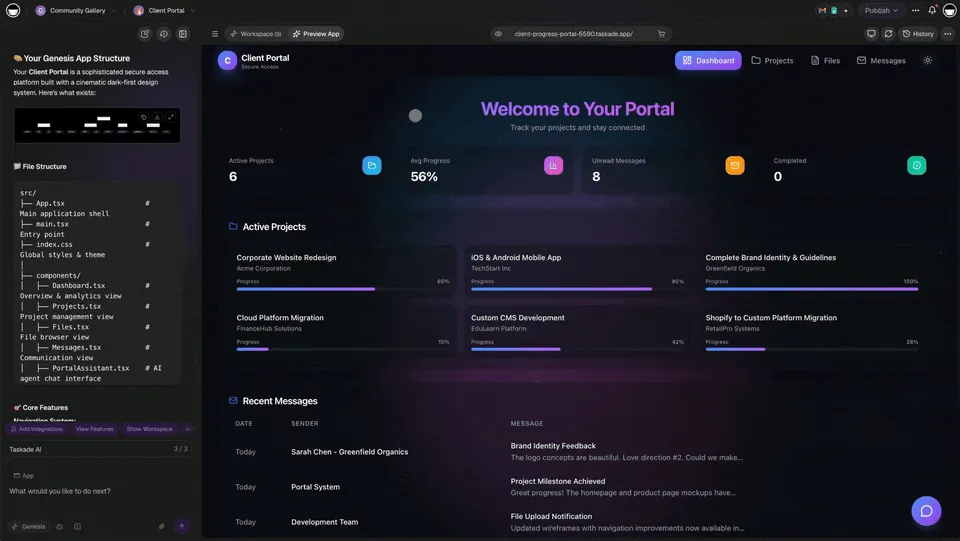
The power of the three-layer architecture is not in any single layer — it is in the interactions between them. Here is a complete interaction flow showing all three layers working together.
Scenario: A user asks the CRM agent about stalled deals.
| Step | Layer | Action | Data Flow |
|---|---|---|---|
| 1 | Intelligence | User asks: "Show me stalled deals" | Agent interprets the question |
| 2 | Intelligence to Memory | Agent queries Deals table | Filters deals with stage unchanged > 14 days |
| 3 | Memory | Returns 3 deals with contact and value info | Acme ($50k, 21 days), BigCo ($100k, 18 days), StartupX ($25k, 30 days) |
| 4 | Intelligence | Agent presents analysis and suggests follow-ups | "3 deals stalled. Create follow-up tasks?" |
| 5 | Intelligence to Execution | User approves, agent triggers automations | Creates tasks, sends reminders, updates flags |
| 6 | Execution to Memory | Automations update records | Deal flags set to "at risk", new Interaction records created |
| 7 | Memory to Intelligence | Updated data available for next query | Agent now knows these deals are flagged |
This is Workspace DNA in action — Memory feeds Intelligence, Intelligence triggers Execution, Execution creates Memory. The loop continues with every interaction.
Building Better Apps: Layer-by-Layer Optimization
Understanding the three-layer anatomy helps you build better Genesis apps. Here are specific optimization strategies for each layer.
Optimizing Memory (Projects and Databases)
| Optimization | What to Do | Why It Matters |
|---|---|---|
| Define clear relationships | Link tables with relation fields | Agents can traverse connections for richer answers |
| Use appropriate field types | Select for enums, Number for calculations, Date for scheduling | Agents interpret data correctly |
| Create purpose-specific views | Board for pipeline, Calendar for dates, Table for analysis | Users see the right data in the right format |
| Add computed fields | Formula fields for weighted pipeline, running totals | Reduce agent computation, improve accuracy |
Optimizing Intelligence (AI Agents)
| Optimization | What to Do | Why It Matters |
|---|---|---|
| Write detailed personality prompts | Include specific behaviors, tone, and constraints | Agent responses match your business context |
| Scope knowledge appropriately | Grant access only to relevant tables | Reduces noise, improves accuracy |
| Define capabilities clearly | List what the agent can and cannot do | Users know what to ask for |
| Test edge cases | Ask ambiguous questions, check responses | Catch misinterpretations before users do |
Optimizing Execution (Automations)
| Optimization | What to Do | Why It Matters |
|---|---|---|
| Map trigger conditions precisely | Use specific field values, not broad categories | Prevents false triggers and missed events |
| Chain actions logically | Order dependent actions correctly | Downstream actions get the right data |
| Add error handling | Include fallback actions for failures | Automations stay reliable under edge cases |
| Connect to relevant services | Match integrations to workflow needs | Right notification to the right channel |
Debugging Guide: The Three-Layer Checklist
When a Genesis app is not working as expected, use the three-layer anatomy as your debugging framework.
| Symptom | Check Layer | Common Fix |
|---|---|---|
| Data not appearing | Memory | Check field types, verify relationships, ensure records exist |
| Agent gives wrong answers | Intelligence | Review personality prompt, check table access, test with specific queries |
| Automations not firing | Execution | Verify trigger conditions, check field value matches, test manually |
| Slow agent responses | Intelligence + Memory | Reduce table scope, simplify queries, add index fields |
| Stale dashboard data | Execution | Add refresh automations, check scheduled triggers |
| Wrong data in reports | Memory + Intelligence | Verify field calculations, check agent aggregation logic |
The anatomy is your debugging guide. Most issues trace to one of three causes: a missing relationship in Memory, an unclear instruction in Intelligence, or a misconfigured trigger in Execution.
Real-World Anatomy: Five App Types
The three-layer architecture applies to every Genesis app. Here is how it manifests across five common app types.
| App Type | Memory (Data) | Intelligence (Agent) | Execution (Automations) | Example |
|---|---|---|---|---|
| CRM | Contacts, Deals, Companies | Sales assistant, pipeline analyzer | Lead alerts, deal stage transitions | Neon CRM |
| Finance | Transactions, Categories, Budgets | Spending analyst, budget advisor | Budget alerts, weekly summaries | Finance Tracker |
| Support | Tickets, Customers, SLAs | Support assistant, trend analyzer | Escalation routing, satisfaction surveys | Support Dashboard |
| Booking | Rooms, Reservations, Users | Availability checker, conflict resolver | Confirmation emails, reminder notifications | Room Booking |
| Content | Posts, Channels, Calendar | Content strategist, headline writer | Publishing schedules, cross-posting | Multi-Platform Publisher |
Every app in the Community Gallery — all 150,000+ of them — follows this same three-layer architecture.
Access Control: Who Sees What
Every layer of a Genesis app is governed by role-based access control:
| Role | Memory Access | Intelligence Access | Execution Access |
|---|---|---|---|
| Owner | Full read/write, schema changes | Configure agents, full control | Create/edit all automations |
| Editor | Read/write records | Interact with agents | View automations |
| Checker | Read records, add comments | Interact with agents | View automations |
| Viewer | Read-only | No agent interaction | No access |
This means you can share a CRM with your sales team (Editor access), give executives a dashboard view (Viewer access), and keep schema and automation configuration locked to workspace owners — all within one app.
Start Building: Apply the Anatomy
Every Genesis app you build will follow this same three-layer structure. Use the anatomy as your blueprint.
When writing prompts, structure them in three sections:
- Memory — What data do you want to track? What fields, what relationships?
- Intelligence — What questions should the agent answer? What actions should it take?
- Execution — What should happen automatically? What triggers, what actions?
Learn more about each layer:
- Projects and Databases — Memory layer
- Custom AI Agents — Intelligence layer
- Automation Triggers — Execution layer
- Workspace DNA — Full architecture
Explore real apps built on this architecture:
- Browse Community Apps — 150,000+ apps to clone and inspect
- Browse Generator Templates — Apps, dashboards, websites
- Browse Agent Templates — AI agents for every use case
Read more:
- The Origin of Living Software
- How Workspace DNA Works
- Build Your First AI App
- Build Without Permission
- Build a Business-in-a-Box
- From Web Hosting to AI Infrastructure
- 10 AI Dashboards
- 10 AI Client Portals
- 10 AI Ops Dashboards for Lean Teams
- How to Build a Finance Dashboard
Explore Taskade AI:
- AI App Builder — Build complete applications
- AI Agent Builder — Create intelligent assistants
- AI Workflow Automation — Automate any process
- AI Dashboard Builder — Generate dashboards instantly

Frequently Asked Questions
What is the internal structure of a Taskade Genesis app?
Every Genesis app has a three-layer architecture: Memory (Projects and databases that store structured data), Intelligence (AI Agents that reason, respond, and take actions), and Execution (Automations that trigger workflows based on conditions). These three layers work together as Workspace DNA to create living software that adapts and evolves.
What is Workspace DNA in Taskade?
Workspace DNA is the foundational architecture of every Taskade Genesis app, consisting of three components: Memory (structured databases and project data), Intelligence (AI agents powered by frontier models from top AI labs), and Execution (automated workflows with triggers, conditions, and actions). This architecture ensures every app is not just stored data but an active, intelligent system.
How do AI agents work inside a Genesis app?
AI agents in a Genesis app are the Intelligence layer. Each agent has a defined personality, knowledge base, and set of capabilities. Agents can read and write to the Memory layer (databases), trigger the Execution layer (automations), and collaborate with other agents. They come with built-in tools, custom slash commands, and persistent memory across interactions.
Can I customize the architecture of a Genesis app after building it?
Yes. Every layer of a Genesis app is fully customizable. You can modify database schemas (Memory), reconfigure agent personalities and capabilities (Intelligence), and adjust automation triggers and workflows (Execution). The app supports multiple project views (List, Board, Calendar, Table, Mind Map, Gantt, Org Chart) and access control for team collaboration.
What is the Memory layer in a Genesis app?
The Memory layer consists of Projects and Databases -- structured data tables with typed fields (text, number, date, select, relation) and cross-table relationships. Memory supports multiple project views (List, Board, Calendar, Table, Mind Map, Gantt, Org Chart) for different perspectives on the same data. This is where all persistent state lives.
What is the Intelligence layer in a Genesis app?
The Intelligence layer consists of AI Agents powered by frontier models from top AI labs. Each agent has a personality prompt, access to specific data tables, and built-in tools. Agents can query data, analyze patterns, suggest actions, draft communications, and execute tasks like creating records or updating fields.
What is the Execution layer in a Genesis app?
The Execution layer consists of Automations -- event-driven workflows with triggers, conditions, and actions. Automations fire when specific events occur (new record created, field changed, scheduled time reached) and can chain multiple actions: send Slack notifications, create tasks, update records, send emails, and connect to 100+ external integrations.
How do the three layers interact in a Genesis app?
The layers form a self-reinforcing loop. A user asks an Agent (Intelligence) a question. The Agent queries Projects (Memory) for data. Based on the analysis, the Agent suggests actions. When actions are taken, Automations (Execution) fire downstream workflows. Those workflows update Memory, which feeds back into the next Agent interaction. This is Workspace DNA in action.
How do I debug a Genesis app that is not working correctly?
Use the three-layer anatomy as your debugging guide. Check Memory first: is the schema correct, are fields typed properly, are relationships defined? Then check Intelligence: is the agent personality clear, does it have access to the right tables? Finally check Execution: are automation triggers configured, are actions chained correctly? Most issues trace to a missing relationship or misconfigured trigger.
What types of apps can be built with this three-layer architecture?
Any app that needs to store data, reason about it, and automate actions. Examples include CRM dashboards, finance trackers, support systems, client portals, content publishers, inventory managers, booking systems, and investor dashboards. The Community Gallery has 150,000+ apps built on this architecture, all clonable in one click.