






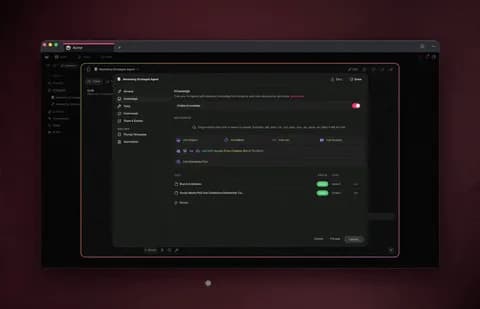
TL;DR: An AI agent knowledge file is any document, drive, or link you attach to an agent so it answers from your information instead of the public internet. In Taskade Genesis you upload files, connect cloud drives, or paste URLs — and the agent retrieves the right passage when it answers, using built-in tools like file analysis and web search. No code, no fine-tuning. 150,000+ apps have been built on Taskade Genesis.
Most AI assistants are brilliant about the whole internet and useless about your business. They have never read your onboarding handbook, your product specs, or last quarter's report — so they guess, and confident wrong answers cost you time.
The fix is an agent knowledge base: you attach your own files, drives, and links to an AI agent, and it answers from those sources. This is the single most useful upgrade you can make to an AI assistant, and it takes minutes — no model training, no engineers.
This guide explains how AI agent knowledge files work, what you can feed them, and how to build a working knowledge agent in Taskade Genesis that you can clone and run today.
┌─ agent · knowledge ─────────────────────────────  ● ● ●  ┐
│                                                          │
│   Agent: Onboarding Helper            [ ✎ Edit ]         │
│   Model: auto · routes across 15+ frontier models        │
│                                                          │
│   ── Knowledge Sources ───────────────────────────────   │
│   📄  employee-handbook.pdf            indexed  ✓         │
│   📊  benefits-2026.xlsx               indexed  ✓         │
│   ☁️  Google Drive · /HR Policies      synced   ✓         │
│   🌐  help.yourcompany.com/onboarding  crawled  ✓         │
│                                                          │
│   [ + Upload file ]  [ + Connect drive ]  [ + Add URL ]  │
│                                                          │
│   ── Tools (33 built-in) ─────────────────────────────   │
│   ☑ File analysis   ☑ Web search   ☑ Image gen   …       │
│                                                          │
│   > "How many PTO days do new hires get?"                │
│   ⤷ reads benefits-2026.xlsx → "New hires accrue 15…"    │
│                                                          │
└──────────────────────────────────────────────────────────┘
What is an AI agent knowledge file?
An AI agent knowledge file is any document, spreadsheet, link, or drive you attach to an AI agent so it answers from your information rather than the open web. When the agent gets a question, it searches your attached sources, finds the relevant passage, and grounds its answer in that text. In Taskade Genesis, each agent ships with built-in tools — including file analysis and web search — so it can both read your knowledge and act on it.
The practical payoff is simple: the agent stops guessing. Ask it about your refund policy and it quotes your policy doc. Ask about a product spec and it pulls from your spec, not a generic answer scraped from a competitor.
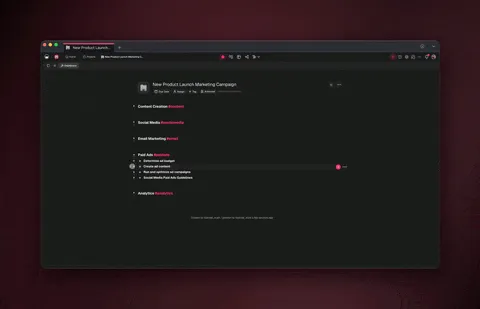
How do you train an AI agent on your own documents?
You train an AI agent on documents by attaching sources to its knowledge base, not by retraining a model. In Taskade Genesis the flow is three steps: create an agent, open its knowledge panel, and add sources — upload files, connect a cloud drive, or paste a URL. Taskade Genesis indexes the content so the agent can search it and cite the relevant part when it answers.
Here is the whole path, end to end:
There is no fine-tuning, no code, and no server to manage. You describe what the agent should do, point it at your knowledge, and it is ready to answer. See the step-by-step walkthrough in the agent knowledge guide.
What can you use as AI agent knowledge?
You can use almost any file or web source as agent knowledge: local documents, cloud drives, and live web content. Taskade Genesis covers the formats real teams actually have lying around — not just plain text.
| Source type | What you can add | Best for |
|---|---|---|
| Local files | PDF, Word, PowerPoint, Excel, Markdown, text, CSV, eBooks | Handbooks, reports, specs, data exports |
| Cloud drives | Google Drive, Dropbox, Box, OneDrive | Folders your team already keeps updated |
| Web sources | URLs, sitemaps, doc sites, blogs, video transcripts | Public docs, help centers, knowledge bases |
| Live workspace | A Taskade project as living knowledge | Notes that change as your work changes |
The difference between a static upload and a live source matters. Upload a PDF and the agent knows that snapshot. Connect a drive folder or a live project, and the agent answers from the current version — so the knowledge stays fresh without you re-training anything.
Try a live knowledge agent — clone it in 30 seconds
The fastest way to understand an agent knowledge base is to use one. Below is a live Team Knowledge Base app built on Taskade Genesis — a working internal knowledge hub with search and an AI agent that answers from its content. Preview it, then clone it into your own workspace and swap in your files.
Clone it and replace the sample content with your own handbook, specs, or docs — the agent retrains itself on whatever you add. Browse more cloneable apps or start from scratch on the agents page.
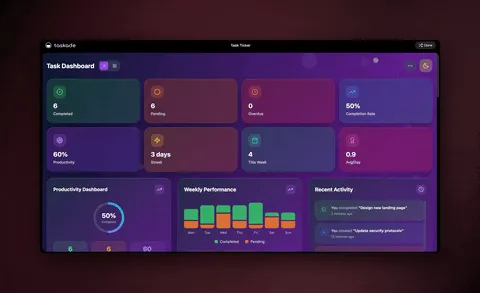
Is training an agent on files the same as fine-tuning a model?
No — and the difference is why this is so accessible. Fine-tuning retrains a model's internal weights and needs data engineering, GPUs, and time. An agent knowledge base uses retrieval: the agent searches your attached sources at answer time and quotes the relevant passage. You get grounded answers without touching the model.
| Fine-tuning a model | Agent knowledge files (retrieval) | |
|---|---|---|
| Setup | Data prep + training pipeline | Upload files or paste a link |
| Who can do it | ML engineers | Anyone — no code |
| Update a fact | Retrain the model | Re-sync the source |
| Time to value | Days to weeks | Minutes |
| Keeps current | Snapshot at training time | Live, when sources stay connected |
For nearly every business use case — support answers, onboarding, policy lookups, research — retrieval wins. It is faster to set up, trivial to update, and always points at your latest documents. Taskade Genesis uses the retrieval approach so a non-technical operator can ship a knowledge agent the same afternoon they think of it. For more on the underlying idea, see the wiki on agent knowledge and memory.
How do agent teams share knowledge?
Each agent can carry its own knowledge and its own tools, then collaborate with other agents in one chat thread using orchestration mode. Instead of one overloaded assistant, you build a small team of specialists — and each one answers from its own sources.
This is the pattern behind multi-agent collaboration: one chat, three experts, better output — and every fact traces back to a source you control. The agents share a thread, but each keeps its own knowledge base, so the research agent never guesses about brand and the writer never invents policy.
Knowledge plus memory: the Workspace DNA loop
Knowledge and memory are not the same thing, and using both is what makes agents compound over time. Knowledge is the reference material you attach. Memory is what the agent carries forward from working with you — past context, summarized into your workspace so the agent picks up where you left off. In Taskade Genesis, memory feeds back into knowledge, forming a self-reinforcing loop.
This is Workspace DNA — Memory + Intelligence + Execution. Your Projects (with multiple views: List, Board, Calendar, Table, Mind Map, Gantt, Org Chart) hold the knowledge, your agents reason over it, and your automations act on it. Learn how living memory works in the EVE memory guide. The public meta-agent that coordinates all of this is Taskade EVE.
From knowledge to action: knowledge agents that do things
A knowledge agent gets far more useful when it can act on what it knows. Because agents in Taskade Genesis include built-in tools and connect to 100+ bidirectional integrations — triggers pull events in, actions push data out — the same agent that answers from your docs can also run the next step.
| Built-in capability | What the agent can do with your knowledge |
|---|---|
| File analysis | Read attached PDFs, sheets, and slides to answer |
| Web search | Fill gaps your files do not cover, then cite both |
| Reliable automation | Trigger a workflow when an answer meets a condition |
| 100+ integrations | Pull a Slack thread or Stripe event in; push results out |
| Image generation | Produce visuals from your brand knowledge |
| Persistent memory | Remember the conversation and your workspace context |
A few patterns operators ship in an afternoon:
- A support agent trained on your help docs that answers tickets and escalates the ones it cannot resolve.
- An onboarding agent trained on your handbook that walks new hires through policies and logs their questions.
- A research agent trained on your reports that summarizes findings and pushes them to a project.
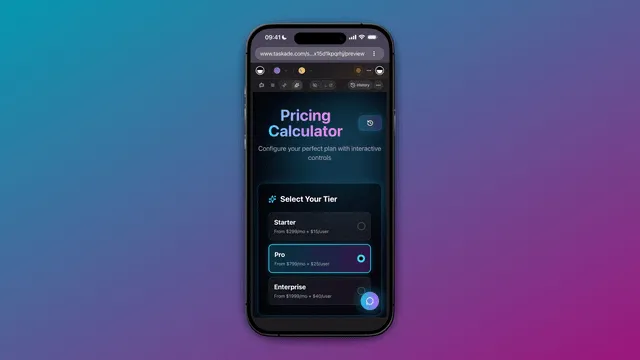
The full pipeline — describe an agent, attach knowledge, connect tools — is the same one that builds a complete app. See it on the AI workflow builder and the automation hub.
How to build your first knowledge agent
Match the build to the job with this quick path:
What should your agent answer from?
│
├─ A handful of documents ............ Upload files (pdf/docx/xlsx)
│
├─ A folder your team keeps updated .. Connect a cloud drive
│
├─ A public help center or docs site . Paste the URL / sitemap
│
└─ Notes that change constantly ...... Point it at a live project
        │
        └─► Then add tools (web search, automations) so the
            agent doesn't just answer — it acts.
The whole thing starts with a sentence. Describe the agent you want, attach the knowledge it should know, and Taskade Genesis assembles the rest — the retrieval, the tools, and the chat surface. You can publish it on a custom domain with built-in sign-in when it is ready for your team or customers.
Pricing for AI agents with knowledge files
Taskade Genesis is free to start, and every paid plan includes AI agents with knowledge files, built-in tools, and 100+ bidirectional integrations.
| Plan | Price (annual) | Good for |
|---|---|---|
| Free | $0 | Trying agent knowledge bases |
| Pro ★ | $10/mo (10 users) | Small teams sharing agents |
| Business | $25/mo | Custom domains + sign-in for published apps |
| Max | $100/mo | Heavy multi-agent workloads |
| Enterprise | $250/mo | Organization-wide governance |
Pricing is annual-billing and canonical on the pricing page. The same agent that answers from your docs also connects integrations and runs automations on every paid tier.
Frequently asked questions
What is an AI agent knowledge file?
An AI agent knowledge file is any document, drive, or link you attach to an agent so it answers from your information instead of the open internet. In Taskade Genesis you upload files, connect cloud drives, or paste URLs, and the agent retrieves the right passage when it answers — using built-in tools like file analysis and web search.
How do I train an AI agent on my own documents?
Create an agent, open its knowledge panel, and add sources — upload files, connect a drive, or paste a URL. Taskade Genesis indexes the content so the agent can search it and cite the relevant part. No code or model fine-tuning. Full walkthrough in the agent knowledge guide.
Is training an agent on files the same as fine-tuning?
No. Fine-tuning retrains a model and needs data engineering. An agent knowledge base uses retrieval — the agent searches your attached sources at answer time and quotes the relevant passage. It is faster to set up and easy to keep current.
Will the agent stay accurate when my documents change?
Yes, if the sources stay connected. Attach a cloud drive or a live Taskade project and the agent answers from the current version. Re-sync after major edits and the next answer reflects the change — no retraining.
Can multiple agents have different knowledge bases?
Yes. Give each agent its own knowledge and tools, then let them collaborate in one thread with orchestration mode — for example a research agent, a writer agent, and a review agent, each grounded in its own sources.
Do I need to code to build a knowledge agent?
No. Taskade Genesis is no-code. Describe the agent, attach your files or links, and it is ready to answer. The built-in tools work without setup, and you can publish on a custom domain with built-in sign-in.
How much does it cost?
Free to start, then Pro $10/mo (10 users), Business $25/mo, Max $100/mo, and Enterprise $250/mo on annual billing. Every paid plan includes knowledge files, built-in tools, and 100+ integrations.
Ready to give an AI agent your knowledge? Start free with Taskade Genesis — describe an agent, attach your files and links, and watch it answer from your documents. Then clone a live app or explore the automation library to put your knowledge agent to work.
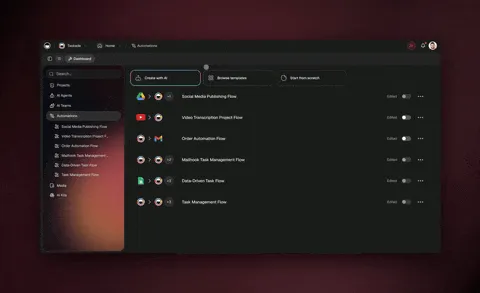
▲ ■ ● Memory, Intelligence, Execution — attach your files and links, and Taskade Genesis remembers your knowledge, reasons over it, and acts on it. That's the difference between an AI that guesses and an agent that knows your business.