






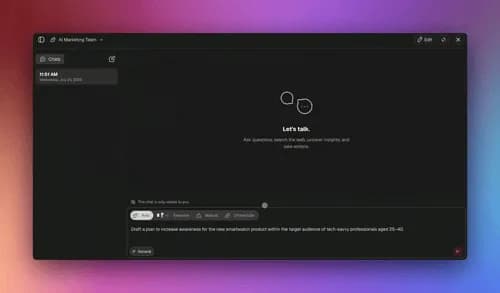
TL;DR: To build a team of AI agents with no code, describe your goal in plain English and let Taskade Genesis draft a workspace. Add specialist agents, research, draft, review, each with built-in tools, turn on orchestration mode so a manager agent plans and delegates with a review step, wire durable automations, then publish or clone it. 150,000+ apps have been built this way. It starts free.
A team of AI agents is exactly what it sounds like: instead of one general assistant trying to do everything, you give each job to a specialist that does it well and hands the result to the next. A researcher gathers the facts. A drafter writes. A reviewer checks the work before it ships.
Most guides on "how to build a team of AI agents" stop at the theory, taxonomy diagrams, framework debates, screenshots of developer tooling. This one is a literal build path for a non-technical operator. You will describe a goal, watch the platform draft a workspace, assign three specialist agents, wire a reliable automation, and publish the result as a live app you can share or clone.
The audience here is people like Taskade's first Enterprise customer, an IT program manager who built a production field-service dashboard, Customers, Jobs, Invoices, and Team projects, on Taskade Genesis with no engineering team. If he can ship a dashboard by describing what he wanted, you can ship an agent team the same way.
What is a team of AI agents, in one paragraph?
A team of AI agents is a set of AI workers, each assigned a specialized role, that hand work to one another to finish a single goal. Rather than one agent doing research, writing, and checking all at once, and getting worse at each as its context fills up, a team splits the work so each member stays focused. In Taskade Genesis, agents collaborate this way in orchestration mode, where a manager agent plans the steps and delegates each one to the right specialist, with a review step before the result is final.
The industry has converged on a small set of building blocks for how agents talk to each other. The most useful map comes from multi-agent practitioners who ship production systems, and it breaks down into a few primitives:
| Pattern | What it means | Where you use it |
|---|---|---|
| Delegation | One agent spawns another and gets a result back | A manager hands "research the market" to a research agent |
| Roles / specialization | Each agent owns one kind of work | Researcher, drafter, reviewer — not one generalist |
| Handoffs | A finished agent passes structured output to the next | Research notes become the draft's input |
| Review (creator–verifier) | A separate agent checks the builder's work | A reviewer with fresh eyes catches what the drafter missed |
| Serial vs parallel | One-at-a-time vs many-at-once execution | Serial for coordinated builds; parallel for independent research |
These are industry concepts, a shared vocabulary across the field, not a single product's feature list. The practical takeaway for a no-code builder is simpler than the jargon: give each agent one clear job, let them hand off in order, and add a review step. That structure is what makes an agent team reliable instead of chaotic.
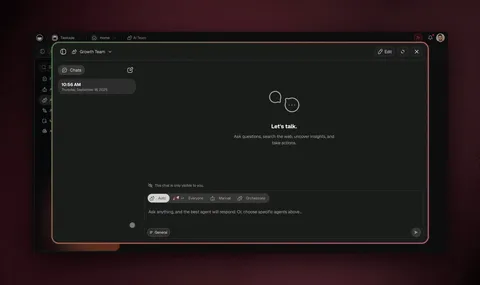
The 5-step path to build your first agent team
Here is the whole path before we walk each step. The goal is a working research-draft-review team that runs on its own and is shareable when you are done.
Each step is plain English and no-code. You never open a terminal, write a script, or wire a node graph by hand.
Step 1: Describe the goal in plain English
Open Taskade Genesis and describe the outcome you want, the way you would brief a new hire. For a content team, that might be: "Build me a weekly competitor-research brief. Research what three named competitors shipped this week, draft a one-page summary, and have a second agent fact-check it before it's saved."
You are describing the destination, not the route. You do not specify which model, which tool, or which step order. That is the platform's job. This is the altitude shift that makes no-code agent teams possible: you say what done looks like, and the assembly happens for you. It is the same move Bill Atkinson made with HyperCard in 1987 — liberating software creation from the priesthood to the layperson — only now the layperson directs a team of agents instead of stacking cards.
Step 2: Let Taskade Genesis draft the workspace
Taskade Genesis reads your goal and drafts a working starting point: a project to hold the work (with multiple views, List, Board, Calendar, Table, Mind Map, Gantt, and Org Chart, where Timeline lives inside the Gantt view), a first agent, and a suggested shape for the team. The platform's public meta-agent, EVE, produces this draft and a short plan you can read and adjust.
Think of this draft as a rough org chart you can edit, not a finished product. You will refine the roles in the next step.

Step 3: Assign specialist agents (research, draft, review)
This is the heart of building a team. Add one agent per role, and keep each role narrow:
- Research agent, instructions: "Find what each competitor shipped this week. Cite sources. Return bullet points, not prose." Tools: web search, file analysis.
- Draft agent, instructions: "Turn the research bullets into a one-page brief for a busy executive. Lead with the single most important change."
- Review agent, instructions: "Check the draft against the research notes. Flag any claim that isn't supported. Suggest one improvement."
Each agent comes with built-in tools, web search, code, file analysis, custom slash commands, persistent memory, and more, and runs across frontier models from top AI labs. You can put a stronger reasoning model on the reviewer and a faster model on the drafter; the platform picks sensible defaults so you don't have to.
Why split the work like this? Because a separate review agent, one whose only job is to check the draft against the research, catches what the drafter, invested in its own output, tends to miss. It is the same reason human teams do code review and editing: a second set of eyes on a narrow task is more reliable than one worker grading their own homework. Keeping roles narrow also keeps each agent sharp, a focused agent on one job beats a generalist juggling three.
In The Nvidia Way, Tae Kim documents why NVIDIA CEO Jensen Huang gives feedback in the open rather than in private: "Feedback is learning. For what reason are you the only person who should learn from this?" A separate review agent works the same way. The lesson it surfaces, an unsupported claim, a missed source, doesn't stay locked in one head; it becomes a check the whole team inherits on the next run.
This open-review pattern is also how how Jensen Huang runs NVIDIA keeps a large org learning at speed, and it maps cleanly onto agent teams. For more on getting handoffs and review steps right, see our best practices for building multi-agent AI teams.
Step 4: Turn on orchestration mode and wire the handoffs
Now make the agents work as a team instead of three separate assistants. Turn on orchestration mode: a manager agent plans the work into discrete steps, delegates each step to the right specialist, and runs a review step before finishing. The flow looks like this:
To make the team run on its own, wire a reliable, durable automation workflow around it. Automations in Taskade Genesis can start from a schedule or a trigger, branch on conditions, loop over a list, filter inputs, and wait from minutes to days. If a step fails, a website is down, an API hiccups, the workflow resumes from the exact step that failed instead of starting over. That is what lets your brief run every Monday at 7am without anyone watching it.

Step 5: Publish, share, or clone the team
A team that only you can run isn't leverage yet. Publish it as a live app with a custom domain and built-in sign-in, or list it in the Community Gallery so a teammate can clone it in about 30 seconds and run it in their own workspace. This is how one operator's working team becomes a reusable app for a whole department, the same path that has produced 150,000+ shared apps on Taskade Genesis.
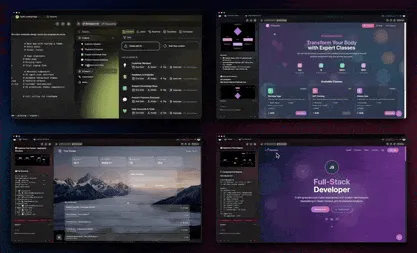
Which agent structure should you build? (decision tree)
Not every job needs a full team. Use this quick tree to pick the right structure before you build:
What does your task need?
│
├─ One clear job, one answer
│     └─► A single agent ............... fastest; skip orchestration
│
├─ A goal with distinct sub-jobs
│     ├─ Jobs depend on each other ..... Serial team (research → draft → review)
│     └─ Jobs are independent .......... Parallel research, then one writer
│
├─ Output quality is critical
│     └─► Add a separate REVIEW agent .. fresh eyes catch what the builder misses
│
└─ It should run without you
      └─► Wire a durable AUTOMATION .... schedule or trigger + resume-from-failure
The honest rule of thumb: don't build a team when one agent will do. Orchestration adds coordination overhead. Reach for a multi-agent team when the work genuinely splits into different kinds of jobs, research is a different skill than writing, which is a different skill than checking, and when the output quality justifies a review step.
Serial vs parallel: how the team actually runs
For coordinated work, run the main steps serially, one specialist at a time, and reserve parallelism for independent research. This is counterintuitive: it looks slower on paper. But practitioners who ship multi-agent systems report that when agents work one at a time on a shared output, the error rate drops sharply and correctness compounds over longer runs. When ten agents all edit at once, they tend to conflict, duplicate work, and make inconsistent decisions.
Taskade Genesis reflects this in how automations execute: steps run reliably in order within a single run, while the platform can fan out to handle many independent items at once, for example, running the same brief across a list of competitors. You get serial discipline where coordination matters and parallel throughput where it's safe.
Notice the loop back from Review to Draft. A good team isn't a straight line, when the reviewer finds a gap, the work routes back, gets fixed, and pulls itself onto track. That self-correction is the whole point of adding a review step.
What you get vs. wiring it yourself
Here is the capability set in one place, framed as outcomes rather than mechanics:
| Capability | What it means for your agent team |
|---|---|
| One-prompt apps | Describe the team's goal; get a live workspace and a first agent |
| AI agents (built-in tools) | Each specialist can search the web, run code, and analyze files |
| Multi-agent collaboration | Agents work as a team — research, draft, review, hand off |
| Orchestration mode | A manager agent plans steps and delegates with a review step |
| Frontier models | Top AI labs — a different model per agent |
| Durable automations | Branch, loop, filter, wait days, resume from the failed step |
| Persistent memory | Workspace DNA — Memory + Intelligence + Execution compounding over time |
| Publish & clone | Custom domains, built-in sign-in, Community Gallery, app kits |
The persistent memory line matters more than it looks. Taskade Genesis runs on Workspace DNA, Memory + Intelligence + Execution as a self-reinforcing loop. Your projects feed your agents context (Memory), your agents reason and decide (Intelligence), your automations act (Execution), and the results become new memory. A team built this week gets smarter as it runs, because what it learns stays in the workspace.
How Taskade Genesis compares for building agent teams
No-code agent teams are a crowded space in 2026, and several tools are genuinely good. Here is an honest read.
| Tool | Best for | Builds a full app? | No-code team build |
|---|---|---|---|
| Taskade Genesis | Agents + automations + a live app in one | ✅ | ✅ Describe it |
| Dust | Connecting agents to company data sources | ❌ | ⚠️ Assistant-first |
| CrewAI | Developers who want code-level role control | ❌ | ❌ Python |
| AutoGen / frameworks | Researchers and engineers building from scratch | ❌ | ❌ Code |
| Zapier / Make AI | Adding an AI step to existing automations | ❌ | ⚠️ Node-by-node |
Where competitors genuinely shine: Dust is excellent at grounding assistants in a company's knowledge across many data sources, and its workspace assistants are polished for internal Q&A. CrewAI gives developers precise, code-level control over agent roles, tasks, and process, if you have an engineer and want to define everything in Python, it is powerful and flexible. Zapier and Make remain the easiest way to bolt an AI step onto thousands of existing app integrations; if your need is "add AI to an automation I already have," they're a fast path. (For that automation-first comparison, see our Make.com alternatives guide.)
When a competitor is still the right call: If your single most important requirement is deep retrieval over a sprawling internal knowledge base and you want assistants tuned for that, Dust is a strong pick. If you have engineering resources and want full programmatic control of every agent role and handoff, CrewAI or a framework like AutoGen will give you more granular control than any no-code tool, including Taskade Genesis. Choose the no-code path when you want a working, shareable team and the app around it without writing code or managing servers.
Where Taskade Genesis pulls ahead for a non-technical operator is scope: most tools give you agents or automations or an app. Taskade Genesis gives you all three from one description, then lets you publish the result. You don't assemble a stack. You describe an outcome.
A worked example: one operator's research-brief team
The same IT program manager who built the field-service dashboard needed a weekly vendor-update brief and had no time to write it. He described the goal, Taskade Genesis drafted a workspace, and he added three agents: a researcher to scan named vendors' release notes, a drafter to summarize, and a reviewer to flag unsupported claims. He turned on orchestration mode, wired an automation to run every Monday at 7am, and published the result so his team could clone it.
The point isn't that this operator is technical. He kept the engineering out of it entirely. The point is that describing outcomes beats wiring mechanics when the goal is to ship something that works. That's the whole no-code agent-team thesis.
Frequently asked questions
How do I build a team of AI agents with no code?
Describe the goal in plain English and let Taskade Genesis draft a workspace. Add specialist agents, a researcher, a drafter, a reviewer, each with its own instructions and built-in tools. Turn on orchestration mode so a manager agent plans the steps and delegates with a review step, wire a durable automation, then publish. No engineering team required, and it starts free.
What is a team of AI agents?
It's a set of AI workers that each own one specialized role and hand work to each other to finish a goal, typically a researcher, a drafter, and a reviewer, instead of one general agent doing everything. In Taskade Genesis, agents collaborate this way in orchestration mode.
What is orchestration mode in Taskade Genesis?
Orchestration mode is where a manager agent plans the work into discrete steps, delegates each to the right specialist, and runs a review step before finishing. It turns several separate assistants into one coordinated team. Learn more in the agent orchestration guide.
How many AI agents can collaborate on a team?
You can build a team of multiple specialists that collaborate on a single goal. The practical advice is to keep each agent focused on one clear job so handoffs stay clean, see multi-agent teams for patterns.
Do AI agents work in serial or parallel?
Both. Run the main steps serially for coordinated work, one specialist at a time keeps the output consistent, and use parallel execution for independent research. Taskade Genesis automations run steps reliably in order and can fan out across many items.
Can I use different AI models for different agents?
Yes. Each agent can use a different one of the frontier models from top AI labs, so you can put a stronger model on planning and a faster one on routine drafting. The platform picks sensible defaults automatically.
How do I make my agent team run automatically?
Wire it to a reliable automation that starts from a schedule or trigger, branches, loops, filters, and waits from minutes to days, resuming from the exact step that failed if something breaks. That's how a research-draft-review team runs every morning untouched.
Can I publish or share my AI agent team?
Yes. Publish it as a live app with a custom domain and built-in sign-in, or list it in the Community Gallery so others can clone it in about 30 seconds. 150,000+ apps have been built and shared this way.
Do I need to know how to code to build an AI agent team?
No. Describing the goal, assigning agents, turning on orchestration, and wiring automations are all no-code. An IT program manager built a full dashboard on Taskade Genesis with no engineering team, the same approach builds an agent team.
Why use a separate review agent instead of one big agent?
A separate reviewer with one narrow job, checking the draft against the source, catches what the builder, invested in its own output, misses. Each flaw it surfaces becomes a check the whole team carries forward, so the team learns once and runs cleaner every time. See multi-agent production lessons for more.
Ready to build your team? Start free with Taskade Genesis, describe the goal, assign your research, draft, and review specialists, and watch them work as a team. Then explore the agents hub, the automation library, and cloneable apps to go further.
For more on agents and orchestration, read AI agent builders, what are AI agents, and our companion playbooks on AI agents for project management and agent collaboration.
▲ ■ ● Memory feeds Intelligence, Intelligence triggers Execution, Execution compounds Memory, a team of agents that gets sharper every run.