






Design is a language.
Color palettes, gradients, typography — they communicate before a single word is read. But most design tools are islands. Palettes in one app, mockups in another, brand guidelines in a PDF no one reads, and style exports scattered across three cloud storage accounts.
TL;DR: Taskade Genesis builds custom AI design tools from text descriptions — palette generators, gradient studios, portfolio sites, and brand systems. Clone any of the 10 tools below or describe your own. Each includes AI agents for design feedback and automated workflows for brand consistency. Starting at $0. Build your design tool →
Taskade Genesis creates living design systems. One prompt builds tools with beautiful front-ends (Vibe Coding), intelligent assistants (AI Agents), and automated workflows (Automations).
The Fragmented Design Toolchain Problem
Designers in 2026 juggle an average of 6-8 tools for a single brand project. The cost and context-switching overhead is significant.
| Design Task | Typical Tool | Monthly Cost | Context Switches |
|---|---|---|---|
| Color palette generation | Coolors, Adobe Color | $0-$55 | Tool 1 |
| Gradient creation | CSS Gradient, Gradient Hunt | $0 | Tool 2 |
| Typography pairing | Fontjoy, Typewolf | $0-$12 | Tool 3 |
| UI mockups | Figma, Adobe XD | $15-$55 | Tool 4 |
| Brand guideline docs | Canva, InDesign | $13-$55 | Tool 5 |
| Portfolio display | Squarespace, Behance | $16-$25 | Tool 6 |
| Asset management | Brandfolder, Frontify | $200+ | Tool 7 |
| Total | $244-$402/month | 7 tools |
Every tool switch is a context break. Every export-import cycle is a chance for inconsistency. Every manual brand check is time spent on process instead of creativity.
Taskade Genesis consolidates these into one workspace where every tool shares the same data layer, the same AI agents, and the same automated workflows.
Quick Reference: All 10 Design Tools
| # | Tool | Function | Best For | Clone Link |
|---|---|---|---|---|
| 1 | Palette Extractor | Extract colors from images | Brand managers, designers | Clone → |
| 2 | Gradient Studio V4 | Create and customize gradients | Web designers, UI/UX | Clone → |
| 3 | Synth Wave Studio | Retro-futuristic design tools | Graphic designers, music | Clone → |
| 4 | SaaS Landing Page | Modern product landing pages | Startups, marketers | Clone → |
| 5 | CrabStyx Site | Character-driven design | Creative brands, portfolios | Clone → |
| 6 | Retro Themed Form | Nostalgic form design | Creative campaigns, events | Clone → |
| 7 | Exhibit Flow | Portfolio and exhibition layouts | Artists, galleries | Clone → |
| 8 | BusinessPro Website | Professional business sites | Agencies, consultants | Clone → |
| 9 | Motivation Map Studio | Visual goal mapping | Personal branding, coaching | Clone → |
| 10 | Real Estate Landing | Property showcase pages | Real estate, developers | Clone → |
1. Palette Extractor
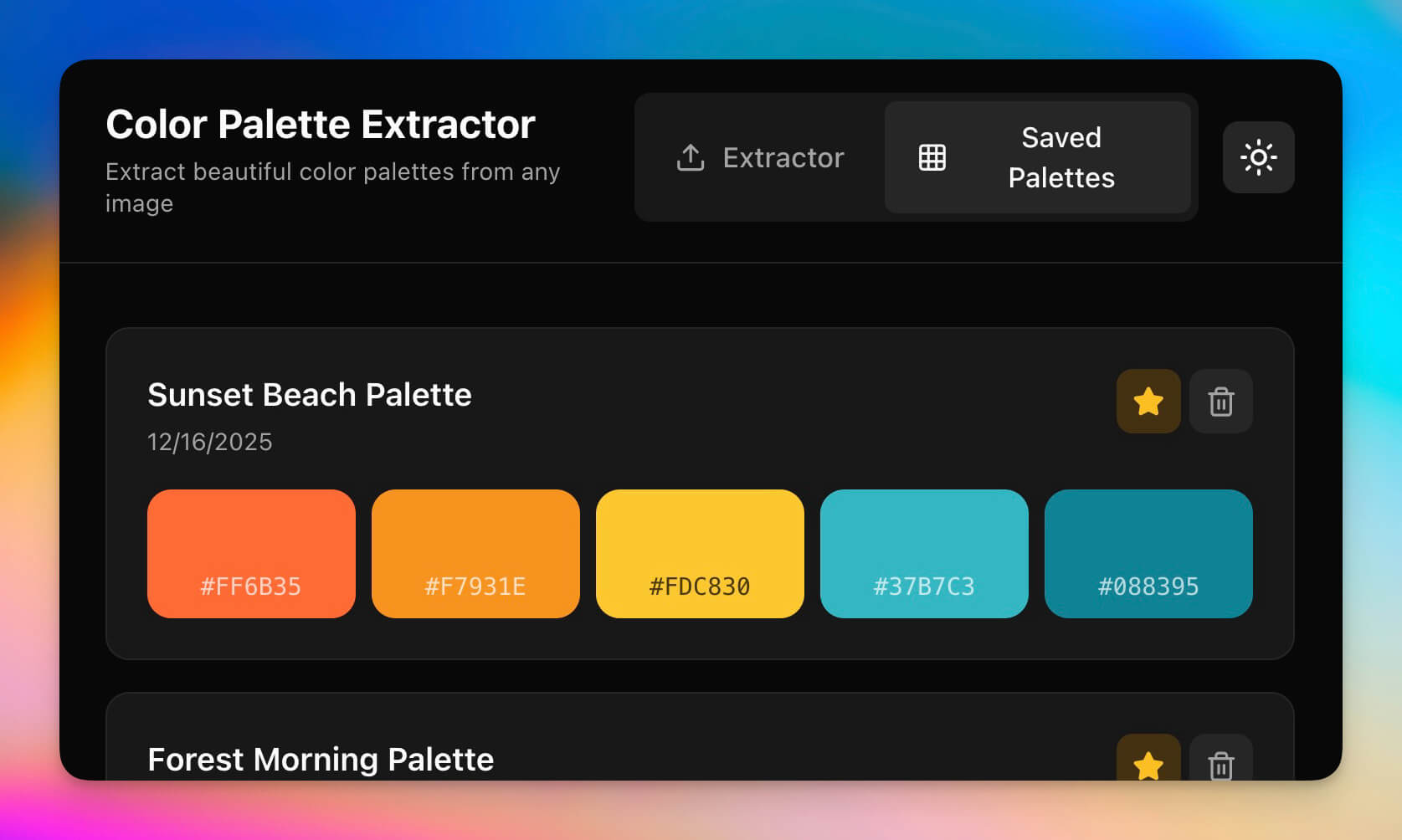
Extract color palettes from any image automatically. Upload a photo, and the AI identifies dominant colors, generates complementary palettes, and exports hex/RGB codes ready for your CSS, Figma, or design system.
Unlike Coolors (free but limited), this extractor lives inside your workspace where the AI agent can suggest palette variations, check accessibility contrast ratios, and store palettes in your Projects for team access.
Best for: Brand managers, designers, creative directors
Features:
- Image upload with automatic color extraction
- Dominant, complementary, and analogous palette generation
- Hex, RGB, and HSL code export
- WCAG contrast ratio checking via AI agent
- Palette storage in Projects for team sharing
2. Gradient Studio V4
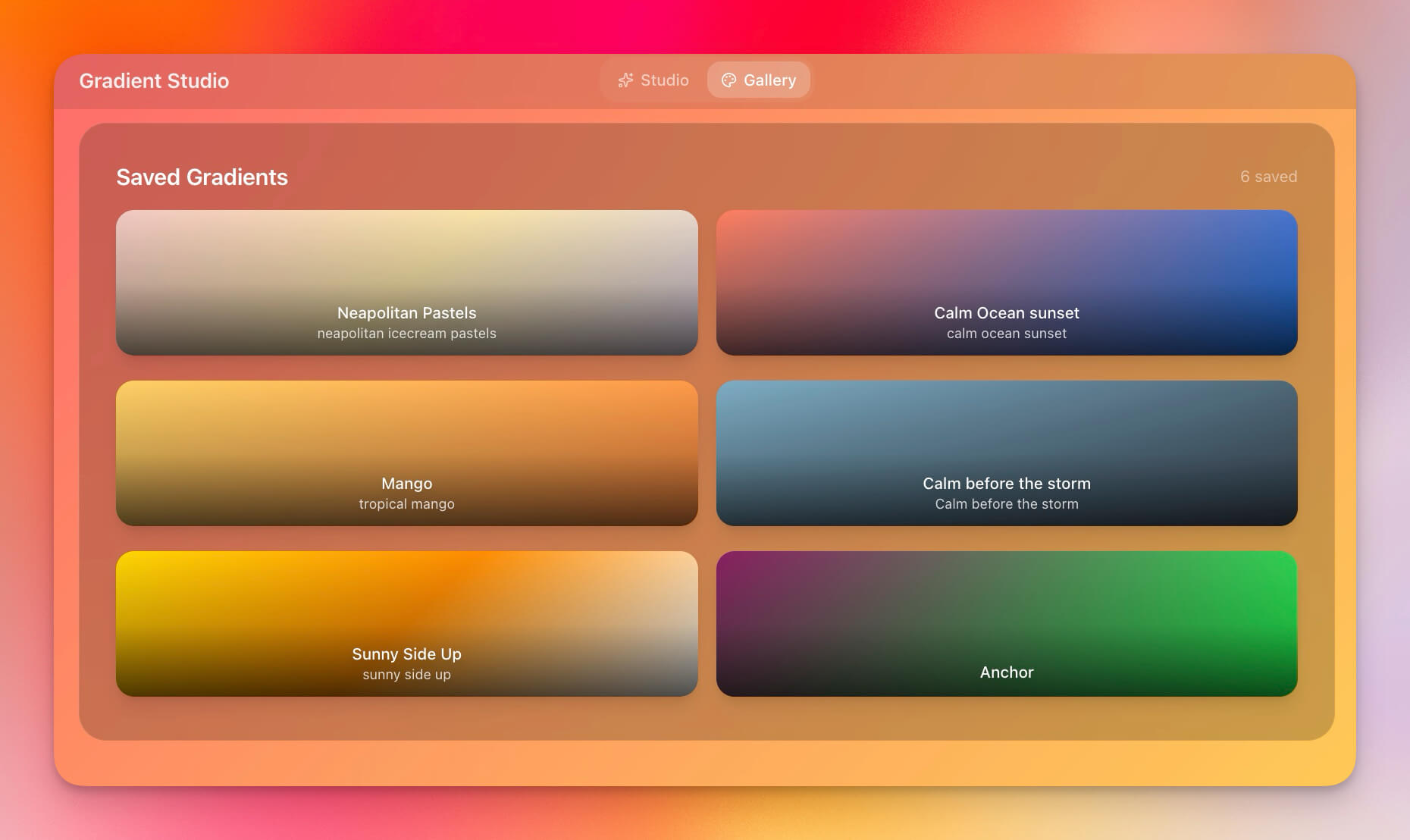
Create and customize gradients with precision control over color stops, angles, and types. The AI agent suggests gradient combinations based on your brand colors and can generate CSS gradient code for direct use in web projects.
Best for: Web designers, UI/UX designers, creative directors
Features:
- Visual gradient builder with real-time preview
- Color stop control with precise positioning
- CSS gradient code export (linear, radial, conic)
- Preset gradient library with trending combinations
- AI suggestions based on your brand palette
3. Synth Wave Studio
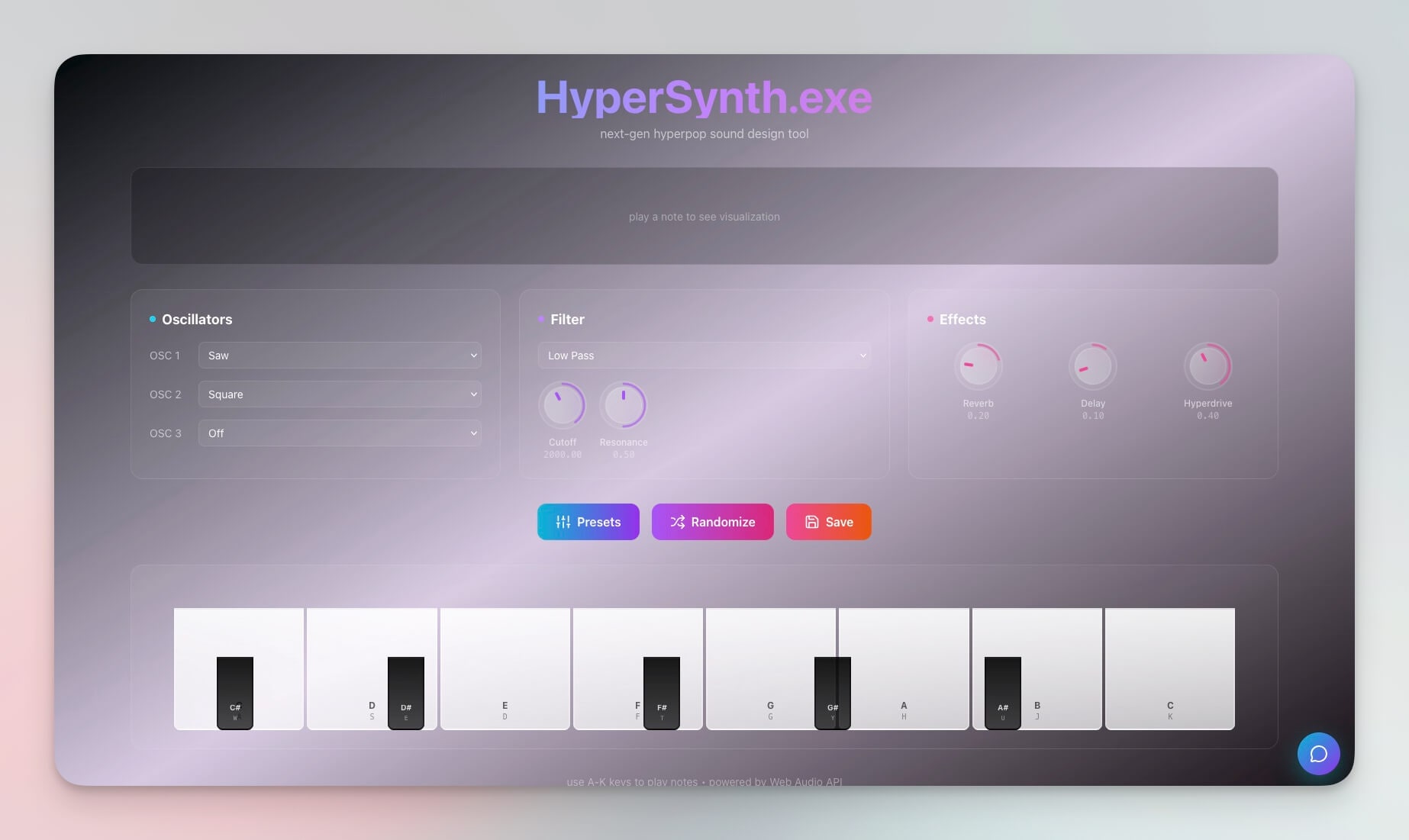
A retro-futuristic design tool with synthwave aesthetics — neon gradients, chrome typography, and grid-line backdrops. This is vibe coding at its most expressive: describe the aesthetic you want ("80s neon with chrome accents and a purple horizon") and Genesis builds it.
Best for: Graphic designers, music artists, creative projects, event branding
Features:
- Synthwave color schemes with neon palette generation
- Visual presets for retro-futuristic themes
- Export options for social media, posters, and web
- Style customization through natural conversation
- AI agent that suggests complementary retro elements
4. SaaS Landing Page
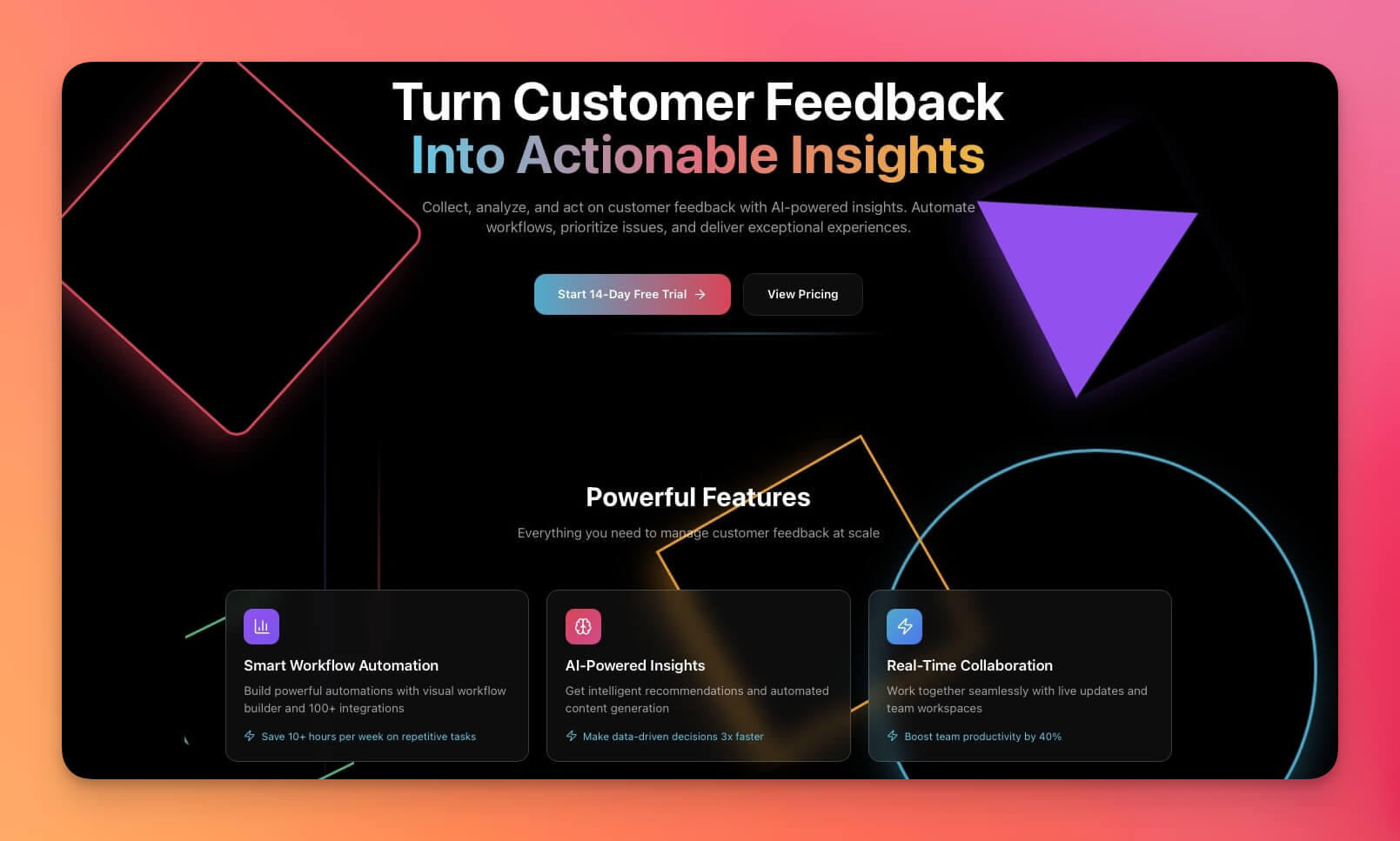
A professional landing page template with modern design patterns: hero section, feature blocks, social proof, pricing table, and CTA optimization. Built for conversion, not just aesthetics.
Best for: Startups, product teams, marketers, SaaS launches
Features:
- Hero section with headline and value proposition
- Feature blocks with icon and description grids
- CTA sections optimized for conversion
- Responsive design that works across devices
- AI agent for A/B test copy suggestions
5. CrabStyx Site
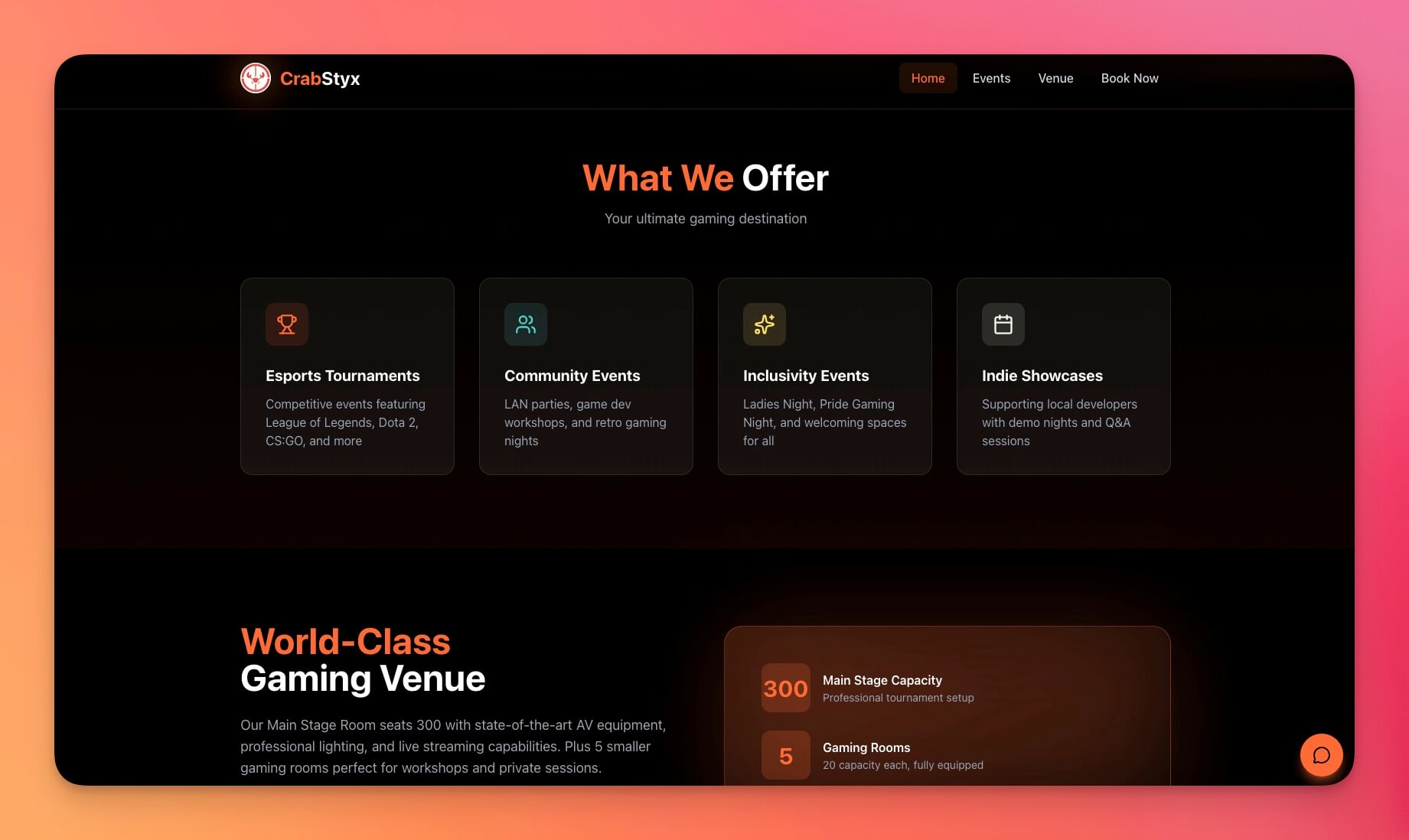
A unique, character-driven website design that demonstrates what vibe coding can do with personality. This template shows that AI-generated sites do not have to look generic — describe a specific vibe and Genesis delivers.
Best for: Creative projects, gaming brands, portfolios, entertainment
Features:
- Custom character-driven design with playful layout
- Interactive elements and hover effects
- Unique brand identity demonstration
- Mobile-responsive with engaging animations
- Customizable through conversation ("make the crab bigger," "add a dark mode toggle")
6. Retro Themed Form
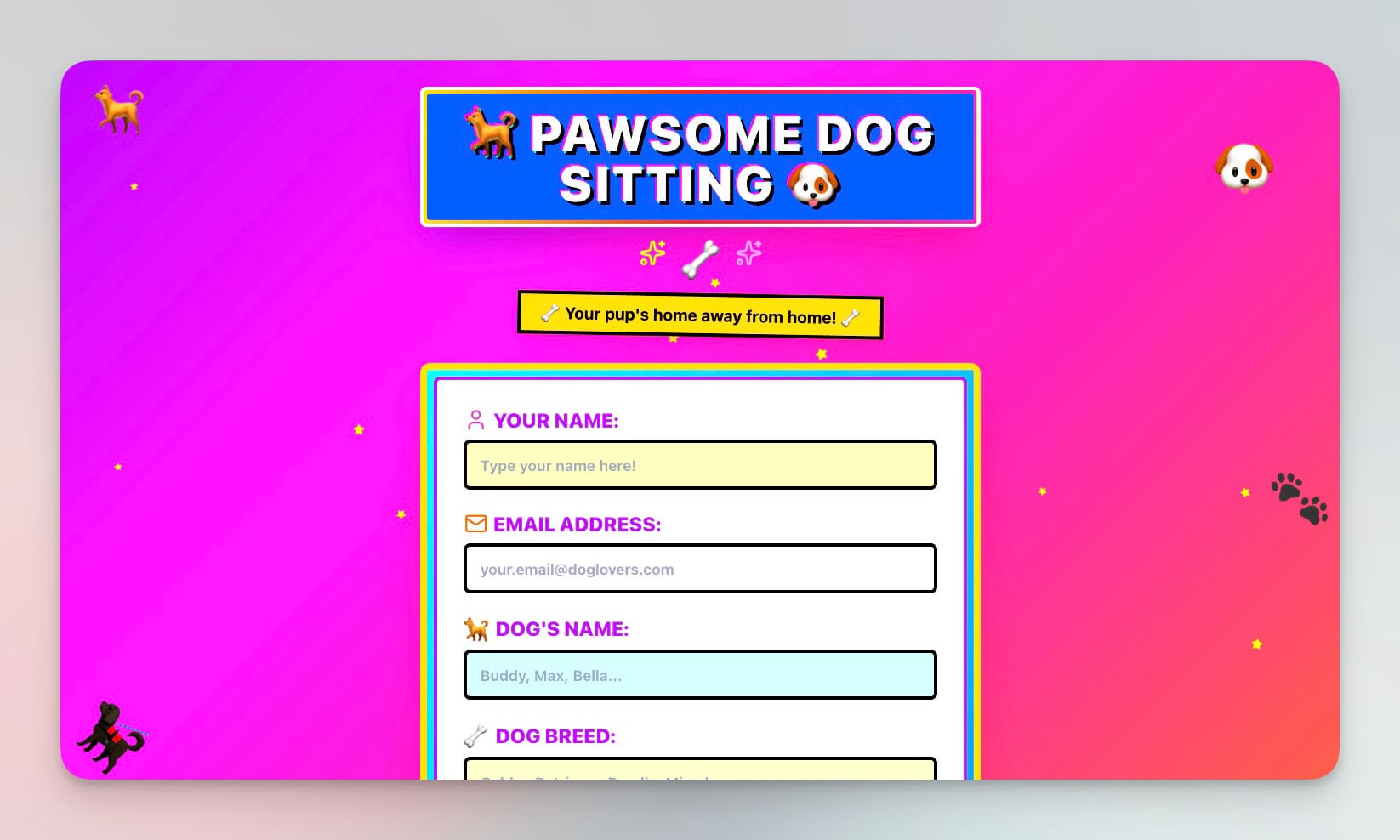
A nostalgic form design with retro aesthetics — think CRT monitors, pixel fonts, and warm amber tones. Functional forms do not have to be boring. This template proves that data collection can match your brand personality.
Best for: Creative campaigns, vintage brands, event registrations, theme parties
Features:
- Retro styling with authentic period-accurate visuals
- Functional form fields with validation
- Submission handling with automated confirmation
- Visual customization through conversation ("make it more 70s," "add a pixel art header")
- Data stored in Projects for follow-up
7. Exhibit Flow
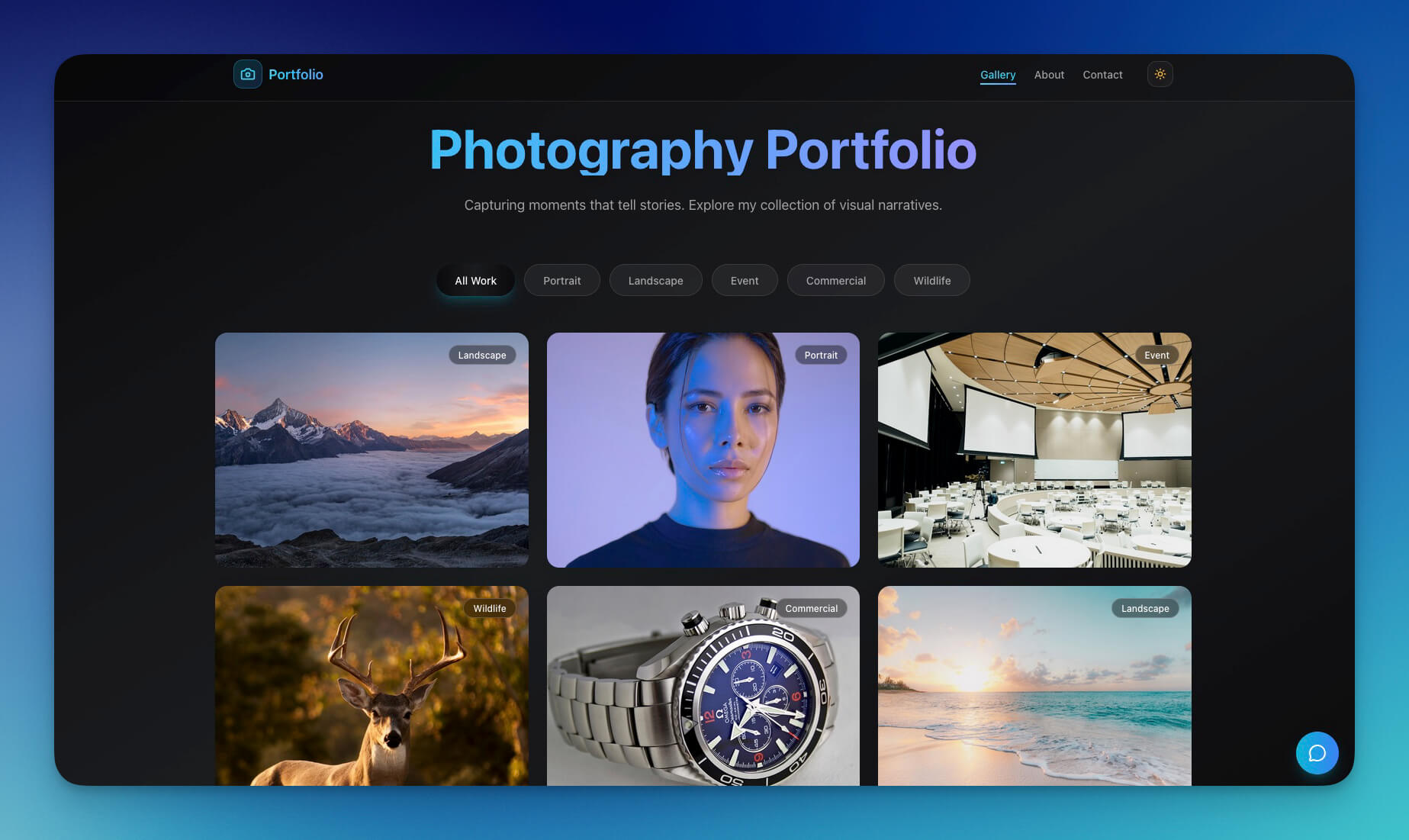
A visual portfolio and exhibition layout system. Gallery grids, project showcases, and description panels — designed for artists, photographers, and galleries who need their work to speak louder than the interface.
Best for: Artists, photographers, galleries, portfolio sites, exhibition catalogs
Features:
- Masonry and grid gallery layouts
- Project showcase with case study sections
- Visual navigation between works
- Description panels with artist statements
- AI agent that suggests layout improvements based on image dimensions
8. BusinessPro Website
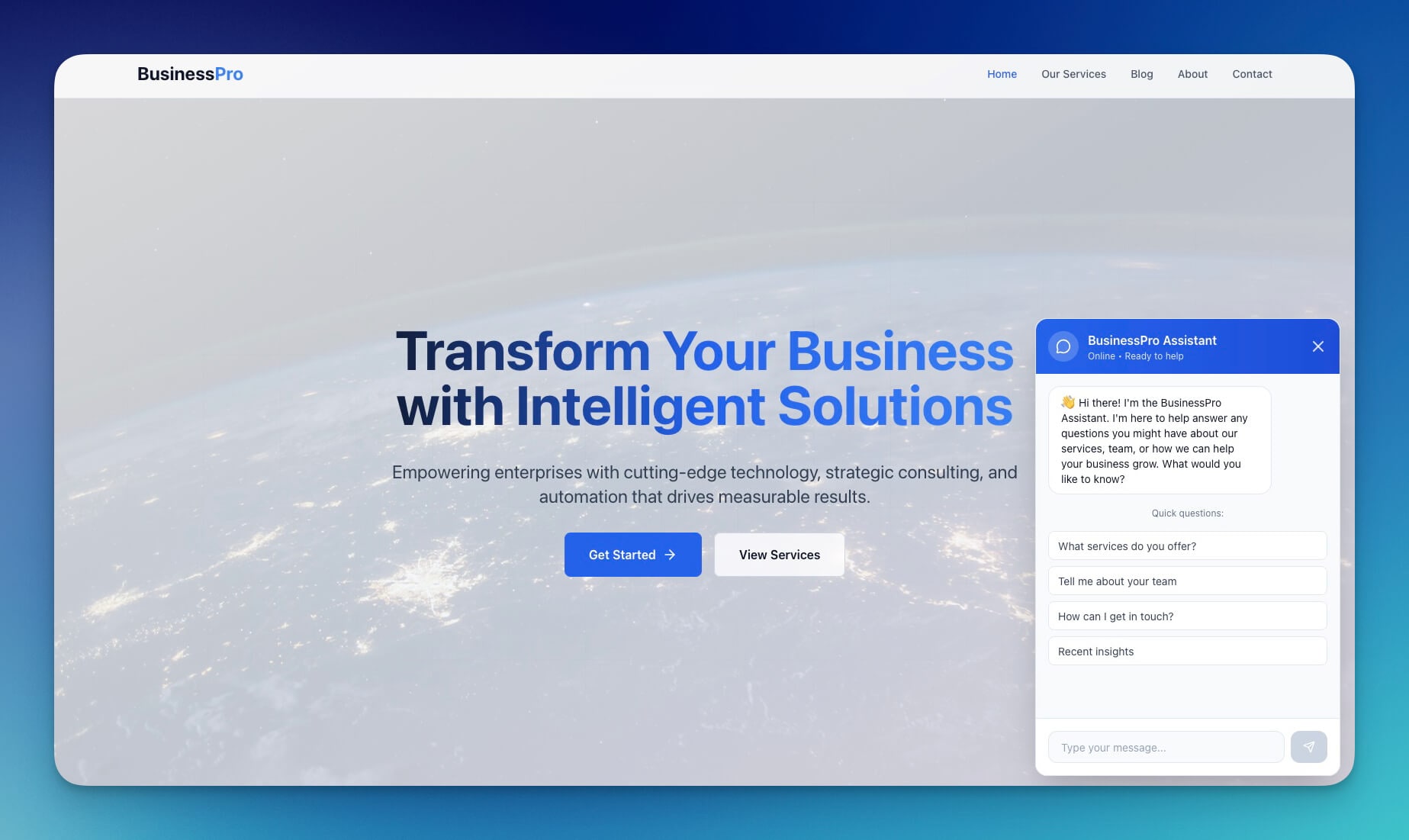
A clean, professional business website template for agencies, consultants, and B2B service providers. Enterprise appearance without enterprise cost or complexity.
Best for: Design agencies, consulting firms, B2B services, professional practices
Features:
- Professional design with service sections and pricing
- Team showcase with bios and headshots
- Contact integration via 100+ integrations
- Case study and portfolio sections
- Permission system for client review access
9. Motivation Map Studio
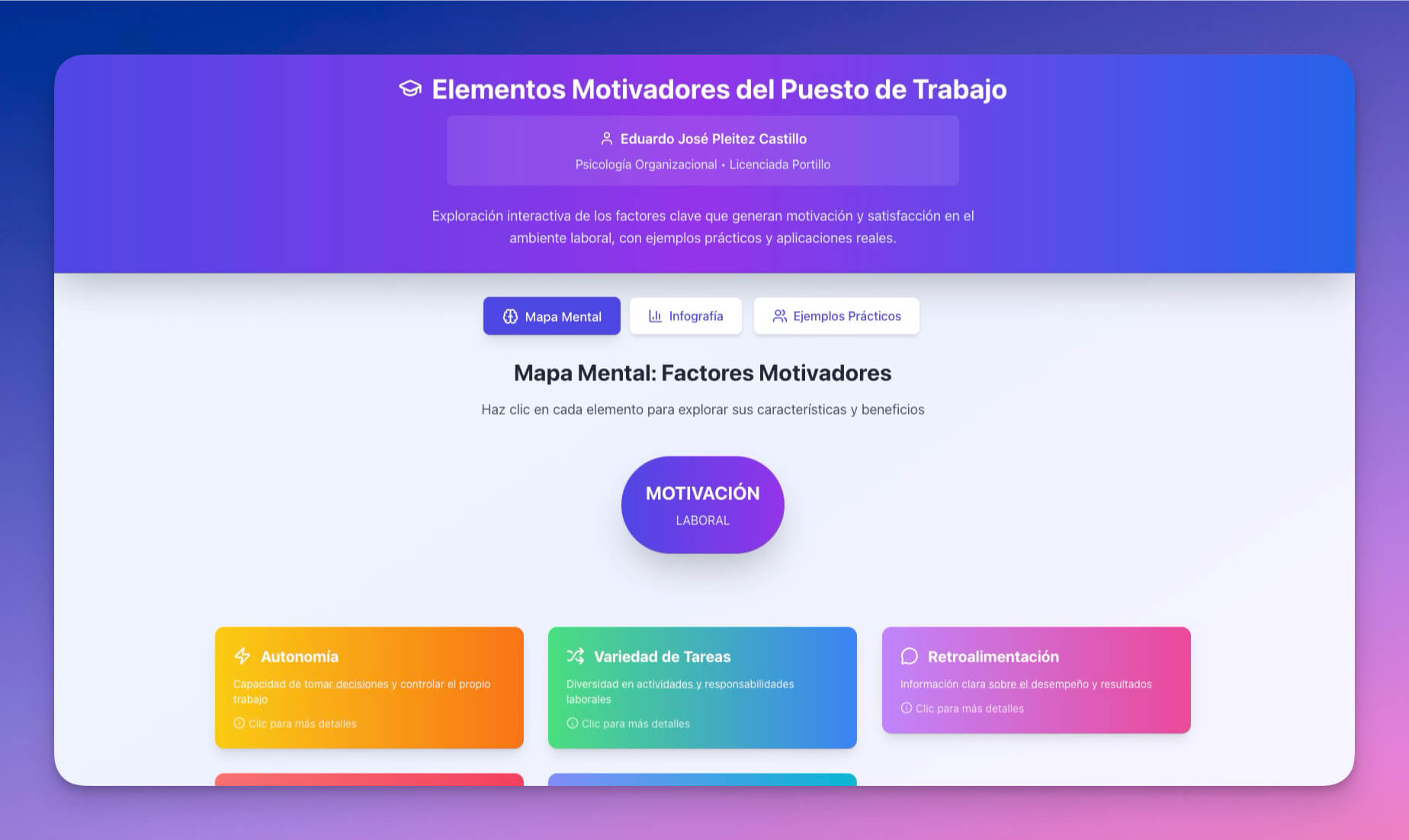
Visual goal mapping with design-forward aesthetics. This tool demonstrates that utility and beauty are not trade-offs — the Mind Map view in Taskade renders goals as visual networks that are both functional and presentation-ready.
Best for: Personal branding coaches, career designers, visual planners
Features:
- Visual mapping with interconnected goals
- Progress tracking with completion indicators
- Design-forward templates for presentations
- Collaborative editing for team brand strategy
- Export for client presentations and social media
10. Real Estate Landing Page
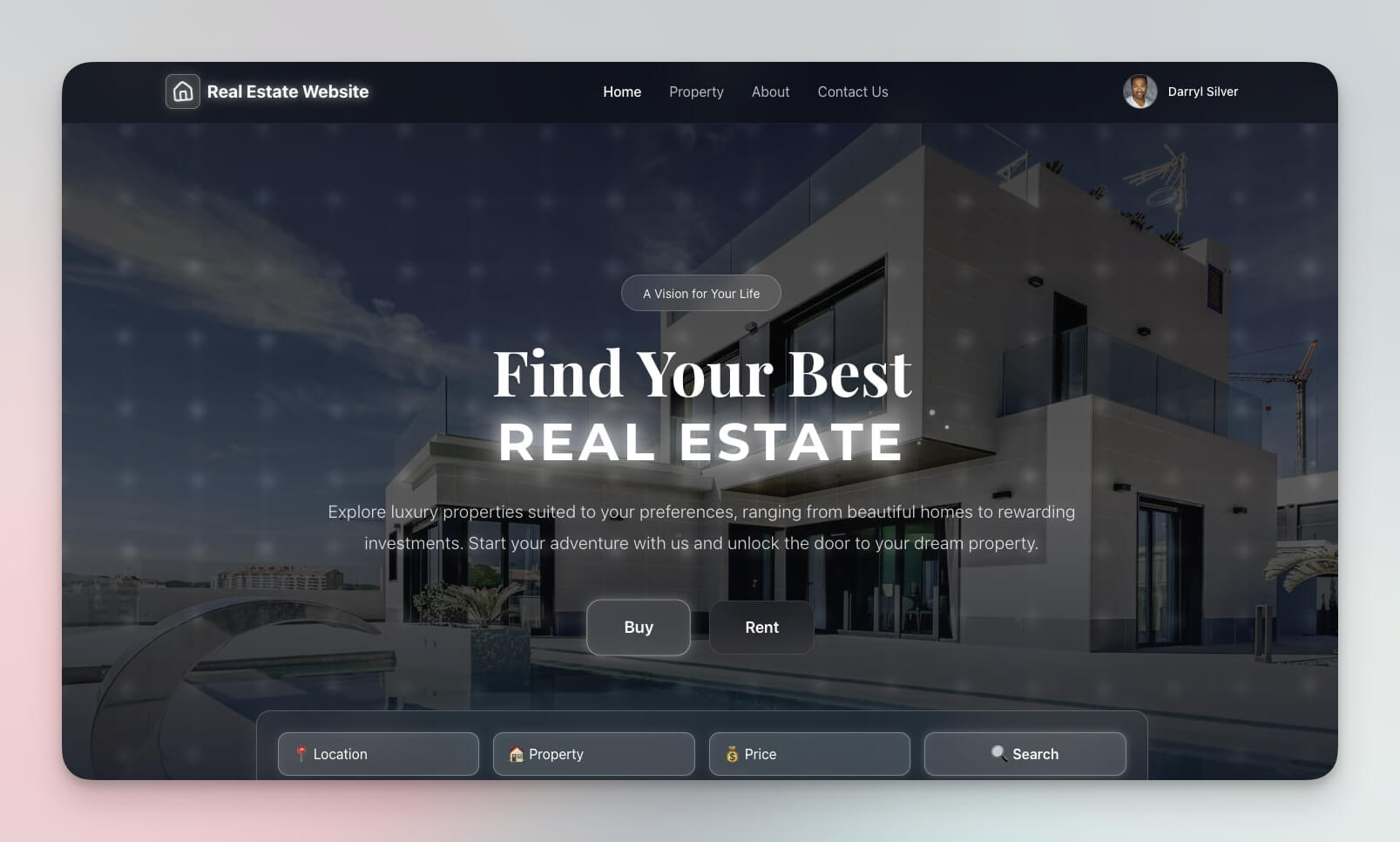
A property-focused landing page with strong visual hierarchy — hero images, feature grids, and lead capture forms. This template shows how vibe coding adapts design principles to specific industries.
Best for: Real estate agents, property developers, interior designers
Features:
- Property showcase with high-impact imagery
- Visual gallery with lightbox viewing
- Lead capture forms with automated follow-up via Automations
- Contact forms connected to Projects
- Mobile-responsive with fast loading
Vibe Coding: Design by Description
Vibe coding is the practice of describing what you want in natural language and letting AI build it. For designers, this means skipping the wireframe-to-mockup-to-code pipeline entirely.
| Traditional Design Workflow | Vibe Coding Design Workflow |
|---|---|
| Sketch wireframe in notebook | Describe the vibe in words |
| Build mockup in Figma ($15/mo) | Genesis generates the working tool |
| Hand-code HTML/CSS or hire a developer | AI produces styled, responsive output |
| Static prototype that needs development | Living application with AI agents |
| Hours of iteration per design cycle | Minutes from prompt to deployment |
| Developer handoff with spec documents | No handoff — what you see is what you ship |
Example vibe coding prompts for designers:
- "Build a color palette generator with a dark UI, glassmorphism cards, and smooth transitions"
- "Create a portfolio site with a brutalist aesthetic, large typography, and minimal color"
- "Generate a brand guideline dashboard with my company colors (#ff2d60, #00d4aa, #38bdf8) and logo upload"
Taskade Genesis vs Design Tool Alternatives
| Feature | Canva | Figma | Adobe Express | Looka | Taskade Genesis |
|---|---|---|---|---|---|
| Starting price | $0 (free tier) | $0 (free tier) | $0 (free tier) | $20 one-time | Free |
| Team pricing | $13/user/mo | $15/editor/mo | $10/mo | $96/year | $10/mo (10 users) |
| Custom tool building | No | No (plugins only) | No | No | Yes (from prompts) |
| AI design agent | Basic (Magic Design) | Basic (AI in beta) | Basic (Firefly) | Logo generation | built-in tools |
| Brand system management | Templates only | Design system files | Templates only | Logo package | Living system |
| Workflow automation | No | No | No | No | 100+ integrations |
| Project management | No | FigJam (separate) | No | No | multiple views |
| Vibe coding (text-to-tool) | No | No | No | No | Yes |
Key insight: Canva, Figma, and Adobe Express are excellent at what they do — creating visual assets. Taskade Genesis is not a pixel-level design tool. It builds the utilities and systems around design: palette generators, gradient studios, brand guideline dashboards, portfolio sites, and automated brand consistency workflows. Use both if your team needs both.
Five Design Automations That Save Hours
Connect your design tools to real workflows with Taskade Automations:
- Brand consistency audit — When a new design asset is uploaded, the AI agent checks colors, typography, and spacing against your brand guidelines and flags deviations
- Palette variation generation — Upload a reference image and automatically generate 5 complementary palette variations stored in your Projects
- Client feedback collection — Share a design review link with clients, collect annotated feedback, and route it to the designer's task list automatically
- Asset export pipeline — When a design is approved, export assets to Google Drive, Dropbox, or Notion via 100+ integrations
- Design sprint reminders — Automated daily standups, deadline alerts, and review session scheduling for design teams using Board view
Build Your Design System in Six Steps
Create a custom design tool in minutes:
- Open Taskade Genesis and describe your tool (e.g., "Build a color palette generator with image upload, automatic extraction, contrast ratio checking, and CSS export")
- Use "Enhance Prompt" to specify visual style, brand colors, and target users
- Genesis creates the tool with Projects (data storage), Agents (design assistant), and Automations (brand workflows)
- Customize the visual style through conversation ("make the background darker," "add a sidebar with saved palettes")
- Set team permissions — designers edit, clients view, using role-based access (Owner to Viewer)
- Publish and share — custom domain, embedded widget, or public link
Learn more: Create Your First App →
Start Building Your Design Tools
Resources:
- Explore Community Apps — Clone design tools from the gallery
- Learn: Getting Started with Genesis — Step-by-step tutorial
- Learn: Custom AI Agents — Build design assistants
- Learn: Automation Triggers — Set up brand workflows
- What Is Vibe Coding? — Build by describing
Related guides:
- 12 AI Websites You Can Build from a Single Prompt
- 12 AI Tools Built with Taskade Genesis
- 10 AI Client Portals You Can Deploy Instantly
- Build Without Permission
- 50+ AI Apps You Can Clone
Explore Taskade AI:
- AI Designer Tools — Built for creatives
- AI Website Builder — Generate websites from prompts
- Vibe Coding — Build with natural language
- Browse All Generator Templates — Apps, dashboards, websites
- Browse Agent Templates — AI agents for every use case
- Explore Community Apps — Clone and customize
Start building your design tools →

Frequently Asked Questions
What are AI-powered design and branding tools?
AI-powered design tools use artificial intelligence to generate color palettes, gradients, typography systems, and complete brand identities. Taskade Genesis creates living design systems with interactive front-ends built through vibe coding, AI agents that suggest design decisions, and automated workflows that maintain brand consistency across projects.
What is vibe coding and how does it relate to design tools?
Vibe coding is the practice of describing the aesthetic you want in natural language and letting AI build the tool. With Taskade Genesis, you can write prompts like 'synthwave color palette generator with neon gradients' or 'minimalist portfolio with clean typography' and get a fully functional design tool with interactive UI, AI agents, and data storage.
Can I build a brand identity system with Taskade Genesis?
Yes. Genesis can create complete brand systems including palette extractors, gradient studios, typography tools, and brand guideline dashboards. Each tool includes AI agents powered by 15+ frontier models from OpenAI, Anthropic, and Google that suggest complementary colors, evaluate contrast ratios, and ensure brand consistency.
How do I share design tools with my team or clients?
Taskade design tools can be shared using a permission system (Owner to Viewer). Give designers editing access while clients get view-only access to approved brand assets. Tools can also be published as public links or embedded in external sites.
How does Taskade Genesis compare to Canva for design work?
Canva is a template-based design tool starting at $13 per month for teams. Taskade Genesis builds custom design tools from text descriptions, not pre-made templates. Genesis tools include AI agents that provide design feedback, automated workflows for brand consistency, and multiple project views for organizing design assets.
Can Taskade Genesis replace Figma for brand system management?
Taskade Genesis is not a pixel-level design tool like Figma. It excels at building design utilities (palette generators, gradient studios, brand guideline dashboards) and design system documentation. Teams that need both can use Genesis for brand management and Figma for detailed UI design, connected through 100+ integrations.
What design automations can I set up with Taskade?
Taskade Automations can check new designs against brand guidelines, generate color palette variations from uploaded images, collect design review feedback from stakeholders, export approved assets to cloud storage, and track version history across design iterations. All automations connect to 100+ integrations.
How much does it cost to build AI design tools with Taskade Genesis?
Taskade offers a free tier for building AI design tools. Pro at $10 per month billed annually supports up to 10 team members, and Business at $25 per month billed annually provides unlimited seats. Most solo designers and small studios run comfortably on the free plan.
Can I build a portfolio website with Taskade Genesis?
Yes. Describe your portfolio needs to Genesis and it builds a visual showcase with project galleries, case study layouts, testimonial sections, and contact forms. The AI agent can suggest layout improvements and help organize projects by category. Publish with a custom domain at no additional cost.
What project views does Taskade offer for managing design work?
Taskade provides multiple project views: List, Board, Calendar, Table, Mind Map, Gantt, and Org Chart. Design teams commonly use Board view for design sprints, Calendar view for deadline tracking, Table view for asset management, and Mind Map view for creative brainstorming.