






Updated June 2026. This is the conceptual explainer, not a tool ranking. If you want to see the idea running, clone a live research agent that reads and writes a connected workspace memory. For the "best multi-agent platforms" comparison, read our roundup instead. Try Taskade Genesis free →
What Is a Knowledge Graph for AI Agents?
A knowledge graph is a structured memory made of entities (the things you track) and relationships (how those things connect). For an AI agent, it is the difference between remembering a wall of text and remembering an organized map. The agent reads the graph to ground its answers in connected facts, and writes new facts back as it works. A single fact like "Task A depends on Task B" is one relationship between two entities; stack thousands of those connections together and you get a map the agent can walk to reason about your work.
The plain-English version: a knowledge graph is a network of dots and lines the agent can read. The dots are nouns (a project, a person, a task). The lines are verbs (owns, depends on, assigned to). Because the connections are explicit, the agent does not have to guess how two facts relate. It can simply follow the line. That is what makes a knowledge graph the natural shape for agent memory.
That dotted line back to the start is the whole point. Every action the agent takes can become memory the next action uses. A chatbot answers and forgets. An agent with a knowledge graph answers, records what it learned, and starts the next turn smarter. For the foundational concept of what an agent even is, see what are AI agents.
Why Agents Need Structured Memory, Not Raw Vector Chunks
An AI agent needs structured memory because multi-step work falls apart without it. The most common way to give a model memory today is to chop documents into chunks, turn each chunk into a vector (a list of numbers), and fetch whichever chunks are mathematically closest to the question. That is vector retrieval, and it is genuinely good at fuzzy similarity and breadth. But it breaks down the moment a question touches several connected things at once.
Here is the failure mode in plain terms. Vector search answers "what is similar to this?" It does not answer "what is connected to this, and to that, and to the thing those both depend on?" As a question spans more entities, vector accuracy degrades, research summarized by Neo4j and others shows graph-based retrieval stays stable across ten or more connected entities where chunk retrieval drifts toward incomplete answers. The agent gets related-sounding text, not the actually-connected facts.
The honest takeaway: this is not graphs versus vectors. Vectors are excellent for discovery, finding a relevant doc you didn't know to ask for. Graphs are excellent for reasoning, following a known chain of connections to a complete answer. The strongest 2026 systems use both, and the table below is the clearest way to see when each one wins.
Knowledge Graph vs Vector Database: When Each Wins
| Dimension | Vector database (raw chunks) | Knowledge graph (entities + relationships) |
|---|---|---|
| What it stores | Text turned into number-lists (embeddings) | Explicit nodes and edges with properties |
| What it answers | "What is similar to this?" | "What is connected to this?" |
| Best at | Fuzzy similarity, broad discovery | Multi-step reasoning, exact connections |
| As entities grow | Accuracy drifts toward incomplete | Stays stable across many hops |
| Persistent memory | Hard — chunks don't link to each other | Native — new facts link into the map |
| Setup cost | Low (days) | Higher if hand-built; near-zero in a workspace |
Read the rows top to bottom and the pattern is clear: vectors give you breadth, graphs give you depth, and an agent doing real work needs both. The piece most teams underinvest in is the graph, the connected memory that lets an agent reason instead of just recall. For tools that lean on this kind of memory, see the best AI second brain tools.
What Is GraphRAG and How Does It Improve Retrieval?
GraphRAG is retrieval-augmented generation that pulls context from a knowledge graph instead of, or alongside, a plain vector index. The agent identifies the entities in a question, traverses their relationships in the graph to gather a connected subgraph, and feeds that grounded slice to the model. Microsoft's original GraphRAG research and follow-on work (summarized by Atlan) found it answers complex, whole-corpus questions more comprehensively than vector search alone, which tends to return a few similar chunks and miss the connections between them.
The plain-English version: regular RAG hands the model the few paragraphs that sound most like your question. GraphRAG hands the model the few paragraphs that are actually connected to the things in your question, plus the relationships between them. When you ask "what's blocking the launch?", vector RAG finds text that mentions "blocking" and "launch." GraphRAG follows the depends-on edges from the launch task to the real blockers, even if none of them use the word "blocking."
How GraphRAG Works: Step by Step
| Step | What happens | Why it matters |
|---|---|---|
| 1. Identify entities | The agent extracts the nouns in the request (project, task, person) | Anchors retrieval to real things, not just keywords |
| 2. Traverse relationships | It follows edges out from those entities, usually 3–4 hops | Surfaces connected facts vector search would miss |
| 3. Gather the subgraph | It collects the connected nodes and edges as one slice | The context is structured, not a random pile of chunks |
| 4. Optionally enrich | It pulls source text for any node that needs detail | Combines graph precision with document depth (hybrid) |
| 5. Ground the answer | The model reasons over the subgraph and responds | The answer is traceable to connected facts, not a guess |
Most teams cap traversal at three to four hops to keep retrieval fast (a tip echoed by FalkorDB's agent-memory guide). The result is an answer the agent can show its work on. It can point to the exact chain of relationships it followed. That traceability is a big part of why GraphRAG is the 2026 direction for serious agent systems.
How an Agent Reads and Writes a Knowledge Graph
An agent uses a knowledge graph through a simple read-write loop. To read, it finds the entities named in a request and traverses their relationships a few hops out to gather connected context. To write, it adds new nodes and edges as work happens, usually timestamped. So the graph grows. Because reading and writing share the same structure, every action the agent takes can become memory the next action uses. That loop is what separates a one-shot tool from a teammate.
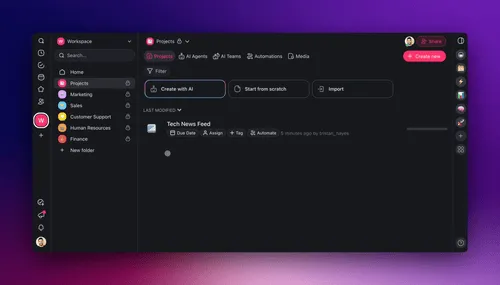
Point an agent at your connected sources and it reads that context as memory, grounded in your real work, not a blank slate.
Researchers describe agent memory in three flavors, and a graph holds all three naturally (a taxonomy detailed in the FalkorDB guide and recent arXiv survey work):
  THREE KINDS OF AGENT MEMORY (all live in one graph)
  ───────────────────────────────────────────────────
  ┌─ EPISODIC ─────────────────────────────────────┐
  │  "what happened" — timestamped event nodes     │   ← past chats, decisions, results
  ├─ SEMANTIC ─────────────────────────────────────┤
  │  "what's true" — entities + relationships      │   ← your projects, people, dependencies
  ├─ PROCEDURAL ───────────────────────────────────┤
  │  "what works" — reusable workflow subgraphs    │   ← tool patterns that succeeded before
  └────────────────────────────────────────────────┘
     Read the relevant slice  →  act  →  write back the new facts
The plain-English version: episodic memory is the agent's diary (what happened and when), semantic memory is its map (what is true about your world), and procedural memory is its muscle memory (how it got things done before). A knowledge graph stores all three as connected nodes, so the agent does not need three separate systems bolted together. This is the practical heart of context engineering, deciding which slice of memory the agent sees at each step so it reasons well instead of drowning in one giant blob of text.
Is a Workspace a Knowledge Graph?
A well-structured workspace behaves like a knowledge graph, and that is exactly the point of Taskade's Workspace DNA. Your projects, tasks, agents, and automations are not isolated documents sitting in folders. They are connected nodes: a task belongs to a project, an automation watches that project, an agent owns an outcome, a document was generated from a prompt. An agent can read that connected structure to ground its answers, and write results back into it, without anyone standing up a separate graph database.
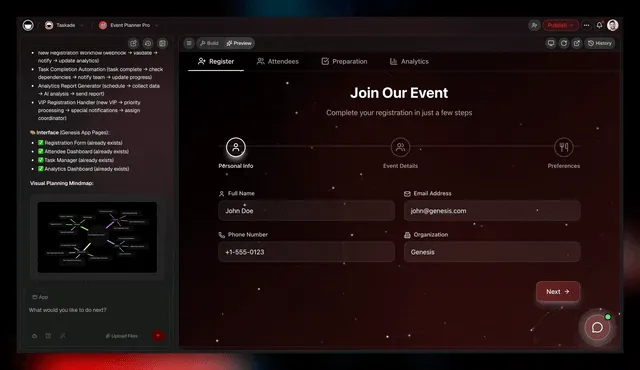
Workspace DNA is a living knowledge graph, your projects, agents, and automations as connected nodes agents can read and write.
The plain-English version: most tools store your work as a stack of disconnected files. Taskade stores it as a connected map. That connected map is what gives a Taskade agent grounded, persistent context. When you ask an agent "what's at risk this week?", it doesn't pattern-match keywords across loose notes. It walks the real relationships between your projects, owners, and deadlines.
To be precise about the claim: Taskade is a connected, structured workspace memory, not a formal triple-store you query in Cypher. You get the behavior of agent-grade graph memory, connected entities, traversable relationships, persistent context, without the engineering project. The entities-and-relationships view below shows the shape underneath.
Do I Need to Code a Graph Database? The No-Code Answer
No. You do not need to build a graph database to give your agents knowledge-graph-style memory. Hand-building one is real engineering: you design a schema, build an entity-extraction pipeline, stand up a graph database, and learn a query language. That is weeks of work before an agent reads its first fact. A platform like Taskade Genesis gives you the connected, structured memory out of the box. You describe an outcome in plain words, and your projects, agents, and automations become the nodes and relationships agents read and write.
Build It Yourself vs Get It in a Workspace
| Step | Code your own graph | Taskade Genesis (no-code) |
|---|---|---|
| Define entities | Design a schema by hand | Projects, tasks, agents already are entities |
| Extract relationships | Build an extraction pipeline | Connections form as you organize work |
| Stand up storage | Deploy and tune a graph database | Nothing to deploy — it's your workspace |
| Query the graph | Write a query language (e.g., Cypher) | Ask an agent in plain words |
| Persist memory | Wire timestamped writes yourself | AI Agents v2 persist memory natively |
| Time to first agent | Weeks | An afternoon |
The plain-English version: the left column is a project for an engineering team. The right column is a prompt. You get grounded, persistent, connected context either way. But only one of them is free to start and doesn't require you to learn graph databases. As Taskade's first self-serve Enterprise customer — an IT program manager with no engineering team — put it about building a production app on Taskade Genesis: "What I accomplished in a few weeks would have taken a team of 40+ people 18 months in a Fortune 500." He didn't stand up a graph database. He described an outcome and got a connected, living system.
Try It Live: A Research Agent That Reads and Writes a Connected Memory
The fastest way to understand a knowledge graph is to watch an agent use one. The app below was built from a single prompt in Taskade Genesis: a research agent that reads your connected workspace context, gathers findings, and writes results back as memory the next run can build on. Click it, clone it, and swap in your own topic. You get an agent grounded in connected context without touching a graph database.
Watch image generation, agent preview, and 100+ integrations in Taskade Genesis:
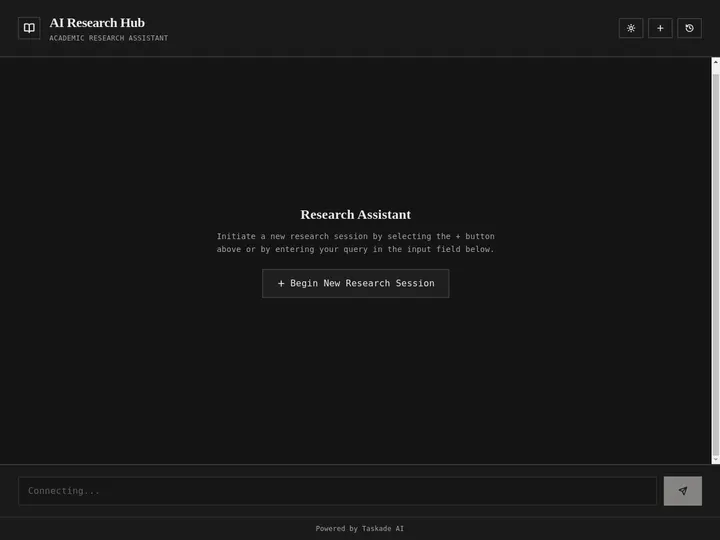
This is the whole idea, running. A knowledge graph stops being an abstract diagram the moment an agent reads your real, connected workspace and acts on it. Clone this research agent and point it at your own work →
How Workspace DNA Makes Context Compound
The reason a Taskade workspace gets smarter the more you use it is Workspace DNA, the self-reinforcing loop of Memory, Intelligence, and Execution (the ▲ ■ ● signature). Memory is your connected projects and past results. Intelligence is the agents that read that memory and reason over it. Execution is the automations that act and write new facts back into Memory. Each loop adds nodes and relationships to the graph, so the next answer is grounded in more context than the last.
This is what a living knowledge graph means, in contrast to a static one. A static graph is built once and goes stale. A living graph grows with every action, exactly the "dynamic knowledge graph that updates from agent interactions" that 2026 research points to as the merge of retrieval and memory. In Taskade, that living graph powers real product capability:
- AI Agents v2 ship built-in tools, web search, code, file analysis, custom slash commands, plus persistent memory so each agent remembers your connected context across sessions. See custom agents and AI chat.
- Multi-layer search (full-text + semantic + file content) means an agent can find a fact by keyword, by meaning, or inside an attached file, then ground it against the connected graph.
- Reliable automation workflows read and write the same connected memory, with 100+ bidirectional integrations, triggers pull events in, actions push results out. So the graph stays current without manual updates. Explore automations.
- EVE, Taskade's meta-agent, orchestrates a whole team of agents over that shared memory, so the connected context is reasoned on by many specialists at once. Compare approaches in the best multi-agent platforms.
Taskade Genesis runs on 15+ frontier models from OpenAI, Anthropic, Google, and open-weight providers, auto-routed so you never pick a model. The model does the reasoning; the knowledge graph, your Workspace DNA, does the grounding. For the conceptual deep-dive on this loop, read the Genesis Loop, and for product orientation see the Taskade Genesis overview.
From Concept to Working Agent: What You Can Build
The clearest way to see a knowledge graph at work is to look at what people ship. Each of these starts as a plain-English prompt in Taskade Genesis and ends as a running app whose agents read and write a connected workspace memory, no graph database required.
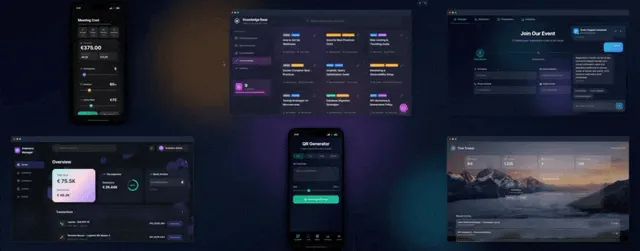
Explore living apps where agents act on connected data, open one, clone it, and point it at your own work.
| Outcome you want | What you prompt | What the agent reads + writes |
|---|---|---|
| A research assistant | "A research agent that gathers sources and tracks findings" | Reads topics + prior findings, writes new sources as memory |
| A project copilot | "An agent that flags what's blocking my launch" | Traverses task dependencies, writes risk flags back |
| A knowledge base | "A second brain that connects my notes and tasks" | Links notes to projects, surfaces connected context |
| A support agent | "An agent that answers from my docs and past tickets" | Reads doc + ticket entities, writes resolutions back |
| An ops automation | "Watch my projects and update the CRM on changes" | Reads project state, writes updates out via integrations |
Each of these is a clone away. The research agent above is the same idea ready to run, open it, clone it, and point it at your own work. Browse more live, cloneable apps in the Community Gallery, build your own AI apps, or start from free AI app builders.
Knowledge Graphs vs Vectors vs Memory: The 2026 Stack
The 2026 consensus, echoed across Atlan and others, is that these three are not rivals. They are layers. Vectors give breadth (find the relevant thing), knowledge graphs give depth (reason across connected things), and memory gives continuity (carry context across sessions). The best agent systems combine all three, and a connected workspace is where they meet for non-engineers.
The plain-English takeaway: you do not have to choose. You need an agent that can find things, reason across connections, and remember, and you want that without building three systems by hand. That is what a connected workspace delivers.
How Do I Start With Knowledge-Graph-Style Agent Memory?
Start free in Taskade Genesis. Describe an outcome in plain words, and Taskade Genesis builds a live app where your projects, agents, and automations are connected from the first minute, a living workspace memory, not a stack of files. Add an AI agent with persistent memory, point it at your workspace, and it reads and writes that connected context as it works. You get grounded, agent-grade memory without standing up a graph database or learning a query language.
Pricing is Free Forever, then Pro $10/mo (the Popular ★ tier), Business $25/mo, Max $100/mo, and Enterprise $250/mo, all annual billing. Every tier ships agents that read and write your connected workspace memory.
A knowledge graph used to be a database project. Now it can be your workspace, connected, persistent, and read-and-written by agents that get smarter every time you use it. Memory feeds Intelligence, Intelligence drives Execution, and Execution writes new memory back. That is Workspace DNA, and it is the living graph your agents think with. Start free → ▲ ■ ●
Frequently Asked Questions
What is a knowledge graph for AI agents?
A knowledge graph is a structured memory made of entities (people, projects, tasks, documents) and the relationships between them (owns, depends on, assigned to). An AI agent reads this graph to ground its answers in connected facts and writes back new facts as it works. Unlike a pile of text, a graph keeps context organized so the agent can follow relationships across many steps without losing the thread.
What is the difference between a knowledge graph and a vector database?
A vector database stores text as numerical embeddings and returns chunks that are mathematically similar to a query. A knowledge graph stores explicit entities and the relationships between them, so an agent can follow connections directly. Vector search is great for fuzzy similarity and breadth. Graphs are great for precise, multi-step reasoning across connected facts. Most 2026 systems use both, a pattern often called hybrid retrieval.
What is GraphRAG?
GraphRAG is retrieval-augmented generation that pulls context from a knowledge graph instead of, or alongside, a vector index. The agent identifies the entities in a question, traverses their relationships in the graph, and feeds that connected subgraph to the model as grounded context. Research from Microsoft and others shows GraphRAG improves comprehensiveness on complex, whole-corpus questions that plain vector search answers incompletely.
Why do AI agents need structured memory?
An agent that forgets everything between turns cannot handle multi-step work. Structured memory lets an agent recall who did what, which task depends on which, and what was decided last week. Vector-chunk retrieval degrades as a question touches more entities, while graph traversal stays stable across many connected facts. Structured memory is what turns a chatbot into a teammate that builds on past context.
How does an agent read and write a knowledge graph?
To read, the agent finds the entities named in a request, then traverses their relationships a few hops out to gather connected context. To write, it adds new nodes and edges as work happens, often timestamped, so the graph grows. This read-write loop means every action the agent takes can become memory the next action uses. Most teams cap traversal at three to four hops to keep retrieval fast.
What are entities and relationships in a knowledge graph?
Entities are the things you track: a project, a person, a task, a document, an agent, an automation. Relationships are the verbs that connect them: assigned to, depends on, owned by, generated from, triggers. A single fact like "Task A depends on Task B" is one relationship between two entities. Stacked together, thousands of these connections form a map an agent can walk to reason about your work.
Is a workspace a knowledge graph?
A well-structured workspace behaves like one. In Taskade, your projects, tasks, agents, and automations are connected nodes, not isolated documents. An agent can see that a task belongs to a project, an automation watches that project, and a teammate owns the outcome. That connected structure is what Taskade calls Workspace DNA, and it gives agents grounded, persistent context without anyone building a separate graph database.
Do I need to code to build a knowledge graph for agents?
No. Building a formal graph database from scratch means schemas, an entity-extraction pipeline, and a query language, which takes engineering effort. A platform like Taskade gives you a connected, structured workspace memory out of the box. You describe what you want in plain words, and your projects, agents, and automations become the nodes and relationships agents read and write. No graph database to stand up.
How does persistent memory work for an AI agent?
Persistent memory means an agent keeps context across sessions instead of starting blank each time. It stores facts as it works, episodic records of what happened, semantic facts about your domain, and procedural patterns of what worked, then retrieves the relevant slice on the next turn. In Taskade, AI Agents v2 ship persistent memory so an agent remembers your projects, decisions, and past results.
What is context engineering?
Context engineering is the practice of deciding what information an agent sees at each step, and how it is structured, so the model reasons well. It goes beyond prompt wording to cover memory, retrieval, and grounding. A knowledge graph is a context-engineering tool because it lets the agent pull connected, relevant facts on demand instead of being handed one giant undifferentiated blob of text.
How does Taskade use knowledge graphs?
Taskade does not ask you to build a graph database. Instead, your workspace itself is a living, connected memory: projects, tasks, agents, and automations are linked nodes that agents read and write. This is Workspace DNA, the Memory plus Intelligence plus Execution loop. Agents ground answers in your real, connected context and write results back, so the workspace gets smarter every time you use it.
How do I start with knowledge-graph-style agent memory?
Start free in Taskade Genesis. Describe an outcome in plain words and Taskade Genesis builds a live app where your projects, agents, and automations are connected from day one. Add an AI agent with persistent memory, point it at your workspace, and it reads and writes that connected context as it works. Pricing is Free Forever, then Pro $10/mo (billed annually), and Business $25/mo.