






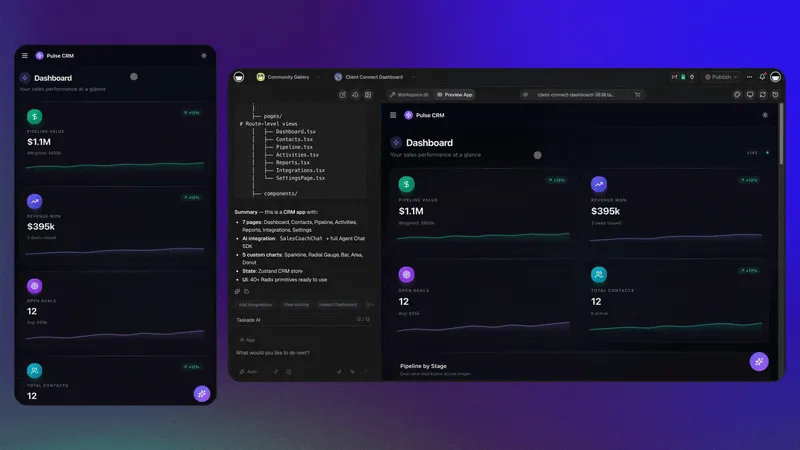
Last tested: June 2026. 150,000+ Taskade Genesis apps built since launch.
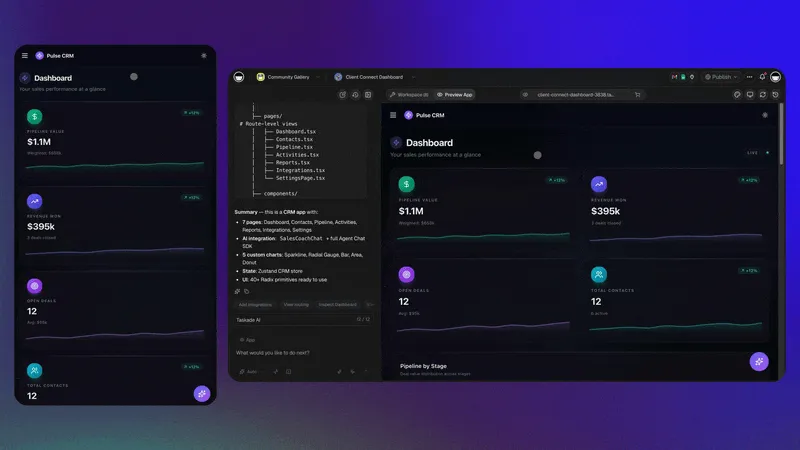
A solo realtor keeps 140 active buyers, 22 live listings, and roughly 60 follow-ups a week. None of it sits in Salesforce. It sits in one workspace she described out loud: a Board where every buyer occupies a stage, a Table holding financing status and the school district each family cares about, a Calendar with every showing, and an agent that pulls the property record the second a new lead arrives. She built it in an afternoon. Nobody trained her, and nobody bills her per seat.
That is the thing worth owning, and it is the axis this guide ranks on: how much of a real sales motion each builder carries end to end, not how long its feature list is. The market has split along the same line. Salesforce, HubSpot Enterprise, and Microsoft Dynamics keep pushing per-seat prices toward $300 a month; AI CRM builders let a sales lead stand up a custom pipeline in under 15 minutes. Below: the 10 best of 2026, when buying still wins, and how to migrate off Salesforce without a six-month consulting engagement.
This is the build-side guide. Its companion, Build Your Own AI CRM vs Paying Salesforce $300 Per Seat, carries the full total-cost math. If you already know you want to build, jump straight to Taskade Genesis.
Compare with: want a polished, vendor-run product instead of building your own? See the sibling buy-side guide, the best pre-built AI CRM software.
Clone a Working CRM in One Click
You do not have to start from a blank prompt. Every app below is a live Taskade Genesis CRM running right now — open it, hit clone, and you own an editable copy with the Board, the Table, and the agent already wired.


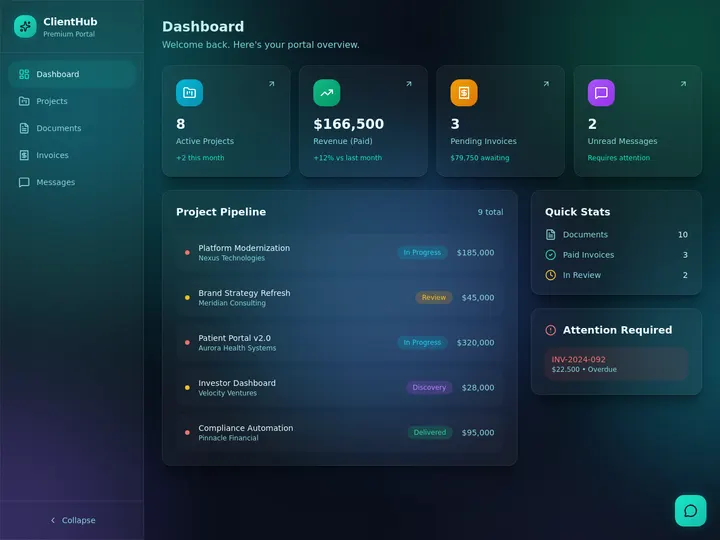
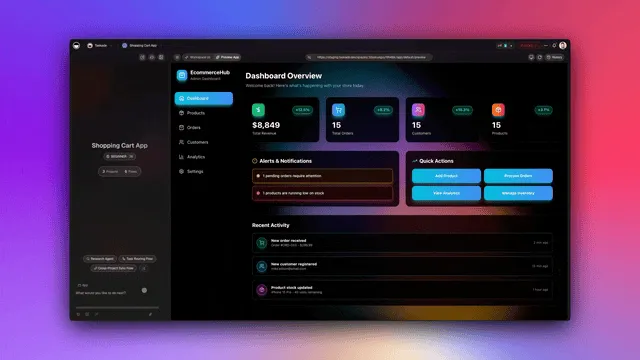
- Dealflow CRM — Track leads. Close deals. Every inbound lead lands in a stage instead of an inbox. Clone it →
- Neon CRM Dashboard — See pipeline. Spot stalls. One screen for what moved this week and what did not. Clone it →
- Sales Pipeline Dashboard — Forecast revenue. Hit quota. Stage-weighted totals that recalculate as cards move. Clone it →
- Sales Agent Studio — Draft outreach. Book meetings. An agent that writes the first touch and the follow-up. Clone it →
- Client Portal — Share progress. Keep control. Each client signs in, and you match their file to that login. Clone it →
Click any image, then hit clone. You own an editable copy with a pipeline Board, a contact Table, and a lead-enrichment agent in under a minute. No Salesforce bill, no consultants. Browse the rest in the Community Gallery.
What Is the Best AI CRM Builder in 2026?
Taskade Genesis is the best AI CRM builder in 2026. It turns a single prompt into a fully working CRM with multiple project views (List, Board, Calendar, Table, Mind Map, Gantt, Org Chart, where Timeline is part of the Gantt view). Board runs the pipeline, Table holds contacts, Calendar tracks meetings, and Mind Map maps territory. Embedded AI agents auto-enrich leads, draft follow-ups, and summarize calls. Pricing is free to start, with paid plans from $10 per month, billed annually. Integrations cover 100+ tools including Gmail, Slack, Zoom, and Stripe. The free plan ships with 11,000 AI credits. No code, no consultants, no Salesforce bill.
AI CRM Builder vs AI CRM Software vs Traditional CRM
An AI CRM builder generates a custom CRM you own from a prompt (Taskade Genesis, Softr, Bubble). AI CRM software is a pre-built product you configure and rent per seat (Salesforce Einstein, HubSpot, Folk). Traditional CRM stores contacts and waits for manual updates. Builders win on fit and cost for teams under 50. Software wins on out-of-box depth for large enterprise sales.
The SERP for "AI CRM" splits along this line, so it helps to know which side you are shopping. If you want a polished, vendor-run product with deep forecasting and a big app marketplace, that is buy-side. For that comparison, read the sibling guide Best AI CRM Software. If you want to own a custom app that matches your exact motion, you are on the build side, which is this page. Folk and Attio are worth a look on the software side for AI-native CRMs aimed at 20-to-50-person startups.
| Dimension | AI CRM Builder | AI CRM Software | Traditional CRM |
|---|---|---|---|
| How it's made | One prompt | Configure a product | Manual setup |
| Who owns it | You | Vendor | Vendor |
| Cost model | Flat / team | Per seat | Per seat |
| Fits custom motion | Yes | Partly | Rarely |
| Acts on data | Agents + automations | AI add-ons | No |
Side by side, the trade is ownership versus out-of-box depth:
   AI CRM BUILDER (own it)          AI CRM SOFTWARE (rent it)
  +---------------------------+    +---------------------------+
  | Prompt -> working CRM     |    | Pick a product, configure |
  | You own the app + data    |    | Vendor owns the platform  |
  | Flat $10/mo, 10 users     |    | $165-$300 per seat / mo   |
  | Fits any sales motion     |    | Fits a standard funnel    |
  | Agents + automations      |    | AI add-ons, extra credits |
  | 15 min to live            |    | 3-9 month rollout         |
  +-------------+-------------+    +-------------+-------------+
                |                                |
                v                                v
        Teams under 50                  500+ reps, FedRAMP,
        non-standard motion             deep AppExchange lock-in
Which CRM Stack Fits Your Business?
A CRM alone is half a system. The teams who stop touching spreadsheets are the ones who pair the pipeline with the one app next to it — the portal, the invoice, the dispatch board. Because every Taskade Genesis app lives in the same workspace, the second app reads the same client record as the first. Here is the pairing by role.
| You are | Your stack | What you run every morning |
|---|---|---|
| Solo realtor | CRM + Client Portal | Every buyer, listing, and showing on one Board — and each client signs in to the file you match to that login |
| Freelancer | CRM + Invoice Generator | A Closed Won deal becomes an invoice the same hour, and the app chases the ones that go unpaid — the tooling is compared in AI invoice generators |
| Agency | CRM + a portal per account | Pipeline, delivery, and client reporting in one workspace — the pattern behind agency client portal templates |
| Field-service crew | CRM + an ops dashboard | Jobs, techs, and parts on a Board dispatch can read from a phone |
| SaaS founder | CRM + Customer Health | New pipeline on one side, churn risk on the other, both reading the same account record — the run-your-whole-business pattern |
Nothing in that right-hand column requires a second subscription. Pro is $10 per month billed annually and covers 10 users and every app they build, which is why the freelancer's invoice app and the agency's client portal cost the same as the CRM: nothing extra. Start from whichever row you recognize, then add the next one when you need it.
Why Build Your Own CRM in 2026?
Building beats buying for most teams because the CRM you describe matches your sales motion on day one, and the CRM you rent never quite does. The economics flipped in 2025 when prompt-to-app builders matured: a custom pipeline went from a six-month consulting project to a 15-minute prompt, which removed the only real reason to accept a vendor's data model. The three sections below cover what you are escaping on price, where off-the-shelf CRM actually breaks, and what the agent layer adds that no static database can.
How to Build Your Own CRM With AI in 6 Steps
You build a custom CRM with AI in six steps: describe your sales process in a prompt, let Taskade Genesis generate the schema and views, import your contacts, wire integrations, add an enrichment agent, and invite your team. Start to finish takes under 15 minutes on the free plan, versus the 3-to-9-month average for a Salesforce rollout.
- Describe your process. Open the Taskade Genesis builder and write a prompt with your pipeline stages, contact fields, and the views you want.
- Let Taskade Genesis build it. In about 90 seconds you get a working multi-view project with the schema, Board, Table, and Calendar views, and a starter agent.
- Import your contacts. Drag a CSV from Salesforce, HubSpot, or a spreadsheet into the Table view. Columns map automatically.
- Wire integrations. Connect Gmail, Google Calendar, Slack, and Stripe so inbound emails create leads and meetings sync to the pipeline. Browse the integrations library for the full list.
- Add an enrichment agent. Point a custom agent at new rows so it pulls company size, funding, and LinkedIn data the moment a lead lands.
- Invite your team. Use role-based access from Owner to Viewer to give reps Editor and execs Viewer, then ship.
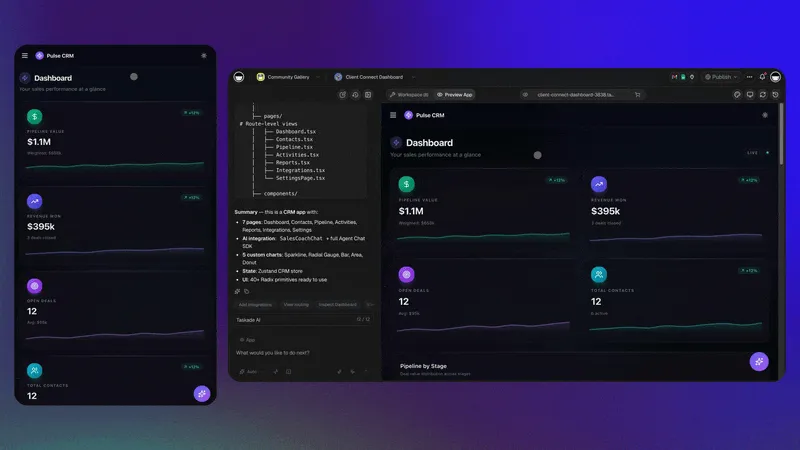
Want the full walkthrough with the exact prompt and the data flow diagram? Jump to the 15-minute case study below.
The $300/Seat Salesforce Problem
Salesforce Enterprise lists at $165 per user per month, but the real all-in price after Sales Cloud add-ons, Einstein, CPQ, Pardot, and required integrations averages $300 per seat per month. For a 25-person sales team, that is $90,000 a year before consulting. For a 50-person team, $180,000. The bill keeps compounding while sellers complain that "Salesforce is just a fancy spreadsheet we have to update."
Implementation makes it worse. The average Salesforce Enterprise rollout takes 3 to 9 months and costs $75,000 to $250,000 in consulting fees. Customizing objects, building flows, training admins, and integrating with your email stack all add zeros. Most startups discover the real cost of Salesforce six months after the contract is signed, when the first renewal shows a 20 to 30 percent price increase and a new Einstein AI add-on that was not in the original bundle.
When Off-the-Shelf CRM Breaks Down
Off-the-shelf CRMs assume a specific sales motion — usually a B2B SaaS funnel with SDRs, AEs, and a closed-won handoff. The moment your motion deviates (channel sales, marketplace listings, services revenue, recurring renewals tied to usage), you start fighting the tool. Custom objects cost extra. Custom fields slow down the UI. Custom reports require a Salesforce Admin certification.
The result is the "shadow CRM" problem. Reps maintain a personal spreadsheet because the official CRM is too rigid or too slow. Managers spend Friday afternoons chasing reps to update pipeline data. By the time the forecast lands on the VP's desk, it is already two weeks stale. A custom-built CRM eliminates the shadow because it matches the real sales process from day one.
The AI CRM Opportunity
AI CRM builders flip the script. Instead of forcing your sales process into a vendor's data model, you describe your process in plain English and the AI generates the data model for you. Embedded agents handle the work that used to require Outreach, Apollo, Clay, and Gong stitched together — lead enrichment, follow-up drafting, call summarization, pipeline hygiene. The result is a CRM that fits your team in 15 minutes instead of nine months.
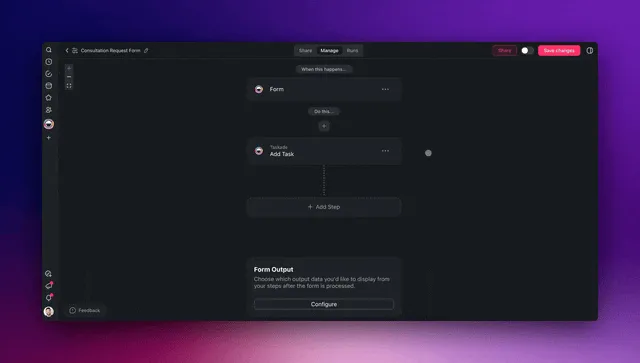
The agent layer is the real differentiator. A traditional CRM stores data. An AI CRM builder like Taskade Genesis stores data and acts on it. When a new lead arrives, an agent enriches it with company data from the web. When a deal stalls for seven days, an automation drafts a follow-up and queues it for review. When a call ends, an agent summarizes the transcript and updates the deal record. The CRM becomes a living system — what we call living software — not a dead database that reps dread opening.
Industry research links AI CRM adoption to roughly 40 percent higher sales-team productivity, which is why most new builds in 2026 start AI-native rather than bolting AI onto a static database after the fact.
The Math: DIY $10/mo vs Salesforce $300/seat/mo
The TCO gap is brutal. Here is what 1, 5, 10, 25, and 50 users cost over 12 months across the three honest options:
| Users | Salesforce Enterprise (with add-ons) | HubSpot Sales Pro | Taskade Genesis Pro | DIY Savings vs Salesforce |
|---|---|---|---|---|
| 1 | $3,600 | $1,080 | $120 | $3,480 |
| 5 | $18,000 | $5,400 | $120 | $17,880 |
| 10 | $36,000 | $10,800 | $120 | $35,880 |
| 25 | $90,000 | $27,000 | $300 (Business) | $89,700 |
| 50 | $180,000 | $54,000 | $300 (Business) | $179,700 |
Taskade Pro at $10 per month billed annually includes 10 users, which is why a 10-person team pays the same $120 a year as a solo founder. Even at 50 users on the Business plan, the gap to Salesforce is over $179,000 a year. Read the full TCO breakdown for implementation and hidden cost details.
Buy vs Build — The Honest Trade-Offs
This guide is biased toward building, but building is not always right. Here is the honest decision frame.
When to Buy (Salesforce, HubSpot Enterprise, Microsoft Dynamics)
Buy if you have 500-plus sales reps, FedRAMP or HIPAA compliance requirements, complex commission calculations across multi-currency territories, or deep dependencies on Salesforce AppExchange apps that have no equivalent elsewhere. Buy if your CFO has signed a multi-year contract you cannot exit. Buy if your customers explicitly require Salesforce integration for procurement. In these cases, the lock-in is the feature.
When to Build (Taskade Genesis, Airtable, Lovable)
Build if you have 1 to 50 users, a sales process that does not match the standard B2B SaaS funnel, or a CFO who has just been handed a $180,000 annual Salesforce renewal. Build if your team is technical enough to write a prompt but not technical enough to run a Salesforce admin team. Build if you want CRM, project management, and AI agents in a single workspace instead of stitched together across five tools.
The Hybrid Path
A growing pattern in 2026 is hybrid: keep Salesforce as the system of record for finance and forecasting, but build a Taskade Genesis CRM as the daily sales workspace where reps actually live. Sync the two via the Salesforce integration on Taskade or via automation workflows. Reps get a fast, AI-native UI. Finance keeps its Salesforce reports. Everyone is happy, and the annual bill drops by 40 to 60 percent because you only need a fraction of the Salesforce seats.
The 10 Best AI CRM Builders
Here is the at-a-glance recap. Taskade Genesis is the only pick with embedded AI agents and the fastest path to a live CRM, at roughly 15 minutes from prompt to working pipeline.
| Builder | Prompt-to-CRM | AI Agents | Time to Live | Starting Price |
|---|---|---|---|---|
| Taskade Genesis | Yes | Yes (built-in tools) | ~15 min | Free |
| Airtable + AI | Partial | No | ~1 hour | $20/user |
| Softr | Limited | No | ~30 min | $59/mo |
| Bubble | Beta | Plugin | ~1 week | $32/mo |
| Fuzen | Yes | No | ~10 min | ~$15/mo |
| Lovable | Yes | DIY | days | ~$20/mo |
1. Taskade Genesis — Best Overall
The pitch: Taskade Genesis is the only AI CRM builder that combines prompt-to-app generation, multiple project views, embedded AI agents, and 100+ integrations in one workspace. You type "build me a CRM for a 10-person SaaS sales team with stages Lead, Qualified, Demo, Negotiation, Closed" and Taskade Genesis returns a working multi-view project in under five minutes.
Why it wins:
- Prompt-to-CRM in minutes. Taskade Genesis generates schema, views, automations, and a starter agent from one prompt. No configuration wizards, no template hunting.
- Multiple project views. Board for pipeline, Table for contacts, Calendar for meetings, Mind Map for territory mapping, Gantt for renewal timelines (Timeline lives inside the Gantt view for deal velocity), Org Chart for account hierarchies, List for daily tasks. Switch views without re-modeling data.
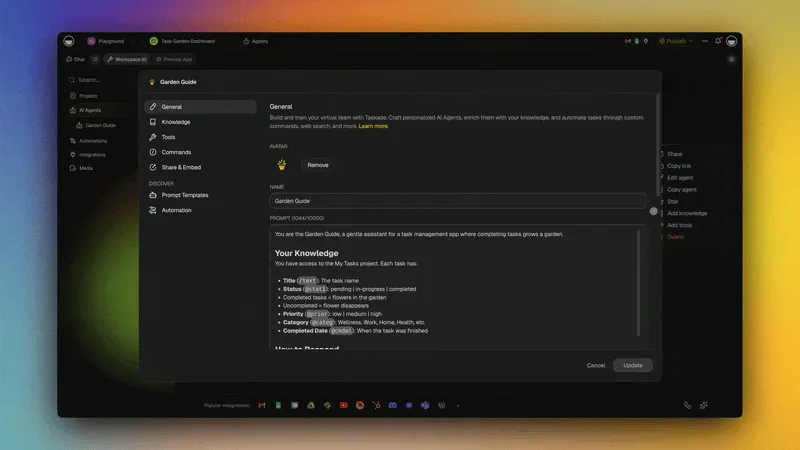
- Embedded AI agents. Access 15+ frontier models from OpenAI, Anthropic, and open-weight providers. The "Auto" setting routes each agent to the right model for your plan, so you never pin a version. Agents have built-in tools (web search, scraping, file analysis) plus Custom Agent Tools so you can wire any API. Agents auto-enrich leads, draft follow-ups, summarize Zoom calls, and surface stale deals.
- 100+ integrations. Gmail, Outlook, Google Calendar, Slack, Zoom, Stripe, HubSpot, Notion, and the rest of the integration library. Wire inbound emails to create leads, sync meetings to pipeline, and push won-deal notifications to Slack.
- Role-based access. Owner through Viewer — sensible permissions for sales teams that need to share with channel partners and customers without leaking pipeline data.
- Workspace DNA. Memory (your contact and deal history) feeds Intelligence (agents) which triggers Execution (automations) which writes back into Memory. The loop compounds — every closed deal makes the next pitch sharper.
- 150,000+ Taskade Genesis apps built. The community has already built thousands of CRMs, dashboards, portals, and forms. Browse real examples in the Community Gallery.
Pricing:
| Plan | Monthly (annual) | Users included | Best for |
|---|---|---|---|
| Free | $0 | 1 | Solo founders, side projects |
| Pro | $10 (Popular) | 10 | Startups, small sales teams |
| Business | $25 | Unlimited | Mid-market ops |
| Max | $100 | Unlimited | High-volume sales orgs |
| Enterprise | $250 | Unlimited | 50+ sales orgs, SCIM |
See the full ladder on the pricing page.
Verdict: If you want a CRM that fits your sales process, ships in an afternoon, and costs less than a single Salesforce seat, start here. Build your CRM free → and read the build vs Salesforce TCO breakdown for the full math.
2. Airtable + AI — Best Database-First CRM Builder
The pitch: Airtable is the original spreadsheet-database hybrid. With AI features added in 2024 and 2025, it doubles as a CRM builder for teams that think in tables and relational views.
Strengths: Best-in-class field types (linked records, rollups, formulas, attachments). Mature view system (grid, kanban, calendar, timeline, gallery). AI fills, summarizes, and categorizes records at scale. Strong API for developers. Robust template gallery with dozens of CRM starters.
Weaknesses: AI features cost extra credits on top of seat pricing. No embedded agents — AI is reactive, not autonomous. Automations are linear; complex multi-step logic requires Make or Zapier. Mobile app is read-mostly. Performance degrades past 50,000 records on lower tiers.
Pricing: Free (1,000 records), Team $20/user/mo, Business $45/user/mo, Enterprise custom.
Verdict: Pick Airtable if you already think in databases and want maximum field flexibility. Skip if you want autonomous agents or a single $10/mo bill for the whole team.
3. Notion + AI — Best Doc-Centric CRM Builder
The pitch: Notion's database blocks plus Notion AI let you build a CRM that lives next to your meeting notes, sales playbooks, and customer wiki. Documentation-first sales teams love it.
Strengths: Unmatched for connecting CRM records to docs. Notion AI Q&A across the whole workspace. Free plan is generous for solo use. Templates marketplace has dozens of ready-made CRM starters. Beautiful UI for internal wikis.
Weaknesses: Database performance degrades past 5,000 rows. Permissions are page-based, not row-based, which leaks data. No real automation engine — you bolt on Zapier. AI is per-seat add-on at $10/user/mo. No Board-to-Table single-click switching like Taskade.
Pricing: Free, Plus $12/user/mo, Business $18/user/mo, AI add-on $10/user/mo.
Verdict: Pick Notion if your team already lives there and your CRM needs are modest. Outgrows quickly past a few thousand contacts.
4. Monday.com — Best Visual CRM with AI Bolt-Ons
The pitch: Monday Sales CRM is a visual board-first CRM with growing AI features for lead scoring, email composition, and pipeline summarization.
Strengths: Beautiful UI with color-coded deal cards. Mature dashboards for pipeline reporting. Strong native integrations (200+ connectors). AI Assistant handles email drafting and meeting prep. Solid mobile app.
Weaknesses: AI is a bolt-on, not embedded in the workflow. Per-seat pricing escalates fast (3-seat minimum on paid plans). Customization beyond surface-level requires their app marketplace. No prompt-to-CRM generation.
Pricing: Sales CRM Basic $12/user/mo, Standard $17/user/mo, Pro $28/user/mo, Enterprise custom.
Verdict: Pick Monday if you want a polished out-of-box experience and do not need true AI agents. Budget-conscious teams should note the per-seat cost adds up quickly beyond five users.
5. Retool — Best Internal-Tools CRM Builder
The pitch: Retool is the gold standard for building internal tools on top of your existing databases. With Retool AI and Retool Agents (2025), you can stitch a custom CRM front end on top of Postgres, BigQuery, or Snowflake in days.
Strengths: Connects to every database. Drag-and-drop UI builder with SQL-native queries. Retool Agents can automate multi-step workflows. Strong for ops teams that already have a data warehouse. Granular permissions at component level.
Weaknesses: Steep learning curve for non-developers. No prompt-to-app — you build each screen by hand. Pricing scales aggressively past 10 users. Requires a developer to maintain and update.
Pricing: Free (5 users), Team $10/user/mo plus $5/end user/mo, Business $50/user/mo, Enterprise custom.
Verdict: Pick Retool if your data already lives in a warehouse and you have engineers who want full control over the CRM UI.
6. Softr — Best Client-Facing CRM Portal Builder
The pitch: Softr turns Airtable, Google Sheets, or HubSpot data into client-facing portals and CRMs without code. Strong for agencies and service businesses that need a customer-facing view of their CRM data.
Strengths: Beautiful templates for portals and dashboards. Auth and permissions out of the box. Pairs perfectly with Airtable as a back end. AI page builder added in 2025. Custom domains on all paid plans.
Weaknesses: Tied to an external data source — no native database. AI features are limited to page generation, not agents. Per-app pricing model. Not a standalone CRM builder — more of a front end layer.
Pricing: Free, Basic $59/mo, Professional $167/mo, Business $323/mo.
Verdict: Pick Softr if you need a polished client portal on top of an existing Airtable CRM. Not a standalone CRM builder for internal sales teams.
7. Bubble — Best for Complex Custom Logic
The pitch: Bubble is the most powerful no-code app builder on the market. With AI plugins and the Bubble AI generator (2025), you can build a fully custom CRM with arbitrarily complex logic — multi-step approval flows, custom pricing calculators, conditional automations.
Strengths: Visual programming for complex workflows. Full database with custom data types and relations. Marketplace of plugins including OpenAI, Pinecone, and Stripe. Hosts the app for you. Extensive community and tutorial ecosystem.
Weaknesses: Steep learning curve — plan for a week of ramp-up. AI generation produces a starter, but real apps still need manual configuration. Per-workload pricing can balloon on high-traffic apps. Mobile experience is a PWA, not native.
Pricing: Free, Starter $32/mo, Growth $134/mo, Team $399/mo.
Verdict: Pick Bubble if you need a CRM with logic that no template covers and you are willing to invest a week in learning the editor. Skip if you want a CRM today, not next month.
8. Glide — Best Mobile-First CRM Builder
The pitch: Glide turns a Google Sheet or Glide Table into a mobile app in minutes. With Glide AI added in 2024, it generates apps from prompts and adds AI columns for classification and extraction.
Strengths: Mobile-first PWA output that feels like a native app. Glide AI generates schemas from prompts. Strong for field sales reps who need an offline-capable CRM on their phone. Clean, fast UI on small screens. Google Sheets integration is seamless.
Weaknesses: Limited desktop experience. Database caps on lower tiers (25 rows on free, 10,000 on Starter). Automation is basic compared to Make or n8n. No embedded agents. Limited integrations beyond Google ecosystem.
Pricing: Free, Starter $49/mo, Business $99/mo, Enterprise custom.
Verdict: Pick Glide if your reps live on phones and need a CRM that feels like a native app. Pair with Taskade Genesis for the desktop and agent layer.
9. Lovable — Best Dev-Focused CRM Builder
The pitch: Lovable is a code-first AI app builder. Prompt it with "build me a CRM with React, Tailwind, and Supabase" and it ships a deployable repo. Strong for technical founders who want to own the code and host it themselves.
Strengths: Real React code you can fork and host anywhere. Postgres back end via Supabase. Full source ownership — no vendor lock-in. Active developer community on Discord. Rapid iteration with AI pair programming.
Weaknesses: You inherit deployment, hosting, security, and maintenance. No embedded agents — you wire in OpenAI manually. No project views, no mobile app, no integrations marketplace. You are building infrastructure, not just a CRM.
Pricing: Free tier with limits, Pro plans starting around $20/mo plus hosting and AI API costs.
Verdict: Pick Lovable if you want to own the code and do not mind running the ops. Skip if you want a CRM in 15 minutes instead of weeks.
10. Base44 — Best Database-Heavy CRM Builder
The pitch: Base44 (acquired by Wix in 2025) generates full-stack apps from prompts with a relational Postgres back end and React front end. Strong for data-heavy CRMs with thousands of records and complex relationships.
Strengths: Real database with real schema migrations and real auth. AI generates pages, models, and APIs together. Backed by Wix so the deployment story is solid and reliable. Good for CRMs that need to scale past 100,000 records.
Weaknesses: Younger ecosystem than Bubble or Retool. No agent layer — AI is generation-time only. Limited templates for sales-specific use cases. Community is still growing.
Pricing: Free tier, Pro plans starting around $20/mo.
Verdict: Pick Base44 if you need a relational database and want generated full-stack code, not a no-code visual builder.
Mega Comparison Matrix (10 x 10)
| Tool | Prompt to CRM | AI Agents | Integrations | Custom Fields | Automations | Mobile | Custom Domain | Free Tier | Starting Price | Best For |
|---|---|---|---|---|---|---|---|---|---|---|
| Taskade Genesis | Yes | Yes | 100+ | Yes | Yes | Yes | Yes | Yes | Free | Overall, AI-native sales |
| Airtable + AI | Partial | No | 50+ | Best | Yes | Read | Yes | Yes | $20/user | Database-first teams |
| Notion + AI | No | No | 30+ | Yes | Limited | Yes | No | Yes | $12/user | Doc-centric teams |
| Monday.com | No | No | 200+ | Yes | Yes | Yes | No | Trial | $12/user | Visual board lovers |
| Retool | No | Yes | 100+ | DB-driven | Yes | Beta | Yes | Yes | $10/user | Internal tools, devs |
| Softr | Limited | No | Airtable | Source-driven | Limited | PWA | Yes | Yes | $59/mo | Client portals |
| Bubble | Beta | Plugin | 100+ | Yes | Yes | PWA | Yes | Yes | $32/mo | Complex custom logic |
| Glide | Yes | No | 30+ | Yes | Limited | Best | Yes | Yes | $49/mo | Mobile-first reps |
| Lovable | Yes | DIY | DIY | DB-driven | DIY | DIY | DIY | Yes | ~$20/mo | Dev-led teams |
| Base44 | Yes | No | 30+ | DB-driven | Yes | Yes | Yes | Yes | ~$20/mo | Data-heavy apps |
Case Study — Build a Sales CRM in Taskade in 15 Minutes
Here is the exact 8-step path from blank workspace to working CRM with AI agent enrichment.
- Open Taskade Genesis. Go to taskade.com/create and click "Start from prompt."
- Write the prompt. Paste: "Build a CRM for a 10-person SaaS sales team. Pipeline stages: Lead, Qualified, Demo, Negotiation, Closed Won, Closed Lost. Contact fields: name, email, company, title, source, LinkedIn URL, deal value, close date. I need a Board view for the pipeline, a Table view for contacts, and a Calendar view for meetings. Add an AI agent that enriches new leads from their email domain."
- Wait 90 seconds. Taskade Genesis returns a multi-view project with the schema, views, and a starter agent already wired.
- Switch to the Board view. Each column is a pipeline stage. Drag a card from Lead to Qualified — the underlying deal record updates automatically.
- Open the Table view. All contact fields are sortable, filterable, and editable inline. Add a row, type an email, and the enrichment agent fires.
- Connect Gmail. Click Integrations, add Gmail. Inbound emails from new addresses can now create Lead rows automatically.
- Connect Google Calendar. Meetings now sync into the Calendar view, linked back to the contact.
- Invite the team. Add up to 9 teammates on the Pro plan ($10/mo total). Set role to Editor for reps, Viewer for execs.
Here is the data flow once it is wired:
The sequence above shows the full lifecycle: from prompt to generated CRM, through agent enrichment, to automated follow-up. Every step happens inside one workspace. No stitching. No Zapier tax.
Decision Flowchart
Not sure which builder to pick? Run the flowchart.
If the flowchart points to Taskade Genesis, start building now. If it points to Airtable or Retool, still read the comparison matrix above — you might be surprised.
10 CRM Features You Get for Free with Taskade Genesis
When you build on Taskade Genesis, you do not just get a CRM — you get a workspace. Every feature below ships in the box.
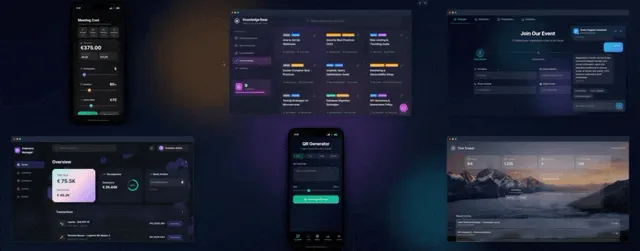
- Pipeline tracking. Board view with drag-to-move stages, win probability tracking, and deal value rollups.
- Meeting calendar. Calendar view synced with Gmail, Outlook, Zoom, and Google Calendar.
- Lead enrichment agent. Auto-pulls company size, funding round, LinkedIn data from a single email domain using web search and Custom Agent Tools.
- Follow-up automation. Reliable automation workflows draft and queue emails when deals stall for more than seven days, and the same trigger layer can fire the very first reply to a brand-new lead — why the first five minutes decide the deal.
- Contact database. Table view with linked records, custom fields, filters, and saved views per rep.
- Deal stages. Configurable per pipeline. Different products can use different stage sets in the same workspace.
- Territory mind map. Mind Map view to visualize accounts, geographies, and rep coverage at a glance.
- Analytics dashboard. Taskade Genesis can generate a companion dashboard project — see Best AI Dashboard Builders.
- Email integration. Gmail and Outlook native connectors, with inbound triggers and outbound sends.
- Slack notifications. Pipe stage changes, won deals, and stale alerts directly into your sales channel.
| Feature | Taskade Free | HubSpot Free | Salesforce Starter |
|---|---|---|---|
| Pipeline Board | Yes | Yes | Yes |
| AI Lead Enrichment | Yes (11K one-time credits) | No | No (add-on) |
| Custom Agents | Yes | No | No |
| Calendar Sync | Yes | Limited | Yes |
| 100+ Integrations | Yes | 30+ | AppExchange (paid) |
| Role-based access | Owner to Viewer | 2 tiers | Role-based (paid) |
| Automations | Yes (10 runs/mo) | Limited | Flow Builder |
| Custom Domain | Business+ | No | No |
Pricing Ladder
Side-by-side starting and growth tiers across all 10 builders. Annual billing assumed where available.
| Tool | Free Tier | Entry Tier | Growth Tier | Enterprise/Top Tier |
|---|---|---|---|---|
| Taskade Genesis | Yes (11K one-time credits) | Free | $10/mo Pro (10 users) | $25 Business / $100 Max / $250 Enterprise |
| Airtable + AI | 1,000 records | $20/user/mo | $45/user/mo | Custom |
| Notion + AI | Generous solo | $12/user/mo | $18/user/mo + $10 AI | Custom |
| Monday.com | Trial only | $12/user/mo | $17/user/mo | $28/user/mo+ |
| Retool | Yes (5 users) | $10/user/mo | $50/user/mo | Custom |
| Softr | Yes | $59/mo | $167/mo | $323/mo |
| Bubble | Yes | $32/mo | $134/mo | $399/mo+ |
| Glide | Yes | $49/mo | $99/mo | Custom |
| Lovable | Yes | ~$20/mo | ~$50/mo + hosting | Custom |
| Base44 | Yes | ~$20/mo | Custom | Custom |
The pricing story is clear. Taskade Genesis Pro at $10/mo for 10 users on annual billing is the cheapest per-team option. Every other tool charges per seat, which means a 10-person team on Monday.com already costs $170/mo to $280/mo. On Salesforce Enterprise, the same team costs $3,000/mo.
Integration Depth
The single biggest gap between builders is how many native integrations they ship. Here is a rough ranking.
Monday leads on raw integration count, but Taskade Genesis ships the integrations that actually matter for CRM and sales workflows: Gmail, Outlook, Slack, Zoom, Stripe, Google Calendar, HubSpot, Notion, plus 90+ more. All 100+ are bidirectional, so triggers pull events in and actions push data out, with native Stripe and Shopify connectors for revenue events. See the full integrations library.
For sales teams, the key integrations to evaluate are:
| Integration | Why It Matters for CRM | Taskade | Airtable | Monday |
|---|---|---|---|---|
| Gmail / Outlook | Inbound lead creation, outbound follow-ups | Yes | Via Zapier | Yes |
| Google Calendar | Meeting sync to pipeline | Yes | Via Zapier | Yes |
| Slack | Deal alerts, stage-change notifications | Yes | Yes | Yes |
| Zoom | Call recording triggers, meeting links | Yes | No | Yes |
| Stripe | Revenue data, customer lifecycle events | Yes | Via Zapier | Yes |
| HubSpot | Hybrid CRM sync for migration | Yes | Yes | Yes |
Connect Claude, Cursor, and VS Code to Your CRM (MCP)
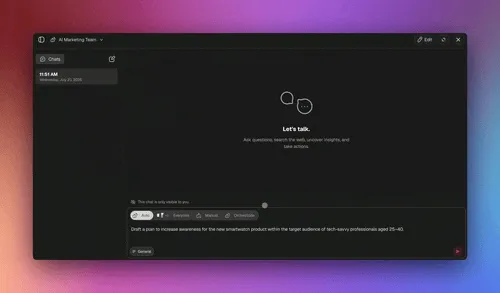
Every paid Taskade plan includes MCP, so you can connect Claude Desktop, Cursor, or VS Code directly to your CRM. Ask Claude to pull this week's stalled deals or draft follow-ups, and it reads and writes your live pipeline. No competitor on this list ships native MCP for a self-built CRM.
That turns your CRM into something you can drive from the tools you already use. A rep working in Cursor can ask for every deal that has not moved in seven days. A founder in Claude Desktop can ask for a forecast summary across the pipeline. The CRM stays the system of record while the AI client becomes the interface. Pair this with orchestration mode to run several CRM agents across the pipeline at once.
| Capability | Taskade Genesis | Softr | Bubble | Salesforce |
|---|---|---|---|---|
| Connect Claude / Cursor (MCP) | Yes (paid) | No | No | No |
| Own your app + data | Yes | Partial | Yes | No |
| Embedded AI agents | Yes (built-in tools) | No | Plugin | Einstein (paid) |
| Custom domain (sign-in is on every plan) | Business+ | Paid | Yes | Add-on |
Migration Playbook — From Salesforce to Taskade
Migrating off Salesforce sounds terrifying. It does not have to be. Here is the 6-step playbook.
Step 1 — Export. Use Salesforce Data Loader to export Contacts, Accounts, and Opportunities as CSVs. Include custom fields. Most exports take under 30 minutes.
Step 2 — Prompt Taskade Genesis. Paste your stage names, custom fields, and team size into the Taskade Genesis builder. It generates the matching schema with Board, Table, and Calendar views.
Step 3 — Import. Drag CSVs into the generated Table view. Taskade Genesis maps columns automatically and asks for confirmation on edge cases.
Step 4 — Map stages. Drag-and-drop columns on the Board view to match your Salesforce stage order. Add or remove stages without touching a settings panel.
Step 5 — Wire integrations. Connect Gmail, Outlook, Calendar, Slack, Stripe, and any data sources you depend on. Most teams complete this in under an hour.
Step 6 — Onboard. Use role-based access from Owner to Viewer to give reps Editor access and execs Viewer access. Record a 5-minute walkthrough. Done.
Most teams complete a Salesforce-to-Taskade migration in under one workday. Compare to a Salesforce implementation, which averages 3 to 9 months and costs $75,000 to $250,000 in consulting.
Real User Patterns
Three real-world archetypes and how each builds with Taskade Genesis. Before you build from scratch, it is faster to clone a working app and reshape it. Here are three more live Taskade Genesis apps to start from.


Clone a sales pipeline workflow, a lead capture form, or a customer health dashboard, then make it yours in the Community Gallery.
Solo Founder — Lean CRM on Free Tier
A solo founder selling a $50/mo SaaS product builds a Taskade Genesis CRM on the free tier (11,000 one-time credits to start). Pipeline has 3 stages (Lead, Trial, Paid). Contacts go in by hand or by import, and an enrichment agent pulls company data whenever the founder asks it to. Total build cost: $0. Total time to build: 20 minutes. Free already runs 10 automations a month. The founder upgrades to Pro ($10/mo billed annually) for webhooks and a higher run allowance, so a Stripe webhook and a Typeform submission create the contact and the enrichment fires on every new lead without anyone opening the app.
10-Person Sales Team — $10/mo Pro
A Series A startup with 10 SDRs and AEs runs the entire sales org on Taskade Pro at $10/mo total, billed annually (10 users included). Pipeline has 6 stages, custom fields for deal source and ICP fit, two AI agents (lead enrichment + follow-up drafter), Gmail and Google Calendar integrations. The team uses Board view for daily standups and Table view for pipeline reviews. Total annual CRM cost: $120. Same team on Salesforce Enterprise: $36,000.
50-Person Ops — Business $25/mo
A 50-person services agency uses Taskade Business ($25/mo billed annually) for client CRM, project delivery, and internal ops in a single workspace. Three workspaces: Sales (pipeline), Delivery (project management), and Ops (internal tools). Each workspace has its own agents and automations. Replaced HubSpot Sales Pro ($54,000/yr) plus Asana ($30,000/yr) plus a separate AI tooling stack. Total Taskade bill: $300/yr. Total replaced spend: $84,000/yr.
A Quick Look at the Architecture
Here is how a Taskade Genesis CRM is layered internally:
+-------------------------------------------------------+
|                 Taskade Genesis CRM                    |
+-------------------------------------------------------+
|  Views Layer    | Board | Table | Calendar | Mind Map  |
|                 | Gantt incl. Timeline | Org Chart | List |
+-------------------------------------------------------+
|  Agent Layer    | Enrichment | Follow-up | Summary     |
|                 | Custom Agent Tools | Web Search      |
+-------------------------------------------------------+
|  Automation     | Stage triggers | Email | Slack hook  |
|                 | Reliable automation workflows        |
+-------------------------------------------------------+
|  Integrations   | Gmail | Stripe | Zoom | HubSpot     |
|                 | Outlook | Slack | Google Calendar    |
+-------------------------------------------------------+
|  Memory (DNA)   | Contacts | Deals | Notes | History  |
|                 | Intelligence feeds back into Memory  |
+-------------------------------------------------------+
And here is the same pipeline visualized as a simple funnel:
   +-----------+
   |   Lead    |   <-- inbound from Gmail, Stripe, forms
   +-----+-----+
         |
         v
   +-----------+
   | Qualified |   <-- enrichment agent fires
   +-----+-----+
         |
         v
   +-----------+
   |   Demo    |   <-- calendar event auto-linked
   +-----+-----+
         |
         v
   +-------------+
   | Negotiation |  <-- follow-up automation arms
   +------+------+
          |
          v
   +-------------+
   |  Closed Won |  <-- Slack ping + retro doc generated
   +-------------+
Each stage transition can trigger an agent action, an automation, or both. The architecture is designed so that data flows through the Workspace DNA loop: Memory (contacts, deals) feeds Intelligence (agents analyze and enrich) which triggers Execution (automations act) which writes back to Memory.
Is a Self-Built AI CRM Secure?
Yes. A Taskade Genesis CRM ships with role-based access from Owner to Viewer, automatic SSL, password-protected Genesis Apps, built-in sign-in on every plan including Free, and SAML SSO on Business and up. You control who sees pipeline data down to the project level, so reps see their deals and execs see the roll-up.
Security is the question every team asks before moving off a name-brand vendor, and it has a clean answer here. Role-based access keeps channel partners and customers out of internal pipeline data. Custom domains and password protection lock down any app you publish. For teams that need a managed sign-in flow on customer-facing apps, built-in sign-in and SAML SSO are both available on Business plans and up. Softr genuinely leads on out-of-the-box client portals with auth and compliance certifications, so if a polished customer portal on top of an existing database is the goal, Softr is the stronger front end. For an internal sales CRM you own end to end, Taskade Genesis covers the access controls most teams under 50 actually need.
When NOT to Build Your Own CRM
Honest list. Build only if none of these apply.
- You have 500-plus reps. At that scale, the marginal cost of a Salesforce admin team is small relative to the cost of a custom rebuild going wrong.
- Your customers require Salesforce integration. Some enterprise procurement processes will not approve vendors without a Salesforce data hook.
- You need FedRAMP, HIPAA, or ITAR. These compliance regimes require certifications that no AI CRM builder ships out of the box today.
- You have complex commission engines. Multi-currency, multi-product, accelerator-based commissions are still easier on a dedicated CPQ tool.
- You depend on AppExchange. If half your CRM stack is Salesforce-native apps you cannot replace, the lock-in is real.
- You forecast to Wall Street. Public companies with formal forecasting processes usually need a CRM with auditable, certified financial reporting.
For everyone else — and that is most teams — building beats buying.
The Hidden Cost of "Stay on Salesforce"
Even if you fall into one of the buckets above, the hidden costs of staying keep climbing. Annual Salesforce price increases averaged 9 percent across 2023 to 2025. Mandatory upgrades to Einstein 1 bundles repriced existing customers by 30 to 60 percent overnight. Implementation partners now charge $250 to $400 per hour. Required training for new admins runs $4,000 per person. Even the official Trailhead learning paths assume your team will spend 40-plus hours in onboarding before they can edit a single field.
Compare that to a Taskade Genesis CRM, where the only training is teaching your reps to drag a card from one column to another. The reason "build your own" is winning in 2026 is not that the AI tools are magic — it is that the buy-side is genuinely getting worse year over year, and reps notice.
Build vs Buy in One Sentence
If your CRM bill is going up next year and your reps still complain about updating it, you have nothing to lose by spending an afternoon prototyping the alternative on Taskade Genesis. Worst case, you confirm Salesforce is the right call and walk away with a clear-eyed comparison. Best case, you cut six figures from next year's budget and ship a CRM your team actually wants to log into.
Two Tells That You Should Build
There are two market tells we see again and again with teams that end up loving their custom CRM. First, your sales process has a step that does not exist in any standard CRM template — a community-led motion, a marketplace handoff, a usage-based renewal trigger. Second, your reps maintain a "shadow CRM" in a spreadsheet because the official one is too slow or too rigid. Both tells mean the off-the-shelf tool is fighting your motion. Taskade Genesis is designed for exactly that case: describe your real motion in a prompt and the system models it natively.
Related Reading
Connect the dots across the Taskade build-your-own ecosystem:
- Build Your Own AI CRM vs Paying Salesforce $300 Per Seat — the TCO deep dive
- Best AI CRM Software — sibling buy-side comparison
- Missed Call Text-Back for Speed-to-Lead — turn an unanswered ring into a booked conversation
- AI Agent Builders — build the agents that power your CRM
- Best AI Dashboard Builders — pair your CRM with a custom dashboard
- AI Agents Taxonomy — pick the right agent class for sales
- The Living App Movement — why CRMs should be living systems
- Zapier Alternatives — automate your CRM without the per-task tax
- AI Prompt Generators — write better Taskade Genesis prompts
- Free AI App Builders — start at $0 and scale up
- Community Gallery SEO — how the gallery powers discoverability
- Track Customer Health, Catch Churn Early — keeping the accounts the pipeline closed
- Build a CRM with Taskade Genesis
- Explore AI Agents
- Browse the Community Gallery
- See the Integrations Library
Verdict
The CRM market is splitting. Salesforce, HubSpot, and Microsoft Dynamics are doubling down on per-seat pricing for the enterprise top end. Everyone else now has a real choice: build your own CRM in 15 minutes for $10 a month, or keep paying $300 per seat for software your reps complain about.
For 1 to 50 user teams, Taskade Genesis is the answer. Prompt-to-CRM generation, embedded AI agents with built-in tools and Custom Agent Tools, multiple project views, 100+ integrations, $10/mo for 10 users on annual billing. The build vs buy math is no longer close.
Clone & Run
Two ways to be running your own pipeline tonight.
- Build it from a prompt. Describe your stages, your fields, and the follow-up rule your team actually uses. Taskade Genesis returns a working Board, Table, and Calendar in about 90 seconds, on the Free plan with 11,000 AI credits. Build your CRM with AI →
- Clone a live one. Skip the blank prompt. Open the Neon CRM Dashboard, the Sales Agent Studio, or the Client Portal, hit clone, and swap in your own pipeline. Clone a live one →
Either path ends in the same place: a CRM you own, on a plan that does not charge you again when the team grows. Want the full total-cost math against Salesforce and HubSpot before you commit? Read Build Your Own AI CRM vs Paying Salesforce $300 Per Seat. Want the step-by-step build instead? Build a CRM with AI walks the whole prompt, and start building your CRM free when you are ready.
Your contacts and deals are Memory, your enrichment and follow-up agents are Intelligence, and your stage-change automations are Execution — every closed deal writing back into the memory that sharpens the next pitch. ▲ ■ ●
FAQ
Can AI build me a custom CRM?
Yes. AI CRM builders like Taskade Genesis turn a single text prompt into a working CRM with a pipeline board, contact table, meeting calendar, and AI agents that auto-enrich leads. You describe your sales process in plain English and the system generates the schema, views, automations, and integrations in under 15 minutes. No code, no consultants, no six-figure implementation.
Should I build my own CRM or pay Salesforce?
Build if you have 1 to 50 users, a non-standard sales process, or want to spend $10 per month instead of $300 per seat. Buy Salesforce only if you have 500-plus reps, strict compliance requirements like FedRAMP, or already depend on its AppExchange ecosystem. For most startups and mid-market teams, building with Taskade Genesis saves over 90 percent of the lifetime CRM bill.
What is the best no-code AI CRM builder?
Taskade Genesis is the best no-code AI CRM builder in 2026 because it combines prompt-to-app generation, multiple project views including a Board pipeline, embedded AI agents, and 100-plus integrations in one workspace. Airtable plus AI is the strongest database-first runner-up, and Lovable wins for developer-led teams that want to ship custom React UIs on top of a CRM data layer.
Is there a free AI CRM builder?
Yes. Taskade Genesis offers a free plan with 11,000 AI credits, unlimited projects, and access to its prompt-to-app builder, which is enough to spin up a personal or solo-founder CRM at zero cost. Airtable, Notion, and Glide also offer free tiers, though most cap records, integrations, or automations once you grow beyond a single user.
Can I integrate my AI CRM with email and calendar?
Yes. A modern AI CRM builder like Taskade Genesis ships with native integrations for Gmail, Outlook, Google Calendar, Zoom, Slack, Stripe, HubSpot, and Notion through its 100-plus integration library. You can wire inbound emails to create new leads, sync meetings to your pipeline board, and let AI agents draft follow-ups inside the same workspace where your contacts live.
How long does it take to build a custom CRM with AI?
With Taskade Genesis, a working CRM ships in under 15 minutes. You write a prompt describing your sales stages, contact fields, and follow-up rules. Genesis returns a multi-view project with Board, Table, and Calendar layouts plus a starter agent. Compare that to Salesforce, where the average enterprise rollout takes 3 to 9 months and burns six figures in consulting fees.
Can an AI CRM auto-enrich my leads?
Yes. Taskade AI Agents have web search, scraping, and built-in tools that let them auto-enrich leads from a company name or email domain. The agent can pull LinkedIn titles, headcount, funding stage, and recent news, then write the data back into your contact table. You can trigger enrichment manually, on a schedule, or whenever a new row appears via Custom Agent Tools.
Airtable vs Taskade vs Lovable for custom CRM?
Airtable wins on database flexibility and field types. Taskade Genesis wins on speed to first working CRM, embedded AI agents, and built-in views like Board, Calendar, and Mind Map. Lovable wins when you need a fully custom React front end on top of a Postgres CRM. For most non-developer sales teams, Taskade Genesis is the fastest path from prompt to revenue.
What features does a DIY AI CRM miss vs Salesforce?
A DIY AI CRM typically lacks complex commission engines, multi-org consolidation, FedRAMP and HIPAA certifications, deep AppExchange ecosystems, and Einstein-class forecasting. For 80 percent of teams, none of those matter. For the other 20 percent, mostly enterprise sales orgs with 500-plus reps, Salesforce or Microsoft Dynamics is still the right buy.
Can I migrate from HubSpot to a custom AI CRM?
Yes. Export your HubSpot contacts, deals, and companies as CSVs, then prompt Taskade Genesis to generate a CRM matching your existing pipeline stages and custom fields. Import the CSVs into the generated Table view, wire integrations for Gmail and Calendar, and onboard the team. Most teams complete a HubSpot to Taskade migration in under a day.
What is the difference between an AI CRM builder and AI CRM software?
An AI CRM builder generates a custom CRM you own from a single prompt, like Taskade Genesis at $10/mo for 10 users billed annually. AI CRM software is a pre-built product you rent per seat, like Salesforce at $165 to $300 per seat. Builders win on fit and cost for teams under 50. Software wins on out-of-box depth for 500-plus-rep enterprise sales.
Can I connect Claude or Cursor to my custom CRM?
Yes. Every paid Taskade plan includes MCP, which connects Claude Desktop, Cursor, and VS Code directly to your CRM. You can ask Claude to surface stalled deals or draft follow-ups and it reads and writes your live pipeline. No other AI CRM builder on this list ships native MCP.
Is a CRM you build yourself secure?
Yes. A Taskade Genesis CRM includes role-based access from Owner to Viewer, automatic SSL, password-protected apps, and built-in sign-in on every plan including Free, with SAML SSO on Business plans and up. You control pipeline visibility at the project level so reps see their deals and execs see the roll-up.
How does an AI CRM compare to a traditional CRM?
A traditional CRM stores contacts and waits for manual updates. An AI CRM acts on the data: it enriches new leads, drafts follow-ups, and summarizes calls automatically. Industry research links AI CRM adoption to roughly 40 percent higher sales-team productivity, which is why most new builds in 2026 start AI-native.
What is the cheapest way to build a custom CRM in 2026?
The cheapest path is Taskade Genesis Free, which builds a working CRM from a prompt at $0 with 11,000 AI credits, then $10/mo Pro for 10 users, billed annually, as you grow. That undercuts per-seat builders like Softr at $59/mo and per-seat software like HubSpot, where 10 users runs into thousands per year.
Can I run my whole business from the CRM I build?
Yes. A Taskade Genesis CRM shares one workspace with every other app you build, so the same client record feeds an invoice app, a client portal, and a customer-health dashboard without a second subscription. Pro is $10 per month billed annually and includes 10 users, and every app you add rides on that same plan. Most teams start with the pipeline and add the invoice app in week two.
What does a solo realtor's CRM need on day one?
Four things: a Board with your buyer stages, a Table holding financing status and property preferences, a Calendar with every showing, and an agent that enriches a new lead the moment it lands. Taskade Genesis generates all four from one prompt in about 90 seconds, and you can clone a live CRM instead of starting from a blank workspace. It runs on the Free plan with 11,000 AI credits. For the vertical-specific build, see real estate investor CRM.
Can my CRM invoice a client the moment a deal is won?
Yes. Moving a deal to Closed Won can fire an automation that creates the invoice record and syncs it to Stripe, because Taskade automations run on 100+ bidirectional integrations where triggers pull events in and actions push data out. The CRM and the invoice app share one workspace, so the client already exists and nobody re-types anything. The setup is covered in Stripe checkout automation.
Can I give each client their own private portal login?
Yes. A Taskade Genesis app publishes with built-in sign-in on every plan including Free. Each client signs in, and you match their records to that login so they open only their own — see app users. Custom domains are available on Business at $25 per month billed annually and up, and SAML SSO is also Business and up. SCIM user provisioning is Enterprise only.