






Updated September 2026 with the framework-runtime-harness vocabulary, harness middleware and goal checks, context offloading, where a harness runs (sandboxes and gateways), a dated timeline of the sources that defined the field, and new benchmark evidence on both sides of the harness-versus-model debate. A language model on its own only predicts text. The thing that turns it into an agent that does work is the harness, the loop, the tools, the memory, the checks, and the limits around it. This explainer breaks the harness down in plain English, shows how Anthropic and the broader agentic-engineering field define it, and shows how Taskade Genesis hands you the whole thing without a line of code. Looking for ranked tools instead of the concept? See our best multi-agent platforms and what are AI agents guides.
Try It Live: A Working Harness You Did Not Have to Build
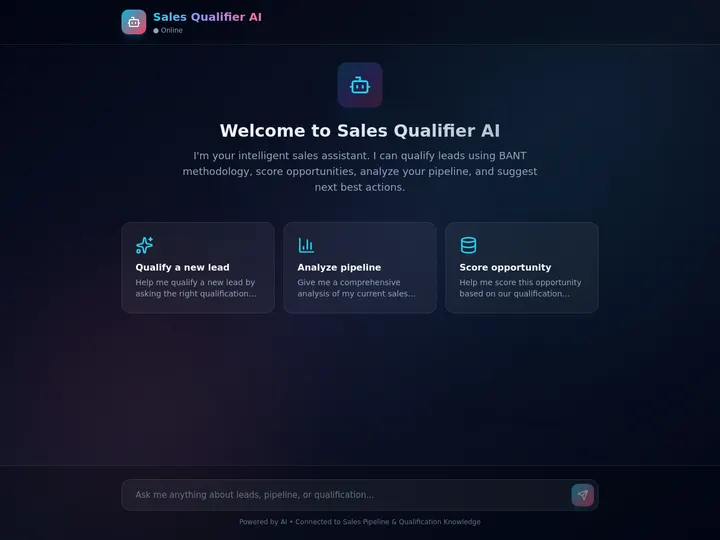
The fastest way to understand an agent harness is to run one. The app below is a live AI agent, a complete harness with tools, memory, a loop, and guardrails, built from a single prompt in Taskade Genesis. You did not wire the loop. You did not register the tools. You described the outcome, and the workspace assembled the scaffolding around a model for you. Click it, clone it, and you have a running agent harness in one move.
Watch a multi-agent harness built and orchestrated from one prompt:
What this video shows: A waitlist page built from one prompt, an agent team in Orchestrate mode that plans a launch, and an automation that asks an agent team to answer a contact form. Read the step-by-step walkthrough.

This is the whole point of the article. The scaffolding that an engineer assembles by hand with a framework is the same scaffolding you got from one prompt. Clone this agent app and run your own harness →
What Is an AI Agent Harness?
An AI agent harness is the scaffolding around a language model that turns it into a working agent. The model by itself only predicts the next word. The harness gives it the parts it needs to actually do things: tools to take actions, memory to remember, a loop that keeps it running, verification to check its own work, and guardrails to keep it safe. Without a harness, a model answers a question. With a harness, it finishes a task.
In plain English: the model is the engine, and the harness is the rest of the car, the wheels, the steering, the brakes, and the dashboard. An engine on a workbench is impressive and useless. The same engine in a car gets you somewhere. The 2026 shift in AI is that builders realized the scaffolding around the model matters as much as the model itself. As the agentic-engineering field puts it, a well-built harness makes a mid-tier model production-ready, and a poorly built one makes even a frontier model unreliable.
Here is the harness at a glance, the five layers that wrap a bare model:
The term comes from the agentic-engineering discourse popularized through tools like Claude Code, where practitioners noticed that the same model performed very differently depending on the scaffolding around it. For a deeper conceptual companion, see our what are AI agents explainer and the agent memory wiki entry.
Harness vs. Agent vs. Model: What Each One Actually Is
The model, the harness, and the agent are three different things, and mixing them up is the most common confusion in 2026. The model is the brain that predicts text. The harness is the body around it, tools, memory, a loop, and guardrails. The agent is the brain and body working together to finish a task. You cannot have an agent without a harness, because the harness is what lets a model act in the world instead of only talking about it.
The plain-English version: think of hiring a new teammate. The model is their raw intelligence. The harness is their desk, their tools, their access to your files, their checklist, and the rules about what they are allowed to touch. The agent is that person actually doing the job. Smart people with no tools and no access get nothing done. The same is true of models.
| Layer | What it is | Plain-English analogy | On its own it can... |
|---|---|---|---|
| Model | The language model that predicts text | The brain, raw intelligence | Answer a question, draft text |
| Harness | The scaffolding around the model | The body, desk, tools, and rules | Hold tools, memory, and limits |
| Agent | Model plus harness, finishing a task | The teammate doing the job | Take multi-step action in the real world |
This is also why two builders using the same model can get wildly different results. The difference is rarely the model. It is the harness. For the conceptual neighbors of this idea, see our explainers on the system prompt and the Taskade Genesis Loop.
What Are the Parts of an Agent Harness?
A production agent harness has five parts: tools, memory, a loop, verification, and guardrails. Tools let the model take actions like search the web, read a file, or update an app. Memory lets it remember past steps and prior work. The loop repeatedly calls the model, runs its chosen action, and feeds the result back. Verification checks the work before moving on. Guardrails set the permissions, approvals, and limits that keep the agent safe.
Each part fixes a specific weakness of a bare model. A model can reason but cannot act, tools fix that. A model forgets everything between calls, memory fixes that. A model produces one answer and stops, the loop fixes that. A model can be confidently wrong, verification fixes that. A model will do whatever you ask, including unsafe things, guardrails fix that. Put together, the five parts turn a text predictor into a reliable worker.
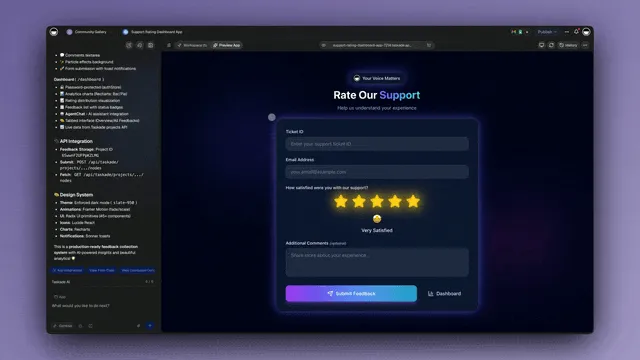
Preview and customize an agent in Taskade Genesis, the tools and instructions are the toolset layer of the harness.
Here is each part, what problem it solves, and what it looks like in a no-code workspace:
| Harness part | The model's weakness it fixes | What it does | In Taskade |
|---|---|---|---|
| Tools | Can reason but cannot act | Search, read, write, call apps | A large built-in agent toolset |
| Memory | Forgets between every call | Stores and recalls prior work | Workspace DNA |
| Loop | Answers once, then stops | Runs steps until the task is done | Automations |
| Verification | Can be confidently wrong | Checks results before moving on | Workspace + agent checks |
| Guardrails | Does whatever it is told | Permissions, approvals, limits | Role-based access control |
The layers stack from the bare model up to a safe, running agent. Read it bottom to top:
  A PRODUCTION AGENT HARNESS (five layers around one model)
  ─────────────────────────────────────────────────────────
  ┌─ GUARDRAILS ───────────────────────────────────────────┐
  │  permissions · approval gates · limits · who sees what │  ← keeps it safe
  ├─ VERIFICATION ─────────────────────────────────────────┤
  │  check each step · catch errors before they compound   │  ← keeps it correct
  ├─ THE LOOP ─────────────────────────────────────────────┤
  │  call model → run tool → read result → repeat → stop   │  ← keeps it going
  ├─ MEMORY ───────────────────────────────────────────────┤
  │  remember past steps · prior work · project context    │  ← keeps it grounded
  ├─ TOOLS ────────────────────────────────────────────────┤
  │  search · read · write · call an app · run an action   │  ← lets it act
  └─ THE MODEL ────────────────────────────────────────────┘
     predicts text · the raw intelligence everyone starts with
The model at the bottom is the part everyone talks about. The five layers above it are the part that actually decides whether your agent works. For the toolset specifically, our AI Agents page and the custom agents guide show the built-in agent toolset in action, from web search and file analysis to custom slash commands.
What Is Harness Engineering?
Harness engineering is the practice of designing the scaffolding around a model so an agent works reliably. It became a named discipline in 2026, arriving after prompt engineering and context engineering as the next layer of AI maturity. The core insight is simple and counterintuitive: the infrastructure around the model matters as much as the model itself. A carefully engineered harness makes a mid-tier model production-ready, while a sloppy one makes a frontier model unreliable.
The discipline grew out of a practical observation. Teams kept swapping in newer, more capable models and seeing only small gains, because the bottleneck was never the model. It was the loop, the tool design, the memory, and the checks around it. Anthropic's engineering team documented this directly: even an advanced model struggles with long-running tasks without a well-designed harness to manage context, verify progress, and prevent the agent from declaring victory too early. The harness, not the model, was the thing worth engineering.
Here is how AI engineering matured into harness engineering over three short phases:
The plain-English takeaway: in 2023 you tuned words, in 2025 you tuned context, and in 2026 you build the machine around the model. That machine is the harness. The good news for non-coders is that you do not have to build it by hand, more on that below.
The Sources That Defined Harness Engineering (2024–2026)
The field's vocabulary was built in public, one engineering post at a time. These are the primary sources most explainers borrow from, in order:
| Date | Source | The idea it added |
|---|---|---|
| Dec 19, 2024 | Anthropic, "Building effective agents" | Workflows versus agents; start with the simplest pattern that works |
| Apr 2025 | HumanLayer, "12-Factor Agents" | Good agents are mostly software: own your prompts, context, and control flow |
| Jul 18, 2025 | Manus, "Context Engineering for AI Agents" | The file system as unlimited context; keep errors in view |
| Jul 29, 2025 | LangChain Deep Agents (first release) | An off-the-shelf harness with planning, sub-agents, and files |
| Sep 29, 2025 | Anthropic, "Effective context engineering for AI agents" | Curate the smallest high-signal context at every step |
| Oct 22, 2025 | LangChain 1.0 | Middleware: hooks at every step of the loop |
| Oct 25, 2025 | Harrison Chase, "Agent Frameworks, Runtimes, and Harnesses — oh my!" | The framework, runtime, and harness vocabulary |
| Nov 26, 2025 | Anthropic, "Effective harnesses for long-running agents" | An initializer agent plus incremental sessions across context windows |
| Feb 11, 2026 | OpenAI, "Harness engineering" | "Humans steer. Agents execute." About a million lines with no hand-written code |
| Feb 13, 2026 | METR, time horizon with Claude Code and Codex | Famous harnesses did not beat METR's plain default scaffold |
| Mar 10, 2026 | LangChain, "The Anatomy of an Agent Harness" | "Every piece of code, configuration, and execution logic that isn't the model itself" |
| Mar 30, 2026 | Meta-Harness paper (Stanford, MIT, KRAFTON) | An agent that searches for better harness code automatically |
| Apr 2, 2026 | Martin Fowler site, "Harness engineering" | Guides that steer before the work and sensors that check after it |
| Apr 8, 2026 | Anthropic, "Scaling Managed Agents" | Decouple the brain from the hands |
| May 15, 2026 | O'Reilly Radar, "Agent Harness Engineering" | The ratchet: every agent mistake becomes a permanent rule |
Read top to bottom, the table tells the story in one line: first the field learned what an agent is, then how to feed it context, then how to name and structure the software around it, and finally where that software should run.
What Is the Agent Loop?
The agent loop is the cycle at the heart of every harness: gather context, take an action, verify the result, and repeat until the task is done. Anthropic defines an agent as a language model autonomously using tools in a loop, the model receives feedback from the environment at each step, chooses the next action, runs it, checks the outcome, and goes again. The loop is what turns a single answer into multi-step work that actually finishes something.
The plain-English version: a model without a loop is like a worker who does exactly one thing and then waits to be told what is next, forever. The loop is the part that says keep going until it is done. It calls the model, runs whatever tool the model picked, reads the result, decides whether the task is complete, and if not, feeds the result back and calls the model again. That simple cycle is the difference between a chatbot that answers once and an agent that researches, drafts, checks, and ships.
Here is the loop drawn out, step by step:
That decision diamond, is the task done?, is the heart of the loop. It is also where verification and guardrails live, because the loop must know when to stop and when to ask for help. In Taskade, this loop is what automations provide: reliable workflows that run step after step until the work is finished. See the Taskade Genesis Loop wiki page for how the same cycle powers prompt-to-app building.
How Do Memory, Verification, and Guardrails Work?
Memory, verification, and guardrails are the three parts of the harness that make an agent trustworthy instead of merely capable. Memory lets the agent remember prior steps and past work so it does not start from a blank slate each time. Verification checks the agent's output at each step, running a test, confirming a result, before it moves on. Guardrails set the limits: which tools the agent may use, when it needs human approval, and where it must stop.
These three are easy to skip and dangerous to skip. An agent with no memory repeats itself and loses the thread. An agent with no verification compounds small errors across many steps until the whole task is wrong. An agent with no guardrails will cheerfully do something it should never do. Together, they are the difference between an agent you can leave running and one you have to babysit.
Here is how the three combine to keep an agent safe and on-track:
In Taskade, memory is Workspace DNA, the layer that keeps your projects, agents, and past work available to every agent. Verification and guardrails live in the workspace itself, with role-based access control that decides exactly what each agent and teammate can see and do, from full ownership down to view-only. The agent memory wiki page goes deeper on the memory layer specifically, and agent permissions covers the guardrail layer.
What Is Harness Middleware? Hooks Around the Agent Loop
Harness middleware is code that runs at fixed points in the agent loop (before a model call, before or after a tool runs, and when the agent says it is done) so you can change behavior without rewriting the loop. LangChain 1.0 made middleware its main customization layer in October 2025. Claude Code calls the same idea hooks, and Microsoft Agent Framework lists middleware as one of the layers of its harness.
The plain-English version: middleware is the checklist a careful manager clips to every step of a job. The worker (the model) still does the work. The checklist decides what the worker sees first, what needs a signature, and what counts as finished.
| Hook point | What middleware does there | Example |
|---|---|---|
| Before each model call | Trim or summarize history, inject memory, choose a model | Summarization of old turns |
| Before a tool runs | Check permissions, pause for a person, strip sensitive data | Human approval; PII redaction |
| After a tool runs | Offload a large result to a file, log it, score it | Tool-result offloading |
| When the agent says "done" | Run a deterministic check against the goal and loop back if it fails | A "goal mode" check |
| On an error | Retry, replan, or escalate instead of building on a broken step | A circuit breaker |
The most useful hook is the last one. LangChain CEO Harrison Chase described it on Browserbase's Navigators series in September 2026 as a "goal mode" check: "when you think you're done, run another check to like check whether you satisfied the goal," and if it fails, "it goes back to the start." It is the cheapest fix for the most common long-run failure, an agent that declares victory early. HumanLayer's harness-engineering guidance adds a rule for every other hook: stay quiet when a check passes and speak up only when it fails, so the checks themselves do not flood the context window.
How Does a Harness Manage Context? Files, Offloading, and Sub-agents
A harness manages context by moving information out of the model's window into places the agent can read back on demand: files, sub-agents, and memory. The model's context window is expensive and degrades as it fills, so a good harness keeps only what the next step needs in view and parks everything else where it can be found again.
Three techniques do most of the work in 2026:
- Offload large tool results to files. LangChain's harness "keeps the head and tail tokens of tool outputs above a threshold number of tokens and offloads the full output to the filesystem so the model can access it if needed." Chase says this was not standard practice a year earlier and is now.
- Treat the file system as memory. Manus, which rebuilt its agent framework several times, describes the file system as unlimited, persistent context the agent can write to and read back. Manus also keeps failed actions in the context on purpose, so the model sees its own mistakes and does not repeat them.
- Give sub-agents their own context windows. A sub-agent takes a focused task, works in a clean window, and returns only its result. The main agent never sees the sub-agent's dead ends. That is the idea behind LangChain's Deep Agents, where the sub-agents are what put the "deep" in the name.
| Technique | Problem it solves | Trade-off |
|---|---|---|
| Offload tool results | One huge API response fills the window | The agent must know to read the file |
| File system as memory | Plans and notes vanish between steps | Files need structure to be findable |
| Keep errors in context | The agent repeats a failed action | Slightly more tokens per step |
| Sub-agents | Exploration pollutes the main context | Coordination overhead; results can lose nuance |
| Summarize old turns | Long runs overflow the window | Summaries can drop the detail that mattered |
The last row is the dangerous one. Compaction by summary is how a long-running agent "forgets" a half-finished task and reports it as done. Files and sub-agents are safer because the raw material survives. Our context engineering field guide covers these patterns in depth, and the context compaction wiki entry explains the failure mode.
Where Does a Harness Run? Sandboxes, Gateways, and the Brain-Hands Split
A production harness usually runs in a trusted service and sends risky work somewhere else. Anthropic's April 2026 engineering post on Managed Agents calls this decoupling the brain from the hands: the model and harness are the brain, and sandboxes and tools are the hands. Credentials stay with the brain, and a crashed sandbox no longer ends the session.
Two pieces of infrastructure sit around the harness:
- The sandbox is where model-generated code and commands execute. Options range from an in-process virtual file system to Firecracker microVMs with their own kernel. Our guide to AI agent sandboxes compares 20 of them and explains when an agent needs one at all.
- The model gateway sits between the harness and model providers, enforcing spend limits, falling back between providers, and redacting sensitive data before it leaves. Harrison Chase told Navigators that building a gateway "way too late" was the infrastructure bet LangChain got wrong. The full story is in our LangChain history.
How Do New Harness Patterns Get Built? The Rule of Three
Harness patterns are discovered in the field and then promoted into defaults. LangChain states its promotion rule plainly: when the team sees builders solve the same problem three times in slightly different ways, the pattern becomes a built-in part of Deep Agents. Tool-result offloading followed exactly that path, from a workaround teams wrote by hand to a default.
Addy Osmani's May 2026 O'Reilly essay on agent harness engineering describes the same instinct as a ratchet: every mistake an agent makes becomes a permanent rule in the harness, so the same mistake cannot happen twice. OpenAI's February 2026 harness-engineering post shows where the ratchet leads. A small team shipped an internal product of about a million lines of code without writing any of it by hand, under the motto "Humans steer. Agents execute." The engineers' job became building the environment, the rules, and the feedback loops the agents run inside.
For builders who do not write code, the rule of three is the argument for a platform. A platform collects the patterns thousands of users rediscover and ships them as defaults, so each user starts from the finished ratchet instead of an empty repo.
Do You Need to Code to Build an Agent Harness?
No. Hand-building a harness with developer frameworks takes real engineering, but you do not have to do it that way. The traditional path means wiring a model to tools, writing the loop, managing memory, and coding the guardrails yourself with frameworks like LangChain, LangGraph, or a custom stack. Taskade Genesis takes a different path: it gives you the entire harness as workspace primitives, so you describe the outcome and the workspace assembles the scaffolding for you.
The pattern shows up again and again among non-technical operators. A typical case: an IT program manager with no engineering team behind him builds a production field-service dashboard on Taskade Genesis in a few weeks, a real, running system his team uses every day. He did not hand-code a harness. He described what he wanted, and the workspace supplied the tools, the memory, the loop, and the guardrails around a model. That is the inversion: the scaffolding that used to need an engineering team now comes from a prompt.
Here is the hand-coded path next to the Taskade path, side by side:
  HAND-CODE THE HARNESS                    TASKADE GIVES YOU THE HARNESS
  (LangChain / LangGraph / custom)         (Taskade Genesis + Taskade EVE)
  ────────────────────────────────         ───────────────────────────────
  pip install a framework                  open /create
      │                                        │
      ▼                                        ▼
  wire the model to tools yourself         describe the outcome in plain words
      │                                        │
      ▼                                        ▼
  write the loop + retry logic             tools, memory, loop, guardrails
      │                                     are already wired in
      ▼                                        │
  build memory + a vector store               ▼
      │                                     a running agent app
      ▼                                        │
  code permissions + approval gates           ▼
      │                                     clone it, share it, ship it
      ▼
  deploy, host, monitor, debug
  (weeks of engineering)                   (an afternoon, no code)
The left column is real, valuable engineering, and it is exactly what most people assume a harness requires. The right column is the same harness, handed to you. For the broader category, see our free AI app builders guide and the no-code app builder wiki page.
Harness vs. Framework vs. Runtime: LangChain, LangGraph, Deep Agents, and Where Taskade Fits
LangChain's own vocabulary, published by Harrison Chase in October 2025, splits the agent stack into three layers. A framework provides abstractions ("the main value add they provide is abstractions"). A runtime provides production infrastructure such as durable execution and state. A harness is higher level: default prompts, tool-call handling, planning tools, a file system, and more. LangChain maps them to its own products: LangChain is the framework, LangGraph is the runtime, and Deep Agents is the harness.
| Layer | What it gives you | LangChain's product | Other examples |
|---|---|---|---|
| Framework | Abstractions and integrations you assemble | LangChain | LlamaIndex, Mastra, Pydantic AI |
| Runtime | Durable execution, state, pauses for approval | LangGraph | Durable workflow engines, Microsoft Agent Framework workflows |
| Harness | A ready-made agent loop with tools, files, and defaults | Deep Agents | Claude Code, Codex, the Claude Agent SDK |
| Workspace | The harness plus memory, apps, and automations, with no code | — | Taskade Genesis |
Taskade Genesis sits one level above all three: it hands non-coders the finished harness as a workspace, so you skip the assembly entirely and go straight to a running agent. For the full story of how LangChain arrived at this vocabulary, see our LangChain history.
The plain-English version: a framework is a box of car parts and a manual. A platform like Taskade is the finished car with the keys in it. Both get you a harness. One assumes you are an engineer who wants to build; the other assumes you are a builder who wants to ship. Neither is wrong. They serve different people. The mistake is thinking the framework box is the only way to get a harness, when in 2026 it is not.
Here is the landscape, from raw frameworks to a no-code workspace:
| Approach | Who it is for | What you assemble | What you get |
|---|---|---|---|
| LangChain | Developers | Tools, memory, chains in code | A custom-coded harness |
| LangGraph | Developers | Stateful agent graphs in code | A custom-coded harness with branching |
| Custom stack | Engineering teams | Everything from scratch | Full control, full maintenance |
| Agent SDKs | Developers | A model plus a starter loop | A coded starting point |
| Taskade Genesis | Anyone, no code | Nothing — you describe the outcome | A finished harness as a workspace |
The framework world is thriving and worth learning if you are a developer. But the headline of 2026 is that you no longer need to be one. For ranked tooling comparisons, see our best multi-agent platforms and best Claude Code alternatives listicles, the commercial siblings of this conceptual explainer.
What Does Taskade Provide as an Agent Harness?
Taskade gives you a complete agent harness as workspace primitives, with each of the five harness parts mapped to something you already use. Workspace DNA is the memory. A large built-in agent toolset is the toolset. Automations are the loop and execution. The workspace provides guardrails through role-based access from Owner to Viewer, and Taskade EVE asks you to press Approve in the chat before destructive changes such as deleting an automation. And Taskade EVE, the meta-agent, orchestrates the whole thing across frontier models from top AI labs, no model-picking required. There is no sandbox or gateway for you to run: agents act through built-in tools and 100+ bidirectional integrations, and model routing happens for you.
This is the payoff of the whole explainer. Everything the agentic-engineering field calls "harness engineering," Taskade delivers as features you describe instead of build. You do not register tools; web search, file analysis, custom slash commands, and app actions are already there. You do not write a loop; automations run it. You do not stand up a memory store; Workspace DNA remembers every project, agent, and past result. You do not code permissions; the role model handles them. The scaffolding is the product.
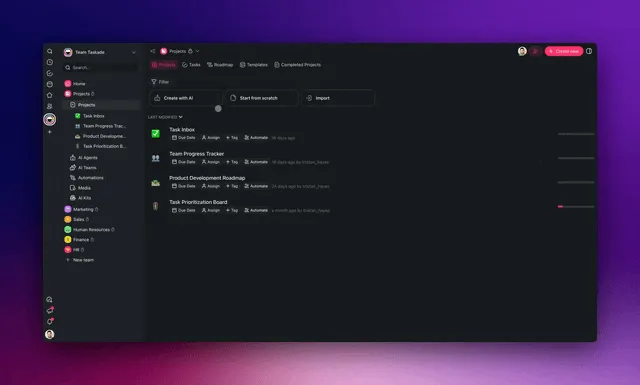
Generate an agentic workflow from one prompt in Taskade Genesis, the loop and tools come pre-wired as the harness.
Here is the mapping, the harness theory next to the Taskade primitive:
The reason this loop compounds is Workspace DNA, the self-reinforcing triad of Memory, Intelligence, and Execution (the ▲ ■ ● signature). Memory remembers your past work, Intelligence reasons across frontier models, and Execution runs the loop through automations and 100+ bidirectional integrations. Each finished task becomes memory for the next one, so the harness gets smarter every time you use it. See AI Agents, AI Apps, and Automations for the three layers in product.
How the Same Harness Runs Different Agents
A single harness can run many different agents, because the scaffolding is general and only the instructions change. In Taskade, you describe a research agent, a sales agent, or an onboarding agent in plain words, and Taskade EVE wraps the same five-layer harness around a model with the right tools, memory, and guardrails for that job. One harness, many agents, and Taskade EVE orchestrates a whole team of them from a single instruction.
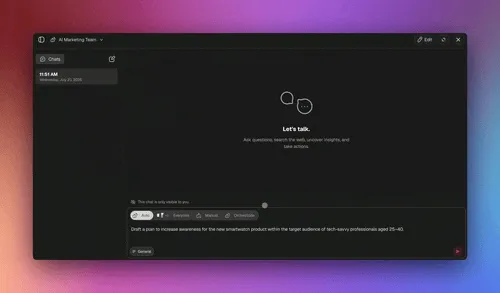
Taskade EVE orchestrating a team of agents from one prompt, the same harness, running many agents at once.
Here is what that looks like in practice, end to end:
The same scaffolding that ran a sales agent runs a research agent the moment you change the instruction. That is what makes a harness reusable and what makes a no-code harness so powerful. You describe the job, not the plumbing. For multi-agent orchestration specifically, see the multi-agents guide and the best multi-agent platforms listicle.
How Do You Start Building With an Agent Harness?
Start free at /create. Describe the agent or app you want in plain words, and Taskade Genesis assembles the harness around a model, tools, memory, the loop, and guardrails. If you would rather start from something working, clone a live agent app from the Community Gallery in one click and swap in your own instructions. Taskade is Free Forever to start, then Pro at $10/mo (the Popular tier), Business at $25/mo, Max at $100/mo, and Enterprise at $250/mo, all billed annually.
The plain-English path is three steps. Describe the outcome you want. Clone or generate a working agent. Run it, the harness is already wired, so the agent acts, remembers, checks itself, and stays inside the guardrails you set. There is no loop to code and no memory store to stand up. The scaffolding the rest of the field calls harness engineering arrives as a workspace you can use today.
| Step | What you do | What the harness handles |
|---|---|---|
| Describe | Say what the agent should do in plain words | Taskade EVE picks tools, memory, and guardrails |
| Generate or clone | Build from a prompt or clone a live app | The loop and tools come pre-wired |
| Run it | Give the agent its task | Act, remember, verify, stay safe |
| Improve it | Refine the instructions | Workspace DNA remembers every run |
You did not build the harness, but you own it, and you can clone it, share it, and reuse it for the next agent. Browse more live, cloneable agent apps in the Community Gallery, or read what are AI agents for the conceptual ground floor.
From Prompts to Harnesses to Loops: The 2026 Evolution
The harness didn't appear from nowhere. It's the third rung on a ladder the field has been climbing since ChatGPT, and understanding the ladder tells you where it's headed next.
Tejas Kumar, an AI developer advocate at IBM, put the arc in a line: "2025 was the year of agents. 2026 is the year of harnesses." First we hand-wrote prompts. Then we managed the context window with tool calling, MCP, and retrieval. Now we wrap the whole thing in a deterministic shell — loops with fresh context each iteration, guardrails (max steps, max attempts), and a verify step that checks the work actually happened so the model "can't lie about success." As Kumar defines it: "The agent harness is everything around the model that gives it grounding in reality."
The Harness Lets Cheap Models Do Real Work
Here's the part that matters commercially: a strong harness compensates for a weaker model. Because the harness enforces the loop, verification, and guardrails deterministically, even a modest model can reliably ship real work inside a good one. Luo Fuli, who leads Xiaomi's large-model team, describes this as the core of the shift from the "Chat" era to the "Agent" era: a well-designed agent framework "fully compensates for many model weaknesses at the Agent framework level itself," so the user stops thinking about which model is underneath. It's a plausible part of why open-weight models like Kimi and DeepSeek became useful so quickly — the harnesses built around them got good fast.
The Honest Counterpoint: "It Was the Model"
Not everyone agrees the harness deserves the credit. Boris Cherny, who built Claude Code, is the sharpest dissent. Asked what took Claude Code from writing 10–20% of his code to 100%, his answer was blunt: "It was the model." He built an enormous amount of harness surface — tools, plan mode, skills — but insists the step changes in capability came from better models, not better scaffolding. This disagreement is worth taking seriously rather than waving away, so the next section lays out both camps, the measurements each side has, and the arithmetic that reconciles them.
The Next Rung: Loops
The rung above the harness is already visible, and Cherny named it: loops — agents prompting agents. If a single agent run is like a function, a loop is a higher-order function that decides what the agent should do next, on a schedule, without a human prompting each time. In his framing, "loops are as big a step from agents as agents were from source code." He has moved past prompting altogether: "I don't prompt Claude anymore. I have loops… My job is to write loops." In practice that means running a couple hundred agents that read feedback and issues to figure out what to build next. It's early (only a fraction of the ideas are good yet), but the direction is clear: the human moves up the abstraction ladder from writing code, to prompting agents, to orchestrating loops. Taskade's automations and scheduled agents are exactly this loop layer, wired for you.
Does the Harness Matter, or Is It Just the Model?
Both, and the field genuinely disagrees. Boris Cherny, who built Claude Code, says the jump from 10–20% of his code being AI-written to 100% was "the model." Anthropic's own engineering writing says "the harness matters as much as the model." A Stanford and MIT meta-harness study measured a 6x benchmark swing from changing only the harness around a fixed model. Both camps have receipts.
This is the most useful live argument in agentic engineering, and most explainers duck it. It is worth walking through honestly, because the answer changes what you should spend your next week on: swapping models, or building scaffolding.
The Model Camp: "It Was the Model"
The strongest version of the model-first argument comes from the person with the most harness surface to defend. Asked directly what took Claude Code from writing 10–20% of his code to 100%, Boris Cherny answered flatly: "It was the model." He names two step changes — Opus 4 and Sonnet 4 in May 2025, then Opus 4.5 in November 2025 — and it was the November model, not the harness work, that took him to 100%.
The numbers behind that claim are public. On 27 December 2025 he posted his previous thirty days: 259 pull requests, 497 commits, 40,000 lines added, 38,000 removed, every line written by Claude Code, with runs lasting "minutes, hours, and days at a time." He has also audited his own headline. On stage at Sequoia AI Ascent in May 2026 he asked the room for a show of hands on his "coding is solved" line and landed on "So, like, 50% solved," later narrowing it further to "coding is solved for the kinds of coding that I do." That is a model-camp advocate marking his own homework in public, which is exactly why the claim is worth citing.
The Harness Camp: "The Harness Matters as Much as the Model"
The counter-position is published by the same company. Anthropic's engineering guidance for large codebases treats the AI layer — rules files, hooks, skills, sub-agents, and tool access — as a third component of a codebase, alongside the code and the tests, arguing that the harness matters as much as the model. Under that framing, the scaffolding is not glue around a product. It is a maintained artifact with its own reviews, its own regressions, and its own version history.
The measurement side is sharper still. The Meta-Harness paper from Stanford, MIT, and KRAFTON (March 2026), where an agent searches over harness code end to end, opens with the observation that changing the harness around a fixed model can produce a 6x performance gap on the same benchmark. LangChain reported a concrete case: it moved its coding agent from the top 30 to the top 5 on Terminal-Bench 2.0 by changing only the harness. Same weights, a different outcome. Whatever else is true, a variable that moves results that much is not a rounding error.
The honest counterweight comes from METR, which tested whether famous harnesses beat a plain one. Its February 2026 finding: "Neither Claude Code nor Codex outperform the default scaffolds METR uses, at least when measuring the time horizon of Opus 4.5 and GPT-5." Both results can be true at once. A harness can move a benchmark a long way, and a well-known harness is not automatically better than a simple, well-built one.
| Camp | Core claim | The evidence it rests on | What it implies you should do |
|---|---|---|---|
| Model-first | "It was the model" | 10–20% → 100% AI-written code across two model step changes; 259 PRs in 30 days | Wait for the next model, keep scaffolding thin |
| Harness-first | "The harness matters as much as the model" | AI layer as a third codebase component; a 6x gap cited by Meta-Harness; top 30 to top 5 on Terminal-Bench 2.0 from harness changes alone | Engineer the loop, the gates, and the tools |
| The reconciliation | They measure different things | Per-step accuracy vs. multi-step completion | Raise per-step accuracy and shorten the chain |
Why Both Camps Are Right: Serial Yield
The two positions are not measuring the same quantity, and the arithmetic shows why. Model capability sets the ceiling on any single step. The harness determines how many steps you can chain before compounding error eats the run. Chipmakers have a word for this: yield, the fraction of manufactured units that come out usable. Serial yield multiplies: run 30 steps at 99% per-step accuracy and you finish correctly 74% of the time. At 95% per step, the same run finishes 21% of the time.
| Per-step accuracy | 10-step run | 30-step run |
|---|---|---|
| 99.9% | 99% | 97% |
| 99% | 90% | 74% |
| 95% | 60% | 21% |
| 90% | 35% | 4% |
  COMPLETION RATE OF A 30-STEP AGENT RUN
  ──────────────────────────────────────────────────────────────
  90.0% per step  ██                                          4%
  95.0% per step  ███████████                                21%
  99.0% per step  █████████████████████████████████████      74%
  99.9% per step  ████████████████████████████████████████   97%
  ──────────────────────────────────────────────────────────────
  A 4-point gain in per-step accuracy is a 53-point gain in runs
  that actually finish. Per-step benchmarks never show this.
Read the table twice, because it explains the whole argument. Moving a model from 95% to 99% per-step accuracy looks like a 4-point gain on a benchmark and is actually a 21% → 74% gain on a 30-step task. That is why a model person and a harness person can look at the same system and reach opposite conclusions: single-step benchmarks make model gains look small, and multi-step reality makes them look enormous.
But the same table is the harness argument. A better model raises per-step accuracy. A better harness does three things a model cannot. It reduces the number of steps that must go right (fewer tool hops, tighter tasks, less context to lose). It adds deterministic gates so a bad step is caught before it propagates. And it recovers from failures by retrying, replanning, or escalating to a human instead of building the next ten steps on top of a broken one. One raises the base of the exponent. The other shortens it and repairs it. Neither substitutes for the other.
This is Morris Chang's insight arriving in software. He made yield the master metric of chipmaking — not peak capability, but the share of what you built that actually works — and the doctrine that came with it is encode quality into the process rather than inspecting it in at the end. We wrote a full companion piece on this: AI yield, the reliability metric almost nobody measures. It collects the numbers the industry already reports without naming them, and it pairs with the agent evaluation wiki entry for how to measure your own.
What Verification Ordering Actually Works in Production?
Put the deterministic gate first, the AI judge second, and never let the model that wrote the work certify it. Deterministic checks — typecheck, lint, build, tests — are cheap, fast, repeatable, and cannot be talked out of a verdict. Run them before anything expensive. Then use an AI judge only for what determinism cannot cover: tone, completeness, and whether the output answers the question that was actually asked.
The third rule is the one teams skip and regret. Verification only means something when the checker is independent of the maker. A model asked to grade its own output is being asked to find a mistake it already failed to notice once, using the same reasoning that produced it. Give the check to a different agent, a different prompt, and ideally a different model — the reflection pattern and human-in-the-loop wiki entries cover both shapes of this.
There is one more trap the ordering protects you against. A cheap automated proxy can pass broken work: an HTTP 200 says a page was served, and a file size says a screenshot exists, but neither says the thing works. That is why the deterministic gate should test behavior, not existence, and why agent observability belongs in the harness rather than in a spreadsheet after the fact.
For non-coders, the good news is that this ordering is already the default shape of a Taskade workspace. Automations run the loop with a per-run history you can inspect, agents can review each other's work rather than their own, and role-based approvals decide where a human has to sign off. You get the gate, the judge, and the guardrail without wiring any of them. Browse working examples in the Community Gallery or start from AI Apps.
The practical takeaway. If you can only improve one thing this month, improve the harness — because it is the variable you control, it compounds across every model you will ever swap in, and the harness-only benchmark jumps say it moves results more than most people expect. But do not confuse that with the claim that models stopped mattering. The people closest to the frontier keep saying otherwise, and the yield table shows they are right too.
Where This Is Going
By 2027, harness engineering as a hand-coded discipline becomes optional for most builders. The scaffolding around a model, tools, memory, the loop, verification, guardrails, moves from something engineers assemble into something platforms provide. The durable advantage shifts away from who can wire a loop and toward who can describe an outcome clearly. The model gets commoditized. The harness gets productized. And the person who wins is the one who knows what they want, not the one who knows LangChain.
This is the lane Taskade has been building in since day one: software you describe instead of build. Today you describe an agent and get a running harness. Tomorrow you describe a whole business, the research agent, the sales agent, the onboarding agent, the reporting agent, each one a harness around a model, each one owned, each one improving every time it runs. The workspace becomes the computer. You do not open ten tools; you describe ten outcomes, and a team of agents does the work.
The size of the shift is easiest to see in the operators using it. A single non-technical program manager can now stand up, in a few weeks, the kind of internal system that used to need a staffed engineering project, and what he built, you can clone in an afternoon. That is the whole promise of a no-code harness: the leverage that used to belong to an engineering team belongs to one operator with a prompt. The scaffolding is no longer the hard part. Describing what you want is the whole job.
Related Reading
Connect the dots across our 2026 agent coverage. The harness is the concept; these guides cover the tools, agents, and automations that make it real:
- The TSK-1 Methodology — what happens when the harness is held constant and only the model changes
- RL Environments Explained — the training-side loop the harness idea comes from
- AI Agent Sandboxes — where a harness sends the risky work, and 20 options compared
- What Is LangChain? History, Release Dates & Roadmap — the framework, runtime, and harness story, including the gateway bet LangChain got wrong
- History of the Agent Harness — the sixty-year story of the loop, the toolbox, and the check
- Context Engineering Field Guide — the context techniques every harness relies on
Understand the concept
- What Are AI Agents?, the conceptual ground floor under the harness
- AI Yield: The Reliability Metric Almost Nobody Measures, the serial-yield math behind the harness-vs-model debate
- Agent Memory, the memory layer of the harness, explained
- Agent Evaluation, how to measure whether your harness is working
- The System Prompt, how instructions shape an agent
- The Taskade Genesis Loop, the loop that powers prompt-to-app building
- The History of Claude Code, where the harness idea was field-tested
Compare the tools (ranked listicles)
- Best Multi-Agent Platforms, the commercial sibling: tools ranked and compared
- Best Claude Code Alternatives, AI coding agents and how they harness a model
- 15 Best AI Prompt Generators, write the instruction that drives the harness
Build it yourself
- Taskade AI Agents, the built-in agent toolset of your harness
- Taskade AI Apps, describe an outcome, get a running app
- Taskade Automations, the loop and execution layer
- Custom Agents Guide, configure an agent step by step
- Multi-Agents Guide, orchestrate a team of harnesses
- No-Code App Builder, building without writing code
- Taskade Genesis, start here, free
The Bottom Line
An AI agent harness is the scaffolding around a model that turns it into a working agent, tools to act, memory to remember, a loop to keep going, verification to check the work, and guardrails to stay safe. The model is the part everyone talks about. The harness is the part that decides whether your agent actually works. In 2026, harness engineering became the layer worth investing in, because the infrastructure around the model matters as much as the model itself.
The catch the rest of the field rarely says out loud: you do not have to hand-code it. Frameworks like LangChain and LangGraph hand developers the parts; Taskade Genesis hands everyone the finished harness as a workspace. Workspace DNA is the memory, a large built-in agent toolset is the toolset, automations are the loop, and role-based access from Owner to Viewer is the guardrail, all orchestrated by Taskade EVE across frontier models. You describe the outcome, and the scaffolding is already there.
That is Workspace DNA at work: Memory remembers, Intelligence reasons, and Execution runs the loop, each finished task sharpening the next. The leverage that used to require an engineering team now comes from a prompt, exactly as the non-technical operators shipping production internal systems on Taskade Genesis keep finding. Start free at /create, clone a live agent app, and run a production agent harness today, without writing a line of harness code. ▲ ■ ●
Frequently Asked Questions
What is an AI agent harness?
An AI agent harness is the scaffolding around a language model that turns it into a working agent. The model alone only predicts text. The harness gives it tools to act, memory to remember, a loop that keeps it going, verification to check its own work, and guardrails to keep it safe. Without a harness, a model answers. With a harness, it gets things done.
What is the difference between a harness, an agent, and a model?
The model is the brain that predicts the next word. The harness is the body around it, made of tools, memory, a loop, and guardrails. The agent is the brain plus the body working together to finish a task. You cannot have an agent without a harness, because the harness is what lets the model act in the real world instead of only producing text.
What are the parts of an agent harness?
A production agent harness has five parts. Tools let the model take actions like search, write, or call an app. Memory lets it remember past steps and prior work. The loop repeatedly calls the model, runs its actions, and feeds results back. Verification checks the work before moving on. Guardrails set permissions, approvals, and limits so the agent stays safe.
What is harness engineering?
Harness engineering is the practice of designing the scaffolding around a model so an agent works reliably. It became a named discipline in 2026, after prompt engineering and context engineering. The core idea is that the infrastructure around the model matters as much as the model itself. A good harness makes a mid-tier model production-ready, and a poor one makes a frontier model unreliable.
Do I need to code to use an agent harness?
No. Hand-coding a harness with frameworks like LangChain or LangGraph requires real engineering. But Taskade Genesis gives you the entire harness as workspace primitives. You describe the outcome in plain words, and the workspace supplies the tools, memory, loop, and guardrails. You get a production agent harness without writing any harness code.
How does memory fit into an agent harness?
Memory is the part of the harness that lets an agent remember. Without it, every step starts from a blank slate, and the agent forgets what it just did. The harness stores prior steps, results, and context, then feeds the relevant pieces back into the model. In Taskade, this is Workspace DNA, the memory layer that keeps your projects, agents, and past work available to every agent.
What is the agent loop?
The agent loop is the cycle at the heart of every harness. It gathers context, lets the model choose an action, runs that action with a tool, checks the result, and repeats until the task is done. Anthropic describes agents as language models autonomously using tools in a loop. The loop is what turns a single answer into multi-step work that finishes a real task.
How do guardrails and verification work in a harness?
Verification checks the agent's work at each step by running a test, confirming an output, or validating a result before moving on. Guardrails set the limits: which tools the agent can use, when it needs human approval, and where it must stop. Together they keep an agent reliable and safe, catching mistakes early instead of letting errors compound across many steps.
What is the difference between a harness and a framework like LangChain?
LangChain's own vocabulary splits the stack into three layers. A framework, such as LangChain, provides abstractions and integrations. A runtime, such as LangGraph, provides the production infrastructure: durable execution, state, and human-in-the-loop pauses. A harness, such as Deep Agents, is higher level: default prompts, tool-call handling, planning tools, a file system, and more, ready to run. Taskade Genesis gives non-coders a finished harness as a workspace, so there is nothing to assemble.
What is harness middleware?
Harness middleware is code that runs at fixed points in the agent loop, before a model call, before or after a tool runs, and when the agent says it is done. It lets you summarize context, require human approval, redact sensitive data, offload large tool outputs to files, or run a final goal check without rewriting the loop. LangChain 1.0 made middleware its main customization layer in October 2025, and Claude Code calls the same idea hooks.
Where does an agent harness run?
A production harness usually runs in a trusted service and sends risky work elsewhere. Model-generated code runs in a sandbox, often a microVM with its own kernel, and model calls go through a gateway that enforces budgets and redacts sensitive data. Anthropic calls this decoupling the brain from the hands. Credentials stay with the harness and never enter the sandbox.
Can non-coders build an agent harness?
Yes. The whole point of Taskade Genesis is that you describe what you want and the workspace builds the harness for you. A large built-in agent toolset is the toolset layer, Workspace DNA is the memory, automations are the loop, and the workspace itself supplies verification and guardrails. A non-coder gets the same production scaffolding an engineer would hand-build with a framework.
What does Taskade provide as an agent harness?
Taskade gives you a complete agent harness as workspace primitives. Workspace DNA is the memory, a large built-in agent toolset covers actions like web search and file analysis, automations are the loop and execution, and the workspace provides guardrails through role-based access from Owner to Viewer. Taskade EVE asks you to approve destructive changes in the chat and orchestrates the whole thing across frontier models from top AI labs.
Does the harness matter, or is it just the model?
Both, and practitioners genuinely disagree. Boris Cherny, who built Claude Code, was asked what took him from roughly 10 to 20 percent of his code being AI-written to 100 percent and answered that it was the model, naming Opus 4 and Sonnet 4 in May 2025 and Opus 4.5 in November 2025. Anthropic's own engineering writing takes the other side, arguing the harness matters as much as the model. The Stanford, MIT, and KRAFTON Meta-Harness paper cites a 6x performance gap from changing only the harness around a fixed model, and LangChain moved its coding agent from the top 30 to the top 5 on Terminal-Bench 2.0 by changing only the harness. The reconciliation is that they measure different things. The model sets the ceiling on any single step. The harness decides how many steps you can chain before compounding error eats the run.
Why do long agent runs fail even with a strong model?
Because accuracy multiplies across steps. Chipmakers call this serial yield: multiply the per-step success rate by itself once per step. A 30-step agent run at 99 percent per-step accuracy finishes correctly 74 percent of the time. At 95 percent per step, the same run finishes correctly only 21 percent of the time. Per-step benchmarks never show this, which is why an agent that looks excellent in a single-turn test can quietly fall apart on a long task. A better harness shortens the chain, gates each step, and recovers from failures instead of compounding them.
Should a deterministic check or an LLM judge verify agent work first?
Run the deterministic gate first. Typecheck, lint, build, and tests are cheap, fast, and cannot be argued out of a verdict, so they should reject bad work before anything more expensive runs. Use an AI judge second, only for the things determinism cannot cover, such as tone, completeness, or whether the output answers the actual request. The third rule matters most: never let the model that produced the work certify it. Verification only means something when the checker is independent of the maker.
How do I start building with an agent harness?
Start free at /create. Describe the agent or app you want in plain words, and Taskade Genesis assembles the harness around a model with tools, memory, a loop, and guardrails. You can clone a working agent app from the Community Gallery in one click, then swap in your own instructions. Taskade is Free Forever to start, then Pro $10/mo and Business $25/mo, billed annually.