






Taskade is a unified workspace platform that combines real-time collaboration, AI-powered agents, workflow automation, and no-code app generation into a single system.
What started as a simple collaborative document editor in 2017 has evolved into what we call a Living Software Platform — with tools for everything from document conversion to full app generation. Workspaces don't just store your work. They think, act, and evolve alongside your team.
TL;DR: Taskade is a unified workspace combining real-time collaboration, AI agents, automation, and no-code app generation. Founded in 2017 by John Xie and Stan Chang and backed by Y Combinator (S19), it evolved from a collaborative document editor into a Living Software Platform built on Workspace DNA: memory, intelligence, and execution. Start building free.
But where did it all start? How did a document editor become an AI infrastructure platform? And what is "Workspace DNA"?
In today's article, we trace the complete history of Taskade and explore where it's heading.
Last updated: February 3, 2026
9 years of Taskade in one timeline. From a collaborative document editor to the world's first Living Software Platform — AI agents, automations, and Genesis Apps that build themselves. Start where we're going today. Try Taskade Genesis →
Watch: Taskade Genesis transforms a single prompt into a complete AI-powered application with databases, agents, and automations. Source: Taskade YouTube
What Is Taskade?
Software used to be static. Pages, templates, dashboards. They sat there until you clicked. They didn't think. They didn't move.
Taskade Genesis is different. It's living software.
One prompt becomes a system with memory, intelligence, and execution. Not a mockup. Not a demo. A working app that adapts and runs real workflows the moment it appears.
You describe what you want. Genesis assembles a complete environment around it. Your data becomes memory. Your tasks and docs become knowledge. Your agents begin acting on your behalf in real time.
This is the first workspace that doesn't wait for you. It works with you.
Taskade was founded in 2017 by John Xie (CEO), Dionis Loire (co-founder), and Stan Chang (CTO). Their mission: create the best way for distributed teams to collaborate in real-time.
The vision was ambitious. A single platform where teams could manage projects, brainstorm ideas, and communicate without switching between dozens of disconnected tools.
The founding team was remote from day one. John, Dion, and Stan had been working together as a distributed team for years before Taskade. They enjoyed the freedom of working from anywhere. But they were frustrated about having to hack together multiple tools to get things done.
That frustration became Taskade.
"Taskade is the operating system for team productivity—a unified workspace where documents, projects, AI agents, automations, and custom apps all live together and understand each other."
— Taskade Mission
The platform has since evolved far beyond its document-editing roots.
Today, Taskade powers millions of workspaces with:
✨ Real-time Collaboration — Operational Transform (OT) technology enabling conflict-free editing across thousands of concurrent users
🤖 AI Agents — Autonomous assistants that understand workspace context and take action
⚡ Automation Flows — 100+ service integrations with visual workflow builders
🧬 Genesis Apps — No-code application generation from natural language prompts
🧠 Workspace DNA — The four building blocks that make every workspace "alive"
The result? Software that anticipates needs, automates routine work, and improves based on how teams use it.
2025 Year in Review: The Numbers
| Milestone | Figure |
|---|---|
| Genesis Apps Generated | 150,000+ |
| Automations Run | 3,000,000+ |
| Intelligence Score | Workspace health 0-100 |
| Active Integrations | 100+ services |
| AI Models Supported | 15+ (Claude, GPT, Gemini) |
So, let's wind back the clock and see where it all started.
The History of Taskade
Introducing Taskade AI — from collaborative documents to the world's first Living Software Platform. Try Taskade Genesis →
Building Living Systems: The Founder's Journey
John Xie learned early that the internet isn't made of pages. It's made of systems.
He grew up in Queens building gaming sites and hosting guild servers. He patched video pipelines at 3am. He learned to ship things without a manual. If it worked, great. If it broke, you fixed it.
That instinct never left.
Taskade didn't start in Silicon Valley. It started in public labs and borrowed computers. No playbook. No shortcuts. Just learning how to keep things alive.
From Gaming Servers to Global Platforms: John Xie's Path
Before Taskade, John built and sold multiple companies. Each one teaching him something about building systems that stay alive:
| Company | Years | What It Did | Outcome |
|---|---|---|---|
| Cirtex Corp | 2003–2012 | Web hosting for 100,000+ websites, including Dota Allstars, Garry's Mod, and phpBB. One of the first all-in-one hosting solutions for video sharing sites. | Acquired by Endurance International Group |
| Minus | 2010–2015 | Minimalist drag-and-drop file sharing. Featured in WSJ, TechCrunch, Gizmodo, Lifehacker. | Raised $1M from IDG Capital [^1] |
| MeowChat | 2013–2015 | Social discovery app with 25M+ installs, #1 App Store ranking in 20+ countries. | Acquired by Razer Inc., raised $8M [^2] |
| ByteDance | 2015–2016 | Senior Director of i18n at Toutiao—"the largest app you've never heard of." | Saw AI-first product development at scale |
| Taskade | 2017–Present | Living Software Platform | Y Combinator S19, $5M seed funding |
"John Xie is a 22-year-old serial entrepreneur behind a file-sharing service with $1 million in VC... A free file-sharing site attracts users with its drag-and-drop simplicity and universal platform."
— Entrepreneur Magazine, on Minus (2011) [^1]
The pattern is clear. John has always built platforms that remove friction.
Cirtex made hosting instant. Minus made file sharing drag-and-drop. MeowChat made meeting people one tap away. And at ByteDance, he saw how AI could power products at billion-user scale.
That experience crystallized what Taskade would become: a platform where AI, data, and automation work together as a living system. Not disconnected tools bolted together.
The Remote-Native DNA
Stan Chang, Taskade's CTO, brought deep experience in real-time systems and distributed architecture.
The three co-founders had been working as a distributed team for years before Taskade existed. They weren't building a remote-work tool as outsiders. They were solving their own pain.
That mindset became Taskade. And Taskade became Genesis. The next step in software. Not tools you operate, but systems that operate with you.
Genesis is for the founders, operators, and builders who move before they're given permission. The ones who build because they need the tool today, not next quarter. Build without permission.
The Early Days of Team Productivity (Pre-2017)
Before Taskade, the productivity landscape was fragmented and getting worse.
The Productivity Tool Explosion
The 2010s saw an explosion of single-purpose productivity tools. Each solved one problem while creating new coordination overhead:
| Year | Tool | What It Solved | What It Couldn't Do |
|---|---|---|---|
| 2004 | Basecamp | Project communication | Real-time collaboration |
| 2011 | Trello | Visual task boards | Deep document editing |
| 2012 | Asana | Task dependencies | Knowledge management |
| 2013 | Slack | Team chat | Task tracking |
| 2016 | Notion | Flexible databases | Real-time presence, native AI |
Each tool was excellent at one thing. But teams ended up juggling five, six, seven apps just to do their jobs.
The average knowledge worker switched between apps 1,100 times per day. They lost focus and context with every toggle.
The irony? Tools designed to boost productivity were creating productivity debt.
The AI Thread: From Perceptrons to Productivity
A parallel revolution was brewing in artificial intelligence.
John Xie's path to Taskade intersected with AI history in an unexpected place: Bronx High School of Science. The same New York public school where Frank Rosenblatt (inventor of the perceptron) and Marvin Minsky (co-founder of MIT's AI Lab) walked the halls decades earlier.
"Bronx Science taught me abstraction. Find the pattern or drown in chaos. The hosting hustle taught me infrastructure. Uptime is everything. Taskade taught me collaboration. The bottleneck isn't intelligence, it's coordination."
— John Xie, From Bronx Science to Taskade Genesis
The perceptron (Rosenblatt's 1957 invention) would evolve into the neural networks powering today's LLMs.
But in 2017, the question wasn't whether AI could think. It was whether AI could execute. Could it turn intelligence into action within human workflows?
That question would define Taskade's trajectory.
The Founders' Frustration
The founders saw this fragmentation firsthand.
John Xie had built and sold startups before. Stan Chang had deep experience in real-time systems. They recognized that the answer wasn't another single-purpose tool.
The answer was a unified workspace where everything worked together.
They needed a tool that could:
- 📝 Edit documents in real-time (like Google Docs)
- 📋 Manage tasks visually (like Trello)
- 💬 Communicate in context (like Slack)
- ⚡ Automate workflows (like Zapier)
- 🤖 Think alongside users (like nothing that existed yet)
In 2017, they began building.
The Document Editor Era (2017-2019)
Taskade launched in 2018 as a collaborative document editor. Think Google Docs meets outliner meets task manager.
Based in New York City and Singapore, the team built a remote-native tool designed by and for distributed teams.
Early Taskade interface: Real-time collaborative outlining with nested tasks and comments (2017–2018). Source: Taskade archives.
Key v1-v2 Features:
- ✨ Real-time collaborative editing with operational transform
- 📋 Nested outline structure (lists within lists)
- ☑️ Task checkboxes integrated into documents
- 💬 Comments and chat alongside content
- 🔗 Basic workspace sharing
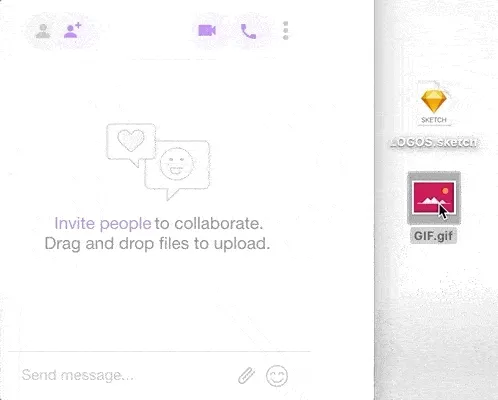
Early Taskade (2018): Drag-and-drop file uploads were one of the first major feature additions based on user feedback.
By 2019, Taskade introduced multiple views. Users could transform the same data into lists, boards, tables, and mind maps with a single click:
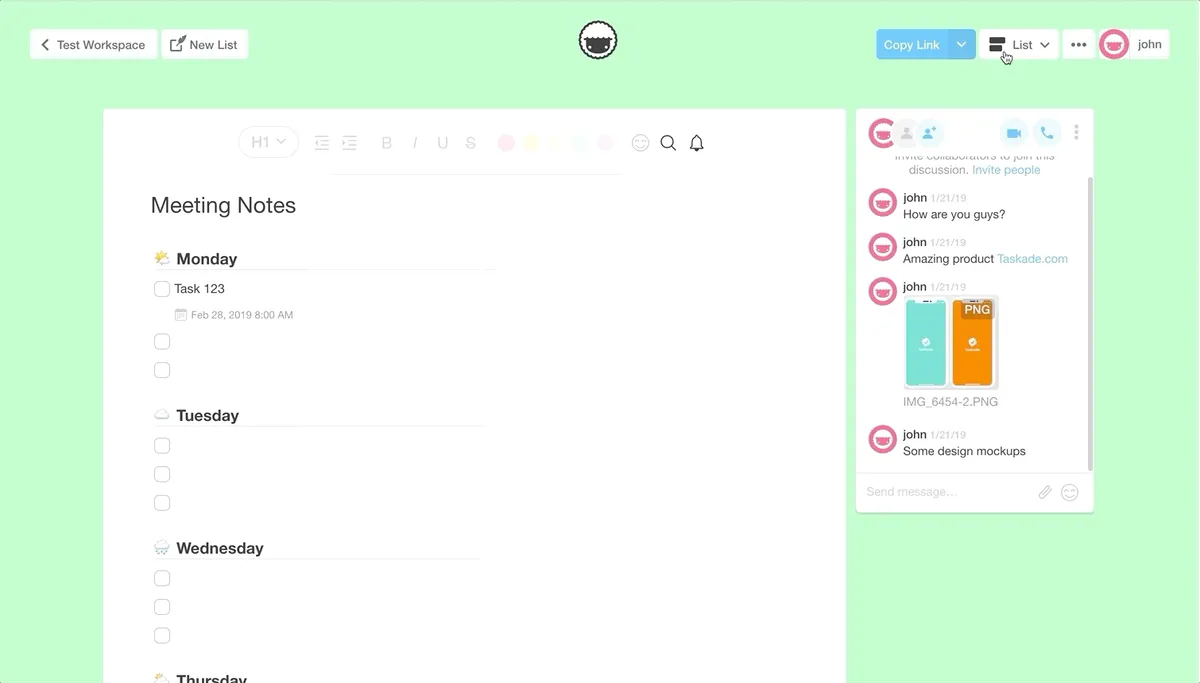
Multi-view support (2019): One dataset, multiple visualizations. List → Board → Table → Mind Map.
The foundation was laid.
The same OT (Operational Transform) engine that powered those early documents would later support AI agents, automation flows, and Genesis apps.
Version Milestones:
- 🚀 v1.0 (2017): Initial launch with basic real-time editing
- ⚡ v2.0 (January 2019): Major architecture overhaul, improved sync engine
- 🎯 v2.27 (April 2020): Final v2 release with workspace improvements
Y Combinator S19: A New Chapter (2019)
In summer 2019, Taskade was accepted into Y Combinator's S19 batch in Mountain View, California.
The YC Experience
The YC experience compressed years of learning into three months. The team refined their positioning, sharpened their metrics, and learned the discipline of weekly growth targets.
Key product changes during YC:
- ⚡ Faster sync engine — Reduced latency for real-time collaboration
- 📋 Workspace templates — Pre-built structures for common team workflows
- 📱 Mobile parity — Full-featured iOS and Android apps
- 🔗 Shareable workspaces — Public URLs for team onboarding
After Demo Day, Taskade announced $5M in Series Seed financing from Grishin Robotics and Y Combinator, with participation from scout funds of Sequoia Capital and Index Ventures.
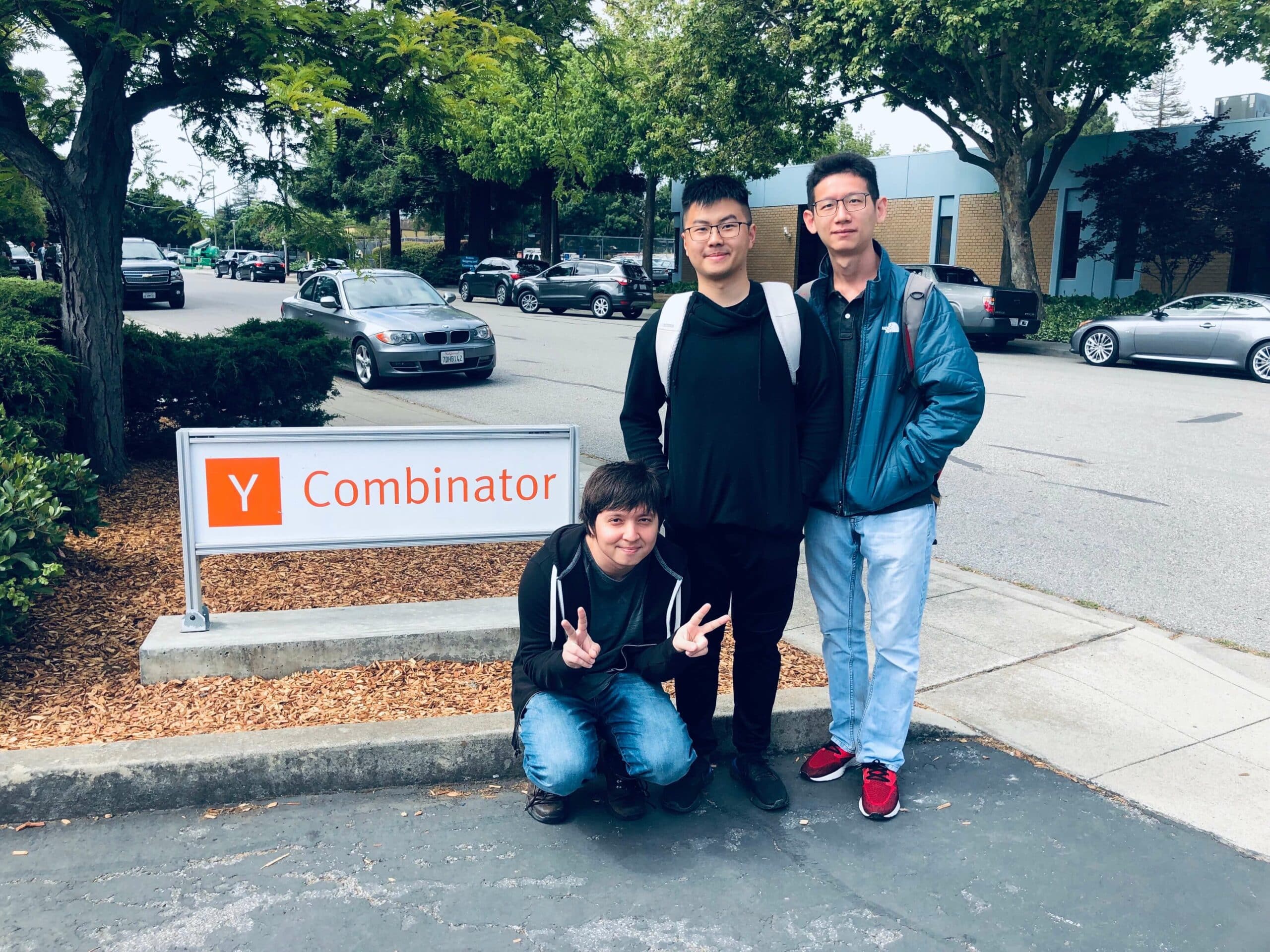
The Taskade founding team at Y Combinator's Mountain View campus (Summer 2019).
"Remote teams are becoming the new norm where startups are hiring engineers who are working from different time zones and geographies. The team at Taskade has built a fantastic product that is lightning fast with an intuitive UI. We believe Taskade is fundamentally changing remote team collaboration."
— Dmitry Grishin, Managing Partner, Grishin Robotics (October 2019) [^3]
By this point, over 2,000 active teams were using Taskade. From creative agencies and design studios to teams within Fortune 500 companies.
Three Founders, Three Time Zones
After YC, the team stayed distributed.
Stan built out the engineering team in Singapore (capitalizing on the deep technical talent pool in Asia). John moved to San Francisco to be closer to investors and the tech ecosystem. Dion joined in SF before returning to New York due to family considerations during the COVID-19 pandemic.
This wasn't a bug. It was a feature.
Taskade was built by a distributed team, for distributed teams. The co-founders experienced firsthand the friction of coordinating across three time zones: SF, NYC, and Singapore. Every pain point became a product feature.
The Workspace Revolution & COVID Acceleration (2020-2021)
In May 2020, just two months into the global pandemic, Taskade underwent its first major transformation with v3.0.
The timing was remarkable. As the world went remote overnight, Taskade was already built for this moment. The same tool the founders had built to solve their own distributed-team pain was suddenly what every company needed.
COVID as Accelerant
The pandemic didn't change Taskade's roadmap. It validated it.
Signups accelerated. Enterprise inquiries multiplied. Teams that had resisted remote work were forced to adopt it. They discovered that traditional tools (email chains, weekly syncs, scattered docs) didn't work when everyone was distributed.
Taskade's real-time collaboration, async-friendly structure, and video-embedded workspaces hit the mark. The pivot was clear: from individual documents to organizational workspaces.

The 2-level workspace hierarchy: Root Spaces → Sub-Spaces → Projects (2020). Taskade introduced organizational workspaces that scaled from individual users to enterprise teams.
Key v3 Innovations:
- 🏗️ 2-level Space Hierarchy — Root spaces and sub-spaces (still enforced today—never 3+ levels)
- 🔐 Role-Based Permissions — Owner to Viewer
- 📅 Calendar Integrations — Google Calendar webhooks, iCal support
- 🔌 Addon System — Embeds for Figma, Loom, Typeform, InVision
- 📊 Activity Feeds — Changelog tracking for every action
- 👥 Multiple Owners — Shared governance for enterprise teams
The v3 era established Taskade as a serious workspace platform, not just a fancy document editor.
Enterprise teams began adopting it for project management, meeting notes, and team wikis.
Release Velocity:
- ~0.5 versions per week (steady enterprise feature buildout)
- Final v3 release: v3.12.7 (July 2021)
The Extended Enterprise Platform (2021-2023)
v4.0 (July 2021) marked the enterprise expansion phase.
Over 156 minor versions across two years, Taskade refined its core platform while quietly laying the groundwork for AI:
Key v4 Features:
- ✅ Multi-select assignments and advanced node sorting
- 📁 Copy/move nodes across projects
- 💬 Modal comment dialogs (replacing popovers)
- 💳 Promotional codes and subscription management
- 🎥 Video thumbnail previews in chat
- 📎 Drag-and-drop file attachments
- 🔧 Enterprise addon ecosystem maturation
Under the Hood:
The v4 era also saw extensive backend refactoring for scalability. The team was preparing for something big — though users wouldn't see it until 2024.
Release Velocity:
- ~1.5 versions per week (aggressive iteration)
- Final v4 release: v4.156.0 (December 2023)
The AI Pivot: Connecting the Dots (2023)
2023 was the year everything changed.
Taskade made a decisive AI-first pivot. Integrating AI everywhere in the platform with 70+ new features.
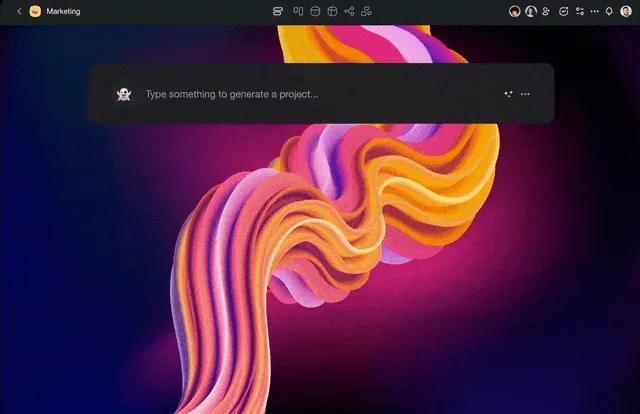
The AI Workflow Generator (2023): Describe your workflow in plain English, and AI builds the project structure instantly.
Key 2023 Milestones:
- 🤖 February 21 — AI Assistant launched —
/aicommands at your fingertips - 📱 March 15 — Taskade AI launched on mobile — "AI goes everywhere"
- ⚡ May 15 — AI Workflow Generator launched, powered by GPT-4
- 🧠 May 29 — AI Agents (Beta) introduced — "Transform the way you work with AI Agents powered by GPT-4 that autonomously research topics, complete tasks, and orchestrate your entire workflows"
- 👥 October 2 — AI Agents Roundtable — multi-agent collaboration
- 🎯 November 13 — Custom AI Agents (GPTs) — personalized intelligence
The pivot caught the attention of Garry Tan, CEO of Y Combinator:
"This is a novel and clever approach to 'AI meets task management.' A lot of old categories that might seem lost to infinite competition might become winnable again. Great news for founders and product builders in 2023."
— Garry Tan (@garrytan), CEO of Y Combinator, May 16, 2023 [^4]
By end of 2023, Taskade had:
- 🎯 400+ AI agent templates
- 📝 1,000+ AI-powered templates and generators
- 🌍 Support for 13 languages globally
But the pieces were still disconnected. Projects, Agents, and Automations existed but they didn't talk to each other.
That would change in 2024.
The Pivot Philosophy: Additive, Not Replacement
A note on how Taskade approaches major product shifts: AI features are additive, not replacements.
This is important to understand.
When Taskade added AI in 2023, existing features didn't disappear. When Genesis launched in 2024, traditional workspaces kept working exactly as before. The core promise (fast, simple task and project management) remains intact.
Two paths, one workspace:
For users who want Taskade as a straightforward productivity tool, that path exists. For users who want to build AI-powered apps and automations, Genesis adds that capability on top. You choose.
This philosophy comes directly from the founding team's experience. They've seen too many products "pivot" by abandoning their original users.
Taskade's approach: expand the ceiling without raising the floor.
The AI Platform Transformation (2024)
2024 was the breakthrough year.
v5.0 wasn't just an update. It was a complete repositioning of what Taskade could be. The collaborative workspace became an AI-powered platform with autonomous agents that think, learn, and act alongside users.
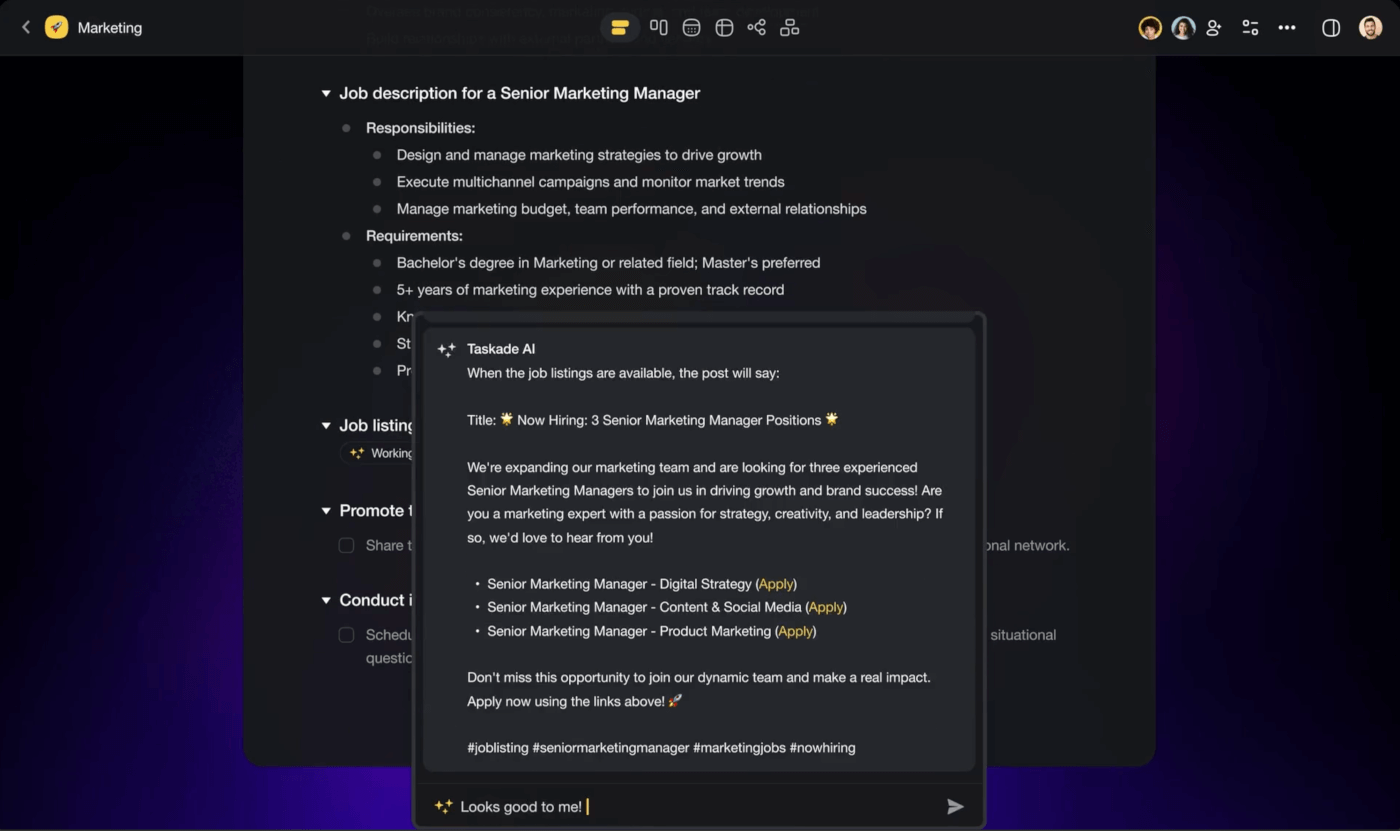
Taskade AI architecture: Multi-model support with Claude, GPT, and Gemini. Agents can be trained on custom knowledge and connected to 100+ integrations.
AI Features (v5.0-v5.100):
- 🤖 Direct OpenAI API integration (
/ask,/expand,/rewritecommands) - ✨ "Create Project with AI" feature
- 🧠 Multi-LLM support: OpenAI GPT, Google Gemini, Anthropic Claude
- 💳 Token usage tracking and credit system
- 📚 AI prompt templates and library
- 🔗 AI-powered knowledge management and document ingestion
Automation Foundation (v5.100-v5.150):
- 🚀 Taskade AI system launch
- 🔗 100+ service integrations via durable workflow engine
- 🎨 Visual flow builder UI
- ⚡ Actions and triggers system
- 🪝 Webhook support for automations
- 📦 Integration pieces: Slack, Discord, Gmail, Google Calendar, Stripe, HubSpot, and more
Agent System (v5.150-v5.200):
- 🏠 Space Agents — AI assistants that live in your workspace
- 📚 Agent knowledge bases with document ingestion
- 🛠️ Agent commands/skills system
- 👥 Multi-agent collaboration (Agent Teams)
- 🔄 AI orchestration mode (agent-to-agent communication)
- 🔗 Public agent chat URLs for sharing
Community & Monetization (v5.200+):
- 👤 Community profiles and XP system
- 🏪 App marketplace launch
- 🤝 Public agent/flow sharing
- 💳 Credits system overhaul
Release Velocity:
- ~2.0 versions per week (rapid AI expansion)
- 208 minor versions in 18 months
- Final v5 release: v5.208.0 (August 2025)
2024 by the Numbers:
- 🚀 500,000 AI Agents created
- ⚡ 1.5 million automation runs
- 💭 112 billion AI tokens processed
- ✅ 17 million tasks completed
2023 evolved AI into autonomous agents. 2024 developed the Living DNA framework. One thing remained: connecting all the pieces.
The Genesis Era: Living Software (2025-Present)
In late 2024, after years of building the pieces (Projects, Agents, Automations), Taskade unveiled Genesis.
One prompt connected everything into a running system for the first time.
Tutorial: How to build custom AI agents with Taskade in under 60 seconds. Source: Taskade YouTube
Genesis wasn't just another AI code generator. It brought together everything Taskade had built.
While competitors like Bolt.new, Lovable, V0, and Replit generate static code files, Genesis generates living systems. Applications backed by real databases (Projects), embedded AI (Agents), automated workflows (Flows), and polished interfaces (App UI).
In December 2025, Garry Tan (CEO of Y Combinator) recognized the shift, grouping Taskade alongside Replit as tools reshaping how software gets built:
"Zoho's business would be first to be competed away by people building their own custom software built by people using @Replit @emergentlabs and @Taskade. Why pay $30/seat/month for over bundled SaaS when soon even nontech ops ppl can vibe-code a custom solution in a weekend?"
— Garry Tan (@garrytan), CEO of Y Combinator, December 1, 2025 [^5]
This is the "connecting the dots" moment.
Since the AI pivot three years ago, all the pieces sat disconnected in the workspace. Genesis connected everything.
This is Workspace DNA. At its core lies the Tree of Life Architecture.
The Tree of Life Architecture
At the core of every Genesis app lies a continuous cycle of three interconnected systems that never stop learning:
        +------------------+
        |     MEMORY       |
        |   (Projects &    |
        |    Databases)    |
        +--------+---------+
                 |
    Feeds into   |   Writes back
                 v
  +--------------+---------------+
  |         EVE                  |
  |   (Unified Intelligence)     |
  +--------------+---------------+
        |                 |
        v                 v
+-------+------+  +------+--------+
| INTELLIGENCE |  |   EXECUTION   |
| (AI Agents)  |  | (Automations) |
+--------------+  +---------------+
Remove any pillar and the system becomes mechanical, reactive, incomplete. All three work together to create truly living software.
Workspace DNA Building Blocks:
| Building Block | Role | What It Does |
|---|---|---|
| Projects | Memory | Structured data storage with custom fields, views, and real-time sync |
| Agents | Intelligence | AI reasoning with knowledge bases, tool calling, and team collaboration |
| Flows | Reflexes | Automated workflows with 100+ integrations and event triggers |
| App UI | Interface | React applications with live data binding and agent chat |
The Genesis Loop:
Memory (Projects) feeds → Intelligence (Agents)
Intelligence (Agents) triggers → Execution (Flows)
Execution (Flows) updates → Memory (Projects)
"Memory feeds intelligence. Intelligence triggers execution. Execution updates memory. The loop is the product."
This creates a self-reinforcing cycle.
A CRM built with Genesis doesn't just display contacts. The agent analyzes pipeline health, the automation triggers follow-up emails, and the project data updates in real-time.
The app is alive.
EVE: The Unified Intelligence
EVE (Entity of Vision & Execution) is the central AI system that powers everything in Taskade. It connects Memory, Intelligence, and Execution into a unified whole.
When you interact with Taskade, EVE:
- 📖 Reads your entire workspace DNA (projects, agents, automations, files)
- 🧠 Understands context across all three pillars
- 🎯 Decides what to generate or how to respond
- 📈 Learns continuously from every interaction and outcome
| DNA Strand | How EVE Powers It |
|---|---|
| Memory (Projects) | Indexes and understands project data, extracts patterns, generates structured databases, maintains semantic connections |
| Intelligence (Agents) | Trains custom agents on knowledge, routes queries to relevant models, provides context-aware responses, enables multi-agent collaboration |
| Execution (Automations) | Interprets triggers, makes conditional decisions, generates dynamic content, captures and structures results |
What EVE Can Do:
| Action | Example | What Happens |
|---|---|---|
| Build Genesis Apps | "Build a customer feedback app with sentiment analysis" | Generates complete app with projects, agents, and automations |
| Create AI Agents | "Create an agent trained on our product documentation" | Creates agent, indexes docs, configures knowledge base |
| Configure Automations | "When a task is complete, send a Slack notification" | Creates automation with trigger, action, and conditions |
| Manage Projects | "Create a project for Q1 marketing campaigns" | Creates structured project with relevant sections |
| Answer Questions | "Which projects have overdue tasks?" | Scans workspace and provides detailed results |
| Generate Images | "Create a hero banner for my booking app" | Generates image, saves to Media library |
The Bicameral Partnership
Genesis creates a cognitive partnership:
- 🧠 Your mind contributes intent, goals, domain knowledge, and creative vision
- 🤖 EVE's intelligence handles technical implementation, pattern recognition, and optimization
- 🤝 Together, you create something neither could build alone
Workspace Intelligence Score
Every Genesis workspace earns an Intelligence Score from 0–100, calculated from your three DNA pillars:
| Component | Points Each | Max Items | Max Points |
|---|---|---|---|
| Projects (Memory) | 2 pts | 10 | 20 |
| AI Agents (Intelligence) | 10 pts | 3 | 30 |
| Automation Flows (Execution) | 5 pts | 6 | 30 |
| Integrations (Connections) | Reserved | TBD | 20 |
| Total | 100 |
Intelligence Tiers:
| Tier | Score | What It Means |
|---|---|---|
| Empty | 0–19 | Initial state → start adding projects and agents |
| Beginner | 20–39 | Basic setup → your workspace is taking shape |
| Learning | 40–69 | Growing → apps are getting smarter with real data |
| Intelligent | 70–89 | Advanced → strong AI coverage with active automations |
| Genius | 90–100 | Full-featured ecosystem → maximum AI-powered capability |
Tip: The fastest way to increase your Intelligence Score is to add AI agents (+10 pts each). Three agents plus six automation flows puts you in the Intelligent tier.
The Self-Reinforcing Feedback Loop
Every action in your Genesis app generates results that flow back into your workspace memory:
| Action Type | Memory Created | Your Workspace Learns |
|---|---|---|
| Email Sent | Delivery status, open/click tracking | Best email timing, effective templates |
| Payment Processed | Transaction record, payment method | Optimal pricing, conversion patterns |
| Task Completed | Completion time, who completed it | Time estimation, team performance |
| Customer Interaction | Feedback stored, sentiment analyzed | Customer patterns, retention factors |
| Agent Conversation | Query patterns, resolution paths | Improved responses, training gaps |
This is how the loop works:
- Automations capture real-world data (customer responses, transactions, task completions)
- Data writes to project databases
- AI agents immediately inherit new information
- Agents make better decisions with richer context
- Better decisions trigger more effective automations
- Cycle repeats - your workspace gets smarter with every interaction
Key Genesis Features (v6.0+):
- EVE (Entity of Vision & Execution): AI orchestrator that assembles Workspace DNA from prompts
- App Builder: AI-powered compiler that generates multi-framework apps from natural language
- Preview & Deployment: One-click publish with instant live preview
- Custom Domains (CNAME): Professional publishing with auto SSL
- Authentication: User login and identity for Genesis apps
- Built-in Analytics: Usage tracking, visitor data, and dashboards
- Community Gallery: Marketplace for sharing and forking apps
- Space Bundles: Portable snapshots of complete workspaces
Current Status:
- v6.98.0 (February 2026): Latest production release
- Release Velocity: 2.5+ versions per day (post-Genesis acceleration)
- Apps Generated: 150,000+ (explore in the Community Gallery)
- Automations Run: 3,000,000+
Timeline of Major Releases (2017-2026)
| Date | Version | Milestone | Key Features |
|---|---|---|---|
| 2017 | — | Company Founded | John, Dion, Stan start building |
| 2018 | v1.0 | Official Launch | Real-time collaborative outlining |
| Jan 2019 | v2.0 | Architecture Overhaul | Improved sync engine, document features |
| Oct 2019 | — | YC S19 + $5M Seed | Grishin Robotics, Y Combinator funding |
| May 2020 | v3.0 | Workspace Revolution | 2-level hierarchy, RBAC, calendar |
| Jul 2021 | v4.0 | Enterprise Platform | Multi-select, addons, advanced permissions |
| Mar 2023 | — | AI Pivot Begins | Taskade AI on mobile, GPT integration |
| May 2023 | — | AI Workflow Generator | Garry Tan tweet endorsement |
| Nov 2023 | — | Custom AI Agents | 400+ agent templates |
| Jan 2024 | v5.0 | AI Transformation | Multi-LLM support, Taskade AI system |
| Apr 2024 | v5.100 | Automation Launch | 100+ integrations, flow builder |
| Jun 2024 | v5.150 | Agent System | Space agents, knowledge bases, agent teams |
| Oct 2024 | v6.0 | Genesis Apps | No-code app generation, custom domains |
| Dec 2025 | — | Garry Tan Endorsement | Grouped with Replit, vibe coding |
| Jan 2026 | v6.88 | Premium Paywalls | Monetization, credit tiers |
| Feb 2026 | v6.98 | Current Release | 150K+ apps, 3M+ automations |
Leadership & Backers
Taskade is led by the team building the execution layer for the AI era.
Founders
| Name | Role | Background |
|---|---|---|
| John Xie | CEO | Serial entrepreneur (Cirtex, Minus, MeowChat), YC alum, angel investor. Built and sold multiple startups, with MeowChat acquired by Razer and Cirtex by Endurance. RISD + Babson background. |
| Stan Chang | CTO | Deep experience in real-time systems, distributed architecture, and OT (Operational Transform) technology. Leads engineering from Singapore. |
| Dionis Loire | Co-founder | Early co-founder who helped shape Taskade's product vision. |
Backed by Industry Leaders
Taskade is backed by Y Combinator (S19) and early believers from Google, Facebook, Twitter, Riot Games, Zynga, Mercury, and more:
Institutional Investors:
- Y Combinator
- Grishin Robotics
- Fellows Fund
- Altair Capital
- TRAC VC
- ZVC
Angel Investors:
- Aaron Iba — Etherpad, Google Wave, Google Docs
- Immad Akhund — Mercury
- Lee Linden — Tapjoy, Karma, Facebook
- Mark Pincus — Zynga
- Hiten Shah — Nira, Kissmetrics
- Steve Mescon — Riot Games, Zappos
- Chris Golda — Twitter, BackType
- Jude Gomila — Golden
- Bo Jiang — Lithic, Privacy.com
- Bertrand Schmitt — Data.ai
- Aneel Ranadive — Soma Capital
- Neal Jean — Beacons
- HP Jin — Telenav
- Alex Lin — Stacked, Hush
- Eric Anderson — Planetary
- Amit Shabhag — Rocketreach
- Evan Kimbrell — Sprintkick
- Cory Levy — Z Fellows
Understanding Workspace DNA
Genesis runs on a simple architecture we call Workspace DNA. Three parts, one living system:
- Projects (Memory) hold your memory and data
- AI Agents (Intelligence) provide reasoning and action
- Automations (Execution) give motion and execution
Memory. Intelligence. Execution.
Together, they form a living environment where every app you generate has a brain, a history, and a way to act.
The Three Pillars in Detail
Every Taskade workspace—and every Genesis app—is built from three interconnected pillars:
1. Projects (Memory) — The DNA Impact: +2 Points Per Project
In Genesis, "Memory" means living context. Information that maintains relationships, accumulates meaning over time, and participates in intelligence.
Projects are the database layer. Unlike traditional databases with rigid schemas, Taskade Projects use a flexible JSONB node tree that adapts to any data structure.
What Genesis Auto-Generates:
| App Type | Databases Created | Fields Generated |
|---|---|---|
| Customer Feedback | Feedback entries, Contacts | Rating, Comment, Category, Status, Photo, Timestamp |
| Booking System | Appointments, Clients, Services | Date/time, Client, Service, Status, Price, Notes |
| CRM | Leads, Deals, Contacts | Name, Email, Stage, Value, Source, Score |
| Help Desk | Tickets, Agents, Categories | Title, Priority, Status, Assignee, SLA |
Typescript
// A project can be a CRM, a task board, a knowledge base, or anything else
const projectStructure = {
  contents: {
    nodes: [
      { id: 'node-1', text: 'Contact: John Doe', fields: { email: 'john@example.com', status: 'Active' } },
      { id: 'node-2', text: 'Deal: Enterprise Plan', fields: { value: 50000, stage: 'Proposal' } },
    ]
  },
  preferences: {
    view: 'board', // or 'list', 'table', 'calendar', 'gantt', 'mindmap', 'orgchart'
    customFields: ['email', 'status', 'value', 'stage']
  }
}
Multiple Project Views:
- List, Board, Calendar, Table, Mind Map, Gantt, Org Chart
Real-time Sync:
- Every change syncs instantly in real time
- Conflict-free editing across unlimited concurrent users
2. Agents (Intelligence) — The DNA Impact: +10 Points Per Agent
Intelligence means AI agents that go far beyond answering questions. These are persistent teammates that continuously learn, reason, and make decisions.
What Makes Taskade Agents Different:
| Capability | Chatbot | Taskade AI Agent |
|---|---|---|
| Memory | Resets every session | Persistent — remembers across conversations |
| Knowledge | Generic training data | Custom knowledge from your files, projects, URLs |
| Actions | Text responses only | Can create tasks, send emails, update databases, trigger automations |
| Tools | None | built-in tools + 15+ third-party integrations |
| Collaboration | One agent | Multi-agent teams that work together |
| Context | Isolated | Understands your entire workspace DNA |
| Embedding | Standalone | Embeddable directly in Genesis apps |
Agents are AI assistants that understand your workspace context:
Typescript
// Agent configuration with knowledge and tools
const salesAgent = {
  name: 'Sales Coach',
  description: 'Analyzes pipeline health, suggests follow-ups, drafts outreach',
  knowledge: ['contacts-project', 'deals-project', 'email-templates'],
  tools: ['web_search', 'gen_image', 'taskade_project_manage'],
  commands: [
    { id: 'pipeline-review', name: 'Review Pipeline', prompt: 'Analyze my current deals and suggest next steps' },
    { id: 'draft-email', name: 'Draft Follow-up', prompt: 'Write a follow-up email for {{contact.name}}' },
  ]
}
Multi-Model Support:
- Claude (Anthropic): Best for reasoning and creativity
- GPT (OpenAI): Excellent for code and technical tasks
- Gemini (Google): Multimodal with vision capabilities
Agent Capabilities:
- Knowledge base queries
- Web search
- Image generation
- Project management
- Automation triggering
- Tool calling
3. Flows (Execution) — The DNA Impact: +5 Points Per Flow
Execution means intelligent automation workflows. The nervous system that makes your application reactive, adaptive, and alive across 100+ external tools.
What Genesis Auto-Generates:
| App Type | Automation Workflows Created |
|---|---|
| Booking System | Form submitted → Check availability → Process payment → Send confirmation → Create calendar event |
| Customer Feedback | Low rating → Agent analyzes severity → Slack alert to manager → Create follow-up task |
| Inventory | Stock below threshold → Agent calculates quantity → Email supplier → Create purchase order |
| Lead CRM | Form submission → Create lead → AI qualification score → Route to sales rep → Add to nurturing |
104 Built-in Automation Actions:
| Category | Actions |
|---|---|
| AI Actions | ai.ask, ai.generate, ai.respond, ai.categorize, agent.ask, agent.run_command, agentTeam.ask |
| Taskade Actions | project.create, task.create, task.assign, task.move, customField.update |
| Media Actions | web.search, website.extract, youtube.transcribeVideo, pdf.convertToText |
Flows are automated workflows that respond to events:
Typescript
// Example: Lead nurturing automation
const leadNurturingFlow = {
  trigger: {
    type: 'PIECE_TRIGGER',
    piece: '@taskade/automade-piece-hubspot',
    event: 'new_contact'
  },
  actions: [
    {
      piece: '@taskade/automade-internalpiece-openai',
      action: 'agent.run_command',
      input: { agentId: 'sales-coach', command: 'qualify-lead', data: '{{trigger.contact}}' }
    },
    {
      piece: '@taskade/automade-piece-gmail',
      action: 'send_email',
      input: { to: '{{trigger.email}}', subject: 'Welcome!', body: '{{agent.response}}' }
    },
    {
      piece: '@taskade/automade-internalpiece-taskade',
      action: 'project.create_node',
      input: { projectId: 'leads-pipeline', text: '{{trigger.name}}', fields: { score: '{{agent.score}}' } }
    }
  ]
}
40+ External Service Integrations:
| Category | Integrations |
|---|---|
| Communication | Slack, Discord, Microsoft Teams, WhatsApp Business, Twilio SMS, Telegram, Zoom |
| Gmail, Outlook, Mailchimp | |
| Productivity | Google Sheets, Google Docs, Google Drive, Google Calendar, Google Forms, Calendly, Typeform |
| CRM & Sales | HubSpot, Salesforce, Apollo (enrichment) |
| Social & Marketing | Twitter/X, LinkedIn, Facebook, Instagram, TikTok, YouTube, Reddit, WordPress, Webflow, RSS |
| Payments | Stripe |
| Development | GitHub, Bitbucket, HTTP/Webhooks (with HTTP analyzer) |
| Storage | Google Drive, Dropbox, Box, OneDrive |
| Scheduling | Schedule triggers (cron), date-based triggers, interval triggers |
| Media | File upload, image generation, PDF processing, video transcription, web scraping |
4. App UI (Interface)
The visible surface that brings everything together:
Typescript
// Genesis app with agent chat and live project data
const crmApp = {
  pages: [
    {
      name: 'Pipeline Board',
      components: [
        { type: 'AgentChat', agent: 'sales-coach', position: 'floating' },
        { type: 'ProjectView', project: 'deals-pipeline', view: 'board' },
        { type: 'FilterBar', fields: ['stage', 'value', 'owner'] }
      ]
    },
    {
      name: 'Contacts',
      components: [
        { type: 'ProjectView', project: 'contacts', view: 'table' },
        { type: 'DetailPanel', fields: ['email', 'phone', 'company', 'notes'] }
      ]
    }
  ],
  branding: {
    domain: 'crm.yourcompany.com',
    favicon: '/logo.png',
    theme: 'light'
  }
}
The Memory Reanimation Protocol
When Genesis creates an app, it follows a strict sequence:
- Create Projects (storage foundation)
- Create Agents (consciousness)
- Connect Projects → Agents (knowledge binding)
- Create Flows (reflexes and behaviors)
- Generate Interface (visible surface)
Genesis apps are "living" because the interface is just the tip of the iceberg. Underneath is a complete system with persistent state, embedded intelligence, and automated behaviors.
5 Memory Types
Your workspace DNA organizes memory into 5 psychological layers:
| Memory Type | Purpose | Example |
|---|---|---|
| Core Memory | Primary operational data | Customer database, product catalog |
| Reference Memory | Knowledge bases and documentation | FAQ docs, brand guidelines, SOPs |
| Working Memory | Current state and active processes | Today's tasks, open tickets, active orders |
| Navigation Memory | Structural organization | Workspace hierarchy, project categories |
| Learning Memory | Insights and patterns over time | Performance trends, customer behavior patterns |
AI agents and Genesis apps access all 5 memory layers to provide contextual, accurate responses.
Kits & Bundles: Package Your Entire Workspace
Genesis workspaces can be packaged as Bundles (Kits) — installable packages that include everything:
| Bundle Component | Included | Description |
|---|---|---|
| Genesis Apps | Yes | Full app with UI, code, and configuration |
| Projects & Databases | Yes | Data structures and sample records |
| AI Agents | Yes | Agent configs, personas, knowledge references |
| Automation Flows | Yes | Workflow definitions and triggers |
| Templates | Yes | Project and agent templates |
| Media | Yes | Images, documents, uploads |
Think of Bundles as "Workspace DNA transplants." A complete intelligence ecosystem — apps, agents, automations, data — that anyone can install and customize.
How Genesis Differs from Competitors
The Productivity Tool Landscape
To understand Genesis, it helps to see where Taskade fits in the broader market:
| Category | Key Players | What They Do | Taskade Difference |
|---|---|---|---|
| Project Management | Asana, Monday, ClickUp, Trello | Task boards, timelines, team coordination | Taskade adds AI agents and automation natively |
| Docs & Wikis | Notion, Confluence, Coda | Documentation, databases, knowledge bases | Taskade has real-time OT sync + embedded AI |
| AI Writing | Jasper, Copy.ai, Writer | Content generation, copywriting | Taskade agents take actions, not just write |
| Automation | Zapier, Make, n8n | Connect apps, trigger workflows | Taskade automations run inside your workspace |
| No-Code Apps | Retool, Bubble, Glide | Build internal tools | Genesis generates complete systems from prompts |
| AI Code Gen | Bolt.new, Lovable, V0, Cursor | Generate code from prompts | Genesis creates living apps, not static files |
Taskade spans multiple categories because Workspace DNA unifies what other tools keep separate: data (Projects), intelligence (Agents), and automation (Flows) in one system.
The Infrastructure Advantage
Most AI app builders generate code. Static files that users must then host, connect to databases, wire up authentication, and maintain themselves.
Genesis generates running systems.
Other tools give you a UI. Genesis gives you a functioning system.
The Core Difference:
| Feature | Traditional App Builders | Taskade Genesis |
|---|---|---|
| Creation | Prototype UI, needs wiring | One prompt creates a live app with memory, agents, and execution |
| Backend | Empty projects, no source of truth | Workspace becomes the backend with live sync |
| Memory | Ephemeral sessions | Long-term shared memory across apps and agents |
| Intelligence | Chat bots bolted on | Embedded agents that act continuously |
| Automation | Webhooks, scripts, glue | Native automations that run where work lives |
| Collaboration | Solo workflows | Humans and agents working together |
| Lifecycle | Generate then export | Generate, run, publish in one loop |
| Governance | Limited control | Permissions, auditability, enterprise-ready |
Genesis removes the gap between idea and execution. You don't export anything. You don't hand work off. The system is alive the moment it's created.
Detailed Comparison:
| Aspect | Bolt.new / Lovable / V0 / Base44 | Taskade Genesis |
|---|---|---|
| Output | Static code files | Living workspace with data, AI, automation, and UI |
| Data Layer | None (bring your own DB) | Projects with custom fields, multiple views, real-time sync |
| AI Layer | None (bring your own API) | Agents with knowledge bases, 25+ tools, team collaboration |
| Automation | None (bring your own Zapier) | 104 actions, 40+ integrations via visual flow builder |
| Authentication | None | OIDC built-in with role-based access |
| Custom Domains | Via external hosting | Native CNAME with auto SSL |
| Analytics | None | Built-in visitor tracking, geographic data, traffic sources |
| Version Control | Manual (git) | Built-in commit history with one-click restore |
| Marketplace | None | Community gallery with XP-based profiles |
| Bundles | None | Package entire workspaces as installable kits |
The Economic Case
| Scenario | Traditional Stack | Competitors | Taskade Genesis |
|---|---|---|---|
| CRM with AI | $2,000+/mo | $20/mo + Supabase + OpenAI + custom code | Single Taskade plan |
| Client Portal | $500+/mo | $20/mo + auth + hosting | Single Taskade plan + custom domain |
| Booking System | $100+/mo | Not feasible | Single Taskade plan |
| Internal Dashboard | $300+/mo | Static only | Single Taskade plan with live data |
The Infrastructure Analogy
Think of it like web hosting in the early 2000s:
Competitors = giving you an HTML file and saying "good luck finding a server"
Genesis = a complete hosting environment with OS + database + cron jobs + admin panel + SSL + CDN
Genesis is AI infrastructure, not an AI tool.
Product-Market Fit: The Numbers
Taskade has achieved strong product-market fit indicators:
| Metric | Value | Significance |
|---|---|---|
| Apps Generated | 150,000+ | Genesis adoption |
| Automations Run | 3,000,000+ | Workflow engagement |
| AI Agents Created | 500,000+ | Intelligence layer growth |
| User Segments | Builders, Creators, Operators | Healthy distribution across technical and non-technical users |
User Segments
- Builders (25%): Technical users who appreciate Workspace DNA depth
- Creators (45%): Content creators, marketers, and entrepreneurs building apps for their audiences
- Operators (30%): Business users automating workflows and managing teams
Getting Started with Taskade
Quick Start
- Create an account at taskade.com
- Describe your workspace in the Genesis prompt
- Watch EVE build your Projects, Agents, Flows, and App UI
- Customize and iterate with natural language commands
- Publish to your custom domain
What You Can Build
Genesis doesn't care what industry you're in. You describe the problem; it builds the solution.
| What You Ask For | What Genesis Builds | Powered By Your DNA |
|---|---|---|
| "Build a customer feedback app" | Ratings system, sentiment analysis, photo uploads, manager alerts | Your service standards, past feedback patterns |
| "Create a booking system" | Real-time scheduling, payment processing, automated confirmations | Your services, pricing, availability rules |
| "I need a CRM for leads" | Multi-source capture, AI qualification, pipeline tracking | Your sales process, customer segments |
| "Build an onboarding portal" | New hire forms, equipment provisioning, training checklists | Your org structure, role definitions |
| "Create an AI help desk" | Ticket submission, AI routing, SLA tracking | Your support categories, team structure |
| "Build an inventory tracker" | Product database, stock monitoring, reorder automation | Your product catalog, supplier info |
| "Create a course platform" | Video hosting, quiz builder, progress tracking | Your course content, learning paths |
Example: Build a Client Portal in Minutes
Prompt:
"Build a client portal for my consulting firm. Clients can log in, view their project status, download deliverables, message our team, and see upcoming milestones. Use a clean, professional design with navy blue (#1e3a8a) and white. Add a support agent that answers questions about our services."
EVE Creates:
| Component | What's Generated |
|---|---|
| UI Pages | Login, dashboard, project list, project detail, messages, files |
| Databases | Clients project, Projects project, Deliverables project, Messages project |
| AI Agent | Support agent trained on your workspace context |
| Charts | Project timeline, milestone progress bars |
| Forms | Message form with validation |
| Navigation | Sidebar with responsive mobile drawer |
No code. No configuration. Just describe and deploy.
Example: Build a CRM in 60 Seconds
Prompt:
"Create a CRM to track leads and deals with pipeline stages, contact management, and AI-powered follow-up suggestions"
EVE Creates:
- 📊 Projects: Contacts, Deals Pipeline, Activity Log
- 🤖 Agent: Sales Coach with pipeline analysis commands
- ⚡ Flows: Lead assignment, stage change notifications
- 🎨 App: Pipeline board, contact directory, dashboard
No code. No configuration. Just describe and deploy.
Advanced: Workspace DNA Customization
Power users can dive deeper:
/create project "Enterprise Deals" with fields: company, value, stage, owner, probability
/create agent "Deal Closer" with knowledge from "Enterprise Deals" and "Email Templates"
/create flow: when "Enterprise Deals" stage changes to "Proposal" → notify #sales on Slack → assign follow-up task
What's Next for Taskade?
Roadmap Highlights
- Multiple Apps Per Space: Support for multiple Genesis apps within a single workspace
- Advanced Templates: Pre-built app templates for common use cases (CRM, helpdesk, booking, etc.)
- API Generation: Automatic REST API creation for external integrations
- Database Schema Designer: Visual database design tools
- Collaborative App Editing: Real-time collaboration on Genesis apps (multiple builders)
- Version Control: Git-style versioning for app iterations
- Mobile Genesis: Build and deploy apps from mobile devices
The Vision: Living Software Platform
Taskade's vision is a world where software isn't built. It's grown.
Instead of hiring developers, writing specifications, and waiting months for delivery, anyone can describe what they need and watch it come to life. The software learns from usage, adapts to changing needs, and continuously improves.
This is the promise of Workspace DNA and Genesis: software that breathes, learns, and acts.
🎯 Ready to try it yourself? Create your first Genesis app at taskade.com. Describe your workspace in plain English and watch EVE bring it to life.
Your Complete App Stack
Here's everything Genesis creates and manages for every app:
| Layer | Components | Managed By |
|---|---|---|
| Frontend | Modern UI with 50+ components, 500+ icons, responsive design, smooth animations, dark/light theme support | Genesis AI |
| Data | Project databases with custom fields, multiple views (List, Board, Calendar, Table, Mind Map, Gantt, Org Chart), relationships, persistent storage | Projects pillar |
| Intelligence | Custom AI agents trained on your data, embeddable agent chat, multi-agent teams, background agents | Agents pillar |
| Automation | 104 automation actions, 40+ external integrations, scheduled tasks, webhook triggers | Automations pillar |
| Visualization | Interactive charts, data dashboards, maps with geofencing | Built-in libraries |
| Forms | Form validation, custom field types, date pickers | Built-in libraries |
| Hosting | Auto-provisioned infrastructure, instant deployment, live preview | Taskade platform |
| Security | Password protection, role-based access (5 roles), OIDC authentication, RBAC | Taskade platform |
| Analytics | Visitor tracking, geographic data, traffic sources, device metrics | Built-in dashboard |
| Versioning | Full commit history, one-click restore, auto or manual publishing | Version control |
| Bundles | Package apps + agents + automations + projects into installable Kits | Bundle system |
Resources
Getting Started
| Guide | What You'll Learn |
|---|---|
| Create Your First App | Step-by-step walkthrough of your first build |
| A Maker's Guide to AI Prompts | How to describe what you need effectively |
| App Starter Prompts | Ready-to-use prompts for common app types |
Master the Three Pillars
| Guide | What You'll Learn |
|---|---|
| Projects & Databases | Advanced database structures and data management |
| Custom AI Agents | Build, train, and deploy AI agents |
| Automations | Triggers, actions, and 100+ integrations |
Platform Links
- Taskade Help Center - Complete platform documentation
- Taskade API - Developer API reference
- Community Gallery - Browse and fork Genesis apps
- Taskade Blog - Product updates and tutorials
- Changelog - Latest releases
- YouTube Tutorials - Video guides
- Downloads - Desktop and mobile apps
The Technical Lineage Behind Taskade Genesis
Taskade Projects is built on ot-json0 — the open-source descendant of the Google Wave OT engine, extracted by ex-Wave engineer Joseph Gentle. Aaron Iba (Etherpad co-founder, Google Wave engineer) is a Taskade angel investor. The architectural lineage runs through these posts:
- History of Real-Time Collaboration: From Engelbart to AI Agents — the 58-year pillar piece
- Google Wave Lessons: OT, Aaron Iba & the Taskade Lineage — the failed product whose engine survived
- OT vs CRDT: The Two Algorithms Behind Every Real-Time App — engineering deep dive
- History of Etherpad: How Aaron Iba's Editor Shaped the Modern Web — the pre-Wave story
- History of CRDTs — academic side of the substrate
- History of HyperCard: The First No-Code Builder — Bill Atkinson's substrate that prefigured Genesis
- History of Lotus Notes: The Original Workspace App — Ray Ozzie's lineage
- History of Workflow Automation: From IFTTT to Bidirectional AI Agents — the iPaaS lineage
- History of WebSockets: How the Web Got Real-Time — the substrate layer
- History of Spreadsheets: From VisiCalc to Taskade Genesis — the programmable-document lineage
- History of ServiceNow: From Fred Luddy's Comeback to AI Control Tower — enterprise workflow sibling lineage
Related Reading
- Best AI App Builder for Your Business in 2026: A Non-Technical Operator's Guide
- Build an AI Sales Pipeline App That Closes Deals (2026)
Frequently Asked Questions
What is Taskade?
Taskade is a unified workspace platform that combines real-time collaboration, AI-powered agents, workflow automation, and no-code app generation. It's designed to be the "operating system for team productivity."
Who founded Taskade?
Taskade was founded in 2017 by John Xie (CEO), Dionis Loire (co-founder), and Stan Chang (CTO). The company is a Y Combinator S19 graduate and raised $5M in seed funding from Grishin Robotics and YC.
What is Workspace DNA?
Workspace DNA is the foundational architecture of every Taskade workspace, consisting of four building blocks: Projects (memory/data), Agents (intelligence/AI), Flows (execution/automation), and App UI (interface/surface).
What is Genesis?
Genesis is Taskade's no-code app builder that transforms natural language prompts into fully functional web applications, complete with data storage, AI assistants, automated workflows, and polished interfaces.
How is Genesis different from Bolt.new or Lovable?
While competitors generate static code files, Genesis generates complete running systems backed by live databases (Projects), embedded AI (Agents), and automated workflows (Flows). You get a living application, not just code.
What AI models does Taskade support?
Taskade supports multiple AI models with different strengths and credit costs:
| Provider | Tier | Best For |
|---|---|---|
| Anthropic | Frontier reasoning | Complex reasoning, sophisticated apps |
| Anthropic | Balanced (default paid tier) | Balanced quality and speed |
| Anthropic | Fast | Quick iterations, simple changes |
| OpenAI | Frontier | General-purpose flagship |
| OpenAI | Fast | Code-heavy apps |
| Frontier (default free tier) | Multimodal apps | |
| Fast | Budget-friendly iterations |
Credit costs vary by model and are displayed in the model picker. 15+ frontier models from OpenAI, Anthropic, and Google are available, with workspace-level defaults and per-agent overrides.
Can I publish Genesis apps to my own domain?
Yes! Genesis supports custom domains with automatic SSL certificate provisioning. You can publish your app to app.yourcompany.com with a single click.
How many integrations does Taskade support?
Taskade supports 100+ service integrations through its automation flow system, including Slack, Gmail, HubSpot, Stripe, GitHub, Google Drive, and many more.
Is Taskade free?
Taskade offers a free tier with limited AI credits and team members. Premium plans unlock unlimited AI usage, advanced features, and priority support.
What makes a workspace "living"?
A living workspace has embedded intelligence (Agents), automated behaviors (Flows), and persistent memory (Projects). It doesn't just store your work. It thinks, acts, and evolves based on how you use it.
What is the Workspace Intelligence Score?
The Intelligence Score is a 0-100 metric that measures how "alive" your workspace is. It's calculated from your three DNA pillars: Projects (+2 pts each, max 20), Agents (+10 pts each, max 30), and Automations (+5 pts each, max 30). Higher scores unlock tiers: Empty (0-19), Beginner (20-39), Learning (40-69), Intelligent (70-89), Genius (90-100).
What are Bundles/Kits?
Bundles are portable snapshots of complete workspaces that include Genesis apps, projects, agents, automations, templates, and media. Think of them as "Workspace DNA transplants" that anyone can install and customize.
What is EVE?
EVE (Entity of Vision & Execution) is Taskade's central AI system that powers everything. It reads your entire workspace DNA, understands context across all pillars, decides what to generate, and learns continuously from every interaction.
Can AI agents work together?
Yes! Taskade supports multi-agent teams with orchestration mode. Agents can work together, plan and execute as a team, and build on each other's responses. Perfect for brainstorming, analysis, or step-by-step thinking.
Do automations use AI credits?
Only when an AI agent is used as a step in the flow. Standard triggers and actions don't consume credits. Automations run on durable workflow infrastructure. They're always on, even when you're not in Taskade.
Can I embed agents in my Genesis apps?
Yes! Agents can be embedded in Genesis apps in 4 styles: floating button, embedded panel, command bar (Cmd+K), or dedicated tab. This enables in-app customer support and guided experiences for end users.
What integrations are supported?
Taskade supports 40+ external services including:
- Communication: Slack, Discord, Microsoft Teams, WhatsApp Business, Twilio SMS, Telegram, Zoom
- Email: Gmail, Outlook, Mailchimp
- CRM & Sales: HubSpot, Salesforce, Apollo
- Social: Twitter/X, LinkedIn, Facebook, Instagram, Reddit, YouTube
- Development: GitHub, Bitbucket, HTTP/Webhooks
- Storage: Google Drive, Dropbox, Box, OneDrive
Build Your Own Living Software
While AI giants build foundation models, Taskade lets you build complete AI-powered systems on top of them. Create custom AI agents, workflows, and applications with a single prompt.
It's vibe coding. Describe what you need, Taskade builds it as living software.
Explore ready-made AI apps or create your own.
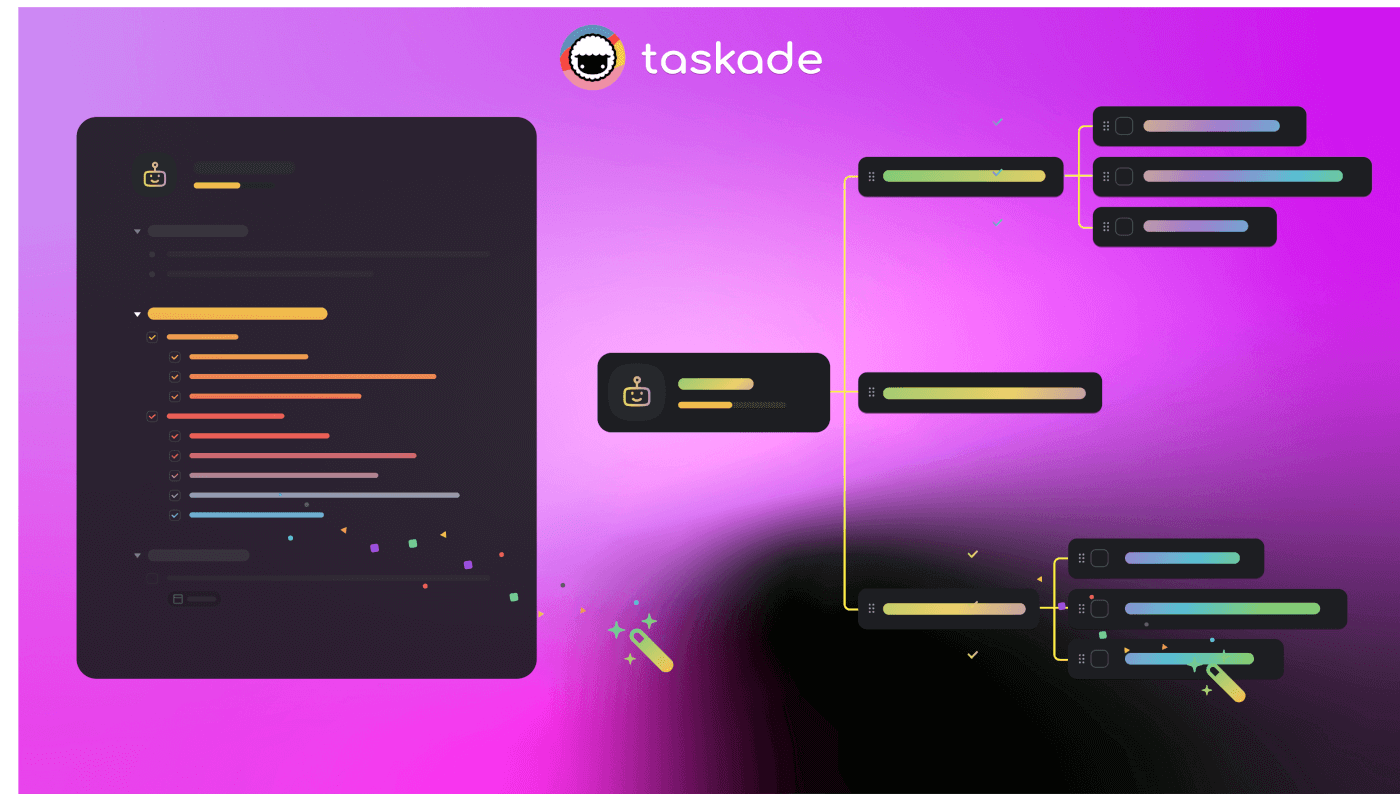
The future of software isn't code. It's conversation.
Sources & References
[^1]: Entrepreneur Magazine, "Meet the 22-Year-Old Serial Entrepreneur Behind a File-Sharing Service With $1 Million in VC" (2011). TechCrunch, "Minus Raises $1 Million From IDG Capital To Simplify File Sharing" (August 2011).
[^2]: Wall Street Journal, "Messaging App MeowChat Hunts Down $8 Million, on Prowl for More" (November 2014).
[^3]: Taskade Blog, "A New Chapter in the Taskade Journey: $5M Series Seed Investment from Grishin Robotics and Y Combinator" (October 2019).
[^4]: Garry Tan (@garrytan), Twitter/X, May 16, 2023.
[^5]: Garry Tan (@garrytan), Twitter/X, December 1, 2025.
Additional Reading:
- The Origin of Living Software — The philosophy behind Workspace DNA
- Build Without Permission — Genesis manifesto for builders
- Introducing Taskade Genesis — Official Genesis launch announcement
- Taskade Genesis: Build Live AI Apps — Technical deep-dive
- Taskade Changelog — Complete version history