






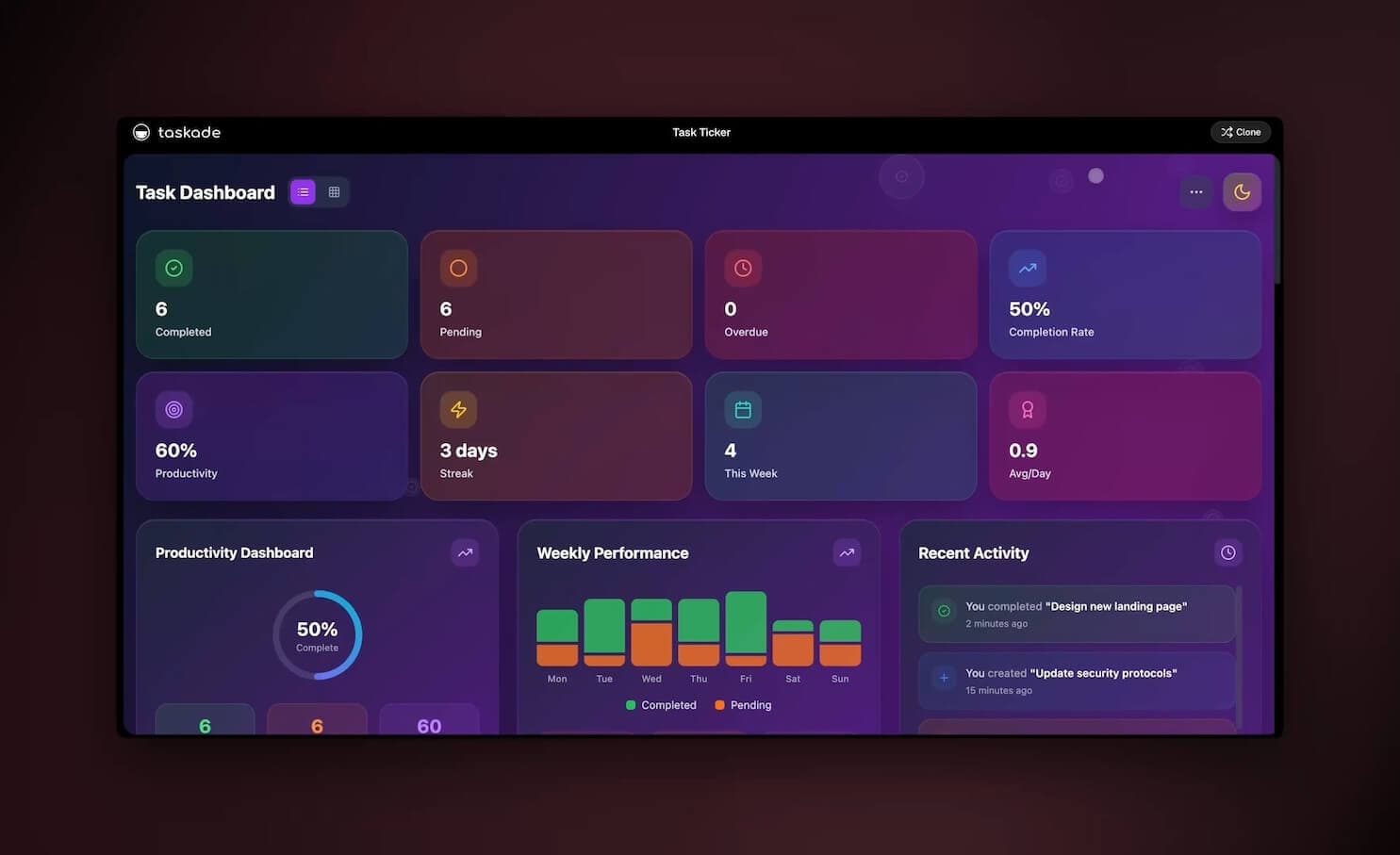
An agentic workflow is an AI system that adds a reasoning layer on top of fixed automation: instead of following a hardcoded script, an AI agent interprets ambiguous inputs, chooses which tool to call next based on context, and handles exceptions without any predefined fallback logic — chaining decisions and tool calls together to reach a goal without a human approving each individual step. That single shift — from a fixed path to a reasoning loop — is what turns a brittle "if this, then that" automation into a self-running system that adapts when reality does not match the plan.
TL;DR: An agentic workflow lets an AI agent reason, pick its own tools, and recover from surprises — no human approving each step. No-code platforms (Lindy, Gumloop, Taskade Genesis) put this in non-developer hands; Taskade ships agents with built-in tools across frontier models. Clone the live research agent below and run a real one in about 30 seconds.
Updated July 1, 2026 — added the provenance of the core patterns (Anthropic's "Building Effective Agents," December 2024) and a balanced verdict on visual workflow builders vs agentic workflows.
This is the practical, hands-on sibling of our bigger-picture piece, Agentic Workflows: Paving the Path Toward AGI. That post asks where this is all heading. This one answers a narrower, more useful question for someone shipping real software this quarter: what is an agentic workflow, how does it actually work, and how do I build one without an engineering team? If you want the "what is the discipline of building these" angle, What Is Agentic Engineering covers the craft side.
See it live: clone a working agentic workflow
You learn this faster by running one than by reading about it. Below is a live, cloneable research agent — a small agentic workflow that takes a question, decides which tools to use, gathers sources, and writes back an answer. Try it, then clone it into your own workspace from the Community Gallery and rewire it for your own job.
That one app is the whole idea in miniature: a goal goes in, the agent reasons about how to reach it, calls the tools it needs, and an outcome comes out — no flowchart for you to maintain. Now let's unpack how it works.
What is an agentic workflow, exactly?
An agentic workflow is a goal-directed AI system in which an agent decides the sequence of actions at runtime instead of executing steps fixed at design time: it observes state, reasons about the next step, calls a tool, and repeats. Gartner projects 33% of enterprise software will include agentic AI by 2028, up from under 1% in 2024.
The same Gartner research carries a caution worth keeping nearby: it also expects more than 40% of agentic AI projects to be canceled by the end of 2027, which is why the guardrail discipline later in this guide matters as much as the reasoning loop. The agent holds a goal, observes the current state, reasons about the best next step, calls a tool, observes the result, and repeats — a loop, not a line. The clearest way to see it is the contrast with the automation you already know.
The fixed-automation path on the left is wonderful when the world cooperates. The moment an input arrives that you did not anticipate — a malformed email, a half-filled form, an attachment in the wrong format — it stops or silently does the wrong thing. The agentic loop on the right treats that surprise as just another state to reason about.
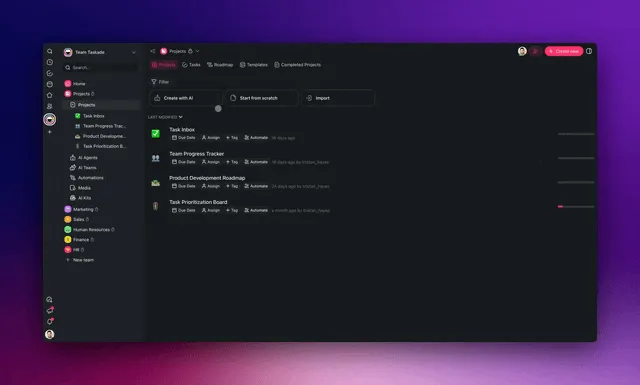
The three things that make a workflow "agentic"
A workflow earns the word agentic when it can do three things a script cannot:
| Capability | Fixed automation | Agentic workflow |
|---|---|---|
| Interpret ambiguous input | No — needs exact shape | Yes — reads intent from messy data |
| Choose tools dynamically | No — tools are pre-wired | Yes — picks the tool that fits the task |
| Handle exceptions | Only what you coded | Yes — reasons a recovery on the fly |
If a workflow can do all three, a human no longer needs to approve each step — the agent's judgment fills the gaps that a rule-writer would otherwise have to predict in advance. That is the leap, and it is why these systems feel less like macros and more like a junior teammate.
There is a useful mental test for whether you actually need an agentic workflow or whether a plain automation will do. Ask: how many ways can the input arrive? If the answer is one — a webhook always sends the same fields in the same shape — a fixed automation is simpler, cheaper, and easier to debug, and you should use it. If the answer is "dozens, and I cannot list them all in advance" — inbound emails, support tickets, half-filled forms, documents in three different formats — then no amount of branching will keep up, and a reasoning agent is the right tool. Most real business work falls into the second category, which is why agentic workflows are spreading so quickly: the messy middle of operations is exactly where fixed rules have always been brittle.
The other thing the word agentic signals is agency over its own plan. A macro does the same five steps every time. An agent might do three steps for an easy case and nine for a hard one, because it is checking its progress against a goal rather than running to the end of a list. That variability is a feature, not a bug — it is the agent spending effort in proportion to difficulty, the way a person would.
How an agentic workflow actually runs, step by step
At runtime, an agentic workflow executes a tight observe-reason-act loop, typically completing a real task in a handful of iterations rather than one straight shot. Here is the anatomy of a single run, drawn the way the docs over at /learn/genesis/app-secrets lay out app internals:
┌──────────────────────────────────────────────────────────────┐
│                  AGENTIC WORKFLOW — ONE RUN                   │
├──────────────────────────────────────────────────────────────┤
│                                                              │
│   GOAL ───►  "Qualify this inbound lead and route it"        │
│                                                              │
│   ┌────────────────── REASONING LOOP ──────────────────┐     │
│   │                                                    │     │
│   │   1. OBSERVE   read the form + current context     │     │
│   │        │                                           │     │
│   │        ▼                                           │     │
│   │   2. REASON    "company size is missing —          │     │
│   │        │        I should enrich before scoring"    │     │
│   │        ▼                                           │     │
│   │   3. ACT       call  ▸ web search / enrichment     │     │
│   │        │              ▸ CRM lookup                 │     │
│   │        │              ▸ scoring                    │     │
│   │        ▼                                           │     │
│   │   4. CHECK     goal met?  ── no ──► back to step 1 │     │
│   │        │                                           │     │
│   │        └── yes ──►  ROUTE to the right owner       │     │
│   │                                                    │     │
│   └────────────────────────────────────────────────────┘     │
│                                                              │
│   GUARDRAILS:  tool allow-list · approval before send ·      │
│                role-based access on the workflow             │
└──────────────────────────────────────────────────────────────┘
Notice step 2. A fixed automation has no equivalent — it cannot notice that "company size is missing" and decide to go get it. It would either fail the scoring step or score garbage. The agent reasons its way around the gap. That single behavior is the difference between a workflow you have to babysit and one that runs itself.
The other detail that matters: the loop is bounded and observable. A well-built agentic workflow does not wander forever. It has a goal it is checking against, a step budget, and guardrails on which tools it may touch — so it stays a reliable worker, not a runaway process.
Three design choices keep that loop trustworthy, and they are the difference between a demo and something you can leave running over a weekend:
- A clear stopping condition. The agent needs an unambiguous definition of "done" — a routed lead, a sent reply, a written brief — so it knows when to stop reasoning. Vague goals produce wandering agents; sharp goals produce decisive ones.
- A step budget. Cap how many tool calls a single run may make. If the agent hits the ceiling without finishing, it should escalate to a human rather than burn resources spinning. This is the seatbelt that turns "could loop forever" into "stops and asks for help."
- A tool allow-list. The agent should only be able to touch the tools the task needs. A research workflow does not need the ability to send money or delete records. Narrow the surface and most runaway scenarios become impossible by construction.
Get those three right and an agentic workflow behaves like a dependable colleague: it works the problem, knows when it is finished, and raises its hand when it is stuck instead of guessing on something that matters.
The four agentic workflow patterns every system is built from
Almost every agentic workflow in production is assembled from four design patterns: reflection, tool use, planning, and multi-agent collaboration. They are the vocabulary the whole field agrees on — the same four show up in Andrew Ng's agentic-design writing, in IBM's and Microsoft's enterprise playbooks, and in the architectures Vellum and the rest of the category document. Learn these four and you can read any agentic system, no matter which platform built it.
Here is what each pattern actually does, and where you have already seen it in the wild.
| Pattern | What the agent does | Everyday example | In Taskade Genesis |
|---|---|---|---|
| Reflection | Reviews its own draft and revises it before anyone sees it | A writer editing their first draft | An agent re-checks a brief against the goal before it returns it |
| Tool use | Picks and calls the right tool at runtime, chaining several | Reaching for a calculator, then a browser | The agent chooses from built-in tools by the task in front of it |
| Planning | Decomposes a goal into an ordered set of sub-steps | Sketching an outline before writing | Genesis lays out the steps from your plain-English outcome |
| Multi-agent | Specialist agents own sub-tasks and hand off | A small team — researcher, writer, editor | A multi-agent team where each agent has its own tools |
Reflection is the cheapest upgrade most people skip. Instead of asking a model for an answer once, you ask it to draft, then critique its own draft against the goal, then revise — a self-review loop that reliably lifts quality without any new tools. This is also the moment a one-shot prompt becomes a repeatable system, the shift covered in prompts vs workflows. Tool use is what separates an agent from a chatbot: a chatbot only talks, while an agent reaches for web search, code execution, or a CRM lookup and acts. Planning is the agent writing its own to-do list before it starts, so a nine-step job does not get tackled as one impossible leap. And multi-agent collaboration is the pattern that scales — when one agent's job gets too big, you split it into specialists that each do one thing well and pass work down the line.
You rarely use just one. A real research workflow plans the sub-questions, uses tools to gather sources, reflects on whether the draft actually answers the question, and — if the job is big enough — hands off between a multi-agent team of researcher, writer, and reviewer. The patterns compose. That is the whole craft, and it is the subject of the companion agentic engineering piece.
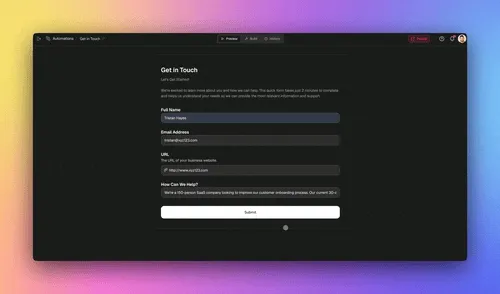
Where the patterns come from
The pattern vocabulary of agentic workflows has a canonical source: Anthropic's engineering essay Building Effective Agents, published December 19, 2024. It named the five workflow patterns builders still reach for — prompt chaining, routing, parallelization, orchestrator-workers, and evaluator-optimizer — and drew the line the field still uses: a workflow follows predefined code paths, while an agent directs its own process.
| Anthropic pattern (Dec 2024) | What it does |
|---|---|
| Prompt chaining | Steps run in sequence, each consuming the previous step's output |
| Routing | Classify the input, then send it down the right specialized path |
| Parallelization | Split the work, run the pieces at once, merge the results |
| Orchestrator-workers | A lead agent decomposes the goal and delegates to worker agents |
| Evaluator-optimizer | One agent generates, another critiques, and they loop until it passes |
Two things follow from knowing the provenance. First, the two vocabularies compose rather than compete: the four design patterns above (the framing popularized by Andrew Ng) describe what an agent does, while Anthropic's five describe how steps and agents get wired together — the harness that runs them, and the layer-by-layer agent stack they slot into. Second, when a creator teaches an "Agentic Stack" or a "DOE" (Directive → Orchestration → Execution) framework, you are almost always looking at a repackaging of this one essay. Useful teaching devices — but the original is short, free, and clearer than most of its imitations, and knowing the source lets you weigh every new framework against it.
The three levels of agentic autonomy
Not every "agentic" workflow is equally autonomous, and knowing which level you actually need keeps you from over-engineering. The category has settled on a three-rung ladder — popularized by Vellum and echoed across the enterprise guides — that runs from "the model decides the output" up to "the agent invents its own tools."
| Level | Name | Who decides what | Example |
|---|---|---|---|
| Level 1 | AI step | The model decides only the output of one step | An LLM classifies a ticket; you wired everything else |
| Level 2 | Router | The agent decides which tool or path to take next | The agent reads a lead and chooses enrich → score → route |
| Level 3 | Autonomous | The agent creates new steps and tools to reach the goal | The agent spots a missing capability and builds a workaround |
Most valuable business workflows live at Level 2 — the router. The agent is genuinely choosing its path through a known set of tools, which is where almost all the day-to-day leverage is, while staying observable and bounded. Level 1 is really just smart automation with a model in one slot. Level 3 is powerful but harder to keep on rails, so you reserve it for open-ended research and reach for tight guardrails when you do.
The practical takeaway: start at Level 2 and only climb to Level 3 when the work genuinely cannot be expressed as "pick the right tool from this set." The lead qualifier, support triage, and ops digest patterns later in this guide are all Level-2 routers, which is exactly why a non-developer can ship them safely in an afternoon.
Agentic workflow vs AI agent vs automation — the words, untangled
These three terms get used interchangeably, and that confusion costs teams real money when they buy the wrong tool. Here is the clean separation.
| Term | What it is | Analogy |
|---|---|---|
| Automation | A fixed sequence of steps that runs on a trigger | An assembly line |
| AI agent | A model with tools, memory, and a goal that reasons | A skilled worker |
| Agentic workflow | A system that orchestrates agents + automations toward an outcome | The whole workshop |
An automation is the conveyor belt. An AI agent is the worker who can make judgment calls. An agentic workflow is the workshop where workers and belts cooperate to ship a finished product. You do not pick one — the best systems combine all three, which is exactly what happens when you describe a goal in Taskade Genesis and it assembles the agent and the durable automation around it.
The Recovering state is the one a plain automation never reaches gracefully. It is also the state that, done well, lets you stop writing endless if error then... branches. For a deeper tour of how agents turn into hands-on workers, What Are AI Agents is the canonical primer, and AI Agents for Project Management shows them inside real workflows.
The n8n question: visual workflows or agentic workflows?
A visual workflow builder like n8n and an agentic workflow divide the same job in opposite ways: in n8n you design the logic node by node and the platform executes exactly what you wired; in an agentic workflow you state the outcome and the agent designs — and re-designs — the steps at runtime. The 2026 debate is really about who should own that logic.
The debate got loud because the history is compressing. Automation educators on YouTube now teach a three-wave periodization: chatbots (ChatGPT, late 2022), then visual "AI brain plus automation platform" builders — the n8n era, in a lineage that runs from Zapier's 2011 founding through Make — and now agentic tools, where natural language is the build interface. In their telling, each wave is a stepping stone rather than a funeral. As one prominent automation educator frames the middle era: "The ceiling wasn't what these systems could do; it was how long it took you to build them."
The case against visual builders is structural, not cosmetic. Simon Coton, an automation educator who has built hundreds of workflows across Zapier, Make, and n8n, names two failure modes: visual spaghetti — the six-month-old canvas nobody can read anymore — and the Jenga tower, where one renamed spreadsheet column or changed Slack channel topples the workflow and costs an afternoon of node-digging. His one-line thesis for the agentic side: "The complexity doesn't disappear — it stops being your problem." The speed gap is real too: one educator rebuilt his YouTube-channel digest — dedup database, filters, delivery, an afternoon of node-wiring in n8n — by describing it to an agentic coding tool in a single prompt, and it shipped in about two minutes. The full head-to-head lives in Claude Code vs n8n.
But the honest scorecard has a second column, and even the pro-agentic manifestos concede it:
| Where visual builders still win | Why it matters |
|---|---|
| Execution-based pricing | n8n bills per run, not per step: a 200-node run costs the same one execution as a 2-node run — far cheaper for complex, high-volume flows |
| Team handoff | A teammate can open the canvas, read the flow, and debug it without owning any code |
| Production ops out of the box | Run history, error notifications, and versioning come free; code-first agentic builds make you assemble all three yourself |
| Self-hosting | n8n's open-source Community Edition runs on your own server — data residency without a license |
The same educators list the agentic tax with equal candor: context drift in long build sessions, hallucinated API endpoints that only surface under real data, and do-it-yourself observability. If those trade-offs matter to your team, the wider landscape is mapped in n8n alternatives.
And here is where both camps land, despite the thumbnail wars: the fundamentals transfer. As one educator concluded in a video literally titled "Stop Learning n8n in 2026" — "n8n is not dead — it just became the foundation." Thinking in triggers, data flow, deduplication, and error handling is exactly what makes you good at directing an agentic tool; your role shifts from configuring nodes to supplying the plan, the direction, and the guardrails. Taskade's answer to the dilemma is to hold both ends at once: durable, hosted automation gives you the inspectable execution layer with run history built in, and the agent layer reasons over it — so you describe the outcome without inheriting the 2 a.m. operations burden that either extreme leaves you carrying.
Who builds agentic workflows now (and why no-code changed the game)
Until recently, building an agentic workflow meant writing orchestration code — wiring an LLM to a tool router, managing state, and babysitting retries. In 2026 that barrier is mostly gone. A new tier of no-code platforms — Lindy, Gumloop, and Taskade Genesis — put agentic workflows directly in the hands of non-developers, who now build the majority of new internal AI tools without an engineering ticket.
That matters most for people like David — an IT program manager who ships real apps with no engineers on staff. He does not want to learn an orchestration framework. He wants to describe what the workflow should accomplish and get a working one back.
| Approach | Who it's for | What you write | Time to first run |
|---|---|---|---|
| Code frameworks | Engineers | Orchestration code | Days to weeks |
| Node-by-node builders | Power users | A wired graph | Hours |
| Describe-the-outcome (Taskade Genesis) | Anyone | A sentence | Minutes |
The describe-the-outcome row is the one that opened the door. You stop being the person who designs every branch and become the person who states the goal and the guardrails. The system handles the orchestration. That is the same shift our AI agents that automate work playbook tracks across the whole category.

How Taskade does it differently: a living app, not just wired nodes
Here is the honest landscape. Most platforms that touch agentic workflows are, at heart, wiring tools — and several are very good at it. n8n gives you per-execution pricing and total control over a node graph (genuinely the most cost-efficient way to run complex, high-volume flows if you can self-host). Lindy ships polished agent templates fast. Zapier connects more apps than almost anyone. Make has a beautiful visual canvas. Shopify Flow is the cleanest way to automate inside a store. If your goal is to connect apps and move data between them, any of these can be the right answer — and you should pick one when that is genuinely the job.
But notice what every one of those produces at the end: an automation. A flow. A graph of connected nodes that you then have to maintain. Taskade Genesis produces something different — a living app built from a single prompt.
Taskade Genesis vs the alternatives, side by side
The honest version of the comparison. Each of these tools is genuinely good at something, and the right pick depends on the job. The wedge for Taskade Genesis is the last two rows: it turns one prompt into a living app with a self-reinforcing memory loop, not a flat graph you maintain by hand.
| Capability | Taskade Genesis | Automation Anywhere | Gumloop | Stackby | n8n | Lindy |
|---|---|---|---|---|---|---|
| Build from one plain-English prompt | Yes — describe the outcome | No — RPA bot design | Partial — assemble nodes | No — spreadsheet-database | No — wire the node graph | Partial — template + tweak |
| Output is a living app (not just a flow) | Yes — app + sign-in | No — automation runs | No — a flow | No — a database | No — a node graph | No — an agent flow |
| Memory + Intelligence + Execution loop | Yes — Workspace DNA | No | No | No | No | No |
| Built-in agent tools | built-in | Add-on agents | Tool nodes | None native | Community nodes | Built-in set |
| Multi-agent teams that hand off | Yes, native | Enterprise add-on | Limited | No | DIY in code | Yes |
| Pricing model | Flat monthly, no per-task | Enterprise quote | Per-credit | Per-seat | Per-execution (self-host = lowest cost) | Per-task |
| Best for | Non-devs shipping living apps | Large-enterprise RPA | Visual AI pipelines | Spreadsheet-style data apps | High-volume, self-hosted control | Quick agent templates |
Read this honestly. If you run a regulated enterprise that needs heavyweight desktop robotic process automation, Automation Anywhere is built for exactly that. If you want a beautiful visual canvas for AI data pipelines, Gumloop is excellent. If your work is fundamentally a smarter spreadsheet, Stackby fits. If you can self-host and want the lowest possible cost-per-run with total control, n8n is unbeatable. If you want polished agent templates in minutes, Lindy ships fast. Taskade Genesis wins when you want to describe an outcome and get back a living app — agents, automations, data, and a shareable front end — without becoming the person who maintains a node graph forever.
The wedge is Workspace DNA — three layers that feed each other in a loop a flat scenario builder does not have:
- Memory is your Projects and data, viewable in 7 ways (List, Board, Calendar, Table, Mind Map, Gantt, Org Chart — Timeline lives inside the Gantt view). The agent's reasoning has something real to reason over.
- Intelligence is your AI agents, each with built-in tools — web search, code execution, file analysis, custom slash commands, persistent memory — routing across frontier models from top AI labs. Agents can even work as a multi-agent team: one researches, one drafts, one reviews, and they hand off.
- Execution is durable automation plus 100+ bidirectional integrations — triggers pull events in, actions push data out — that can branch, loop, filter, wait for days, and resume from the exact step that failed.
Each layer makes the next stronger. Execution writes new data into Memory; richer Memory sharpens Intelligence; sharper Intelligence drives better Execution. A wired-node flow has no equivalent of that compounding loop — it does the same thing every time, forever.
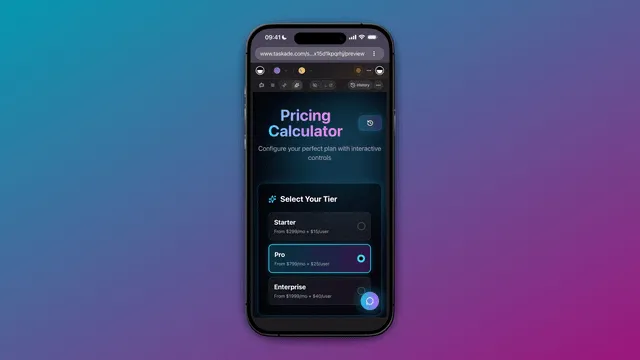
And because the output is an app, not a graph, you can publish it on a custom domain with built-in sign-in, or share it as a one-click clone in the Community Gallery. The research agent embedded above is exactly that: someone's agentic workflow, shipped as a living app, that you cloned in seconds. Try the same flow on the AI app builder and the automation hub.
The honest tradeoff: if you specifically want to hand-tune every branch of a node graph, or you need to self-host for cost or compliance reasons, a dedicated wiring tool like n8n gives you more granular control over the plumbing. Taskade trades some of that low-level control for a much higher altitude — you describe the outcome and ship an app, instead of maintaining the graph.
What a Taskade Genesis agentic workflow actually gives you
When you describe an agentic workflow in Taskade Genesis, you do not get a single bot — you get the whole platform wired around your goal. Here is the full surface, and how each piece maps onto the workflow you are building.
| Capability | What it is | Why it matters for your workflow |
|---|---|---|
| Workspace DNA | Memory + Intelligence + Execution loop | The agent reasons over real data, acts, and writes results back — so the system gets sharper each run |
| Multiple project views | List, Board, Calendar, Table, Mind Map, Gantt, Org Chart | The agent's data is something you can see and steer (Timeline lives inside the Gantt view) |
| built-in agent tools | Web search, code execution, file analysis, slash commands, persistent memory | The agent picks the right tool per step instead of you wiring each branch |
| Multi-agent teams | Specialist agents that hand off to each other | Split a big workflow into researcher → writer → reviewer that pass work down the line |
| 100+ bidirectional integrations | Triggers pull events in, actions push data out | Connect Slack, Gmail, Shopify, Stripe and hundreds more on both sides |
| Frontier models | Models from top AI labs | Route each step to the model that fits — no lock-in to one provider |
| Custom domains + app publishing | Ship the workflow as a live app with sign-in | Your agentic workflow becomes a product other people can use |
| Role-based access | Owner through Viewer | Only the right people can change a workflow or approve its consequential actions |
The piece that flat scenario builders cannot match is the multi-agent team. Instead of one agent trying to do everything, you split the workflow into specialists — and they hand off to each other the way a real team does.
In The Nvidia Way, Tae Kim documents how Jensen Huang runs a flat organization where "the ultimate boss is the mission itself," and every project has one named "pilot in command" so a person's name is attached to every outcome. The same discipline keeps a multi-agent workflow honest: give each agent one clear job and one owner of the result, and the system stays accountable instead of diffuse. For more on how Jensen Huang runs NVIDIA, the operating playbook reads like agent design.
Each agent carries its own tools and its own slice of memory, so they do not step on each other — the same separation-of-concerns that makes a human team work. For the hard-won field notes on keeping these teams reliable at scale, multi-agent collaboration in production collects what breaks and how to fix it. Spin one up from the AI agent builder, wire the execution side in the automation hub, and publish the result as a cloneable app to the Community Gallery.
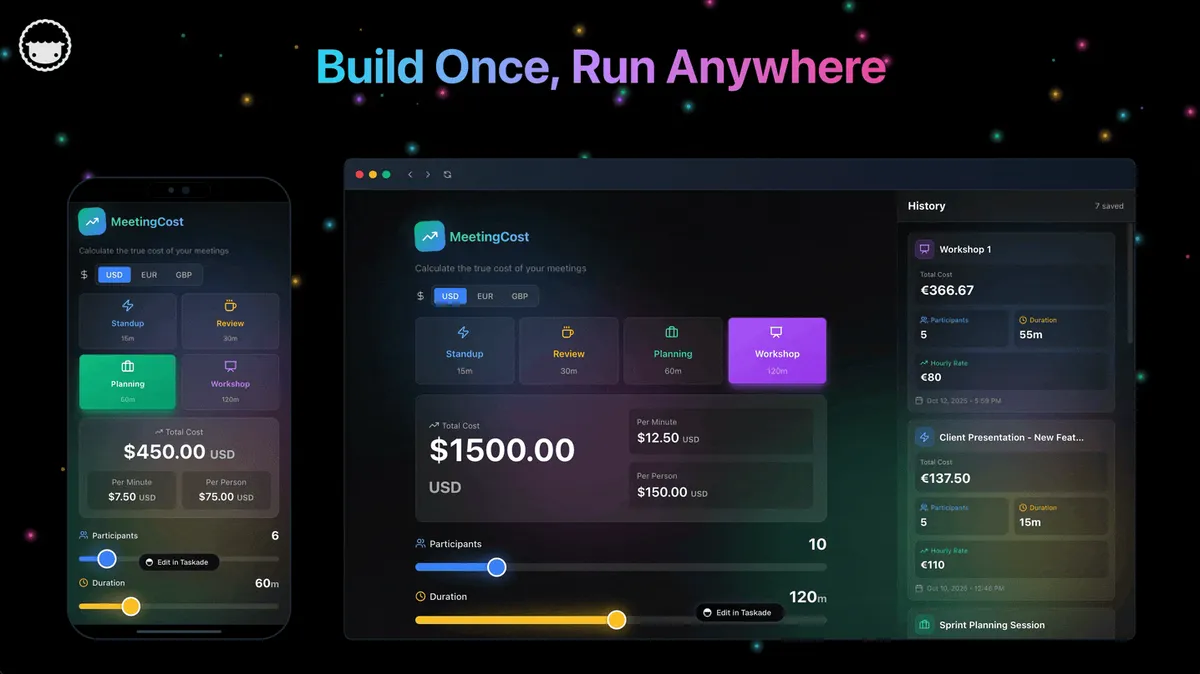
Five agentic workflows you can build this week
The fastest way to internalize this is to map the pattern onto work you already do. Each of these is a real agentic workflow — a goal, a reasoning loop, tools, and guardrails — that a non-developer can stand up in Taskade Genesis.
| Workflow | Goal | Tools the agent picks | Guardrail |
|---|---|---|---|
| Lead qualifier | Score & route inbound leads | Enrichment, CRM, scoring | Approve before outreach |
| Support triage | Draft replies, escalate edge cases | Knowledge base, ticketing | Human reviews escalations |
| Research brief | Gather sources, write a summary | Web search, file analysis | Cite every claim |
| Content pipeline | Draft → review → publish | Writing, editing, CMS push | Editor approves publish |
| Ops digest | Daily status from many tools | Integrations, summarization | Read-only data access |
Notice that every row has a guardrail. That is not optional polish — it is what makes a self-running workflow trustworthy. The agent handles the routine judgment; you keep a checkpoint on the consequential action (money moving, messages sending, content publishing). With role-based access (Owner to Viewer), only the right people can change the workflow itself.
Start with the simplest one that removes a real chore, ship it, then add the next. That incremental path — outcome by outcome — is how teams without engineers end up running a dozen self-running systems by the end of a quarter.
A practical way to choose your first workflow: pick the chore you currently do that is high-frequency, low-stakes, and judgment-light at the routine level but judgment-heavy at the edges. Lead qualification is the classic example — you do it many times a day, most cases are routine, and the only moments that truly need a human are the genuine edge cases. Hand the routine to the agent, keep the edges for yourself, and you reclaim hours without ever feeling like you lost control. Once that first workflow has earned your trust for a week, the second one is an easy decision, because you have seen the guardrails hold.
A note on cost as you scale. One reason teams stall after their first workflow is that per-task pricing on legacy automation tools punishes success — the more the workflow runs, the more it costs, sometimes unpredictably. Building agentic workflows inside Taskade Genesis avoids that trap: every paid tier includes the agents, the durable automations, and the 100+ integrations at a flat monthly price, so running a workflow ten thousand times this month does not produce a surprise bill next month. That predictability is what makes it sane to keep adding self-running systems instead of rationing them.
Common mistakes when building your first agentic workflow
Most first attempts fail for the same handful of reasons, and every one of them is avoidable. Teams who get past these in their first week tend to ship steadily after that.
| Mistake | Why it hurts | The fix |
|---|---|---|
| Goal too vague | Agent wanders, never finishes | Define "done" as a concrete output |
| No step budget | A bad run loops and burns resources | Cap tool calls; escalate on the ceiling |
| Too many tools | Agent gets distracted or risky | Allow-list only the tools the task needs |
| No guardrail on actions | Agent sends or spends unsupervised | Require approval before consequential acts |
| Skipping the human edge case | Rare cases go wrong silently | Route low-confidence cases to a person |
The pattern across all five is the same: agentic does not mean unsupervised, it means self-directed within boundaries. The whole skill of building these systems — the agentic engineering discipline — is choosing boundaries tight enough to be safe and loose enough that the agent can still do real work. Start tight. You can always widen the agent's autonomy once it has earned trust on the routine cases, and a workflow that asks for help too often is a far cheaper problem than one that acts wrongly without asking.
There is also a subtler mistake: treating the agent as a black box you cannot see into. A good agentic workflow logs its reasoning — which tool it picked, what it observed, why it moved on — so when something looks off, you can read the trail instead of guessing. In Taskade Genesis, that history lives alongside the app itself, so reviewing a run is as easy as scrolling back through what the agent did and why. Observability is what turns "I think it works" into "I can prove what it did," and that is the bar an operator like David needs before he hands a workflow real responsibility.
Where agentic workflows are heading
Agentic workflows are widely framed as a practical step toward more general AI: as agents reason over more context, wield more tools, and coordinate as teams, they absorb a steadily wider band of open-ended work. But you do not have to care about that horizon to get the value today — the point of a self-running system is that it does real work now, this week, without you in the loop for every step.
Where this is heading, in Taskade's view: the end state is that every team runs on a self-reinforcing loop of Memory, Intelligence, and Execution — your projects remember, your agents reason over that memory, your automations act, and every action writes new memory that makes the next run smarter. One prompt becomes a living app that improves itself the more it runs, instead of a static flow that decays the moment reality shifts. The teams that win the next few years will not be the ones with the most automations wired by hand; they will be the ones whose workflows compound — where describing an outcome is enough, and the system gets better on its own. That is the whole point of Workspace DNA, and it is already shippable today.
The bars track how little effort it takes to ship; the line tracks how much autonomy you get back. The describe-the-outcome approach is the rare case where both go up at once — less work in, more self-running system out.
If you do want the horizon view — how this category connects to the longer arc of increasingly capable AI — that is the whole subject of the companion piece, Agentic Workflows: Paving the Path Toward AGI. If you want to go a level deeper on the craft of designing, testing, and shipping these systems reliably, What Is Agentic Engineering is the discipline behind the patterns in this guide. And to see the build experience end to end, the AI workflow generator walkthrough shows a prompt turning into a running workflow.
For the practical builder, the move is the same either way: pick one chore, describe the outcome, set a guardrail, and let the agent run it.
Frequently asked questions
What is an agentic workflow in plain English?
It is an AI system that reasons instead of just following a script. You give it a goal, and an AI agent figures out the steps, picks the tools, and handles surprises on its own — without a human approving each step. Taskade Genesis lets you build one by describing the outcome in a sentence.
How is it different from a Zapier or Make automation?
Those run a fixed path you wired in advance and stop when an input does not match the plan. An agentic workflow reads the situation and improvises a recovery. In Taskade you get both — durable automation for the reliable plumbing plus an AI agent for the judgment calls.
Are agentic workflows just automation?
No — automation runs a fixed path defined in advance; an agentic workflow adds a reasoning loop that decides the next step at runtime. Anthropic's Building Effective Agents draws the canonical line: workflows follow predefined code paths, agents direct their own process. The strongest systems combine both layers.
How are agentic workflows different from a visual builder like n8n?
In n8n you design the logic node by node and the platform executes it, with per-execution pricing and built-in run logs. In an agentic workflow the agent designs the steps at runtime from your stated goal. The trade-offs — and where each side wins — are covered in the n8n section above and in Claude Code vs n8n.
What are the main agentic workflow design patterns?
Four: reflection (the agent critiques and revises its own work), tool use (it picks and chains the right tools at runtime), planning (it breaks a goal into ordered steps), and multi-agent collaboration (specialist agents hand off to each other). Most real workflows combine all four. In Taskade Genesis, agents ship with built-in tools and can form multi-agent teams, so you compose these patterns by describing the outcome.
Can I really build one without code?
Yes. No-code platforms like Lindy, Gumloop, and Taskade Genesis put agentic workflows in non-developer hands. You describe the result; the platform assembles the agent, the built-in tools, and the 100+ integrations for you.
How do agentic workflows handle errors?
Through reasoning, not predefined fallback code. When data is missing or malformed, the agent decides how to recover — search for it, ask, route to a human, or try another tool. Underneath, durable automation can resume from the exact step that failed.
Are they safe to run without supervision?
They can run unsupervised, but good design keeps humans on the high-stakes moments via guardrails: tool allow-lists, approval before money moves or messages send, and role-based access. The agent handles routine judgment; you checkpoint the consequential actions.
How much does it cost to start?
Taskade Genesis is free to start. Paid annual plans are Pro $10/mo (the most popular tier), Business $25/mo, Max $100/mo, and Enterprise $250/mo — every paid tier includes agents, automations, and integrations.
What's the difference between an AI agent and an agentic workflow?
An agent is the reasoning unit — a model with tools, memory, and a goal. An agentic workflow is the larger system that orchestrates agents and automations toward an end-to-end outcome. One workflow can coordinate a whole team of agents.
How do I keep a multi-agent workflow accountable?
Give every agent one clear job and one owner of its result, so accountability stays attached to a person rather than spread across the system. Scope each agent's tools to its task, route the consequential moments through approval, and use role-based access so only the right people change the workflow.
Where can I see a working example?
Clone the live research agent embedded earlier in this article, or browse more in the Community Gallery and run one in your own workspace in about 30 seconds.
Ready to build a self-running system instead of babysitting a script? Start free with Taskade Genesis — describe the outcome, set your guardrails, and watch an AI agent reason, pick its tools, and run the work. Then explore the automation hub, browse cloneable apps, and read the companion explainers on the path toward AGI and agentic engineering.
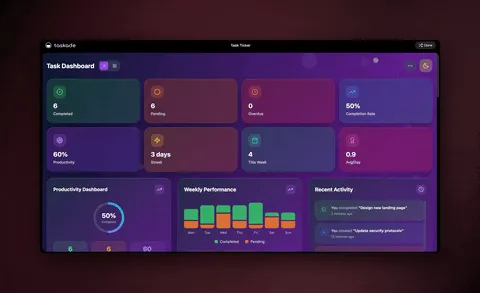
▲ ■ ● Memory, Intelligence, Execution — describe the outcome, and Taskade Genesis remembers your data, reasons over it, and runs the work without you approving each step. That's the difference between an automation you maintain and an agentic workflow that runs itself.