







Prompt engineering had a good run. For two years, the AI industry obsessed over the perfect instruction — the ideal system prompt, the flawless chain-of-thought template, the magic words that would make GPT do what you wanted. It worked, until it didn't.
In 2026, the consensus shifted. Gartner declared this "The Year of Context." Phil Schmid at Google DeepMind published a definition that spread across every AI engineering team on the planet: context engineering is "the discipline of designing and building dynamic systems that provide the right information and tools, in the right format, at the right time." An industry survey found that 82% of IT and data leaders agree that prompt engineering alone is no longer sufficient to power AI at scale.
The distinction is simple but profound. Prompt engineering asks how do I phrase this? Context engineering asks what does the model need to know?
This field guide covers everything: the 5-layer context stack, production design patterns, anti-patterns that silently degrade your agents, memory architectures, and the tools that make it all work. Whether you are building AI agents for a startup or deploying them across an enterprise, this is the reference you need.
TL;DR: Context engineering is the practice of architecting the entire information environment for AI agents — not just the prompt, but memory, tools, retrieval, and state. It is the defining AI skill of 2026. Taskade implements all 5 context layers through Workspace DNA, giving AI agents persistent memory, built-in tools, and 100+ integrations without code. Try it free.
What Is Context Engineering?
Context engineering is the discipline of designing what information an AI model receives, how that information is structured, and when it enters the context window. It treats the model's input not as a single prompt but as a dynamic, multi-layered system that changes based on the task, the user, and the environment.
Phil Schmid's original formulation breaks it into four operations:
- Context Offloading — move information out of the prompt into external systems (databases, files, APIs). A common 2026 form: the agent harness writes a large tool result to a file and shows the model only its head and tail
- Context Reduction — compress or summarize old information to prevent context rot
- Context Retrieval — pull relevant information in dynamically (RAG, search, knowledge bases)
- Context Isolation — separate concerns so different agents or tasks get only what they need
This is not a rebrand of prompt engineering. It is a fundamentally different engineering discipline, closer to systems architecture than copywriting.
The 5-Layer Context Stack
Every AI agent operates within a stack of five context layers. Each layer contributes different information, and the quality of each layer determines whether the agent succeeds or fails.
The stack is not just a conceptual model. It maps directly to what the model sees in its context window at inference time. Poorly engineered stacks produce unreliable agents. Well-engineered stacks produce agents that handle real professional tasks with high accuracy.
Prompt Engineering vs Context Engineering
The shift from prompt engineering to context engineering is not a matter of semantics. It reflects a fundamental change in how production AI systems are built.
| Dimension | Prompt Engineering | Context Engineering |
|---|---|---|
| Scope | Single text instruction | Entire information environment |
| Optimization target | Phrasing, wording, chain-of-thought | Data architecture, tool selection, memory design |
| Failure mode | Wrong output from ambiguous instructions | Wrong output from missing or irrelevant context |
| Persistence | Stateless (each prompt is independent) | Stateful (memory persists across sessions) |
| Skill profile | Writer, linguist | Systems architect, data engineer |
| Scale | Works for single tasks | Required for multi-agent systems |
This does not mean prompt engineering is dead. A well-crafted system prompt (Layer 1) is still essential. But prompt engineering is now one input into a much larger context engineering system — the text layer in a five-layer stack.
Gartner's framing is direct: context engineering gives AI systems "the situational awareness needed to act with relevance and precision." Without it, you have a model that can reason but cannot see.
When Prompts Are Not Enough
Consider a real scenario. You ask an AI agent to "write a quarterly business review for Q1 2026." With prompt engineering alone, the agent generates a generic template filled with placeholder data. It has no context about your business.
With context engineering, the agent has access to:
- System prompt defining the report format and tone your team uses
- Tools to query your CRM, pull Salesforce data, and check Jira tickets
- Memory of the Q4 2025 review it wrote three months ago, including your CEO's feedback
- Retrieval pulling the actual revenue numbers from your data warehouse
- State knowing it is April 2026, the review is for the board meeting next Tuesday, and the CFO prefers charts over tables
The output difference is not incremental. It is the difference between a useless template and a deployable document.
The 5 Layers of Context
Each layer of the context stack serves a distinct purpose. Mastering context engineering means understanding what belongs in each layer, how to keep each layer lean, and how the layers interact.
Layer 1: System Prompt
The system prompt defines who the agent is, what it should do, and what constraints it operates under. It is the most familiar layer for anyone who has done prompt engineering.
What belongs here:
- Agent persona and role definition
- Output format specifications (JSON, markdown, structured data)
- Hard constraints (never reveal API keys, always cite sources, stay under 500 words)
- Task-specific instructions that do not change between conversations
What does NOT belong here:
- User-specific data (that is memory or retrieval)
- Tool definitions (those are Layer 2)
- Conversation history (that is state)
A common mistake is overloading the system prompt with everything the agent might need. This wastes tokens on information that is only relevant 10% of the time and pushes genuinely important context further from the model's attention.
Best practice: Keep system prompts under 2,000 tokens. Move everything else to the appropriate layer.
Layer 2: Tools
Tools define what the agent can do — not just what it knows, but what actions it can take in the world. This layer has grown dramatically with the adoption of Model Context Protocol (MCP) and function calling.
Types of tools:
- Read tools — search the web, query databases, read files, check calendars
- Write tools — create documents, send messages, update records, trigger automations
- Compute tools — run code, perform calculations, generate charts
- Integration tools — connect to external services via 100+ integrations
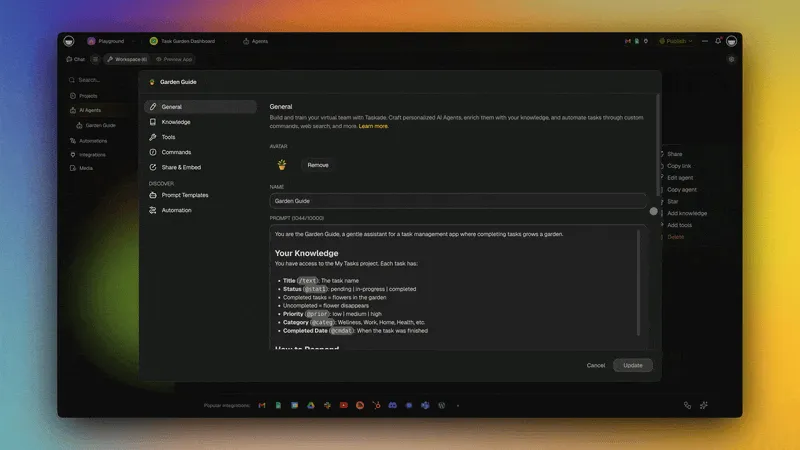
The tool layer is where context engineering diverges most sharply from prompt engineering. A prompt engineer thinks about text. A context engineer thinks about capabilities — what can this agent do, and what should it be allowed to do at this moment?
Taskade's approach: Every AI agent in Taskade has access to built-in tools plus custom tools you define. The agent can search the web, manage projects, generate content, analyze data, and connect to external services — all configured through natural language, no code required.
| Tool Category | Examples | Token Cost |
|---|---|---|
| Search & retrieval | Web search, knowledge base query, file read | 200-500 tokens per tool definition |
| Content creation | Write document, generate image, create project | 300-600 tokens per tool definition |
| Communication | Send email, post to Slack, notify team | 150-400 tokens per tool definition |
| Data & analytics | Query database, run calculation, generate chart | 400-800 tokens per tool definition |
| Automation triggers | Start workflow, schedule task, invoke automation | 200-500 tokens per tool definition |
Key insight: Every tool definition consumes tokens in the context window. An agent with 50 tools loaded burns thousands of tokens before it even reads the user's message. This is why tool gating is essential.
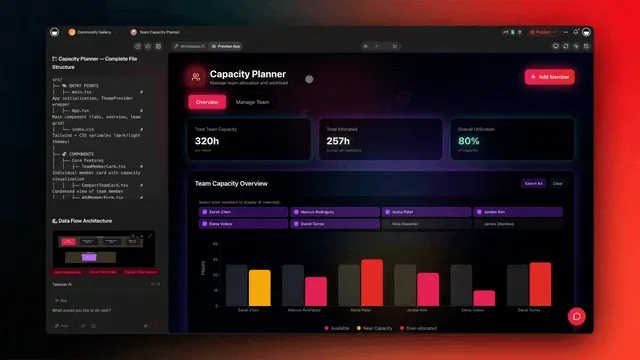
Layer 3: Memory
Memory is what separates a stateless chatbot from a genuine AI agent. It is also where most production systems fail. Phil Schmid identifies memory management as the primary cause of "context rot" — the gradual degradation of model performance as the context fills with stale or irrelevant information.
The 5 types of AI agent memory:
| Memory Type | Purpose | Persistence | Example |
|---|---|---|---|
| Core Memory | Permanent identity facts | Indefinite | "The user is a product manager at a Series B startup" |
| Reference Memory | Stable knowledge bases | Updated periodically | Company wiki, product documentation, style guides |
| Working Memory | Current task state | Duration of task | "Step 3 of 7 complete. Waiting for API response." |
| Navigation Memory | Workspace awareness | Session-scoped | "The Q1 report is in /reports/2026/q1-review.md" |
| Learning Memory | Discovered patterns | Grows over time | "This user prefers bullet points over paragraphs" |
For a deeper exploration of memory architectures, see our complete guide to AI agent memory types.
Taskade's implementation: In Taskade, projects serve as persistent memory for AI agents. When you train an agent on your documents, those documents become Reference Memory. When the agent creates tasks and tracks progress, that is Working Memory. When it learns your preferences over time, that is Learning Memory. The workspace itself is the memory layer — no external vector database required.
This is the core of Workspace DNA: Memory (Projects) feeds Intelligence (Agents), Intelligence triggers Execution (Automations), and Execution creates new Memory. A self-reinforcing context loop.
Layer 4: Retrieval
Retrieval is the dynamic layer — information pulled into the context window on demand based on the current query. This is where Retrieval-Augmented Generation (RAG) lives.
Retrieval sources:
- Vector databases — semantic search over embeddings (Pinecone, Weaviate, Qdrant)
- Full-text search — keyword matching over document corpora
- Knowledge bases — structured documentation and FAQs
- Live APIs — real-time data from external services
- Workspace search — searching across projects, tasks, and documents within your workspace
The retrieval quality equation:
Output Quality = Model Capability x Retrieval Precision x Context Freshness
You can have the best model in the world, but if retrieval returns irrelevant documents, the output will be wrong. Context engineering treats retrieval as a precision problem: how do you get the right 5 documents out of 50,000, and present them in a format the model can use effectively?
Common retrieval failures:
- Returning too many documents — 20 results when 3 would suffice, wasting tokens
- Returning stale data — information from 2024 when the user needs 2026 numbers
- Poor chunking — splitting documents at arbitrary boundaries that break semantic coherence
- Missing reranking — presenting results in embedding similarity order instead of task relevance
Layer 5: State
State is the real-time context — where the agent is, what it is doing right now, and what has happened in the current session.
State includes:
- Current conversation history (recent messages)
- Task progress (which steps are complete, what is pending)
- User environment (timezone, device, permissions, role)
- Application state (which page the user is on, what data is selected)
- Error state (what went wrong, what was tried, what to do differently)
State is the most volatile layer. It changes with every interaction. The challenge is keeping state lean — preserving what matters while discarding noise.
Taskade's state layer: When you work with an AI agent in Taskade, the agent sees your current project structure, active tasks, recent changes, and team activity. This ambient state means you rarely need to explain where you are or what you are working on — the agent already knows.
▲ ■ ● The Context-Layer Fork: Karpathy Wiki vs Open Brain
"Deciding how you organize your context layer is one of the single most important things you can do in 2026."
— Andrej Karpathy (paraphrased from his April 2026 framing).
⚠️ Read that alongside what the primary research shows below. How you organize the context layer matters enormously for what you can build on it. It does not follow that tidier context is easier for a model to search — Chroma's measurements found the opposite. Organization is an architecture decision, not an automatic retrieval win.
There are two architectural answers to the context-engineering question, and the choice determines what kind of system you can build on top of it. Both are right; both are different.
| Approach | When AI thinks | Cost shape | Best for | Failure mode |
|---|---|---|---|---|
| Karpathy Wiki (write-time) | When you write the document | Up-front, then cheap forever | <10K high-signal docs, knowledge bases, SOPs, evergreen content | Wiki staleness reads like active misinformation |
| Open Brain (query-time / RAG) | When you ask the question | Pay-per-query, scales with traffic | Live data, customer support, ever-changing facts | Database staleness reads like ignorance |
| Hybrid (Taskade Genesis Workspace DNA) | Both, depending on the project type | Pre-paid for evergreen, on-demand for live | Real workspaces with both reference and live data | Requires choosing per project, not globally |
Karpathy's lightweight version: an Obsidian vault + a CLAUDE.md file + Claude Code as the query engine. He calls it "air-quote RAG" because it solves the graph-RAG retrieval problem without the vector-DB infrastructure tax. The trick is that you spent your write-time turning chaos into structure. The Wiki sweet spot is roughly 100 to 10,000 high-signal docs. Beyond that, transition to vector RAG — write-time synthesis stops scaling when concurrency arrives. Two agents editing the same markdown page is a mess; a database handles concurrent access.
Taskade Genesis is the hybrid by design. Memory (Projects) is the write-time half — structured, typed, durable. Intelligence (AI Agents with multi-layer search across full-text, semantic, and file content) is the query-time half. You don't have to choose globally. The Workspace DNA already decides per project type.
A practical rule for operators choosing between the two halves:
- Use write-time for SOPs, brand voice, training samples, product specifications, evergreen knowledge — anything where the cost of editorial loss (forced structuring) is lower than the cost of recurring query-time synthesis.
- Use query-time for live customer data, support tickets, market data, anything where contradictions between sources are features, not bugs.
- Note from the Karpathy auto-research loop: when meta-agents only got scores (no reasoning traces), improvement rate dropped sharply. Traces are part of the context stack. Pair this with Layer 5 (State) — preserve traces, not just outputs.
5 Context Engineering Patterns
These are the design patterns that production AI teams use to manage context effectively. Each pattern addresses a specific failure mode.
Pattern 1: Persistent Context Restoration
Problem: An agent loses all context when a session ends. The next session starts cold.
Solution: Store working context in durable workspace artifacts (documents, projects, task lists) and reconstruct the agent's state from those artifacts at the start of each session.
In Taskade, this happens naturally. When an agent creates or modifies a project, that project persists independently of the chat session. The next time the agent is invoked, it can read the project state and resume exactly where it left off. This is Workspace DNA in action — Memory feeds Intelligence.
When to use: Long-running tasks, multi-session workflows, any scenario where an agent needs to pick up where it left off.
Pattern 2: Tool Gating
Problem: An agent has access to 50 tools but only needs 5 for the current task. The unused 45 tool definitions waste thousands of tokens and increase hallucinated tool calls.
Solution: Dynamically expose only the tools relevant to the current task, user role, or conversation stage.
Implementation approaches:
- Role-based gating — Admin users see delete/modify tools; viewers see read-only tools
- Task-based gating — A research task exposes search tools; a writing task exposes content creation tools
- Stage-based gating — First turn exposes planning tools; later turns expose execution tools
A study from the Vercel AI team demonstrated the power of tool gating: removing complex tools from their context window improved accuracy from 80% to 100% while using 40% fewer tokens. Less context, better results.
When to use: Any agent with more than 10 available tools. The more tools an agent has, the more important gating becomes.
Pattern 3: Context Compression
Problem: After 20 exchanges, the conversation history consumes 15,000 tokens. The model's attention to recent messages degrades.
Solution: Periodically summarize old conversation history into compact representations.
Compression strategies:
| Strategy | How It Works | Token Savings | Best For |
|---|---|---|---|
| Rolling summary | Summarize oldest N messages into a single paragraph | 60-80% | Long conversations |
| Hierarchical compression | Maintain a summary of summaries, with recent messages in full | 70-85% | Multi-day workflows |
| Semantic deduplication | Remove repeated information across messages | 30-50% | Iterative refinement tasks |
| Decision-only compression | Keep only decisions and outcomes, drop deliberation | 80-90% | Project management workflows |
When to use: Any conversation expected to exceed 10 exchanges. Start compressing early — do not wait until the context window is full.
Pattern 4: Retrieval Budgeting
Problem: The retrieval layer returns 20 documents totaling 12,000 tokens, leaving little room for the model's reasoning.
Solution: Allocate a fixed token budget for retrieval and enforce it across all sources.
Budget allocation framework:
Total context window:     128,000 tokens
- System prompt:            2,000 tokens (1.5%)
- Tool definitions:         3,000 tokens (2.3%)
- Memory (core + working):  5,000 tokens (3.9%)
- Retrieval budget:         15,000 tokens (11.7%)
- Conversation state:       8,000 tokens (6.3%)
- Reserved for output:      20,000 tokens (15.6%)
- Safety margin:            75,000 tokens (58.6%)
The safety margin matters more than most developers realize. Models perform best when the context window is less than 30-40% full. Filling it to capacity triggers context rot — the model struggles to attend to all information equally and accuracy drops.
When to use: Any agent with retrieval. Set budgets per source (e.g., max 5,000 tokens from the knowledge base, max 3,000 from web search) and enforce them with truncation or reranking.
Pattern 5: Multi-Agent Context Sharing
Problem: Multiple agents working on related tasks duplicate effort because they cannot see each other's context.
Solution: Create shared context spaces where agents read and write relevant state.
In Taskade's multi-agent architecture, agents share context through the workspace itself. A research agent writes findings to a project. A writing agent reads those findings and produces a draft. A review agent reads the draft and posts feedback. The project is the shared context space — no custom message bus or inter-agent protocol required.
When to use: Any workflow involving two or more agents. The shared context space prevents duplication and ensures agents build on each other's work rather than starting from scratch. Learn more about building multi-agent teams without code.
In production, two architectures are converging on this pattern. Taskade Genesis runs the shared context space inside the workspace — Memory (Projects) is the message bus, Intelligence (Agents) read and write to it, Execution (Automations) closes the loop. Airtable's Hyperagent — covered in depth in the history of Airtable — runs each agent in its own isolated cloud computing environment with shared rubrics, memory, and an LLM-as-judge fleet command center as the coordinator. Different topologies, same context-engineering insight: the shared space is the agent.
Context Engineering Anti-Patterns
Knowing what not to do is as important as knowing the patterns. These anti-patterns silently degrade agent performance and are common in production systems. Five are below; two more (6 and 7) were added in the 2026 update that follows this section.
Anti-Pattern 1: Context Stuffing
What it looks like: Dumping every document, tool definition, and instruction into the context window "just in case."
Why it fails: Models have finite attention. Research consistently shows that performance degrades as irrelevant information increases, even when the relevant information is present. The Vercel team's finding — removing tools improved accuracy from 80% to 100% — is the canonical example.
Fix: Apply retrieval budgeting (Pattern 4) and tool gating (Pattern 2). Every token in the context window should earn its place.
Anti-Pattern 2: Immortal Memory
What it looks like: Never pruning, summarizing, or expiring memory entries. The agent remembers everything forever, including outdated facts, superseded decisions, and resolved issues.
Why it fails: Stale memory contradicts current reality. An agent that remembers "the CEO is Sarah" when the CEO changed to Michael six months ago will produce incorrect outputs with high confidence.
Fix: Implement memory lifecycle management. Core Memory gets manual updates. Working Memory expires when a task completes. Learning Memory gets validated periodically. No memory should be immortal.
Anti-Pattern 3: Monolithic System Prompts
What it looks like: A 5,000-token system prompt that covers every possible scenario — formatting rules, persona, constraints, examples, error handling, edge cases, and fallback behavior.
Why it fails: The model pays less attention to instructions buried deep in a long system prompt. Critical constraints get lost in noise.
Fix: Keep the system prompt under 2,000 tokens. Move examples into retrieval (pull them in when relevant). Move error handling into tool definitions. Move persona details into Core Memory.
Anti-Pattern 4: Retrieval Without Reranking
What it looks like: Sending the top-K results from a vector search directly into the context window, ranked by embedding similarity.
Why it fails: Embedding similarity does not equal task relevance. A document about "project management" may be semantically similar to a query about "managing a Q1 project review" but contain none of the specific data needed for the task.
Fix: Add a reranking step between retrieval and context injection. Use cross-encoder models or LLM-based rerankers to sort results by actual task relevance, not just semantic similarity.
Anti-Pattern 5: Ignoring Token Economics
What it looks like: Treating the context window as unlimited. No budgets, no monitoring, no awareness of how many tokens each layer consumes.
Why it fails: You hit context limits unpredictably. Some requests work, others fail. Costs spike. Latency increases. The system is unreliable.
Fix: Monitor token usage per layer. Set budgets. Alert when a layer exceeds its allocation. Treat context capacity as a finite resource that requires engineering, just like compute or storage.
What the Primary Research Actually Shows (2026 Update)
Two primary sources underpin most of what is now written about context engineering, and both are worth reading directly rather than through secondary summaries.
Chroma's Context Rot study (18 models, 194,480 LLM calls) holds task difficulty constant and varies only input length. Most long-context benchmarks lack that control: difficulty changes along with length, so a lower score cannot be pinned on length alone. Its most useful finding contradicts advice repeated across this field, including in the section above: a coherent, well-structured haystack is harder for a model to search than the same content shuffled into random order. That held across every model tested. Organizing your context well is not automatically a win, and it needs measuring rather than assuming.
Anthropic's context engineering guidance frames the same constraint as an attention budget: every token you add competes with every other token for a finite resource. A rule you add is not free even when it is correct — it spends attention something else was using.
Anti-Pattern 6: Shipping a Context Change Without a Noise Floor
Continuing the anti-pattern list from the section above.
What it looks like: Making a context change, measuring once, seeing an improvement, and promoting it.
Why it fails: Run the unchanged pipeline twice and the result moves anyway. In our own measurements, per-task run-to-run variance ranged from 10.5% to 50.0% with a mean of 29.6%, while aggregate totals stayed far tighter at 5.2%. METR found that changing only the evaluation harness — same model, same tasks — moved GPT-4o's measured time horizon from 9.2 minutes to 6.0 minutes. Most single-run context improvements reported in this field sit inside bands like these.
Fix: Measure your evaluation noise floor before you measure anything else — the full method and the four results it explains are in A Year of Agent Memory Experiments, and treat any per-arm magnitude change smaller than that floor as unproven. Categorical outcomes — did it produce a working artifact, did the rule fire at all — are exempt, because they are facts about the artifact rather than sampled magnitudes.
Anti-Pattern 7: Writing a Rule Where an Artifact Would Do
What it looks like: Fixing every unwanted behavior by adding another line to the system prompt.
Why it fails: A prompt rule must win against every competing instruction, on every generation, forever, and you pay input tokens for it each time. We tested a mandated clarifying question that fired on 0 of 4 arms across three model families; deleting the instruction it was losing to restored the behavior on 4 of 4. Separately, changing only what one tool returned on an error cut tool errors from 7 to 3 and steps from 28 to 17, with no prompt change at all.
Fix: Before writing a rule into a prompt, ask what artifact would make the rule unnecessary — a seeded file, a schema, a permission, a better tool response. Ship the artifact. Reserve prompt rules for constraints no artifact can express. Full treatment: Structure Beats Instruction.
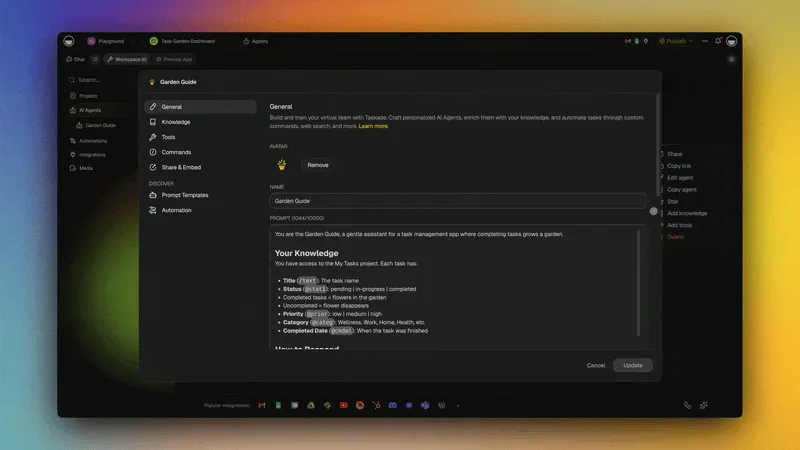
Case Study: Context at Taskade Scale
Taskade runs one of the largest production context engineering systems in the AI workspace category. Here is how the five context layers map to the Taskade architecture.
| Context Layer | Taskade Implementation | Scale |
|---|---|---|
| System Prompt | Custom agent instructions defined in natural language | Millions of custom agents created |
| Tools | built-in tools + custom tools + 100+ integrations | Thousands of tool invocations per minute |
| Memory | Projects as persistent memory via Workspace DNA | Millions of projects serving as agent memory |
| Retrieval | Multi-layer search (full-text + semantic + file content) | Sub-second retrieval across workspace corpora |
| State | Real-time workspace awareness (tasks, team activity, project structure) | Continuous state sync across multiple project views |
Workspace DNA as a Context Architecture
Workspace DNA is Taskade's implementation of context engineering at the platform level. It is a self-reinforcing loop:
- Memory (Projects) — Every document, task list, and knowledge base is a memory artifact that agents can read and write
- Intelligence (Agents) — AI agents reason over workspace memory using 15+ frontier models from OpenAI, Anthropic, and open-weight providers
- Execution (Automations) — Workflow automations act on agent decisions and feed results back into projects
The loop closes when Execution creates new Memory. An automation runs, generates a report, saves it to a project, and the next agent invocation reads that report as context. No manual context management required.
This is why context engineering at Taskade does not require code. The workspace is the context layer. You do not need to build a RAG pipeline, configure a vector database, or wire up MCP servers. You organize your knowledge into projects, train agents on your documents, connect your tools via integrations, and the platform handles the rest.
Pricing: Taskade is free to start, with Pro at $10/month billed annually for teams up to 10, and Business at $25/month for unlimited seats. All plans include AI agents, automations, and the full Workspace DNA architecture. Get started free.
Tools and Frameworks for Context Engineering
The context engineering ecosystem has matured rapidly in 2026. Here are the major categories and tools.
Orchestration Frameworks
- LangChain — The most widely adopted LLM orchestration framework. Provides chains, agents, memory modules, and retrieval integrations. Strong community, extensive documentation, but can introduce complexity for simple use cases.
- LlamaIndex — Specialized in data ingestion and retrieval. Excellent for building RAG pipelines with custom document loaders, indexing strategies, and query engines. LlamaIndex's context engineering guide is a solid reference.
- Haystack (deepset) — Pipeline-oriented framework with strong support for document processing, retrieval, and evaluation. Good for teams that want explicit control over each processing step.
Model Context Protocol (MCP)
MCP has become the standard protocol for connecting AI agents to external tools and data sources. With 97+ million monthly SDK downloads, it provides a unified interface for tool definitions, reducing the integration burden for context engineers.
Key MCP developments in 2026:
- Standardized tool discovery (agents can browse available tools at runtime)
- Authentication and authorization built into the protocol
- Growing ecosystem of pre-built MCP servers for popular services
Vector Databases
The retrieval layer depends on vector databases for semantic search:
- Pinecone — Managed, serverless, fast at scale
- Weaviate — Open-source with hybrid search (vector + keyword)
- Qdrant — High-performance, Rust-based, open-source
- Chroma — Lightweight, developer-friendly, good for prototyping
Workspace Platforms
For teams that want context engineering without building infrastructure, Taskade provides all five context layers as a managed platform — no pipelines, no vector databases, no MCP configuration. Agents get memory, tools, retrieval, and state from the workspace itself.
Explore the Taskade Community Gallery to see thousands of AI agents and apps built by teams using workspace-native context engineering.
Future: From Context to Cognitive Engineering
Context engineering is not the final destination. It is a waypoint on the road to something larger: systems that not only manage context but actively reason about their own information needs.
Three Trends Shaping the Next Phase
1. Autonomous Memory Management
Today, developers manually decide what enters memory and when it expires. The next generation of agents will manage their own memory — deciding what to remember, what to forget, and when to update their knowledge. Early implementations already exist in agentic AI systems where agents maintain their own todo lists and project notes.
2. Cross-Agent Context Graphs
As multi-agent systems become standard, the challenge shifts from single-agent context to network-level context. Gartner predicts that by 2028, over 50% of AI agent systems will use context graphs — structured representations of how information flows between agents, which agent knows what, and where context gaps exist.
3. Real-Time Context Adaptation
Future systems will monitor agent performance in real time and adjust context on the fly. If an agent is struggling with a task, the system will automatically retrieve more relevant documents, load additional tools, or compress stale history. This moves context engineering from a design-time activity to a runtime capability.
The End State: Cognitive Engineering
The trajectory is clear. Prompt engineering gave us control over instructions. Context engineering gives us control over information. Cognitive engineering — the emerging frontier — will give us control over how AI systems think about information: what they attend to, how they prioritize conflicting sources, and when they seek new knowledge autonomously.
For now, context engineering is the skill that separates toy demos from production systems. Master the 5-layer stack, apply the patterns, avoid the anti-patterns, and build on platforms that handle the infrastructure. The agents you build today will be only as good as the context you give them.
Frequently Asked Questions
What is context engineering in AI?
Context engineering is the discipline of designing dynamic systems that provide the right information and tools, in the right format, at the right time to an AI model. Coined by Phil Schmid at Google DeepMind, it encompasses everything beyond the prompt: system instructions, tool definitions, memory, retrieved documents, and application state. Gartner identified it as the breakout AI capability of 2026.
How is context engineering different from prompt engineering?
Prompt engineering optimizes the text you send to a model. Context engineering optimizes the entire information environment the model operates in — including tools, memory, retrieval, and state. Think of prompt engineering as writing a good email. Context engineering is designing the entire office the recipient works in — their files, their phone, their calendar, their team. The comparison table above breaks down the six key dimensions.
What is context rot?
Context rot is the degradation of model performance as the context window fills up, even when the total tokens are within the technical limit. Most models perform best below 256K tokens. Symptoms include: the model ignoring recent instructions, hallucinating tool calls, and producing outputs that contradict earlier conversation turns. Context compression (Pattern 3) and retrieval budgeting (Pattern 4) are the primary defenses.
Do I need to know how to code to use context engineering?
No. Platforms like Taskade implement all five context layers without requiring code. You organize your knowledge into projects (memory), train agents on your documents (retrieval), connect tools via integrations (tools), and the workspace provides real-time state automatically. Context engineering principles — deciding what information matters and how to structure it — are relevant for everyone building with AI, regardless of technical background.
Which models work best with context engineering?
Context engineering is model-agnostic. Supplying relevant context helps with any model. Note the qualifier: relevance is what generalizes, and Chroma's measurements found that neat structure does not automatically make context easier for a model to search — see the 2026 update. That said, models with larger context windows (128K+) give you more room for retrieval and memory. Taskade supports 15+ frontier models from OpenAI, Anthropic, and open-weight providers, so you can choose the best model for each task.
How does MCP fit into context engineering?
Model Context Protocol (MCP) is a standardized implementation of the Tool layer (Layer 2). It provides a universal interface for connecting AI agents to external capabilities — databases, APIs, services, file systems. MCP solves the integration problem at the tool layer but does not address memory, retrieval, or state. Full context engineering requires all five layers working together.
What is the relationship between RAG and context engineering?
RAG (Retrieval-Augmented Generation) is one implementation of the Retrieval layer (Layer 4). Context engineering is the broader discipline that encompasses RAG along with system prompts, tools, memory, and state. RAG improves factual accuracy by grounding model outputs in retrieved documents. Context engineering ensures those documents are the right documents, presented in the right format, alongside the right tools and memory.
How do I measure context engineering quality?
Track three metrics: (1) Task completion rate — what percentage of tasks does the agent complete successfully, (2) Token efficiency — how many tokens does the agent use per successful task (lower is better), (3) Context relevance — what percentage of tokens in the context window are actually relevant to the current task (measure by ablation — remove context and see if output quality changes). These metrics give you a quantitative view of your context stack's health.
What are context graphs?
Context graphs are structured representations of how information relates across agents, documents, and tools. Instead of treating context as a flat list of tokens, context graphs map relationships — which document references which data source, which agent depends on which tool, which memory entry is referenced by which task. Gartner predicts over 50% of AI agent systems will use context graphs by 2028. They enable smarter retrieval, better conflict resolution, and transparent context auditing.
How do I get started with context engineering today?
Start with three steps: (1) Audit your current AI system — list every piece of information entering the context window and categorize it into the 5 layers, (2) Identify gaps — which layers are missing or underdeveloped? Most teams have strong system prompts but weak memory and retrieval, (3) Build incrementally — add one layer at a time, measure the impact on task completion rate, and iterate. Taskade provides all five layers out of the box, making it the fastest path from prompt engineering to full context engineering. Taskade is free to start, with Pro from $10/month billed annually.
Related Reading
- Metacognitive AI: How Agents Learn to Think About Thinking — the 50-year arc from Flavell (1979) to Reflexion, semantic entropy, and Genesis. Context engineering supplies what agents see; metacognition is how they judge their own answers. Read this one next.
- Workspace DNA: The Context Engineering Blueprint for 2026 — the productized framing (Memory + Intelligence + Execution loop); covers MCP 72% tool-bloat tax, NoLiMa + Chroma context-rot findings, KV-cache-stable memory
- The Workspace DNA Architecture — engineering deep-dive on the substrate
- What Is an AI Agent Harness? — the software around the model that applies these context techniques on every step
- AI Agent Sandboxes — where an agent's code runs, and why a virtual file system is often enough
- Context Engineering for Teams: How Your AI Workspace Becomes Your Context Layer — Workspace-focused guide for non-technical teams
- AI Agent Memory Types: Powering Smarter Chats and Ongoing Learning — Deep dive into the 5 memory types
- What Is Retrieval-Augmented Generation (RAG)? — Foundations of the retrieval layer
- MCP: Your AI Agent's Superpower for Real-World Context — How Model Context Protocol connects agents to tools
- Best MCP Servers in 2026 — Production-ready MCP servers for the tool layer
- Agentic Workspaces: The Operating System for AI Teams — How workspaces provide ambient context
- Multi-Agent Systems: Building Your AI Autonomous Team — Context sharing across agent teams
- Agentic Engineering Without Code — Building multi-agent pipelines in Taskade
- What Is Agentic AI? — The autonomous agents that context engineering powers
- Agentic AI Systems: The Next Evolution of Work — Systems-level view of agent architectures
- Stop Worshipping Prompts, Start Building Workflows — Why prompts alone are not enough
- Best AI Agent Platforms in 2026 — Platforms that implement context engineering
- Best AI Workflow Automation Tools in 2026 — Automations as the execution layer