







From punch cards through colossal typewriters (we’ll get to that) to spec’d out IDEs, WYSIWYG, and inline editor features, processing text has sure gone a long way. If you’re looking for the best text editors in 2026—and want to know where they come from—you’re in the right place.
TL;DR: The best text editors for programming teams in 2026 include VS Code (most popular), Sublime Text (fastest), Vim/Neovim (keyboard-first), and Taskade (AI-powered collaboration). For teams that also need project management, Taskade combines editing with AI agents and multiple project views. Try it free -->
In today’s article, we look at the best editing software and some of the classic code editors that came before it. Here’s a full list of the (modern) applications we cover in this list. 👇
💾 Atom
💾 Sublime Text
💾 Text Mate
💾 Nove (Formerly Coda)
💾 VIM
💾 Comodo Edit
💾 GNU Emacs
💾 Notepad++
💾 Visual Studio Plus
💾 (Bonus) Taskade
Use the table of contents to navigate the article. 👇
🥜 The History of the Best Text Editors (In a Nutshell)
🏷 The Early Days of Text Editing (1960s)
Early computer programs—if we can call them that—were stored on perforated pieces of paper called punch cards. Dating back to the 1800s, punch cards were simple paper cards with a specific pattern of holes card readers could translate to information.

Early punch cards designed by Joseph Marie Jacquard in 1804.
Image by the Science and Industry Museum(1)
One of the earliest “true” text editors was the Colossal Typewriter program developed in 1960 for the PDP-1 computer. Paired with a teletypewriter, the program allowed programmers to prepare and edit paper tape, a successor to punch cards.
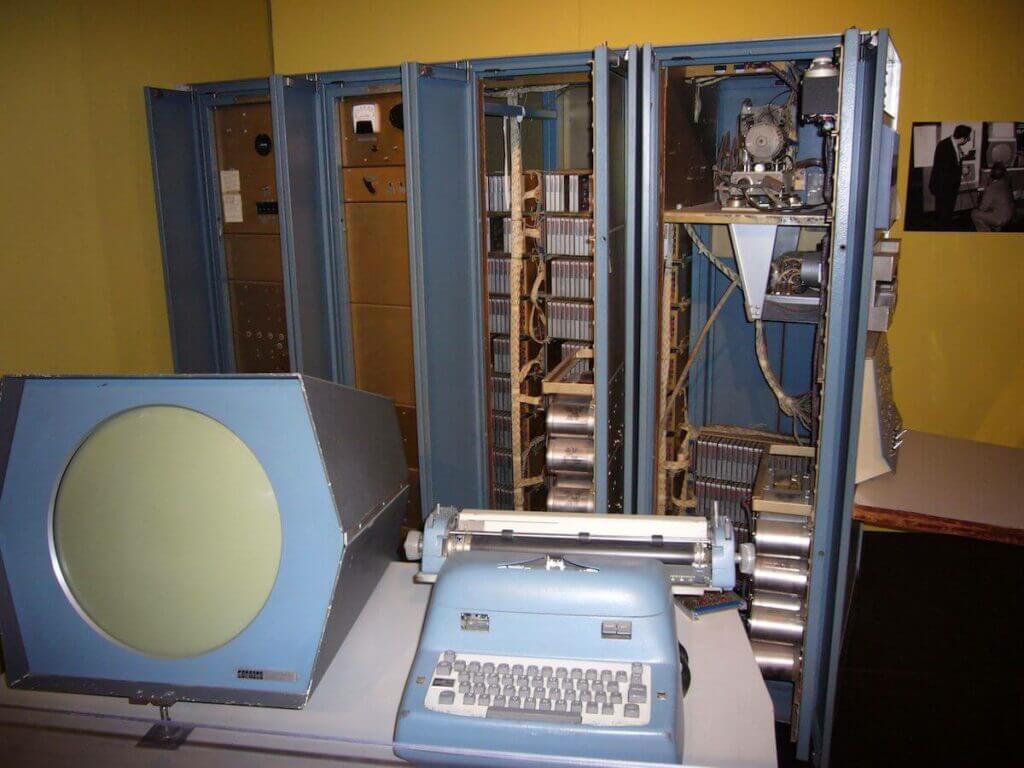
PDP-1 at the Computer History Museum.
Image credit Matthew Hutchinson(2)
In 1962 at Stanford Research Institute (SRI), a team of researchers led by Douglas Engelbart created NLS ("oN-Line System"). NLS—later Augment—was the first computer system to implement hypertext and real-time collaborative editing.
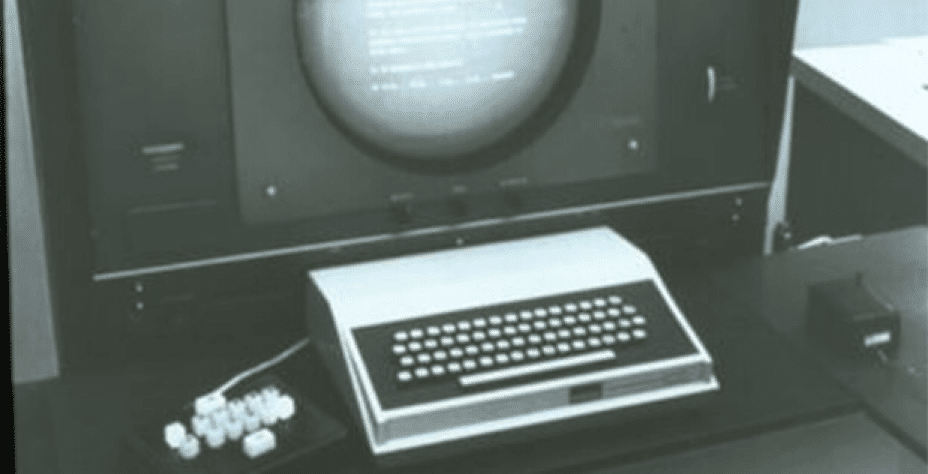
Douglas Engelbart’s oN-Line System (NLS). Image credit Darpa(3)
In the years leading to Engelbart’s Mother of All Demos presentation, more editors like 1962 TECO (Text Editor & Corrector)—TECO is the ancestor of Emacs—and 1967 HES (Hypertext Editing System) came on stage. And the best was still to come.
⚔️ WYSIWYG and the Editor War (1970s - 1980s)
The 1970s marked a golden period in the history of text editors. In 1973, Ken Thomson created ed, a Unix line editor with regular expressions support. A year later, Xerox developed the first WYSIWYG (WIZ-ee-wig) editor Bravo for the Xerox Alto computer.
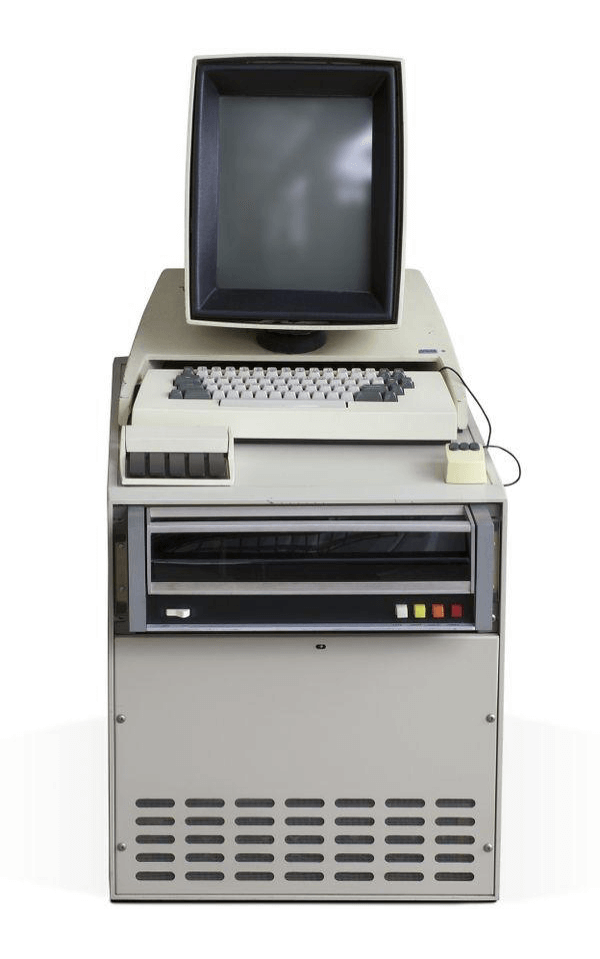
Xerox Alto I with monitor, mouse, and keyboard.
Image credit The Computer History Museum(4)
In 1974, Richard Stallman at MIT AI Laboratory added macros to the TECO editor and two years later unified those macros under Emacs (“editing macros”). Emacs (originally “EMACS”) gave rise to many Emacs-esque clones like Sine, Eine, or Zwei.
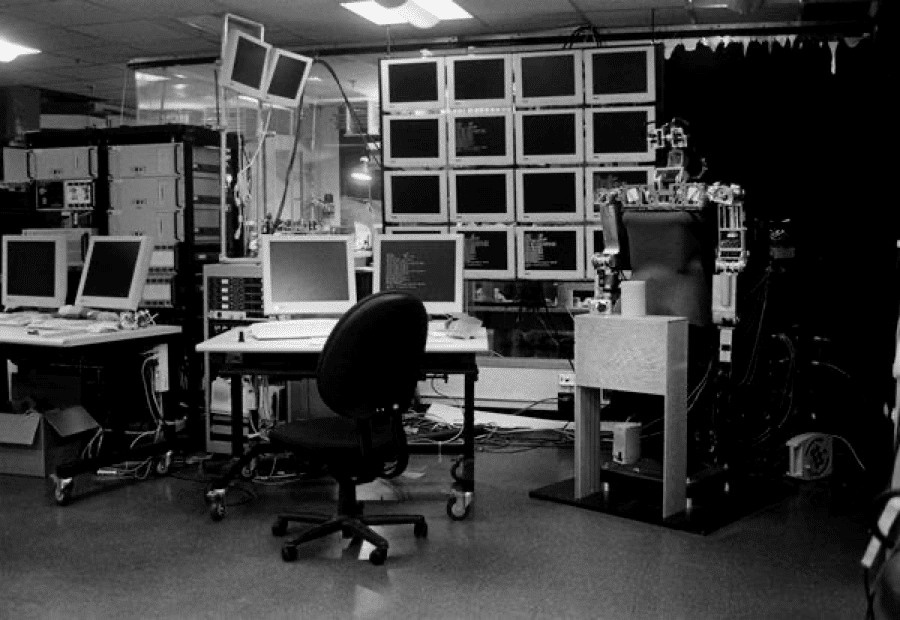
Computer Science and Artificial Intelligence Lab (CSAIL).
Image credit The Computer History Museum(5)
The same year, Billy Joy, a student at the University of California, Berkeley, created an open-source Unix editor called vi which soon became Emac’s chief competitor.
Ten years later, the two would clash in what’s known as the Editor War.
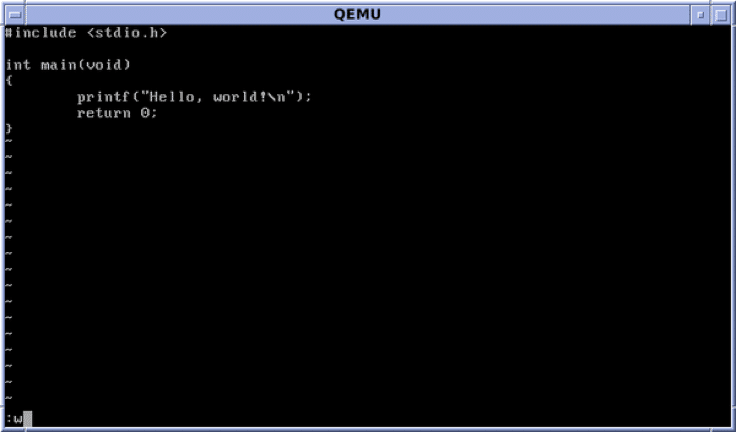
"Hello World" program in the vi editor.
Image credit Huihermit(6)
The commercial breakthrough came in 1978 with MicroPro’s WordStar. WordStar went on the market in 1979 for $495 and sold in 5000 copies by early 1980. In 2014, George R. R. Martin admitted he was still using WordStar 4.0 on a DOS computer.
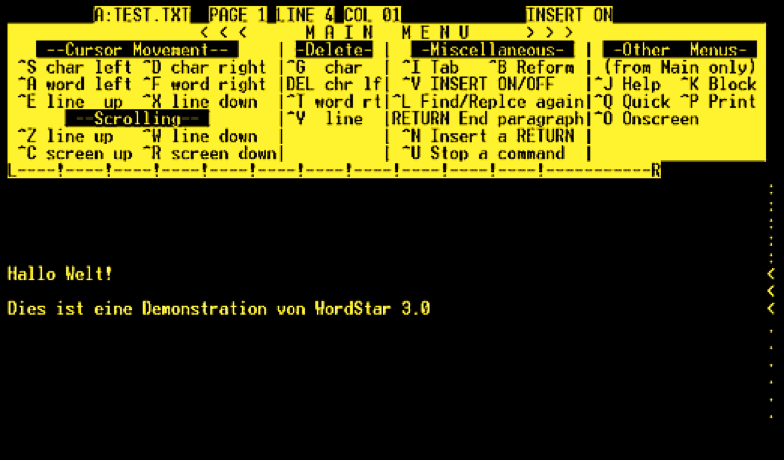
WordStar for DOS via Wikipedia(7)
The 1980s saw more interesting editors pop up, including Microsoft’s Multi-Tool Notepad that would eventually become Windows Notepad. The editor premiered at the COMDEX 1983 trade show along a pre-release of Windows 1.0.
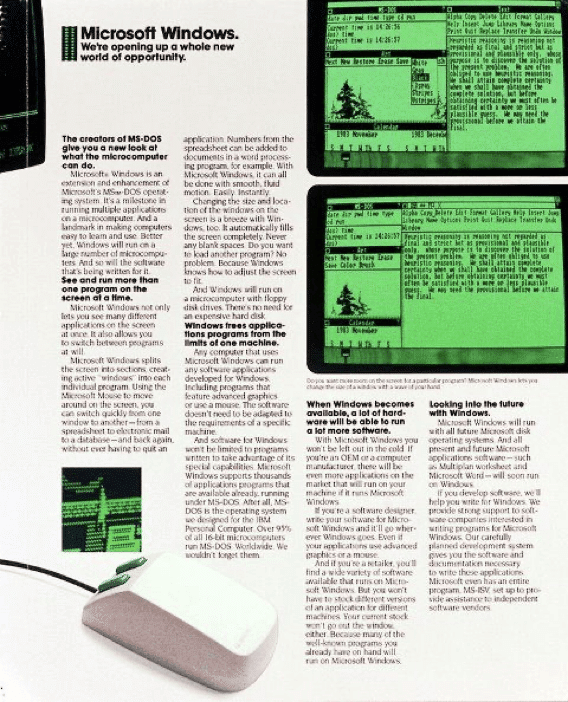
Microsoft Comdex 1983 marketing handout. Image credit Microsoft(8)
On October 25, 1983, the company released another strong competitor—Microsoft Word for DOS on the IBM PC. Interestingly, the software featured mouse support and... an unorthodox copy-protection mechanism to deter piracy attempts.
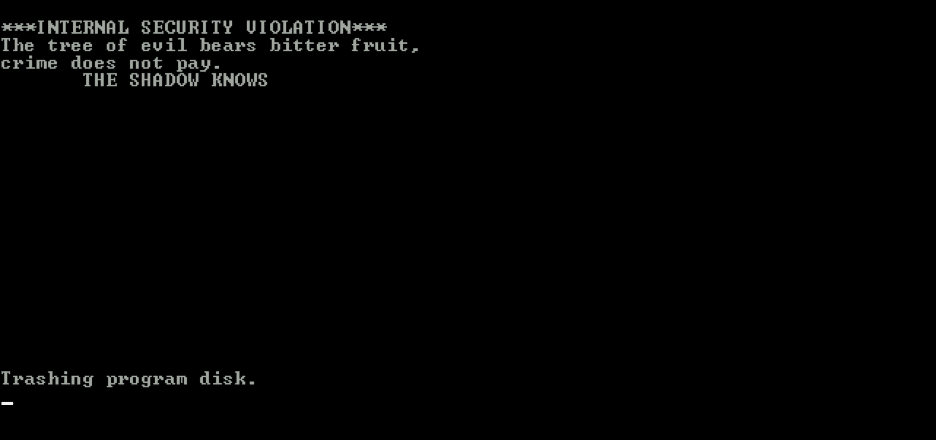
Microsoft Word copy-protection at work.
Image credit by Nathan Lineback(9)
The final addition to our list of best text editors is GNU Emacs, one of the oldest code editors still in use today. The early (TECO) Emacs was rewritten in C by Richard Stallman and James Gosling and later split into free GNU Emacs and commercial Gosling Emacs.
🐌 Vim and the Not-so-Revolutionary 90s (1990s - 2000s)
Text editing in the early 90s evolved under the banner of Microsoft that dictated the rules of the game with Windows 3.0. Taking over the OS market helped Microsoft wipe out competitors like WordStar who were still stuck in the DOS age.
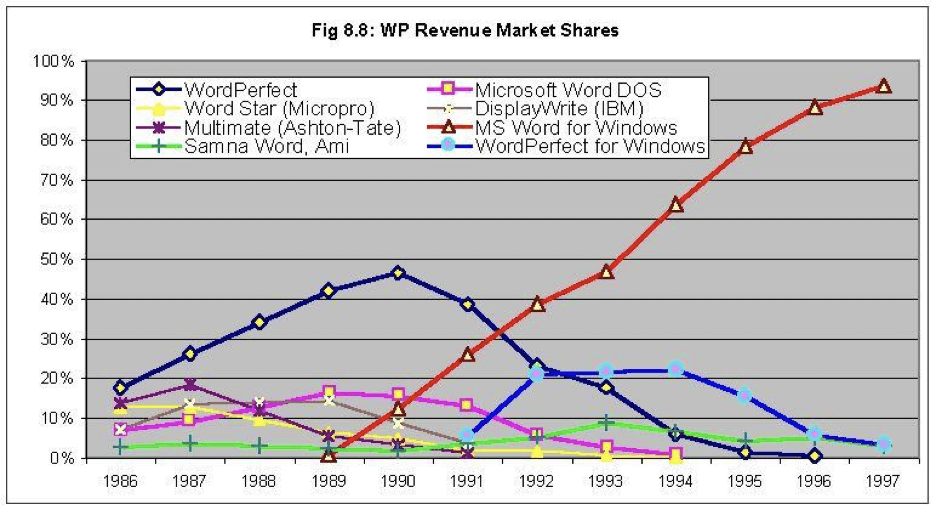
Word processor market (1986 -1997).
Image credit The Computer History Museum(10)
However, in 1991, one more player joined the editor race. Vim by Bram Moolenaar (“Vi Improved”) was an open-source tool built on top of Billy Joy’s vi. Vim’s strong feature package and relative ease of use made it the go-to text editor for developers.
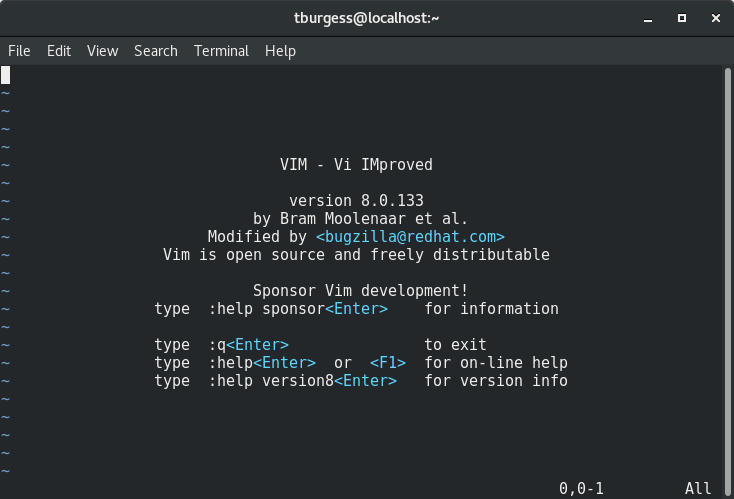
Vim editor by Bram Moolenaar.
Image credit Todd Burgess(11)
In 1992, Helios Software Solutions introduced a shareware Windows editor called TextPad, and Bare Bones Software started offering paid BBEdit for Mac. Both editors were well received and are still popular options in 2024.
If you want to learn more about the emergence of graphical user interfaces (GUI), be sure to check this video on PBS’s Crash Course channel. 👇
And now, let’s see where the editor market is today.
Quick Comparison: Best Text Editors at a Glance
| Editor | Price | Platform | AI Features | Best For |
|---|---|---|---|---|
| VS Code | Free | Win/Mac/Linux | Via extensions | General development |
| Sublime Text | $99 one-time | Win/Mac/Linux | Limited | Speed and simplicity |
| Vim/Neovim | Free | Win/Mac/Linux | Via plugins | Keyboard-first workflows |
| GNU Emacs | Free | Win/Mac/Linux | Via packages | Extensibility |
| Notepad++ | Free | Windows | No | Lightweight Windows editing |
| Taskade | Free plan available | Win/Mac/Linux/Mobile/Web | Built-in (frontier models) | AI-powered team collaboration |

👩💻 The Best Text Editors You Can Get In 2026
Editor Wars are (almost) over and most of the available options offer similar feature sets and performance. But that doesn’t mean you can’t and shouldn’t be picky about the software you’re using. Here’s a list of our favorite text editors you can get in 2026.
💾 Atom
💾 Sublime Text
💾 Text Mate
💾 Nove (Formerly Coda)
💾 VIM
💾 Comodo Edit
💾 GNU Emacs
💾 Notepad++
💾 Visual Studio Plus
💾 (Bonus) Taskade
#1 Atom
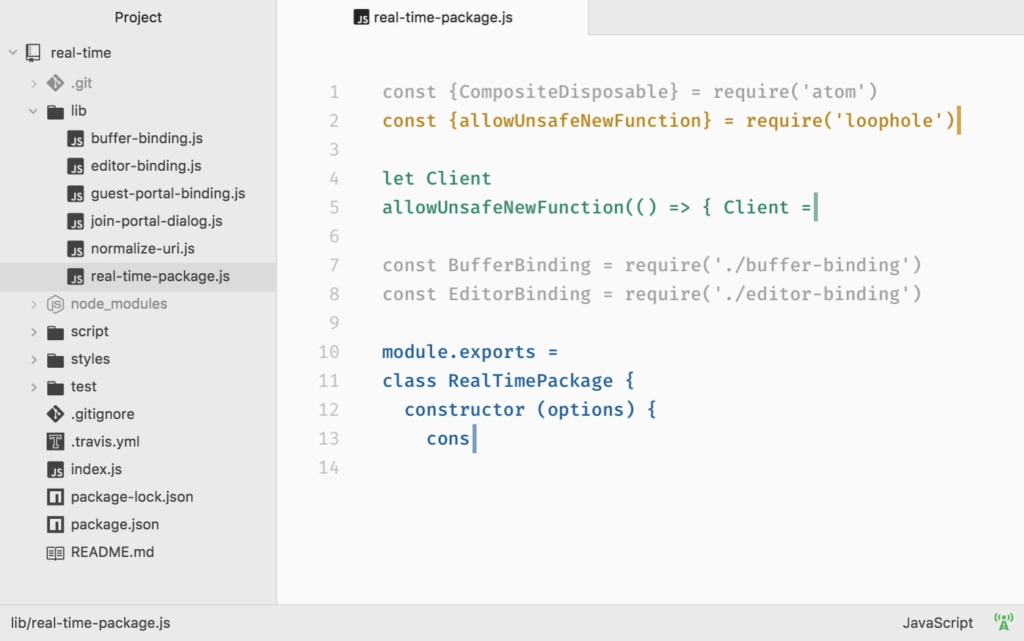
Atom is undoubtedly one of the most powerful text editors in the open-source space. Branded as “a hackable text editor for the 21st century,” Atom works on all major operating systems, supports plugins, and offers great customizability. Developed by GitHub.
Atom at a Glance 👁
Extensive customizability via CSS/JS
Re-mappable key combinations
Supports Windows, Mac, and Linux
Real-time collaboration via Teletype
Built-in package manager
Smart autocompletion
And more...
Atom Pricing 💵
- 🟢 Free (for individual, business, and enterprise use)
#2 Sublime Text
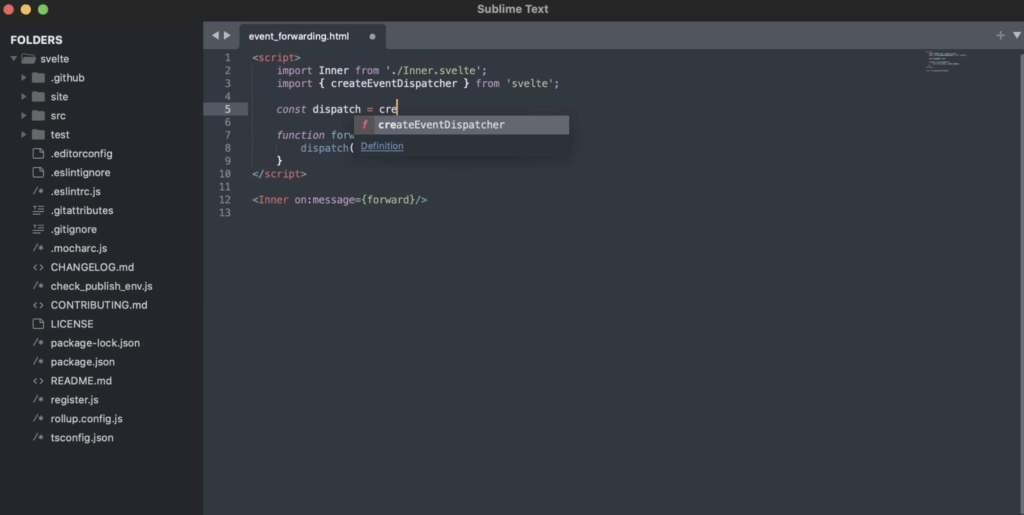
Sublime Text is another interesting piece of software that has been around since 2008. Sublime’s performance, multitasking capabilities, and relative simplicity make it the 7th most popular editor according to Stack Exchange developers in 2024.
Sublime Text at a Glance 👁
Light/Dark mode support
Multi-pane user interface
Side-by-side mode for definitions
Multiple Selection feature
Context-aware autocomplete
Collaborative editing
Works on Linux, Mac, and Windows
And more...
Sublime Text Pricing 💵
🟢 Personal License ($99 one-time purchase)
3 years of updates included in the package
For all devices and operating systems
🔵 Business License (starting at $65/seat for the first 10 seats)
#3 TextMate
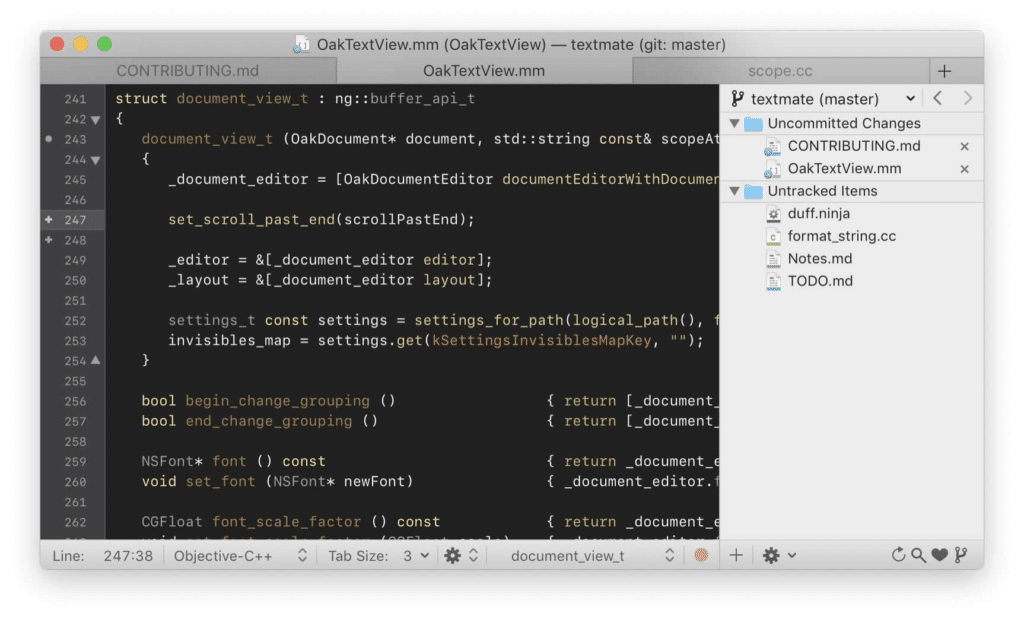
TextMate is a Mac GUI editor with a long heritage. The software comes with solid advanced features and supports many programming languages. TextMate is lightweight, extensible, and comes with good documentation to match. Additionally, TextMate also supports code editing.
TextMate at a Glance 👁
Tabbed workflow
File search feature
Custom commands
Custom snippets and macros
Foldable code blocks
Live HTML/Markdown preview
Clipboard history
And more...
TextMate Pricing 💵
- 🟢 Site License (starting at €750 per 30 seats)
#4 Nova (Formerly Coda)
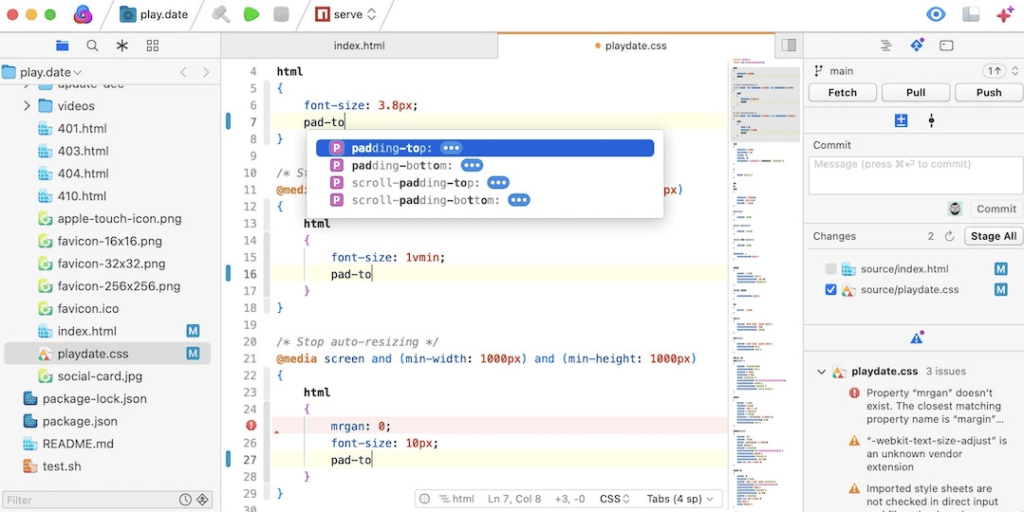
Nova is Panic’s reboot in the text editor space. A replacement for Coda released back in 2007, Nova is stylish and surprisingly modern. While the visuals may not appeal to everyone’s taste, its features make it a more advanced text editor that offers a refreshing coding experience.
Nova at a Glance 👁
Smart autocomplete
Tag pairs and brackets
Built-in customizable themes
Automatic light/dark mode
Extensions library
Customizable quick-access sidebar
Advanced settings/preferences
And more...
Nova Pricing 💵
- 🟢 Lifetime License ($99 or $79 for Coda upgrade)
The package includes 1 year of updates
$49 annually to get updates after the first year
Be sure to check one of the best Coda alternatives! 👈
#5 Vim
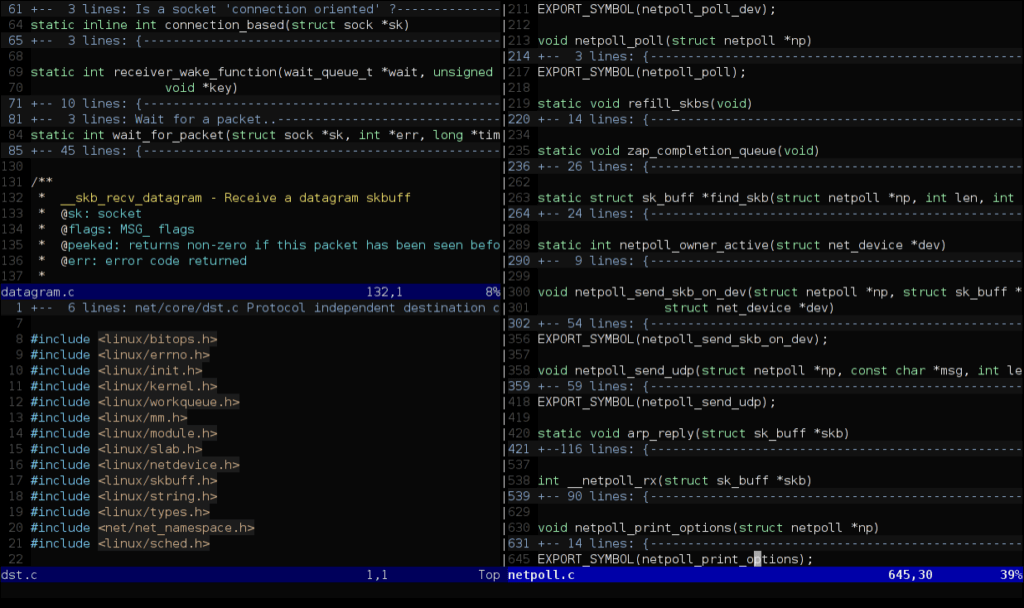
Our list of best text editors for modern programming teams wouldn't be complete without Vim. Voted the 5th most popular editor by Stack Exchange, Vim is a lightweight, fast, and highly hackable piece of software. And if you get stuck, it has a helpful and active online community.
Vim at a Glance 👁
Powerful plugin system
Command-centric workflow
Support for hundreds of languages and formats
Powerful search and replace
Support for multiple windows
Support for multiple tabs
And more...
Vim Pricing 💵
- 🟢 Free (open-source)
#6 Komodo IDE
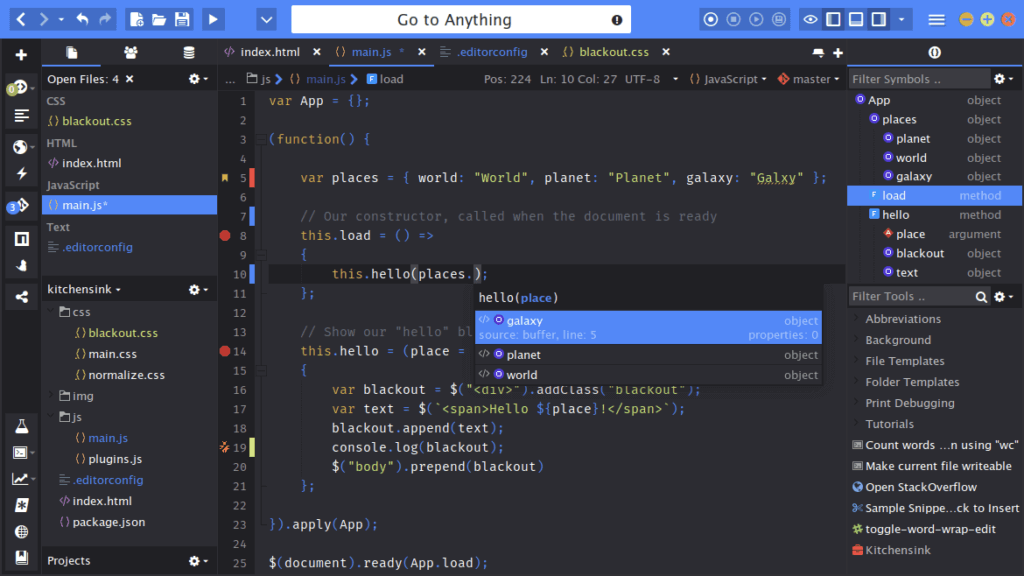
Komodo IDE is a modern and powerful multi-language IDE. ActiveState’s editor offers an array of advanced features such as cross-platform and collaboration functions, and an extensive add-on library, all topped with a sleek interface. The software is free for ActiveState Platform users.
Komodo IDE at a Glance 👁
Syntax highlighting
Code completion
Support for multiple languages
Real-time collaboration
Customizable color schemes
Tabbed interface
Code folding
And more...
Komodo IDE Pricing 💵
🟢 Free Tier
For personal use via ActiveState Platform
5 Active Runtimes per individual
🔵 Team Tier ($167/month billed annually)
15 Active Runtimes (can be extended to 90)
Basic technical support
🟣 Enterprise Tier (custom)
Enterprise-grade features
Advanced security and support
And more...
#7 GNU Emacs
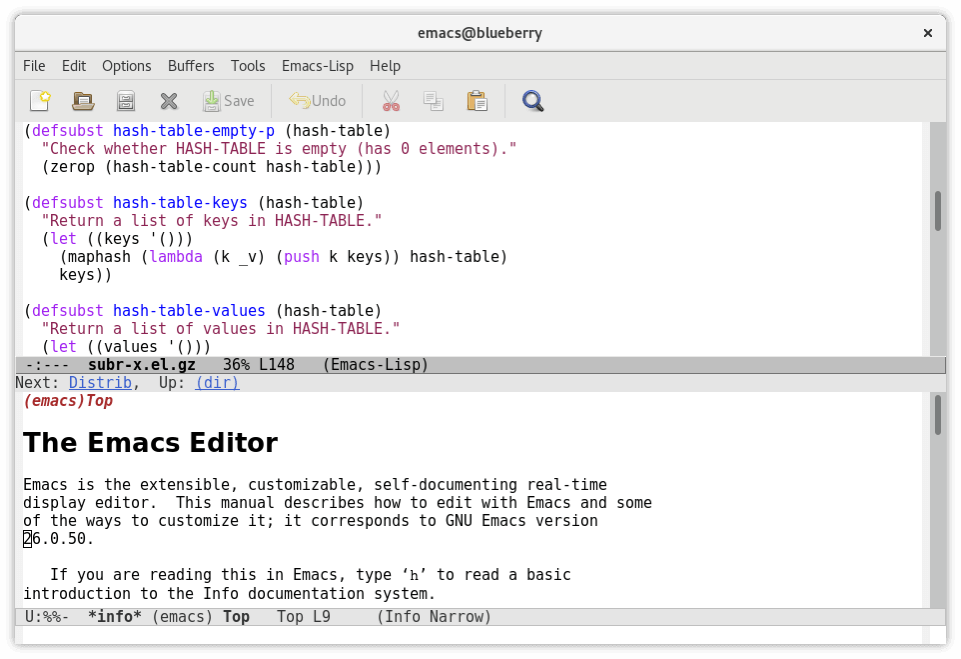
A former Vim competitor, GNU Emacs is still one of the best text editors for programmers, and for all the right reasons. It’s free, customizable—it does more than just text editing—and has been around forever. Being one of the most lightweight applications also makes it fast.
Do you need a better recommendation?
GNU Emacs at a Glance 👁
Content-aware editing modes
Customization via Emacs Lisp
Extra functions like IRC and calendar
Extensions manager
Lightweight and fast
Works on pretty much everything
Comes with cool Easter Eggs :)
And more...
Emacs Pricing 💵
- 🟢 Free (open-source)
#8 Notepad++
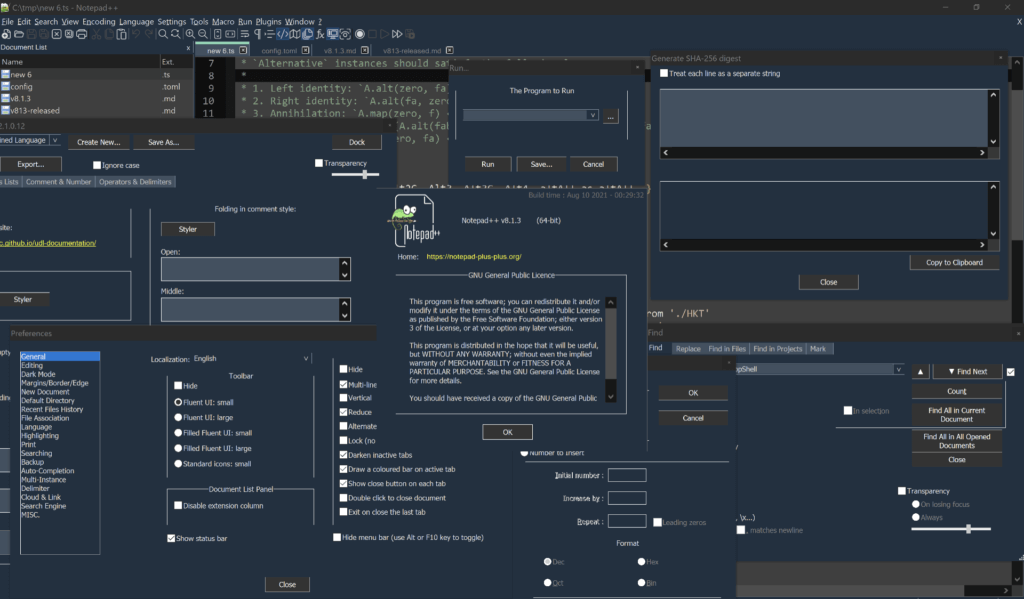
Notepad++ is an open-source Notepad replacement for Windows. The editor comes packed with essential features like tabbed editing, syntax highlighting, code folding, or autocompletion. It climbed to the 3rd place in Stack Exchange's 2021 list of best text editors for programming.
Notepad++ at a Glance 👁
Multi-Editing feature
Syntax highlighting
Macros and plugins
Split-screen editing
Persistent tabbed interface
Regular expressions search and replace
Support for files up to 2GB
And more...
Notepad++ Pricing 💵
- 🟢 Free (open-source)
#9 Visual Studio Code
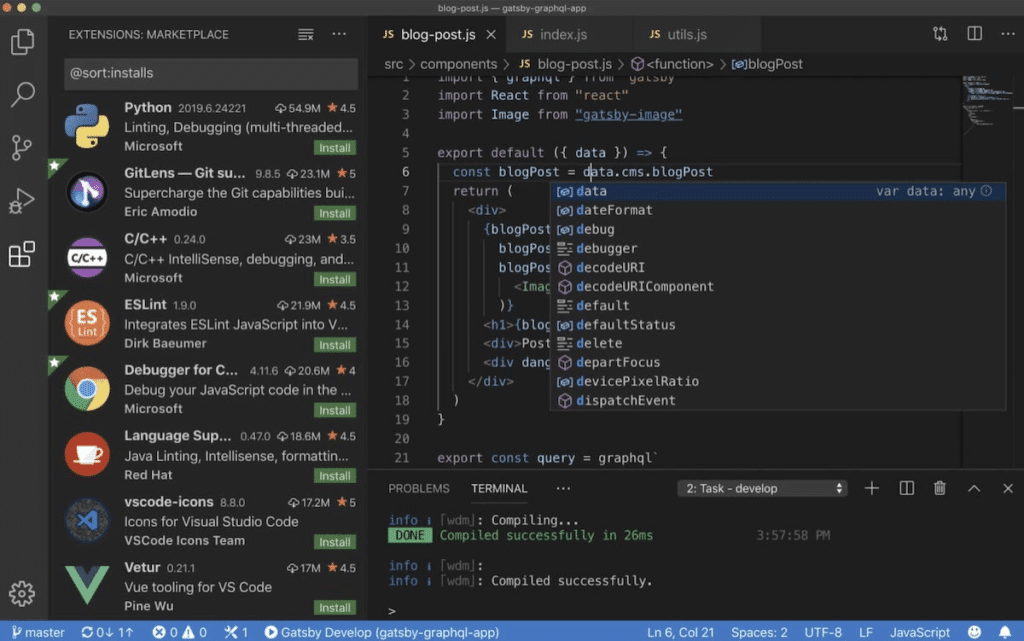
A relatively young IDE and editor from Microsoft, Visual Studio Code rose to prominence in the last few years and is now the top choice for code editors among developers. It’s fast—with a reasonable number of extensions installed—reliable, and free.
Visual Studio Code at a Glance 👁
Large catalog of extensions
Smart completion (IntelliSense)
Syntax highlighting
Many color schemes and themes
Available for all major operating systems
Real-time collaboration and version control
Support for multiple languages
And more...
Visual Studio Code Pricing 💵
- 🟢 Free (open-source)
(BONUS) #10 Taskade
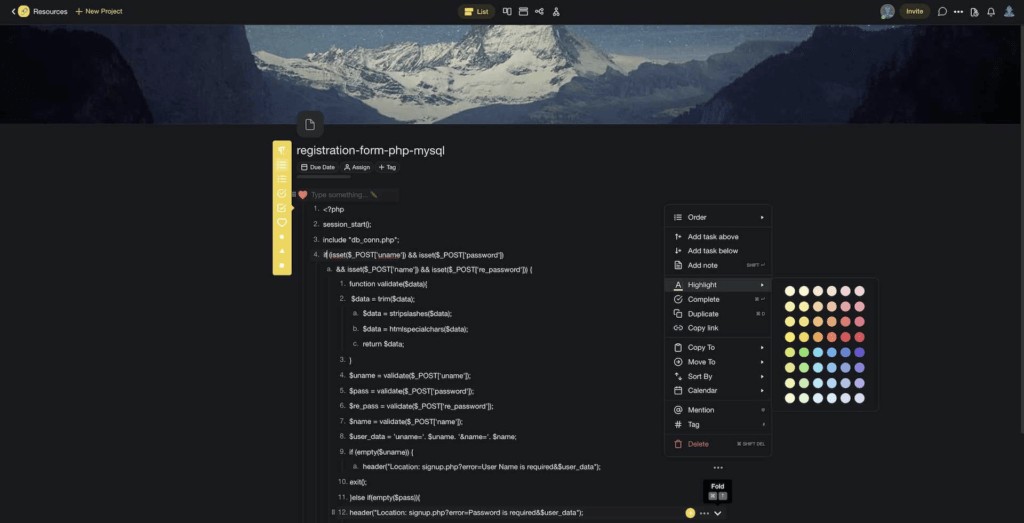
Taskade is an AI-powered outliner and modern text editor that’ll help you write elegant, readable, and modular code. Create beautiful projects, organize them inside tree-structured workspaces, and get work done in a distraction-free environment.
But what about handling the mundane, repetitive tasks to AI instead?
Taskade's Custom AI Agents are designed to take over your repetitive tasks, like writing and organizing documentation, so you can focus on the work that matters. Give your agents unique personalities, skills, and knowledge for more tailored responses.
Sign up to streamline your workflow with Taskade AI 🤖
Taskade at a Glance 👁
Indentation + fold/unfold nodes
Real-time collaboration and chat
Comments and version history
Works on Windows, Mac, Linux, and mobile
Keyboard-oriented navigation
Formatting and custom visuals (dark mode included)
Multi-select and drag-and-drop editing
Customizable templates
And more...
Check Taskade's pricing page for a full breakdown of plans and AI features. Plans are free to start, with Pro from $10/month billed annually, and AI features included.
Looking for more? Build custom AI-powered coding workflows with Taskade Genesis, or explore automation templates to streamline your development process.
Workspace DNA: Why Developers Are Building With Vibe Coding
The best text editor is the one that fits your workflow. But what if your workflow could build itself? Taskade’s Workspace DNA framework — Memory, Intelligence, and Execution — gives development teams an environment where code planning, documentation, and task management reinforce each other automatically.
Memory stores everything your team needs: specs, code snippets, architecture docs, sprint boards, and meeting notes — all inside persistent projects with multiple views including Kanban boards, Gantt charts, and Mind Maps. Intelligence comes from AI agents with built-in tools and frontier models from top AI labs. These agents can draft technical specs, break epics into tasks, review documentation, and generate code scaffolding — all with full context from your workspace.
Execution ties it together. Automations powered by a durable execution engine and 100+ integrations can trigger CI/CD notifications, assign code review tasks, update sprint boards on completion, and sync with tools your team already uses. The loop is self-reinforcing: Memory feeds Intelligence, Intelligence triggers Execution, and Execution creates new Memory.
Developers are also using Taskade Genesis to build custom dev tools through vibe coding — just describe the app you need in plain language and get a live, deployed tool in seconds. Over 150,000 apps have been built this way, from bug trackers to API documentation dashboards. Explore what the community has created or start building with plans from Free to Business ($25/mo).
🐑 Parting Words
It doesn’t matter if you’re just starting your programming journey or have mastered all of the programming languages. All of the best text editors we mention in this article come packed with essential key features that’ll get you writing code in no time.
Oh, and if you’re up for more history lessons like this, be sure to check other similar articles on the blog. Learn more about outlining applications, RSS, Browser Wars, and classic productivity software like Google Wave and Wunderlist.
Till next time! 👋
🔗 Resources
https://www.scienceandindustrymuseum.org.uk/objects-and-stories/jacquard-loom
https://en.wikipedia.org/wiki/Colossal_Typewriter#/media/File:PDP-1.jpg
https://www.darpa.mil/aboutus/timeline/nls https://www.computerhistory.org/revolution/input-output/14/347
https://www.computerhistory.org/revolution/artificial-intelligence-robotics/13/290/1244
https://en.wikipedia.org/wiki/Vi#/media/File:NetBSD_6.1_vi_C_Hello_World.png
https://pl.wikipedia.org/wiki/WordStar#/media/Plik:WordStar.png
https://www.pinterest.com/pin/29695678764312032/ http://toastytech.com/guis/word1153.html
https://computerhistory.org/blog/microsoft-word-for-windows-1-1a-source-code/
https://medium.com/@tburgess57/the-vi-text-editor-crash-course-bacdedfe71

Frequently Asked Questions
What are the best text editors for developers?
Top text editors include VS Code (most popular, extensive extensions), Sublime Text (fast and lightweight), Vim/Neovim (keyboard-driven efficiency), JetBrains IDEs (full-featured for specific languages), and Cursor (AI-native coding). The best choice depends on your language, workflow preferences, and whether you prefer simplicity or a full IDE experience.
What is the difference between a text editor and an IDE?
A text editor is a lightweight tool for writing and editing code with basic features like syntax highlighting. An IDE (Integrated Development Environment) includes debugging, code completion, project management, and build tools built in. Modern text editors like VS Code blur this line with extensive plugin ecosystems.
Is VS Code still the best code editor?
VS Code remains the most popular editor due to its performance, massive extension marketplace, built-in Git support, and free price. However, AI-native editors like Cursor are gaining ground by integrating AI coding assistants directly into the editing experience, making them compelling alternatives for developers who want AI-first workflows.
What features matter most in a modern code editor?
Essential features include fast performance, language-specific syntax highlighting and autocompletion, Git integration, debugging tools, extension support, customizable keybindings, and increasingly, AI coding assistance. Cross-platform availability and remote development support are also important for distributed teams.