Taskadetaskade
PricingLoginSign up for free →Sign up for free →
Loved by 1M+ users·Hosting 100K+ apps·Deploying 500K+ AI agents·Running 1M+ automations·Backed by Y Combinator
TaskadeAboutPressPricingFeaturesIntegrationsChangelogContact us
GalleryReviewsHelp CenterDocsFAQ
VibeVibe AppsVibe AgentsVibe CodingVibe Workflows
Vibe MarketingVibe DashboardsVibe CRMVibe AutomationVibe PaymentsVibe DesignVibe SEOVibe Tracking
Community
FeaturedQuick AppsTools
DashboardsWebsitesWorkflowsProjectsFormsCreators
DownloadsAndroidiOSMac
WindowsChromeFirefoxEdge
Compare
vs Cursorvs Boltvs Lovable
vs V0vs Windsurfvs Replitvs Emergentvs Devinvs Claude Codevs ChatGPTvs Claudevs Perplexityvs GitHub Copilotvs Figma AIvs Notionvs ClickUpvs Asanavs Mondayvs Trellovs Jiravs Linearvs Todoistvs Evernotevs Obsidianvs Airtablevs Basecampvs Mirovs Slackvs Bubblevs Retoolvs Webflowvs Framervs Softrvs Glidevs FlutterFlowvs Base44vs Adalovs Durablevs Gammavs Squarespacevs WordPressvs UI Bakeryvs Zapiervs Makevs n8nvs Jaspervs Copy.aivs Writervs Rytrvs Manusvs Crewvs Lindyvs Relevance AIvs Wrikevs Smartsheetvs Monday Magicvs Codavs TickTickvs Any.dovs Thingsvs OmniFocusvs MeisterTaskvs Teamworkvs Workfrontvs Bitrix24vs Process Streetvs Toggl Planvs Motionvs Momentumvs Habiticavs Zenkitvs Google Docsvs Google Keepvs Google Tasksvs Microsoft Teamsvs Dropbox Papervs Quipvs Roam Researchvs Logseqvs Memvs WorkFlowyvs Dynalistvs XMindvs Whimsicalvs Zoomvs Remember The Milkvs Wunderlist
Genesis AIApp BuilderVibe CodingAgent Builder
Dashboard BuilderCRM BuilderWebsite BuilderForm BuilderWorkflow AutomationWorkflow BuilderBusiness-in-a-BoxAI for MarketingAI for Developers
AI Agents
FeaturedProject ManagementProductivity
MarketingTranslatorContentWorkflowResearchPersonalSalesSocial MediaTo-Do ListCRMTask AutomationCoachingCreativityTask ManagementBrandingFinanceLearning and DevelopmentBusinessCommunity ManagementMeetingsAnalyticsDigital AdvertisingContent CurationKnowledge ManagementProduct DevelopmentPublic RelationsProgrammingHuman ResourcesE-CommerceEducationLegalEmailSEODeveloperVideo ProductionDesignFlowchartDataPromptNonprofitAssistantsTeamsCustomer ServiceTrainingTravel PlanningAll Categories
Automations
FeaturedBusiness-in-a-BoxInvestor Operations
Education & LearningHealthcare & ClinicsStripeSalesContentMarketingEmailCustomer SupportHubSpotProject ManagementAgentic WorkflowsBooking & SchedulingCalendarReportsSlackWebsiteFormTaskWeb ScrapingWeb SearchChatGPTText to ActionYoutubeLinkedInTwitterGitHubDiscordMicrosoft TeamsWebflowRSS & Content FeedsGoogle WorkspaceManufacturing & OperationsAI Agent TeamsAll Categories
Wiki
GenesisAI AgentsAutomation
ProjectsLiving DNAPlatformIntegrationsProductivityMethodsProject ManagementAgileScrumAI ConceptsCommunityTerminologyFeatures
Templates
FeaturedChatGPTTable
PersonalProject ManagementSalesFlowchartTask ManagementEngineeringEducationDesignTo-Do ListMarketingMind MapGantt ChartOrganizationalPlanningMeetingsTeam ManagementStrategyGamingProductionProduct ManagementStartupRemote WorkY CombinatorRoadmapCustomer ServiceLegalEmailBudgetsContentConsultingE-CommerceStandard Operating Procedure (SOP)Human ResourcesProgrammingMaintenanceCoachingSocial MediaHow-TosResearchMusicTrip PlanningAll Categories
Generators
AI AppAI WebsiteAI Dashboard
AI FormAI AgentClient PortalAI WorkspaceAI ProductivityAI To-Do ListAI WorkflowsAI EducationAI Mind MapsAI FlowchartAI Scrum Project ManagementAI Agile Project ManagementAI MarketingAI Project ManagementAI Social Media ManagementAI BloggingAI Agency WorkflowsAI ContentAI Software DevelopmentAI MeetingAI PersonasAI OutlineAI SalesAI ProgrammingAI DesignAI FreelancingAI ResumeAI Human ResourceAI SOPAI E-CommerceAI EmailAI Public RelationsAI InfluencersAI Content CreatorsAI Customer ServiceAI BusinessAI PromptsAI Tool BuilderAI SEOAI Gantt ChartAI CalendarsAI BoardAI TableAI ResearchAI LegalAI ProposalAI Video ProductionAI Health and WellnessAI WritingAI PublishingAI NonprofitAI DataAI Event PlanningAI Game DevelopmentAI Project Management AgentAI Productivity AgentAI Marketing AgentAI Personal AgentAI Business and Work AgentAI Education and Learning AgentAI Task Management AgentAI Customer Relations AgentAI Programming AgentAI SchemaAll Categories
Converters
AI Featured ConvertersAI PDF ConvertersAI CSV Converters
AI Markdown ConvertersAI Prompt to App ConvertersAI Data to Dashboard ConvertersAI Workflow to App ConvertersAI Idea to App ConvertersAI Flowcharts ConvertersAI Mind Map ConvertersAI Text ConvertersAI Youtube ConvertersAI Knowledge ConvertersAI Spreadsheet ConvertersAI Email ConvertersAI Web Page ConvertersAI Video ConvertersAI Coding ConvertersAI Task ConvertersAI Kanban Board ConvertersAI Notes ConvertersAI Education ConvertersAI Language TranslatorsAI Business → Backend App ConvertersAI File → App ConvertersAI SOP → Workflow App ConvertersAI Portal → App ConvertersAI Form → App ConvertersAI Schedule → Booking App ConvertersAI Metrics → Dashboard ConvertersAI Game → Playable App ConvertersAI Catalog → Directory App ConvertersAI Creative → Studio App ConvertersAI Agent → Agent App ConvertersAI Image ConvertersAI Resume & Career ConvertersAI Presentation ConvertersAll Categories
Prompts
Blog WritingBrandingPersonal Finance
Human ResourcesPublic RelationsTeam CollaborationProduct ManagementSupportAgencyReal EstateMarketingCodingResearchSalesAdvertisingSocial MediaCopywritingContentProject ManagementWebsite CreationDesignStrategyE-commerceEngineeringSEOEducationEmail MarketingUX/UIProductivityInfluencer MarketingAnalyticsEntrepreneurshipLegalAll Categories
Blog
They Generate Code. We Generate Runtime — The Taskade Genesis Manifesto (2026)What Is Intelligence? From Neurons to AI Agents — A Complete Guide (2026)What Is Grokking in AI? When Models Suddenly Learn to Generalize (2026)Taskade vs Zoho: Can AI Workspaces Replace Enterprise SaaS? (2026)
What Is Mechanistic Interpretability? How We're Learning to Understand AI (2026)How Do Large Language Models Actually Work? Transformers Explained (2026)What Is an Agentic Workspace? The Complete Guide (2026)Vibe Apps Directory: The Complete Guide to No-Code AI App CategoriesWhat is FFmpeg? Complete History of the Open-Source Multimedia Framework (2026)What Is AI Safety? Complete Guide to AI Risks, Alignment & The Future (2026)What Are Micro Apps? The Trend Reshaping How Software Gets Built (2026)What Is Agentic Engineering? Complete History: From Turing to Karpathy, AutoGPT to Autoresearch & Beyond (2026)Will Vibe Coding Kill SaaS? The Garry Tan vs Zoho Debate Explained (2026)Build an AI Event Landing Page in MinutesVibe Learning Apps: Best AI LMS & Course Platforms Compared (2026)Vibe Utility Apps: 10 AI Converters & Dev Tools You Can CloneVibe Finance Apps: 10 AI Invoice Generators, Expense Trackers & Dashboards
AIAutomationProductivityProject ManagementRemote WorkStartupsKnowledge ManagementCollaborative WorkUpdates
Changelog
Mobile Agent Panel, Dark Mode Theming & White-Label 404 Pages (Mar 13, 2026)Linear & Monday Integrations, Agent Memory for All Models (Mar 12, 2026)App Kit Export & Import, Agent Memory & Custom Domain SSL (Mar 11, 2026)
Developer SDK, App Kit Sharing & Live Theming (Mar 10, 2026)Airtable Integration, Smarter Agent Models & Workspace File Management (Mar 9, 2026)Bulk Project Import & Real-Time Integration Triggers (Mar 7, 2026)Faster Project Files & Performance (Mar 5, 2026)
Wiki
GenesisAI AgentsAutomation
ProjectsLiving DNAPlatformIntegrationsProductivityMethodsProject ManagementAgileScrumAI ConceptsCommunityTerminologyFeatures
© 2026 Taskade.
PrivacyTermsSecurity
Made withTaskade AIforBuilders
Blog›Productivity›AI-Powered To-Do Lists: How…

AI-Powered To-Do Lists: How to Build, Automate & Manage Tasks with AI (2026)

Learn how AI transforms to-do lists from static checklists into intelligent task management systems. Build custom AI workflows, automate priorities, and deploy AI task agents with Taskade Genesis.

October 23, 2024·Updated February 9, 2026·15 min read·Dawid Bednarski·Productivity·#ai-workforce#Automation#task-management
On this page (24)
🤖 What Is an AI-Powered To-Do List?📊 The 5 Levels of AI in Task Management⚡ What Can AI Actually Do for Your To-Do List?1. Auto-Generate Tasks from Goals and Documents2. Prioritize by Urgency, Importance, and Energy3. Schedule Tasks Around Your Calendar4. Delegate Tasks to AI Agents5. Automate Recurring Workflows6. Track Progress and Build Better Habits🔍 The AI Task Manager Landscape: A Quick Comparison🤔 How to Choose the Right AI Task ManagerEase of UseAI Capability DepthIntegration with Other ToolsAdaptability and FlexibilitySecurity and Privacy🧬 Build Your AI-Powered To-Do System with Taskade GenesisHow It WorksWhat Genesis CreatesYour Workspace DNAClone These AI Task Management AppsTraditional To-Do Apps vs. Taskade Genesis💬 Frequently Asked Questions About AI-Powered To-Do Lists🔗 Resources

Umberto Eco said, "The list is the origin of culture." He believed lists appeal to us because they bring order to chaos. But as the world keeps evolving, so does the to-do list — from paper notebooks to digital apps to AI-powered task management systems that learn, adapt, and act on your behalf.

This isn't another listicle comparing apps. Instead, this guide explains how AI is fundamentally changing task management, what an AI-powered to-do list can actually do, and how you can build your own intelligent task system with Taskade Genesis.

Looking to compare apps instead? See our 10 Best AI To-Do List Apps or the broader 15 Best To-Do List Apps roundup.

🤖 What Is an AI-Powered To-Do List?

The short answer is: "It's a regular to-do list, but it can think."

A slightly longer answer: AI-powered to-do lists use machine learning algorithms and data analytics to understand your work habits and help you make the most of your time. They go far beyond checking boxes.

Traditional to-do lists require manual entry of every task. It's time-consuming and prone to errors — you might forget important tasks or misplace notes. Hardly what you'd call effective task management.

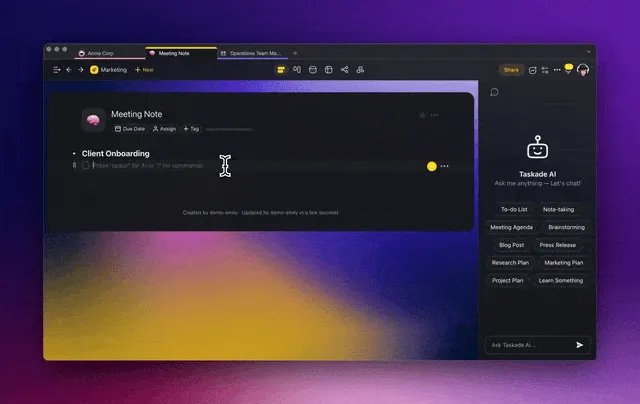
An AI-powered task manager can generate a set of tasks based on specific criteria. It can create tasks from emails, meeting notes, and documents. It can even sync with your calendar to suggest the best times for deep work, meetings, and breaks.

Then there's prioritization — the part most people get wrong.

"What needs my attention first?"
"Which deadline's actually pressing?"
"Should I dive into quick wins or complex tasks?"

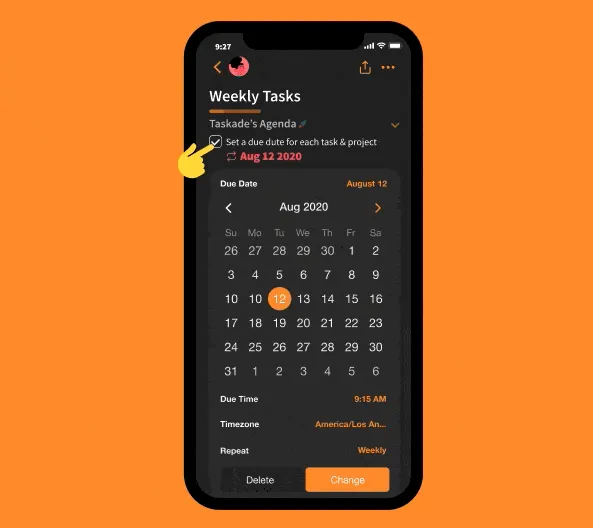
Every time you create a to-do list, you need to decide what's urgent and what can wait. With AI, your task manager can analyze urgency, figure out the optimal order based on dependencies, and set due dates automatically.

Finally, modern AI task management apps go beyond isolated lists. They integrate tasks, projects, calendars, notes, and communication — letting you manage everything in one place without context switching between tools.

📊 The 5 Levels of AI in Task Management

Not all "AI to-do lists" are created equal. Here's a framework to understand what AI can actually do for your tasks — from basic automation to fully autonomous task agents:

    The 5 Levels of AI in Task Management

Level 5 ┌─────────────────────────────────────────┐
        │  🤖 AUTONOMOUS AGENTS                    │
        │  AI agents that manage tasks for you —   │
        │  create, prioritize, delegate, and       │
        │  complete workflows independently.       │
        │  Example: Taskade AI Agents              │
Level 4 ├─────────────────────────────────────────┤
        │  ⚡ WORKFLOW AUTOMATION                   │
        │  AI triggers multi-step automations —    │
        │  "When a task is completed, notify the   │
        │  team and create the next task."         │
        │  Example: Taskade Automations            │
Level 3 ├─────────────────────────────────────────┤
        │  🧠 INTELLIGENT GENERATION               │
        │  AI generates task lists, breaks down    │
        │  projects, and suggests action items     │
        │  from documents, prompts, or goals.      │
        │  Example: Taskade AI Project Studio      │
Level 2 ├─────────────────────────────────────────┤
        │  📅 SMART SCHEDULING                     │
        │  AI suggests optimal times for tasks     │
        │  based on calendar, habits, and energy.  │
        │  Example: Motion, Trevor AI              │
Level 1 ├─────────────────────────────────────────┤
        │  🔔 SMART REMINDERS                      │
        │  Basic AI: natural language parsing,     │
        │  due date suggestions, smart alerts.     │
        │  Example: Todoist, Any.do                │
        └─────────────────────────────────────────┘

Most "AI to-do apps" operate at Levels 1-2.
Taskade Genesis operates at Levels 3-5.

The higher the level, the more the AI handles on your behalf — from simple reminders to fully autonomous task agents that manage entire workflows.

⚡ What Can AI Actually Do for Your To-Do List?

Here's a breakdown of six capabilities that separate an AI-powered task manager from a traditional to-do app:

1. Auto-Generate Tasks from Goals and Documents

Instead of manually typing every task, describe your goal and let AI break it down. Upload a project brief, paste a meeting transcript, or simply type "Plan a product launch" — and your AI task manager generates a structured list of action items, subtasks, and milestones.

Try it: Clone the AI Productivity Planner — describe your goals, and the AI agent builds a prioritized daily and weekly plan.

2. Prioritize by Urgency, Importance, and Energy

AI can apply frameworks like the Eisenhower Matrix automatically — categorizing tasks into Do First, Schedule, Delegate, and Delete quadrants based on deadlines, dependencies, and your stated priorities.

Try it: Clone the Task List Board — AI-assisted task creation with automated sorting and status updates.

3. Schedule Tasks Around Your Calendar

AI task managers can look at your calendar, identify open blocks, and auto-schedule tasks during your most productive hours. No more guessing when to do what — the task manager handles the logistics so you can focus on execution.

Pair this with the Pomodoro Technique or Flowtime Technique for structured focus sessions.

Try it: Clone the Study/Work Timer + Music — Pomodoro-style task sessions with ambient sounds for deep focus.

4. Delegate Tasks to AI Agents

This is where AI task management gets transformative. Instead of just organizing your list, you can deploy autonomous AI agents that take action — drafting content, triaging support tickets, processing data, or managing entire workflows.

With Taskade AI Agents, you create custom agents equipped with specific skills and 22+ built-in tools. These agents don't just suggest — they execute.

Try it: Clone the Support Agent — an autonomous AI agent that triages, routes, and responds to tasks.

5. Automate Recurring Workflows

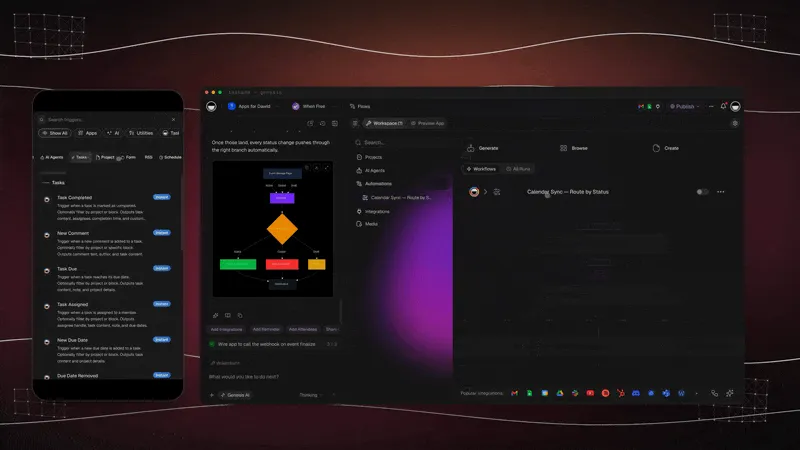
Repetitive tasks shouldn't require repetitive effort. AI-powered automation connects your task manager to external tools — Slack, Gmail, Google Sheets, Shopify — and triggers multi-step workflows automatically.

Taskade Automations use Temporal durable execution for reliable, production-grade workflows with branching, looping, and filtering.

Try it: Clone the Content Workflow — dual AI agents for drafting, editing, and automated publishing pipelines.

6. Track Progress and Build Better Habits

AI doesn't just manage today's tasks — it learns from your patterns. Over time, your task manager identifies when you're most productive, which tasks take longer than expected, and where bottlenecks form. This feedback loop turns your to-do list into a continuous improvement system.

Try it: Clone the Habit Tracker Dashboard — streak tracking, daily check-ins, and AI-driven motivational reminders.

🔍 The AI Task Manager Landscape: A Quick Comparison

While this guide focuses on how to use AI for task management, here's a snapshot of where the major apps fall on the 5-level framework above. For detailed reviews, see our 10 Best AI To-Do List Apps roundup.

App AI Level AI Strength Best For Pricing
Taskade 5 — Autonomous Agents Custom AI agents, 11+ models (OpenAI, Anthropic, Google), workflow automation, project generation Teams and individuals who want a complete AI task management platform Free plan available; see pricing
Motion 2-3 — Smart Scheduling AI auto-scheduling, calendar-based task planning Solo professionals who need automatic calendar optimization From $34/month
Notion 2 — Smart Scheduling AI content generation, task summaries, Q&A Users who want AI writing assistance within a flexible workspace Free plan; from $10/user/month
ClickUp 2-3 — Intelligent Generation ClickUp Brain for task summaries, AI Knowledge Manager Teams needing a customizable project management task manager Free plan; from $7/user/month
Todoist 1 — Smart Reminders Natural language parsing, smart scheduling suggestions Users who want simple, reliable task management with light AI Free plan; from $5/month
Trello 1-2 — Smart Reminders Atlassian Intelligence for content generation and action items Teams who prefer visual Kanban-based task management Free plan; from $5/user/month
Any.do 1 — Smart Reminders AI suggestions for task creation, intelligent task assistant Users who want a clean, simple task manager for personal use Free plan; from $5/month

For the complete comparison with pros, cons, and feature breakdowns, read our dedicated Best AI To-Do List Apps article.

🤔 How to Choose the Right AI Task Manager

Choosing the right AI-powered task management app requires more than comparing feature lists. Here's what to evaluate:

Ease of Use

Your task manager should make task management simpler, not more complicated. The interface should be clean, and you should be able to add, organize, and manage tasks without friction.

  • Can you quickly add and modify tasks?
  • Does it support keyboard shortcuts for power users?
  • Is the learning curve reasonable for your team?

AI Capability Depth

Not all AI features are equal. A smart reminder is Level 1 — a custom AI agent that manages tasks autonomously is Level 5. Match the AI depth to your actual needs.

  • Can the AI generate tasks from goals or documents?
  • Does it prioritize and schedule automatically?
  • Can you deploy custom AI agents or automations?

Integration with Other Tools

Your task manager should connect to the tools you already use — calendar, email, Slack, Google Sheets, and more. The less context switching, the better.

  • Does it integrate with your calendar and email?
  • Can AI automate cross-tool workflows?
  • Is data exchange seamless and real-time?

Adaptability and Flexibility

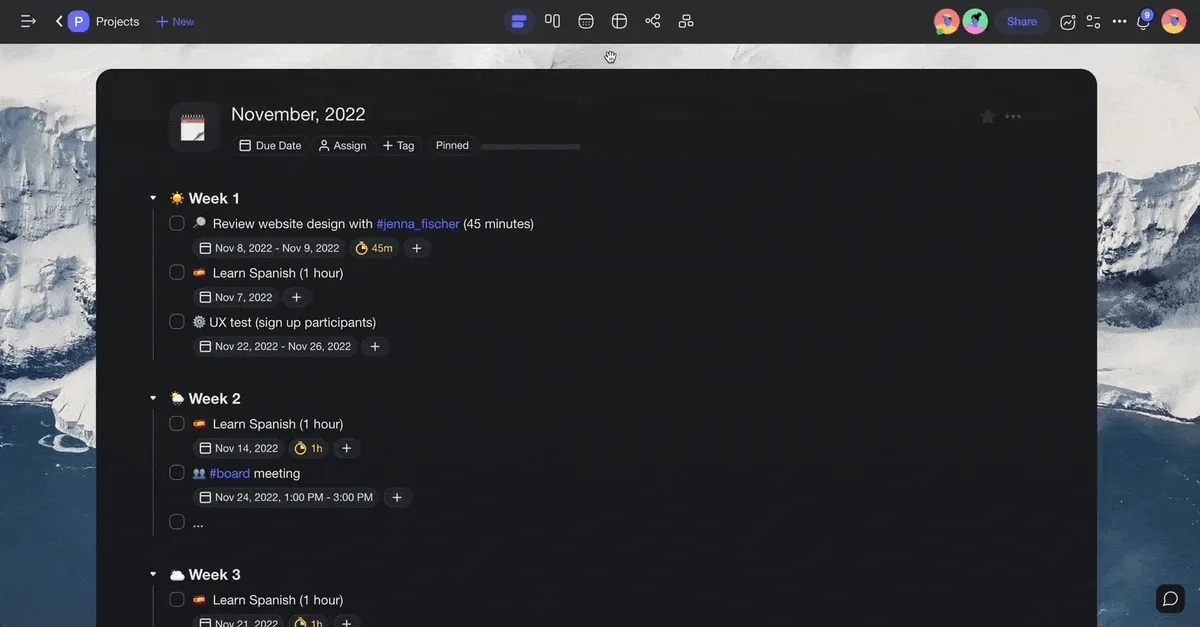
Life is unpredictable, and your task manager should adjust. Look for apps that offer multiple project views (list, board, calendar, mind map, Gantt, table, org chart, timeline), customizable workflows, and flexible AI settings.

  • Can it reschedule tasks when plans change?
  • Does it offer multiple project views?
  • Can you customize AI behavior and recommendations?

Security and Privacy

Your task data is sensitive. An AI task manager shouldn't train models on your data without consent. Look for encryption, transparent privacy policies, and compliance certifications.

  • Does the app offer data encryption and 2FA?
  • Is the privacy policy transparent about AI data usage?
  • Can you export and delete your data easily?

🧬 Build Your AI-Powered To-Do System with Taskade Genesis

Why install another app when you can build exactly the task management system you need?

Taskade Genesis creates complete AI-powered workspaces from a single prompt. Describe your ideal task workflow, and Genesis builds it as living software — a workspace that evolves with your needs.

How It Works

  1. Describe — Tell Genesis what you need: "Build a GTD task management system with weekly reviews and AI prioritization."
  2. Generate — Genesis creates your workspace: projects, task lists, AI agents, automations, and views — all connected.
  3. Customize — Adjust views, agent behaviors, and workflows. Add your team.
  4. Deploy — Your AI task manager is live. Agents run autonomously, automations trigger on schedule, and your task system grows with you.

What Genesis Creates

What You Describe What Genesis Builds
"Build a GTD system" Task inbox + processing workflow + project lists + weekly review agent
"Create a team task tracker" Dashboard + assignments + progress automation + notification workflows
"Design a daily planner" Schedule view + AI prioritization + reminders + habit tracking
"Make a sales pipeline" Lead tracking + stage automation + follow-up agents + analytics

Your Workspace DNA

Every Taskade workspace is built on three layers:

  • 🤖 Custom AI Agents — The intelligence layer. Create agents with custom tools, slash commands, and persistent memory. Choose from 11+ AI models across OpenAI, Anthropic, and Google.
  • 🧠 Projects & Memory — The database layer. Tasks, notes, documents, and knowledge — all connected and searchable.
  • ⚡️ 100+ Integrations — The automation layer. Connect to Slack, Gmail, Google Sheets, Shopify, and more with Temporal durable execution.

Clone These AI Task Management Apps

Each app below is a live, working task system you can clone and customize in seconds:

Your Need Genesis App What It Does
Simple to-do list Minimalistic ToDo Clean, distraction-free task list for managing daily to-dos
AI daily planner AI Productivity Planner AI agent builds your prioritized daily and weekly schedule
Team task board Task List Board Shared board with AI task creation and automated status updates
Visual Kanban Kanban Board Drag-and-drop workflow with AI agent and automated transitions
Project dashboard Neon Task Dashboard Real-time priority setting, assignment tracking, and progress monitoring
Habit + task tracking Habit Tracker Dashboard Streak tracking, daily check-ins, and AI-driven motivational reminders
Focus timer Study/Work Timer + Music Pomodoro-style sessions with ambient sounds for deep work
Time tracking Time Tracker Log time per task with automated timesheets and productivity analytics
Content workflows Content Workflow Dual AI agents for drafting, editing, and automated publishing
AI task agent Support Agent Autonomous agent that triages, routes, and responds to tasks
Job applications Application Tracker Track applications across stages with AI-powered status updates
Team capacity Team Capacity Planner Workload balancing, availability forecasting, and resource optimization

🔍 Explore All Community Apps →

Get started:

  • Create Your First App → — Step-by-step tutorial
  • Learn Workspace DNA → — Understand the architecture

Traditional To-Do Apps vs. Taskade Genesis

Feature Traditional AI To-Do App Taskade Genesis
Task lists and reminders ✅ Basic ✅ AI-generated
AI suggestions Basic auto-complete Custom agents with 22+ tools
Custom workflows Limited presets Build your own from a prompt
Project views 1-3 views 8 views: List, Board, Calendar, Table, Mind Map, Gantt, Org Chart, Timeline
Database and knowledge ❌ Not included ✅ Built-in with persistent memory
Automations ❌ or limited ✅ 100+ integrations with durable execution
Team collaboration Some apps ✅ Real-time with 7-tier permissions (Owner, Maintainer, Editor, Commenter, Collaborator, Participant, Viewer)
AI models Single model (if any) 11+ models from 3 providers (OpenAI, Anthropic, Google)
Custom domains ❌ ✅ Host your task app on your domain
Public embedding ❌ ✅ Embed apps and agents anywhere

Sign up for free and build your AI task manager with Taskade! 🤖

💬 Frequently Asked Questions About AI-Powered To-Do Lists

What is an AI-powered to-do list?

An AI-powered to-do list is a task management tool that uses artificial intelligence to go beyond simple checkboxes. Instead of just storing tasks, it can generate task lists from goals or documents, automatically prioritize by urgency and importance, schedule tasks around your calendar, and even delegate work to AI agents. The spectrum ranges from basic smart reminders (Level 1) to fully autonomous task agents (Level 5).

How does AI improve task management?

AI improves task management in five key areas: (1) Generation — AI creates structured task lists from goals, documents, or prompts. (2) Prioritization — AI ranks tasks by urgency, importance, and dependencies using frameworks like the Eisenhower Matrix. (3) Scheduling — AI auto-schedules tasks based on your calendar and energy patterns. (4) Delegation — AI agents handle tasks autonomously. (5) Automation — AI triggers multi-step workflows across tools.

Can AI prioritize my tasks automatically?

Yes. AI task managers can analyze your task list and apply prioritization frameworks automatically. For example, Taskade AI Agents can categorize tasks into Eisenhower Matrix quadrants, flag overdue items, and reorder your list based on deadlines and dependencies. The key is that AI prioritization improves over time as the system learns your patterns and preferences.

What is an AI agent for task management?

An AI agent is an autonomous software entity that can take actions on your behalf. In task management, AI agents go beyond suggestions — they create tasks, assign them to team members, follow up on deadlines, process documents, and manage entire workflows. Taskade offers custom AI agents with 22+ built-in tools, persistent memory, and multi-model support (11+ models from OpenAI, Anthropic, and Google).

How do I automate my to-do list with AI?

Start by identifying repetitive patterns in your workflow — weekly reports, status updates, task assignments, email follow-ups. Then set up automation triggers: "When a task is marked complete, notify the team and create the next task." Taskade Automations connect to 100+ tools (Slack, Gmail, Google Sheets, Shopify) and use Temporal durable execution for reliable, production-grade workflows.

Is an AI to-do list better than a regular to-do list app?

It depends on your needs. If you manage a handful of personal tasks, a simple app like Google Tasks or Apple Reminders works fine. But if you manage complex projects, collaborate with a team, or want to automate repetitive work, an AI-powered task manager like Taskade saves significant time. The real value of AI is in the tasks you never have to do — because the agent handles them for you.

Can I build my own AI to-do list app?

Yes. With Taskade Genesis, you can describe your ideal task management system in plain language and Genesis builds it — complete with AI agents, automations, project views, and team collaboration. It's what we call living software: apps that evolve as your needs change, without writing a line of code.

What AI models do to-do list apps use?

Most AI to-do list apps use a single model (usually GPT). Taskade supports 11+ AI models from 3 providers — OpenAI (GPT-4o, GPT-4, GPT-3.5, o1), Anthropic (Claude Opus, Sonnet, Haiku), and Google (Gemini Pro, Ultra, Flash, Nano). This multi-model approach lets you choose the right model for each task: fast models for quick responses, powerful models for complex reasoning.

🔗 Resources

  1. Allen, D. (2001). Getting Things Done: The Art of Stress-Free Productivity. Penguin Books. https://gettingthingsdone.com/

  2. Newport, C. (2016). Deep Work: Rules for Focused Success in a Distracted World. Grand Central Publishing.

  3. Covey, S. R. (1989). The 7 Habits of Highly Effective People. Free Press.

  4. Mark, G., Gudith, D., & Klocke, U. (2008). The cost of interrupted work: more speed and stress. Proceedings of CHI 2008.

  5. Taskade Help Center — AI Agents. https://help.taskade.com/en/articles/8958457


Also in the AI To-Do List series:

  • 10 Best AI To-Do List Apps Compared — AI task managers ranked for 2026
0%

On this page

🤖 What Is an AI-Powered To-Do List?📊 The 5 Levels of AI in Task Management⚡ What Can AI Actually Do for Your To-Do List?1. Auto-Generate Tasks from Goals and Documents2. Prioritize by Urgency, Importance, and Energy3. Schedule Tasks Around Your Calendar4. Delegate Tasks to AI Agents5. Automate Recurring Workflows6. Track Progress and Build Better Habits🔍 The AI Task Manager Landscape: A Quick Comparison🤔 How to Choose the Right AI Task ManagerEase of UseAI Capability DepthIntegration with Other ToolsAdaptability and FlexibilitySecurity and Privacy🧬 Build Your AI-Powered To-Do System with Taskade GenesisHow It WorksWhat Genesis CreatesYour Workspace DNAClone These AI Task Management AppsTraditional To-Do Apps vs. Taskade Genesis💬 Frequently Asked Questions About AI-Powered To-Do Lists🔗 Resources

Related Articles

/static_images/RSS Isn't Dead — How Taskade Genesis Turns Feeds into Living AI Workflows
December 4, 2025Productivity

RSS Isn't Dead. It's Learning.

When Google Reader shut down, everyone said RSS was over. But what really died wasn't the protocol — it was imagination....

/static_images/10 Agentic Workflows for Startup Automation with Taskade Genesis
November 28, 2025Productivity

10 Agentic Workflows That Replace Your Startup's Busywork

Startups don't die from lack of ideas — they die from execution overhead. Discover 10 agentic workflows that turn startu...

/static_images/Invoice Generator app with payment tracking dashboard showing paid, pending, and overdue invoices
February 28, 2026Productivity

3 Finance Apps You Can Clone Today — Invoice, Meeting Costs & Licenses

Track payments, calculate meeting costs, manage licenses — three complete finance apps you can clone in minutes. AI-powe...

/static_images/AI appointment booking system built with Taskade Genesis
February 24, 2026Productivity

Vibe Booking Apps: Build an AI Appointment System in Minutes

Build AI-powered booking and scheduling systems without code. 5 working examples — appointment scheduling, class booking...

/static_images/Class Booking Portal app showing class listings, schedules, and participant management dashboard
February 21, 2026Productivity

3 Booking Apps You Can Clone Today — Classes, Appointments & Events

Classes, appointments, or events — three complete booking apps with signup forms, automated confirmations, reminders, an...

/static_images/Taskade Genesis interface — build AI apps from a single prompt
February 8, 2026AI

The Ultimate Guide to Taskade Genesis in 2026 — Build AI Apps From a Single Prompt

Everything you need to know about Taskade Genesis in 2026. Build living AI apps with custom AI agents, databases, automa...

View All Articles
AI-Powered To-Do Lists: Build & Automate Your Task Manager (2026) | Taskade Blog