






Updated June 2026. A schedule generator should not hand you a static grid and walk away. Generate the roster in Taskade Genesis, then run it as a live team app, shared availability, recurring shifts, and approvals built in. Deputy and When I Work lead on shift coverage, Connecteam on all-in-one workforce ops, 7shifts on restaurants, and Motion on solo focus blocks. But only Taskade Genesis turns the roster into a workspace app you own. Looking for personal calendar and habit scheduling instead? That's the job of our sibling guide, the best AI schedule makers. Try Taskade Genesis free →
Try It Live: A Schedule Generator You Can Actually Run
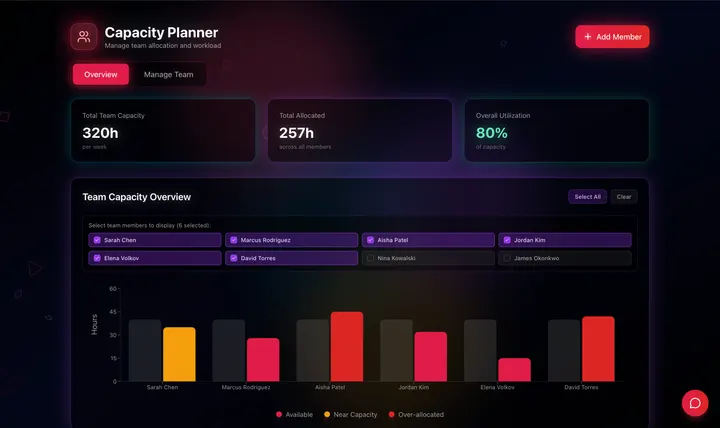
Every workforce tool on this list locks your roster inside its own app and charges per seat. This one hands you the app itself. The team-capacity app below was built from a single prompt in Taskade Genesis: it generates the roster, then runs it as a live workspace, shared availability, recurring shifts that repeat on their own, and a grid your whole team can open. Click it, clone it, and watch a schedule stop being a spreadsheet you rebuild every Monday.
Watch an operational team app built from one prompt:
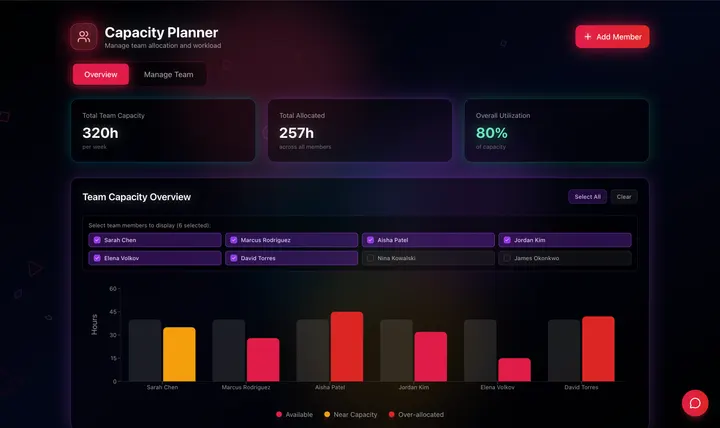
This is the difference the rest of the article is about. A schedule generator that gives you a grid is a tool. A schedule generator that gives you a running team app, with availability, recurring shifts, and approvals, is leverage. Clone this app and run your next roster with recurring-shift automations →
The Evolution of Scheduling Software: From Wall Chart to Living App
Scheduling has moved through four eras, and 2026 is the start of the fifth. It began as a paper wall chart pinned in the break room. It became a spreadsheet emailed every week. It became a per-seat workforce app with a mobile clock-in. It became an AI that auto-fills the open shifts for you. And now, with Taskade Genesis, it becomes a living app, the roster and the workspace around it, generated from one prompt and yours to clone. Each era kept the previous one's job and added a new one. The pattern is consistent: the schedule got smarter, but it stayed locked in someone else's system. The 2026 shift is the first time the output stops being a grid you rent and starts being a team app you own.
Here is the whole arc, era by era:
Read the same arc as a milestone table, what changed, and what each era still left on the table:
| Era | What you ran | What it gave you | What it still couldn't do |
|---|---|---|---|
| 1990s — Paper chart | A pinned grid | Everyone could read it | No edits, no remote view |
| 2000–10 — Spreadsheet | A weekly .xlsx |
Easy to copy and tweak | Rebuild from scratch each week |
| 2011–20 — Workforce app | A per-seat platform (Deputy, When I Work) | Mobile shifts, clock-in | Roster locked in their system |
| 2021–24 — AI auto-fill | A smart scheduler (Connecteam, 7shifts) | Open shifts filled in seconds | Still a rented app, per seat |
| 2025–26 — Living app | A roster app (Taskade Genesis) | A team app you own and clone | — (this is the frontier) |
The plain-English takeaway: every era made the roster faster to build or easier to read. Only the 2026 era makes the schedule a system you own and run. That is the whole reason Taskade Genesis tops this list. It is built for the era the workforce category is still catching up to. For the conceptual deep-dive on how prompt-to-app generation works, see our Genesis Loop explainer and the Learn Taskade overview.
What Is the Best AI Schedule Generator in 2026?
Taskade Genesis is the best AI schedule generator in 2026 because it closes the gap between building a roster and running it. Describe your team, the roles, the shifts you need covered, and each person's availability, and Taskade Genesis generates a complete schedule. Then runs it as a live team app with shared availability, recurring shifts, and a grid on multiple project views. Every workforce tool on this list builds a roster locked inside its own per-seat platform; Taskade Genesis hands you a workspace app you own, clone, and connect to 100+ tools.
The plain-English version: the roster that used to take a manager an hour of spreadsheet wrangling every week gets generated once and then repeats itself. Taskade's first Enterprise customer — an IT program manager with no engineering team — built a production field-service dashboard on Taskade Genesis and put it this way: "What I accomplished in a few weeks would have taken a team of 40+ people 18 months in a Fortune 500." He didn't generate a grid. He generated the app that runs the work.
Generate the Grid vs. Run the System: Why a Spreadsheet Isn't Enough
A schedule generator gives you a better grid. An app generator gives you the thing the grid was for, a team that always knows who works when, without you rebuilding it. That is the whole gap. Ten of the eleven tools below hand you a roster locked inside their per-seat platform. You publish it, the week ends, and you start over. Taskade Genesis takes the same prompt and returns a working roster app, shared availability, recurring shifts, and approvals. That your team opens, edits, and reuses every week without a rebuild.
Here is the path a roster actually travels when the tool doesn't stop at the grid:
Most tools on this list live in the first two boxes. Taskade Genesis is the only one that carries the roster all the way to the last one, a self-running team app, not a published grid.
Side by side, the week after you build the schedule looks like this:
  A SCHEDULING SILO                       A CLONEABLE TEAM APP (Taskade Genesis)
  ─────────────────                       ──────────────────────────────
  [ you ] build a roster                  [ you ] build a roster
      │                                       │
      ▼                                       ▼
  publish inside their app                a live team app you own
      │                                       │
      ▼                                       ├─ team sees their own shifts
  pay per seat to view it                 ├─ recurring shifts repeat on their own
      │                                       ├─ agent rebalances on a time-off request
      ▼                                       ▼
  rebuild it next week                    clone it → reuse for the next team
  (roster trapped in their system)        (every team's roster in one workspace)
The left column is where ten of these tools end. The right column is where the schedule runs itself.
Why What Happens After You Publish Is the Whole Game
The roster you can change is the roster you can keep. Anyone who has run a shift team knows the schedule is never done, someone calls out, a new hire starts, a holiday lands mid-week. A static spreadsheet goes stale the instant you publish it. A live roster app does the opposite: recurring shifts repeat on their own, a swap request routes itself for approval, and the grid updates the moment a change is accepted, and an agent can act on that signal automatically.
That is the difference between a generator that hands you a grid and one that hands you a system. Every tool on this list can produce a clean first roster in 2026; AI made the auto-fill a solved problem. The unsolved problem, the one that actually saves a manager's week, is everything that happens after you publish. Taskade Genesis is built around that second half: the recurring shifts, the rebalancing agent, and the reusable workspace. The first roster is table stakes. Running it forever is the product.
How We Ranked
We ranked 11 AI schedule generators on six criteria that matter to the person who has to run the roster every week, not just build it once:
- Generation quality, how complete and conflict-free the first roster is from a single brief.
- Schedule types covered, work shifts, employee rosters, study plans, project timelines, or one niche.
- Output you keep, a static grid, a per-seat platform, or a live app you own and clone.
- Run-it-forever, recurring shifts, auto-rebalancing, and swaps after you publish.
- Team availability & sharing, shared availability, role-based access, and a grid the whole team can see.
- Pricing, free-tier generosity and per-seat cost at the annual price.
Scored against those six criteria, here is how the field stacks up at a glance, the single column that separates the leader from the pack is "Output you keep":
| Tool | Generation | Types covered | Output you keep | Run-it-forever | Sharing | Price value |
|---|---|---|---|---|---|---|
| Taskade Genesis | Excellent | All types | Live app | Recurring + agent | Roles | Excellent (free) |
| Deputy | Excellent | Work shifts | Per-seat platform | Auto-fill + swap | Mobile push | Fair |
| When I Work | Good | Work shifts | Per-seat platform | Recurring + swap | Mobile push | Fair |
| Homebase | Good | Shifts + payroll | Per-seat platform | Auto + conflict | Mobile push | Good (free tier) |
| Connecteam | Excellent | All-in-one ops | Per-seat platform | Auto-fill | Mobile push | Good |
| 7shifts | Good | Restaurant shifts | Per-seat platform | Forecast + swap | Mobile push | Fair |
| Sling | Good | Shifts + comms | Per-seat platform | Recurring + swap | Mobile push | Good (free tier) |
| Shyft | Good | Shift swaps | Per-seat platform | Swap marketplace | Mobile push | Fair |
| TCP Humanity | Good | Complex rosters | Per-seat platform | Rules engine | Mobile push | Low (enterprise) |
| Motion | Good | Solo focus blocks | Per-seat platform | Auto-reschedule | Calendar share | Low |
| Reclaim.ai | Good | Calendar habits | Per-seat platform | Auto-defend time | Calendar share | Good |
The grid tells the story before you read a word of the reviews: most tools earn "Good" or "Excellent" on generation, then every single one drops to "Per-seat platform" on output, except the one that hands you a live app you own.
The 11 Best AI Schedule Generators
1. Taskade Genesis: Best Overall: Generate the Roster, Then Run It
Taskade Genesis is the only tool on this list that generates a schedule and runs it as a live team app you own. Describe your team, the roles, the shifts you need covered, and each person's availability in one prompt, and Taskade Genesis generates a complete roster, a shift calendar, shared availability, and a coverage grid tuned to the schedule type you need. Then, in one more click, that same artifact becomes a working app: a shared calendar where every teammate sees their own shifts, recurring shifts that repeat on their own through reliable automation workflows, and an agent that rebalances the roster when someone requests time off.
That is the structural gap in the whole category. Every workforce competitor locks the roster inside its own per-seat platform. Taskade Genesis hands you the workspace app itself, yours to clone, brand, and connect to the rest of your operations. The roster that used to eat a manager's Monday gets generated once and then runs itself.
One hub covers every schedule type. Taskade Genesis generates employee shift calendars at /generate/calendars/employee-shift-calendar, full shift schedules at /generate/human-resource/shift-schedule, and daily and study schedules at /generate/ai/daily-schedule. Workforce tools silo into restaurant or retail or solo focus; Taskade Genesis covers work shifts, employee rosters, study plans, and project timelines in a single live workspace.
Taskade Genesis runs on 15+ frontier models from OpenAI, Anthropic, Google, and open-weight providers, so the roster respects your real coverage rules, not a rigid template. The workspace ships multiple project views (List, Board, Calendar, Table, Mind Map, Gantt, Org Chart, Timeline lives inside Gantt) so you see the same roster as a calendar, a table, or a Gantt timeline with one click, a role model (Owner to Viewer) so each teammate sees exactly the right surface, and 100+ bidirectional integrations to sync Google Calendar, Outlook, and Slack around the schedule. Brand the app with your logo and a custom domain on Business and above, and the roster stops looking like a vendor's grid and starts looking like your own team app.
Best for: Anyone, shift manager, agency, school, or solo operator, who wants the schedule to run itself, not just look right on Monday.
Strengths: Only tool that turns the roster into a cloneable team app you own; every schedule type in one hub; shared availability, recurring shifts, and a rebalancing agent; multiple views of the same roster; custom branding and domain; generous free tier.
Weaknesses: Native time-clock punch and biometric clock-in are wired through integrations rather than built in, so a pure punch-clock shop may want a dedicated workforce app alongside; the polished shift-template gallery is younger than Deputy's.
Pricing: Free (Free Forever plan), Pro $10/mo (the Popular tier), Business $25/mo, Max $100/mo, Enterprise $250/mo, all annual billing.
The catch: Honest one, physical time-clock hardware and payroll-grade clock-in run through the 100+ integrations rather than baked into the editor, so if you need a turnkey punch clock and nothing else, a workforce-first tool may feel simpler. Everything around the roster, though, is built in.
Verdict: The clear winner for anyone who wants a schedule to run itself, not just look right when you publish it.
2. Deputy: Best Pure Shift-Scheduling Engine
Deputy is the shift-scheduling incumbent. It builds rosters fast and adjusts them even faster, with AI-driven demand forecasting, smart templates, and one-click open-shift fill. It is a favorite for restaurants, retail, healthcare support, and multi-location operations that need coverage built quickly and changed on the fly, and when someone calls out, Deputy finds a qualified replacement and notifies the team.
Best for: Shift-based businesses and multi-location operators that need rosters built fast and adjusted faster.
Strengths: Strong AI auto-scheduling; demand forecasting; multi-location support; fast open-shift fill; broad integrations.
Weaknesses: The roster lives inside Deputy's per-seat platform, not a workspace app you own; pricing climbs with headcount; overkill for a student or a solo planner.
Pricing: Tiered per-user monthly, with scheduling and time-tracking modules.
The catch: You get a polished roster inside Deputy's system, not an app you clone, brand, or run your wider operations around.
Verdict: Best if you run shift teams and want the fastest, smartest pure scheduling engine.
3. When I Work: Best Simple Shift Scheduler for Hourly Teams
When I Work is the clean, approachable shift scheduler. It is built for hourly teams that want to publish a roster, push it to everyone's phone, and handle swaps without a learning curve. Recurring shift templates, availability tracking, and a tidy mobile app make it one of the easiest tools to roll out to a frontline team that just wants to know when they work.
Best for: Small and mid-sized hourly teams that want simple, mobile-first shift scheduling.
Strengths: Easy to learn; recurring templates; mobile shift swaps; availability tracking; quick to roll out.
Weaknesses: Roster stays inside When I Work's per-seat app; lighter on forecasting than Deputy; no workspace you own around it.
Pricing: Per-user monthly with a free trial; scheduling and attendance tiers.
The catch: It does shift scheduling cleanly and stops there. There's no cloneable app, project view, or wider workspace to reuse.
Verdict: Best for hourly teams that want simple, reliable mobile scheduling without the weight.
4. Homebase: Best Free Tier with Built-In Payroll
Homebase is the SMB-friendly all-rounder. Its Scheduling Assistant builds AI-optimized shifts and resolves conflicts automatically, and a native payroll add-on syncs straight from timesheets. So a small business can go from roster to paycheck in one tool. The free tier (one location, up to 20 employees) is genuinely generous for a local shop or café.
Best for: Small hourly teams at one location that want scheduling plus payroll in one place, for free to start.
Strengths: Generous free tier; AI conflict resolution; native payroll add-on; time tracking and team messaging built in.
Weaknesses: Free tier caps at one location and 20 employees; advanced features need a paid upgrade; roster locked in their platform.
Pricing: Free for one location up to 20 employees; paid tiers add locations and payroll.
The catch: Great for a single location. But the roster is a Homebase grid, not an app you own and clone across teams.
Verdict: Best for a single-location small business that wants free scheduling with payroll on tap.
5. Connecteam: Best All-In-One Workforce Ops
Connecteam is the all-in-one frontline workforce app. Its AI scheduler assigns shifts from availability, qualifications, time-off requests, and coverage needs all at once, fills every open slot in seconds, and spreads unpopular shifts evenly across the team. Around the roster it bundles time tracking, tasks, chat, and training, a single app for deskless teams that want everything in one place.
Best for: Deskless and frontline teams that want scheduling bundled with chat, tasks, and time tracking.
Strengths: Excellent auto-scheduling; conflict flagging before publish; fair-shift distribution; full workforce-ops suite.
Weaknesses: Broad suite can be more than a pure scheduler needs; roster lives in Connecteam's per-seat platform; no workspace app you own.
Pricing: Tiered per-user monthly, with a free tier for very small teams.
The catch: A complete workforce app, but the schedule is one module inside it, not a cloneable app or a workspace you run other workflows around.
Verdict: Best for frontline teams that want scheduling as part of one all-in-one ops app.
6. 7shifts: Best for Restaurants and Hospitality
7shifts is the restaurant-scheduling specialist. It is built for the realities of hospitality, late callouts, variable demand, tip pooling, and ties labor directly to sales so managers can staff to forecast. For restaurants and hospitality groups optimizing labor cost against covers, the domain depth is real and well beyond a general scheduler.
Best for: Restaurants and hospitality groups optimizing labor to sales with shift flexibility.
Strengths: Restaurant-specific forecasting; labor-to-sales optimization; shift swaps; POS integrations; built for callouts.
Weaknesses: Hospitality-focused, less fitting outside food service; roster locked in their app; pricier as you add locations.
Pricing: Per-location monthly tiers; free entry tier for a single small venue.
The catch: Brilliant for restaurants and narrow elsewhere, the moment you schedule a non-restaurant team, you're back to a general tool.
Verdict: Best if your whole job is staffing a restaurant or hospitality group.
7. Sling: Best Scheduling with Built-In Team Communication
Sling wraps shift scheduling in team communication. It builds recurring rosters, handles shift swaps and time-off, and bakes messaging, newsfeeds, and announcements right into the schedule. So the conversation about a shift lives next to the shift itself. For teams where coordination matters as much as coverage, the comms-first angle is a genuine strength, and there's a free tier to start.
Best for: Teams that want shift scheduling and built-in messaging in one app, starting free.
Strengths: Recurring scheduling; native team messaging and newsfeed; shift swaps; free tier; clean interface.
Weaknesses: Lighter on labor-compliance and payroll depth than full workforce platforms; roster stays in Sling's app.
Pricing: Free core tier; paid tiers add advanced scheduling and compliance.
The catch: Strong on communication, but the roster isn't a cloneable app you own. It's a grid plus a chat inside Sling.
Verdict: Best for teams who want scheduling and communication living in the same place.
8. Shyft: Best Shift-Swap Marketplace
Shyft pioneered the shift-swap marketplace. Its strength is the flexible, employee-driven side of scheduling, staff post shifts they can't work, qualified teammates pick them up, and real-time communication keeps coverage intact. For retail, hospitality, and healthcare teams with dynamic staffing and a culture of swapping, Shyft's marketplace model and intuitive mobile app are the draw.
Best for: Retail, hospitality, and healthcare teams that need flexible, employee-driven shift swapping.
Strengths: Best-in-class shift-swap marketplace; real-time team communication; intuitive mobile app; strong for dynamic staffing.
Weaknesses: Swap-first focus means lighter forecasting and compliance; roster locked in Shyft's platform; no workspace you own.
Pricing: Per-user tiers; enterprise plans for larger deployments.
The catch: The swap experience is excellent, but the schedule isn't an app you clone or run wider operations around.
Verdict: Best for teams whose scheduling lives and dies by flexible shift swaps.
9. TCP Humanity: Best for Complex Rule-Based Rosters
TCP Humanity (now part of TCP Software) is the heavyweight for complicated coverage. It handles robust shift planning, skill requirements, and flexible scheduling rules, the kind of thing healthcare, public services, and education-support teams need when coverage, qualifications, and compliance are non-negotiable. For high-complexity rosters with strict rules, the depth is real.
Best for: Healthcare, public-sector, and large teams with strict coverage, skill, and compliance rules.
Strengths: Powerful rules engine; skill-based coverage; compliance support; built for complex, large rosters.
Weaknesses: Enterprise weight and pricing; more than a small team needs; roster lives in TCP's platform.
Pricing: Custom, enterprise-oriented contracts.
The catch: Built for complexity and priced for it, overkill (and heavy) for a small shift team or a solo planner.
Verdict: Best for enterprises that need a serious rules engine for complex rosters.
10. Motion: Best AI Auto-Scheduling for Solo Focus Work
Motion is the AI day-planner for individuals and small teams. It reads your tasks, deadlines, and meetings, then auto-schedules everything into your calendar and rebuilds the plan whenever something changes. It is not a shift-rostering tool. It is the best on this list for an individual who wants AI to block their day and protect their deep work automatically.
Best for: Individuals and small teams who want AI to auto-block their day around tasks and meetings.
Strengths: Strong task auto-scheduling; automatic rebalancing when plans change; calendar-native; good for deep-work focus.
Weaknesses: Built for personal calendars, not employee rosters; no shift coverage, swaps, or labor rules; per-seat pricing.
Pricing: Per-user monthly, individual and team tiers.
The catch: Excellent for one person's day, but it has no concept of a team roster, shift coverage, or who's available to work when.
Verdict: Best if you want AI to plan your day, for personal scheduling, also see the AI schedule makers guide.
11. Reclaim.ai: Best AI Calendar Defense for Teams
Reclaim.ai optimizes calendars rather than rosters. It auto-schedules habits, tasks, and focus time into open slots and defends them as your week changes, syncing meetings, breaks, and one-on-ones so the calendar stays balanced. For knowledge teams that want AI to protect time and routines, Reclaim is strong, but it gives up shift coverage and labor compliance to do it.
Best for: Knowledge teams that want AI to defend focus time, habits, and recurring meetings on the calendar.
Strengths: Smart calendar optimization; habit and task auto-scheduling; defends focus time; good free tier.
Weaknesses: Calendar-first, not roster-first; no shift coverage, swaps, or compliance; not a workforce tool.
Pricing: Free tier; paid per-user tiers for advanced scheduling.
The catch: Great for protecting calendar time, but it can't build an employee roster or track who covers which shift.
Verdict: Best for teams that want AI to defend time on their calendars, not staff a shift grid.
Comparison Table: Output, Recurring Shifts, and the Annual-Pricing Wedge
Feature matrices hide the one thing that actually decides the buy: what you walk away with. This table strips it down to the columns the rest of the category quietly skips, what you get (a static grid, a per-seat platform, or a live app you own), whether it runs itself after you publish, and the annual price. This is where Taskade Genesis is the only green row.
| Tool | Output you keep | Runs itself after publish | Schedule types | Live cloneable app | Price (annual) |
|---|---|---|---|---|---|
| Taskade Genesis | Live app (roster + workspace) | Yes — recurring + agent | All (shifts, rosters, study, projects) | Yes — clone it | Free / $10 / $25 |
| Deputy | Per-seat platform | Auto-fill + swap | Work shifts | No | Per-user monthly |
| When I Work | Per-seat platform | Recurring + swap | Work shifts | No | Per-user monthly |
| Homebase | Per-seat platform | Auto + conflict fix | Shifts + payroll | No | Free + paid tiers |
| Connecteam | Per-seat platform | Auto-fill | All-in-one ops | No | Free + per-user |
| 7shifts | Per-seat platform | Forecast + swap | Restaurant shifts | No | Per-location monthly |
| Sling | Per-seat platform | Recurring + swap | Shifts + comms | No | Free + paid tiers |
| Shyft | Per-seat platform | Swap marketplace | Shift swaps | No | Per-user monthly |
| TCP Humanity | Per-seat platform | Rules engine | Complex rosters | No | Custom (enterprise) |
| Motion | Per-seat platform | Auto-reschedule | Solo focus blocks | No | Per-user monthly |
| Reclaim.ai | Per-seat platform | Auto-defend time | Calendar habits | No | Free + per-user |
Read the rows top to bottom and the wedge is obvious: a roster locked in someone else's app is where the others finish, and where Taskade Genesis is just getting started. On price, Taskade Genesis starts Free, then Pro $10 (the Popular tier), Business $25, Max $100, and Enterprise $250, and every paid tier ships a live app with a custom domain. Most workforce tools charge per user every month for a roster you don't own, and enterprise platforms climb fast with headcount. You are not paying for a prettier grid. You are paying for a schedule that runs itself and a team app you keep.
Full Feature Matrix: Eleven Tools, Eight Columns
This is the detailed grid the buyer's-guide pages bury or skip. It scores all eleven tools on the eight capabilities that decide a scheduling workflow, AI generation, recurring shifts, shift swaps, team availability, a rebalancing agent, multi-view (calendar/table/Gantt), an owned reusable app, and a free tier. Taskade Genesis is the only row that is "Yes" straight across the right-hand columns.
| Tool | AI generate | Recurring shifts | Shift swaps | Team availability | Rebalancing agent | Multi-view | Owned reusable app | Free tier |
|---|---|---|---|---|---|---|---|---|
| Taskade Genesis | Yes | Yes | Yes (automation) | Yes | Yes (agent) | Yes (multiple views) | Yes — clone it | Yes (Free Forever) |
| Deputy | Yes | Yes | Yes | Yes | Partial | Calendar | No | Trial only |
| When I Work | Partial | Yes | Yes | Yes | No | Calendar | No | Trial only |
| Homebase | Yes | Yes | Yes | Yes | Partial | Calendar | No | Yes |
| Connecteam | Yes | Yes | Yes | Yes | Partial | Calendar | No | Yes (small) |
| 7shifts | Yes | Yes | Yes | Yes | Partial | Calendar | No | Yes (1 venue) |
| Sling | Partial | Yes | Yes | Yes | No | Calendar | No | Yes |
| Shyft | Partial | Yes | Yes (marketplace) | Yes | No | Calendar | No | Trial only |
| TCP Humanity | Yes | Yes | Yes | Yes | Partial | Calendar | No | Trial only |
| Motion | Yes | Partial | No | No | Yes (personal) | Calendar | No | Trial only |
| Reclaim.ai | Yes | Yes (habits) | No | Partial | Yes (personal) | Calendar | No | Yes |
The shape of the grid is the argument. Most tools earn a column of "Yes" on generation, recurring shifts, and swaps, then go blank on multi-view and, every single one, on owning a reusable app. Taskade Genesis is the only tool that fills the right-hand columns, which is exactly where a roster becomes a system you keep.
Pricing Matrix: The Annual-Pricing Wedge, Tier by Tier
Most workforce-software pages quote a "from" price per user and hide the seat math. Here is the honest annual-billing picture across the field, with what you actually keep at each price. Taskade Genesis is the only one with a real free tier and a flat per-workspace climb instead of per-seat-times-headcount math.
| Tool | Free tier | Entry (annual) | Mid tier | Top / Enterprise | What you keep |
|---|---|---|---|---|---|
| Taskade Genesis | Free Forever | Free | Pro $10 ★ · Business $25 | Max $100 · Enterprise $250 | A live app you own + clone |
| Deputy | No | Per-user/mo | Per-user/mo | Enterprise custom | A roster in their platform |
| When I Work | Trial | Per-user/mo | Per-user/mo | Custom | A roster in their app |
| Homebase | Yes (1 location) | Per-location/mo | Higher tiers | Enterprise custom | A roster + payroll |
| Connecteam | Yes (small) | Per-user/mo | Per-user/mo | Enterprise custom | A workforce module |
| 7shifts | Yes (1 venue) | Per-location/mo | Per-location/mo | Custom | A restaurant roster |
| Sling | Yes (core) | Per-user/mo | Higher tiers | Enterprise custom | A roster + chat |
| Shyft | No | Per-user/mo | Per-user/mo | Enterprise custom | A swap marketplace |
| Motion | No | Per-user/mo | Team per-user/mo | Custom | A personal day plan |
| Reclaim.ai | Yes | Per-user/mo | Per-user/mo | Custom | A defended calendar |
| TCP Humanity | No | Custom (enterprise) | Custom | Enterprise custom | A complex roster |
The math is the message. Across the field you pay per user every month, multiplied by your whole team, and you walk away with a roster locked in a vendor's platform. Taskade Genesis starts free, climbs by workspace rather than by seat, and every paid tier ships a live, brandable, cloneable team app. The Pro tier at $10/mo is the Popular ★ pick, and the Business tier at $25/mo adds the custom domain that makes the roster look like your own product.
Use-Case → View Matrix: Pick the Right View for the Job
Skip the feature war and start from your job. The same generated roster shows up as whichever of Taskade's multiple project views fits the task, and this matrix maps the most common scheduling jobs to the view that does them best, plus the Taskade Genesis generator that builds it.
| Your job | Best Taskade view | Taskade Genesis route (live app) |
|---|---|---|
| See who works each day | Calendar | /generate/calendars/employee-shift-calendar |
| Balance hours across the team | Table | /generate/human-resource/shift-schedule |
| Map a multi-week project timeline | Gantt | /generate/human-resource/shift-schedule |
| Plan a personal study week | Calendar + List | /generate/ai/daily-schedule |
| Track shift status (open/filled/swapped) | Board | /generate/human-resource/shift-schedule |
| See team structure and coverage | Org Chart | /generate/calendars/employee-shift-calendar |
| Brainstorm a coverage plan | Mind Map | /create |
The pattern reads in one glance: every scheduling job has a view that fits it, and a Taskade Genesis route that builds the roster and lets you flip between all views of the same data. That is the whole reason a workspace beats a single-view grid.
Best Tool by Who You Are
If you'd rather pick by who you are than by what you're building, here's the one-line answer for each persona, and where Taskade Genesis fits for each:
| You are | Workforce-first pick | Why Taskade Genesis still fits |
|---|---|---|
| Café / retail manager | Homebase (free + payroll) | Run the roster as an app you own, recurring shifts built in |
| Restaurant operator | 7shifts (labor-to-sales) | Every location's roster in one workspace, your branding |
| Multi-location ops lead | Deputy (fast + forecasting) | Clone one roster app per site, see them all together |
| Frontline / deskless team | Connecteam (all-in-one) | Scheduling plus tasks and chat in a workspace you keep |
| Healthcare / public sector | TCP Humanity (rules engine) | Complex coverage as a live app, not a rented platform |
| Student / self-learner | Motion or Reclaim (personal) | Generate a study plan that rebalances when you fall behind |
| Solo planner | AI schedule makers | Personal calendar scheduling lives in the sibling guide |
| Operator running a whole business | — | The whole point: every team's roster as a living app you describe |
Across every persona the workforce-first pick is a fine tool, and Taskade Genesis is the one that turns that same roster into a system you keep. That bottom row, the operator running a whole business, is where the platform story really lives.
From Roster to Production: What You Can Actually Build
The fastest way to understand the gap is to look at what people ship. These are real outcome shapes, not features, that start from one prompt in Taskade Genesis and end as a running app. Each is the kind of system that used to need a manager, a spreadsheet, and a weekly rebuild.
| Outcome you want | What you prompt | What you get to run |
|---|---|---|
| Staff a shift team | "Build a weekly shift roster for 8 staff with availability and recurring shifts" | A live shift app on multiple views with recurring shifts that repeat themselves |
| Plan a study term | "Build a study schedule for 4 exams over 6 weeks with daily blocks" | A study app that rebalances when you fall behind and reminds you what's next |
| Run team capacity | "Build a team-capacity planner that tracks who's free each week" | A live capacity app the whole team can see |
| Coordinate a project timeline | "Build a project schedule with milestones, owners, and a Gantt timeline" | A live timeline on a Gantt view, owned and reusable |
| Manage shift swaps | "Build a roster where teammates request swaps and a manager approves" | An app where swaps route for approval and the calendar updates itself |
| Schedule across locations | "Build a multi-location roster with separate teams in one workspace" | Cloneable roster apps per site, all in one workspace |
Each of these is a clone away. The team-capacity app above is the same idea ready to run, open it, clone it, and swap in your own team, shifts, and availability. That single click is the activation event the rest of this category never reaches.
Wiring the schedule end to end, Google Calendar sync, Slack alerts, payroll handoff, happens through Taskade's 100+ bidirectional integrations, so the roster isn't an island. Triggers pull events in (a time-off request, a calendar change); actions push the roster out (post to Slack, sync to Google Calendar).
The Full Taskade Genesis Capability: What a Schedule Generator Looks Like When It's Actually a Platform
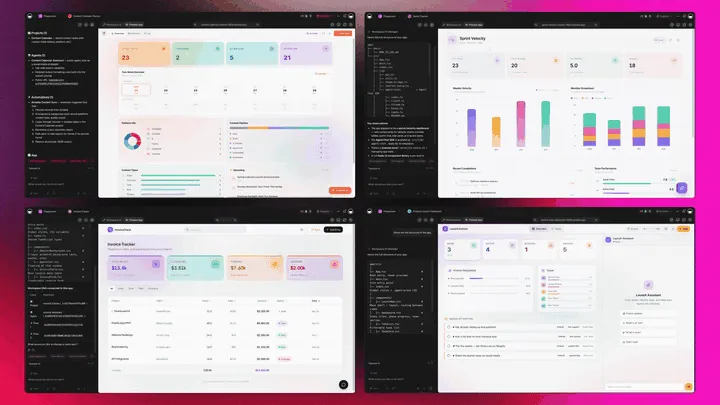
A schedule generator that's really a platform doesn't just build the roster. It runs the team around it. Taskade Genesis generates the schedule as a live web app, then surrounds it with agents that rebalance, automations that repeat the shifts, and a workspace that remembers every pattern. Here is the capability slice that matters for scheduling, told in plain language and shown in working product.
Taskade Genesis: Describe an Outcome, Get a Running App
This is the core move. You describe what you want in plain words, "a weekly shift roster for 8 staff with availability and recurring shifts", and Taskade Genesis returns a real, running web app, not a grid you download. You can publish it, put it on a custom domain, and let others clone it with one click. The roster stops being a spreadsheet you guard and becomes a team app you ship.
The loop, drawn out:
That dotted line back to the start is the part no workforce tool has: every week you run feeds the next prompt. Here is what's actually inside a Taskade Genesis roster app, the layers a static spreadsheet can never carry:
  A GENESIS ROSTER APP (one prompt builds all of this)
  ────────────────────────────────────────────────────
  ┌─ ROSTER ───────────────────────────────────────┐
  │  shifts · roles · coverage grid · hours        │   ← the grid everyone else stops at
  ├─ TEAM AVAILABILITY ────────────────────────────┤
  │  who's free · time-off · swap requests         │   ← shared, role-based, live
  ├─ MULTI-VIEW ───────────────────────────────────┤
  │  Calendar · Table · Gantt · Board · Org Chart   │   ← 7 views of the same roster
  ├─ RECURRING + REBALANCE ────────────────────────┤
  │  shifts repeat weekly · agent rebalances        │   ← 34 built-in tools, runs itself
  ├─ AUTOMATION ───────────────────────────────────┤
  │  Google Calendar sync · Slack ping · approvals │   ← 100+ bidirectional integrations
  └─ MEMORY ───────────────────────────────────────┘
     every week sharpens the next roster              ← Workspace DNA, the compounding part
See the same roster-to-team-app shape running live. This is the Team Capacity Planner app, generated from one prompt:
AI Agents v2: built-in tools and a Rebalancing Teammate
The roster that stays covered is usually the one someone kept rebalancing. In Taskade, that someone is an agent. AI Agents v2 ship built-in tools, web search, code, file analysis, custom slash commands, plus persistent memory, multi-agent collaboration, public embedding, and multi-model routing. Point one at your roster and it fills open shifts, balances hours, and rebalances coverage when someone requests time off. EVE, the meta-agent, orchestrates the whole team from a single instruction. For a deeper look at what agents can do, see what are AI agents.

Automation: Reliable Workflows That Repeat the Shifts
Behind the roster sits reliable automation, workflows that branch, loop, and filter, and run dependably without you babysitting them. This is how recurring shifts repeat on their own and how a swap request routes itself for approval. Wire 100+ bidirectional integrations so triggers pull events in (a time-off request, a calendar change, a new hire added) and actions push the roster out (sync to Google Calendar, ping the team in Slack, hand hours to payroll). The roster isn't an island; it's one node in a workflow that runs itself. For the full picture, see how automations execute.
Multiple Project Views: See the Roster the Way You Think
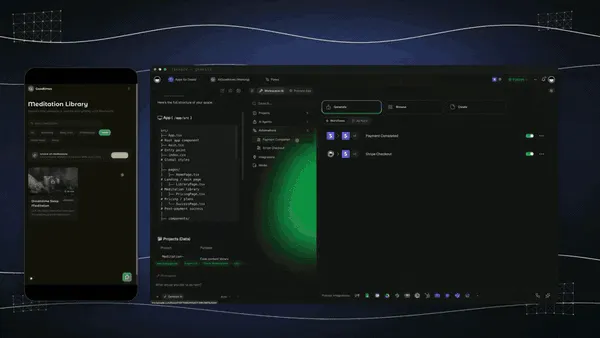
Every roster app comes with multiple project views, List, Board, Calendar, Table, Mind Map, Gantt, and Org Chart (the Timeline lives inside Gantt). See who works each day on a Calendar, balance hours on a Table, map a multi-week project on a Gantt timeline, and track shift status on a Board. The team sees only the surface you share; you see the whole grid. A static spreadsheet gives you one view and no sharing controls.
Workspace DNA: Memory + Intelligence + Execution
The reason the loop compounds is Workspace DNA, the self-reinforcing triad of Memory, Intelligence, and Execution (the ▲ ■ ● signature). Memory remembers your team's availability and last week's pattern; Intelligence builds the next roster across 15+ frontier models from OpenAI, Anthropic, Google, and open-weight providers (auto-routed, no model-picking required); Execution repeats the shifts and rebalances coverage. Each week becomes Memory for the next one, the workspace gets smarter every time you run the schedule.
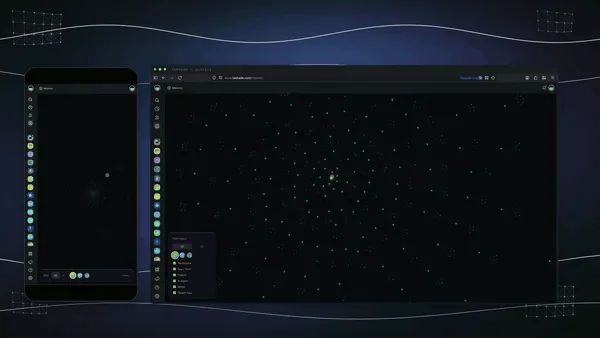
A Real Operator Already Runs On This
This isn't a roadmap promise. Taskade's first self-serve Enterprise customer — an IT program manager with no engineering team — built a production field-service dashboard on Taskade Genesis, a real, running app his team uses every day to coordinate work and coverage. His take: "What I accomplished in a few weeks would have taken a team of 40+ people 18 months in a Fortune 500." He didn't generate a grid. He generated the app that runs the work, and the team-capacity app on this page is the same idea, ready for you to clone. Browse more live, cloneable apps in the Community Gallery, or start your own from free AI app builders.
Decision Flowchart: Which Schedule Tool for Your Job
The plain-English version: if you want the roster to run itself and stay yours, every road leads to Taskade Genesis. If you only need a per-seat platform for one schedule type, the niche tools are fine. And if your job is personal calendar planning rather than team rosters, start with the AI schedule makers guide.
Three Operators, One Platform: How the Same Generator Fits Different Jobs
The clearest way to see the difference is to watch three very different people use the same generator. Each starts with one prompt and ends with a running app, not a spreadsheet they rebuild every week.
The Café Manager
She runs a coffee shop with twelve part-timers and a coverage grid that changes daily. She generates an employee shift calendar, roles, availability, recurring opening and closing shifts, and ships it as a live app her whole team opens on their phones. Baristas see their own shifts; she sees the full grid on a Calendar view. When someone requests Saturday off, the rebalancing agent suggests a swap and an automation routes it for approval. The same app clones for the second location in a click, so she never rebuilds from a blank sheet. What used to be a printed grid and a group text is now a roster she actually controls.
The Operations Lead
He staffs three warehouse teams across two shifts. He generates a shift schedule once, roles, skills, coverage minimums, recurring patterns, brands it, and clones it per team. Every roster lands in one team-capacity workspace so he sees all three teams at a glance on a Table and a Gantt view. Automations sync the published shifts to Google Calendar and hand hours to payroll, so a finished roster kicks off the next step without anyone copying data by hand. Consistency and multi-team visibility, without paying per seat across the whole headcount.
The Student
She lives by exam dates. She generates a daily study schedule, four subjects, six weeks, fixed daily blocks, and keeps it as a live app on a Calendar and List view. When she falls a day behind, the schedule rebalances the remaining topics so she still finishes before the exam, and Workspace Memory remembers which subjects she keeps skipping. She doesn't need a workforce tool and a personal planner; the hub covers both. When a study partner wants to join, she shares one live view instead of screenshotting a spreadsheet. (For more personal-planning picks, the AI schedule makers guide ranks the calendar-first tools.)
The thread across all three: same platform, same one-prompt start, three completely different jobs, and in every case the output is a living app the operator owns, not a grid locked in a vendor's platform.
How a Schedule Moves Through a Taskade Workspace
Here is the path from brief to a self-running roster, end to end.
How to Generate a Schedule That Runs Itself
Picking a generator is half the work; the other half is knowing what to brief it with. Four reliable patterns:
Brief It With Availability, Not Just Shifts
The fastest way to get a bad roster is to ask for shifts without telling the AI who's free. Brief the generator with each person's availability, role, and max hours, and ask for a coverage grid plus a "who's unassigned" line. Clear availability is what turns a guess into a roster that actually holds.
Set the Recurring Pattern Once
A schedule that repeats itself beats one you rebuild every Monday. In a Taskade Genesis roster app, you set the recurring pattern once, same opening shifts, same weekly rotation, and reliable automation workflows repeat it without you. You only touch the exceptions: a swap, a time-off request, a new hire.
Give the Team One Place to See Their Shifts
A roster nobody can read is a roster nobody follows. Share the live app with role-based access so each teammate sees their own shifts and managers see the whole grid. One shared surface beats a printed sheet and a group chat every time.
Let an Agent Handle the Exceptions
A roster is mostly stable; it's the exceptions that eat your week. Run it as a live app, and let a rebalancing agent suggest a swap when someone calls out and route it for approval. The schedule you keep is the one that fixes its own gaps, and an agent is how that happens without you watching it.
Schedule Types: What to Brief the Generator for Each One
A "schedule generator" isn't one thing, a restaurant roster and a study plan want completely different briefs. The advantage of a hub like Taskade Genesis is that all of them live in one workspace, so you brief once and run every type as a live app. Here is what each type actually needs, and the route to generate it.
| Schedule type | Brief it with | Watch out for | Generate it |
|---|---|---|---|
| Employee shift calendar | Roles, availability, recurring shifts, coverage minimums | Forgetting who's unavailable; gaps in coverage | /generate/calendars/employee-shift-calendar |
| Work shift schedule | Team, skills, hours, rotation pattern | Overloading one person; ignoring max hours | /generate/human-resource/shift-schedule |
| Study schedule | Subjects, exam dates, weekly hours, daily blocks | Cramming late; not spacing topics | /generate/ai/daily-schedule |
| Daily plan | Tasks, deadlines, fixed commitments | No buffer time; over-scheduling the day | /generate/ai/daily-schedule |
| Project timeline | Milestones, owners, dependencies, dates | Missing a dependency; no owner per task | /generate/human-resource/shift-schedule |
| Multi-location roster | Separate teams, per-site coverage, one workspace | Siloed grids you can't see together | /create |
The plain-English rule across all of them: name who's available first, set the recurring pattern, and give one shared place to see it. Taskade Genesis drafts the type-specific structure for you; you supply the specifics, brand it, and run it as a live app. For step-by-step walkthroughs, the Genesis Loop explainer and the Learn Taskade overview cover the whole flow.
How a Roster Runs Inside the Workspace, End to End
Once the roster is a live app, it stops being a file you manage and becomes a node in a workspace that runs itself. Here is the whole flow, the brief comes in, the app generates, the agent works the exceptions, and every week feeds back as memory for the next roster.
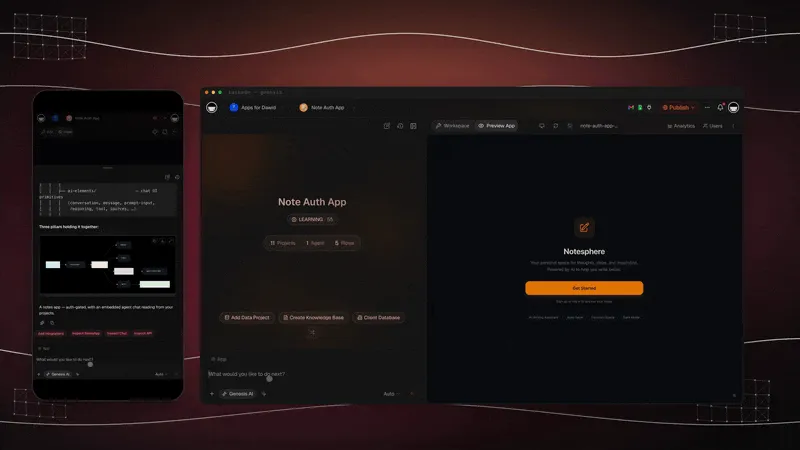
Drive the whole thing with plain commands and mentions, tell EVE what to do, @-mention an agent to fill a gap, and watch the roster update:
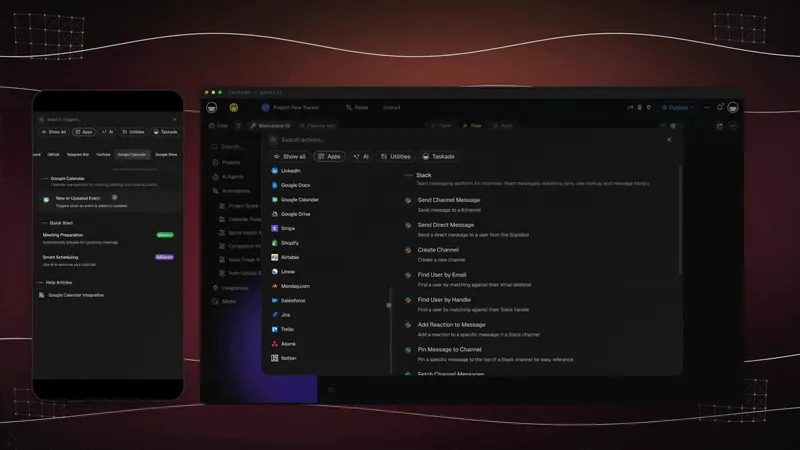
The same calendar-driven automation keeps the schedule current, follow-up dates and recurring shifts fire on their own so the roster never goes stale:
Where This Is Going: Our Vision for 2027 and Beyond
By 2027 the line between building a schedule and running the team around it disappears entirely. Tools that stop at a per-seat roster lose ground to platforms that generate the schedule and the workspace, the availability, and the recurring shifts. Operators will ask of every tool the question they're already starting to ask: what do I actually own when the week is done? The answer that wins is a system, not a rented grid.
The deeper shift is the one Taskade is building toward: software you describe instead of build. Today you generate a roster app from a prompt. Tomorrow every operator runs their entire business as living, cloneable apps, the roster app, the capacity app, the project timeline app, the payroll-handoff app, each one described in plain words, each one owned, each one improving every time it's used. The workspace becomes the computer. You don't open ten scheduling silos; you describe ten outcomes, and the agents do the work.
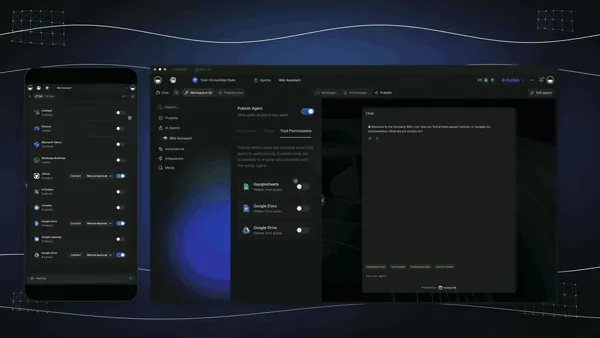
The Enterprise customer's frame captures the size of it. What took "a team of 40+ people 18 months in a Fortune 500," he built in a few weeks, and what he built, you can clone in an afternoon. That is the inversion: the leverage that used to belong to a forty-person ops team belongs to one operator with a prompt. Multi-agent choreography is the engine. A single roster kicks off a team of agents, one fills shifts, one balances hours, one checks compliance, one handles swaps, exactly the way Taskade's multi-agent collaboration already works today.
The roadmap from here is straight: more frontier models auto-routed behind the scenes, deeper agent memory so the workspace remembers every team's pattern, and a growing Community Gallery of buy-once-clone-many App Kits so you can start from a working roster app instead of a blank spreadsheet. The schedule generator that wins 2027 won't be the one with the prettiest grid. It will be the one that hands you a team that runs itself.
The market context backs the bet. The 2026 scheduling field has split into three camps, calendar-first tools that block one person's day (Motion, Reclaim), workforce platforms that staff shift teams per seat (Deputy, When I Work, Connecteam), and full-workspace platforms that treat the roster as one app in an owned operating system. Taskade Genesis sits firmly in the third camp, and it's the only one in that camp that hands the operator an app they own rather than a platform they rent. As AI makes auto-fill universal and commoditized, the durable advantage moves to the layer the rest of the category still skips: owning the running system, not the grid. That is the lane Taskade has been building in since day one, Memory, Intelligence, and Execution in a single workspace, compounding with every week you run.
Related Reading
Connect the dots across our 2026 AI tooling coverage. A schedule is one node in a bigger operating system. These guides cover the apps, agents, and automations around it:
Run the team end to end
- 13 Best AI Schedule Makers in 2026, the sibling guide for personal calendars, habits, and solo planning
- Best AI Workflow Automation Tools 2026, wire recurring shifts, calendar sync, and Slack alerts around the roster
- What Are AI Agents, the rebalancing teammate that fills gaps and routes swaps
- Free AI App Builders, the broader category your roster app belongs to
Build it yourself
- Taskade AI Apps, describe an outcome, get a running app
- Taskade AI Agents, the agent that rebalances the roster on a time-off request
- Taskade Automations, reliable workflows that repeat the shifts
- The Genesis Loop, how prompt-to-app-to-clone actually works
- How Automations Execute, what runs your recurring shifts
- Learn Taskade: Taskade Genesis Overview, start here for the whole flow
- Taskade Genesis, start here, free
Generate your schedule type
Switching In: What It Takes to Move Your Schedule
Moving to a living-app workflow is lighter than it sounds, because you don't migrate a platform. You generate a fresh roster app from a prompt and bring your team and availability with you. Three practical notes for the switch:
- Start with next week's roster, not your whole history. Generate one roster app for the week in front of you, share it, and run it. You don't have to export old schedules; you just stop rebuilding them.
- Bring your branding once. Add your logo, colors, and a custom domain on Business and above, and every roster app you generate after that inherits the look. The schedule stops looking like a vendor's grid and starts looking like your team app.
- Set the recurring pattern first. Put the repeating shifts on a Calendar view and let an automation repeat them, so the roster fills itself and you only touch the exceptions.
- Keep your old tool for the one thing it does well. If you love a competitor's native time clock or its payroll export, there's no rule against running it alongside Taskade Genesis at first, generate and run the roster in Taskade Genesis, punch in on the other tool, and consolidate once the workflow proves itself. Most operators find they stop opening the second tool within a month.
The whole switch fits in an afternoon: generate, brand, share, run. Compare that to standing up a per-seat workforce platform, importing your team, and training everyone, and you see why the free AI app builder path is the faster on-ramp.
Honest Answers to the Three Things You're Probably Wondering
A claim this clean, "generate the roster, then run it as a live team app", deserves a few straight answers before you commit. Here are the three objections worth raising, answered without spin.
"Doesn't a live app sound more complicated than a spreadsheet?" It sounds that way and isn't. You still start by describing the roster in plain words, exactly like any AI generator. The difference is what comes back: instead of a grid you have to rebuild, you get a running app that manages itself, recurring shifts, availability, and approvals are already wired in. There's nothing to assemble. The complexity that used to live in your head (who's free, who's overloaded, when does this repeat) moves into the app.
"What about a native time clock and payroll?" This is the honest gap. Homebase, Deputy, and Connecteam bake punch-clock and payroll into the platform; Taskade Genesis wires them through the 100+ integrations instead. For most operators that's a one-time setup that then runs on every roster. If your only need is a turnkey punch clock with nothing around it, a workforce-first tool is more turnkey, and that's a legitimate reason to pick one. If you want the schedule plus the workspace, the views, and the rebalancing agent, the integration trade is worth it.
"Is the free tier actually usable, or a teaser?" It's a real Free Forever plan. You generate schedules and keep the live app you build, with no export paywall. Most "free" scheduling tools cap your team size, limit you to one location, or lock the roster until you pay per seat. With Taskade Genesis the roster you generate on the free plan is yours to share, clone, and run with recurring shifts. The paid tiers (Pro $10, Business $25) add seats, the custom domain, and more horsepower, not the right to keep what you made.
The throughline: the leader isn't winning on a prettier grid. It's winning on everything that happens after the first roster, which is exactly where a manager's week is actually saved or lost.
The Bottom Line in One Paragraph
If you only remember one thing: in 2026, AI made the building of a roster a solved problem, eleven tools on this list do it well. The unsolved problem is what happens after you publish, and that is where Taskade Genesis is the only tool that competes on the right battlefield. It generates the schedule and runs it as a live, branded team app with shared availability, recurring shifts, a rebalancing agent across multiple views, and 100+ integrations, free to start, $25/mo for a custom domain. Everyone else hands you a roster locked in their platform. Taskade Genesis hands you the team app that runs the schedule and keeps it ready to clone for the next team.
Verdict
If you want the fastest pure shift-scheduling engine, use Deputy. If you want simple mobile scheduling for hourly teams, use When I Work. If you want a generous free tier with payroll, use Homebase. If you want all-in-one frontline ops, use Connecteam. If you staff a restaurant, use 7shifts. If you want scheduling plus built-in chat, use Sling. If your team lives on shift swaps, use Shyft. If you need a serious rules engine for complex rosters, use TCP Humanity. If you want AI to auto-block your own day, use Motion or Reclaim.ai, and for personal calendar planning, start with the best AI schedule makers. If you want a schedule that turns into a living team app the moment you generate it, shared availability, recurring shifts, and a roster you own and clone, use Taskade Genesis. Start free at /create, generate your schedule type at /generate/human-resource/shift-schedule, and ship a working roster app the same afternoon.
Stop rebuilding the grid every week. Generate the team app that runs the schedule. Clone a live team-capacity app →, free, branded, and yours to run with recurring shifts.
The roster that used to eat a manager's Monday, the spreadsheet, the group text, the weekly rebuild, generated once and then running itself. That is Workspace DNA at work: Memory remembers your team's pattern, Intelligence builds the next roster, and Execution repeats the shifts and rebalances coverage. Every workforce tool on this list hands you a better grid locked in their platform; only Taskade Genesis hands you the team app that runs the schedule, and then keeps it, ready to clone for the next team. Start free, ship a working roster app today, and watch next week's schedule fill itself on a grid you actually own. ▲ ■ ●
FAQ
What is the best AI employee schedule generator in 2026?
Taskade Genesis is the best AI employee schedule generator in 2026 because it generates the roster and then runs it as a live team app, not a static grid. Describe your team, roles, and coverage in one prompt, and Taskade Genesis builds a shift calendar with team availability, recurring shifts, and Calendar, Table, and Gantt views. Deputy, When I Work, and Homebase lead the workforce-only category. Pricing starts free, then Pro $10/mo and Business $25/mo, billed annually.
How do I generate a shift schedule with AI?
Describe your team, the shifts you need covered, and each person's availability in one prompt, and Taskade Genesis generates a complete shift roster you can run as a live app. Workforce tools like Deputy and Connecteam auto-fill open shifts from availability and role rules. Taskade Genesis goes further by handing you a cloneable team app with recurring shifts and multiple project views. Start at /generate/human-resource/shift-schedule.
How do I build a study schedule with AI?
Type your subjects, exam dates, and weekly hours into Taskade Genesis and it generates a balanced study schedule that spaces topics across the weeks before each exam. Because it runs as a live app, the plan rebalances when you fall behind and reminds you what to study next. Start at /generate/ai/daily-schedule for a daily plan you can keep.
Is there a free work schedule generator?
Yes. Taskade Genesis has a Free Forever plan that generates work schedules and keeps the live app you build, with no export paywall. Homebase offers a free tier for one location up to 20 employees, and When I Work has a free trial. With Taskade Genesis the roster you generate on the free plan is yours to share, clone, and run with recurring shifts.
Does an AI schedule update automatically?
Yes. A Taskade Genesis schedule runs as a live app, so recurring shifts repeat on their own through reliable automation workflows, and an agent can rebalance the roster when someone requests time off. Deputy, Connecteam, and 7shifts also rebuild coverage automatically when a shift opens. A static spreadsheet does none of this once you save it.
How do I share a roster with my team?
Share a Taskade Genesis roster as a live link with role-based access, so each teammate sees their shifts and managers see the whole grid. The role model (Owner to Viewer) controls exactly who can edit and who can only view. Workforce tools like Sling and Shyft push the published schedule to a mobile app with notifications.
Can AI scheduling handle shift swaps?
Yes. In a Taskade Genesis roster app, a teammate requests a swap, an automation routes it for approval, and the calendar updates the moment it is accepted. Purpose-built tools like Shyft and Sling pioneered the shift-swap marketplace, and Deputy and Connecteam flag coverage gaps before they go live. Taskade Genesis wires the same flow through 100+ bidirectional integrations.
Can I set recurring shifts in an AI schedule?
Yes. Taskade Genesis turns a generated roster into a live app where recurring shifts repeat every week without you rebuilding them, driven by reliable automation workflows. You set the pattern once, and the schedule keeps filling itself. Most workforce tools support recurring templates too, but they lock the roster inside their app rather than handing you one you own.
How does AI balance workloads across a team?
AI scheduling reads each person's availability, role, hours, and coverage needs, then distributes shifts so no one is overloaded and unpopular shifts spread evenly. Connecteam and Deputy do this inside their workforce apps. Taskade Genesis does it in a workspace you own, then runs the balanced roster as a live team app across multiple project views.
Can I export an AI schedule to Google Calendar?
Yes. Taskade Genesis connects to Google Calendar, Outlook, and iCloud through its 100+ bidirectional integrations, so generated shifts and study blocks sync both ways. Triggers pull calendar events in and actions push your roster out. Most workforce tools also offer a calendar sync or an iCal feed for published shifts.
Can one schedule app handle multiple teams?
Yes. A Taskade Genesis workspace holds multiple rosters in one place, so you can run separate teams, locations, or departments as their own live apps and still see them together. Multi-location workforce tools like Deputy and Homebase handle this inside their platforms. With Taskade Genesis each team app is yours to clone and brand.
How is this different from an AI schedule maker?
A schedule maker builds a personal calendar or a static grid for one person's day. An AI schedule generator like Taskade Genesis builds a team roster and runs it as a live app with shared availability, recurring shifts, and approvals. For personal calendar and habit scheduling, see our sibling guide to the best AI schedule makers; for work shifts and employee rosters, this is the guide.