







A to-do list app is only as good as the first week you use it. We compared 15 to-do list and checklist apps on the same points: the free plan, the real price, how you share a list, and which phones and computers they run on.
TL;DR: Todoist is the best to-do list app for most people who work alone. To share simple lists for free, use Microsoft To Do, or Apple Reminders if everyone has an iPhone. For a family or small team that shares more than a list, Taskade Free covers 2 people and Pro is $10 a month billed yearly for up to 10. See plans and prices.
We read each vendor's own pricing and help pages on 2026-10-19 and quote what those pages said that day, in US dollars. This edition compares published plans and limits, with no hands-on score.
Disclosure: we make Taskade, and it sits at #1 for one job: families and small teams who share more than a list. It gets the same section shape and "Watch out for" box as every other app.
Which to-do list app fits your need? Quick picks
The best to-do list app depends on who shares the list and which phones they carry. This table gives one pick for each common need, with the price we read on the vendor page on 2026-10-19.
| Need | Pick | Why | Price |
|---|---|---|---|
| You work alone | Todoist | Plain dates such as "every Monday", every platform | Free, Pro $5/mo yearly |
| Share simple lists free | Microsoft To Do | No paid plan at all | Free |
| iPhone household | Apple Reminders | Built in, shared over iCloud | Free |
| Family or team that shares lists, boards and a calendar | Taskade | One shared project, one price for up to 10 | Free for 2, Pro $10/mo yearly |
| Gmail user | Google Tasks | Lives in the Gmail and Calendar side panel | Free |
| Free with a calendar | TickTick | Basic calendar view on Free | Free, Premium $49.99/yr |
| Pay once | Things 3 | One-time price per device | $49.99 Mac, $9.99 iPhone |
| 4 people on one bill | Any.do Family | Shared family space and grocery list | $8.33/mo yearly |
| AI places tasks on your calendar | Motion | Auto-scheduling | From $19 per seat/mo yearly |
How we compared 15 to-do list apps
We compared every app on the same 6 points, from the vendor's own pages on 2026-10-19: the free plan limits, the first thing the free plan blocks, the paid price, how you share a list and assign a task, the views (list, board, calendar), and the platforms. Each price links to the page we read.
We quote the entry paid plan and the plan that sharing needs. Team admin features such as single sign-on are out of scope, because they matter to IT teams, not to a family list.
We left out project suites such as Asana, Monday.com and Wrike. They suit projects with owners and stages more than a grocery list. Google Keep dropped off too, because it is a notes app with checkboxes.
The 15 best to-do list apps at a glance
Todoist, Microsoft To Do, Apple Reminders and Taskade cover most households, and the other 11 apps fill one job each. This table compares all 15 on the free plan, the first paid price and free sharing. Shortlist 2 or 3, then read their sections.
| App | Best for | Free plan | Paid from | Free sharing |
|---|---|---|---|---|
| Taskade | Families and small teams | Unlimited projects, 2 members | $10/mo yearly for up to 10 | Yes, 2 members |
| Todoist | Most people who work alone | 5 personal projects | $5/mo yearly | Yes, 5 per project |
| TickTick | A calendar on a free plan | 9 lists, 99 tasks per list | $49.99/yr | Yes, 2 members |
| Microsoft To Do | Free shared lists | Everything, no paid plan | None | Yes |
| Apple Reminders | iPhone households | Everything, built in | None | Yes, Apple devices |
| Google Tasks | Gmail and Calendar users | Everything | None | No list sharing |
| Any.do | A family of 4 on one bill | Private lists | $4.99/mo yearly | No, Family plan |
| Superlist | Free sharing with 5 people | 5 lists, 5 people | $59/yr | Yes, 5 people |
| Things 3 | One-time price on Apple | 15-day trial | $49.99 once on Mac | No |
| Trello | Chore and project boards | 10 boards, 10 collaborators | $5/user/mo yearly | Yes, 10 collaborators |
| Notion | Lists inside notes and docs | 10 guests, limited blocks for 2+ members | $10 per seat/mo | Yes, with limits |
| Habitica | Kids, chores and games | Tasks, habits, dailies | Group Plan $9/mo | Party, not a task board |
| OmniFocus | Power users on Apple | Free trial | $99.99/yr or $74.99 once | No |
| Motion | AI scheduling | Free trial only | $19 per seat/mo yearly | Paid only |
| Akiflow | One inbox for email and chat tasks | 7-day trial | $19/mo yearly | Paid team plan |
1. Taskade: Best for families and small teams who share more than a list
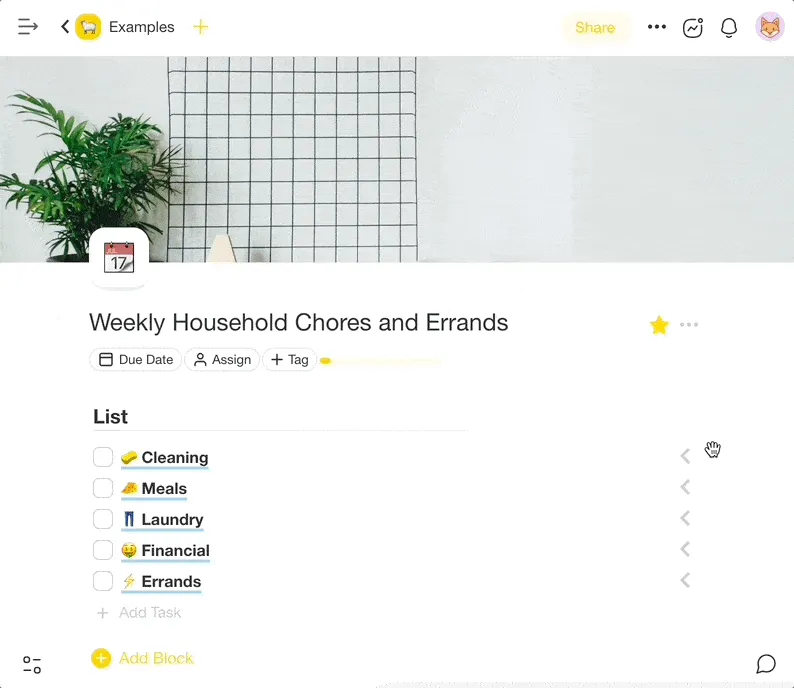
Taskade puts a to-do list, a board, a calendar and a chat in one shared project. Free covers 2 people with unlimited projects and tasks. Pro is $10 a month billed yearly for up to 10 people, one price for the whole group, not a price per person.
Why people pick it
- One project shows as a list, a board or a calendar, so the same chores read as a checklist for one person and as columns for another.
- A chat sits beside each project, so the household talks where the task lives.
- Assign a task with an @mention, set due dates and reminders, and see your work in My Tasks.
Watch out for
- Free starts with no AI credits. You earn credits with referrals and invites, or buy a credit pack.
- Taskade has more on screen than Apple Reminders or Microsoft To Do, so a plain-checklist user can find it busy at first.
Free plan: unlimited projects and tasks, 2 workspace members, 1 AI agent, 3 Taskade Genesis apps and 10 automation runs per billing period (Free plan details). Recurring tasks repeat daily, weekly, monthly or yearly on Free. Gantt Chart, Actionsheet and Org Chart need Pro.
Paid: Pro $10 a month billed yearly ($120 a year) or $20 monthly, for up to 10 members. Business $25 a month billed yearly. Source: taskade.com/pricing, read 2026-10-19.
Platforms: web, Mac, Windows, Linux, iPhone and Android, plus browser extensions (downloads).
2. Todoist: Best for most people who work alone
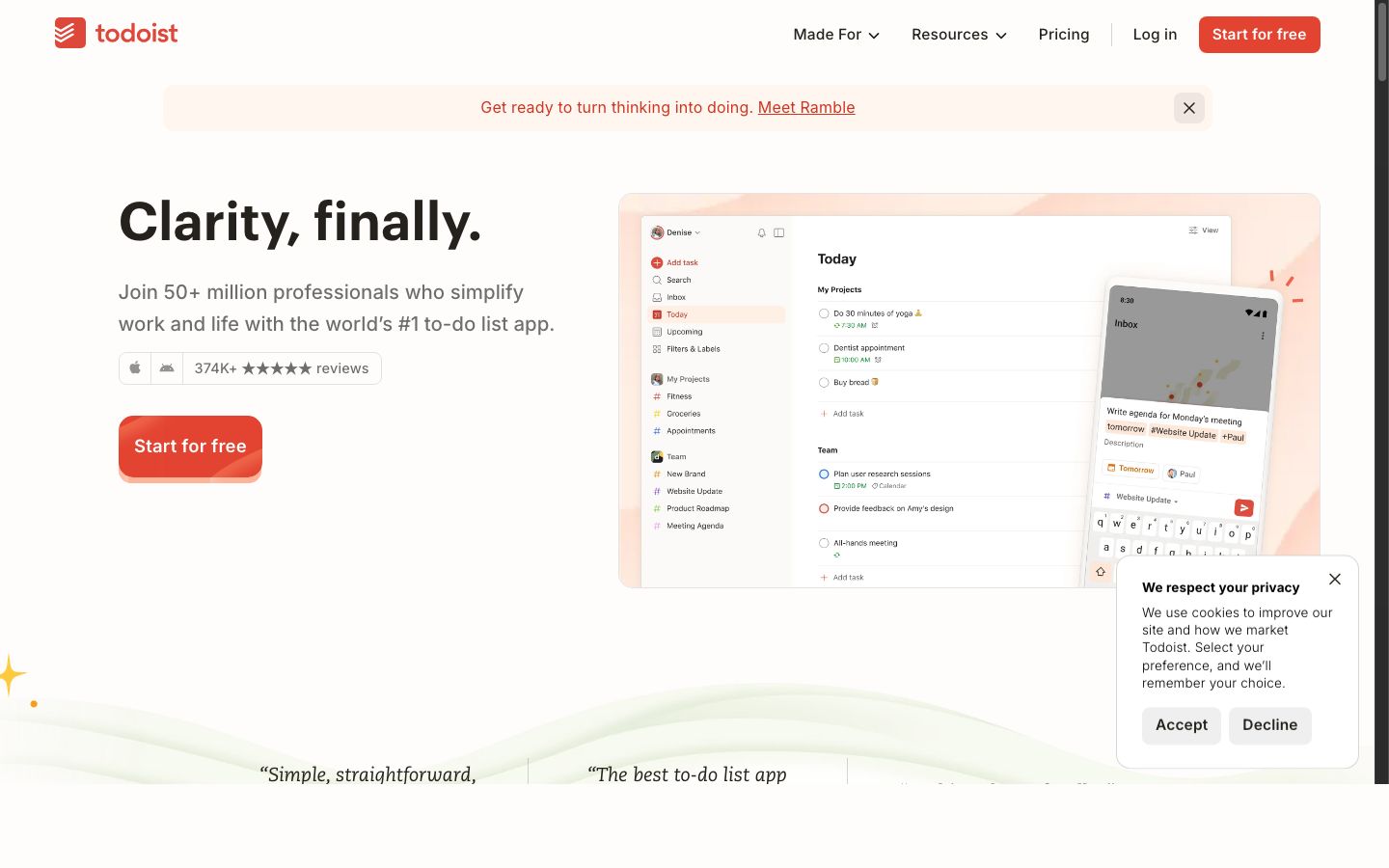
Todoist turns plain words such as "every Monday" or "pay rent on the 1st" into due dates, on every platform. Free gives 5 personal projects and lets 5 people join each one. Pro is $5 a month billed yearly.
Why people pick it
- The quick-add box is the fastest way on this list to capture a task with a date, a project and a priority in one line of text.
- Shared projects let you assign tasks and leave comments, so a small household or a club can share a list for free.
Watch out for
- The free plan stops at 5 personal projects and 3 filter views, and keeps 1 week of activity history.
- The calendar layout and custom reminders are Pro features, so a free user sees tasks only as a list or a board.
Free plan (Beginner): 5 personal projects, 5 people per project, 3 filter views, task reminders and 1 week of activity history.
Paid: Pro $5 a month billed yearly ($60 a year) or $7 monthly. Business $8 per user a month billed yearly or $10 monthly, for a shared team workspace. Source: todoist.com/pricing, read 2026-10-19. Todoist raised these prices in December 2025, so older lists that say "from $4" are out of date.
Platforms: web, Mac, Windows, Linux, iPhone, Android, Apple Watch and Wear OS, plus browser and email add-ons.
Our Todoist alternatives list goes deeper, and you can import Todoist into Taskade later.
3. TickTick: Best free app with a calendar view
TickTick puts a basic calendar view on the free plan, with 9 lists and 99 tasks per list. Premium is $49.99 a year and raises the limits to 299 lists and 999 tasks per list, with a full calendar.
Why people pick it
- A free calendar view is rare. TickTick shows your dated tasks on a calendar without a paid plan, which Todoist does not.
- TickTick packs a habit tracker into the same app, with a small habit allowance on Free, so daily habits and to-dos sit side by side.
- It reads dates in plain text, much like Todoist, and runs on every platform.
Watch out for
- A shared list on Free holds 2 members. A family of 4 needs Premium for more members, and the upgrade page does not say if every member needs Premium or only the owner.
- The free limits on reminders per task and on habits are low, so heavy users hit the paywall within weeks.
Free plan: 9 lists, 99 tasks per list, a basic calendar view, and a shared-list member count of 2 on the comparison table.
Paid: Premium $49.99 a year (under $4.17 a month). The upgrade page shows no monthly price. Source: ticktick.com/about/upgrade, read 2026-10-19.
Platforms: web, Mac, Windows, Linux, iPhone, iPad, Android and Apple Watch.
4. Microsoft To Do: Best free app to share simple lists
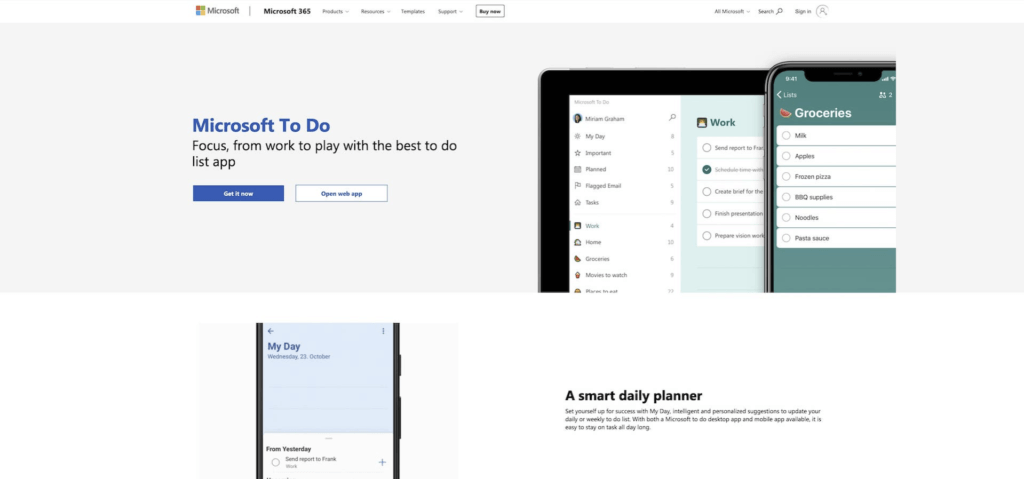
Microsoft To Do is free with no paid plan, shares lists by invitation link, and runs on Windows, Mac, iPhone, Android and the web. It is the successor to Wunderlist, which Microsoft shut down in May 2020.
Why people pick it
- Nothing costs money. There is no paywall, no list cap and no upsell inside the app.
- My Day starts each morning with an empty list, and suggestions from earlier lists help you fill it.
- In Microsoft 365, flagged Outlook emails and Planner tasks show up in To Do, so office workers see their whole day in one place.
Watch out for
- Lists share between personal accounts, or between work or school accounts in the same organization. A personal account cannot join a list that a work account owns.
- There is no board view and no calendar view. The default Tasks list cannot be shared, only lists you create.
Free plan: the whole app. You need a free Microsoft account.
Paid: none. Source: Microsoft To Do and the Microsoft support article on shared lists, read 2026-10-19.
Platforms: Windows, Mac, iPhone, iPad, Android and the web.
Microsoft To Do is the default answer for a couple on mixed phones who want a shared shopping list and nothing more. Our history of Wunderlist tells how it got here.
5. Apple Reminders: Best free app for iPhone households
Apple Reminders is built into every iPhone, iPad and Mac, and shares lists over iCloud for free. Once you share a list, you can assign a reminder to a person on it. It has no Android or Windows app.
Why people pick it
- There is nothing to install or pay for. Everyone in an Apple household already has the app, and Siri can add to a shared list by voice.
- Grocery lists sort items into categories by themselves, and sections plus a column view give a board-style layout.
- Smart lists and tags collect reminders by date, place, flag or tag, and location reminders fire when you arrive at the store.
Watch out for
- There is no Android app, so a shared list breaks the moment one person in the house uses Android.
- Notifications you set stay yours. People on a shared list do not get your alerts.
Free plan: the whole app, with an Apple device and an Apple account. The people you invite need iOS 13 or later.
Paid: none. Source: Apple support: share reminder lists, read 2026-10-19.
Platforms: iPhone, iPad, Mac and Apple Watch, plus a browser view at iCloud.com.
When the household includes an Android phone or a Windows PC, move to Microsoft To Do for a free list or to Taskade for lists, boards and a calendar.
6. Google Tasks: Best for Gmail and Google Calendar users
Google Tasks lives in the side panel of Gmail and Google Calendar and costs nothing. It has no way to share a whole list. You assign single tasks to people in a Google Chat space or a Google Doc instead.
Why people pick it
- Tasks with a date show up in Google Calendar, which is the reason Reddit threads recommend it so often.
- You can turn an email into a task from Gmail in one click, and the task links back to the email.
- The app is plain and fast, with lists, subtasks, dates and repeats, and nothing else to learn.
Watch out for
- No list sharing. A couple cannot share a grocery list in Google Tasks the way they can in Reminders or Microsoft To Do.
- Shared tasks in Chat or Docs cannot have subtasks and cannot repeat, and Docs assignment needs an eligible Google Workspace plan.
Free plan: the whole app with a Google account.
Paid: none. Source: Google Tasks help: shared tasks, read 2026-10-19.
Platforms: web (inside Gmail, Calendar, Docs and Chat), iPhone and Android.
Google Tasks is the right personal list for someone who lives in Gmail. For a shared household list, pair it with a shared app from this guide.
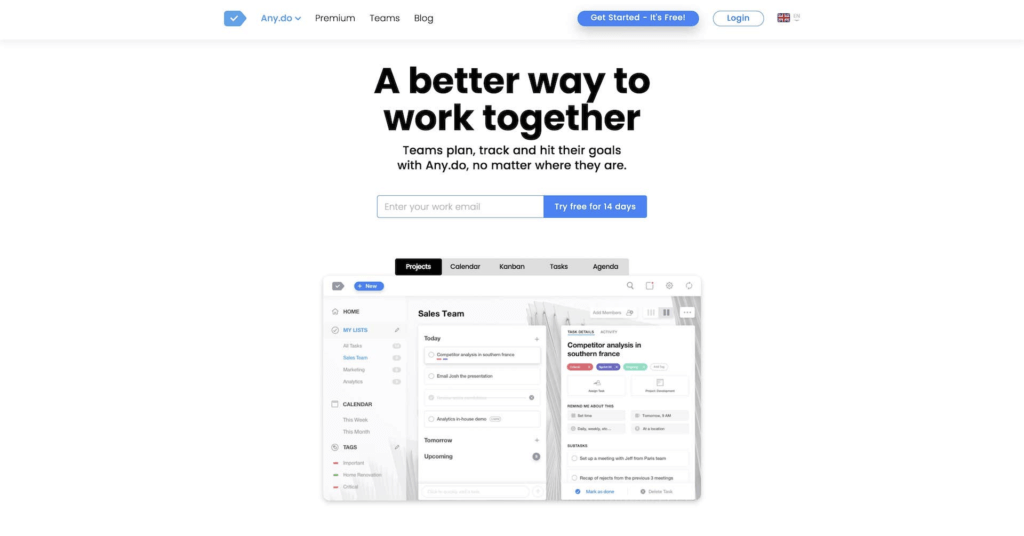
7. Any.do: Best family plan for 4 people
Any.do Family puts 4 people on one bill for $8.33 a month billed yearly, with a shared family space and a shared grocery list. The free Personal plan is for private lists and one person.
Why people pick it
- The Family plan is a clear, fixed price for 4 people, which is easier to budget than a price per seat.
- Any.do combines tasks, a calendar view and a daily planner, so each person sees today's tasks next to today's events.
- Reminders and plain-language dates work well on the phone, which is where most family lists live.
Watch out for
- The free plan does not list sharing, and the FAQ calls it a plan for "private to-do lists". To share, you pay.
- The Family plan is fixed at 4 members. A family of 5 cannot add a fifth person to it.
Free plan (Personal): tasks, reminders, calendar, daily planner and sync across devices, for one person.
Paid: Premium $4.99 a month billed yearly or $7.99 monthly. Family $8.33 a month billed yearly or $9.99 monthly, for 4 members. Teams $4.99 per member a month billed yearly or $7.99 monthly. Source: any.do/pricing, read 2026-10-19.
Platforms: web, iPhone, Android, Mac and Windows.
For more than 4 people, Taskade Pro covers up to 10 for $10 a month billed yearly.
8. Superlist: Best free plan to share lists with up to 5 people
Superlist Free shares up to 5 lists with up to 5 people and mixes notes and tasks on one page. There is no Windows app.
Why people pick it
- Five people on a free shared list is generous. That covers most families and small clubs with no bill.
- A list can hold notes, headings and tasks together, so a trip plan or a party plan reads like a document with checkboxes.
- The design is clean and modern, and the apps feel quick on Mac and on phones.
Watch out for
- The cap is 5 private and shared lists in total, so a household that wants a list per room or per person runs out fast.
- There is no Windows app. A Windows user works in the browser.
Free plan: up to 5 private and shared lists, up to 5 people in shared lists, 25 MB uploads and 500 MB storage.
Paid: Basic $59 a year or $5 monthly. Super $249 a year or $21 monthly. Prices are per person. Source: superlist.com/pricing, read 2026-10-19.
Platforms: macOS, iPhone, Android and the web.
Check the 5-list cap first: a household that wants a separate list for groceries, chores, school, trips and bills fills the free plan on day one.
9. Things 3: Best one-time purchase for Mac and iPhone
Things 3 costs $49.99 once on Mac and $9.99 once on iPhone in the US App Store, with no subscription. It does not share lists and runs only on Apple devices.
Why people pick it
- You pay once per device and own the app. Reddit threads praise exactly that: "pay up front once instead of a subscription".
- The design is calm and polished. Today, Upcoming, Anytime and Someday give a clear daily view without setup.
- Projects with headings and checklists inside tasks cover personal planning in depth, and the Apple Watch app comes free with the iPhone app.
Watch out for
- No shared lists and no assigning. Things 3 is a personal app only.
- Each device is a separate purchase, so Mac plus iPhone plus iPad adds up, and there is no Android, Windows or web app.
Free plan: none. A 15-day free trial.
Paid: one-time per device. Mac $49.99 and iPhone $9.99 in the US App Store on 2026-10-19. The iPad and Apple Vision apps are separate purchases. Source: Cultured Code support and the App Store listings.
Platforms: Mac, iPhone, iPad, Apple Watch and Apple Vision Pro.
Things 3 suits a reader who follows a light version of Getting Things Done without the full OmniFocus setup. Pair it with Apple Reminders for any shared items.
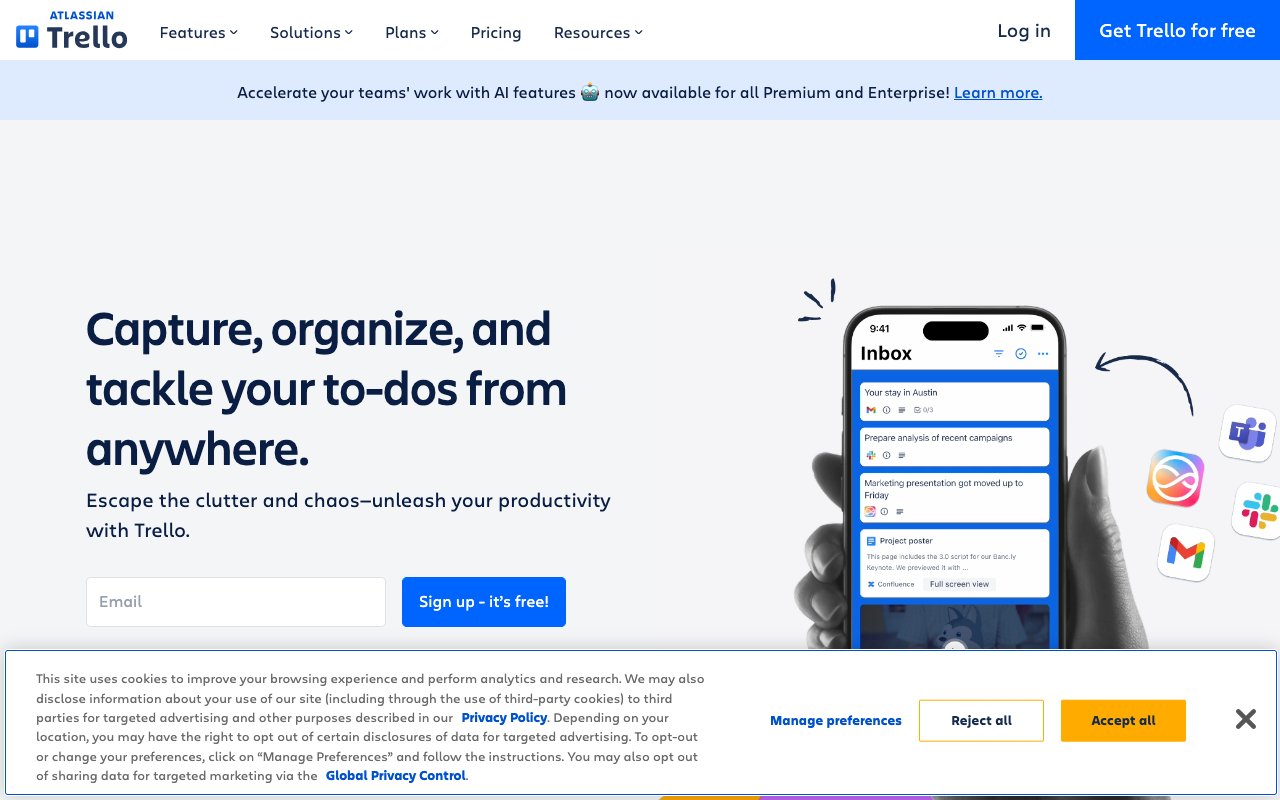
10. Trello: Best board for chores and small projects
Trello turns a list into cards on a board, and its free plan holds 10 boards and 10 collaborators per Workspace. Standard is $5 per user a month billed yearly.
Why people pick it
- A board with To Do, Doing and Done columns is the clearest way to show a family who owns which chore today.
- Ten collaborators on Free is the largest free group on this list after the free-only apps.
- Cards hold checklists, due dates, labels, comments and files, so one card can carry a whole small project.
Watch out for
- Trello is a board first. A long plain checklist feels slower here than in a list app.
- The free plan stops at 10 boards and 10 collaborators per Workspace, and the paid plans charge per user.
Free plan: up to 10 boards per Workspace and up to 10 collaborators per Workspace.
Paid: Standard $5 per user a month billed yearly or $6 monthly. Premium $10 per user a month billed yearly or $12.50 monthly. Source: trello.com/pricing, read 2026-10-19.
Platforms: web, Mac, Windows, iPhone and Android.
If you want a list and a calendar of the same tasks beside the board, Taskade shows one project all three ways, and you can import a Trello board when you switch.
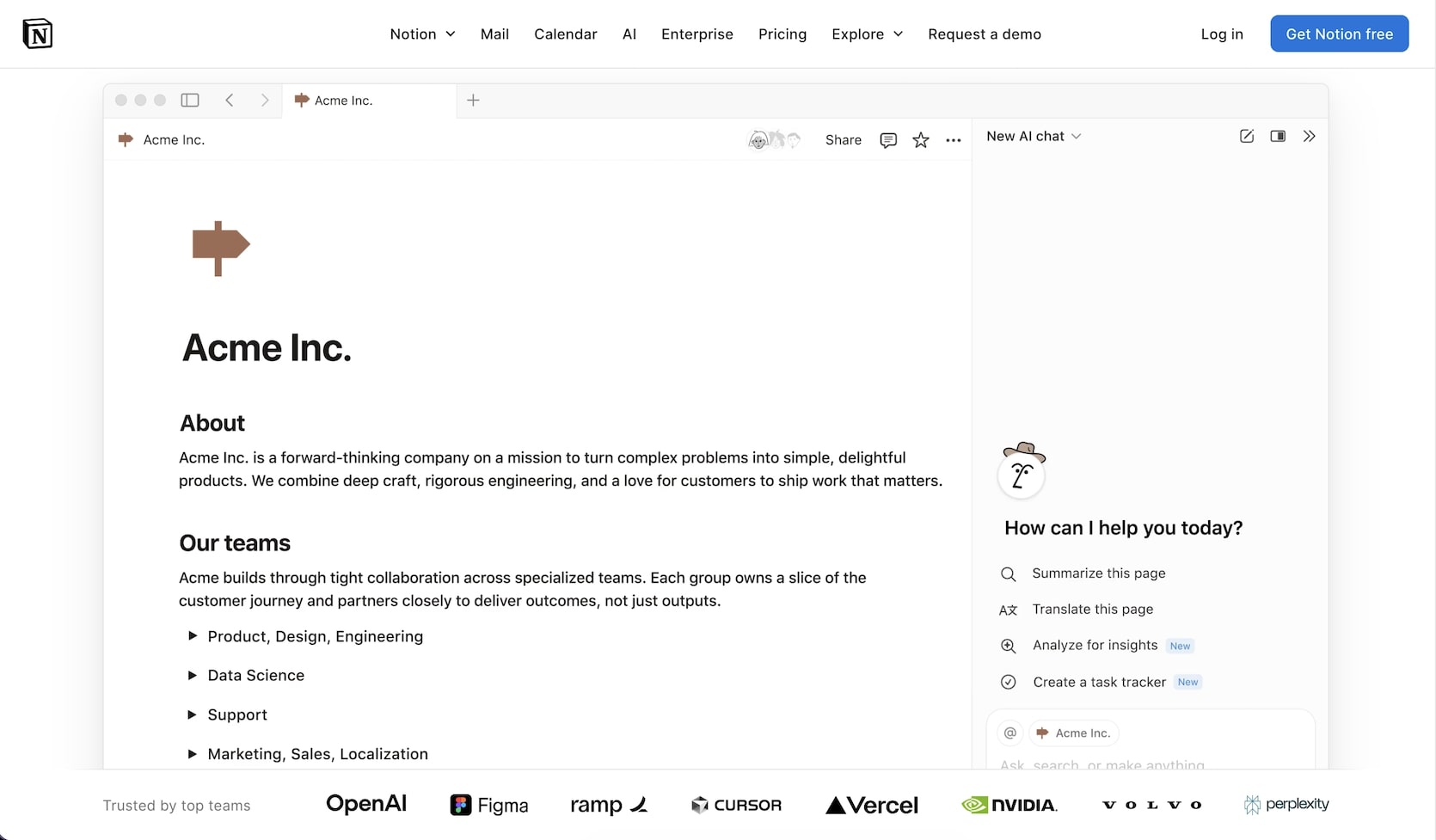
11. Notion: Best for lists inside notes and docs
Notion keeps a to-do database next to your notes and docs. Free invites up to 10 guests, but a workspace with 2 or more members gets only a limited number of blocks before it must upgrade.
Why people pick it
- A task list can sit inside the page that explains the task: the trip plan, the wedding guest list or the home repair notes.
- Databases show the same tasks as a table, a board or a calendar, with filters for each person.
- Templates for habit trackers, meal plans and chore charts are everywhere, many of them free.
Watch out for
- Free gets a block limit once 2 or more members share a workspace, so a family that shares a workspace hits the paywall.
- Notion is a blank canvas, so a good to-do system takes setup time.
Free plan: 10 external guests, 7 days of page history, and a limited block count for workspaces with 2 or more members.
Paid: Plus $10 per seat a month and Business $20 per seat a month, as shown on the page, which says yearly billing saves up to 20%. Source: notion.com/pricing, read 2026-10-19.
Platforms: web, Mac, Windows, iPhone and Android.
Notion is right when the list is part of a bigger document.
12. Habitica: Best for kids, chores and anyone who likes games
Habitica turns tasks into a game with points, levels and quests, and the app is free. A shared family task board needs the Group Plan, $9 a month plus $3 per extra member.
Why people pick it
- Checking off a chore earns gold and experience for your avatar. Missing a daily costs health, which is a real motivator for kids and teens.
- Habits, dailies and to-dos are three separate task types, so a morning routine and a one-off errand each get the right treatment.
- Parties let friends fight bosses together, and the group pressure helps people keep streaks.
Watch out for
- The shared task board, where you assign tasks to members, is a Group Plan feature, not part of the free app.
- The game layer is the point. An adult who wants a plain shared shopping list finds it noisy.
Free plan: tasks, habits, dailies, rewards, an avatar and parties.
Paid: Group Plan $9 a month, which includes the leader, plus $3 a month for each extra member, billed monthly. A family of 4 pays $18 a month. Source: habitica.com/static/plans and the Habitica wiki page on Group Plans, read 2026-10-19.
Platforms: web, iPhone and Android.
Habitica fits when the problem is motivation, not organization. Pair it with a habit tracking routine for kids.
13. OmniFocus: Best for power users on Apple devices
OmniFocus is the deepest task manager for Getting Things Done on Apple devices: $99.99 a year, or a one-time license from $74.99. There is no free plan.
Why people pick it
- Perspectives are saved custom views, so you can build a "calls at the office" or "errands on Saturday" view that shows only the right tasks.
- Defer dates, review cycles, tags and nested projects support the full weekly review of the GTD method.
- The one-time v4 license is a rare choice in a world of subscriptions, and the all-platform subscription adds a web app.
Watch out for
- No shared lists and no assigning. OmniFocus is built for one person's system.
- The learning curve is steep. Most people who only want a daily list find it far more than they need.
Free plan: none. A free trial.
Paid: all-platform subscription $99.99 a year, with Mac, iPhone, iPad, Apple Watch, Apple Vision Pro and web access. One-time v4 license: Standard $74.99 or Pro $149.99. OmniFocus for the Web alone costs $4.99 a month or $49.99 a year. Source: omnigroup.com/omnifocus/buy, read 2026-10-19.
Platforms: Mac, iPhone, iPad, Apple Watch, Apple Vision Pro and a web app.
If you want the GTD method without the price, try it in a lighter app first.
14. Motion: Best AI planner for a packed calendar
Motion places your tasks on your calendar with AI and moves them when plans change. There is no free plan. Pro AI costs $19 per seat a month billed yearly or $29 monthly, and Business AI costs $29 billed yearly or $49 monthly.
Why people pick it
- You add tasks with a deadline and a length, and Motion finds the free time on your calendar for each one.
- When a meeting runs long or a new task arrives, Motion rebuilds the plan, so the calendar stays honest.
- Teams see each person's schedule and workload in one place, which helps a small agency plan the week.
Watch out for
- There is no free plan, only a free trial, and the trial length is not shown on the pricing page.
- Motion is a calendar tool for work. For a family list it is far more power and price than the job needs.
Free plan: none. A free trial.
Paid: Pro AI $19 per seat a month billed yearly or $29 monthly. A solo Individual plan costs $29 billed yearly or $49 monthly. Business AI $29 per seat billed yearly or $49 monthly. Source: usemotion.com/pricing, read 2026-10-19.
Platforms: web, desktop apps, iPhone and Android.
Four seats on Pro AI cost $76 a month billed yearly, the top of the cost table below. For more AI planners, see the best AI planner apps.
15. Akiflow: Best for pulling tasks from email and chat into one inbox
Akiflow collects tasks from email, Slack and other apps into one inbox, then lets you time-block them on your calendar. Pro is $19 a month billed yearly, with a 7-day trial.
Why people pick it
- One inbox pulls in starred emails, Slack messages and tasks from other tools, so nothing lives in five places.
- Drag a task onto the calendar to block time for it, and the calendar shows tasks and meetings together.
- Keyboard shortcuts and a command bar make daily planning fast for people who type more than they tap.
Watch out for
- No free plan, and the trial needs a payment card.
- The $19 yearly price is marked as a promo with no end date, and team pricing is a sales conversation.
Free plan: none. A 7-day full-access trial, card required.
Paid: Pro $19 a month billed yearly ($228 a year, marked promo) or $34 monthly. Longer Believer terms cost $357.60 for 2 years or $699 for 5 years. Source: akiflow.com/pricing, read 2026-10-19.
Platforms: Mac, Windows, web, iPhone and Android.
Akiflow is a work inbox, not a shared list app. Students and researchers can get 40% off Pro Yearly with an academic email, according to the pricing page.
What are the best free to-do list apps?
Microsoft To Do, Apple Reminders and Google Tasks are free with no paid tier. TickTick, Todoist, Superlist, Trello, Notion and Taskade have free plans with limits. Things 3, OmniFocus, Motion and Akiflow have trials only.
This table shows the limit that matters most on each free plan, and whether the free plan shares a list.
| App | Free plan limits | First paywall | Shares free |
|---|---|---|---|
| Microsoft To Do | None | None, no paid plan | Yes, personal to personal |
| Apple Reminders | Apple devices only | None | Yes, over iCloud |
| Google Tasks | None | None | No list sharing |
| TickTick | 9 lists, 99 tasks per list | 10th list or 100th task | Yes, 2 members |
| Todoist | 5 personal projects, 3 filters | 6th project, calendar layout | Yes, 5 per project |
| Superlist | 5 lists, 500 MB storage | 6th list or 6th person | Yes, 5 people |
| Trello | 10 boards, 10 collaborators | 11th board or collaborator | Yes, 10 collaborators |
| Notion | 10 guests, 7-day history | Block limit for 2+ members | Yes, with limits |
| Any.do | Private lists | Any shared list | No |
| Taskade | Unlimited projects, 2 members | 3rd member, AI credits | Yes, 2 members |
| Habitica | Tasks, habits, parties | Shared task board | Party only |
The best free to-do list app for most people is Microsoft To Do, because it has no paywall to hit. TickTick Free is the best free app with a calendar view, and Todoist Free suits a solo planner who stays under 5 projects. Taskade Free suits 2 people who want a list, a board and a calendar on the same tasks.
What does a to-do list app cost over 3 years?
Over 3 years, one person pays $0 for Microsoft To Do, Apple Reminders or Google Tasks, and about $60 once for Things 3 on a Mac and an iPhone. TickTick, Todoist, Any.do and Superlist cost $150 to $180. Akiflow and Motion cost $684 or more. The math uses the yearly prices we read on 2026-10-19.
3-year cost for one person, yearly billing (vendor pages, 2026-10-19)
1 # = about $30Microsoft To Do     $0
Apple Reminders     $0
Google Tasks        $0
Things 3            $60     ##            Mac $49.99 + iPhone $9.99, paid once
TickTick Premium    $150    #####
Superlist Basic     $177    ######
Any.do Premium      $180    ######
Todoist Pro         $180    ######
Trello Standard     $180    ######
OmniFocus           $300    ##########    or $74.99 once for the v4 Standard license
Taskade Pro         $360    ############  one price for up to 10 people
Akiflow Pro         $684    #######################
Motion Individual   $1,044  ###################################
The ranking changes for a group. Per-seat plans multiply by the number of people: 4 people on Todoist Business pay $1,152 over 3 years. Taskade Pro stays $360 for up to 10 people, because one price covers the whole workspace.
What are the best shared to-do list apps for families, couples and small teams?
For a free shared list on mixed phones, use Microsoft To Do. For a family of 4 on one bill, Any.do Family costs $8.33 a month billed yearly. For up to 10 people who share lists, boards and a calendar, Taskade Pro costs $10 a month billed yearly for the whole group.
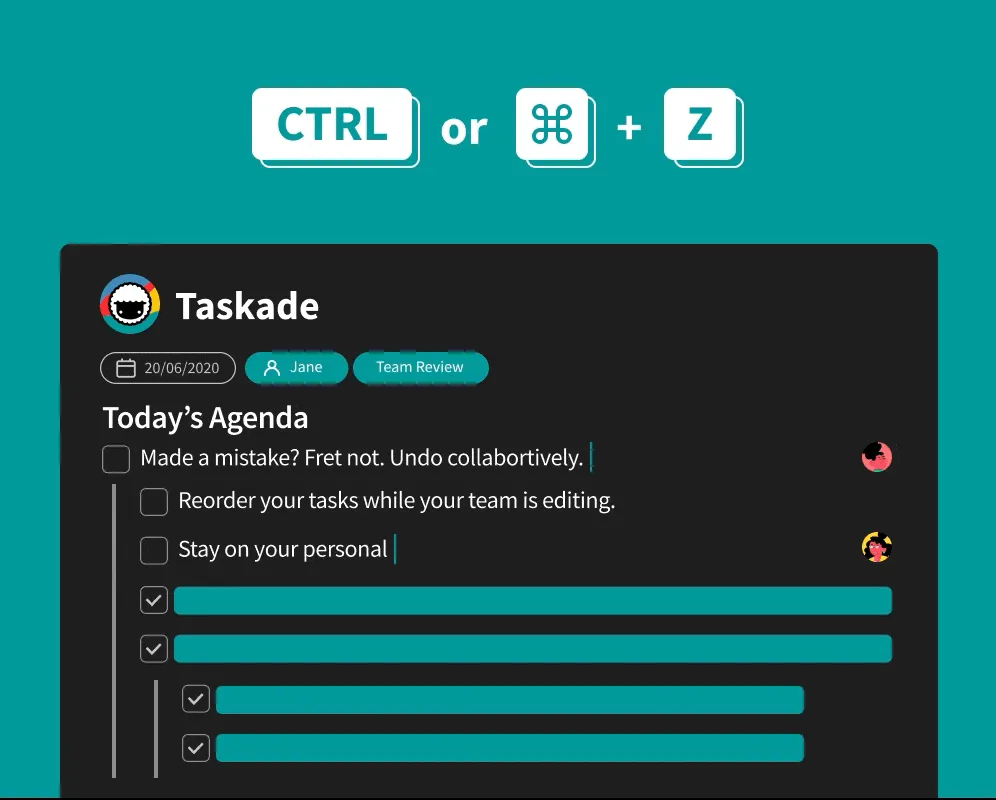
Shared lists cost very different amounts once the group grows past 2. This table shows the monthly cost for 4 people on the cheapest plan that lets all 4 share (vendor pages, 2026-10-19).
| App | Free sharing limit | Monthly cost for 4 people |
|---|---|---|
| Microsoft To Do | No stated cap | $0 |
| Apple Reminders | No stated cap | $0 |
| Superlist | 5 people, 5 lists | $0 |
| Trello | 10 collaborators | $0 |
| Todoist | 5 people per project | $0 on Free, $32 on Business yearly |
| Any.do Family | Not on Free | $8.33 billed yearly |
| Taskade Pro | 2 on Free | $10 billed yearly, up to 10 people |
| Habitica Group Plan | Party only | $18 |
| Notion Plus | 10 guests | $40 for 4 members |
| Motion Pro AI | No free plan | $76 billed yearly (4 x $19) |
This diagram shows where each free plan stops as a group grows.
The best fit for each household, from the limits and prices above:
| Situation | Best pick | Runner-up | Why |
|---|---|---|---|
| Couple, both on iPhone | Apple Reminders | Taskade Free | Built in, free, assignable reminders |
| Couple, iPhone and Android | Microsoft To Do | Taskade Free | Free on both phones |
| Family of 4 on one bill | Any.do Family | Taskade Pro | Fixed price for 4, grocery list |
| Family of 5 to 10 | Taskade Pro | Trello Free | One price for up to 10, list plus board plus calendar |
| Roommates sharing chores | Trello Free | Superlist Free | Board columns show who owns what |
| Kids and teens | Habitica | Taskade Free | The game layer drives the habit |
| Small team of up to 10 | Taskade Pro | Todoist Business | Chat, boards and calendar in one project, one price |
| Student working alone | TickTick Free | Todoist Free | Free calendar view and habits |
Sharing a list in Taskade takes 3 steps. Open the project, choose Share, and invite people by email (share a project). For workspace-wide access, invite members to the workspace. On Free, the workspace holds 2 members.
What is the best to-do list app for iPhone, Android, Windows and Mac?
Apple Reminders, Things 3 and OmniFocus are Apple only. For a household with iPhone and Android phones, pick Microsoft To Do, Todoist, TickTick or Taskade, which run on both phones, on Windows and on Mac.
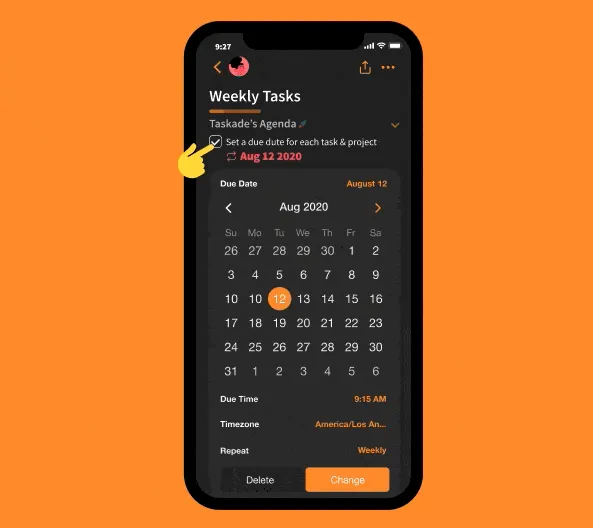
| App | Phones | Computers | Web |
|---|---|---|---|
| Taskade | iPhone, Android | Mac, Windows, Linux | Yes, plus browser extensions |
| Todoist | iPhone, Android | Mac, Windows, Linux | Yes |
| TickTick | iPhone, Android | Mac, Windows, Linux | Yes |
| Microsoft To Do | iPhone, Android | Windows, Mac | Yes |
| Apple Reminders | iPhone only | Mac only | iCloud.com |
| Google Tasks | iPhone, Android | None, use Gmail or Calendar | Inside Gmail and Calendar |
| Any.do | iPhone, Android | Mac, Windows | Yes |
| Superlist | iPhone, Android | Mac only | Yes |
| Things 3 | iPhone only | Mac only | No |
| Trello | iPhone, Android | Mac, Windows | Yes |
| Notion | iPhone, Android | Mac, Windows | Yes |
| Habitica | iPhone, Android | None | Yes |
| OmniFocus | iPhone only | Mac only | Yes, with the subscription |
| Motion | iPhone, Android | Desktop apps | Yes |
| Akiflow | iPhone, Android | Mac, Windows | Yes |
For iPhone alone, pick Things 3 to pay once or Apple Reminders for free. For Android, pick TickTick for a free calendar or Todoist for plain-language dates. For Windows, Microsoft To Do costs nothing. Taskade needs an internet connection and has no offline editing mode (how sync works when a connection drops).
What is the best online to-do list you can use in a browser?
Microsoft To Do, TickTick, Todoist, Trello, Notion, Superlist and Taskade run in a browser with nothing to install. Google Tasks runs inside the Gmail and Calendar side panel. Apple Reminders opens at iCloud.com with an Apple account.
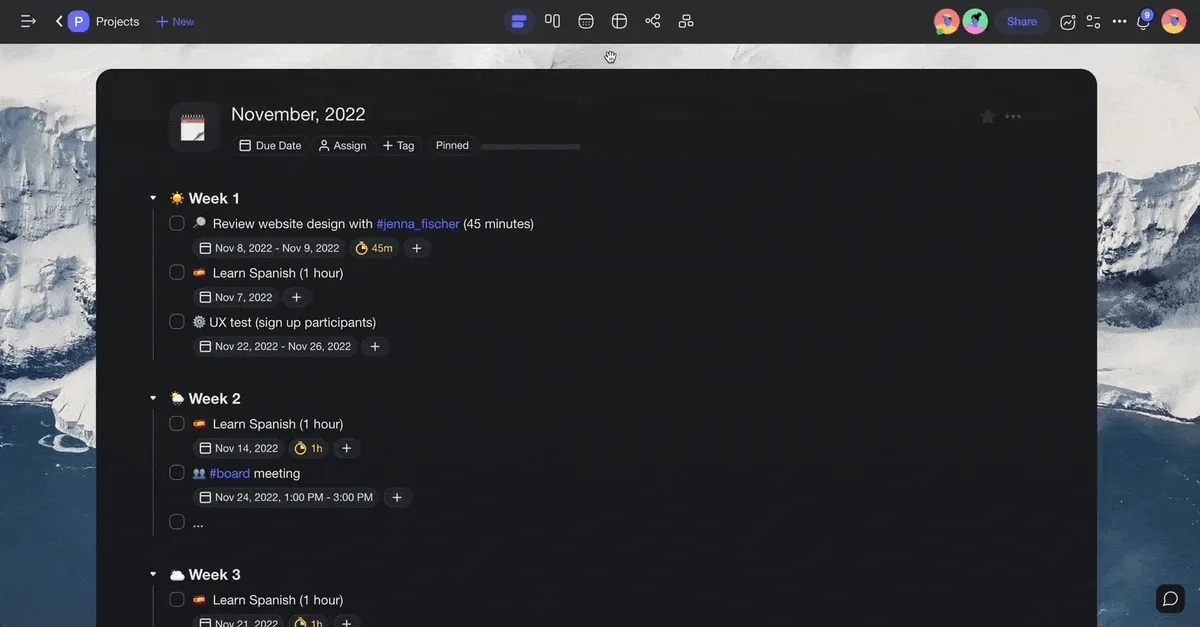
A browser list suits a work computer where you cannot install apps, or a shared family laptop. Each app saves to the cloud, so the browser list is the same list on your phone. To start with a ready-made structure, copy the free to-do list template, or read when a sheet is enough in our Excel to-do list guide.
How do you choose a to-do list app? 4 questions
Ask who shares the list, which phones they use, whether you pay monthly or once, and whether you want AI to plan for you. The answers point to one app in almost every case.
Once you pick, a method helps the list stay useful. The Eisenhower Matrix sorts tasks by urgency and importance, and the Pomodoro technique breaks the work into short focused blocks.
Want AI to plan your day?
AI to-do list apps draft the steps of a task, sort your list and place tasks on a calendar. That is a different job from a shared family list, so three other guides cover it: the best AI task managers guide compares AI features and prices, the best AI planner apps covers daily and weekly planning, and how to make an AI to-do list walks through one build.
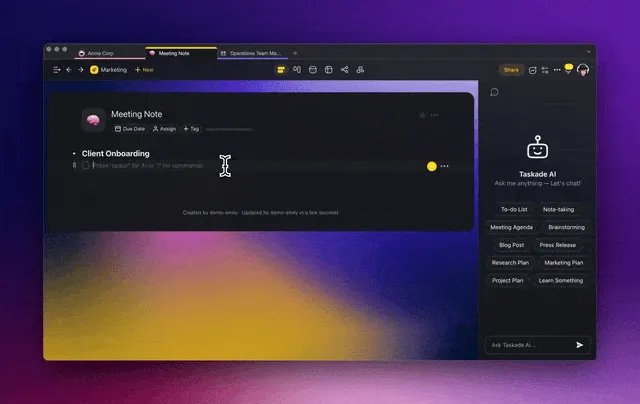
In Taskade, an AI agent can break "plan the move" into rooms, boxes and dates inside the same shared project. On Free, AI work needs credits that you earn or buy. The AI task manager page shows the task features.
Limitations: when Taskade is not the right fit
Taskade is not the right pick when everyone in the house uses an iPhone and wants zero setup, when you want AI on a free plan without earning credits, when you want to pay once, or when you must edit a list offline. In those cases another app on this list fits better.
| If you want | Pick instead | Why |
|---|---|---|
| A shared list for 2 iPhones with no setup | Apple Reminders | Already on both phones, free |
| A free shared list with no paywall at all | Microsoft To Do | No paid plan exists |
| A one-time price | Things 3 or OmniFocus | Pay once, no subscription |
| A personal list inside Gmail | Google Tasks | Lives in the Gmail side panel |
| A deep personal GTD system | OmniFocus | Perspectives and reviews |
| AI scheduling of every task on your calendar | Motion | Auto-scheduling is its core |
| A list you can edit with no internet connection | Things 3 or Apple Reminders | Taskade needs a live connection |
Why we built Taskade differently
Most to-do apps keep the list in one place and the chat, the calendar and the files in others. Taskade keeps them in one shared project, where the list, the board, the calendar, the chat and an AI agent work on the same tasks. That project can also grow into an app.

Here is what that adds, in plain terms:
- One prompt builds a live app. Describe a chore tracker, a client portal or a team dashboard, and Taskade Genesis builds a working app with its own database. Start from a prompt.
- Taskade EVE builds it with you in chat. Ask Taskade EVE to add a field, a page or a rule, and it edits the app.
- AI agents with knowledge and tools. Agents answer from your projects and files, inside the app or on their own.
- Automations with 100+ integrations. Automations run on triggers that pull events in and actions that push data out, for example a weekly reminder to the person who owns the chore.
- Ready-made kits. Clone an app from the community gallery, such as this task management dashboard, and share it with a link. Custom domains are on Pro and up.

We call that loop Workspace DNA: projects are the memory, agents are the intelligence, and automations are the execution. Free includes 3 Taskade Genesis apps and 1 agent, and starts with no AI credits. Pro is $10 a month billed yearly. A family list does not need all of this on day one.
Compare Taskade plans and prices
▲ ■ ●
Frequently asked questions
What is the best to-do list app in 2026?
For one person who works alone, Todoist is the best to-do list app in 2026. It reads plain dates such as every Monday, runs on every platform, and Pro costs $5 a month billed yearly. For a family or a small team that shares lists, boards and a calendar, Taskade fits better: Free covers 2 people and Pro costs $10 a month billed yearly for up to 10 people.
What is the best free to-do list app?
Microsoft To Do is the best free to-do list app because it has no paid plan at all, shares lists between personal Microsoft accounts, and runs on Windows, Mac, iPhone, Android and the web. TickTick Free is the runner-up if you want a basic calendar on a free plan, with a cap of 9 lists and 99 tasks per list.
What is the best shared to-do list app for families?
For a free shared list on mixed phones, use Microsoft To Do. For 4 people on one bill, Any.do Family costs $8.33 a month billed yearly and includes a shared family space and a shared grocery list. For up to 10 people who share lists, boards, a calendar and a chat, Taskade Pro costs $10 a month billed yearly for the whole group.
How do I share a to-do list with my partner?
If you both use an iPhone, share a list in Apple Reminders and assign reminders to each other for free. If one of you uses Android, share a list in Microsoft To Do. For a list, a board and a calendar in one shared project, Taskade Free covers 2 people.
Is Microsoft To Do really free?
Yes. Microsoft To Do is free and has no paid plan, and you need a Microsoft account. Lists share between personal accounts, or between work or school accounts in the same organization. A personal account cannot join a list that a work account owns.
Can I share a Todoist list for free?
Yes. Todoist Beginner is free and lets up to 5 people join each personal project, with a cap of 5 personal projects and 3 filter views. The calendar layout and custom reminders need Pro, which costs $5 a month billed yearly or $7 monthly.
Can you share a list in Google Tasks?
No. Google Tasks has no way to share a whole list. You can assign a single task to a person inside a Google Chat space, or inside a Google Doc on eligible Google Workspace plans. Shared tasks cannot have subtasks and cannot repeat.
Is Taskade free?
Yes. Taskade Free has no time limit and includes unlimited projects and tasks, 2 workspace members, 1 AI agent and 3 Taskade Genesis apps. Free starts with no AI credits: you earn credits with referrals and invites, or buy a credit pack. Pro costs $10 a month billed yearly for up to 10 people.
What is the best to-do list app with AI?
Taskade is the best pick if you want AI inside a shared to-do list, with Pro at $10 a month billed yearly. Motion places tasks on your calendar with AI from $19 per seat a month billed yearly. Akiflow collects tasks from email and chat for $19 a month billed yearly.
Is there a to-do list app with a one-time payment?
Yes. Things 3 is a one-time purchase per device: $49.99 on Mac and $9.99 on iPhone in the US App Store, with a 15-day free trial. OmniFocus also sells a one-time v4 license, $74.99 for Standard and $149.99 for Pro, beside its $99.99 yearly subscription.