






Some of the best logistics tools in use today were built by the dispatchers running them. A small carrier tracking ten trucks. A freight broker working a book of lanes. A 3PL receiving containers against a daily manifest. They described the work, and Taskade Genesis turned it into a dispatch command center they run every day, one connected app instead of a spreadsheet, a chat thread, and a stack of emailed PDFs. This is the operator-ownership move: instead of paying a rigid transportation management system per seat forever to log into their platform, you build the app, change it by describing the change, and own it on a flat plan. Build yours with AI or clone a working one in a click.
TL;DR: Build a logistics CRM and dispatch command center by describing it in plain language. Track loads on a Board, carriers and lanes in a Table, and pickup and delivery windows on a Calendar, with automations that notify the team on status changes and pull documents in automatically. You own the app on a flat plan, free to $25 a month, not per-truck or per-seat metering. Build yours free →
What Does a Logistics CRM Actually Track?
A logistics CRM is the command center where a dispatch operation keeps every load, carrier, lane, and document in one place instead of scattered across tools. For a small freight broker, carrier, or 3PL, that means a single app that holds the moving parts of getting freight from pickup to delivery and the paperwork that proves it happened. In Taskade Genesis each of these is a connected project, so a load already knows its carrier, its lane, and its documents without anyone re-pasting context.
A working dispatch app tracks the things below. Notice they are not separate spreadsheets. They are connected records that reference each other.
| What it tracks | What lives there |
|---|---|
| Loads and shipments | Reference number, status (booked, dispatched, picked up, in transit, delivered), weight, rate |
| Carriers and drivers | Carrier name, MC number, contact, equipment type, who is hauling what right now |
| Lanes | Origin and destination, distance, typical rate, the carriers who run it well |
| Pickup and delivery windows | Appointment times, the dock, the contact, who confirmed |
| Documents | Bill of lading (BOL), proof of delivery (POD), rate confirmation, attached to the load |
| Container receiving | Expected arrivals, what landed, what is short or damaged against the manifest |
That last row is real. A Taskade customer runs a container-receiving and logistics command center exactly this way, expected arrivals checked against what actually lands on the dock, all in one app they built by describing it. The pattern scales down to a single dispatcher and up to a small 3PL team, because the backbone is the same: connected projects that hold real data, not a demo.
Every load moves through the same lifecycle, and the whole point of a dispatch app is to make that movement visible at a glance. The diagram below is the path a single load takes from quote to cash.
On a Board view those stages become columns and each load is a card you drag from left to right. One screen, the whole book, no status meeting required.
┌──────────────────────────────────────────────────────────────────┐
│  DISPATCH BOARD   (Board view, one card per load)                  │
├───────────┬────────────┬────────────┬────────────┬────────────────┤
│  BOOKED   │ DISPATCHED │ IN TRANSIT │ DELIVERED  │   INVOICED      │
├───────────┼────────────┼────────────┼────────────┼────────────────┤
│ #4471 ATL │ #4468 DAL  │ #4459 LAX  │ #4450 SEA  │ #4441 MIA       │
│ Reefer    │ Dry van    │ Flatbed    │ Reefer     │ Dry van         │
│ carrier:  │ Acme Frt   │ ETA 6/24   │ POD on file│ paid, closed    │
│ pending   │ I-20 lane  │ I-10 lane  │ bill it    │                 │
└───────────┴────────────┴────────────┴────────────┴────────────────┘
   Each card carries its carrier, lane, documents (BOL and POD), and
   appointment window. Drag it right as the load moves.
Spreadsheet vs Rigid TMS vs Build Your Own
The three ways small operators run dispatch each break in a predictable place. A spreadsheet is free and flexible but has no status workflow, no reminders, and no logins. A rigid transportation management system has all of that but charges per seat or per truck forever and bends to its own assumptions, not yours. Building your own app gives you the workflow and ownership without the per-seat bill.
The spreadsheet is where almost everyone starts, and it is fine until it isn't. The day a pickup window slips and no one gets reminded, or two dispatchers overwrite the same load, or a POD goes missing in an inbox, the spreadsheet has quietly stopped being enough. A rigid TMS solves those problems but introduces a new one: you are now a tenant on someone else's platform, paying for every dispatcher you add, working the way the software wants you to work. Building your own app is the third path, and the one this guide walks through. Trades operators hit the same wall one tab over, and what a trades job-log tab becomes once it is an app is the step-by-step version of that graduation.
Where Per-Seat TMS Pricing Comes From
Most logistics software charges by the seat or by the truck, which means the bill grows every time you add a dispatcher or expand the fleet. That model makes sense for the vendor and less sense for a small operator who just wants the workflow. Below is an honest comparison of how a few common options price, against the build-your-own approach.
Both Tailwind TMS (a transportation management system aimed at small carriers and brokers) and Salesdash (a freight-focused sales CRM) are genuinely good at what they do. Tailwind handles dispatch, order management, and IFTA reporting deeply. Salesdash gives freight sales teams a clean lane-and-shipper pipeline. The wedge for Taskade is not feature depth in any one of those lanes. It is ownership and flat pricing across the whole operation.
| Tool | What it is | Pricing model | You own the app? |
|---|---|---|---|
| Tailwind TMS | Dispatch and order management TMS for small carriers and brokers | Per-user monthly subscription (tiered) | No, you rent access |
| Salesdash CRM | Freight and logistics sales CRM (lanes, shippers, follow-ups) | Per-user monthly subscription | No, you rent access |
| Generic per-seat TMS SaaS | Fixed logistics platform with set screens and workflows | Per-seat or per-truck monthly metering | No, you rent access |
| Taskade Genesis | An app you build by describing it: loads, carriers, lanes, docs | Flat per plan (Free to $25/mo, not per-seat) | Yes, you own and change it |
The columns that matter most are the last two. A per-seat platform means your software bill is tied to your headcount and your fleet size forever, and you cannot change how the screens work because they are not yours. A built app flips both: a flat plan no matter how many dispatchers you add, and an app you reshape by describing the change. Add a "detention hours" field or a "broker margin" column by asking for it, not by filing a feature request and waiting. Field service operators run into the identical math, which is why the dispatch-board-you-own case against per-seat field service software reads as the same argument in a different trade.
How to Build a Logistics CRM in Taskade Genesis
You build a logistics command center in Taskade Genesis by describing your operation in one prompt, then shaping the views and automations around how you actually dispatch. There is no code and no setup wizard. Here is the build, step by step.
Step 1: Describe the operation in one prompt
Start in Taskade Genesis and tell it what you run. A prompt like this is enough to get a working first version:
Build a dispatch command center for a small freight operation. Track loads with a status (booked, dispatched, picked up, in transit, delivered), the carrier and driver hauling each one, the lane (origin to destination), pickup and delivery windows, and the documents for each load (BOL, POD, rate confirmation). I want a board to see load status at a glance, a table for my carriers and lanes, and a calendar for pickup and delivery windows. Notify my team when a load status changes.
Taskade Genesis reads that and builds the connected projects, the views, and the starting automations around it. From there you point it at your real loads and carriers and it runs the actual operation.
Step 2: Put loads on a Board
A Board is the dispatcher's main screen. Each column is a status, booked, dispatched, picked up, in transit, delivered, and each card is a load. Moving a load across the board is the act of dispatching it, and because the card carries the carrier, the lane, and the documents, everything about that load travels with it. This is one of the multiple project views the same data can take, and it is the one a dispatcher lives in.
Step 3: Keep carriers and lanes in a Table
Carriers, drivers, and lanes belong in a Table, which is your relational backbone. A carrier row holds the MC number, equipment type, and contact. A lane row holds origin, destination, distance, and the carriers who run it well. Because Taskade projects are real connected databases, a load on the board references a carrier in the table, so you are never retyping a carrier's details onto a load. Update the carrier once and every load tied to it sees the change.
Step 4: Put pickup and delivery windows on a Calendar
Appointment times are where dispatch goes wrong, so they get their own view. A Calendar shows every pickup and delivery window across the week, so an overbooked dock or a Friday-afternoon delivery that no one will be there to receive is visible before it becomes a problem. The same load data drives the calendar, the board, and the table at once.
Step 5: Wire automations for status changes and documents
This is where a built app pulls ahead of a spreadsheet. Automations watch for something to happen and then act. Set up two to start:
- A status-change notification: when a load moves to "picked up" or "delivered," send the team a Slack message or an email so the customer can be updated without anyone checking the board.
- A document intake via a File Added trigger: when a new BOL or POD lands in a connected folder or inbox, attach it to the right load and flag it for review.
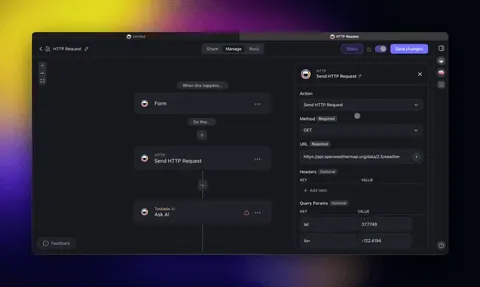
The diagram below shows how a single load moves through the app and triggers those automations as it goes.
Step 6: Connect the tools you already use
A logistics app is not an island. With 100+ bidirectional integrations, triggers pull events in and actions push data out. Sync delivered loads to a Google Sheet for accounting, post status changes to Slack, email a customer their POD, or pull form submissions straight into the load board. The app talks to the rest of your stack instead of becoming another silo to keep in sync by hand.
Step 7: Add logins and publish
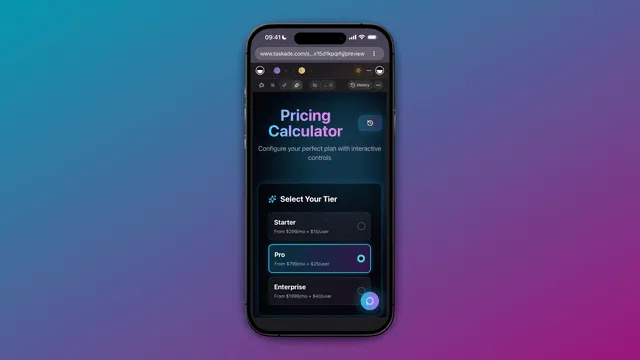
When you are ready to give dispatchers their own logins or hand a customer a read-only view of their shipments, App Users add a branded sign-in on every plan. On Business and above you can publish the whole command center to your own domain. Match each person's records to their login and a dispatcher sees the loads they work while a customer sees only their freight. This is the same publish-and-launch path covered in deploy agents, launch shops, automate payments.
The AI Layer on Top of Your Dispatch Data
The reason this is a logistics CRM and not just a prettier spreadsheet is the agent layer that reads your connected projects and acts on them. AI agents sit on top of the same loads, carriers, and lanes and do the reading-and-summarizing work a dispatcher would otherwise do by hand. Ask an agent which lanes ran over their target rate this month, have it draft a carrier check-in email, or have it summarize every load still in transit past its delivery window. The agents work the data the app already holds, so there is no separate place to maintain.
This is the Workspace DNA loop in action: connected projects are the Memory, AI agents are the Intelligence, and automations are the Execution, each feeding the next. For the agent side of that loop, see agent teams that automate workflows. The full architecture across CRM, ops dashboard, and portal lives in run your whole business in one app.
Two Live Apps You Can Clone Today
You do not have to build from a blank prompt. The two apps below are live, cloneable in one click, and slot straight into the dispatch backbone above. Clone one, point it at your loads and carriers, and you have a running start.

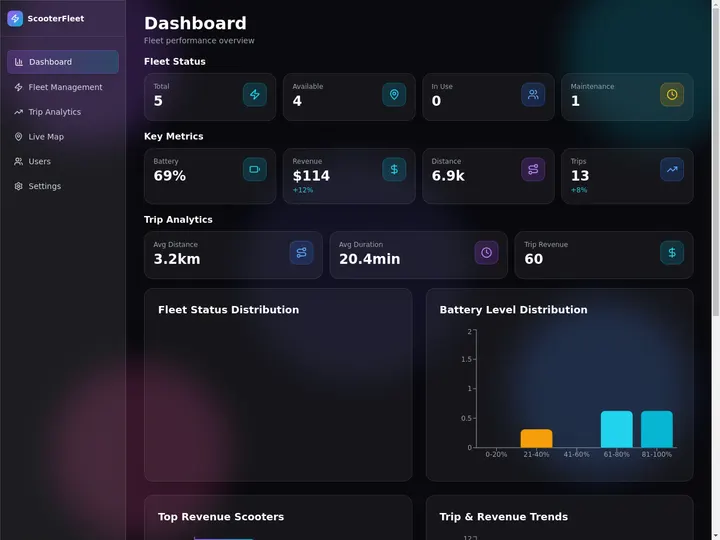
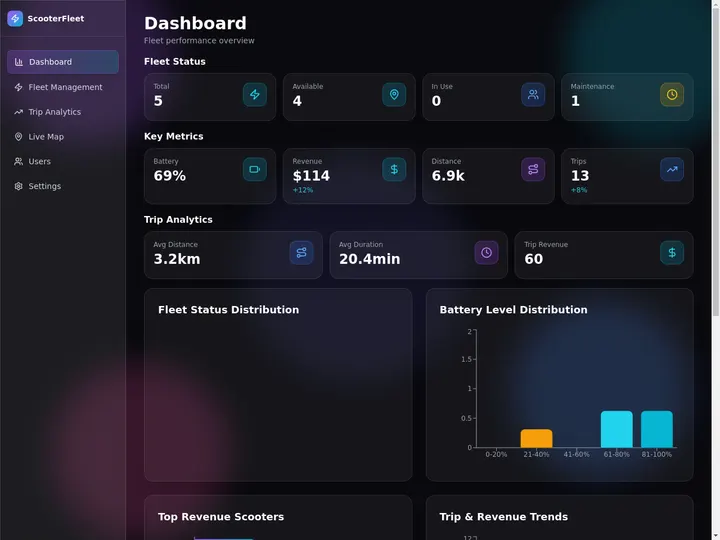
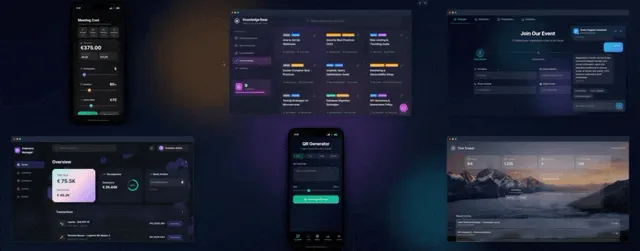
The Fleet Management Dashboard above puts vehicles, drivers, and routes on one screen, the asset-and-status view a dispatcher needs to know what is moving and what is sitting. Clone it here and add your trucks and routes.
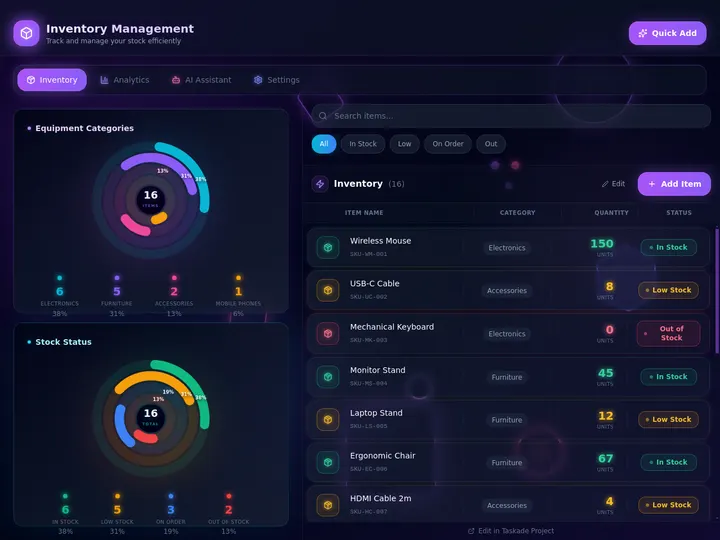
The Inventory Management Dashboard above is the receiving and stock side of logistics, what is on hand, what is low, and what landed against an expected arrival. Clone it here for the warehouse and container-receiving half of the operation. Browse hundreds more in the Community Gallery.
From Four Disconnected Tools to One Owned App
The whole point of building your own logistics CRM is collapsing scattered tools into one connected app you own. Before, a dispatcher keeps loads in a spreadsheet, carriers in a second list, documents in an inbox, and the schedule in a calendar, and reconciles them by hand. After, those become connected projects in a single Taskade Genesis app, where a load already knows its carrier and its documents.
| The work | Before, four disconnected tools | After, one owned app |
|---|---|---|
| Loads | A spreadsheet of shipments | A Loads board with status, linked to carriers |
| Carriers and lanes | A separate contact list | A carriers and lanes table the loads reference |
| Documents | BOLs and PODs in an email inbox | Files attached to the load via a File Added trigger |
| Schedule | A calendar no one updates | Pickup and delivery windows on a live Calendar view |
| Access | Shared logins or none | Dispatcher and customer logins (on every plan) |
This is the same shape covered in build a business app without code and the published-app version in set it once. The difference from a rigid TMS is structural: the relational spine is yours, the agents and automations read it, and you change the whole thing by describing the change.
What It Costs to Run the Whole Thing
You can build and clone a full dispatch command center free, then upgrade only when you want to put those dispatcher logins on your own domain. The plans below are flat per plan, not per truck and not per dispatcher, so the bill does not climb as your operation grows.
| Plan (annual billing) | Price | Logins | Custom domain | Best for |
|---|---|---|---|---|
| Free | $0 | Yes | No | Building and cloning your dispatch app |
| Pro ★ | $10/mo | Yes | No | Up to 10 users, the popular choice for a small team |
| Business | $25/mo | Yes | Yes | Dispatcher and customer portals on your own domain |
Compared with a per-seat TMS where adding a dispatcher adds to the bill every month, a flat Pro plan at $10/month covers a small dispatch team, and Business at $25 a month is what turns an internal command center into a customer-facing portal on your own domain. The CRM and ops-dashboard build steps share the same primitives, which is why run your whole business in one app and the CRM, invoice generator, and client portal drop apply directly to a logistics operation too.
Describe the Operation. Run the System.
One prompt. One app. Your loads, carriers, lanes, and documents on one screen you own. Connected projects remember the data, AI agents read and act on it, and automations keep the operation moving across 100+ integrations. That is the dispatch command center behind this guide, and it is yours on a flat plan instead of a per-seat lease.
Ready to build it? Start in Taskade Genesis and the architecture you ship is connected projects, agents, and automations stitched into one running app. Or clone a live one and have it tracking loads before the next pickup window.
Read Next: The Build-Your-Own Wave
- Run Your Whole Business in One App →, the ops dashboard, CRM, and client portal pattern that a logistics operation slots straight into.
- Build a Business App Without Code →, the from-scratch build, by describing the work instead of wiring it by hand.
- Set It Once →, the published-app version: clone, add logins, and let the automations run.
- AI CRM Builders →, how the CRM half of this app gets its agent and automation layer.
▲ ■ ● Memory · Intelligence · Execution
The three-layer architecture behind every Taskade Genesis app: connected projects remember your loads and carriers, agents read and reason over them, automations fire on every status change. Clone a live app above to feel the loop close itself, or build your own on the same primitives.
Frequently Asked Questions
What is the best logistics CRM for small freight and dispatch operators?
The best logistics CRM for a small carrier, freight broker, or 3PL is one you own and can change yourself, not a rigid platform you pay per seat to log into. Taskade Genesis lets you build a dispatch command center by describing it: loads on a Board, carriers and lanes in a Table, pickup and delivery windows on a Calendar, with automations that fire on status changes. It runs on a flat plan from free to $25 a month billed annually, not per-truck or per-user metering.
Can I build trucking dispatch software without coding?
Yes. You describe how your operation works, your loads, carriers, lanes, and documents, and Taskade Genesis turns it into a working app. There is no developer, no setup wizard, and no spreadsheet formulas. Non-technical operators across logistics, construction, and field service already run production apps built this way.
How much does a logistics TMS cost for a small fleet?
Most transportation management systems and freight CRMs charge per user or per truck every month, so the bill grows as your team grows. Taskade Genesis is flat per plan instead: free to build and clone, $10 a month Pro for up to 10 users, and $25 a month Business with your own domain and dispatcher logins, both billed annually. There is no per-seat or per-load metering.
What should a logistics or dispatch app track?
A working dispatch app tracks loads and shipments with status, the carriers and drivers hauling them, the lanes they run, pickup and delivery windows, and the documents tied to each load such as the bill of lading (BOL) and proof of delivery (POD). For container and warehouse work it also tracks receiving against expected arrivals. In Taskade Genesis each of these is a connected project, so a load already knows its carrier and its documents.
Is a spreadsheet good enough to run dispatch?
A spreadsheet works until two people edit the same load, a pickup window slips, or a POD goes missing. It has no status workflow, no automatic reminders, no document intake, and no logins. A built app keeps loads on a Board, fires notifications on status changes, and pulls documents in automatically, so nothing falls through the cracks.
What is a cheaper alternative to a per-seat TMS for a small carrier?
Instead of paying per user or per truck on a fixed TMS platform, you can build your own dispatch command center in Taskade Genesis on a flat plan. You own the app, change it by describing the change, and add dispatchers without a rising per-seat bill. It is the operator-ownership alternative to renting a rigid TMS forever.
Can the app notify carriers and the team when a load status changes?
Yes. Automations watch for a status change, a new document, or an approaching delivery window and then send a notification, update a record, or push data to another tool. With 100+ bidirectional integrations the app can post to Slack, send an email, or update a Google Sheet the moment a load moves from picked up to delivered.
Can I bring documents like BOLs and PODs into the app automatically?
Yes. A File Added trigger watches a connected source, and when a new document arrives the automation attaches it to the right load and can flag it for review. The bill of lading, proof of delivery, and rate confirmation live on the load they belong to instead of in a shared inbox.
Do I own the logistics app and its data?
Yes. The app and its data are yours inside your Taskade workspace. You can clone it, edit it by describing changes, export your data, and on Business and above publish it to your own domain with dispatcher and customer logins. You are not renting access to someone else's platform.