







AI-powered to-do list apps are rewriting the rules of task management. In 2026, the best AI task managers don't just store tasks — they generate them, prioritize them, automate entire workflows, and even build custom applications from a single prompt.
But not all "AI" task managers are created equal. Some offer basic natural language input. Others provide full autonomous AI agents that can research, analyze, and act on your behalf. The gap between surface-level AI and genuinely intelligent task management is wider than ever.
In this guide, we compare the 10 best AI to-do list apps and AI task managers in 2026 — evaluating each on AI depth, automation capabilities, collaboration features, and pricing. Whether you need an AI assistant to manage personal tasks or an AI-powered platform for your entire team, you'll find the right fit here.
TL;DR: Taskade is the best AI to-do list app in 2026 — the only Level 5 (Agent AI) platform with custom AI agents (built-in tools), frontier models, 100+ automation integrations, and the Genesis app builder that creates custom task managers from a single prompt. 150,000+ apps built, free to start, then $10/mo billed annually. Build your first app →
Looking for non-AI options too? See our broader 15 Best To-Do List Apps roundup, or learn how to build your own AI-powered task manager with Taskade Genesis.
How We Evaluated: 5 Dimensions of AI Task Management
We scored each AI to-do list app across five dimensions: task intelligence, workflow automation, AI agent capabilities, integration depth, and collaboration intelligence. Only one platform — Taskade — achieved Level 5 (Agent AI) across all dimensions. Here's our evaluation framework:
| Dimension | What We Looked For | Why It Matters |
|---|---|---|
| AI Task Intelligence | Can the AI generate, break down, and prioritize tasks? | Saves time on manual task creation and organization |
| Workflow Automation | Does the AI automate multi-step processes with triggers and logic? | Eliminates repetitive manual work across your task pipeline |
| AI Agent Capabilities | Are there autonomous agents with custom tools, memory, and multi-model support? | The difference between an AI assistant and an AI teammate |
| Integration Depth | How deeply does the AI connect with external tools (calendar, CRM, email)? | AI is only as powerful as the data and systems it can access |
| Collaboration Intelligence | Does the AI enhance team workflows, not just individual productivity? | Teams need AI that works across roles, not just for one person |
AI Level Framework
We categorize each app into one of five AI levels:
Level 1: Smart Input     — NLP task entry, basic suggestions
Level 2: Smart Scheduling — AI-powered time blocking, auto-rescheduling
Level 3: Task Intelligence — AI generates, breaks down, and prioritizes tasks
Level 4: Workflow AI       — AI automates multi-step workflows with branching logic
Level 5: Agent AI          — Autonomous AI agents with custom tools, persistent memory, multi-model support
AI Task Manager Quick Comparison
| App | AI Level | Best For | AI Agents | Automation | Free Tier |
|---|---|---|---|---|---|
| Taskade | Level 5 | AI-powered team task management | ✅ Custom agents, built-in tools | ✅ 100+ integrations | ✅ Free forever |
| Motion | Level 2 | AI auto-scheduling for busy professionals | ❌ | Basic | ❌ (7-day trial) |
| ClickUp | Level 3 | All-in-one PM with AI features | Limited (Brain) | ✅ | ✅ |
| Todoist | Level 1 | Simple NLP task management | ❌ | Basic | ✅ |
| Any.do | Level 1 | AI-powered daily planner | ❌ | Basic | ✅ |
| Notion | Level 3 | AI-enhanced workspace/docs | Limited | Limited | ✅ |
| Monday.com | Level 2 | Visual workflow automation | Limited | ✅ | ✅ (2 seats) |
| Reclaim.ai | Level 2 | Calendar time-blocking | ❌ | Limited | ✅ |
| Asana | Level 3 | Enterprise team task management | Limited | ✅ | ✅ |
| Microsoft To Do | Level 1 | Free basic task management | ❌ | Limited | ✅ (fully free) |
Understanding AI in To-Do List Apps: What Actually Matters
AI has transformed traditional to-do list apps from simple reminders into intelligent task managers. The best AI-powered task management apps can analyze your workflow patterns, prioritize tasks based on urgency and dependencies, automate entire workflows, and even deploy autonomous AI agents that handle tasks on your behalf.
But the depth of AI varies dramatically across apps. Here's what to look for:
What Separates Great AI Task Managers From Basic Ones
AI Task Generation — Can you describe a goal in plain language and have the AI generate a complete, structured task list? Apps like Taskade can generate entire project structures from a single prompt, while basic apps only parse dates from your text input.
Autonomous AI Agents — The most advanced AI task managers deploy agents that work in the background — researching, analyzing data, generating reports, and acting on your behalf. Taskade's custom AI agents offer built-in tools, persistent memory, and multi-model support (frontier models from top AI labs).
Workflow Automation with AI — Beyond simple task reminders, look for AI that automates multi-step workflows with branching logic, conditional triggers, and integrations across 100+ services.
Multi-Model AI Access — No single AI model is best at everything. The best AI task managers let you choose different models for different tasks — Claude for writing, GPT for coding, Gemini for analysis.
Learning & Context — Does the AI get smarter over time? Workspace-aware AI uses your project history, team patterns, and business context to make better decisions — not just generic suggestions.
The 10 Best AI To-Do List Apps & Task Managers in 2026
1. Taskade — Best AI-Powered Task Manager for Teams (Level 5: Agent AI)
Taskade is the most advanced AI-powered to-do list app and task manager available in 2026. While most competitors add surface-level AI features to existing tools, Taskade was rebuilt around AI agents, multi-model intelligence, and workflow automation. It gives you access to frontier AI models from top AI labs, custom AI agents with built-in tools, persistent memory, and multi-agent collaboration — all inside a unified workspace with multiple project views, real-time collaboration, and 100+ integrations.
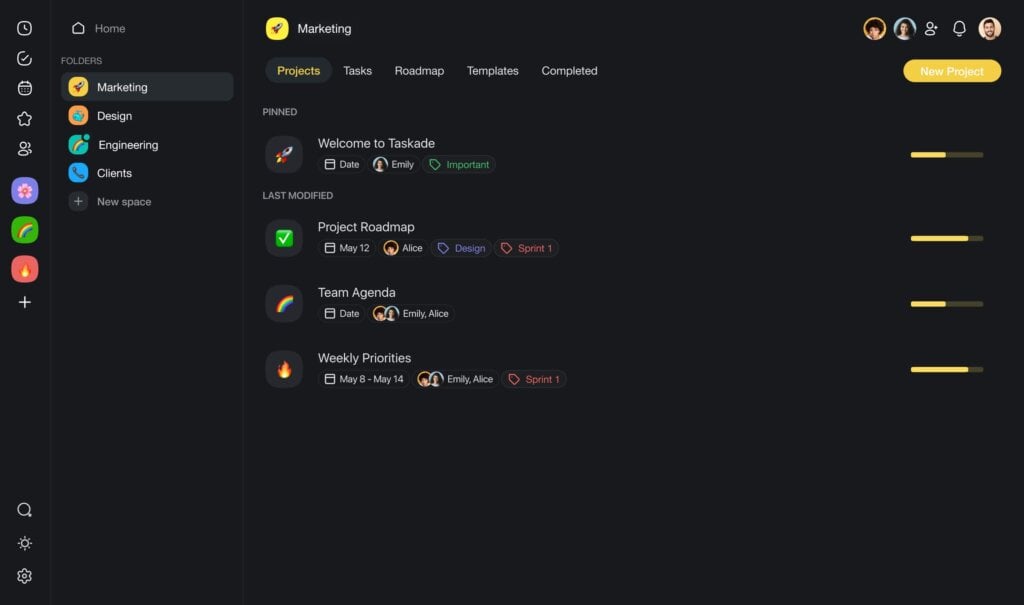
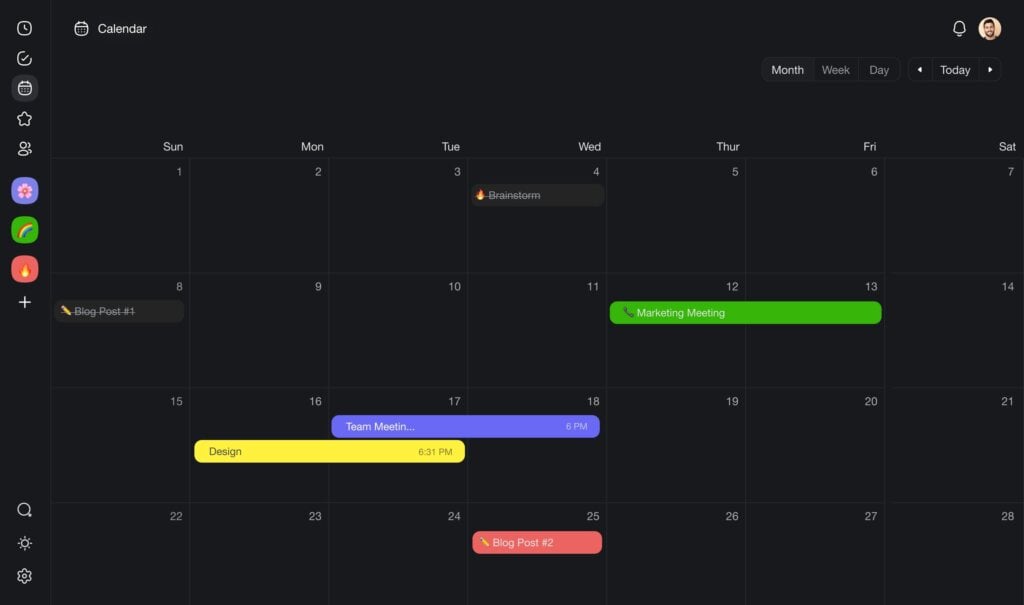
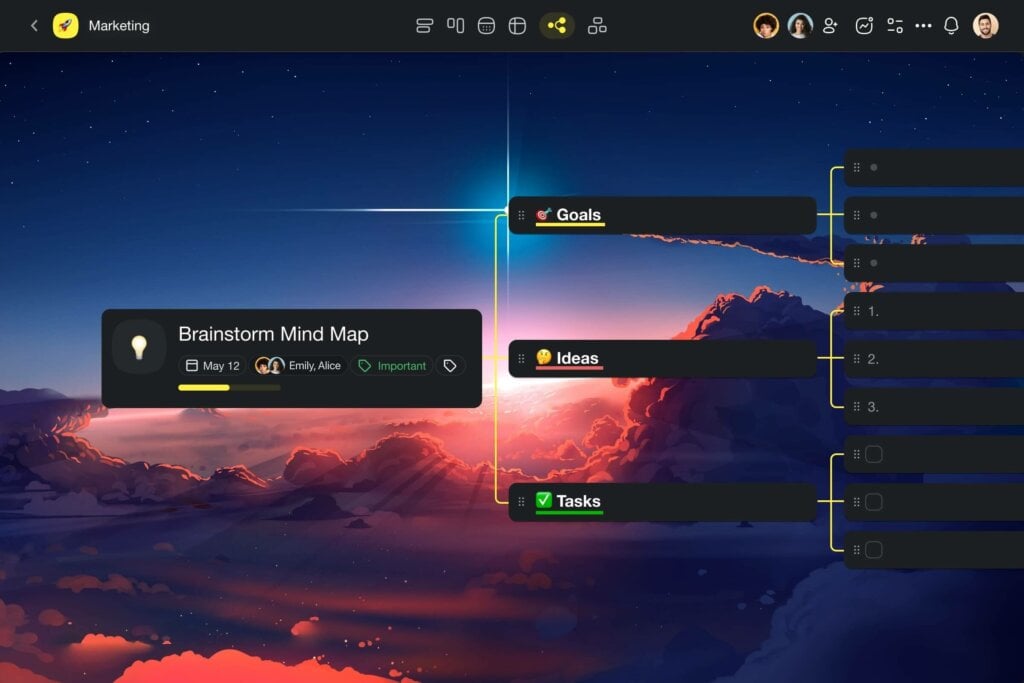
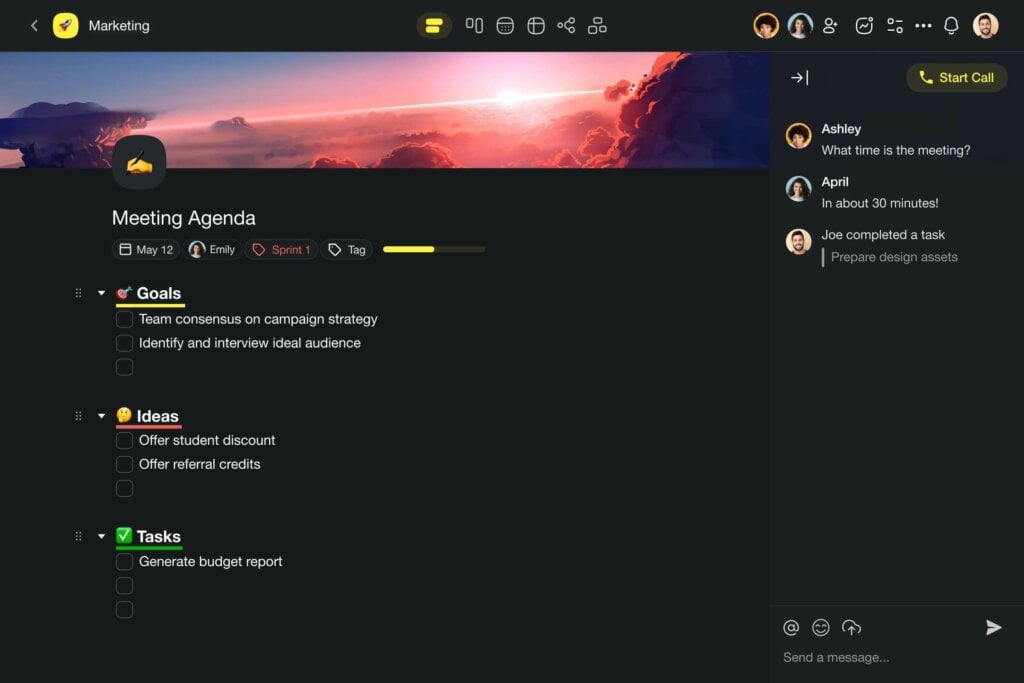
Every aspect of task management in Taskade is AI-enhanced: generate entire project structures from a prompt, let AI agents break down complex goals into actionable tasks, automate repetitive workflows with branching logic, and switch between List, Board, Calendar, Table, Mind Map, Gantt, and Org Chart views — all in one workspace. It's a single platform for managing projects, tasks, notes, documents, reminders, and calendars with AI woven into every layer.
Taskade AI Features (What Makes It Level 5)
🤖 Custom AI Agents v2 — Build specialized AI teammates with custom tools, slash commands, persistent memory, and built-in capabilities (web search, code execution, file analysis, data processing). Train agents on your files, projects, web links, and YouTube videos. Deploy publicly or embed in apps.
🪄 AI Generator: Describe your goal in plain language and Taskade generates structured task lists, project plans, and action items instantly.
🧠 Multi-Model AI — Choose from frontier AI models from top AI labs. Assign the best model to each agent — no vendor lock-in.
✏️ AI Assistant: The in-line AI assistant helps you plan, organize, and manage tasks directly inside your workspace using /slash commands.
💬 AI Chat: Chat with AI to brainstorm, break down complex topics, and get task management recommendations — all with workspace context.
⚡ Workflow Automation — Automate multi-step workflows with branching, looping, filtering, and 100+ integrations (Slack, Gmail, Google Calendar, GitHub, Stripe, Shopify). Powered by durable execution.
🔍 Multi-Layer Search — Full-text search + semantic AI search (HNSW vector embeddings) + file content OCR. Find anything across your entire workspace.
👥 Role-Based Permissions — Owner to Viewer. Enterprise-grade access control.
Taskade AI Limitations
- The breadth of features can feel overwhelming for users who want a minimal personal to-do list.
- AI agent setup requires initial configuration to get the most out of custom tools and training.
Taskade Pricing
Free forever plan with AI included. Pro and Ultra plans unlock more agents, models, and automation runs. Check the pricing page for a detailed breakdown.
Get started with Taskade AI for free →
2. Notion — Best for AI-Enhanced Docs & Databases (Level 3)
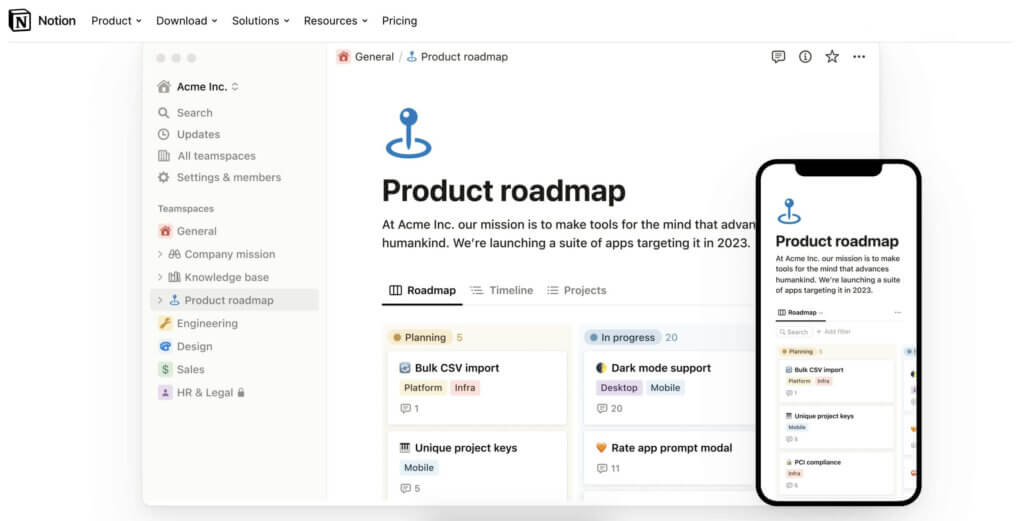
Notion is an all-in-one workspace that combines docs, databases, and task management. Notion AI adds content generation and Q&A capabilities powered by large language models. It's strong for knowledge management and content workflows, but its AI focuses more on writing and summarization than task automation or autonomous agents.
Best Features:
Notion AI for enhanced brainstorming and content suggestions.
Capabilities for writing blog posts, press releases, and professional papers.
Tools for efficient article outlining.
Features for multi-language content translation.
Diverse content creation options including poetry and marketing emails.
Notion Limitations:
The AI's focus is more on content creation rather than task management.
Some AI-generated content may require manual adjustments for accuracy.
The interface can be complex for new users due to its customization options.
Limited native integration with certain external tools.
Notion's AI is useful for content-heavy workflows, but it lacks autonomous agents, multi-model support, and deep workflow automation. If you need AI that acts on your tasks (not just writes about them), consider Taskade instead.
3. ClickUp — Best All-in-One PM with AI Features (Level 3)
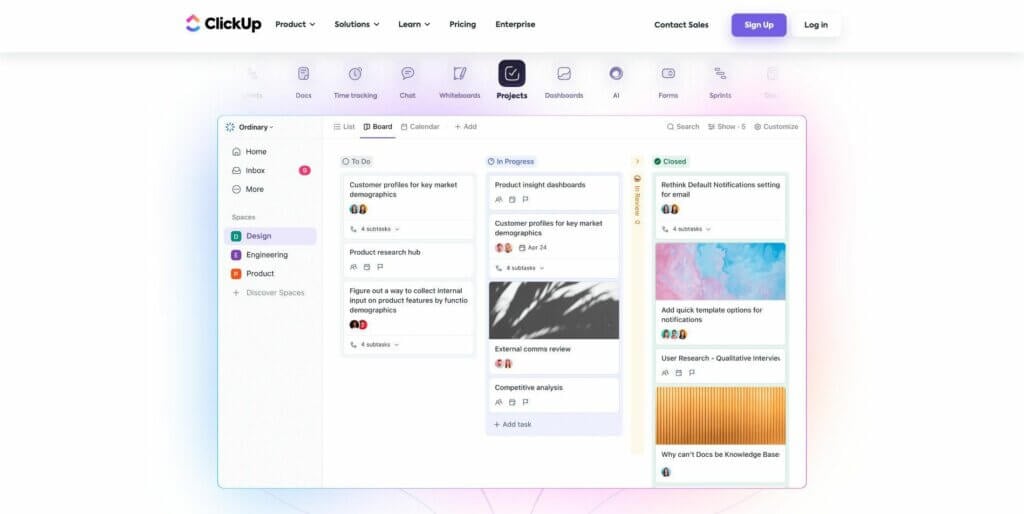
ClickUp is a feature-rich project management platform with AI capabilities through ClickUp Brain. It offers task generation, AI-powered summaries, and contextual search across tasks, docs, and chat. ClickUp is strong for teams already deep in PM tooling but its AI features are still evolving.
Best Features:
Diverse views for tasks, including list, board, and calendar.
Automation features for routine tasks.
Goal tracking and progress reporting capabilities.
Built-in document and wiki creation tools.
Extensive integration options with other apps.
ClickUp Limitations:
AI features are not as advanced as some competitors.
The interface can be complex for beginners.
Mobile app experience may lack some desktop features.
4. Monday.com — Best for Visual Workflow Automation (Level 2)
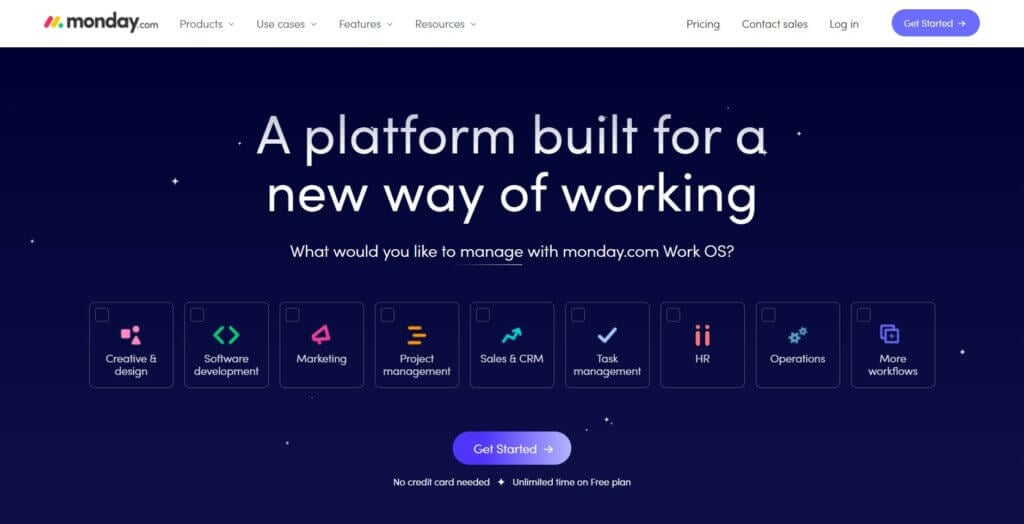
Monday.com is a popular project management and workflow automation platform with a colorful, visual interface. Its AI features focus on workflow automation and status updates rather than task intelligence or autonomous agents. Strong for teams that need visual boards and structured workflows.
Best Features:
Customizable workflow templates.
Visual project tracking with multiple view options.
Integration capabilities with numerous third-party apps.
Time tracking and automated notifications.
Collaborative features for team discussions and document sharing.
Monday.com Limitations:
Limited AI capabilities in task management.
Pricing can be on the higher side for small teams.
Some users may find the interface too busy or overwhelming.
5. Todoist — Best for Simple NLP Task Input (Level 1)
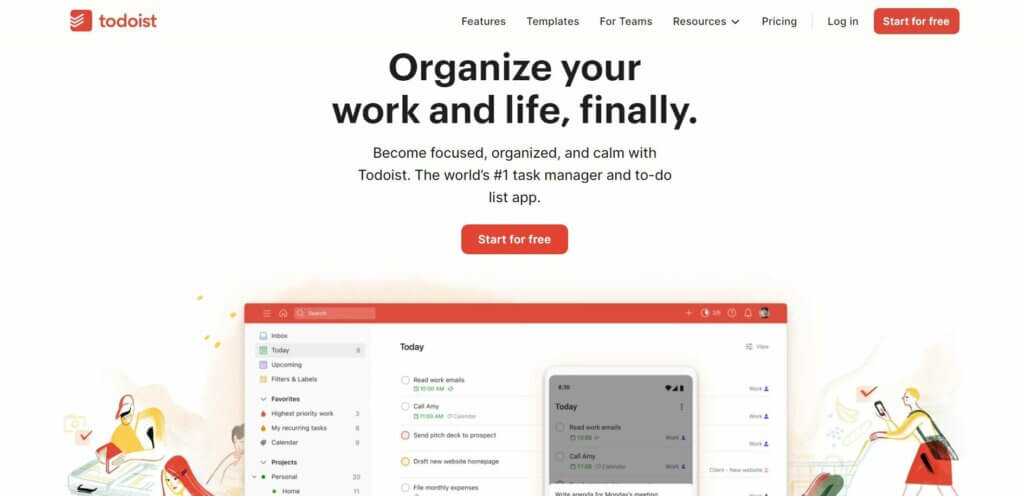
Todoist is the gold standard for simple, clean task management. Its AI is focused on natural language parsing — type "Submit report every Friday at 3pm" and Todoist creates the recurring task. It's fast, cross-platform, and reliable, but its AI stops at smart input. No agents, no workflow automation, no multi-model support.
Best Features:
AI-powered productivity features for task scheduling and reminders.
Natural language input for easy task addition.
Smart scheduling suggestions based on user habits.
Simple, user-friendly interface.
Cross-platform compatibility.
Todoist Limitations:
Limited functionality for complex project management.
Fewer customization options compared to some competitors.
Limited collaboration features for larger teams.
6. Any.do — Best AI-Powered Daily Planner (Level 1)
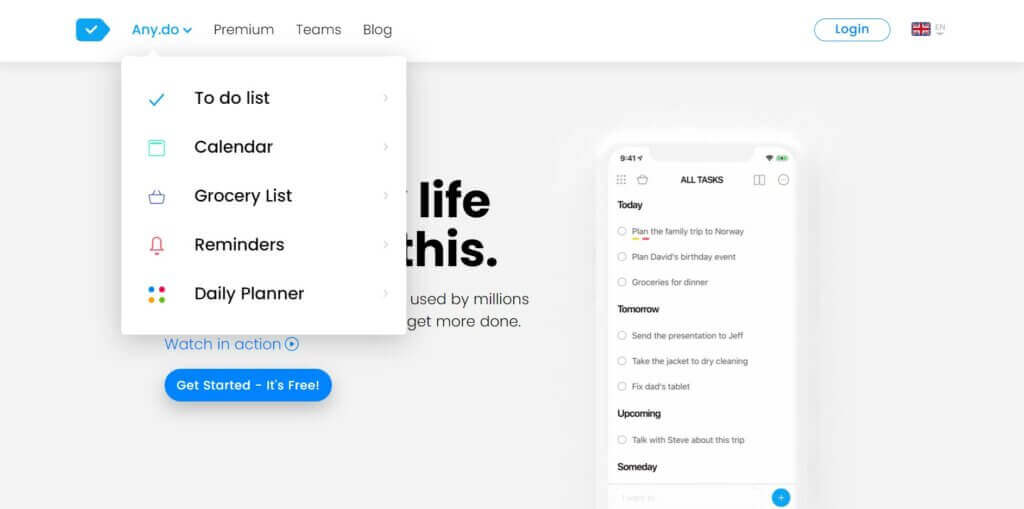
Any.do focuses on clean daily planning with AI-powered task suggestions and smart list organization. Its AI assistant can recommend tasks based on your activity and conversations, plus calendar integration for comprehensive scheduling. Best for personal task management with a mobile-first experience.
Best Features:
AI suggestions for task creation and management.
Intelligent task assistant for streamlined task handling.
Calendar integration for comprehensive scheduling.
Simple, intuitive interface.
Cross-device synchronization for consistent task tracking.
Any.do Limitations:
Fewer advanced project management features.
Limited customization options.
The free version has noticeable limitations.
7. Smartsheet — Best for Spreadsheet-Style Task Management (Level 1)
Smartsheet is a work management and collaboration tool that excels in its spreadsheet-like interface. It's tailored for businesses that require detailed project tracking, reporting, and resource management. AI features are minimal — it's more of a structured data tool than an AI task manager.
Best Features:
Spreadsheet-style interface for detailed task management.
Comprehensive reporting and dashboard capabilities.
Automation of workflows and repetitive tasks.
Strong collaboration features for team-based projects.
Integration with a wide range of third-party apps.
Smartsheet Limitations:
No significant AI functionalities.
Steeper learning curve due to its complex features.
Higher cost compared to simpler task management tools.
8. Hive — Best for Team Communication + Task Management (Level 1)
Hive is a project management tool that emphasizes team collaboration and workflow customization. Its AI features (HiveMind) are basic — primarily used for writing assistance and task suggestions rather than autonomous task management or workflow automation.
Best Features:
Customizable project views, including Gantt and kanban.
Integrated team messaging for seamless communication.
Automated workflow for task assignments and deadlines.
Time tracking and resource management tools.
Native email integration for direct communication within the platform.
Hive Limitations:
Limited AI-driven task management features.
The interface might be overwhelming for new users.
Some users report occasional glitches with the mobile
9. Asana — Best for Enterprise Team Workflows (Level 3)
Asana is a widely-used project management and task management platform for enterprise teams. Asana Intelligence adds AI-powered status updates, smart fields, and workflow recommendations. It's strong for large teams with structured processes but lacks the agent-level AI capabilities of newer platforms.
Best Features:
User-friendly interface with easy navigation.
Comprehensive task and project tracking.
Customizable workflows and project views.
Robust integration with other tools and platforms.
Detailed reporting and progress tracking for teams.
Asana Limitations:
Limited AI-driven features for task automation and personalization.
Can be pricey for larger teams or advanced features.
Some users may find the variety of features overwhelming.
10. Microsoft To Do — Best Free Basic Task Manager (Level 1)
Microsoft To Do is a completely free, simple task management app with tight integration into the Microsoft 365 ecosystem (Outlook, Teams). Its AI is limited to smart suggestions and My Day planning. Best for users already deep in the Microsoft ecosystem who want a no-frills task list.
Best Features:
Integration with Microsoft 365 suite, including Outlook.
AI-powered smart suggestions for task planning.
Simple, clean interface for easy task management.
Customizable task lists and reminders.
Cross-platform availability for seamless synchronization.
Microsoft To Do Limitations:
Limited features for complex project management.
Fewer customization options than some competitors.
AI capabilities are basic compared to more advanced AI-powered apps.
Traditional To-Do Apps vs. AI Task Managers: What's Changed?
The gap between traditional to-do list apps and AI-powered task managers is no longer subtle — it's a generational leap. Here's how they compare:
| Capability | Traditional To-Do Apps | AI Task Managers (Level 1-3) | Agent-Powered (Level 5: Taskade) |
|---|---|---|---|
| Add tasks | Manual typing | NLP input, basic AI suggestions | AI generates entire project structures |
| Organize tasks | Manual sorting, tags, folders | Smart suggestions, basic auto-categorization | AI agents break down goals into actionable tasks |
| Prioritize | Manual ordering | AI priority suggestions | Multi-agent prioritization with workspace context |
| Automate | None or basic recurrence | Simple rules and triggers | 100+ integrations with branching, looping, durable execution |
| AI models | None | Single model (usually GPT) | Frontier models from top AI labs |
| AI agents | None | None or limited | Custom agents with built-in tools, persistent memory |
| Team collaboration | Basic sharing | Shared workspaces | Real-time collaboration with permissions |
| Build custom tools | None | None | Genesis app builder — one prompt, one app |
Why Taskade Wins for AI-Powered Task Management
Taskade Replaces ALL Productivity Apps — See how one workspace handles tasks, notes, agents, and automations. Try Taskade free →
Every AI to-do list app on this list has its strengths. But Taskade is the only platform that operates at Level 5: Agent AI — where AI doesn't just assist with tasks, it manages them autonomously.
Here's what that means in practice:
Workspace DNA: Memory + Intelligence + Execution
Taskade's Workspace DNA architecture gives every workspace three interconnected layers:
- Memory (Projects) — Your structured data layer. Tasks, databases, documents, and knowledge base that feed context to AI agents.
- Intelligence (AI Agents) — Your reasoning layer. Custom AI agents with built-in tools, persistent memory, and multi-model support that analyze, decide, and act.
- Execution (Automations) — Your workflow layer. 100+ integrations with branching, looping, and filtering powered by enterprise-grade durable execution.
No other AI to-do list app combines all three layers into a single, unified workspace.
🧬 Build Your Own AI Task Manager with Taskade Genesis
Why settle for a pre-built app? With Taskade Genesis, describe your ideal task management workflow in plain English and Genesis builds it as a living application — complete with AI agents, project databases, and workflow automations. It's vibe coding for task management.
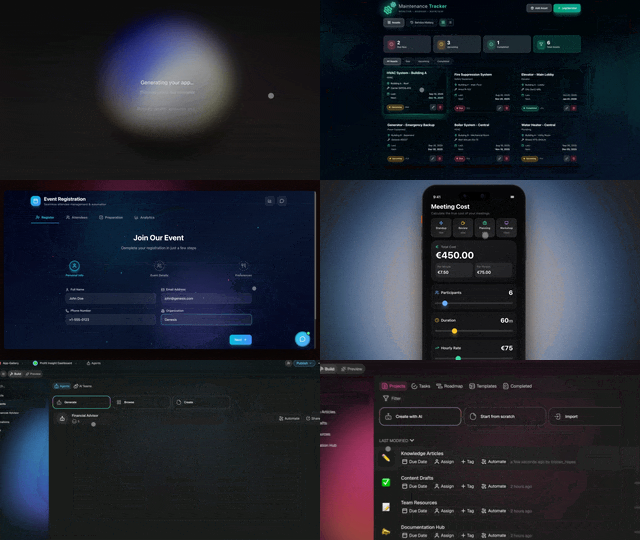
Clone these AI to-do list apps:
| App | What It Does | Clone |
|---|---|---|
| Minimalistic ToDo App | Clean, distraction-free task lists | Clone → |
| Neon Task Dashboard | Visual task management board with AI | Clone → |
| AI Productivity Planner | AI-powered daily planner and scheduler | Clone → |
| Task List Board | Shared task board for teams | Clone → |
| Kanban Board | Drag-and-drop kanban task manager | Clone → |
| Study/Work Timer + Music | Pomodoro-style task sessions with timer | Clone → |
| Time Tracker | Track time spent on tasks and projects | Clone → |
| Habit Tracker Dashboard | Track daily habits alongside to-dos | Clone → |
| Content Workflow | AI-powered content production pipeline | Clone → |
| Support Agent | Customer support AI agent for your apps | Clone → |
| Team Capacity Planner | Manage team workloads and availability | Clone → |
| Application Tracker | Track job applications and status | Clone → |
🔍 Explore All Community Apps →
Your living workspace includes:
- 🤖 Custom AI Agents — The intelligence layer
- 🧠 Projects & Memory — The database layer
- ⚡️ 100+ Integrations — The automation layer
Get started:
- Create Your First App → — Step-by-step tutorial
- Learn Workspace DNA → — Understand the architecture
For a broader comparison of all types of to-do list apps (not just AI-powered), see our 15 Best To-Do List Apps guide. Want to learn how to build your own AI task management system from scratch? Read our guide on AI-Powered To-Do Lists: How to Build & Automate.
Frequently Asked Questions About AI To-Do List Apps
What is an AI to-do list app?
An AI to-do list app uses artificial intelligence to help you create, organize, prioritize, and automate tasks — going beyond manual list management. Basic AI to-do apps offer natural language task input and smart scheduling. Advanced AI task managers like Taskade deploy autonomous AI agents that can generate entire project structures, automate workflows across 100+ integrations, and learn from your workspace context to make smarter recommendations over time.
How does an AI to-do list app work?
AI to-do list apps use machine learning models to understand your task descriptions, suggest optimal scheduling, auto-categorize tasks, and predict priorities based on urgency and dependencies. The most advanced platforms (Level 5 in our framework) go further with autonomous AI agents that can research topics, analyze data, generate reports, and execute multi-step workflows — all without manual intervention. Taskade offers frontier AI models from top AI labs for maximum flexibility.
What is the best AI to-do list app in 2026?
Based on our evaluation across five dimensions (task intelligence, workflow automation, agent capabilities, integration depth, and collaboration), Taskade is the best AI to-do list app in 2026. It's the only platform that offers Level 5 Agent AI — with custom AI agents (built-in tools, persistent memory), multi-model support (frontier models), real-time team collaboration, multiple project views, and the Genesis app builder that creates custom task management systems from a single prompt.
Can AI task managers help with procrastination?
Yes. AI task managers can reduce procrastination by breaking overwhelming goals into small, actionable tasks, auto-scheduling tasks at optimal times, and providing accountability through smart reminders. Taskade's AI agents can decompose a vague goal like "launch marketing campaign" into a structured project plan with specific steps, due dates, and dependencies — reducing the cognitive load that often causes procrastination.
Is there a free AI to-do list app?
Yes — several AI to-do list apps offer free tiers. Taskade offers a free forever plan that includes AI-powered task generation, custom AI agents, and basic project views. Todoist and ClickUp also offer free tiers but with more limited AI features. Microsoft To Do is completely free but only offers Level 1 AI (smart suggestions). For teams, Taskade's free plan is the most feature-rich option with AI included.
What's the difference between an AI to-do list app and an AI task manager?
The terms are increasingly interchangeable, but "AI to-do list app" typically implies a focus on personal task tracking with AI enhancements (natural language input, smart suggestions), while "AI task manager" implies deeper AI capabilities — autonomous agents, workflow automation, team collaboration, and project management features. Taskade bridges both: it works as a simple AI to-do list for personal use and scales to a full AI task management platform for teams.
Can AI to-do list apps replace project management software?
For many teams, yes. Modern AI task managers like Taskade include features previously exclusive to enterprise PM tools: Gantt charts, kanban boards, calendar views, custom fields, workflow automation, resource management, and role-based permissions. Combined with AI capabilities (autonomous agents, task generation, smart prioritization), platforms like Taskade can replace both a to-do list app and a project management tool — reducing tool sprawl and cost.
How do AI agents help with task management?
AI agents are autonomous programs that can research, analyze, decide, and act on your behalf. In Taskade, you can build custom AI agents trained on your data with built-in tools (web search, code execution, file analysis, data processing). For task management, agents can: generate project plans from goals, break down complex tasks into subtasks, research information and summarize findings, automate reporting workflows, and coordinate with other agents through multi-agent collaboration.
Which AI models do the best AI task managers support?
Most AI task managers use a single AI model (usually GPT). Taskade is unique in offering frontier models from top AI labs. Each agent can use a different model, letting you assign the best AI for each task type, such as writing, code, or multimodal analysis.
What is Taskade Genesis and how does it relate to task management?
Taskade Genesis is an AI app builder that creates custom task management systems from a single prompt. Instead of adapting to a pre-built to-do list app, you describe your ideal workflow and Genesis builds a complete living application — with AI agents, project databases, and workflow automations. It's built on Workspace DNA (Memory + Intelligence + Execution), making every app intelligent from day one. You can clone and customize community-built task management apps from the Community Gallery.
Also in the AI To-Do List series:
- How to Build an AI-Powered To-Do List — Step-by-step guide with Taskade