






Yes, a lean nonprofit can automate nearly all of its day-to-day operations with AI in 2026. With AI agents handling donor management, grant research and drafting, volunteer coordination, and impact reporting, a two- or three-person nonprofit can run a back office that used to require five staff. The key is moving from scattered spreadsheets, inboxes, and grant-writing tools into one connected workspace where AI agents share memory, take action across 100+ integrations, and report results automatically. The result is simple: more of every dollar and every hour reaches the mission instead of the admin pile.
TL;DR: Nonprofits run lean, so AI agents that automate donor follow-ups, grant drafting, volunteer scheduling, and impact reporting can reclaim 20+ hours a week. Build it in plain language with Taskade Genesis — no code, no engineers. Clone the live nonprofit operations app below and start today.
What does it mean to automate 99% of nonprofit operations?
Automating 99% of nonprofit operations means handing every recurring, rule-based task — donor thank-yous, grant deadline tracking, volunteer reminders, monthly reporting — to AI agents, while humans keep the 1% that needs judgment: relationships, strategy, and final approvals. In practice, a small nonprofit has four operational engines, and each one is a candidate for automation: fundraising and donor care, grant pipeline, volunteer and program coordination, and impact reporting.
The math is brutal for lean teams. The average small nonprofit spends an estimated 30 to 40 percent of staff time on administrative overhead rather than mission delivery. When you automate the repetitive layer of that overhead, you don't fire anyone — you redeploy your most valuable people from data entry to donor conversations and program design. That is the entire promise of nonprofit automation in 2026.
Taskade makes this possible because it isn't a single-purpose tool. It is a Workspace DNA system where Memory lives in your projects, Intelligence lives in your AI agents, and Execution lives in your automations — all in one place. The same agent that drafts a grant can update your donor list and assemble your board report, because they share one memory.
┌─────────────────────────────────────────────────────────────┐
│              NONPROFIT BACK OFFICE — BEFORE vs AFTER         │
├──────────────────────────┬──────────────────────────────────┤
│  BEFORE (manual)         │  AFTER (AI agents)               │
├──────────────────────────┼──────────────────────────────────┤
│  Spreadsheet donor list  │  Donor CRM agent + Table view    │
│  Inbox grant deadlines   │  Grant pipeline agent + Calendar │
│  Group-text volunteers   │  Volunteer scheduler agent       │
│  Hand-built board deck   │  Impact reporting agent          │
│  5 disconnected tools    │  1 connected workspace           │
│  ~25 hrs/week admin      │  ~3 hrs/week review only         │
└──────────────────────────┴──────────────────────────────────┘
The four engines connect into a single loop. Here is how data and AI flow across the nonprofit back office.
You can build every node in that diagram by describing it in plain language. Start at Taskade Genesis and tell it what your nonprofit does — it ships the app, the agents, and the automations for you.
Engine 1: Automate donor management and stewardship
Donor management automation can handle 90 percent of routine stewardship: thank-you notes within an hour of a gift, tagging lapsed donors after 12 months of silence, segmenting major donors for personal outreach, and logging every interaction without a single manual spreadsheet edit. For a lean team, this alone often recovers a full day each week — and donors who are thanked within 24 hours give again at measurably higher rates.
The donor lifecycle is naturally a pipeline, which means it maps perfectly to AI agents that watch for events and act. Here is the stewardship loop a Taskade agent runs for you.
A single donor-care agent, built from one prompt, can do the following without you lifting a finger:
| Donor task | Manual time | With AI agent | Who reviews |
|---|---|---|---|
| Thank-you note | 10 min each | Auto, under 1 hr | Spot-check weekly |
| Tag lapsed donors | 2 hrs/month | Continuous | Director monthly |
| Segment major gifts | 3 hrs/month | Instant | Major-gifts lead |
| Log interactions | 5 hrs/week | Automatic | None needed |
| Monthly giving report | 4 hrs/month | One click | Board treasurer |
You store donors in a Table view so the data is structured, then point an agent at it with one of its built-in tools — web search to enrich a profile, file analysis to read a pledge form, and persistent memory so it remembers every donor's history. Connect your email and forms with 100+ bidirectional integrations and the thank-you goes out the moment a gift lands.
The wedge over a standalone CRM: your donor agent shares memory with your grant agent. When you draft a grant, it already knows your renewal rate and average gift, because it reads the same projects. Learn the pattern in how to automate marketing with AI agents and apply it to fundraising.
The numbers behind donor automation are concrete, not aspirational. Industry research on AI in nonprofit donor management consistently finds AI cuts time on repetitive donor tasks — acknowledgment letters, list segmentation, lapsed-donor flagging — by 40 to 60 percent. Pair that with the well-documented retention effect, where donors thanked within 24 hours give again at meaningfully higher rates, and a single donor-care agent pays for an entire Pro plan many times over. Here is the math for a typical small shop.
| Donor activity | Manual hours/month | After AI agent | Hours reclaimed |
|---|---|---|---|
| Acknowledgment letters | 12 | 1 | 11 |
| List segmentation | 6 | 0.5 | 5.5 |
| Lapsed-donor flagging | 4 | 0 | 4 |
| Interaction logging | 20 | 0 | 20 |
| Giving reports | 5 | 1 | 4 |
| Total | 47 | 2.5 | 44.5 |
Forty-plus reclaimed hours a month is a full work-week per month handed back to your team — time that goes straight into donor conversations and program delivery instead of data entry.
Engine 2: Automate grant research and drafting
Grant automation can cut drafting time by 60 to 80 percent by having AI agents research matching funders, pull your past outcomes from project memory, and produce a tailored first draft for every opportunity — while your program lead keeps full control of the final, fundable version. The single biggest time sink in small-nonprofit fundraising is grant writing, and it is the most automatable narrative task you have, because so much of it is reusable boilerplate plus fresh outcome data.
This is where we explicitly differentiate from dedicated AI grant writing software. A grant-writing tool drafts one document. A Taskade grant agent is one engine inside your whole back office, so the outcomes it cites come straight from the same projects your impact agent reports on, and the funders it finds get added to the same Calendar your team already lives in. It is not a separate silo — it is connected.
Here is the grant pipeline as a multi-agent flow, where research, drafting, and review each have a specialist agent.
A three-agent grant team divides the work the way a human team would, but runs in minutes.
| Agent | Job | Built-in tools used | Output |
|---|---|---|---|
| Research | Find matching funders | Web search, file analysis | Ranked funder list |
| Draft | Write the narrative | Memory, multi-model | Tailored first draft |
| Reviewer | Flag gaps and tone | Custom slash commands | Edit checklist |
Multi-agent collaboration is native to Taskade — agents hand off to each other, and you pick from frontier models from top AI labs so the research agent runs fast and the drafting agent runs careful. Set the whole pipeline up by describing it at Taskade Genesis; see the deeper workflow in how to automate research with AI agents.
The human stays in the loop by design. AI drafts and researches; your program lead decides. That is why teams trust it for funder-facing work.
Track deadlines in a Calendar view and the funding lifecycle in a Gantt view, where the timeline component shows submission-to-decision windows at a glance.
Engine 3: Automate volunteer and program coordination
Volunteer coordination automation can eliminate roughly 100 percent of the back-and-forth scheduling that eats coordinator time — auto-confirming shifts, sending reminders 24 hours out, filling no-show gaps, and matching volunteer skills to program needs. For an organization that runs on volunteer labor, a single coordination agent is the difference between a coordinator spending their week on logistics versus on relationships.
Volunteers self-organize best when they see a simple view. The same project shows up as a Calendar for a volunteer, a Board for a coordinator, and an Org Chart for a program director — one source of truth, many ways to see it.
              VOLUNTEER COORDINATION DECISION TREE
                          │
              ┌───────────┴───────────┐
         New signup?              Shift gap?
              │                       │
       ┌──────┴──────┐         ┌──────┴──────┐
   Match skills   Send         Notify       Auto-fill
   to need        welcome      backup       from waitlist
       │             │         list             │
       └──────┬──────┘            └──────┬───────┘
              │                          │
         Confirm shift            Update Calendar
              │                          │
              └────────► Reminder 24h before ◄──┘
A volunteer agent handles the full cycle from signup to thank-you, and you only step in for the human moments.
| Coordination task | Trigger | Agent action | Integration |
|---|---|---|---|
| New volunteer signup | Form submitted | Match + welcome | Forms, email |
| Shift confirmation | Schedule set | Auto-confirm | Calendar, SMS |
| 24-hour reminder | Time-based | Send nudge | Email, chat |
| No-show backfill | Gap detected | Offer to waitlist | |
| Post-event thanks | Shift complete | Send recognition |
Taskade uses role-based access from Owner to Viewer to decide what each person can do. Put the volunteer-facing shift list, the full roster, and the program-level Org Chart in separate projects, then share each one with the people who need it. The agent uses persistent memory to remember who prefers morning shifts and who has the certifications a given program needs.
This is genuinely hard to do with a chat group and a spreadsheet, and it is the kind of living-app workflow you can clone from the Community gallery and adapt in an afternoon.
Engine 4: Automate impact reporting
Impact reporting automation can assemble a board-ready or funder-ready report in one click by reading live data straight from your donor, grant, and volunteer projects — turning what was a 4-hour monthly scramble into a 15-minute review. Reporting is the most under-automated function in nonprofits precisely because the data is scattered; once everything lives in one workspace, the report writes itself.
The reporting agent doesn't store separate numbers — it reads the same projects every other engine writes to. That single shared memory is what makes one-click reporting real.
What used to take a half-day of copy-paste from five tools now runs on a schedule.
| Report type | Audience | Frequency | Time before | Time after |
|---|---|---|---|---|
| Giving summary | Board | Monthly | 4 hrs | 15 min |
| Grant outcomes | Funders | Per grant | 6 hrs | 30 min |
| Volunteer hours | Program team | Weekly | 2 hrs | 5 min |
| Annual impact | Public | Yearly | 3 days | Half day |
The agent pulls live figures, drafts the narrative around them, and renders it in whichever view the audience wants — a Mind Map for storytelling a theory of change, a Table for the treasurer, a Gantt for the capital campaign timeline. Schedule it as an automation and the report lands in your inbox before the board meeting. Dig into the mechanics in how to automate reporting with AI agents.
Taskade Genesis vs the nonprofit software stack
The nonprofit software market is a stack of single-purpose tools, and every one is strong at exactly one engine: Keela and Bloomerang own donor CRM and scoring, Instrumentl owns grant prospecting, Givebutter owns event and peer-to-peer fundraising, and Fundraise Up owns the donation checkout. They are genuinely good products. The problem isn't any one of them — it's that a lean nonprofit ends up paying for and stitching together four or five of them, then re-entering the same data across every silo. Taskade Genesis is a different shape: one connected workspace where AI agents run all four engines off a single shared memory.
Here is the honest head-to-head. We win on unification, AI agents, and cloneable living apps; we are equally honest that purpose-built incumbents lead on depth in their one lane.
| Capability | Keela / Bloomerang | Instrumentl | Givebutter / Fundraise Up | Taskade Genesis |
|---|---|---|---|---|
| Primary strength | Donor CRM + scoring | Grant prospecting | Donation forms + events | Whole back office in one workspace |
| Donor management | Deep, native | No | Basic CRM | Donor agent + Table view |
| Grant research + drafting | Limited | Deep, native | No | Research + draft + review agents |
| Volunteer coordination | Add-on or none | No | Limited | Native scheduler agent |
| Impact reporting | Per-tool reports | Grant-only | Fundraising-only | One-click across all data |
| Multi-agent AI | No | No | No | Yes — agents hand off natively |
| Build method | Configure a product | Configure a product | Configure a product | Describe in plain language |
| Share a working system | No | No | No | Clone a live /share/apps app |
The pattern is clear: each incumbent is a deep well in one place and a blank space everywhere else. A donor CRM can't draft your grant. A grant tool can't schedule your volunteers. A donation platform can't write your board report. With Taskade Genesis, the same agents that thank a donor also pull that donor's renewal rate into a grant narrative and roll it into the monthly impact report — because they all read the same projects. That cross-engine memory is the thing no single-purpose tool can replicate, and it is why the comparison isn't really "Taskade vs Keela" — it's "five disconnected tools vs one connected workspace."
If your nonprofit's biggest pain is one engine — say, only grant prospecting — a specialist like Instrumentl may be the sharper pick for that lane today, and that's a fair call. The moment you need two or more engines to share data, the stitched-together stack starts costing more in re-entry and reconciliation than it saves. That tipping point is where Taskade Genesis becomes the obvious answer. Compare the broader pattern in the best AI automation platforms and how to automate operations end to end.
How Taskade does it differently
Here is the core difference, stated plainly: most automation tools make you wire nodes; Taskade ships a living app from one prompt. With n8n, Make, Zapier, or even AI-assistant builders like Lindy, you start by connecting triggers to actions on a canvas — a powerful approach, and genuinely flexible for engineers who want fine-grained control over every step. That is a real strength, and for a technical team building a complex bespoke pipeline, a node canvas can be exactly right.
But a lean nonprofit doesn't have an engineer to maintain a canvas. What it needs is the whole back office, running, today. That is the Taskade wedge.
┌──────────────────────────────────────────────────────────────┐
│  WIRE NODES (n8n / Make / Zapier / Lindy)                    │
│                                                              │
│   [Trigger] → [Filter] → [Format] → [Action] → [Action]      │
│        you maintain every connector by hand                  │
├──────────────────────────────────────────────────────────────┤
│  SHIP A LIVING APP (Taskade Genesis)                         │
│                                                              │
│   "Run my nonprofit's donor + grant + volunteer + reporting" │
│        → Projects (Memory) + Agents (Intelligence)           │
│          + Automations (Execution) — built for you           │
└──────────────────────────────────────────────────────────────┘
The difference comes down to Workspace DNA — three things in one place that competitors split across three products.
| Capability | Node-wiring tools | Taskade |
|---|---|---|
| Build method | Wire nodes on a canvas | Describe in plain language |
| Data lives in | External apps you connect | Projects (shared Memory) |
| AI agents | Add-on or separate | Native, built-in tools, multi-agent |
| Views of your work | None native | Multiple (List → Org Chart) |
| Share a working app | Export a workflow file | Clone a live /share/apps link |
| Who can run it | Technical builder | Anyone on the team |
Three things make Taskade a different category for nonprofits:
- Workspace DNA — Memory lives in Projects, Intelligence lives in AI agents, and Execution lives in Automations. Your donor data, your grant agent, and your reporting flow share one brain. Node tools keep these in separate apps you stitch together.
- Multi-agent teams — a research agent, a drafting agent, and a reviewer agent collaborate natively, each on the model best suited to its job, across frontier models from top AI labs.
- Cloneable living apps — instead of exporting a workflow file, you publish a real, runnable app to the Community gallery that any other nonprofit can clone and use the same day.
It is a wedge, not an attack: node canvases are excellent for technical teams who want surgical control. Taskade is for the program manager who wants the outcome without becoming an integration engineer. See the side-by-side in Taskade vs Zapier and the best AI automation platforms.
Build your nonprofit operations hub in plain language
You can stand up all four engines without writing a line of code by describing your nonprofit to Taskade Genesis and letting it generate the projects, agents, and automations — most teams have a working hub the same afternoon. There is no node wiring, no integration scripting, and no engineer required.
Here is the build path from blank workspace to running back office.
A simple rollout sequence keeps the first week calm:
| Week | Focus | Win |
|---|---|---|
| 1 | Donor care agent | Thank-yous automated |
| 2 | Impact reporting | One-click board report |
| 3 | Grant pipeline | First AI-drafted application |
| 4 | Volunteer coordination | Self-serve shift scheduling |
Start with donor follow-ups and impact reporting in week one — they recur constantly and steal the most time, so the early payoff funds the rest of the rollout. Then layer in the grant pipeline (see how to automate research) and volunteer coordination (the same task-management patterns apply).
If you would rather not start from a blank page, clone the live nonprofit operations app at the top of this post or browse the Community gallery for a hub to adapt. Either way you get a working donor, grant, volunteer, and reporting system you can customize agent by agent.
A worked example: a 3-person nonprofit in 30 days
A three-person nonprofit — one director, one program lead, one part-time coordinator — can go from scattered spreadsheets to a fully automated back office in 30 days, reclaiming roughly 20 hours of staff time per week by the end. The path isn't theoretical. It follows the same week-by-week rollout above, and the time savings compound as each engine comes online. Here is what the four weeks actually look like and where the hours come back.
The director starts in week one by describing the nonprofit to Taskade Genesis: "We run a youth literacy program, manage about 400 donors, apply for six grants a year, and coordinate 30 volunteers." Genesis builds the donor project, the grant pipeline, the volunteer roster, and the reporting hub, plus the agents that run each. By the end of week one, every gift triggers a thank-you and the director has stopped touching the acknowledgment queue entirely.
| Week | Who leads | What goes live | Hours reclaimed/week |
|---|---|---|---|
| 1 | Director | Donor agent + auto thank-yous | ~7 |
| 2 | Director | One-click board report | ~5 more |
| 3 | Program lead | Grant research + draft agents | ~5 more |
| 4 | Coordinator | Volunteer self-scheduling | ~5 more |
By week four, the coordinator no longer spends their part-time hours texting volunteers about shifts — the scheduler agent confirms, reminds, and backfills automatically, and the coordinator spends that time on volunteer relationships instead. The program lead's grant drafting drops from a two-day slog per application to a half-day of editing an AI first draft. And the director gets a board-ready report in 15 minutes the night before the meeting. Same three people, roughly a full extra work-week of capacity every week. That capacity is the whole return on automation: it doesn't replace the team — it multiplies what three people can do. The deeper operational pattern lives in how to automate operations end to end and how to automate reporting with AI agents.
What Taskade Genesis can do for your whole nonprofit
Taskade Genesis is the full platform your nonprofit runs on, not a single feature: it combines Workspace DNA (Memory + Intelligence + Execution), built-in agent tools, multiple project views, multi-agent teams, 100+ bidirectional integrations, custom domains with app publishing, and frontier models from top AI labs — every one of which maps directly onto the four nonprofit engines above. The donor agent, the grant team, the volunteer scheduler, and the reporting agent aren't separate products you license; they are expressions of one system. Here is what each piece does for a lean mission-driven team.
That loop is the whole point. Execution (a sent thank-you, a logged shift) writes back into Memory (the donor record, the roster), which makes the next round of Intelligence (the agent's next decision) smarter. A nonprofit running on this loop gets more capable every week without anyone adding work. Here is how each platform capability shows up in your day-to-day.
| Capability | What it is | What it does for your nonprofit |
|---|---|---|
| Workspace DNA | Memory + Intelligence + Execution in one place | Donor data, grant agent, and reporting share one brain |
| built-in agent tools | Web search, file analysis, persistent memory, slash commands | Enrich a donor profile, read a pledge PDF, remember every funder |
| Multiple project views | List, Board, Calendar, Table, Mind Map, Gantt, Org Chart | Volunteers see a Calendar; the board sees a Gantt of the campaign |
| Multi-agent teams | Specialist agents that hand off natively | Research, draft, and review agents run a grant like a human team |
| 100+ integrations | Bidirectional: triggers pull in, actions push out | A gift in your form auto-triggers a thank-you and a CRM update |
| Custom domains + publishing | Publish a live app on your own URL | Run a public donor portal or volunteer sign-up under your brand |
| Frontier models | Models from top AI labs in one picker | Fast model for replies, careful model for funder narratives |
| Role-based access | Owner through Viewer | Board, staff, and volunteers each see only what they need |
Two capabilities deserve a closer look for nonprofits specifically. Custom domains and Genesis app publishing mean you can stand up a branded volunteer sign-up portal or a public impact dashboard on your own URL — not a third-party form that screams "we used a cheap tool," but a living app that reinforces donor trust. And multi-agent teams are what make grant writing feel like having extra staff: a research agent finds funders while a drafting agent writes and a reviewer agent flags gaps, all on frontier models matched to each job. No single-purpose nonprofit tool offers any of this, because none of them were built as a workspace.
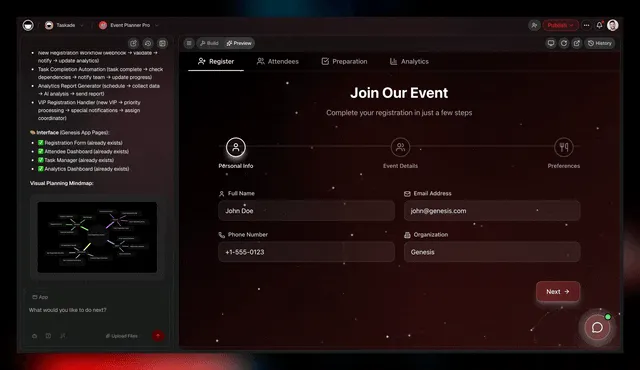
Every capability is reachable by describing what you want at Taskade Genesis — there is no settings maze and no integration scripting. The same plain-language build that creates a donor agent can extend it with a new tool, a new view, or a new automation the moment your program grows.
Where this is heading
The direction is clear: every nonprofit will run on a self-reinforcing Memory + Intelligence + Execution loop, where one prompt becomes a living, self-improving app that gets better the more your team uses it. Today you describe your donor, grant, volunteer, and reporting engines and Taskade builds them. Tomorrow those engines learn from every gift thanked, every grant won, and every shift filled — the donor agent notices which appeals convert, the grant team remembers which funders said yes, and the reporting agent sharpens the story it tells. The nonprofit back office stops being a pile of disconnected tools you maintain and becomes a single intelligent system that compounds your team's effort. That is the future Taskade is building toward: not more software to manage, but a workspace that quietly does more of the work each month so your people can spend their hours on the mission. Start that loop today at Taskade Genesis.
What to keep human (the 1%)
Automating 99% of operations means keeping 100 percent of the judgment, relationships, and final approvals firmly with people — AI never sends a funder-facing grant, a major-donor ask, or a public impact claim without a human sign-off. The point of automation is to give your team back the hours to do exactly these high-trust things well.
| Keep human | Why | Who |
|---|---|---|
| Major donor asks | Relationships, not scripts | Director |
| Final grant submission | Accuracy + voice | Program lead |
| Public impact claims | Reputation | Comms lead |
| Sensitive volunteer issues | Care + nuance | Coordinator |
| Strategy and mission | Human purpose | Board |
The agents handle the recurring 99%; your people handle the irreplaceable 1%. That is the whole design — and it is why role-based access matters, so every automated action runs inside the right permission boundary. Learn the broader pattern in AI agents for small business and how to build an AI agent with no code.
Using AI responsibly with donor and grant data
Responsible AI for nonprofits comes down to three guardrails: keep humans on every funder-facing or donor-facing decision, control exactly which projects each agent can read, and keep all your data in one auditable workspace instead of scattered across inboxes and spreadsheets. Donor trust is the most valuable asset a nonprofit owns, and automation should reinforce it, not risk it. Taskade is built so the right boundary is the default, not an afterthought.
The practical rules below keep automation safe without slowing your team down.
| Guardrail | How Taskade enforces it | Why it matters |
|---|---|---|
| Human-in-the-loop | Agents draft; people approve funder-facing work | No AI-sent grant or major-donor ask |
| Scoped access | You choose which projects an agent can read | Sensitive records stay sealed off |
| Roles | Owner through Viewer | Share a separate project with each group |
| One auditable home | Every action lives in the workspace | No data lost to inboxes or spreadsheets |
| Model choice | Pick the model per task | Match careful models to sensitive drafts |
Because Taskade keeps donor records, grant drafts, volunteer rosters, and reports in one connected workspace under role-based access, you get something the scattered-tool stack can't offer: a single place where every automated action is visible, reversible, and bounded by permission. That is what makes "automate 99%" responsible rather than reckless. See the broader operational pattern in how to automate reporting with AI agents.
Frequently asked questions
Can a small nonprofit really automate most of its operations with AI? Yes — a two-person team can run a back office that used to need five by using AI agents that share one workspace across donors, grants, volunteers, and reporting. Most teams reclaim 20+ hours a week within a month.
How much does it cost to start? You can start free. Taskade is Free, then Pro $10 (annual), Business $25, Max $100, and Enterprise $250 per month annually. Most small nonprofits run everything on Pro or Business.
Is AI safe for donor and grant data? Yes, with role-based access from Owner to Viewer, so each person sees only what they need, and all records live in one auditable workspace.
How is this different from grant writing software? Grant software does one task; Taskade automates the whole back office, so the same agents that draft a grant update your donor list and build your board report. Compare directly with AI grant writing software.
Do I need technical skills? No — describe what you need in plain language at Taskade Genesis and it builds the app, agents, and automations for you.
Nonprofits don't need more tools — they need more hours and more dollars reaching the mission. AI agents that automate the donor, grant, volunteer, and reporting engines give you both. Start free at Taskade Genesis, build your agents and automations, and clone a working hub from the Community gallery today.
Workspace DNA: ▲ Memory ■ Intelligence ● Execution — one workspace where your nonprofit's projects, agents, and automations share a single brain, so more of every dollar and every hour reaches the people you serve.