
The best Zapier alternative in 2026 is the one that does not stop at connecting your apps. Taskade Genesis connects them, then acts on what arrives: 100+ bidirectional integrations feeding one workspace where AI agents read the data, decide what it means, and run the workflow. Zapier moves a record from A to B. This moves the record and then does the job the record was about.
That distinction is the whole comparison. Everything below is a way of asking each platform the same question: once your tools are connected, what happens next?
TL;DR: Taskade Genesis is the best Zapier alternative for AI-powered automation in 2026. Built-in AI agents with built-in tools, 100+ bidirectional integrations, and workflows that resume from the failed step — with Pro at $10/month billed annually for 10 users and 1,000 runs a month. At 10,000 runs a month, Business is $25/month billed annually, against $103.50+/month on Zapier's Team plan. Clone the Multi-Platform Publisher → or try it free →
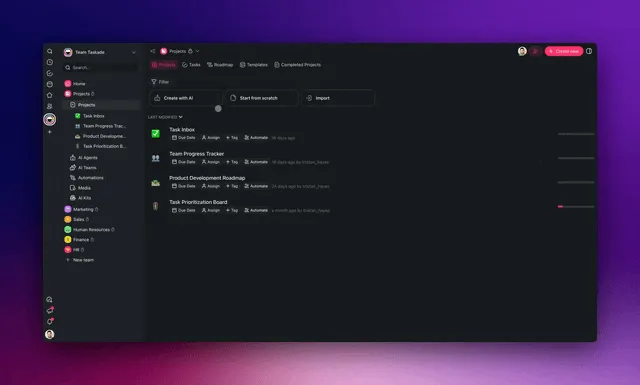
This guide compares 10 Zapier alternatives — from AI-native platforms to self-hosted tools — with pricing, features, live apps you can clone, and migration guidance.
The Core Wedge: Describe the Outcome vs Wire the Nodes
The biggest shift in 2026 automation is how you build a workflow. Classic tools (Zapier, Make, n8n) ask you to wire nodes by hand — pick a trigger, connect an action, map every field. AI-native tools like Taskade Genesis let you describe the outcome in plain language and generate the workflow, the database, and the interface for you. You still keep full visual control to edit branches, loops, and filters afterward.
📊 Quick Comparison: Zapier vs Alternatives
| Platform | Best For | AI Agents | Native Integrations | Pricing |
|---|---|---|---|---|
| Taskade Genesis | AI-powered automation | ✅ Built-in | ✅ 100+ native | Free / $10/mo |
| Zapier | App connections | ❌ | ✅ 6,000+ | $19.99/mo |
| Make | Visual workflows | ❌ | ✅ 1,500+ | $9/mo |
| n8n | Self-hosted | ❌ | ✅ 400+ | Free / $20/mo |
| Pipedream | Developers | ❌ | ✅ 1,000+ | Free / $19/mo |
| Tray.io | Enterprise | ❌ | ✅ 600+ | Custom |
| Workato | Enterprise | Limited | ✅ 1,000+ | Custom |
🔌 Connect It, Then Clone the App That Uses It
A connector on its own is plumbing. What you actually want is the thing on the other end of the pipe — the publisher that holds your queue, the portal your clients log into, the form whose answers become tasks. Those already exist and are published. Clone one, connect your accounts, and you have skipped the part where you stare at an empty canvas deciding what fields to make.
| Connect this | Clone this app | What it does with the connection |
|---|---|---|
| Social + content tools | Multi-Platform Publisher → | Holds the queue, the per-platform copy, and the schedule |
| Email + CRM | Client Connect → | Keeps every client thread, owner, and next action in one view |
| Forms + Slack | Smart Feedback Form → | Turns submissions into triaged, routed, assigned work |
| Calendar + billing | Time Tracker Tool → | Logs hours against clients and rolls them into invoices |
Each of these arrives with its database, its interface, and a live URL. Cloning is free on every plan. Once one is in your workspace, an automation has a real destination to write to — see how a workflow executes for what happens between the trigger and that write.
More live systems to take: Community Gallery →.
🤔 Why Look for Zapier Alternatives?
Zapier charges per task and costs scale quickly — a team running 10,000 tasks/month sits on the Team plan at $103.50+/month, with no AI agents, no app building, and no collaboration layer. AI-native alternatives like Taskade Genesis offer flat-rate pricing with intelligent automation that adapts to context. Here are Zapier's key limitations:
| Limitation | Impact |
|---|---|
| No AI intelligence | Automations can't think or adapt |
| Pricing scales fast | Costs increase with task volume |
| No built-in agents | Can't train AI on your data |
| Trigger-based only | No proactive actions |
| No app building | Just connects apps, doesn't create them |
If you want automations that understand context and act intelligently, you need an AI-native approach.
⚙️ What Connecting Actually Buys You
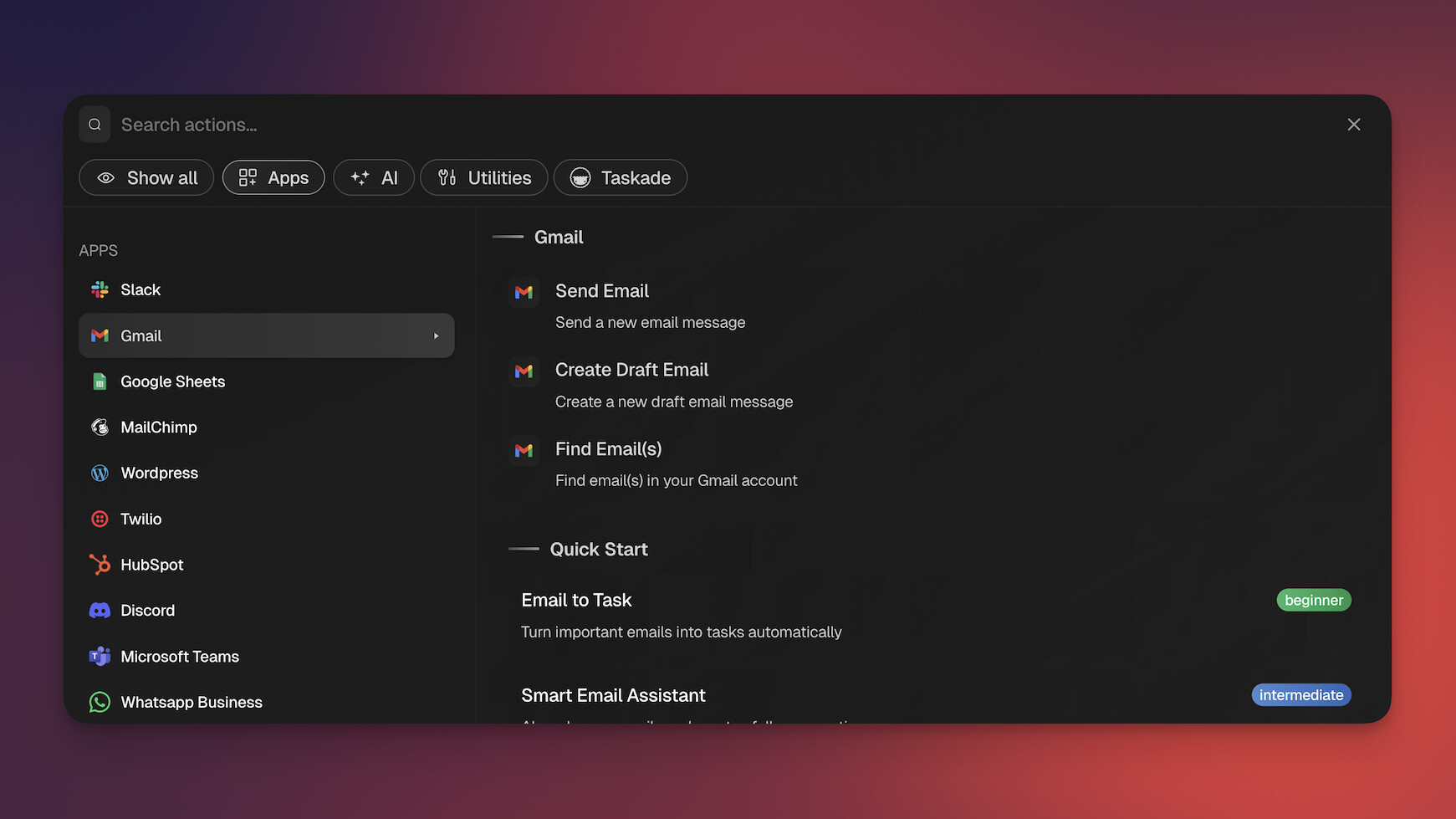
Connecting an app should change what your business can do, not just where a row of data sits. Taskade Genesis ships 100+ bidirectional integrations: triggers pull events in from a connected tool, and actions push data back out to it. That two-way property is the difference between a pipe and a conversation, and it is the thing most connector counts hide.
Bidirectional Means You Build Half as Much
A one-way connector forces you to build the return trip yourself. Stripe fires, you catch it, and then you need a second automation to write the receipt back into the sheet, a third to post the channel message, and a fourth to update the CRM record. Four objects to name, four to debug, four to remember exist in eight months.
Bidirectional means one workflow carries the whole round trip:
| Direction | What it is called | Concrete example |
|---|---|---|
| In | Trigger | A Stripe checkout completes; a Shopify order is placed; a form is submitted; a webhook fires |
| Out | Action | Write a row to Google Sheets, post to Slack, update a HubSpot record, send the Gmail reply |
Both halves live in the same automation, so the data does not have to leave and come back. Start with triggers and actions in Learn, or go straight to Stripe checkout automations and the webhook trigger if you are wiring a payment flow. The Stripe integration write-up walks through a full round trip end to end.
What Happens Between the Trigger and the Result
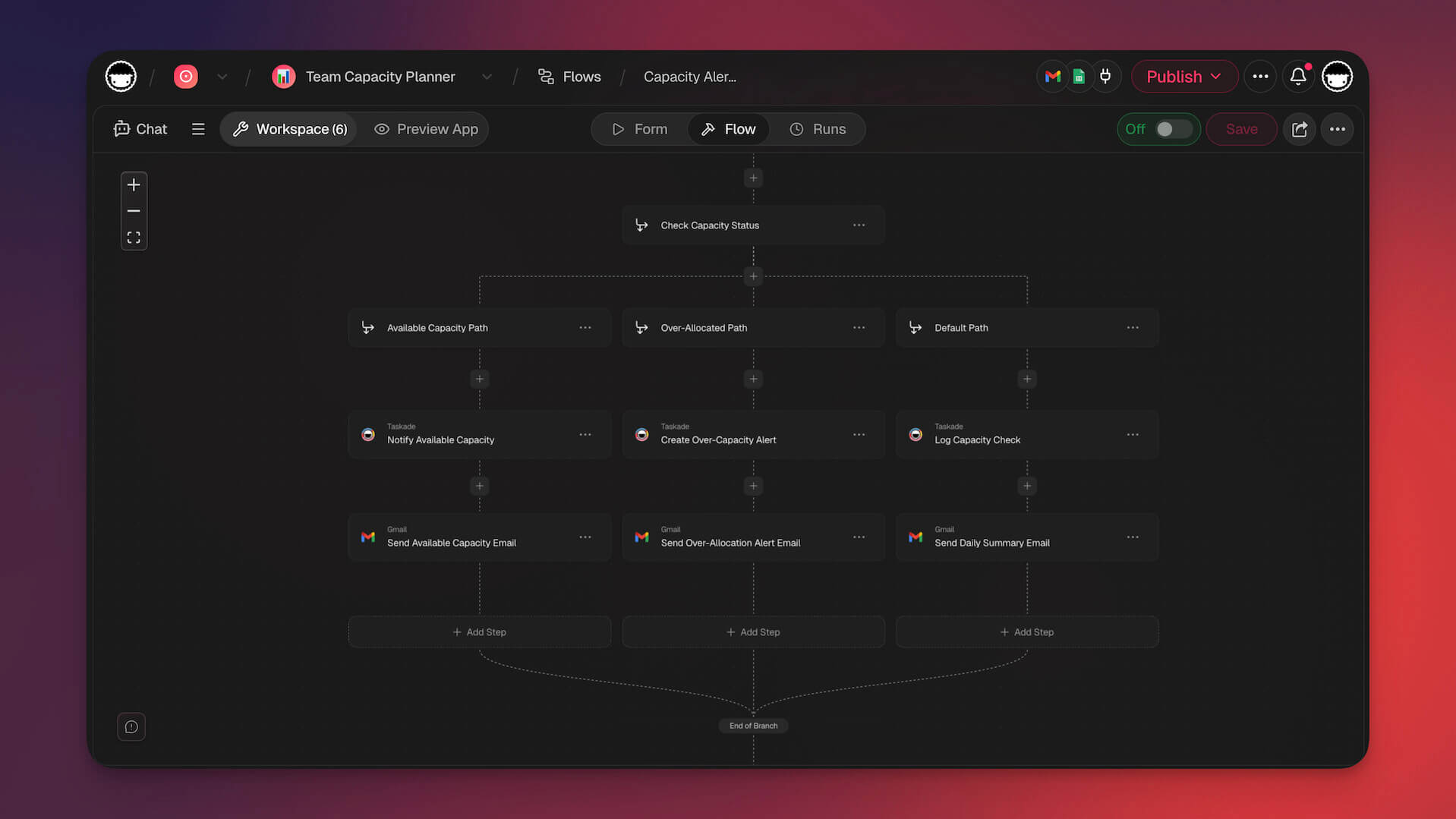
The interesting part of an automation is the middle. Four controls do almost all the work:
- Branch — send the run down a different path based on what arrived. Refund requests and feature requests do not deserve the same treatment.
- Filter — stop the run when the input does not qualify. The cheapest automation is the one that correctly does nothing.
- Schedule — run on a clock instead of an event, for the Monday report and the nightly reconcile.
- Wait and retry — pause minutes or days, and when a step fails on a timeout or a rate limit, retry and resume from that step rather than restarting the run.
That last one is worth dwelling on. Most automation failures are not logic errors; they are a third-party API having a bad thirty seconds. A platform that restarts the whole run duplicates work. A platform that stops dead loses it. Resuming from the failed step is the behavior you want at 3 AM, when the order sync fires and nobody is awake to notice.
The Loop Is Bounded, On Purpose
Taskade automations iterate as a bounded loop: hand a workflow a batch and it makes exactly one pass per item, then stops. It does not run itself in circles until it decides the goal is met, and it cannot call itself without limit.
This is a deliberate trade, and it is worth being plain about it. You give up "let it figure out how many times to run." You get a run history that is a finite list, a credit bill you can predict, and the ability to hand an automation to a new hire without teaching them to fear it. For a business that depends on the workflow running correctly rather than impressively, that is the right trade.
The Part No Connector Count Can Show
Here is what separates a connected workspace from a connected pile of apps: the data that arrives is already in the place where the intelligence lives.
When a Shopify order lands in Taskade, it becomes a row in a project — the same project an AI agent can read, the same one you can open in any of the project views (List, Board, Calendar, Table, Mind Map, Gantt, Org Chart), and the same one a published app can render as a customer-facing screen. There is no separate database to provision, no sync step between "where the automation put it" and "where the AI can see it."
That is the Workspace DNA loop: Memory (your projects) feeds Intelligence (your agents), Intelligence triggers Execution (your automations), and Execution writes back into Memory. Each connection you add makes the next automation smarter, because it adds to what the agents can see. A connector library that dumps data into someone else's storage cannot compound that way.
Where to Start Connecting
Pick the tool your business already argues about, not the one with the prettiest logo:
| If the friction is | Connect | Then run |
|---|---|---|
| Payments and receipts | Stripe | Stripe automations |
| Bookings and no-shows | Google Calendar | Calendar automations |
| Leads going cold | Gmail or HubSpot | Sales automations |
| Campaigns and posting | Social + content tools | Marketing automations |
| Multi-step agent work | Everything above | Agentic workflows |
Browse the full list at Integrations, or read how small teams sequence this in 15 AI automations for small business.
🏆 The 10 Best Zapier Alternatives in 2026
#1 Taskade Genesis ⭐ Best AI-Native Automation
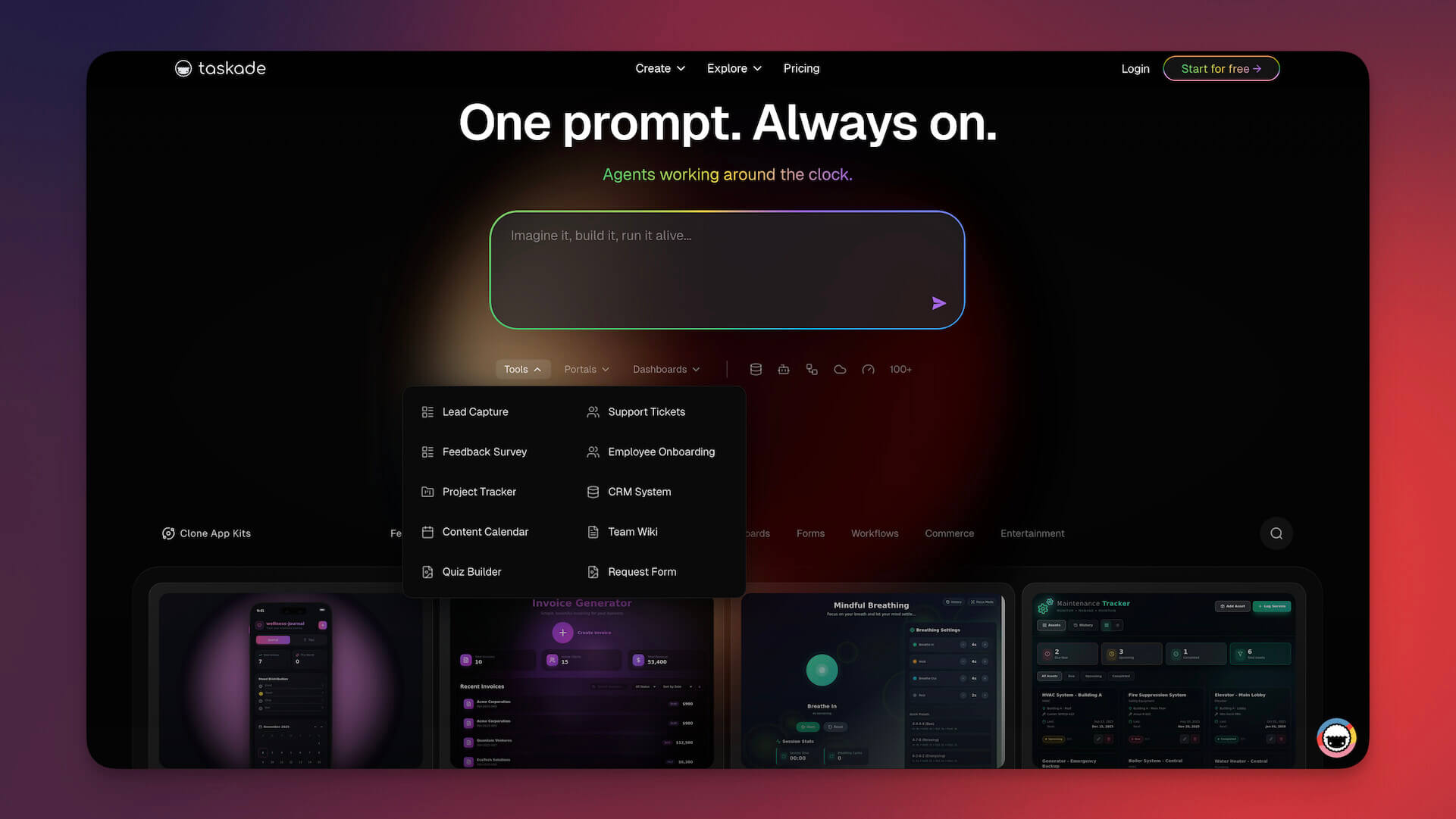
Taskade Genesis reimagines automation.
Instead of just connecting apps, Taskade Genesis creates living systems. AI agents understand your workflows and act autonomously.
💡 The Shift: Zapier = triggered actions. Taskade Genesis = intelligent decisions. AI agents that analyze, adapt, and execute based on context—not just rules.
Why Taskade Genesis beats Zapier:
| Feature | Zapier | Taskade Genesis |
|---|---|---|
| Trigger-based automation | ✅ | ✅ |
| AI-powered decisions | ❌ | ✅ AI agents decide |
| Train on your data | ❌ | ✅ Custom knowledge |
| Built-in database | ❌ | ✅ Projects |
| Build complete apps | ❌ | ✅ One prompt |
| Native integrations | 6,000+ (via API) | 100+ native |
| Real-time collaboration | ❌ | ✅ |
What makes Taskade Genesis different:
Zapier connects apps. Taskade Genesis thinks between them.
Example: "When a lead fills out a form, score them with AI, route hot leads to sales, and send personalized follow-ups based on their responses."
With Zapier, you'd need multiple zaps and external AI tools.
With Taskade Genesis, one automation handles it all with built-in AI intelligence.
Taskade Genesis Automations Include:
| Automation Type | What It Does |
|---|---|
| 5 Trigger Types | Schedule, webhook, form submission, manual, or service-based |
| AI Processing | Analyze, summarize, categorize with AI agents |
| Branching Logic | If/then decisions based on AI analysis |
| Loops | Iterate over lists and repeat actions per item |
| Agent Actions | AI agents with custom commands execute tasks autonomously |
| Database Updates | Store results in Projects (built-in database layer) |
The Workspace DNA Difference
Zapier connects apps. Taskade Genesis connects four layers into a living system:
- 🧠 Projects (Memory) — Built-in database. No separate Airtable or Sheets.
- 🤖 Agents (Intelligence) — AI chat trained on your data with persistent conversation memory.
- ⚡ Flows (Execution) — 100+ native integrations (Shopify, Stripe, Slack, Gmail, HubSpot, Telegram, Airtable, Linear, Monday.com, and more). Workflows survive failures and never lose progress. No per-task pricing.
- 🎨 App UI (Interface) — Publish complete apps with password protection and branded sign-in. Custom domains on Business+.
The feature Zapier can't match: agents and automations work as one system.
Agents can trigger workflows directly from chat. But the real power is the reverse: any automation workflow can become an agent tool. Your AI agent says "check this customer's recent orders, process the refund, and notify the support channel" and it invokes the Shopify+Stripe+Slack workflow in one step.
Automations can also trigger agents. When a new lead arrives, an agent scores it, drafts a personalized follow-up, and routes it to the right salesperson. No human needed.
Background agents (Pro plan and above) run around the clock. They process form submissions, monitor Shopify orders, and execute workflows while you sleep.
New in 2026: Automation diagnostics automatically detect issues and suggest fixes.

🧬 Taskade Genesis at a glance — the full capability stack:
- One-prompt apps — describe an app, get a live deployed one with a database, UI, and shareable URL. 150,000+ apps built since launch.
- AI agents with built-in tools — web search, code, file analysis, custom slash commands, persistent memory, public embedding.
- Multi-agent collaboration — agents work as a team, with an orchestration mode where a manager agent plans steps and delegates to specialist agents with a review step.
- 15+ frontier models from OpenAI, Anthropic, Google, and open-weight providers.
- 100+ bidirectional integrations — triggers pull events in, actions push data out (native Shopify + Stripe).
- Reliable automation workflows — branch, filter, loop once per item, wait minutes to days, and resume from the failed step.
- Multiple project views — List, Board, Calendar, Table, Mind Map, Gantt, Org Chart.
- Publish anywhere — custom domains, built-in sign-in for published apps, Community Gallery, and app kits.
Industry note: A pattern emerging across multi-agent platforms is the creator-verifier loop — a fresh, separate agent that reviews the builder's work without cost-bias before shipping. This is an industry-wide concept, not a Taskade feature; Taskade's orchestration mode uses a peer-review step within the team rather than a separate verifier seat.
Clone these automation apps:
| Use Case | App | Clone |
|---|---|---|
| Sales pipeline | Sales Pipeline Workflow | Clone → |
| Support tickets | Support Workflow Manager | Clone → |
| Content publishing | Content Workflow | Clone → |
| Approvals | Approval Flow Tracker | Clone → |
| Hiring | Recruitment Workflow | Clone → |
Browse 150,000+ apps and automations →
Taskade Genesis Pricing 💸 (annual billing)
- 🟢 Free: 3 Genesis apps, 1 agent, 11,000 one-time AI credits, 10 automation runs/mo
- 🟣 Pro ($10/month): 10 users, unlimited agents, 1,000 automation runs/mo for the workspace, live web hosting, background agents, 50K credits/mo
- 🟠 Business ($25/month): Unlimited users, 10,000 automation runs/mo, custom domains, white-label, API access, hourly knowledge sync, 150K credits/mo
Why this matters vs Zapier's pricing: Zapier charges per task — costs scale with usage and get expensive fast. Taskade Genesis Pro at $10/month billed annually covers 10 users with 1,000 automation runs a month at a flat rate, and Business at $25/month covers 10,000. A team running 10,000 tasks/month on Zapier is on the Team plan at $103.50+/month for that volume alone — with no AI agents, no app building, and no collaboration.
👉 Build AI-powered automations with Taskade Genesis
⚡ Bottom Line: Taskade Genesis wins for AI-powered automation. Zapier wins for maximum app connections. Choose based on whether you need intelligence or breadth.
#2 Make (formerly Integromat)

Make offers visual workflow building with more complex logic than Zapier.
Its scenario builder lets you create branching, looping workflows.
The Visual Power User's Choice
More flexibility than Zapier at a lower price.
Better for complex workflows with conditional logic.
Make vs Zapier:
| Feature | Make | Zapier |
|---|---|---|
| Visual builder | ✅ Advanced | Basic |
| Branching logic | ✅ | Limited |
| Pricing | Lower | Higher |
| Apps | 1,500+ | 6,000+ |
| AI features | ❌ | Limited |
Best for: Power users who need complex, visual workflows at a lower price point.
✅ Choose Make if: You need advanced logic and branching at better pricing.
❌ Skip it if: You want AI intelligence, not just complex triggers.
Going deeper on Make? See the full Make alternatives guide for a head-to-head on visual scenarios, pricing, and AI-native options.
Make Pricing 💸
- 🟢 Free: 1,000 ops/month
- 🔵 Core ($9/month): 10,000 ops
#3 n8n

n8n is an open-source, self-hostable automation platform.
Gives you full control over your data and workflows.
The Self-Hosted Option
Perfect for teams with data privacy requirements.
Requires technical setup but offers complete control.
n8n vs Zapier:
| Feature | n8n | Zapier |
|---|---|---|
| Self-hosted | ✅ | ❌ |
| Open source | ✅ | ❌ |
| Data privacy | ✅ Full control | Cloud only |
| Technical skill | Required | Not required |
| AI features | Limited | Limited |
Best for: Technical teams who want full control and self-hosting.
🔒 Privacy Win: n8n keeps all your data on your infrastructure. Perfect for regulated industries or security-conscious teams.
✅ Choose n8n if: You need data privacy and have technical expertise.
❌ Skip it if: You want cloud-hosted with zero infrastructure management.
Going deeper on n8n? See the full n8n alternatives guide comparing self-hosted control against AI-native, fully managed automation.
n8n Pricing 💸
- 🟢 Self-hosted: Free
- 🔵 Cloud ($20/month): Hosted option
#4 Pipedream

Pipedream is a developer-focused automation platform.
Lets you write code within workflows.
The Developer's Playground
Mix no-code steps with custom Node.js code.
Full flexibility for technical users.
Pipedream vs Zapier:
| Feature | Pipedream | Zapier |
|---|---|---|
| Code support | ✅ Full | Limited |
| Developer-friendly | ✅ | Less so |
| Free tier | ✅ Generous | Limited |
| AI features | ❌ | Limited |
Best for: Developers who want to mix code with no-code automations.
✅ Choose Pipedream if: You're technical and want code-level control.
❌ Skip it if: You prefer pure no-code or need AI agents.
Pipedream Pricing 💸
- 🟢 Free: 10,000 invocations/day
- 🔵 Pro ($19/month): More invocations
#5 Tray.io

Tray.io is an enterprise-grade automation platform with advanced features for large organizations.
Tray.io vs Zapier:
| Feature | Tray.io | Zapier |
|---|---|---|
| Enterprise features | ✅ | Limited |
| Complex workflows | ✅ | Basic |
| Security/compliance | ✅ | Basic |
| Pricing | Premium | Mid-range |
Best for: Enterprise teams with complex automation needs.
Tray.io Pricing 💸
- 💰 Custom pricing (typically $600+/month)
#6 Workato

Workato is an enterprise iPaaS (Integration Platform as a Service) with AI-powered recipe suggestions.
Workato vs Zapier:
| Feature | Workato | Zapier |
|---|---|---|
| Enterprise | ✅ | Limited |
| AI suggestions | ✅ | ❌ |
| Governance | ✅ | Basic |
| Pricing | Premium | Mid-range |
Best for: Large enterprises needing governance and compliance.
Workato Pricing 💸
- 💰 Custom pricing (enterprise only)
#7 Microsoft Power Automate

Power Automate is Microsoft's automation tool, deeply integrated with Microsoft 365.
Power Automate vs Zapier:
| Feature | Power Automate | Zapier |
|---|---|---|
| Microsoft integration | ✅ Native | Via connectors |
| AI Builder | ✅ | ❌ |
| Desktop automation | ✅ | ❌ |
| Non-Microsoft apps | Limited | ✅ 6,000+ |
Best for: Organizations heavily invested in Microsoft 365.
Power Automate Pricing 💸
- 🟢 Included with Microsoft 365
- 🔵 Standalone ($15/month): Per user
#8 IFTTT

IFTTT (If This Then That) is the simplest automation tool, great for personal use.
IFTTT vs Zapier:
| Feature | IFTTT | Zapier |
|---|---|---|
| Simplicity | ✅ Very simple | More complex |
| Consumer focus | ✅ | Business |
| Smart home | ✅ Great | Limited |
| Business workflows | Limited | ✅ |
Best for: Personal automation and smart home integrations.
IFTTT Pricing 💸
- 🟢 Free: 2 applets
- 🔵 Pro ($2.50/month): Unlimited applets
#9 Automate.io (now Notion)

Automate.io was acquired by Notion and integrated into Notion's automation features.
Notion Automations vs Zapier:
| Feature | Notion | Zapier |
|---|---|---|
| Notion-native | ✅ | Via connector |
| General automation | Limited | ✅ |
| AI features | ✅ Notion AI | Limited |
| Pricing | Included | Separate |
Best for: Notion users who need simple database automations.
#10 Pabbly Connect

Pabbly Connect offers lifetime deals and unlimited operations, appealing for budget-conscious users.
Pabbly vs Zapier:
| Feature | Pabbly | Zapier |
|---|---|---|
| Lifetime pricing | ✅ | ❌ |
| Unlimited operations | ✅ | Task limits |
| App library | Smaller | Larger |
| AI features | ❌ | Limited |
Best for: Budget-conscious users wanting unlimited automations.
Pabbly Pricing 💸
- 🔵 Standard ($19/month): Unlimited operations
- 💰 Lifetime deals available
🤔 How to Choose the Right Zapier Alternative
By Use Case
| If You Need... | Best Choice |
|---|---|
| AI-powered automations | Taskade Genesis |
| Visual complex workflows | Make |
| Self-hosted/open source | n8n |
| Developer flexibility | Pipedream |
| Enterprise governance | Tray.io or Workato |
| Microsoft ecosystem | Power Automate |
| Simple personal automation | IFTTT |
By Budget
| Budget | Best Choice |
|---|---|
| Free | Taskade Genesis, n8n, Pipedream |
| Low ($10-20/mo) | Make, Taskade Pro |
| Mid ($50-100/mo) | Zapier, Power Automate |
| Enterprise | Tray.io, Workato |
📊 Feature Comparison Matrix
| Feature | Taskade Genesis | Zapier | Make | n8n | Pipedream |
|---|---|---|---|---|---|
| AI agents | ✅ | ❌ | ❌ | ❌ | ❌ |
| Train on data | ✅ | ❌ | ❌ | ❌ | ❌ |
| App building | ✅ | ❌ | ❌ | ❌ | ❌ |
| Visual builder | ✅ | ✅ | ✅ | ✅ | ✅ |
| Branching | ✅ | Limited | ✅ | ✅ | ✅ |
| Code support | ❌ | Limited | Limited | ✅ | ✅ |
| Self-hosted | ❌ | ❌ | ❌ | ✅ | ❌ |
| Free tier | ✅ | Limited | ✅ | ✅ | ✅ |
💰 Total Cost of Ownership: Zapier vs AI Alternatives
Zapier's per-task pricing makes costs unpredictable and expensive at scale. Here is a side-by-side TCO comparison for common automation volumes:
| Monthly Tasks | Zapier Cost | Make Cost | Taskade Genesis | n8n (Cloud) |
|---|---|---|---|---|
| 750 | $19.99 (Starter) | $9 (Basic) | $10 (Pro, 1,000 runs) | $20 |
| 2,000 | $103.50 (Team) | $9 (Basic) | $20 (Pro at 2x, 2,000 runs) | $20 |
| 10,000 | $103.50+ (Team) | $16 (Pro) | $25 (Business, 10,000 runs) | $20 |
| 50,000 | $299+ (overage) | $29 (Teams) | $125 (Business at 5x) | $50 |
| 100,000 | $599+ (overage) | $99 (Enterprise) | $250 (Business at 10x) | Custom |
Zapier pricing as of March 2026: Starter ($19.99/mo, 750 tasks), Professional ($29.99/mo, 750 tasks with premium features), Team ($103.50/mo, 2,000 tasks). Overages billed per task.
Taskade prices are per month, billed annually. A Taskade run is one whole workflow, however many steps it has. Steps (triggers and actions together) have a separate cap of 50,000 per billing period, times the plan level. The run allowance is shared by the workspace and scales with the "credits / month" level of the plan (2x, 5x, 10x).
Key insight: Taskade Genesis Pro at $10/month covers 10 users, unlimited AI agents, and 1,000 automation runs a month for the workspace. Business at $25/month covers 10,000. There is no per-task pricing at any tier. A team processing 50,000 runs a month fits Business at the 5x level ($125/month), which still saves $174+/month compared to Zapier, or $2,088+/year.
According to Gartner, enterprise automation spending will exceed $3.6 billion by 2027. Taskade Genesis addresses this market with flat-rate AI-native automation — the only platform combining AI agents, reliable workflow execution, and app building in a single workspace at predictable pricing.
What TCO misses: Zapier connects 6,000+ apps but each connection is a simple trigger-action. Taskade Genesis has 100+ native integrations, but compensates with AI agents that can reason about data, make branching decisions, and execute multi-step logic that would require 5-10 separate Zaps.
📋 Zapier to Taskade Migration Checklist
Switching from Zapier? Follow this step-by-step migration path:
Phase 1: Audit (Day 1)
- Export your Zap list from Zapier Settings → Data Management
- Categorize Zaps by complexity: Simple (2-step), Medium (3-5 steps), Complex (6+ steps)
- Identify which Zaps use apps available in Taskade's 100+ integrations
- Note any Zaps that only use Zapier-exclusive app connectors
Phase 2: Recreate Core Workflows (Days 2-3)
- Sign up for Taskade and set up your workspace
- Start with simple Zaps — most 2-step Zaps can be replaced with a single Taskade automation
- For medium Zaps, use Taskade's branching and looping logic in the Automation Builder
- For complex Zaps, consider replacing the entire chain with an AI agent that handles the logic contextually
Phase 3: Enhance with AI (Days 4-5)
- Identify Zaps that would benefit from AI decision-making (lead scoring, content routing, sentiment analysis)
- Build custom AI agents trained on your business data
- Connect agents to automation flows so they trigger workflows from chat
- Set up background agents for 24/7 processing
Phase 4: Optimize (Week 2)
- Monitor automation execution in Taskade's diagnostics dashboard
- Replace remaining Zapier-only integrations with webhook-based connections
- Build Genesis apps to provide UI for your automated workflows
- Publish useful automations to your community profile
Most teams complete migration in under a week. Simple Zaps translate directly. Complex Zaps often simplify into a single AI-powered automation flow.
▲ ■ ● Memory + Intelligence + Execution — that's the Workspace DNA loop that turns a stack of disconnected Zaps into one living system. Start building with Taskade Genesis →
🚀 The Bottom Line
Zapier remains excellent for simple app connections. But if you want automations that understand context, make intelligent decisions, and act autonomously, Taskade Genesis offers a fundamentally different approach.
Our recommendation:
| Priority | Best Choice |
|---|---|
| AI-powered automation | Taskade Genesis |
| Most app connections | Zapier |
| Best value | Make |
| Self-hosted | n8n |
| Enterprise | Tray.io |
Ready to automate with AI?
👉 Build AI automations with Genesis →
👉 Browse automation templates →
💬 Frequently Asked Questions
Is Zapier still worth it in 2026?
Zapier remains valuable for connecting thousands of apps with simple triggers. However, for AI-powered automations that understand context and act intelligently, platforms like Taskade Genesis offer more capabilities.
What's the cheapest Zapier alternative?
For free options: Taskade Genesis, n8n (self-hosted), Pipedream, and IFTTT all offer generous free tiers. For paid, Make offers good value at $9/month.
Can I migrate my Zaps to another platform?
Most platforms don't offer direct Zap import. You'll need to recreate workflows. However, simpler automations in Taskade Genesis can often be replaced with a single AI-powered flow.
Which alternative has the most integrations?
Zapier leads with 6,000+ apps. Make has 1,500+. Taskade Genesis has 100+ native integrations but compensates with AI agents that can work with any data.
What's the difference between describing an automation and wiring nodes?
Most platforms ask you to wire nodes by hand — drag a trigger, connect an action, map every field. Taskade Genesis flips this: you describe the outcome in plain language and it builds the workflow, the database, and the interface. You still get full visual control to edit branches, loops, and filters afterward. This describe-the-outcome approach is the core wedge separating AI-native platforms from node-wiring tools.
Should I pick Zapier, Make, or n8n?
Each fits a different team. Zapier has the widest app library for simple connections. Make offers powerful visual branching at a lower price. n8n gives self-hosted, open-source control. Taskade Genesis adds AI agents, workflows that resume from the failed step, and one-prompt app building on top of 100+ bidirectional integrations. Compare the full picture in the Make alternatives and n8n alternatives guides.
What happens when an automation step fails?
The step retries on its own, and the workflow resumes from that step rather than restarting the whole run or dying quietly. Most automation failures are not logic errors — they are a third-party API having a bad thirty seconds — so the recovery behavior matters more than the failure rate.
Taskade automations also run as a bounded loop: one pass per item in a batch, never an open-ended cycle. The run history stays a finite list you can read top to bottom. See how automations execute for the mechanics, and filters for stopping a run before it does the wrong thing.
Do Taskade integrations work in both directions?
Yes — all 100+ integrations are bidirectional. Triggers pull events in from a connected tool; actions push data back out to it. A Stripe payment can start a workflow, and the same workflow can write a row to Google Sheets, post to Slack, and update a HubSpot record without leaving the run.
One-way connectors force you to build the return trip as a separate automation — four objects to name, four to debug, four to remember exist in eight months. Start with triggers and actions.
How do I connect Stripe or Shopify to an automation?
Both are native, so you authorize the account once and their triggers and actions appear in the builder. The common shape is a Stripe checkout completion starting a workflow that creates the customer record, generates the invoice, and notifies a channel.
Step-by-step: Stripe checkout automations and the webhook trigger for anything without a native connector. Ready-made versions live in Stripe automations.
Who owns the data once my apps are connected?
You do. Connected data lands in your workspace as projects you can open in any of the project views, export, or delete. There is no separate database bill and no per-record charge, and disconnecting an integration leaves what is already in your workspace intact.
Access is governed by a permission model from Owner down to Viewer — see roles and permissions.
🔗 Related Resources
The automation-alternatives triad:
- Make Alternatives — Visual scenarios vs AI-native automation
- n8n Alternatives — Self-hosted control vs fully managed AI workflows
- You're here: Zapier Alternatives — App connections vs AI agents
Explore more automation content:
- Build AI automations with Taskade Genesis
- Create a one-prompt app
- What Are AI Agents?
- Agentic Workflows for Startups
- 15 AI Automations for Small Business — the department-by-department build order
- Run Your Whole Business in One App — what it looks like once everything is connected
- Agentic Workspaces — why the data and the intelligence belong in the same place
- Connect Your Apps, Automate Your Business — the two-way round trip, built step by step
- Best ClickUp AI Alternatives
- Taskade vs Zapier — Side-by-side comparison
- Taskade vs Make — Automation tools compared
- Taskade vs n8n — Workflow platforms compared
Learn about Taskade Automations:
- Automation Templates
- 100+ Integrations
- Triggers and Actions — the two halves of every connection
- How Automations Execute — retries, resumption, and the bounded loop
- Branching, Filters, and Schedules
- Build a Custom AI Agent and give it tools
- Automations Help Guide